AI's Big May Exam, Microsoft Turns In Its Paper | Yunqi Tech π

How Can AI Save Your Productivity?
How does AI connect with the real world? As the AI "battle" intensifies, the answer to this question is coming into focus.
Following OpenAI and Google, Microsoft unveiled more than 50 major updates at the Build 2024 developer conference that kicked off in the early hours today. From the centerpiece Copilot, to Agent powered by Copilot, to the AI PC revealed on the eve of the conference, Microsoft is reshaping "every inch" of productivity tools with a "software-plus-hardware" rhythm.
At the dawn of this AGI wave, Yunqi Capital foresaw: as models' reasoning capabilities and tool-use proficiency grow, software will undergo a fundamental transformation, with AI Agents delivering a converged user experience in terms of utility and feel; meanwhile, hardware will also become a critical gateway for AI to enter the real world.
These shifts are now unfolding, and we look forward to joining forces with more perceptive innovators to embed AI deeper into reality.
This edition of Yunqi Tech π explores how Microsoft's new AI "weapons" are integrating into productivity.
The following article is republished with permission from: Newin
Original title: Microsoft Build 2024 Developer Conference Roundup

In the early hours, Microsoft held two keynote presentations at the Build 2024 developer conference. Microsoft aims to bring generative AI to the forefront of Windows and PCs.
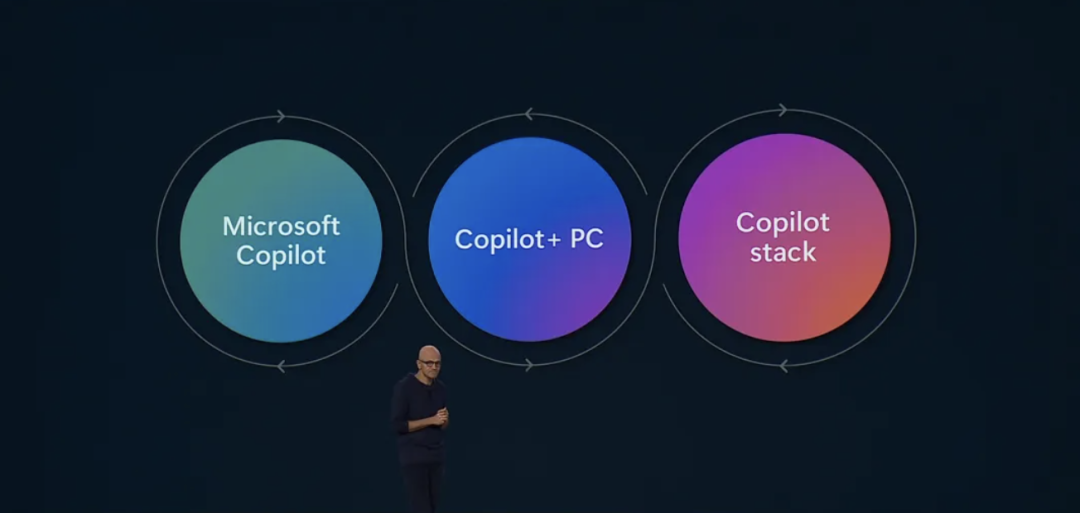
At the event, Microsoft introduced a new lineup of Windows machines called "Copilot+ PC," along with AI-powered generative AI features like Recall, which helps users locate applications, files, and other content.
Microsoft has branded "Copilot" as its generative AI identity, with related features soon to be more deeply woven into the Windows 11 experience, while new Microsoft Surface devices are set to hit the market.
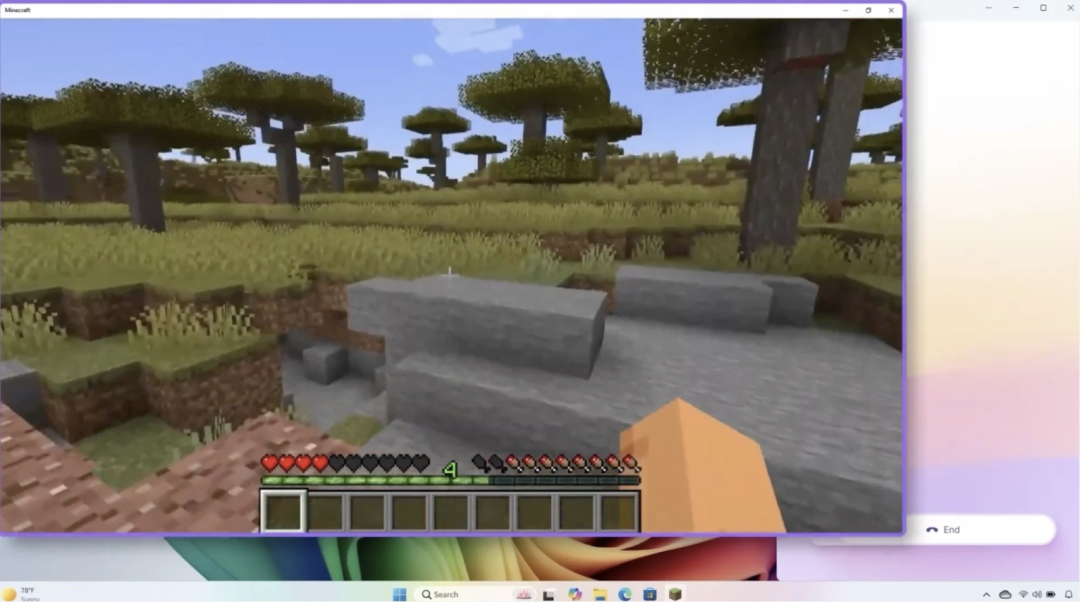
Microsoft wants to infuse AI into every nook and cranny it can find, meaning Copilot won't just watch you — it'll assist you with tasks in Minecraft or serve as your AI Agent colleague.
Copilot+ PC
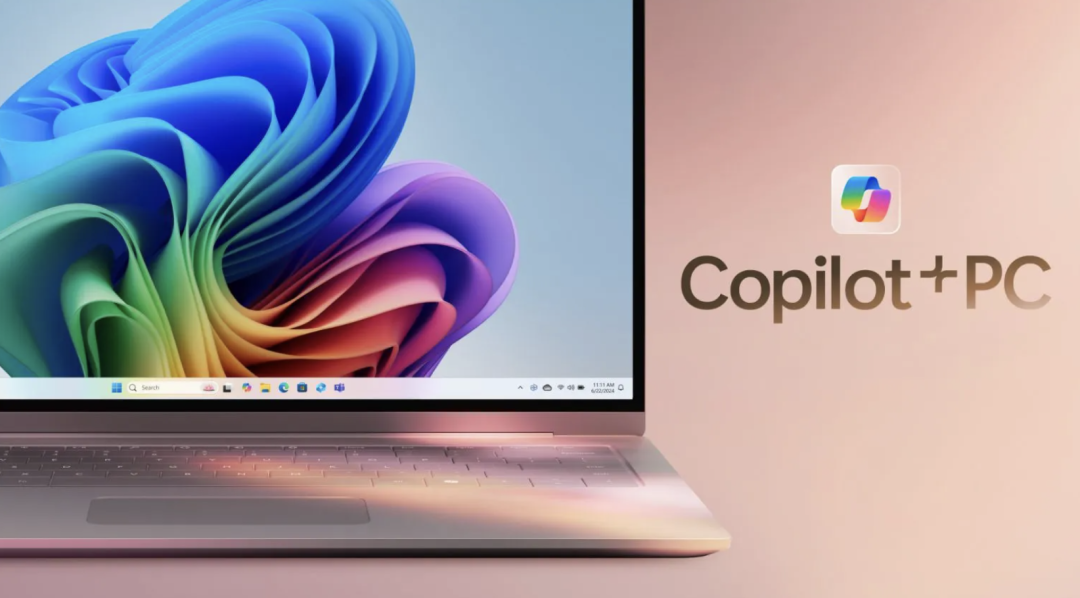
Copilot+ PC is Microsoft's latest AI hardware, featuring dedicated chips called NPUs to power AI experiences like Recall, with at least 16GB of RAM and SSD storage.
The first Copilot+ PCs will run on Qualcomm's Snapdragon X Elite and Plus chips, which Microsoft says deliver up to 15 hours of web browsing and 20 hours of video battery life.
Intel and AMD are also working with a range of manufacturers including Acer, ASUS, Dell, HP, Lenovo, and Samsung to produce processors for Copilot+ devices. Copilot+ PCs start at $999, with some models available for pre-order now.
Surface Pro & Surface Laptop
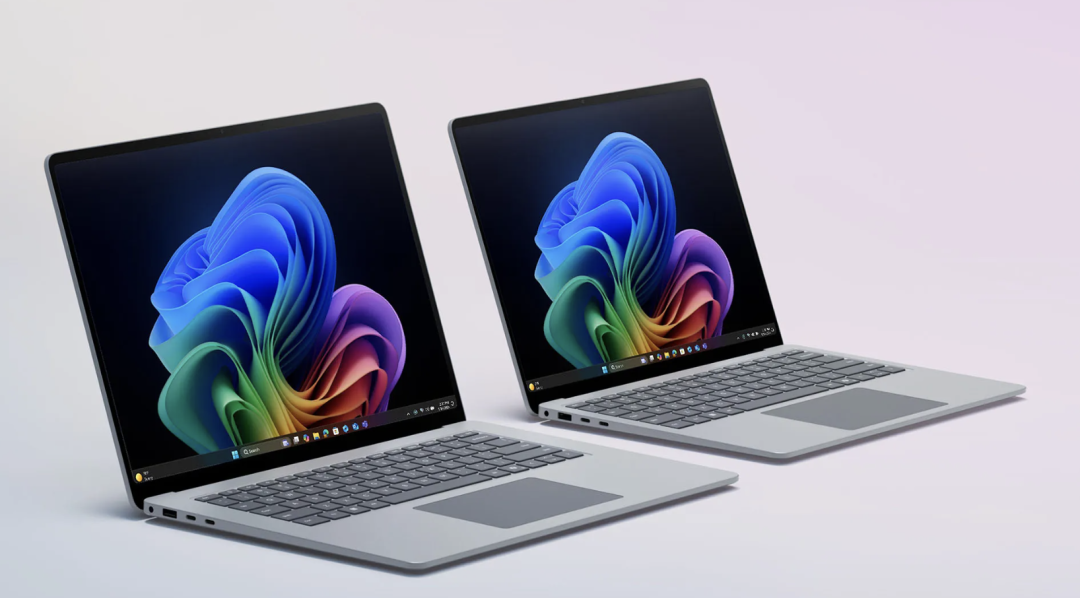
Microsoft unveiled new Surface devices — the Surface Laptop and Surface Pro — with an emphasis on performance and battery life. The new Surface Laptop features 13.8-inch or 15-inch displays, redesigned with "modern lines" and thinner screen bezels.
Microsoft claims it delivers up to 22 hours on a single charge and is 86% faster than the Surface Laptop 5. It also supports Wi-Fi 7 and includes a haptic feedback touchpad.
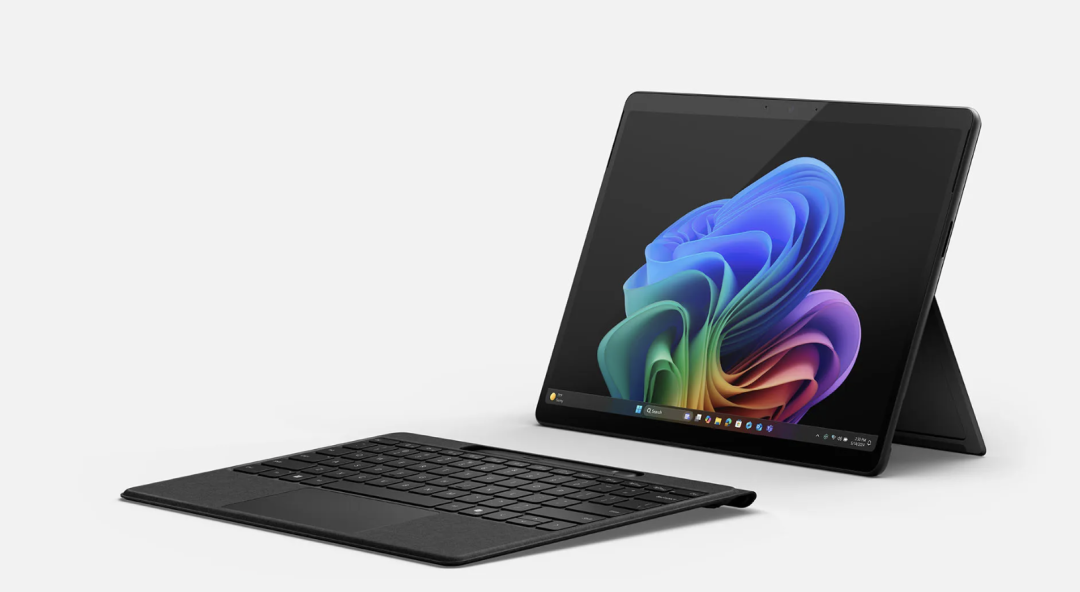
The new Surface Pro is 90% faster than its predecessor (Surface Pro 9) and features a new OLED display with HDR, Wi-Fi 7 (and optional 5G), and an upgraded ultra-wide front camera. Additionally, its detachable keyboard (reinforced with extra carbon fiber) offers haptic feedback.
Recall "Turning Back Time"
The upcoming Recall feature for Windows 11 can "remember" applications and content users accessed on their PC weeks or even months ago — for instance, helping them find a Discord chat where they were discussing clothes they were considering buying.
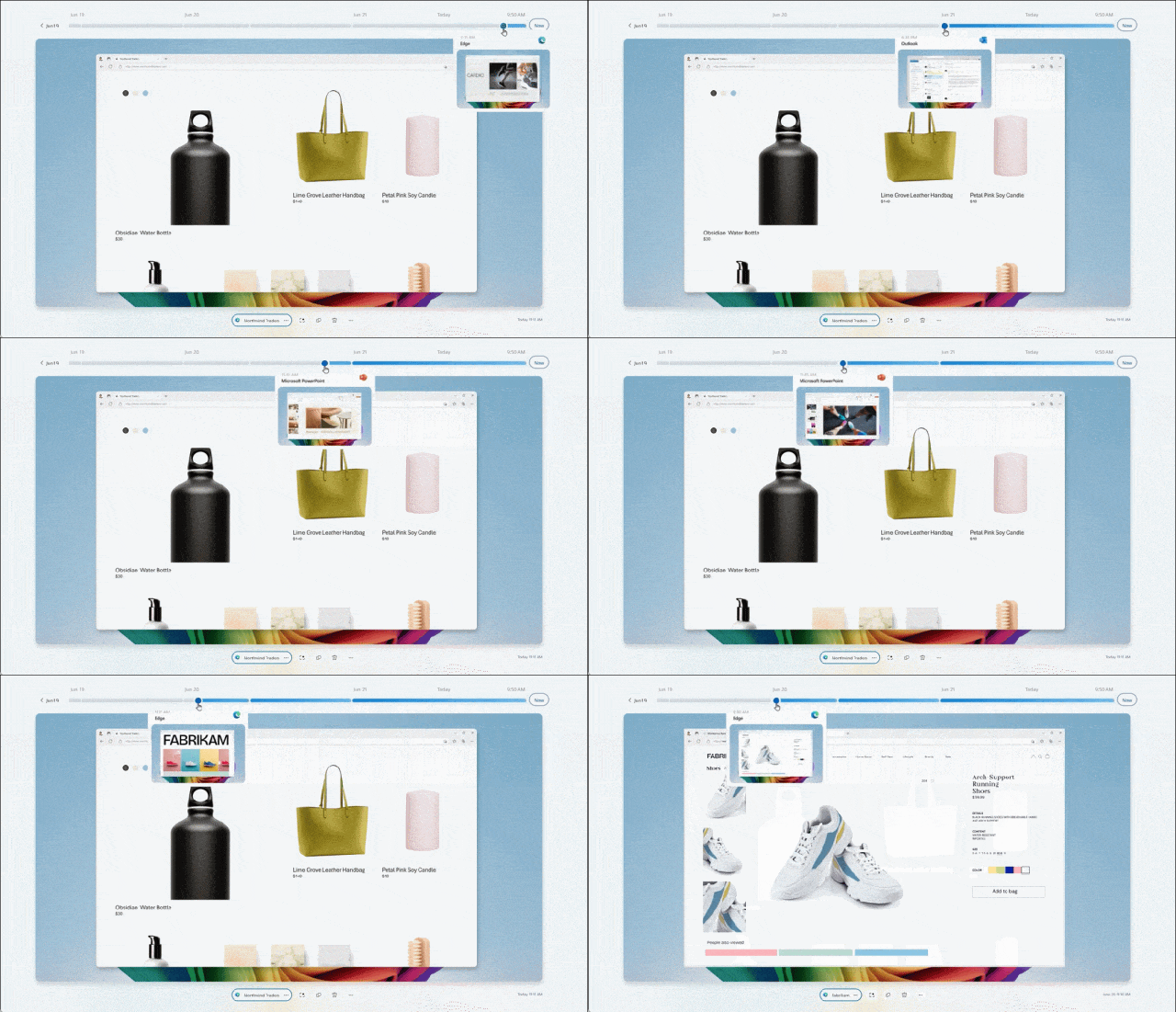
Users can "scroll back" through Recall's timeline to see what they've been doing recently, and drill down into files like PowerPoint presentations to surface information relevant to their search.
Recall can draw connections between colors, images, and more, letting users search for nearly everything on their PC using natural language (not unlike the technology from startup Rewind); developers will be able to improve recall by adding contextual information to their applications.
Additionally, Microsoft states that all user data associated with Recall is private and stored on-device — importantly, it is not used to train AI models.
Image Editing and Real-Time Translation
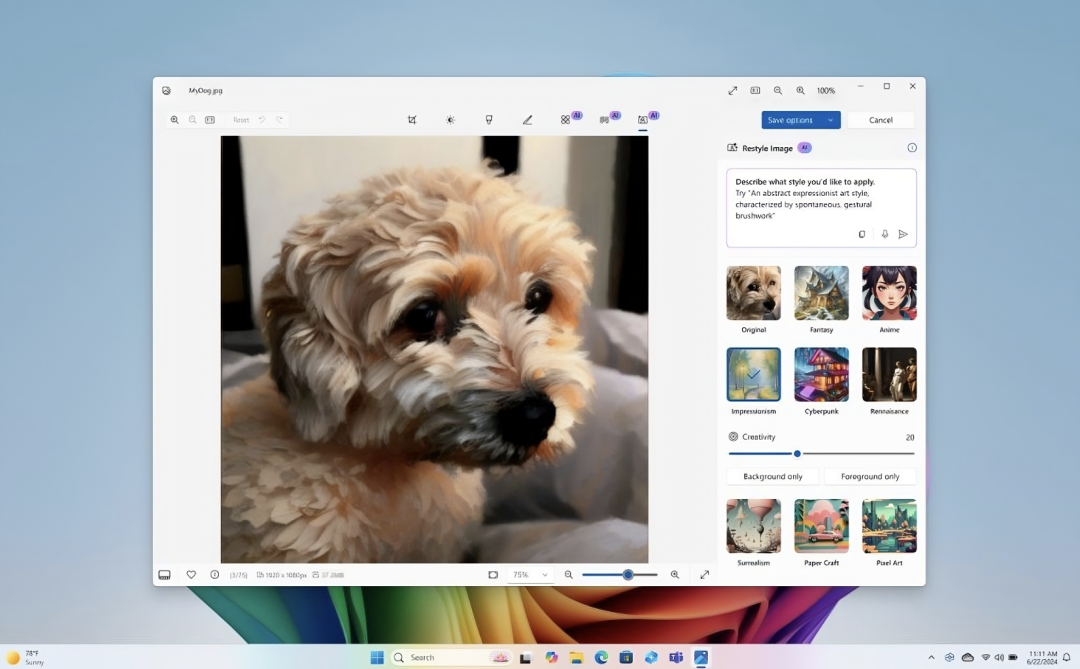
A new Windows feature called "Super Resolution" can restore old photos by automatically upscaling them. Copilot can now analyze images to inspire users with creative compositions. Through a feature called Cocreator, users can generate images and also have the AI model modify or redesign images based on what they've drawn.
Elsewhere, Live Captions with live translation can translate any audio passing through the PC — whether from YouTube or local files — into the user's language of choice. Live translation will initially support roughly 40 languages, including English, Spanish, Mandarin, and Russian.
A separate but related new feature in Microsoft Edge will provide live video translation on sites including LinkedIn, YouTube, Coursera, Reuters, CNBC, Bloomberg, and others. Coming soon, it will support translating Spanish to English, and English to German, Hindi, Italian, Russian, and Spanish, translating spoken content in real time through both dubbing and subtitles.
Microsoft says this feature is "coming soon," with more languages and video platforms to be added in the future.
Volumetric Apps
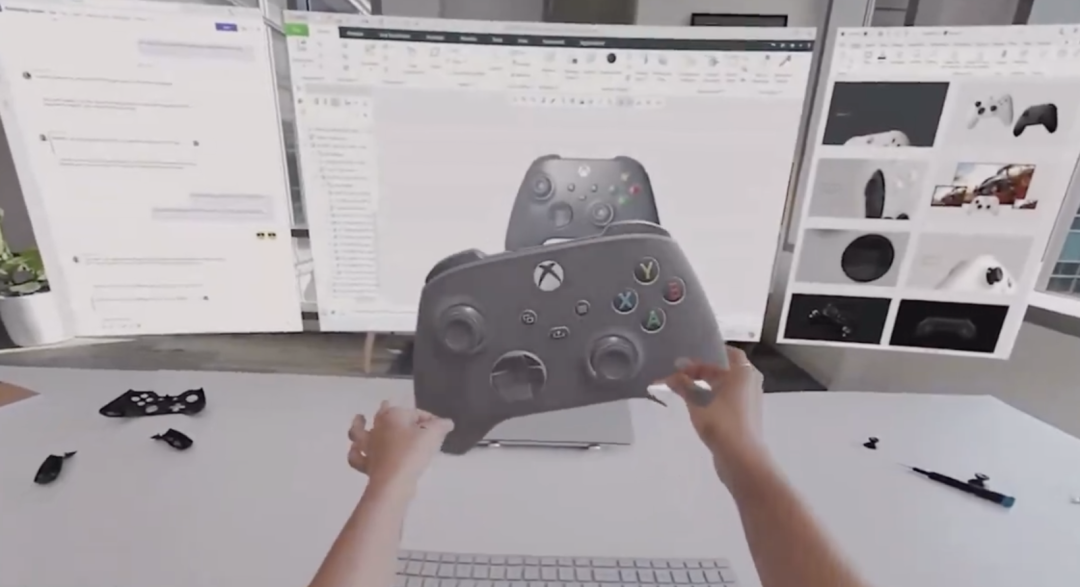
Microsoft is bringing Windows Volumetric Apps to Meta Quest headsets. Through its partnership with Meta, Microsoft says it will offer Windows 365 and local PC connectivity for Quest headsets, enabling developers to extend their applications into 3D space.
Microsoft demonstrated a digitally exploded 3D view of an Xbox controller from the perspective of a Meta Quest 3 headset wearer — a digital object the wearer could manipulate with their hands.
Pavan Davuluri, corporate vice president of Windows and Devices at Microsoft, said the company is deepening its partnership with Meta to deliver a first-class Windows experience on Quest devices.
Developers can sign up for the preview to gain access to Microsoft's new volumetric APIs.
Team Copilot
Team Copilot is the latest extension of Microsoft's evolving Copilot generative AI technology suite. Integrated with the company's Teams video conferencing app, it helps manage meeting agendas and take notes that anyone in the meeting can co-author.
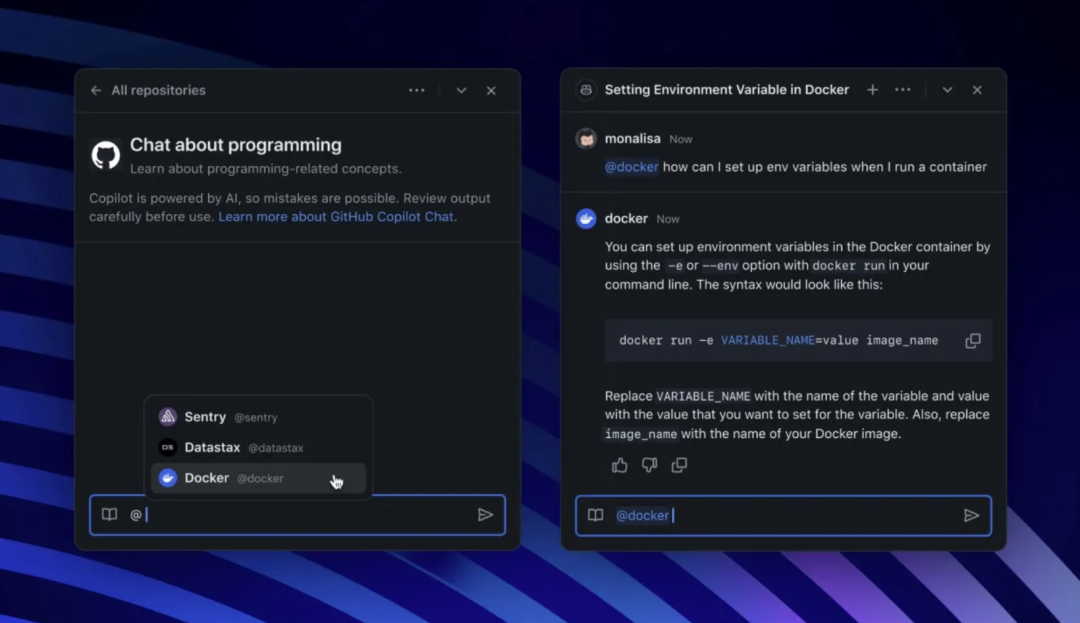
It also extends to Microsoft's collaboration and planning platforms Loop and Planner, for creating and assigning tasks, tracking deadlines, and notifying team members when needed.
Additionally, Microsoft Teams now supports adding custom emojis, just like in Slack, with administrators able to restrict who can add emojis and visibility limited outside the organization domain — expected to launch in July.
Azure AI Studio + Copilot Studio
Azure AI Studio is a toolkit within Microsoft's Azure OpenAI Service that allows customers to compose AI models and build applications that "reason" over data. Soon it will let developers create applications using pay-as-you-go inference APIs — through which developers can access and fine-tune generative AI models hosted on Azure infrastructure.
Microsoft calls this "Models as a Service," initially rolling out models from Nixtla and Core42. In the adjacent Copilot Studio product suite, Microsoft is launching Copilot Agent, which can "independently orchestrate tasks tailored to specific roles and functions."
Copilot Studio provides tools to connect Copilot for Microsoft 365 (the AI-powered Copilot features in applications like Excel and Word) to third-party data, leveraging memory and contextual knowledge. Copilot Agent can navigate various types of business workflows, learn from user feedback, and ask for help when encountering situations it doesn't know how to handle.
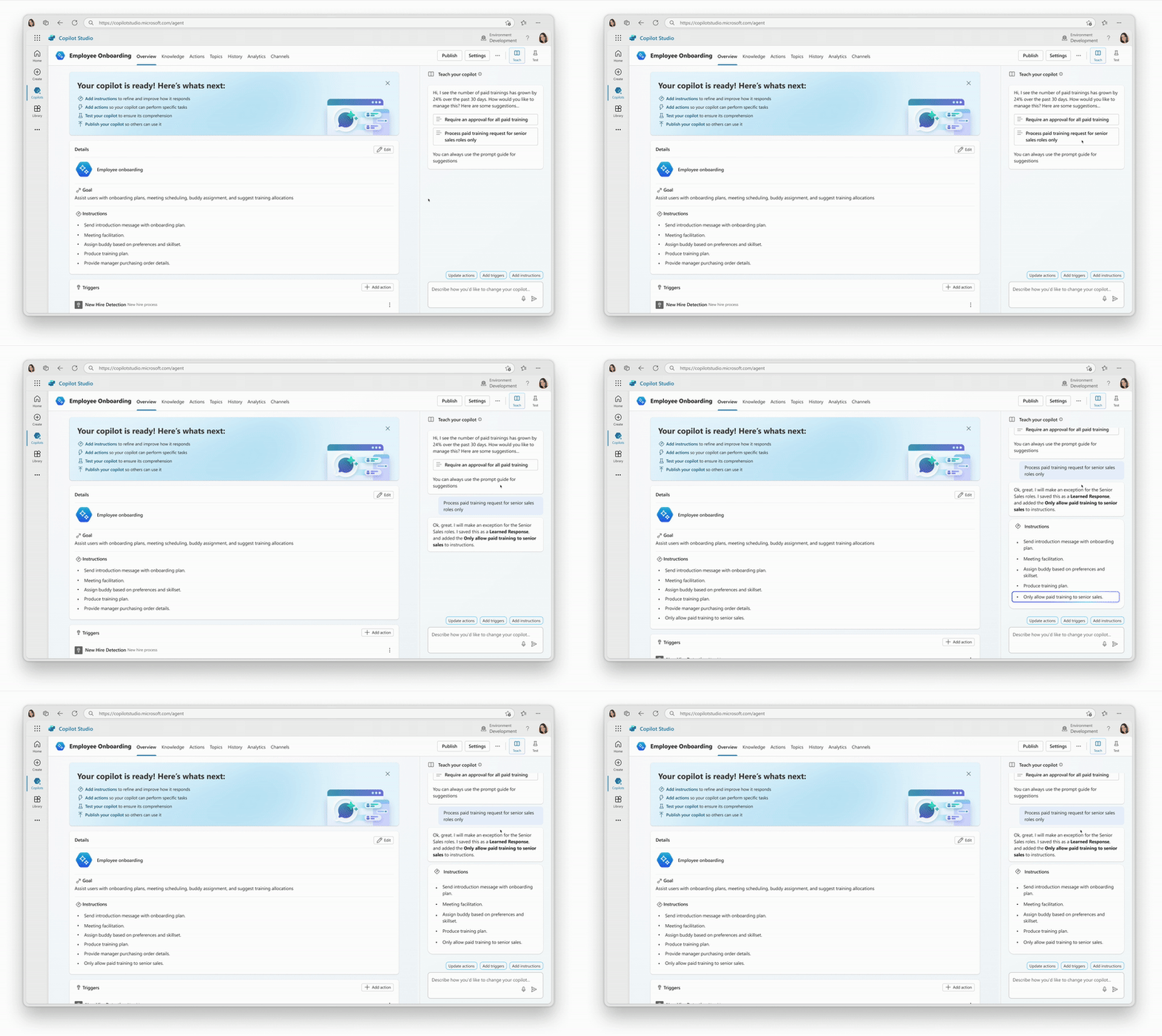
Microsoft says Copilot AI can soon serve as a virtual employee that businesses can use to execute mundane tasks such as monitoring emails, performing a series of automated tasks, helping with employee onboarding, or doing data entry — all without prompting.
Moreover, the new Copilot features won't replace all jobs — only the tedious parts. This new capability will be available in preview in Copilot Studio later this year.
Windows Copilot Runtime
The Windows Copilot Runtime powers features like Recall and Super Resolution. It is a collection of roughly 40 generative AI models that Microsoft describes as a "new layer" of Windows.
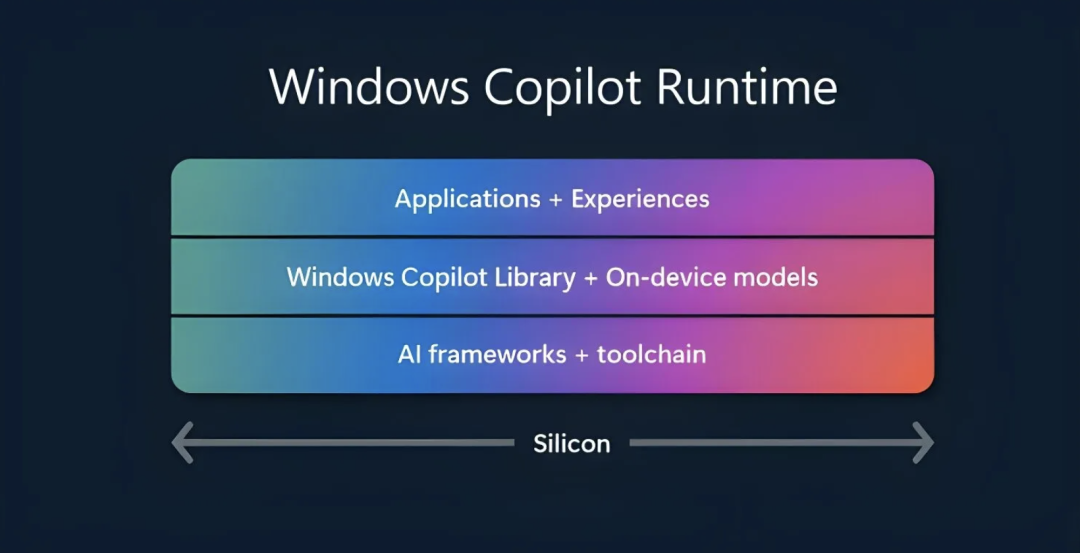
Combined with the Semantic Index — a vector-based system local to each Copilot+ PC — the Windows Copilot Runtime allows generative AI-powered applications, including third-party ones, to run without an internet connection.
Windows Copilot consists of ready-to-use AI APIs such as Studio Effects, Live Captions translation, OCR, Recall with user activity, and more, which will be available to developers in June.
Additionally, CapCut — the popular video editor from ByteDance, TikTok's parent company — will use the Windows Copilot Runtime and accompanying new Windows Copilot Library (a set of APIs and AI development tools) to accelerate its AI features.
Meta will also add the aforementioned Studio Effects to WhatsApp for background blur and eye contact during video calls.
Phi-3-vision Multimodal Model
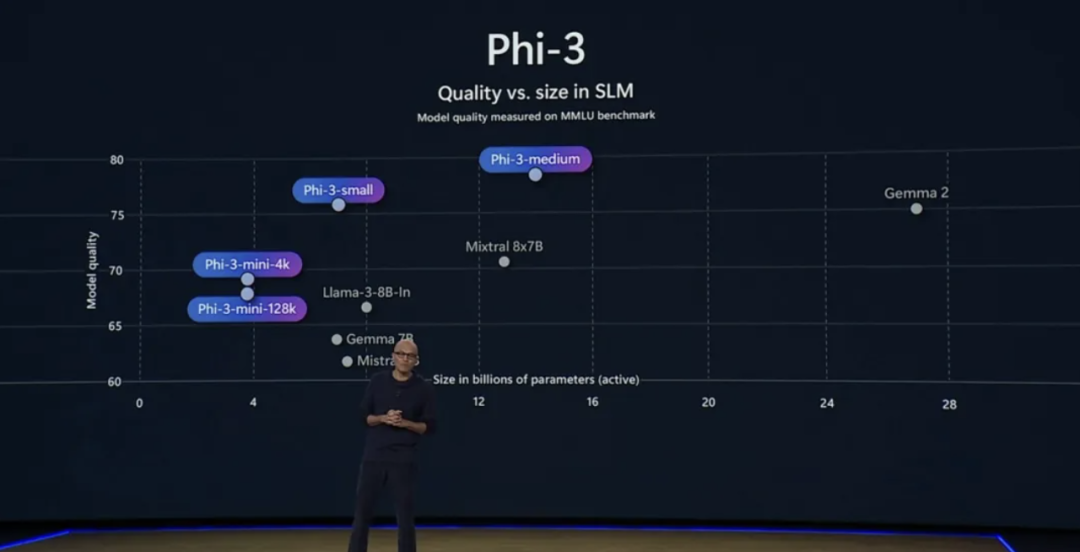
Microsoft introduced Phi-3-vision, a new version of the Phi-3 AI model announced in April. It is multimodal, capable of reading text and viewing images. But it is a small language model, compact enough to run on mobile devices.
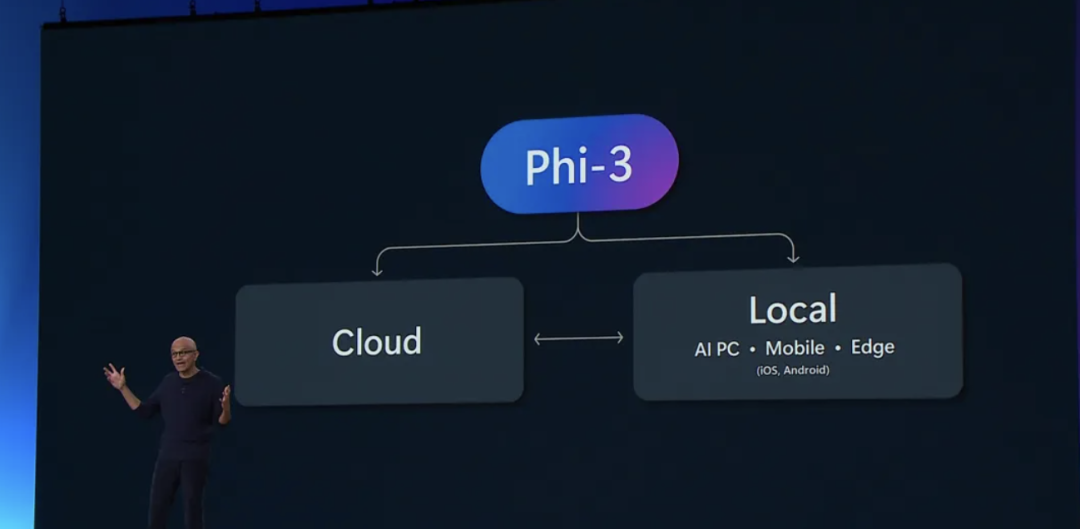
Phi-3-vision is part of Microsoft's Phi-3 model family, announced in April and now available in preview.
GPT-4o and Azure AI
At Microsoft Build 2024, Microsoft said those wanting access to GPT-4o can now get it through Azure AI Studio, with API access.
Microsoft's Azure AI Studio is a playground for developers to experiment with the latest Azure-backed tools, including OpenAI models like GPT-4 Turbo and now GPT-4o. GPT-4o's image and vision capabilities are already available through OpenAI's own API and ChatGPT, while the much-anticipated voice mode is still weeks away.
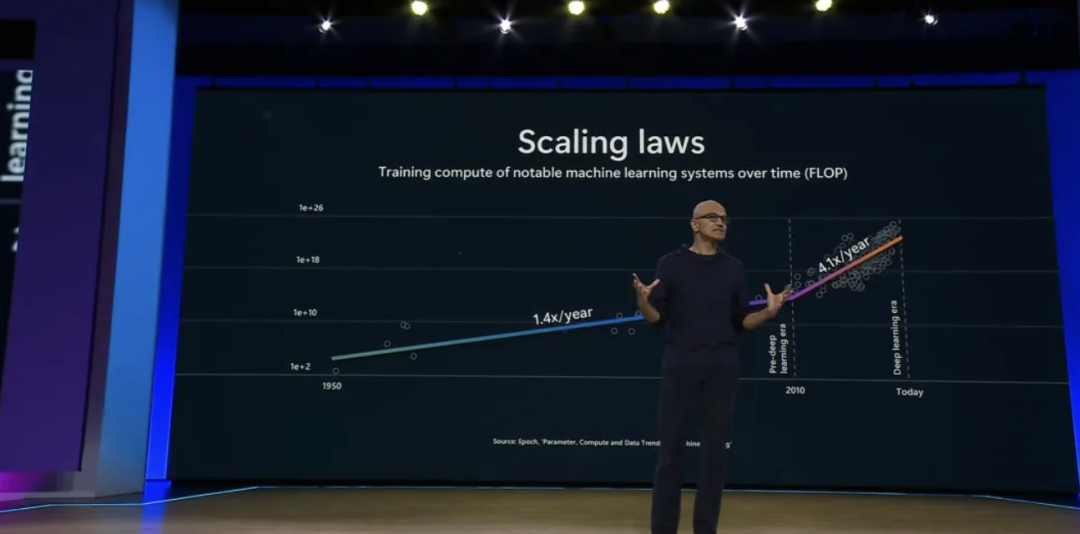
Satya Nadella shared on stage some ways people are using GPT-4o through Copilot. This includes sharing your screen or session with GPT-4o-powered Copilot and asking it for help playing Minecraft. Though, as Mashable's Alex Perry noted, if you're stuck in Minecraft, "you could play the game for 10 minutes, or you could just Google it."
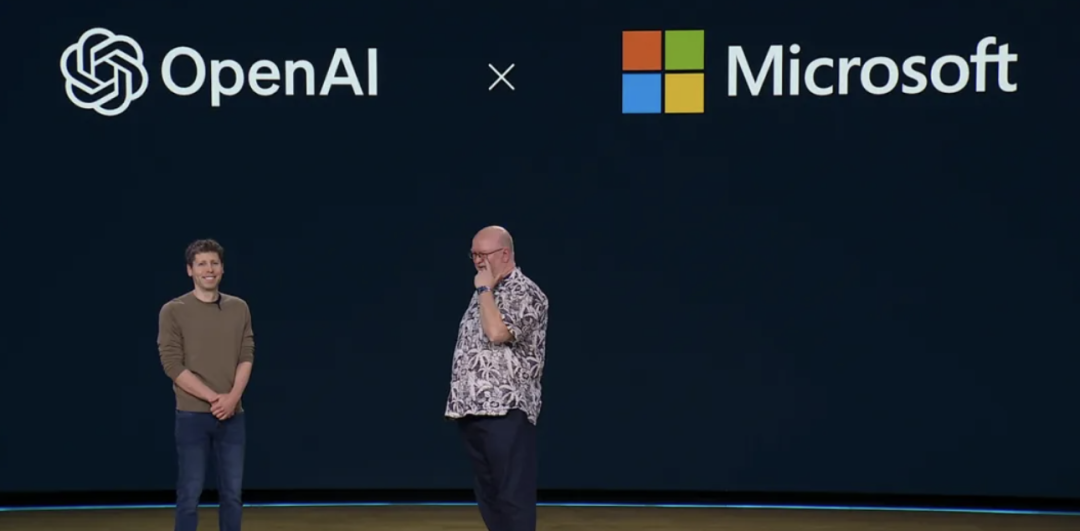
Sam Altman also appeared on stage, stating that new modalities and agentic AI will be key to OpenAI's next model. He expects models to become smarter, more powerful, and safer, with GPT-4o becoming faster and cheaper.
Scaling laws will transform how we use and generate data, much like Moore's Law. The new interaction interface — the model itself — will support text, speech, images, and video as both input and output.
Microsoft CTO Kevin Scott then demonstrated how GPT-4o helps write code, emphasizing how models will continue to become faster and more powerful. Pointing a phone at a screen of code, a ChatGPT-style bot using GPT-4o read the code and helped principal engineer Jennifer Marsman solve problems in real time.
Qualcomm's Mac Mini Equivalent
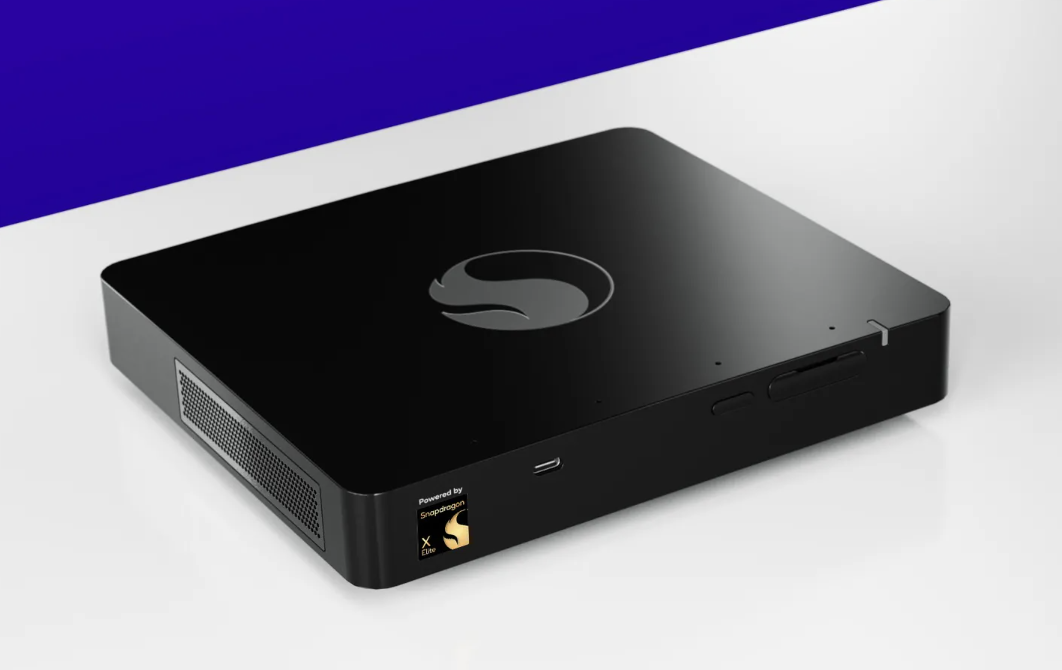
Qualcomm released a roughly Mac Mini-sized, $899 Snapdragon Dev Kit for Windows, powered by the Snapdragon X Elite chip. It also packs 32GB of RAM, 512GB SSD, and plenty of ports.
Microsoft File Explorer as Git Repository
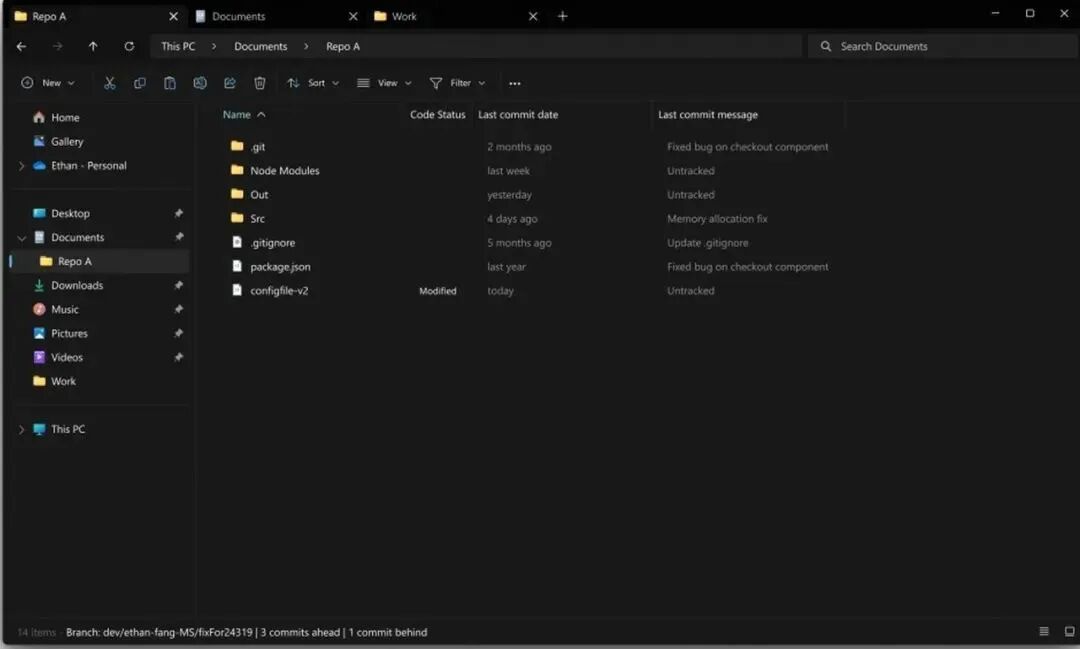
Users will soon be able to use Microsoft's File Explorer to track their coding projects, as Microsoft is integrating Git into the file system browser.
Microsoft says developers will be able to track file status, commit messages, and their current branch in File Explorer. Additionally, the app now natively supports 7-zip and TAR compression.
AI-Powered Clipboard Features
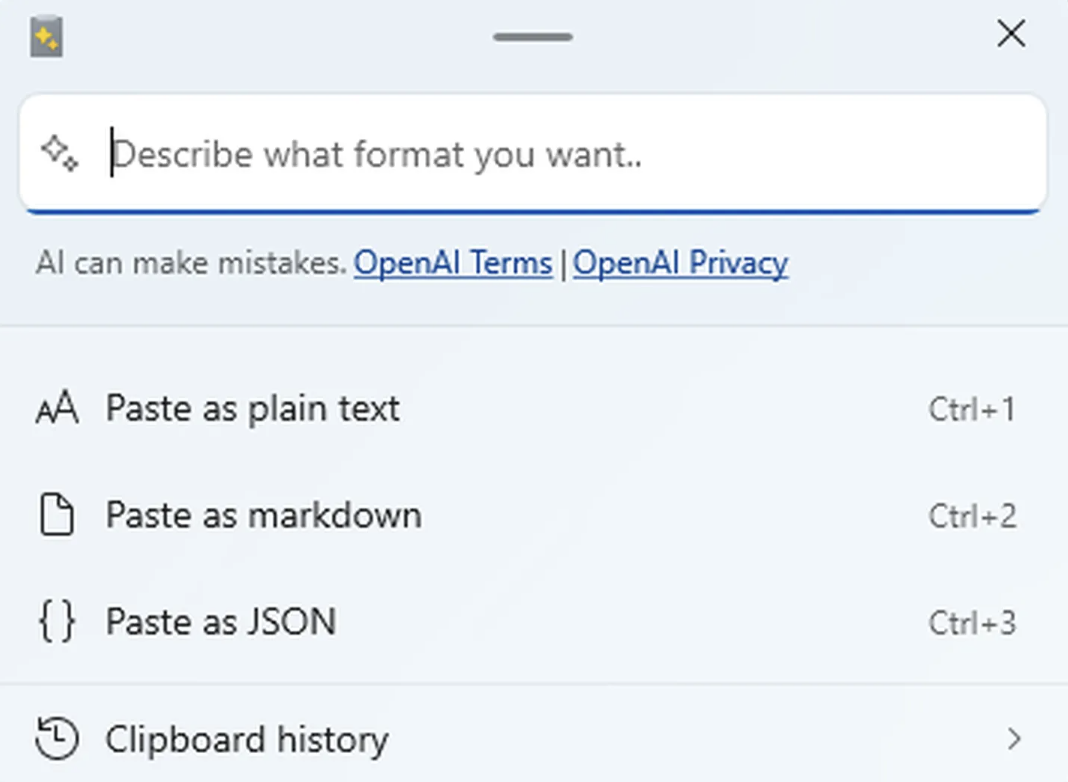
Microsoft's new Advanced Paste feature is now available as part of the Windows 11 PowerToys suite, letting users transform clipboard content on the fly.
You can trigger the Advanced Paste menu by pressing Windows key + Shift + V, then use additional keyboard shortcuts to convert pastes into formats like plain text, Markdown, or JSON.
You can also perform conversions by typing in a prompt box, which has additional capabilities such as changing or summarizing text before pasting it. Using this feature requires an OpenAI API key and credits in your OpenAI account for the AI-powered portion.
Partnership with Khan Academy
Microsoft is partnering with Khan Academy, donating access to cloud computing infrastructure to enable Khan Academy to provide its AI tools free of charge to educators in the United States. They will also collaborate to explore opportunities to improve existing AI education applications through generative AI, enabling personalized instruction and making learning engaging.
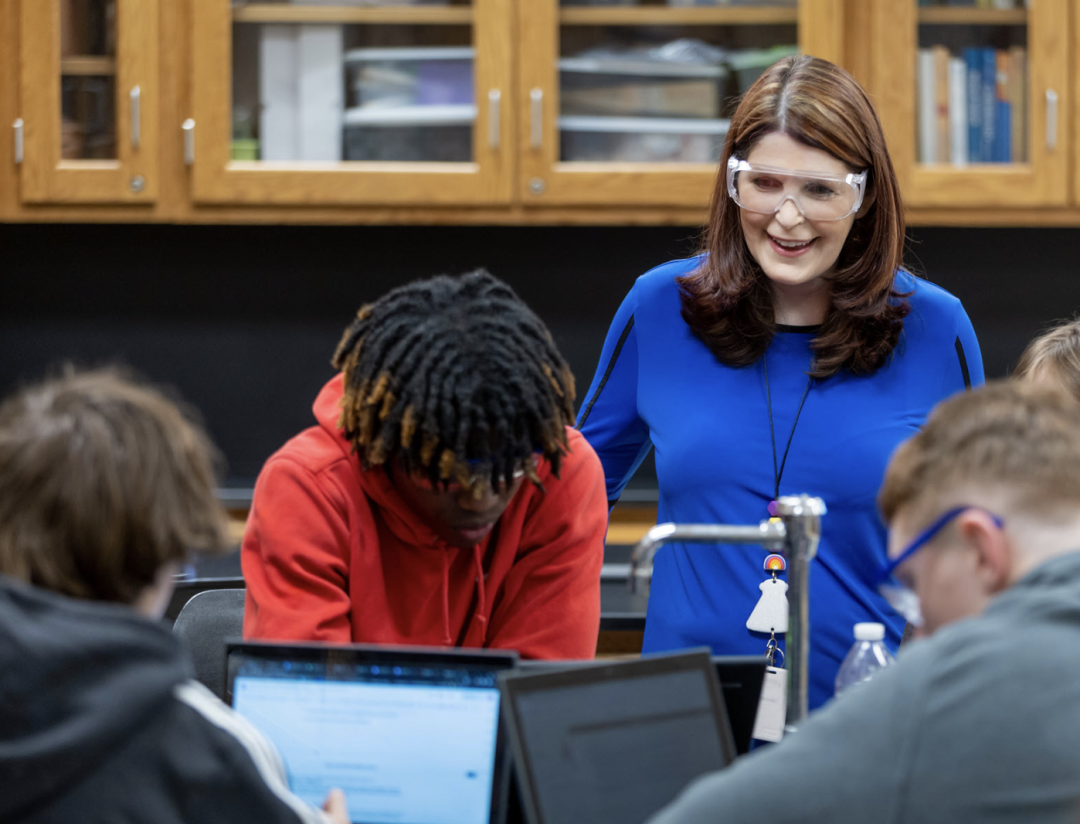
With AI tools, teachers can spend more time with students. Khanmigo offers a range of AI suggestions and teacher tools, alleviating much of the administrative burden that contributes to teacher burnout. With just a few clicks on the on-screen dashboard — in minutes or even seconds — teachers can generate custom lesson plans, suggest student groupings, or "level up" or "level down" text passages for struggling learners or those needing more challenge.
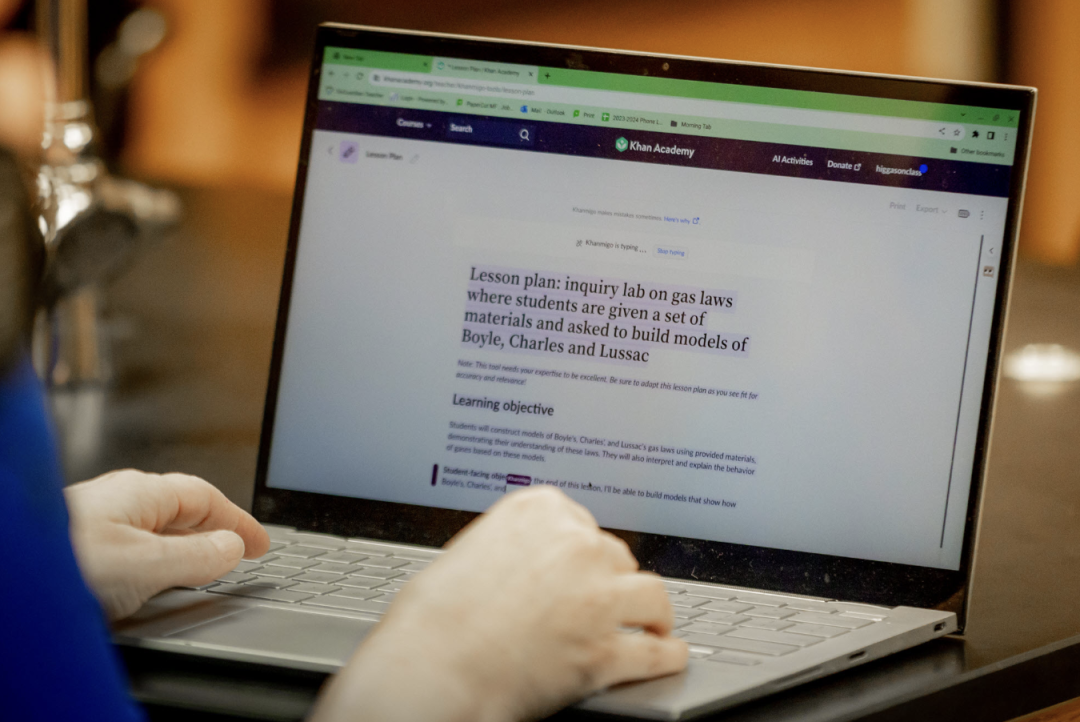
Low wages and unmanageable workloads, exacerbated by the COVID-19 pandemic, are among the main reasons many teachers are leaving the profession. Khan Academy estimates that, used in combination, these tools could save teachers an average of 5 hours of work per week.
Sal Khan noted that teachers are overworked, and teacher departures from the field are at an all-time high, with school districts in underserved areas hit particularly hard. Using AI for education is not only a powerful method that could help accelerate student learning, but also a way to "make teaching more sustainable."