Which Is More Beautiful: UI or AI? A Quick Look at Apple's 2025 WWDC | Yunqi Capital Techπ

Is Apple Running Out of Practical Innovation?
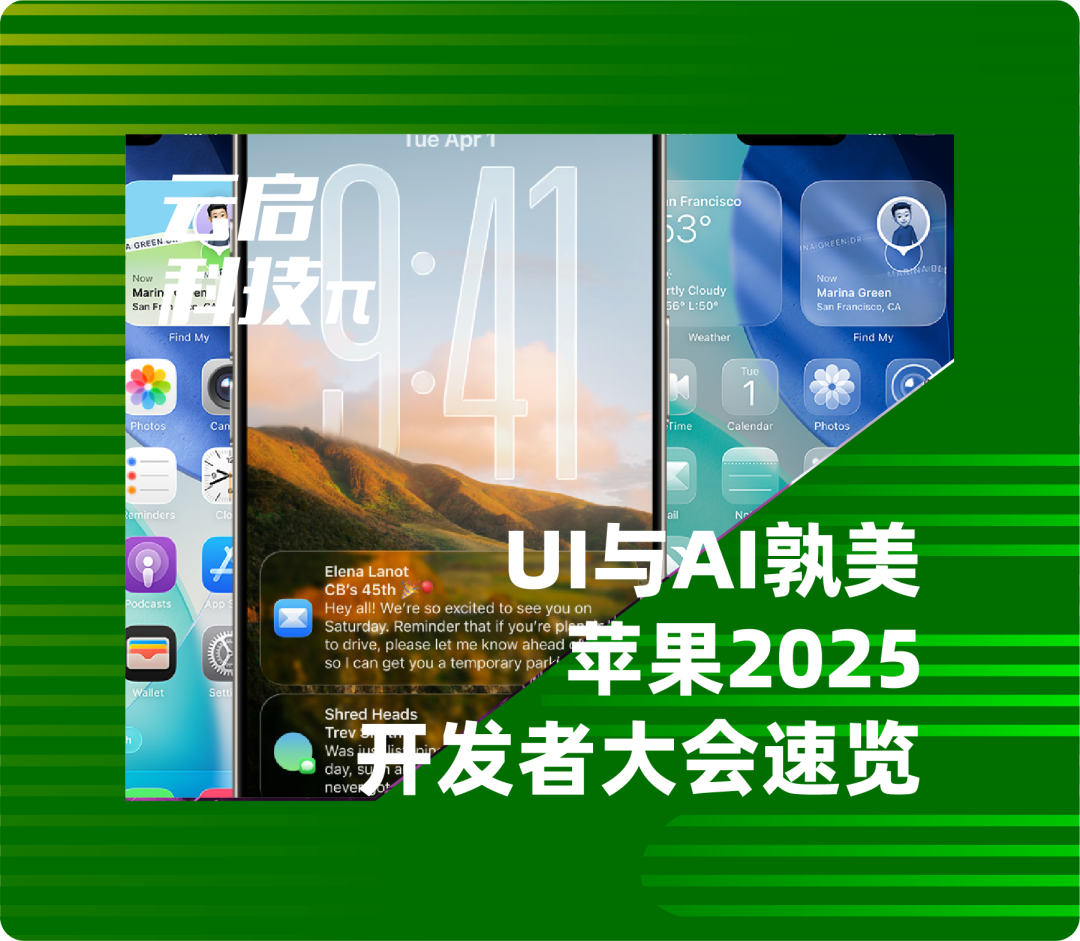
Has Apple, once the bellwether of tech innovation, run out of steam? While many would answer yes, the annual Worldwide Developers Conference (WWDC) still commands plenty of attention.
In the early hours today, Apple's WWDC 2025 kicked off, with updates rolling out around Apple Intelligence, a visual overhaul of its operating systems, and upgrades across its entire OS family. The AI capabilities that drew the most market attention, however, received predictably mixed reviews. What exactly did this conference deliver? This edition of "Yunqi Tech π" walks you through the details.
Source: GeekPark WeChat Account Original title: "Apple WWDC 2025: A New UI After Thirteen Years, and AI That's More Subtle but Everywhere"
At 1 a.m. Beijing time on June 10, 2025, the California sun rose as usual, and the WWDC25 keynote at Apple Park began right on schedule. Largely matching earlier leaks, this year Apple adopted a year-based naming strategy across its entire operating system lineup, collectively rebranding them all as "26" — not unlike how automakers release new model years. This marks Apple's most sweeping design language iteration since iOS 7 abandoned skeuomorphism for flat design in 2013.
Alan Dye, Apple's vice president of human interface design, said: "For the first time, we've introduced a unified design language across all platforms." This new design incorporates glass-like elements into nearly every detail of the operating systems, including the Dock and lock screen, with inspiration drawn from mimicking the optical properties of actual glass.
You may have already noticed: the "Liquid Glass" design clearly takes its cues from Apple's visionOS, and these details all adapt dynamically based on the brightness of background content.
"Liquid Glass" employs real-time rendering technology that responds dynamically to user interactions. Apple has applied it to buttons, toggles, sliders, text, media controls, and even larger UI elements like tab bars and sidebars. To accommodate this new "Liquid Glass" design, Apple has redesigned in-app controls, toolbars, and navigation elements.
Multiple apps — including Camera, Photos, Safari, FaceTime, Apple Music, Apple News, and Apple Podcasts — have been updated to support the "Liquid Glass" design. Apple also released an updated set of APIs so developers can begin updating their apps ahead of the formal rollout later this year.
A More Pragmatic Apple Intelligence Update
The first thing introduced at WWDC was Apple Intelligence, a small detail that perhaps reveals just how eager Apple's leadership is to move past the negative perception created by last year's string of Apple Intelligence marketing "misses."
In terms of sheer volume of updates, this WWDC does qualify as a major Apple Intelligence release. Beyond expanding language support to more countries and regions, Apple dropped another "big move": unveiling a new framework called Foundation Models, which allows third-party app developers to access the on-device model capabilities that Apple Intelligence uses — enabling their own apps to complete more AI-involved tasks using the iPhone's on-device large language model, even offline.
Beyond developer-facing updates, on the front end where ordinary users feel the impact more directly, Visual Intelligence now supports content recognition directly from what's displayed on the iPhone screen.
In the keynote demo, Apple showed an example: a user sees a jacket on social media, takes a screenshot, and uses Visual Intelligence to search for that jacket via Google. You can also screenshot an event and use Visual Intelligence to help add it to your calendar. Or call up ChatGPT directly to ask about what you're seeing on screen.
This feature essentially delivers screen-monitoring capabilities similar to Google Gemini. While this itself hardly counts as a fresh AI feature in 2025, it still represents a welcome "catch-up" moment for iPhone users.
Apple also integrated Apple Intelligence into real-time translation for the first time, enabling automatic language translation in Messages, FaceTime, and phone calls powered by on-device model recognition.
For instance, during a phone call, voice translation appears on screen in real time; FaceTime video calls can display real-time subtitles on screen. All these features are powered by Apple's self-developed models and run entirely on-device. Developers can also integrate real-time translation into their own apps via APIs.
Additionally, ordinary users can now use "Shortcuts" to customize how they leverage Apple Intelligence capabilities — this is the second major iOS update since Apple launched its AI features. But this still remains in "catch-up" territory: after all, some upgrades promised last year when the Apple Intelligence-powered new Siri was unveiled, such as the ability to take automated actions based on phone content, remain delayed.
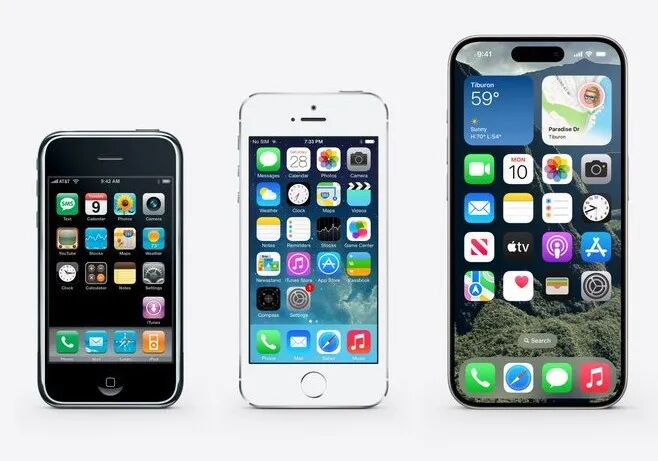
After Apple Intelligence, the focus shifted to what Apple called the "biggest visual refresh ever" — Apple itself referenced iOS 7 from thirteen years ago, stating that "times have changed a lot, and it's time to take the next step."
A New Design After 13 Years
Speaking of iOS 7, it may still be the "white moonlight" in many people's hearts: thirteen years ago, whether its distinctive layered design or fluid animations, these were era-defining features that made iOS 7 a trendsetter and arguably the key to making the iPhone unique in the industry.
First, the iOS 26 and iPadOS 26 updates: Apple added a call screening feature to the Phone app that can answer calls on your behalf and even hold calls for you while you wait.
For creating new emoji, Apple now allows you to merge two emoji using Genmoji, not just text descriptions. Image Playground also gained a new feature to generate new images with help from ChatGPT.

Apple Music brings lyrics translation and pronunciation features. A new feature called AutoMix can seamlessly transition between songs like a DJ. You can also pin your favorite artists and playlists to the top of the app.
Apple Maps now likewise leverages on-device model capabilities to learn and provide your preferred routes, and notify you when delays or traffic jams occur. You can also review places you've visited and share them with friends.
The iPadOS 26 update is undoubtedly the most compelling functional upgrade this year: Apple, which has long had iPadOS "cosplaying as macOS," finally squeezed the tube hard, delivering massive updates to multitasking, app switching, and OS navigation.
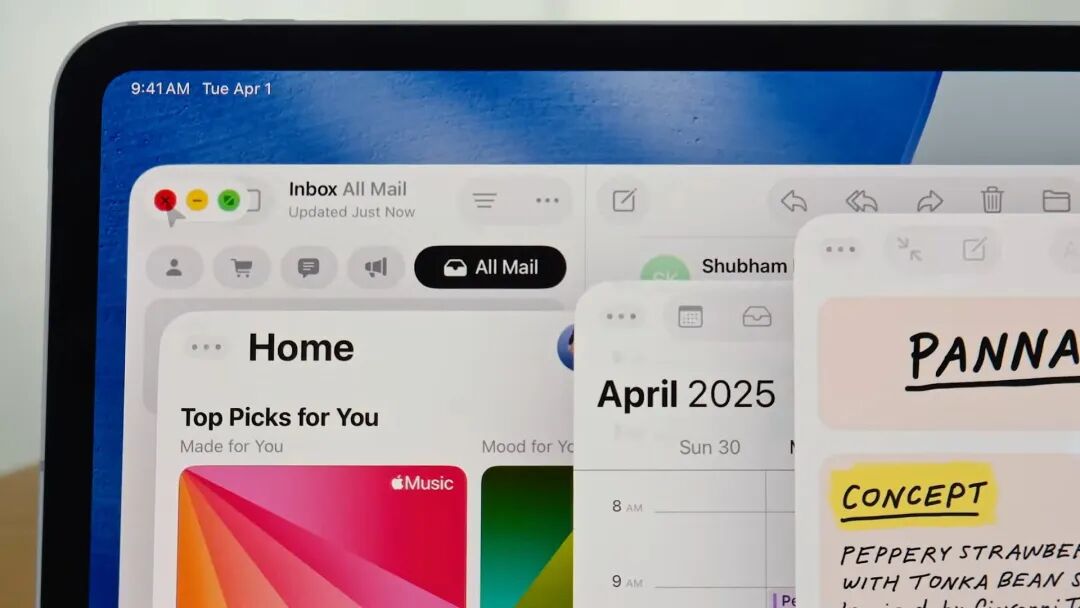
Apple says the new interaction logic will allow users to "fluidly resize app windows" and place them anywhere on screen. This window system also works with Stage Manager and supports cross-display operation.
The iPad now has a menu bar, accessible by swiping down from the top of the display, showing various control options for the app you're viewing.
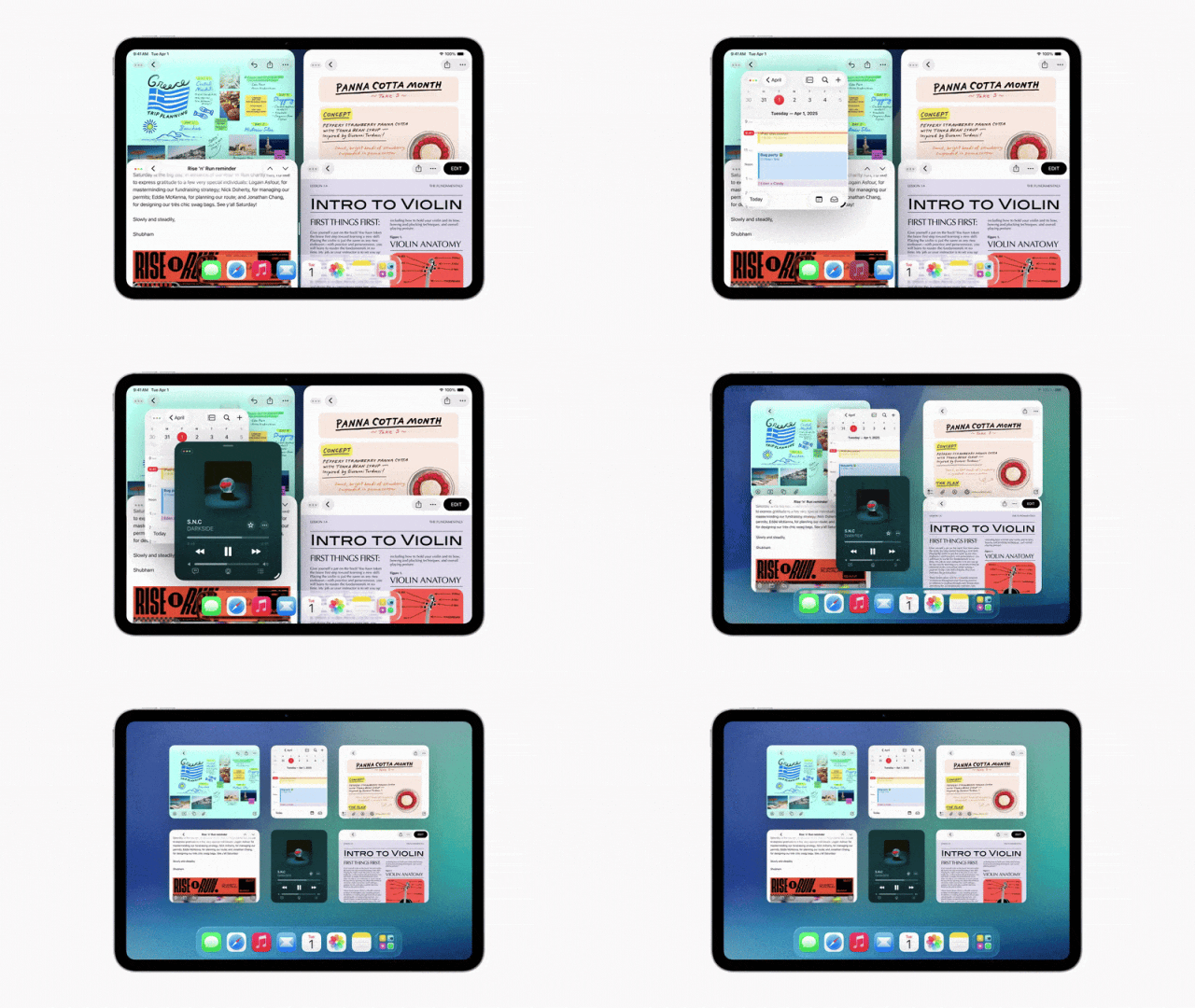
There's also a new Preview app, which Apple says can be used for viewing and marking up PDFs, plus a more Mac-style list view in the Files app. Developers can even use Live Activities to keep you informed about app status in real time.
Beyond these pro-user features, the iPad now also gets the Calendar app previously limited to iPhone, and access to Apple Games hub containing all of Apple's gaming products. The iPad also gets a unique "Game Overlay" feature, allowing you to update settings and chat with friends without switching apps.
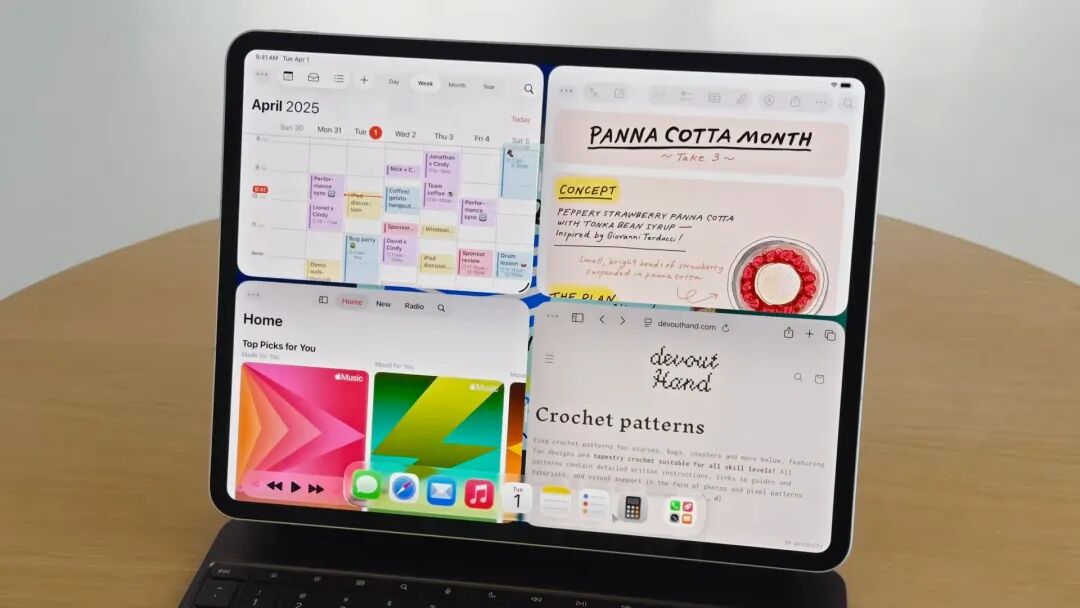
Apple applied the "Liquid Glass" design in macOS Tahoe 26 as well, with the Dock, sidebar, and toolbar all incorporating glass textures.
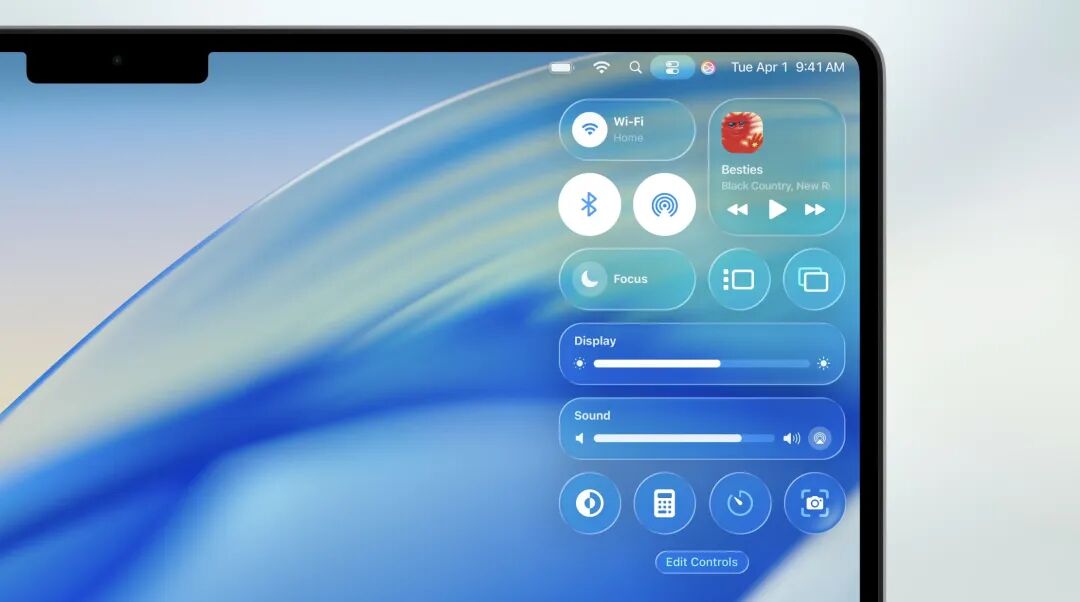
Notably, macOS has used glass themes before, most famously the Aqua theme that debuted in iMovie 2 in 2000 and was widely promoted in Mac OS X 10.0 in 2001. macOS 11 Big Sur also dramatically redesigned the macOS UI, bringing rounder corners, more extensive transparent and translucent layers, and a suite of new icons.
watchOS 26 likewise makes "Liquid Glass" its centerpiece, with details running throughout the entire OS. This new transparent aesthetic will apply to widgets, notifications, Control Center, in-app controls, and more. It will also apply to the Photos watch face, now displaying transparent numerals that won't block your view of the photo.
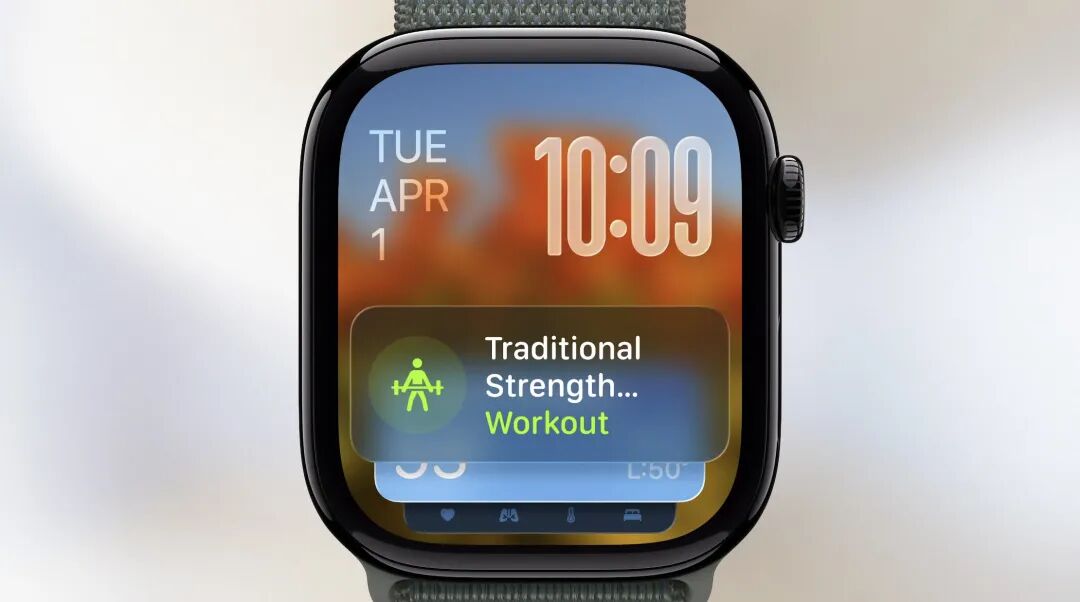
This year Apple also added new gesture controls to watchOS: on Apple Watch Series 9 or later, a quick flick of the wrist dismisses notifications or calls, silences timers and alarms, and the OS can also track ambient noise levels and automatically adjust notification and call volume, reducing how often users need to manually set their watch to silent.
Beyond this, watchOS adds an Apple Intelligence-powered "Workout Buddy": this feature leverages fitness data not only to generate personalized insights and recommendations but also to cheer you on.
When you start a workout, it reminds you of recent fitness achievements and how far you are from your goal; during the workout, it notifies you when you hit targets; and at the end, it summarizes your results, letting you know if you broke personal records.
The Workouts app has also been redesigned with new corner buttons serving as shortcuts for custom workouts or music controls. Apple Music also tries to recommend playlists better suited to your taste based on your workout type and known preferences.
As the inspiration for this update, visionOS's highlight this time is new widgets, whose selling point is their ability to blend into the user's physical surroundings, "seamlessly integrating into the user's space and reappearing in the same location each time they put on Apple Vision Pro" — as if they truly existed in the real world.
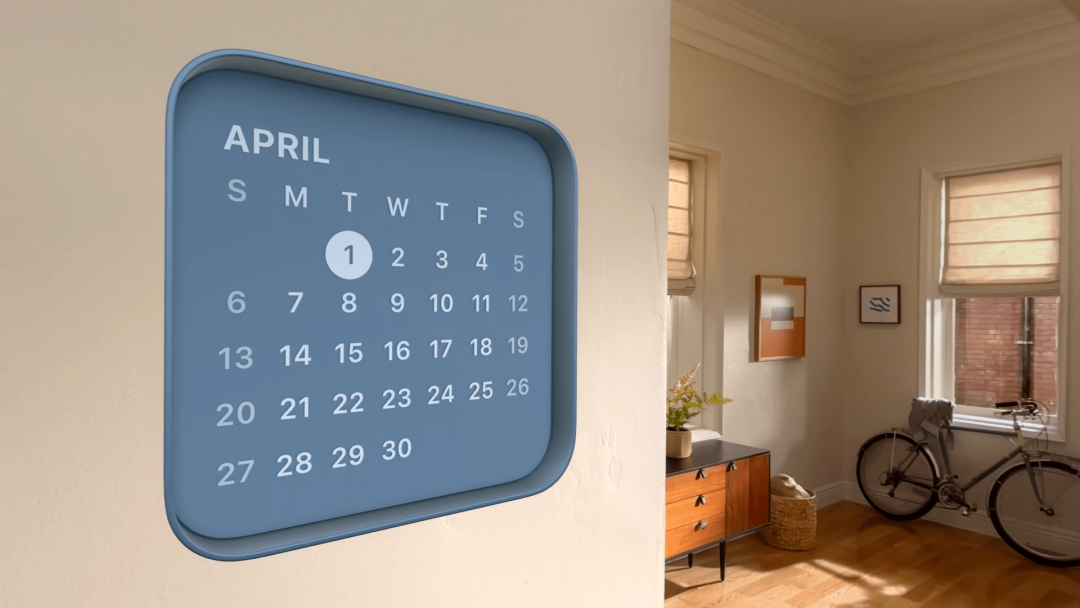
visionOS 26 introduces multiple new widgets, including Clock, Weather, Music (providing quick access to playlists), and Photos. Users can customize widget border width, color, and simulated depth.
Vision Pro previously supported Bluetooth accessories like keyboards, mice, and game controllers, but visionOS 26 now also adds support for PlayStation's VR2 Sense controllers — making more complex VR or AR gaming possible.
Apple also optimized Vision Pro-iPhone interoperability in this update, including the ability to unlock iPhone while wearing Apple Vision Pro. visionOS 26 will also support iPhone's call relay feature, so users can answer calls directly from Vision Pro or initiate calls from the headset's "People View."
As a major selling point at Vision Pro's launch, Apple also improved Personas in visionOS 26, making these hyper-realistic avatars "feel more natural and personable." Using "industry-leading volumetric rendering and machine learning technology," the new Personas will offer full side-profile views and display "extremely accurate hair, eyelashes, and skin tones." When creating a Persona, users will be able to preview their avatar's spatial appearance and adjust it as needed.

Apple has always positioned Vision Pro as a way for remote family and friends to feel more closely connected during shared spatial experiences, and now with visionOS 26, you and a friend can sit on the same couch enjoying the same 3D movie. This update also adds support for "180-degree, 360-degree, and wide-angle content from Insta360, GoPro, and Canon."
Finally, Adobe announced it will release a new visionOS 26 app powered by Premiere, allowing users to create and edit spatial video directly on Vision Pro.
Beyond these software updates, Apple also unveiled a standalone app entirely focused on gaming. Users can access all games downloaded from the App Store, plus social features like "Play Together" that show what your friends are playing in real time, and challenge leaderboards among friends.
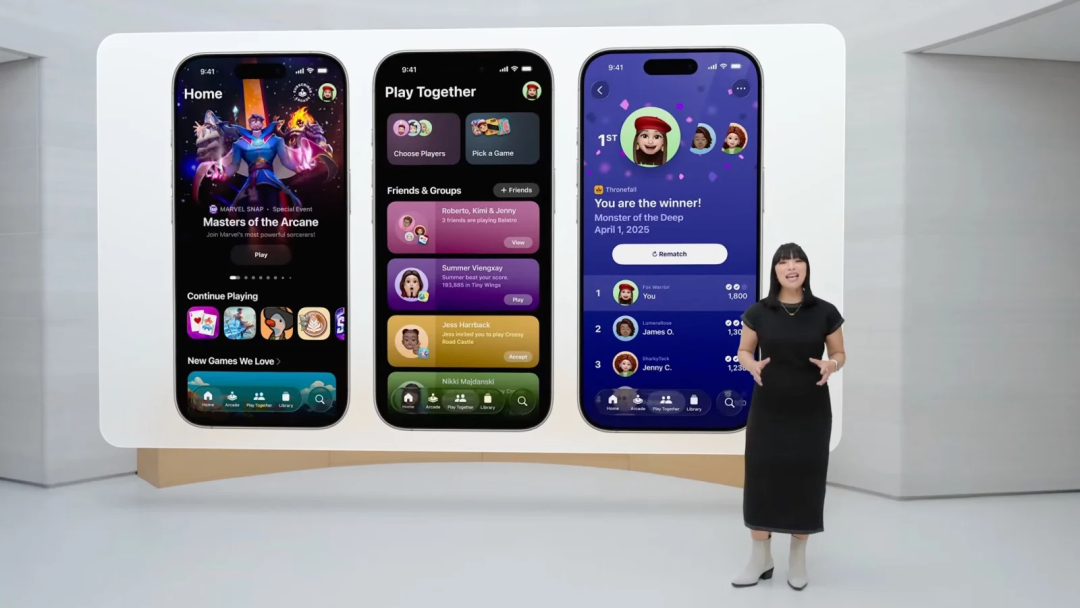
Apple officially launched Game Mode for Mac with the release of macOS Sonoma in 2023, aimed at optimizing Mac gaming performance. Last year, it also brought Game Mode to iOS in iOS 18. This update can be seen as "another small step" toward making Mac more suitable for gamers — perhaps one day "gaming on Mac" will no longer be just a meme.
Conclusion
Conservative or innovative? Amid a keynote filled with new AI and UI content, another year of WWDC came to a close.
If there were core keywords for WWDC25, "unified" would undoubtedly be the most representative.
Judging from what was announced, this may not have been a presentation packed with earth-shattering, jaw-dropping "One More Thing" moments, but it will still set a unified tone for Apple's next decade.
Whether it's the more pragmatic AI capabilities or the bold new UI, both mark important steps for Apple in fortifying its existing ecosystem moat, fine-tuning its artificial intelligence strategy, and laying critical groundwork for future, more advanced computing forms: more pervasive spatial computing and ubiquitous ambient intelligence.
As for how this report card from Apple will ultimately grade out — within the coming year, we'll certainly see the final answer.