Yunqi Capital Team Hands-On: The Vision Pro Is Expensive and Smooth, But How Useful Is It Really? | FutureScope

Ready for a parallel universe?
Over the past two weeks, the pace of tech product launches has been dizzying: On the AI front, OpenAI released Sora, a text-to-video model with jaw-dropping results. Then, without any warning, Google open-sourced its new large language model Gemma, which has already outperformed the current mainstream model Llama-2. In the China Open Source Report 2023: Commercialization that we just published before the holiday, we also discussed the close, mutually beneficial relationship between the open-source ecosystem and large models (reply "开源2023" in our backend to get the report).
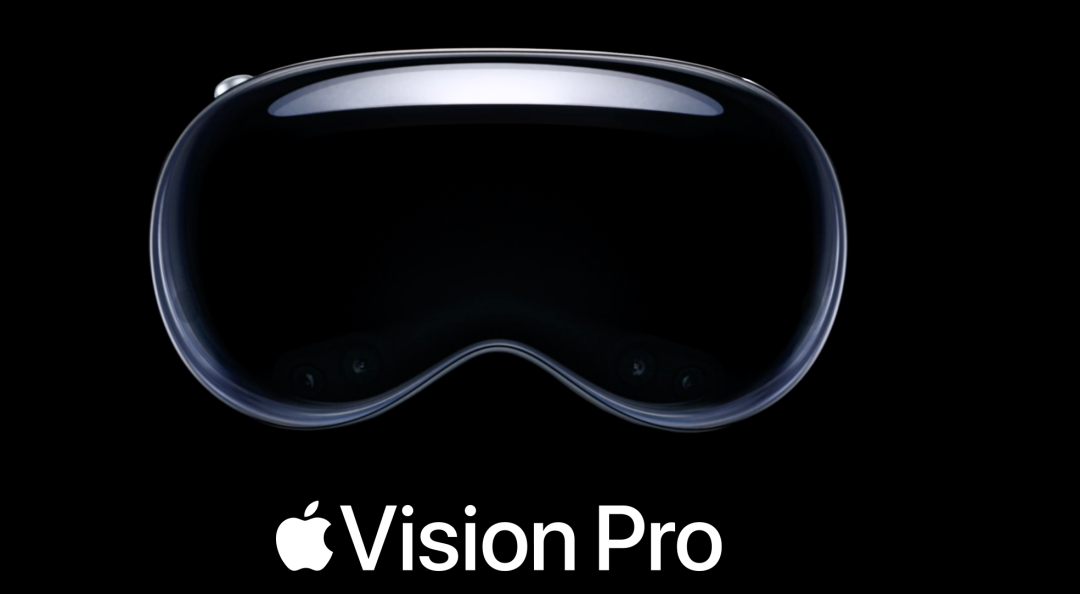
However, among all the tech product reviews making the rounds lately, the product generating the most buzz is undoubtedly the Vision Pro. After a decade of heavy investment in VR/AR, Apple has finally released its long-awaited headset. How AI can connect with the physical world has been a focus area for us as well.
In this edition of 「FutureScope」, we're bringing you a first-hand review from the Yunqi Capital office — what's it actually like to wear this "goggles" strapped to your face?
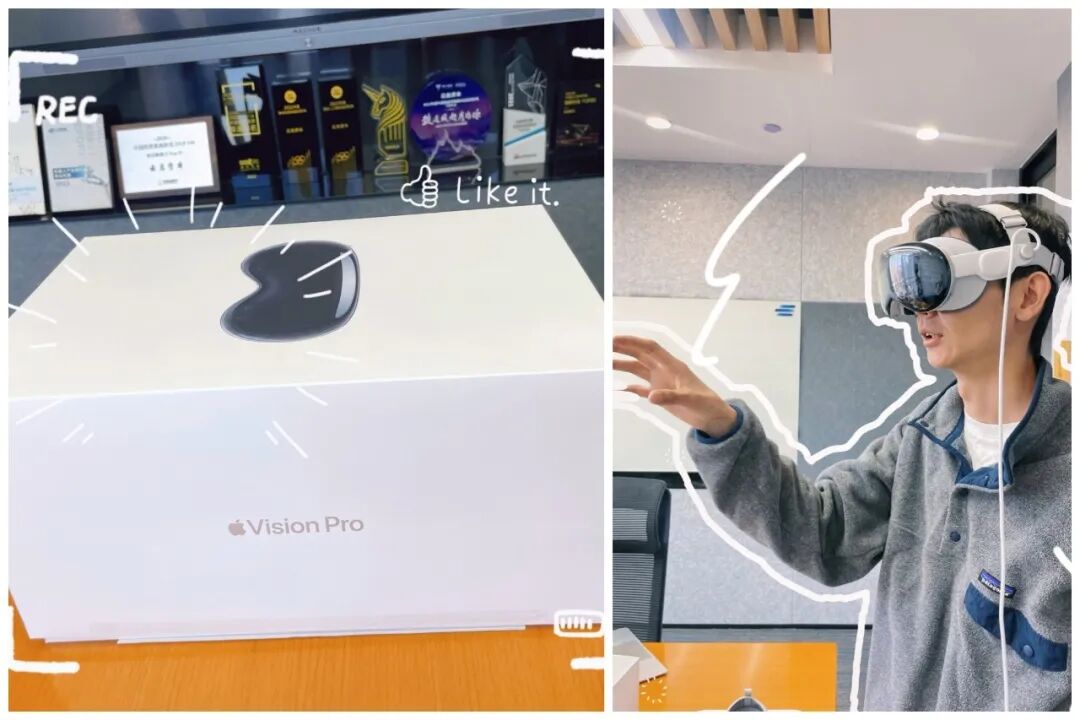
Vision Pro trial @ Yunqi office
YQ AI investor, former senior product manager at Google
I was genuinely impressed by how Vision Pro handles mixed reality spaces and operational fluidity. Apple has thrown enormous supply chain muscle behind the Vision Pro, and it's reasonable to expect costs and prices to come down over time. Going forward, Vision Pro combined with multimodal model capabilities will create a radically different new world.
YQ AI investor, once ranked #69 on the Chinese Dota 2 server
Compared to Pico and Quest, Vision Pro represents a generational leap in image quality, smoothness, and overall experience, opening up new possibilities for entertainment and gaming. The high price point, limited exclusive content, and discomfort during extended use are widely acknowledged issues, but looking at how the iPhone evolved, future versions of Vision Pro are worth waiting for.
Below, we've compiled the authentic experiences of various Yunqi team members wearing the Vision Pro —
Phase One: Excitement
-
Even though your hair gets messed up, the first thing that usually blows you away is the precision of eye-tracking: wherever you look, the focus follows; the control flow is incredibly intuitive, almost something you can figure out by instinct;
-
The mixed-reality multi-window apps feel remarkably natural — the windows themselves aren't jarring, and the sense of "immersion" is strong;
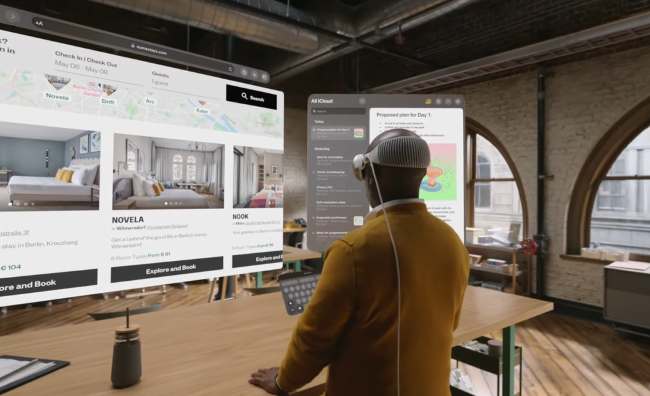
Vision Pro's multi-window interface, image from web
-
Though the field of view is limited and reading isn't the most comfortable, interacting with windows feels natural — drag, drop, and swipe are all smooth, and the slight lag in gaze tracking isn't a real problem.
-
With Universal Control enabled, keyboard and mouse switch freely between Mac and Vision Pro windows, enabling more precise interactions:
Phase Two: Problems Emerge
-
While some basic apps work, the content density is far from sufficient. Take Jigspace (a 3D model app) — you can drag, drop, and disassemble industrial products like cars and engines. But there's no deeper information (brand, model, mechanics, etc.), so functionality needs improvement. Still, if Jigspace gets it right, you can imagine it could be transformative for industrial and educational applications.
-
3D immersive video is a major selling point: the image fills your entire field of view, it's deeply immersive, fairly realistic. But native 3D content is scarce — most videos are converted from 2D, and the clarity is mediocre. If we get video specifically produced for Vision Pro in the future, with better resolution, 360-degree surround, and some interactive elements, the video experience could improve dramatically.
-
When playing video, people nearby can clearly hear the audio, which makes for awkward moments during use.
-
Your eyes get tired: you have to really stare to trigger Vision Pro's functions.
-
Your hands get tired too: both hands need to stay continuously within Vision Pro's field of view for constant operation. And many common operations (like typing) still can't be done with both hands, limiting gaming and complex work scenarios.
Phase Three: It's Really Heavy, Just Take It Off
-
This iPad Pro strapped to your face is genuinely heavy.
-
You can use Mac with Vision Pro for work, but at the end of the day, it's not more efficient than plugging an external monitor into your Mac.
-
After two-plus hours, the battery dies. The external battery pack weighs more than a foldable phone.
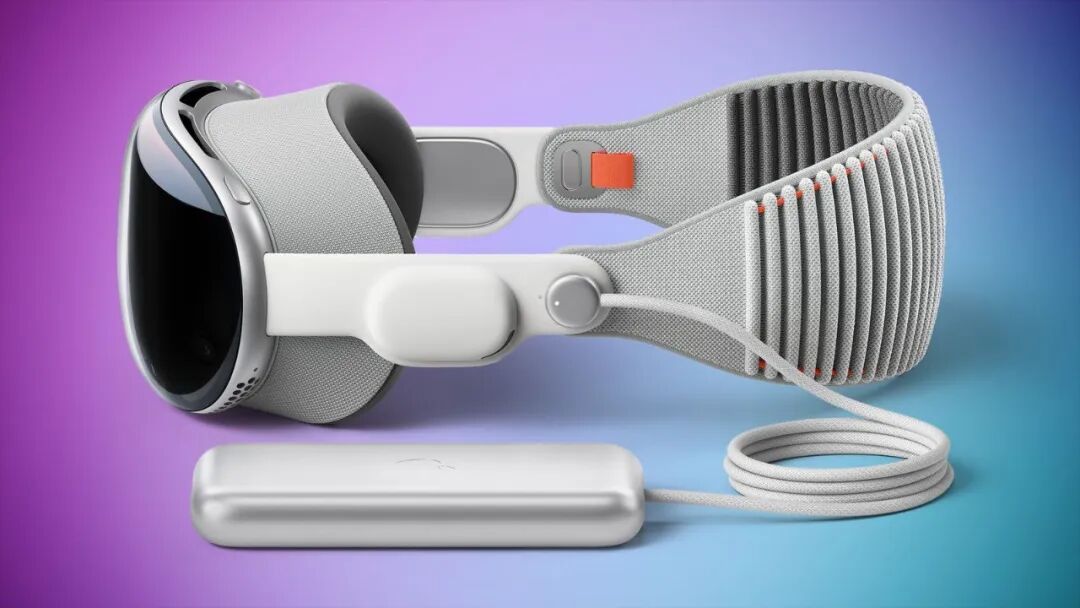
Vision Pro with external battery pack, image from web
- "Social isolation": you can't show anyone what you're seeing, and the display's fake eyes are just ugly fake glasses that do nothing to alleviate the loneliness.
To sum up, the Vision Pro does break new ground in many ways — the product design details, technical thinking, and the sheer precision and complexity of its internal engineering show that Apple has done its utmost to offer users a highly idealized way of blending virtual and physical reality. But as we've seen, there's still plenty of room for improvement, and we look forward to new terminal ecosystems bringing more innovation opportunities.
We've heard that the second-generation Vision Pro will bring Apple fans new surprises in pricing, weight, and performance. What are your expectations for the next generation of VR headsets? We'd love to hear from you in the comments!