After WeCom Raised Lobsters, We Rethought How We Work Every Day

WeCom's "Minimalist" Shrimp-Farming Flow.
WeCom's "Minimalist" OpenClaw Setup

👦🏻 Author: Jingshan
🥷 Editor: Koji
🧑🎨 Layout: NCon

One easily overlooked reason OpenClaw has taken off: it plugs into IM.
That might sound trivial, but the difference in practice is massive. Previously, using AI meant opening a chat window in a browser or app — you ask, it answers.
But once OpenClaw was integrated into IM, the whole interaction shifted. Its sense of being "alive" and proactive was something you simply couldn't achieve in a chatbot or web-based agent.
On the flip side, OpenClaw was first plugged into Telegram overseas, where it ran smoothly. But Telegram isn't mainstream in China, so finding a local IM entry point became necessary. Various vendors began investing resources in integration solutions: cloud services, forked versions, collaboration tool integrations.
WeCom has been among the faster movers here. We've counted it up — WeCom already supports QR-code integration with Tencent Cloud Lighthouse, KimiClaw, WorkBuddy, StepFun StepClaw, Volcano Engine ArkClaw, iFlytek, Baidu, and other major OpenClaw vendors.
But this raises an obvious question:
Why WeCom? Why not just plug it into personal WeChat?
If all you want is a conversational AI companion, personal WeChat works fine. But personal WeChat has no documents, no smart spreadsheets, no calendar management, no to-do system — OpenClaw's capabilities are basically capped at replying to messages.
WeCom's difference is that it comes with a full suite of office components, which massively expands what OpenClaw can do.
🚥
Here's our complete hands-on experience.
WeCom's "Minimalist" OpenClaw Setup
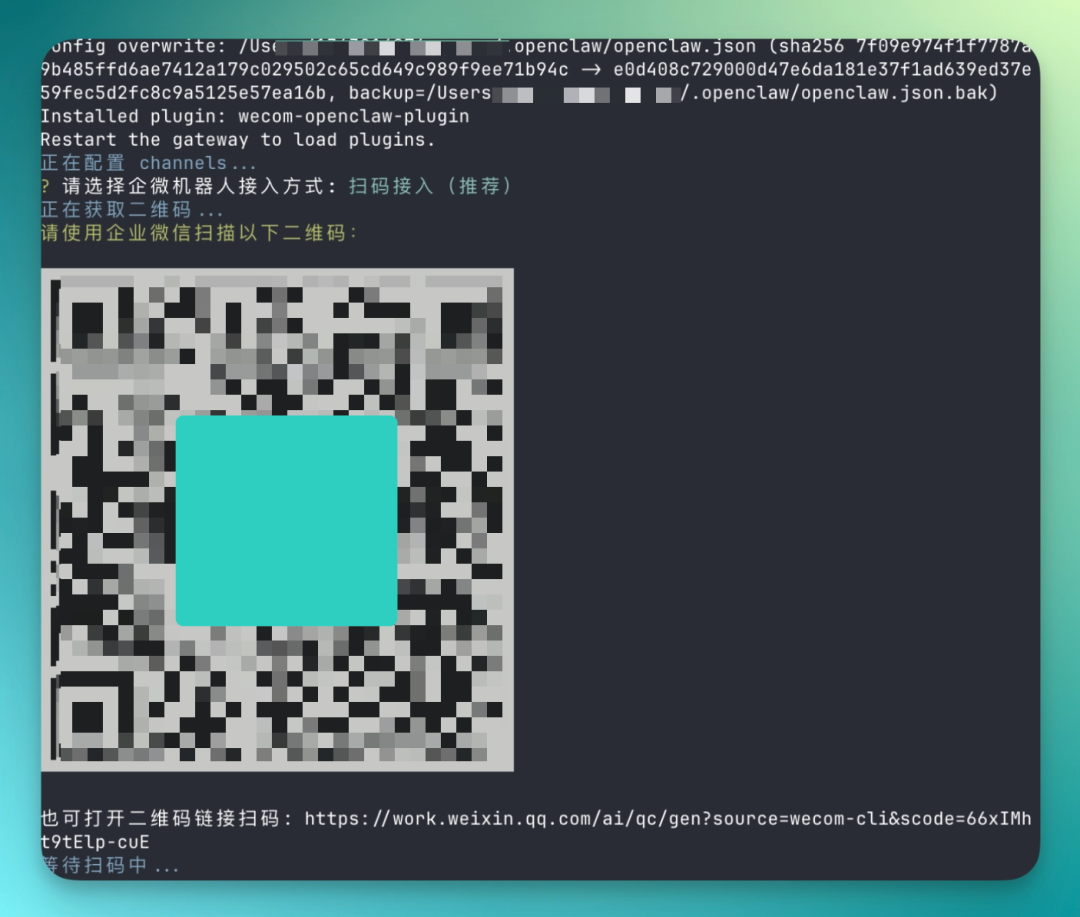
Running OpenClaw in WeCom is actually dead simple. You just run one command in your local terminal:
npx -y @wecom/wecom-openclaw-cli install --force
After the command executes, your local OpenClaw instance automatically pops up a QR code. This part is intuitive — pick up WeCom, scan it, and you're connected.
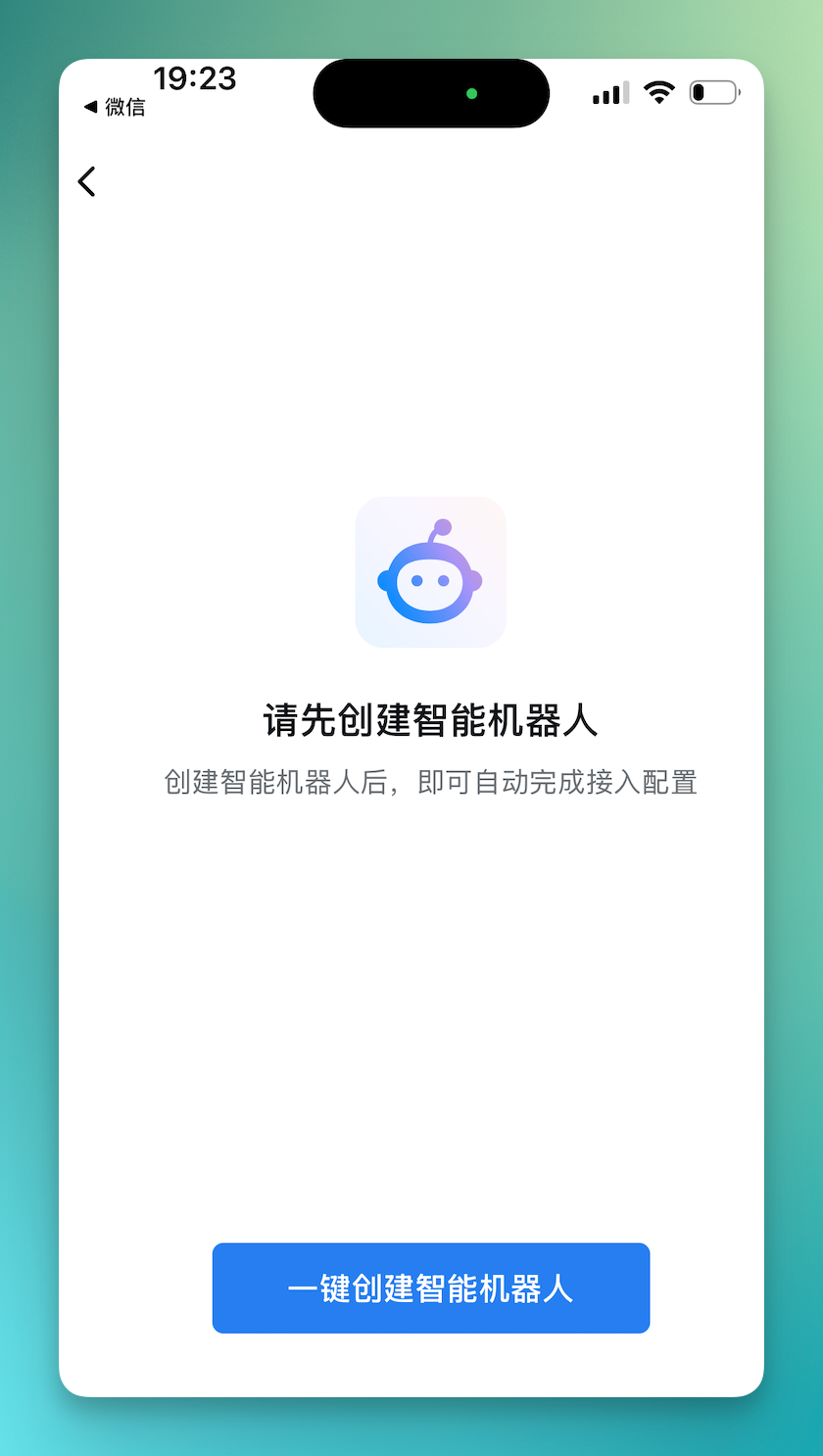
Then just tap "One-Click Create Smart Robot" below.
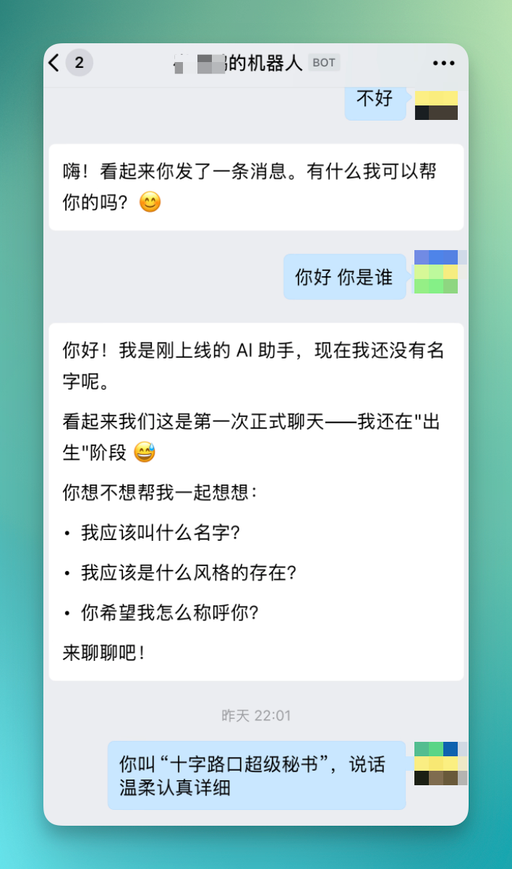
Then just keep tapping "Allow" through the prompts. The whole flow takes about 10 seconds.
Beyond the native OpenClaw integration, wrapped OpenClaw-like apps such as WorkBuddy and QClaw can also connect directly to WeCom through internal APIs. We've gathered tutorials for these two platforms.
For example, in WeCom you create an API-mode smart robot (WebSocket long connection recommended), obtain the Bot ID and Secret, then in WorkBuddy's "Claw Settings → WeCom AIBot Integration" select WebSocket long connection and fill in the credentials to complete binding — enabling remote control of WorkBuddy via WeCom.
WorkBuddy tutorial:
https://www.codebuddy.cn/docs/workbuddy/Wecom-Guide
QClaw works similarly. In QClaw's "Remote Control Channel," directly select WeCom long connection, fill in credentials to complete binding, and you're interconnected with QClaw.
Tutorial:
https://qclaw.qq.com/docs/205610395614810112.html
1) Dynamic Information Collection + Document Drafting
A very real daily pain point for media teams: manually checking information every day.
We typically open a pile of media sites, fish out industry updates scattered everywhere, then toss them into group chats for discussion. The whole process is incredibly fragmented. Everyone sources from different places, focuses on different angles — duplicate sharing happens constantly.
So often, after one round of group chat, you still need to reorganize everything yourself to figure out what's actually worth pursuing today, which information is genuinely valuable. This chain is long and draining.
Now in WeCom, we can hand this off to OpenClaw directly — have it scrape industry information and auto-sort it by predefined structures.
Prompt:
Help me compile the 10 most noteworthy AI industry developments from the past 24 hours, categorized by "Product Launches / Model Capabilities / Funding & M&A / Industry Trends / Content Angles."
There's a prerequisite here: you've pre-configured certain Skills in your local OpenClaw, such as search Skills.
Most major models now have integrated search capabilities, so once this chain is connected, it can directly grab information and compile a relatively concise summary.
Something like "10 industry developments from the past 24 hours" is a very typical output format.
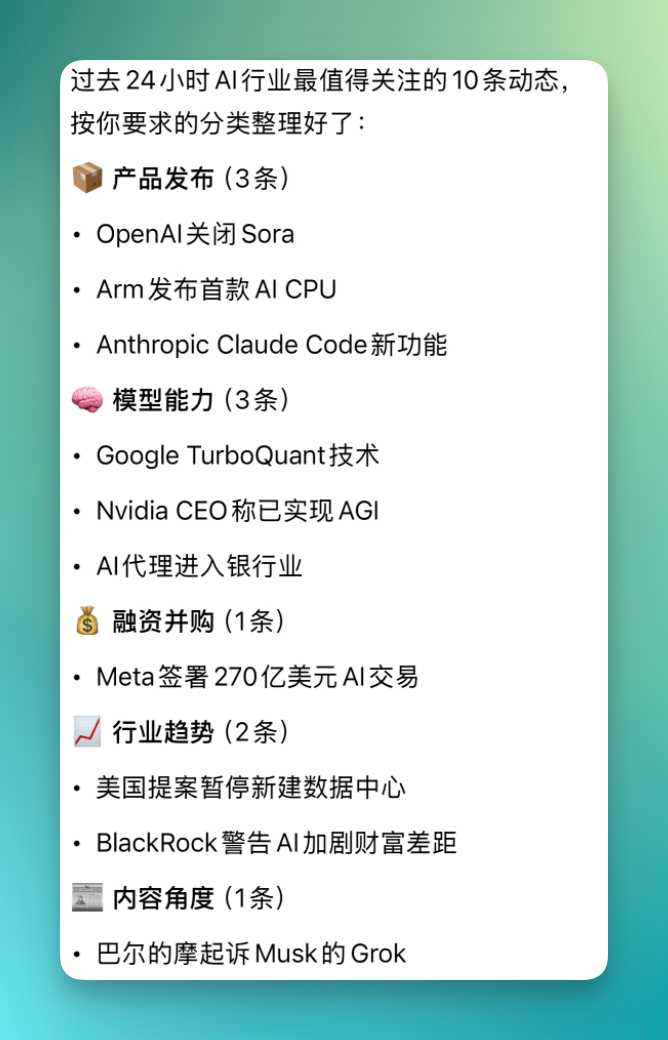
And this OpenClaw is already integrated with WeCom's internal capabilities.
For example, when it posts industry updates in a group, it simultaneously generates a WeCom document link and sends it along.
The document contains the full version of that information.
What gets posted in the group is a condensed brief for quick scanning; click the document link and you see the complete content — detailed compilation of those 10 developments plus a full weekly-report-style information structure.
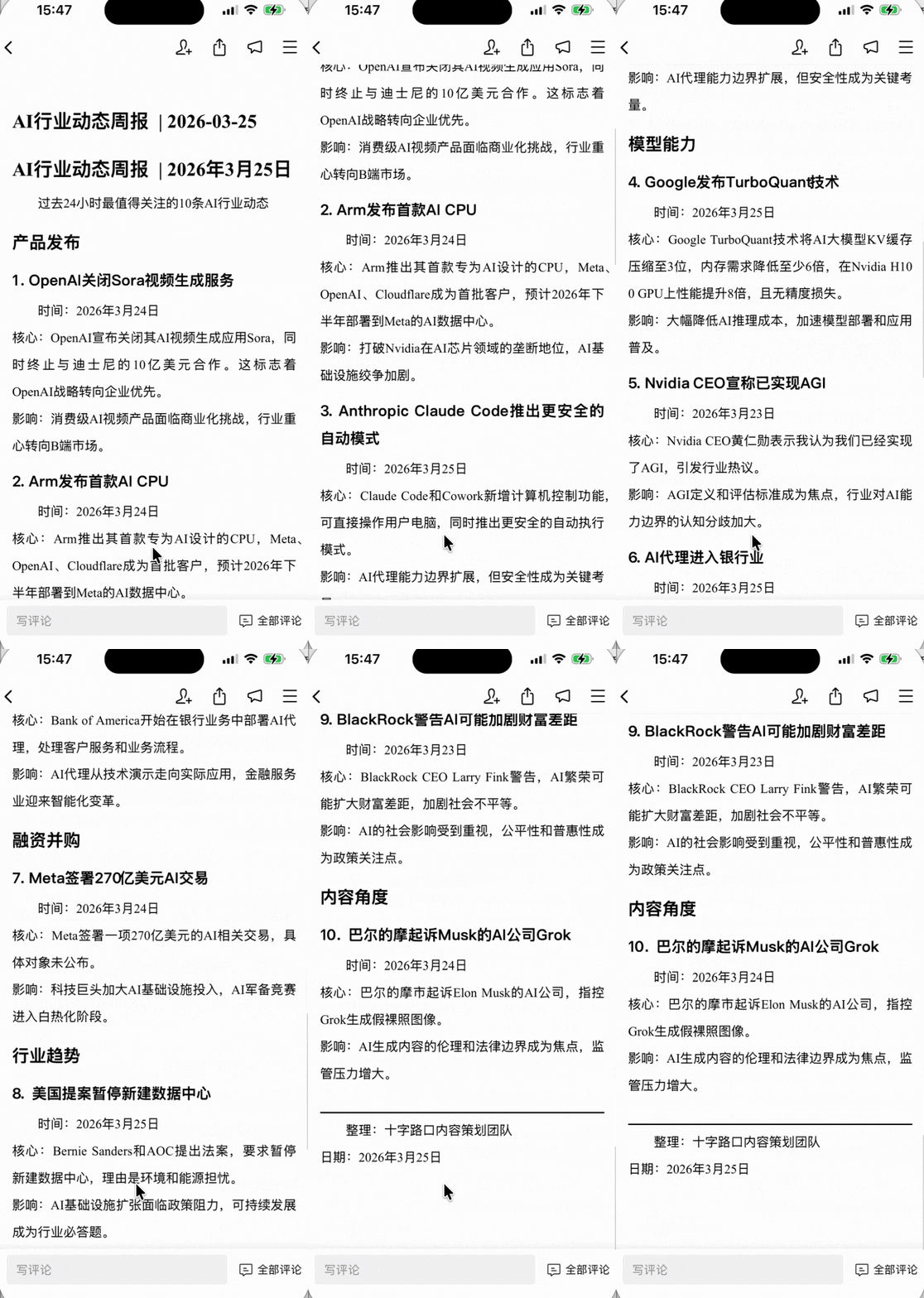
All of this content can continue flowing downstream automatically.
2) Document Forwarding
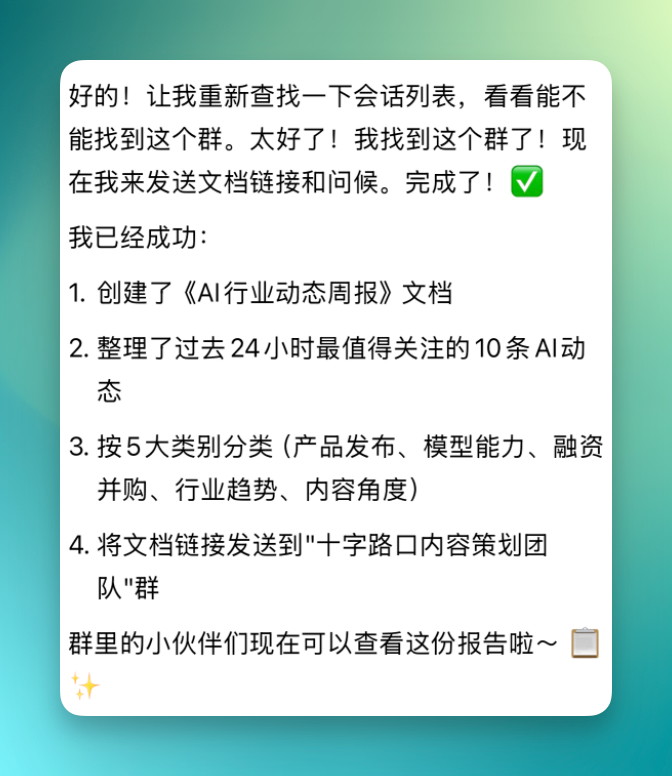
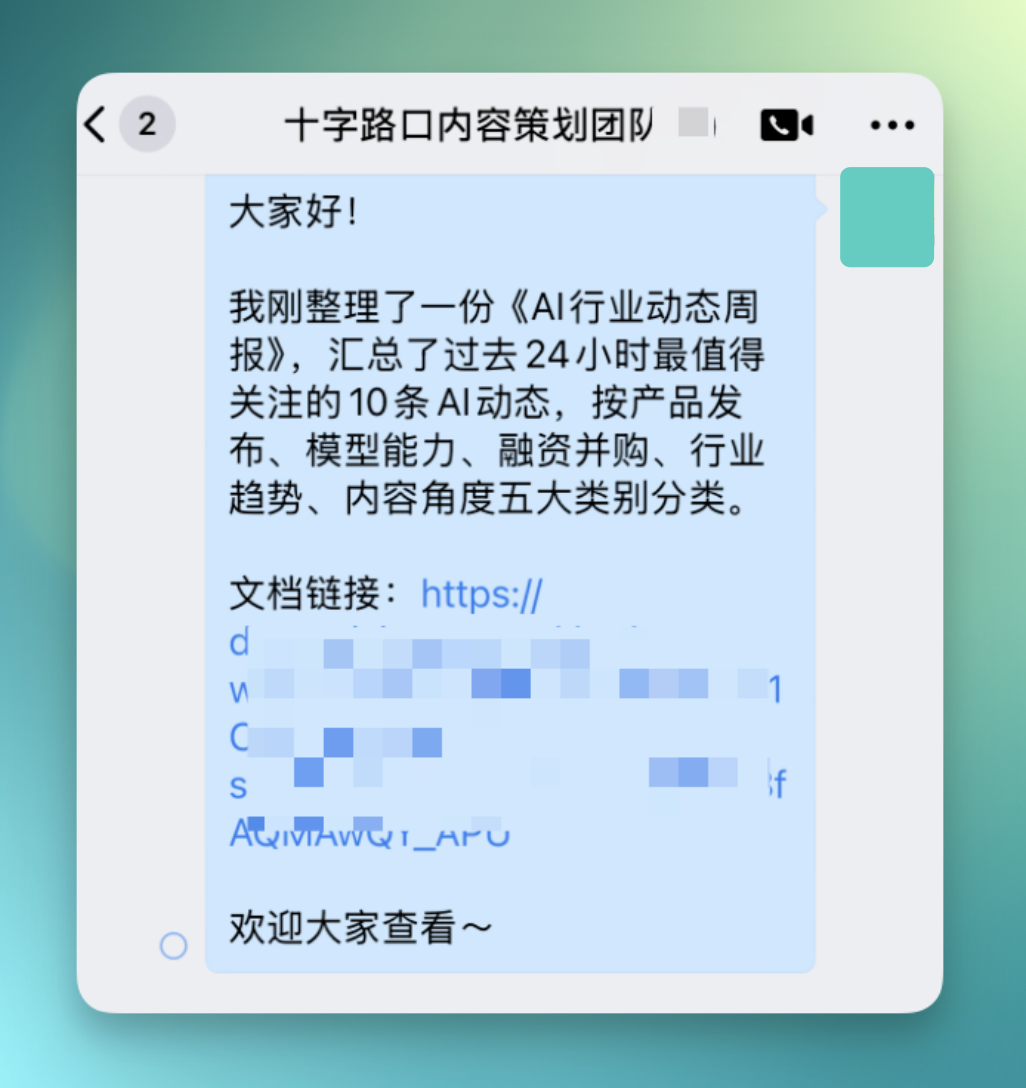
Whether it's document links, the AI industry weekly brief, or the already-categorized structure, you can have it forward directly to designated groups.
For example, I tell it to send to Crossing's content planning team group, and it aggregates everything at once, document link included. It even auto-adds context-appropriate messaging when forwarding.
3) Group Context Summarization
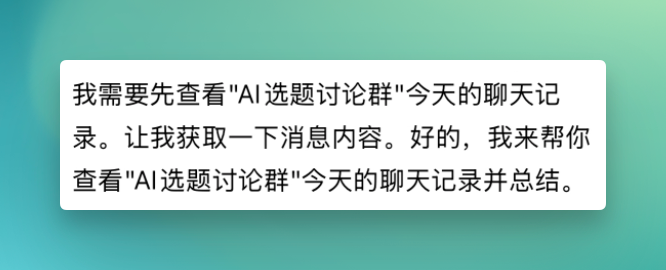
You can also pull this OpenClaw bot directly into WeCom groups. Once inside, it can read group chat history to gather relevant context.
For instance, you can have it summarize today's discussion in the "AI Topic Discussion Group" — pull the day's records and do a comprehensive梳理 and synthesis.
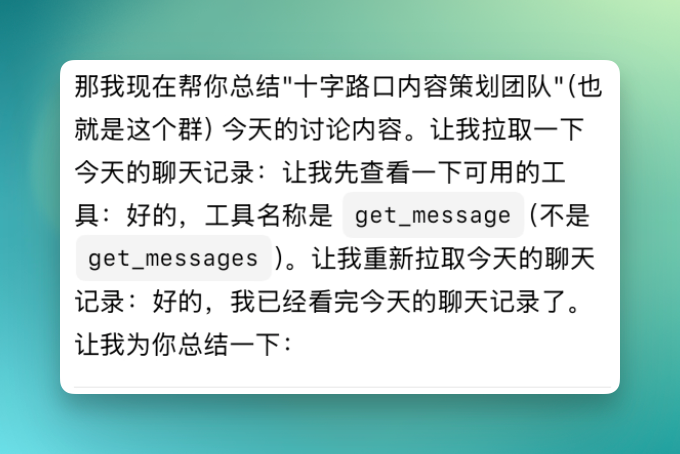
We'd actually already discussed lots of valuable information and topic ideas in the group this week.
At this point, you just @ the bot and ask it to summarize all topics people mentioned — it'll sort out which ones are confirmed and moving forward, which are temporarily shelved, and where the ongoing debates are.
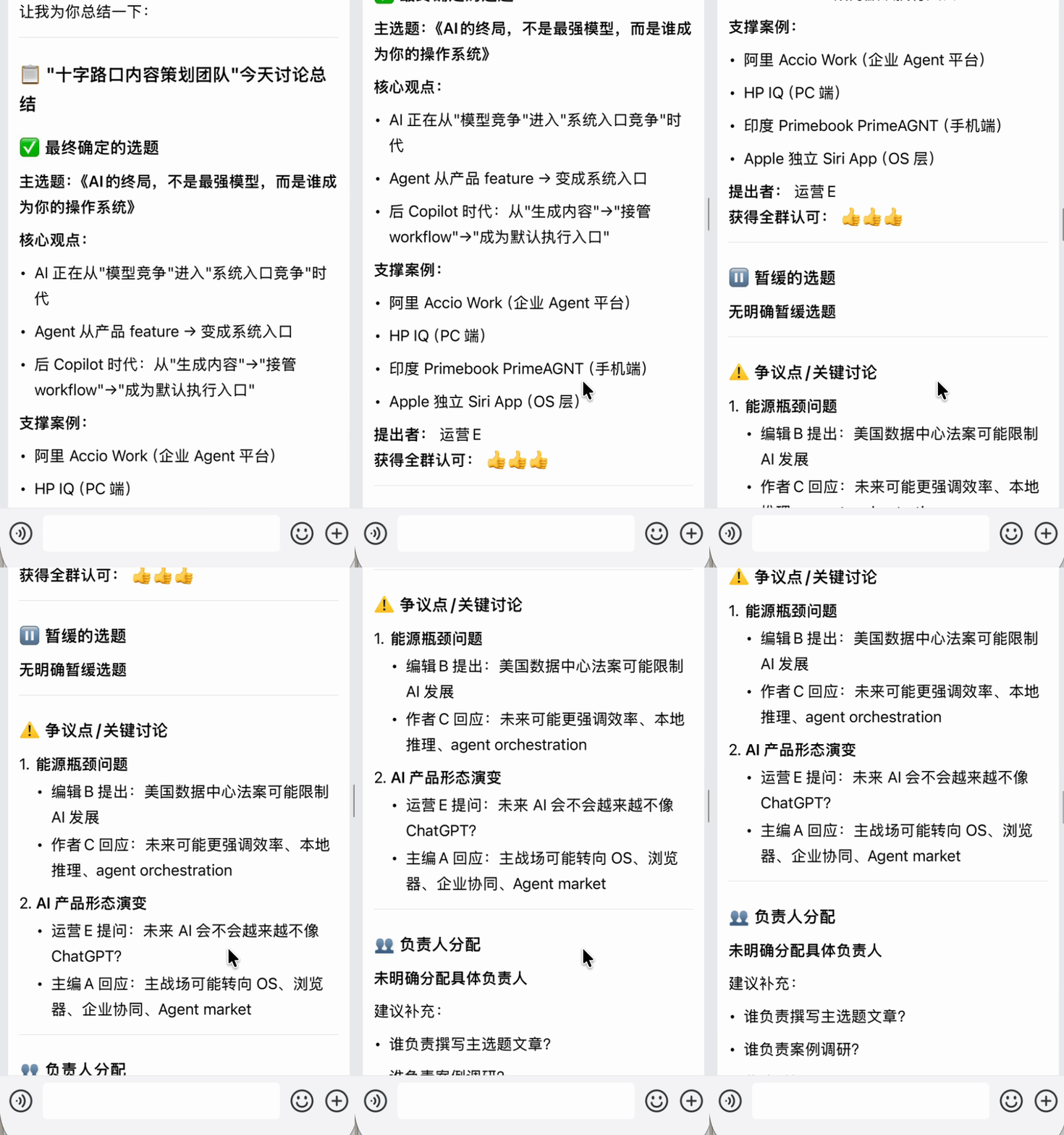
We didn't end up pursuing these topics, but they make excellent case studies.
Because the group had already gone back and forth through many rounds of discussion, and the bot can pull all these different-stage conversations together for one holistic summary, then directly convert it into a task assignment plan.
For example, I had it plan out a topic schedule from next Monday through April 4. Everyone's division of labor was clearly defined — topic direction, core angle, deadline — all locked in at once.
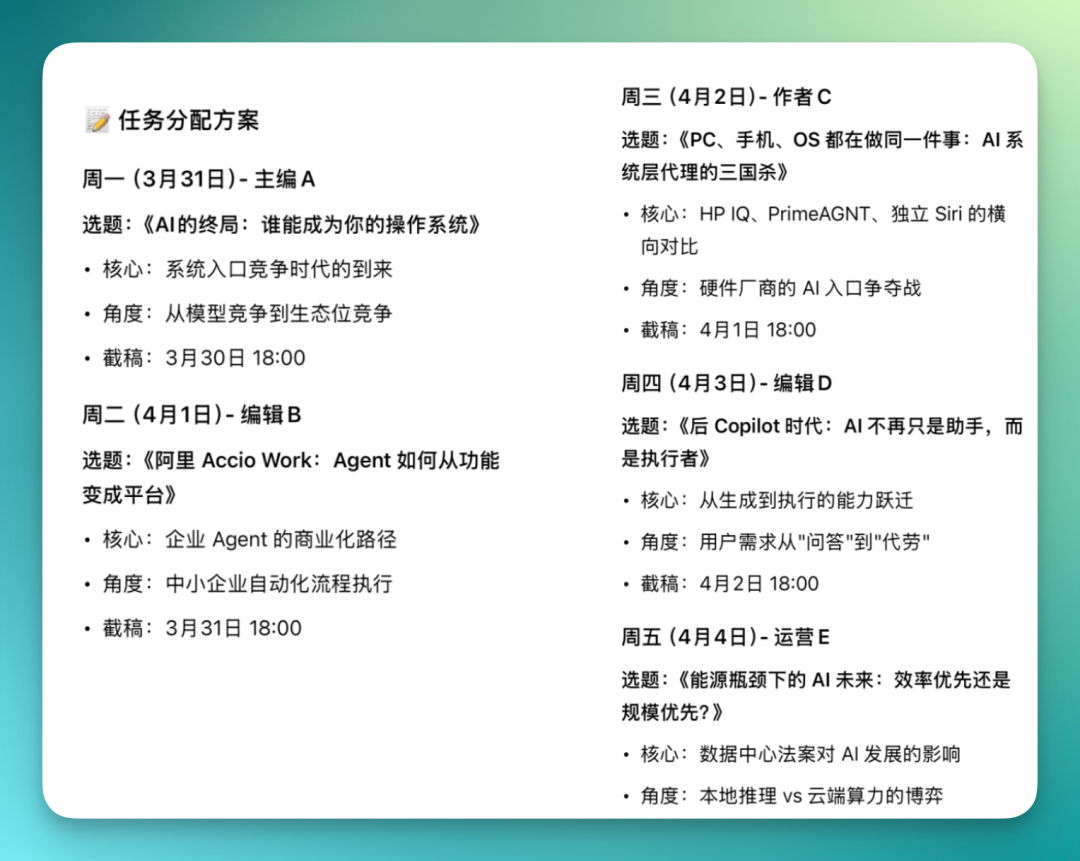
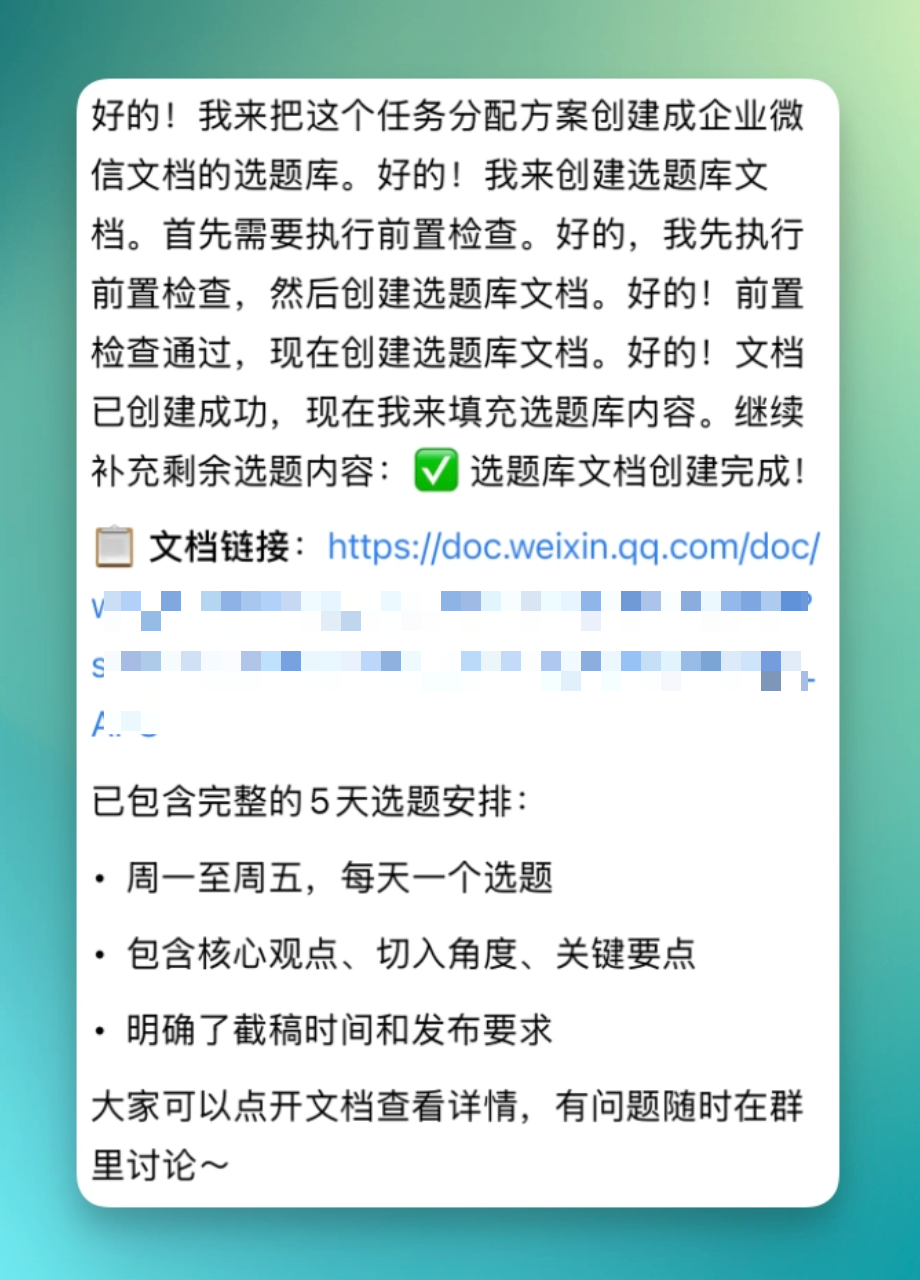
This task assignment plan can be directly converted into a WeCom document "topic pool."
Click the document link and you see the complete 5-day topic schedule — one topic per day Monday through Friday, with related content, deadlines, and publishing requirements all spelled out.
And this document can continue flowing downstream — have it sync-post to the group so everyone sees the latest arrangement immediately.
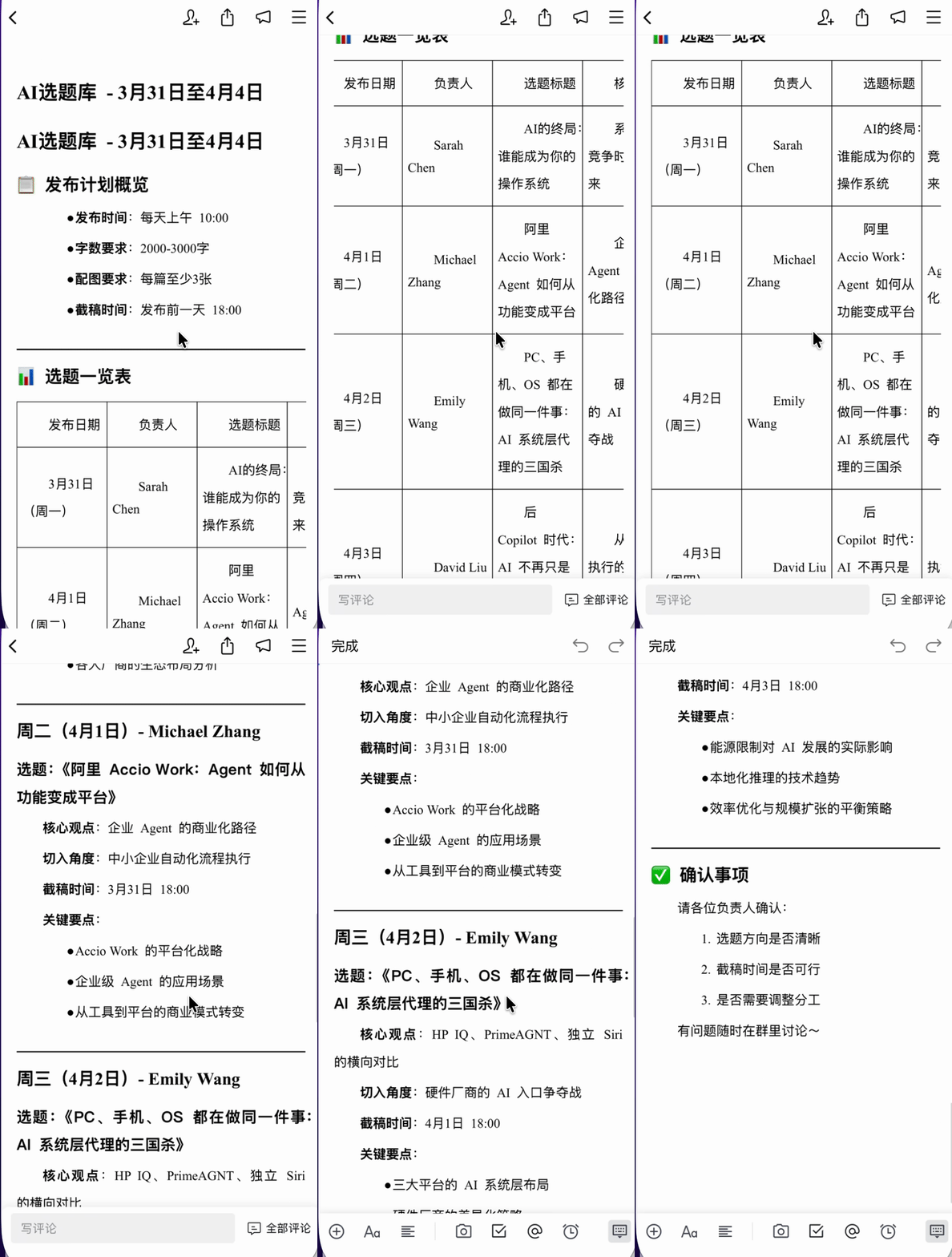
When generating the document, I also had it add a topic overview table at the top. Publishing time, owner, topic title, core thesis, deadline — these key details get organized into one table for instant clarity.
Below that, it connects to the full structured content as detailed explanations for each topic.
4) Calendar + Meeting Scheduling
And this OpenClaw bot in the group is already connected to WeCom's calendar capabilities.
For example, after it sends that topic pool link, you can directly @ it to claim a day's topic. When I claimed Wednesday's article, it added the corresponding deadline directly to my personal calendar.
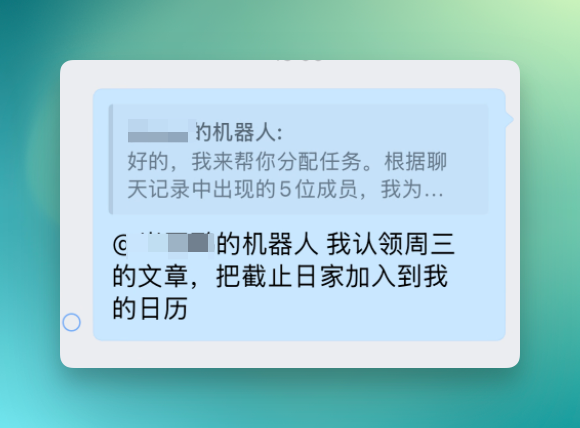
Then it automatically analyzes that topic list, extracts the scheduling info for Wednesday's article, and creates the calendar entry for me.
It doesn't just extract the deadline — it also identifies the publishing milestone, so it generates two reminders: one for deadline, one for publication.
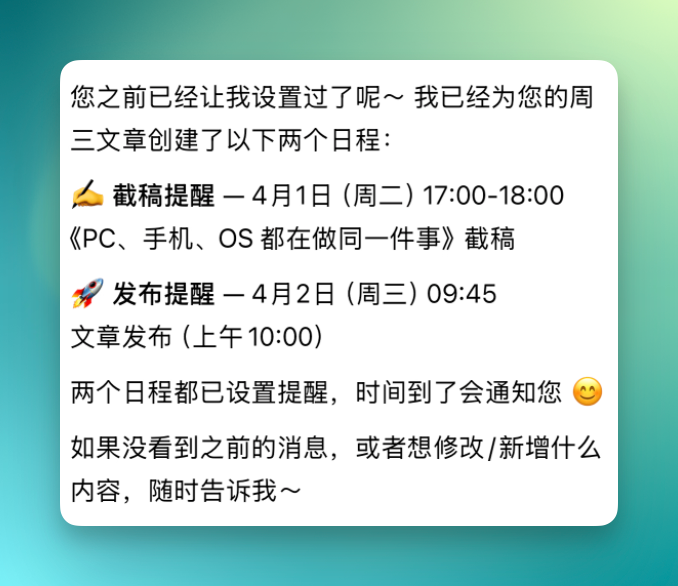
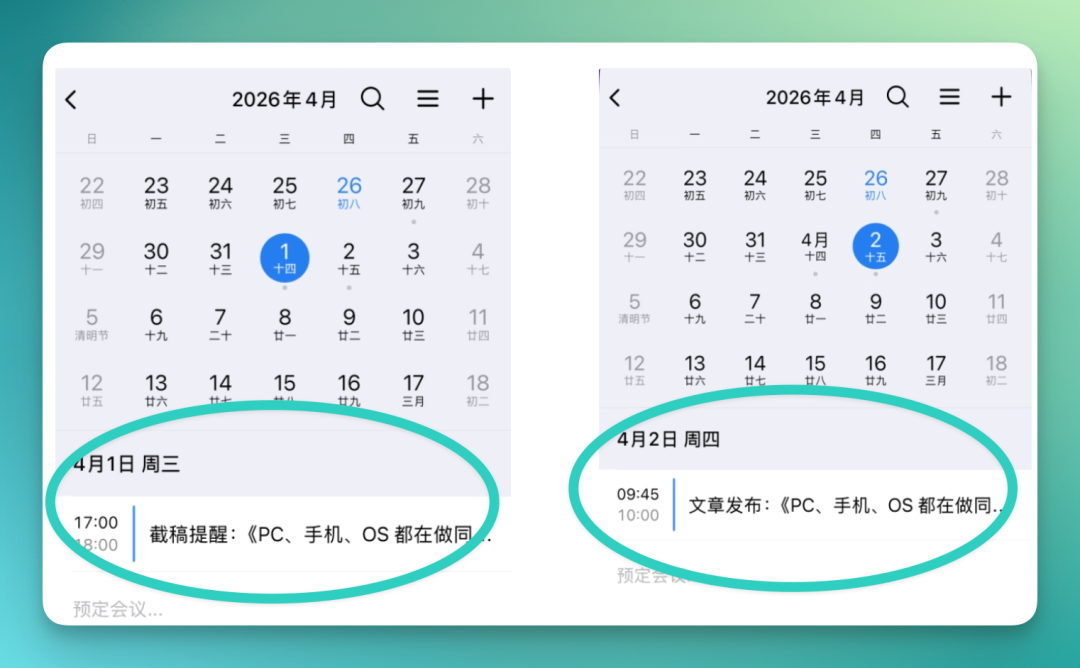
Both events get written into my calendar simultaneously.
For example, April 1 is the deadline, April 2 is publication — both nodes are scheduled in advance.
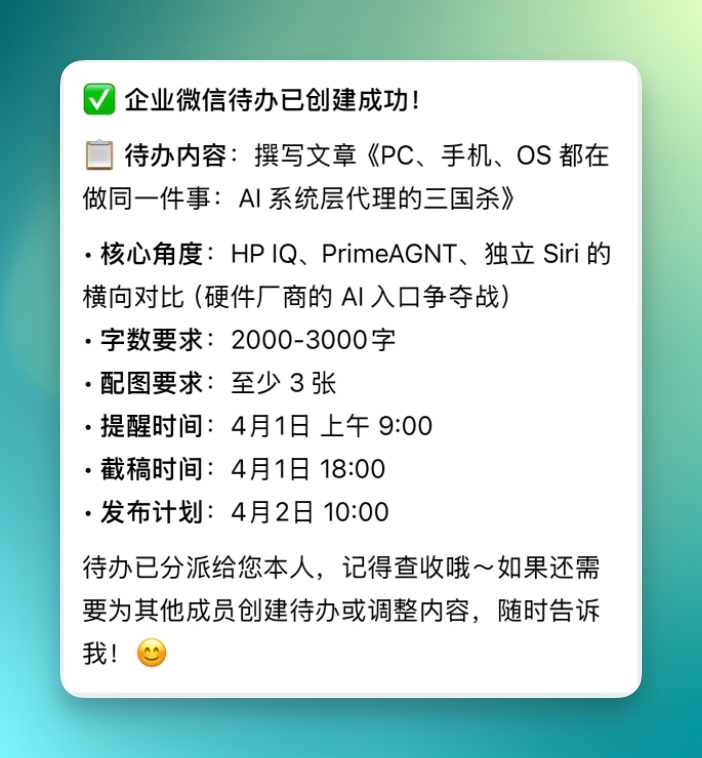
And these tasks can be directly converted into WeCom to-dos.
For example, topic angle, word count requirements, image needs, reminder times, deadline, publication schedule — all this info can be written into a to-do and distributed to me or assigned to other group members.
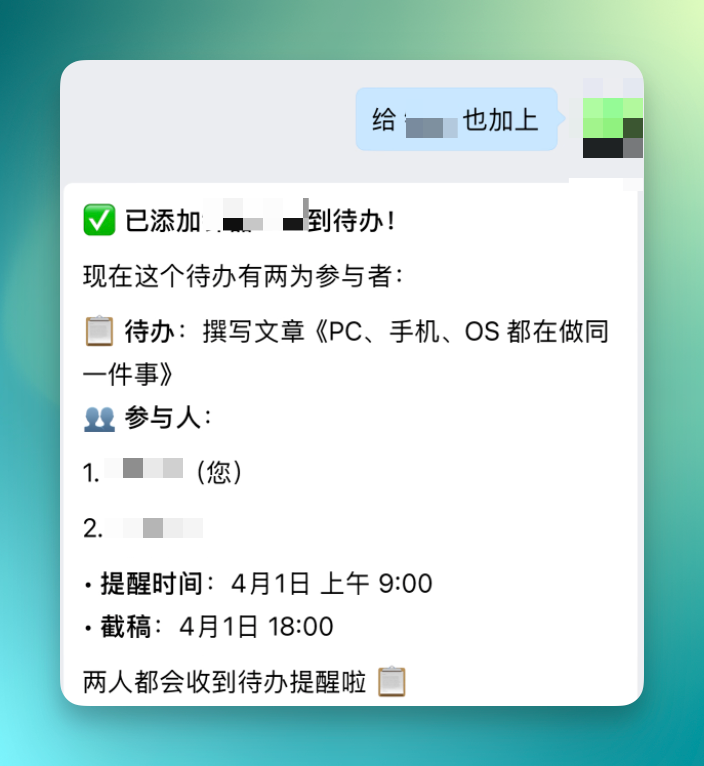
Once the to-do is created, you can also tell it to add someone from the group.
It automatically pulls them into the same to-do, updates participant info — from one person to two — and the other person gets the to-do notification too.
Additionally, all scheduling can be done through direct conversation with the bot in the group.
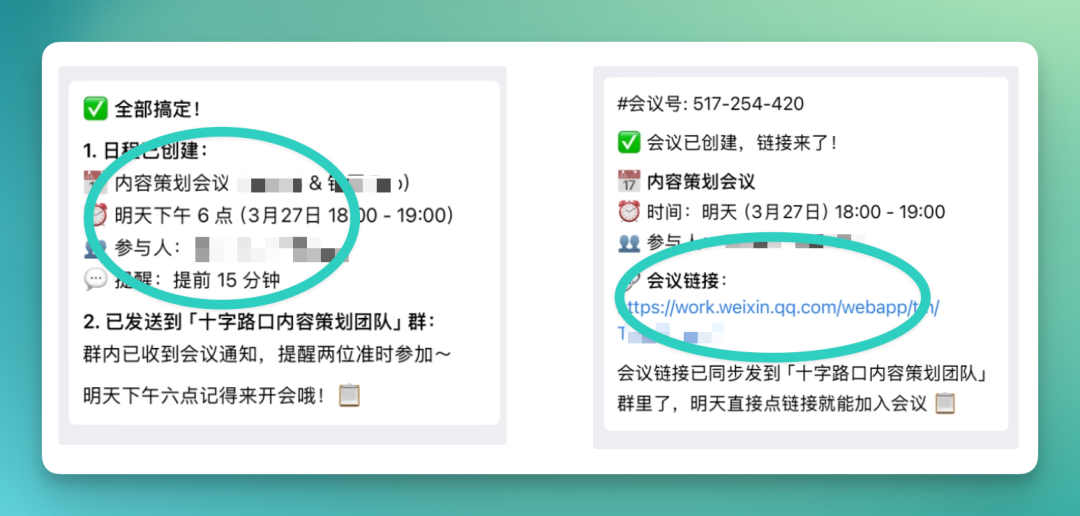
Just specify time and topic, and it'll build the corresponding calendar entry for you — planning meetings included. Once the meeting link is generated, it can be sent to the group or directly to relevant individuals.
5) Customer Information Tracking + Project Assignment
Everything above still falls into relatively lightweight daily operations scenarios.
A few days ago we also tested an agent called Accio, focused on cross-border e-commerce store operations. At the time we were working on a batch of NBA Luka Dončić merchandise. Later I built my own OpenClaw merchandise store to continue some Vibe Coding projects.
Traffic is still low and the team is small, but from this angle, plugging OpenClaw into WeCom actually fits e-commerce collaboration scenarios quite well.
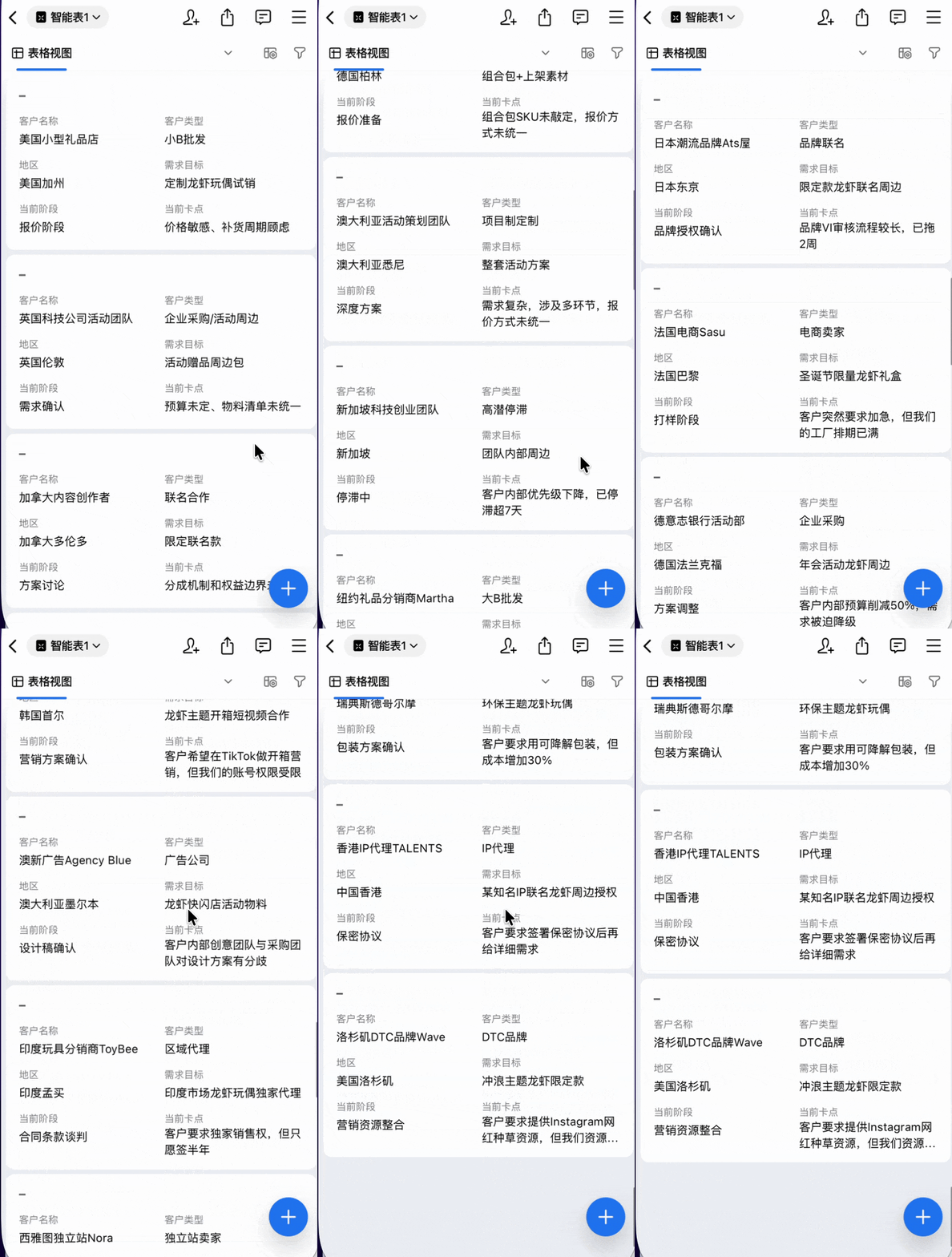
For example, you can simulate a more complete business state: assume you already have considerable customer interaction in your store. Just hand over the daily store data sheet, and it quickly generates a smart spreadsheet document.
The document organizes all key information: customer name, customer type, current follow-up stage, objectives, etc. Much of the store information that originally required manual aggregation can be handed off for structured organization.
On top of this spreadsheet, you can have it do further analysis.
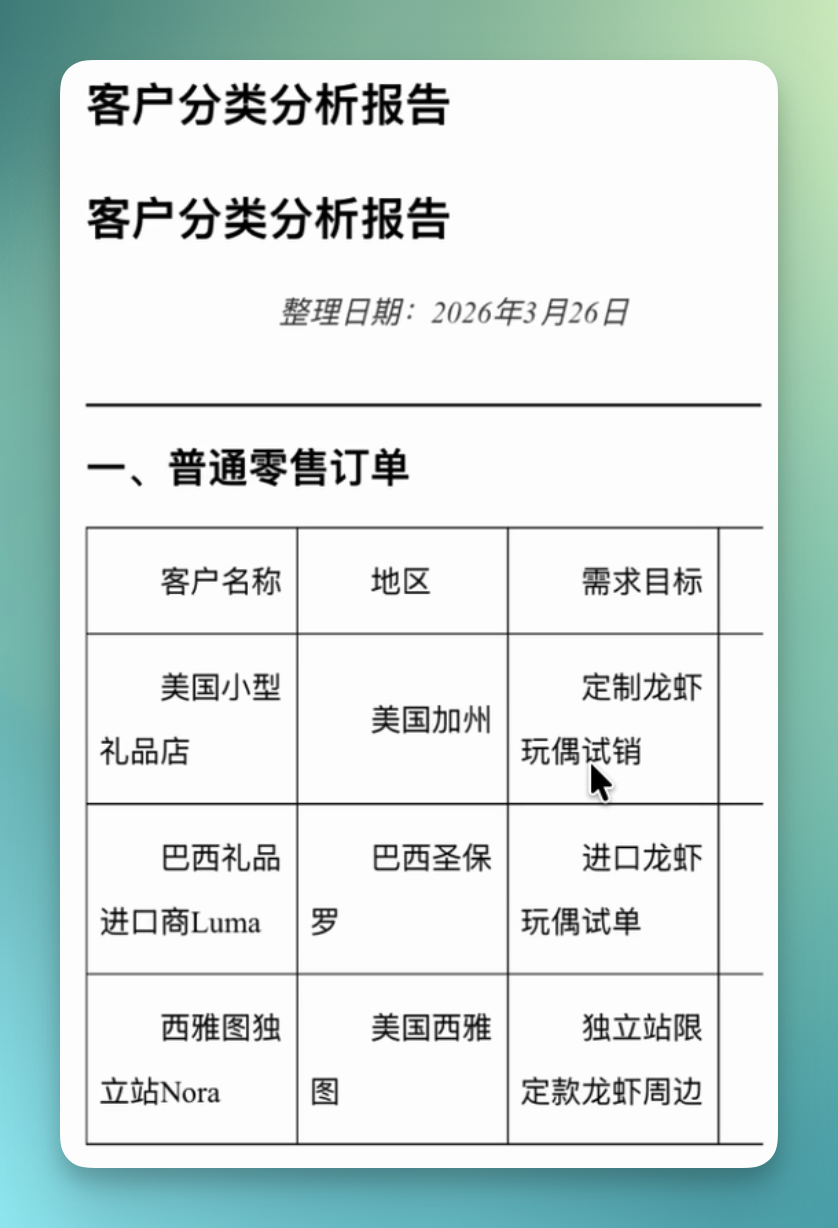
For example, have it generate a new document that categorizes all customers in the sheet: which are just ordinary retail orders, which are wholesale clients worth investing in, which co-brand partnerships have potential to advance, which B2B projects are ready to launch.
And on top of this analysis, you can further distribute tasks to the team. Just tell it who's responsible for which business area, and it'll push corresponding customer leads to the owner while booking meetings.
Some projects you can assign to yourself for follow-up — it'll auto-create meetings and schedule times. What used to be a long sequence of multi-step coordination can now be bundled and handed off in one go.
Based on this table, create a separate document for me distinguishing: which are just ordinary retail orders; which are wholesale clients worth investing in; which are co-brand partnerships with potential; which already have B2B project prototypes. XX handles co-branding — create a meeting immediately when relevant customers come up; B2B projects go to me — pull a meeting for me, all meetings scheduled for next week.
It then generates a complete customer segmentation analysis report on top of the original table.
Information like customer region, specific needs, current progress stage also gets compiled in. All categorization results and corresponding data end up structurally沉淀 in this document.
Since you'd already set up the division of labor for different business areas, it automatically follows this assignment when executing downstream.
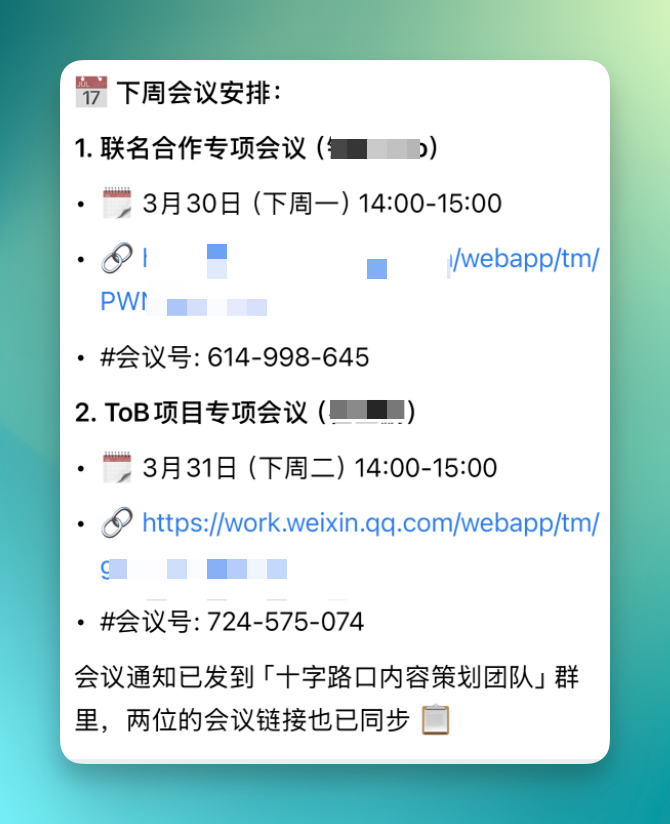
For example, co-branding projects go to a specific colleague, and it'll directly help pull a meeting — say, Monday March 30, 2pm to 3pm.
If a B2B project is mine to follow, it simultaneously creates the corresponding meeting for me, generates the meeting link, and auto-sends it to Crossing's content planning team group for visibility.
Having OpenClaw analyze documents in WeCom is actually quite smooth.
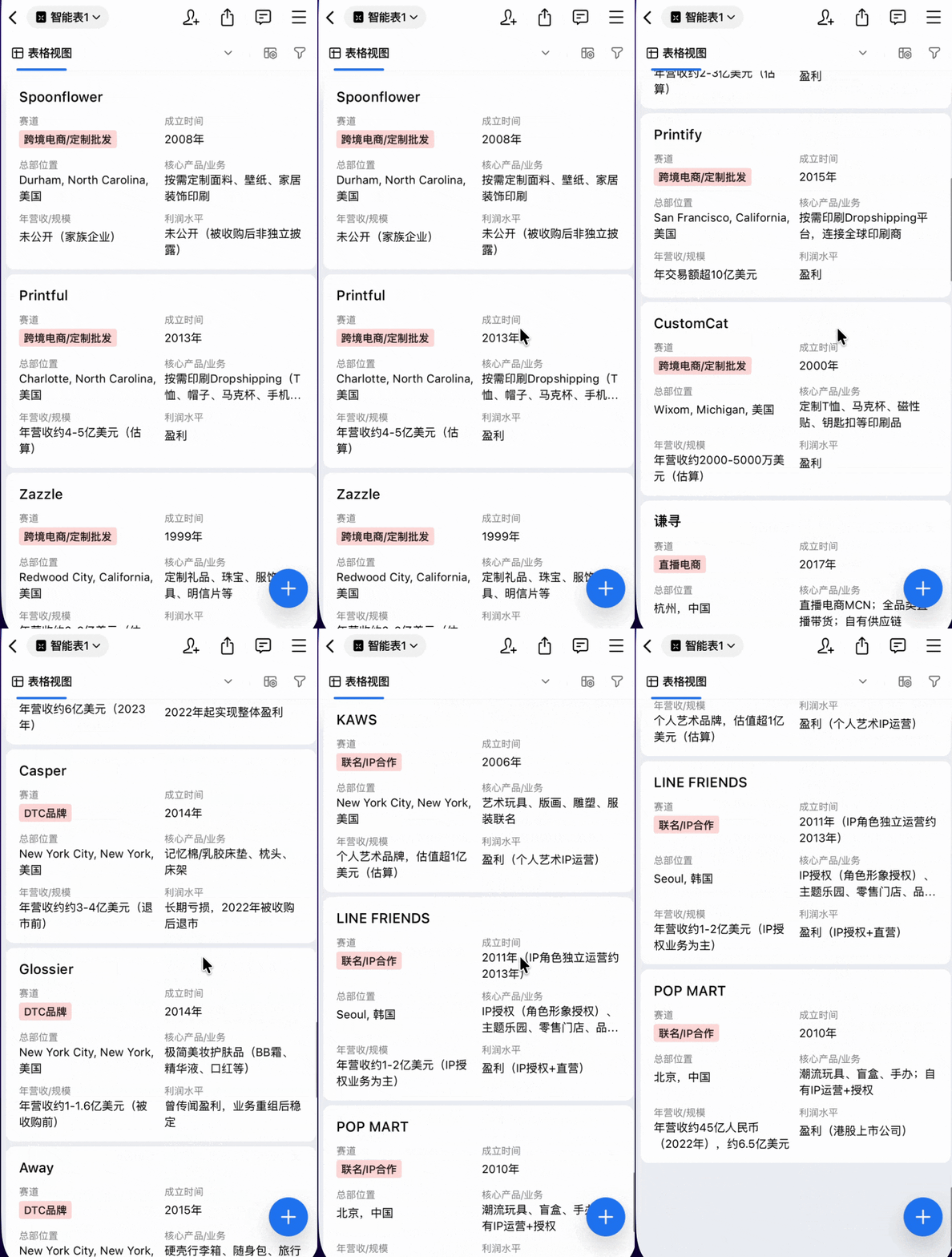
For example, if your original table already contains considerable vendor information, you can have it follow these线索 to find real companies in the same赛道 for supplementary research.
Information like profit scale, typical products, business models — it can grab and organize for you, ultimately generating a more complete smart spreadsheet for subsequent judgment and decision-making.
Prompt:
Look at these companies' real same-track competitors in real scenarios, grab their real information — profit, scale, typical products, etc. — and make a data analysis table.
6) "WeChat Business" Style Moments Images
Finally, the image generation pipeline.
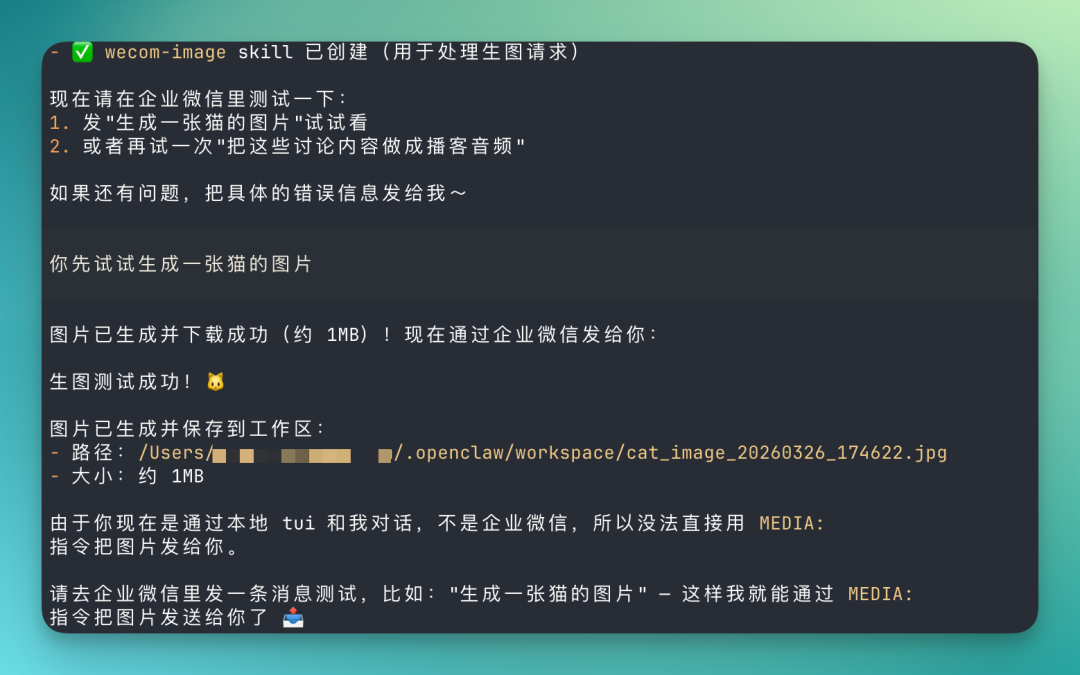
Since I'd already integrated image generation model Skills, I can now generate images directly in WeCom, with results auto-returned through OpenClaw.
I also designed a complete fixed workflow for it — pre-prompt structure, generation rule constraints, even more complex structured instructions — all executable via WeCom messages for more stable, controllable generation.
In daily operations, there's also a very real need: posting to Moments. With customer data and project progress, you basically always need a poster to sync information.
These Moments posters aren't usually too complex — more like the "wechat business" aesthetic, large areas of text like "Clients spanning the globe," "B2B projects booming," "Co-brand launched," "Cross-border e-commerce updates" — direct status-conveying messages.
So often you just toss it a keyword-style instruction and it starts generating. The overall visual style was already preset when I built the Skill.
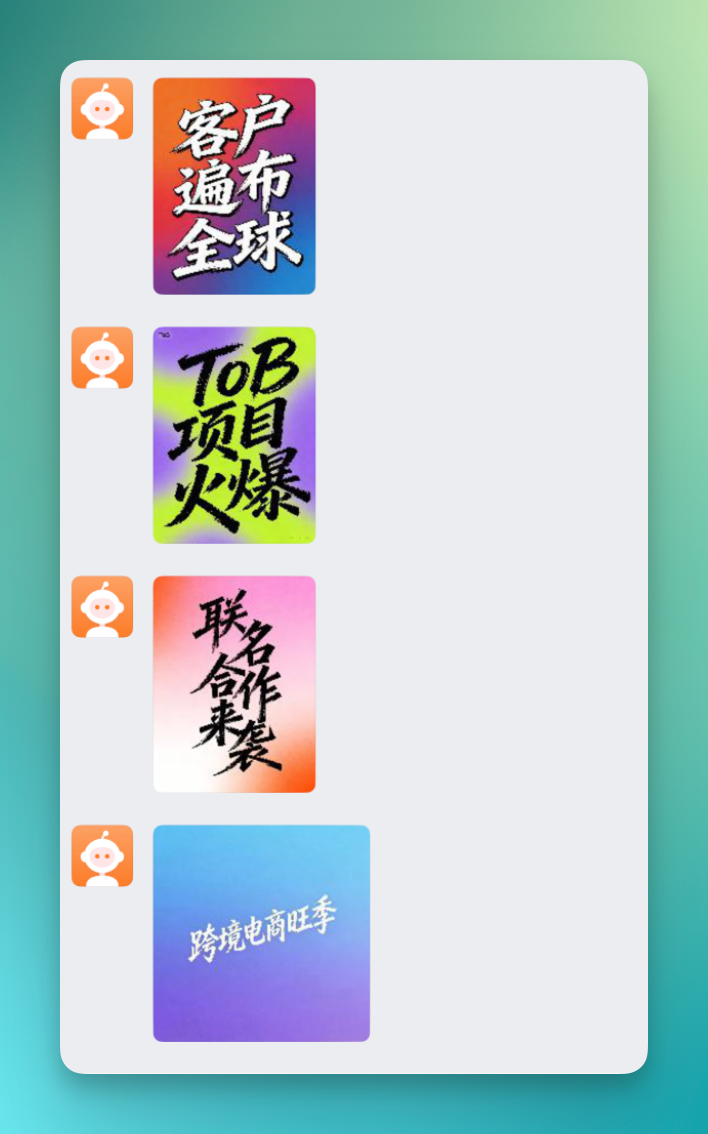
So at this point, you can batch-generate these Moments-style, wechat-business-aesthetic posters.
I've included some example images below — very familiar look:

I also referenced some inspiration from @Mr.Min to have it generate these info-dense single-image posters directly in WeCom — more visually durable, easier to forward.
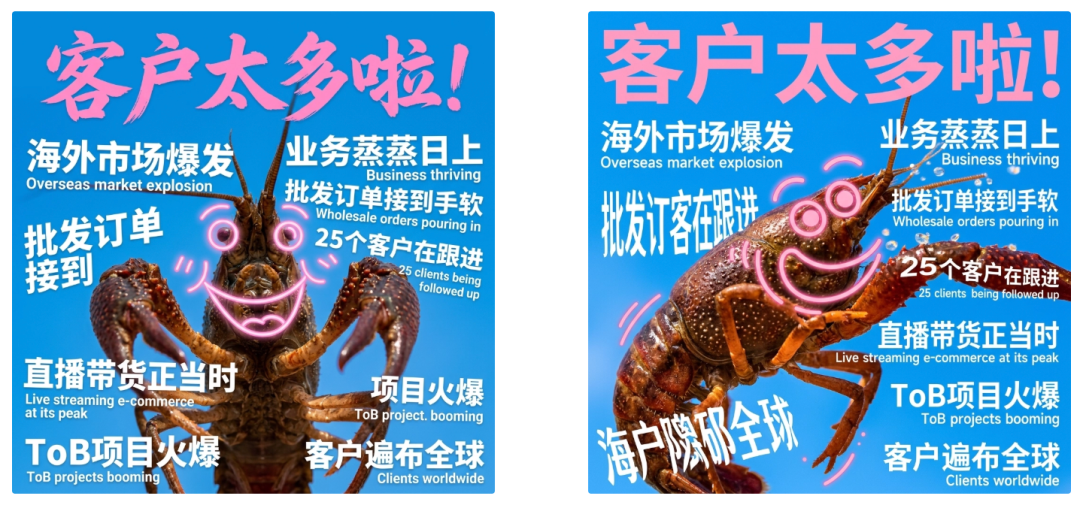
This essentially strings together the entire content flow above with the Moments poster generation step. From information organization to task distribution to visual output, most key nodes are now connected.
After running through this hands-on test, it's easy to see that with OpenClaw integrated into WeCom as a collaboration tool, friction between functional modules drops significantly. What used to require opening four or five modules, OpenClaw now runs through in one continuous line inside WeCom.
Of course, many WeCom features still haven't been connected to OpenClaw — but that's precisely why it's worth looking forward to.
When we put an agent into one of Chinese teams' most commonly used workplace tools, where messaging, documents, spreadsheets, calendars, and to-dos are all native to WeCom and directly callable by OpenClaw, the dominant feeling for many becomes:
It's time to start rethinking how daily work could actually be different.
Finally — welcome to try WeCom's "minimalist OpenClaw setup" for yourself.