Two Humans, Three Agents, One Conflict-Free Afternoon

Documenting a live, agent-level collaboration experience.
Documenting a Live, Agent-Level Collaboration Experience.
👦🏻 Author: GaKi
🥷 Editor: Koji
🧑🎨 Layout: NCon

Google Docs taught everyone something around 2010:
Multiple people could edit the same document in the cloud simultaneously, with changes visible instantly and conflicts resolved automatically. This experience later became the default assumption for collaboration software — Lark, Tencent Docs, and Notion all built on this premise.
But in the Agent era, that moment still hasn't arrived.
Every person in every department at every company has to spin up their own Claude Code or Codex. Agents can't "interact" with each other.
The reasons it hasn't happened yet boil down to roughly three points.
【1】Vendor "Reproductive Isolation"
Everyone's Agents come from different sources — some use Claude Code, some use Codex, some use Opencode. Each runs in its own runtime environment, and there's no universal solution to truly bring them together.
【2】Personal Boundaries Are Too Strong
Current Agent runtime environments are designed around individual users. Whether it's local machine mode or cloud machine mode, the subject is always "me."
Want to collaborate with someone else? The physical device itself is an insurmountable wall. Even if you move the Agent to the cloud, away from your local tools, configurations, and account credentials, you still face the sandbox boundary isolation between each Agent.
【3】Agent-Level Collaboration Is Fundamentally Difficult
Today's Agents are one-to-one bound with sandboxes. Each Agent lives in its own "parallel universe." They lack channels for real-time context synchronization, resource sharing, and mutual invocation. They can only exchange outputs after tasks are complete — through cloud drive uploads and downloads, deployments, or dropping results in group chats.
Real-time collaboration requires a new approach that can put these Agents into the same "spacetime."
All these factors叠加在一起, the result is: the more powerful Agents become, the more manual work humans do shuttling context between them. Copy-pasting, uploading and downloading, summarizing background, forwarding progress — this "work done just to keep work moving" hasn't decreased. It has actually increased with the number of Agents.
Despite the重重难点, there are teams that bet everything on Agent live collaboration from day one. And on August 24, one such team shipped its official product —
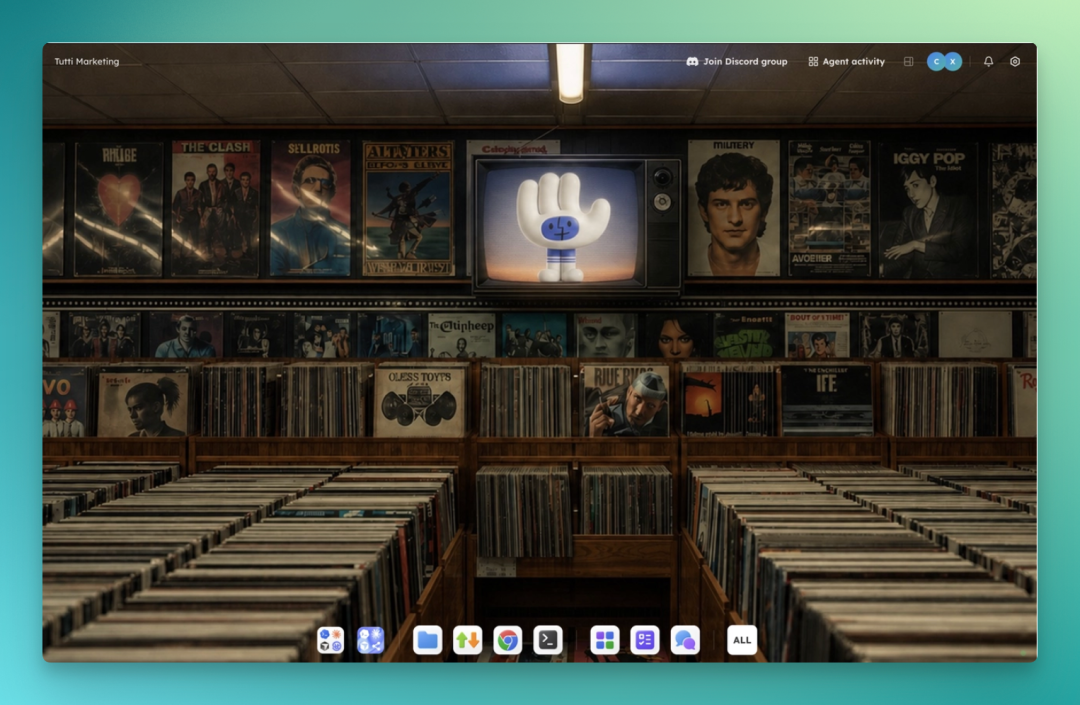
Tutti · VM
🚥 Before diving into this product, we've decided to first survey the current landscape. Only then can we answer:
【1】How far are we from the "Google Docs moment for Agents"?
【2】What is Tutti · VM's product logic? Where does its value actually lie?
Agents have gone through 4 attempts. Existing exploration roughly follows four paths, with representative forms: Slack (group chat bots), CrewAI (multi-Agent orchestration), Devin/Replit Agent (cloud digital employees), and Claude Code/Codex (Remote Control).
Each solves part of the problem, and each still falls short of that "Google Docs moment."
【1】IM / Group Chat
This approach mainly pulls Agents into channels where they get @-mentioned, execute tasks, then reply with messages and progress updates. What gets passed between Agents are primarily messages and summaries. The real-time execution process still runs on each person's local machine or cloud sandbox, invisible to others.
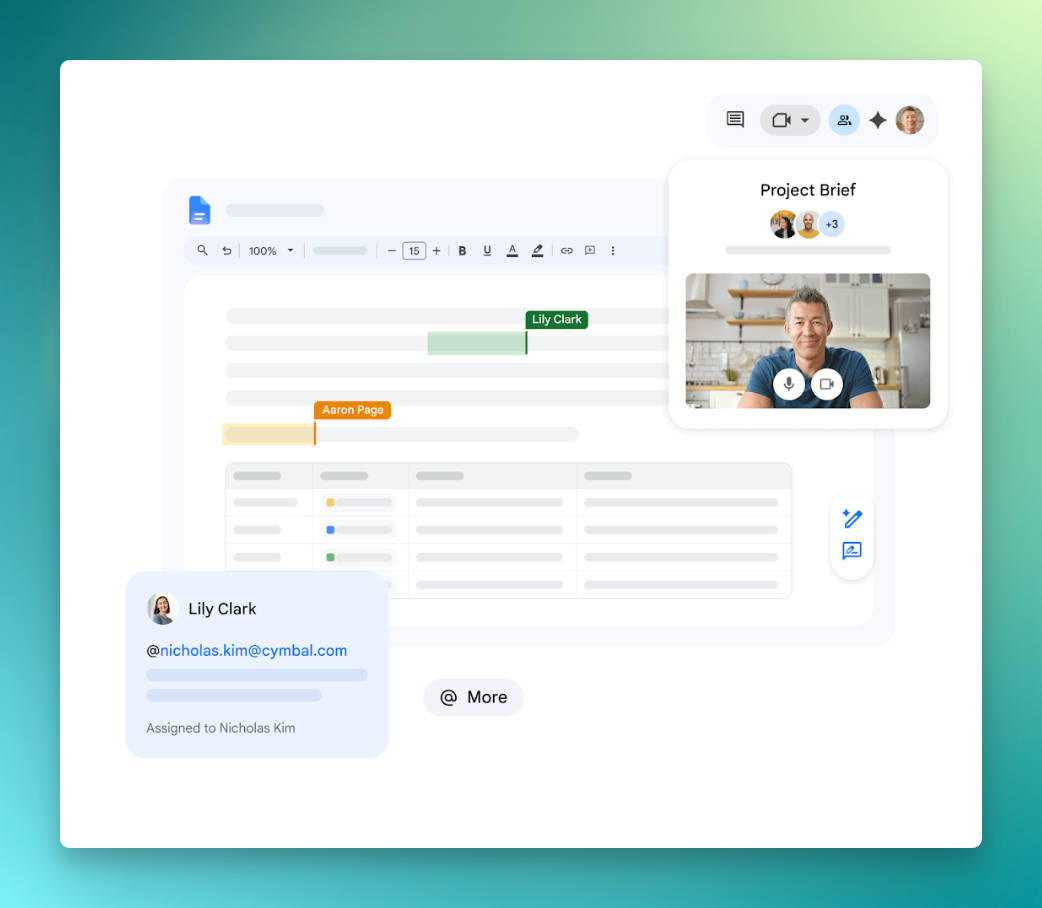
Using Google Docs as an analogy, this is equivalent to "posting screenshots of the document in a group chat."
【2】Local Multi-Agent Orchestration
This approach mainly solves one person managing multiple Agents, enabling more parallel tasks simultaneously. Efficiency improves, yes. But it's designed for individuals and doesn't involve multi-person collaboration. Even forced collaboration struggles to cross physical machine isolation.
【3】Cloud Digital Employee
This is currently the most common approach — Devin, Replit Agent, etc.
The main idea is moving the entire Agent to the cloud, letting you have it work from a browser, making it easy to share links with others.
The problem of quickly sharing outputs is solved. But because Agent sandbox isolation remains unaddressed, real-time collaboration between Agents still doesn't work. And you have to enter their tool ecosystem — your local tool stack and files don't come with you. You need to adapt to a new environment, and pay again for the Agent capabilities they provide.
【4】Remote Control
Claude Code's Remote Control, launched this February, and Codex's equivalent feature are the most typical examples of this direction. Their workflow keeps the session running on your own computer — files, credentials, local configurations all stay put — while you command it from your phone, tablet, or any browser.
But look closely and you'll see this workflow's essence is: the Agent works on my computer, and I watch it from another device.
No other collaborator can participate.
From this perspective, the more desktop Agents proliferate — Claude Code, Codex, Cursor on every desk — the larger the gap for "Agent live work" becomes.
These 4 attempts all carry genuine value. Their main purpose is letting us initiate more parallel tasks simultaneously. But these parallel tasks must have clear boundaries.
In complex work, however, collaborators' tasks are often interdependent. True parallel collaboration also requires Agents to effectively divide labor, share environments and state, coordinate conflicts, and aggregate results.
Now let's look back at Tutti · VM.
Its product logic is connecting everyone together. What it first tries to solve is "where does our work meet." Each person's Agent runs on their own computer, while work实况 naturally occurs in the same cloud Room. Once everyone is connected, many interesting things become possible — like real-time sharing and real-time collaboration.
The center of sharing and collaboration becomes multiple people and their respective Agents.
Put differently: Remote Control still serves you alone and your Agent, just letting you keep using it away from your desk. Tutti · VM serves a group of people and their respective Agents — the entire team and their Agents sit around the same conference table, everyone able to see what everyone else is doing.
Agent stays local, the scene moves to cloud
According to official information, Tutti · VM defines itself as the industry's "first live-level" multi-person, multi-Agent real-time collaboration space, combining the strengths of local and cloud tools.
Its mechanism roughly divides into three points:
【1】Each person's Agent (currently supporting Claude Code, Codex) continues running on the user's own computer, leveraging their existing subscriptions, configurations, and skills.
【2】Agent instructions pass through multi-layer virtualization, with the system determining whether each instruction goes to the physical machine, local VM, or cloud. Collaborators share the same runtime environment in the cloud.
【3】The cloud Room becomes the "live space" for everyone and their Agents.
Who changed what code, what the Agent is doing, what the latest output is — everyone in the same room sees each other, can reuse anything anytime.
At this point, the product logic is basically clear.
The official site also provides a capability comparison with other existing tools:
| Tutti· VM | Current Agent Collaboration Tools |
|---|---|
| Collaborators share the same environment and project state | Everyone maintains their own code, environment, and services |
| Real-time sharing of live work process, visible and usable by everyone anytime | Communicate through post-hoc message summaries |
| Parallel collaboration with automatic conflict avoidance and resolution | Complete work in copies or branches, then merge |
| Local Agent outputs shared instantly upon creation, zero-second latency | Share through upload/download, sync, deployment, etc. |
| Borrow someone else's Agent, continue your own runtime environment, works like using your own | Call someone else's Agent, based on their runtime environment, work may be interrupted |
| Edge-cloud amphibious, sensitive data never leaves computer, context and outputs go to cloud | Local capabilities or cloud sharing — choose one |
| Agent follows the person, joins/leaves any project on demand | Agent bound one-to-one with project |
Next, let's look at how Tutti · VM actually works in practice.
We tested it deeply for several days. Here's our real experience.
One engineer, one designer, one Room
Now, let's look at this scenario:
Our team had a member vibe-code a site called Crossing Writing — basically a knowledge base for AI-category professional info, built with backlinked references. But the UI was rough, the code architecture was rough, and the frontend logic was rough. This time, two colleagues are handling the update: Engineer User A and Designer User B, both entering the same Tutti · VM Room.
Quick intro on these two:
User A: Engineer. Subscribed to a bunch of Agent products — Claude Code Max account, Codex Pro. Main job is daily development, building product v1s.
User B: UI Designer. Hardly any Agent product subscriptions, but has design taste. Handles design gatekeeping.
Now let's walk through how Tutti · VM actually works, following their real workflow.
1. Create a Room, both join
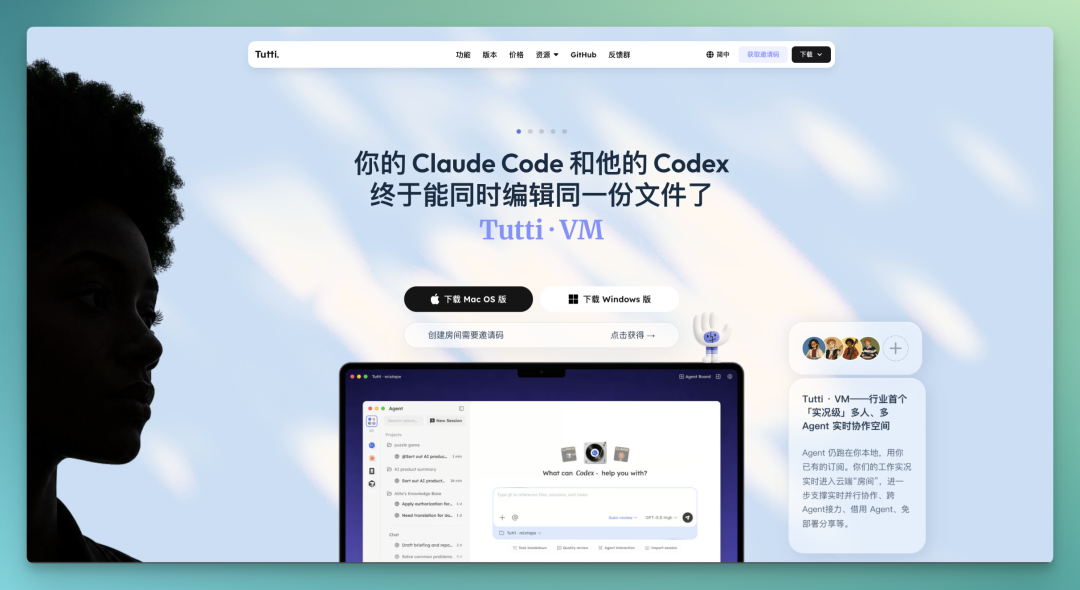
First, Tutti · VM's website:
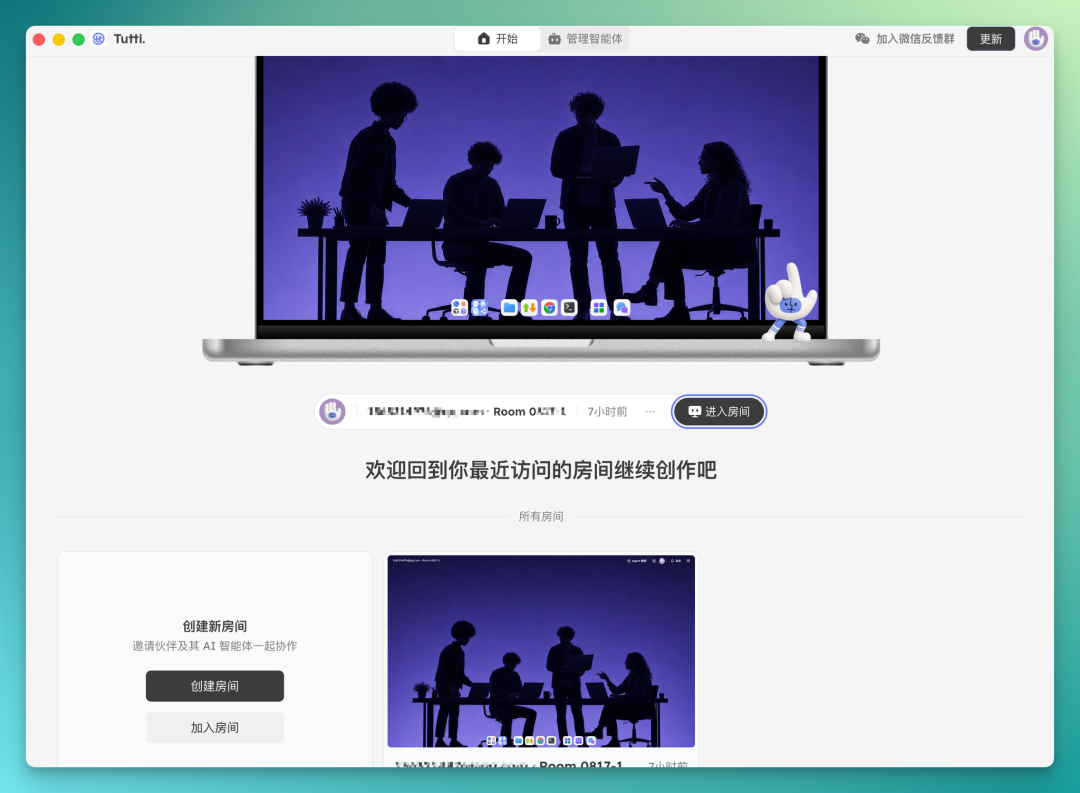
After downloading and logging in, you land on the main page and create a Room.
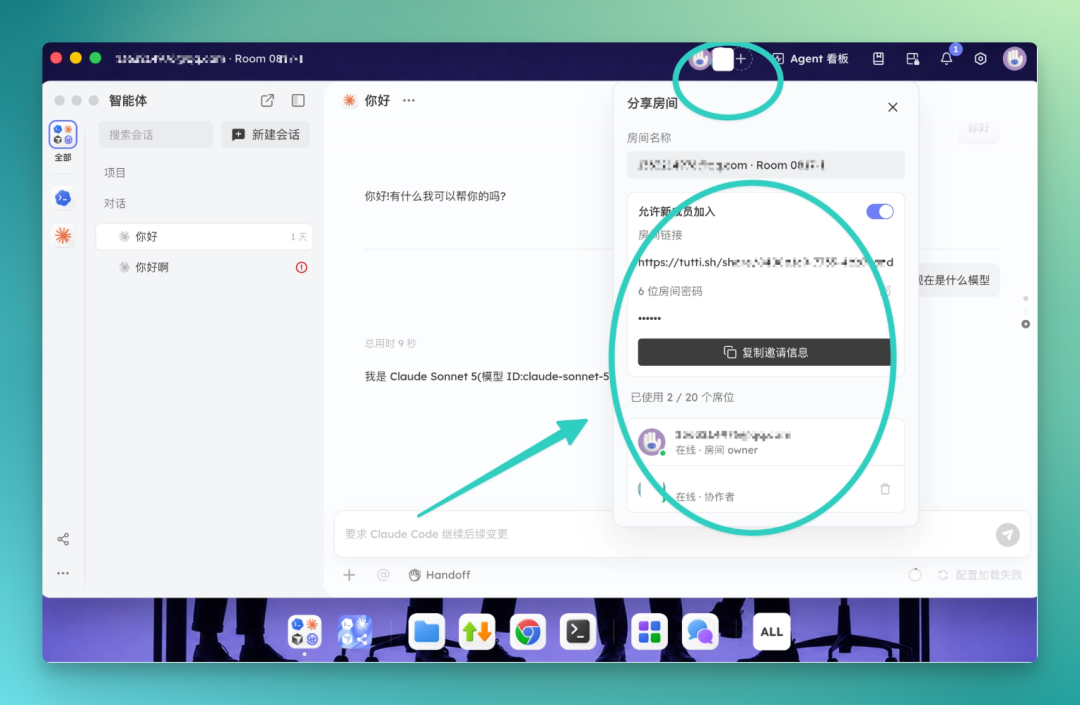
Inside the Room, you can one-click send the invite to the other person.
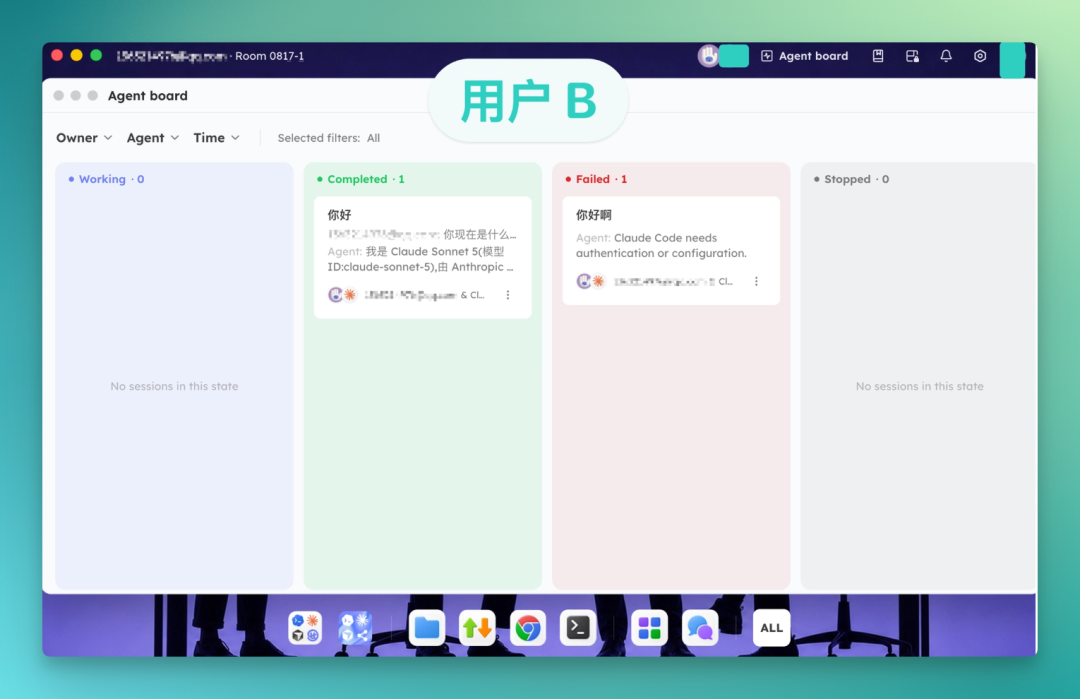
Once User B gets the invite and enters the Room, they can immediately see the Agent dashboard, which displays all tasks in the Room that are running, completed, or failed — including tasks User A has already executed.
Now let's look at the specific collaborative development flow.
2. Create a project
For new projects, you can launch directly — the project gets created in Tutti · VM instantly, and all collaborators immediately share it.
For existing projects, you can import a Local Project directly into Tutti · VM.
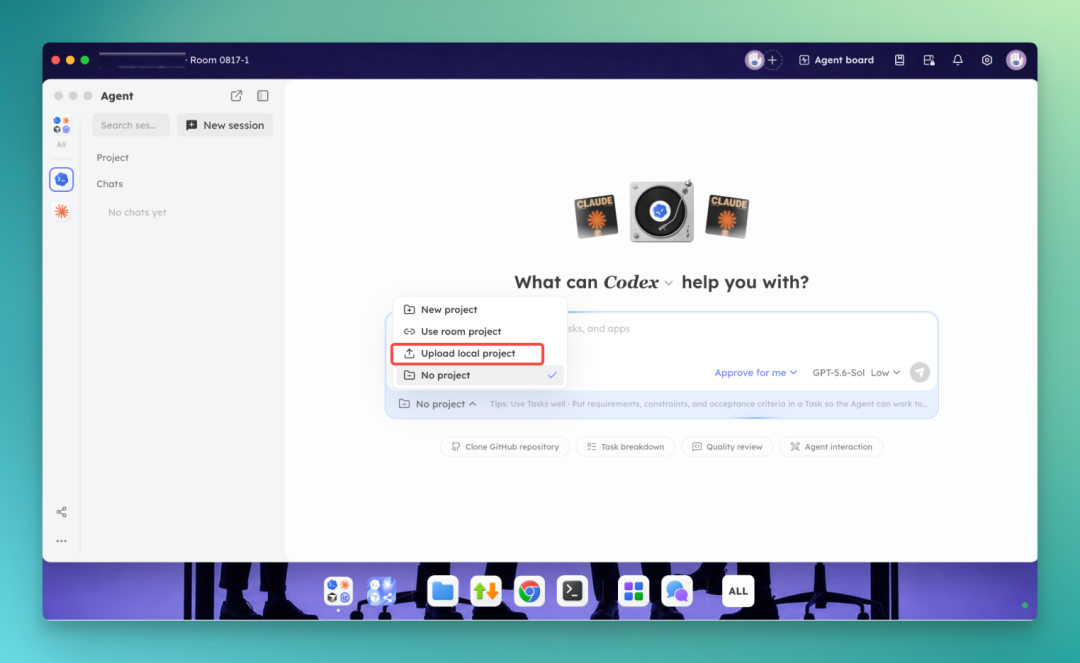
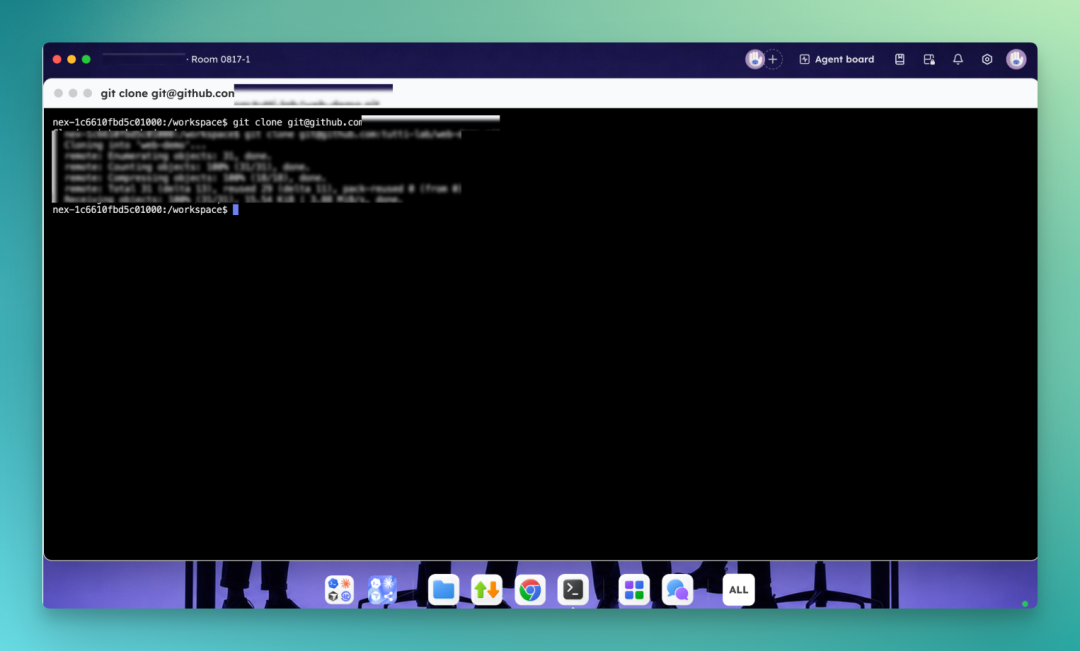
Or you can clone via Git in the terminal.
3. Engineer builds v1 with Tutti · VM
User A, the engineer, typically starts by building the v1 in Tutti · VM. After entering, he can one-click connect the local Codex and Claude Code on his machine — meaning all Agents used in Tutti · VM are local Agents:
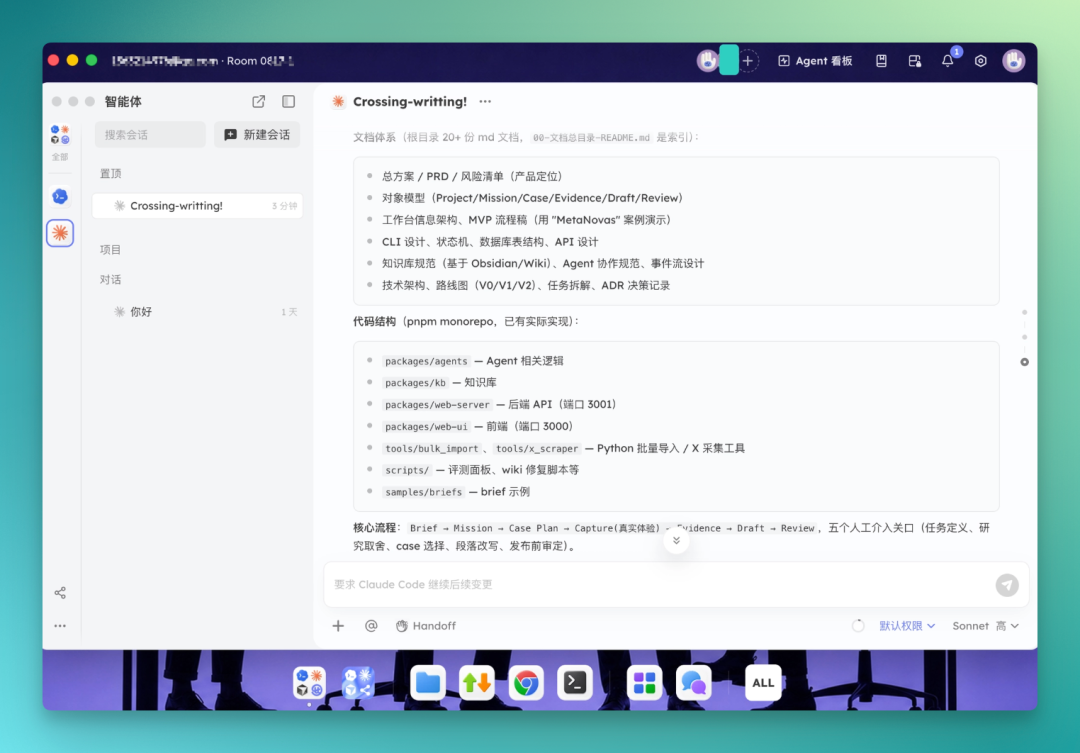
Once the engineer sets up the project, the designer can jump right in and use it — no need to fiddle with environment setup themselves.
Colleague A typically pairs Codex with Claude Code — using Codex as the main developer for scaffolding, and Claude Code for review and planning.
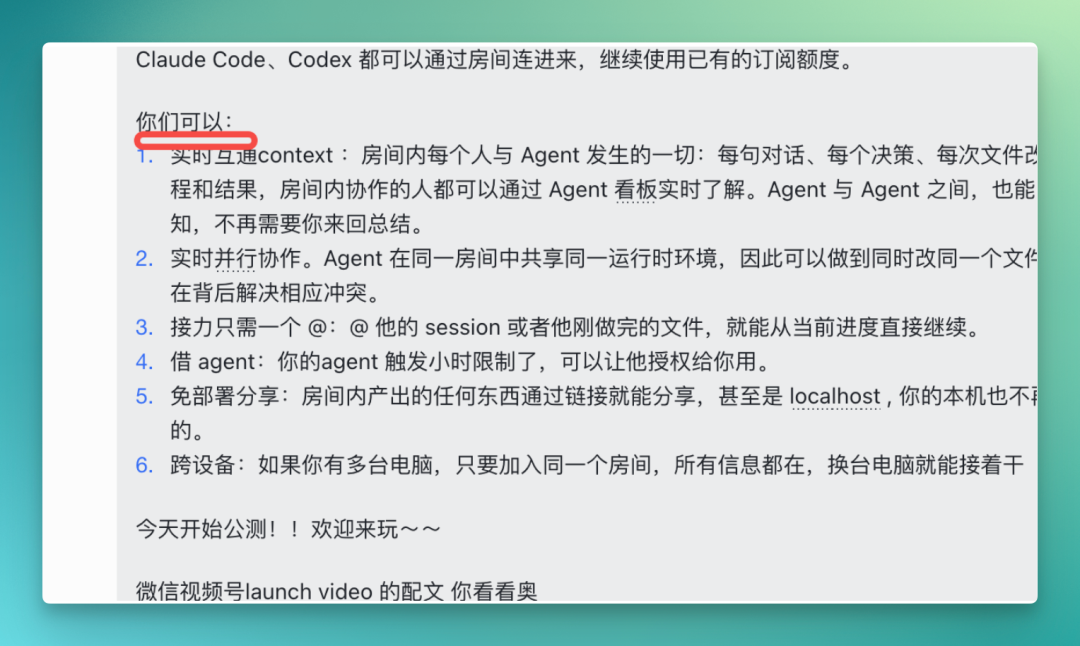
After completing planning and review with Claude Code, he can directly use the "Big @" feature in Codex's interface. It lets you reference context from other Agents' sessions, files, tasks, apps, and more.
This way, Codex can directly reference the review and planning session from Claude Code right in the chat box.
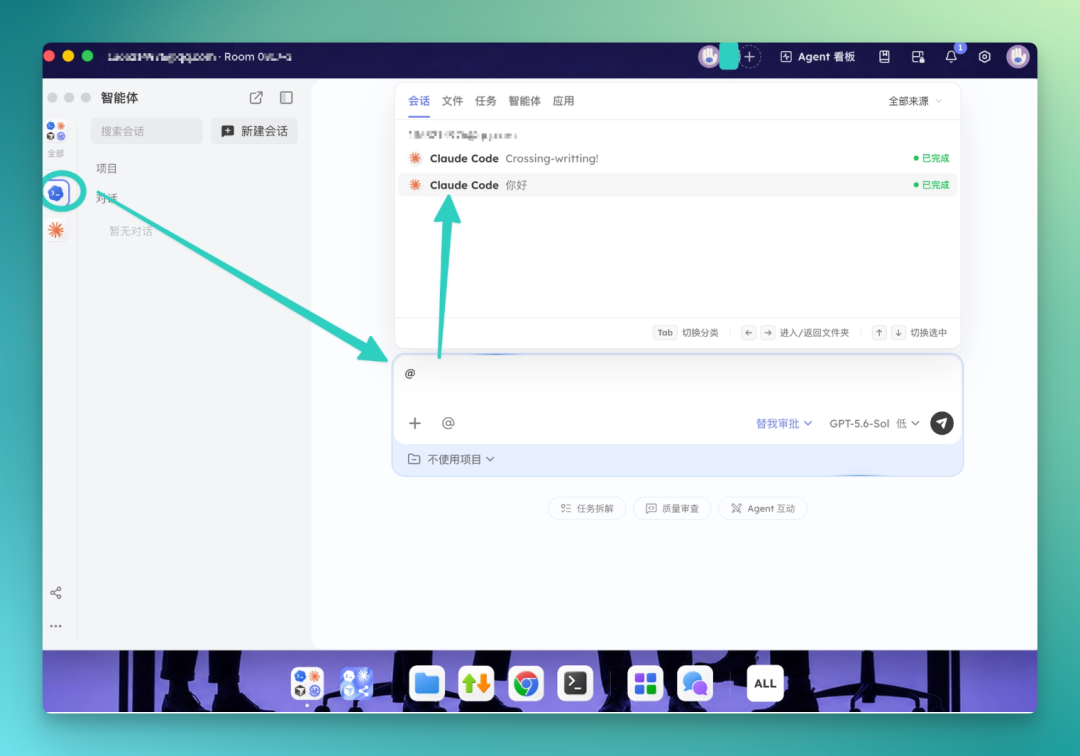
For example, using the GPT 5.6 Terra model, @ the review session in Claude Code, ask it to retrospect the entire project, find 10 improvement points in code structure and interaction, and compile them into a Todo List.
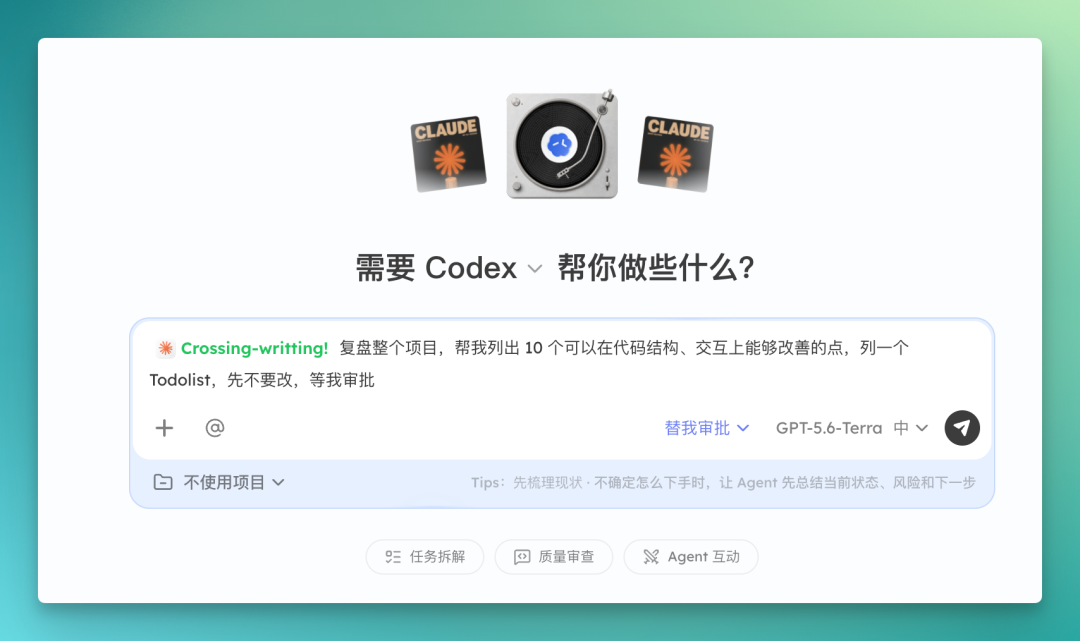
Codex then generates a full Todo List based on Claude Code's context, prioritized by importance, covering project completion, workbench, routing framework skeleton, and more.
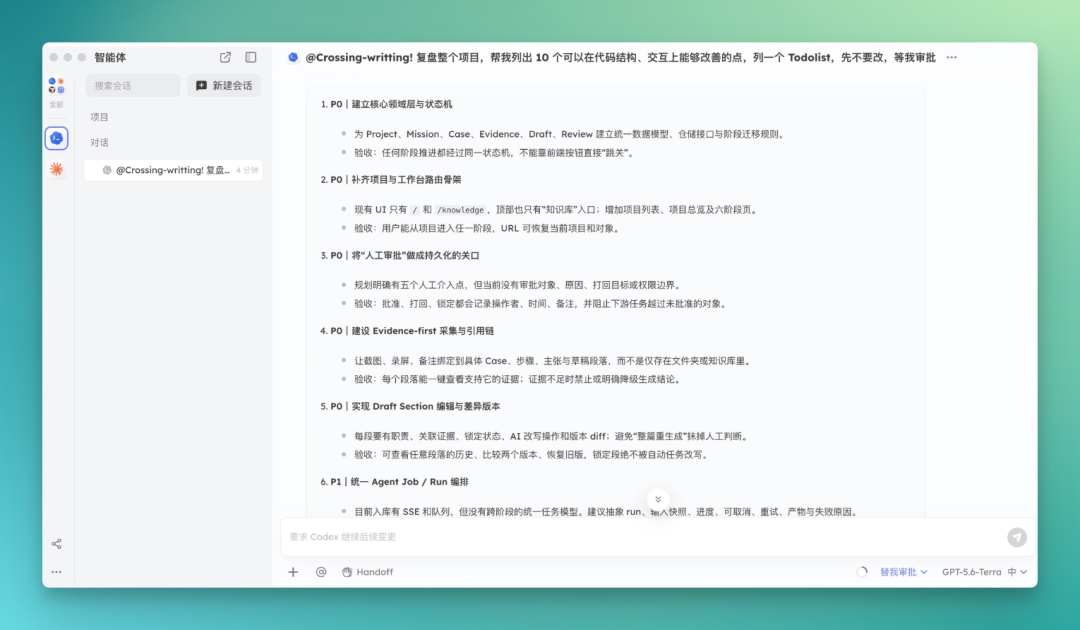
What's interesting is that in this Room, User B can see User A's entire project progress in real time through the Agent dashboard.
For instance, he can review this Todo List from a designer's perspective, and directly drop opinions in the chat box, pointing out design logic issues in the project.
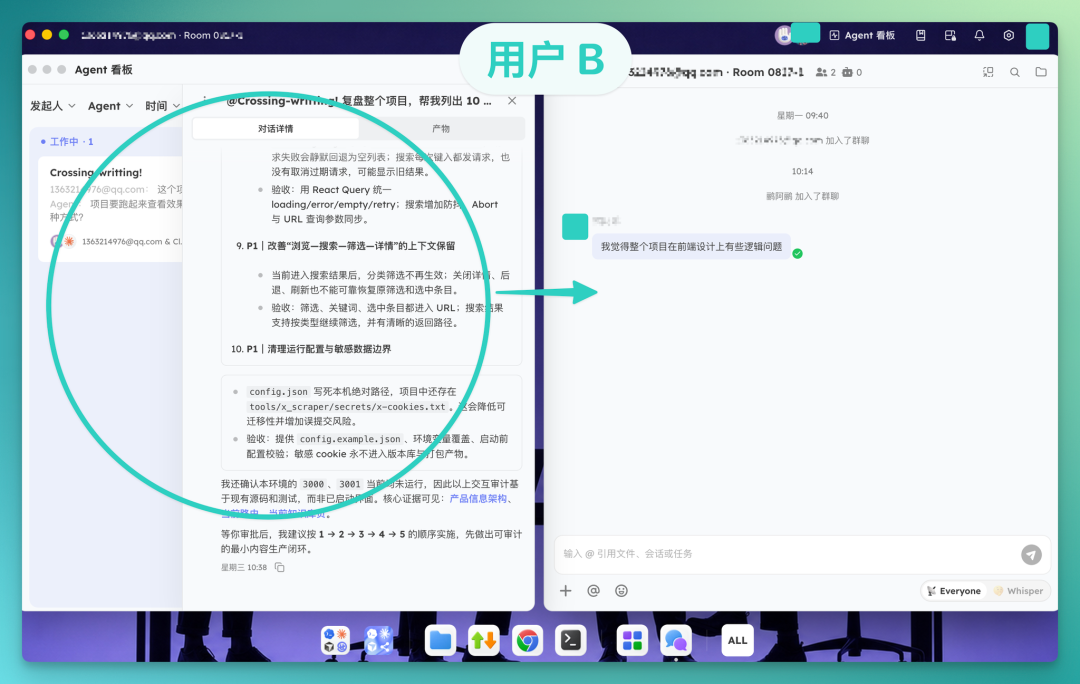
The engineer can iterate based on the designer's feedback. Conversely, the designer can also use Big @ in the chat box to reference the engineer's context and make changes directly themselves — this part is particularly interesting.
Cross-person, cross-Agent session reference changes how you file requests. The engineer's conversation stream contains a lot of technical expressions — like why Crossing Writing's interactions are designed a certain way.
These were previously unreadable to the designer, and impossible to paraphrase. Now he just @'s that engineer session in his own dialog box, and the full content comes over as context. He only needs to describe the desired outcome in design language, and the Agent figures out how to implement it in code by combining the existing context.
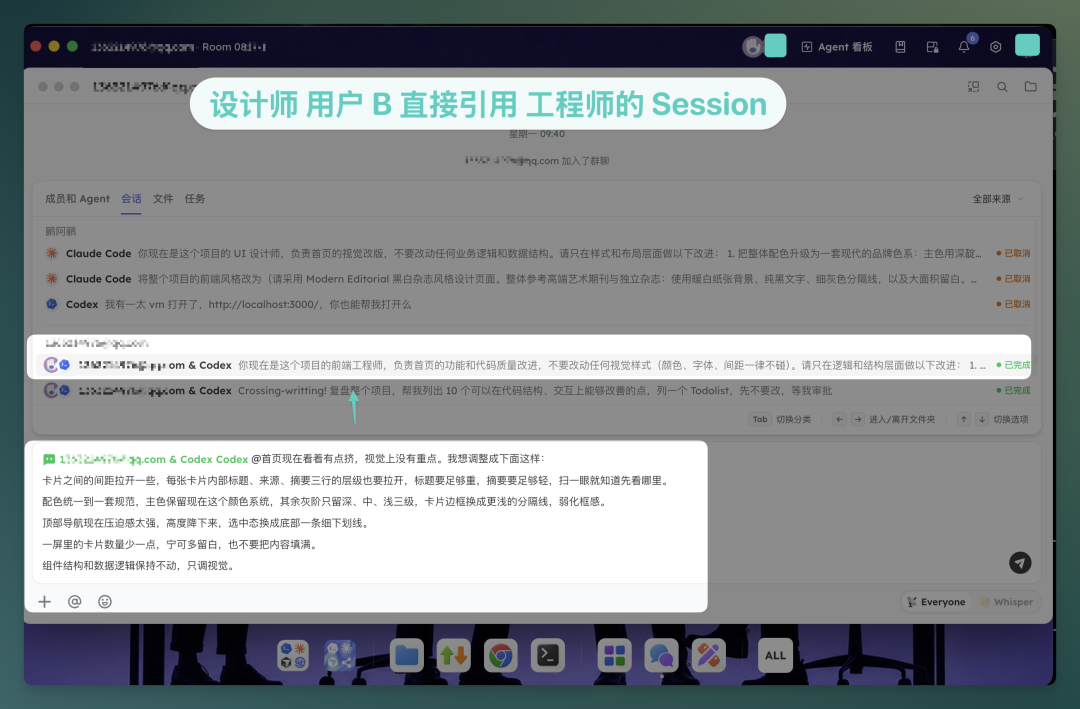
To some extent, referencing a session is itself a "capability borrow." The designer is borrowing the technical judgments the engineer and his Agent have already made, skipping the layer of "first translate the requirement into something the engineer understands, then wait for the engineer to translate it for the Agent."
The most time-consuming part of cross-functional collaboration is usually these two translations.
I also discovered during use that after finishing a project, it can run directly in the sandbox — extremely handy.
Here's how it looks. Our Crossing Writing is a large knowledge base, loaded with multiple Concepts, each annotated with corresponding WeChat Official Account or source citations, using multi-embedding mechanisms.
After running directly in the sandbox, it opens via a localhost address.
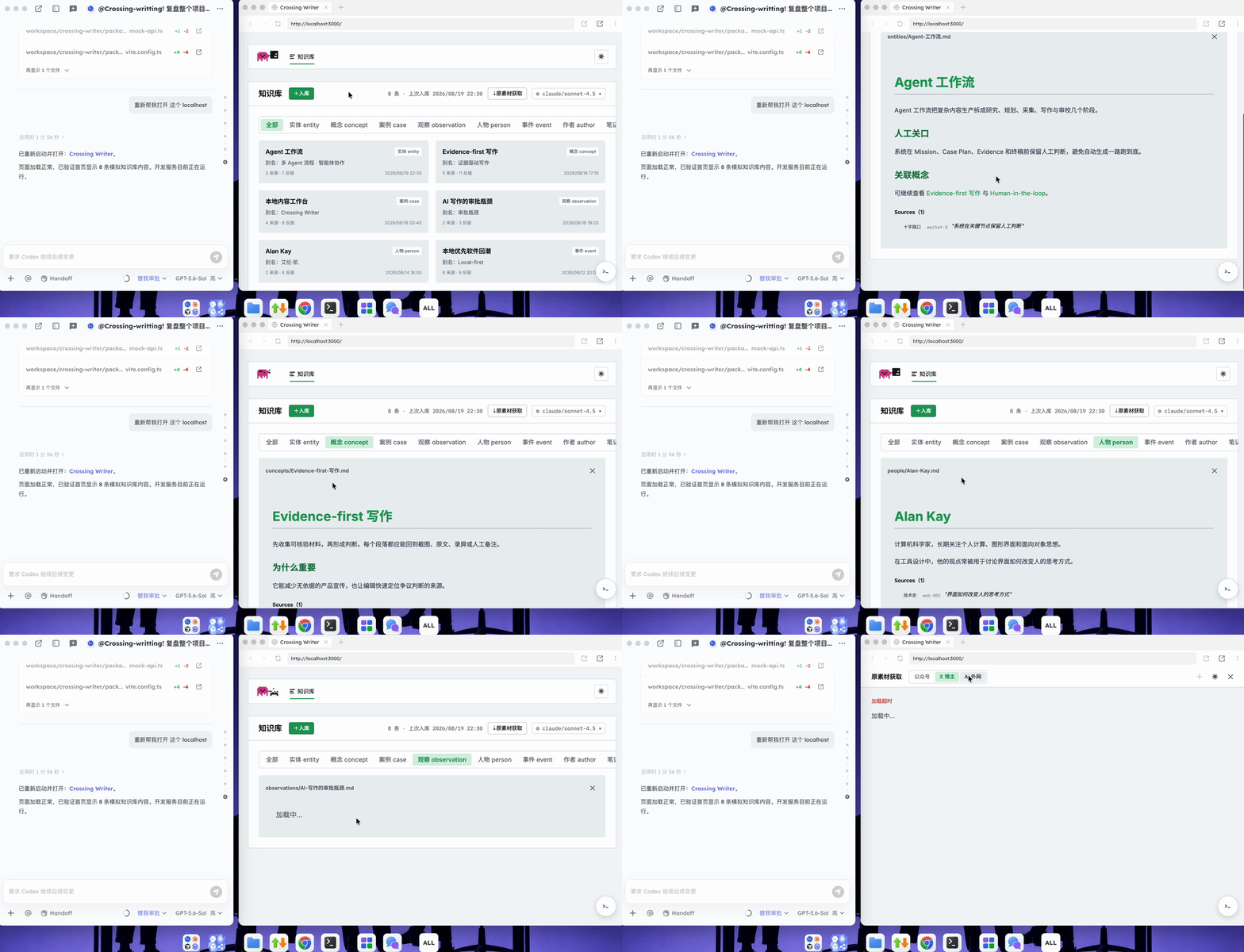
This is because collaborators in the Room share the same runtime — localhost no longer belongs solely to the developer's local machine. Whoever's in the room can access it directly. If you're continuing to develop and tweak, the other person sees the latest version in real time, no redeploy, no resending needed.
If the other person needs to participate in development, joining the Room switches them from viewing results to real-time collaboration — which is exactly User A and User B's situation now.
Besides sharing a localhost path inside a Room, there's another option for people outside the Room who aren't collaborating and just need to see results. You can find the corresponding HTML file in the Room's folder, click share to get a link, and send it out.
The recipient might be your boss, or a client. They don't need to download Tutti · VM, join a Room, or wait for you to deploy anything to a server. They just open the link in their own browser.
Once Designer User B can also see everything happening in the Agent's live workspace, they'll inevitably have more tasks they want the Agent to execute — like overhauling the entire project's UI design.
Under the old workflow, Designer User B didn't have a Claude Code or Codex subscription and couldn't operate any Agent themselves. They could only drop feedback in a group chat, asking the engineer to improve interactions or debug internal logic issues.
But this creates breakpoints and friction, because the designer still depends on the engineer to execute.
That's where another Tutti · VM feature comes in — designers can directly borrow an engineer's Agent.
4. Borrowing an Agent
Borrowing an Agent in Tutti · VM is straightforward: click "Share Your Agent" in the bottom-left corner.
As you can see, Designer User B can now use the Codex or Claude Code that User A has shared.
Because the entire project runs in Tutti · VM's shared workspace, and Designer User B now has access to the Agent with all the context in the Room, they can freely modify styles and handle front-end UI design however they want.
Tutti · VM also has an app center with integrated product prototyping features, which can similarly call the underlying Agent.
Now the designer can use the shared Agent, work around the shared localhost page, and create design drafts in Tutti · VM's product prototyping app:
5. The Parallel Moment
Looking back at the whole flow: Engineer User A led development, building the project skeleton and first version. The designer watched the live workspace in real time, offering design and development feedback, which the engineer then incorporated. After the first version was done, it was handed off to the designer, who borrowed the engineer's Agent to handle the overall front-end design.
Notice that the workflow described above is still sequential. To avoid code conflicts, the habitual pattern is often to wait until one person finishes before another starts. Typically the designer would vibe-code the static pages first, commit to git, then the engineer pulls them down and adds logic on top.
But Tutti · VM fully supports multi-user collaboration inside the "live workspace Room," just like collaborating in Google Docs or Figma. Two people can work on the same page and project, each dispatching their own Agent to iterate simultaneously, and Tutti · VM automatically prevents and resolves conflicts between multiple Agents.
To more intuitively demonstrate Tutti · VM's "parallel moment" and its smoothness, we'll break down a real test video of three people collaborating in the same Room.
In the first half of the video, Colleague A and Colleague B share the same localhost preview, each dispatching Agents to execute different front-end tasks: A adds icons to the task list while B simultaneously adjusts the header styling. During their work, a third colleague enters the Room and directly adds a timeline to the left side of the list. All three complete conflict-free multi-Agent parallel iteration on the same codebase:
The overall collaboration is remarkably smooth. Multiple people dispatch their own Agents to iterate in parallel within the same space, with no code conflicts or task overlap friction.
This Agent live workspace brings several benefits. First, efficiency gains: the two Agents' execution environments are shared, so they can simultaneously use Agents to work on the same project, enabling cross-functional collaboration. There's no worry about potential code or operation conflicts.
Also, each Agent's context and outputs are shared in real time during collaboration. Every Agent can promptly know what other Agents are doing, and the final project turns out more complete.
Returning to our project, the final delivered result looks like this:
The knowledge base now has image lazy-loading and event debouncing. Many repetitive cards have been refactored into reusable components. The entire UI design has been redone.
Looking back at these few days of collaboration, the most striking feeling is what didn't happen. No one needed to set up their own development environment from scratch. No frequent Git operations and conflict resolution. No one dropping a "here's where I'm at" in the group chat. No exporting, uploading, and downloading to pass changes around. No switching back and forth between terminal, documents, design tools, and chat apps.
Everything happened in one environment. The board shows what each other's Agents are executing and producing. Everyone is working from the same codebase. Want to pick up where someone left off? Just Big-@ their session or file. All that "work to make work possible" mentioned earlier gets absorbed inside this Room.
The workflow had no clear breakpoints, and onboarding was fast — so fast that I momentarily thought Tutti · VM's product logic couldn't be that complex. But the technical architecture supporting this "product simplicity" is actually extraordinarily sophisticated.
How does it achieve this "local-cloud hybrid"? Looking back at Tutti · VM's technical path, the core move is decoupling "identity," "execution," and "sharing" — placing each where it belongs.
First, the Agent's "identity" stays local. Your Claude Code, Codex still run as local tools on your physical machine. Login state, subscriptions, API keys, SSH keys, corporate SSO, IP whitelists, internal network services — these sensitive assets never leave your computer; the cloud can't access them.
This is critical for enterprise users, because Agent requests still originate from your real device and network. Model vendors' risk controls and corporate security policies remain fully effective.
"Borrowing someone else's Agent" can therefore work securely — what's lent is only capability authorization, not account transfer. The authorizer can revoke it at any time.
Second, Agent task execution happens at a local virtualization layer. Through multi-layer virtualization, Claude Code and Codex's runtime environments are placed inside a managed Linux environment. The system intercepts Agent process calls and file I/O, then decides for each instruction whether it goes to the physical machine, virtual machine, or cloud — based on correctness, performance, and sandbox cost.
The Agent itself perceives no difference. Users don't need to change any habits.
Finally, Agent sharing and collaboration happen in the cloud Room. What actually enters the cloud is only the live workspace layer: what files the Agent is modifying, where task execution stands, what outputs it's generating. This content is shared in real time within the Room, where people and Agents connect and collaborate in parallel based on it.
According to the company, because only collaboration-related instructions go to the cloud, sandbox costs are just 20% to 25% of typical cloud-native solutions.
One technical detail worth highlighting separately:
How are real-time collaboration conflicts resolved? Google Docs and Figma handle conflicts at the application layer, because document operations are finite — insert, delete, format changes — they can be enumerated. But Agents are different: their commands and file operations are wildly varied, impossible to adapt case-by-case at the application layer.
Tutti · VM's approach sinks real-time collaboration down to the filesystem layer. According to official information, they've built a proprietary file-level real-time collaboration engine. Once collaboration happens at the filesystem layer, it doesn't matter what tools run on top — Claude Code, Codex, VS Code — they essentially need no code changes to gain collaborative capabilities.
The team's own description:
"Making three decades of tool ecosystems learn to collaborate overnight."
This characterization may be slightly bold, but the product logic has some foundation.
If All Agents Are in the Same Room, What Happens?
If everyone's Agents break through the limits of local physical machines and share a runtime in the same Room, several valuable possibilities emerge looking forward. This is quite imaginative.
First, Agents evolve from personal assistants to organizational members. Today's Agents mostly belong to one person: their context, tools, outputs, and work process stay on personal computers and in individual sessions. When the person leaves or the session ends, the project easily loses memory. When someone resigns, the organization may permanently lose context that existed on their personal machine.
Tutti · VM lets people continue using their own computers and Agents, without changing work habits or preferences, while沉淀ing a project's files, tasks, runtime state, decisions, and work process in a persistently existing Room. Members and Agents can freely join, leave, and switch between projects; the project itself doesn't stop or disappear when any single person exits.
Agents are no longer just completing one-off tasks for individuals — they're collaborating on a project basis, becoming a shared, transferable, and accumulative capability for the organization.
Organizations will also gain "long-term Memory." When a project wraps up, an Agent may exit, but the Room persists. When the next project begins, or the next quarter rolls around, new Agents enter facing an organizational memory with complete history — not a blank new session.
Second, Agents will develop "rapport." This is the interesting part. When people collaborate long-term, they develop an understanding of who handles what, how decisions get made, what everyone is currently working on — without having to spell it out every time.
Agents in a Room can also know who the other Agents are, who they belong to, what their functions are, and what they're currently doing. This way, when a new person joins, their Agent inherits the full organizational context from day one.
Finally, Agents will naturally self-organize into autonomous division of labor. When every Agent can see the full picture, they can independently judge which tasks can run in parallel, which need to wait, and how to avoid conflicts — without a central orchestrator calling the shots from above.
All of these things rest on a single premise:
All Agents in the same space, watching the same live feed, sharing the same runtime.
🚥 Tutti · VM is currently in closed beta, and Crossing has secured a batch of "beta invitation codes" that will be shared publicly in the comments section of this article.
Everyone is welcome to come see the "imagination" it brings.