What Does an Agent-Centric Phone Look Like? Hands-On With StepFun STEPX Neo

StepFun delivered on its "hundred-day promise."
StepFun Terminal has delivered on its "100-day promise."

👦🏻 Author: GaKi
🥷 Editor: Koji
🧑🎨 Layout: NCon

StepFun Terminal has released its first large-model-native Agent phone — STEPX Neo.
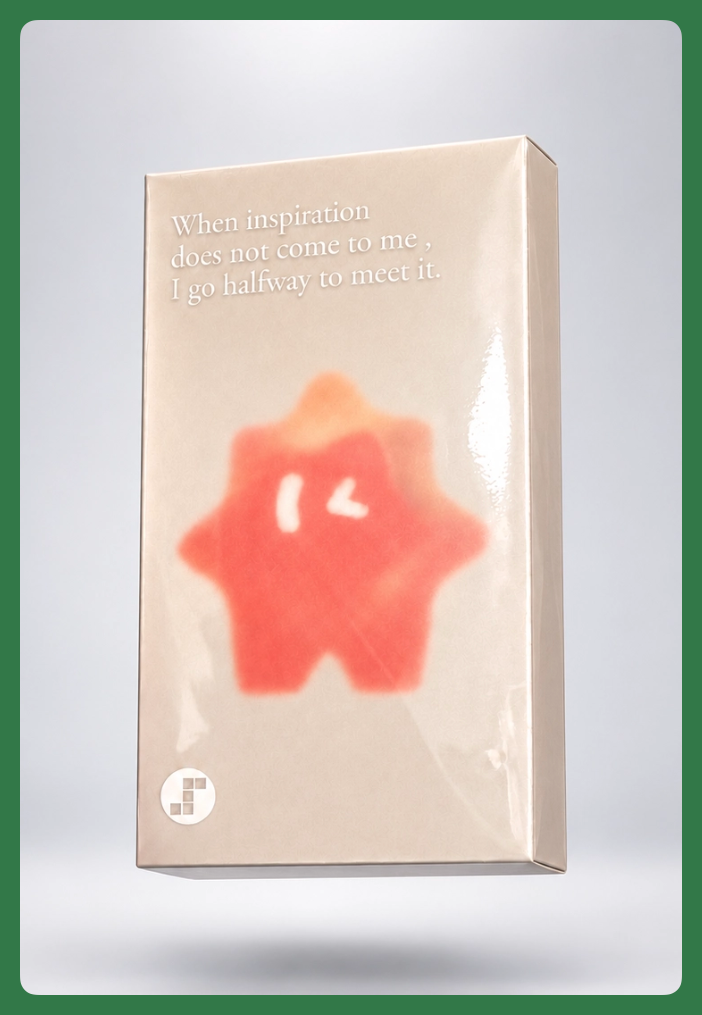
This is a phone designed from the ground up around AI Agent.
It runs the agent-native operating system Step AOS, along with the personal agent StepFun Amoo. It also opens up capabilities across model, system, and hardware layers, letting users develop their own Skills, Agents, and even AI applications based on their needs.
When STEPX Neo first debuted in July, StepFun Terminal defined it as:
"A body built for Agent to enter the physical world" 🚥
We got our hands on the STEPX Neo a week early for hands-on testing. We'll understand this product through the lens of a real "AI maker" scenario, and share our thinking on how agent phones might participate in everyday life.
So up next, we'll take on the role of an AI maker, actually putting the STEPX Neo through its paces — including its various Agent capabilities, and the process of developing and using Skills around our own needs.
STEPX Neo
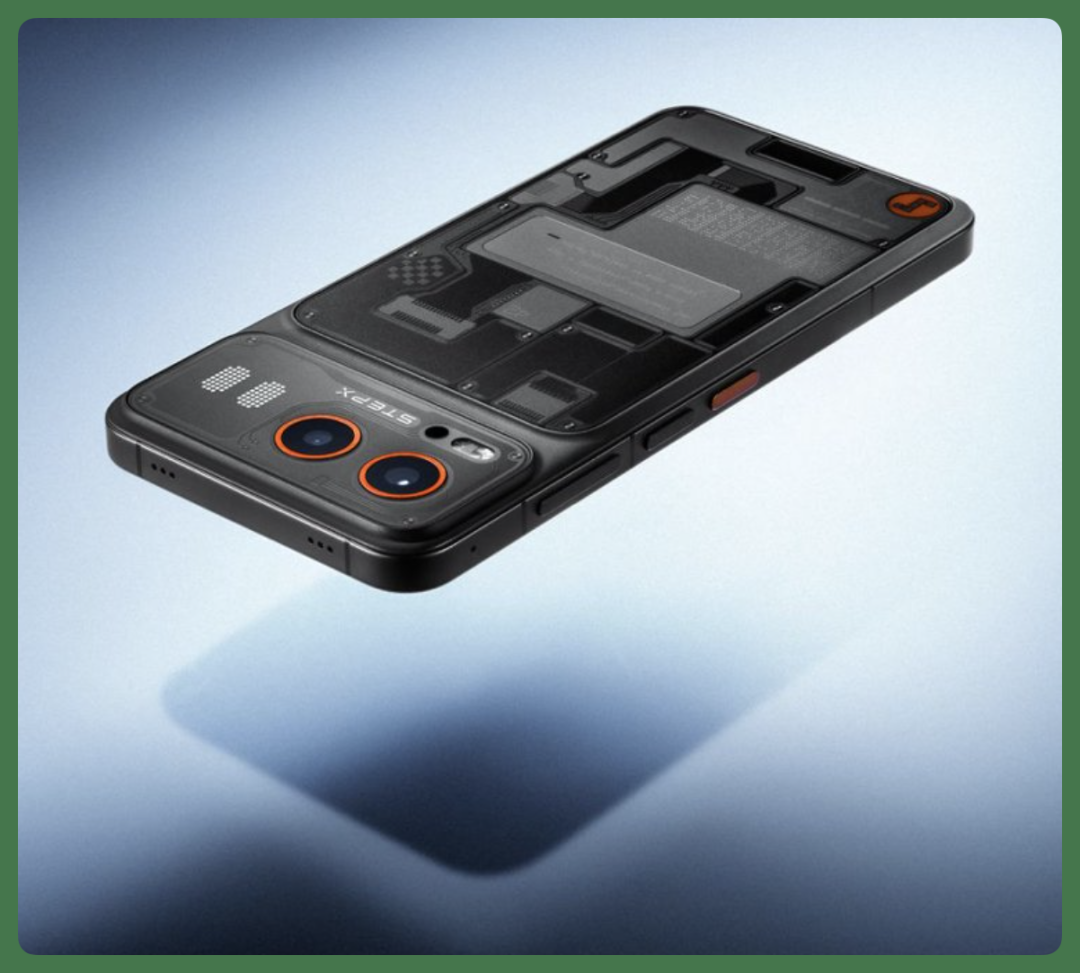
When I first picked up the STEPX Neo, what caught my eye was actually the back.
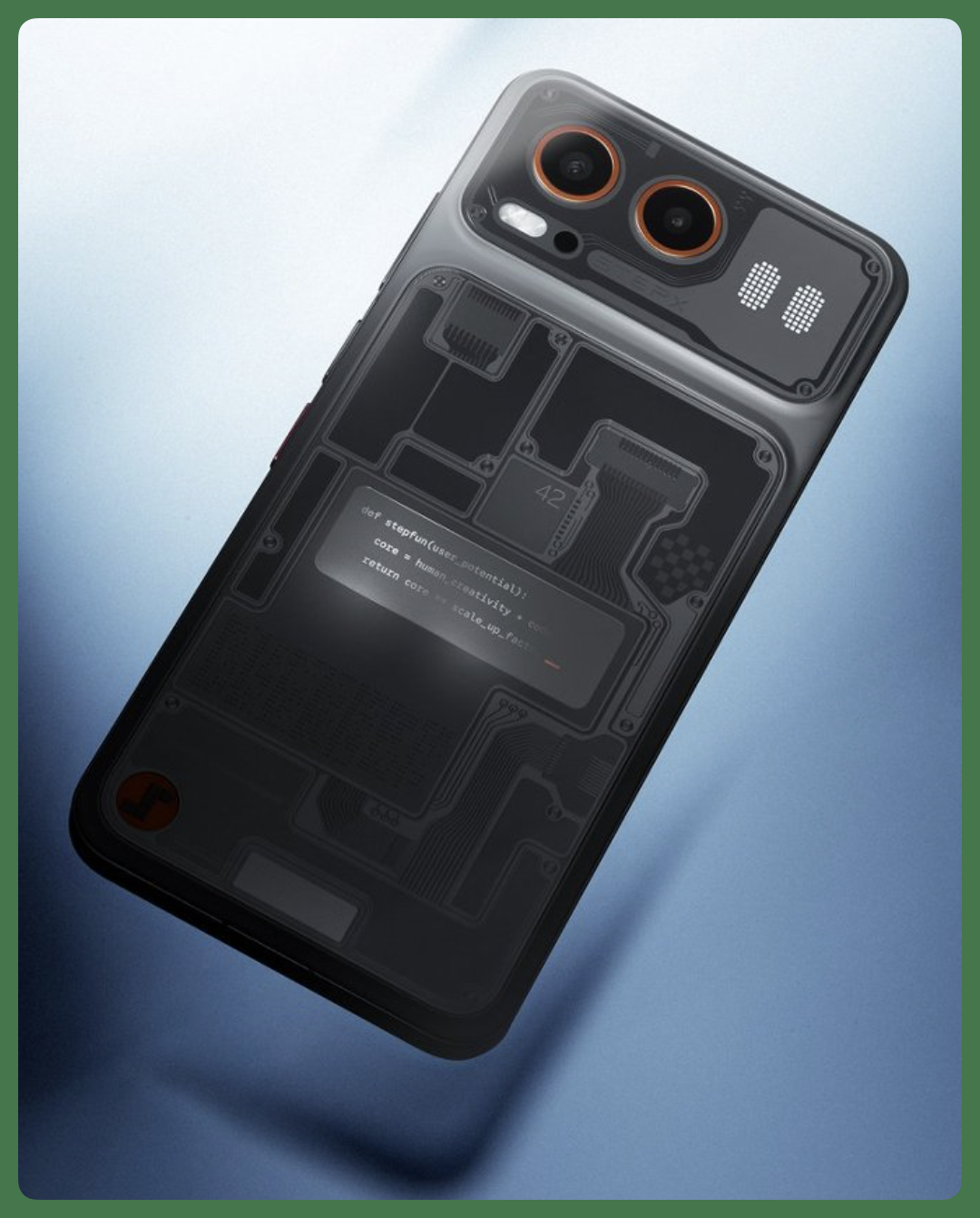
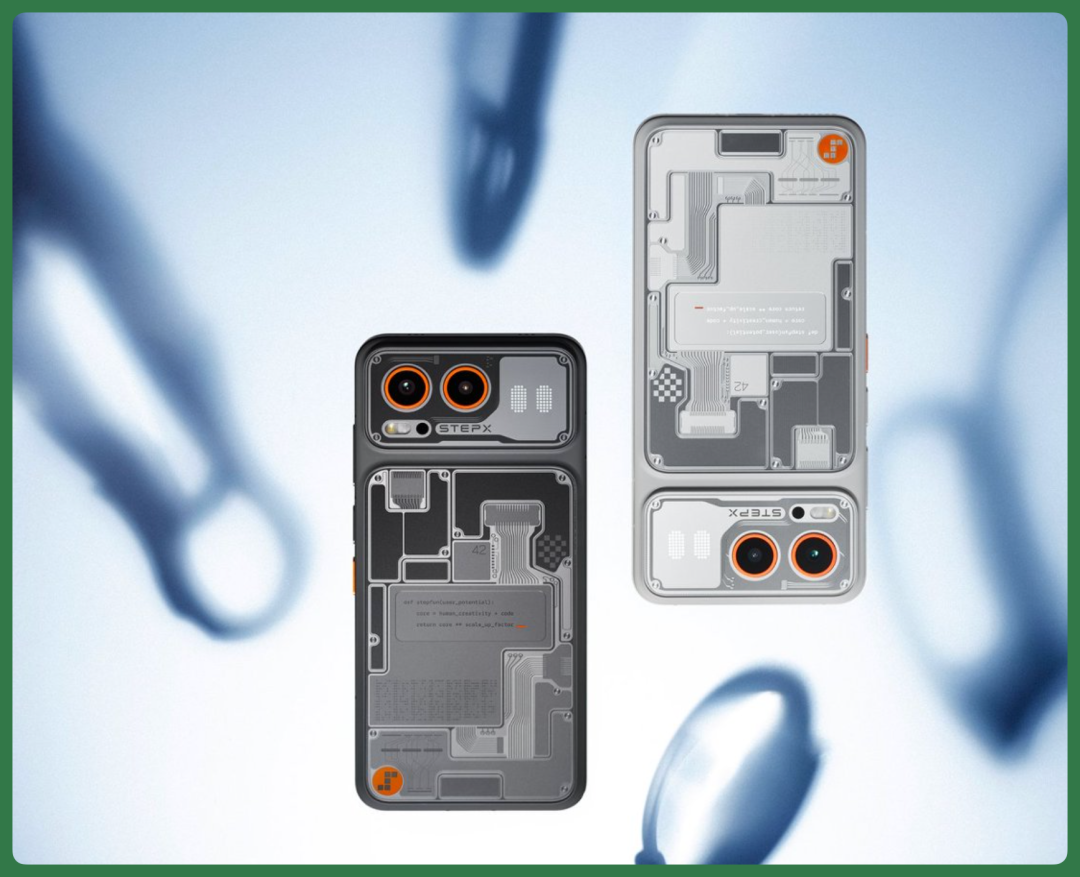
The back panel uses frosted glass, divided into two zones.
The upper zone houses the camera module, which StepFun Terminal calls the "perception module" — representing the machine's vision. The larger lower zone corresponds to inference, computation, and memory, or the "intelligence core."
The two-zone design draws on early computer and circuit board aesthetics; StepFun Terminal calls this design language "retro-futurism."
There's also an independent rear display:
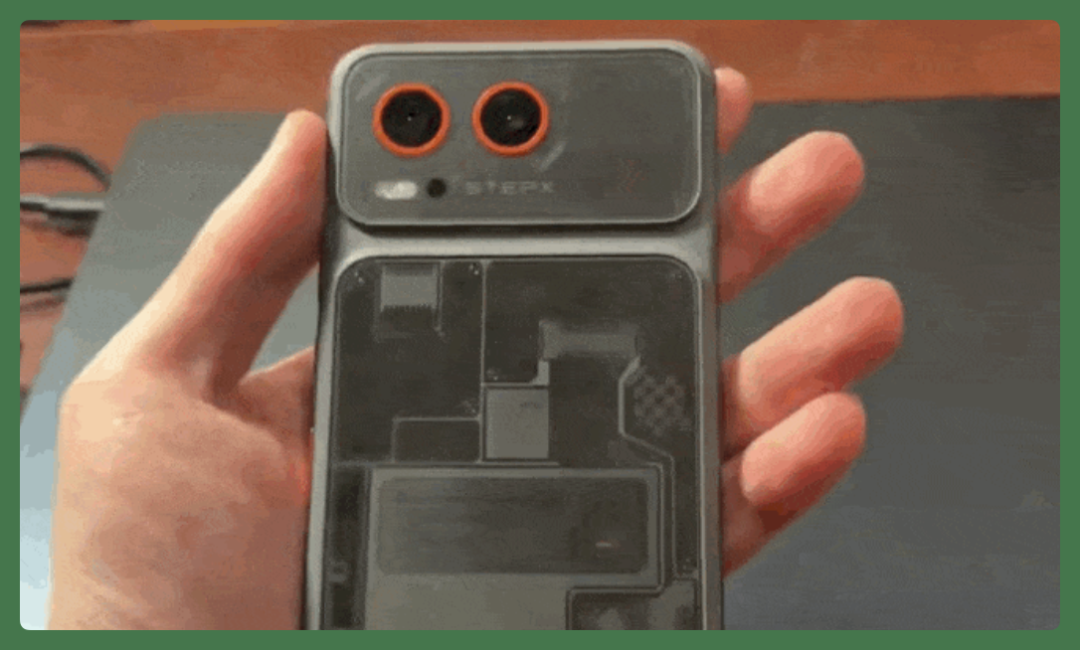
This is a dedicated display area for Amoo (the built-in system-level Agent of STEPX Neo).
When Amoo executes tasks, progress shows in real time on the rear display.
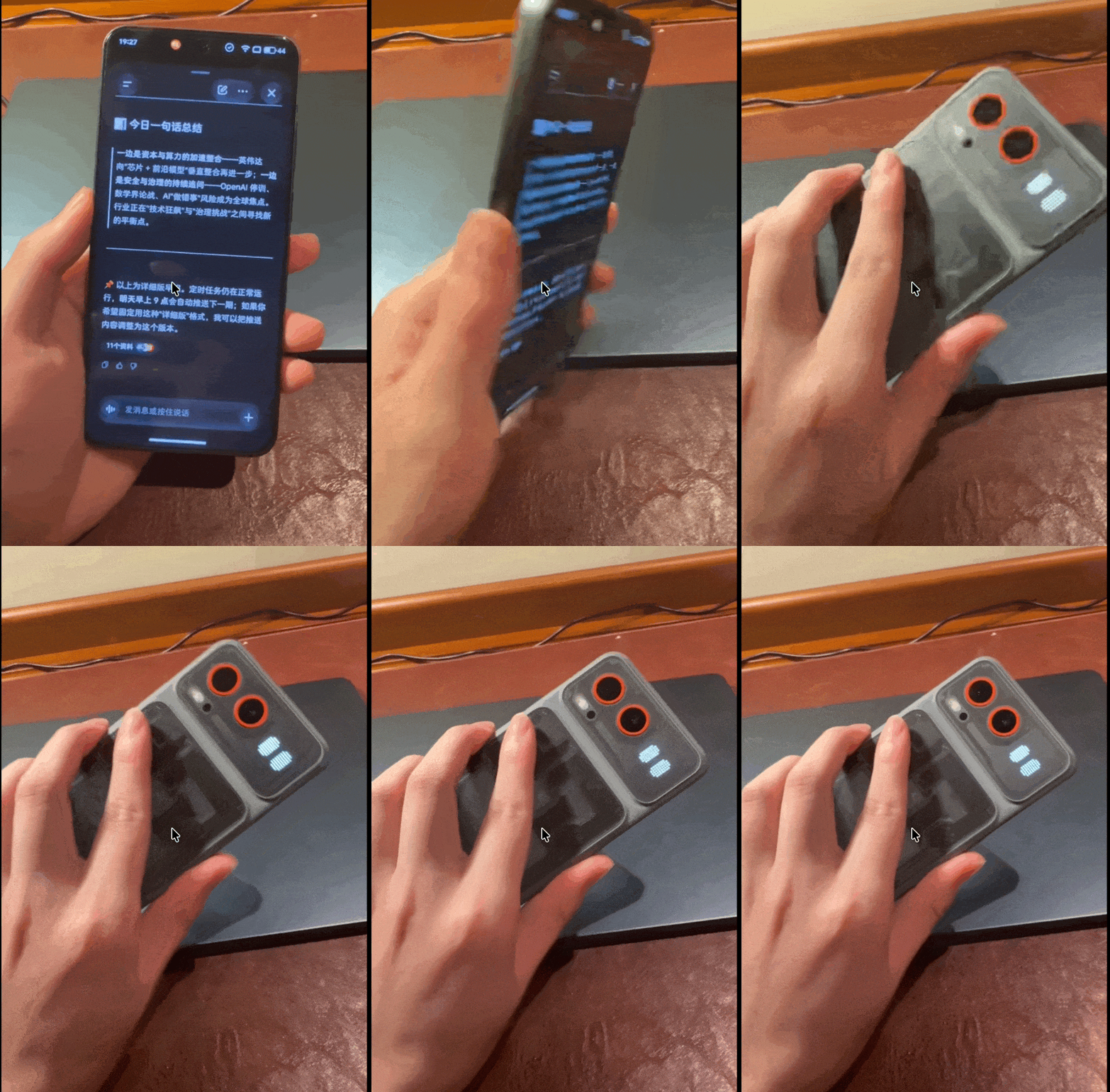
When the phone is face-down on a table, Amoo picks out key content from notifications to show on the rear display — no need to flip the phone over. The text displayed can also be customized.
After powering on, Amoo becomes the core AI Agent entry point for the entire phone.
It's integrated at the system level, so users can summon it from any interface at any time. The right side of the phone also has a dedicated "AI key":
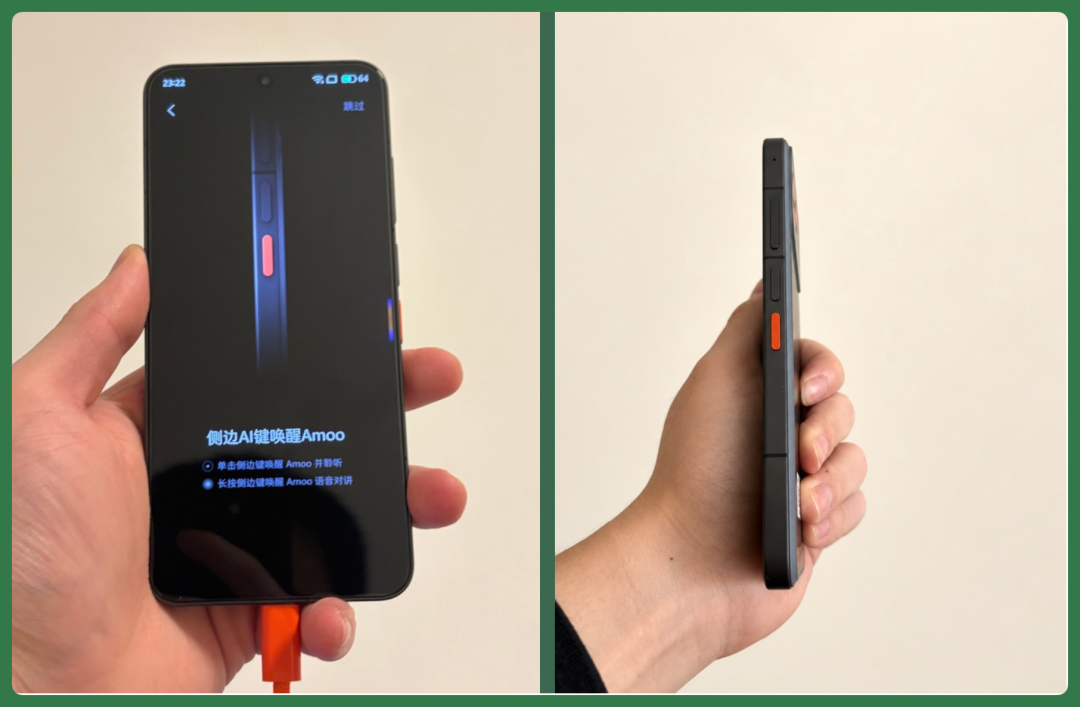
The position is close to the "Camera Control" button on the iPhone 16 series — except the hardware shortcut originally meant for quick photos is now a direct gateway to summon the AI Agent.
Now, a single press of this AI key brings up Amoo. From there, whether by voice or typing, you can directly assign tasks.
Beyond that, STEPX Neo offers many ways to access the AI interface.
For example, there's an "Agent Space" entry point at the bottom of the home screen — tap to enter. Users can also swipe left from the home screen, or swipe up from the bottom edge, to quickly switch to the AI interface.
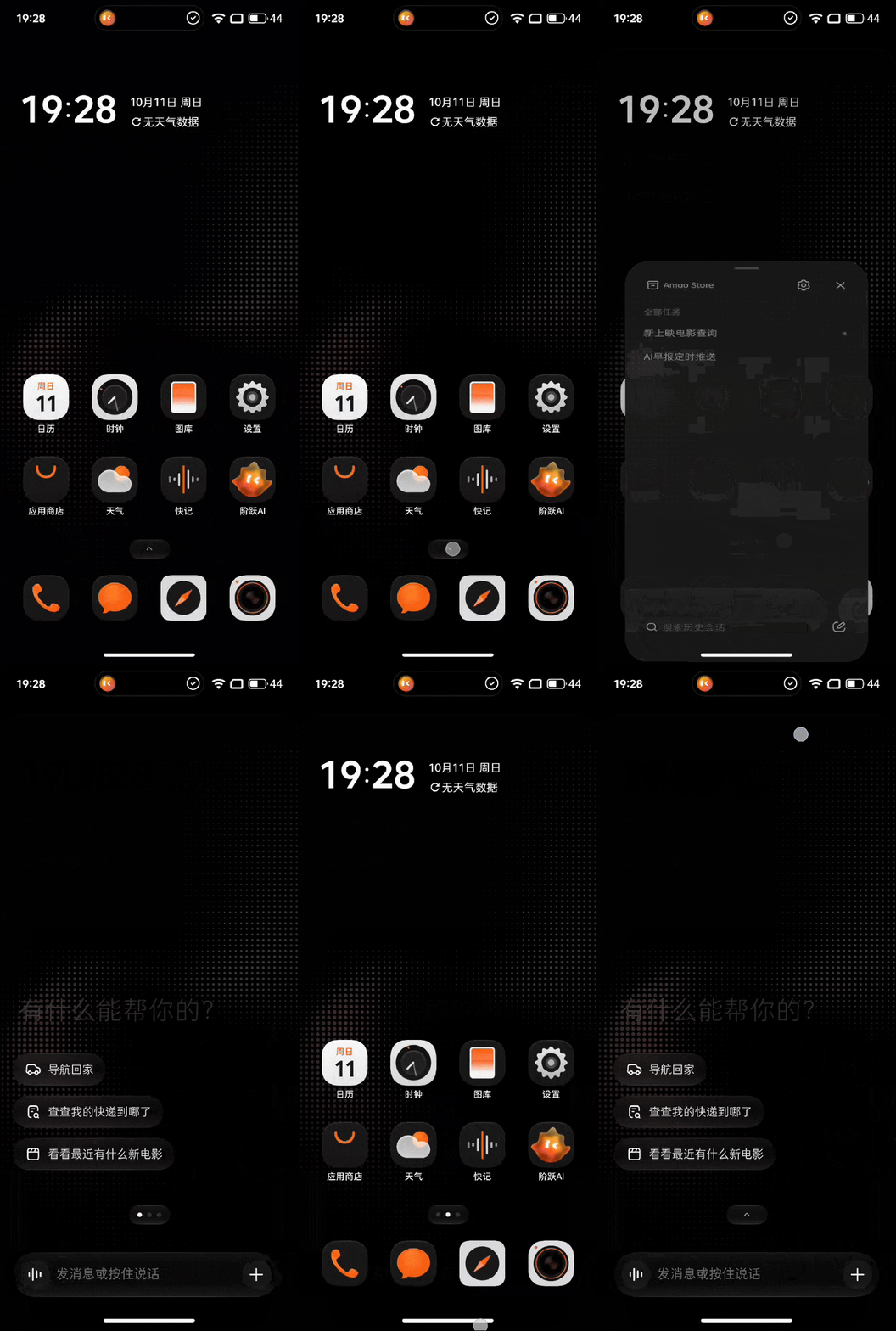
In short, what STEPX Neo aims to do is minimize the operational cost of entering the AI interface, so users can conveniently summon the AI Agent from whatever interface they're in.
After several days of use, Amoo's capabilities roughly fall into four categories.
【1】Intent understanding.
【2】Long-term memory.
【3】Cross-app execution.
【4】Multimodal search.
Additionally, there's an AmooStore on the phone. Developers publish their Skills and Agents here; once installed, Amoo can call on them. Skills you build yourself can also be uploaded, and after approval, made available to others.
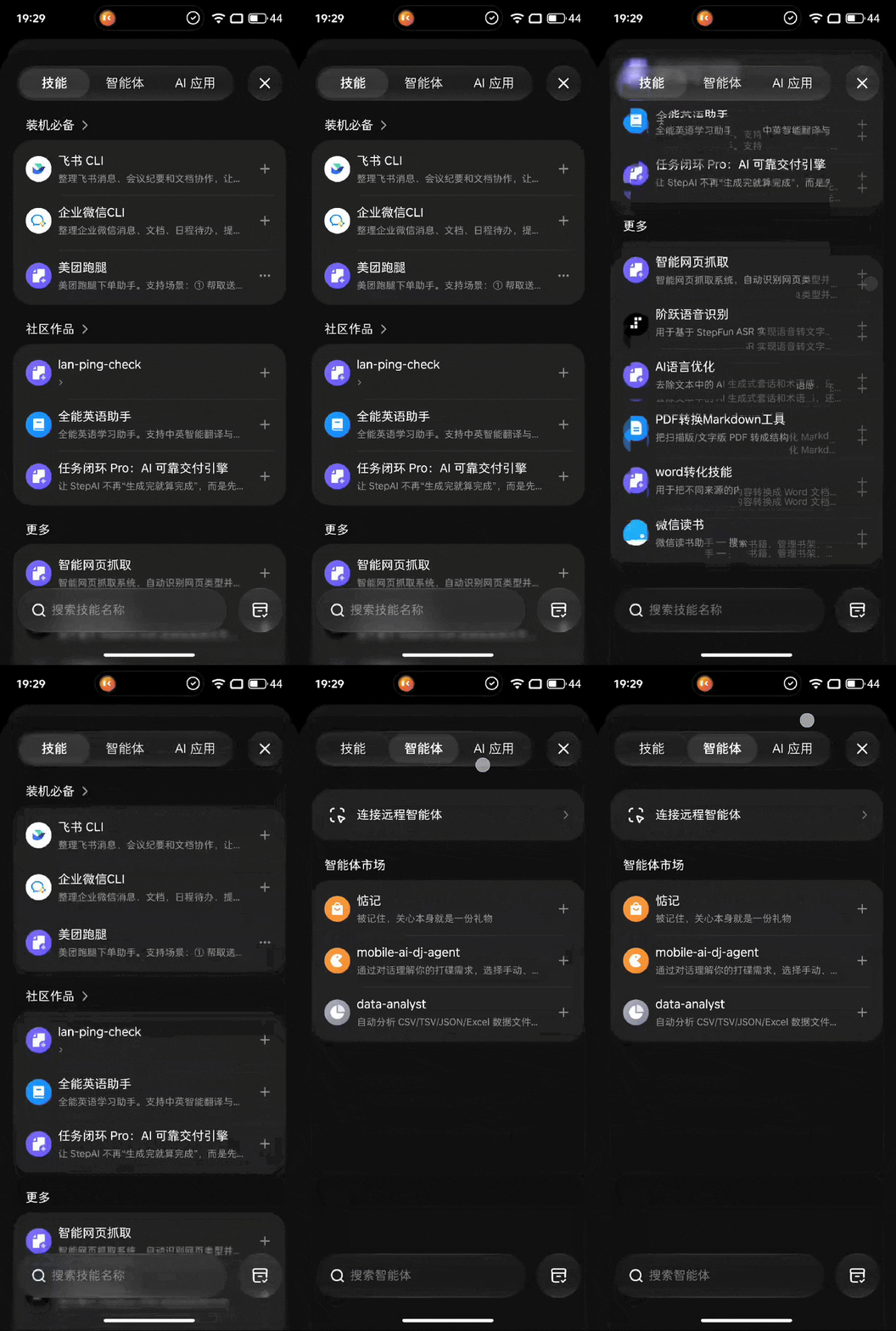
Next, through the case study of "5 Days of an AI Maker Using STEPX Neo," we'll see what these capabilities can actually do in real work, and how to use them.
What Can "5 Days of an AI Maker" Do with STEPX Neo?
Day 1|Research: Find a Previous Screenshot from a Vague Description
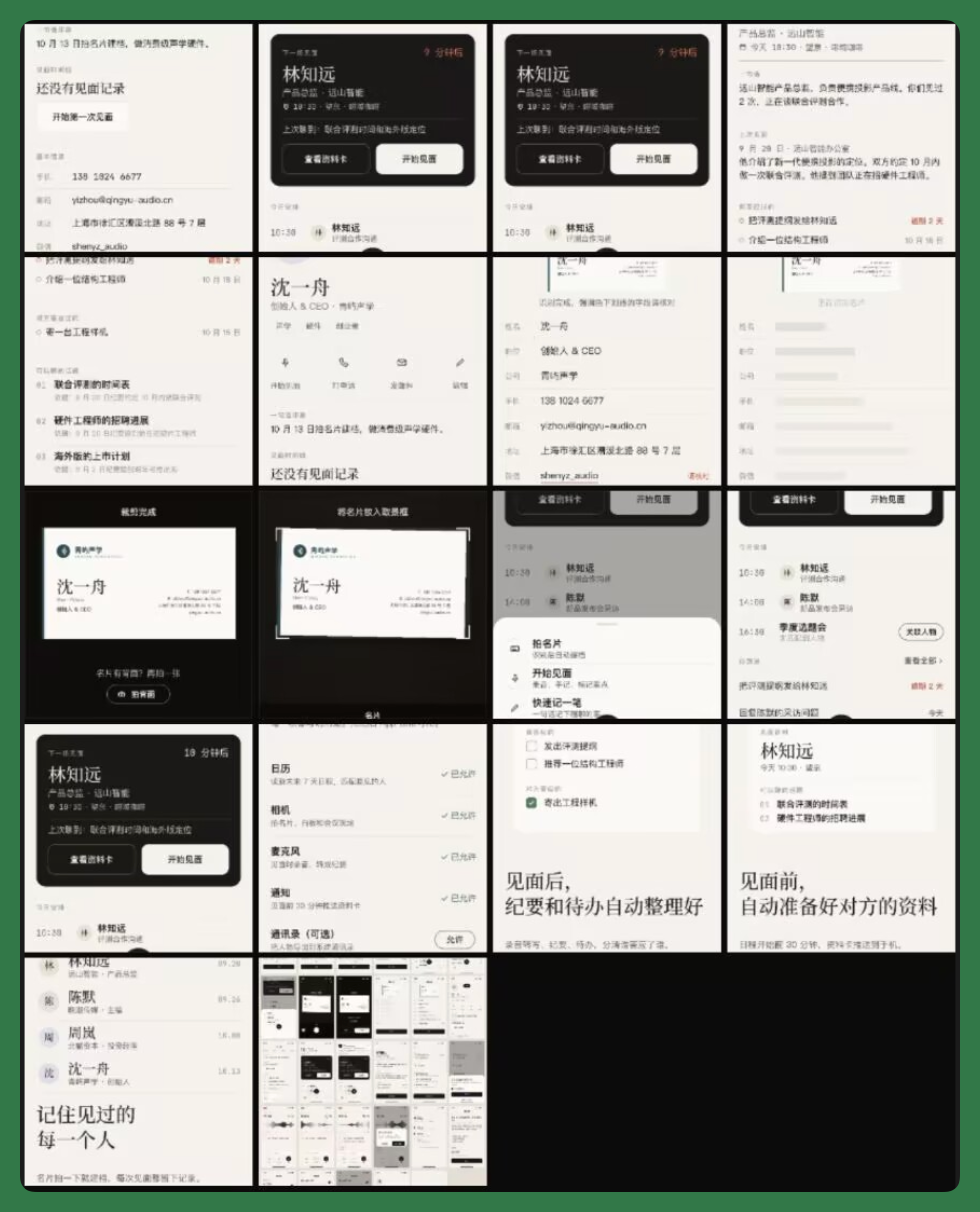
For this real-world test, I mainly took on the identity of an AI maker, building a Skill and App called "Meetup" from scratch. Core functions include managing business cards, building contact profiles, and quickly recording what was discussed during meetings and any follow-up items.
In the days before deciding to build "Meetup," I had been taking screenshots of similar apps — some for business card management, others for customer relationship management.
These screenshots were all mixed together in my phone's photo album. Finding them meant scrolling through one by one, which was a pain.
So on Day 1, I could directly say something like this to Amoo:
"Help me find those screenshots I took earlier of networking management apps. One of them shows a timeline of interactions with a specific person." Amoo quickly found the relevant screenshots from my album, marked when each was saved, and sorted them by different apps.
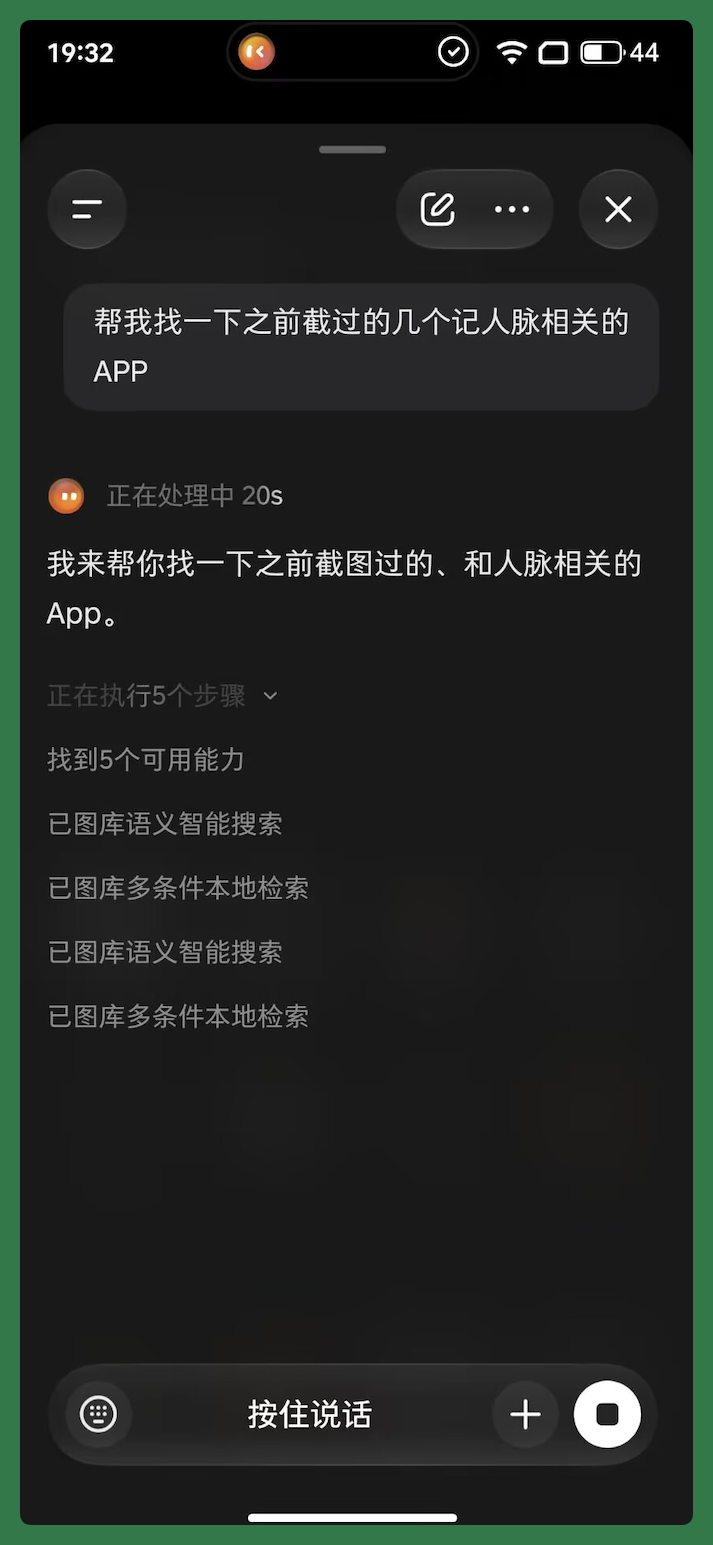
After finding these screenshots, I had Amoo search online for the features, pricing, and user reviews of these apps, then compile everything into a competitive comparison table.
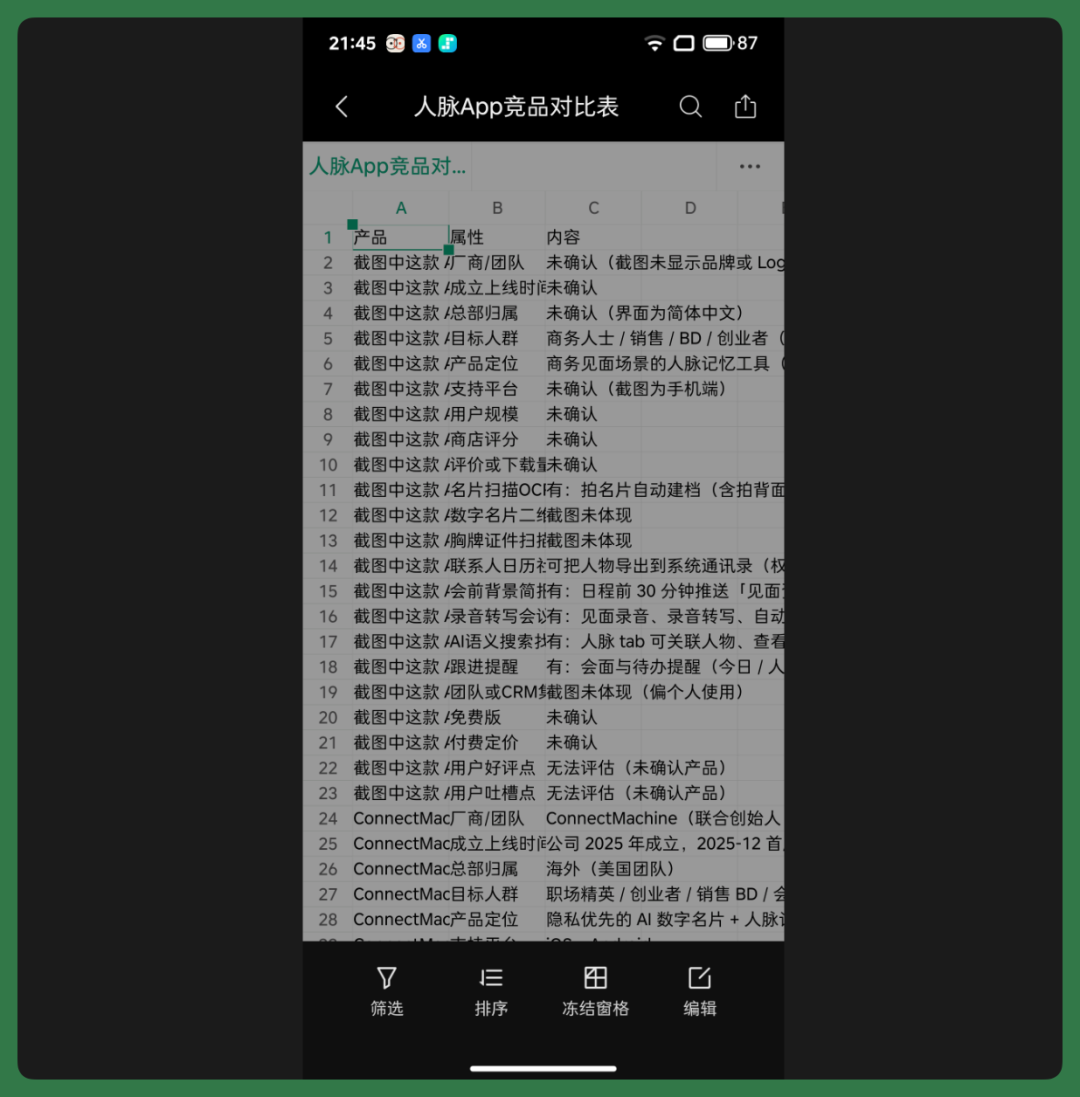
With this competitive comparison in hand, I spent more time having Amoo analyze the functional design of these products.
For example, which features were common across apps, which required paid subscriptions, and what users frequently complained about in reviews.
When I came across interesting features, I'd have Amoo find corresponding product introductions and real-world use cases to study further.
So Day 1 was basically spent on competitive research. I ended up with a relatively complete competitive analysis covering features, pricing, user reviews, and some product design worth referencing.
This material became the foundation for building "Meetup" in the following days.
Day 2|User Interviews: Amoo Proactively Reminds Me of Respondent Backgrounds
On Day 2, I scheduled conversations with three people about their needs — an entrepreneur, a salesperson, and a BD. I had Amoo add the second interview to my future schedule in advance.
Before each interview, Amoo proactively pushed a reminder with the respondent's background — their company, recent public activity, and my previous interactions with them.
With the competitive research from Day 1, the Day 2 interviews could be much more targeted.
For example, I focused on understanding how they normally managed contacts, how they logged conversations after meetings, and whether they'd ever missed follow-ups because they simply forgot.
After each interview, I had Amoo organize the key takeaways, extracting the needs and pain points each person mentioned.
Once all three interviews were done, I also had Amoo run a cross-comparison to see which needs were shared across entrepreneurs, salespeople, and BD professionals, and where their needs diverged significantly.
By the end of Day 2, I had a full set of interview notes and a prioritized list of needs distilled from real user feedback.
This could go straight into product requirements the next day.
Day 3|Requirements Tracing Back
Over Days 1 and 2, I'd had Amoo do quite a bit of research — which apps on the market supported business card scanning, OCR, calendar integration, and so on.
I'd also interviewed several users to understand the common needs and problems of entrepreneurs, salespeople, BD professionals, and journalists.
On Day 3, I simply asked Amoo:
"Based on the direction we set, what should the first version focus on?" Drawing on the research from Day 1 and the interview feedback from Day 2, Amoo used its built-in "long-term memory" mechanism to give me a complete set of recommendations.
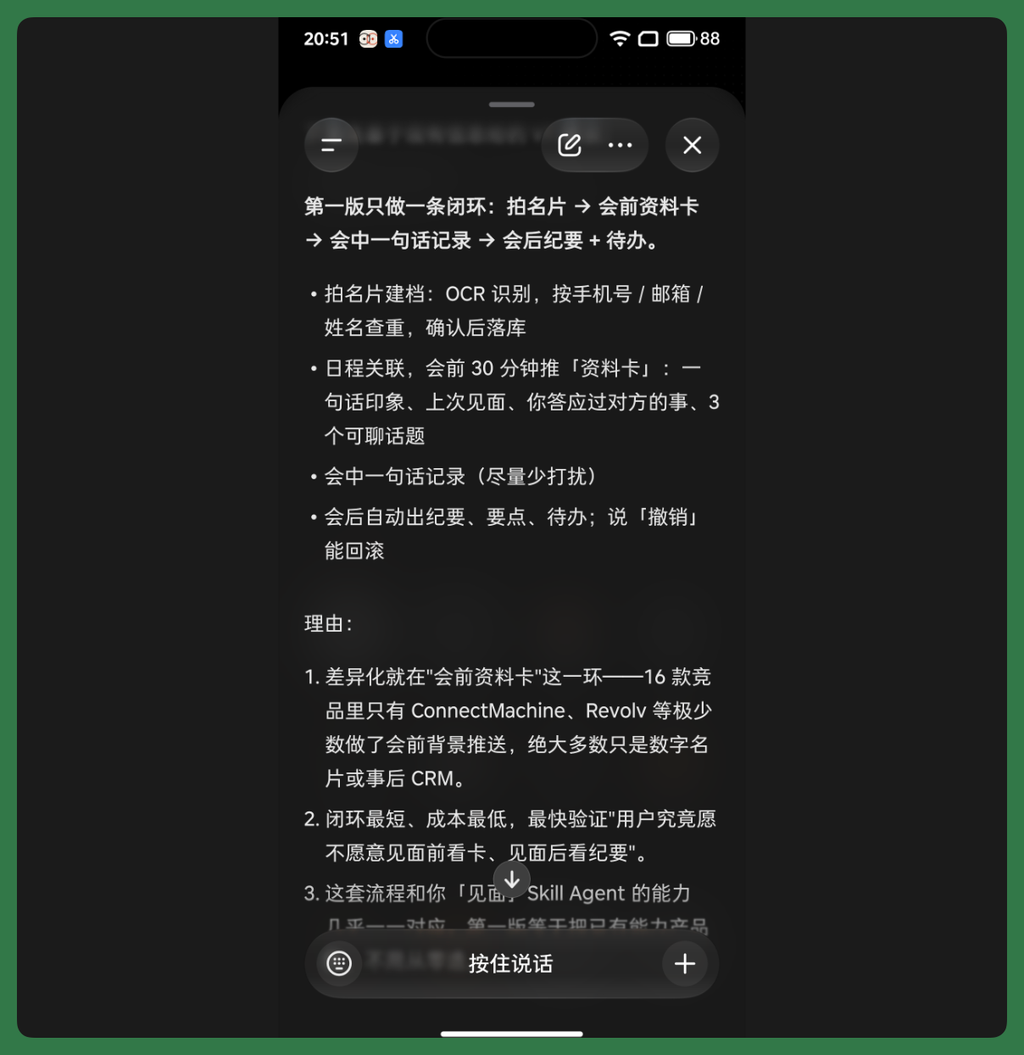
After several rounds of back-and-forth, Amoo helped me identify a core pain point: too often, we meet someone and a few days later can't remember who they are; we discuss something that seems promising in the moment, then completely forget to follow up.
For journalists, entrepreneurs, salespeople, and BD professionals — people who are constantly meeting others — the ability to remember who you've met, what you talked about, and get proactive reminders to follow up at the right time is a genuinely practical need.
With this core pain point established, I went through several more rounds of discussion with Amoo to gradually narrow down the requirements gathered over the previous two days.
For instance: what features were essential for v1, what could be deferred, and how should business card recognition, contact management, meeting notes, and to-do reminders work together.
At the same time, I needed to figure out which features made sense as a Skill first, and which belonged in a standalone app.
By the end of Day 3, "Meetup" had evolved from a vague idea into a product plan with clear features, user flows, and development priorities.
So Days 4 and 5 could move straight into development — building both a "Meetup" Skill and app.
Day 4|Development: Building a Skill in Step Studio
STEPX Neo already has an app store called "Amoo Store" with ready-made Skills, Agents, and AI applications that users can choose from.
For those who want to build their own, there's Step Studio.
Link:
Step Studio is an AI IDE — essentially, a development tool that uses AI to help you write code. Users can develop Skills, Agents, or even complete AI applications with it.
All the competitive research, user interviews, and requirements synthesis from Days 1–3 could now be put directly to use.
I could feed this material into Step Studio and have the AI develop a Skill on my computer, then push it straight to my phone for real-device testing.
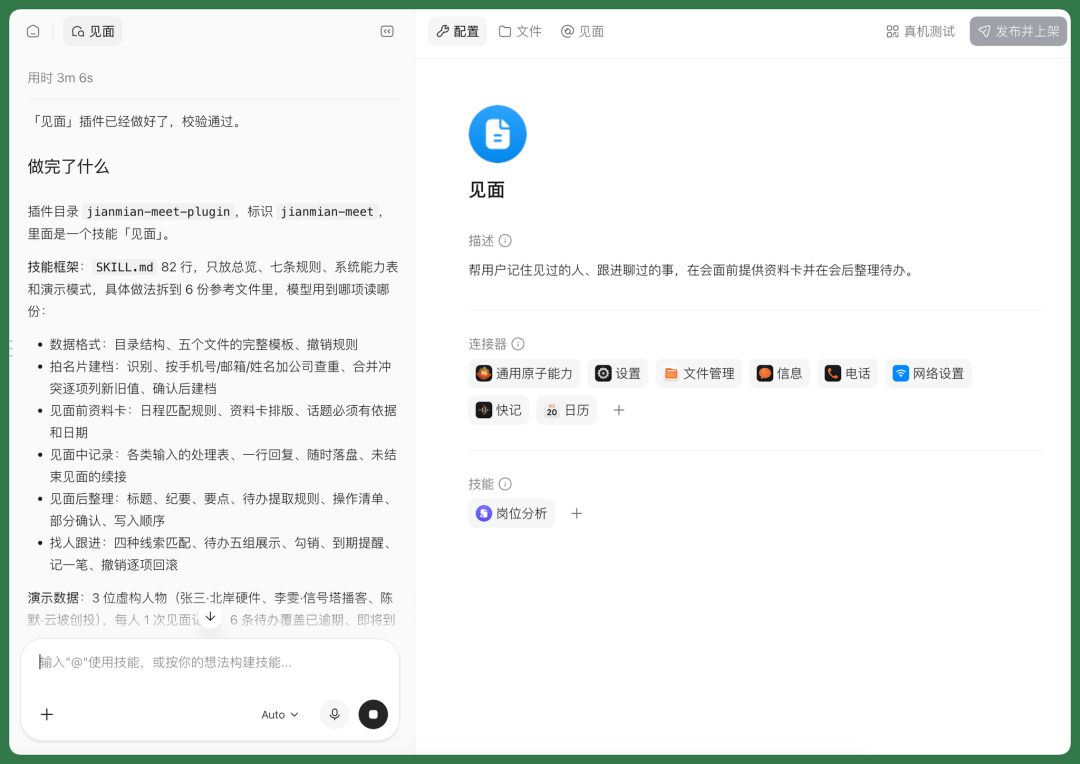
Step Studio's Skill development capabilities are already quite mature. You can describe requirements in natural language and have the AI build the Skill.
Once built, you can use connectors to let the Skill tap into various capabilities on the STEPX Neo phone — both the AI's foundational abilities and phone functions like settings, file management, and information access.
For example, the Skill I built handles contact management.
I just snap a photo of a business card and send it to Amoo. It automatically invokes the Skill, recognizes the name, company, title, and contact details from the card, creates a contact profile for me, and saves it to my phone's address book.
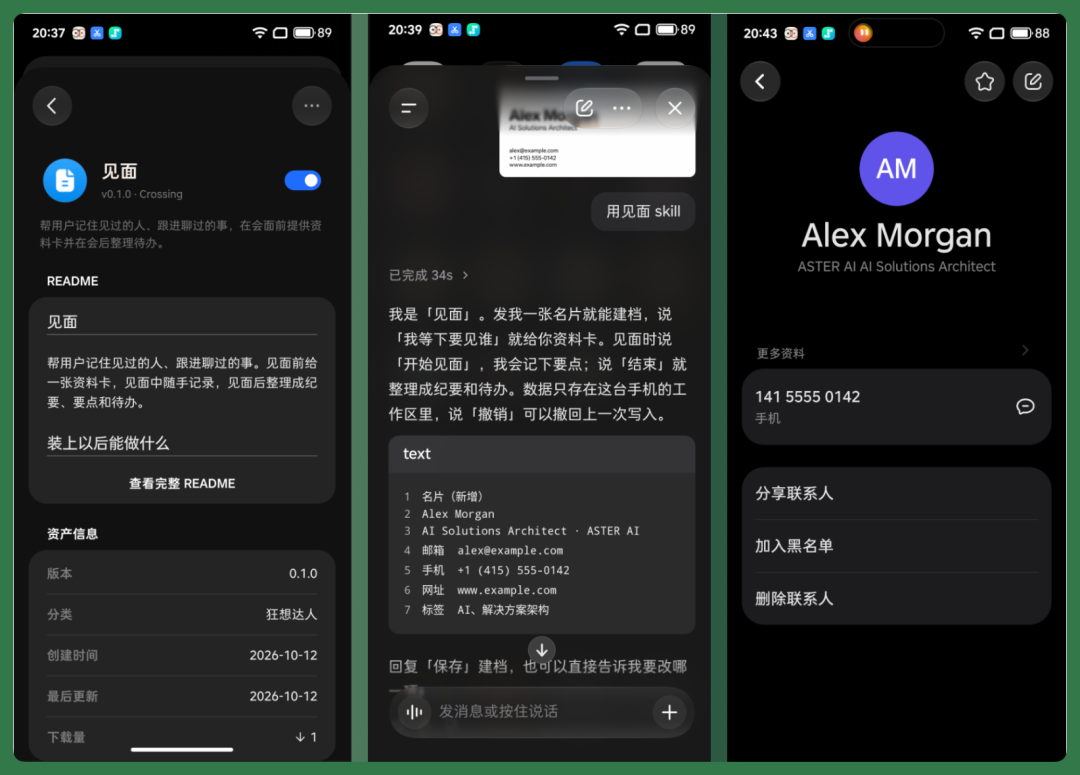
Later, if I'm preparing to meet someone already in my database, I just tell Amoo in advance. It automatically invokes the Skill to send me that person's profile, so I can quickly refresh my memory before the meeting.
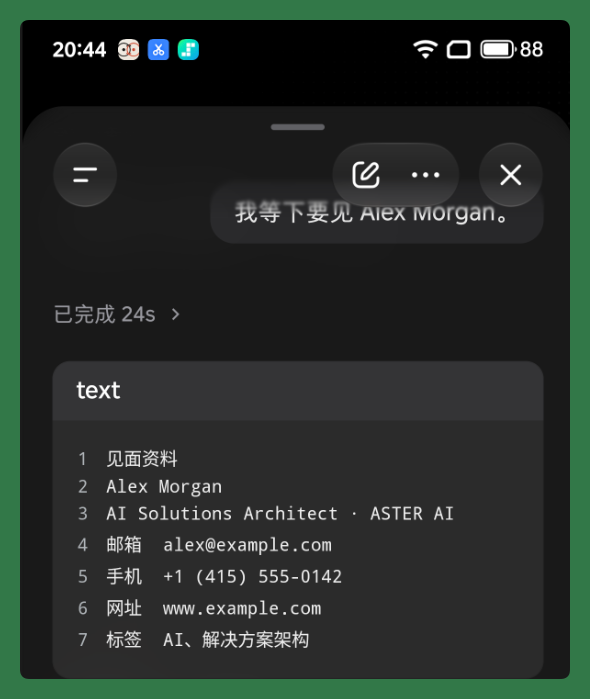
Of course, I didn't call it a day once the Skill was built.
I tested it on several business cards with different layouts to see if the AI could correctly identify names, companies, titles, and contact information, and whether the extracted data could be saved to the address book without issues.
I also tested contact lookup, pre-meeting information compilation, and kept refining the Skill based on real usage.
So Day 4 was essentially a cycle of Skill development, real-device testing, and iterative refinement.
By the end, the two core features — business card recognition and contact management — were in a usable state, setting the stage for building the full app on Day 5.
Day 5|Development: Building the App in Step Studio
The Skill from earlier was really just a small functional prototype I built while developing the app. Its capabilities were limited — nowhere near as polished as a complete app.
On Day 5, I planned to put all the competitive research, user feedback, product requirements, and Skill testing results from the previous four days to work, and formally develop a full "Meetup" app.
The workload was noticeably heavier this time, because beyond contact management, I also needed to integrate AI model access, business card recognition, voice transcription, meeting notes, and to-do reminders into a single app.
Development again happened primarily in Step Studio on my computer, but STEPX Neo stayed involved throughout.
For instance, during development, Amoo would track progress against the previously compiled requirements and test records, reminding me which features still needed work. New ideas I jotted down on my phone could be handed to Amoo for organization and fed back into development.
Essentially, the computer handled coding, while Amoo on my phone managed the overall development process.
Once finished, it could be installed directly on an Android phone for real-device use.
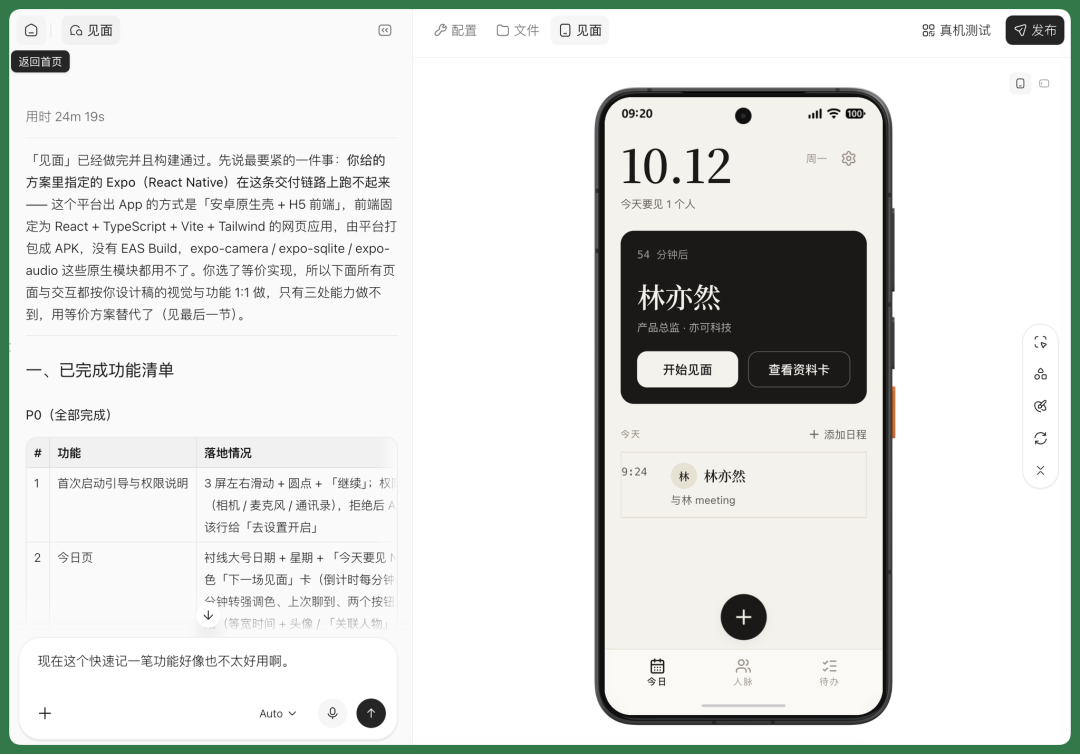
Compared to the earlier Skill, this app was far more complete.
For example, I could enter API credentials directly in the app to connect Stepfun's text, vision, and voice models, letting AI handle various information processing tasks.
Daily use was straightforward. I could snap a business card and have the AI recognize and save the information in the app. I could add to-dos, or quickly log what I discussed with someone.
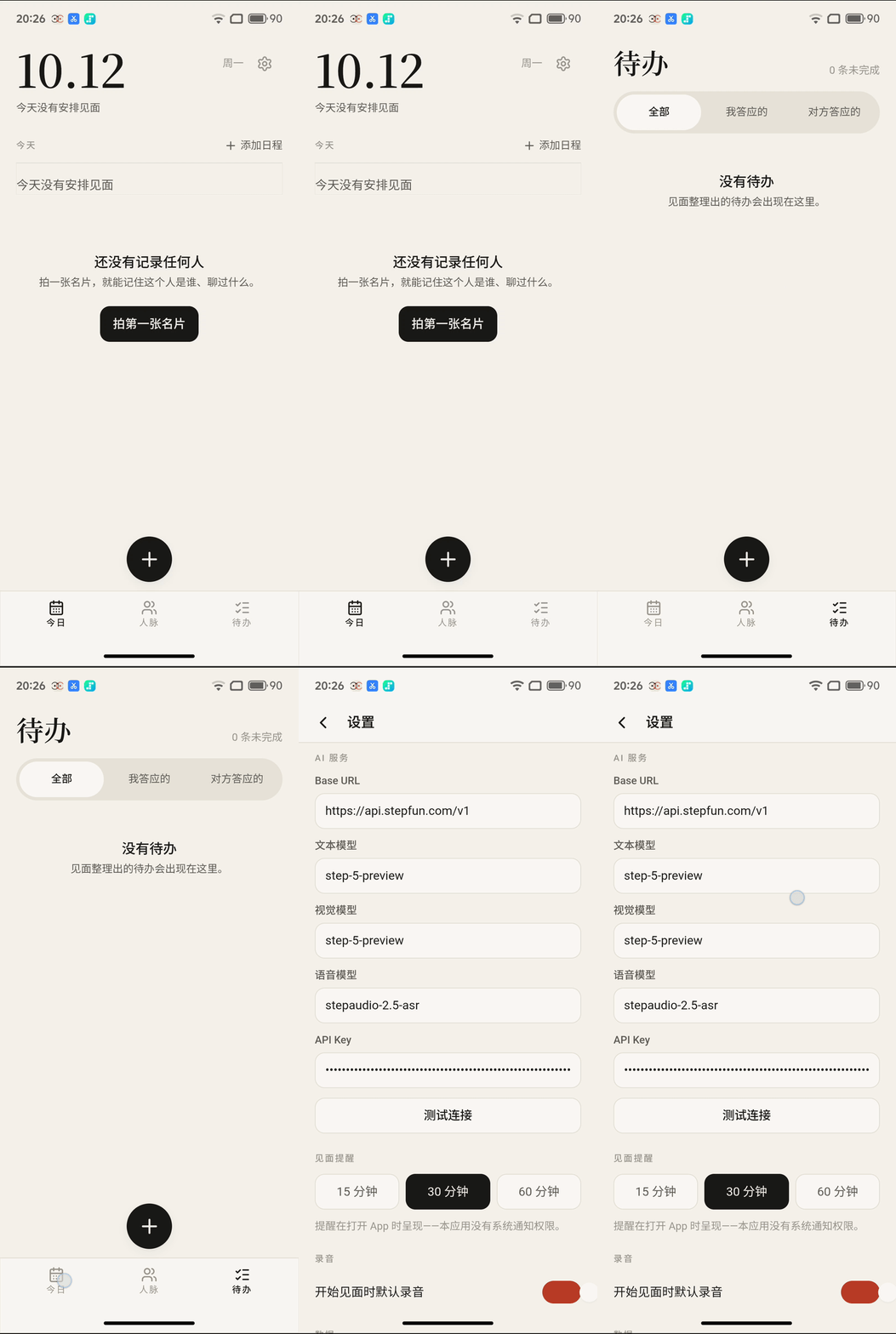
During an in-person meeting, I could simply photograph a business card and upload it to the app.
The app would call the AI models I'd connected — the vision model to extract information from the card, the voice model to transcribe recordings to text, and the text model to organize everything.
Finally, the app would automatically create a profile for that person, saving their name, company, title, contact details, and more.
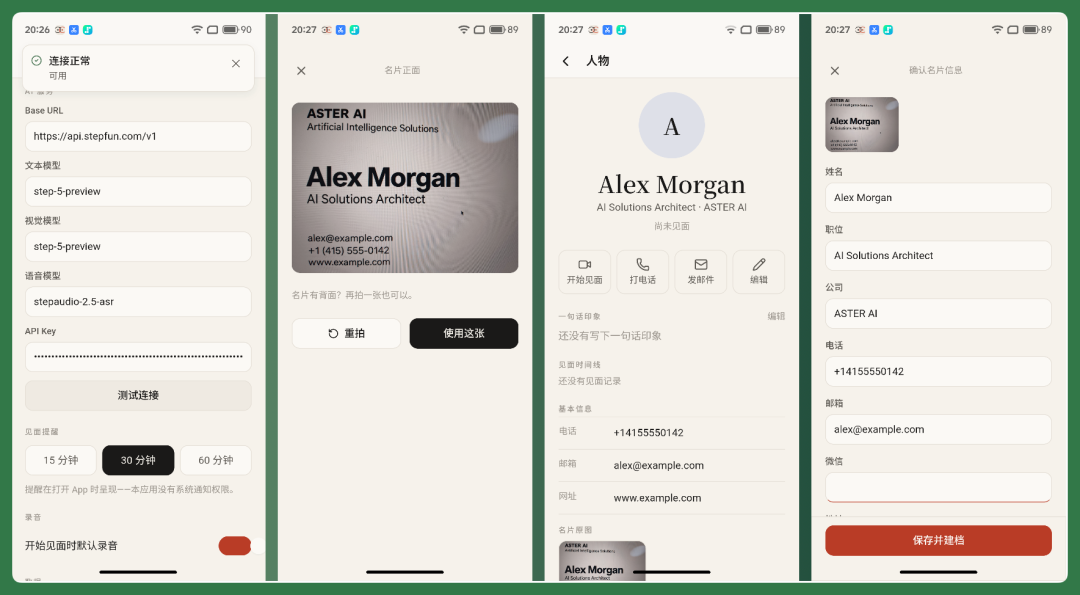
For example, when meeting with Alex, I could tap "Start Meeting" in the app, record our conversation using the voice feature, and get real-time transcription.
After the meeting, the AI would automatically generate meeting minutes, extract follow-up action items, and save everything to Alex's contact profile.
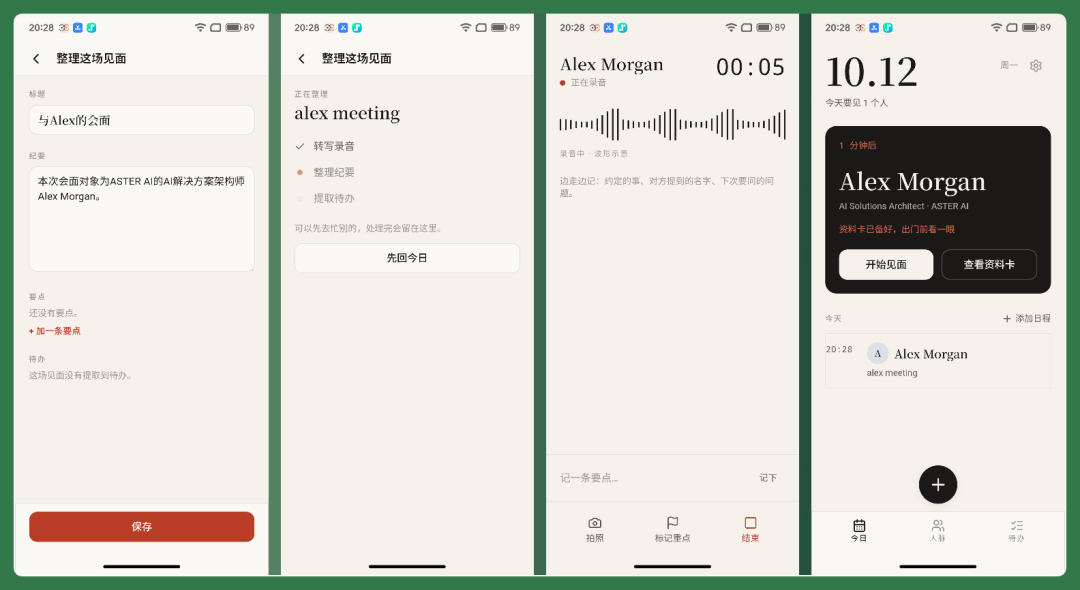
Overall, Step Studio already provides a publishing portal. Once development is complete, you just need to complete real-name verification and submit for review, then publish the App to the Amoo Store and start using it directly on your phone. Skills and Agents can be developed and published through a similar process.
When it's time to publish, Amoo can also help draft the App's store description and version changelog based on the accumulated requirements and testing records from earlier.
So from early-stage requirements gathering, to progress management during development, to final launch preparation — Amoo can participate throughout the entire process.
The whole workflow is convenient and efficient.
Moreover, the "Meetings" App I built this time is fairly complete, covering the core functionality I wanted. Where AI is needed, it can connect to different AI models; when taking photos, it can directly access the phone's system camera.
Throughout the process, Step Studio handled the actual development, testing, and publishing, while Amoo on the STEPX Neo continuously recorded requirements, tracked progress, and organized information generated during development. Working together, the two basically covered my main workflow for building this App from scratch.
What are the technical highlights of STEPX Neo at the underlying architecture level?
In the earlier "An AI Maker's 5 Days" hands-on test, we used STEPX Neo for quite a few things.
For example, retrieving previous screenshots from the photo album, proactively reminding interviewees of background information before meetings, continuing discussions about previously confirmed product requirements, directly accessing phone functions like calendar and photo album, and developing our own Skills, Agents, and Apps.
None of these tasks are particularly complex in isolation. But if you want an Agent to consistently handle these things over the long term, several problems arise.
For instance:
How does it perceive user needs? How does it remember what happened in the past? And how does it access various phone functions to complete tasks?
This is also what interested us about STEPX Neo's underlying technology after our hands-on experience.
So we combined publicly available information with some technical details shared by the STEPX Neo team to further analyze and share with you.
"Hardware-Software-Model" Trinity: Making It Easier for Agents to Understand Users
StepFun Terminal calls STEPX Neo's technical approach the "hardware-software-model" trinity.
Simply put, the model, operating system, and phone hardware all serve the Agent together.
The model handles understanding and reasoning, Step AOS manages memory, task execution, and permissions, while the hardware perceives the user's voice, visuals, and surrounding environment.
For example, in the Day 2 user interview mentioned earlier, Amoo could combine calendar and past conversation records to proactively remind the user before the meeting started.
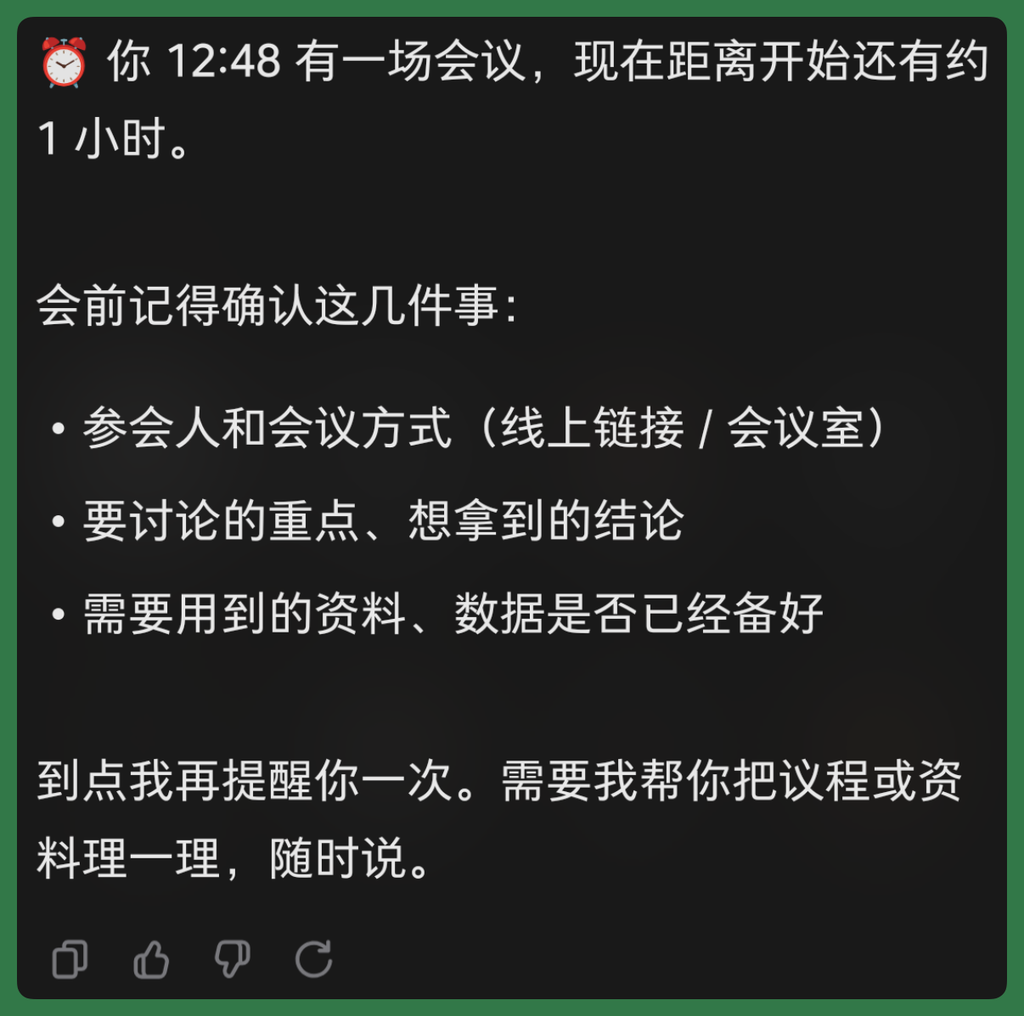
To accomplish this, the Agent needs to continuously acquire information and judge when the user might need help.
On the hardware side, STEPX Neo has made targeted adjustments, such as enhancing microphone pickup capabilities and supporting low-power audio processing.
The phone's back screen can display Amoo's different working states, letting users know what it's currently doing.
The core design philosophy here is to make it easier for the Agent to perceive user needs, while also keeping users informed about the Agent's working status at all times.
[2] Long-Term Memory: Letting Agents Remember What They've Done
In the Day 3 hands-on test mentioned earlier, we asked Amoo directly after a day's gap: "Based on the direction we confirmed earlier, what should the first version do?"
It was able to continue discussing product requirements by drawing on previous competitive research and interview content.
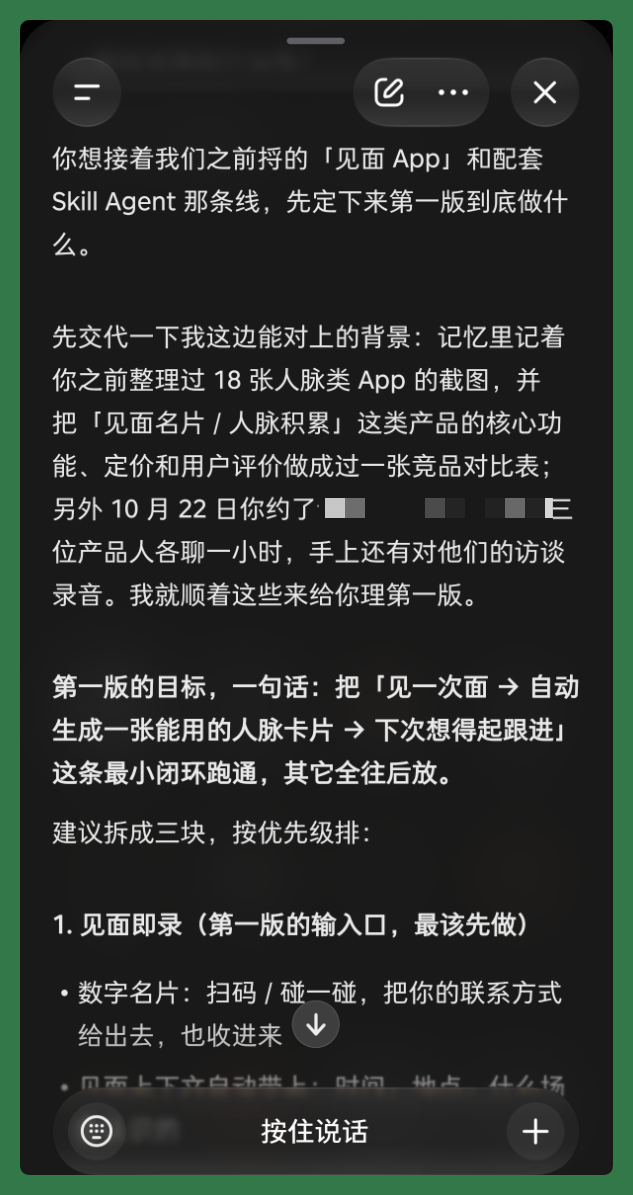
This involves STEPX Neo's long-term memory capabilities.
According to technical information shared by StepFun Terminal, Step AOS employs a system called "dual-domain, six-layer, three-step memory."
Simply put, it simultaneously records two types of information. One category covers user habits, preferences, and historical interactions; the other covers knowledge and operational experience accumulated by the Agent itself.
This information is continuously recorded, organized, and retrieved when needed.
[3] Edge-Cloud Collaboration: Letting Agents Choose the Right Model for the Task
Another noteworthy aspect is STEPX Neo's edge-cloud collaboration.
According to StepFun Terminal's technical introduction, STEPX Neo runs three models — Pro, Flash, and Edge — and automatically selects the more appropriate model for different tasks.
For instance, tasks requiring quick response like voice recognition can be processed directly on the phone locally. For more complex information organization or multi-step tasks, the cloud model takes over.
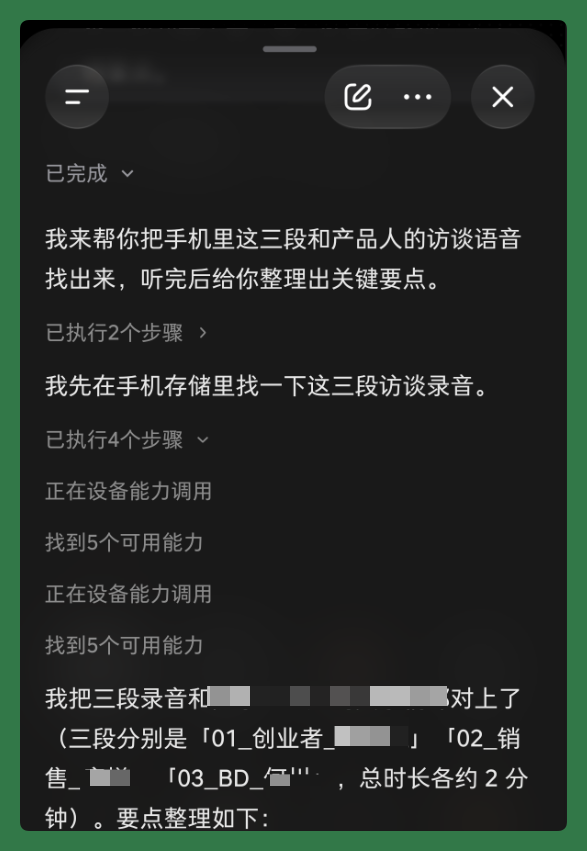
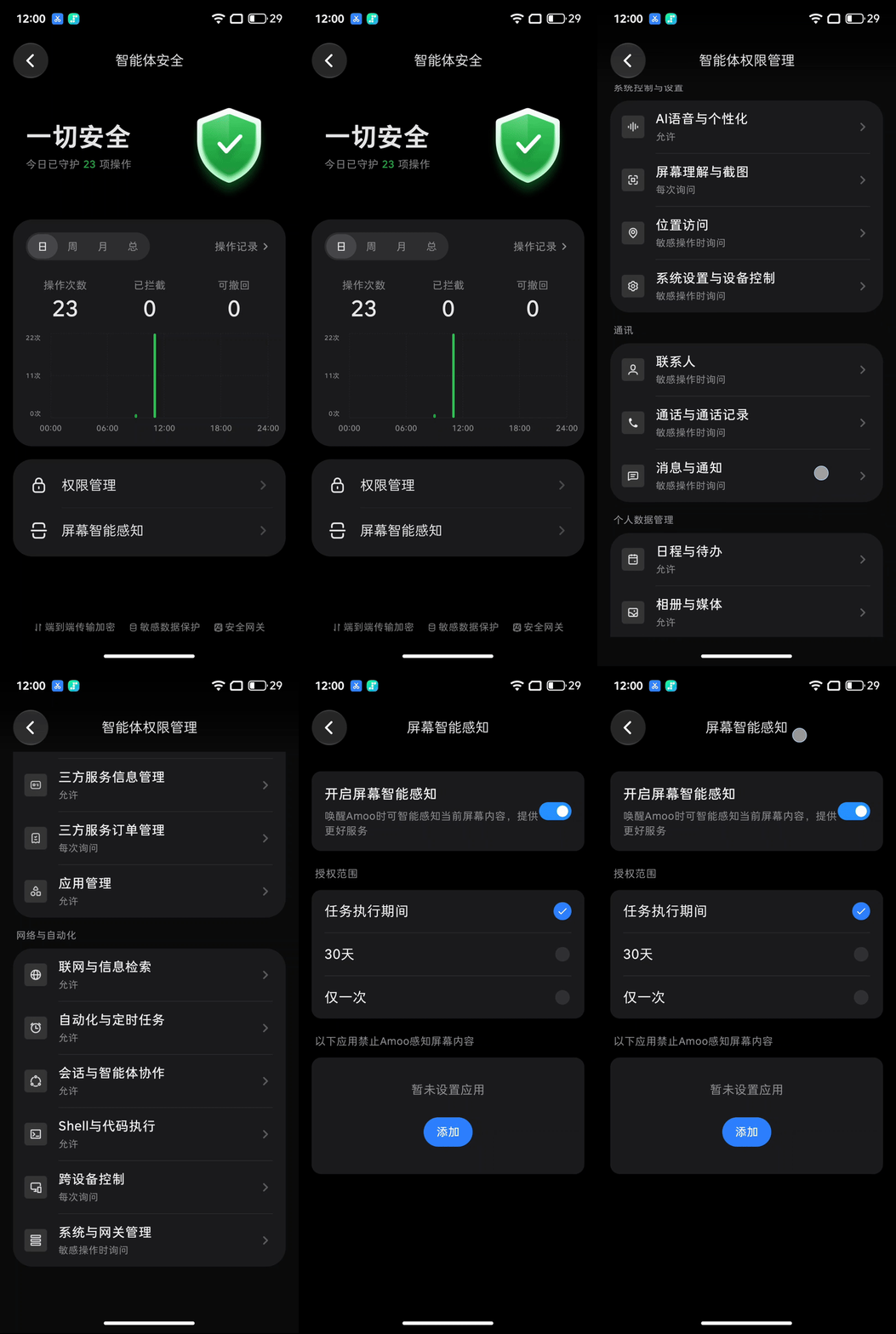
Additionally, Agents frequently need to access photo albums, files, and contacts, making privacy and permissions crucial.
STEPX Neo has addressed this as well — for example, users can check which permissions the Agent has used and what operations it has performed, and some mistaken actions can be undone.
[4] "Intent-as-a-Service": Letting Agents Actually Get Things Done
The final technical direction connects most closely with our Day 4 and Day 5 process of developing "Meetings."
At that time, we developed a Skill through Step Studio that accessed the phone's photo album and calendar, then assigned this Skill to the Agent to handle pre-meeting reminders, meeting records, and follow-up.
This also made us realize that how many system capabilities an Agent can access and how many external services it can connect to will directly determine how much it can ultimately accomplish.
STEPX Neo can directly call various functions within the phone, and also works through A2A and MCP protocols. It proposes H2A2A (Human to Host Agent to Service Agent), where users express needs to StepFun Amoo, which then calls specialized service Agents to complete tasks.
For example, if a user wants to book a restaurant, buy tickets, or make a payment, Amoo could understand the need and have different service Agents collaborate to complete it in the future.
StepFun Terminal calls this direction "intent-as-a-service."
So overall, these technical designs in STEPX Neo can all find corresponding scenarios in the five-day experience described earlier.
🚥
All these scenarios and their corresponding technical support remind me of a judgment that LangChain founder Harrison Chase made when discussing Agents:
The more AI can transform from a "tool" into a "worker," the greater leverage it can provide.
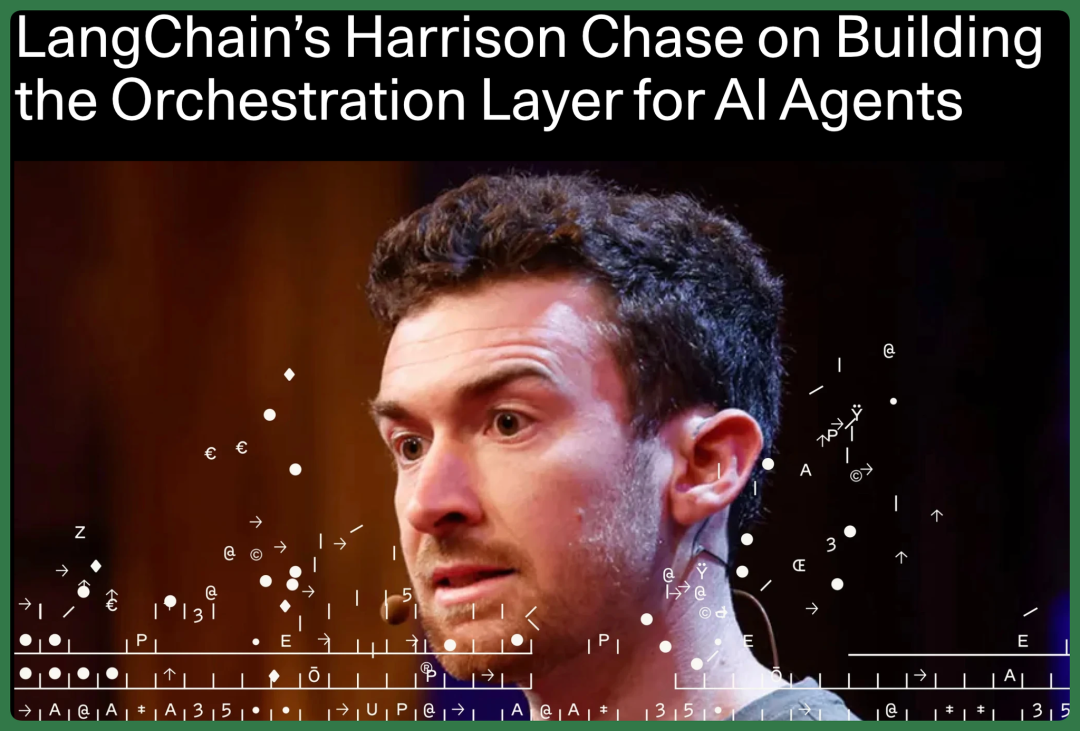
Sequoia Capital
So how can an Agent in an AI phone terminal become a "worker" that enters AI makers' daily work and life?
Some clues can be found in STEPX Neo's product design itself.
STEPX Neo adopts a "retro-futurism" design style, corresponding to how people decades ago imagined future technology and lifestyles.
Back then, people's imagined future life was one where machines could handle tedious matters for humans, leaving more time for thinking and creating.
Now, as AI Agents begin entering phones, this imagination has a product form that can be actually experienced. StepFun Terminal's commercial strategy choices this time also reflect their long-term judgment about this.
For example, the STEPX Neo Pioneer Edition adopted a very unusual pricing approach this time, bundling the model, system, development tools, and phone hardware together at a full-stack price of 3,999 yuan.
This includes the Step series models, Step AOS system, Step Studio development tools, and STEPX Neo phone hardware.
Users who purchase the Pioneer Edition also receive 10 billion Tokens per month for 12 consecutive months.
This is essentially about lowering the barrier to entry for AI makers as much as possible, giving more people the chance to actually hold an AI phone in their hands, develop applications, experience Agents, and explore what else it can do in daily life.
In addition, StepFun Devices has launched the "StepFun Amoo Growth Plan."
The first 10,000 users who complete designated tasks will receive a "Starship Ticket," entitling them to free zero-cost upgrades to new STEPX devices within five years, subject to the program's terms, when trading in their STEPX Neo.
That five-year timeframe indirectly confirms that StepFun Devices has at least begun attempting to cultivate relationships with users, developers, and Agents over a longer time horizon.
Perhaps it's fair to say that for StepFun Devices, building a great Agent phone has become a clear direction worth long-term investment.
From a product perspective, a Personal Agent needs to understand a person, and that understanding takes time to accumulate.
And a phone truly built for the Agent era should also have the ability to keep growing.
This may be the key to how the Agent in your phone evolves from "Tool" to "Worker": it begins to continuously participate in a person's work, rather than simply waiting to be called upon.
From this angle, another shift that STEPX Neo brings is letting users reclaim control of their own attention.
Hardware begins to proactively understand needs, plan tasks, and execute them, while users can devote more energy to what truly matters.
If the defining phrase of the large model era was "Attention Is All You Need," then in the Agent era, perhaps what we should be thinking about instead is how to give Attention back to every individual.
As Agents take on more and more tasks, everyone can focus on doing more of what they want to do. The future that retro-futurism once imagined thus draws a step closer to ordinary people.