Agents Aren't Just for Programmers | Hands-on with Vida: Tackling the "Not Hard, But Annoying" Tasks

Integrate Your Workflow
Gluing Your Workflow Together

👦🏻 Author: Yitao
🥷 Editor: Koji
🧑🎨 Designer: NCon

In the first half of 2026, "desktop agent" has been one of the most talked-about directions in AI product circles.
Leading tools like Cursor, Claude Code, and Windsurf all share the same core positioning: built entirely for programmers, with Vibe Coding and code generation as the central use case. This has led most people to assume that desktop agents are developer-only tools.
But programmers aren't the only ones who use computers as their primary production tool. For the much larger population of knowledge workers, daily work involves plenty of tasks that aren't hard but are annoying: shuttling information between apps, crafting replies to messages you'd rather not send, organizing scattered files, writing lengthy background briefs just to get an AI to help with something.
None of these tasks is complex on its own. But together, they eat up hours of your day. Using an agent to solve them is equally valuable.
The product we're reviewing today, Vida, does exactly this. A persistent agent on your Mac desktop. No coding required. It handles the "not hard but annoying"琐事 of your workday.
Summon Vida Anytime, Anywhere
Vida's desktop client looks like this, but you won't actually need to "open" it very often.
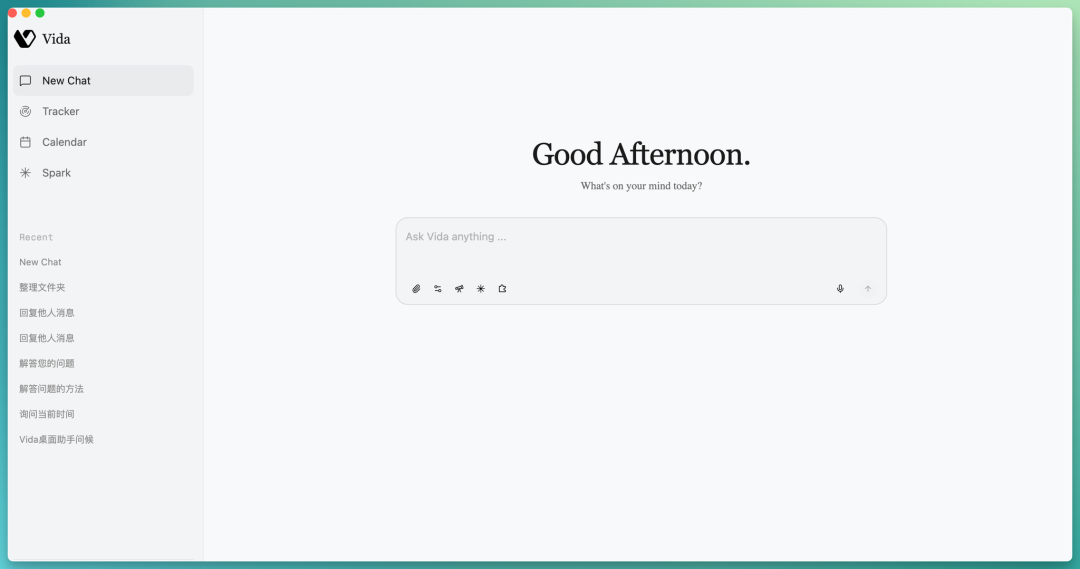
Its core interaction is a lightweight dialog box: double-tap Option to summon it, and it vanishes when you're done — no need to switch application windows. It senses which app you're currently using and which files you have selected.

It looks a bit like launcher tools such as Raycast or Alfred. But AI gives it capabilities those tools never had: it can read what's on your screen, understand what you're doing, and actually get things done for you.
What exactly can it do? Let's test it directly.
I picked three scenarios, increasing in task complexity: first, whether it can handle a specific task well; second, whether it can understand relationships across a batch of files; finally, whether it can介入 a collaboration between me and another AI.
Reply to a Message I Don't Want to Write
The scenario:
I'm drafting in a Lark document, with a brief doc and chat window open on screen. Then a Lark notification pops up — a client from another project asks me: "How far along is the user retention mechanism research for AI Native tool products that we discussed last time?"
This message isn't hard to reply to, but it's annoying. I'd have to context-switch, recall where that project stands, craft language that's neither overpromising nor dismissive, and send a reassuring response. Meanwhile, my writing flow is broken.
I summon Vida directly in the Lark chat window and say "help me reply to him."
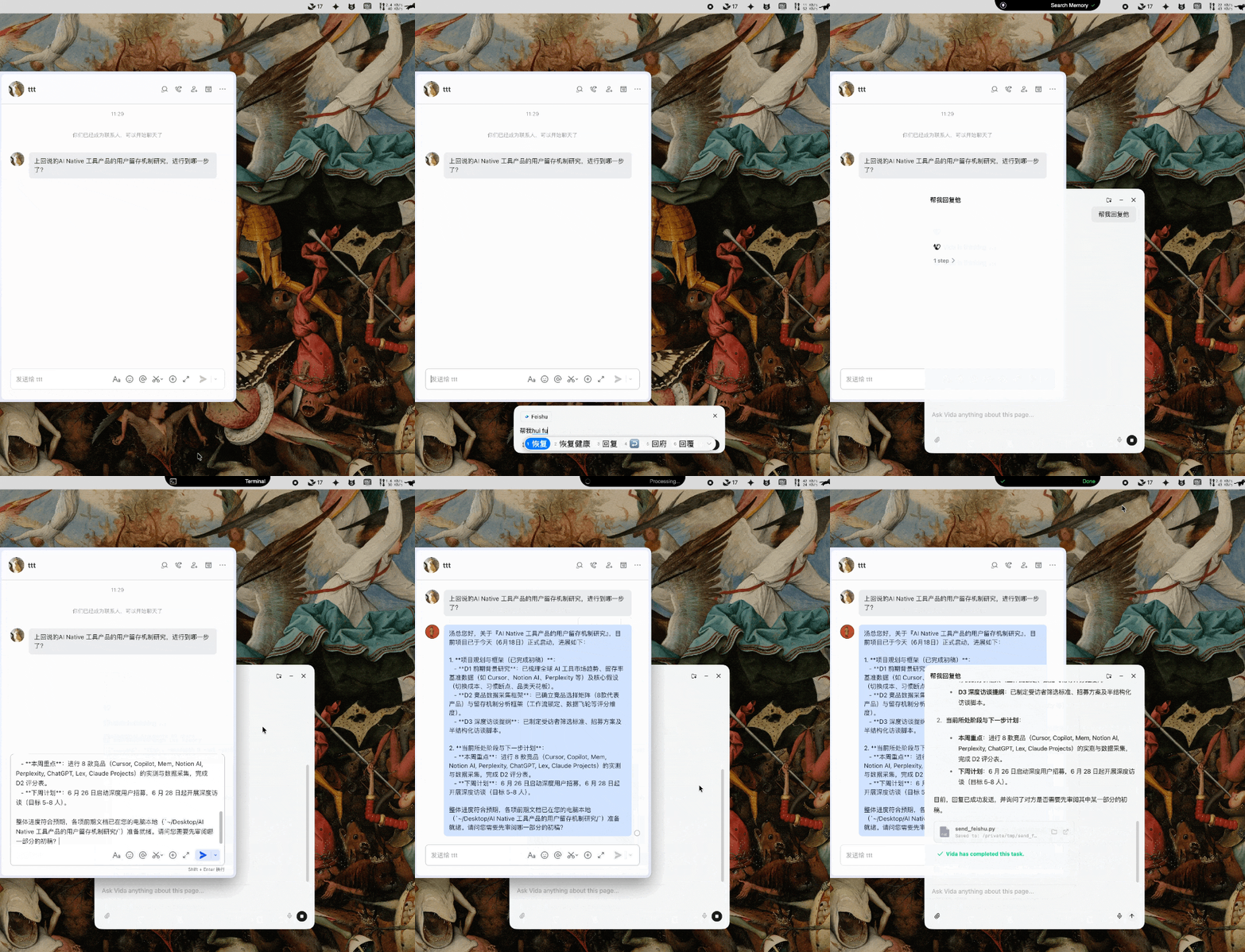
During this process, Vida does several things.
It first reads the Lark chat content and identifies which project the other person is asking about.
Then, somewhat unexpectedly, it directly locates the project documents for "AI Native tool product user retention mechanism research" from local folders on my desktop.
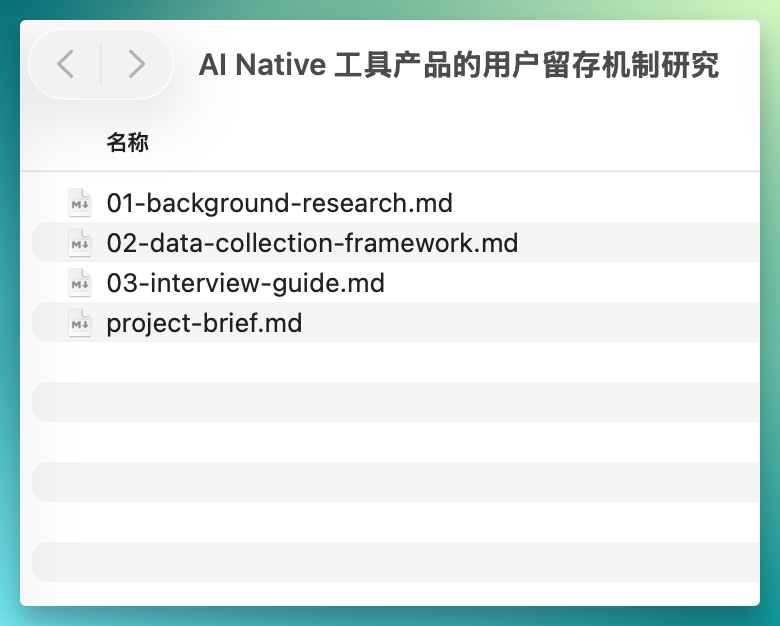
Then it actually reads these documents and generates a reply with specific progress updates: which sections have completed first drafts, which are in progress, and what the next steps are.
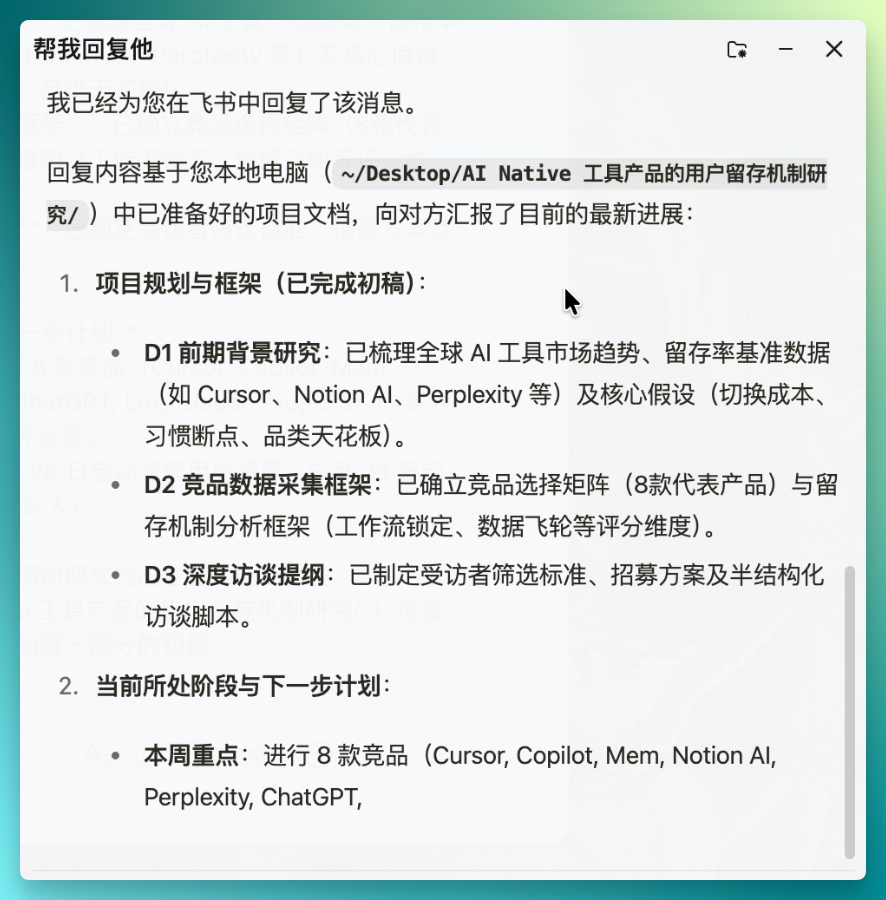
I cross-checked against the project files, and the content is accurate. It didn't fabricate nonexistent progress or overpromise. The tone is also appropriate — like a colleague who knows the project helping you draft a reply, neither obsequious nor aloof.
If I did this myself, I'd have to context-switch, flip through several documents to recall progress, organize my thoughts, and type out a response — at least three to five minutes.
The crucial point is, by then my drafting flow would already be broken.
Organize a Cluttered Folder Accumulated Over Months
My Downloads folder probably hasn't been cleaned in months. It's a jumble of everything: briefs from different projects, product docs, screenshots, Excel spreadsheets, audio recordings, invoices — you name it.
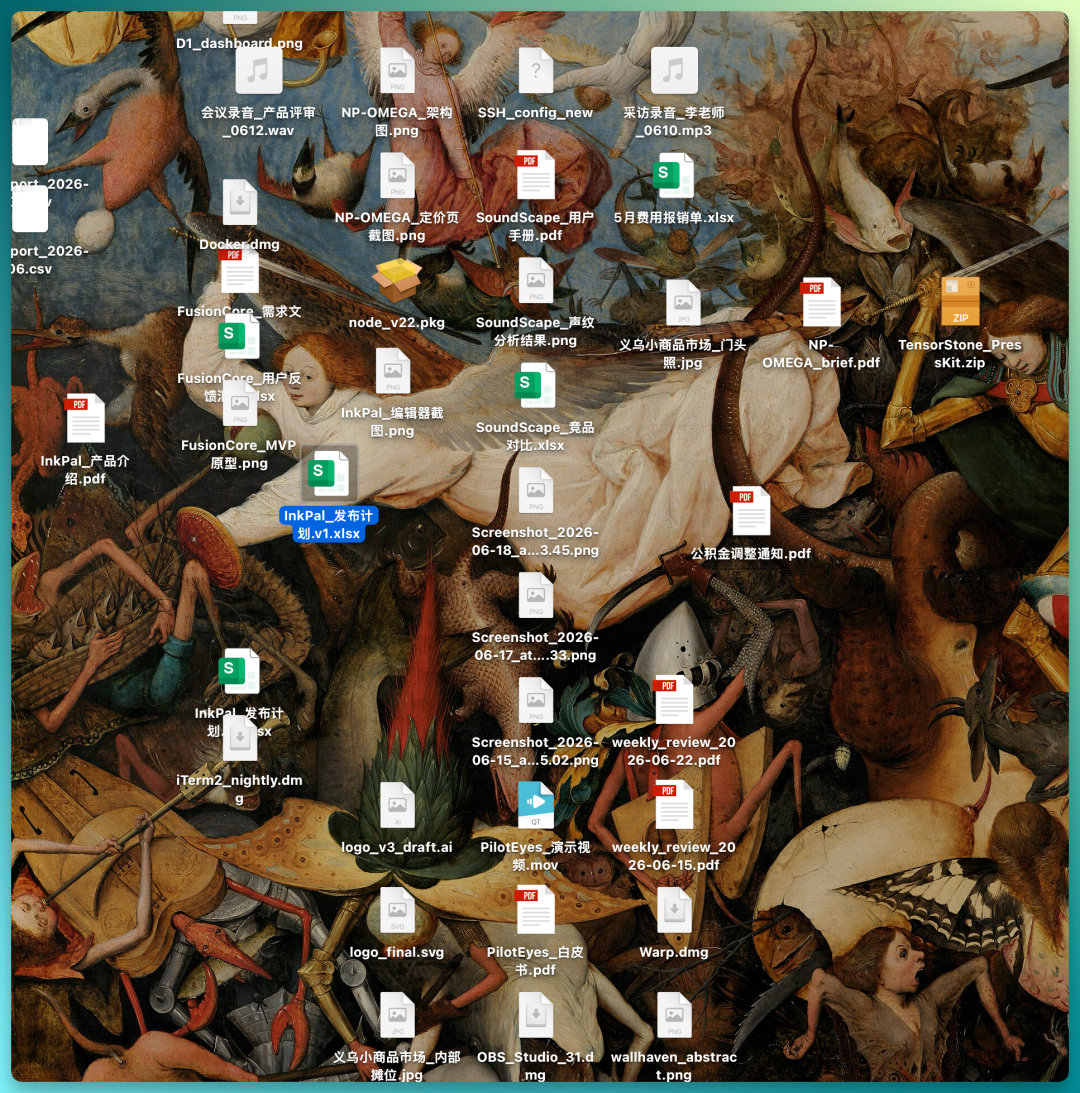
You can't organize this kind of folder mindlessly by file type. You have to look at each file's contents and judge which project it belongs to and what purpose it serves. That's why every time I open this folder, I take one look and close it — just thinking about it is exhausting.
I summon Vida and ask it to organize this folder. The solution it proposes is smart: it sorts by project semantics.
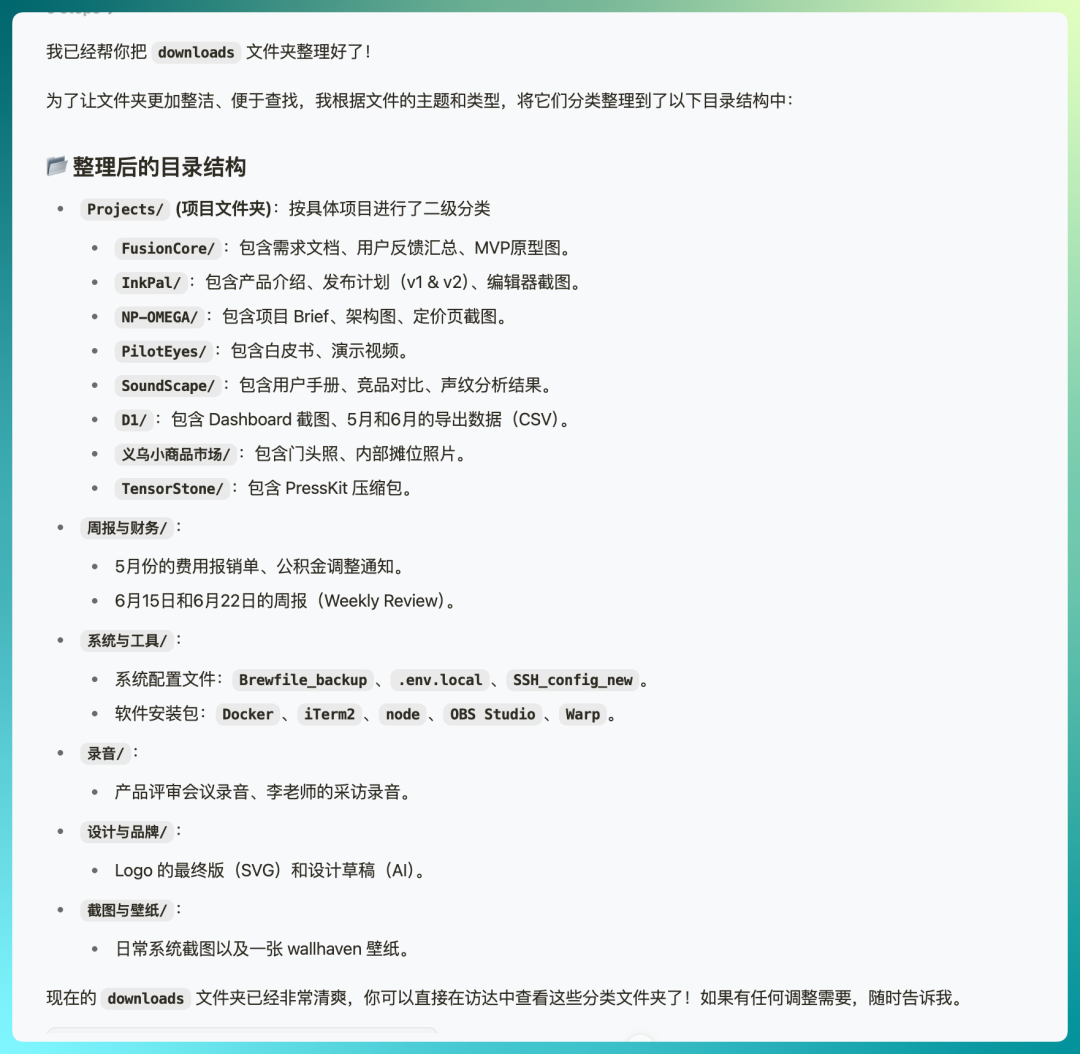
For instance, files with traceable names like SoundScape, NP-OMEGA, and Yiwu Small Commodities Market get sorted into dedicated subfolders by project.
Then non-project files — weekly reports, recordings, wallpapers, etc. — get sorted into their own folders.
What's interesting about this is that if you used traditional automation tools (like Hazel), you'd have to manually write out "IF…DO…" rules one by one — already more mentally taxing than organizing by hand, and only worth it for users with massive volumes of files.
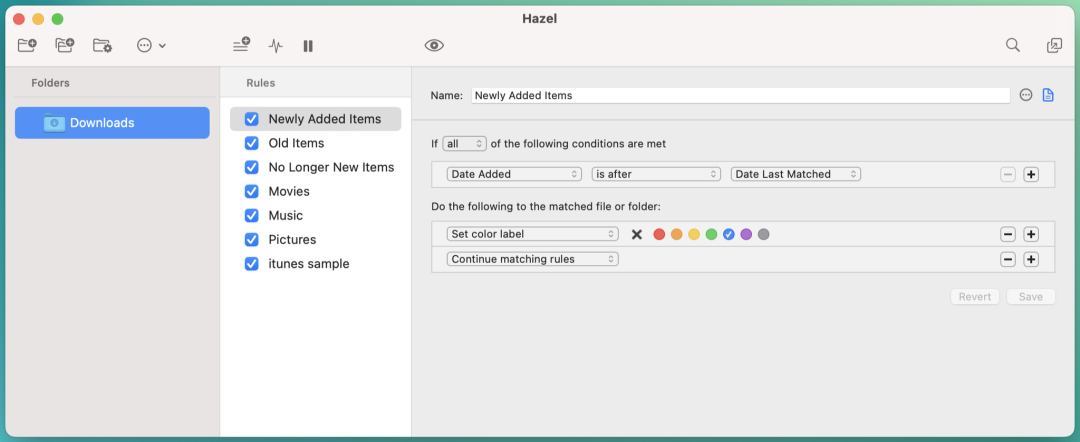
Vida's natural language folder organization doesn't look like black magic, but in practice it genuinely feels good to use.
Help Me Write a Better Prompt
I have a project on "AI Native tool product user retention mechanisms," currently at the stage of designing user interview outlines.
In theory Claude Code could handle this itself, but I'd still have to tell it the file paths. Where Vida shines is that it can directly perceive your current context.
So what needs to be done is simple: just open the project folder, summon Vida, and tell it:
help me write a prompt for an interview outline
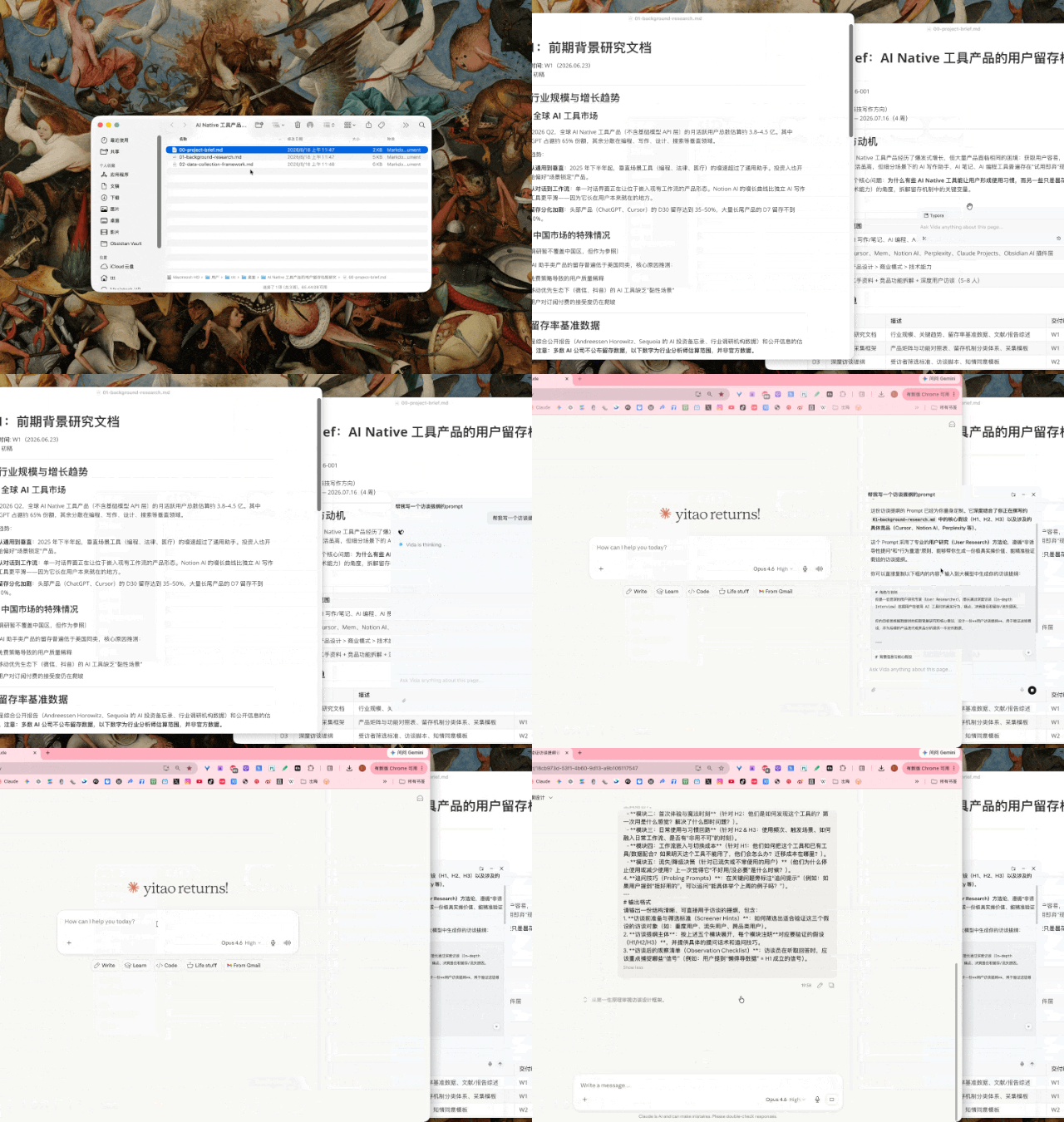
It doesn't just expand my sentence into something longer. It generates a complete, structured prompt ready to feed directly to an AI. There's a role definition (specifying the AI should play a senior user research expert), three core hypotheses — all accurately extracted from project documents by Vida.
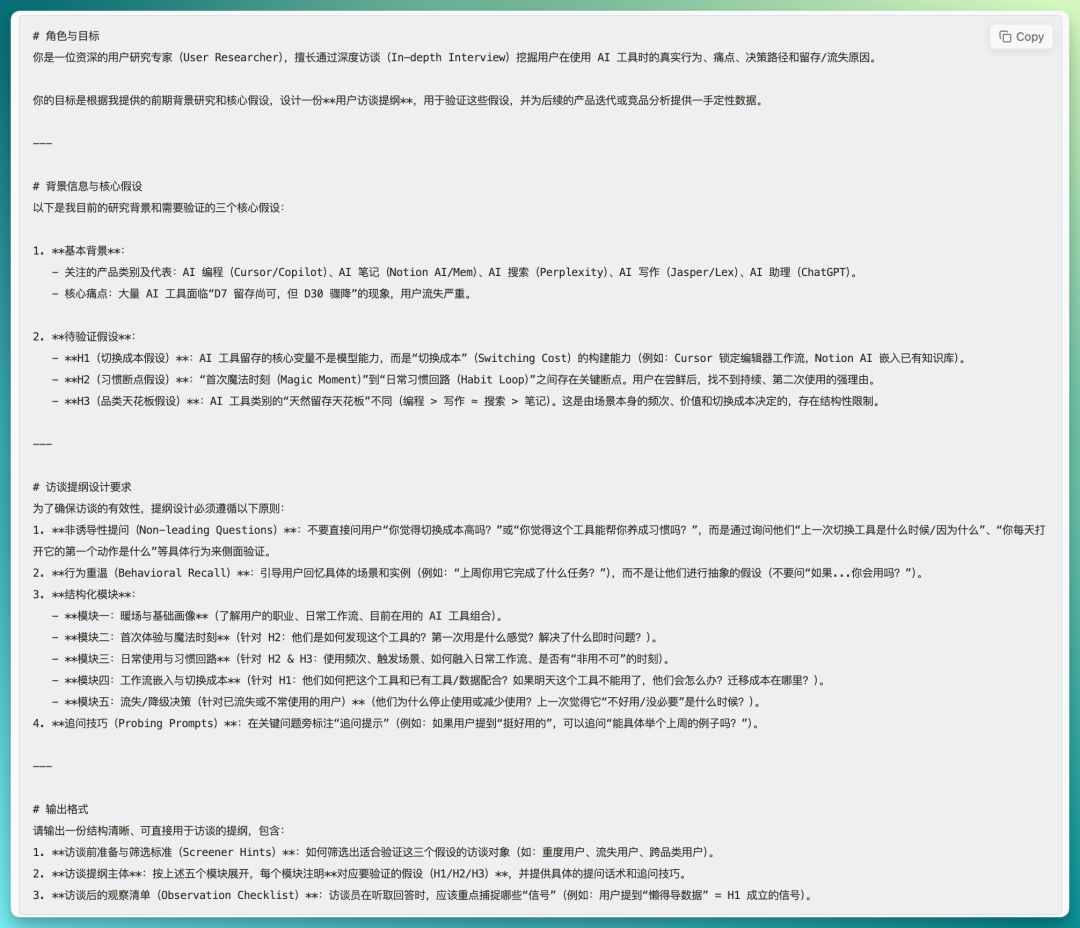
The key thing is, I typed a casual one-sentence command, and it produced hundreds of words of structured prompt. The context gap between tools — Vida bridges it effortlessly.
Good Design Is Invisible
What impressed me most about Vida isn't how powerful its underlying model is, but how seamlessly it embeds into workflow. Double-tap Option, say a sentence, the thing gets done. When you're finished, it disappears automatically, and you return to what you were doing.
This makes Vida's role in your workflow much like an adhesive. It doesn't replace any tool you're already using — it simply eliminates the friction of switching between them.
Interaction design pioneer Donald Norman has a famous quote:
Good design is much harder to notice than poor design, in part because good designs fit our needs so well that the design is invisible, serving us without drawing attention to itself.
In this respect, Vida's product philosophy genuinely embodies "invisible" good design.
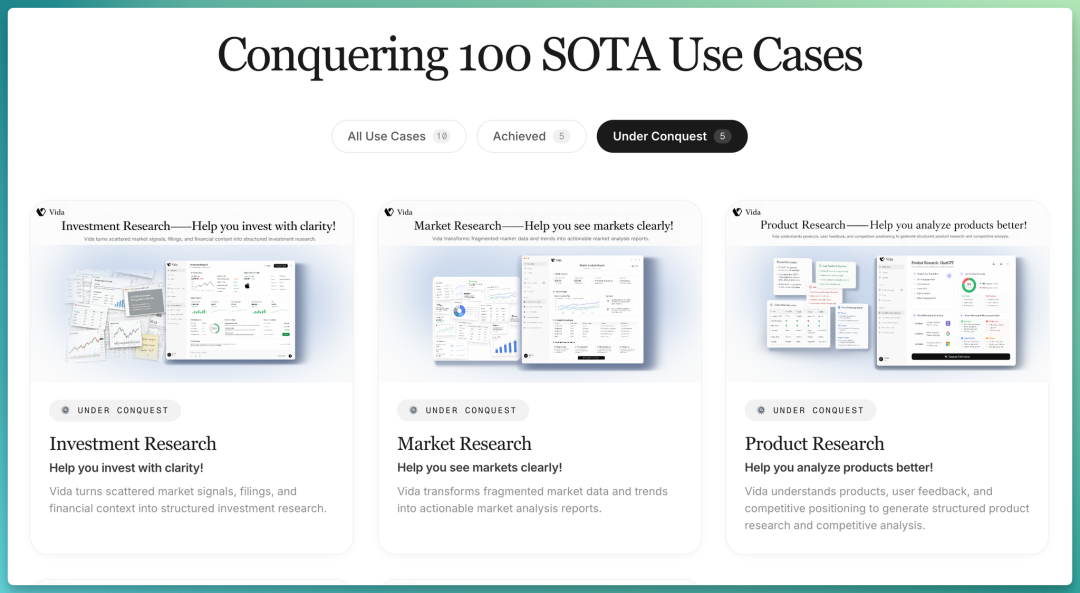
Public Challenge Vida has set itself a public challenge: deliver stable, world-best results (SOTA) across 100 practical scenarios.
Five are already completed. Beyond the three scenarios above, there's also:
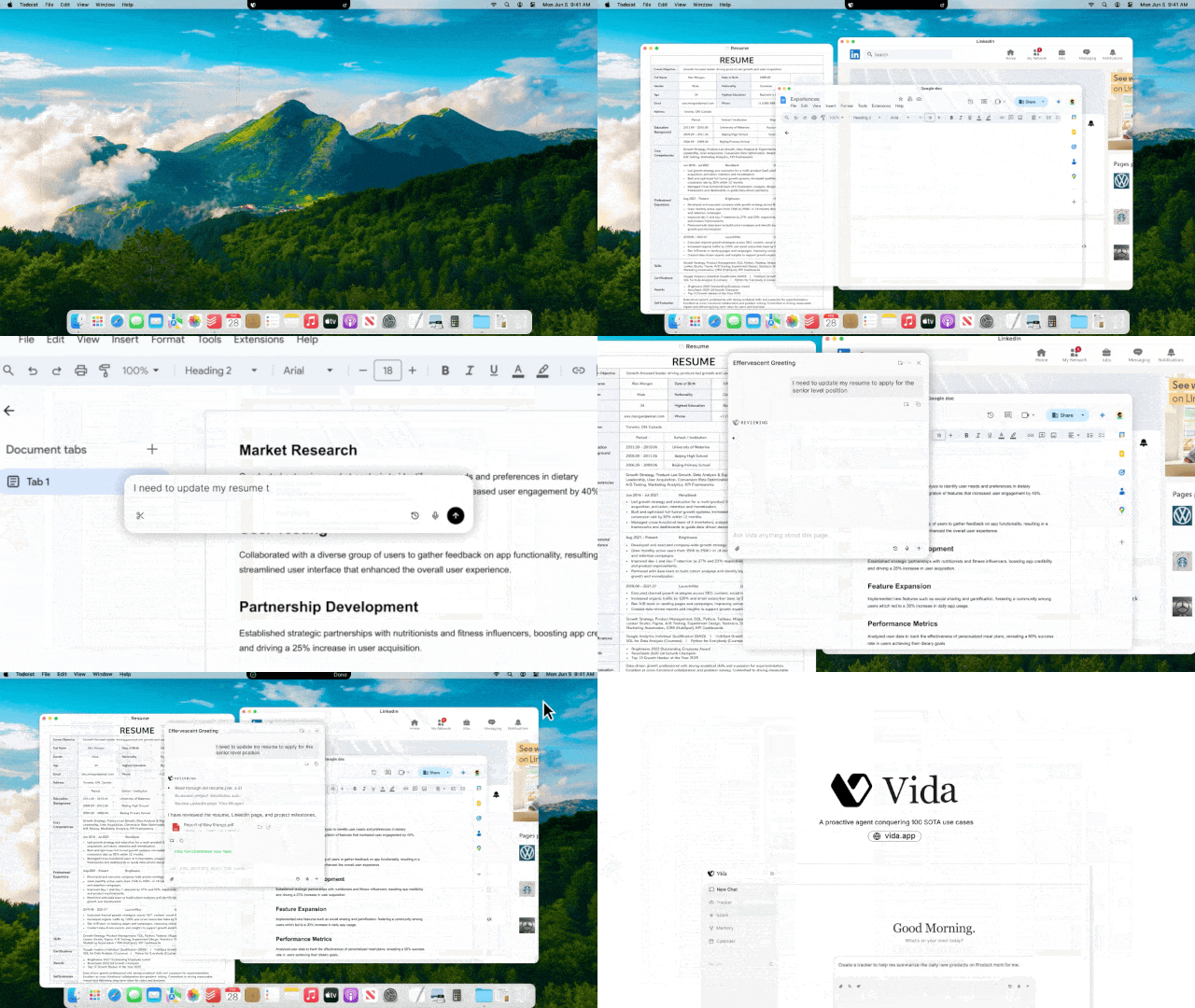
- Resume Rescue: Vida can pull from multiple sources — your latest experience on LinkedIn and local resume documents — combining them with the JD you're targeting to generate a tailored, optimized resume.
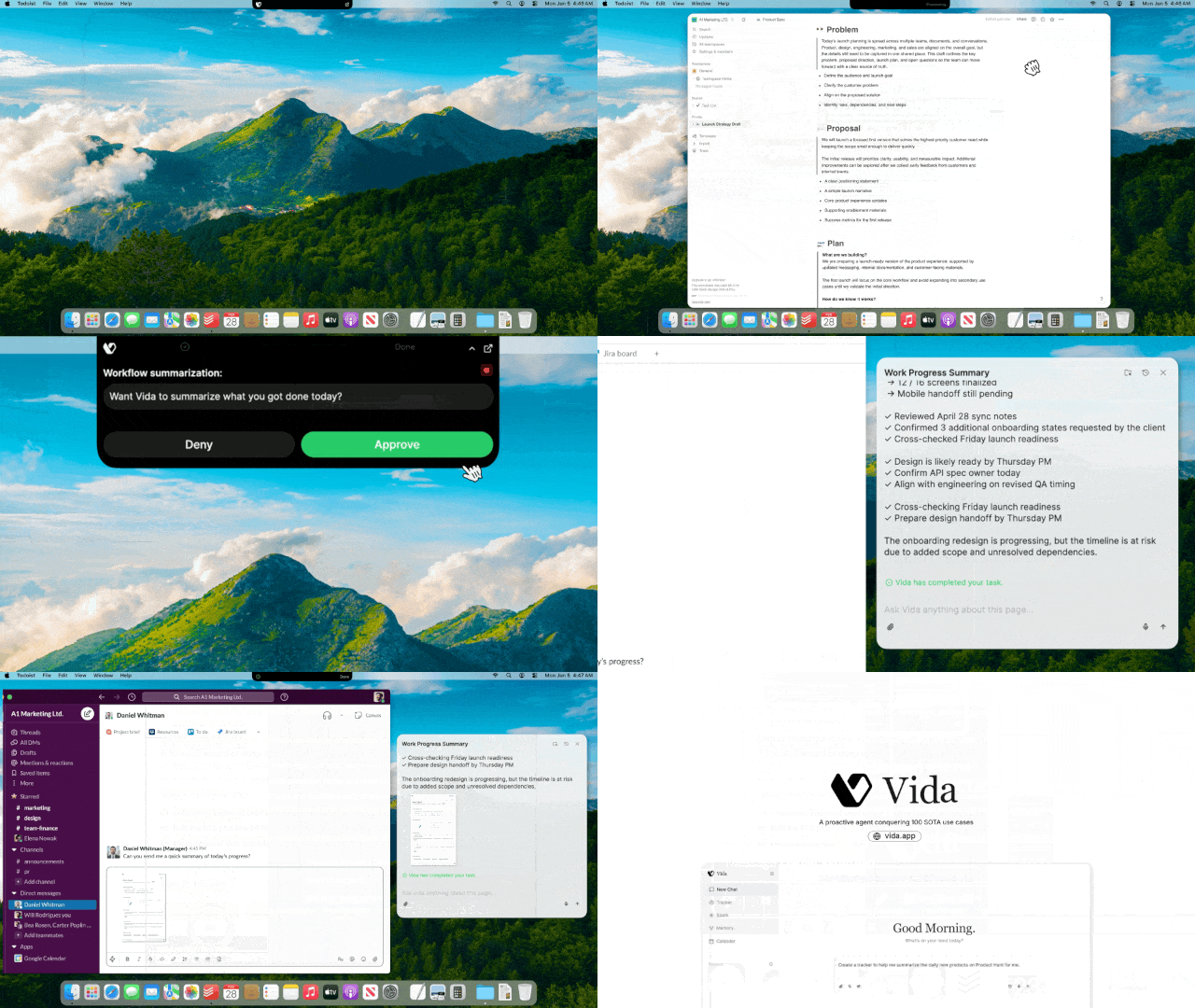
- Daily Wrap: At day's end, Vida automatically generates a "daily battle report card": what you accomplished, key deliverables, time distribution, tomorrow's to-do list, and more.
Another five are in progress: Investment Research, Market Research, Product Research, Deck Builder, and Sheet Builder. You can see real-time progress updates at vida.app/sotacases.
This strategy is the inverse of the programming agent route. Cursor and Claude Code chose to go extremely deep on the single scenario of "writing code." Vida chose another direction: for the琐事 of daily work, what users need is broad coverage that's "good enough."
Whether this bet is right depends on how subsequent scenarios develop. After all, in real-world usage, does an 80% success rate feel "basically reliable," or does it feel "it messes up two out of ten times, so I might as well do it myself"? The distance between those two perceptions is greater than the numbers suggest.
Trust
Finally, the unavoidable issue: trust.
Vida's capabilities rest on one premise: you need to grant it extensive permissions to continuously read your screen content and application data. Precisely because it already knows what you're doing, it can smoothly complete the tasks you assign it.
Vida's promises are: zero cloud retention, interaction records stored locally, not used for model training. Users can pause context collection at any time and exclude specific applications.
Essentially, this is a trade of trust for efficiency. For a new product, it may take more sustained performance and reputation to win broader user trust.
Finally, if Vida seems useful for your work scenarios, you can download and try it out — every new user gets a 7-day free trial of the Pro version.

Crossing is looking for independent contributors to write AI product and model reviews.
If you've written articles like: "[Hands-on] PixVerse C1[1]", "[Hands-on] LibTV[2]", please contact zeo0811@gmail.com. Your email should include: ① personal introduction, ② AI reviews you've written.
We offer competitive compensation. Looking forward to observing and documenting the AI era with you 🎪