We got early access to the WeCom AI Agent beta and tested it for a week so you don't have to.

WeChat and WeCom are both playing their agent cards at the same time.
WeChat and WeCom's Agents, Played at the Same Time.

👦🏻 Author: GaKi
🥷 Editor: Koji
🧑🎨 Layout: NCon

WeCom is probably one of the most "special" workplace collaboration tools in China. It connects to over 14 million enterprises and serves more than 750 million WeChat users daily. While other office software connects employees, WeCom connects employees with their customers at the same time.
This positioning makes every step of its AI transformation especially worth watching. And the pace is visibly accelerating.
Last August, WeCom 5.0 launched three AI features: intelligent search, intelligent summarization, and intelligent bots. This June, the AI assistant "Xiaowei" on the personal WeChat side just started gray-scale testing; only three days later, the AI Agent "Dayuan" on the WeCom side followed with its own beta launch.
Tencent is playing its hand on both the consumer and workplace AI tracks, almost simultaneously.
Our Crossing team got beta access to Dayuan and spent a week testing it with real workflows.
Here's our hands-on experience.
Dual-Platform Use: Mobile and Desktop
First, a difference in experience — this may be what sets Dayuan apart from other AI assistants most.
On any WeCom screen, swipe left to summon Dayuan. It automatically recognizes your current interface, summarizes the work context, and lets you ask directly without copying and pasting or explaining the background. This "awareness of work environment" design saves a huge amount of repetitive description time.
Specifically for dual-platform experience: on mobile, it's built directly into the WeCom app. Opening it reveals a standard AI chat interface supporting text, voice, image, and file input, with all conversation history centralized in a history entry at the top right.
In practice, the mobile side works better for lightweight tasks — quickly checking a group chat record, having Dayuan draft a quick reply, or reviewing previously generated documents during a commute.
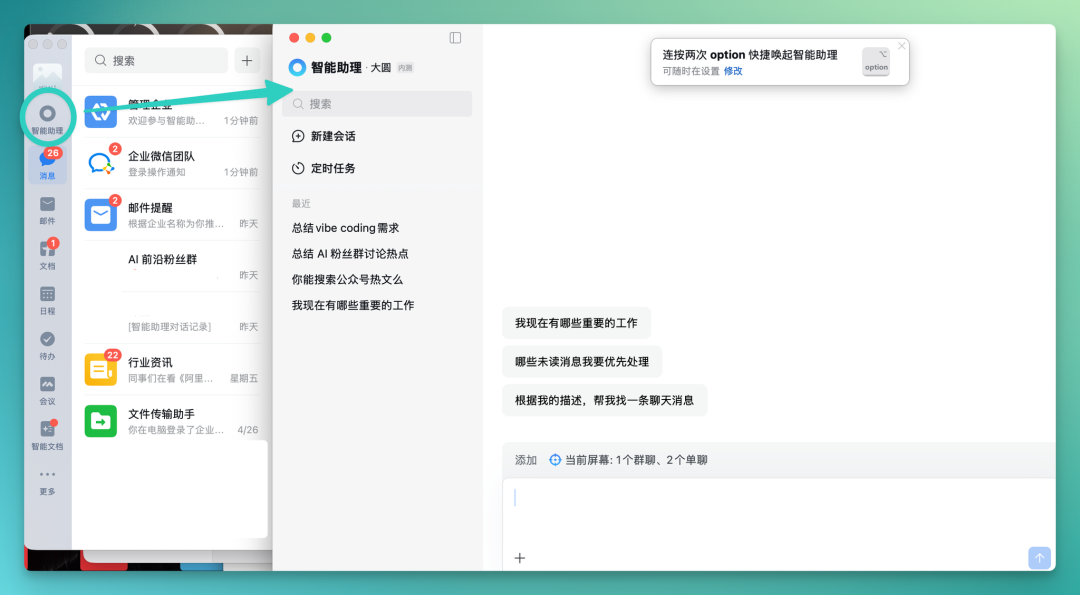
The desktop entry is more straightforward: the intelligent assistant sits first in the left function bar, and clicking it pops up a standalone Dayuan interface. The desktop version also supports custom shortcuts, like pressing Option twice to summon Dayuan.
In actual use, the desktop handles complex tasks better, since operations involving spreadsheets, documents, and emails benefit from higher information density and operational efficiency on a large screen.
Conversation history syncs between mobile and desktop. Have Dayuan complete an analysis on your computer, and you can open the results directly on your phone.
How Many Story Leads Hide in Our Fan Group? Dayuan Helped Me Dig Through Them
We have a standing "AI Frontier Fan Group" in WeCom where there's daily discussion about AI hot topics. The information in group chats often comes faster and more concentrated than online searches, making it an important information source for community operations.
But the message volume is massive. In our group, for example, daily messages can run into the hundreds or thousands. Manually sifting through for valuable information is nearly impossible. And a considerable portion of content isn't story-relevant — the truly useful material may only be a small fraction.
At this point, you can directly ask Dayuan for a group chat summary, pulling out what everyone is discussing, the most frequently asked questions, the most contentious topics, and all new models and tools mentioned. From issuing the command to getting the summary, the whole process takes about two to three minutes.
These are our potential story leads.
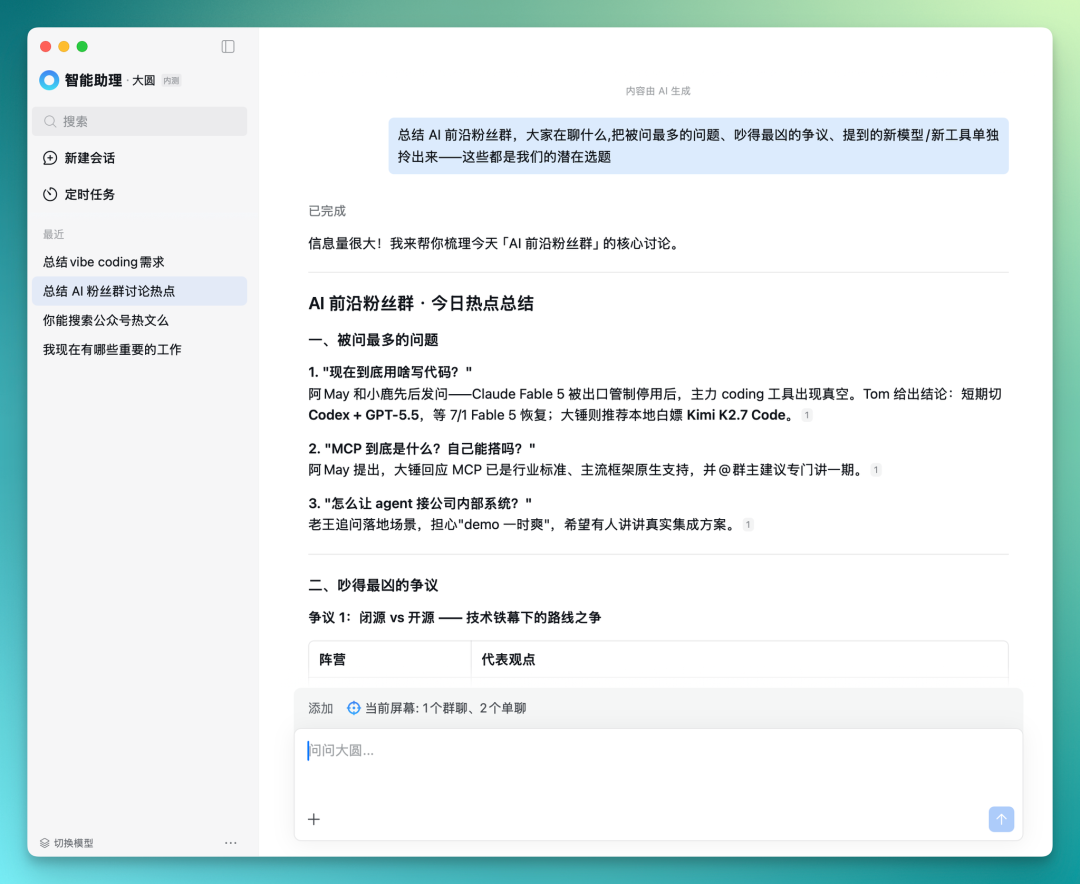
Dayuan directly summarizes group chat content, organizing it by category into overseas new products, domestic open-source projects, infrastructure updates, and other information. Each summary comes with citation markers that, when clicked, jump to the original group chat message.
This citation jump is quite critical in practice, because AI summaries inevitably involve information compression or interpretation bias — with citations, you can directly return to the original context for verification without having to search through group chats message by message yourself.
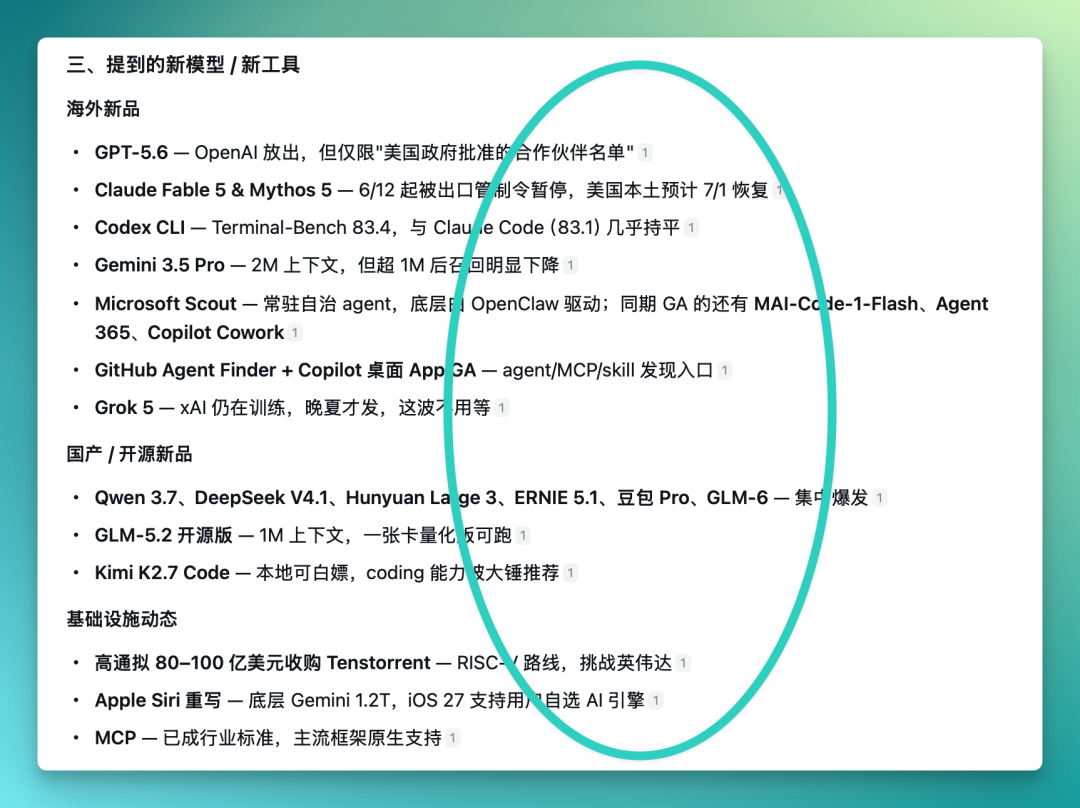
Beyond this, it also combines context to suggest potential story angles.
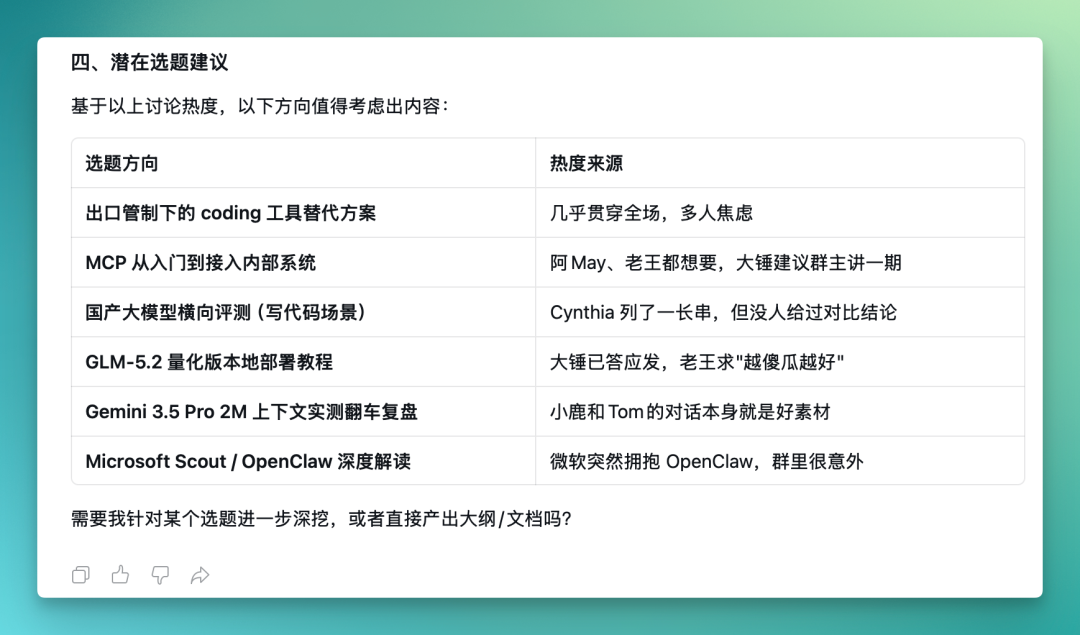
Next, you can have Dayuan do deep research on each potential lead, supplement context, and generate all information into a smart document:
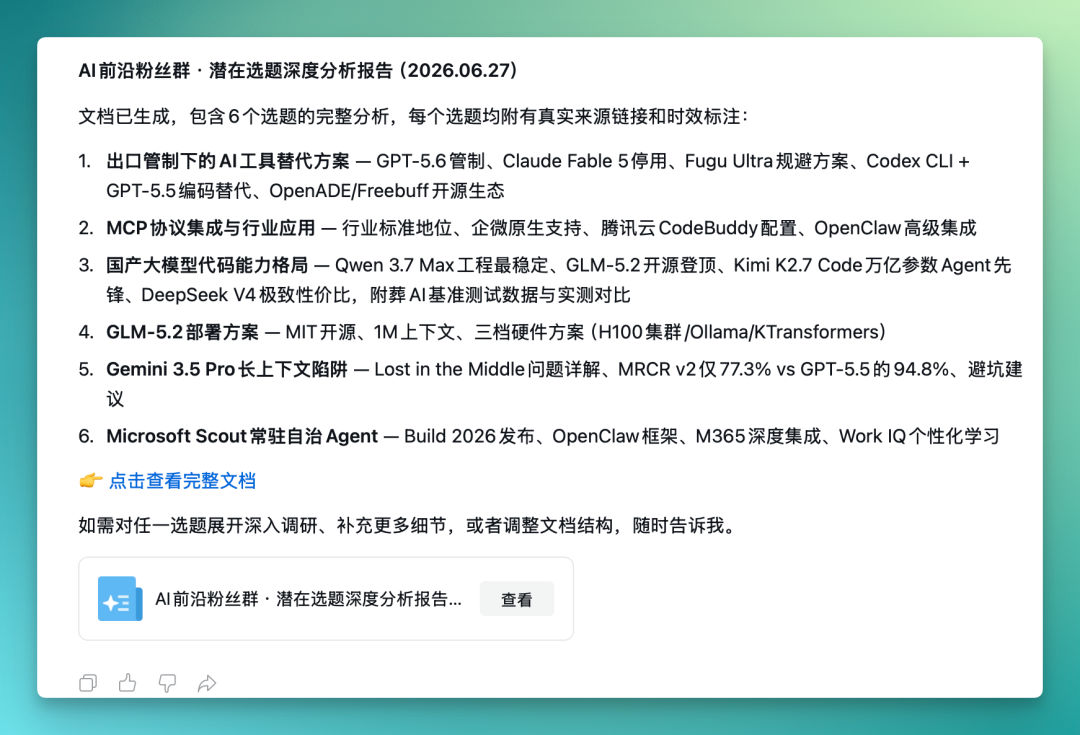
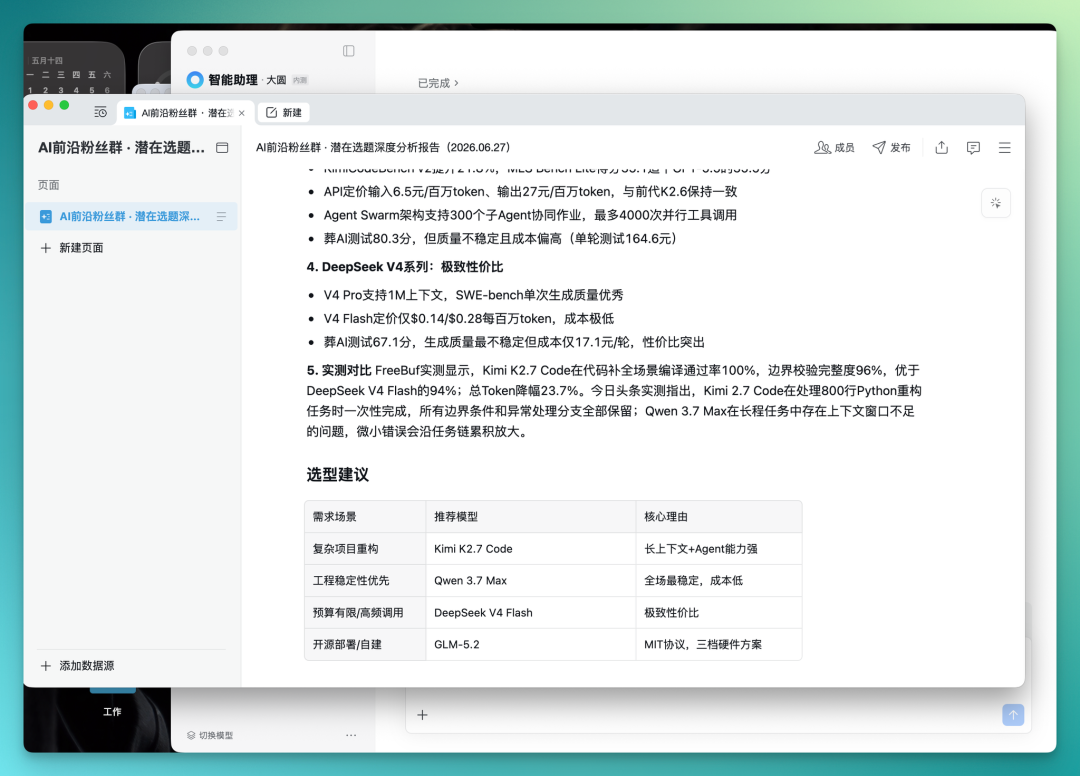
The smart document contains not only lead content extracted from group chats — Dayuan also automatically does web searches to supplement relevant information. Notably, Dayuan has already integrated public account article search functionality, so deep analysis smart documents will incorporate public account content.
For example, a certain AI model's test score was retrieved from public account articles. This means Dayuan's deep analysis doesn't limit information sources to the group chat itself, but actively goes to external channels for cross-referencing and supplementation.
For content creators, this step originally required separate searches on search engines and in the public account backend; now Dayuan can integrate this information into a single document.
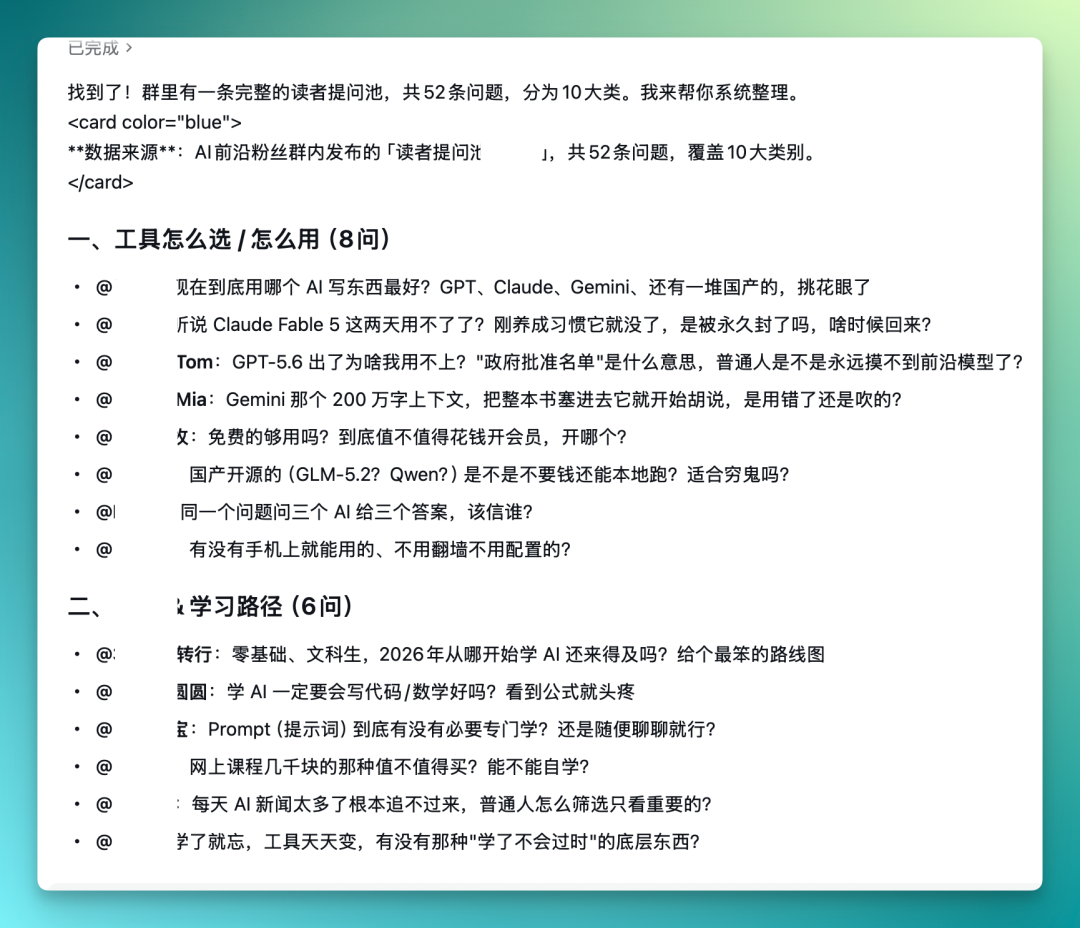
The group also has large numbers of reader questions needing answers daily, and replying to each individually is prone to omissions. We planned to do an FAQ collection — the questions were all in the fan community, so we directly had Dayuan organize all reader questions in the group. It ultimately extracted 52 questions, divided into 10 major categories.
These 10 categories cover model selection, tool recommendations, learning paths, commercialization implementation, and other directions, with specific sub-questions under each major category. With this classification in hand, we can directly select questions to develop content by priority, saving the time of manual organization and categorization.
A Vibe Coding Tool Needs to Sell — How Far Can Dayuan Help?
The tests above focused on community operations scenarios, where Dayuan can structurally organize key information from group chats.
Next, let's look at a more commercially-oriented scenario. Three months ago we made an AI Vibe Coding microphone co-branded with Apple (bushi), and later wanted to expand the product line with more items to gauge purchase intent.
Currently there are four products: iWhistle, iBroadcast, iListen, and iType.
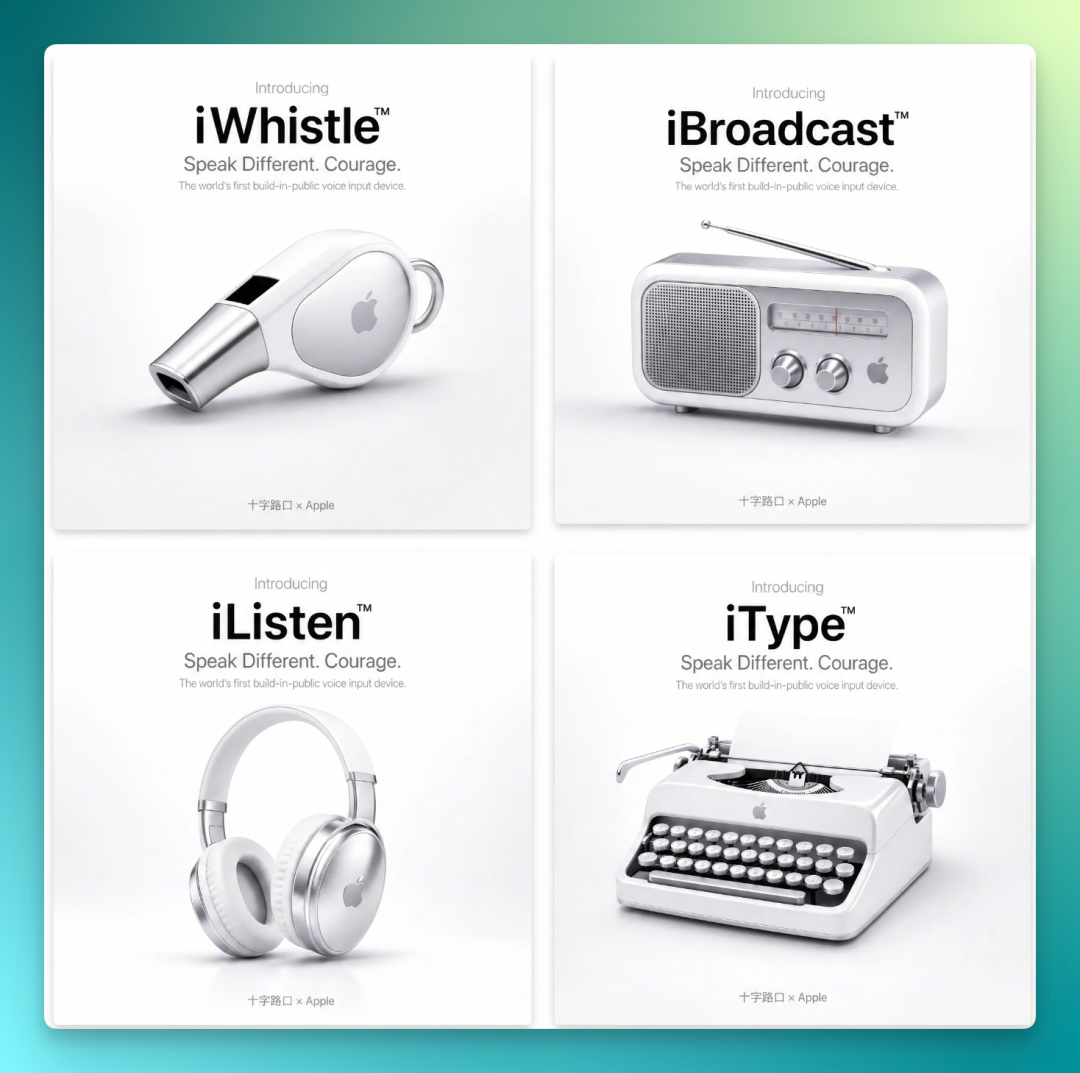
We sent these four products to our private-domain customer community to collect demand feedback. With many people and scattered information in the group, different individuals' interest points and demand details for different products were scattered across various messages.
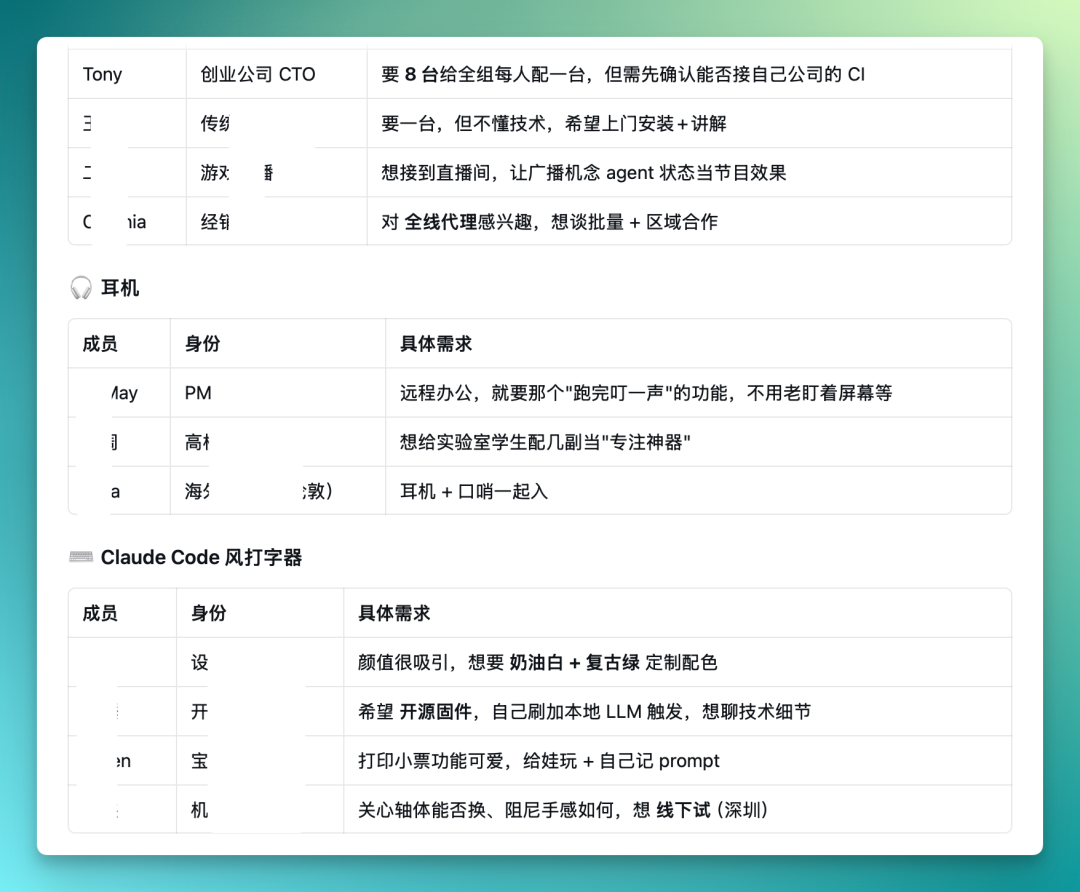
At this point, you can have Dayuan do an overall product overview and systematic organization of demand details — the instruction being to pull out all discussions about these four products from the group, categorize by product dimension, and clearly label each person's specific demands, budget ranges, and usage scenarios.
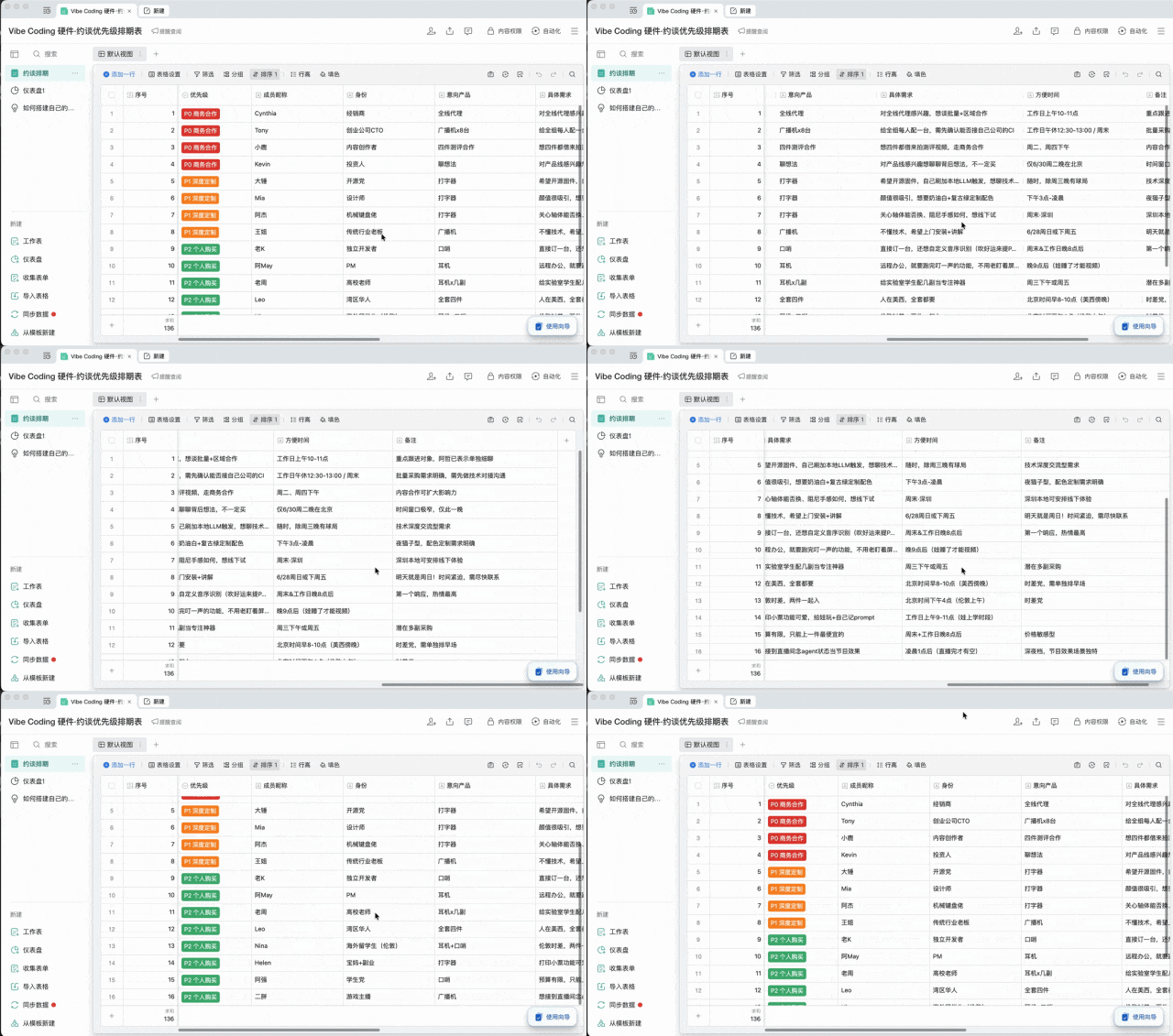
Dayuan will compile each member's group nickname, identity, and specific demands into a table.
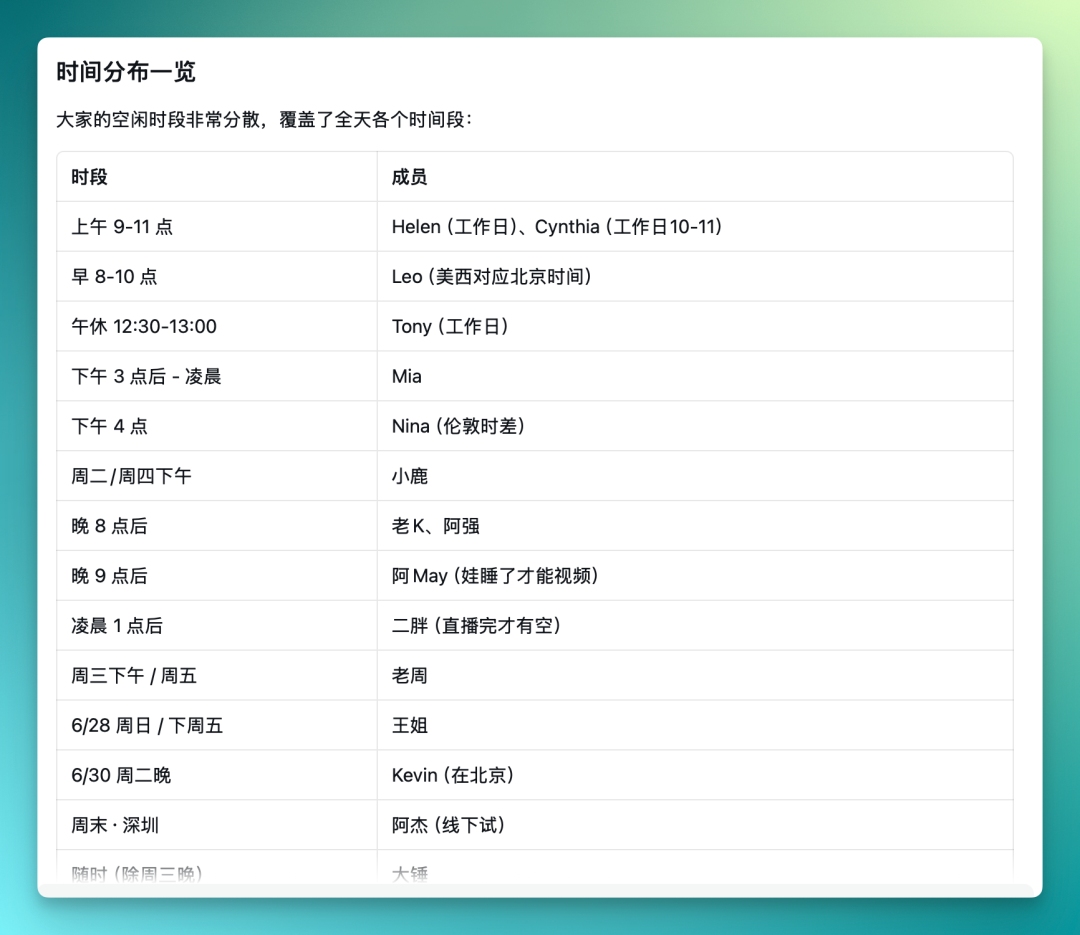
Follow-up requires scheduling meeting times, but everyone's availability is scattered. There are roughly twenty-plus potential clients in the group — some only available weekday afternoons, others preferring weekends. Manually aligning these times would require back-and-forth communication and confirmation. Dayuan can directly extract each person's mentioned time information from group chat records and compile it into a time comparison table.
Then it prioritizes by intent: P0 for business partnerships, P1 for deep customization, followed by individual purchases. This is ultimately organized into a smart table containing fields for member nickname, identity, intended product, specific demands, and more.
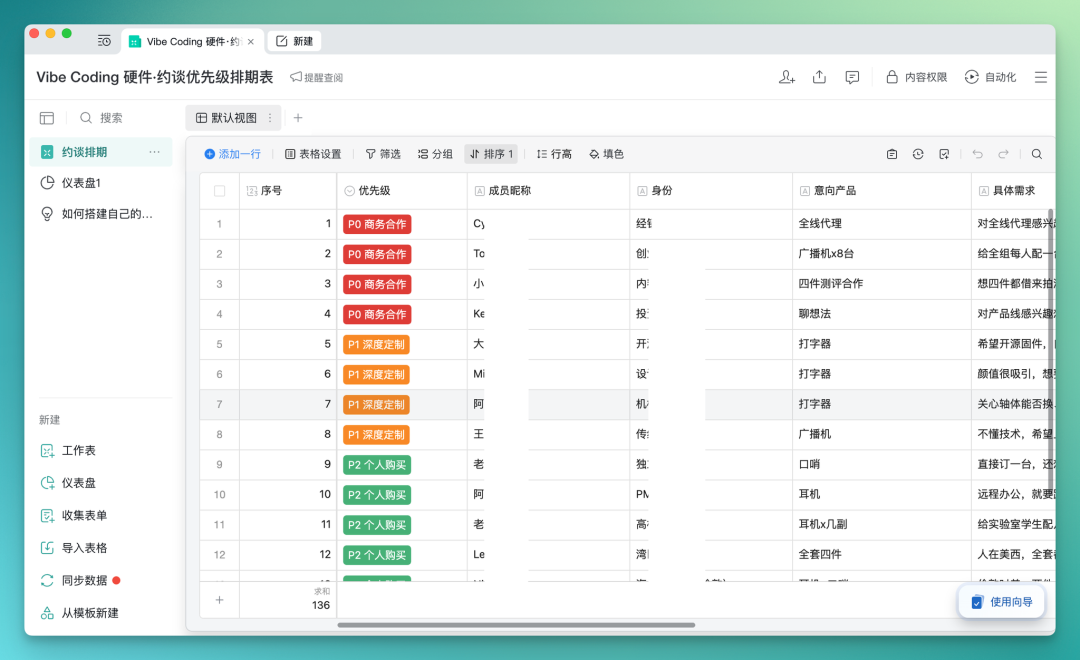
The whole workflow runs quite smoothly. Dayuan can directly convert scattered information from group chats into structured smart table documents, containing identity, available times, notes, and other content. From group chat messages to structured tables, the entire process requires no manual copying or pasting of any information.
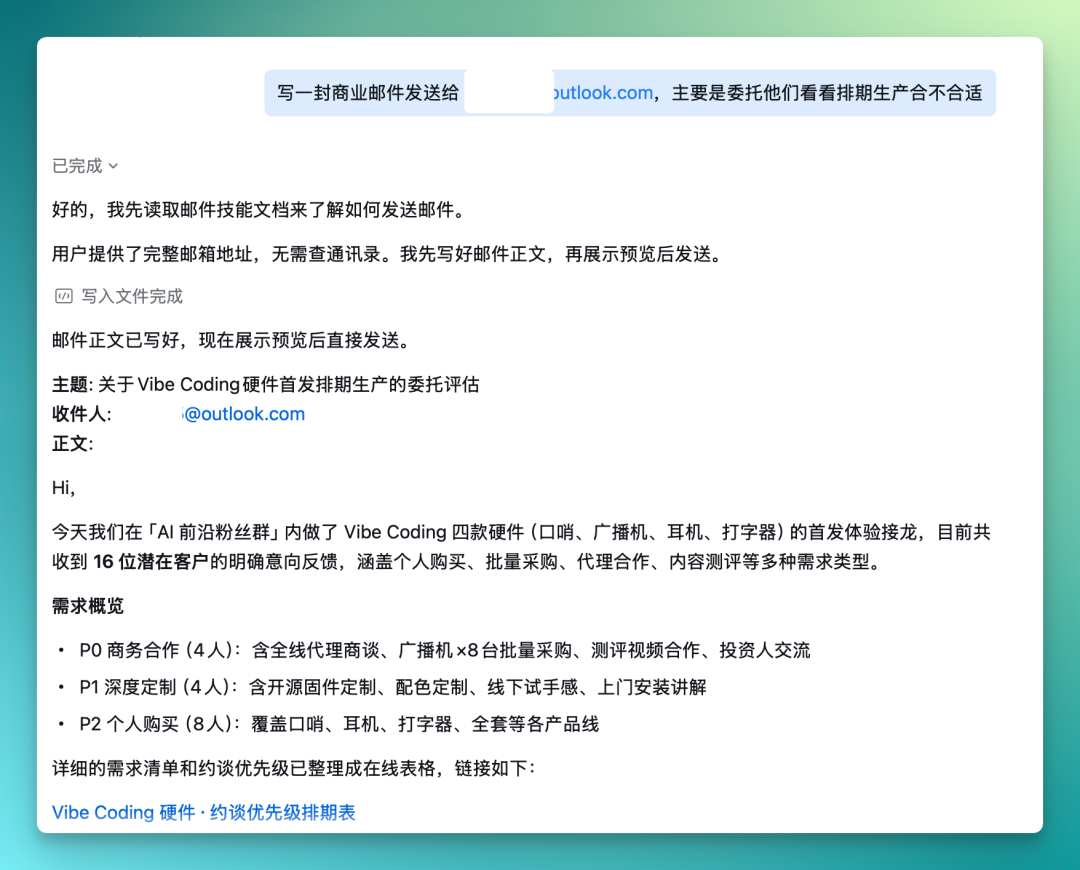
Dayuan can also send emails, provided a WeCom enterprise email is bound. Directly have it write a business email based on context, just tell it the recipient's email address.
For example, this time I needed to commission the other party to confirm production scheduling. Dayuan will invoke the email skill and draft the body based on the email address. The email body is automatically drafted by Dayuan based on the previously organized product information and customer demands, containing key information like product specifications, expected quantities, and desired scheduling confirmation times.
After writing, it first pops up a preview; you confirm the content is fine before clicking send — it won't skip review and send directly.
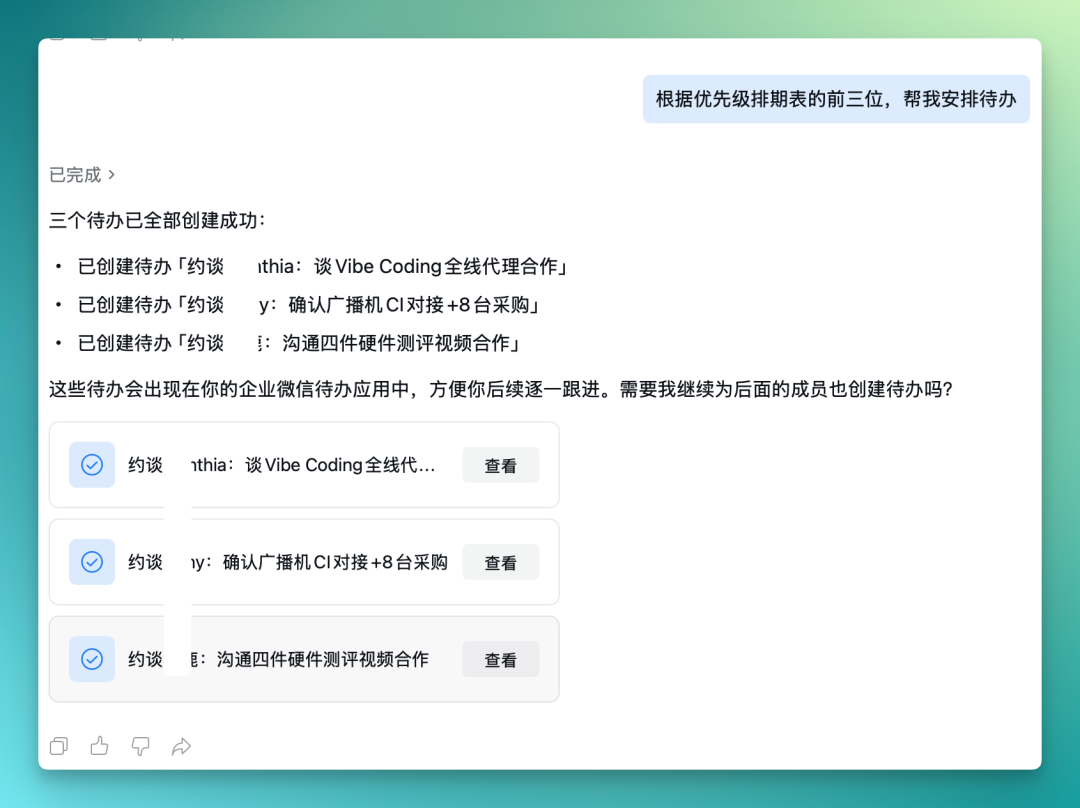
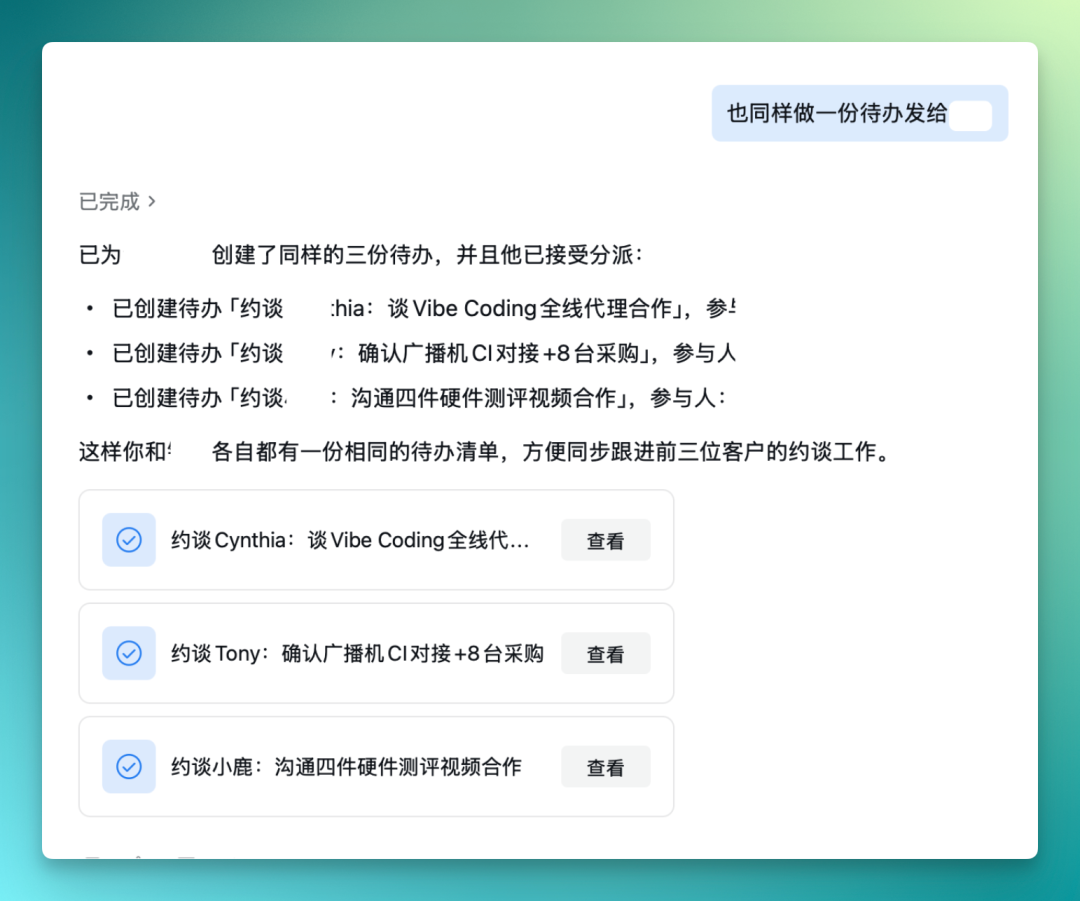
You can also have Dayuan find the top three clients from the meeting priority schedule and directly create to-dos. These to-dos appear in WeCom's to-do application for easy follow-up.
The to-dos automatically fill in participants, topics, and other information.
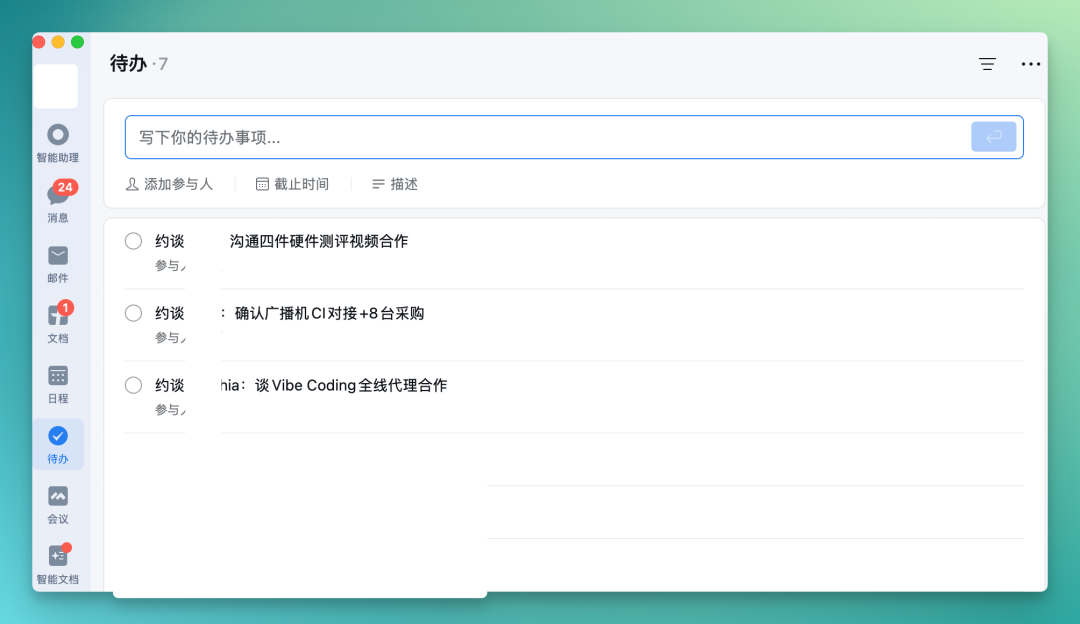
Another practical aspect is that you can assign the same to-do to a colleague responsible for this business area — both parties then have the same to-do list, making subsequent coordination for meetings with these three clients more convenient.
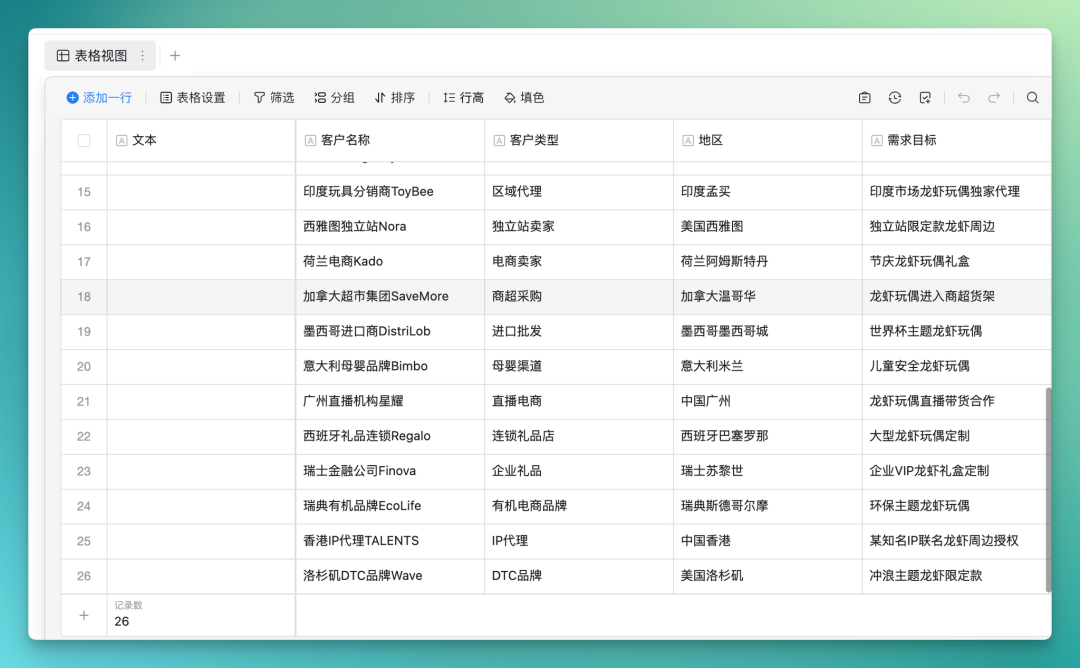
Previously when we introduced WeCom AI, there was a smart table of crayfish demand lists, which was for planning crayfish peripheral products for an independent site when doing overseas Shopify store setup.
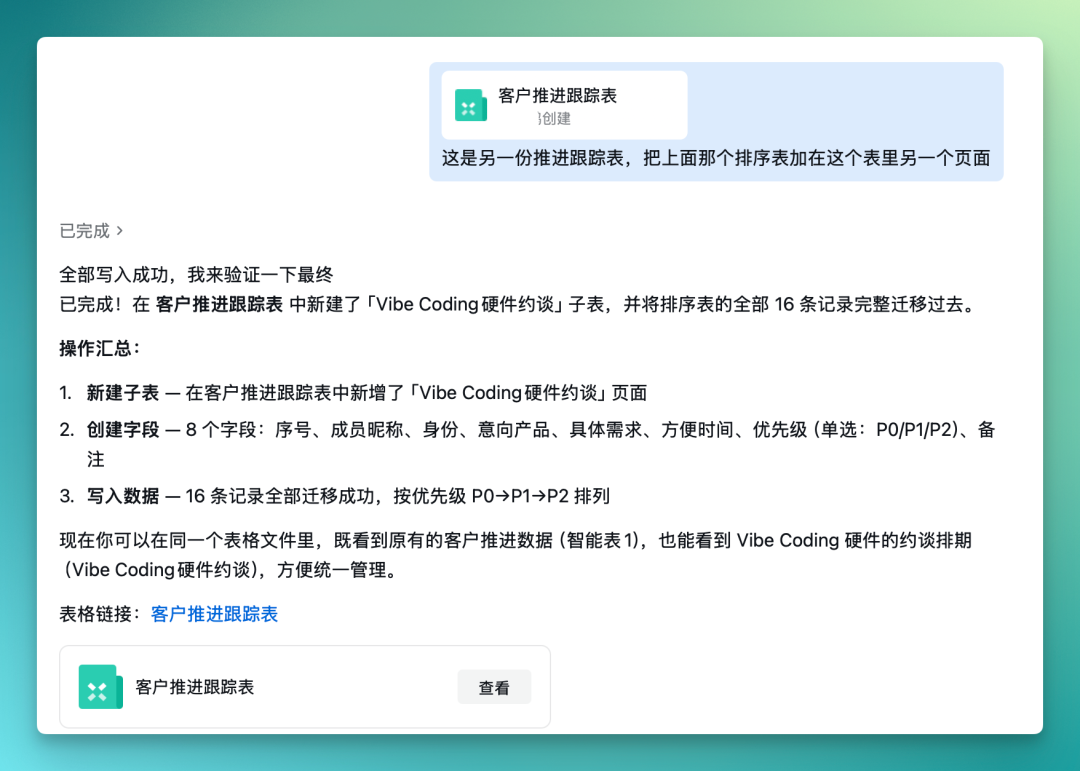
Now you can directly upload the previous smart table to Dayuan and have it read the contents. After reading, Dayuan will append the priority sorting table above to another page of this table, reading the progress tracking table data and writing it into the Vibe Coding hardware meeting sub-table.
This cross-table read-write operation is quite practical in actual business — many teams have project information scattered across different tables and documents, and manual syncing are prone to errors or omissions. Dayuan can do data搬运 and integration between different smart tables, gathering related information into the same place.
Additionally, I discovered an extra use for Dayuan — you can directly use it to make HTML display pages, as an alternative presentation format to PPT.
Some time ago Vercel made their Design.md public, containing a complete design style specification.
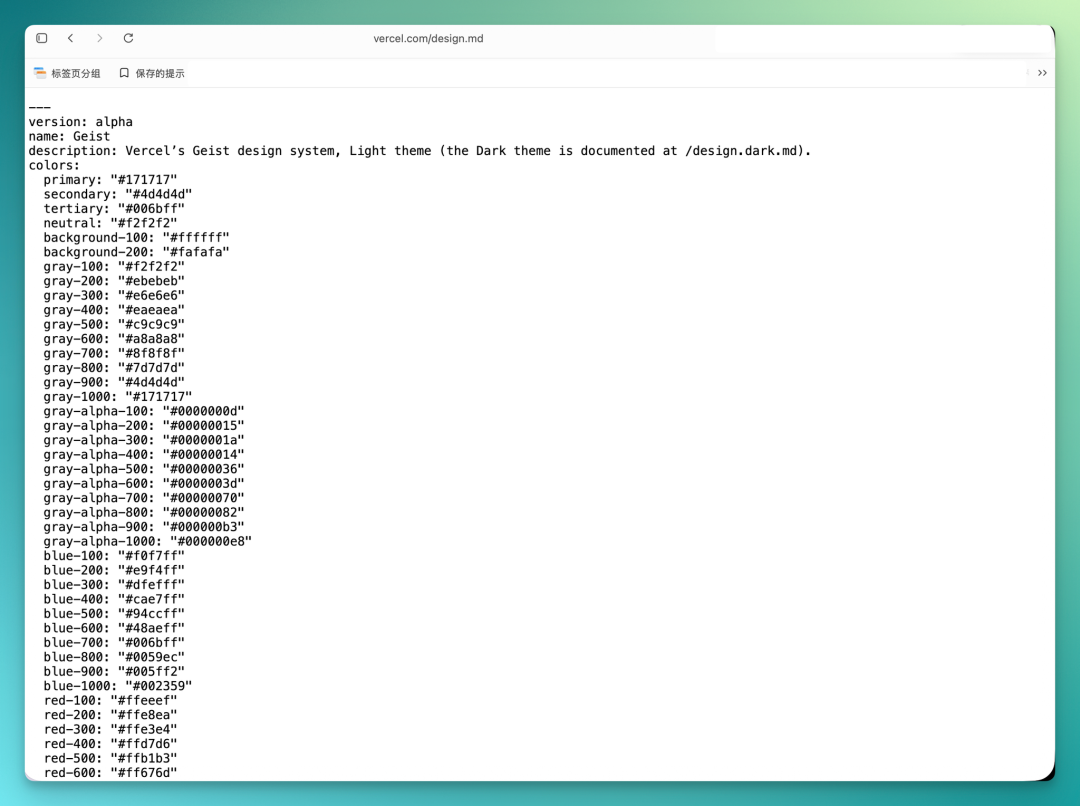
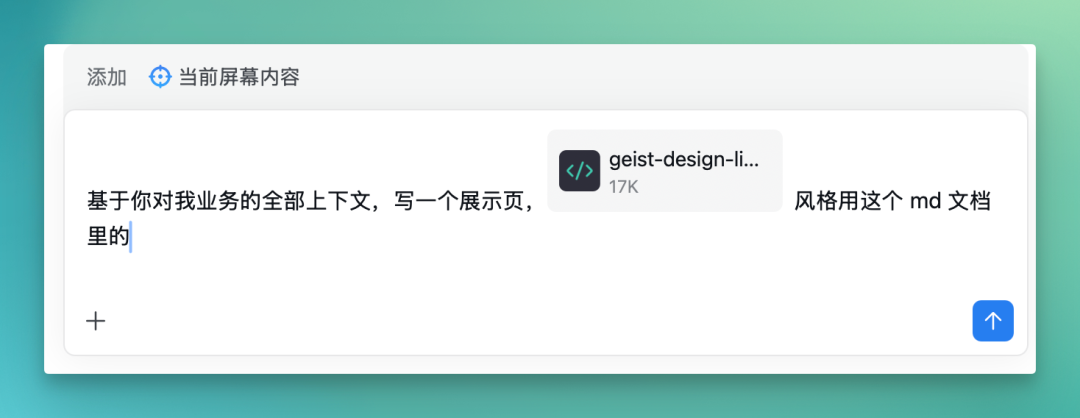
You can directly upload this MD document to Dayuan and have it generate a display page based on all business context, following the style of Vercel Design.md.
The output is usable — coding task generation speed is fairly fast, but refinement is limited. The entire HTML page contains modules for product introduction, client meeting scheduling, priority classification, etc., with layout and color scheme referencing the Vercel Design.md style specification.
If you're unsatisfied with a module's content, you can continue conversing with Dayuan to make modifications without changing code yourself. On desktop, clicking directly opens it in browser for viewing.
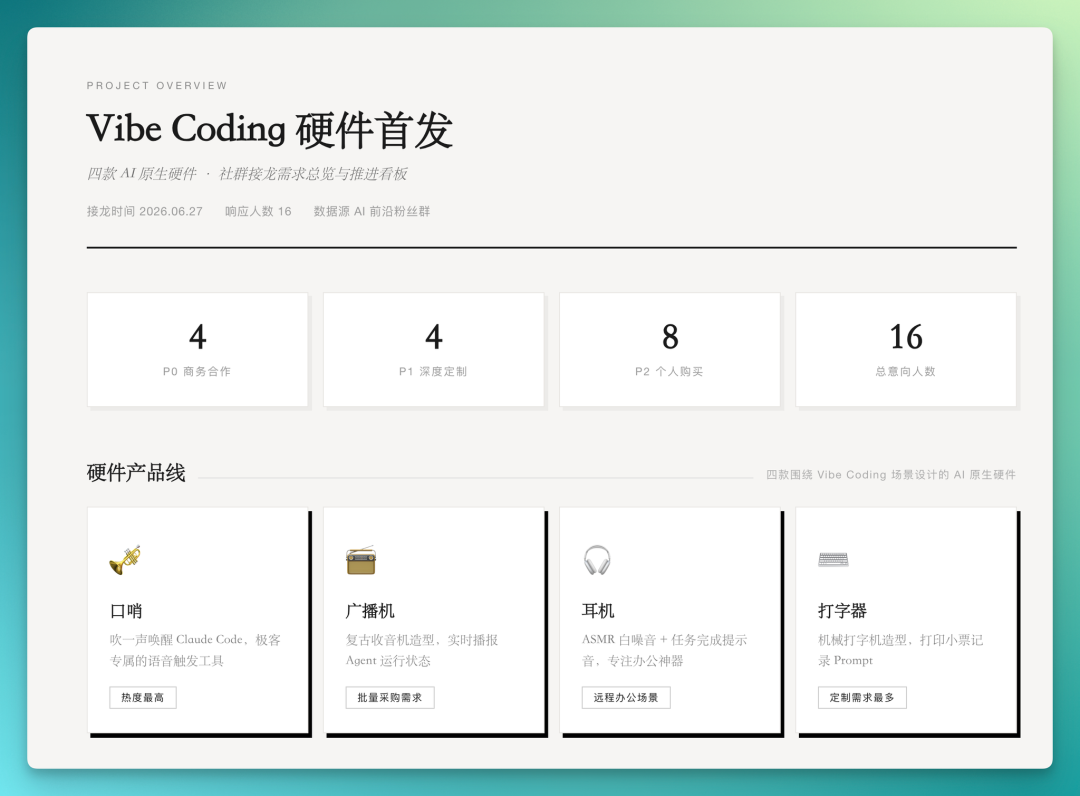
Below is the complete result — Dayuan integrated all information about Vibe Coding hardware meetings and launch into a single HTML display page.
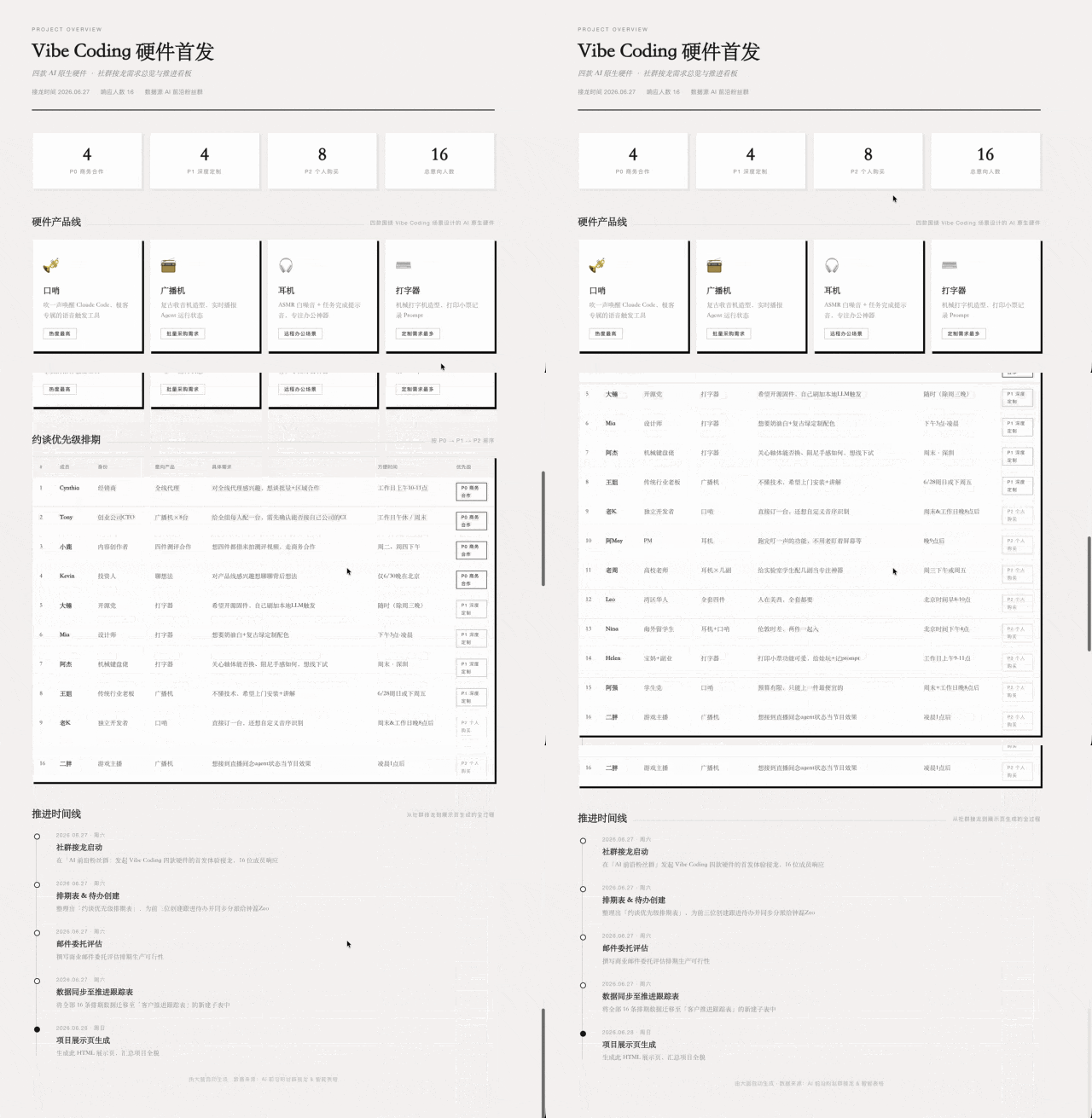
However, this feature currently only works well on desktop — mobile support for HTML file display is limited, and the viewing experience isn't ideal.
In 2026, nearly all mainstream global workplace collaboration tools are undergoing transformation from "AI" to "AI Agent." It's clear that everyone is no longer satisfied with somewhat thin AI features — this is also in response to user demand for Agent executability.
After all, what people need is productivity that "truly improves efficiency" and lets them do less work.
Microsoft announced Microsoft Scout at this year's Build conference — a "self-driving" Agent that runs persistently in the background, operating across Teams, Outlook, and OneDrive. Around the same time, Copilot Cowork officially launched — even when devices are powered off, the Agent can continue executing multi-step tasks in the cloud.
Copilots for Word, Excel, and PowerPoint have also fully shifted to Agentic mode.
Returning to WeCom, Dayuan is still in beta. From our experience, some aspects are indeed not yet mature, but its imagination space is built precisely on a foundation that "almost no one else has":
It's connected to WeChat.
The AI Agent transformation of workplace collaboration has just begun. We look forward to Dayuan continuing to complete the beta experience in its official release, and we also look forward to more domestic collaboration tool vendors finding their own rhythm on this path.
After all, there's not much time left for观望.
Crossing is looking for independent contributors to write AI product and model reviews.
If you've written similar articles: "Hands-on: PixVerse C1[1]", "Hands-on: LibTV[2]", please contact zeo0811@gmail.com. Email content should include: ① personal introduction, ② AI review articles you've written.
We offer competitive rates. Looking forward to observing and documenting the AI era with you 🎪