We found "instant gratification" in our AI Agent for rapid site building.

"I can make something this cool too!"
We're witnessing the Agent era of "instant gratification."
 👦🏻 Author: Jingshan
🥷 Editor: Koji
🧑🎨 Layout: NCon

From the moment an AI product launches, the clock is ticking. ARR growth curves aren't just financial metrics anymore — they're lifelines for AI startups. The steeper, the better. The faster, the safer.
The window for AI startups is brutally short.
Most products fade into obscurity, but a few "superstar singles" break through and capture user mindshare.
One of them is Readdy — a rapidly growing AI app going global, hitting nearly $5 million ARR in just four months.
Overseas, its exceptional "website interface" generation capabilities have helped numerous KOLs explode in traffic on YouTube and other platforms.
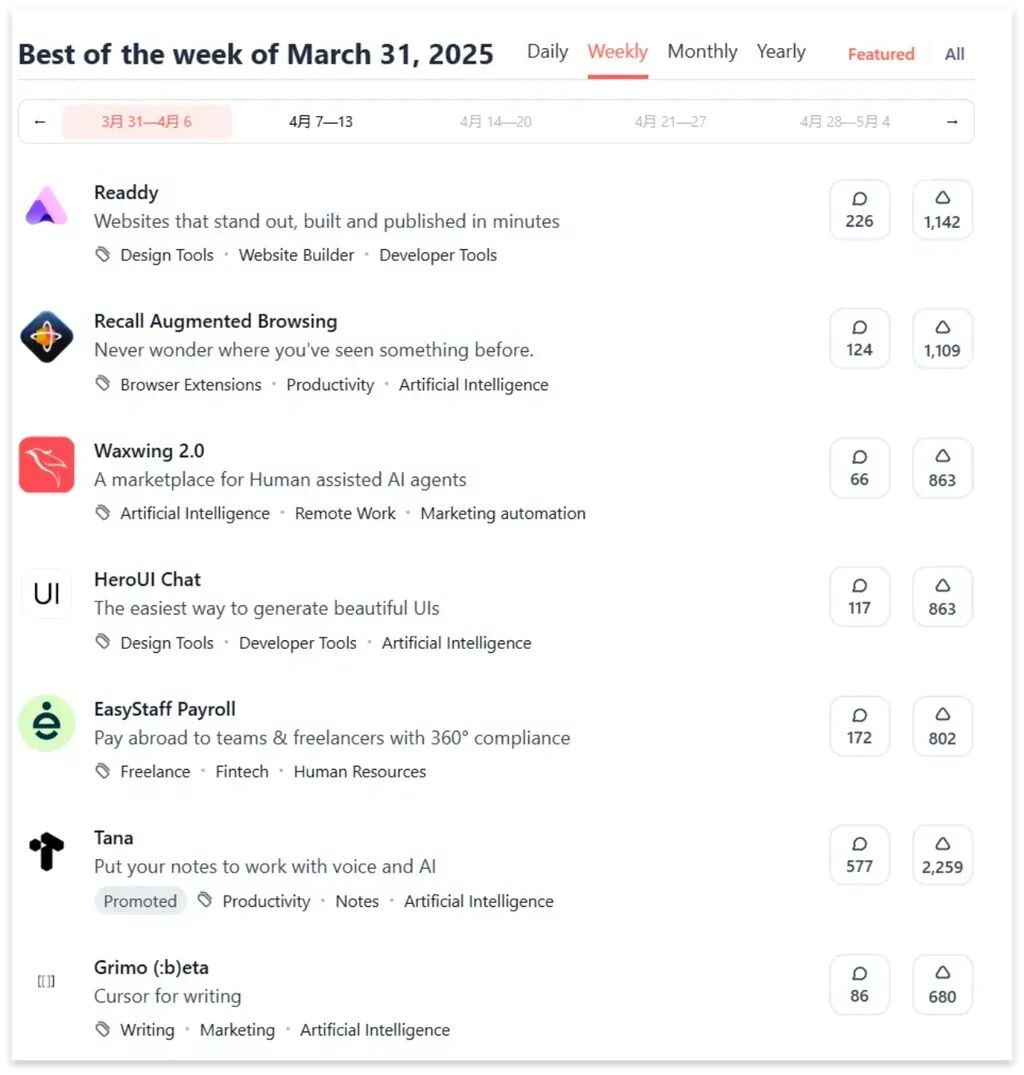
As early as late March, Readdy claimed the #1 spot on Product Hunt's weekly leaderboard.
Readdy comes from the team behind Lanhu and MasterGo — both products whose influence in China's design workstation space needs no introduction.
Readdy co-founder Zhu Feng and Koji are old colleagues from the Jiepang days. Recently, we sat down with Readdy's founding team — strong user word-of-mouth and a market-validated "superstar single" made us think it deserved an in-depth review.
🚥 Readdy Nailed a Precise Product Entry Point — Building Websites Fast and Beautifully.
Why Readdy?
1) Prototyping: Fast
For founders building AI products or anything else, the priority is validating business ideas in the shortest possible time.
Readdy can spin up a basic prototype framework in one minute and iterate through dozens of versions in under fifteen minutes.
Through hands-on testing, we identified three reasons why:
[1] Industry Knowledge Accumulation
Readdy draws on the technical沉淀 from its team's previous ventures, giving it sophisticated awareness of product frameworks across industries. This lets it rapidly and accurately analyze user needs and feed them back into generated prototype frameworks.
[2] Every Module in the Prototype Can Be AI-Enhanced
Readdy breaks webpages into functional blocks. Users can select any module and have AI redesign just that section. This effectively constrains AI's "overreactive thinking" while fully leveraging AI's enhancement capabilities to quickly redesign each module.
[3] Assembly-Line Rapid Iteration
Every functional module in the prototype can be optimized independently, like a factory assembly line. Users can modify multiple modules simultaneously or adjust them one after another, turning "product prototyping and UI design" into "assembly-line work" for rapid iteration.
2) Generated Interfaces: Beautiful
Readdy quickly generates polished website prototypes, and this visual appeal makes ordinary users actually want to try it.
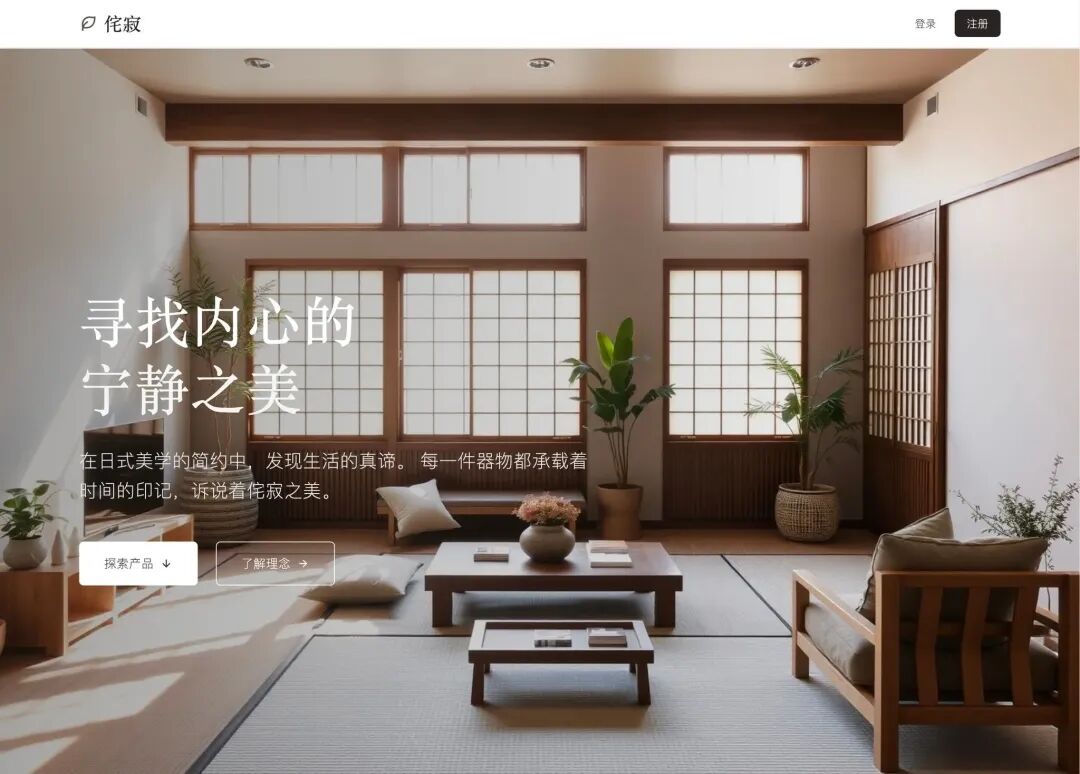 A Readdy-generated webpage hero visual
We believe we're at a critical inflection point for AI Agent development. Before this, AI tools typically focused on functional implementation with rough UI design — the underlying logic was "good enough to use."
Now, technical barriers are dropping fast. Users are treating these AI Agents as everyday tools, and expectations are rising.
In product prototype design, we're already seeing excellent explorations: AI Agents focused on frontend design, AI Coding IDEs going deep on backend development, and some ambitious AI Agents attempting to fuse frontend and backend.
Across all these directions, one throughline is clear — a dramatic leap in interface polish.
3) Style Consistency: High
For enterprise users and designers, maintaining unified brand identity and professional standards is essential.
As a mature "website-building" AI Agent, when a site contains diverse elements — text in various artistic styles, images, video, visuals — the critical challenge is adding stylistically unified elements within the overall framework rather than haphazardly piecing things together.
When foundational model capabilities still can't fully support Agents going from 0 to 1 to N, Readdy's strategy is to quickly and reliably get from 0 to 0.99.
Readdy's stability, stylistic coherence, and element consistency let it achieve this.
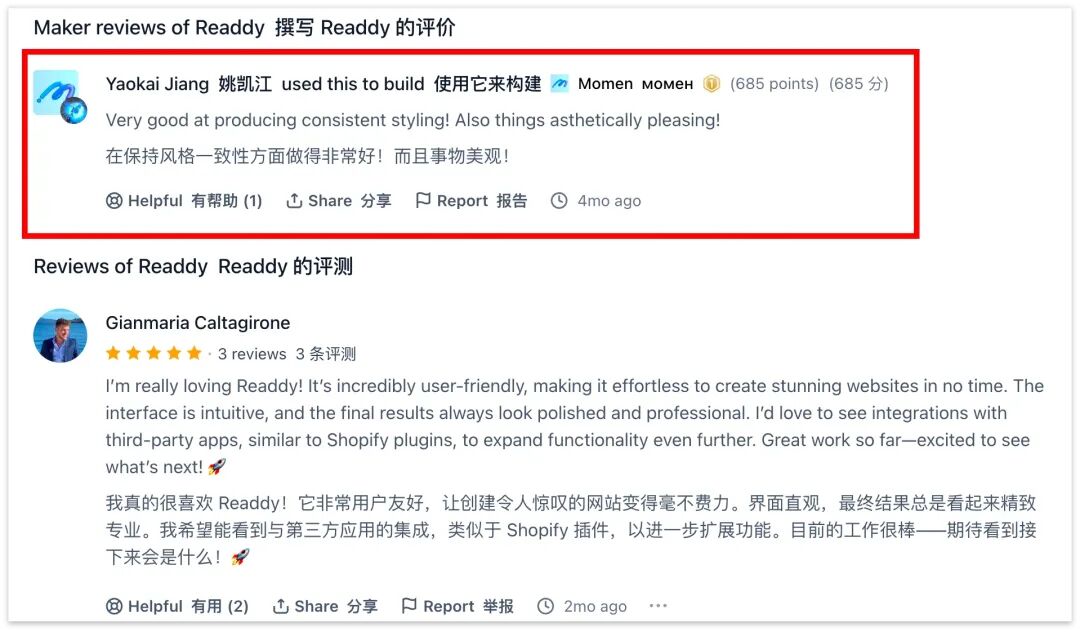 Product Hunt comments section
Stability means productivity.
The path for an Agent to evolve from "toy" to "genuinely valuable tool" is figuring out how to "take a roadmap and run it to completion."
Now for our hands-on deep dive:
Rapid Iteration for Prototype Validation
Currently, Readdy accepts prompts up to 2,000 characters. So when crafting prompts, we can use a "main objective + AI-generated visual interaction design" structure, like:
Prompt: Create a Red Bull extreme sports promotional website featuring top 10 ice mountain climbs + visual interaction design (AI-generated)
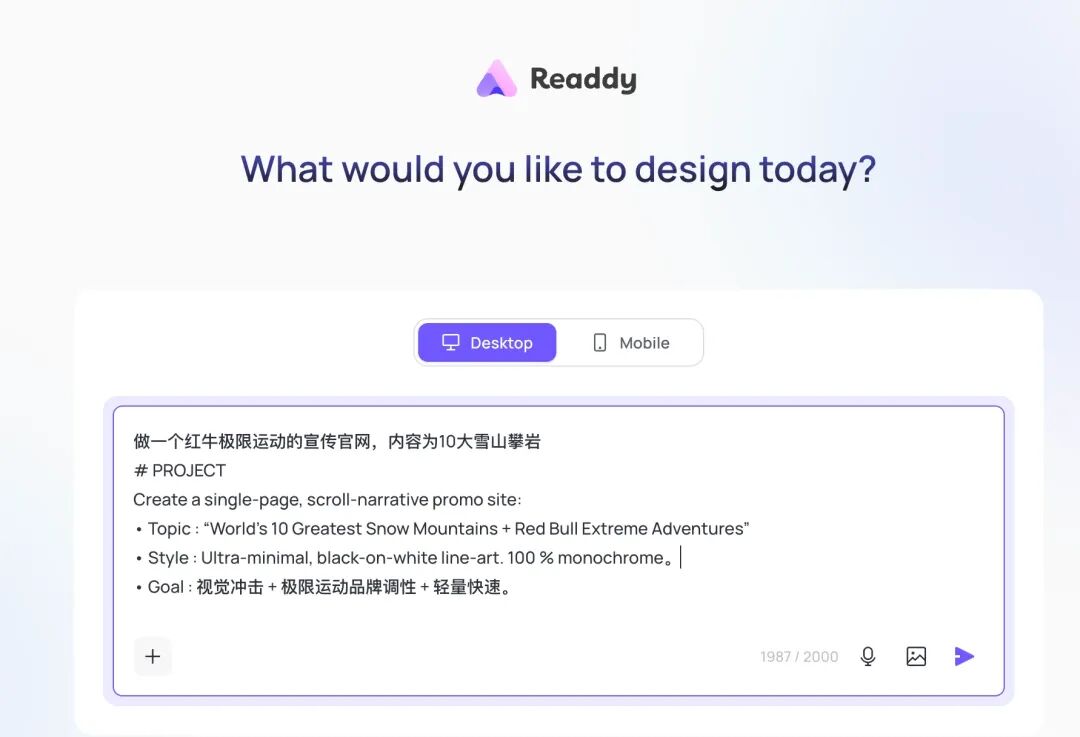
Readdy automatically analyzes and generates a structured prompt. If it's not quite right, you can keep refining:
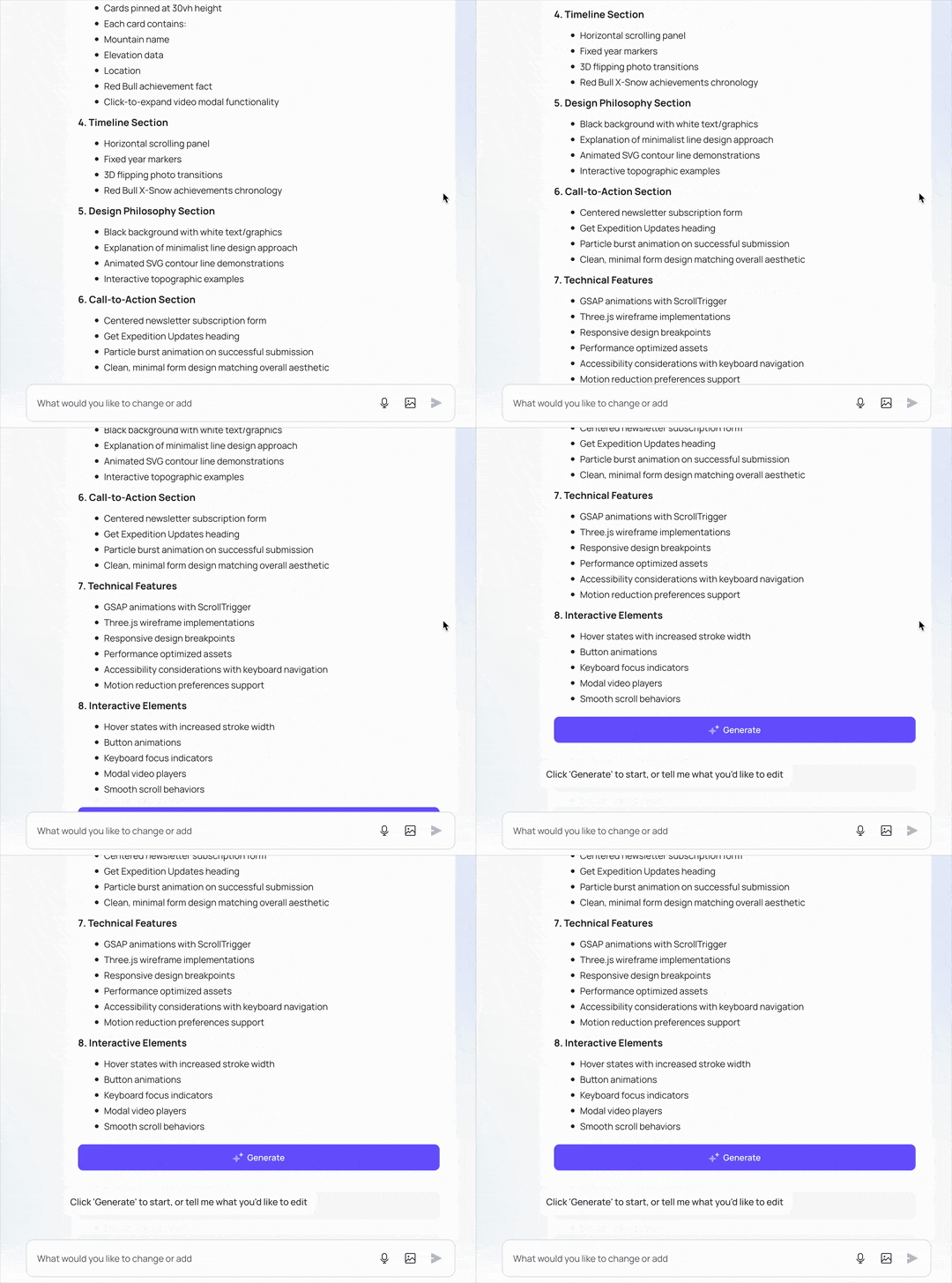
Click "Generate" and Readdy starts building. Within roughly one minute, the first version presents a fairly complete main architecture with basic animated interactions.
Meanwhile, the navigation bar on Readdy's completed First Page can precisely jump to designated pages:
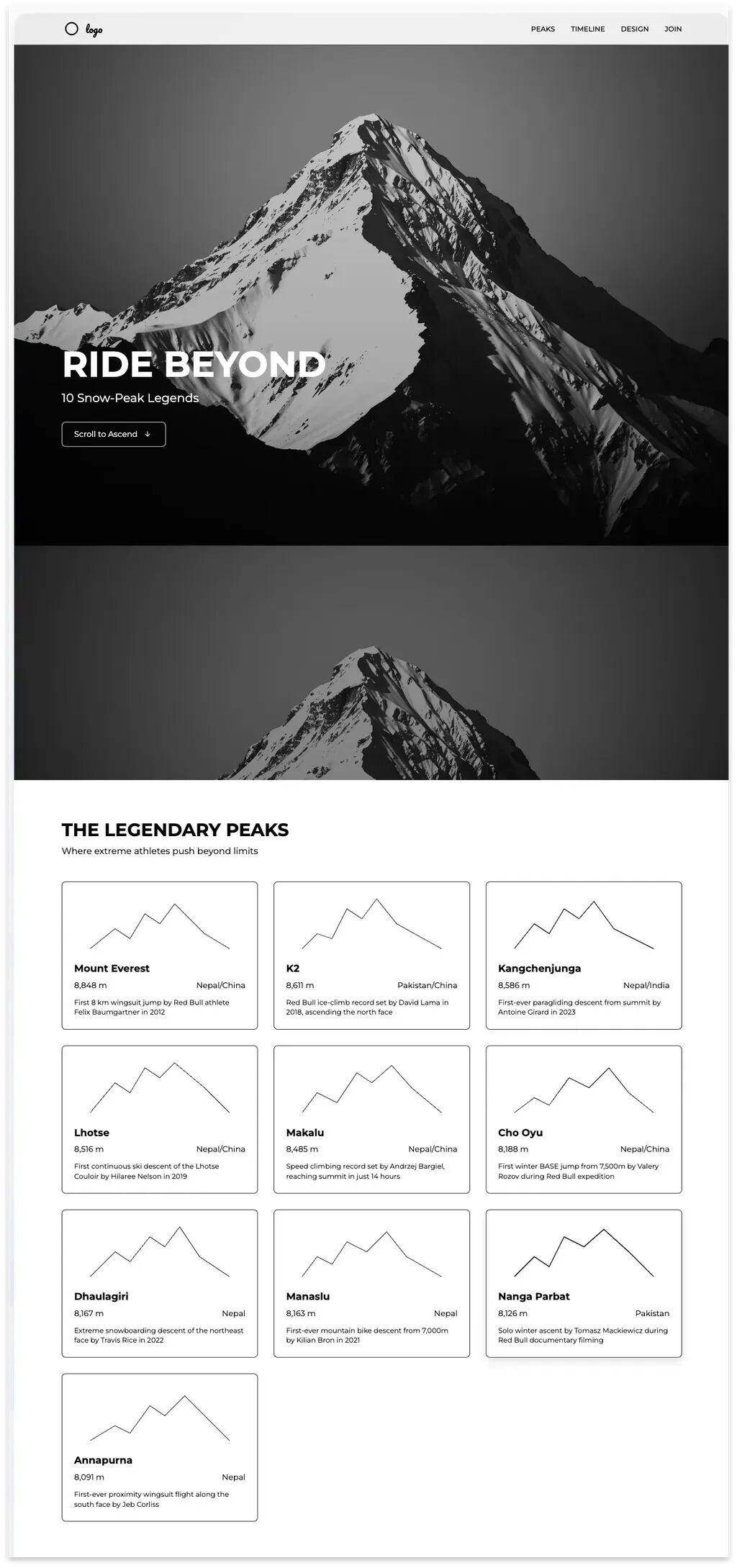
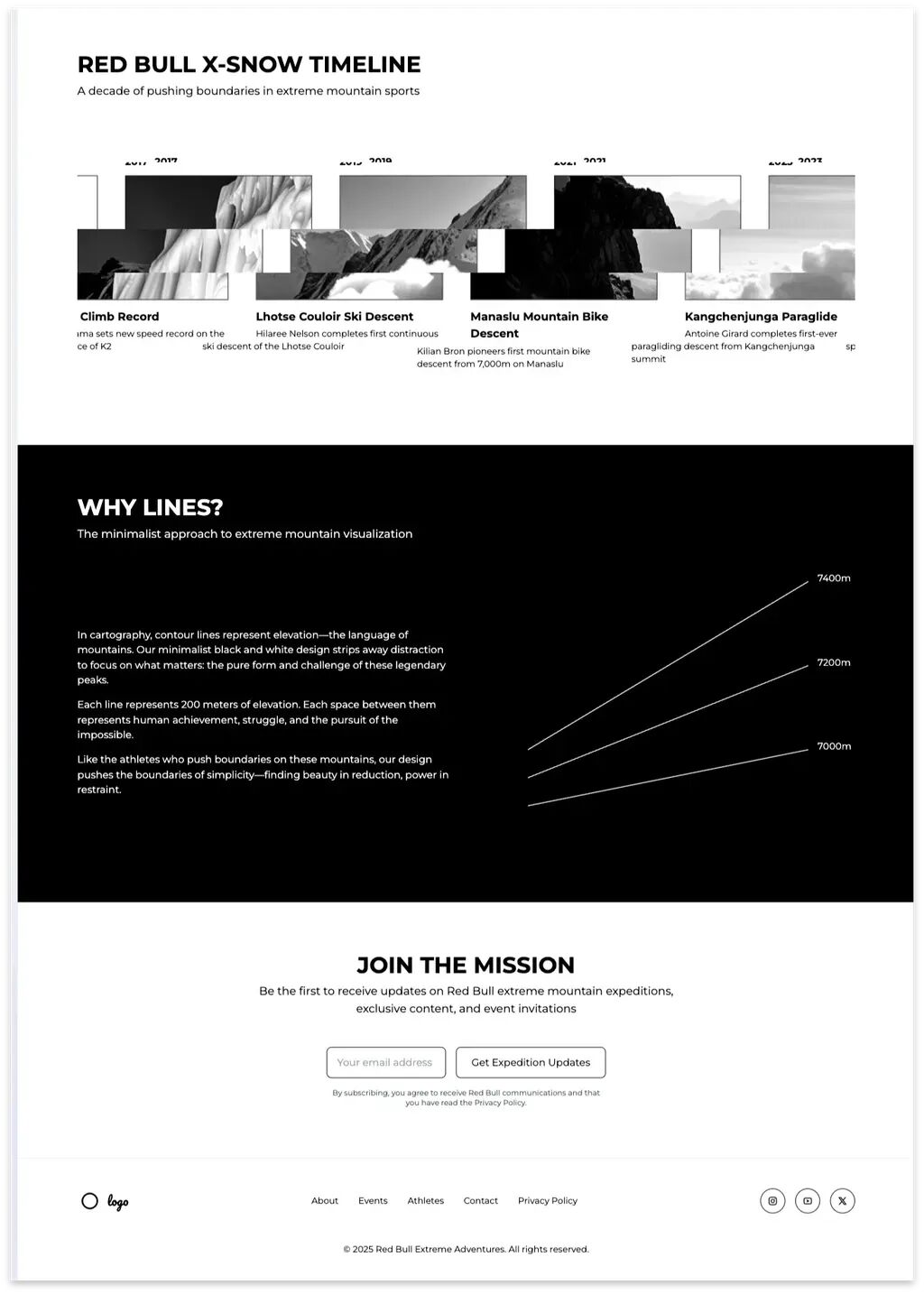
While the "First Page" looks impressively complete, many details reveal flaws on closer inspection.
This is where it gets impressive: virtually every element in the page can be selected via the "Selection Area" function in the bottom-right corner, and you can tell AI in natural language to redesign it, or directly link to webpage templates already built inside Readdy.
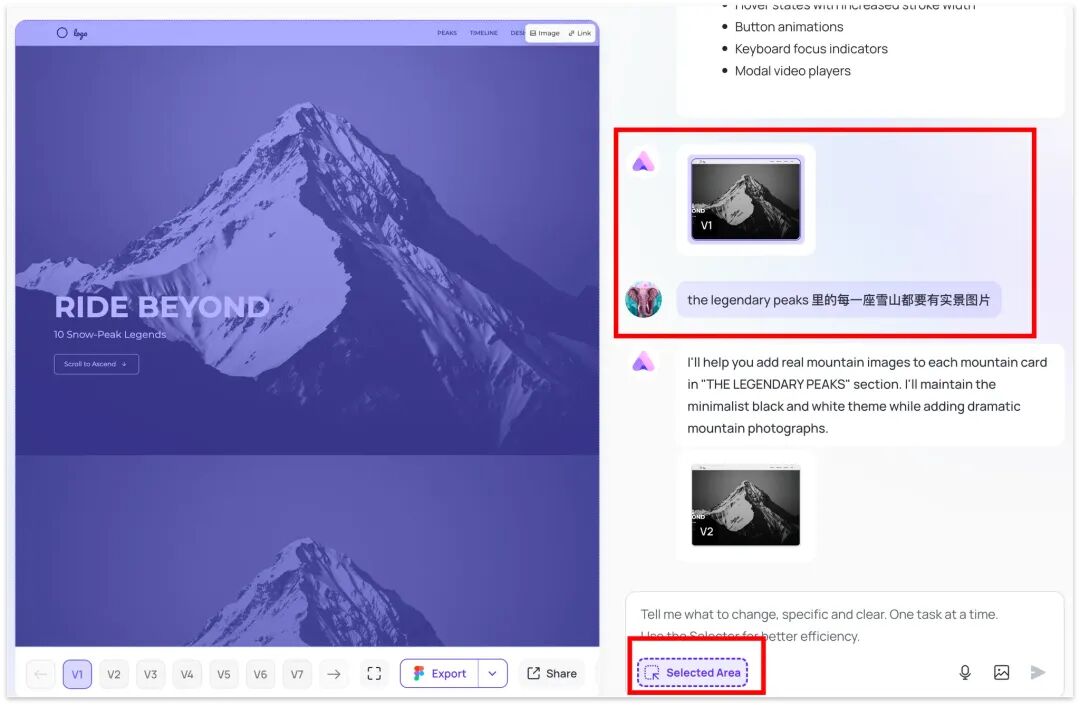
Let's see how powerful the select-an-area-and-redesign-with-AI feature is.
Text can be directly AI-replaced. For images, four options are available: upload local images for direct replacement, background removal, AI text-to-image generation, or even AI text-to-video generation for replacement.
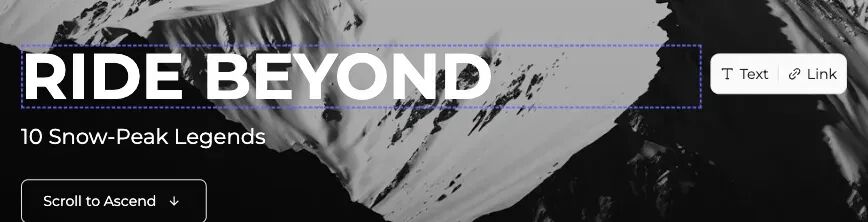
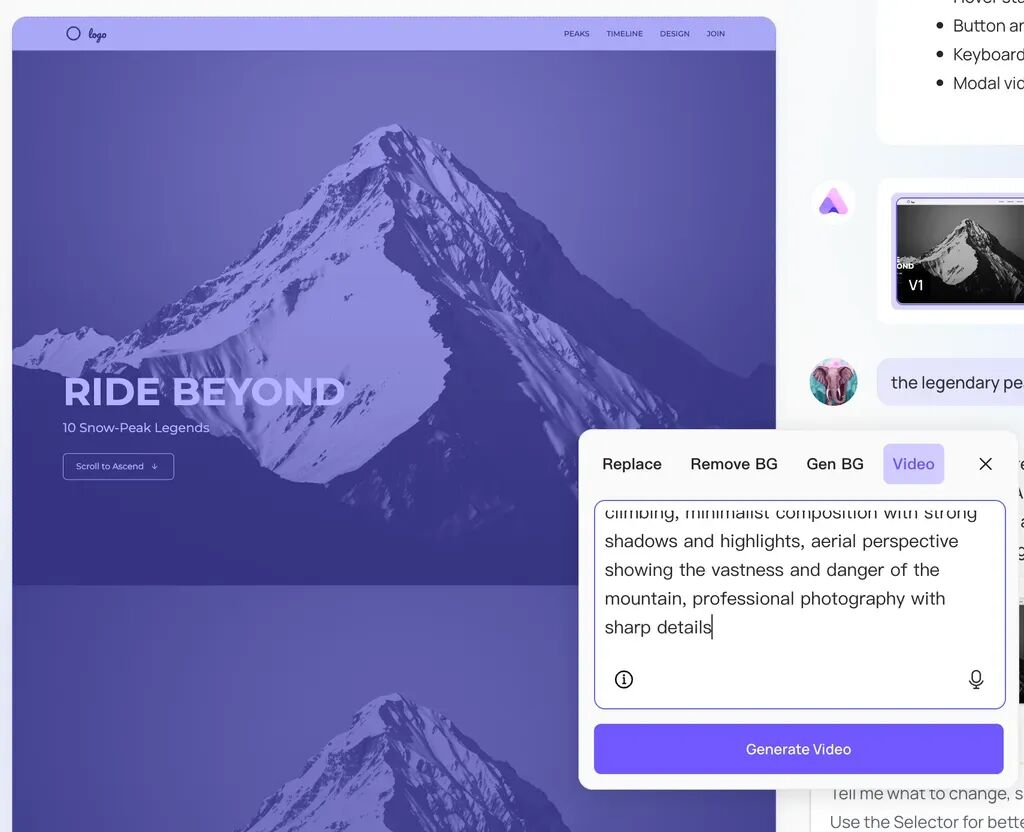
It applies AI capabilities to virtually every module on the page. I recorded a GIF showing how every functional module can be completely regenerated:
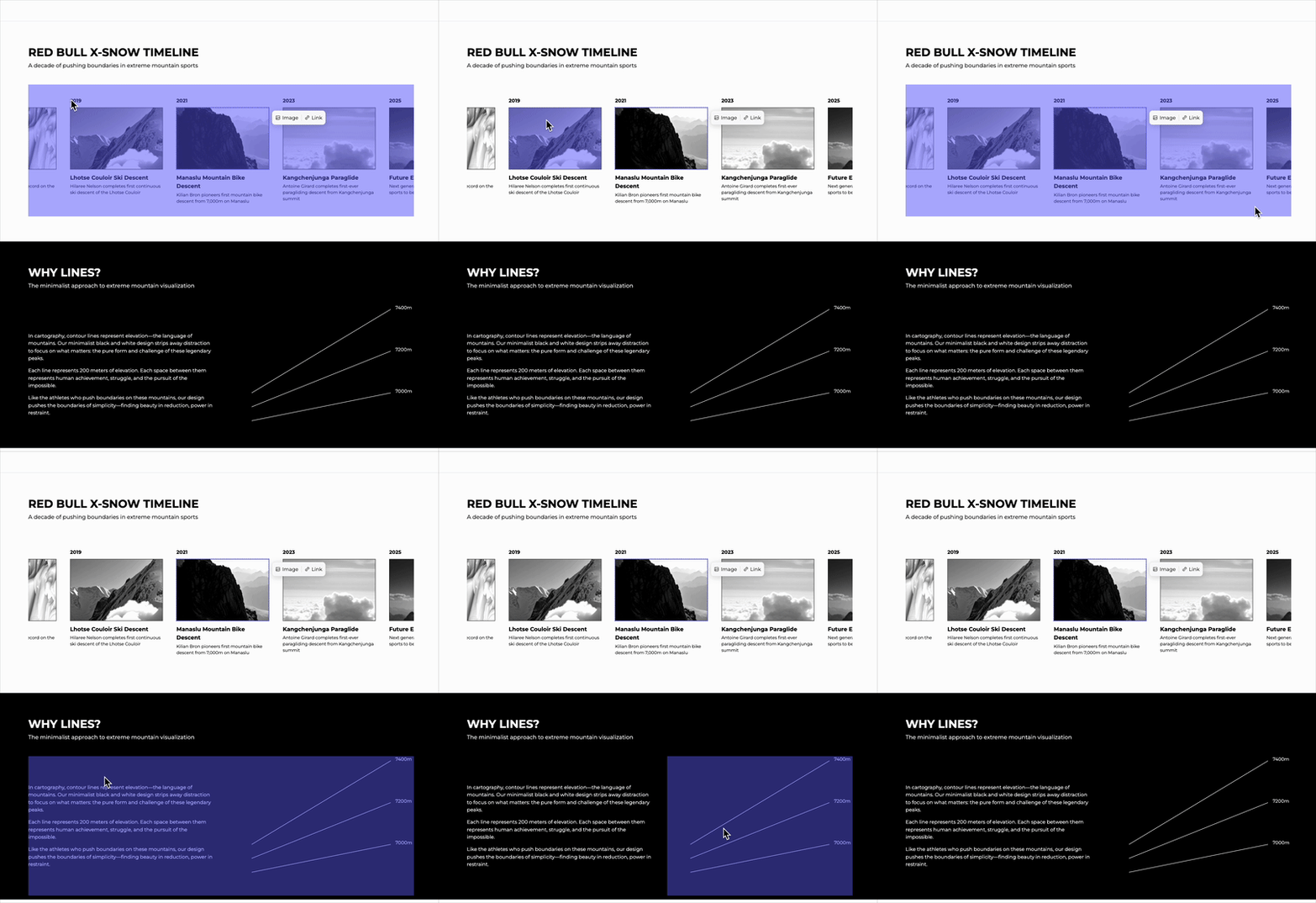
From there, you can iterate rapidly by giving the AI simple prompts:
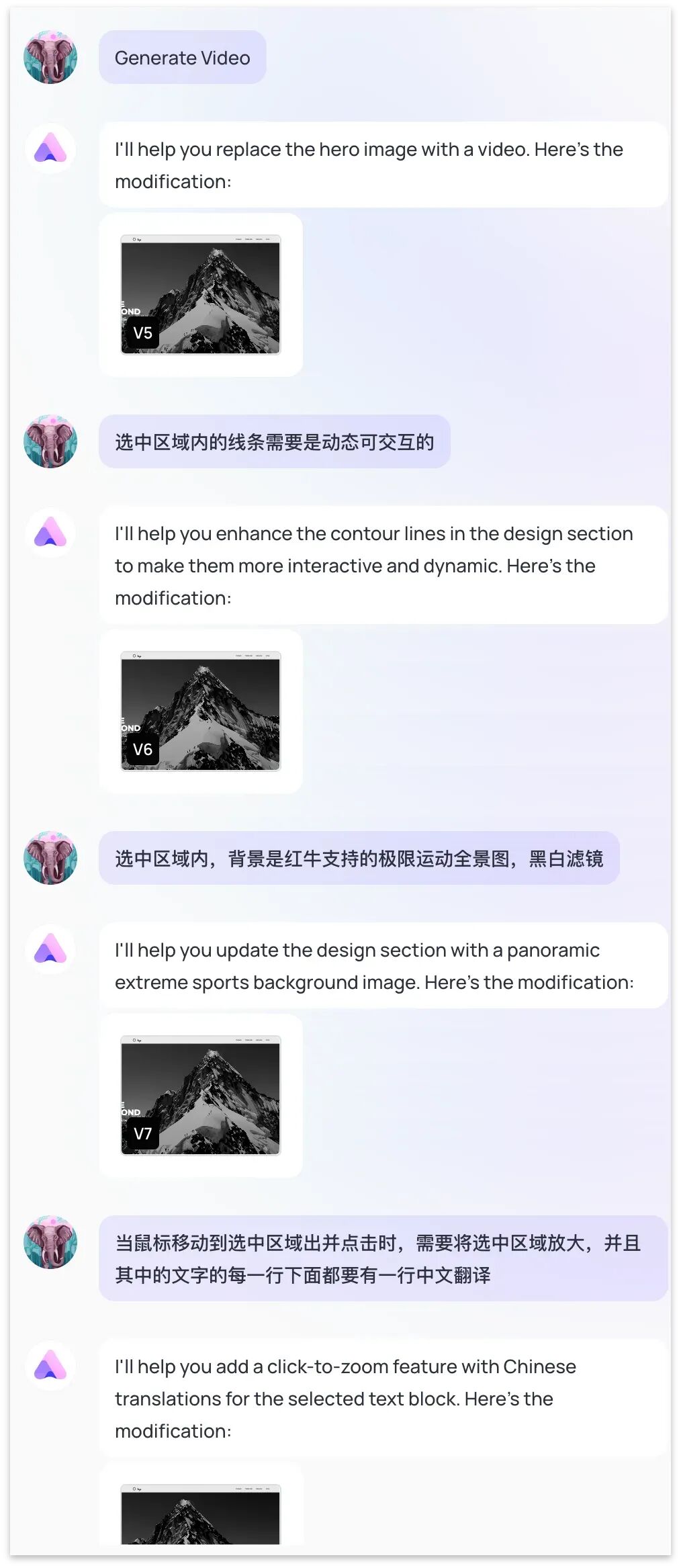
In this deep-dive review, I was able to rapidly iterate through 20+ versions of the site prototype in roughly 30 minutes (every modification request, no matter how small, counted as a version), and you can roll back any change instantly if you're not satisfied:
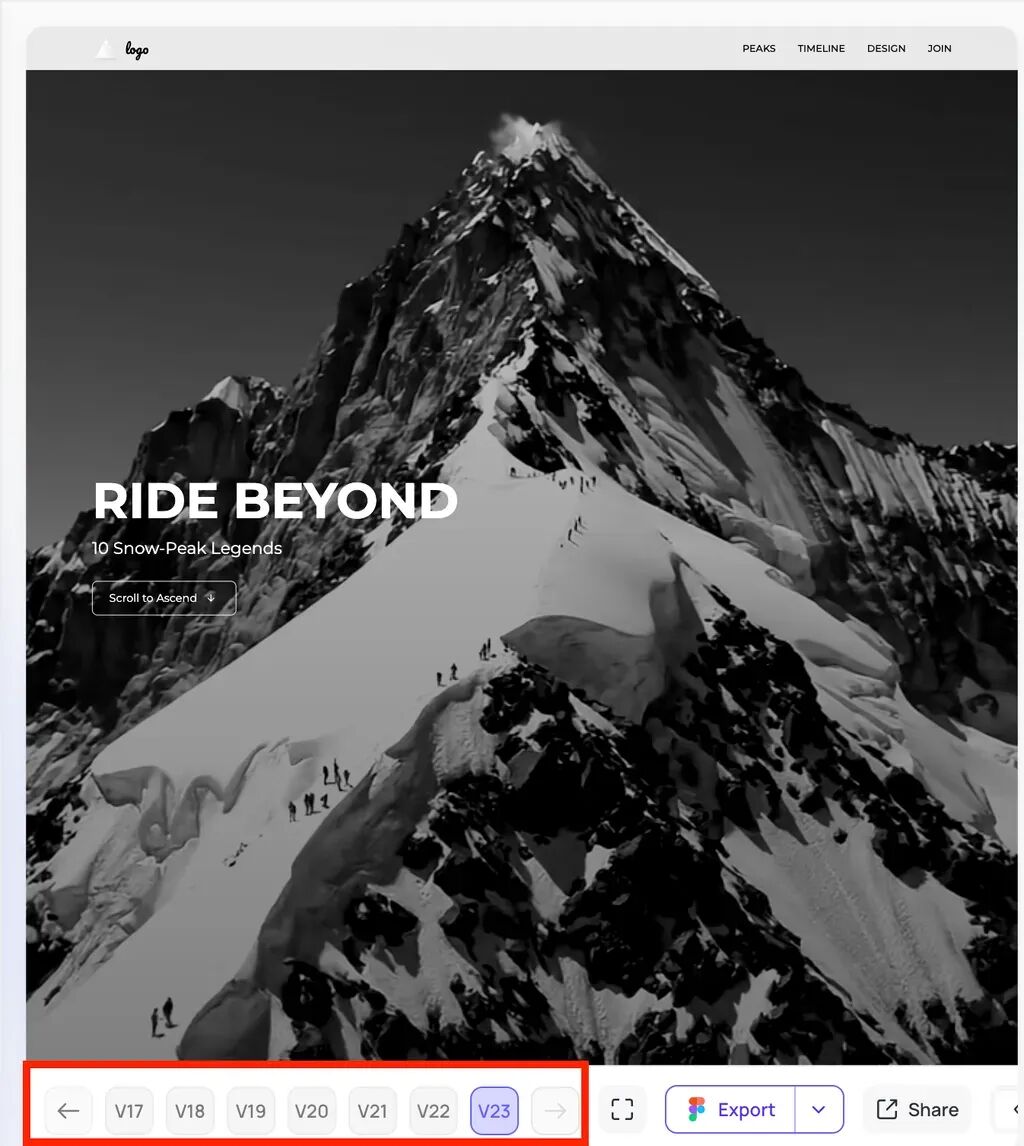
Ultimately, what this single "First Page" demonstrates is already impressive enough.
Let's look at how each module on the page evolved from Version 1 to the final Version 22. Through this extensive exercise, you can get an intuitive feel for Readdy's rapid product iteration capabilities.
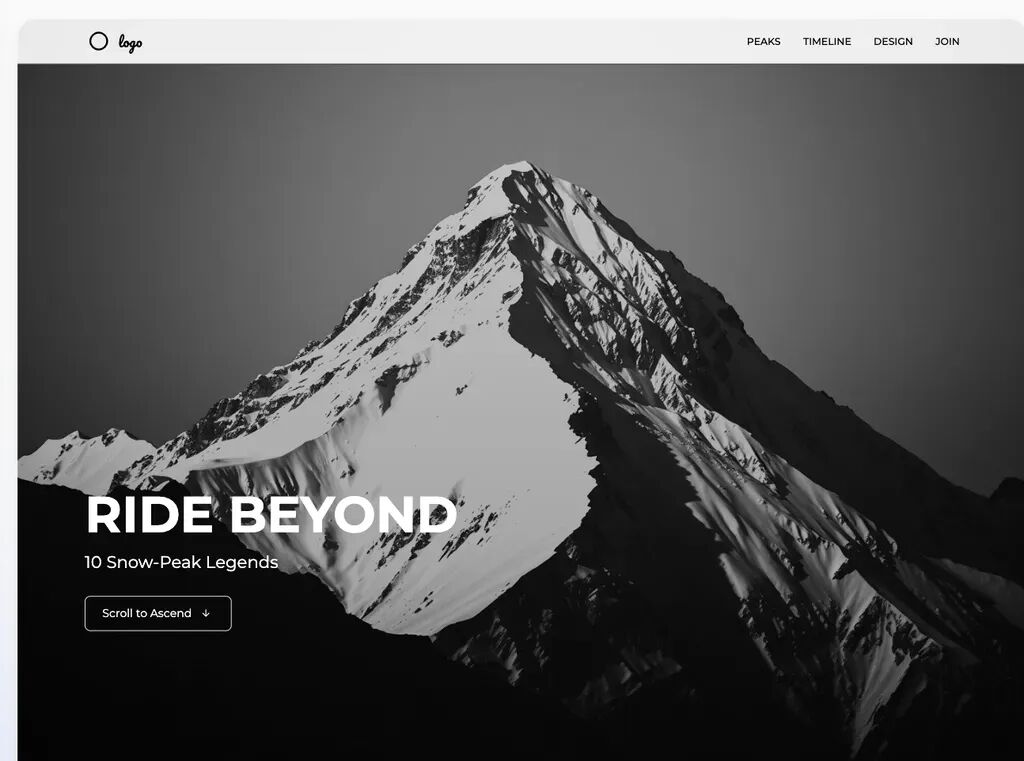
The left side shows Version 1; the right shows the corresponding Version 23.
The hero visual went from a static photo to a dynamic panoramic mountain view:

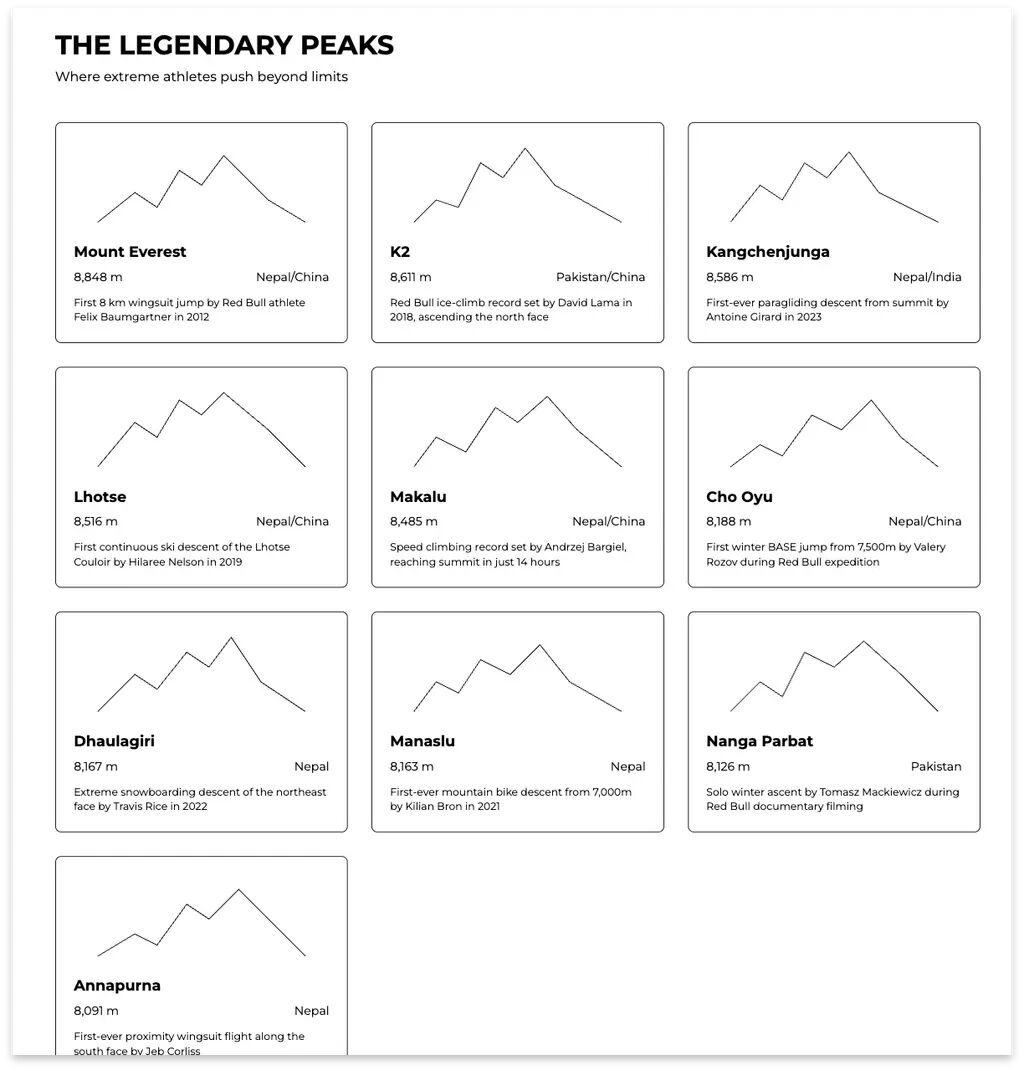
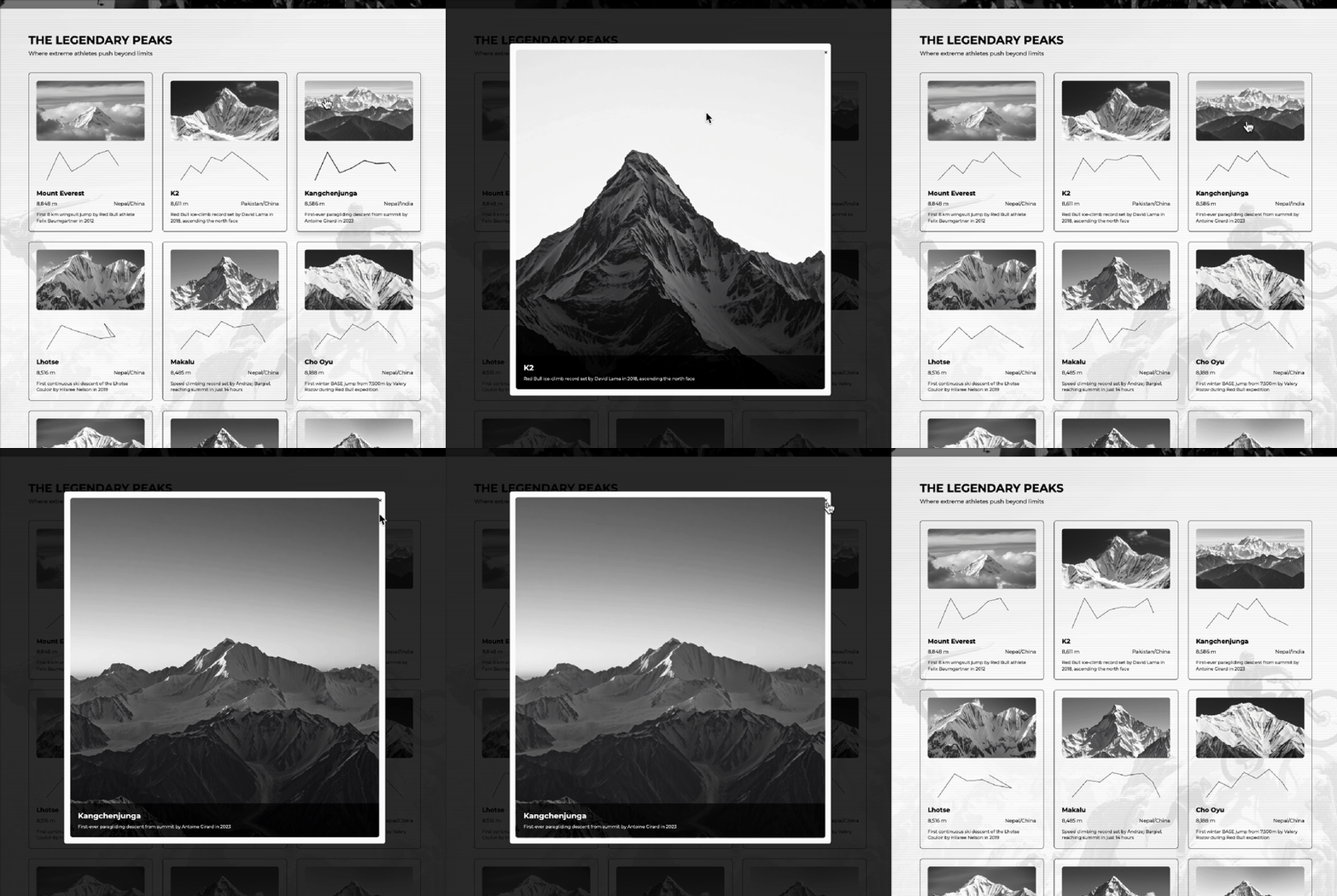
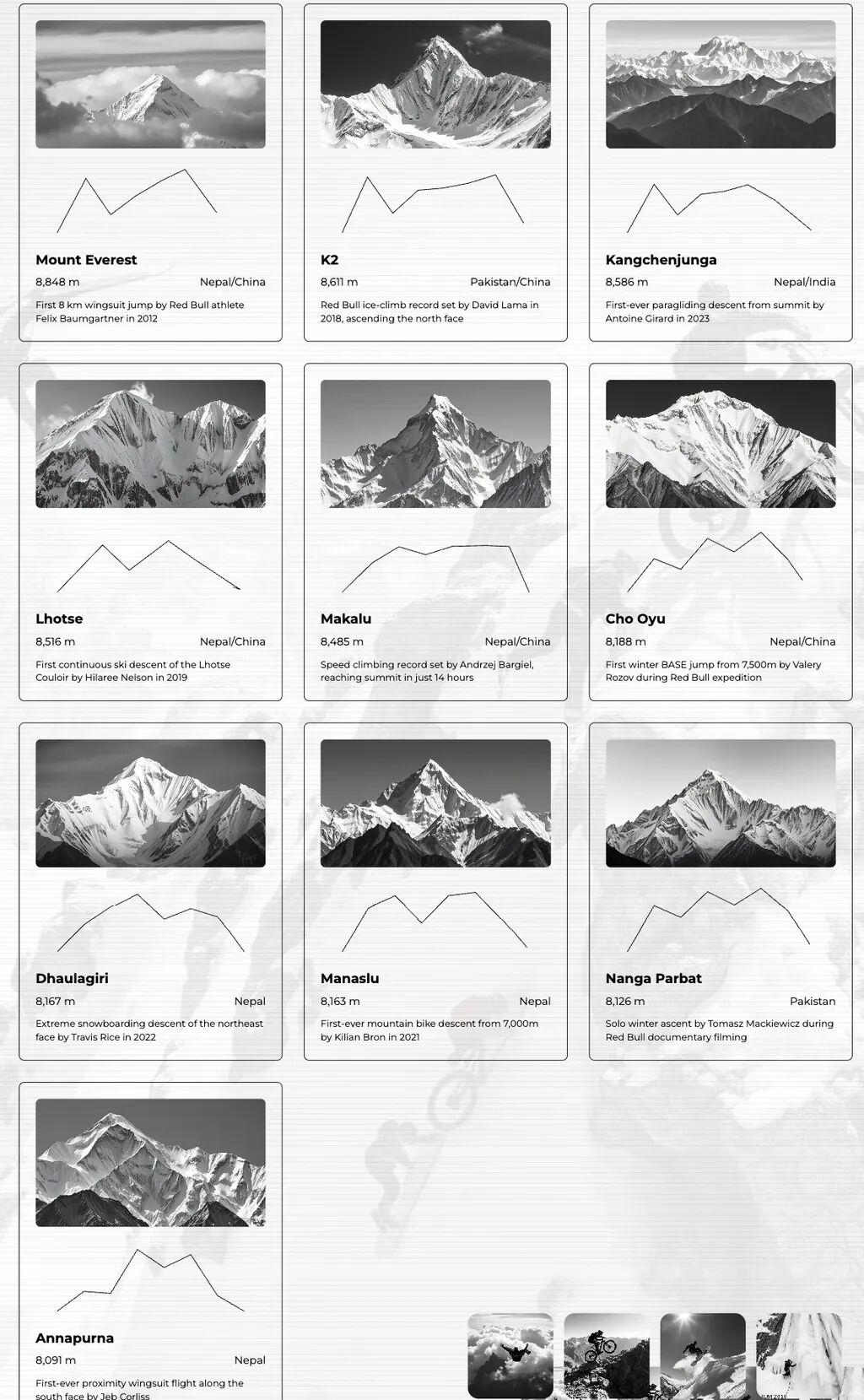
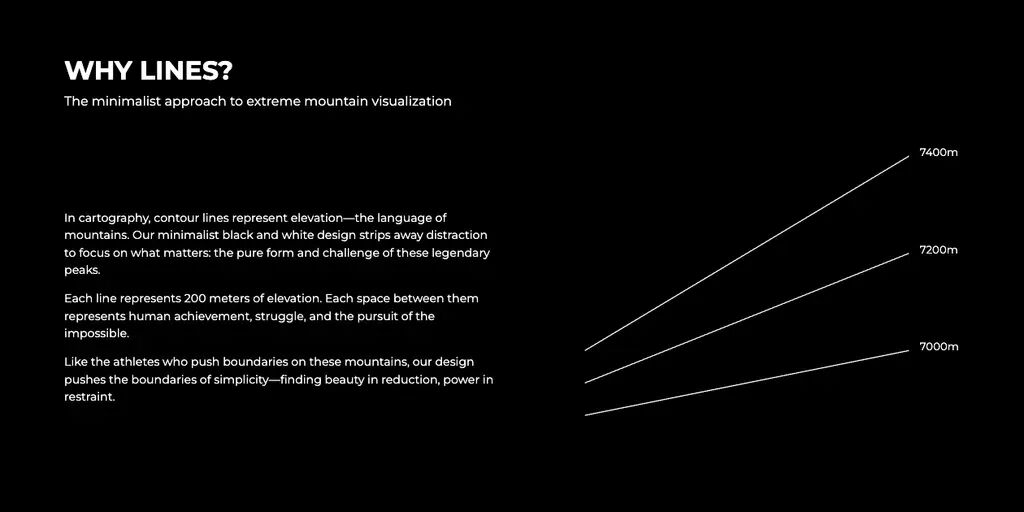
Version 1's ten snow peaks were just identical static lines. The latest version now features black-and-white filtered mountain imagery with animated contour lines that trace the peak shapes, plus a clickable "Mountain Photo Exhibition" that expands on click:
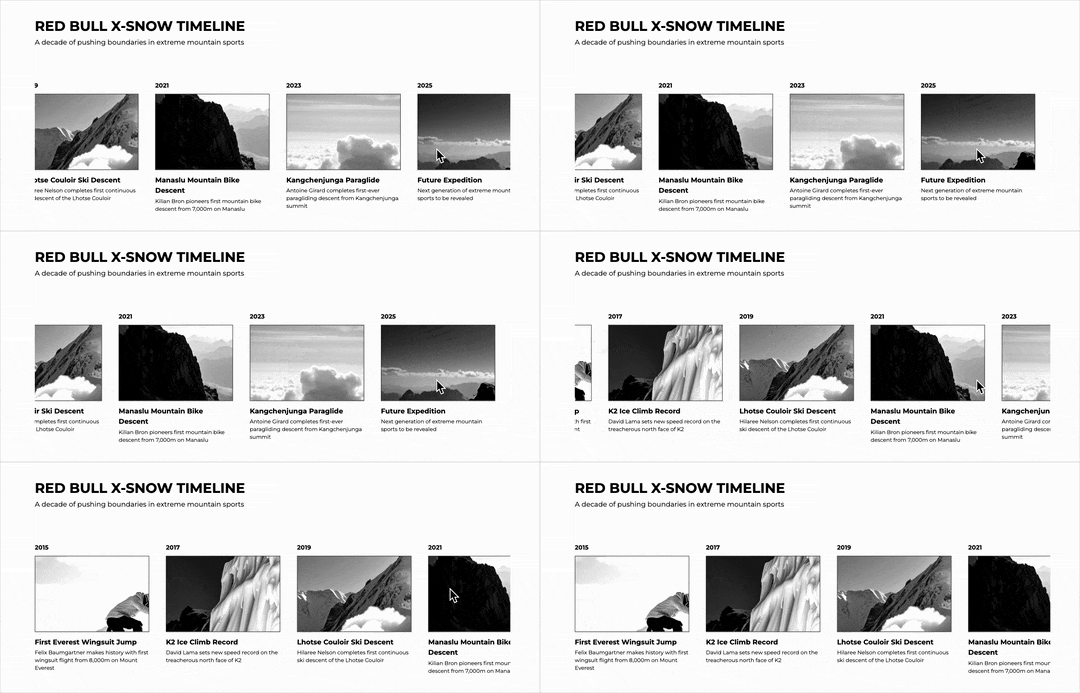
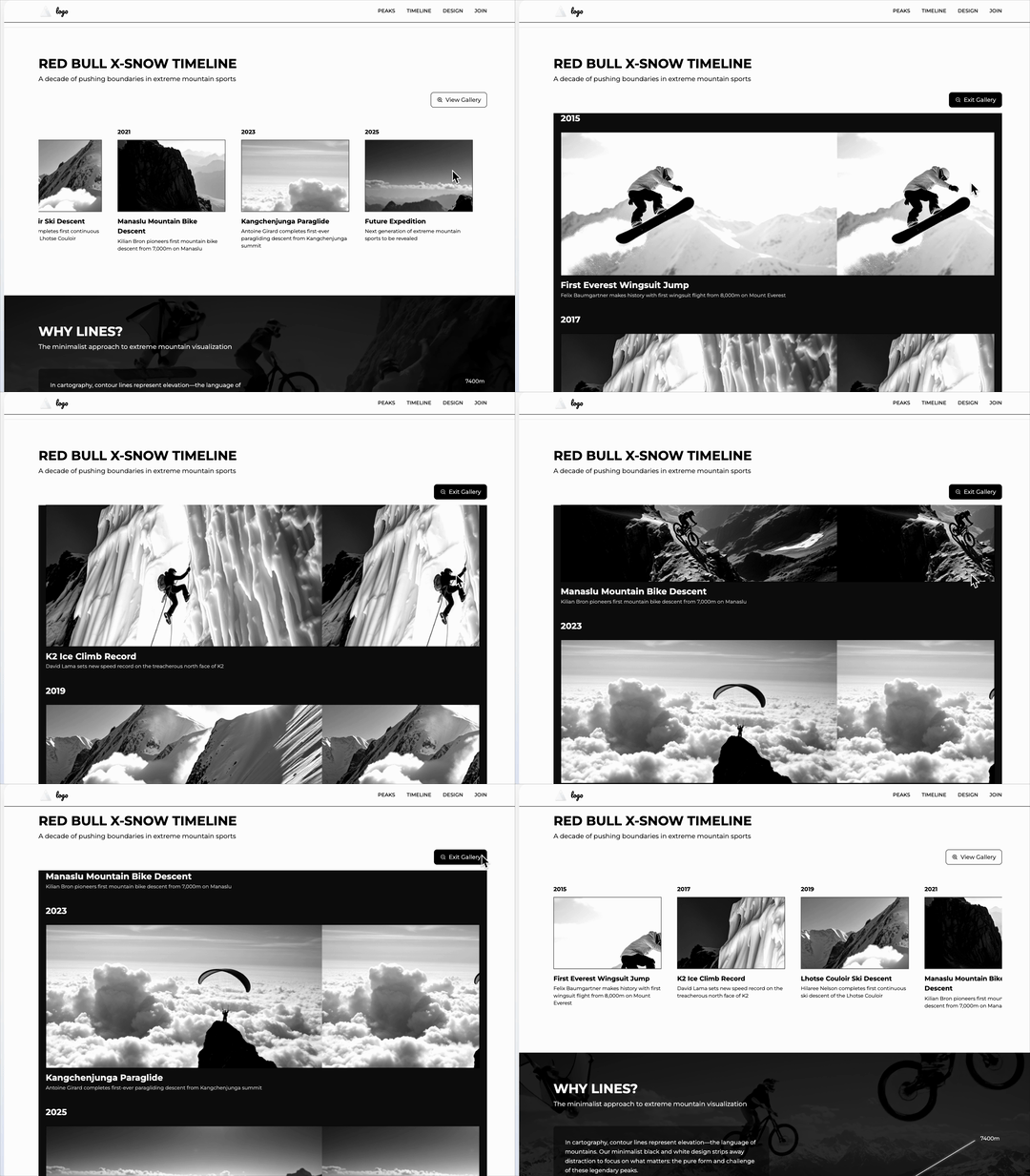
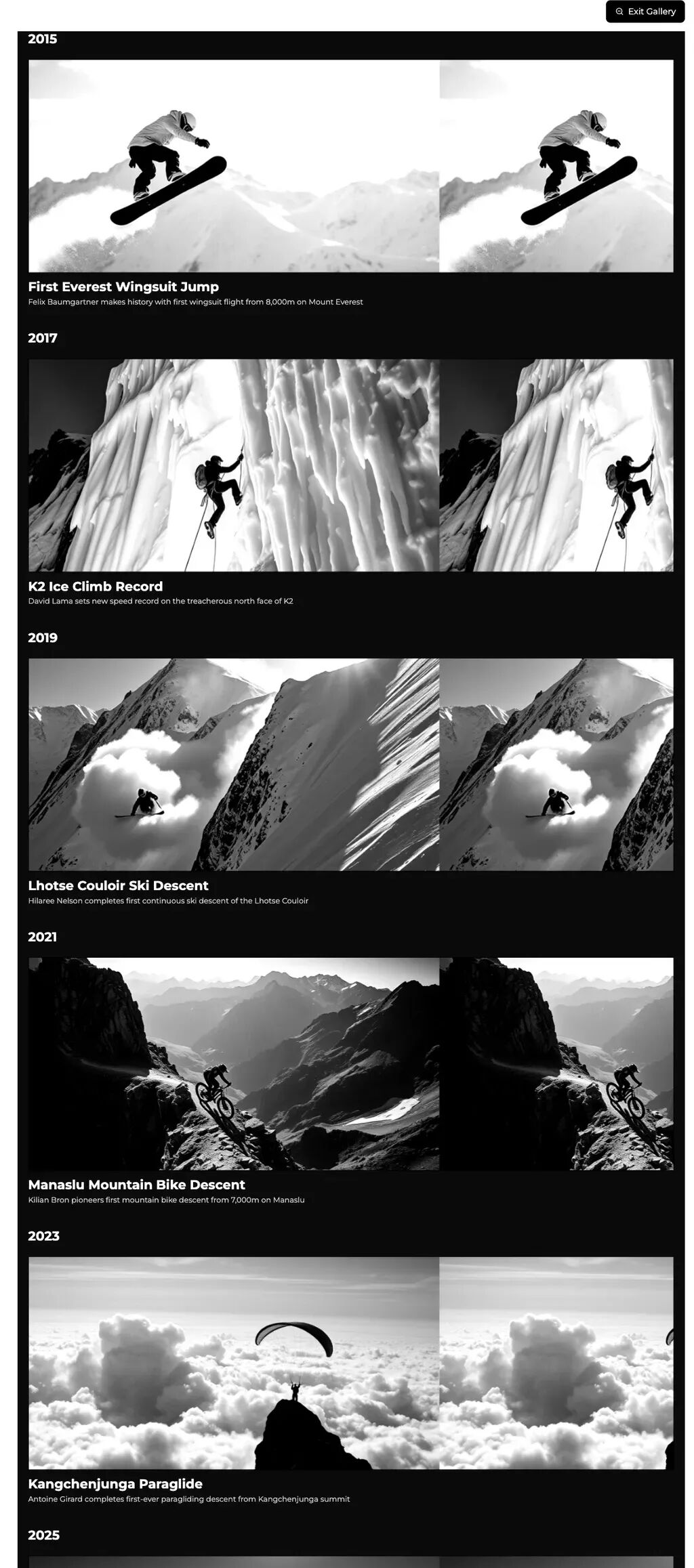
The Red Bull X-SNOW event timeline got much richer interactive design — now you can click the "expand" button in the upper right to view a beautifully designed, vertically scrollable black-and-white exhibition of extreme sports:
To make it even more直观, I captured two latest full-length screenshots:
The extreme sports showcase section also gained more interactive elements.
For example, clicking the text module now reveals it with a "pixel-unfolding" effect, and the "elevation line" on the right is now interactive — no matter how you "disturb" it with your mouse, the line always reaches its destination:
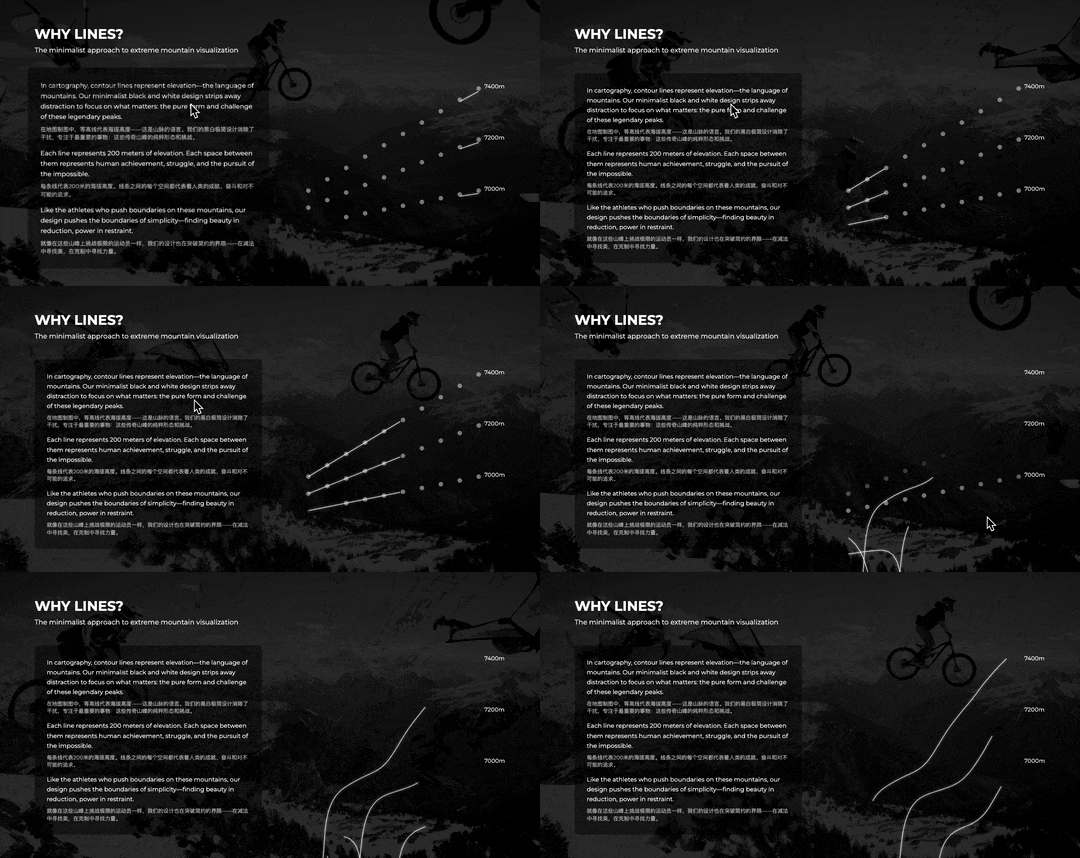
I recorded a complete video showing the overall effect:
And this is just the "First page."
Readdy also lets you select any editable module within the interface and use "Link" to connect it to a "Second Page."
For example, first enter a prompt asking Readdy to add a module within the page introducing two extreme athletes I personally admire most:
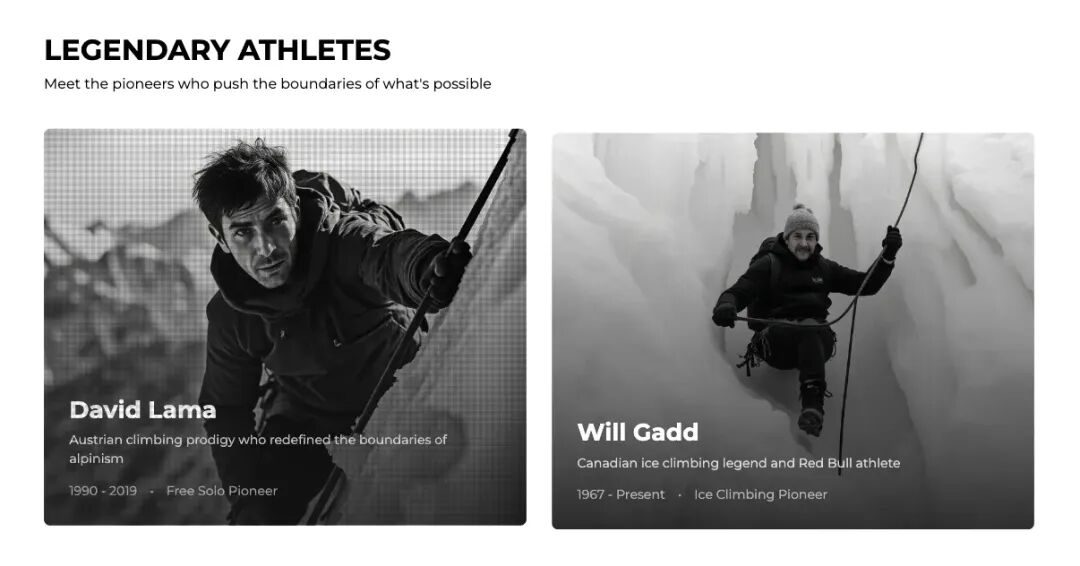
Prompt: Add a section above the "RED BULL X-SNOW TIMELINE" module. Two athlete cards (David Lama; Will Gadd). Style: black and white, pixel art, dynamic interactions.
Clicking these two athlete cards triggers subtle pixel animation effects:
At this point, we can return to Readdy's starting interface and run through the page generation process again, entering a prompt to create a personal webpage for the extreme athlete:
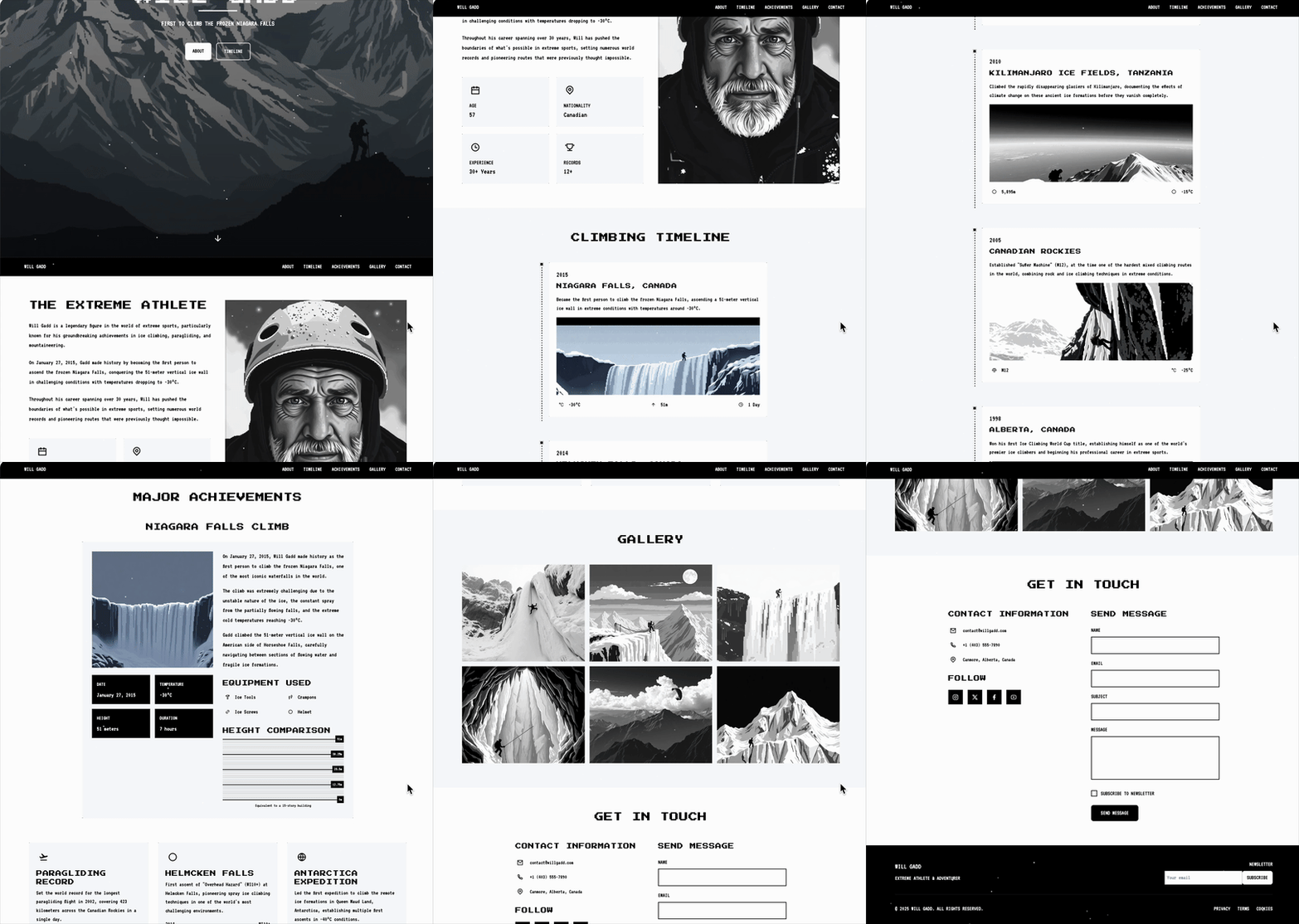
Prompt: Create a personal profile page for Will Gadd. In 2015, he became the first person to successfully climb the frozen Niagara Falls (a 51-meter vertical icefall). The page should include a timeline of his extreme sports achievements, such as mountaineering and ice climbing. The background should show snow-capped mountains he has climbed. Overall style: black and white pixel art.
This time, what you're seeing is Readdy's first generated version, completely unedited:
Similarly, I made a homepage for David Lama:
Prompt: Create a personal profile page for David Lama. In 2018, he became the first person to successfully solo summit Lunag Ri (6,907m) in the Himalayas. The page should include a timeline of his extreme sports achievements, such as mountaineering and ice climbing. The background should show snow-capped mountains he has climbed. Overall style: black and white pixel art.
Again, this is the first version:
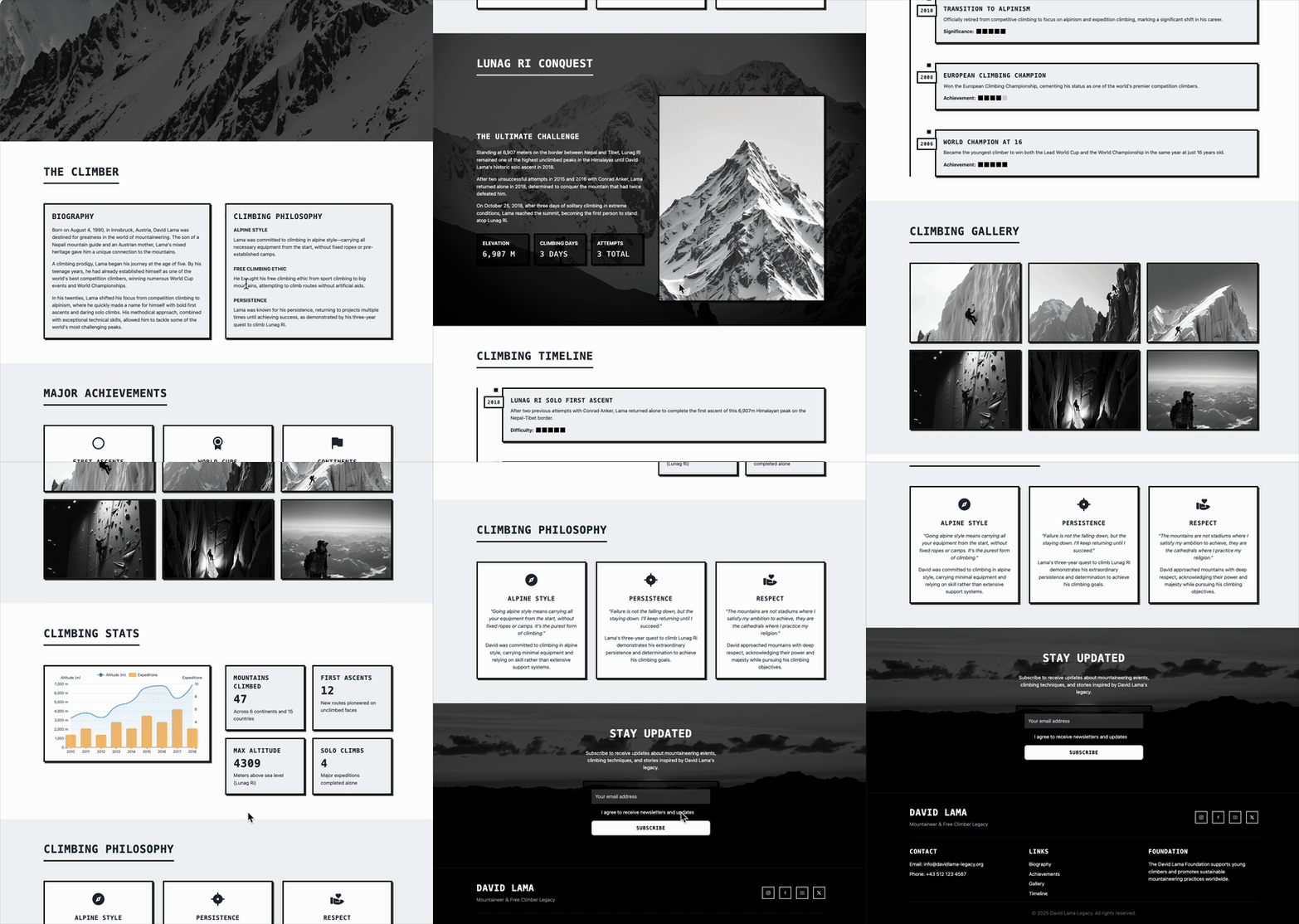
This timeline is delightful — entirely in black and white pixel style. Beyond just displaying the timeline, the "Difficulty" indicator is charmingly designed too!
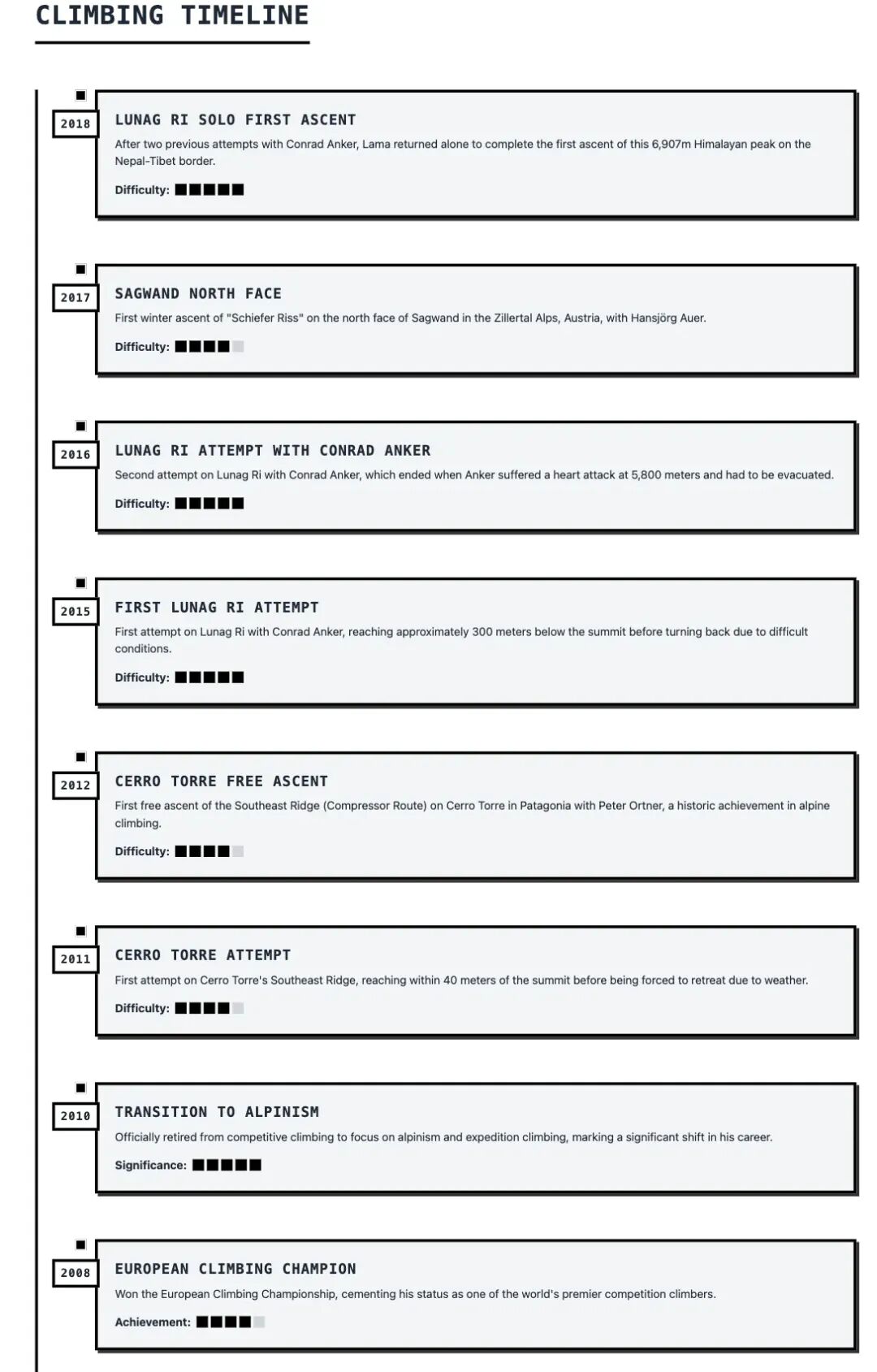
Then, select a module area and use the "Link" feature to directly choose which "Second Page" to jump to:
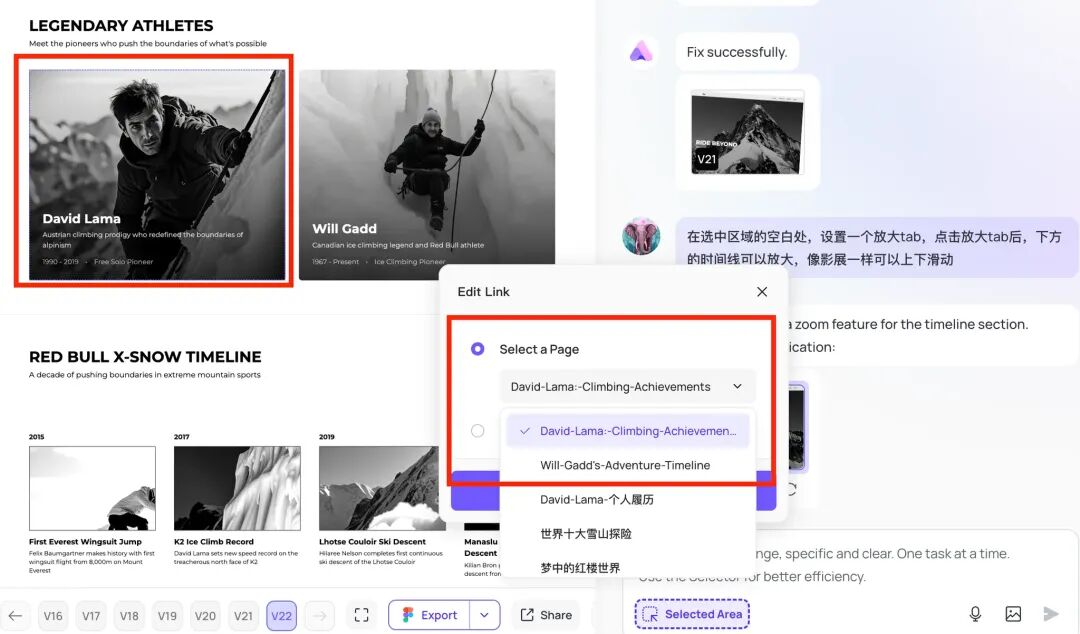
Here's how it looks:
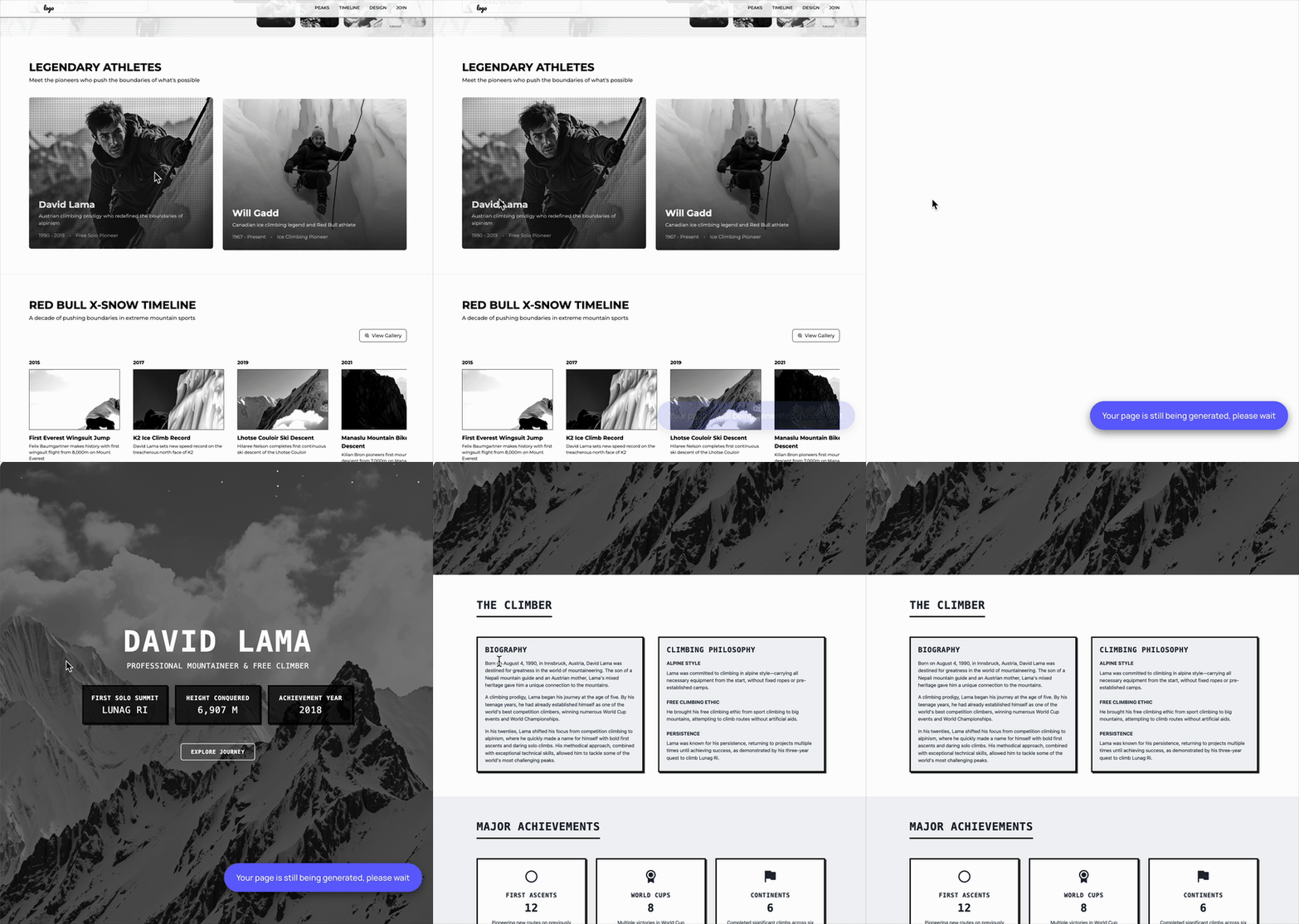
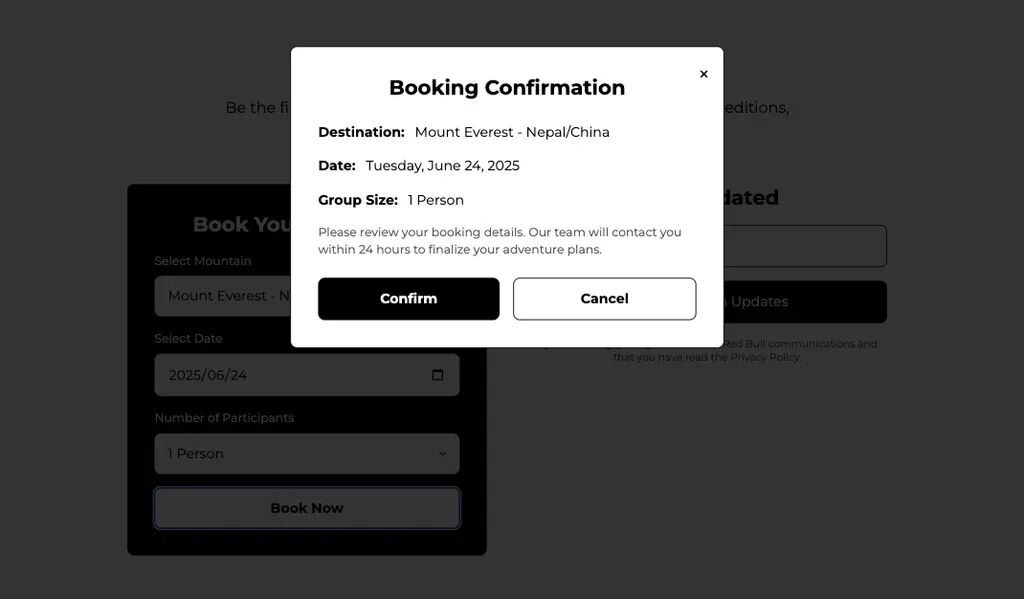
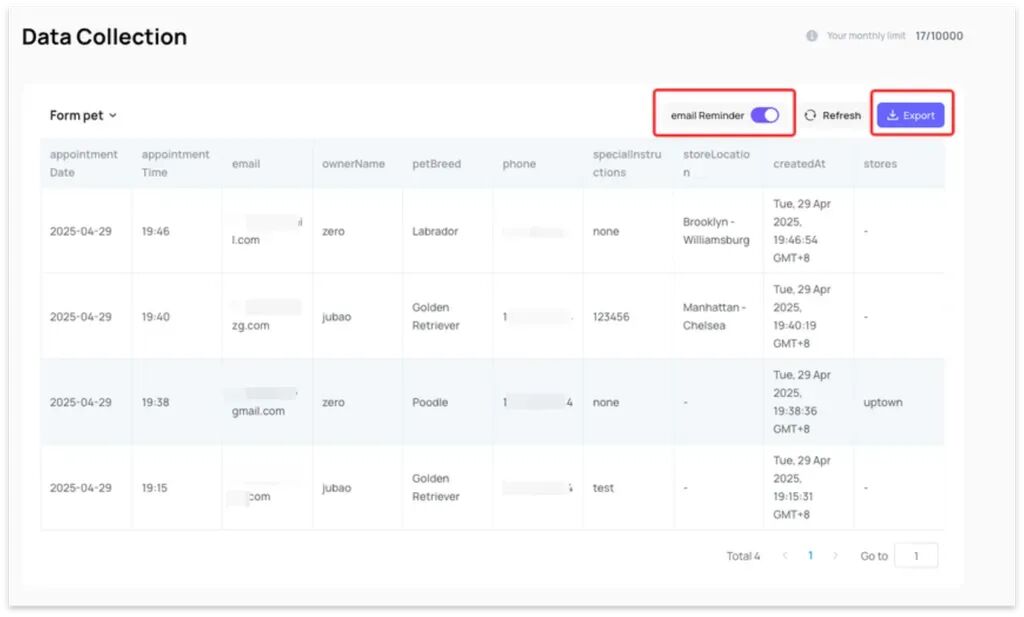
Readdy also supports data collection. You can add a "Subscribe" module at the bottom of your site, and all submitted data goes straight to the backend database:
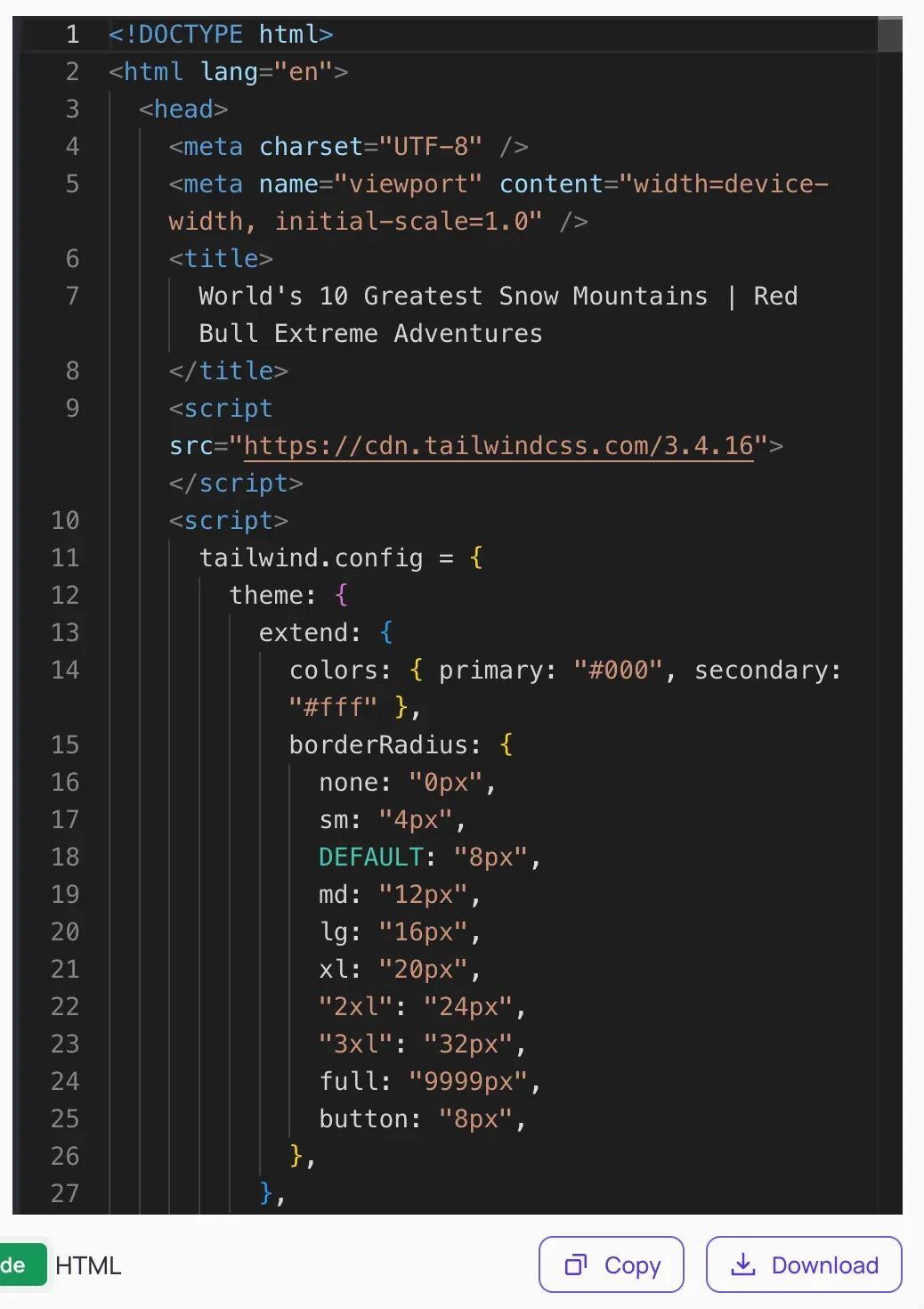
Beyond that, it can export clean code for sharing or importing into other IDEs for deeper development:
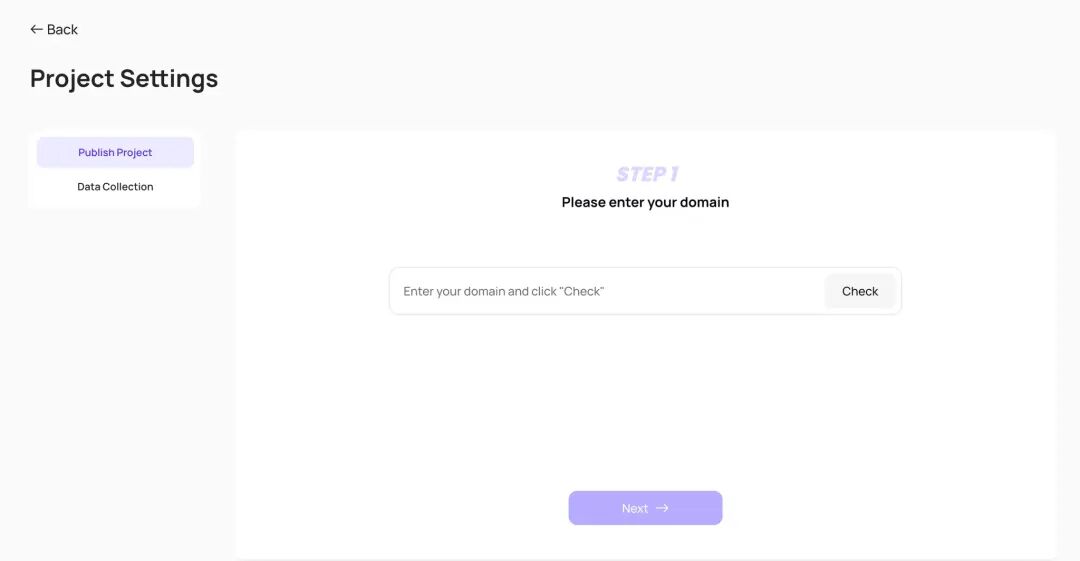
If you've registered a domain, you can even hit "Publish" with one click to make it a fully-fledged website:
The link for this case study:
https://readdy.link/share/74cb61778b510650ffd37d31d891e420
Visually Stunning Interactive Interfaces
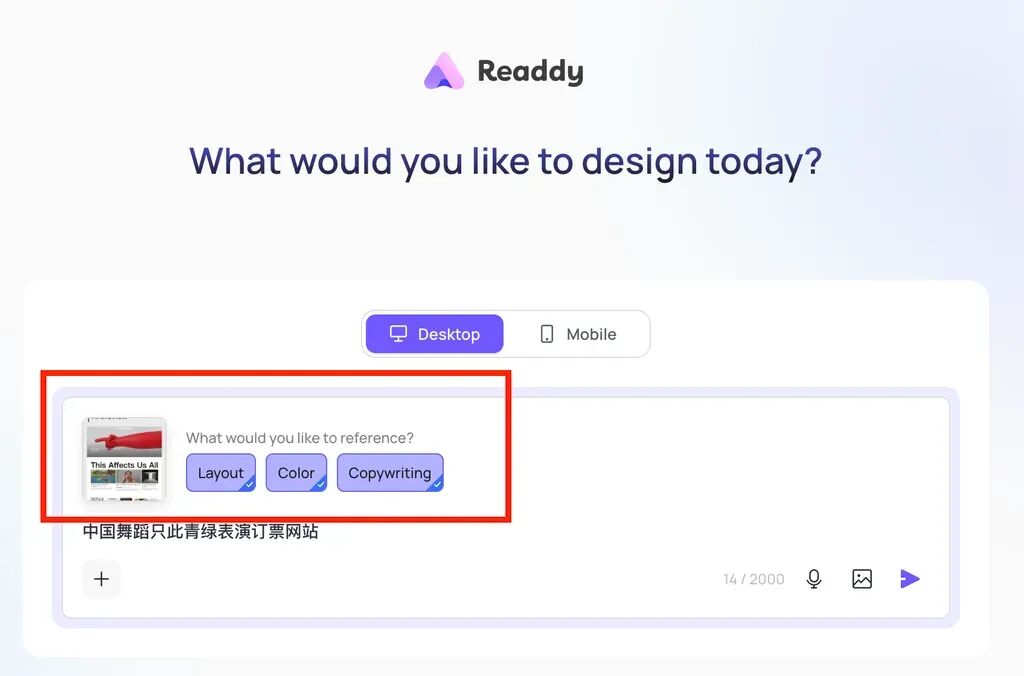
Readdy's page design is already quite mature in terms of aesthetics. It also supports referencing screenshots from other websites — just upload an image, and it can identify and borrow visual elements like layout, color schemes, and copy style.
For example, I casually uploaded a screenshot of a website and entered a very simple prompt:
Prompt: Chinese dance performance "Only This Green" ticket booking website
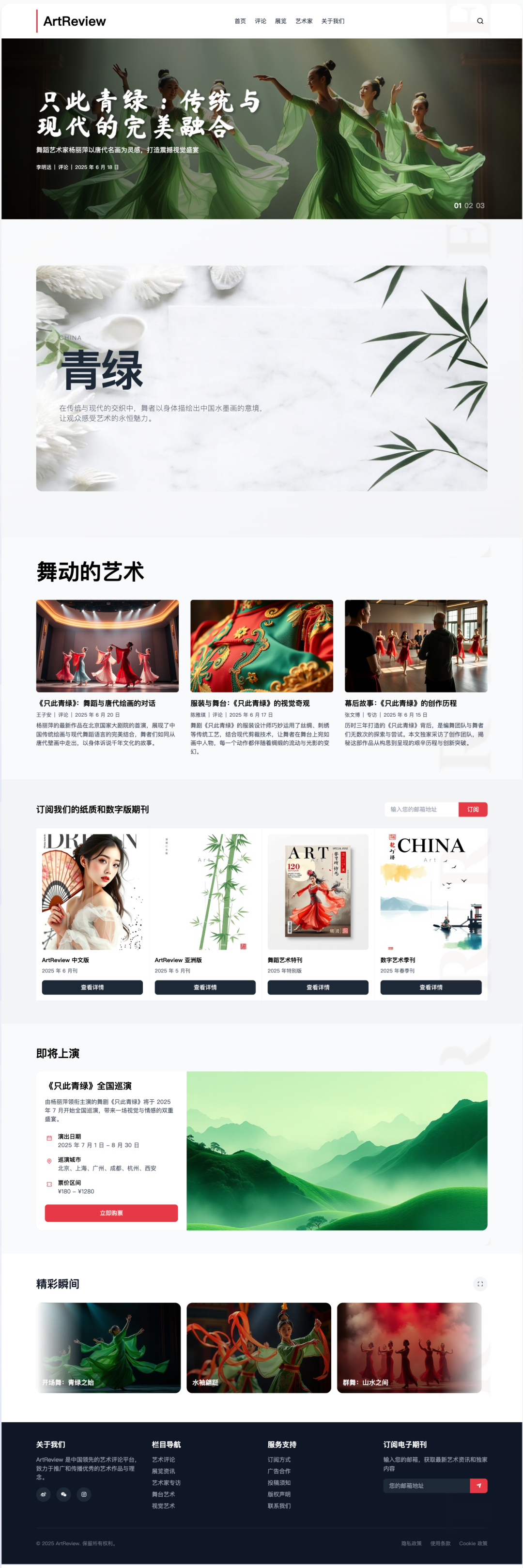
After just a few quick tweaks, I got a ticket booking site for the Chinese dance performance Only This Green:
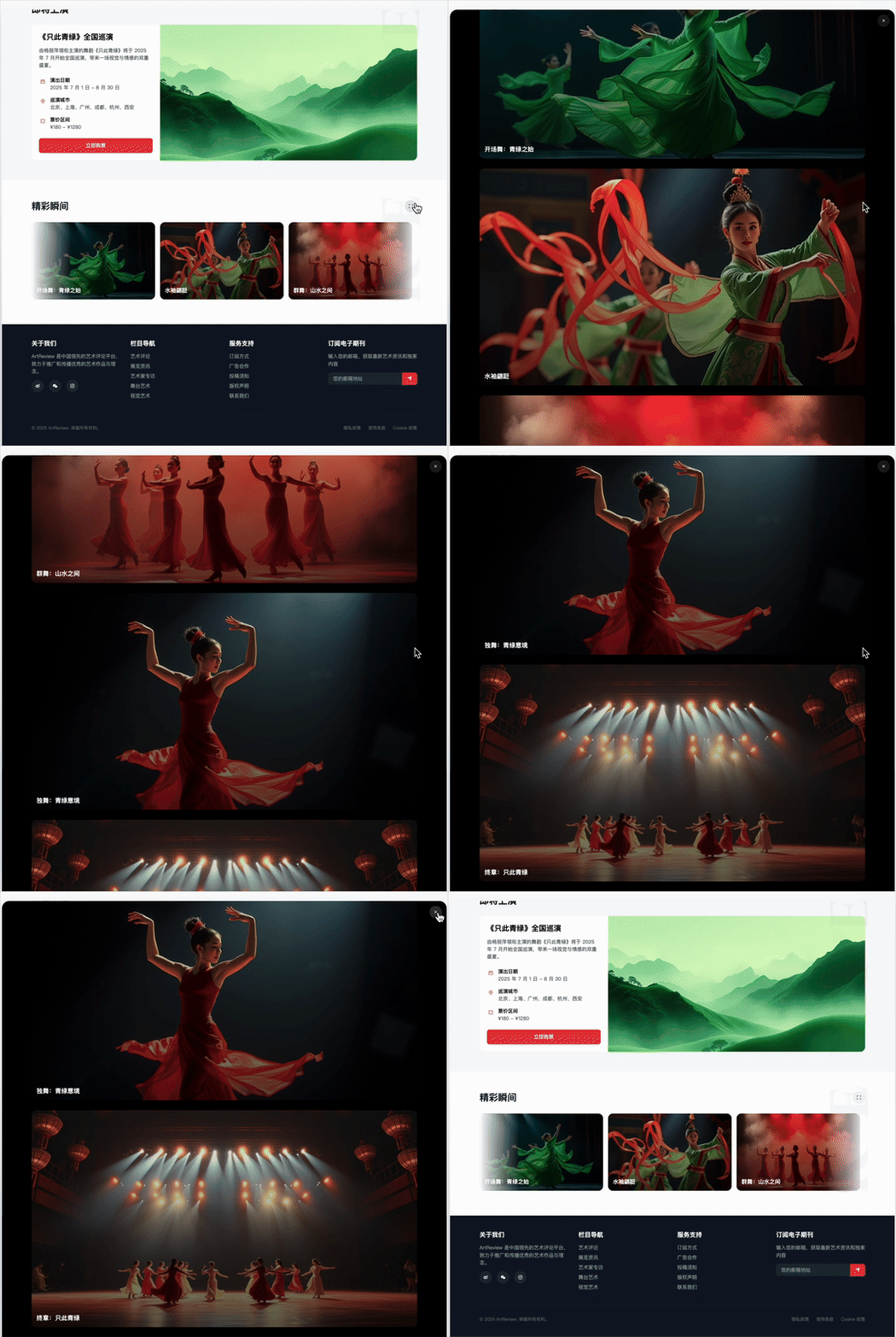
The "Highlights of Only This Green" module also looks like something you'd see on a polished, professional website:
In addition to selecting areas in the chat for modifications, Readdy offers a remarkably simple "complete the website" feature: just click any button on the webpage and hit "Continue," and it will expand that button's function into a full page.
For instance, when I clicked "Buy Tickets Now":

Readdy automatically analyzed it and generated a prompt — no need to figure out how to phrase it yourself:
Auto-generated prompt from Readdy: The user clicked the "Buy Tickets Now" button, hoping to purchase tickets for the national tour of the dance drama Only This Green. The user needs a ticket purchase page or popup where they can select performance dates, cities, seats, and complete the purchase process.
After that, Readdy took roughly one minute to generate a complete, cleanly designed ticket booking interface.
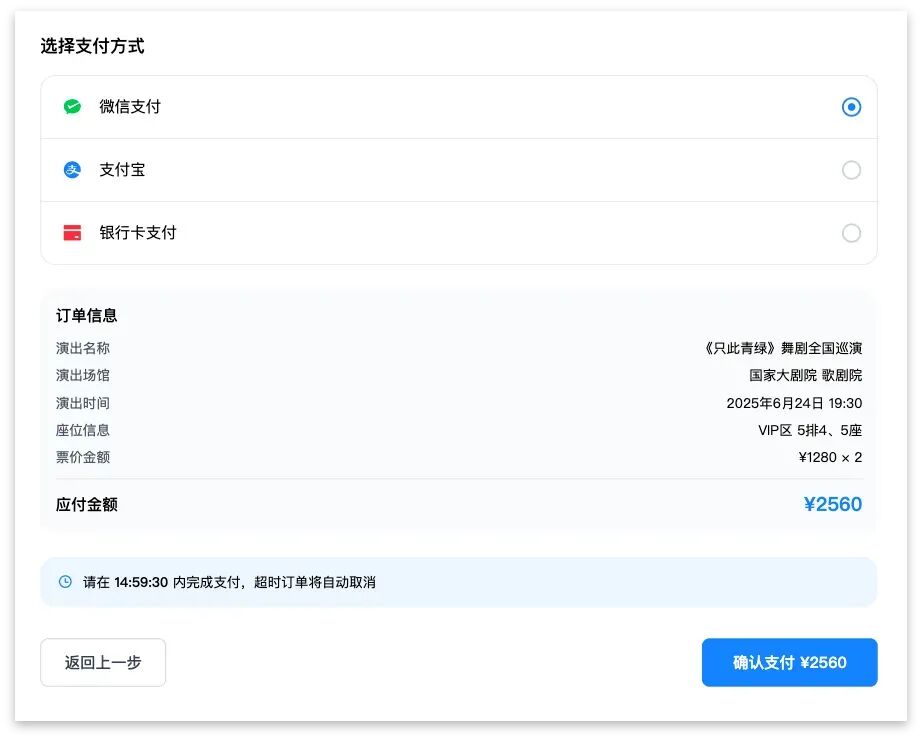
This wasn't just a few slapped-together pages — it was a professional ticketing system with the full workflow: seat selection, information entry, order confirmation, and more:
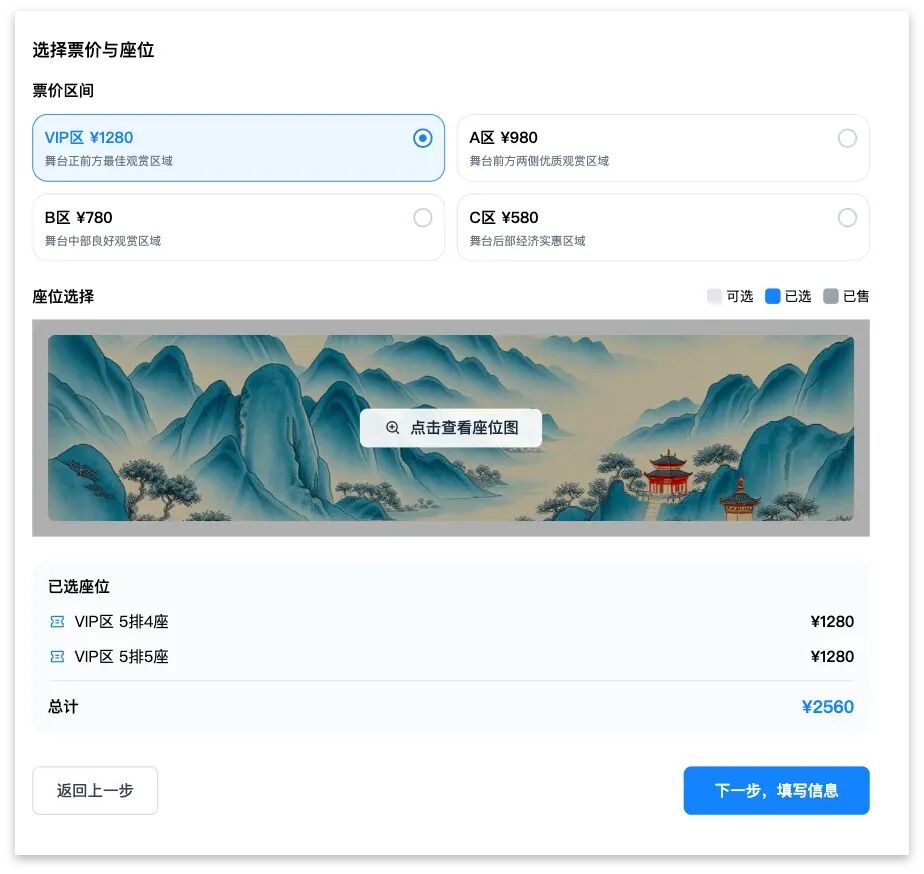
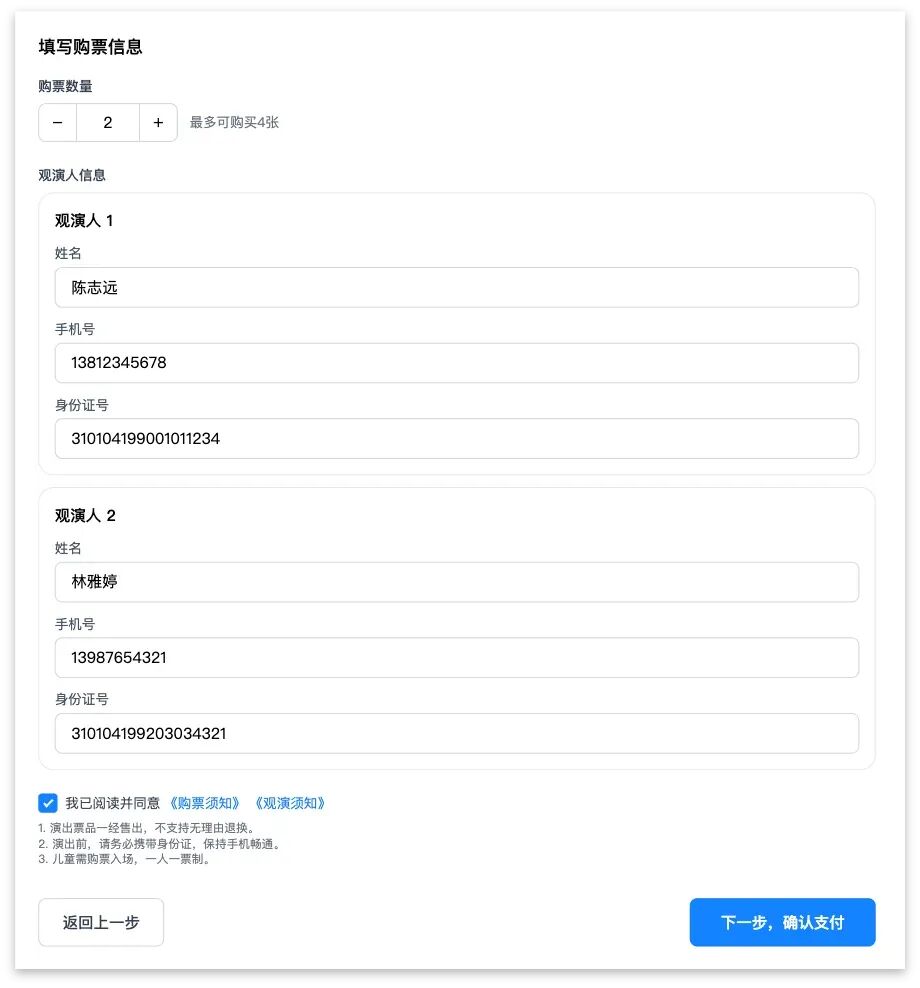
Readdy even prepared a payment page. It designed out the entire user flow, showing what happens after the user clicks "Confirm Payment":

On top of that, we created several more cases with gorgeous interfaces:
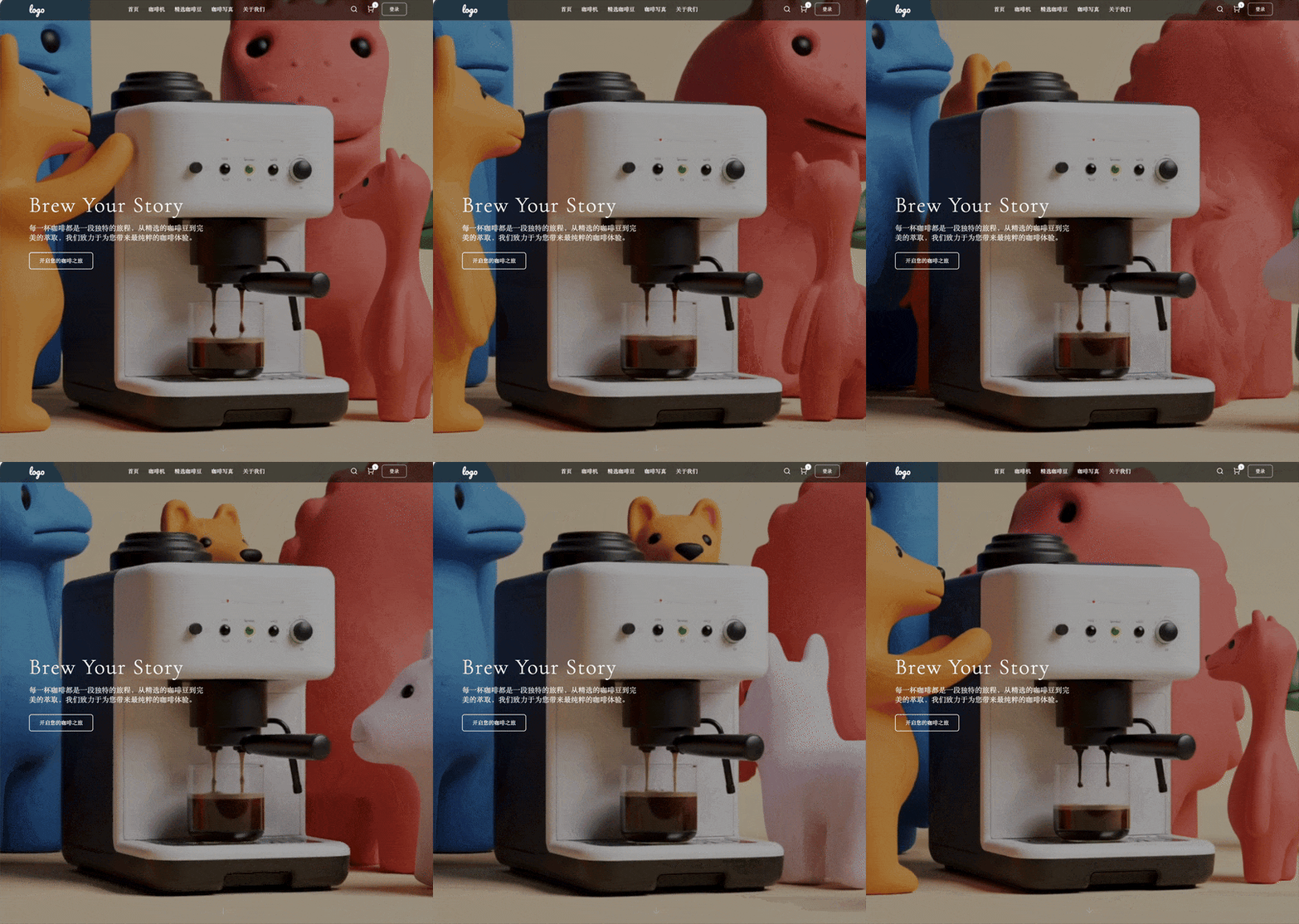

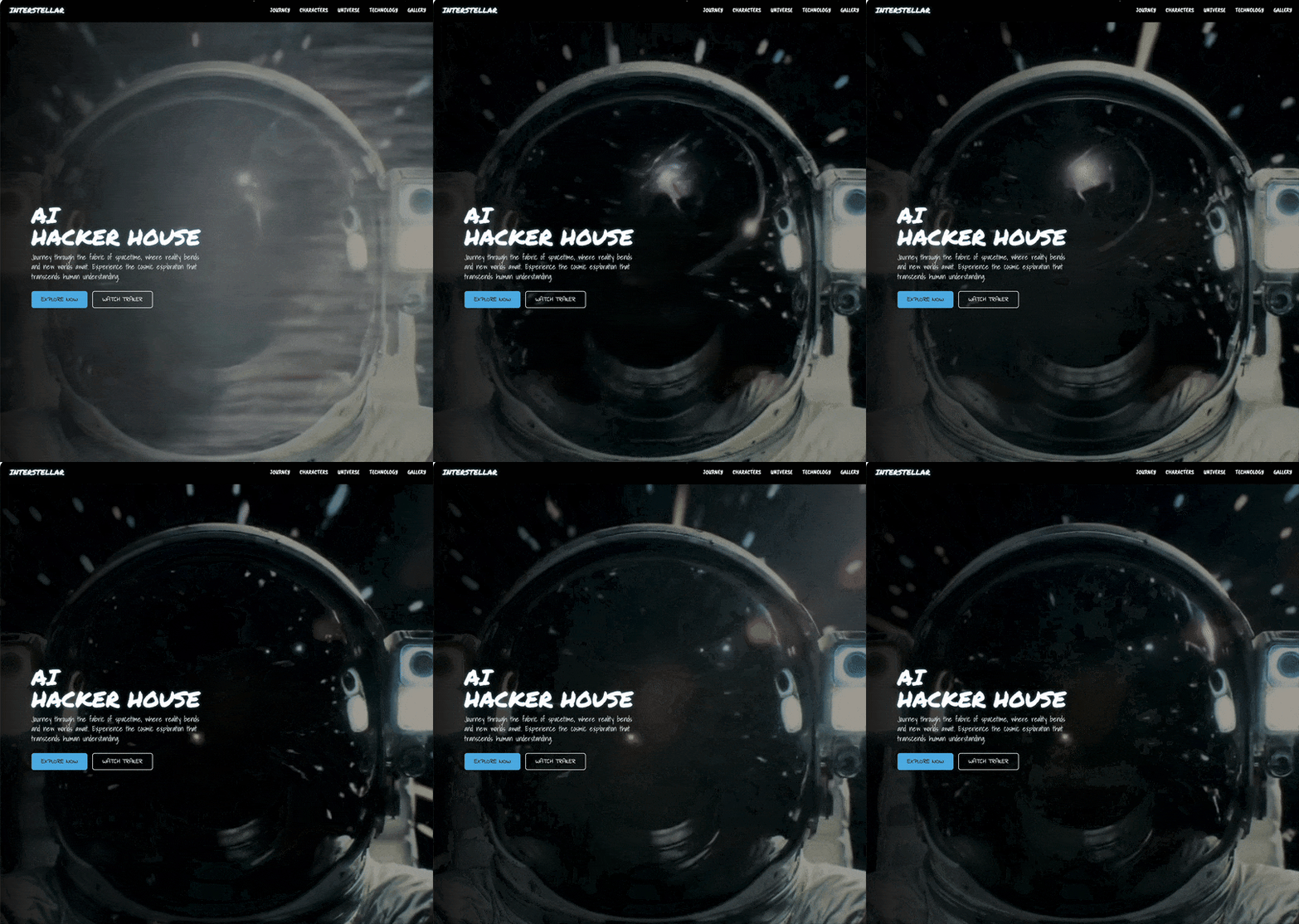
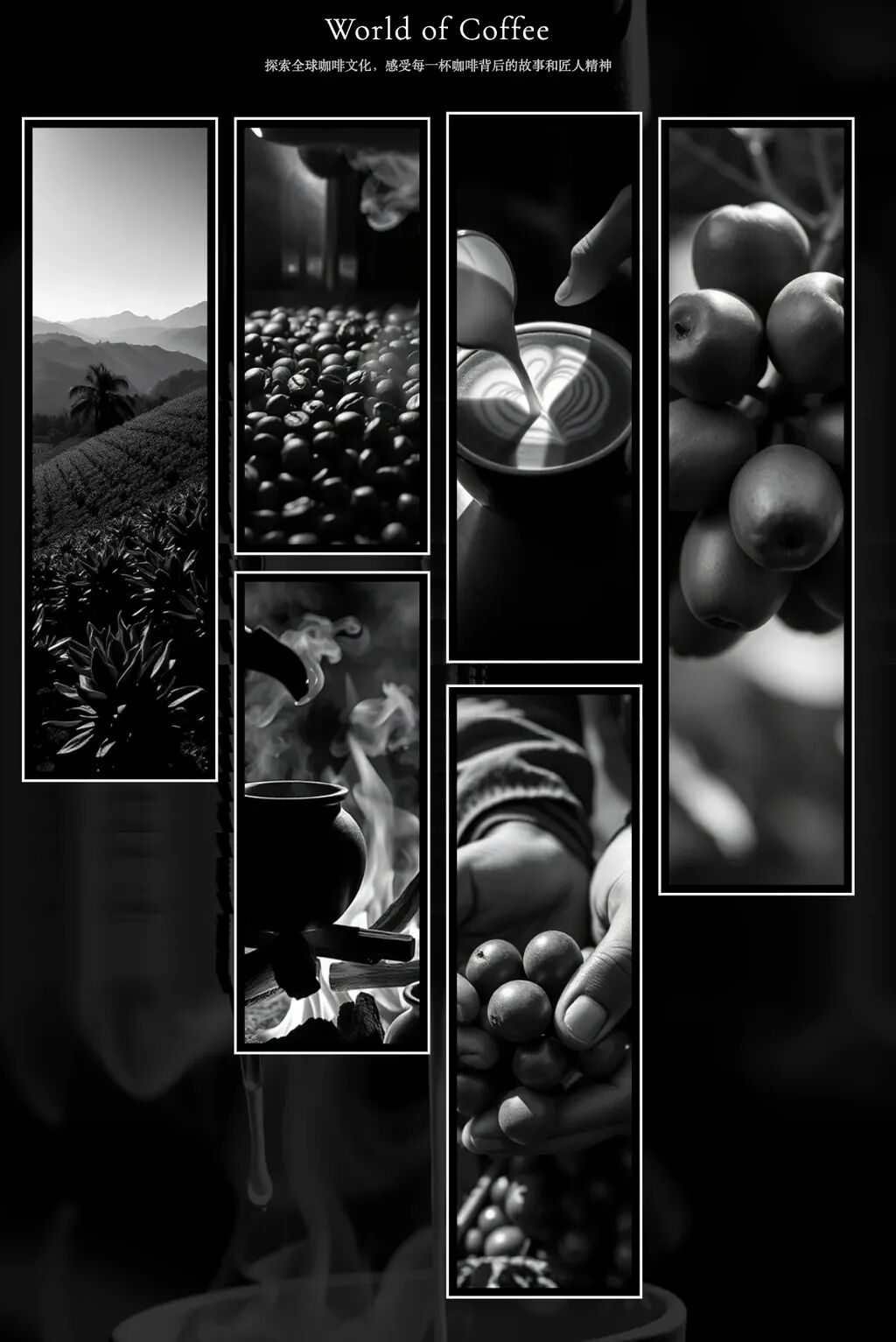
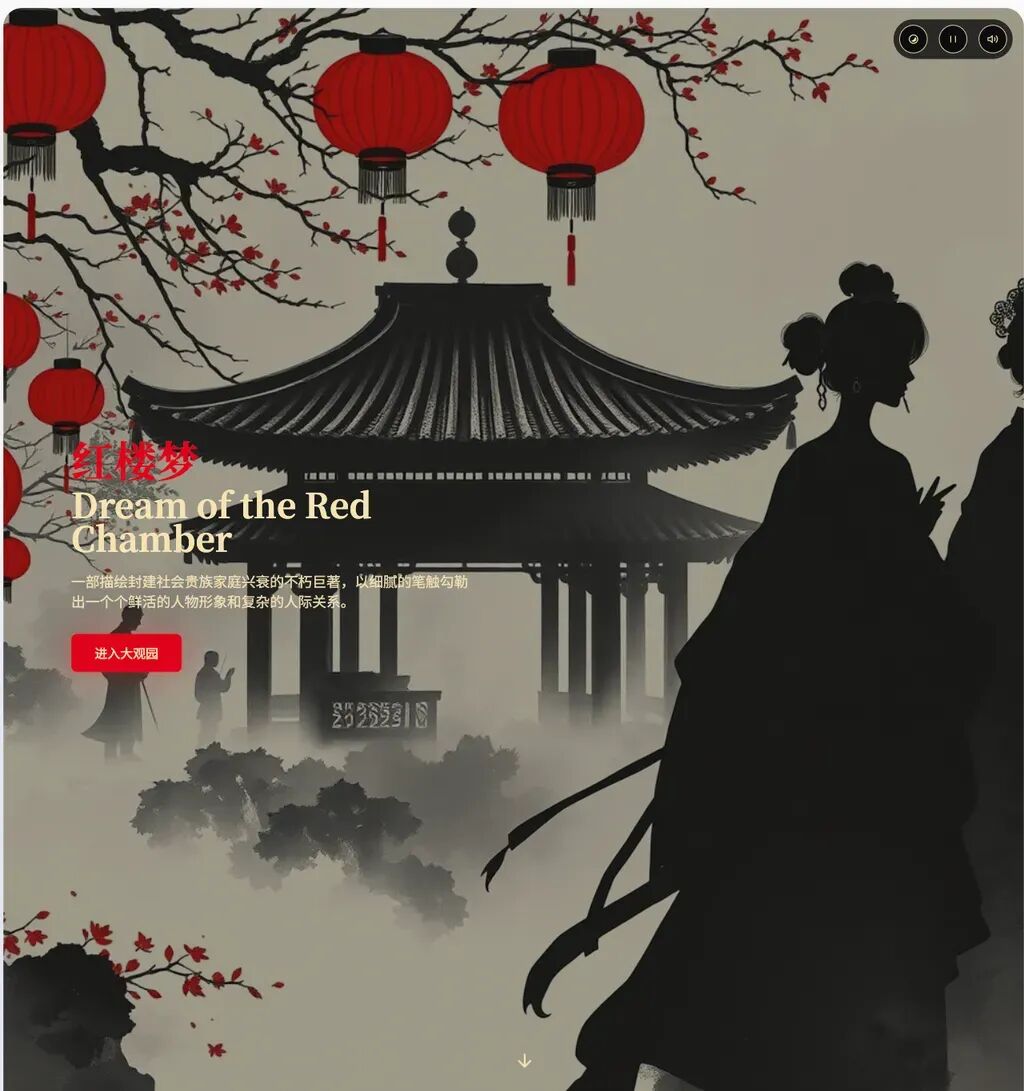
It's fair to say that Readdy is already capable of truly understanding user needs and delivering complete solutions. On top of that, it considers visual polish in every module it builds.
If you want users to open a site and actually stick around, the product can't be some rough, poorly-colored mess.
Agents should always remember this: make every page, every module beautiful enough to look at.
Cohesive, Unified Element Styling
Beyond rapid iteration and visual appeal, Readdy has another quality that particularly impressed me: exceptionally strong cohesion and unity across the entire site.
To put it simply, a mature website or app interface should make users feel like every element came from the same designer — harmonious colors, consistent image styles, appropriate font sizes, an overall impression of a complete work rather than a patched-together collage.
When AI handles text, images, layout, and other content types simultaneously, maintaining a unified style is a key marker of quality.
1) Chibi Sketch Art Museum
Let's walk through a case study: creating a chibi sketch art museum:
Prompt: A chibi sketch art museum featuring Q-style minimalist adaptations of world-famous paintings — Sunflowers, The Starry Night, Water Lilies, and more. Take the world's most celebrated artworks and render them in chibi minimalist sketch style. Artist aesthetic, line drawings, Instagram vibe, strictly black and white with no other colors, strong linework, cute Q-style proportions. All lines are intentionally irregular.
Readdy's first pass delivered a remarkably cohesive website prototype, with every painting and frame layout unified in the same style:
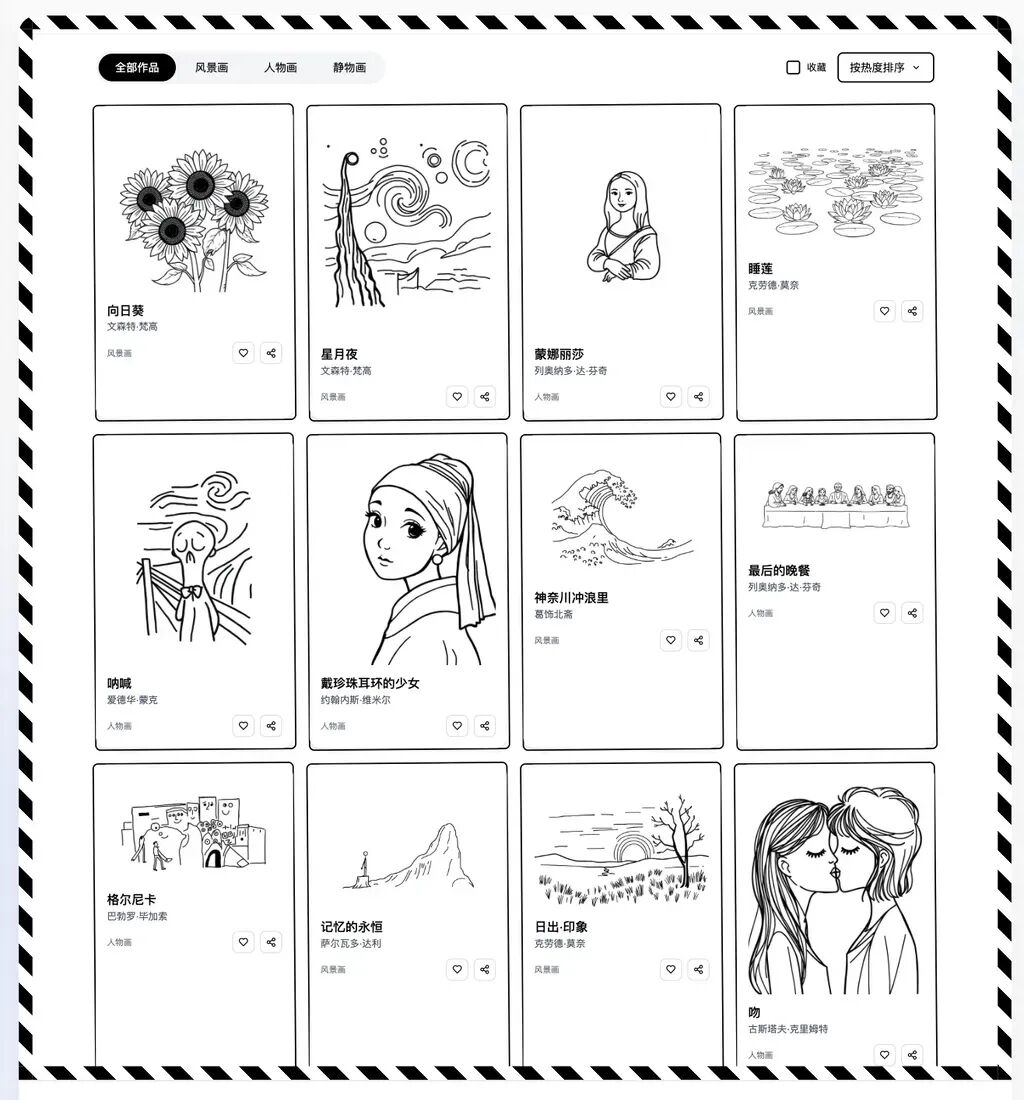
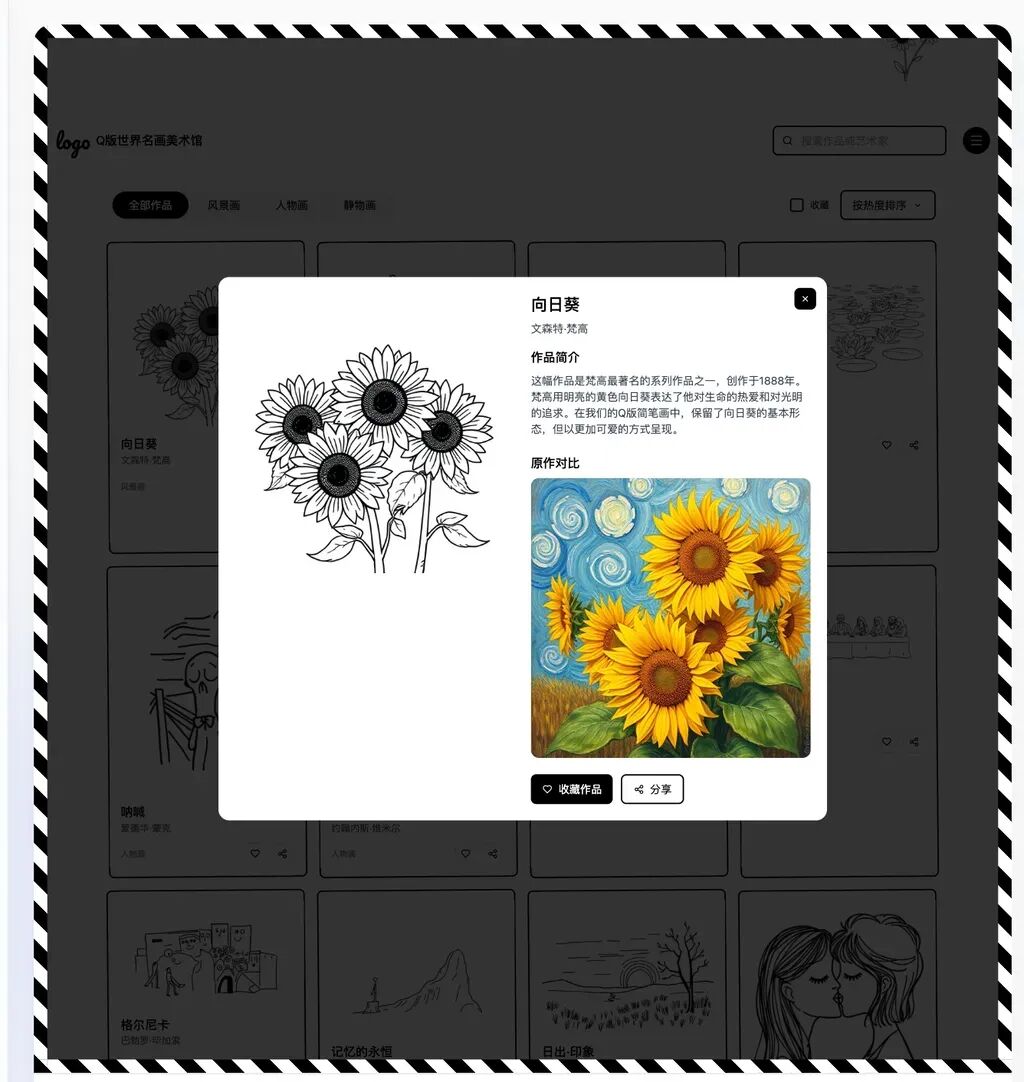
These pieces can be clicked to enlarge. Here's a comparison and introduction of three works — Sunflowers, The Starry Night, and Mona Lisa:
Beyond the paintings themselves, the artist biography section also adheres to the same brief — "artist aesthetic, line drawings, Instagram vibe, strictly black and white with no other colors, strong linework, cute Q-style":
2) Utility App Interfaces
Beyond website interfaces, another excellent arena for demonstrating stylistic and elemental consistency is utility app interfaces.
We found that Readdy has accumulated substantial domain knowledge across industries, enabling it to generate application interfaces for various sectors.
Take electronics OS interfaces, for instance — after all, every app needs to coexist harmoniously within the same system environment.
We gave it a shot with a very simple prompt:
Design an iPad home screen
Readdy immediately produced an iPad interface:
From there, we could iterate through natural language conversation, gradually refining a reasonably polished iPad operating interface.
For example: the Dynamic Island could display a "Thousand Songs" playback interface; tapping the upper right corner could summon Control Center; app tiles could expand, and so on:
With a single click on an app, it even generates the application interface — such as the App Store and Kindle:
Or an interactive Photoshop interface:
A Weibo trending topics interface complete with ads:
Or even a CapCut video editor interface:
Or a fully featured Bilibili video platform interface:
We've observed that Readdy operates like a seasoned designer who has already mastered a vast repertoire of interface design patterns. This means developers no longer need to spend time learning various design specifications — they can produce professional interfaces directly, boosting productivity.
Readdy approaches interface creation with a strong sense of the whole. Rather than haphazardly stitching features together, it arranges every button, text block, and image like building blocks under a unified set of design rules, making the entire interface feel coherent and harmonious.
We also discovered that Readdy-generated interfaces can be directly imported into professional design tools like MasterGo and Figma, making it easy for designers to further refine and polish them.
First-Page Velocity Is Critical When Building Sites
In real-world entrepreneurship and product development, time is often precious. A startup team might need to test three different product ideas within a single week.
The traditional linear pipeline of requirements analysis → design specs → development → testing → deployment is being replaced by an agile model of idea → AI instant prototype → AI rapid iteration → real user feedback → AI continuous optimization, with AI serving as the optimal adhesive in this complex workflow.
Under this new model, product interface validation is no longer the endpoint of the development process — it's the starting point.
🚥
Standing at the 2025 mark, we're witnessing an intriguing phenomenon: AI products that make ordinary people say "wow" tend to outlive those with complex feature sets.
Iterating through dozens of versions in 30 minutes, entirely through natural language conversation, to produce a "decent-looking website prototype" — this instant gratification is more effective than any marketing tactic.
Products that let users see results immediately and feel compelled to share with friends tend to go the distance.
Perhaps, in the future, every AI agent will enable every ordinary person who doesn't know code to look at their screen and exclaim:
"I can make something this cool!"