Hands-On with PaiWo AI V5.5: Turns Out AI Video Creation No Longer Needs Complex "Workflows"

Has anyone ever wondered why, when making a film, the director and cinematographer have to be two different people?
Have you ever wondered why, when making a film, the director and cinematographer have to be two different people?
👦🏻 Author: Jingshan
🥷 Editor: Koji
🧑🎨 Layout: NCon

Have you ever wondered why, when making a film, the director and cinematographer have to be two different people?
The division of labor is actually pretty straightforward:
The cinematographer handles the "image": Is the lighting right? Is the shot in focus? They're responsible for aesthetics and execution.
But the director handles the "drama": How should the camera move? Where's the emotional beat? How is the story told?
If we use this standard to evaluate AI video over the past couple of years, it's basically been doing the cinematographer's job:
The visual fidelity keeps getting higher — the "Will Smith eating noodles" effect keeps improving — but the storytelling hasn't really advanced.
But there's been a subtle shift in the recent wave of model updates from various AI companies: Everyone's started chasing "directorial sensibility" in AI.
This is what we call "shot intention."
At this inflection point, AISphere has officially released PixVerse V5.5.
Three months ago, in our article PixVerse V5 Drops: Our First-Hand Deep Test, we tested PixVerse V5 across four dimensions and found that this domestic "undergrad" was iterating at breakneck speed.
Three months later, PixVerse V5.5 brings two key upgrades to its foundation model: Audio and Multi-shot — targeting precisely the pain point we opened with: giving AI "directorial sensibility," automatically orchestrating shots and narrative. The tedious workflow of prompt engineering, image generation, rerolling, voiceover, music, and editing collapses into something as simple as describing your idea clearly, dramatically compressing the AI video creative pipeline and enabling a leap in efficiency.
Below, we share our 10 tested cases and insights:
AI Is Starting to Learn How to "Tell Stories" Automatically
The focus of PixVerse's update this time is the addition of Audio and Multi-shot.
So what do these two capabilities actually mean?
[1] First, Audio. This means: AI-generated video now comes with sound built in. You can write voiceover or character dialogue directly in your prompt, and it will read it aloud for you — no separate dubbing needed.
[2] Multi-shot means: You can describe multiple scenes or shots in a single prompt (e.g., "Shot 1... Shot 2..."). The model automatically understands the narrative structure you've written and generates a coherent multi-shot video, without needing to generate each segment separately. With multi-shot enabled, even vague prompts let AI automatically match storyboards and scenes.
Especially for prompts with strong shot sensibility and rhythmic variation, the model generally follows what you've written.
So to get the most out of PixVerse V5.5 right now, it's best to use slightly more complex prompts — clearly describing scene changes and shot changes — so it can generate more complete results.
For controllable image quality, you can first use PixVerse's built-in Nano BananaPro or Qwen, Seedream4.0 to generate reference images for style and scene in your prompt, giving the AI video generation better fusion and texture.
However, after testing extensively, I found that: Even with very simple one-sentence prompts, PixVerse V5.5 can automatically structure them into a "multi-shot narrative framework."
Below, we tested 5 complex prompts and 5 simple prompts with PixVerse V5.5.
Complex Prompt ① ECLIPSE Headphones
Let's first test PixVerse V5.5's ability to generate advertising TVCs, with a custom brand called "ECLIPSE Headphones."
For prompt structure, you can follow something like mine for better results:
Extreme close-up, matte black headphones rotating mid-air, "ECLIPSE ONE" text clearly visible, purple-blue light continuously flowing. Cut to next scene: Shot 2: Medium shot, man inserting headphones into ears in a minimalist studio. Female voice slowly reads voiceover: "Let sound become space." Cut to next scene: Shot 3: Abstract light and shadow, visualized sound waves pulsing around his head. Low frequencies smoothly descend. Female voice slowly reads voiceover: "Deep, wide, endless." Pause then cut to next scene: Shot 4: Close-up, he closes his eyes, breathing steady. Soft ambient bells faintly ring. After sound pause, female voice slowly reads voiceover: "Where tranquility meets clarity." Cut to next scene: Shot 5: Wide shot, he sits motionless, studio slowly transforming into vast starry space. Melodic synths gradually unfold. Female voice slowly reads voiceover: "Sink into yourself, hear your true self." Cut to next scene: Shot 6: Headphones land on a mirror-like black surface. Camera slowly pulls back. Female voice slowly reads voiceover: "Eclipse One, hear further."
Overall impression: pretty solid, with surprising details.
Rotating texture, purple-blue light — it basically understood these, and the visual atmosphere is quite "electronic." Voiceover, rhythm, shot transitions all keep up, and some shot changes genuinely have a TVC feel.
Complex Prompt ② Coffee AROOMA 7 Ad
The coffee ad plays to the model's strengths — it understands morning light, steam, coffee extremely well, so the result is actually more stable than the headphones.
Prompt as follows:
Shot 1: Close-up, a hand pouring glossy dark coffee beans with "AROOMA 7" text into grinder. Soft morning light. Warm sound of beans cascading. Male voiceover: "Aroma Seven." Cut to next scene: Shot 2: Medium shot, woman grinding coffee beans in cozy kitchen. Gentle mechanical whir. Male voiceover: "Born for quiet mornings." Cut to next scene: Shot 3: Close-up, hot espresso slowly dripping into glass. Steam rising, subtle bubbling sounds. Male voiceover: "Rich, smooth, honest." Cut to next scene: Shot 4: Wide shot, woman sitting by window sipping coffee. Birdsong and warm breeze outside. Male voiceover: "A moment for yourself." Cut to next scene: Shot 5: Close-up, she smiles, eyes relaxed. Male voiceover: "Starting with warmth." Cut to next scene: Shot 6: "AROOMA 7" coffee bag standing on wooden counter, bathed in soft sunlight. Camera slowly pulls back. Male voiceover: "Arooma Seven, begin with calm." Black screen text: "AROOMA 7" "BEGINWITH CALM."
I noticed two things:
[1] Shot 2's grinding action follows my described rhythm almost exactly, with decent shot effect;
[2] Shot 4's window scene isn't that "cinematic," but it does capture "effortlessness."
However, there's room for improvement — the woman's grinding motion in Shot 2 is slightly mechanical.
Complex Prompt ③ Anime Mr. Bear's Afternoon Tea
Now let's try an animation-style prompt.
Animation is something PixVerse V5.5 is genuinely excellent at — consistent style, clean visuals, smooth storytelling.
Prompt as follows:
Style: Warm hand-drawn animation style, soft pastel tones.
Shot 1: Wide: A gentle large bear sitting at a small wooden table in the forest, preparing to make tea. Sound effects: Birdsong, kettle gently boiling.
Cut to next scene: Shot 2: Close-up: Large bear carefully pouring tea into a tiny cup. Sound effects: Slight porcelain clinking.
Cut to next scene: Shot 3: Medium shot: A nervous little squirrel peeking from behind a tree. Sound effects: Soft squeaking.
Cut to next scene: Shot 4: Large bear makes inviting gesture; little squirrel hesitates, then climbs onto chair. BGM: Light playful melody.
Cut to next scene: Shot 5: Close-up: Large bear gently pushes a small pastry toward little squirrel. Sound effects: Subtle sound of small plate sliding.
The overall color tone is what I envisioned. The bear's movement details are decent, and the tea-pouring gesture is even softer than I imagined.
Complex Prompt ④ Gunfight Action
Gunfights are relatively high difficulty for the model.
Because for many AI video models, fight choreography easily becomes "mechanically clean," lacking that messy, bullets-flying-everywhere feel.
Prompt as follows:
Style: Gritty realistic action movie style, cold hard metallic tones, dust filling the air, strong handheld camera movement, cinematic high-contrast lighting.
Shot 1: Wide shot inside abandoned warehouse, dust floating between broken windows. Team of masked gunmen cautiously advancing between pillars. Sound effects: Echoing footsteps, distant metal clanging. BGM: Tense low-frequency pulse.
Cut to next scene: Shot 2: Medium shot from behind lone protagonist, hiding behind concrete cover, rapidly reloading pistol. Sound effects: Magazine clicking in, slight breathing. BGM intensity increases.
Cut to next scene: Shot 3: Close-up: Protagonist's eyes suddenly tighten, sweat reflecting pinpoints of light in faint blue glow. Red laser dot slowly slides across wall beside his face. Sound effects: Tense faint hum.
Cut to next scene: Shot 4: Wide: Gunmen open fire first. Muzzle flashes strobing through dust, concrete fragments flying. Sound effects: Intense gunfire, ricochets, debris falling. BGM: Sharp percussion emerges.
Cut to next scene: Shot 5: Slow motion: Protagonist rolls from cover while countering with two precise shots. Shell casings arc in golden trajectories. Sound effects: Slowed gunfire + shell casings hitting ground.
Cut to next scene: Shot 6: Medium tracking shot: One gunman thrown backward by bullet, glass shattering behind him, collapses onto metal structure. Sound effects: Glass shattering, body hitting metal.
Actually what I like most is PixVerse V5.5's shot transitions have real feel, and prompt adherence consistency is quite good.
Not quite cinema yet, but genuinely solid.
Complex Prompt ⑤ Ghibli Paper Airplane
Since we're doing AI-generated video, how could we skip "Ghibli style."
Prompt as follows:
Style: Ghibli-style valley, bright blue sky, oil-painting-like clouds.
Shot 1: Aerial wide: A child running across grass-covered hillside, holding a paper airplane aloft. Sound effects: Gentle wind.
Cut to next scene: Shot 2: Medium shot: He releases it — paper airplane glides gracefully, bathed in sunlight. Sound effects: Soft whoosh.
Cut to next scene: Shot 3: Close-up: Paper airplane slightly trembles, trailing faint sparkling dust behind it. BGM: Hopeful delicate strings.
Cut to next scene: Shot 4: Wide: Paper airplane flies over valley, gently brushing past wildflowers.
Cut to next scene: Shot 5: Medium shot: Child chasing after it, laughing.
Cut to next scene: Shot 6 (final shot): Wide: Paper airplane gently lands beside an old wooden house, sunset casting soft glow across entire valley. BGM softly concludes.
You can see valley lighting, grassy slopes, chasing paper airplane — these keywords the model handles stably. The paper airplane's gliding physics are decent, and the overall visuals genuinely have that Ghibli flavor.
Simple Prompt ① Eastern Ancient Style
For many without prompt engineering knowledge, you can't write hundred-word scripts every day for AI video generation.
More often, a single image just pops into your head.
So let's test simple prompt effects.
PixVerse can also generate images directly, and Multi-Shot and Audio modes support reference images too, so I first generated an image to use as a base.
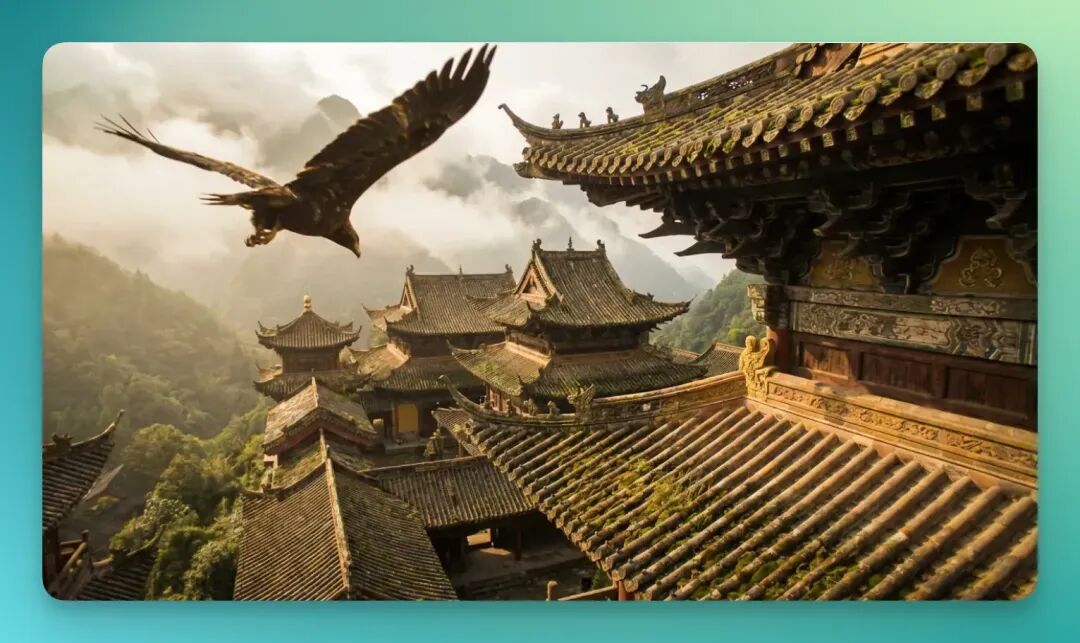
Prompt as follows:
Eastern ancient style, an eagle soaring over a bustling marketplace
Even with very short one-sentence prompts, PixVerse V5.5 can automatically structure them into prompts with shot language.
The eagle's movement and background ancient architecture blend quite naturally, without that "sticker" feel.
Simple Prompt ② Iron Man Transformation
I found PixVerse V5.5's ability to understand "given a reference image" is genuinely quite stable. It breaks down visual elements finely — metal, light, posture — it catches all these points.
So I used another base image, a movie still of Iron Man.
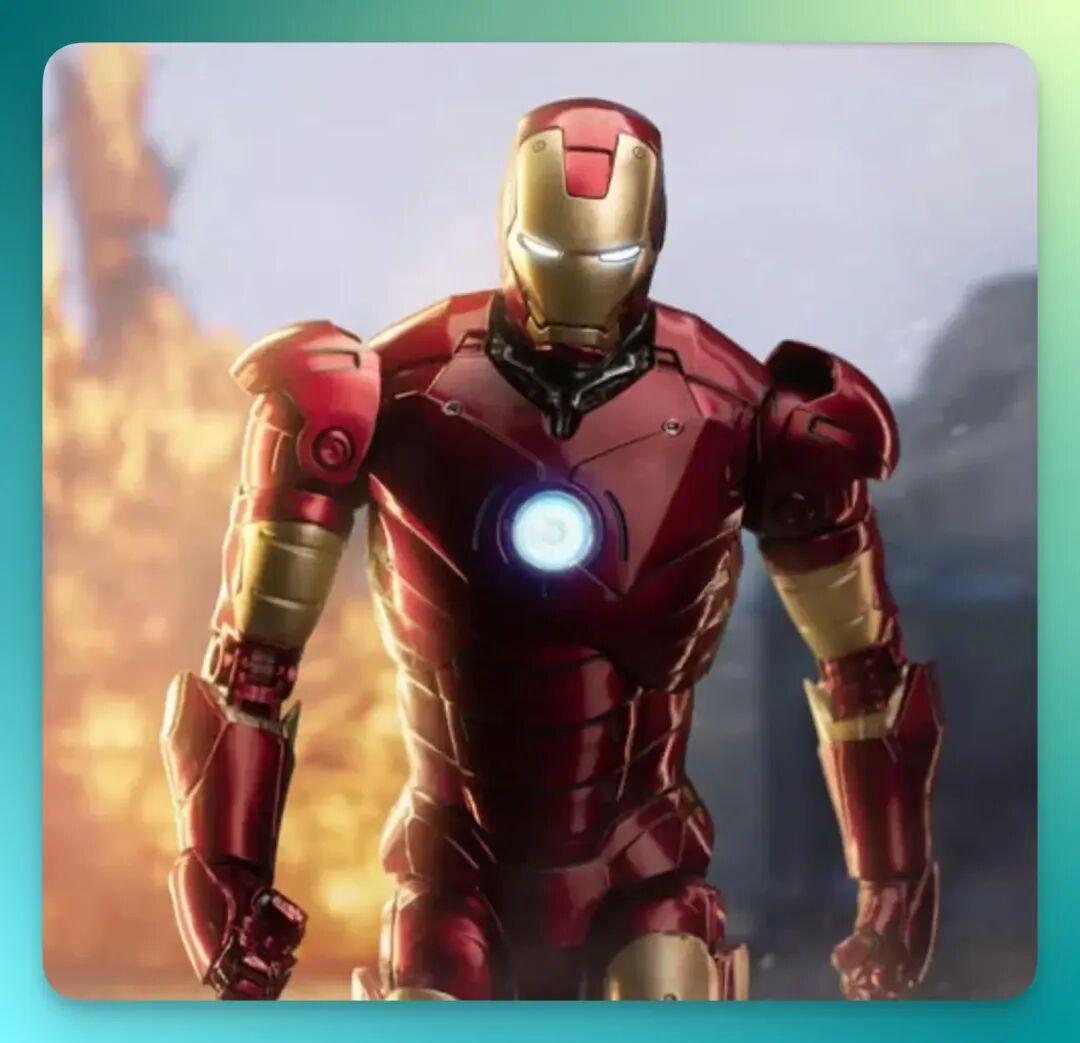
Prompt remains extremely simple, just one sentence:
Mecha transformation, then full throttle charging into the sky
This is genuinely men's romance.
The transformation process is a bit fast, lacking that slow-motion armor-assembly quality from Iron Man 1, but it does deliver the "chunky" feel of metal structures reconfiguring.
Movement is clean too, without obvious clipping or weird deformations.
The final ascent segment's jet trail, flame diffusion, and slight fuselage shake are all quite natural, with minimal "fake" feel overall.
Simple Prompt ③ CyberTruck
Recently, Nano Banana Pro's stylization capabilities have been evident to all. Now PixVerse has integrated it directly, letting you complete the entire image-to-video workflow within the same platform.
No more juggling tools — much smoother experience.
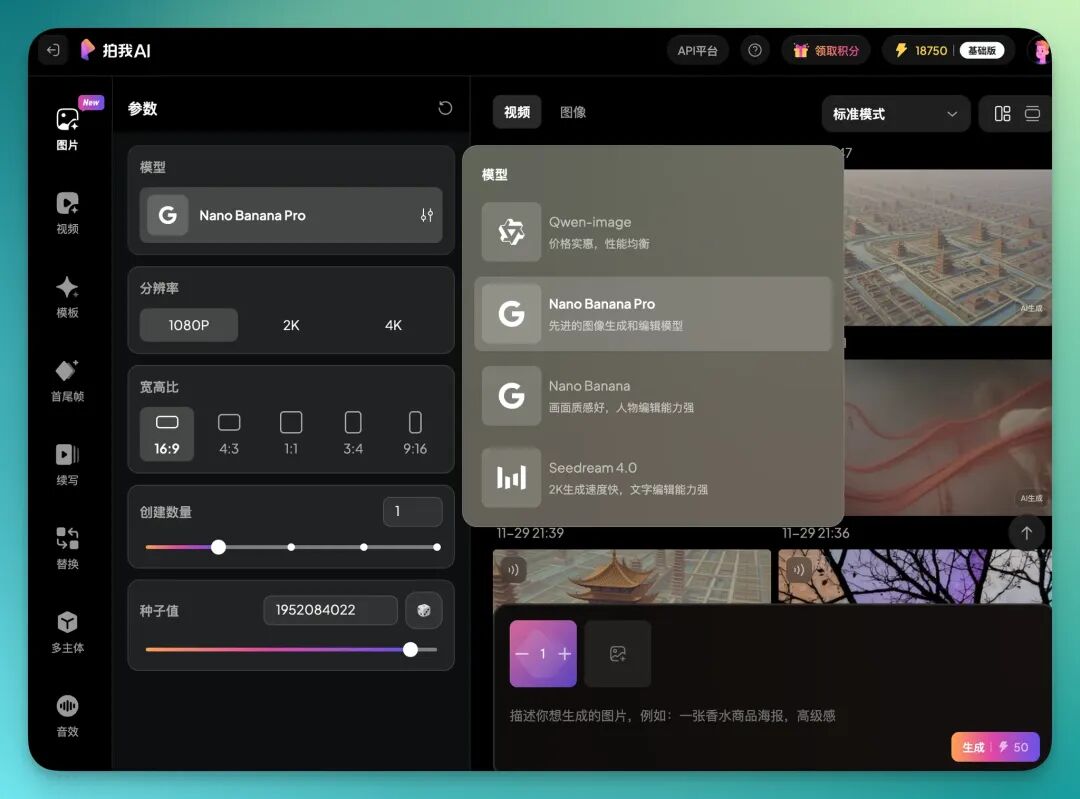
For example, I first generated a CyberTruck image:
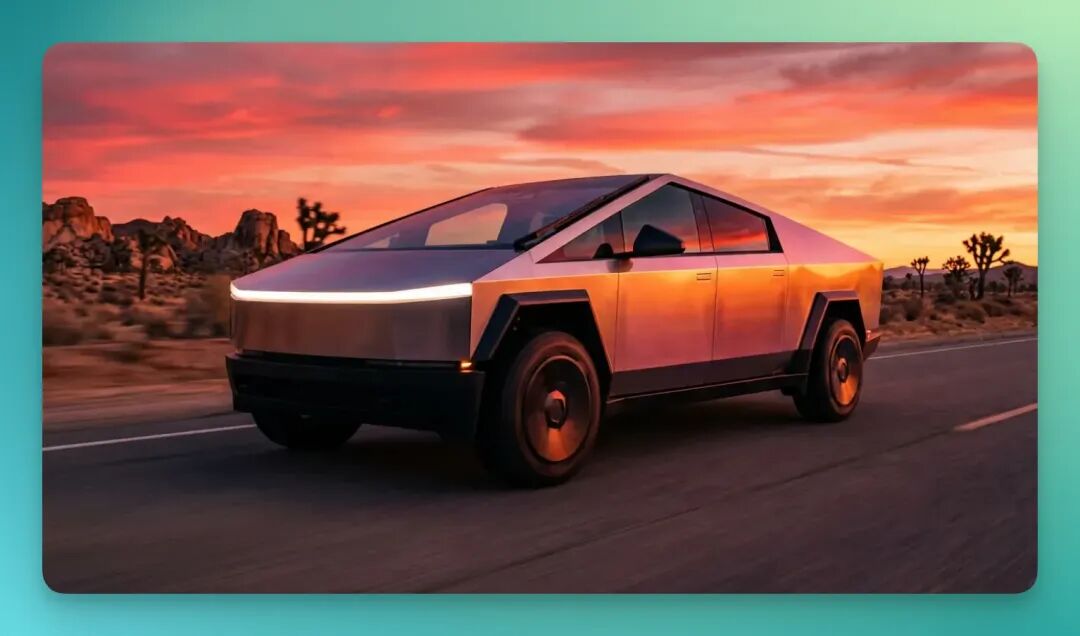
Prompt as follows:
Car driving on sunset boulevard, quiet, lonely, melancholic
In the actual generated video, CyberTruck driving through sunset scene — consistency is genuinely good.
Looking closely, the headlight sweep across road surface with light diffusion is actually quite realistic, less AI-tasting.
Simple Prompt ④ Anime Salarymouse
Next, let's look at a more "daily life" scene: a mouse wearing an employee badge, working.
And it's complaining all day about today's work design, that "work is meaningless but I still have to do it" vibe.
This time I didn't use a reference image, just let PixVerse V5.5 run bare, prompt as follows:
A mouse wearing a human male employee badge, complaining twice "Today's work is so boring"
After watching, can only say this "corporate soul" is genuinely spirited.
I feel PixVerse V5.5 really understands "the mental state of working people."
The mouse's "want to quit but don't dare to" expression management is spot-on, and the complaining rhythm is quite naturalistic — essentially your typical corporate drone.
Simple Prompt ⑤ Hair Oil Ad
Next let's examine PixVerse V5.5's performance on "advertising visuals."
This time I chose "hair oil" as the subject, mainly to test its handling of liquid texture, micro-landscape composition and other fine details.
Again no reference image, letting it shoot entirely on its own understanding.
Prompt is just this:
A pump-bottle hair oil placed at center of natural micro-landscape; rough deadwood texture, layered moss, dark berries dotted throughout. Presenting pure natural texture language. Soft natural light cuts from side-rear, forming layered high-end tonal quality. Overall image realistic, clean, ultra-HD, commercial advertising-grade quality. Bottle silk-screen "Crosing" clearly visible.
Overall first impression: The color palette is genuinely stable.
You can see that "woody scent + green plant" feeling, which is indeed common atmosphere for natural-themed ads. Then there are several points that surprised me: The liquid drop feel I think isn't very fake, more realistic than I expected.
Then there's the multi-shot continuity.
Though the prompt itself didn't request multiple shots, it automatically gave me several angle switches, and shot-to-shot transitions are smooth — no sudden jumps or light changes.
So, to summarize PixVerse V5.5's demonstrated capabilities.
PixVerse V5.5's biggest change: Shots, sound, and character are now understood together.
When to cut, when to push in, how to express emotion, which shot should linger, which shot gets only one second?
After using it, you'll feel: It's starting to "get what kind of sensibility you want."
PixVerse V5.5's update this time shows very clear advancement in "directorial sensibility." Though not perfect yet, it gets one crucial thing right:
It's starting to try to understand: Stories need to connect, shots need to change. Generate scenes, not just frames.
We used to say AI video generation is about "cost reduction and efficiency gains." But if AI rerolling focuses on drawing "good storyboards," everyone can put more energy into articulating creative vision.
So returning to our opening question: When can AI video truly "tell a good story"?
I think the answer AI video companies are giving us is getting closer and closer.