Kids Choose; Adults Go All-In on AI | CapCut's Latest AI Suite — First Look Review

All in AI, All in One.
All in AI, All in One.
👦🏻 Author: Jingshan
🥷 Editor: Koji
🧑🎨 Design: NCon

When people talk about ByteDance, most think of Douyin and TikTok. But for many content creators, there's another product that's equally indispensable: CapCut.
That makes one question especially intriguing:
When CapCut goes all-in on AI, what new possibilities emerge for an already mature creation tool?
Last week, the Crossing team was invited to attend the CapCut 2025 Creator Exchange Conference on-site.
When the slogan "All in AI, All in One" appeared on the big screen, we immediately understood: CapCut's ambitions go far beyond rolling out a handful of new features.
What it's building is a completely new "creation operating system," fundamentally reimagined by AI.
We'll share our impressions from two angles: how it integrated into our team's actual workflow, and our firsthand experience at the creator conference.
When CapCut AI Entered Our Content Team's Workflow
Let's walk through the new "AI CapCut" experience first — it'll make the conference takeaways land with more resonance.
CapCut's full AI transformation isn't distant technical showmanship. It precisely targets the most authentic, highest-frequency scenarios that content teams face today, especially for "fast and light" content operations.
Here, we picked two scenarios that go straight from copy to visuals, music, and video to illustrate:
[1] Feed videos; [2] Product marketing videos.
Scenario 1: Feed Videos
Copy editors at many content teams face a painfully real yet deceptively simple problem:
[1] Small "workshop" teams making feed videos often write highly visual scripts. But turning those words into video requires a lengthy process — more effort, more resources, and often building custom workflows on various agent platforms.
[2] Tech media editors making explainer clips face a different pain point: they need to pair articles with "relevant" visuals and publish quickly across platforms.
Both workflows typically demand: line-by-line grasp of the copy's mood; hunting through massive asset libraries for matching footage (often hours of searching); rough cuts, fine cuts, music scoring...
Now, in the "fully AI-powered CapCut," the flow looks like this: copy editors use AI to complete feed drafts, then drop them straight into the "AI Text-to-Video" feature. The AI automatically analyzes the copy, matches high-quality video assets, and generates a rough cut with voiceover and soundtrack.
This rough cut is what many teams now call a "video毛坯" (video毛坯 → video毛坯, or "video skeleton/rough draft").
Take a "Ghibli-style story short" as our example.
I can input the copy directly into AI Text-to-Video, with visuals auto-matched to multiple styles, or upload from my camera roll. Voiceover and BGM are AI-generated automatically:

In very little time, CapCut matches visuals to the copy:
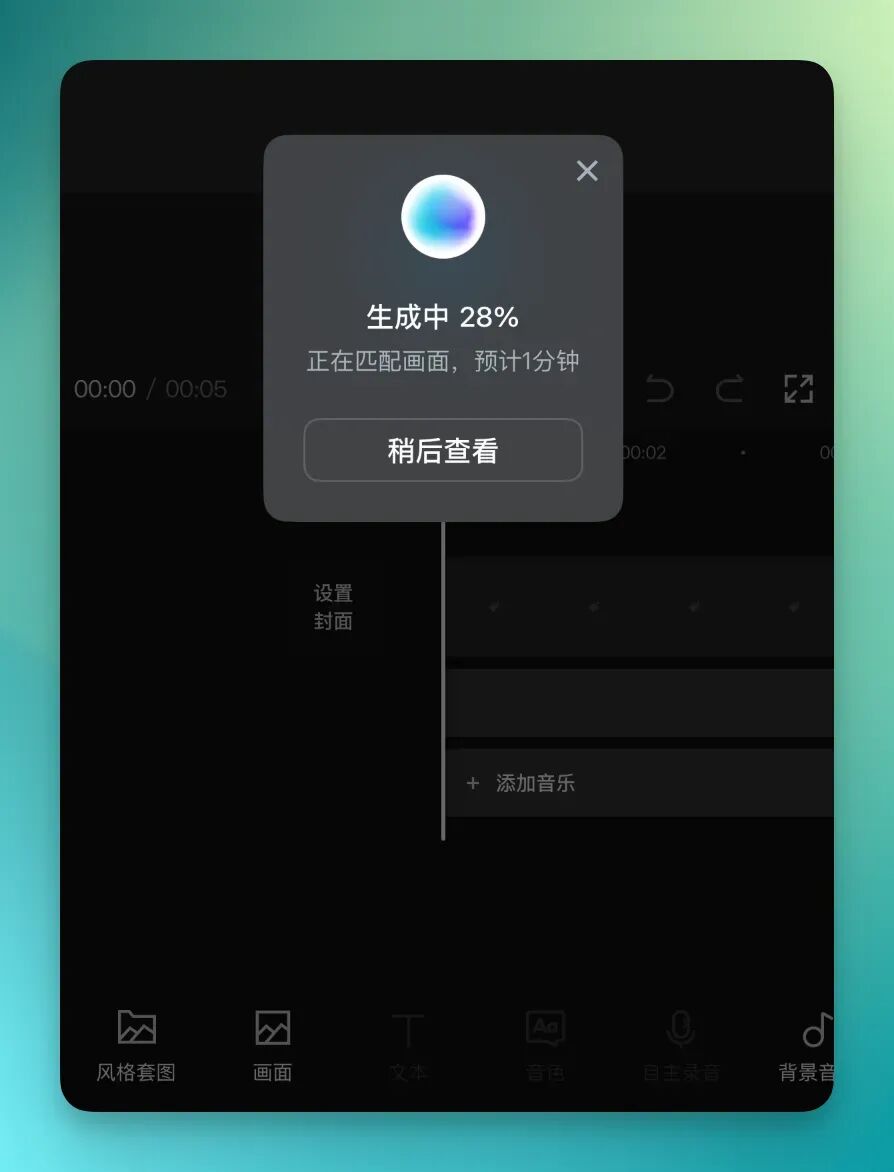
Within minutes, CapCut AI Text-to-Video rapidly matches multiple visual options, applying basic transitions, BGM scoring, and voiceover alignment to the footage's rhythm:
What's particularly interesting, I think, is that unlike traditional AI video tools where all clips get "locked together," making post-editing impossible.
CapCut's approach: after AI generation, the finished video can be broken down into separate tracks — visuals, voiceover, music, subtitles — for precise editing. No more tedious back-and-forth between multiple apps.
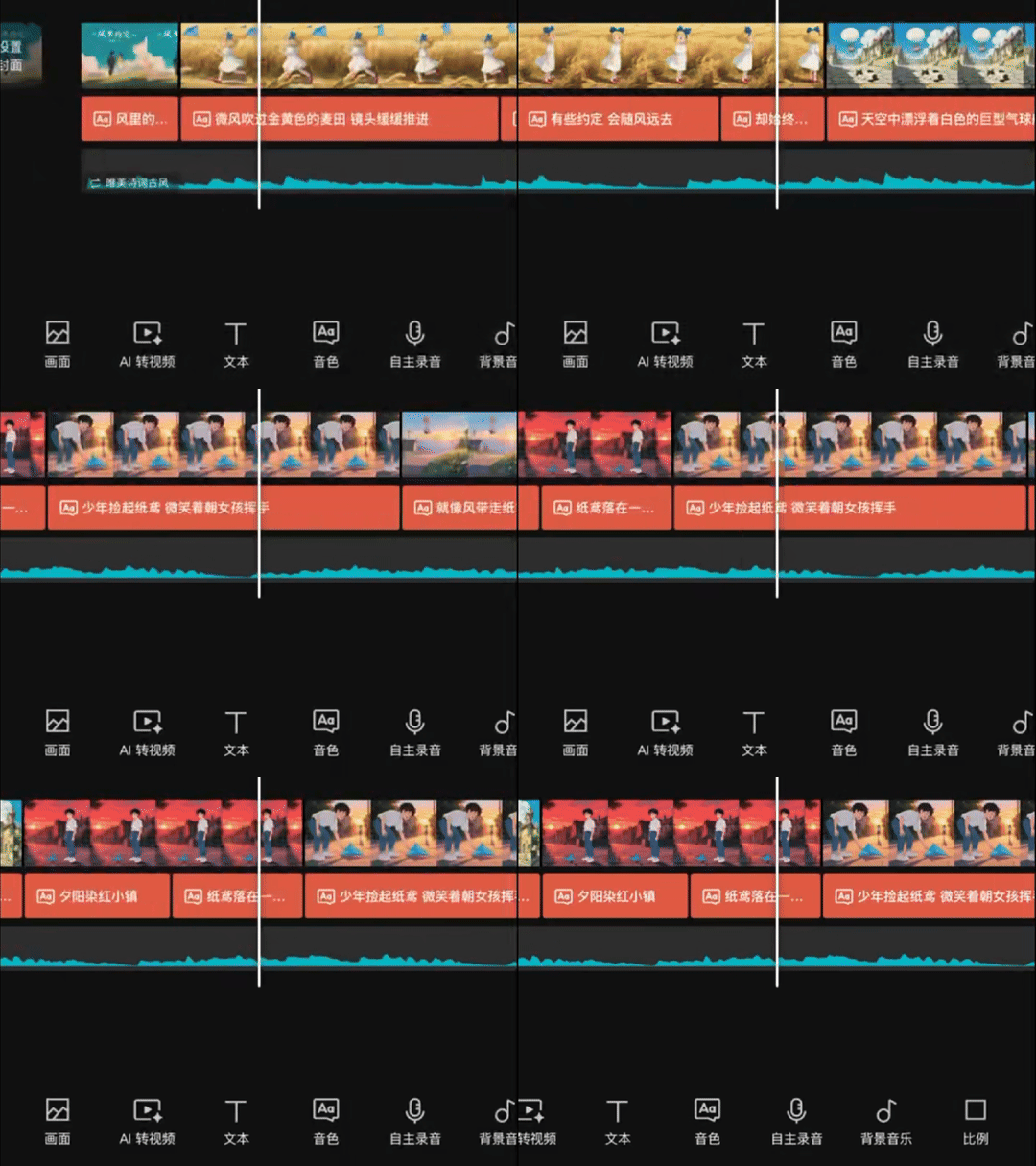
For more professional output, CapCut Pro has also rolled out advanced features for visual refinement and audio processing. The workflow is no longer 0 to 1, but 1 to 100. Take the AI-generated "rough draft" and jump straight into polishing, focusing energy on creative editing and detail optimization — truly one-stop creation.
The "AI One-Click Video" feature also works with phone footage. I casually made a travel video from a recent trip to Dali:
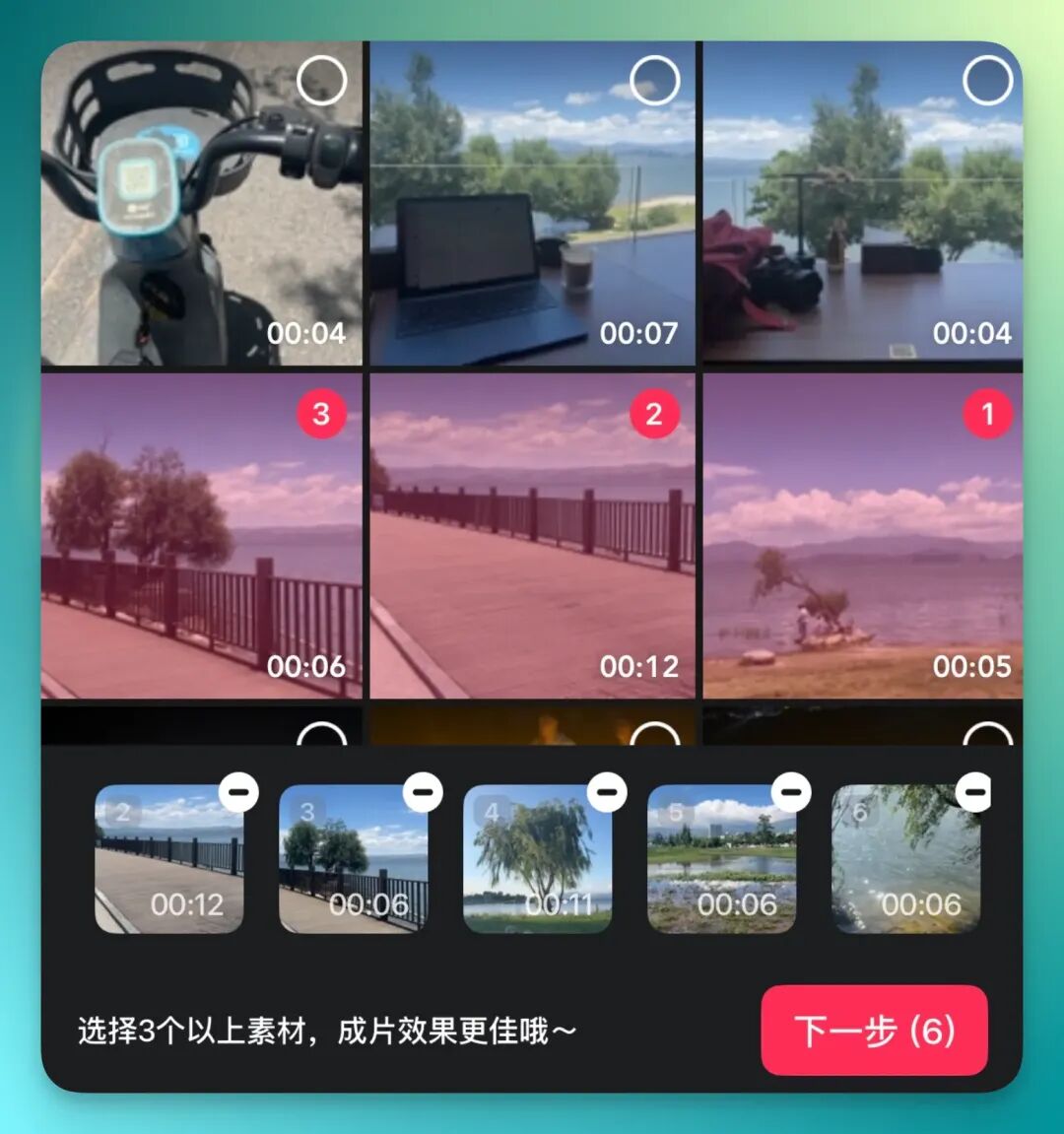
And I didn't even provide copy — AI CapCut automatically recognized the footage, adding transitions, voiceover, and subtitles to create an explainer video. It could just as easily become a vlog.
Scenario 2: Product Marketing Short Videos
Let's look at product marketing shorts — a format that's been trending on Xiaohongshu and other short-video platforms lately. These don't require advanced editing skills; they're fast and light by design.
I grabbed some product shots of the Prada Banana Lip Balm, a recently viral item, and tried making a complete product marketing video in under 3 minutes:
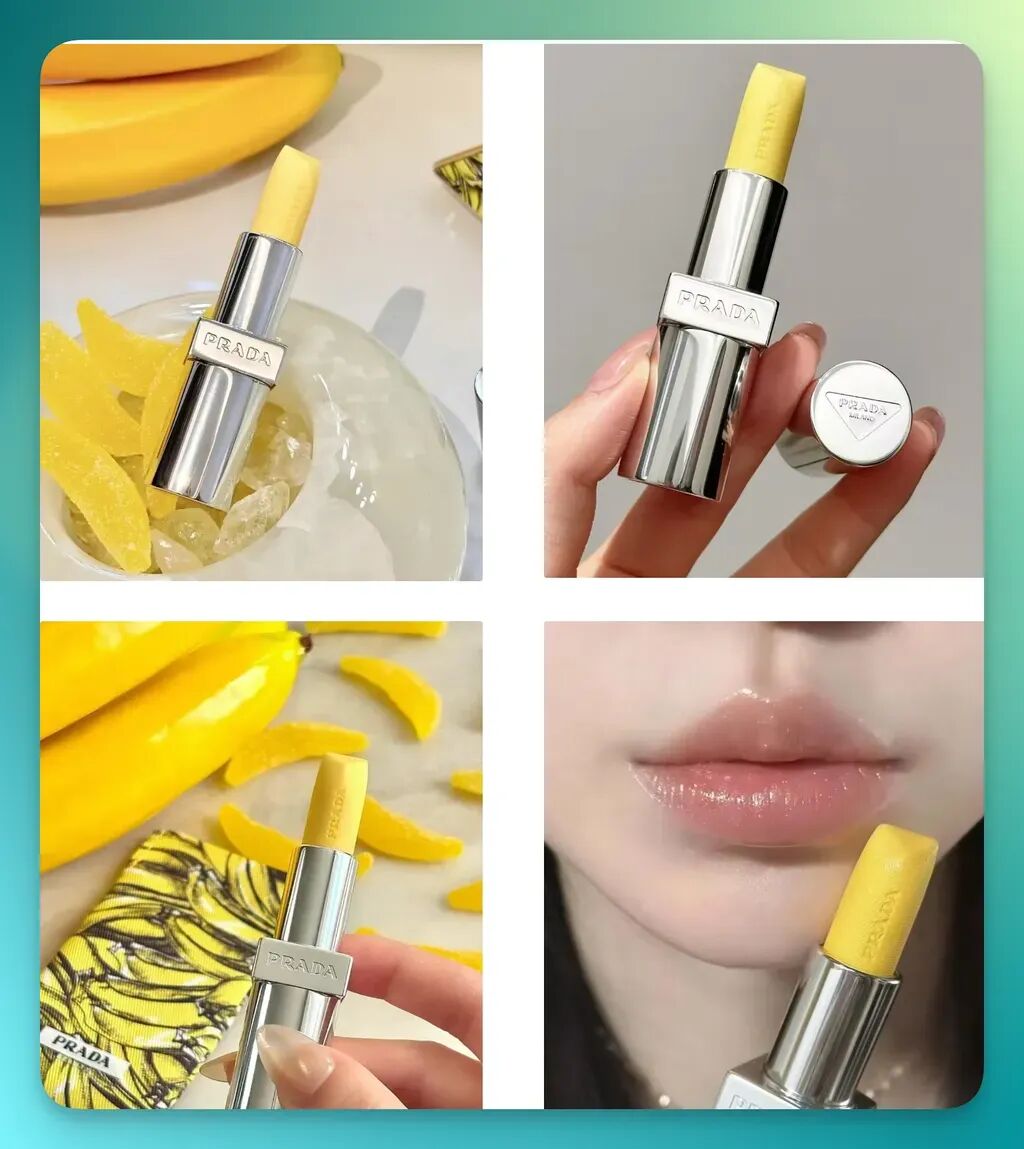
In the CapCut app, I tapped Marketing Video, selected the format under AI Video, uploaded the images, and it auto-generated keywords for the product. I could also add custom text:
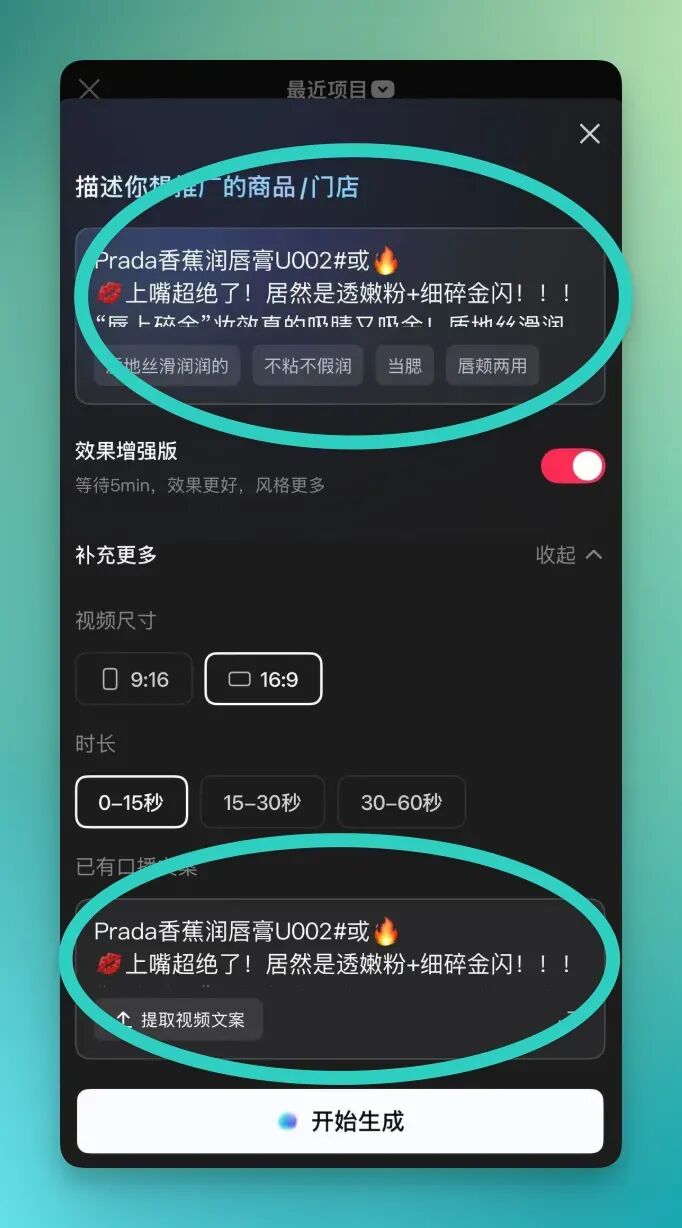
CapCut's AI can turn these short assets into a 30- to 60-second marketing video remarkably fast.
And it's not just images with captions. The on-screen text uses multiple fonts that complement the main visual elements.
Looks pretty close to what beauty creators post on Xiaohongshu, right?
Here's another trend clip without caption text:
Beyond these "one-stop AI video editing" features, even when you enter the "fine-cut" phase, there's a deep toolbox of AI capabilities.
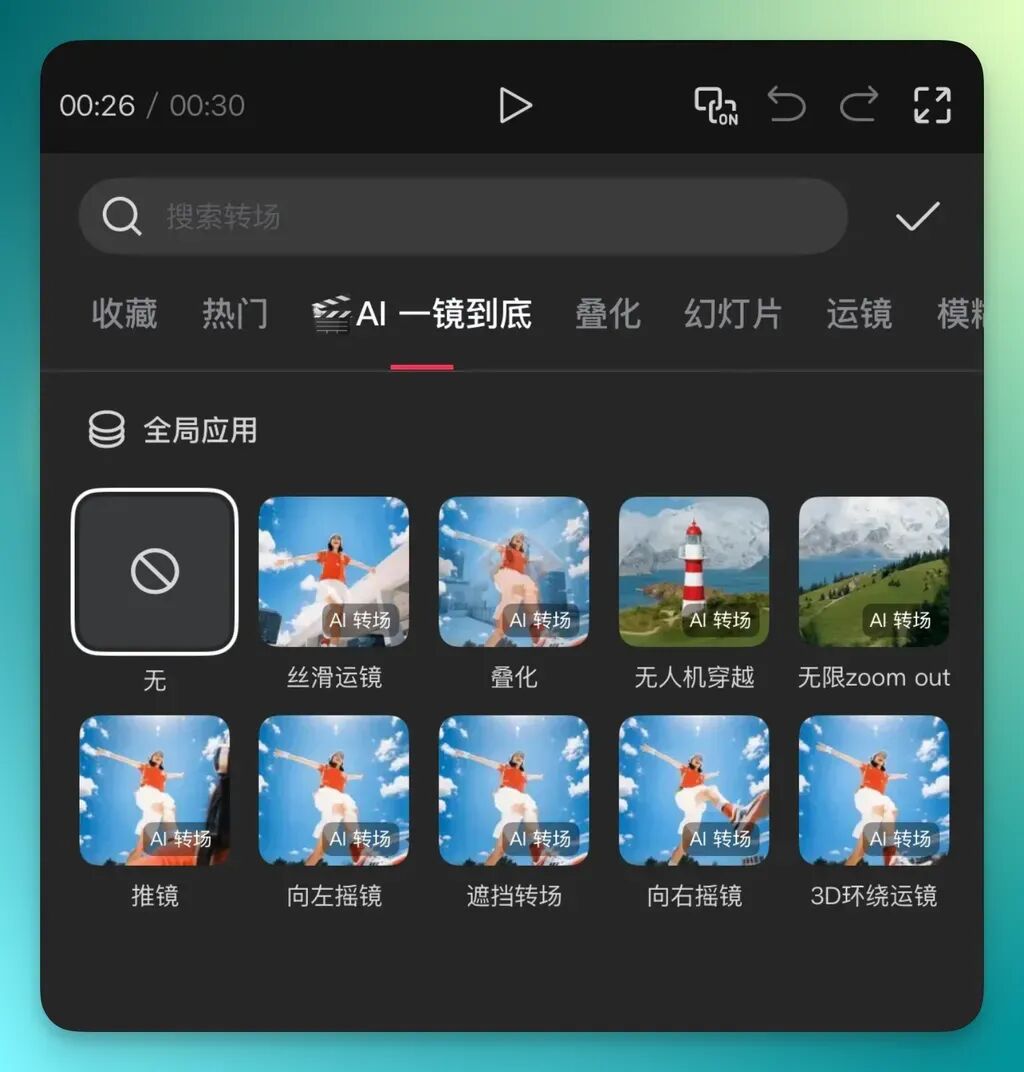
For visual effects: upload multiple clips, click where they meet to access "AI Transitions," select "AI Seamless Shot" for professional camera movements and cinematic one-take effects:
And as the Prada lip balm demo showed, audio handling is equally convenient.
Use AI Voiceover with various tones for personalized results, or Voice Cloning to replicate your own voice. For the Prada demo, I used the "Taiwanese Sweet Girl" voice from AI Voiceover — pretty realistic, no?
I also noticed AI Voiceover now includes the previously viral, hyper-realistic, genuinely human-sounding "Ultra-Realistic Tones" like "Real Podcast Host Female" — genuinely hard to distinguish from a real person.

But wait, there's more. I still needed a cover image for the product marketing video.
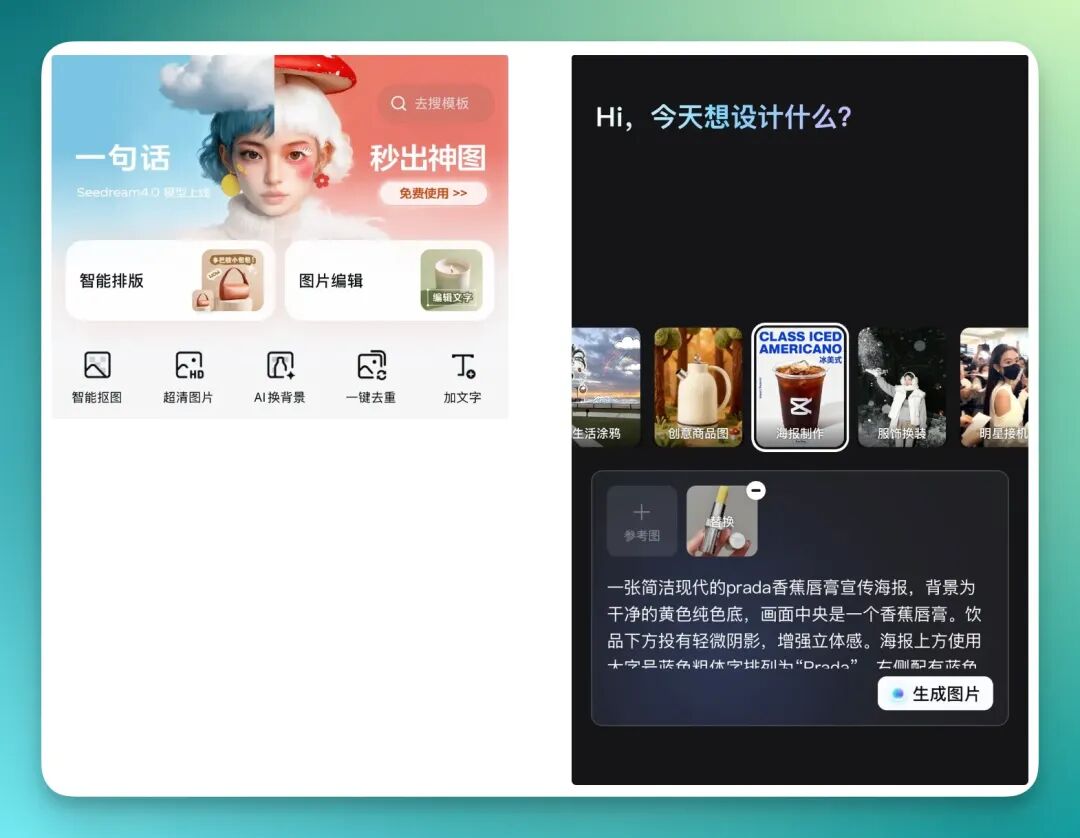
I was about to exit CapCut and use another platform for the cover. But when I backed out of the editing interface, I discovered they'd launched Seedream 4.0 on the home screen.
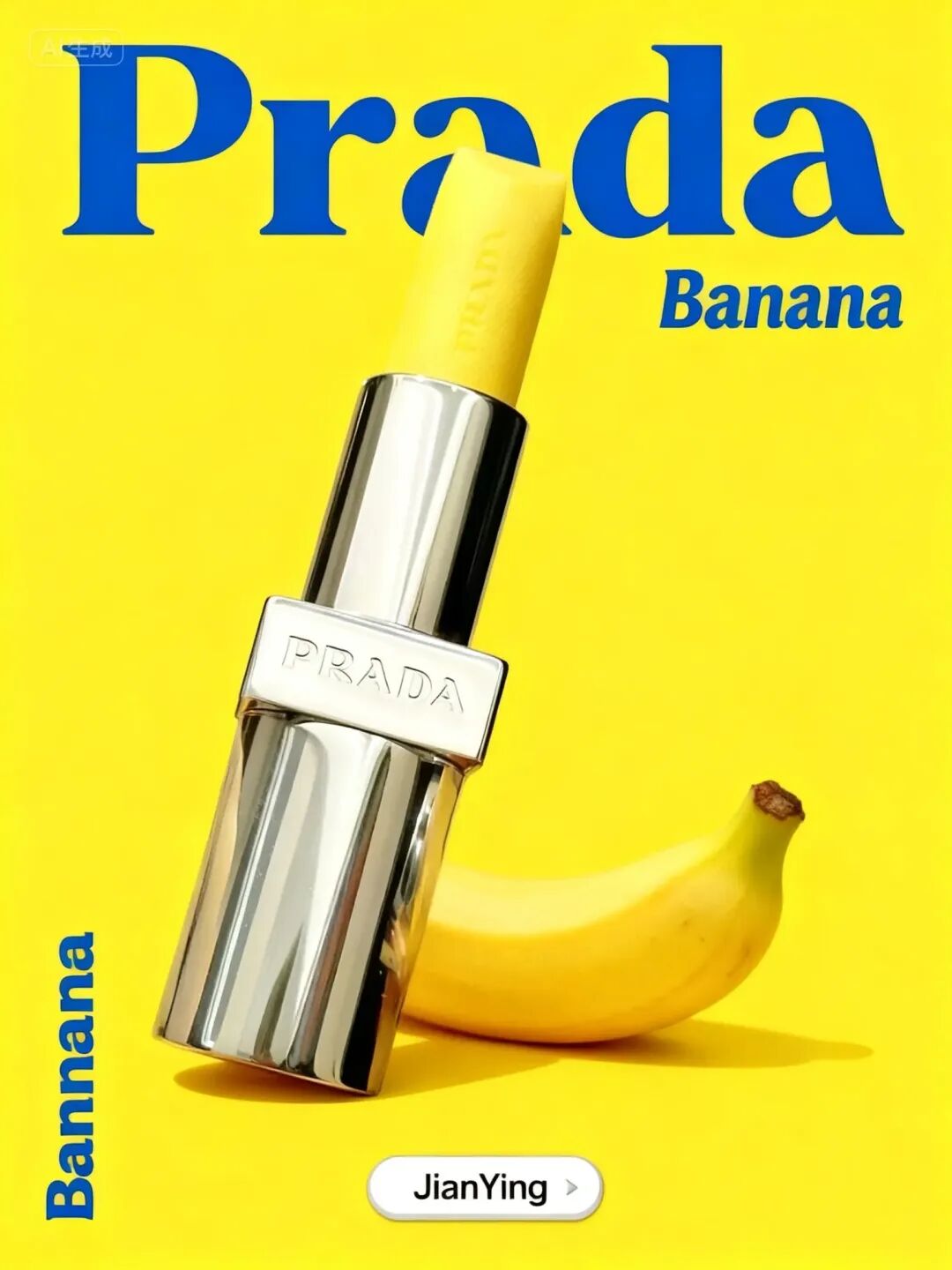
So we went ahead and made a poster cover for the Prada Banana Lip Balm.
Feature entry point here:
After using it, all I can say is: Seedream 4.0 lives up to the hype.
Still not done. CapCut's AI toolkit also hides e-commerce-specific features like "One-Click Cutout" and "AI Product Images." Based on product characteristics and extensive built-in templates, it rapidly generates high-quality product shots for multiple use cases.
Anyone familiar with cross-border e-commerce will recognize this as the bread-and-butter of many AI product marketing platforms...
I tested it with this AG Whitening Drink product:
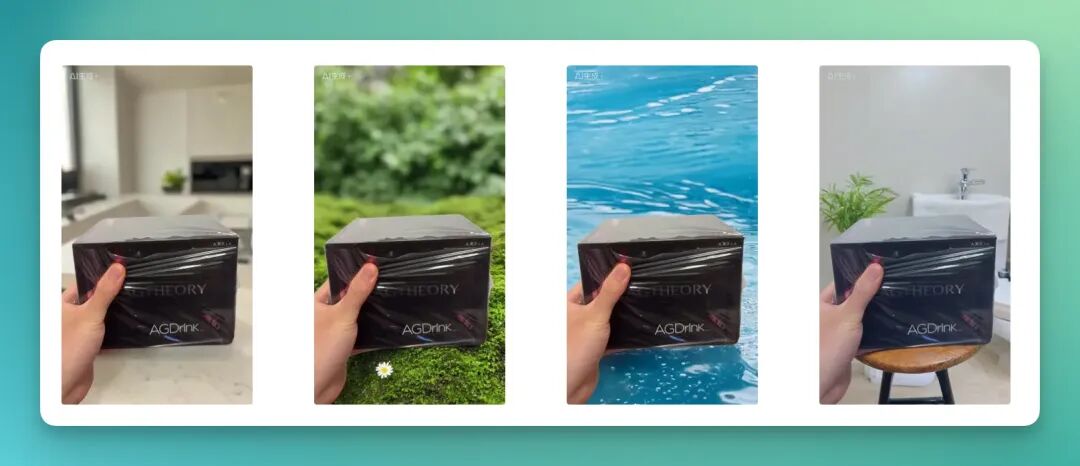
At this point, a complete closed loop from "idea" to "video" to "marketing assets" is accomplished entirely within a single app. CapCut's AI capabilities target the "most foundational, most basic, most real" scenario needs.
Consider the simplest example: in many people's social feeds, there are daigou resellers and other small merchants showcasing lots of products. For them, these native AI features provide straightforward, grounded support for their business.
That may be its greatest significance:
Let tools serve people solidly. Let those with ideas no longer get stuck on technical hurdles.
Beyond fast, light feed content, CapCut continues refining its capabilities for scenarios demanding higher precision. Over the past year, CapCut Pro has been "listening to feedback" with updates including multi-timeline editing, smart search, secondary color grading, and stereo processing.
Meanwhile, the large language model-powered "AI Rough Cut" lightens the creative flow further: from copy to visuals, one-click smart arrangement helps film and variety show creators efficiently process massive amounts of footage.
CapCut clearly values professional creators' refined needs too. Its positioning has long since expanded beyond a mere editing app, evolving toward a one-stop content creation platform balancing professional depth with accessibility.
A "Comprehensive" AI Launch Event
Everything above was covered at the AI Creator Exchange Conference. The core message boiled down to two points: "All in AI" and "All in One."
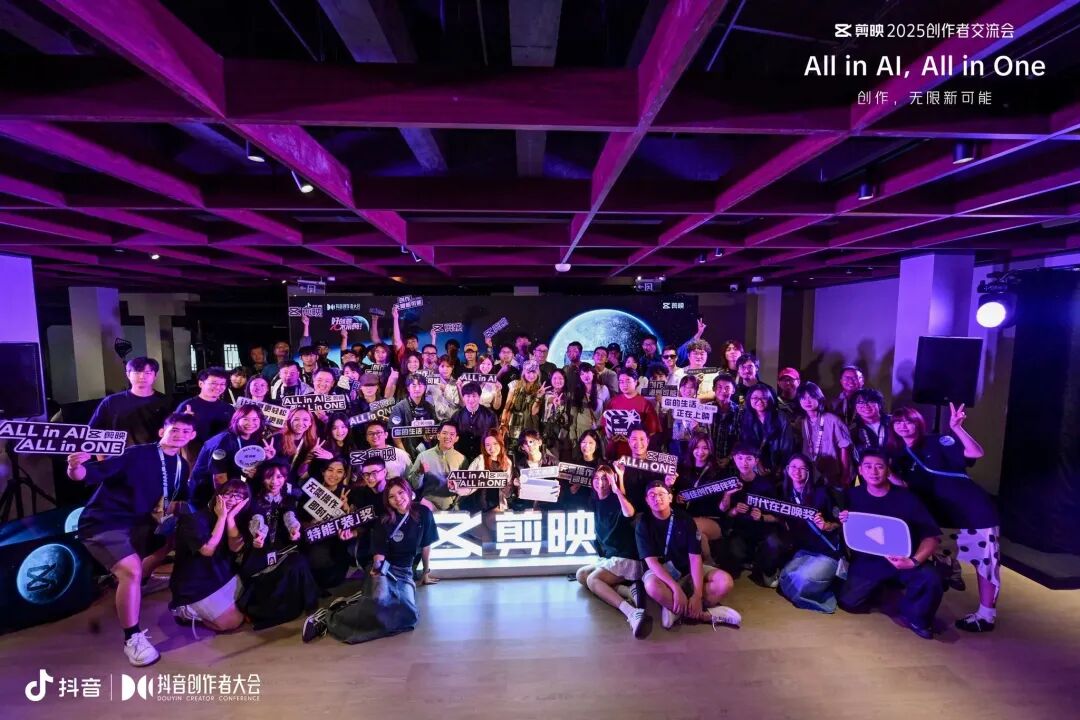
All in AI
CapCut believes AI empowers creators to attempt things previously blocked by technical, cost, or skill limitations — it's for breaking through creative ceilings.
This "barrier-breaking" feeling came through vividly in the on-site demos: one-stop AI video generation via "AI Text-to-Video," visual effects through "AI Transitions," and audio processing via "AI Voiceover 3.0" and "AI Music."
This goes beyond simple "efficiency gains" to transform an entire workflow: from "human finds assets, human edits" to "human supplies the idea, AI executes." For word-focused creators who aren't strong at shooting or editing, this opens an entirely new door.
Perhaps in a few years, when AI is fully woven into the creative process as a default part of the experience, the word "AI" itself will no longer be deliberately emphasized.
All in One
If "All in AI" answers the question of creative possibility, then "All in One" tackles creative fluidity.
Previously, creators had to "alchemy together" different AI tools like some kind of炼丹 (炼丹 → alchemy/refinement process). CapCut's goal is clear: stop piecing things together, stop jumping between apps. From now on, everything about creation happens in CapCut.
But this brings a new challenge: how to balance "simple and easy" for casual users with "powerful features" for professionals?
CapCut's answer circles back to AI:
Use AI's essential nature — simplification — to lower the barrier for professional features.
This "simplifying complexity" philosophy runs through the entire creation chain. CapCut aims to cover the full process from pre-production (inspiration and assets) through production (editing and crafting) to post-production (polishing and publishing).
In the AI Text-to-Video feature above, this manifests as AI generation capability plus multi-track functionality — creators can either hand their vision to AI or refine atop generated content, truly completing creation in one place.
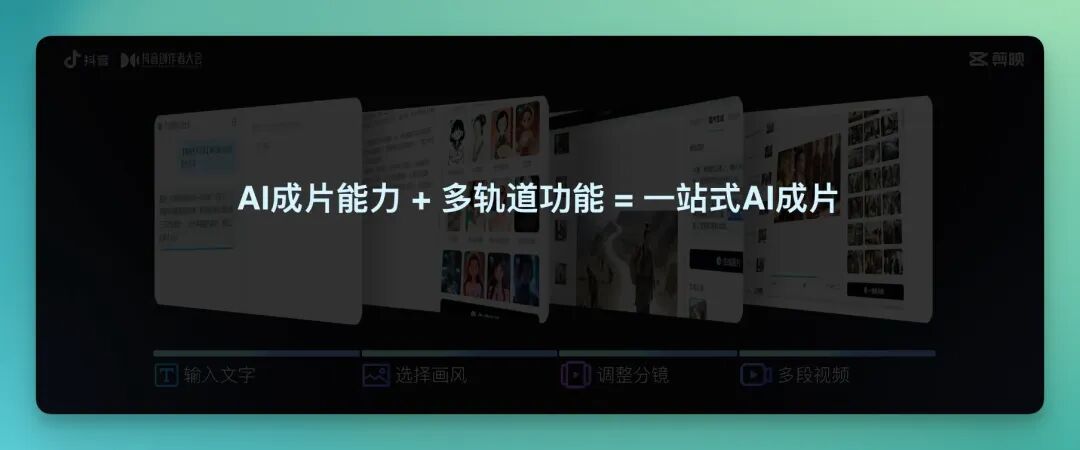
Putting the full conference message together with our hands-on creative experience, CapCut isn't tentatively dipping into AI anymore — it's made a firm, all-in commitment to comprehensive AI transformation.
This also marks AI video editing competition entering its "second half":
When the technology is good enough, the real contest becomes who can build the more efficient, seamless, integrated creative workflow.
That, perhaps, is what "All in AI, All in One" truly means.
When a tool handles 80% of the "grunt work" in your creative process, letting you focus purely on "free expression," AI becomes genuine wings for ordinary creators.