Ant Group's "Lingguang" has been turned into a "gaming console for everyone."

Creativity isn't a gift — it's the joy of being allowed.
Creativity isn't a gift. It's the happiness of being allowed to create.
👦🏻 Author: Jingshan
🥷 Editor: Koji
🧑🎨 Layout: NCon

A while back, Ant Group launched its "Lingguang App." Within six days of going live, it surpassed 2 million downloads and sparked considerable discussion and curiosity on social media.
We've been scrolling through Xiaohongshu lately and came across tons of posts about Lingguang. Beyond keywords like "great aesthetics" and "rich output," we noticed something unexpected: the use case that got users most hooked was "casually whipping up a mini-game in Lingguang!"
In the comment sections of these posts, you can clearly sense a familiar emotion: many people seemed to suddenly rediscover the joy of playing with clay, building with blocks, or doing crafts as kids — that satisfaction of making something with your own hands.
On December 4, Lingguang rolled out a major post-launch update: the "Flash Games" feature — unlike traditional mini-games, ordinary users with zero programming background can describe a game in natural language through a chat interface and "hand-craft" a Flash Game in as little as 30 seconds.
From our perspective, the goal of this update is straightforward: hide the code editor and hand the "improvisational creation space" back to everyone.
Ever since Lovable and Cursor blew up, there's been industry chatter that these are just tools for prosumers. For ordinary people, the biggest hurdle isn't technical — it's "not knowing what to make." They often lack a clear product concept.
But Lingguang's "Flash Games" phenomenon reveals an interesting difference: conceiving a complete software tool requires rigorous product thinking, while capturing a game's core fun often stems from nothing more than a simple spark of inspiration.
Lingguang dramatically lowers the barrier from "inspiration" to "playable prototype," bringing creation back to improvisation.
This perhaps proves: what ordinary people lack most isn't professional ability, but a tool that can quickly validate ideas.
As long as you have an idea, Lingguang can immediately give you an interactive prototype, making "improvisational creation" more concrete than ever before.
To test this, the Crossing team compiled several of the most popular use cases we found online and hand-crafted 7 "Flash Games" ourselves. We discovered that rather than becoming a serious developer, this feeling of "going wild" with AI might be what we originally hoped AI would feel like.
Hope everyone has fun!
We Hand-Crafted 7 "Mini-Games" Ourselves
1) Raiden-Style Vertical Shooter
The inspiration for this case was simple: I wanted to see if Lingguang could recreate that "childhood internet café vibe" of a vertical scrolling shooter.
So I gave it this prompt:
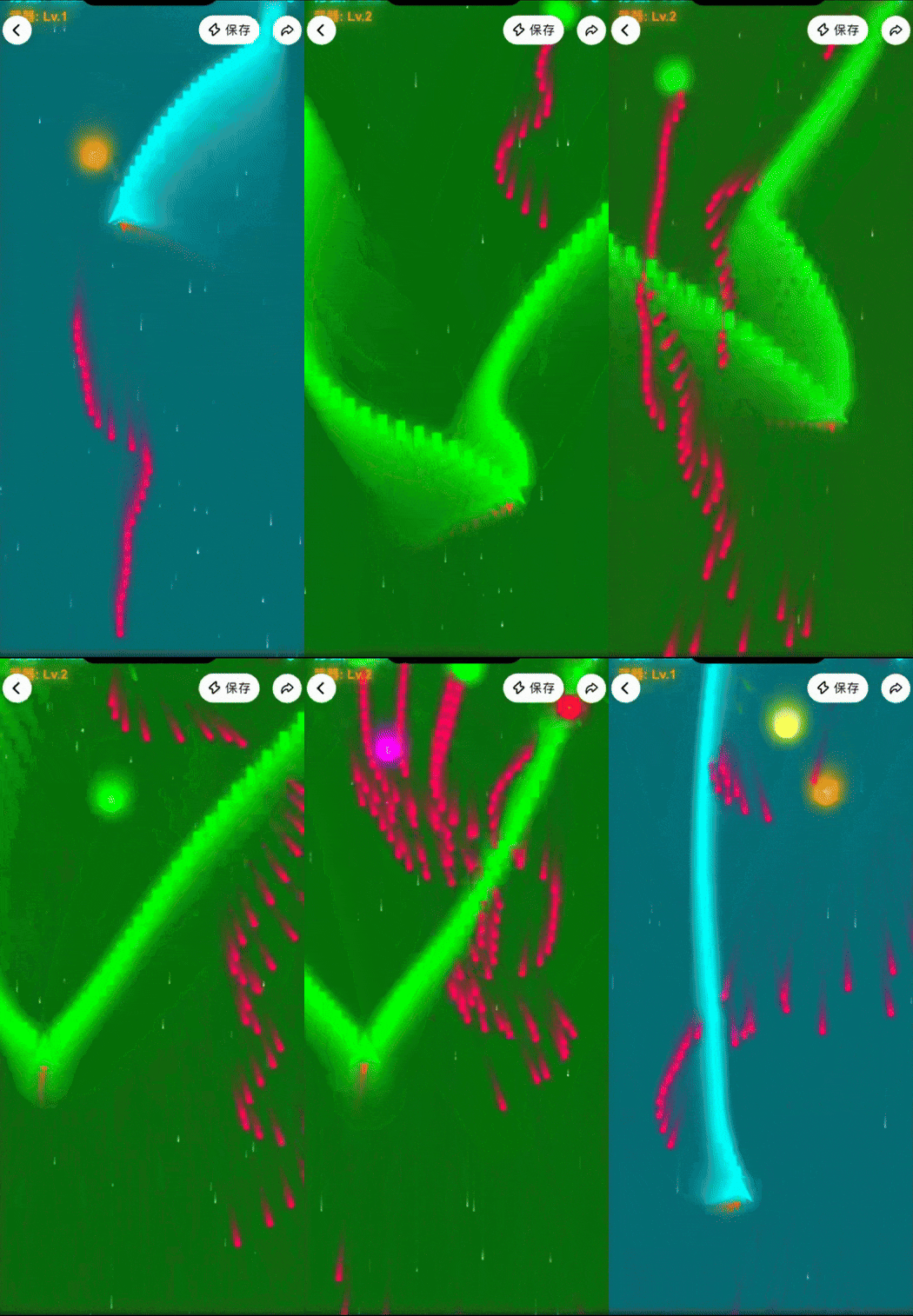
Make a neon cyberpunk vertical scrolling shooter: player ship follows mouse with smooth movement, auto-fires, parallax starfield background, enemy ships with multiple types and explosion particle effects. Enemies spawn randomly from the top of the screen, getting faster and denser as score increases; bullets and enemies collide for damage or explosions, player has HP, score, and collectible temporary buffs. Add a boss battle (triggered by reaching a score threshold), plus start and end screens (showing title, score, and restart button).
The first version it gave me was already pretty complete. And it didn't have that "AI-made demo that runs super choppy" feel.
The plane movement following mouse speed and angle felt fairly natural.
You can see in the video — plane tracking, laser firing, it's all smooth. The sound effects have that "mini-game feel" too.
Later I added a small feature: after picking up a buff, bullets multiply.
Check out below — this is the state after getting the buff:
2) Zuma Marble Shooter
The second mini-game was the "Zuma marble shooter" that was super popular when I was a kid.
Prompt as follows:
Make a "mystery totem" style Zuma marble shooter game: central turret rotates 360° following mouse
After running it, the turret rotation speed Lingguang produced felt natural, and the marble chain followed a slow "trailing curve":
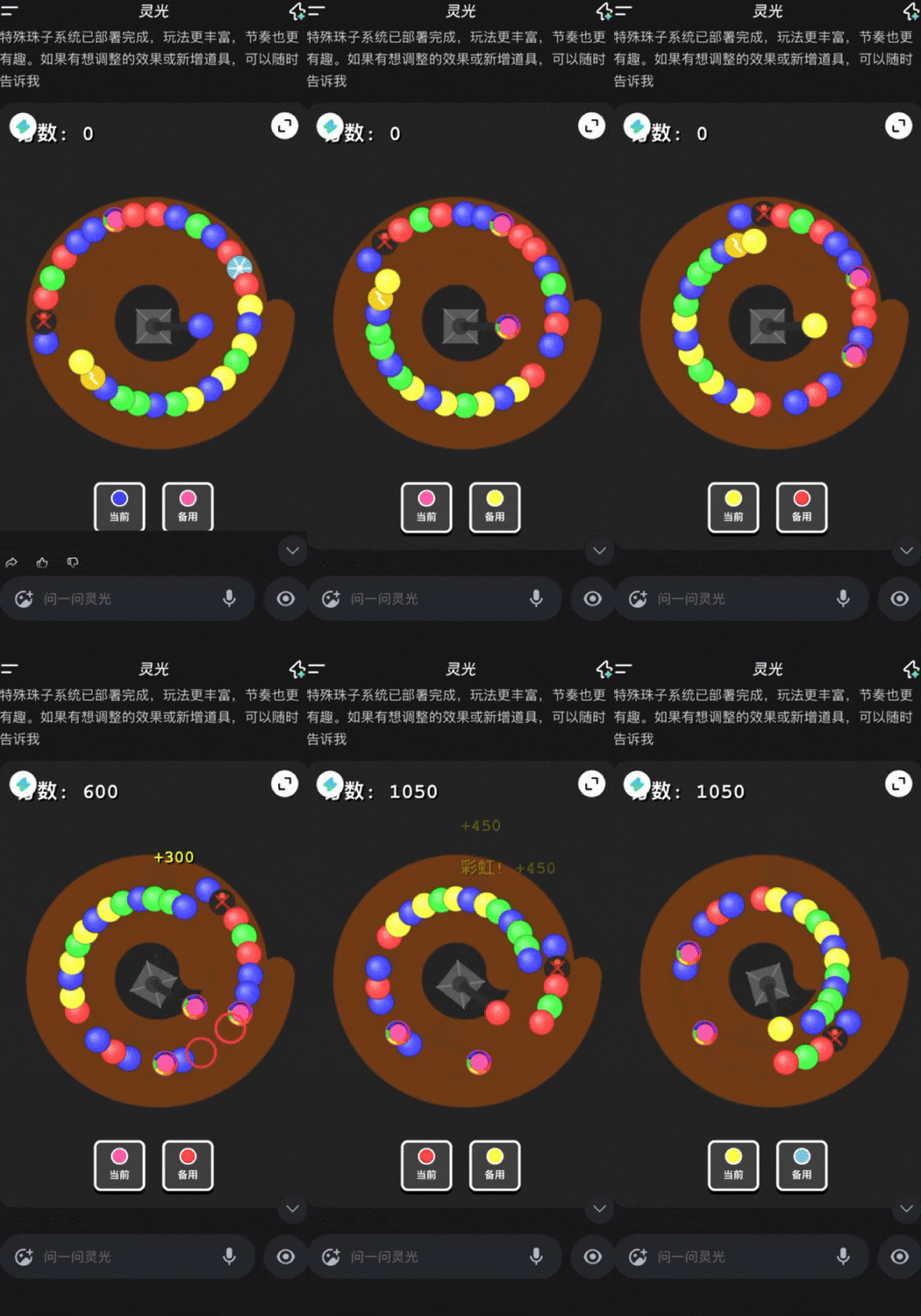
After playing a few rounds, I felt the core logic was solid, so I continued adding effects.
The first thing I thought of was "freeze effect," since that's a common power-up in Zuma. I simply said "add a freeze marble that slows the entire chain on hit."
The effect looked like this:
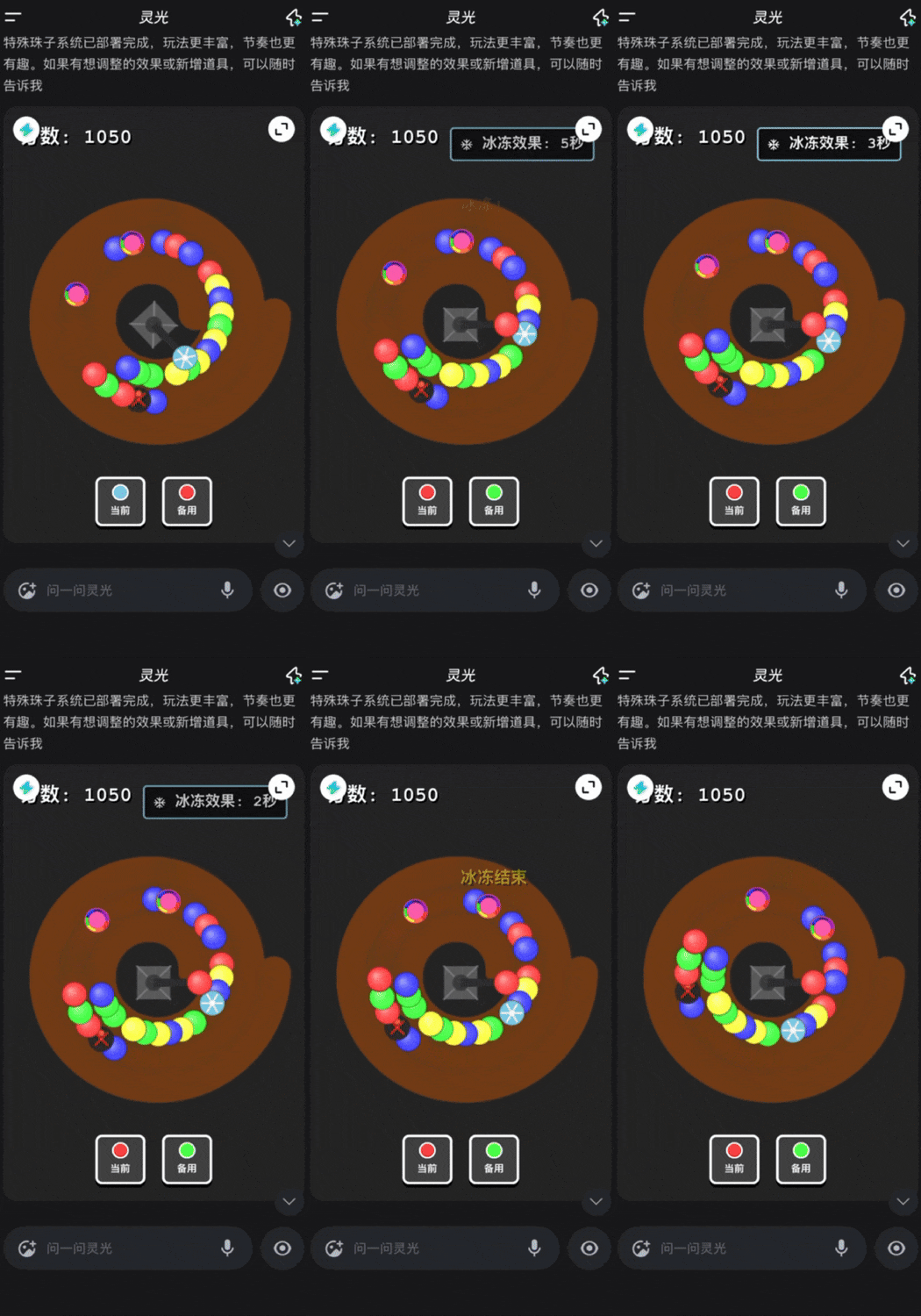
Overall, adding special effects went more smoothly than I expected.
3) Mood Flower
The inspiration for this mini-game actually came from a Xiaohongshu blogger. They said they spent several hours with Gemini 3 to get one version working.
So I got curious: if I gave the same thing to Lingguang, how long would it take?
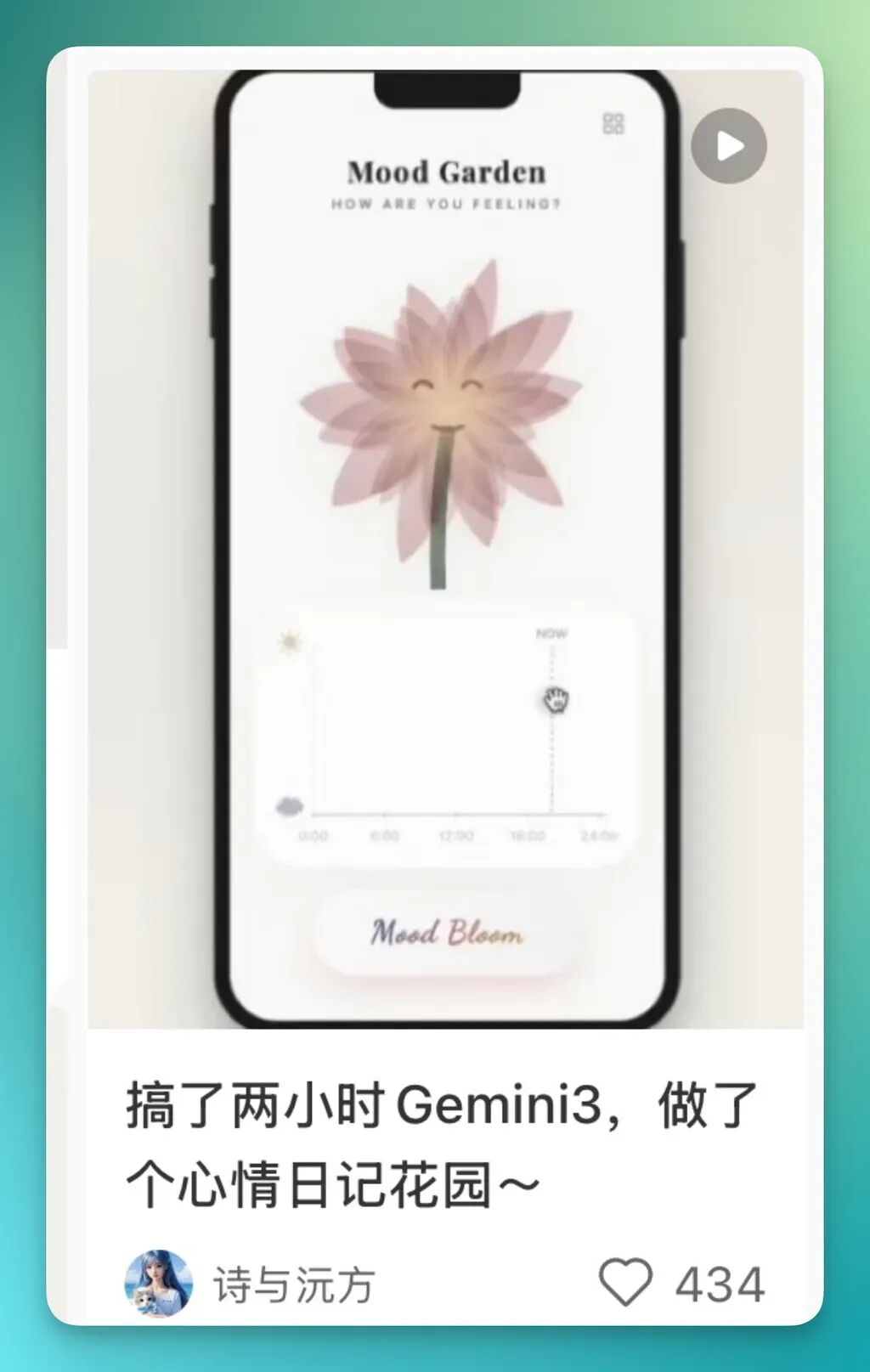
First, I sent that blogger's game screenshot to Gemini and asked it to help me "structure the prompt."
The goal was to have it break down the details for me. The final prompt it gave was as follows — feel free to copy:
Role Definition: You are a creative game engineer. Please mimic the design style of Headspace or Apple Health and help me develop an emotional visualization mini-game called "Mood Flower."
Detailed Requirements:
- Visual Style (Visuals & Vibe)
- Overall atmosphere: Minimalist, healing, premium feel. Background uses off-white or soft paper texture (#FDFBF7).
- UI layout: Reference iOS design.
- Top title: Serif font displaying "Mood Flower."
- Center: 5 large, semi-transparent watercolor-style flowers.
- Bottom: A beautifully designed timeline slider with "sun" and "cloud" icon indicators.
- Parametric Flower Drawing (The Generative Flower) — Key Point
- Please do NOT use Canvas pixel drawing; use SVG instead.
- Flower state needs to interpolate based on a variable moodValue (0.0 to 1.0):
- Stem: Uses quadratic Bézier curves.
- moodValue = 0 (bad mood/wilted): stem bends in a "C" shape, as if unable to support itself.
- moodValue = 1 (good mood/blooming): stem stands straight upward, full of vitality.
- Petals: Draw 8-12 overlapping petals.
- Color: Use HSL color mode. Wilted: low-saturation gray-purple/brown; blooming: high-saturation gradient pink/warm orange.
- Transparency: petals use mix-blend-mode: multiply or semi-transparent overlay to simulate watercolor layering.
- Openness: wilted — petals gather and droop; blooming — petals spread outward and rotate from center.
- Face: Simple doodle expression at flower center.
- Wilted: closed eyes, downturned mouth.
- Blooming: open eyes (curved smiling eyes), upturned mouth.
- Interaction System
- Timeline control: horizontal slider at bottom of screen representing time (0:00-24:00) or mood index.
- Core logic: player drags slider to real-time change moodValue.
- Smooth transition: flower morphing must be continuous and smooth, no jumps. Recommend CSS transition or JS requestAnimationFrame for interpolation.
- Mouse/touch follow: flowers have slight parallax effect, weakly following mouse position for added liveliness.
- Dynamic Feedback Details
- Text feedback: while sliding, current state text floats above screen (e.g., 0% shows "Exhausted," 50% shows "Calm," 100% shows "Energized").
- Background atmosphere:
- Low mood: background slightly darkens, perhaps with a few faint blue raindrop elements falling.
- High mood: background brightens, with faint glow pulse around edges.
Then I threw this entire very long prompt at Lingguang, and it produced a complete version in under a minute.
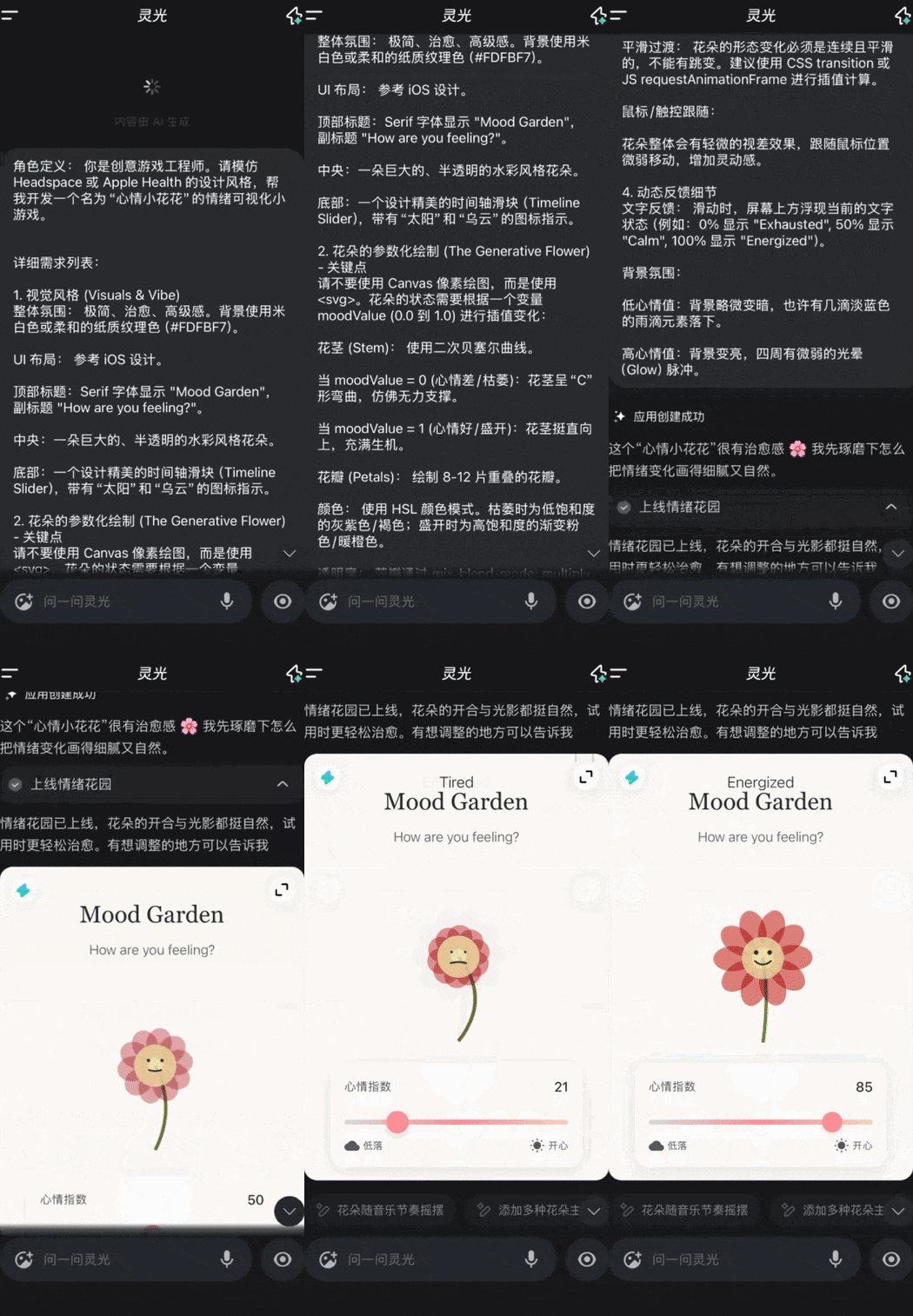
While the first version still had some roughness — like the flower opening angles feeling a bit mechanical — it was already usable overall.
Later I added two more features on top of it: first, four flower forms (from wilted to blooming), so when dragging the slider, the flower doesn't jump directly but has a "slow unfolding" process:
Or setting a 24-hour mood trajectory.
In this "daily timeline," clicking any point saves that moment's flower form.
For this part, Lingguang gave me pretty clean UI design, matching the light healing style I wanted.
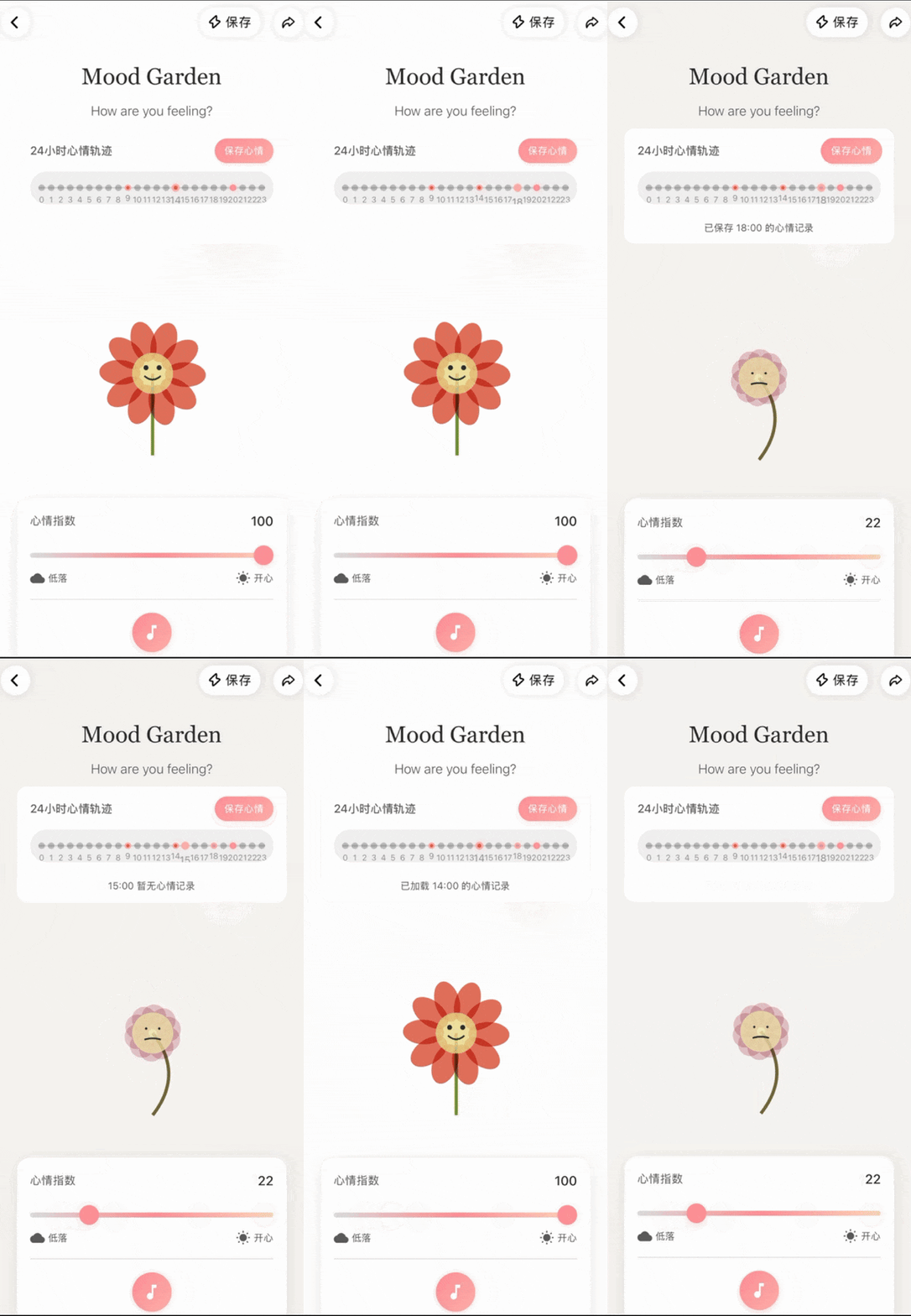
4) Slap the Boss
This mini-game was purely because I saw everyone had strong "stress relief needs," so I wanted to test Lingguang's understanding of "goofy actions + dialogue" type content.
I even think this is the most fun and stress-relieving one.
Prompt as follows:
Help me make an "Workplace Stress Relief: Suit Guy" mini-game
The first version it gave me had mediocre art style, but all the functions were there: click to hit, hit reaction animation, dialogue bubbles, character falls and gets back up, sound effects.
After that, I kept asking for micro-adjustments: give a begging animation when knocked down, change dialogue to more workplace-like conversation, add light vibration on each hit.
It changed all of them.
And Lingguang really understands "worker psychology."
You slap it once, it says: "I'll take care of this request, sorry I shouldn't have rushed you."
After a combo, it says: "I won't dare again..." There's even a scene where it falls down begging for mercy. Honestly, this mini-game has no technical sophistication, but it's genuinely stress-relieving.
5) Party Game Collection
This scenario is personally the most practical one I found.
Because you've probably had this experience: at a party, everyone suddenly wants to play some interactive mini-games, but there's no props at the venue and nobody prepared activities.
At the time I wanted to see: can Lingguang directly generate an "emergency entertainment pack"?
Prompt as follows:
Make a party mini-game collection called "Party Starter."
Lingguang generated four modules: Truth or Dare, 3D drinking dice, Lucky Wheel, and Finger Roulette.
Each one is directly playable with its own small mechanics.
For Truth or Dare, Lingguang randomly gives questions that aren't awkward or vulgar — pretty suitable for mixed circles or ice-breaking.
I recorded a full demo:
6) Pixel Art Editor
I wanted to test: can Lingguang make lightweight tool-type applications, like a pixel art editor for casual doodling?
Prompt as follows:
Make a dark professional UI pixel art editor: central checkerboard canvas, selectable 16/32/64 pixel dimensions, grid lines, left side brush/eraser/fill/color picker tools, right side palette and layers panel, supports drag-to-draw continuously and mouse hover highlight.
The first version it produced surprised me — fairly high functional completeness: brush, eraser, fill, color picker, grid lines, canvas 16/32/64 switching, palette (with presets), user-defined color values.
Later I had it add "art templates." For example, a pixel draft of Van Gogh's Sunflowers — I had it auto-generate a reference layer:
Below is what I ended up with after aimlessly doodling for 2 hours during "stress relief time":
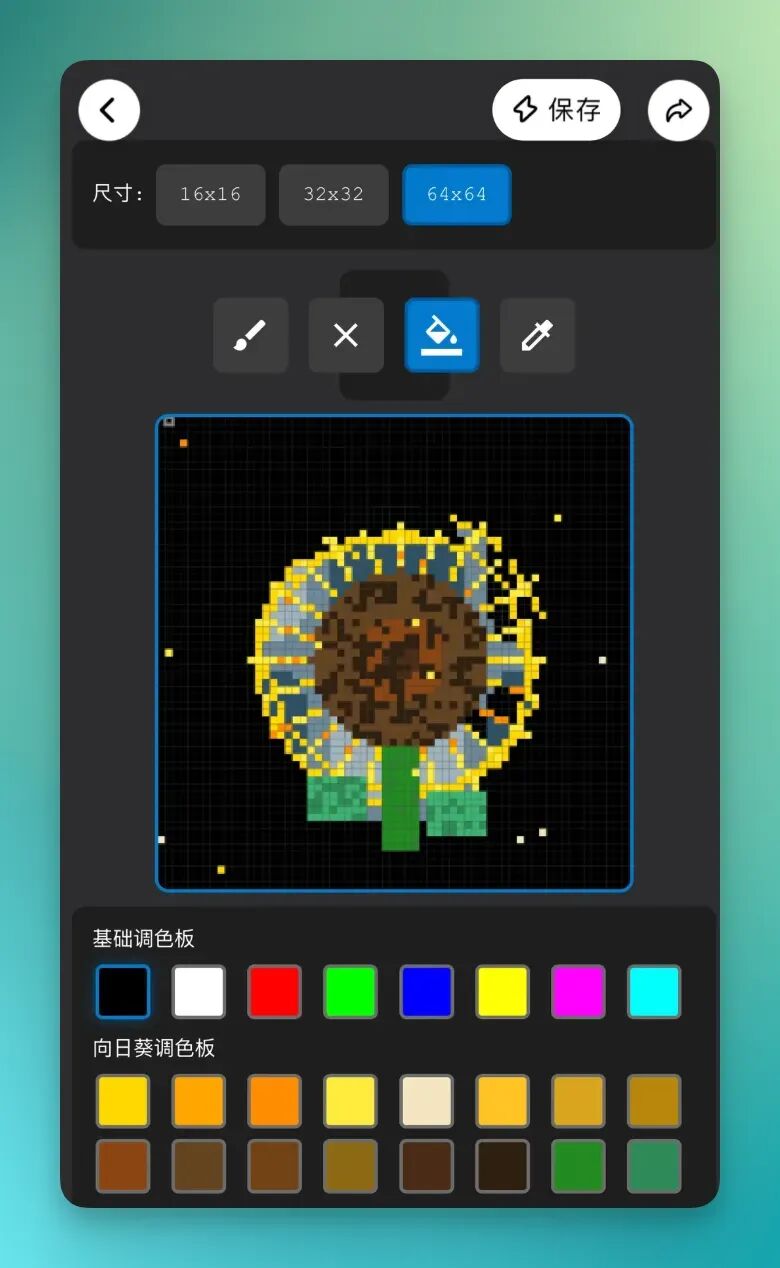
Lingguang handles this kind of "clear structure + clean UI" stuff more easily than I imagined.
7) Stress Relief Game Collection
For this final case, I simply wanted to test Lingguang's "parallel capability." I wanted to see how many different mini-games it could output at once.
Make a stress relief mini-game collection, like a screen-full-of-bubbles bubble-popping stress relief game.
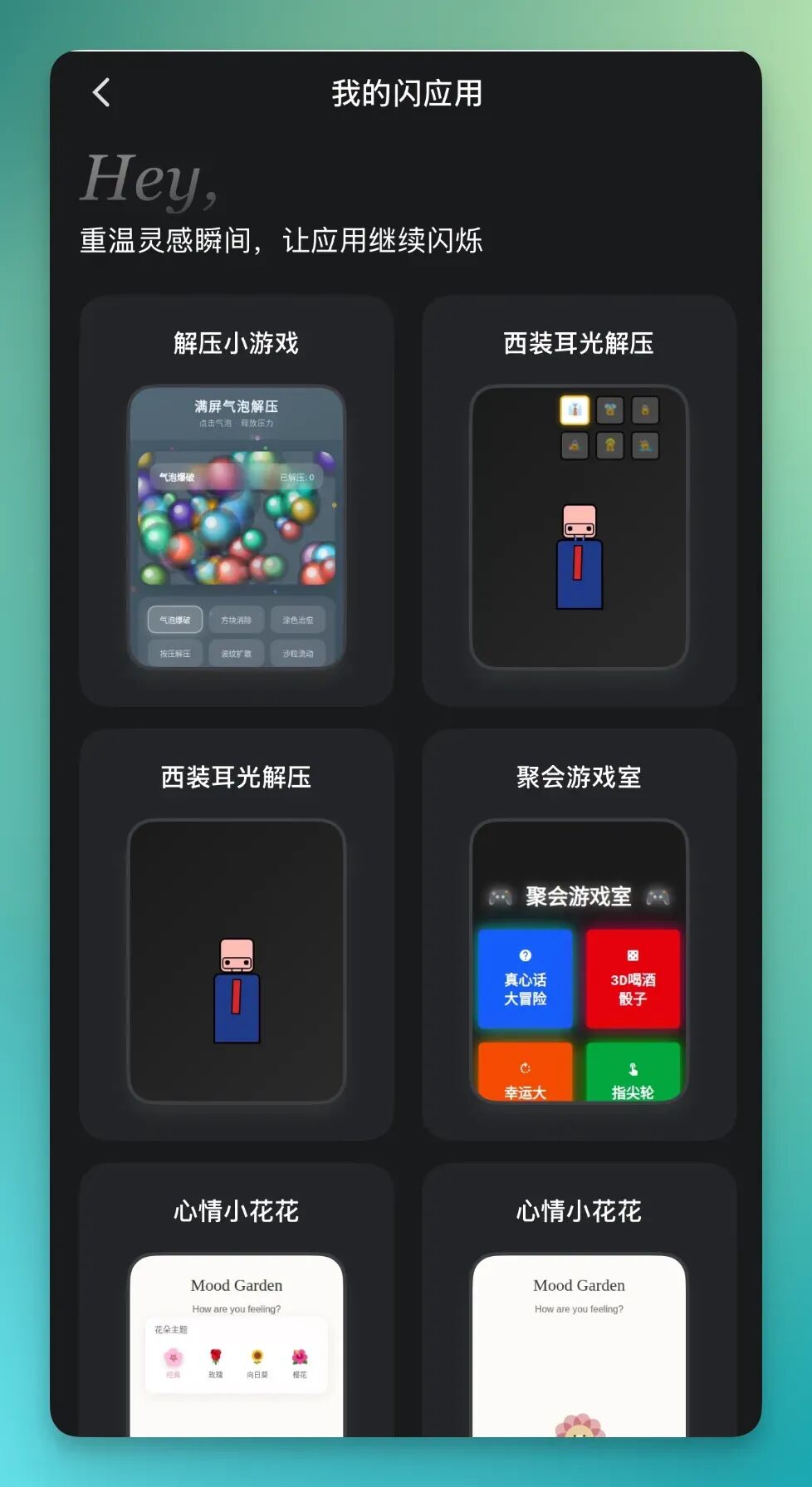
In the final version, Lingguang gave me six mini-games: Bubble Pop, Block Elimination, Coloring Therapy, Press Relief, Ripple Spread, and Sand Flow.
All directly playable, and none of them lag.
Then you can directly add features afterward.
For example, add rainbow burst effects when popping bubbles, add bubble skin selection.
What's interesting is, these new options weren't specified by me one by one — Lingguang automatically supplemented them based on the gameplay itself.
Many small details, like burst effects, skin switching, reward feedback, were exactly the features this mini-game would need as it evolved.
Now, my "Flash Apps" collection is stuffed full of these mini-games and small tools. I can casually open one whenever an idea strikes, without the recharge points or mission chains of ordinary games. Play when you want, close when tired, purely for relaxation, zero psychological pressure:
🚥
Lingguang's "Flash Games" perhaps answers this question: Vibe Coding (natural language programming) doesn't just belong to professionals — it can belong to every ordinary person who wants to "play."
Why do we say that "making games" is actually more suitable than "making tools" as AI Lesson 1 for ordinary people?
The logic behind this is actually counterintuitive:
First, defining "a useful tool" is hard, but defining "fun" is easy. To whip up a Whac-A-Mole, you only need to know "hit it to score" — you don't need to be a product manager, you just need to be a player.
Second, games are natural "safe sandboxes." Many AI-generated tools are limited by system permissions (e.g., can't directly call your alarm), creating disjointed experiences. But a game is a self-contained closed world — physics rules, collision volumes, scoring logic, all fully realizable. It doesn't need to connect to reality; it is reality itself.
Third, fault tolerance brings relaxation. Bugs in productivity tools make people furious; but if your mini-game has a bug (like Mario suddenly flying into the sky), you might think "huh? this seems to have become a new mechanic."
As long as you have ideas, even "nonsensical" ones, Lingguang can quickly build you a prototype.
The core value Lingguang's "Flash Games" demonstrates may not be "how powerful AI is," but rather, it makes "ordinary people casually creating something" possible.
Mini-games are simply the lowest-threshold entry point: small scale, complete logic, instant feedback — you see results as soon as you craft it, changes take effect immediately.
Fun itself is a form of productivity.
That impulse and sense of achievement of "I can actually make something" is a joy many people haven't felt in a long time.
This emotional value is the "positive feedback" ordinary people experience when digging into their own creativity through AI products. And against the backdrop of discussions about "whether AI diminishes human value," it also provides a warm and powerful response: AI isn't replacing people — instead, by dramatically lowering creation barriers, it maximally realizes ordinary people's creative impulses.
This is technology's most important value: not replacement, but activation.
If you whip up something absurdly funny or surprisingly impressive in Lingguang, feel free to drop it in the comments and share the joy with everyone.
We're also curious to see how far your imagination can go!