Ant Group's AI Is Starting to Work Like Ants

How can you make AI work like a team?
How to Make AI Work Like a Team?
👦🏻 Author: Jingshan
🥷 Editor: Koji
🧑🎨 Design: NCon
Every move Big Tech makes in AI agents is worth watching closely. Because nobody can predict how a seemingly minor product might eventually scale into something massive, stringing together an entirely new business ecosystem.
Flash back to September 2024. At the Inclusion·Bund Summit in Shanghai, Ant Group unveiled its agent development platform, "Tbox."
But questions immediately followed:
Why would Ant Group build an agent development platform in the first place?
The Tbox team responded with action:
From its initial launch to adding workflow development, rolling out an MCP hub, and releasing an enterprise edition in July 2025 — Tbox has steadily sharpened its identity as a developer tool.
Tbox has also tapped into the Alipay ecosystem: agents users build can be deployed with one click to Alipay mini-programs, lifestyle accounts, and other scenarios.
It's currently beta-testing a "multi-agent collaboration" feature, upgrading single agents into team-based agents. Like "ants of many specialties," complex tasks get divided and conquered through coordinated teamwork.
🚥
The Crossing team got early beta access and put Tbox's "multi-agent collaboration" through its paces. Let's see: how does Ant Group's AI achieve the effect of working like actual ants?
A "Game Science" Community with a Curated Game Library
Tbox currently supports one-sentence generation of multiple output formats, including but not limited to PPTs, web reports, web apps, podcasts, and documents.
As it happened, right when I was writing this article, Game Science had just announced their Black Myth sequel. I decided to borrow their name and have Tbox build an interactive "Game Science"-themed gaming community website.
Here's the prompt:
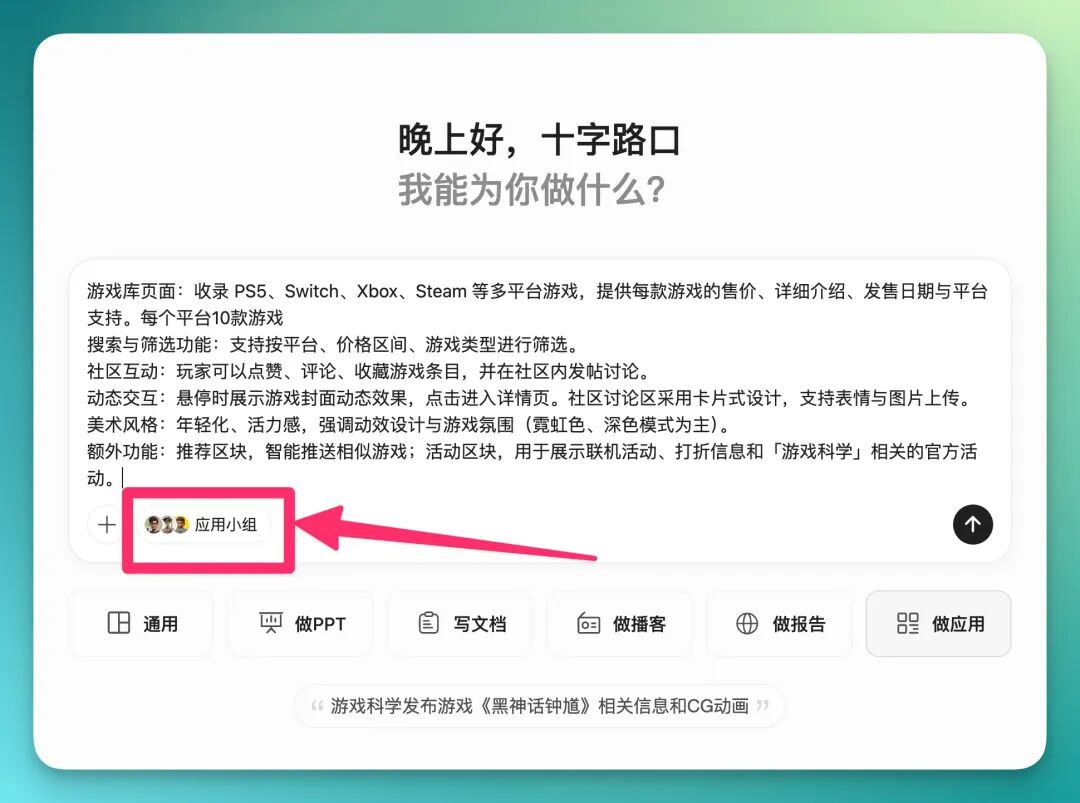
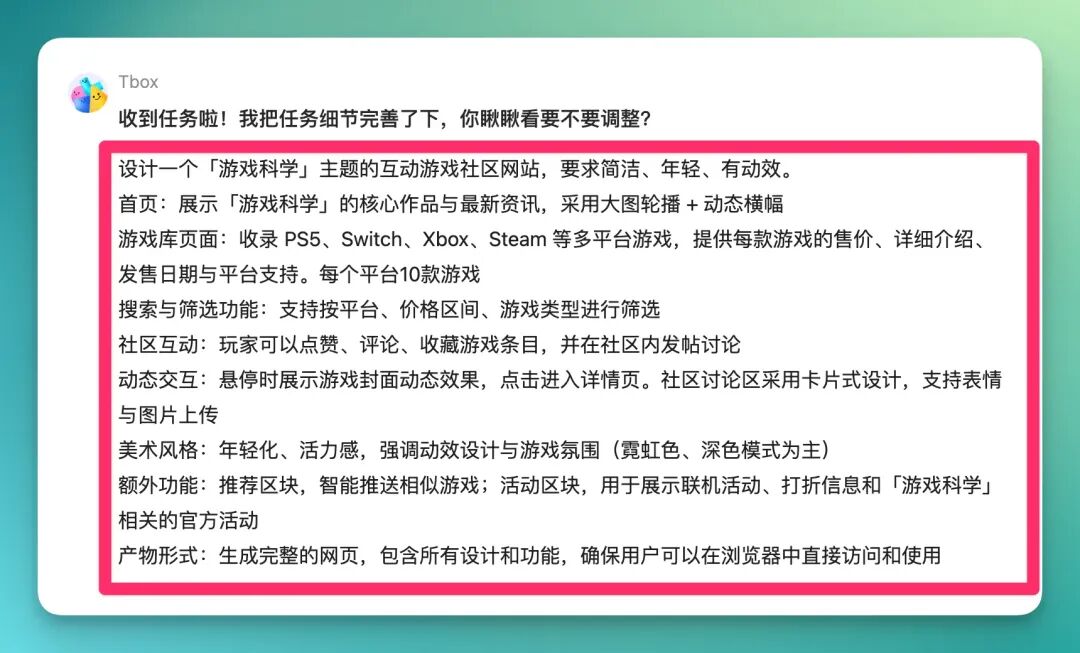
Help me design an interactive "Game Science"-themed gaming community website — clean, youthful, with dynamic effects. Functional requirements: Homepage: showcase Game Science's core works and latest news, using large-image carousels + dynamic banners. Game library page: catalog multi-platform games across PS5, Switch, Xbox, Steam, etc., providing price, detailed description, release date, and platform support for each game. 10 games per platform. Search and filter: support filtering by platform, price range, and game genre. Community interaction: players can like, comment, and bookmark game entries, plus post discussions in the community. Dynamic interactions: hover to reveal animated game cover effects, click to enter detail pages. Community discussion area uses card-based design, supporting emoji and image uploads. Art style: youthful, energetic, emphasizing motion design and gaming atmosphere (neon colors, dark mode primary). Extra features: recommendation section with intelligent similar-game suggestions; events section for showcasing multiplayer events, sale info, and Game Science official activities.
After entering the prompt, Tbox first asked me to select a "team." I looked into it and found Tbox's usage logic pretty interesting.
It runs on a "multi-agent collaboration" architecture, which manifests as a "team" button in the bottom-left corner of the prompt input box.
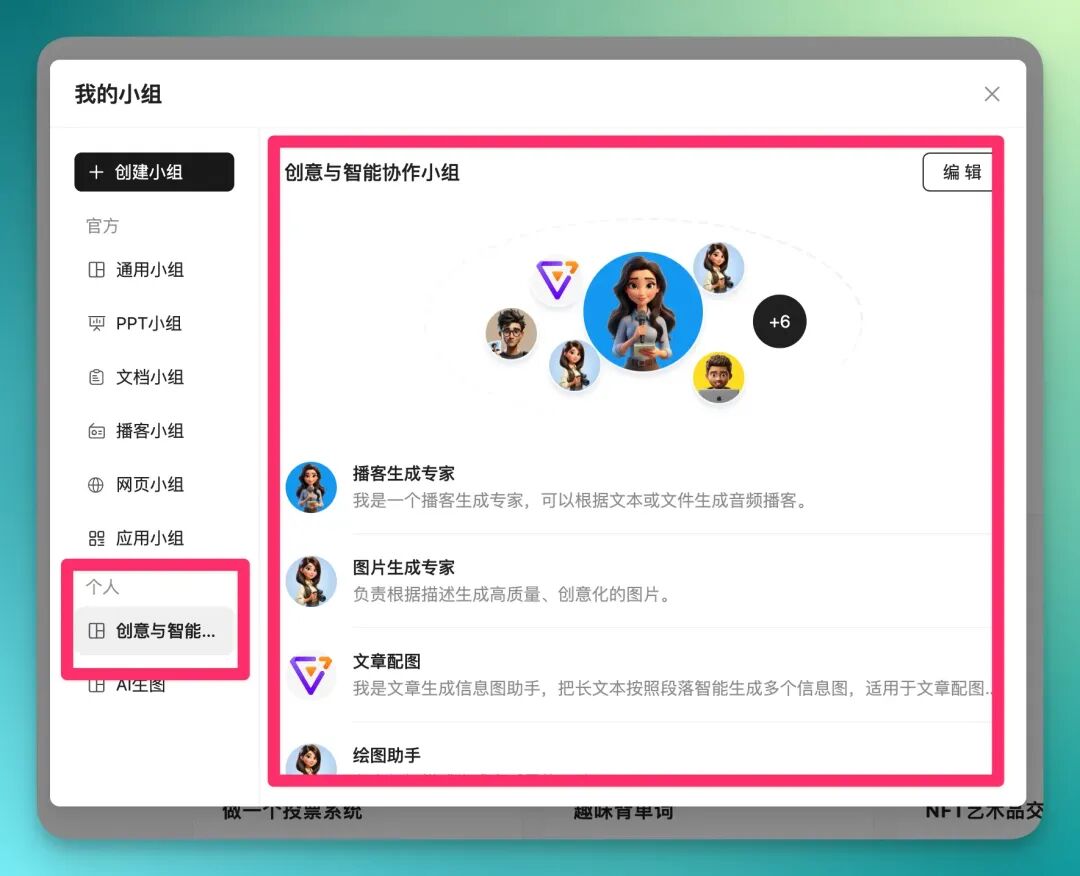
In this team menu, you can choose from multiple formats and domains — each team is specialized for a particular task. Every agent within an "agent team" can be pulled out individually to configure your own dedicated team.
For a slightly complex case like the "Game Science community," I typically build my own "agent team." I named mine the "Creativity & Intelligence Collaboration Team":
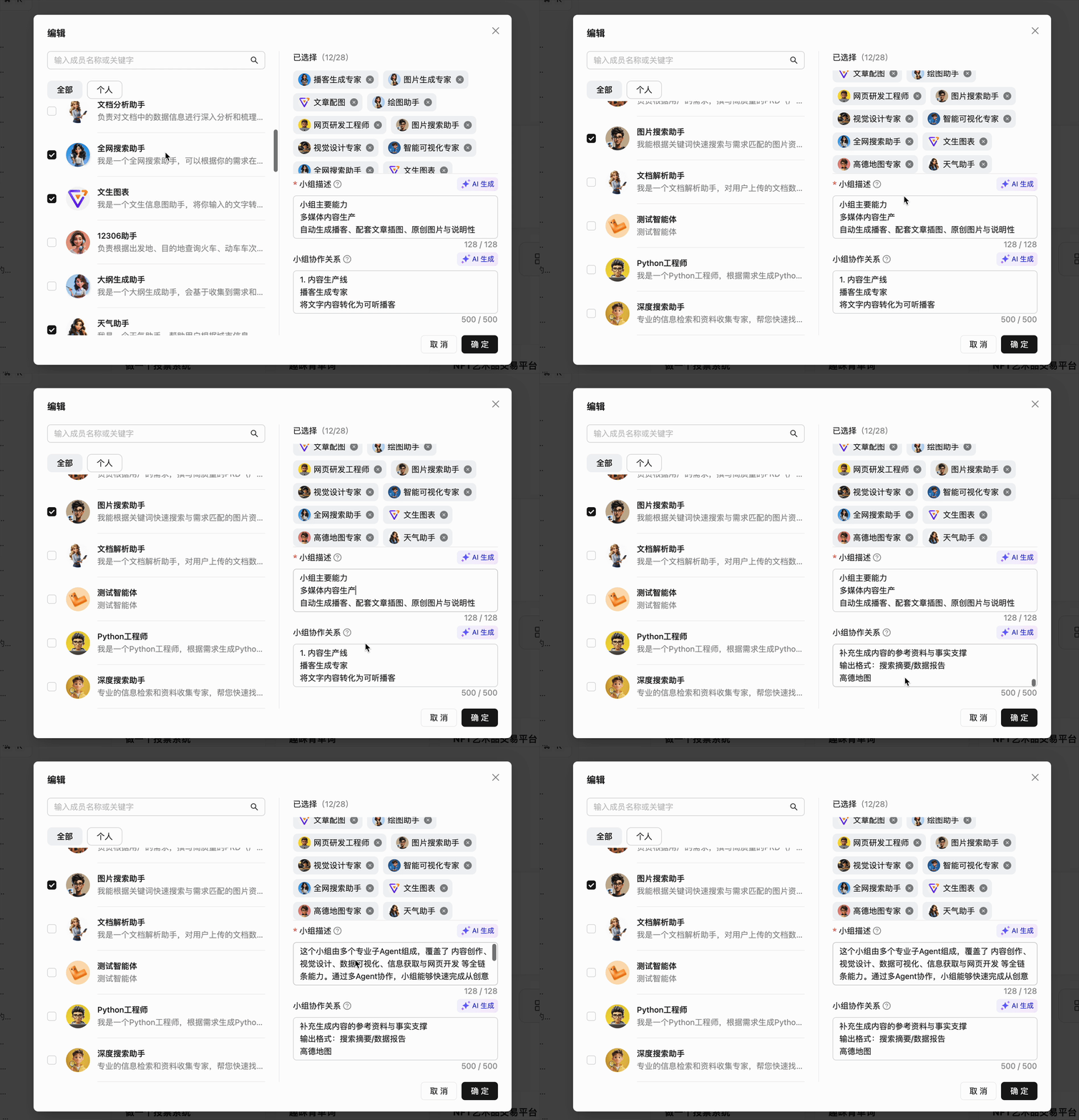
I have to say, Tbox's approach to composing agent workflows is refreshingly simple. Instead of the traditional AI workflow mind maps, you just pick agents from the left sidebar and "roughly describe their functions" in the description box on the right.
If that's still too much, you can simply hit "AI Generate":
When I entered my prompt and hit start, Tbox first "organized and structured" my prompt — at this step you can still make adjustments:
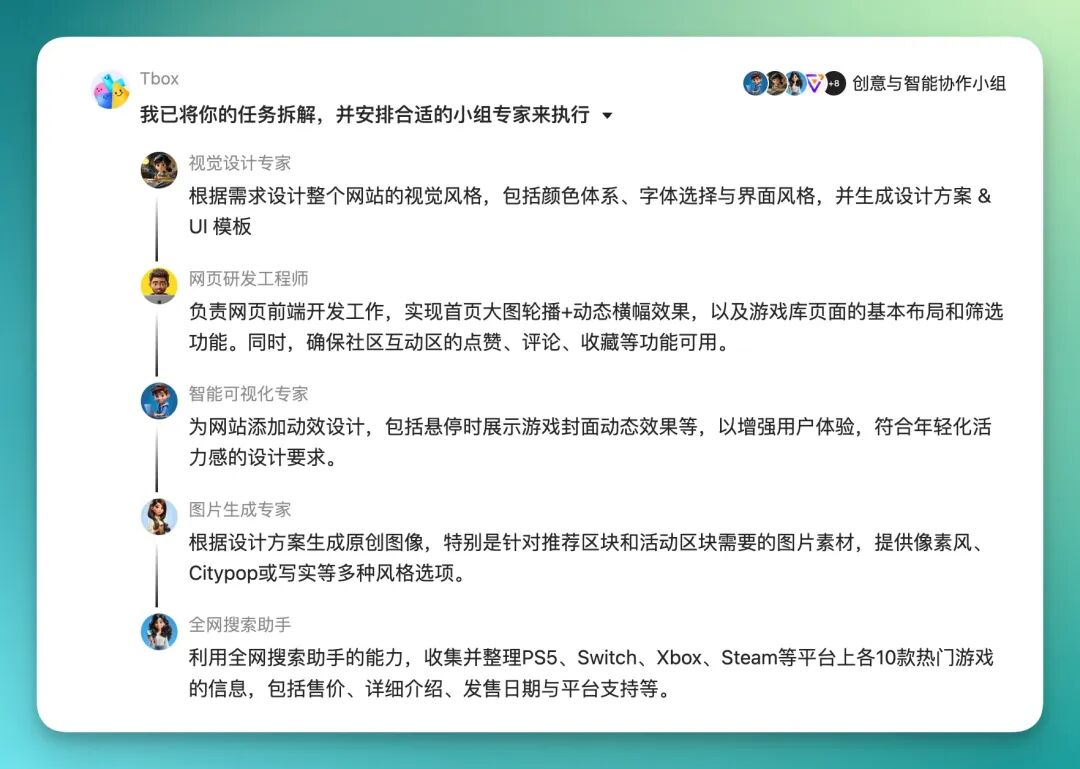
Tbox's overall workflow logic is:
【1】Break down the user's task;
【2】Select appropriate "expert agents" from the "agent team";
【3】Hand off to "expert agents" to complete in relay, with specified task sequence.
Like this:
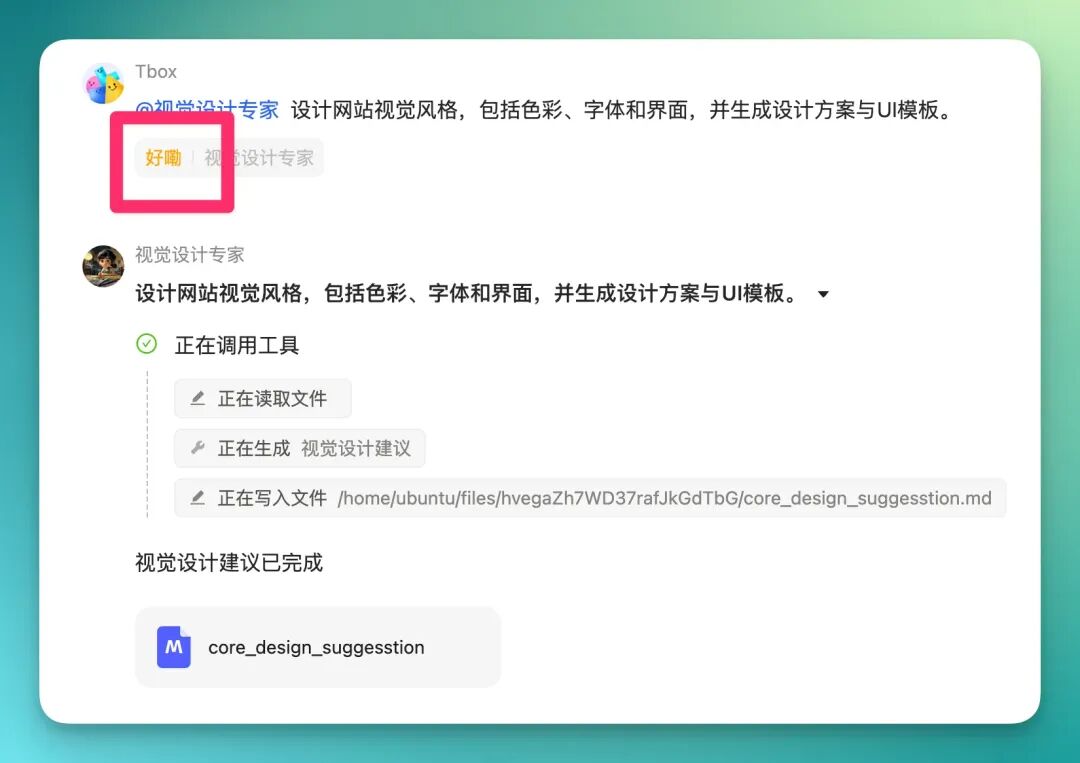
After confirming the entire workflow sequence, Tbox really does look like a Big Tech team lead, starting to "@ " every expert on the team.
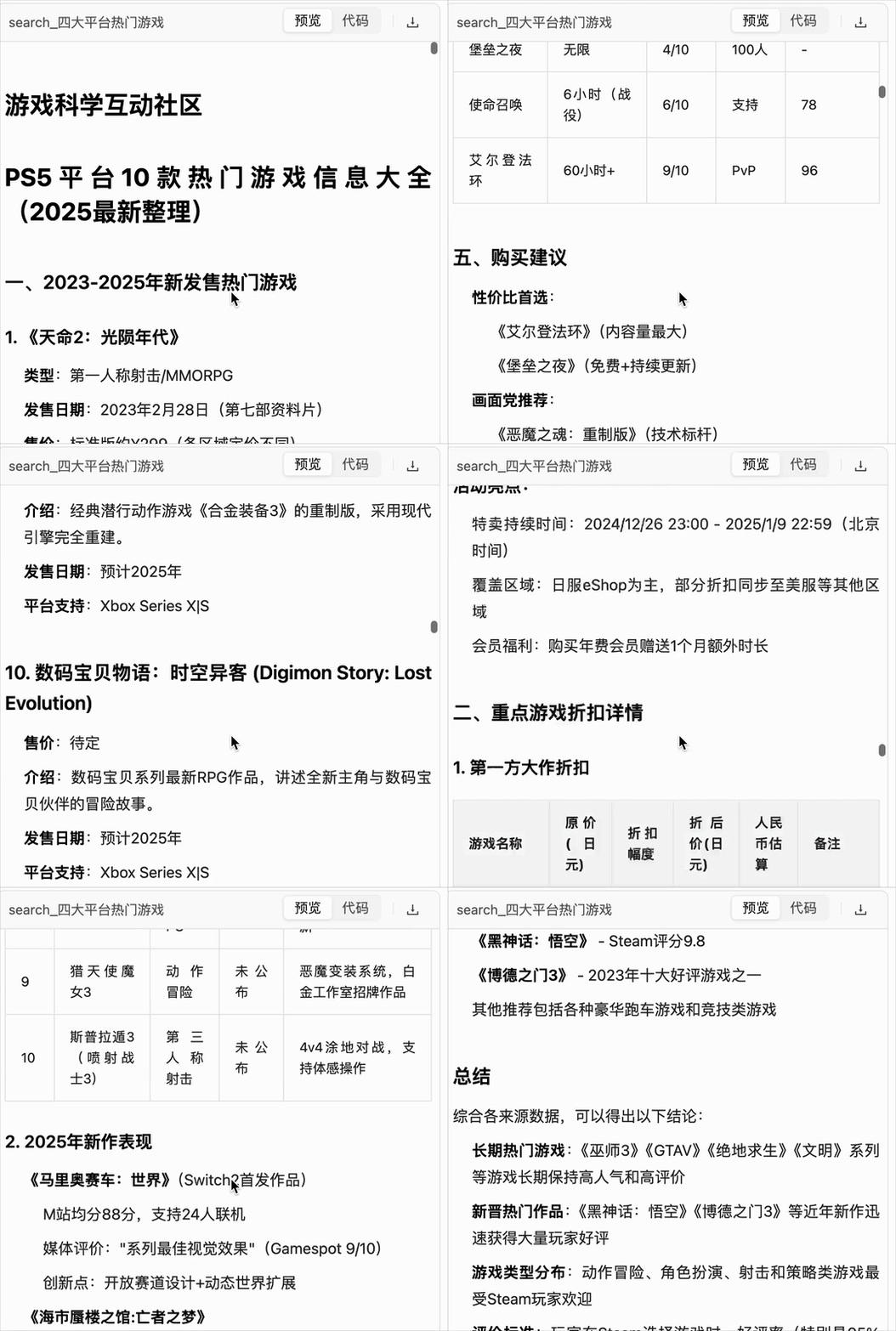
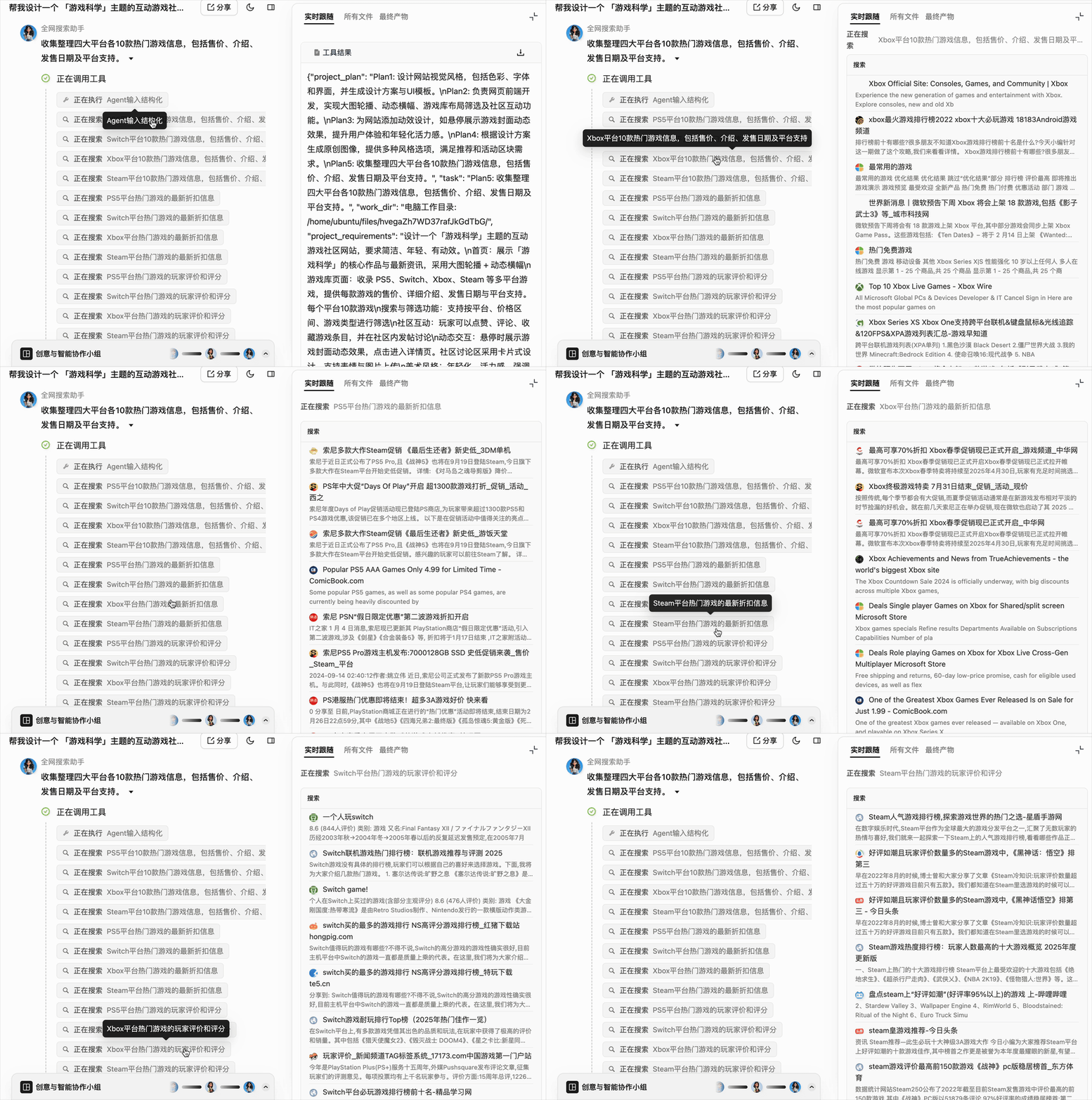
One of Tbox's major strengths is delivering a "shippable" product relatively quickly. So I was curious — how does it handle the initial "deep research" information-gathering phase? I went back and checked every file one by one, recording a super long GIF. You can see how thorough Tbox's prep work is in the early stages:
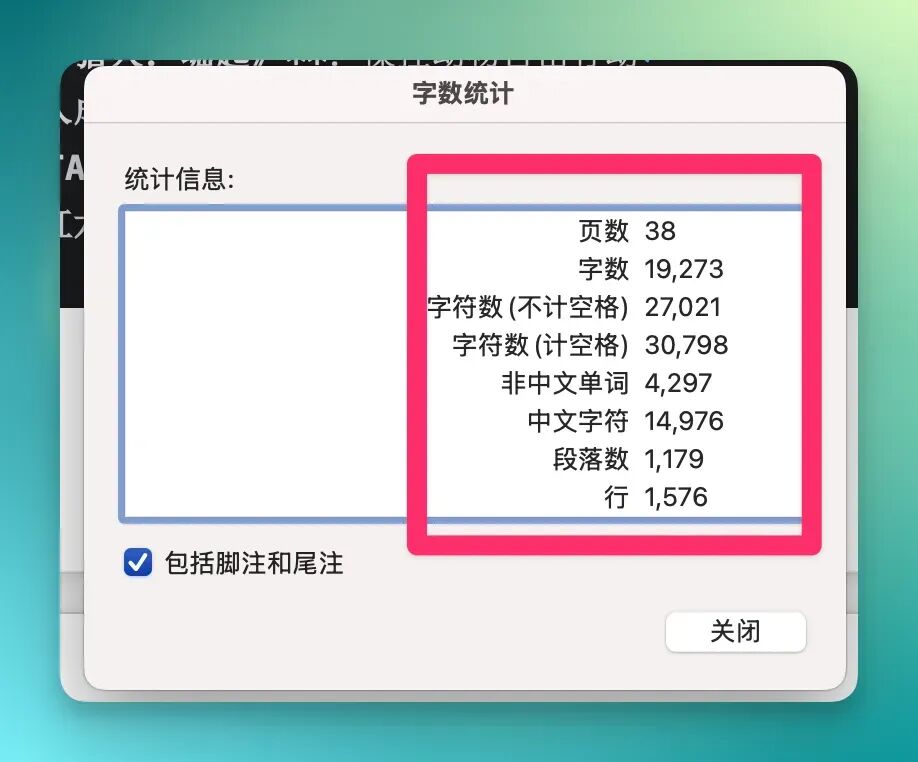
As a "numbers person," I calculated this report at roughly 20,000–30,000 words, generated in under 3 minutes:
And this is just step one of "deep research" — later it calls "comprehensive search" for another massive wave of searching:
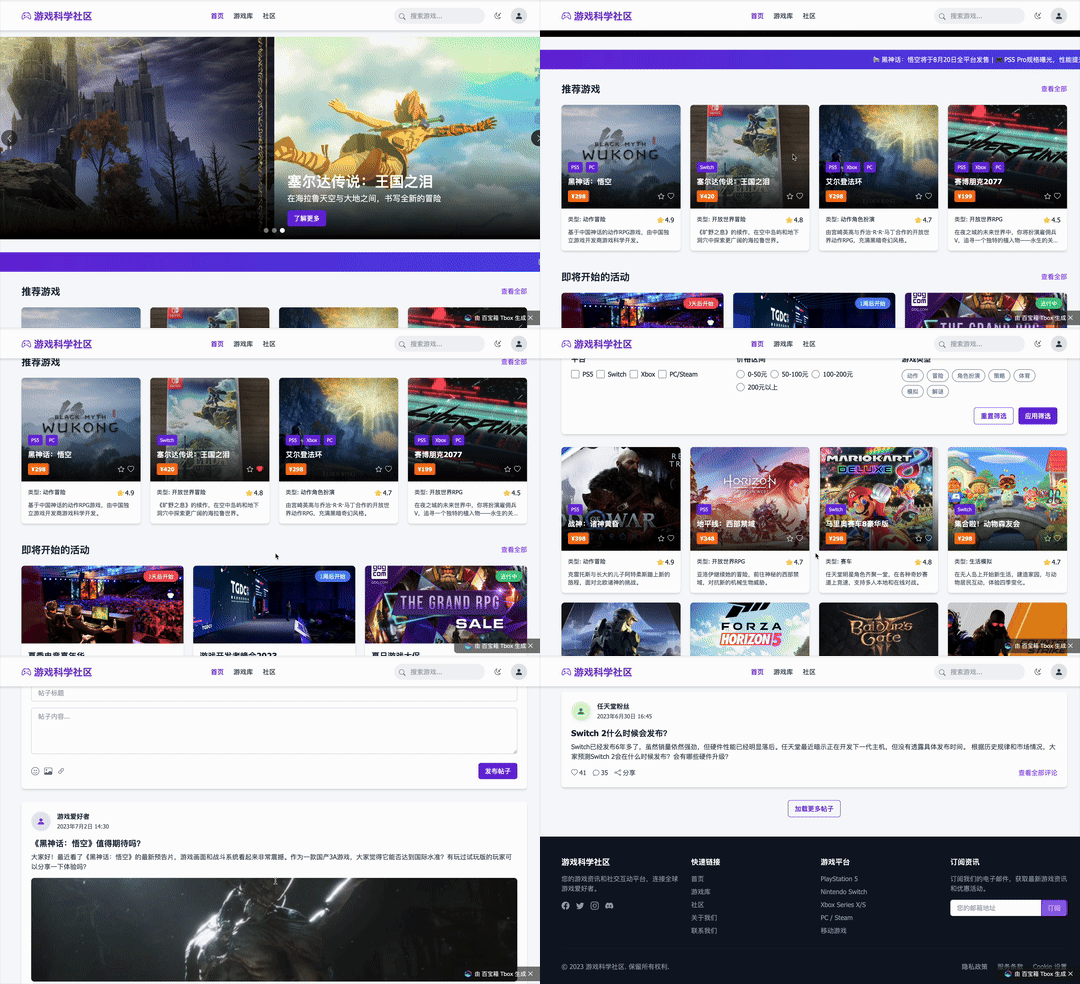
In the end, this multi-agent-collaboration-generated "Game Science community" website basically covered all core functions of a complete gaming community: recommended game library, event news, player interaction areas.
The game library categorizes by platform (PS5 / Switch / Xbox / PC / Steam), providing price, genre, rating, and brief description for 10 hot games per platform. It also supports filtering by price range and game genre.
Let's look at the final website result directly — I recorded a complete GIF.
The entire website content generation took under 10 minutes — pretty fast. Overall, the site achieved a complete closed loop of "news + game library + community + events."
Black Myth: Zhong Kui Historical Revelation Website
Since Tbox really is that fast at generating complete website content, I couldn't resist trying a few more times.
For instance, Game Science's second Black Myth installment, Black Myth: Zhong Kui, recently had its first CG revealed at Gamescom 2025's opening night presentation. This character originates from ancient Chinese mythology and folklore, carrying rich historical and cultural depth.
So I tried having Tbox build a historical revelation website, giving it a very brief prompt:
Generate a Black Myth: Zhong Kui historical revelation website with a historical timeline
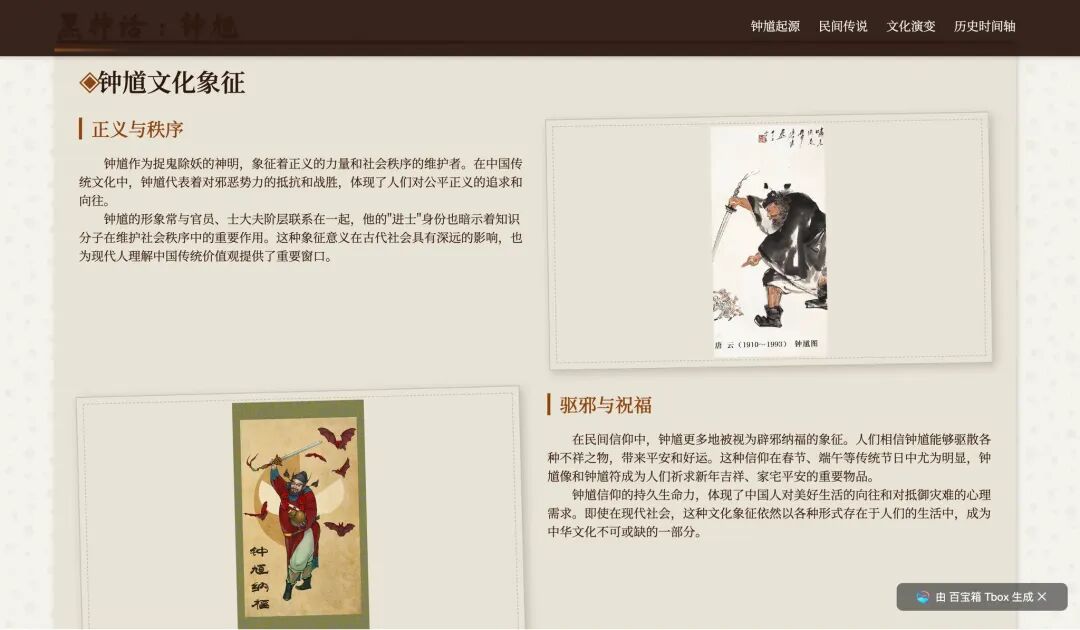
The result was remarkably complete. Every section came with illustrations matching the content (such as Tang Dynasty original depictions, Nuo opera masks, ancient paintings, modern game concept art), and the overall narrative logic was clear.
The site structure established 5 main sections: Origins of Zhong Kui, Folk Legends, Cultural Evolution, Historical Timeline, and Cultural Symbolism of Zhong Kui.
From a presentation standpoint, Tbox generated pages with rich text and images, and the relative positioning of text and images was fairly "stable" without major hallucinations.
In other words, Tbox here wasn't just "writing an article" — it used complete narrative and visual expression to quickly build an immersive website with clear theme and self-consistent logic.
Finally, I noticed Tbox really likes to build "highly logical timelines" into its projects, inserting them with fairly consistent style. This may relate to its layered, progressive multi-agent flow — the context handoff is very smooth.
"Top 100 Silent Film Festival" Intro PPT + Podcast
The "Game Science community" case above was actually just a single task I handed to Tbox in one prompt input box.

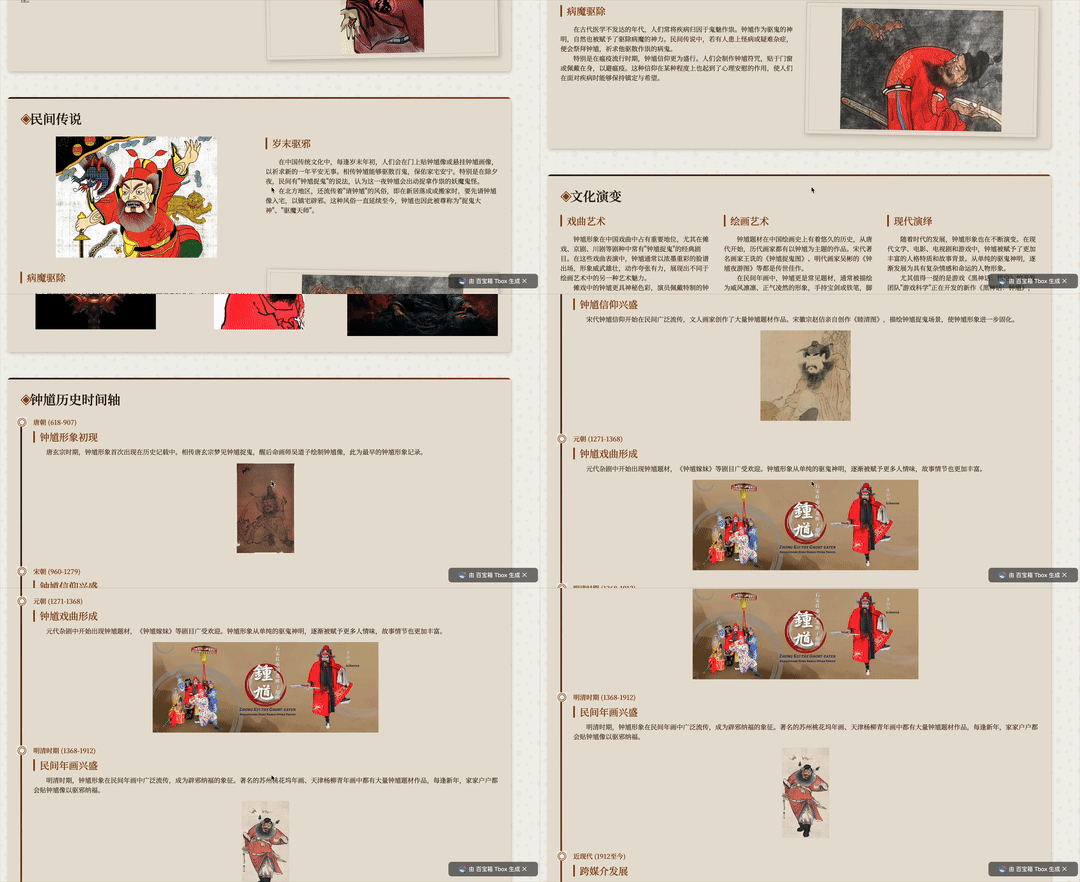
After hands-on experience, I started wondering: since Tbox supports multi-agent collaboration, could I push further — have different agents each handle their specialty and together complete more complex content production?
So I tried a second case: a composite task on "the ancient origins of silent film," having Tbox simultaneously generate a PPT and podcast, testing its performance under multi-role division of labor.
The prompt:
Make an intro PPT for a "Top 100 Silent Film Festival" and generate podcast content for it
I noticed Tbox's handoff in multi-agent workflows is quite smooth.
For example, when I had it generate "PPT + podcast" simultaneously, the "podcast generation agent" didn't start from zero — it automatically called upon content output by the previous "PPT creation agent."
Extending the logical framework, key information, and even some expression patterns into the podcast script:
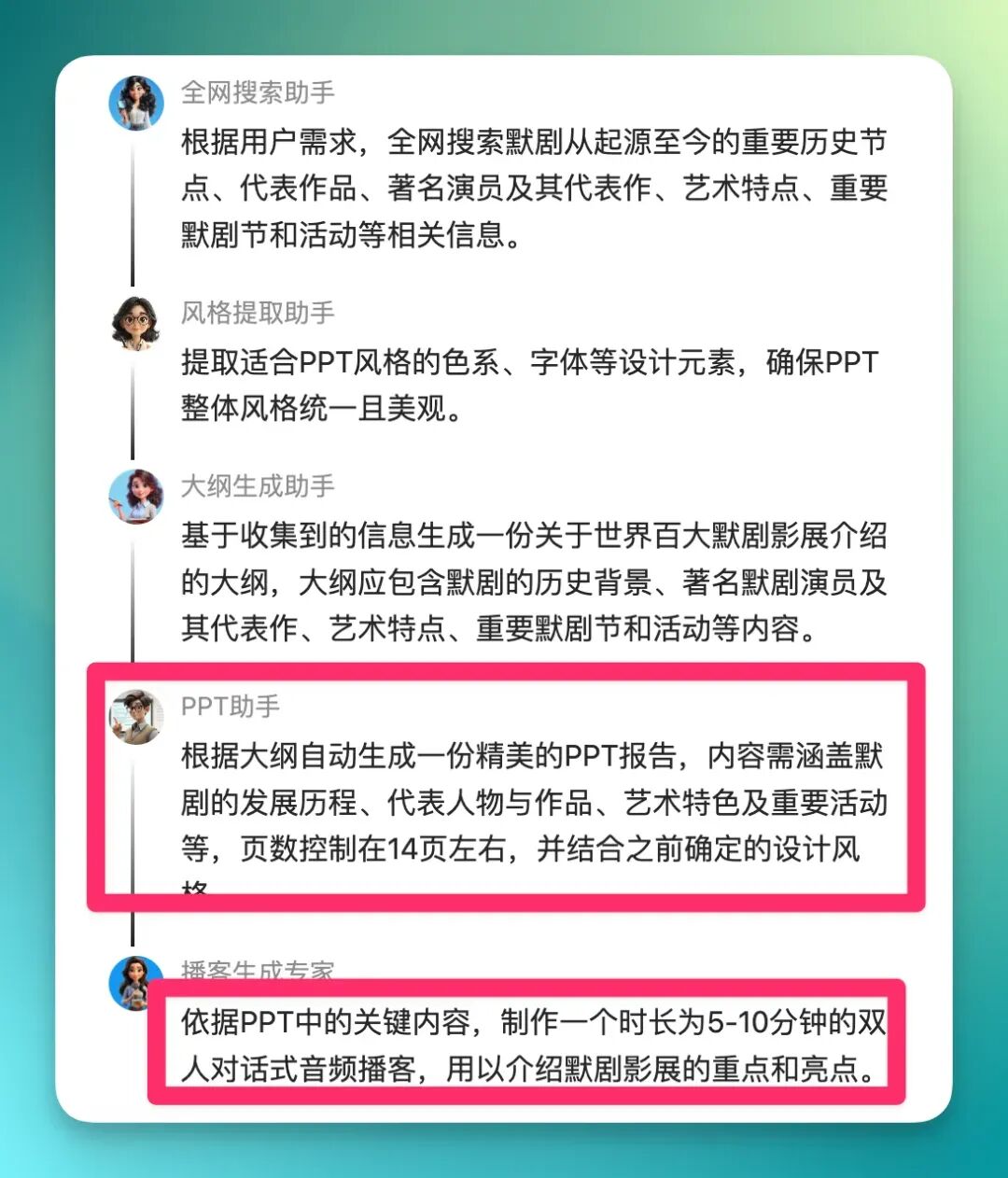
Let's look at the results directly. Here's the PPT content:
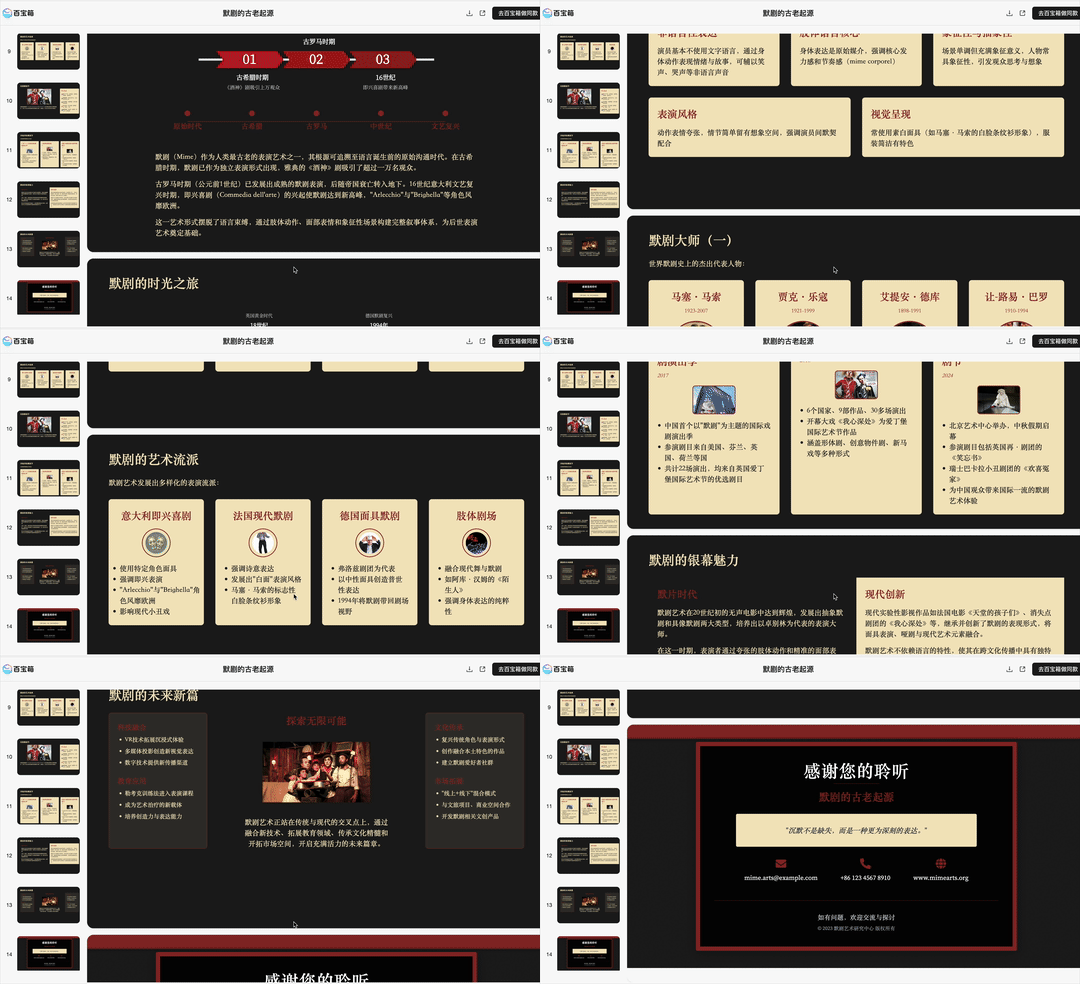
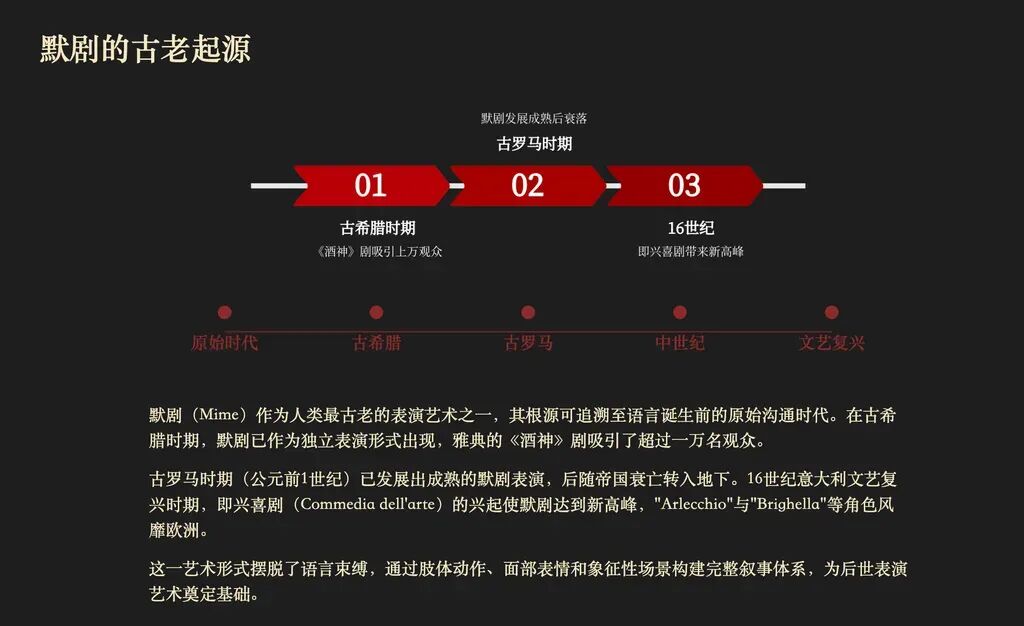
You can tell the PPT maintains consistency not just in layout, but in a unified stylistic language across color, typography, and design details.
I grabbed a few screenshots:
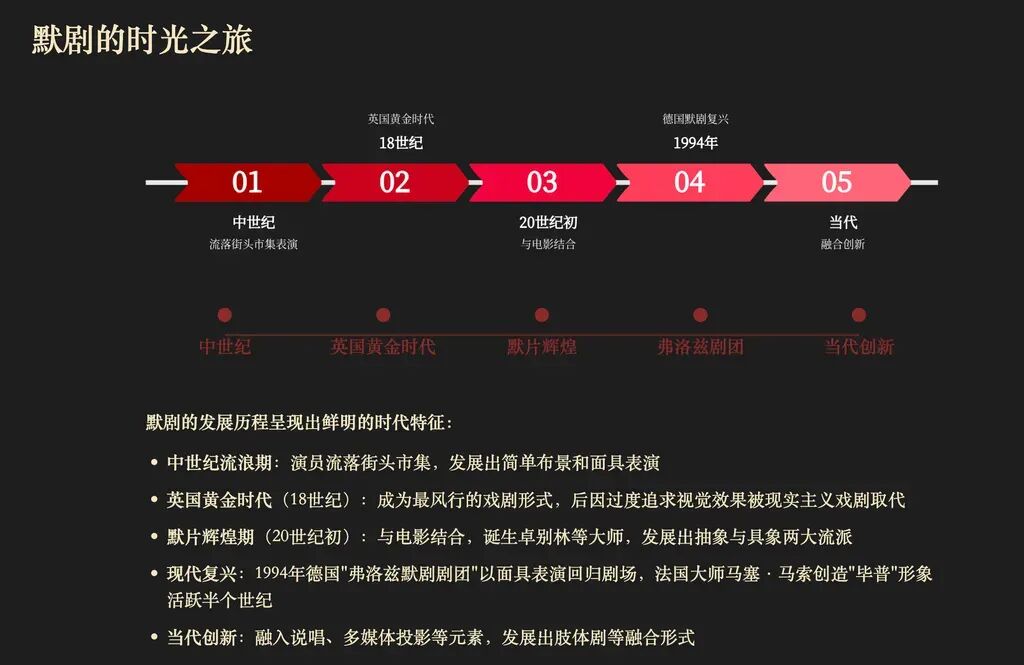
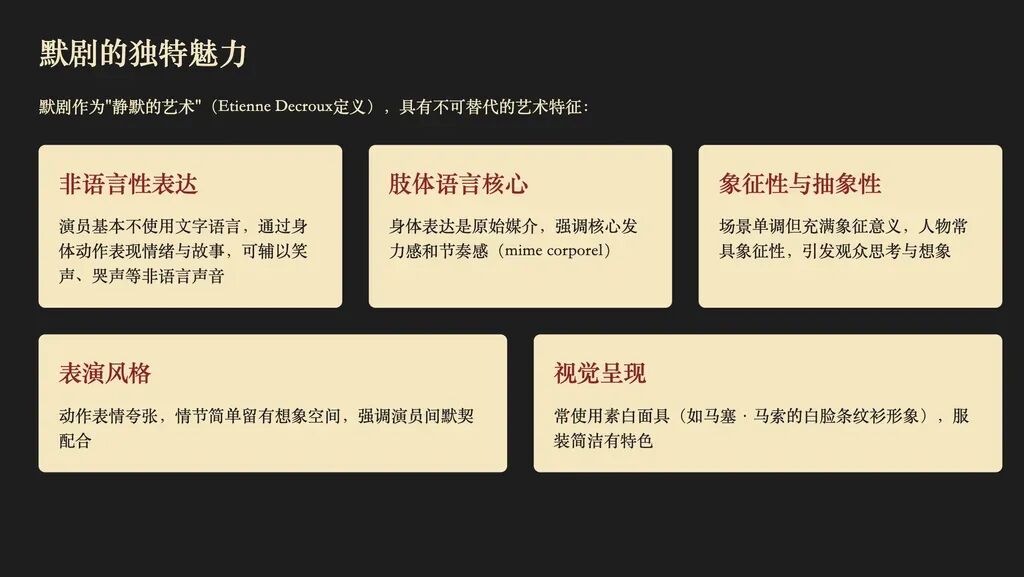
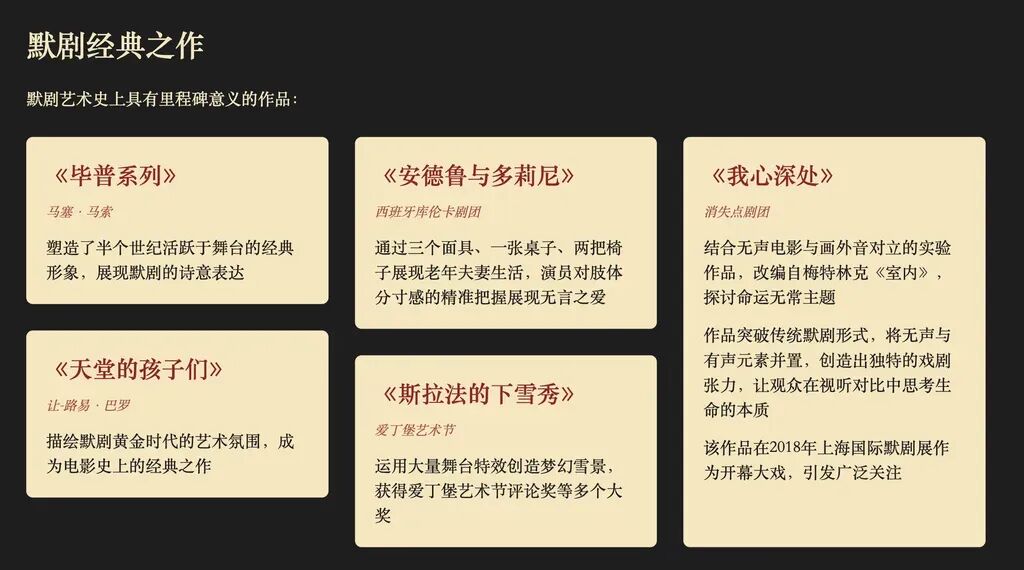
Now let's look at the podcast.
I noticed that after clicking the podcast audio content, Tbox dedicated a display area with a player frontend page, with the full transcript right beside it:
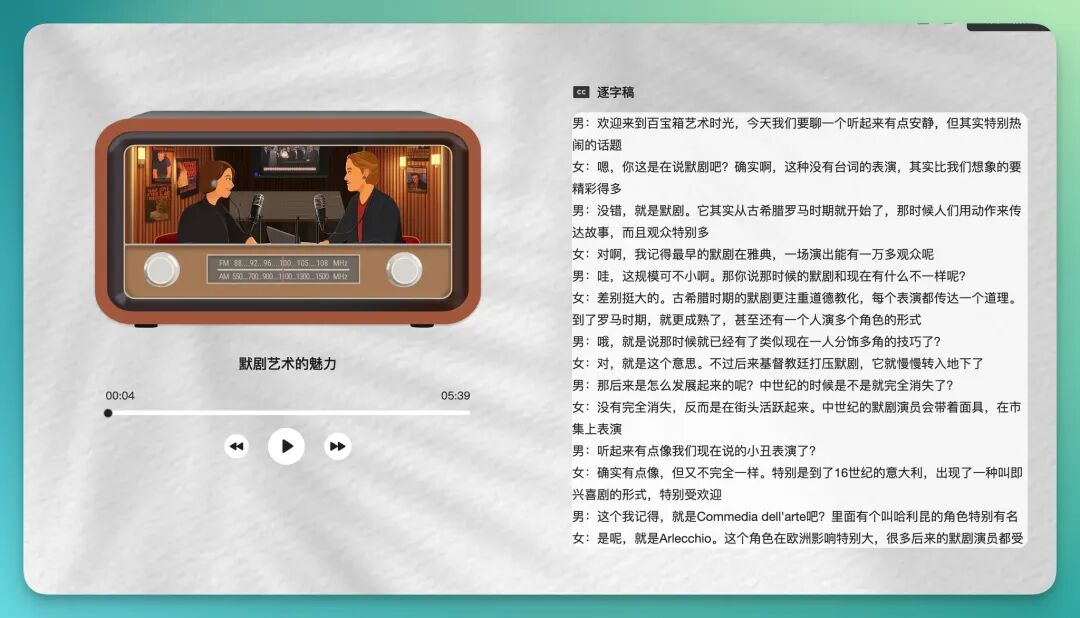
The two outputs maintained progressive relationships in theme, narrative rhythm, and information consistency. It sounds like a team that first wrote a presentation, then naturally built on that accumulated information to record an audio program.
In other words, Tbox wasn't "generating two results in parallel" — it was more like simulating a real content team's collaborative process: the first team member gathers information and finishes a product, then the next person builds on that foundation and creates another product.
Much like being in the same studio — first you make the presentation, then you naturally record a podcast.
Visualized Roundup of Domestic and International Startup Companies
Let's look at one final case.
In the first two cases, Tbox already demonstrated its capabilities in website building and multimodal content production (PPT + podcast). As I continued exploring its "inspiration zone" and observing how other users were applying it, I noticed Tbox also has strong potential in visualization tasks.
Especially in scenarios requiring charts, data presentation, and structured expression, its approach is more intuitive and persuasive than pure text generation.
The prompt:
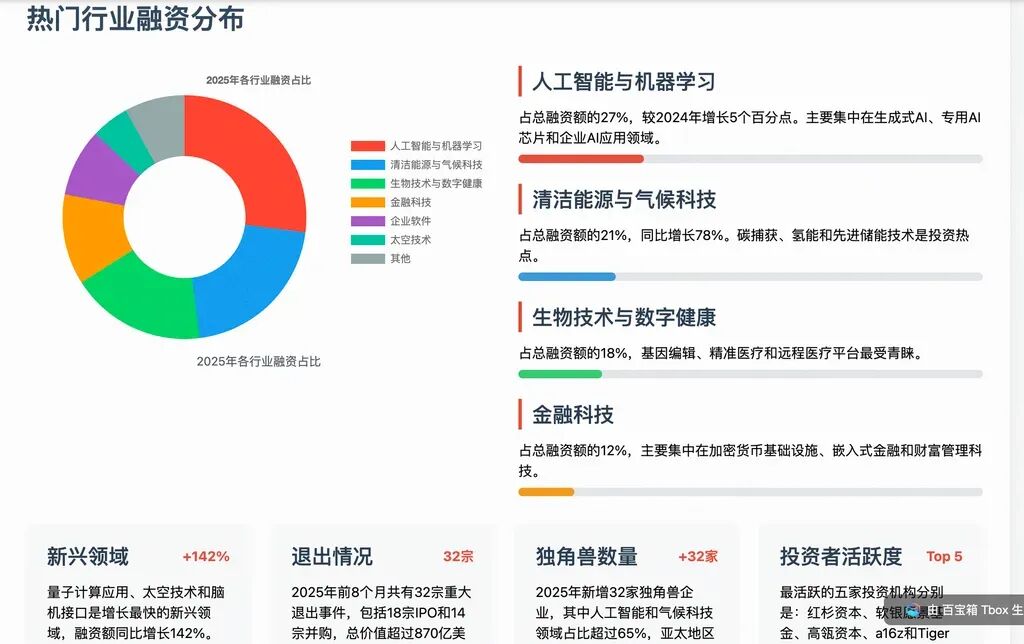
Research some currently hot domestic and international startup companies, visualize their funding information, provide funding timelines, and organize the industry.
Directly to the results:
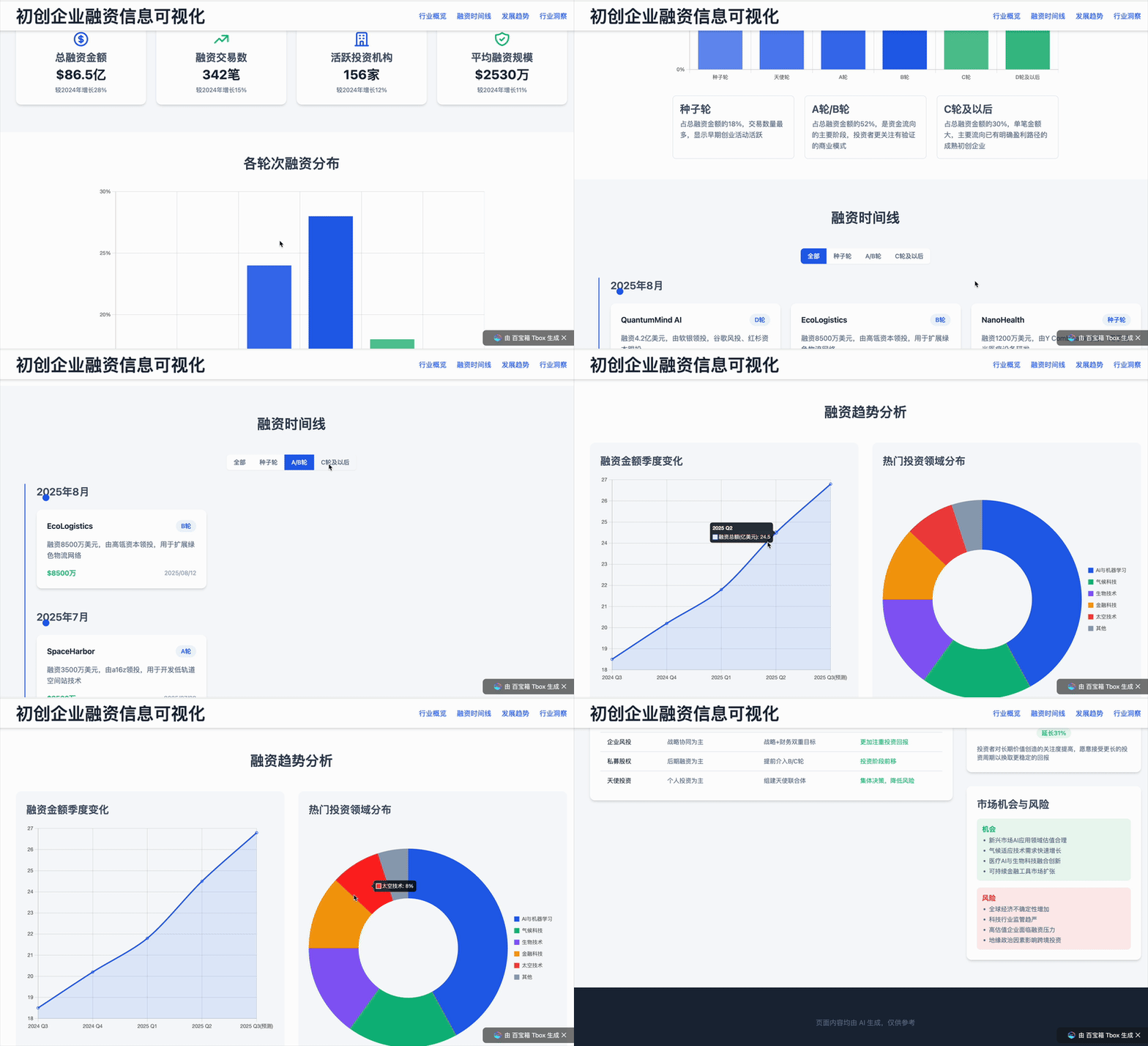
To further test Tbox's performance in visualization scenarios, I ran several more iterations on the same theme, having it generate different versions. I deliberately captured screenshots along the way to examine its layout, color schemes, and data presentation. Overall, Tbox's visualization capabilities are genuinely solid!
It can rapidly generate chart pages with clear structure and reasonable text-image pairing, maintaining consistency in color style and layout design, presenting a "suite-like" sense of completion:
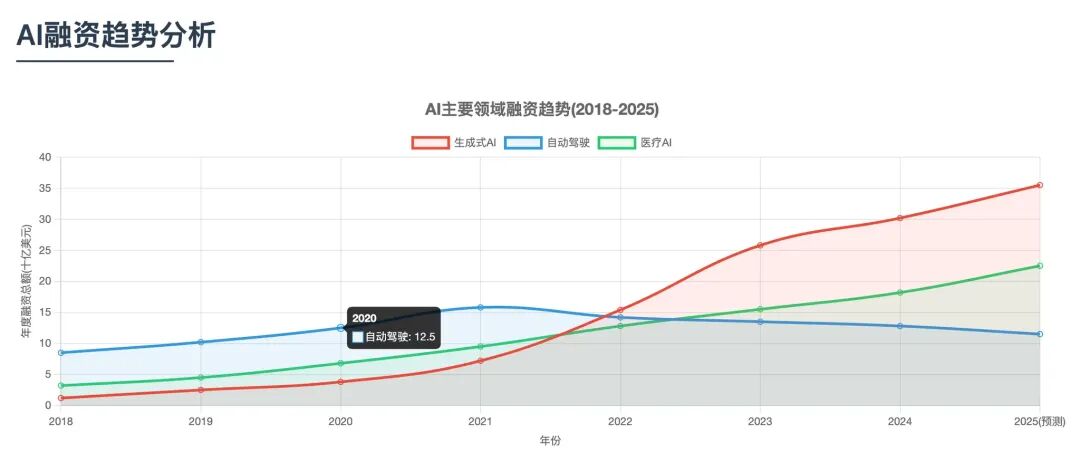
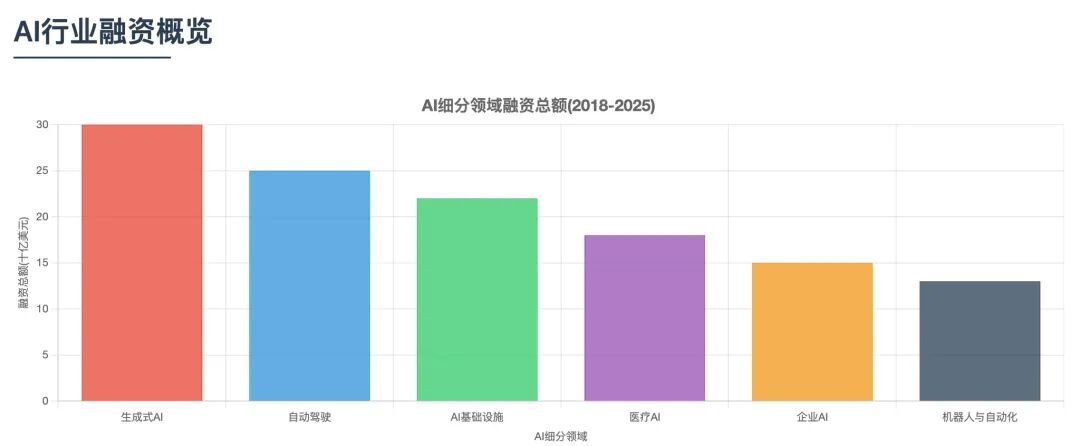
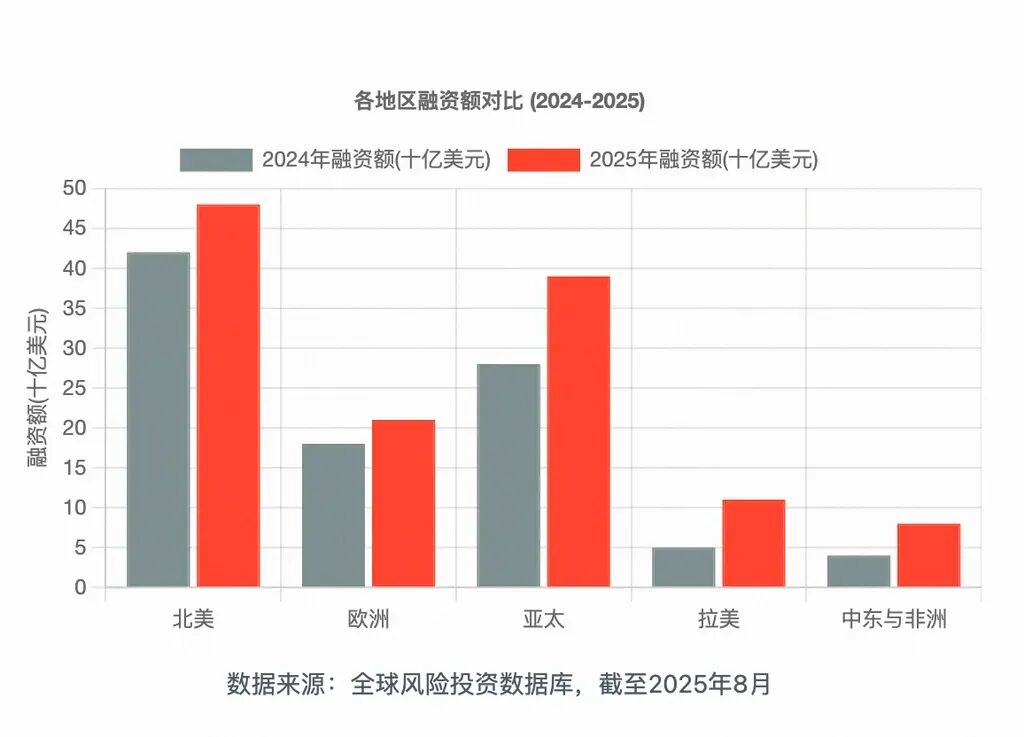
At this point in our review, let's step back and briefly summarize Tbox's product logic.
Its core operating model is to decompose complex tasks from user input, then assign them to different functional "expert agents" to complete in relay, ultimately integrating the final product.
In hands-on testing, we saw both strengths and the efforts to compensate for still-incomplete user experience:
➤ Strength: "Stable and Reliable":
When Tbox builds the "Game Science community" website, it follows the industry's most mature website architecture: homepage carousel, game library, community sections. It's a can't-go-wrong approach that steadily scores 85–90.
➤ Effort: "Rapid Iteration":
Tbox's entire workflow is visually cohesive, and it's iterating quickly to make up for personalized user experience.
Finally, I found that Tbox has already built out a foundational agent ecosystem — supporting external agent onboarding, publishing agents to the community, MCP integration, and even "creator revenue tipping."
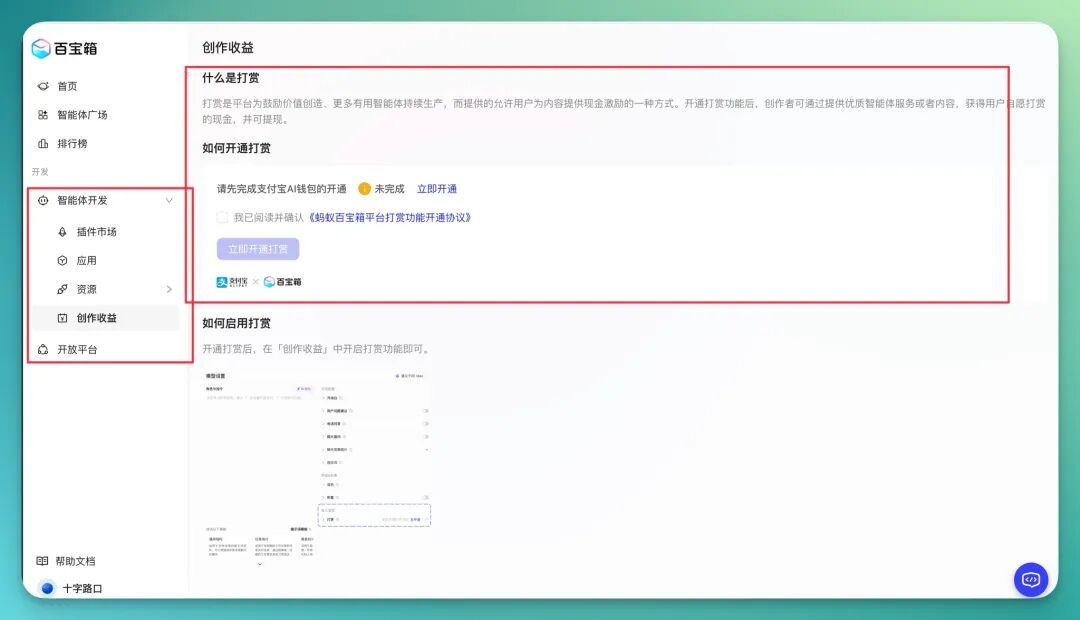
However, frankly speaking, Tbox's ecosystem portion is still growing.
But these features already clearly sketch out Tbox's vision for "what should an agent product look like in the future?": transforming from a "tool provider" to an "ecosystem operator."
It's a long road, but one undoubtedly full of imaginative possibility.