Your AI assets in Claude Code and Codex can now jump ship to Doubao Work

Move Claude Code and Codex into Doubao Work with just one click.
Bring Claude Code and Codex into Doubao Work with One Click.
👦🏻 Author: GaKi
🥷 Editor: Koji
🧑🎨 Layout: NCon

This year, the user experience of Coding Agents and office Agents has become a major focus for every vendor.
Everyone is trying to figure out how to make their Agent more useful beyond the underlying model. One popular approach: letting users directly import data and work records accumulated in other AI products.
After all, every Agent has its own "flavor." For everyday consumers, the norm is to go wherever the ecosystem works best.
On October 14, Doubao Work rolled out a similar upgrade. It now supports one-click import of AI assets from ChatGPT, Claude Code, TRAE Work, and other products.
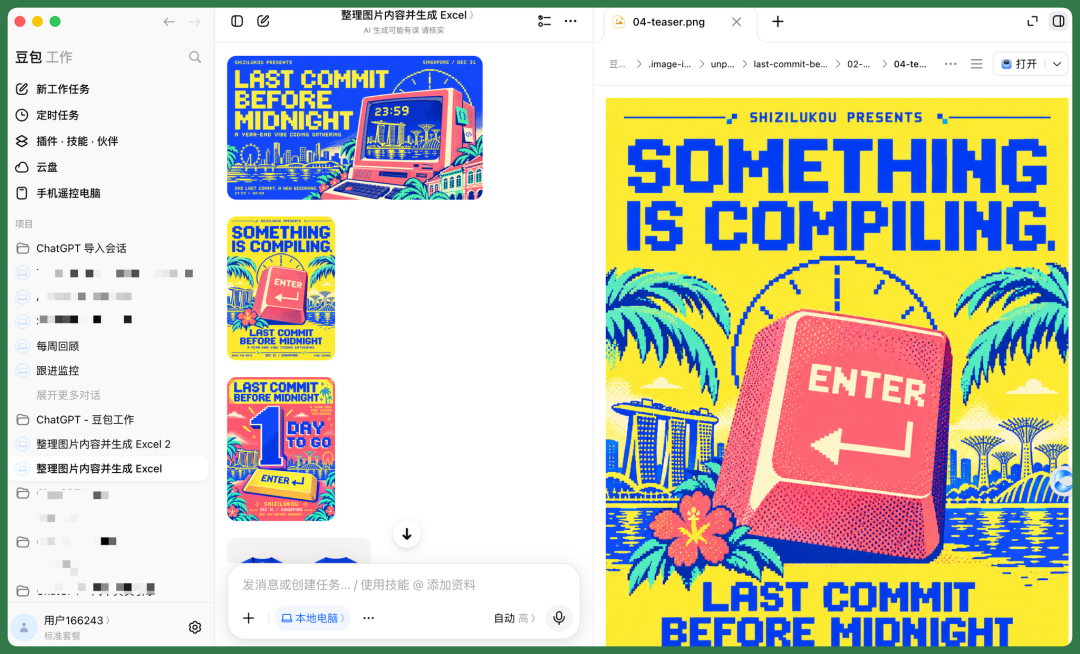
Users can migrate their historical conversations, task preferences, skills, connectors, memory, and projects. After importing, they can open past conversations directly and continue pushing tasks forward with the existing context intact.
Beyond that, Doubao Work added several other UX improvements: "Continue in new conversation," message annotations, a conversation summary sidebar, and more.
The Crossing team tested it immediately.
But before sharing the hands-on experience, we want to talk through some of our thinking around "user AI assets" — and why your chat history with AI is becoming increasingly valuable.
Your Chat History with AI Is Becoming More Valuable
In the past, when using products like ChatGPT, we probably didn't pay much attention to how much data we were accumulating. The main interaction was simply "conversation → get text answer," and that was basically it.
So back then, exporting your ChatGPT chat data didn't really mean much.
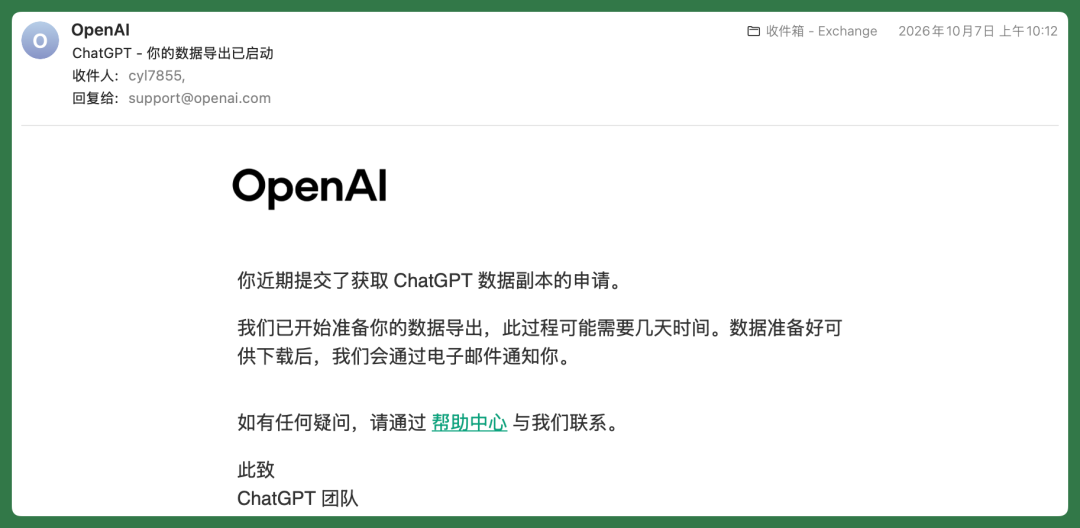
But things are different now.
Especially with the rise of Coding Agents and office Agents, more and more users are engaging in sustained conversations with AI around long-term tasks.
This information has become part of our personal workflow — and, by extension, our "personal AI assets."
If we break down the AI assets users accumulate, they roughly fall into several categories:
【1】Historical Conversations and Projects
What you've discussed, what tasks you've worked on, and how far you've progressed.
【2】Personal Memory and Work Preferences
Your preferred language, stylistic preferences, and long-standing requirements.
【3】Skills and Connectors
Skills you've configured, external tools, and workflows that let the Agent complete tasks in ways you're familiar with.
【4】Work Outputs
Documents, code, research materials, and other deliverables you've already generated.
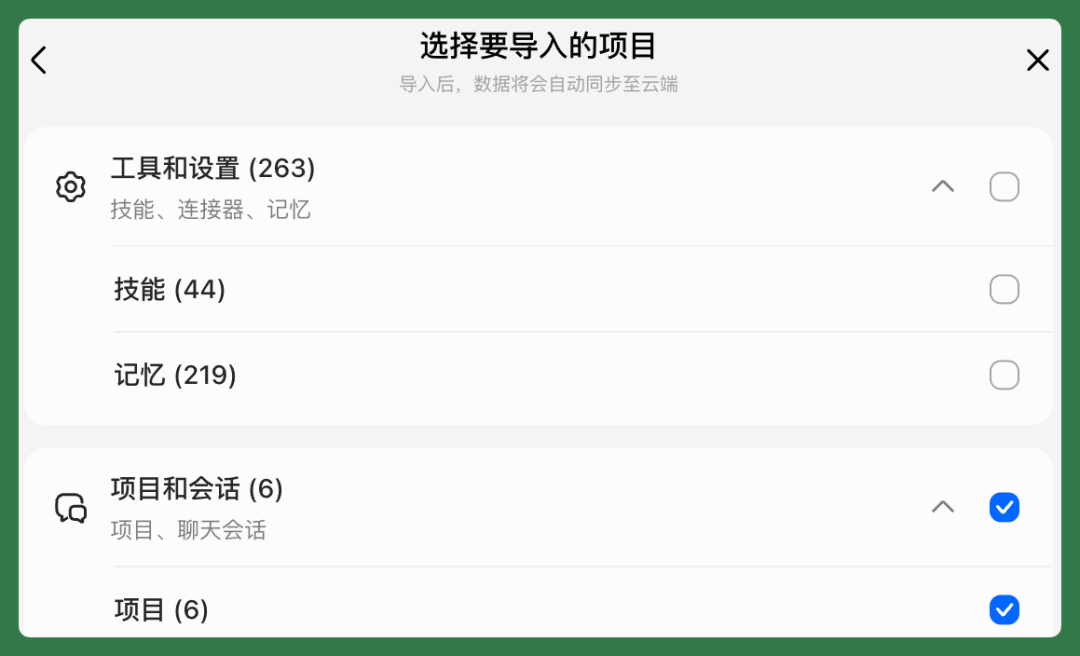
The immediate value of AI asset migration, then, is that users can choose AI products more freely, without having to start from scratch every time they switch tools.
That's why Doubao Work's update is worth paying attention to: it lets work accumulated in different AI products continue to be useful in a new Agent. For ordinary users, there's no need to understand complex technical principles.
Below, I'll walk through two real examples from Claude Code and Codex to show how prior work can be picked up in Doubao Work — and even done better.
Claude Code + Codex ➡️ Doubao Work
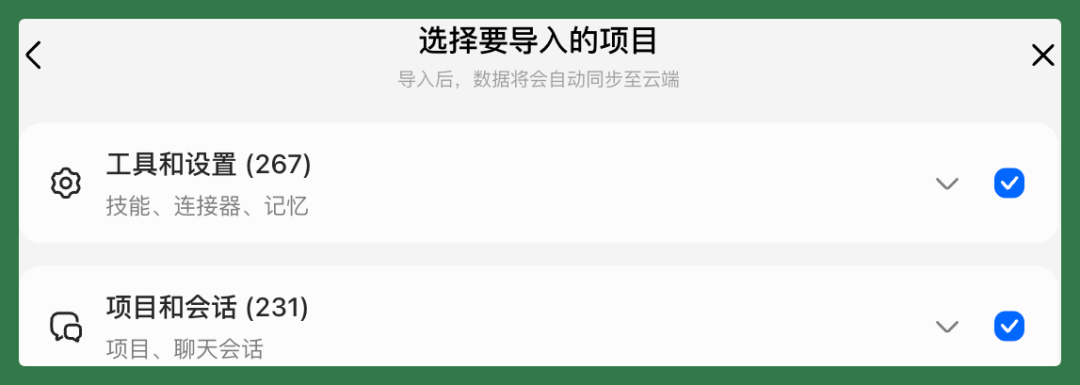
Now, open "Settings" in the lower-left corner of Doubao Work, click "Data Import and Sync," and it will automatically scan for Coding Agents used on your computer, including TRAE Work, Claude Code, ChatGPT (Codex), and others.
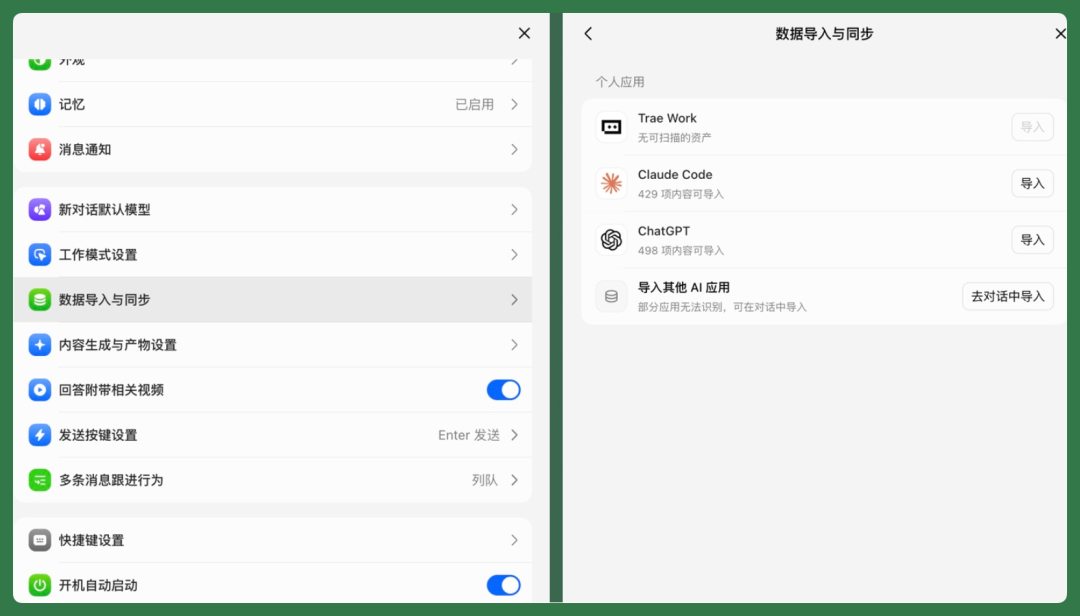
The migratable data is extensive: historical conversation records, memory, rules, files like CLAUDE.md, AGENTS.md, and MEMORY.md, plus previously configured Skills.
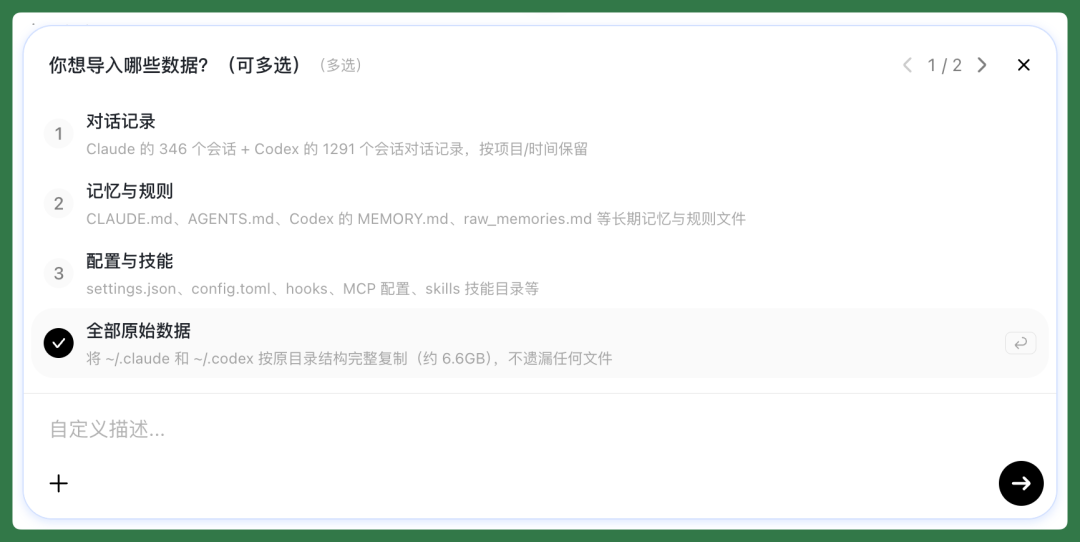
If you don't have specific concerns, you can simply check all data and complete the import in one go.
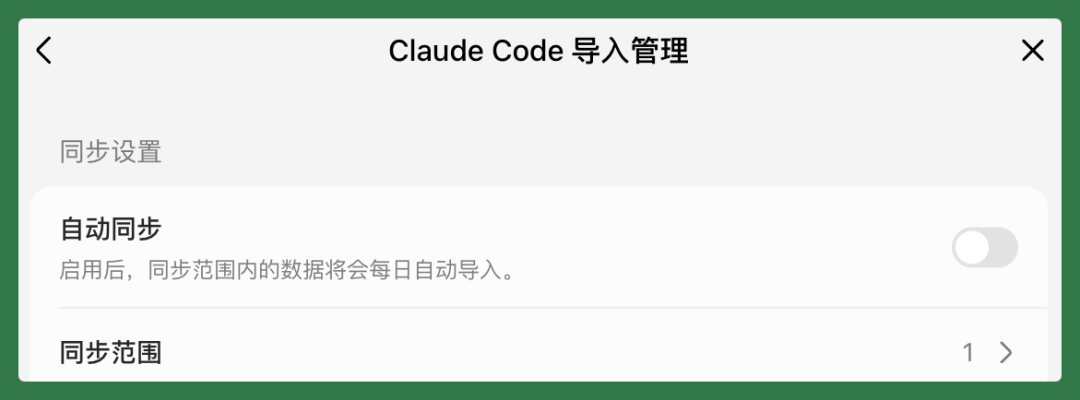
After the first import, you can also turn on "Auto Sync." Once enabled, the system will automatically import the latest data within the sync scope every day — no need to add it manually.
Personally, I use Claude Code and Codex the most.
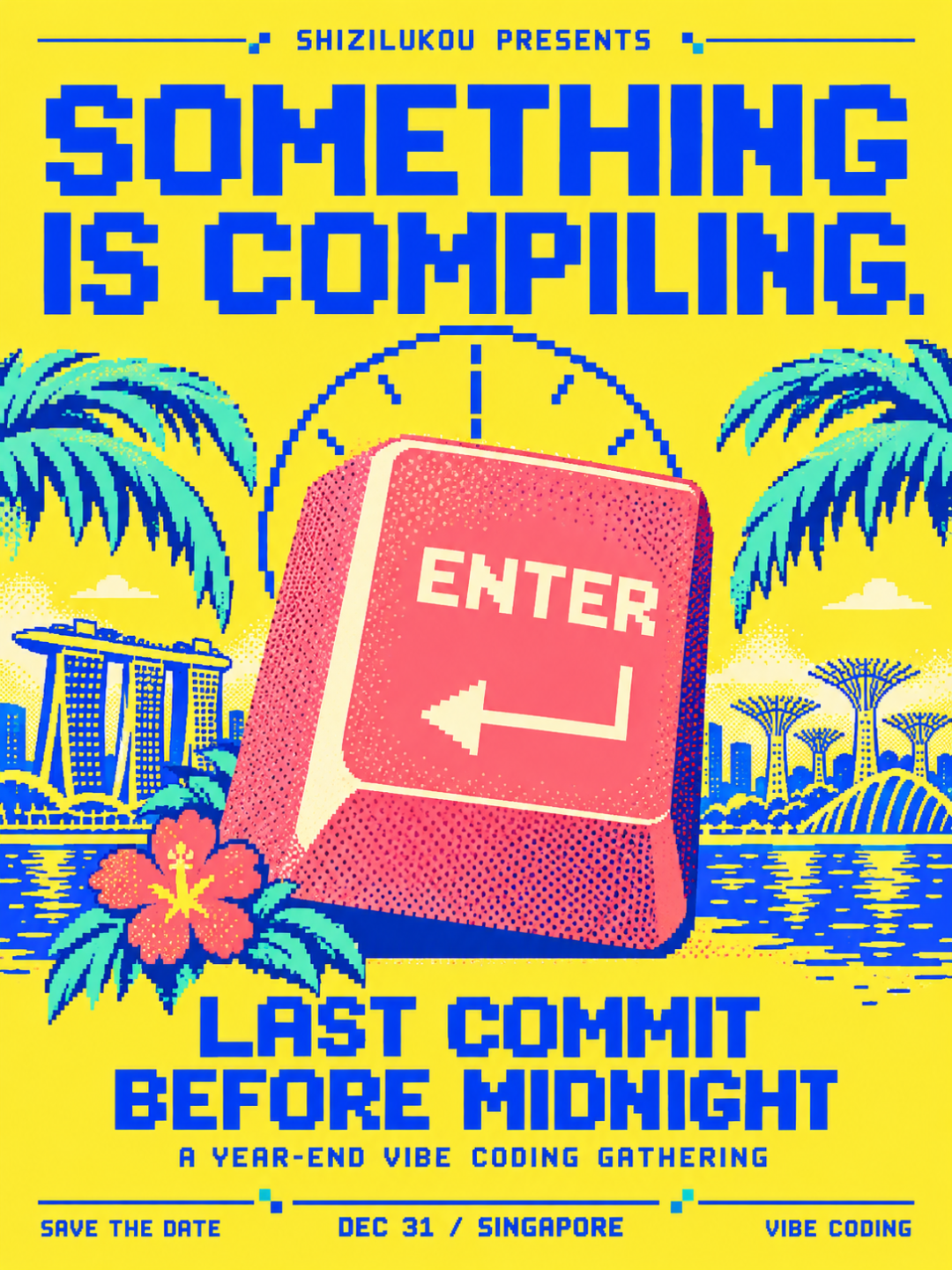
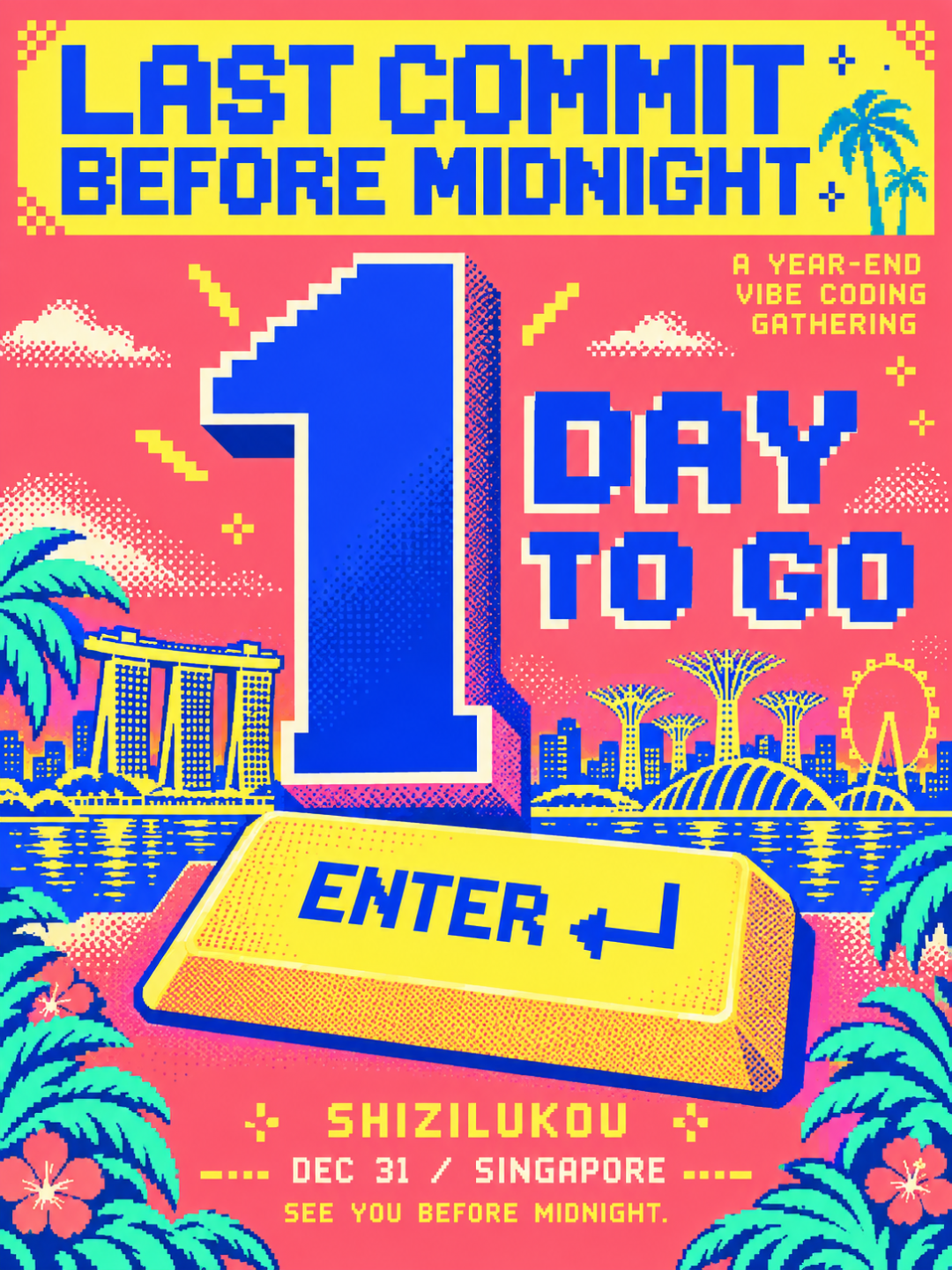
For example, these past few days we've been planning a year-end Vibe Coding event in Singapore on December 31, called "Last Commit Before Midnight."
Right now, the event is still in relatively early planning stages, but we've already accumulated some planning ideas, research materials, and visual design assets in Claude Code and Codex.
So this real project is perfect for testing — to see how much of the existing work Doubao Work's AI asset migration can actually bring over, and whether you can directly continue working after the migration.
"Last Commit Before Midnight"
First, in Claude Code, I've already done quite a bit of prep work: designing the event name, drafting the initial event proposal, refining relevant prompts, and even researching some Vibe Coding visual styles that would fit the event.
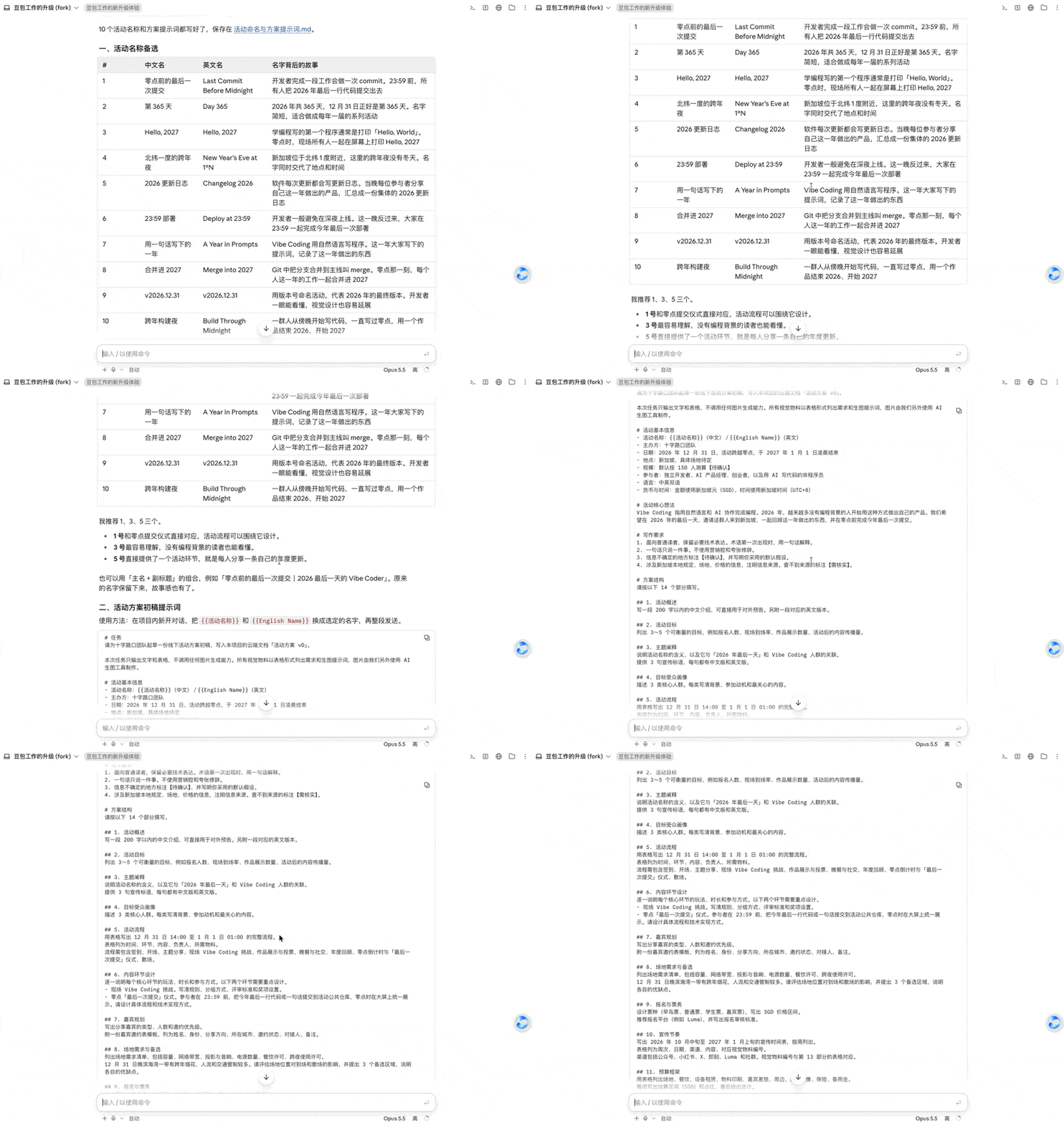
All of this can be directly imported into Doubao Work through the data migration feature.
And the migrated content is adapted for display. For example, prompt blocks and Callouts commonly used in Claude Code have corresponding graphical interfaces in Doubao Work, making them easy to view.
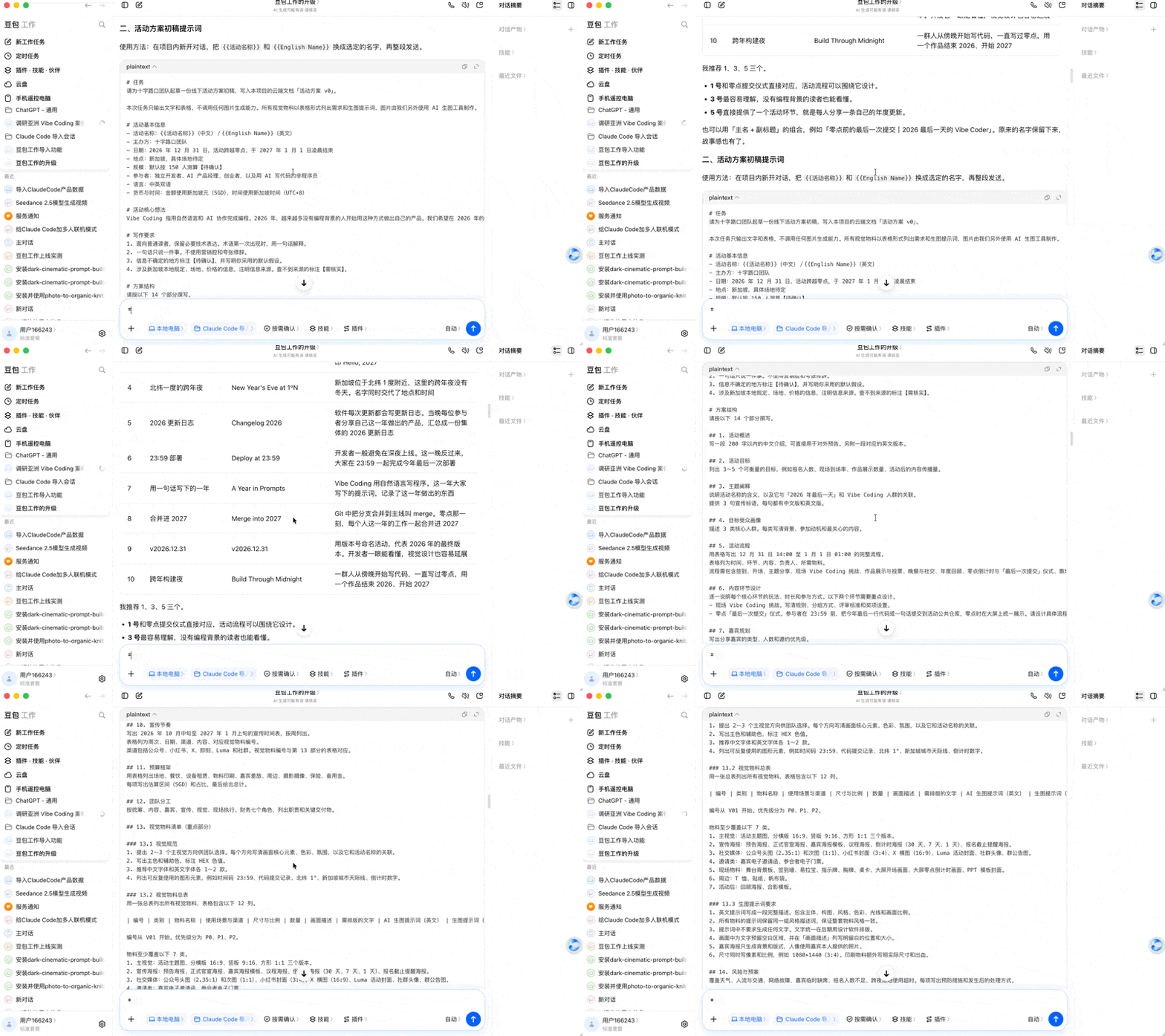
I had already completed the full framework prompt for Event Proposal V0 in Claude Code.
After importing the data, I could directly continue in the same conversation session in Doubao Work, having it generate a complete event proposal based on the prompt.
This proposal could include an executive summary, confirmation checklist, decision items, source list, plus visual content like a process timeline, promotional rhythm, budget bar chart, and HTML modules.
Since the team is more accustomed to collaborating in Lark, the final output could be organized into a cloud document that's easy to continue editing.
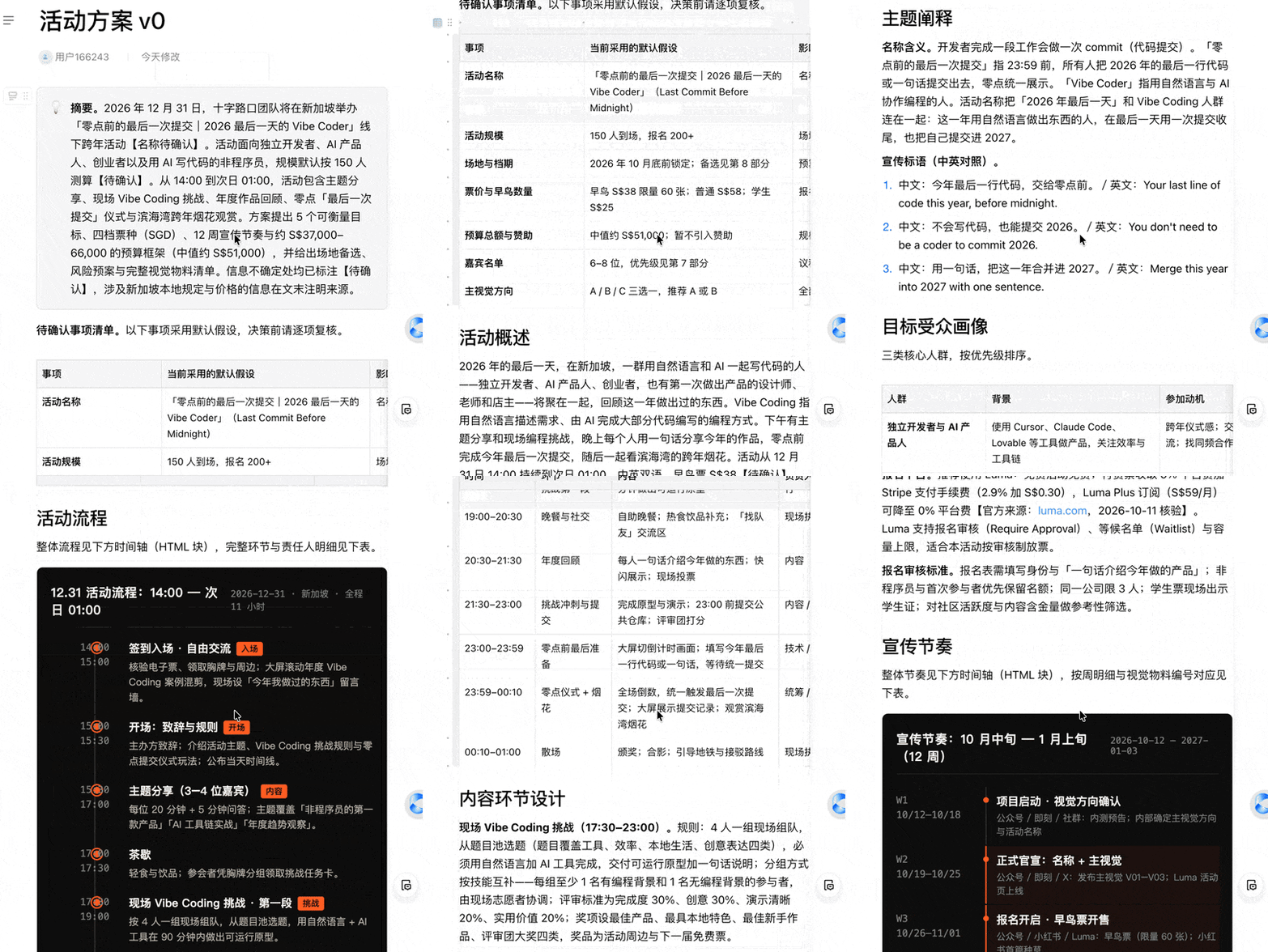
This Event Proposal V0 was already quite comprehensive.
Doubao Work, drawing on our prepared materials, further researched venue options, ticket pricing, budget, Singapore New Year's Eve fireworks, traffic control, Luma rates, SFA permits, and more.
Follow-up Questions
Earlier, when still in the conceptual phase, I had also briefly researched some Vibe Coding visual design directions in Claude Code — like the classic black-and-white ASCII editor aesthetic.
After importing this into Doubao Work, I could directly select the corresponding passage, click "Follow-up," and continue exploring this design direction in depth.
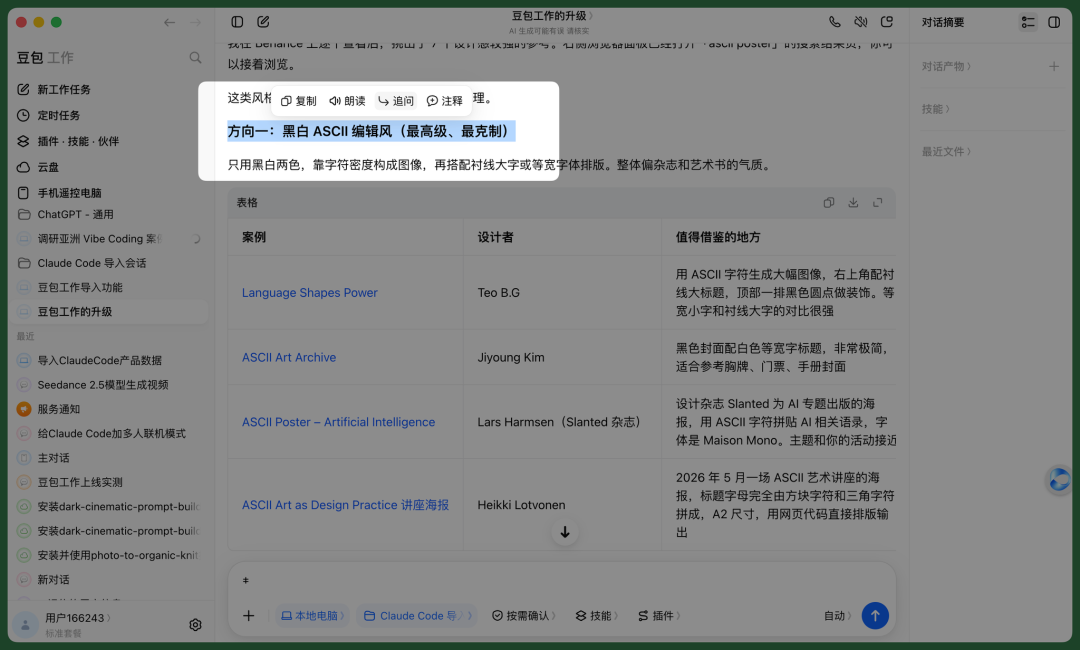
This lets you directly continue building on that context.
For example, I would have Doubao Work open the case websites from my research one by one, analyze design directions worth learning from, and pair each style with reference images.
Reference images would prioritize actual screenshots from the case websites, with AI generation only as a fallback when sites couldn't be accessed. Finally, case names, designers, takeaways, links, and other info would be organized into a Lark Base table for easy reference as design assets later.
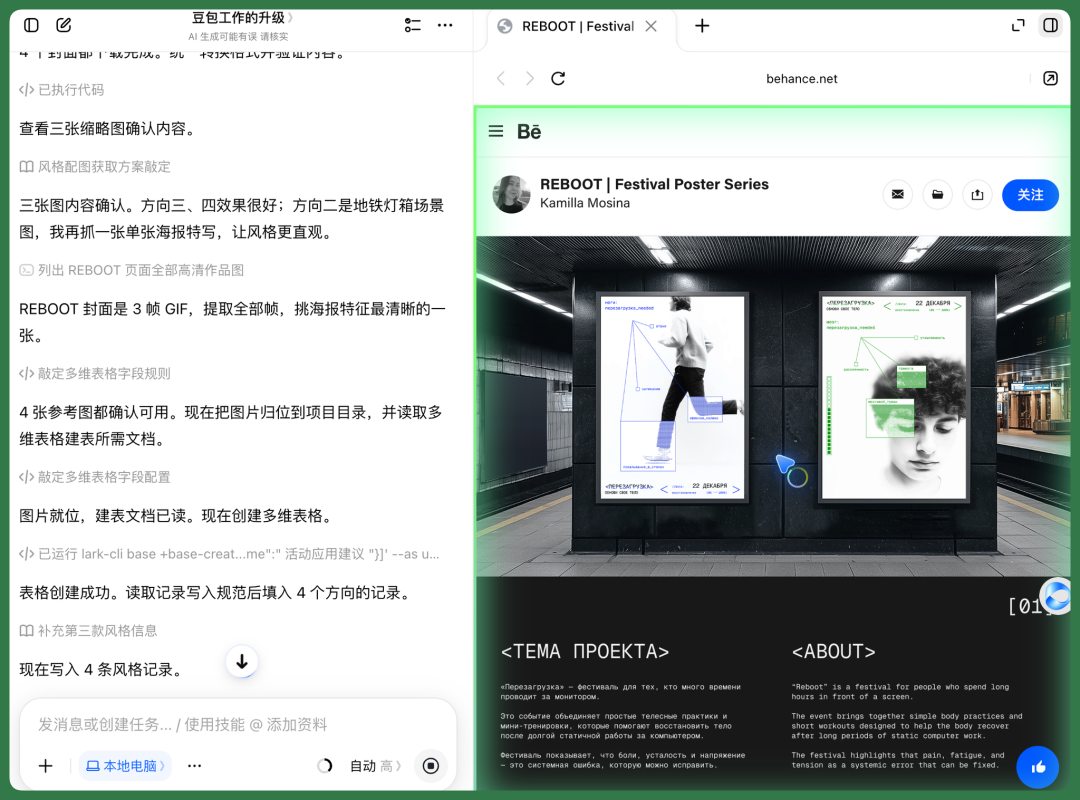
This way, the preliminary visual style reference assets for the event were ready, giving subsequent design work directly borrowable material.
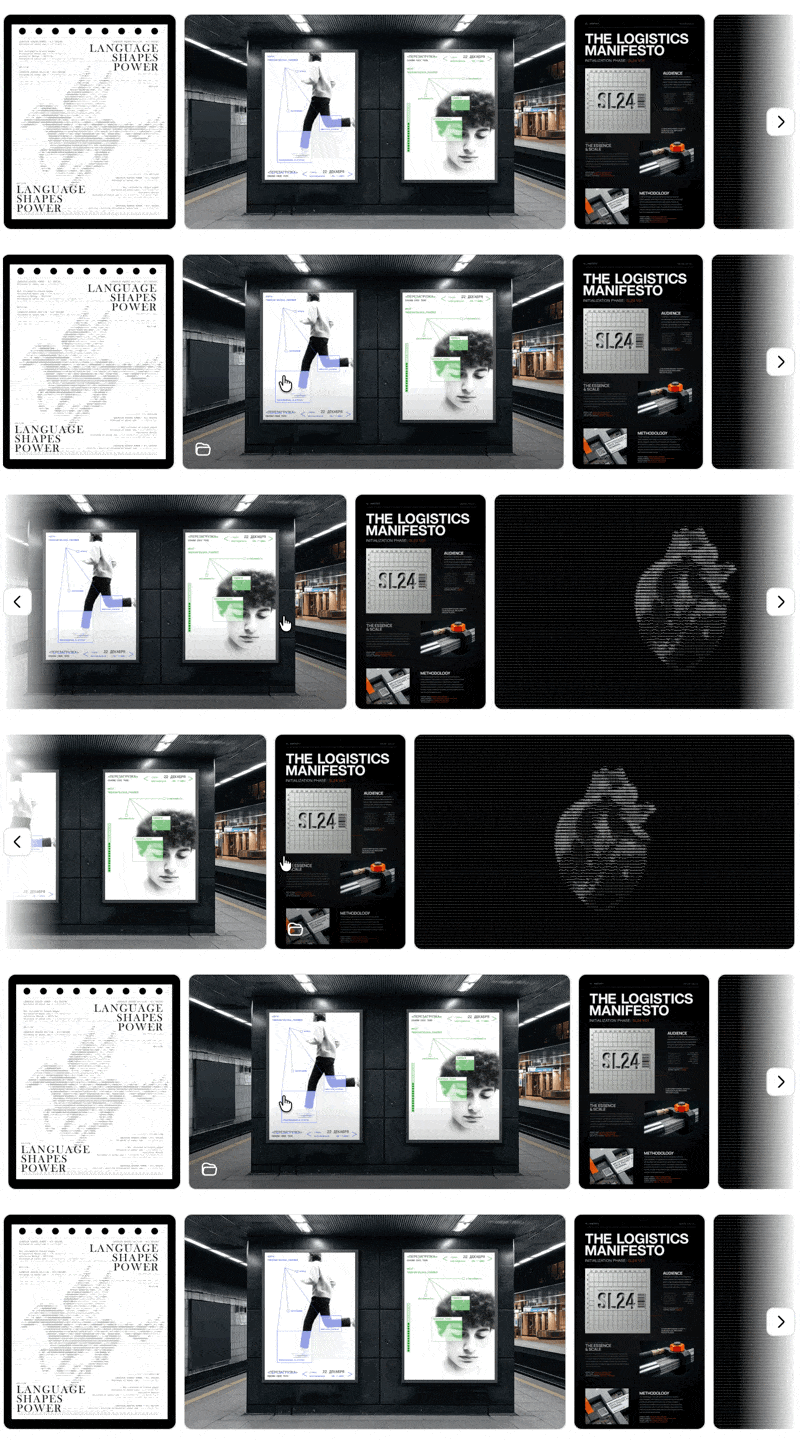
Why prepare these visual style assets in advance?
Because I personally prefer using Codex for graphics and visual design. GPT-6 Astra plus the built-in image model works quite smoothly.
Previously, I had already opened numerous sessions in Codex for event research, Vibe Coding project collection, and even generated a complete set of event visual materials.
But I wanted to try more different design styles.
So this time, I first had Doubao Work compile a visual style reference asset set, then imported historical projects from Codex to continue exploring several new visual directions on top of the existing design.
Case Designs for East Asian Vibe Coding
From the start of research, we established an important direction: we wanted this event to focus more on East and Southeast Asia.
Because I recently discovered that Japan, Korea, and Southeast Asia have many fascinating Vibe Coding projects. But attention tends to concentrate on the United States — Asia actually has plenty of noteworthy work too, and many projects incorporate local culture.
So from the beginning, I had Codex gather dozens of interesting Asian Vibe Coding projects and compile them into a complete Asian Vibe Coding case library.
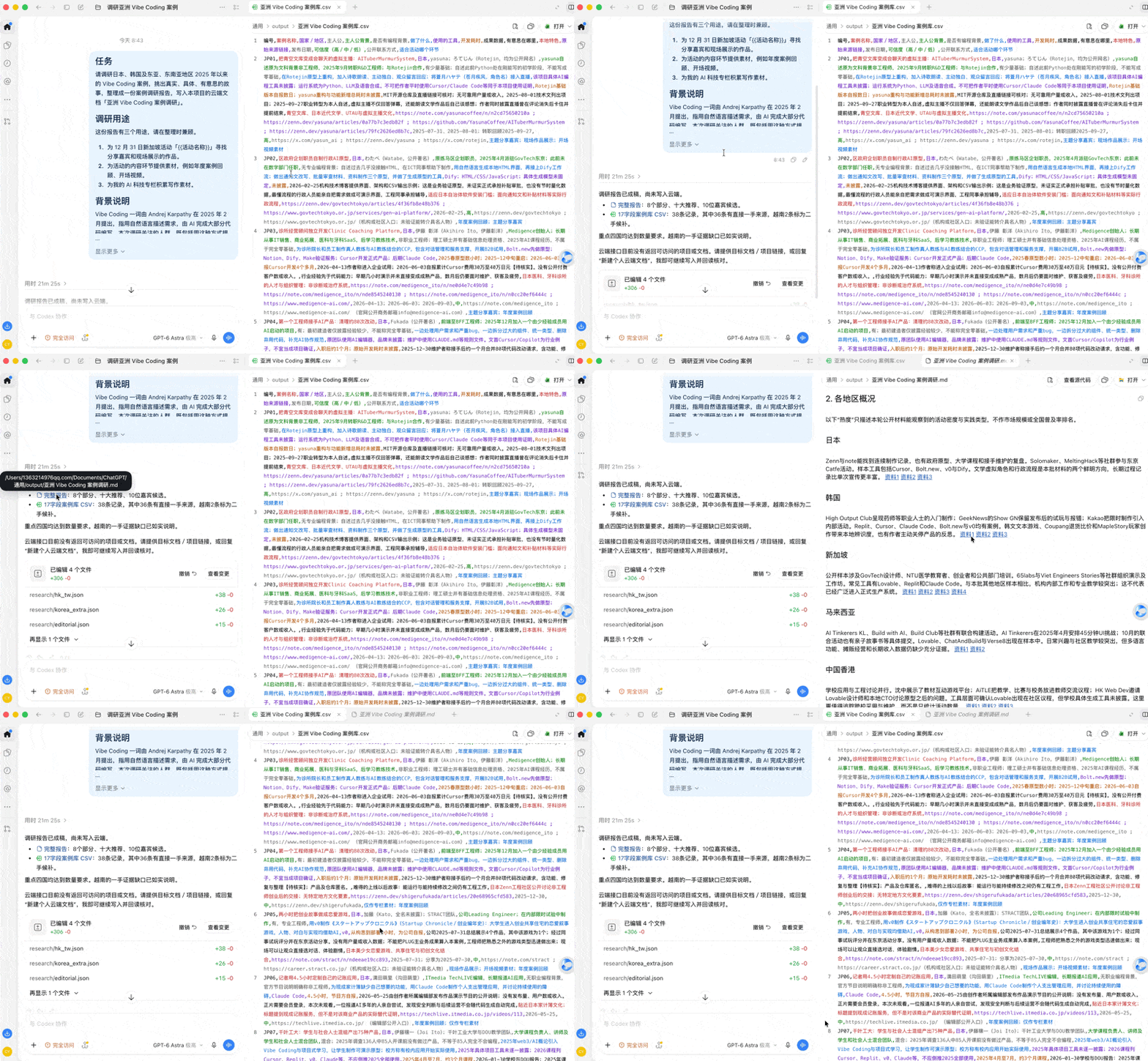
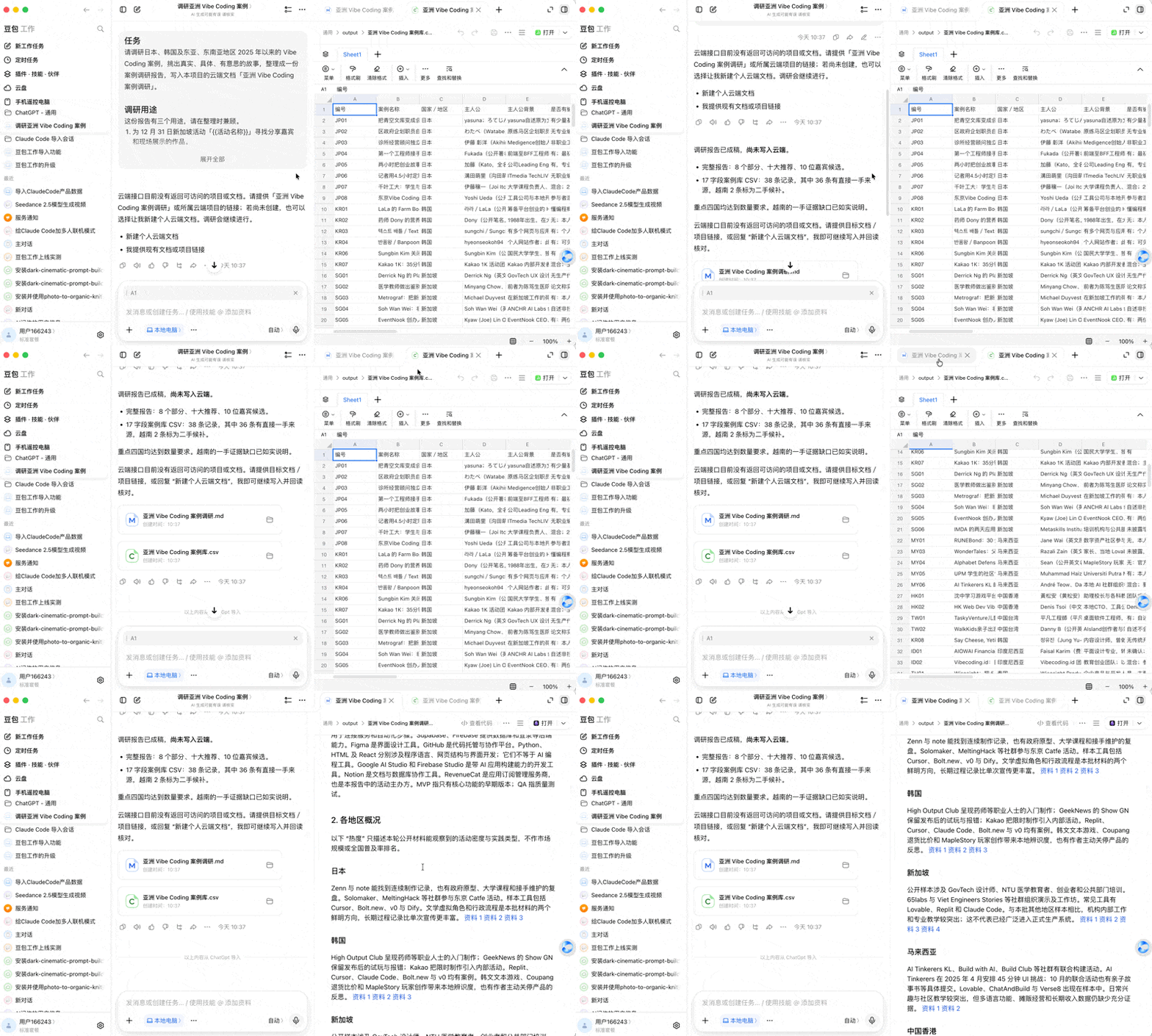
All of this can be directly imported into Doubao Work. After importing, Doubao Work can directly open and view corresponding MD and CSV documents — and the CSV table formatting actually looks better than in Codex.
This way, you can convert the entire Asian Vibe Coding case library into a visual Base table in Doubao Work with one click, making it easy to browse and filter later.
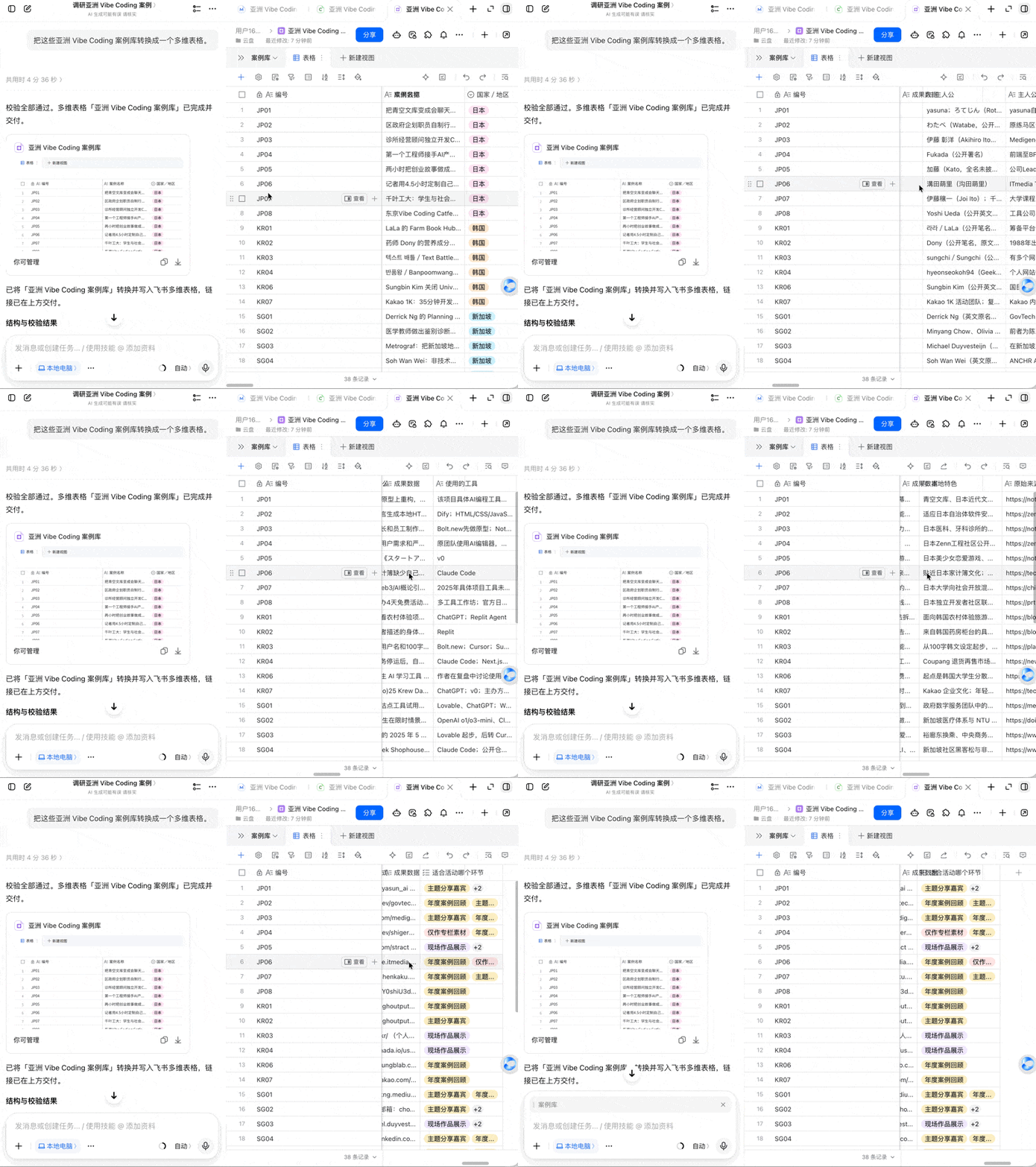
However, simply converting CSV to a Base table still makes for fairly basic presentation. What I really wanted was to directly see the actual effects of these Vibe Coding projects.
For example, Japanese AI creator Yasuna made a fascinating Japanese-language project incorporating many local cultural elements — well worth showcasing.
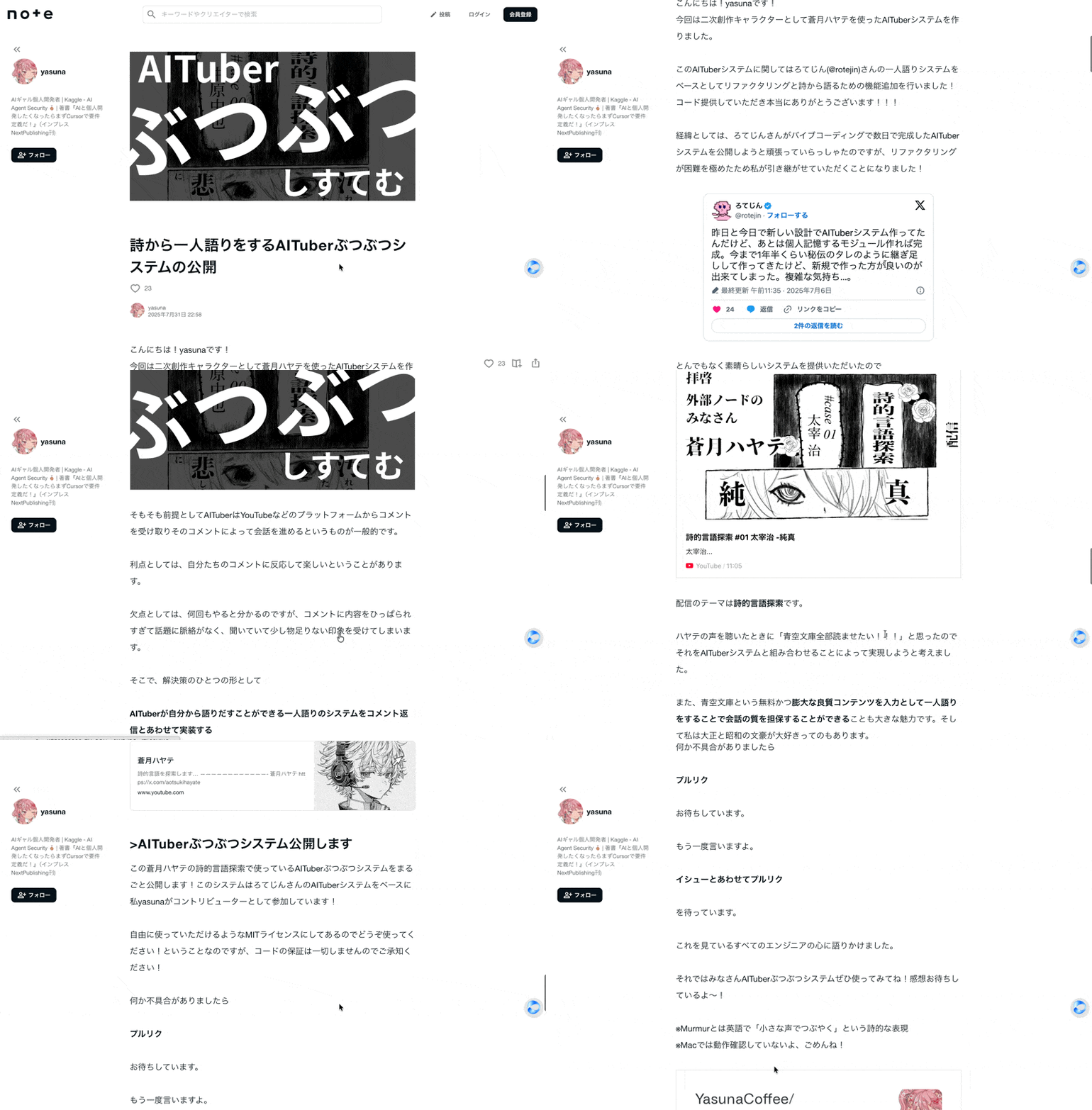
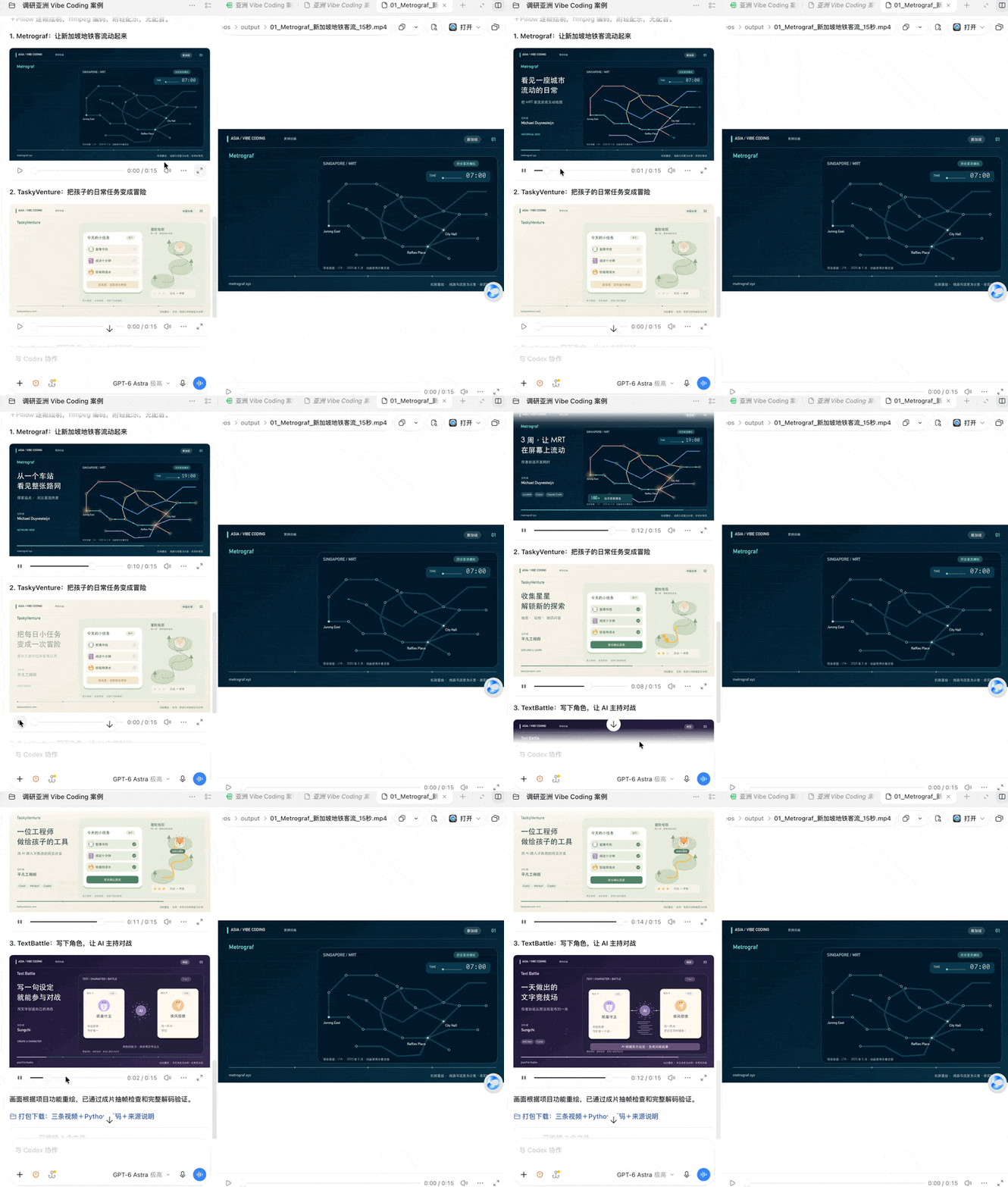
So I first had Doubao Work pick three cases and try step by step to create animated videos using pure code.
Specifically, drawing frame by frame with Python + NumPy + Pillow, then encoding to MP4 via ffmpeg.
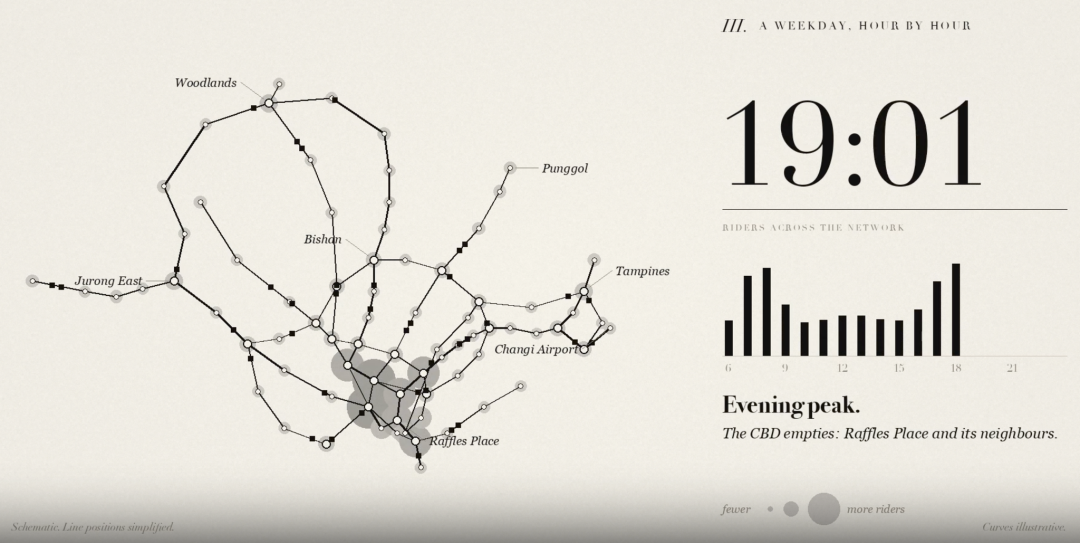
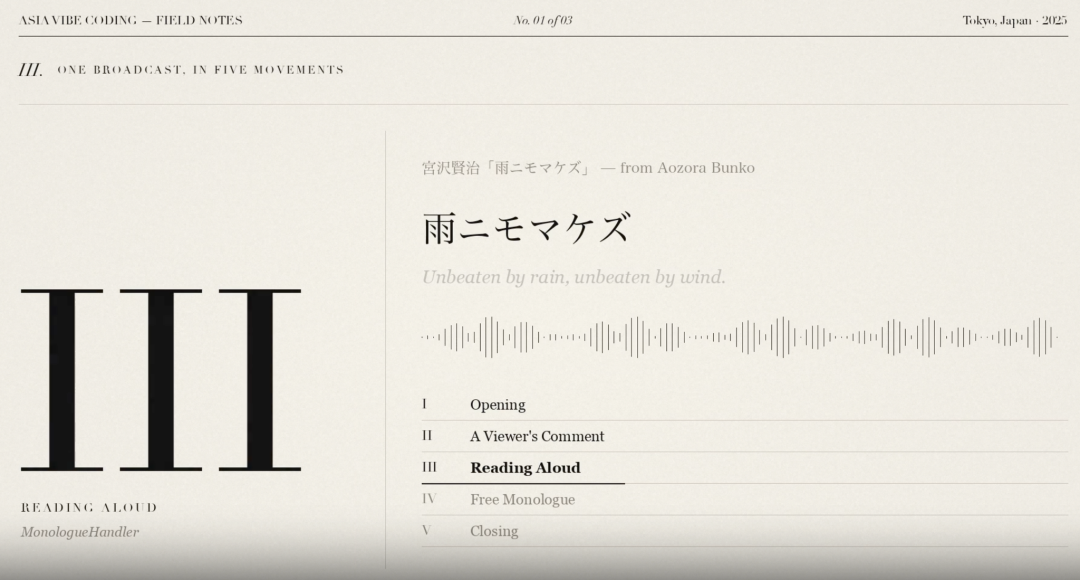
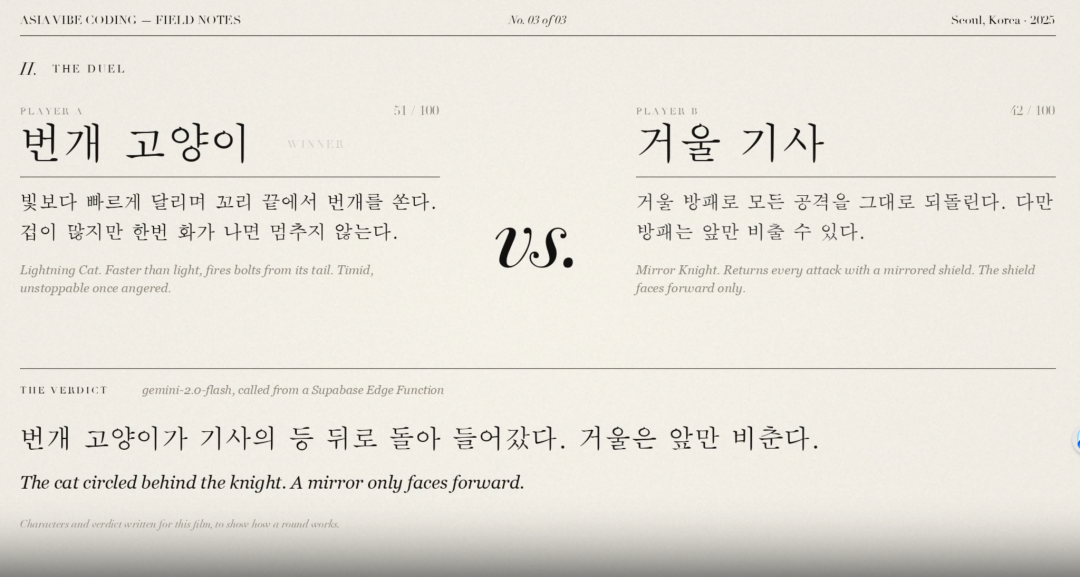
Examples included Singapore MRT passenger flow visualization, Aozora Bunko virtual streamer, and AI battles based on 100-character character settings.
From the actual results, Doubao Work performed quite well on this pure-code animated video production.
Afterward, through "Follow-up," you can continue adjusting the visual style of these pure-code animated videos — for example, changing to a more elegant design like below:
Continue in New Conversation
Now, Doubao Work also supports a new feature called "Continue in New Conversation" — extremely useful for image and visual design work.
For example, I had already created a relatively complete first-draft set of visual materials for the entire event in Codex.
After importing into Doubao Work, all of this displays normally. And in the "Conversation Summary" panel on the right, you can directly see previously generated image assets and conversation content, making it easy to review and continue modifying at any time.
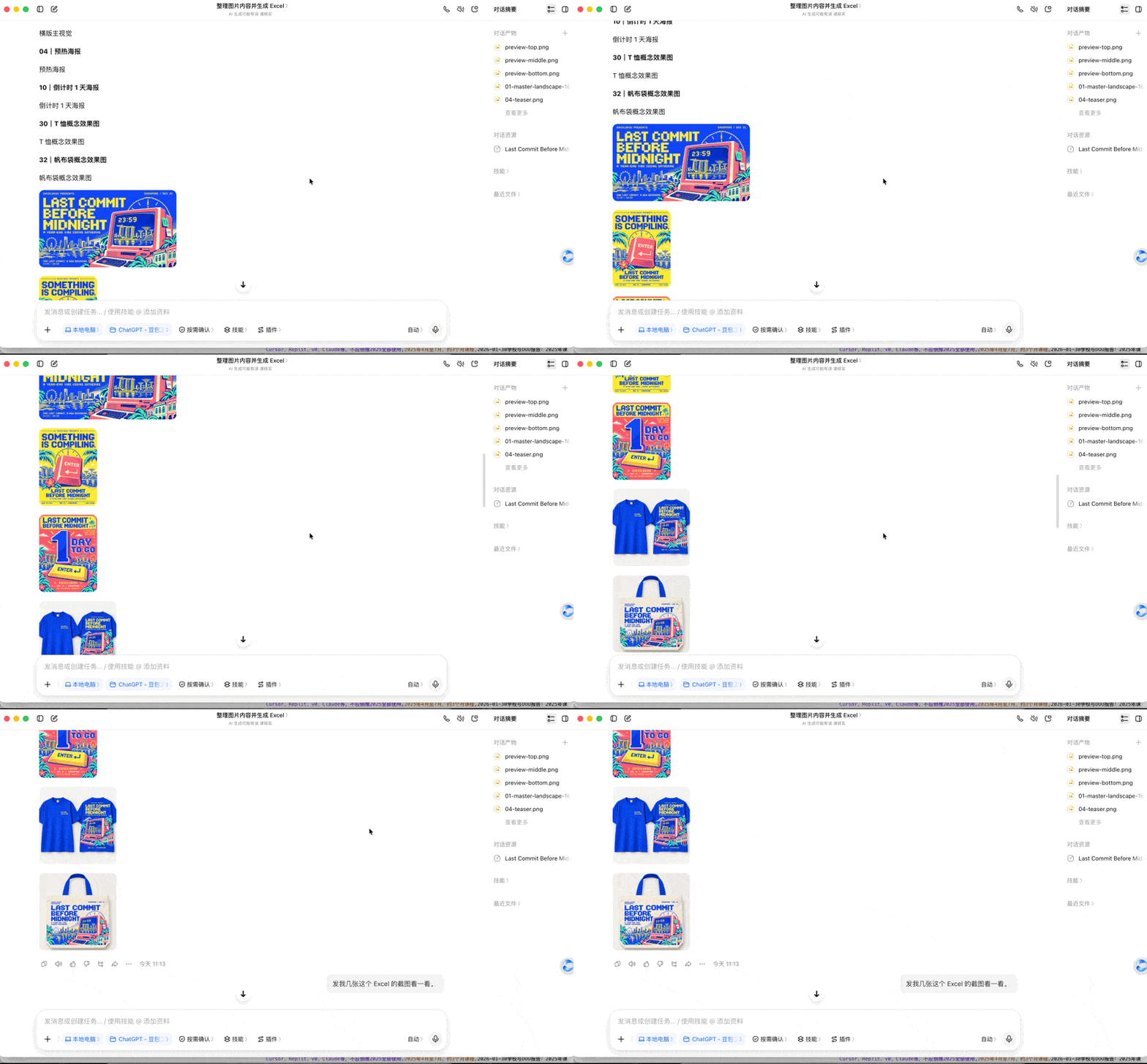
Then, in the project panel on the left side of Doubao Work, simply select the corresponding session, click "Continue in New Conversation," and start a new conversation based on the previous content.
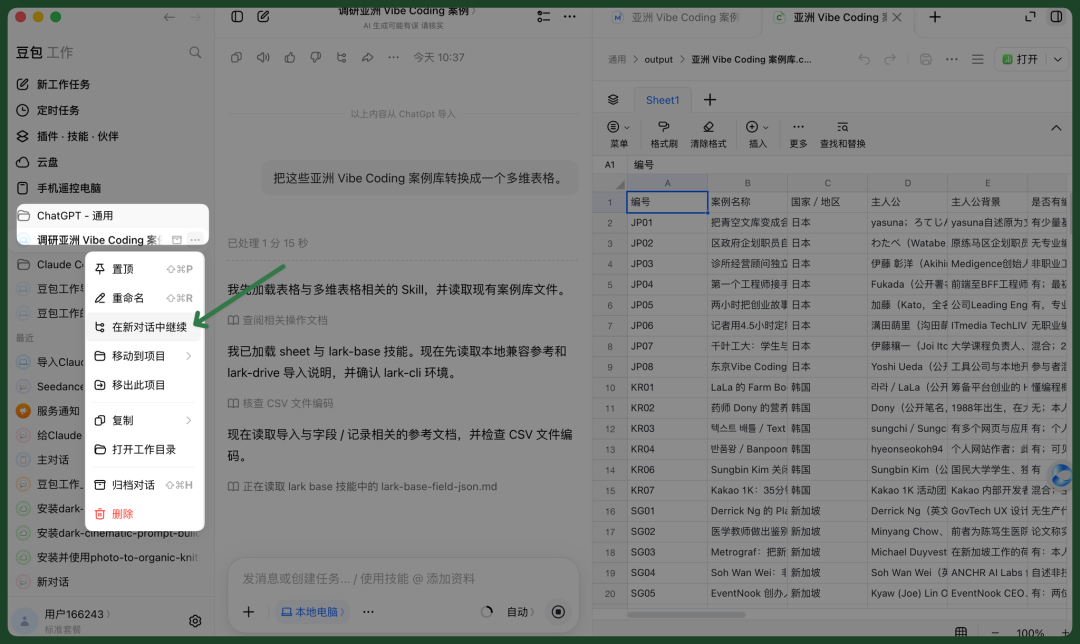
This is essentially opening a new session under the same project, inheriting the original session's Memory and context, while preserving the original conversation — without affecting prior work.
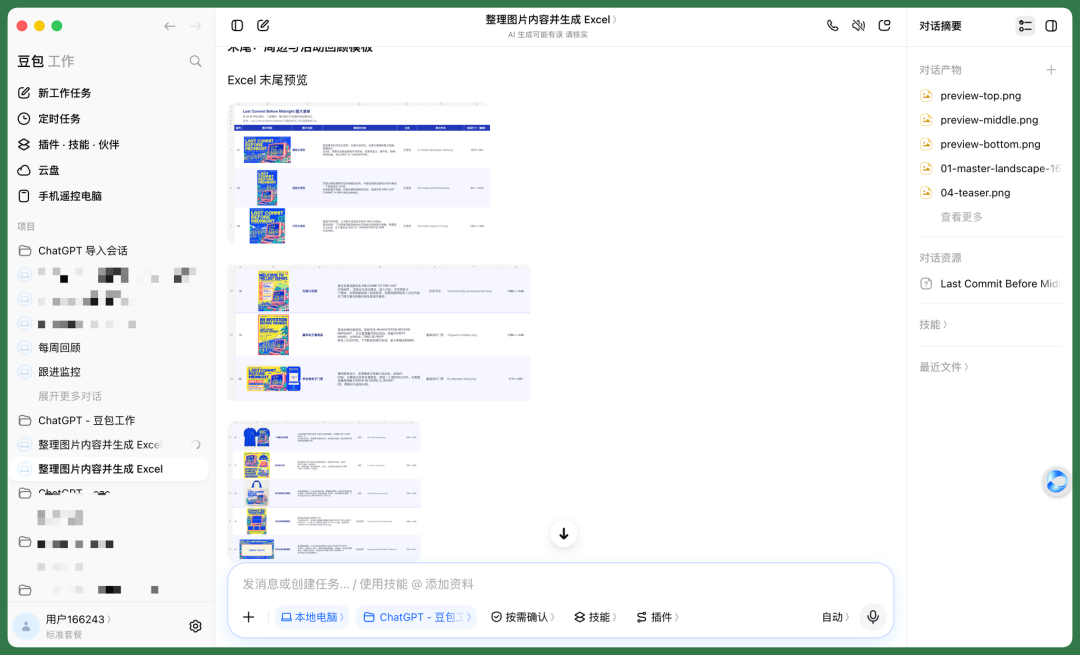
So after migrating the session responsible for visual design from Codex to Doubao Work, I could directly have it organize and list all current visual material designs for this version of the event:
Previously, I had even compiled complete inventories for each visual material, including image previews, names, displayed content, categories, file names, and actual dimensions.
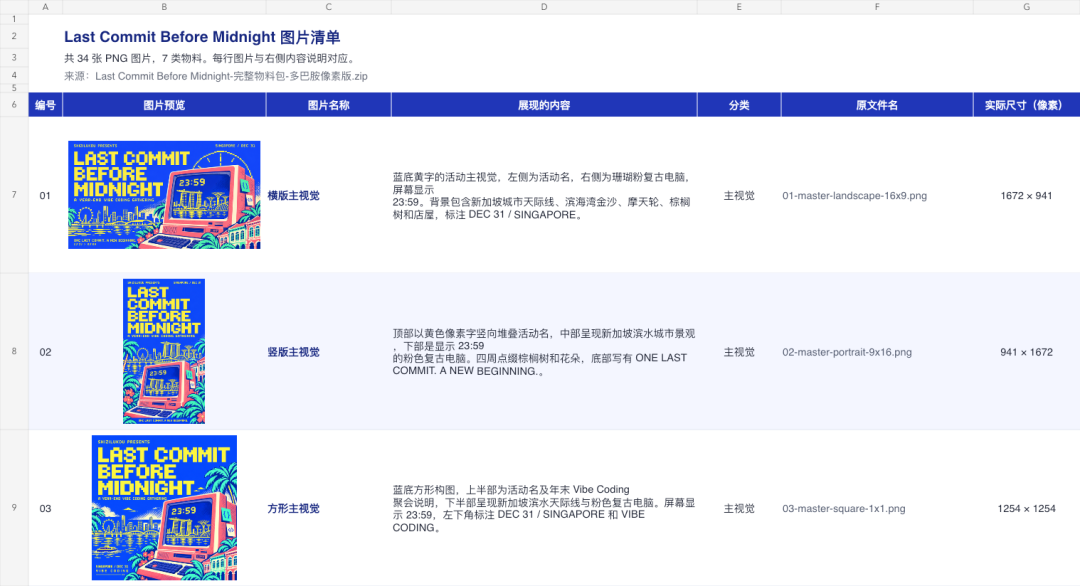
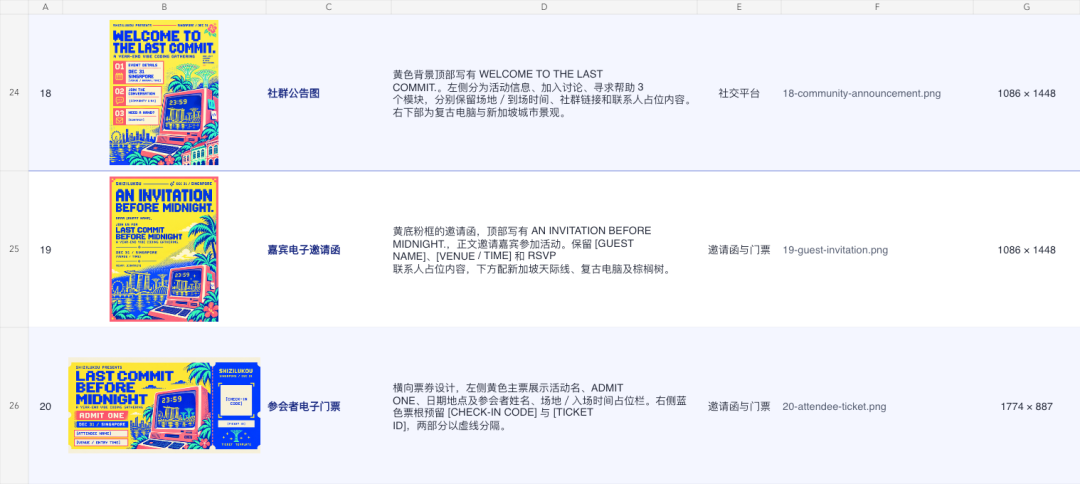
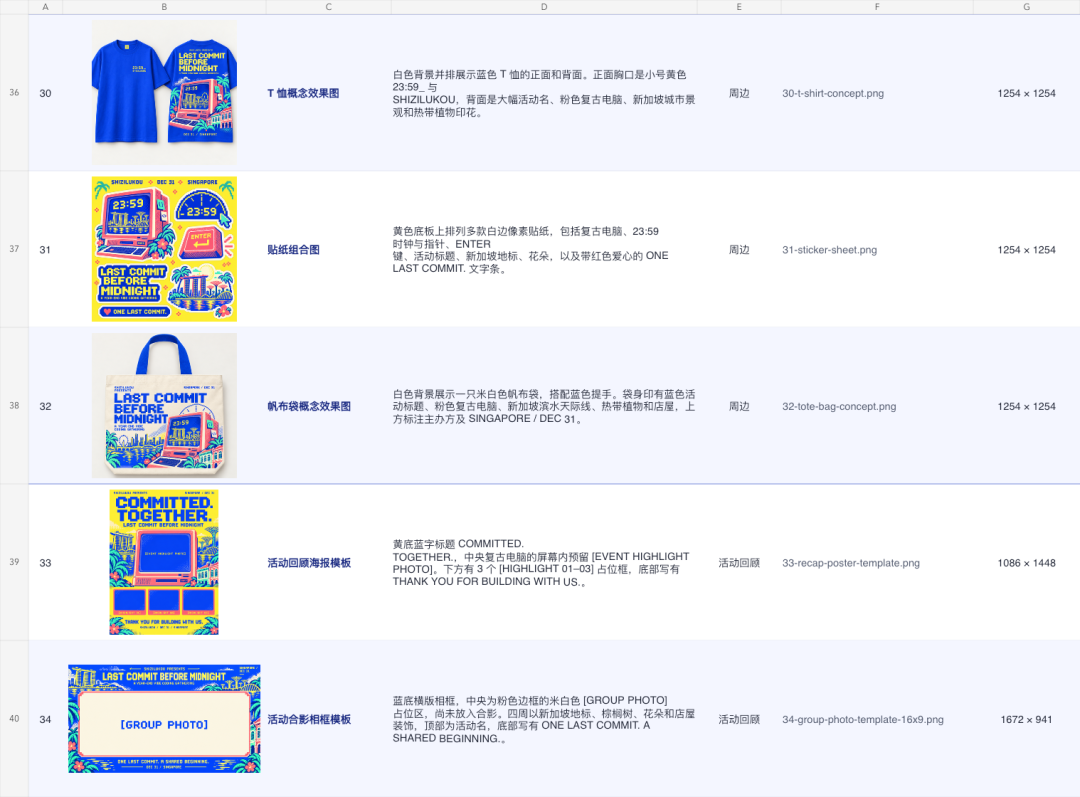
Now, through "Continue in New Conversation," you can directly inherit the context of the first-draft event visual materials and redesign a different stylistic version on that basis — for example, more black-and-white pixel, retro-style event materials:
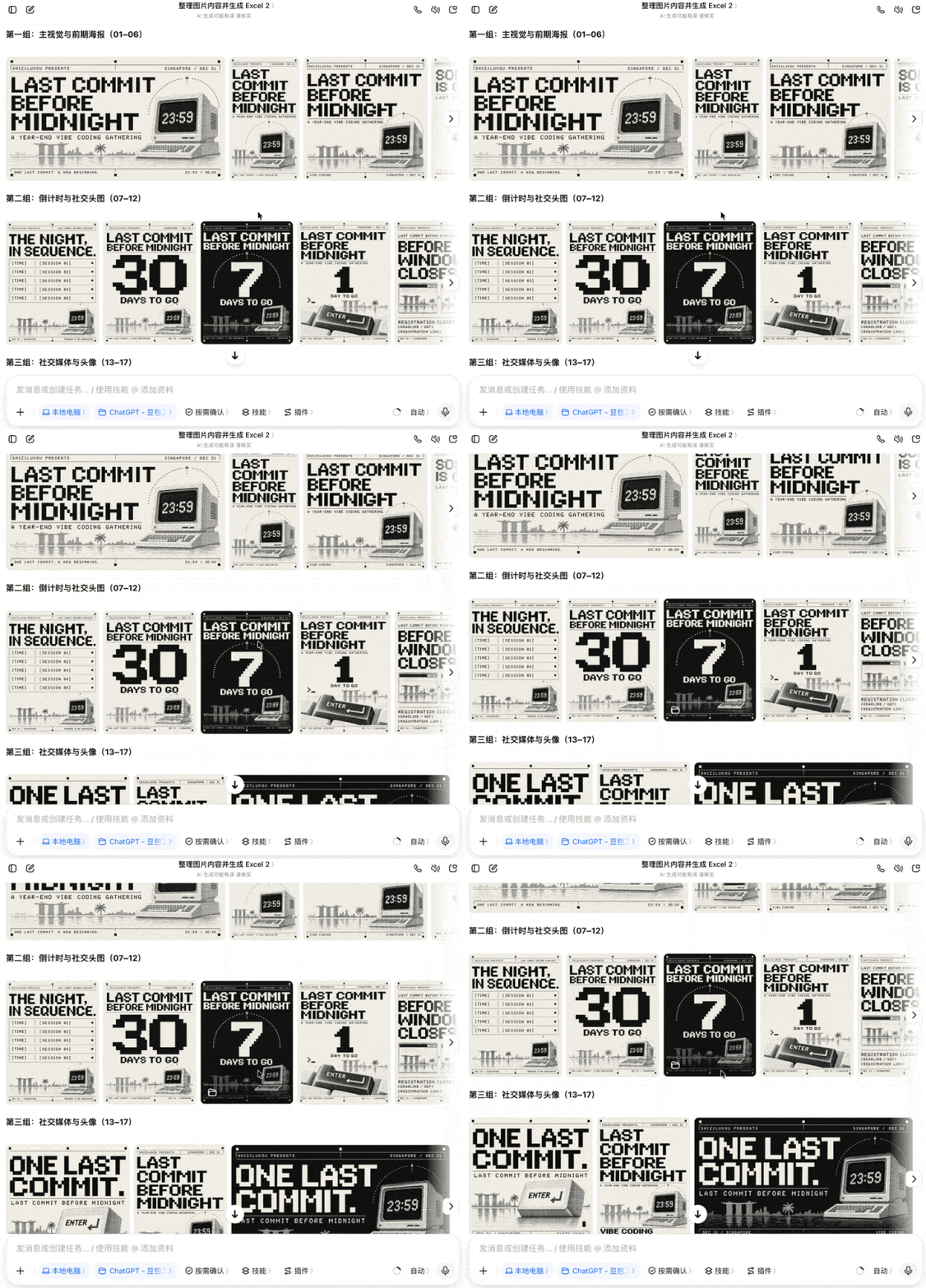
Using "Continue in New Conversation" this way genuinely improves efficiency.
By now, we've accumulated quite a few event assets: an East Asian Vibe Coding case library with 38 projects, a case-to-event-segment mapping table, results data, a visual design inventory with 17 completed items, and the complete Event Proposal V0.
Next, we can hand all these Base tables, documents, and image assets to Doubao Work and have it uniformly integrate them into the original Event Proposal V0.
This gives us a relatively complete, ready-to-advance event planning proposal.
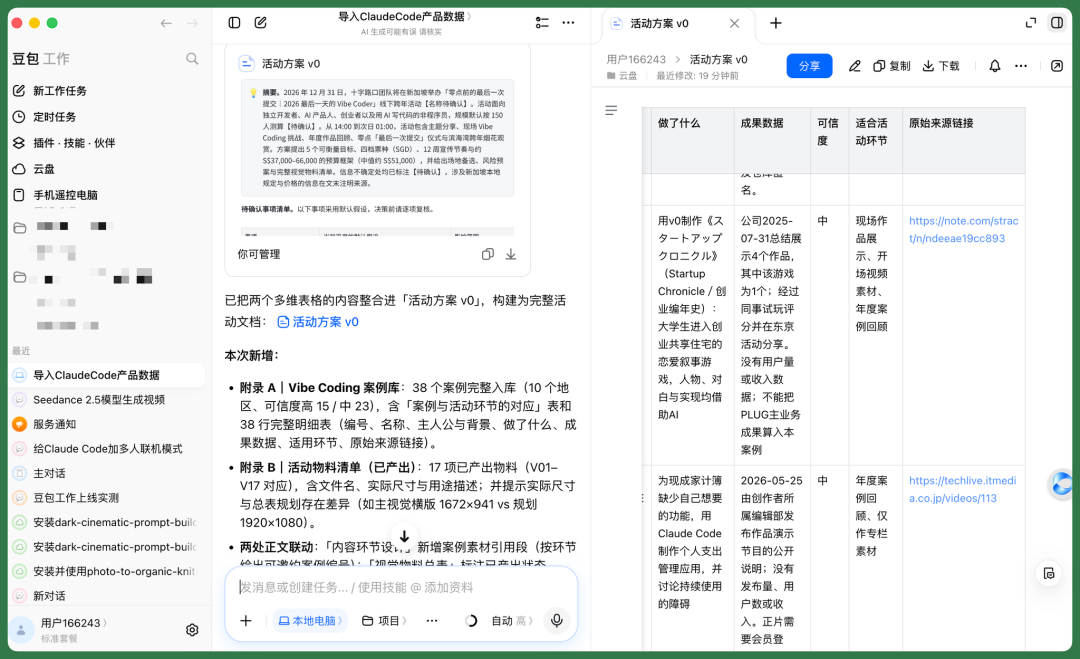
I have to say, running through the entire workflow, efficiency is indeed higher than before.
Previously, I would do prompt design and visual style research separately in Claude Code, then move to Codex for image material design and Deep Research. All of this could get done, but the results were scattered across different tools.
Now, Doubao Work has effectively become the "terminal station" for the entire workflow.
It can migrate conversations, materials, and deliverables from different tools directly in, continue pushing forward from where previous work left off, and finally convert everything into Lark documents, Base tables, and other formats suitable for team collaboration.
This eliminates the repeated steps of exporting, sharing CSV, HTML, Word, and other files — and the team can continue collaborating directly in Lark.
Sometimes, a seemingly simple interaction optimization brings a massive experience improvement for users.
Actually, OpenAI CEO Sam Altman already touched on a similar idea in a TED2025 interview.
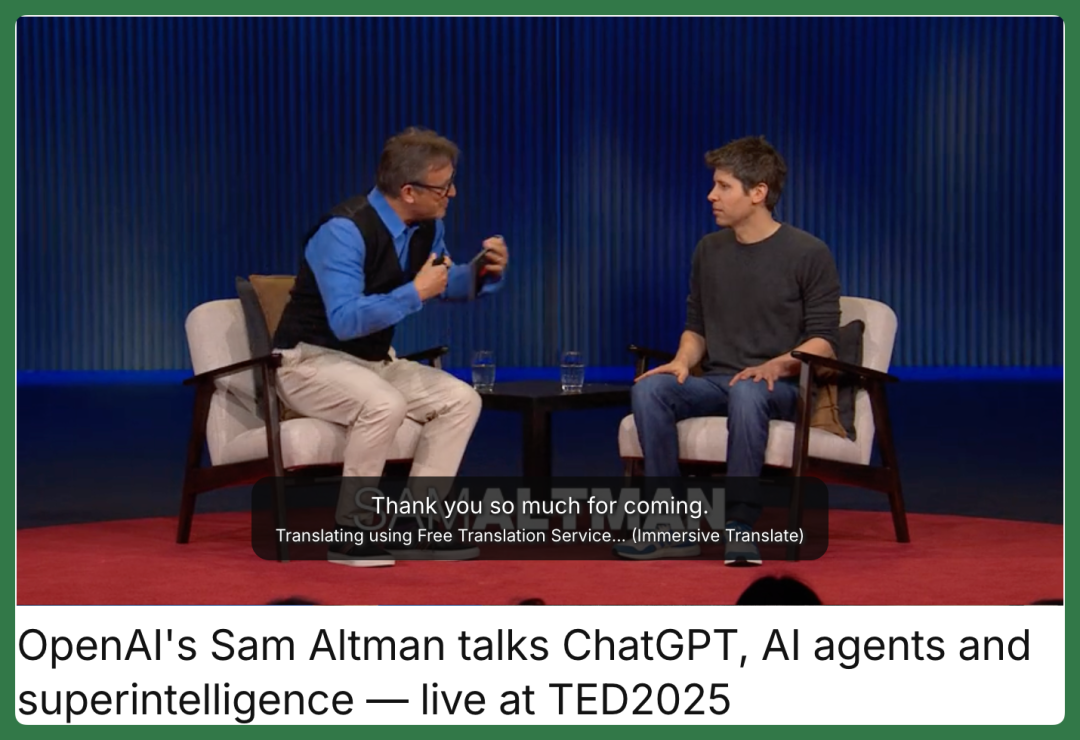
At the time, he mentioned that beyond model iteration, OpenAI needed to do something else.
"We have to build a great product, not just a great model." That assessment remains highly relevant in today's Agent market.
Now, we're starting to see products like Codex, Claude Code, and Doubao Work actively support importing work records from other Agents.
This means users no longer have to stay locked into one product simply because they've accumulated massive amounts of data there.
🚥
The AI Agents of the future need to not only help users complete new work, but also understand work they've already done.
And making users' accumulated work continuously usable — even freely flowing between different Agents — may become a notably important part of the coming AI product experience competition.