Tencent Became the "Shrimp Farming Competition" Sensation, and We Used This Claw to Transform Our Workflow

Try taking over content operations with WorkBuddy Claw.
Using WorkBuddy Claw to Take Over Content Operations
👦🏻 Author: Jingshan
🥷 Editor: Koji
🧑🎨 Layout: NCon

After the viral hit OpenClaw appeared, nearly every major tech company jumped in, rolling out various "remixed" products designed to lower the barrier to entry. Everyone was asking the same question: How do we let ordinary people raise crawfish and command AI Agents to work?
The entire industry launched a "crawfish race" around OpenClaw, and Tencent was no exception.
Over the past few days, Tencent released "three crawfish" in quick succession: QClaw, WorkBuddy Claw, and Tencent Cloud Lighthouse OpenClaw.
Two days ago, WorkBuddy officially launched its new capability, WorkBuddy Claw, with surprising understatement.
🚥
During our in-depth testing, we discovered a high-demand, high-frequency use case — social media entertainment operations. If you've actually done social media operations for any length of time, you'll know one thing: it's incredibly fragmented.
When you spot an overseas entertainment trending topic, you might need to: search for information across the web, find suitable image assets, create cover images and infographics, then organize everything into a content structure optimized for social media distribution. So many people are wondering: Is it possible to hand this entire workflow off to an AI Agent?
Next, we'll share our actual experience using WorkBuddy Claw to transform this workflow.
How do I use WorkBuddy Claw on QQ to help with "social media entertainment operations"? First, we need to download WorkBuddy. Just go to the official website, hit the download button, and you'll see the following page.
Link: https://www.codebuddy.cn/work/
WorkBuddy is essentially an AI desktop agent workspace from Tencent. In plain terms, it helps you get things done locally — organizing files, processing data, creating content. When the work is finished, the results stay right on your computer. No uploading to the cloud, no back-and-forth hassle.
It also has a companion tool called WorkBuddy Claw. Claw is the remote control for WorkBuddy. Used together, they unlock more possibilities.
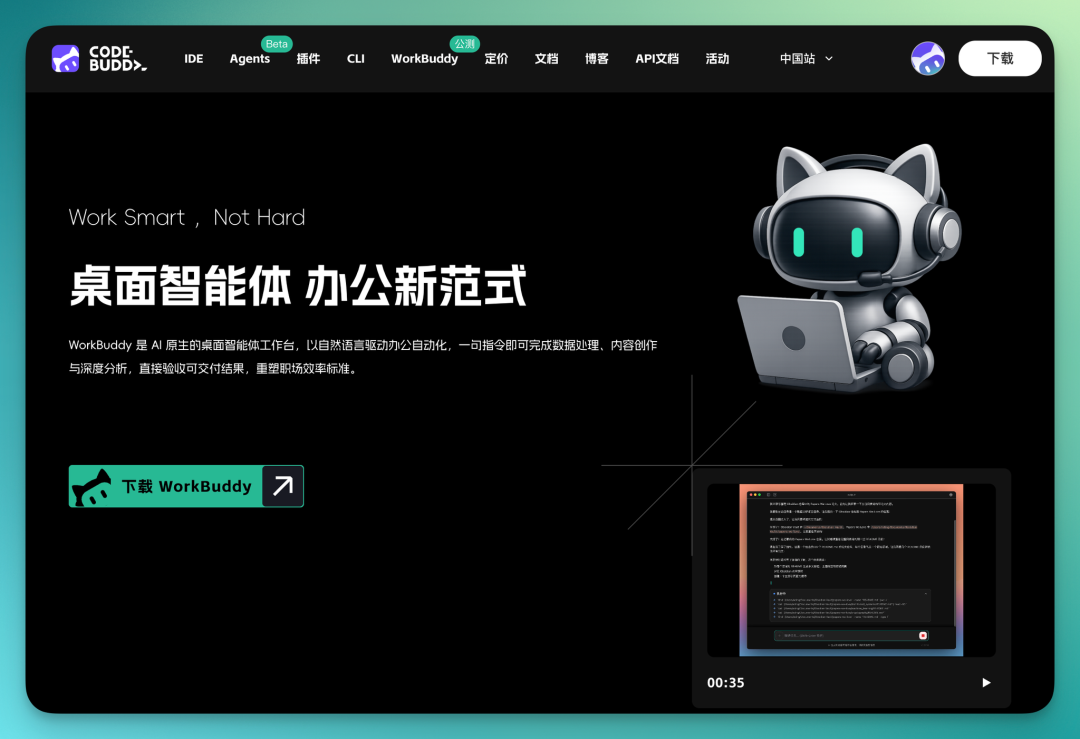
WorkBuddy Claw has several notable features. You don't need to buy your own cloud server, you don't need to install OpenClaw via terminal command line, and similarly, no model APIs or Coding Plan required.
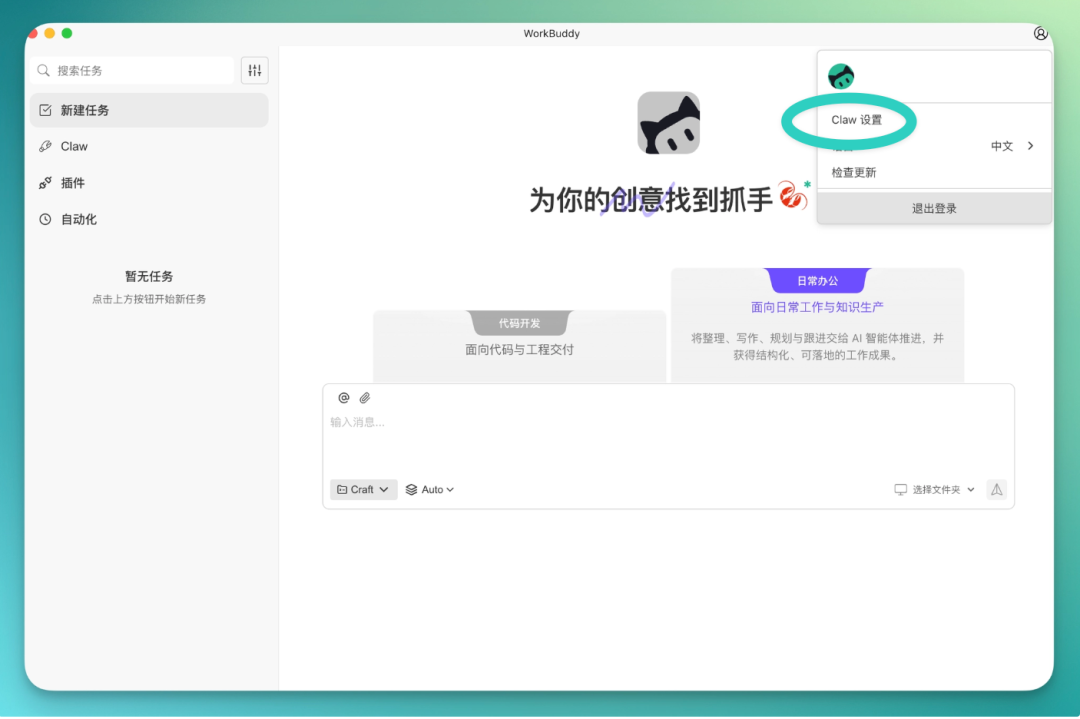
After downloading and installing, open the software and look for "Claw Settings" in the upper right corner.
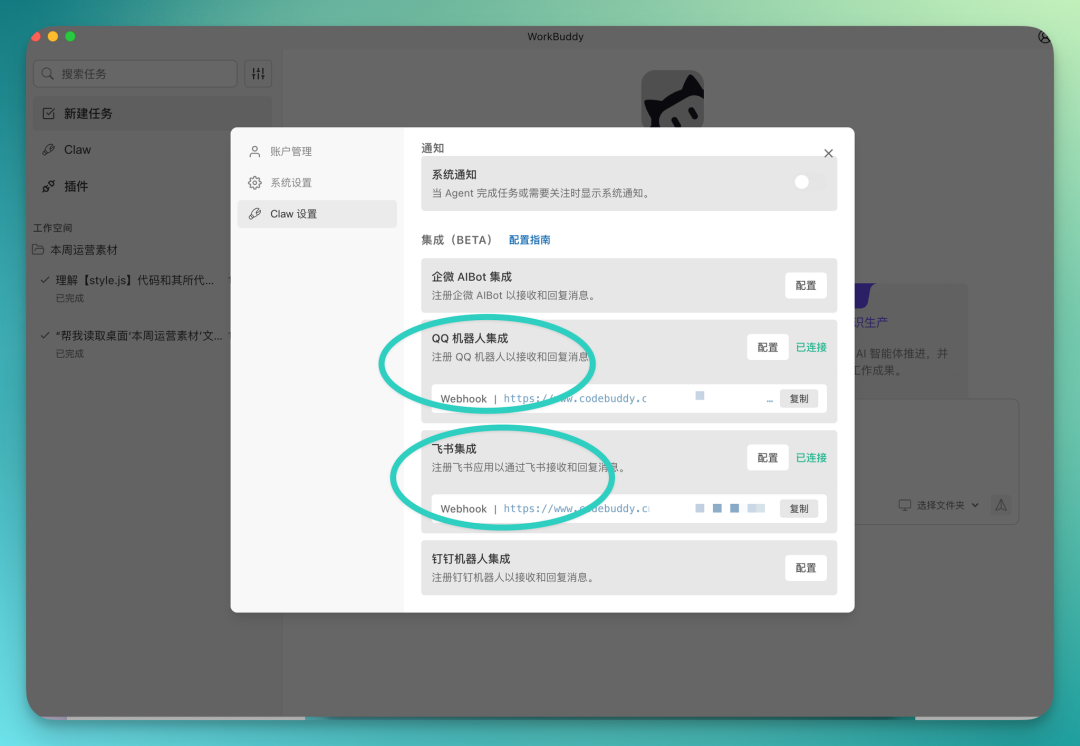
Once you're in, you'll see that it already has built-in integrations for bot access to many mainstream IM tools — WeCom, QQ, Lark, and DingTalk are all supported.
I'm mainly using the QQ bot here.
Not sure how to configure it? Don't worry. There's a configuration guide in the interface with detailed instructions for connecting bots to each IM tool. Just follow along.
There's one small detail to watch out for.
After configuring your bot in the QQ Bot Open Platform, there's a step to set "Event Callbacks" — just select all of them, no need to study each one individually.
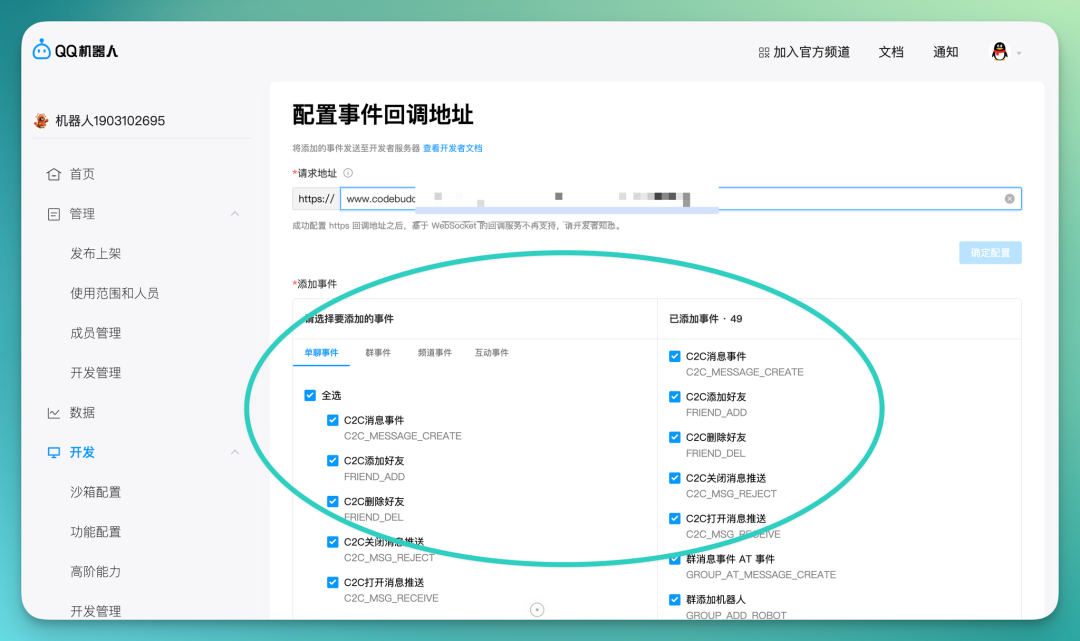
Once all this is set up, a bot will appear on your phone. This is WorkBuddy Claw.
It's connected to WorkBuddy on your computer. You send commands from your phone, they sync to the desktop, WorkBuddy receives them and gets to work. Results appear on your computer, and you also get a synced copy on your phone.
Essentially, you can remotely dispatch the AI on your computer to work for you, all from your phone.
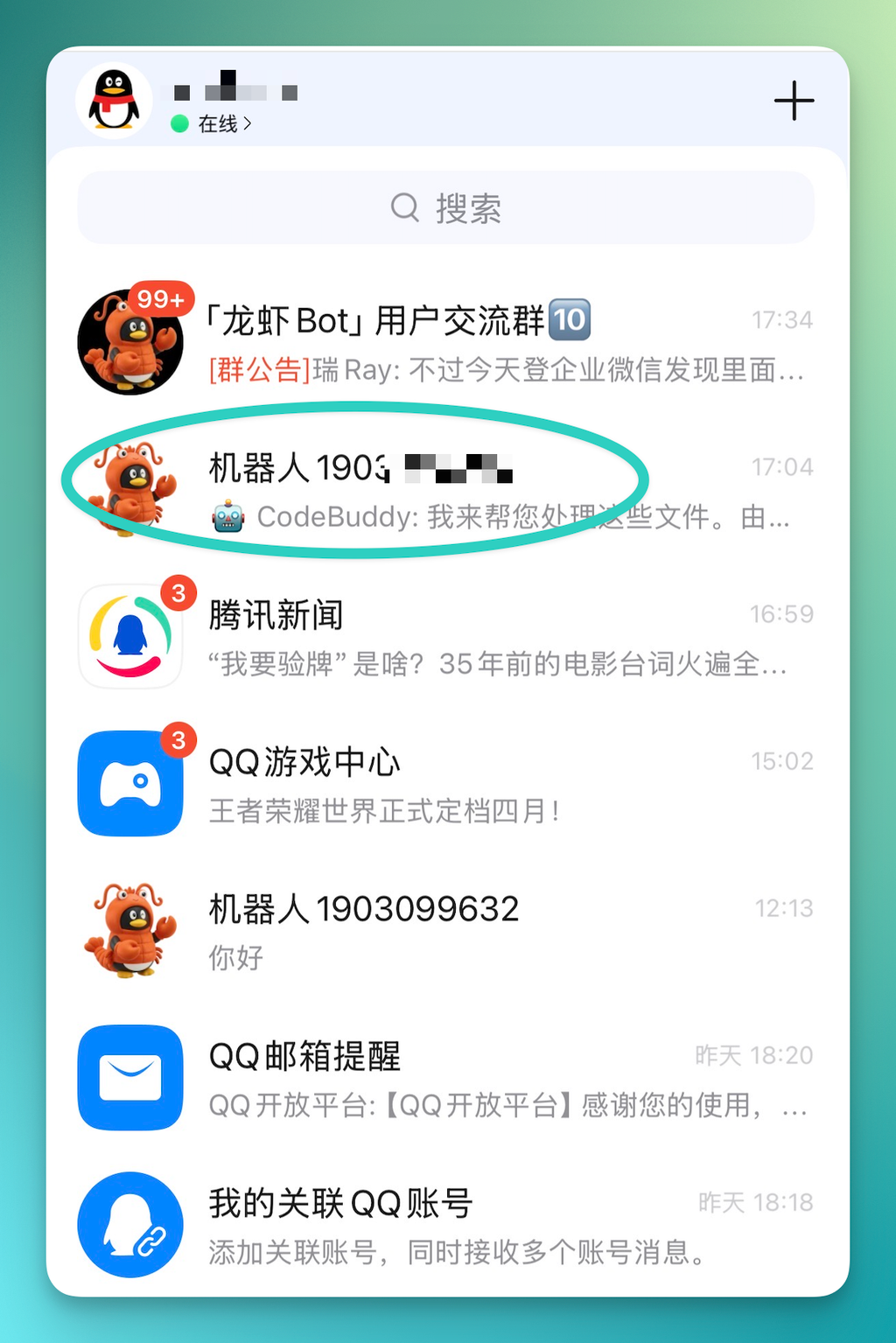
Now, we can use this WorkBuddy Claw to handle the full workflow of social media entertainment operations.
1) Overseas Entertainment Information Gathering + Image Assets
First, the first step in overseas entertainment operations is information acquisition. WorkBuddy Claw is well-suited for this scenario. When you don't have your computer handy but need more complex local AI Agent capabilities, you can just use it as a substitute.
Have it do complex information gathering locally. For example, tell WorkBuddy Claw to search the entire web for entertainment industry hot topics at a given moment.
Take a recent example: a "wedding photo" of Tom Holland and Zendaya blew up on Instagram, hitting 11 million likes and being called the hottest image of 2026.
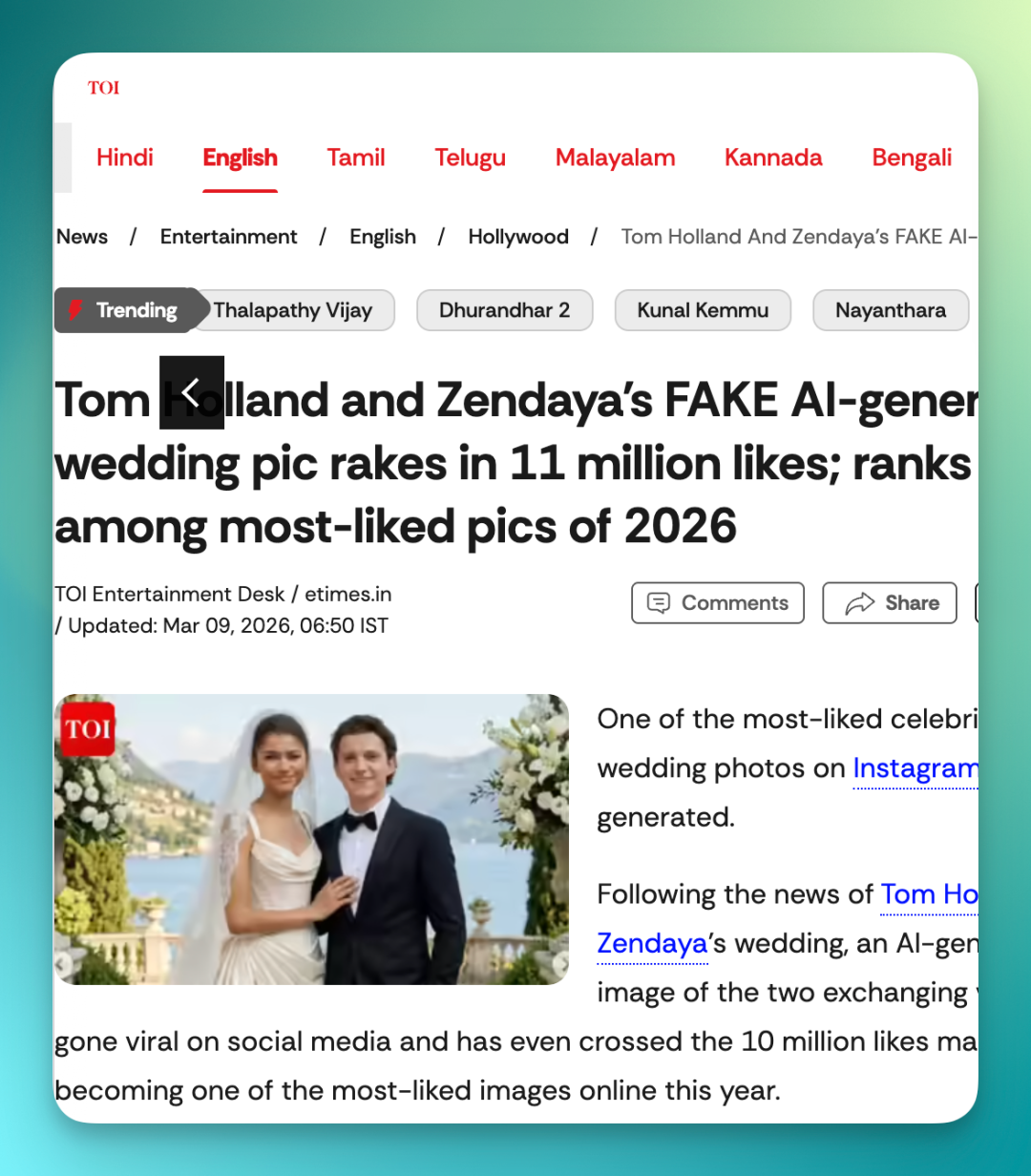
When you encounter a trending topic like this but aren't near your computer and need to follow up with content — what do you do?
This is where you can refine this process into a fixed workflow to reuse going forward.
The reason it can handle fairly complex tasks is because WorkBuddy Claw is compatible with OpenClaw Skills. It has an internal plugin marketplace with a batch of built-in basic Skills and official plugins. It also supports downloading Skills directly from GitHub, offering considerable flexibility — add whatever capabilities you want.
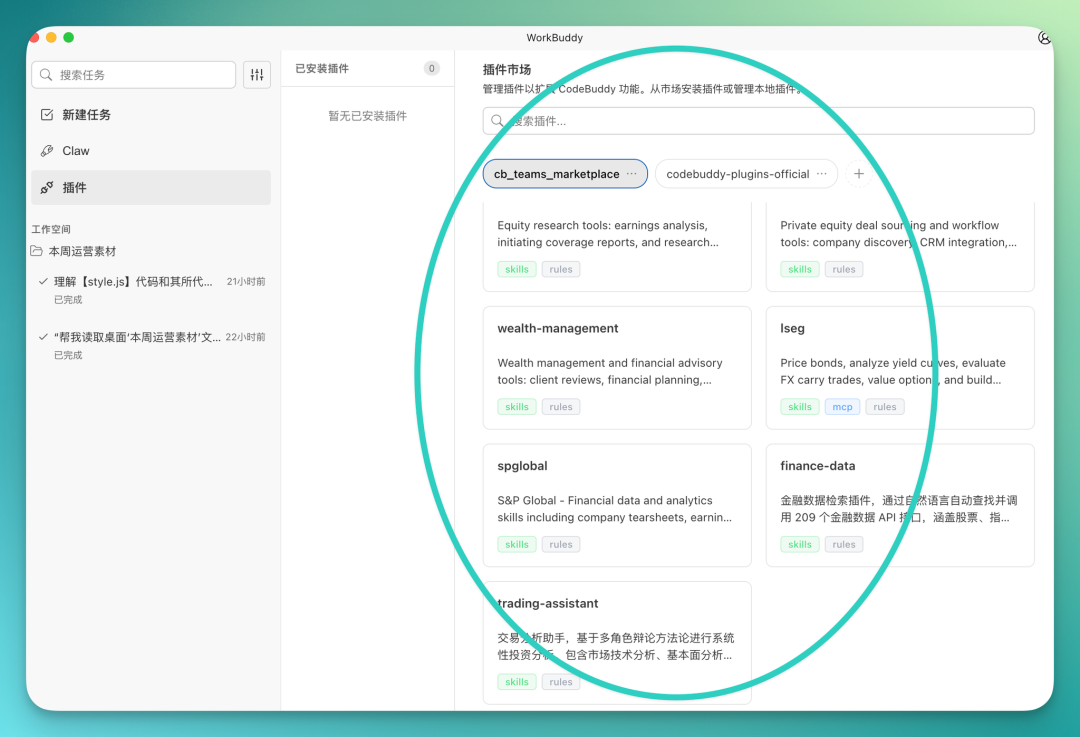
You can browse the plugin marketplace and install Skills according to your own workflow habits. For example, use Nano Banana Pro for image generation, though this type requires configuring your own API key.
You can also install Skills like Document Illustrator and use them in combination.
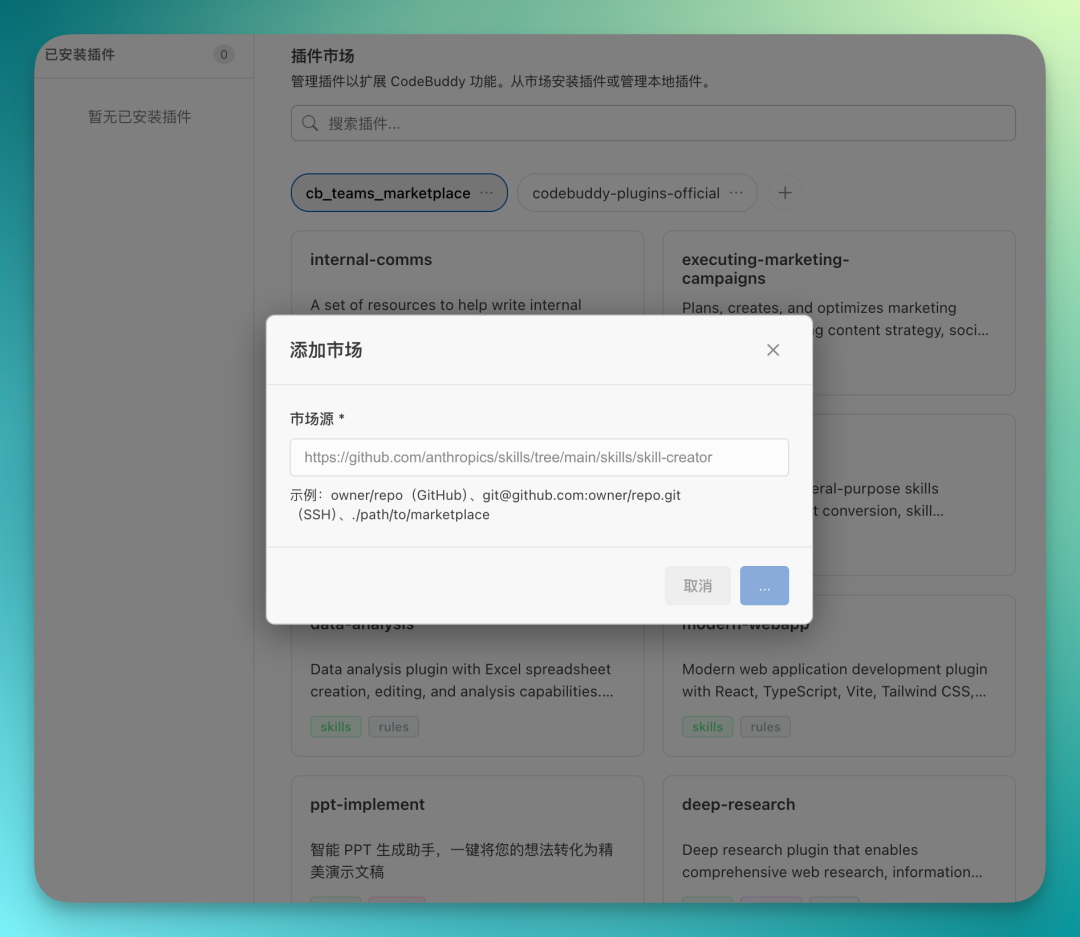
After configuring these Skills, you can produce a complete set of social media content with a single command — cover images, posters, everything done.
Here's a recommended Skill pack. After installing it, you get 6 Skills at once:
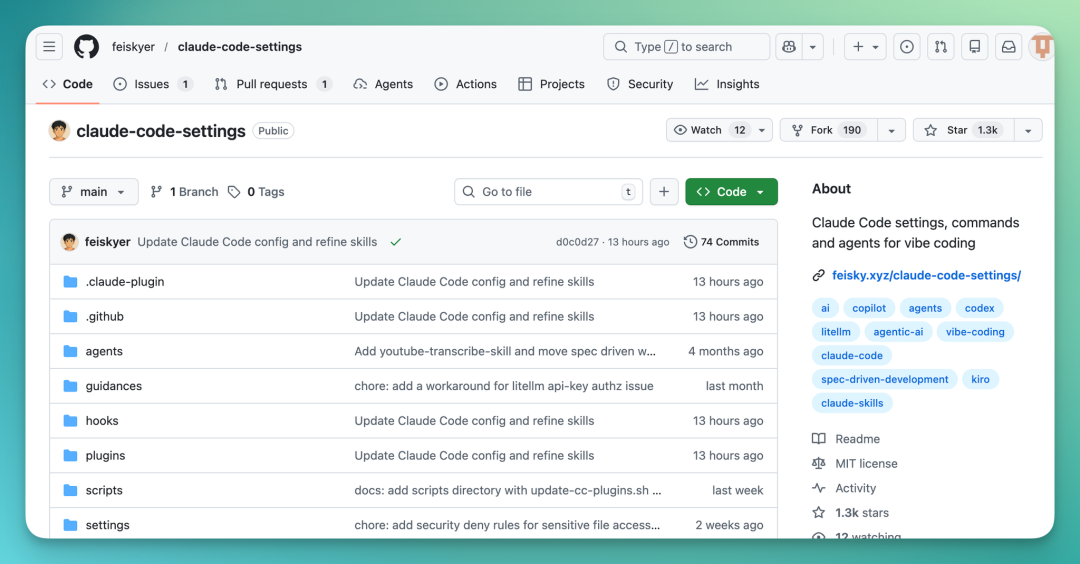
It can directly call the Google Gemini API, using Nano Banana Pro for image generation:
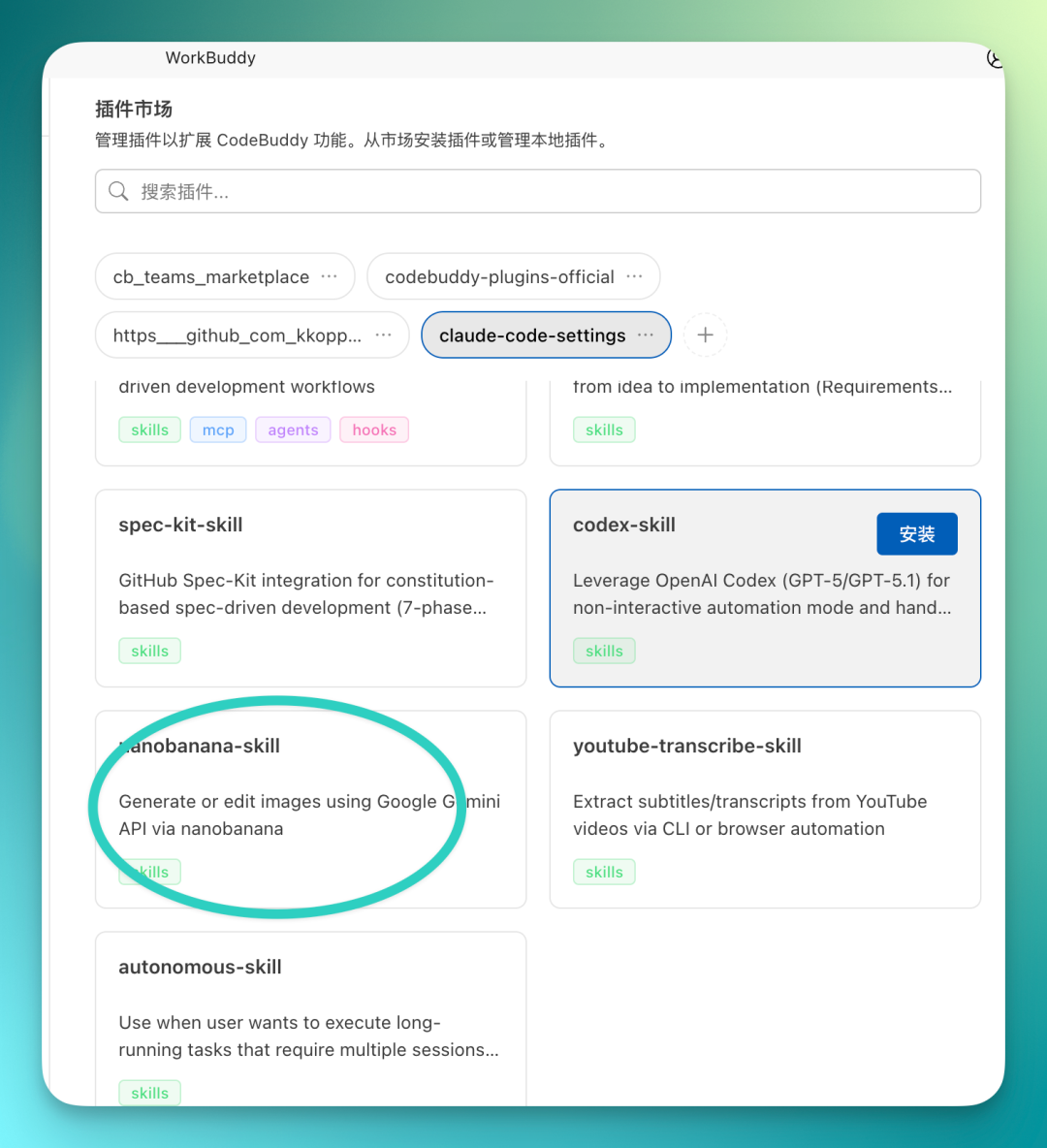
I'll also share my commonly used prompt here, compiled after synthesizing popular Skills and image generation prompts from around the web.
Prompt as follows:
Please generate a set of entertainment news-style social media images, overall bold-editorial style, targeting general readers, in Chinese language, 16:9 aspect ratio, 8 slides total, word count under 1000. Visuals should be impactful and designed for social media virality. Content theme is a "celebrity wedding photo" that went viral online. Cover page title: "AI Wedding Fooled 11 Million People?", subtitle: "A Celebrity Wedding Photo Breaks the Internet", date March 2026, visual features giant "11M Likes", blurred wedding photo background, and red BREAKING corner tag. Slide 2 covers how it started: an exquisite celebrity wedding photo spreads on social media, with wedding dress, church, petals, and ring in frame, quickly gaining massive likes and reshares, illustrated with a spread path diagram. Slide 3 covers the viral moment: likes break 11 million in one day, masses of netizens believe it's real, comments section full of blessings like "They finally got married" "So sweet". Slide 4 covers the twist: someone zooms in and spots anomalies, such as unnatural finger details, strange ring proportions, blurred background figures. Slide 5 reveals the truth: this is actually an AI-generated wedding photo, showing AIImageGenerator with Prompt→Weddingphoto. Slide 6 shows netizen reactions: some shocked "I actually believed it", others joking "AI can already throw weddings now". Slide 7 raises the question: AI images are increasingly realistic, entertainment news is harder to verify, social media spreads at extreme speed. Final slide summarizes: an AI wedding photo breaks the internet, surpassing 11 million likes, also sparking discussion about AI authenticity, closing copy: "In the AI era, what may be hardest to judge isn't entertainment news anymore — it's truth."
The output quality is quite solid, already fairly mature.
Actually, many people on Douyin have long been using AI images to run entertainment accounts. This playbook basically works across short video platforms, Baijiahao, and other content distribution channels — just needs minor tweaking.
Look closely at these images: accent colors, placement of key information — it's all handled quite well. And for social media cover images like the one below, the vertical format has even stronger visual impact.
On closer inspection, you'll notice the text element treatment is also quite mature. This is the current output quality of Nano Banana Pro.

There's another hot format on Douyin right now: slow-motion dynamic comic narrations, paired with AI voiceover, using CapCut's image panning effects — a complete piece of content comes together, and the traffic is pretty good right now.
This workflow can also be packaged as a Skill, then directly called by WorkBuddy on QQ going forward. One command outputs a comic, saving repetitive operations.
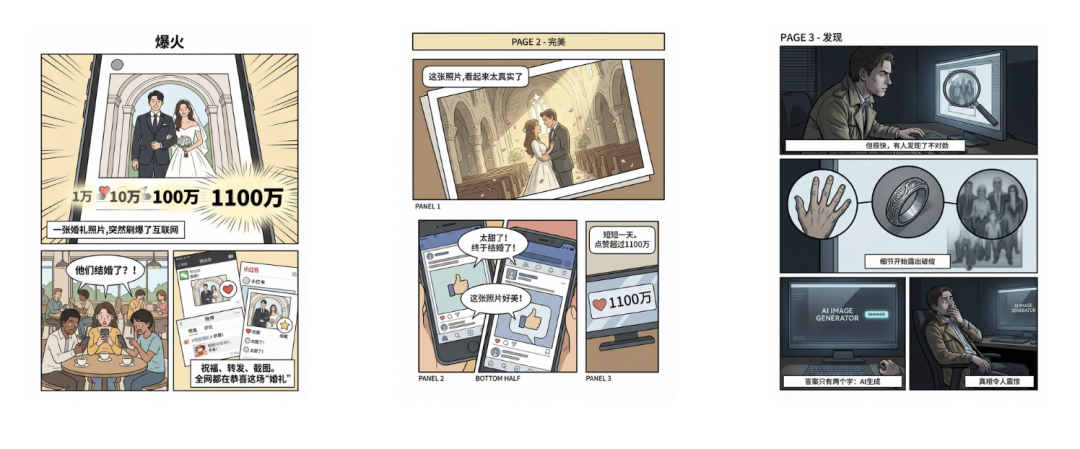
2) Social Media Operations Asset Organization
Since WorkBuddy Claw is linked to local WorkBuddy, and WorkBuddy is a desktop-level AI Agent that can directly read your actual files on your computer and complete tasks based on them, the entire chain feels very smooth once connected.
Especially for organizing complex operations assets stored locally — veteran operators know the pain point: assets are messy, complicated, and voluminous, making organization difficult.
Now you can use WorkBuddy Claw to directly have it organize that pile of local assets, then generate whatever files you need based on them. Results are stored directly on your computer, ready to use the next morning.
Prompt as follows:
"Help me read the Excel files, meeting notes, and screenshots in the 'This Week's Operations Assets' folder on my desktop, and organize them into a weekly report PPT of 8 pages or fewer, focusing on growth, ad spend, conversion, and recommendations for next week."
I have this exact need myself. My computer is stuffed with stuff — competitive analysis, content calendars, operations meeting notes — all compressed into some folder somewhere.
Just tell WorkBuddy Claw to find that folder. It can pull the file contents and organize them for you. No manual digging, no copy-pasting. Send one command and you're done.
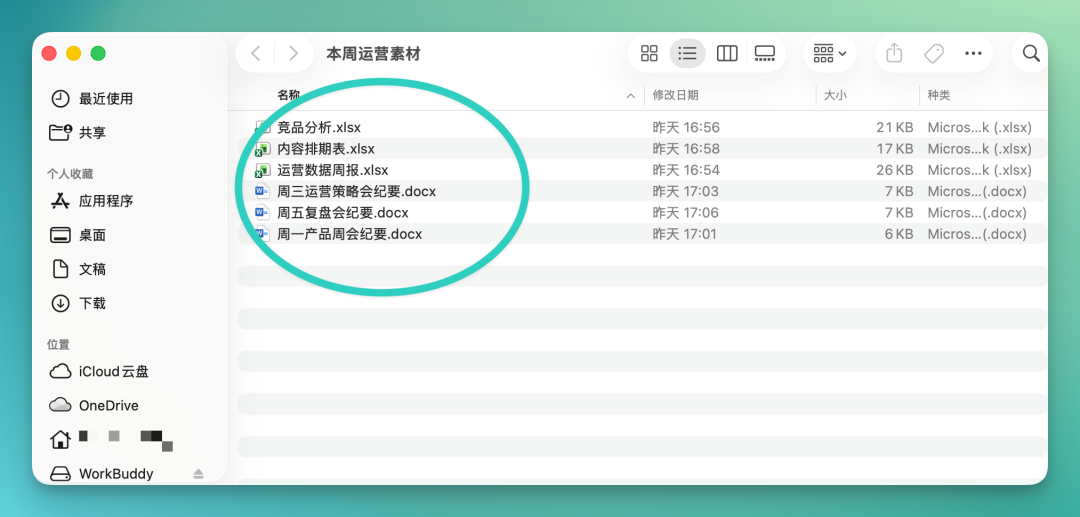
Let me first show you what's inside this folder — honestly, it's pretty messy.
All kinds of file types, complex Excel spreadsheets, operations strategy documents, meeting notes — all piled together:
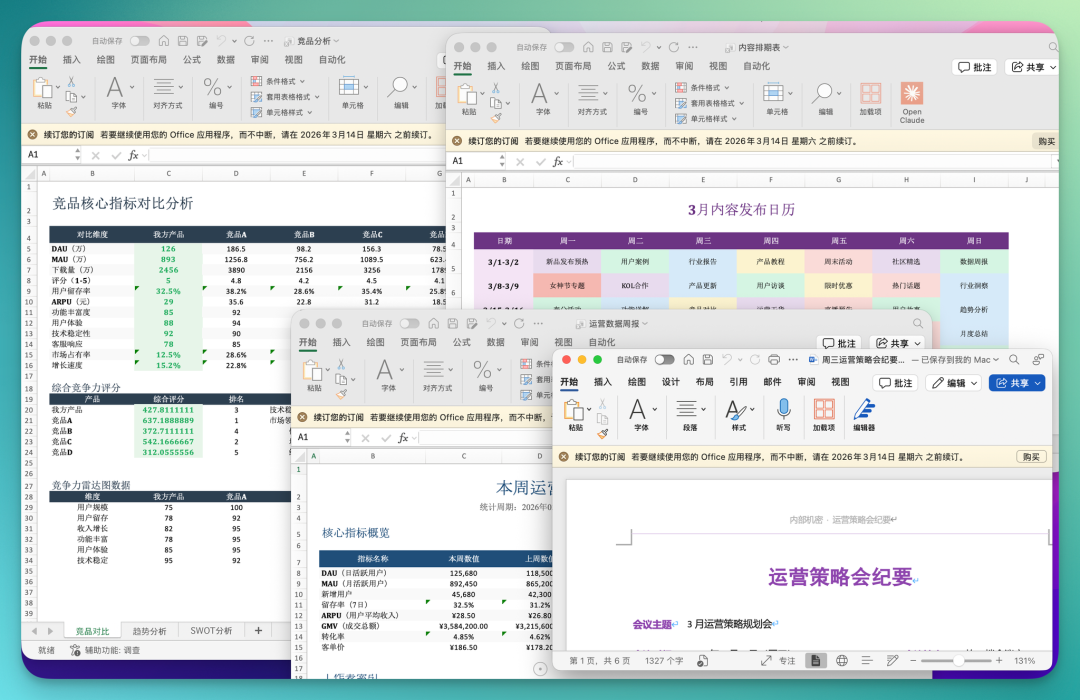
I recorded a GIF so you can see how many files are in there. Basically, it's what a real-world work folder actually looks like.
Then, you just send one command to it on QQ, telling it what you want. For example, do a SWOT analysis based on this content, output it as an Excel spreadsheet, organize a product schedule, or only process selected files — the local WorkBuddy can get to work.
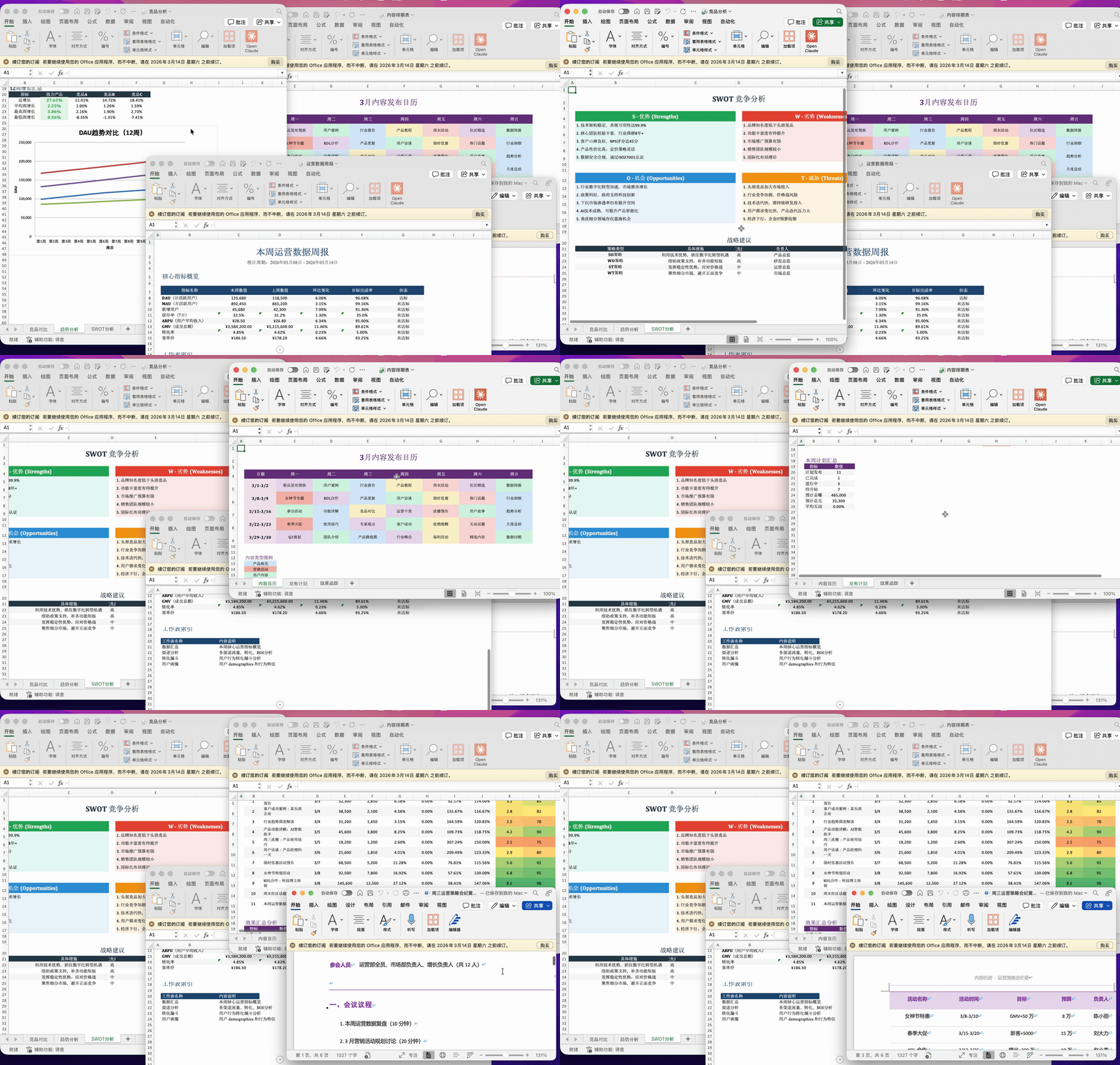
For instance, I simply send this command: Help me read all assets in this desktop folder and make a PPT.
After sending, it responds immediately, launching the local WorkBuddy on my computer, locating the folder, reading the contents, and getting to work.
Once WorkBuddy finishes on the desktop, results sync back to your mobile QQ. It doesn't just dump files on you — it first structures and organizes the key information before sending it over, which looks quite clean. The completed files are stored directly in the corresponding local folder on your computer. Open and use.
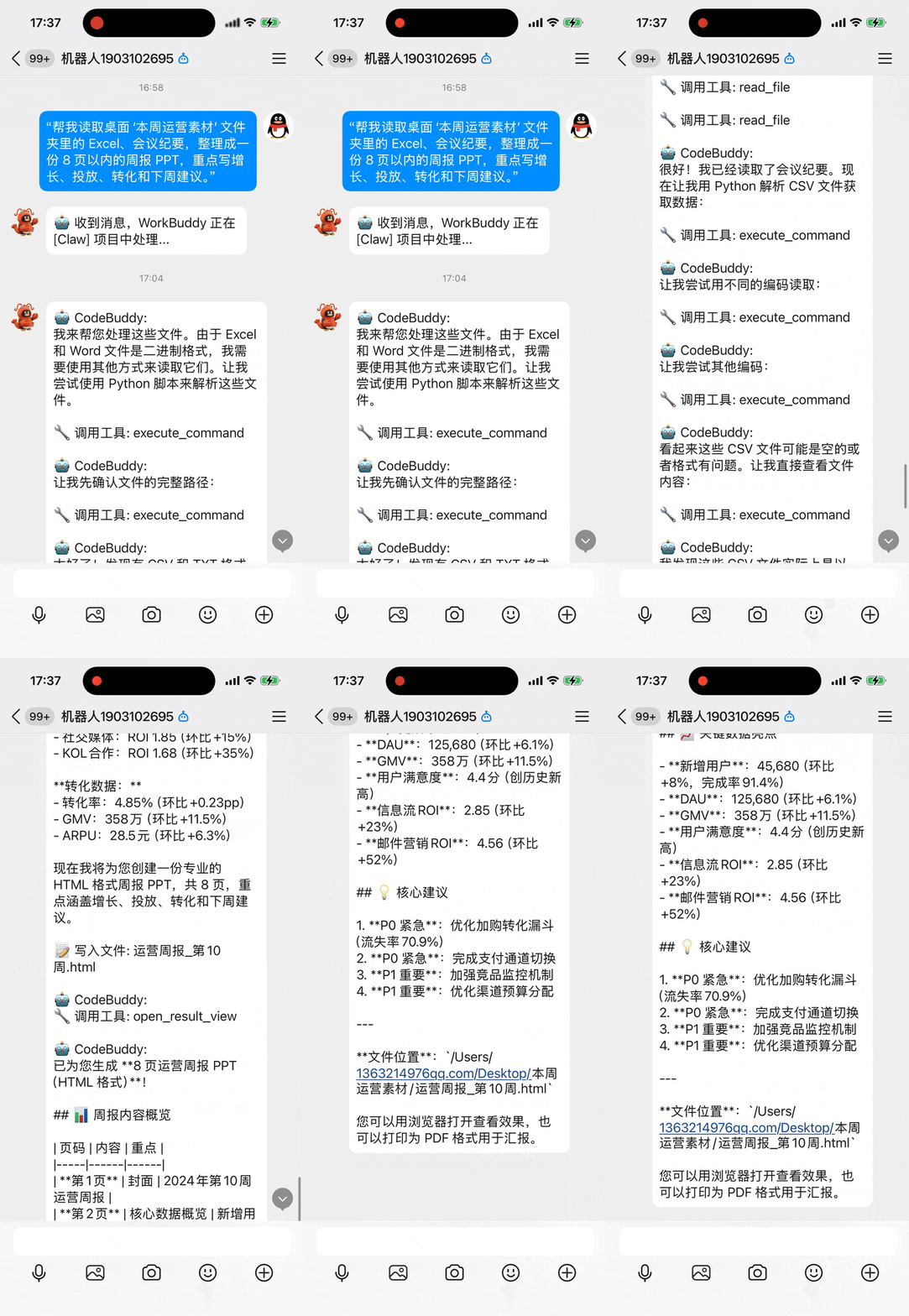
I also took a screenshot of the WorkBuddy side to show you.
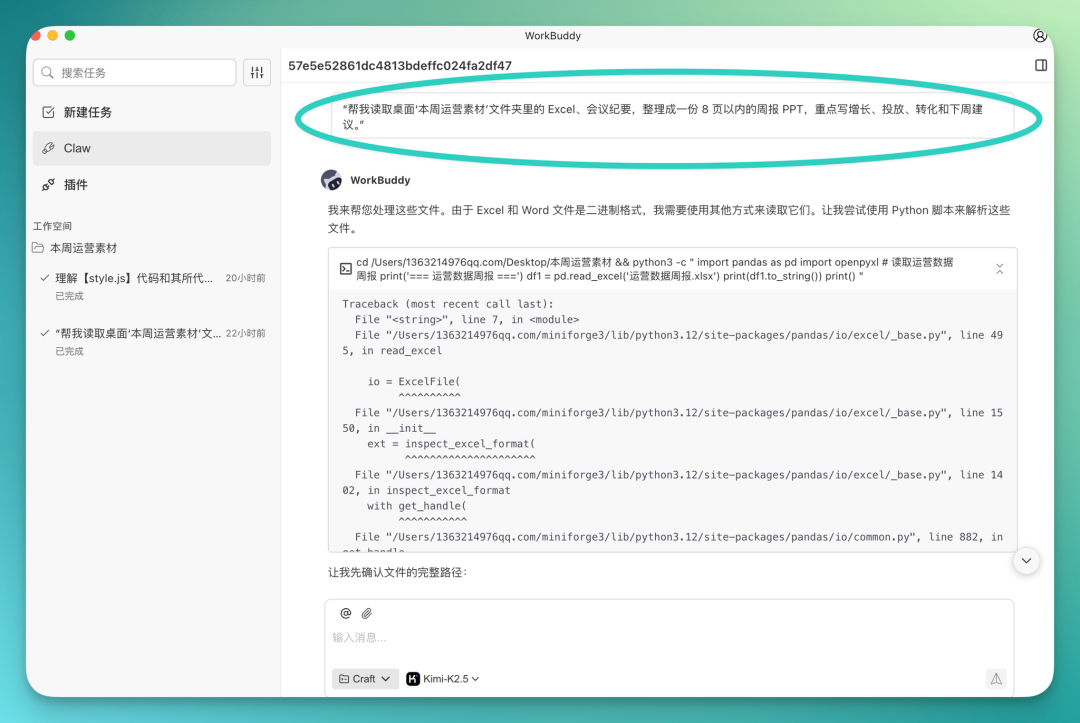
The command you sent on QQ syncs to WorkBuddy in real time. You can find this task in the Claw module on the left side; click in to see what it's doing.
It directly reads local files. When it encounters binary formats like Excel or Word that it can't read directly, it automatically calls other scripts to parse them:
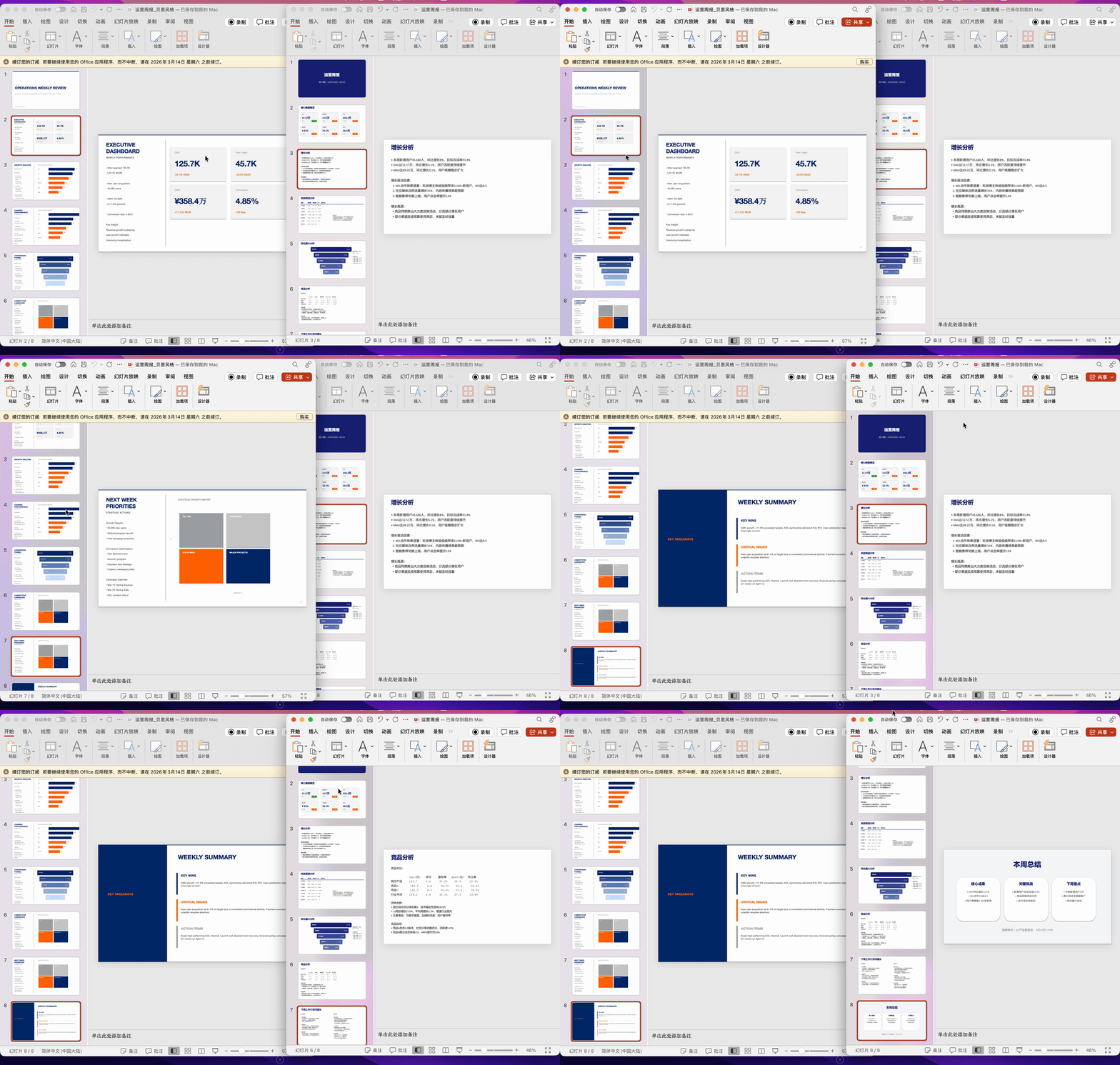
After the task completes, I had it make several PPTs in different styles, all automatically saved to my local computer.
Send a command while lying in bed at night, wake up the next morning and open your computer — the files are already there, ready to use.
3) Rapid Social Media "Content Display"
If you do social media, layout is unavoidable. Various layout plugins and platforms are all somewhat cumbersome to use. Many people running social media accounts use layout plugins that export to multiple file formats, but these plugins generally use fixed templates that can't be adjusted.
WorkBuddy Claw can actually help address this scenario.
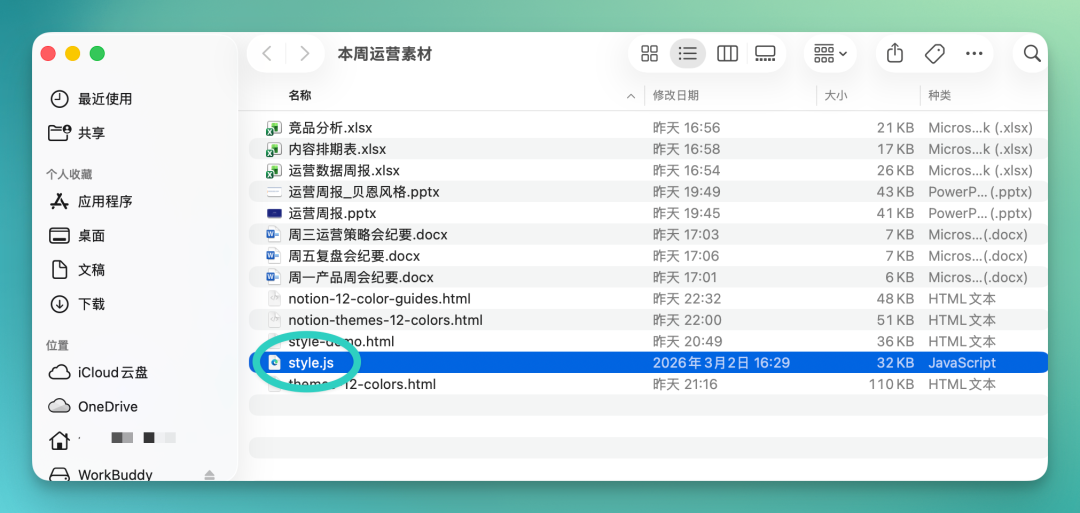
Recently we vibe-coded a layout plugin ourselves. There's one critical file inside called style.js.
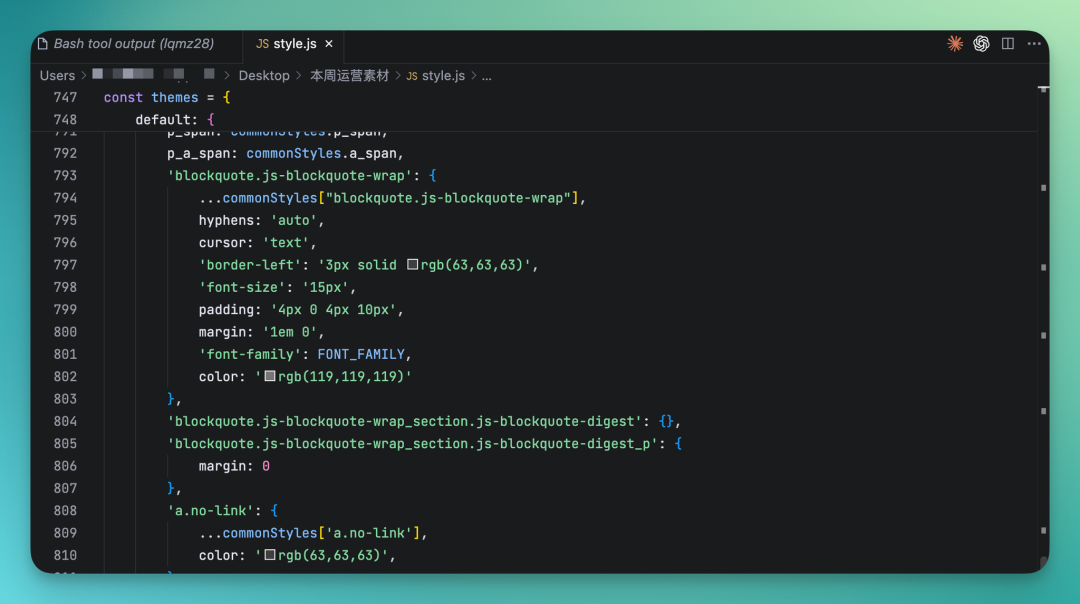
I normally just drop this file into a local folder too, like in that "This Week's Operations Assets" folder, alongside other materials.
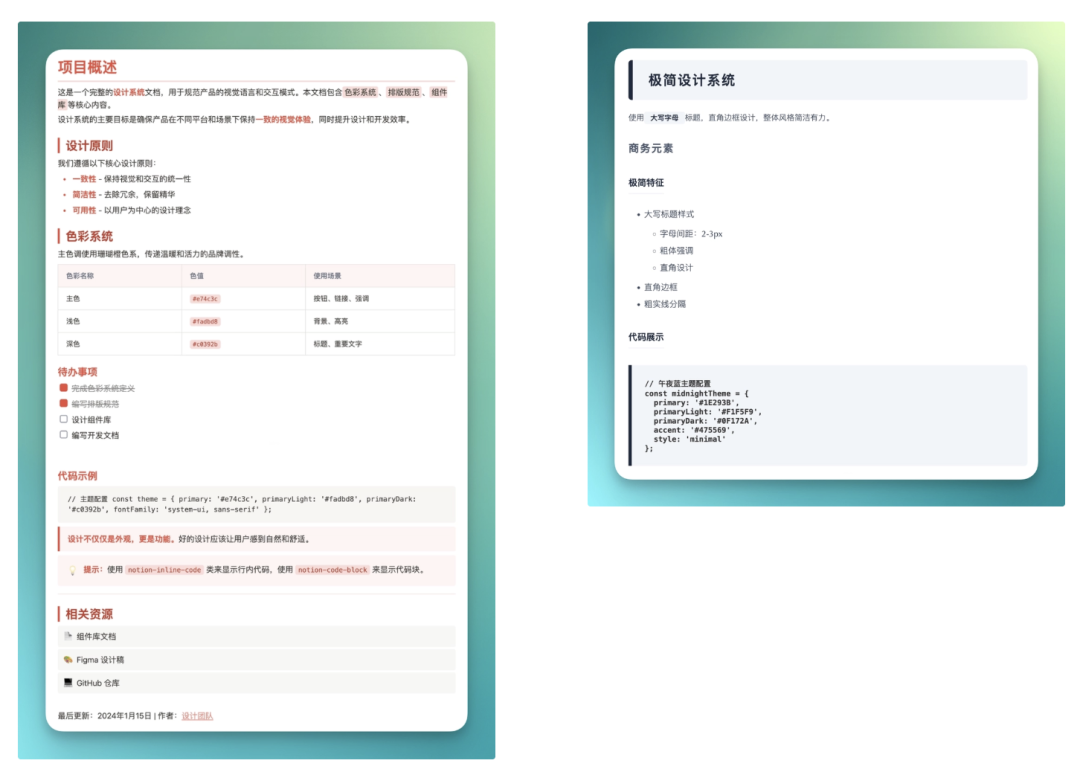
This becomes very convenient. I can directly send a command on QQ, telling WorkBuddy to read this local JavaScript file, extract the style definitions inside, then based on this style set generate a layout guide HTML webpage.
It directly produced two versions in different color schemes — one dark red, one minimal black — covering design principles, serial numbers, tables, to-do items, code blocks, and blockquotes.
Essentially, using QQ, I dispatched WorkBuddy's local AI Agent capabilities and coding abilities:
There's another quite useful feature I discovered along the way.
You can have it read your local JavaScript file, then help you locate a specific design element in the HTML webpage. For example, if you want to change colors, just have it find the color-related code snippet. It will automatically locate that section of code, identify the complete snippet, and send it directly to your QQ.
You can see the specific code on your phone, assess what needs adjusting — very convenient.
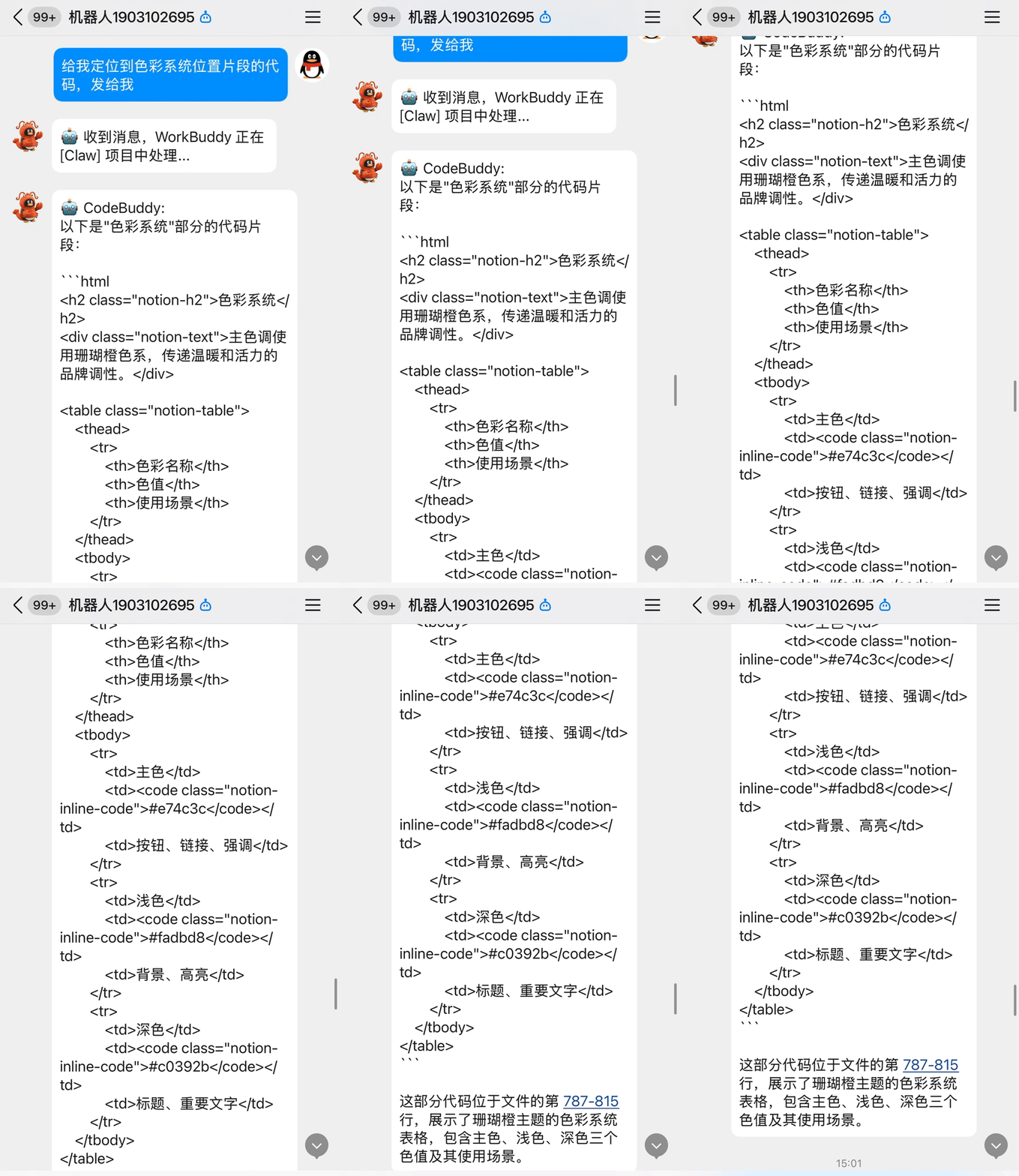
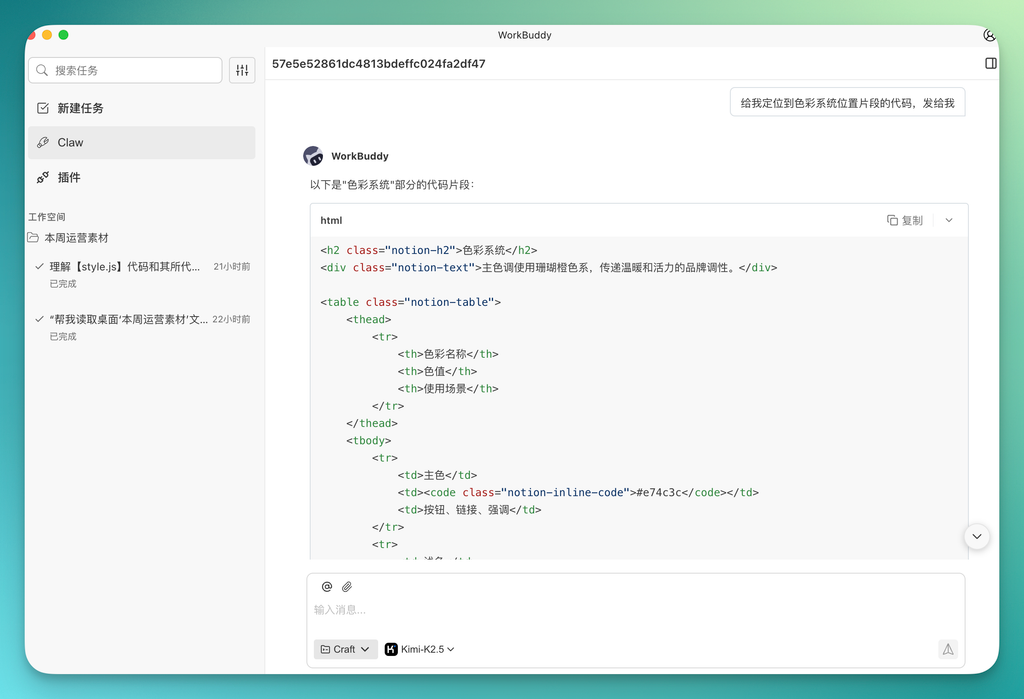
This way, after obtaining integrated entertainment news information and instant infographics through the previous steps, we can use WorkBuddy Claw on mobile QQ to quickly generate a content display based on these files and information, setting the tone for subsequent operations.

Finally, a few money-related matters
After covering the product itself, we've compiled the promotional benefits Tencent is offering around WorkBuddy Claw.
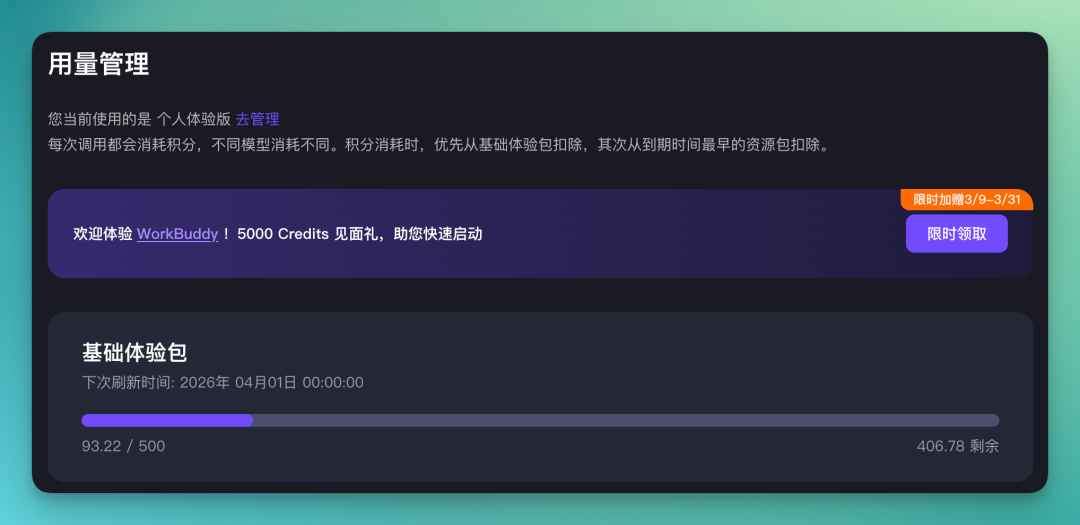
[1] First, to celebrate the WorkBuddy Claw launch, WorkBuddy is giving all domestic users 5,000 Credits. New and existing users alike — register and receive, no strings attached.
Claim here: https://www.codebuddy.cn/profile/usage
[2] Second, Tencent Cloud ecosystem benefits.
Currently offering free Lighthouse cloud servers and cloud development resources — write code and deploy directly.
Claim links below, available for both domestic and international users:
Domestic users: https://www.codebuddy.cn/promotion/
International users: https://www.codebuddy.ai/promotion/
[3] Third, a million-Credits bounty program.
WorkBuddy is running an event where completing any real task with Claw, recording a video or writing a post, and sharing it on social media with the hashtag #WorkBuddyClaw gets you Credits rewards. The bar is quite low.
🚥
The AI Agent space this year is more fiercely competitive than last year's foundation model wars. With the wave of hype OpenClaw has generated, everyone's rushing to build their own version.
How does Tencent's version of "OpenClaw" actually perform? We welcome everyone to try it for themselves.