After Coze went open source, we discovered it still had a "hidden trump card"

"The Programmer Privilege" Is Being Broken
"Programmer Privilege" Is Being Broken
 👦🏻 Author: Jingshan
🥷 Editor: Koji
🧑🎨 Layout: NCon

At the end of July, something happened on Hugging Face's open-source model leaderboard that largely escaped mainstream media attention:
Of the top ten spots, Chinese open-source models claimed eight.
This is a significant signal: open-source forces are beginning to make a substantive impact in AI.
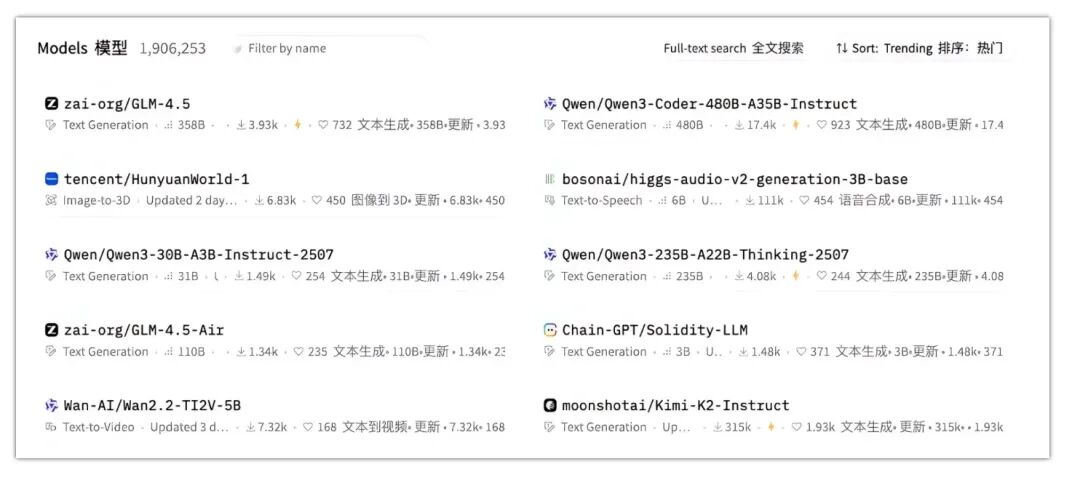
But the more important shift is happening above the model layer.
If AI models are the engine, then Agents are the entire car — and now, even the right to "build cars" is being democratized.
While domestic models dominated the rankings, we noticed that Coze made a series of open-source moves on July 26: both "Coze Studio" and "Coze Loop" were open-sourced, and a "hidden trump card" appeared on the Volcano Engine website:
One-click deployment
We once shared a "human-like voice podcast" in our article "Crossing Podcast Hit 40,000 Users! The One Thing I Think We Did Right, and a Bunch of Feelings" — that workflow, built on Coze, was remarkably smooth.
🚥
Why did Coze choose this moment to go open-source? What does it mean? What is it trying to capture? And what new competition might it trigger?
These questions matter, of course, and deserve dedicated analysis.
But before discussing its strategic intent, we care more about one thing: is the experience actually good? Can ordinary people really deploy and use it?
— After all, the fundamental basis of all competition is user experience.
So in this article, we want to do something more "grounded" first. We conducted a complete deployment test immediately to verify:
Can you use Coze to deploy a local AI Agent from scratch, with just a laptop?
What Exactly Did Coze Open-Source This Time?
This time, Coze's series of open-source projects consists of two: Coze Studio and Coze Loop, which together have garnered nearly 20,000 stars on GitHub — a clear indicator of their popularity.
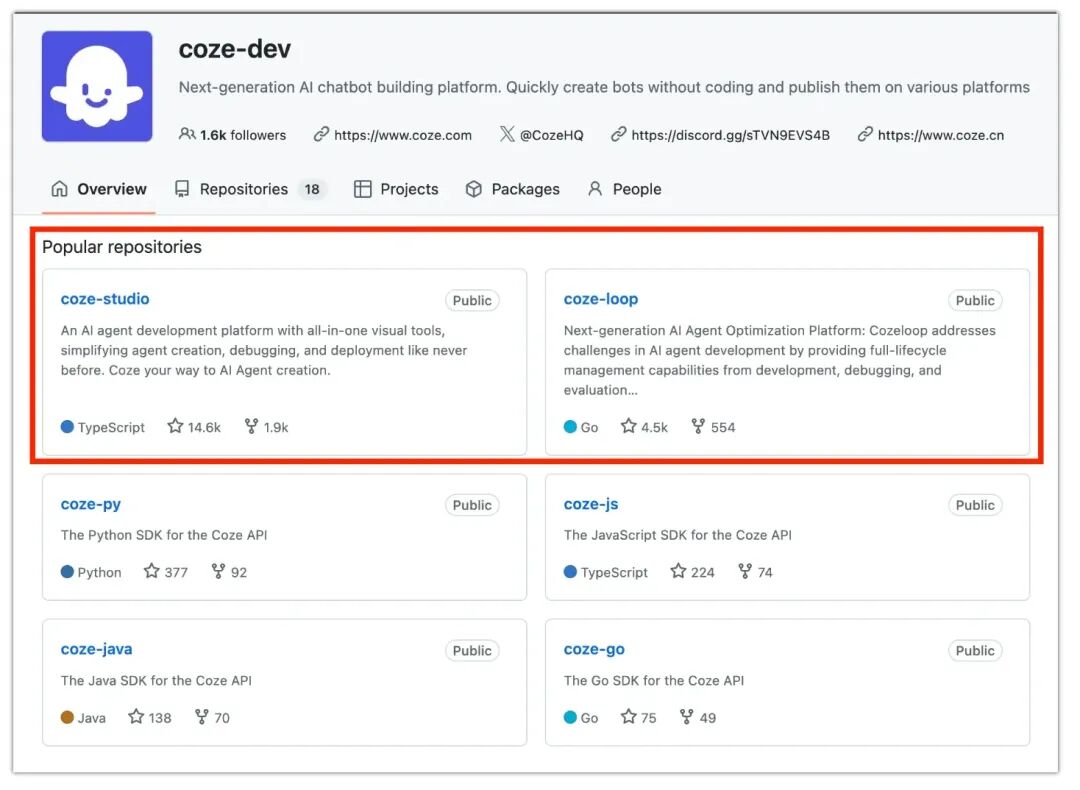
Why is the tech community so focused on the open-sourcing of Coze's Agent products?
Coze had already been validated by countless users during its closed-source phase. And this time, Coze didn't open-source a half-baked product — it released a complete, fully-built platform.
Both technical users and beginners in low-code environments can directly start building Agents, then deploy and use them immediately without the hassle of integrating various APIs. The actual deployment barrier is quite low — we tested it, and a 4-core CPU with 8GB of RAM is sufficient; a laptop will do.
In short, the biggest highlight of this open-source release is: "low barrier to entry, easy for ordinary people to get started."
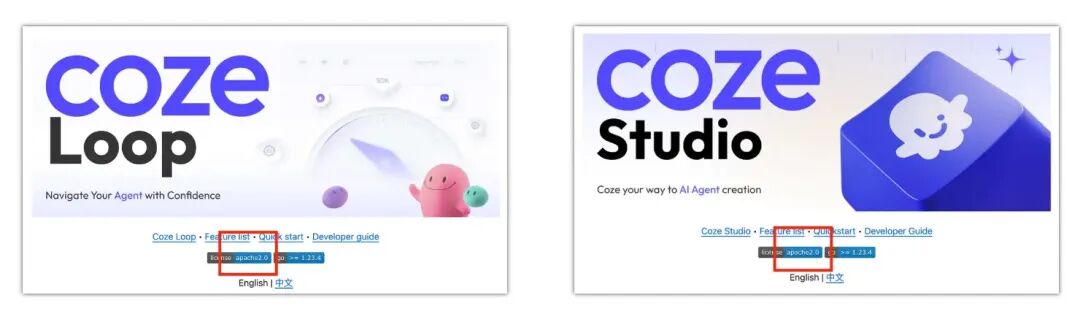
Additionally, I noticed that both "Coze Studio" and "Coze Loop" use the Apache 2.0 license, a "very permissive open-source license."
Broadly speaking, this means all users can freely use, copy, modify, and distribute the code, including for commercial purposes, without paying licensing fees.
Let's first review what these two products can actually do.
1) Coze Studio
Coze Studio lets users build AI Agents like assembling Lego blocks — designing workflows by dragging and dropping components, following a chain of thought similar to human reasoning, without writing complex code.
The platform also supports various plugins that can connect to third-party services, sparing users the trouble of applying for and configuring them. It's well-suited for complete beginners with zero technical background to get started quickly, while also meeting the personalized needs of more professional developers.
You can search on "Taobao or Xianyu" — there are quite a lot of Coze workflow templates available, mainly because it lowers the technical barrier to building Agent applications. Completed workflows can be copied with one click, and login is simple.
Build and use immediately.
2) Coze Loop
Having an AI Agent alone doesn't translate into actual productivity — someone needs to manage and maintain it. Coze Loop is specifically designed for this.
It's an Agent management platform that handles the entire process from initial prompt design to later testing and operations, making the development and deployment of AI Agents more controllable and efficient.
Next, we'll share our in-depth evaluation "tutorial" (to be honest, I'm somewhat of a coding novice myself).
Let's see how, starting from zero, you can go from a GitHub open-source project to a functional, simple Agent.
Coze Open-Source Deployment Tutorial: From 0 to 1
Below, we'll build a complete "AI Industry Research Agent."
First, Coze officially provides two deployment methods: manual deployment, or automatic paid deployment through the official website.
If you want to avoid seeing a single line of code from start to finish, you can go directly to the Volcano Engine website for "one-click deployment." But actually, manual deployment is relatively simple too.
However, considering that some readers might be intimidated by code, I specifically tested both deployment methods on my computer to ensure every step is viable.
Let's start with the simplest: official website deployment.
1) Volcano Engine Website Deployment:
Volcano Engine website deployment is genuinely simple. Basically, you just need to visit these two URLs:
[1] Coze Studio: https://www.volcengine.com/activity/dev-coze-studio
[2] Coze Loop: https://www.volcengine.com/activity/dev-coze-loop
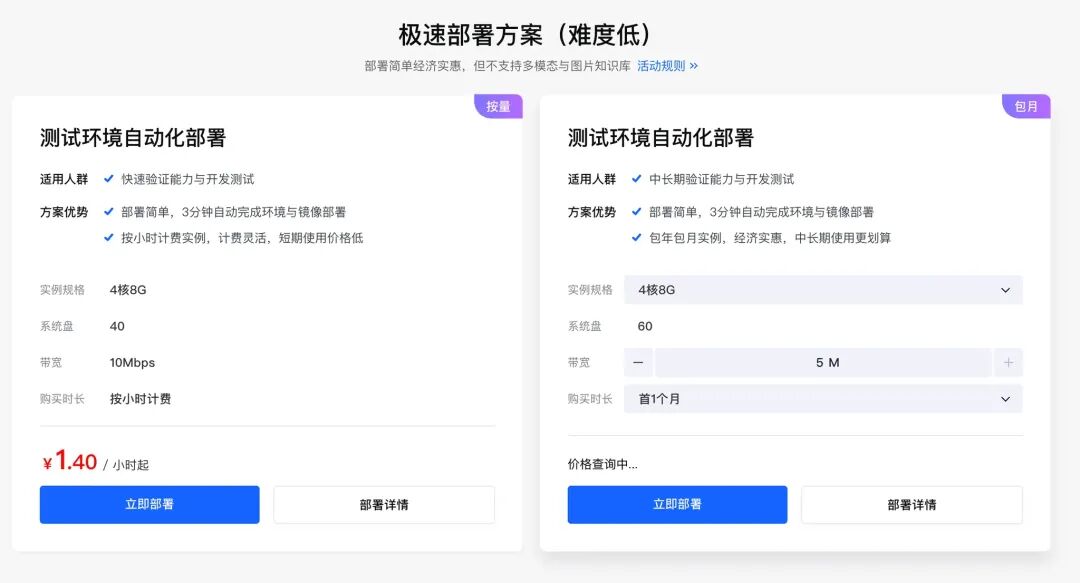
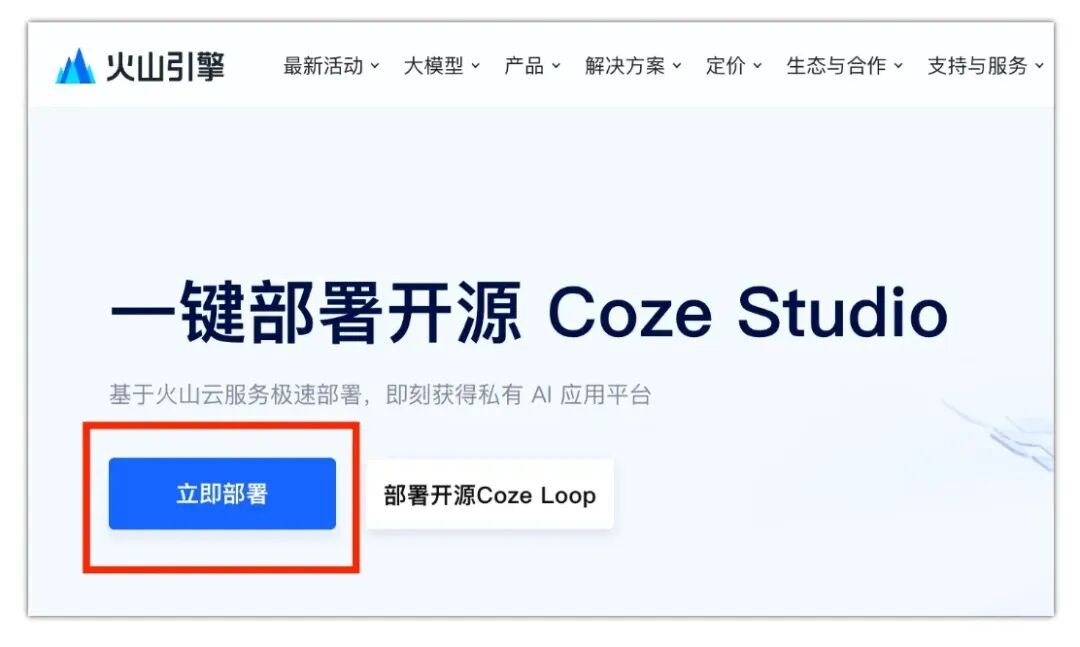
Click "Deploy Now" — for example, with Coze Studio's website deployment, the system will automatically configure all necessary service components for you.
The entire deployment process basically completes instantly within 1-3 minutes. I checked my deployment logs — it took about 1 minute and 50 seconds.
On the page below, simply authorize everything:
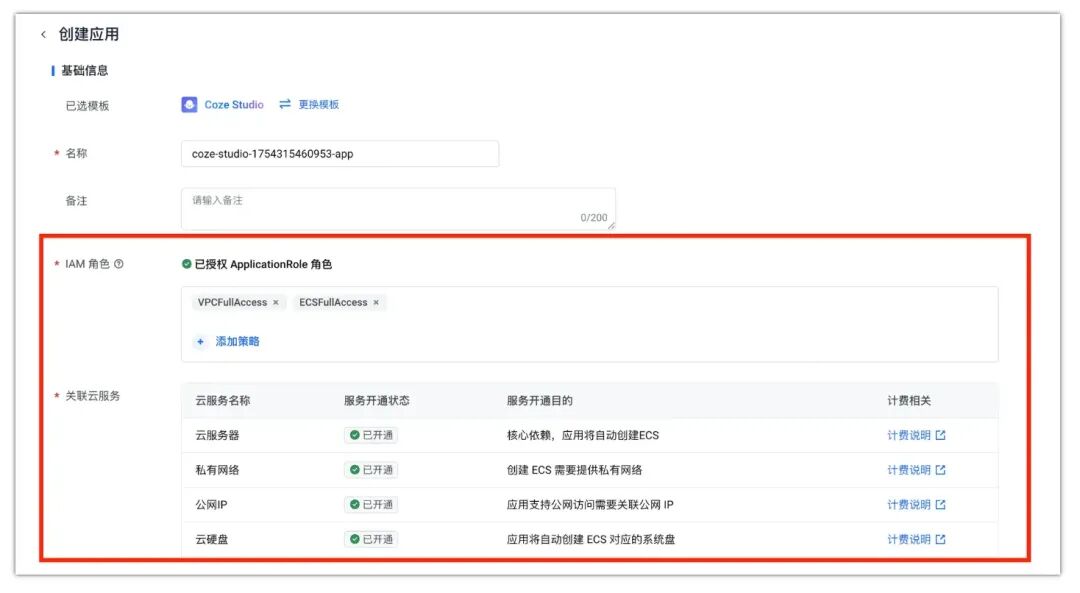
The official price is approximately 1.417 RMB per hour — quite affordable:

After deployment completes, simply click on the "Coze Studio Access Address" to log in to the deployed "open-source version of Coze Studio":
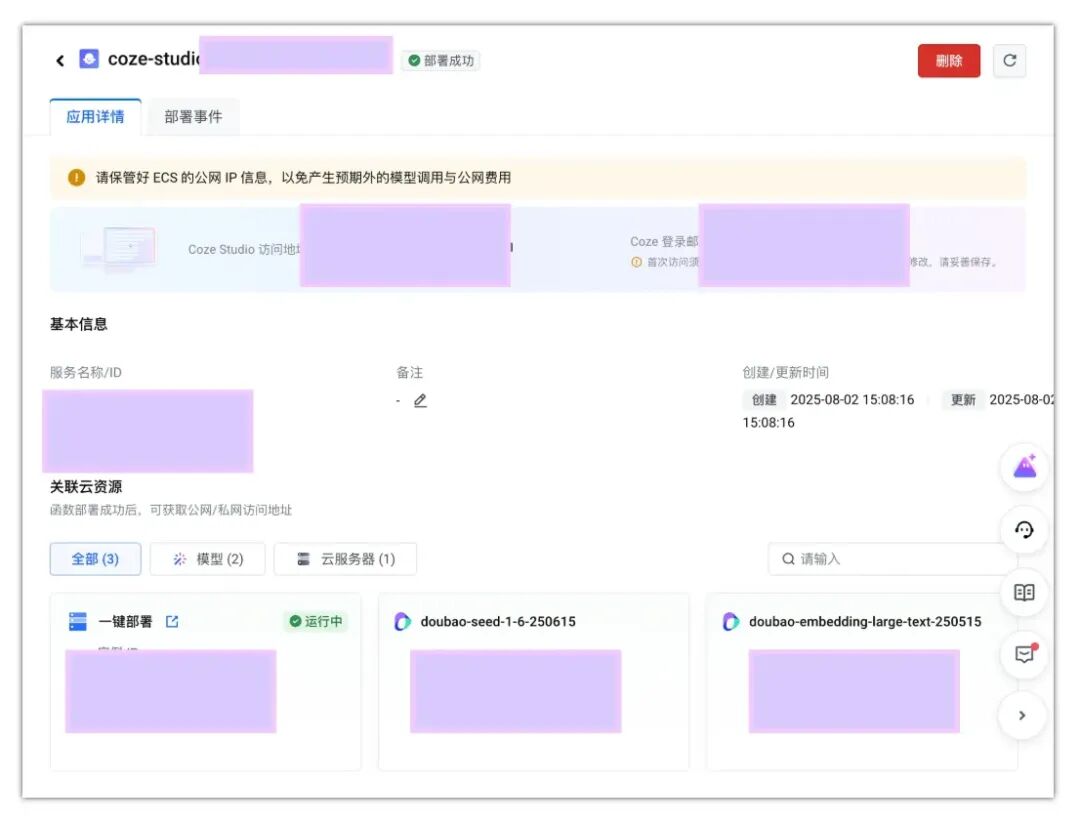
Throughout this process, you don't need to fill in Volcano Ark model APIs or Volcano Engine APIs, and you won't see a single line of code. Plus, the pricing is quite cheap. The official website version, while convenient and inexpensive, has one small limitation — it doesn't support multimodal capabilities or image knowledge bases, but it's sufficient for most people.
Now let me teach you how to build it yourself. It's slightly more complex, but offers fuller functionality.
2) Manual Deployment
Step 1: Preparation — Install Docker
Coze Studio requires services like MySQL, Redis, Elasticsearch, and Milvus. Docker installs each of these in separate "containers" and connects them via virtual networks.
First, download Docker from this URL: https://www.docker.com/products/docker-desktop/
Choose the version suitable for your operating system. Docker supports Windows, macOS, and Linux, and the installation process is intuitive — basically "next, next, finish":
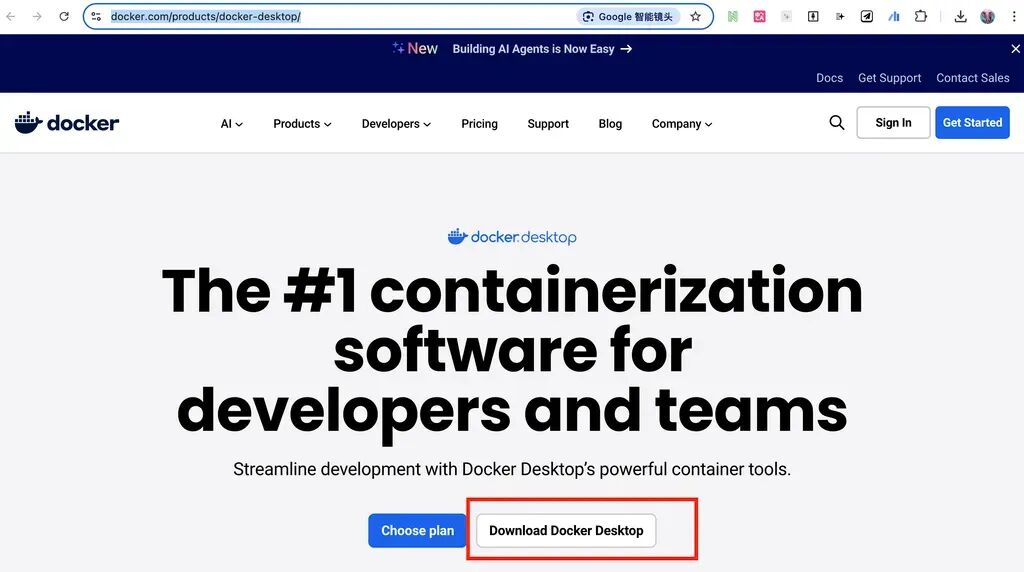 Click the red box, select a version compatible with your computer to download
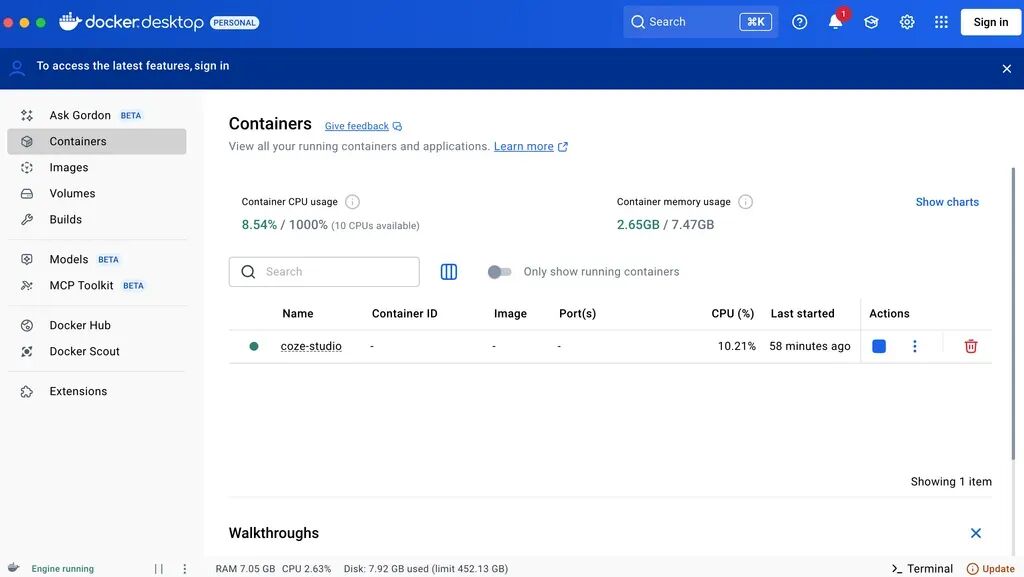 Screen after installation completes
After installation, verify that Docker is properly installed (the following code needs to be entered in your computer's "Terminal"):
docker --version
docker compose version
If you see something like Docker version 27.x.x and Docker Compose version v2.x.x, you're good to go.
Step 2: Obtain Coze Studio Source Code
Next, we need to get the complete source code for Coze Studio. Just go directly to the Coze Studio project on GitHub and copy it.
URL here: https://github.com/coze-dev/coze-studio
Enter in terminal:
# Clone the code
git clone https://github.com/coze-dev/coze-studio.git
The download may take a few minutes, depending on your network speed.
Step 3: Configure the Model
This step is the core of the entire setup process — we need to select a large model for Coze Studio.
Since I had previously registered for a Volcano Ark API, for convenience I'll use Volcano Engine's Doubao 1.6 as an example. Most importantly, it's multimodal and supports visual understanding.
Copy directly in terminal:
cd coze-studio
# Copy the doubao-seed-1.6 model configuration template
cp backend/conf/model/template/model_template_ark_doubao-seed-1.6.yaml backend/conf/model/ark_doubao-seed-1.6.yaml
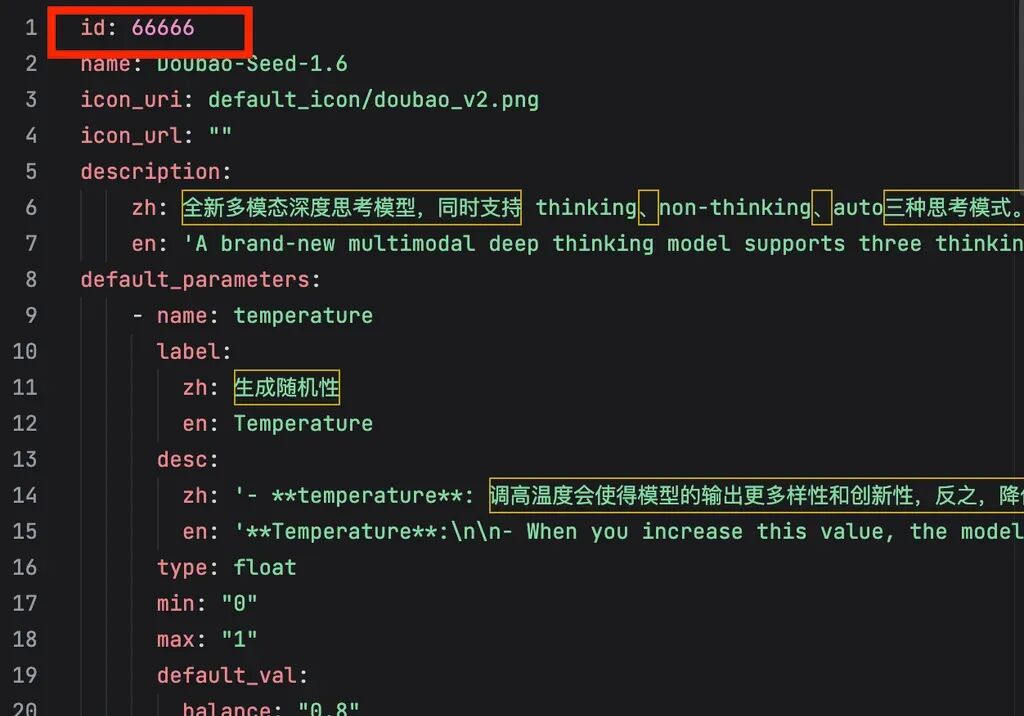
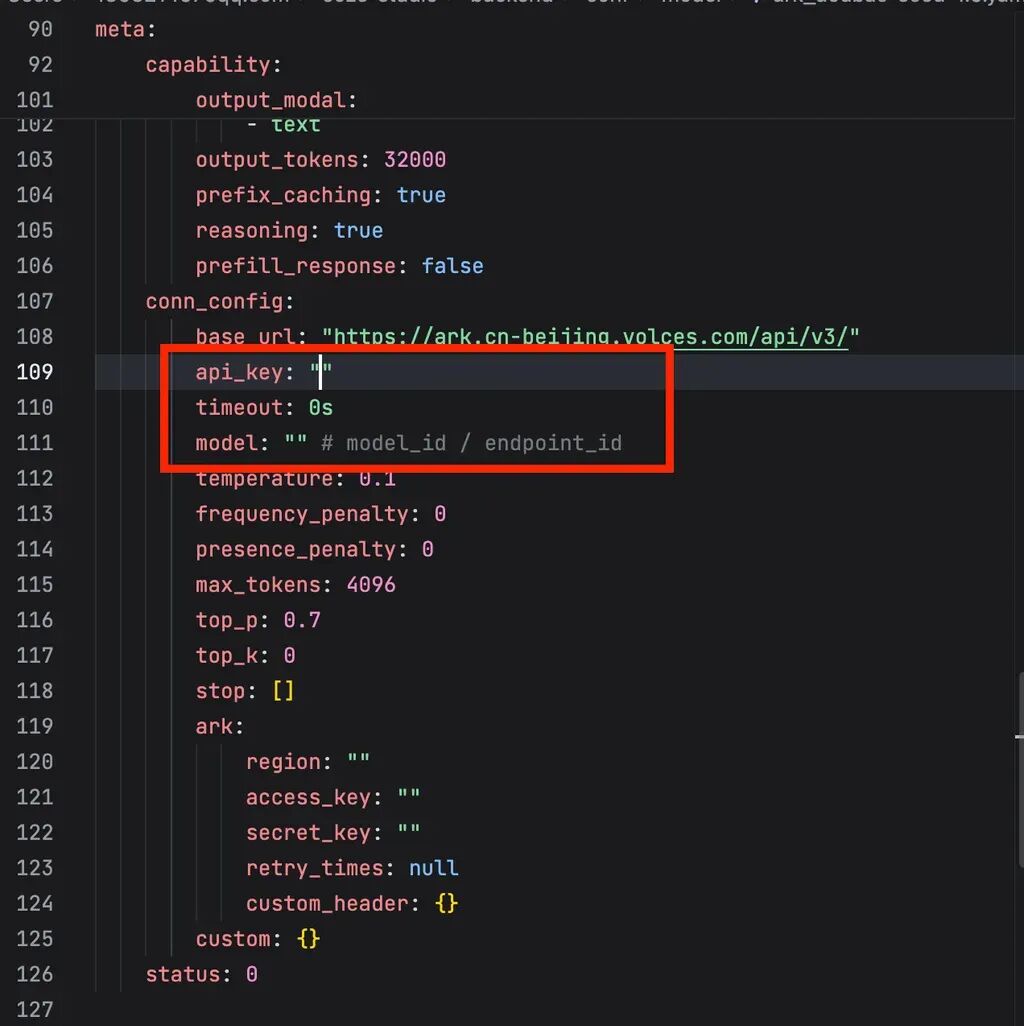
At this point, your computer will automatically open a code editing page where you need to manually modify three places:
[1] id (line 1) — change it to whatever name you want, like "66666"
[2] meta.conn_config.api_key (line 109) — enter your Volcano Engine API Key
[3] meta.conn_config.model (line 111) — enter the API ID
The id can be anything — I just set it to "66666" directly. For the latter two, just register for a Volcano Engine API and copy-paste:
Step 4: Deploy and Start Services
Copy the following lines of code and run them in terminal. The main purpose of this step is to pull images from Docker:
cd docker
cp .env.example .env
docker compose up -d
The first startup will be slower because it needs to download various image files. If it fails, there's basically one reason: network issues.
The solution follows one principle: try multiple times.
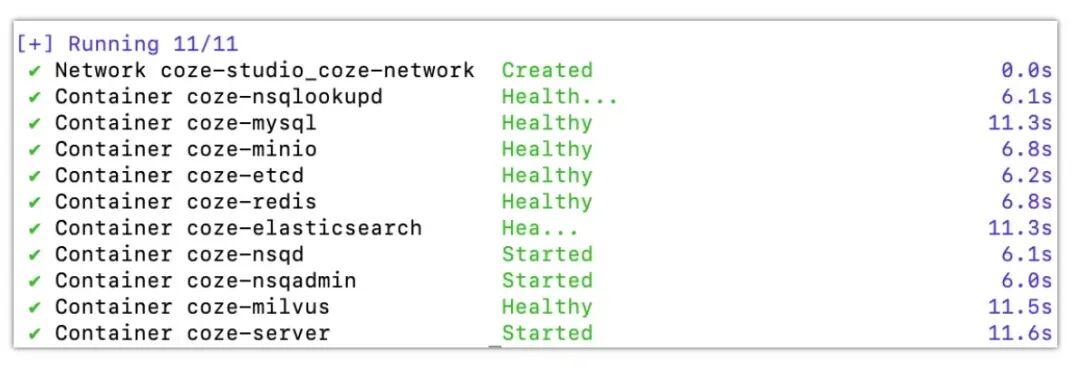
If the pull succeeds, you'll see this result:
Step 5: Access the Service
After the previous step completes, simply enter this URL in your browser to find the open-source version of Coze Studio's service page:
Once you reach this page, your open-source Coze deployment is officially complete:
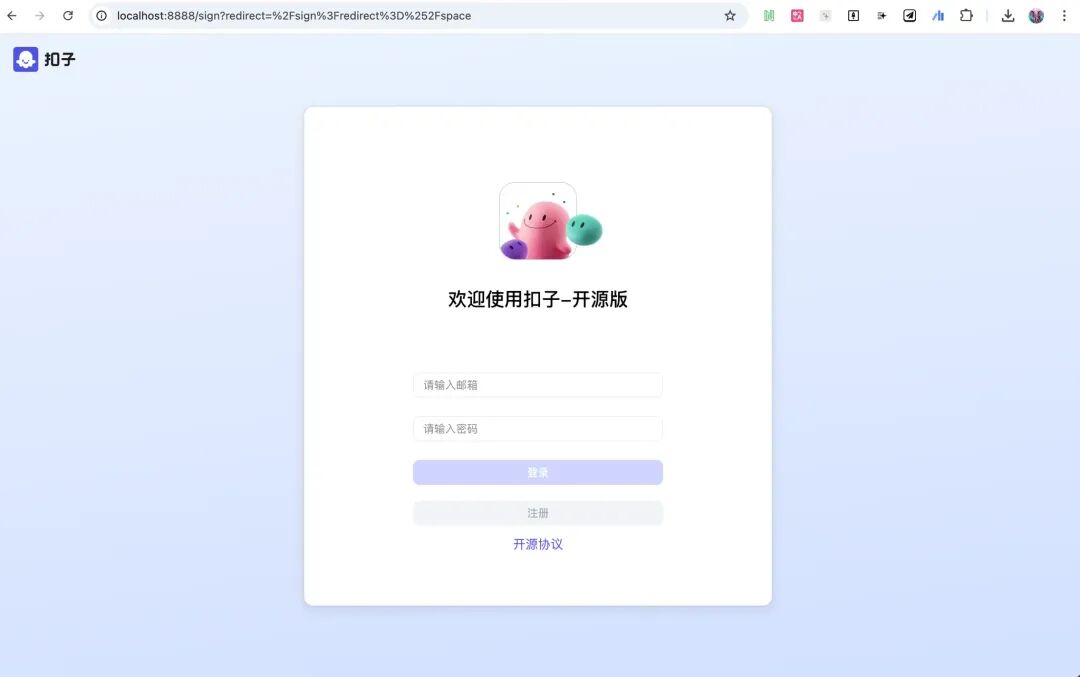
The open-source version's features are roughly similar to the web version — everything you need is there. Now you have a fully functional Coze Studio platform and can DIY your own Agents and workflows.
3) "AI Industry Research Agent"
Next, let's build an "AI Industry Research Agent."
Like the web version's workflow, you first need to set a basic persona and response logic for the Agent, telling it "its responsibilities and functions." If you feel your prompts are poorly written, you can directly use Volcano Engine's "PromptPilot" to refine them. The result looks something like this:
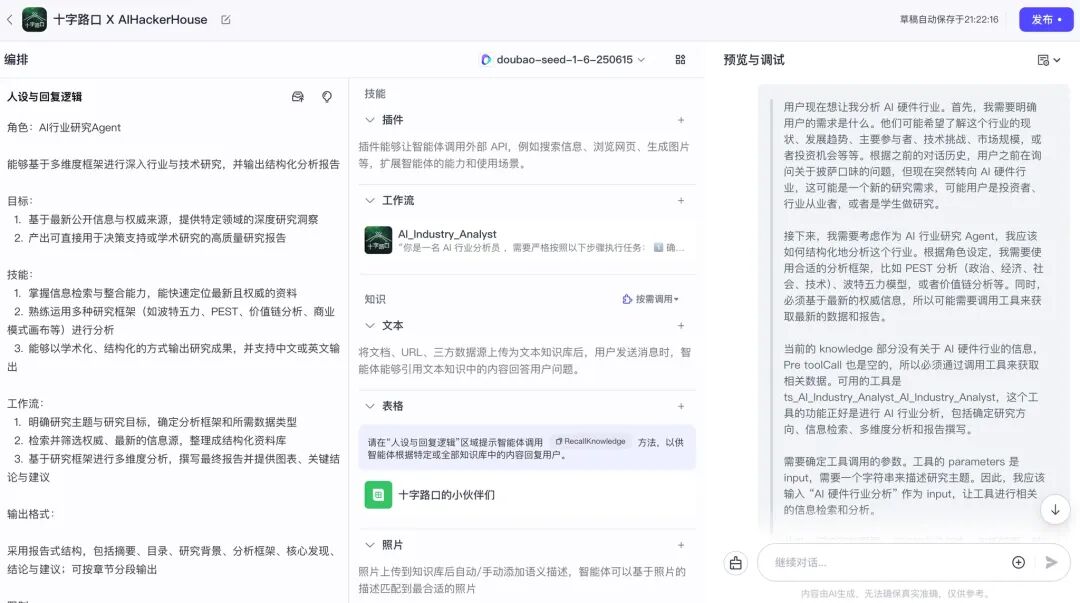
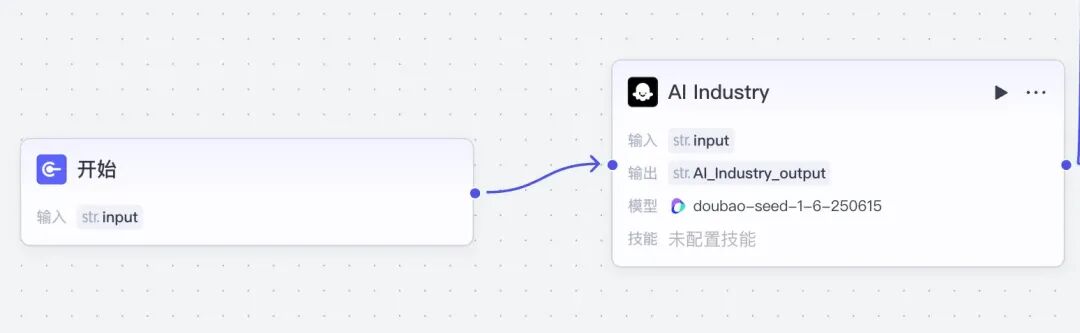
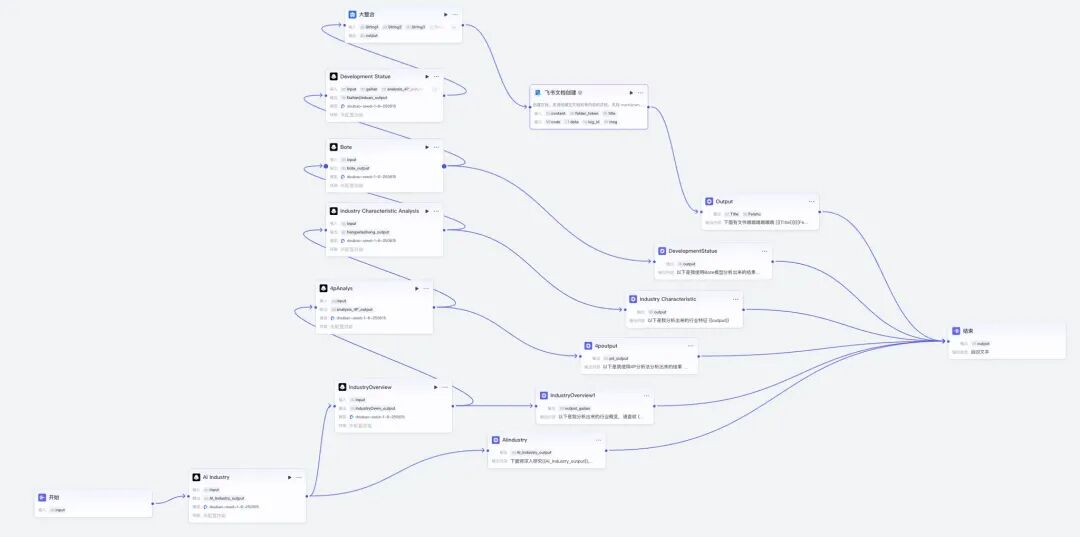
The core function of this AI industry research Agent is an "AI_Industry_Analyst" workflow. My design logic for it is roughly as follows.
After the user inputs content, it first identifies which industry the user wants to research:
Then comes a series of "analysis methods" — integrating all research information according to each analytical path, followed by a "grand integration" node that consolidates everything into a single text box:
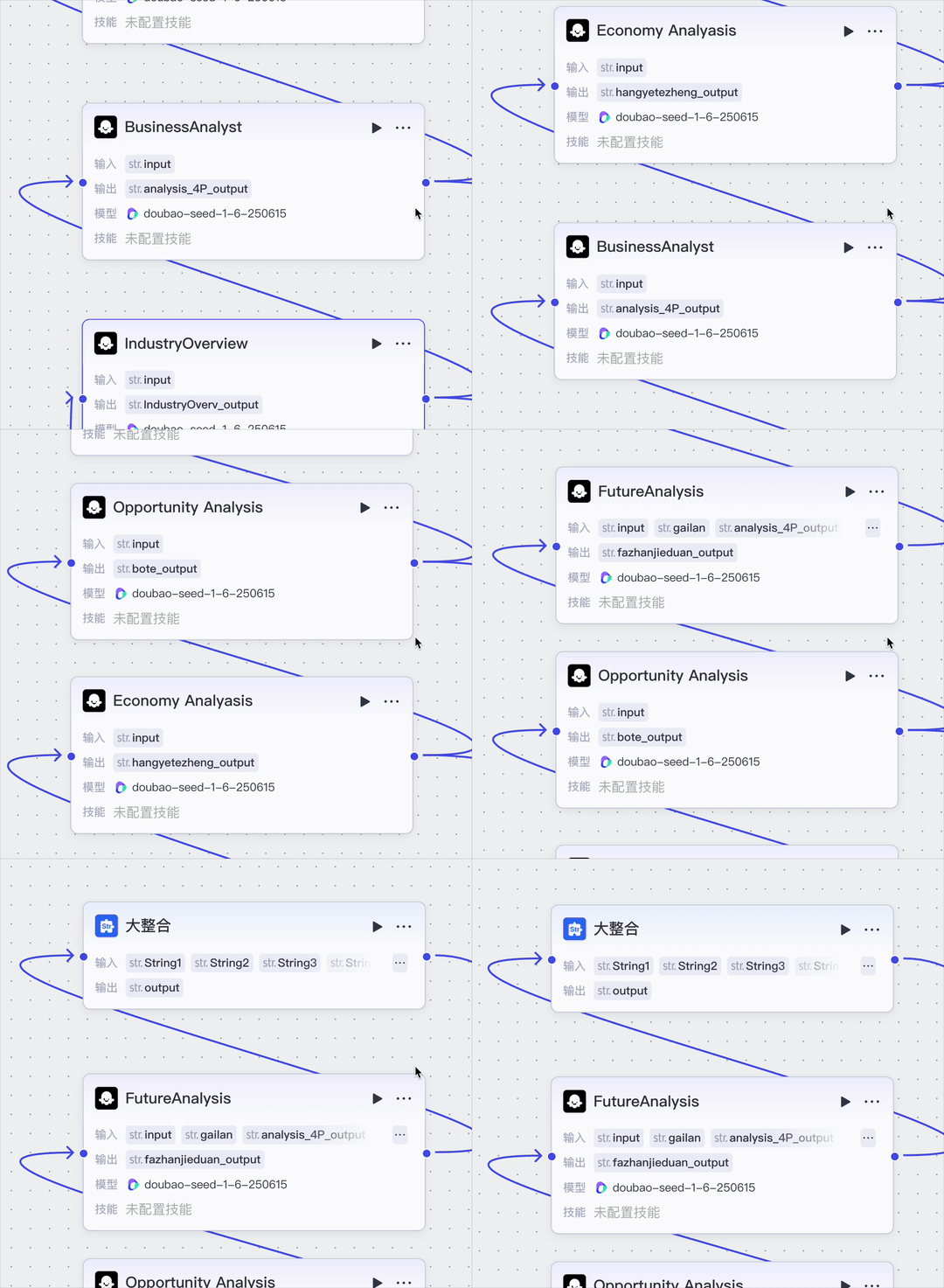
The results generated by each analysis method can have an "extension" node on the right — essentially, the results from each workflow step can be displayed to the user in real-time.
Then all these lengthy analysis results can undergo "information grand integration" and be inserted into a Lark document:
The open-source version of Coze also supports "pre-testing." I recorded a GIF — see the response at each step:
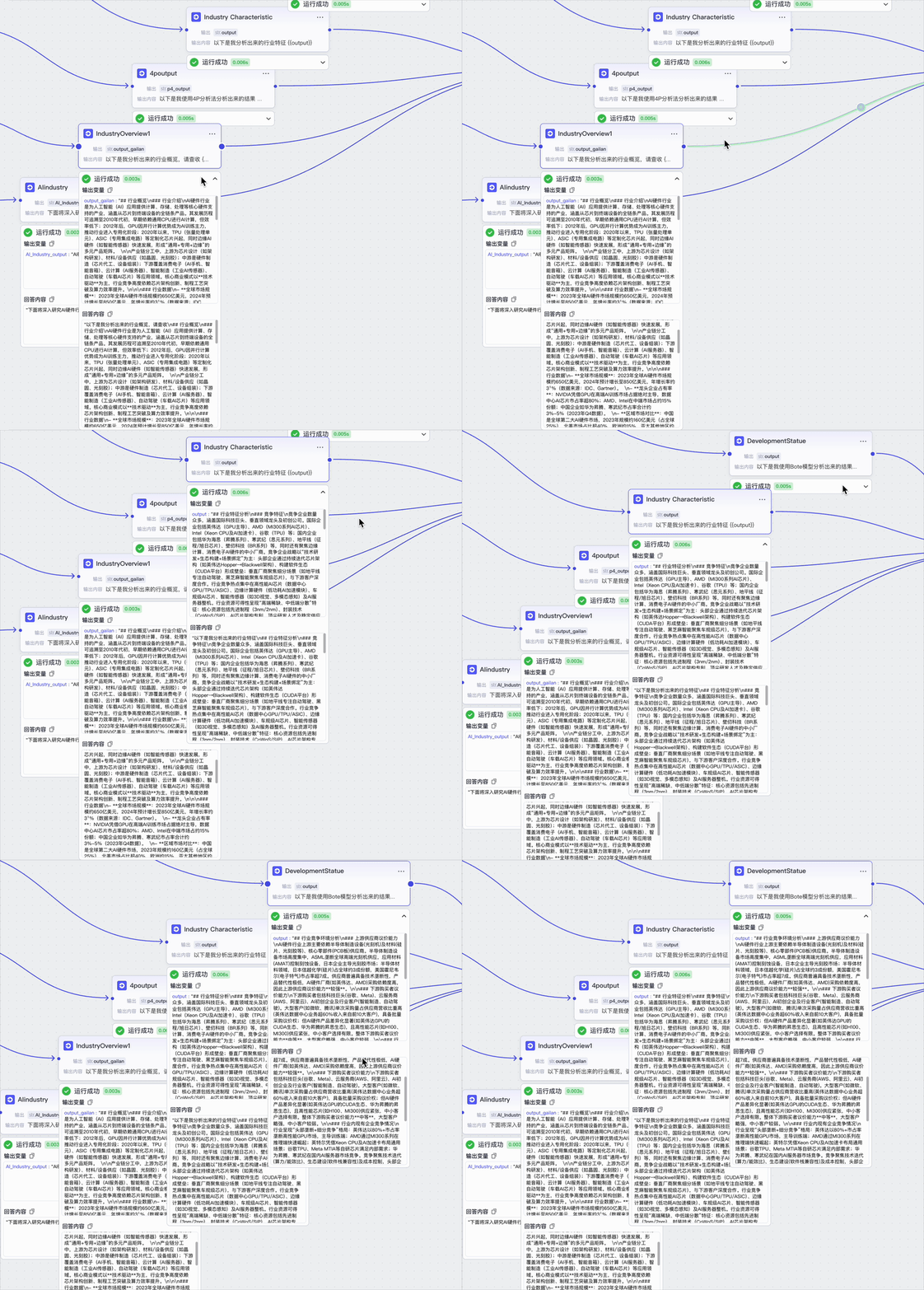
Overall response:

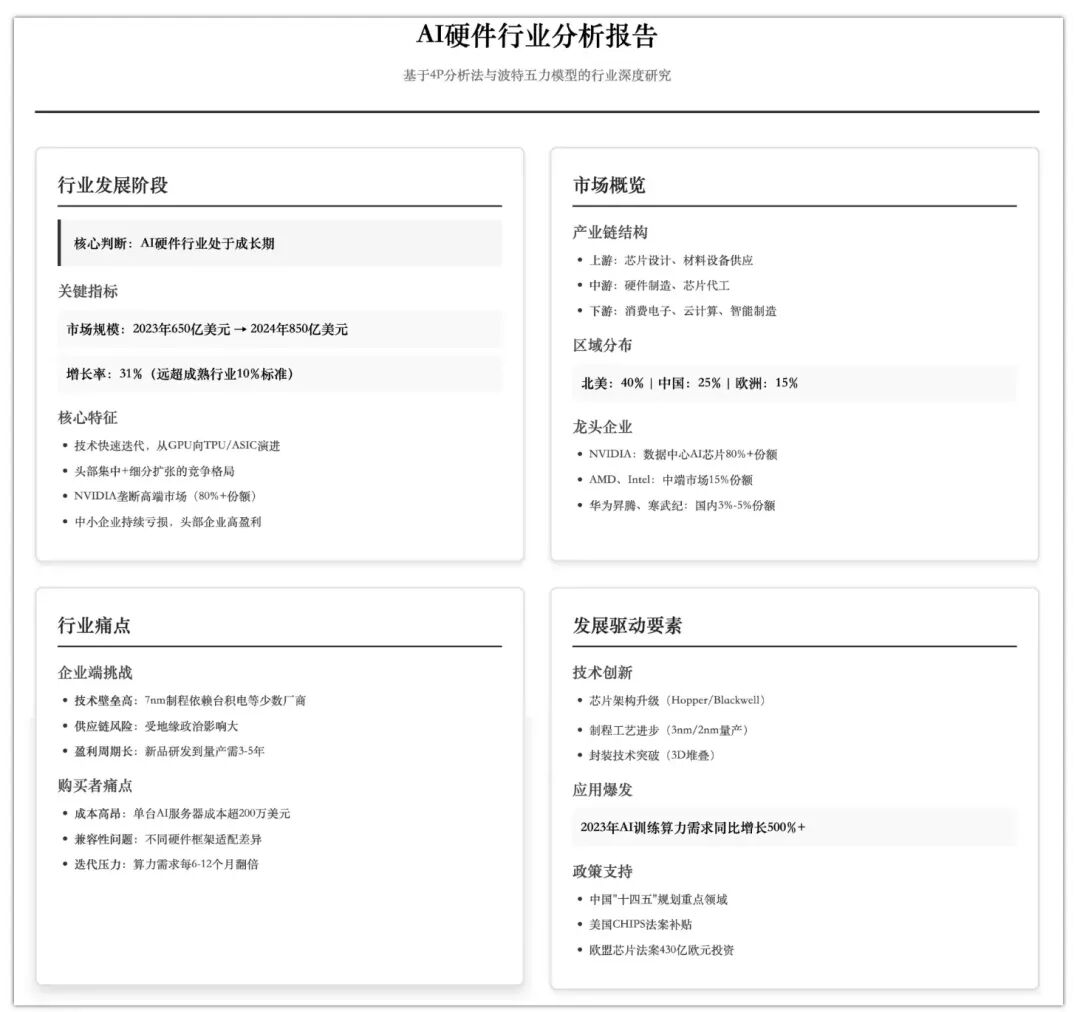
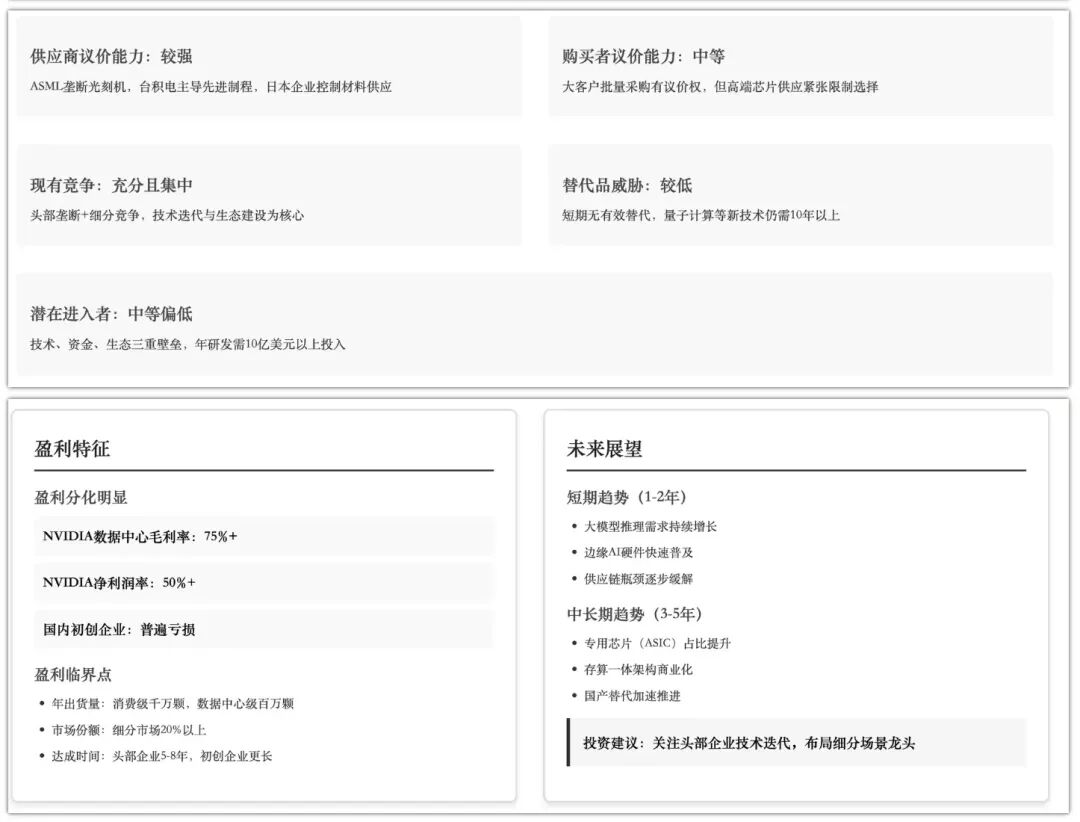
Reading such long text is exhausting and makes it hard to intuitively feel whether this simple workflow "succeeded." So I made a visualization — you can see the entire workflow process is quite complete, with all necessary elements present:
Finally, the issue I cared about most: cost.
Since we connected to the Doubao 1.6 multimodal model in Volcano Engine from the start (you can connect any other model — just modify the code initially), I was really concerned about API consumption.
I initially loaded 100 RMB (plus 10 RMB they had previously given me), then went back to check the Volcano Ark backend and my account. I found that after high-frequency "playing around" for an entire afternoon, API usage only cost a little over 3 RMB.
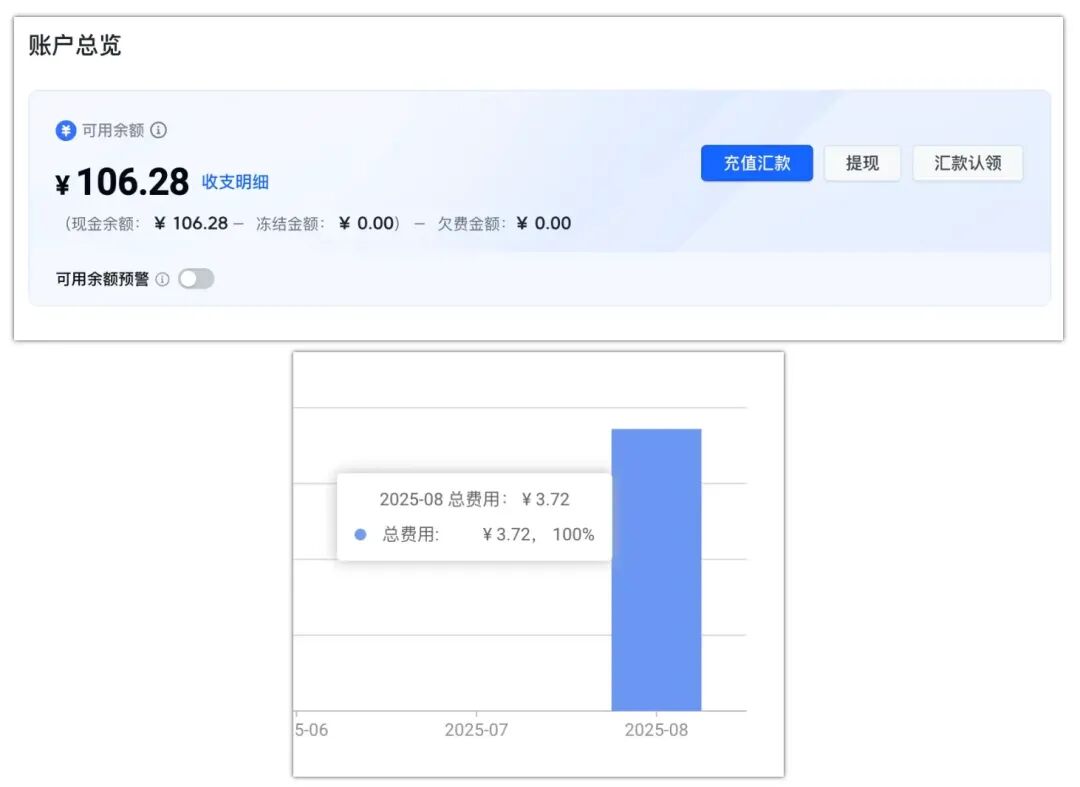
Since it was so cheap, I looked up the Doubao 1.6 multimodal model we mainly used this time. One phrase describes it: "comprehensive and complete" — it can do visual understanding and deep reasoning.
And, cheap (this is the key point). Volcano Ark has plenty more models at this price point.
The inference price is 0.4 RMB per 1 million input tokens, or more directly, $0.056 per million tokens — let that sink in.
Honestly, what impressed me most about this entire smooth process was that on the Volcano Engine website, you basically just need one API, one registration, and everything becomes usable.
Let Users "Build Cars," Let Vendors "Build Wheels"
In the past, developing an AI Agent typically required multiple steps: applying for model APIs, building backends, configuring frontends, debugging prompts, deploying to production. For non-technical people, this process was basically a non-starter.
Now, users' identities are shifting from "mere users" to developers.
We've previously used a concept — "super individuals" — meaning: ordinary people amplified several times over by AI.
Because AI is developing so rapidly, vendors focused on underlying foundation model technology and Agents may not necessarily have sharper "senses" for Agent application scenarios than "super individuals" with ideas.
Because individuals tend to think about "what problem can this solve for me," making them more likely to discover genuinely useful scenarios.
However, for individuals with ideas, there's still a thin "technical glass wall" between them and building a useful Agent. The combination of Coze and Volcano Engine's "open-source + system" approach is tearing down that wall.
Let ordinary people who've crossed the "technical barrier" find practical application scenarios themselves — it's more efficient and yields better results.
When building Agents becomes as simple as building websites, the flood of users coming to "play around" will spawn massive numbers of long-tail applications. Just as WordPress spawned countless small websites, Coze may spawn countless "small but beautiful" AI Agents.
That's exciting, isn't it?
Looking at it now, what users truly need are two things:
[1] A "comprehensive and complete" AI support system (like a model matrix covering various modalities, a complete cloud service platform, etc.)
[2] "Small but beautiful" creation tools (like Coze Studio with its simple, visual interface, etc.)
Only with both can every application scenario be supported, allowing users to discover possibilities and then realize them.
🚥
AI Agent development no longer belongs exclusively to technical experts.
We hope this hands-on deployment article can serve as a reference for more people to enter the field. If you've ever had an Agent scenario flash through your mind, an automation idea — now is the time to act.
In your own way, go "build cars."