Devin vs. Cursor: Is a $500/Month AI Coding Tool Worth It?

"AI has really become an agent that can think, report back, and even manage up."
🚥 Editor's note from Koji: Yesterday Yusen dropped $500 on a Devin team plan, and I hopped on to try it out. The experience was mind-blowing — for the first time, I felt like "AI has actually become an agent that thinks, reports back, and even manages up."
Just as I was about to write my own piece documenting and comparing my recent Devin vs. Cursor experience, I discovered that Yan Wang had already written one that captured almost everything I wanted to say, and with more detail and vividness. So I'm republishing it here on Crossing for everyone.
P.S. I generated a series of "showdown" images using Recraft to accompany this piece. (Recraft is actually the AI product that's been obsessing me most lately.)
🚥 Yan Wang is an Olympic torchbearer, private pilot, coffee roaster, and Ivy League PhD. Personal website: Computing Life[1]
I recently paid $500 a month for Devin, an AI coding tool. It bills itself as a full-stack intern capable of doing things traditional AI tools like Cursor and Windsurf can't. After using it for a while, I've found it dramatically different from Cursor in design philosophy and user experience — here's my breakdown.

Note that when I say "Cursor," I don't mean traditional autocomplete-style Copilot or natural-language programming tools like Copilot Chat. "Agent Cursor" refers to Cursor's recently released Agent mode. Inside Cursor Composer, you can now switch from Normal to Agent mode, submit a request, and Cursor will call various tools to iteratively complete the task for you. The overall experience is extremely similar to Windsurf, so what I'm calling Agent Cursor represents a fairly advanced product form where an agent completes tasks across multiple rounds by calling various tools on your computer.
Overall, my most striking impression is that Devin's design philosophy and goals are fundamentally different from Agent Cursor's.
Interacting with Cursor feels like interacting with a tool. Devin feels like a person. The three dimensions below all revolve around this distinction.
Local Execution vs. Global Planning: From Command Completion to Process Ownership

Using Cursor, I consistently felt like I was working with a technician who executes specific tasks with precision. Give it a clear command, and it will execute quickly and deliver results.
Devin, by contrast, feels more like a methodical complex system — or an intern. It operates with a more complete workflow mindset: it first develops a high-level plan, then breaks it into steps, executes them, and verifies outcomes.
While both Devin and Cursor iterate across multiple rounds, Cursor's iterations are primarily for testing whether it has achieved its goal. Devin behaves more like a seasoned office veteran: it lays out a high-level plan, checks items off one by one, and continuously adjusts its strategy along the way — always keeping you informed of its progress and assuring you that the overall project remains under control. This is a fascinating distinction, and it genuinely enables Devin to tackle more complex and variable tasks with more systematic solutions.
For example, we had both AIs clone a website. Devin was clearly stronger at higher-level abstract thinking and planning. It knew to first call various tools to download the site locally, then examine each page and module's function and styling, then plan the page structure, and only then begin execution. Cursor, by contrast, felt clearly not designed for engineering tasks at this level of difficulty. Its first iteration didn't think to download the site first — it simply hallucinated a webpage from scratch. After being explicitly reminded to scrape the site content, it still missed many critical details, producing only a highly simplified version.
So broadly speaking, their design purposes feel very different. Devin seems designed as a methodical, planning-oriented software engineer, while Cursor is more of a tool to help us quickly and automatically solve well-defined, relatively small problems.
Flexibility in Tool Use

Their second difference lies in flexibility of tool use. Cursor's agent can mainly call the file system, generate code, and execute commands. But Devin can call more tools — for instance, it can launch a browser and use visual capabilities to understand frontend content, or even perform automated testing involving frontend interaction.
It can also call its own LLM (the intern's brain?), using its own intelligence to complete relatively independent, more flexible tasks. For example, my blog had some links that needed fixing. The error patterns had no obvious regularity, so Cursor struggled with this problem. It couldn't summarize patterns from these broken links and write a program to batch-process them. In other words, this problem wasn't well-suited to programming at all — it required higher-level intelligence. Devin handled it well. Throughout the process, it didn't use any programming at all; instead, it opened files one by one, used its LLM to understand them, identified the problems, and fixed them (PR here[2]). This difference both reinforces the methodological distinction mentioned above and demonstrates that Devin's more diverse capabilities can be combined to accomplish more complex tasks.
But this flexibility in tool use is a double-edged sword. In another example, I asked both Devin and Cursor to go to the CVPR website and download the authors, titles, and PDF links for this year's 2,000 papers. Cursor, as usual, performed excellently on this clearly programming-oriented task. It quickly wrote a scraper, parsed the CVPR site content, and generated the final output file. Devin, however, chose an unexpectedly manual approach. It first opened a browser, used its visual capabilities to read the page, and after reviewing the first page, gave me a result file containing only three papers.
When challenged — "There are only three, what about the rest?" — it astonishingly chose to open the browser again and output three papers per page, one page at a time. This workflow was truly laughable and frustrating. In a way, it did feel like managing a diligent but inexperienced intern. But from the standpoint of tooling and task completion, Cursor's stability and ability to get the job done were clearly more important here.
Prompts and Dynamic Knowledge Growth

Another related difference is how they manage and iterate on knowledge. In using Devin, there's heavy emphasis on summarizing and accumulating knowledge and experience. In the CVPR scraping example above, I gave it feedback: "You need to first check how many articles there are; if the number is large, you should choose to batch-process with a program." After receiving this feedback, it automatically generated a piece of knowledge: next time when doing web scraping, handle differently depending on data scale. Then when I asked it to do the CVPR task again, it didn't fall into the same trap.
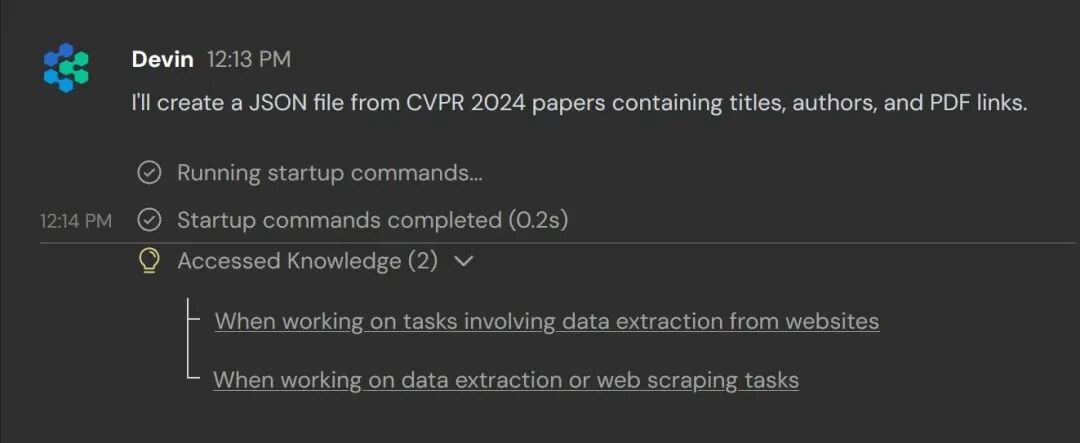
This design of dynamic iteration and evolution makes the whole process feel remarkably like training an intern. Including when I had Devin onboard a new GitHub repo: I walked it through initializing the repo, installing dependencies, and teaching it how to run various tests and what passing them meant for each component. After one walkthrough, it converted all this information into knowledge, and afterward it could handle my blog repo quite proficiently.
I haven't seen this dynamic evolution design in Cursor yet, but I'm optimistic — this should be easy for Cursor to implement. Cursor can already use .cursorrule files to customize project-specific knowledge, so the mechanism is already there; it just needs to plug in a knowledge-organizing prompt.
As a side note on prompts, Devin has a document[3] that I found particularly helpful. It teaches you what kinds of prompts work most effectively with Devin — for example, you need to clearly define success criteria, such as passing a certain test or verifying that a certain link resolves correctly. This aligns perfectly with the perspective in our builder's mindset course[4], and when you apply the same principles to using Cursor, you'll find Cursor suddenly becomes much smarter too — able to autonomously verify whether it has completed a task and iterate accordingly.
Controllability and Use Cases

Precisely because of these three design and product differences, one clear impression I got: Devin is designed to operate like a person — methodical, capable of growth, though with higher unpredictability. Sometimes it stares at a single MD file for ten minutes; I even suspect it's secretly scrolling on its phone in the background.

But it's also more capable with complex projects. By comparison, Cursor is a more straightforward programming tool — you can anticipate what pitfalls it might fall into and prevent them proactively. With Devin this is more difficult; sometimes even after it falls into a pit, post-hoc analysis can't fully explain why it made that mistake.
For actual usage, I currently lean toward Cursor, because the scenarios these two tools target are actually quite different.
- Devin emphasizes complex software engineering development. It costs $500 a month, and it runs slowly — a small project taking half an hour to several hours is normal.
- But if a project can be done with Cursor, it might finish in five minutes. So Cursor is better suited for more lightweight, everyday tasks. And I believe many of Devin's designs and learnings, including prompt engineering techniques and iterative thinking, could be easily adopted by Cursor.
So perhaps Cursor's real competitor isn't Devin, but ChatGPT.
In other words, if what you want isn't code but an artifact — an icon, a document, even a Photoshop image — Cursor can handle it. Only when the desired deliverable is a complex software engineering project does Devin become the more suitable tool.
I'll continue exploring whether Devin has any more interesting use cases to make our daily work and life more convenient.
Originally published on Computing Life[5]


References
[1] Computing Life: https://yage.ai/
[2] here: https://github.com/grapeot/blog/pull/31
[3] a document: https://docs.devin.ai/learn-about-devin/prompting
[4] builder's mindset course: https://maven.com/kedaibiao/genai
[5] Originally published on Computing Life: https://yage.ai/devin-vs-agent-cursor.html