Yang Xie and His Eazo Are Betting on a Different Form of Personal Agent

Another agent replies to you with a wall of text; this one just hands you an app.
While other agents reply with a block of text, this one replies with an entire app.

👦🏻 Author: GaKi
🥷 Editor: Koji
🧑🎨 Layout: NCon

In the second half of 2026, Personal Agent — succeeding the earlier OpenClaw wave — became the new frontier that AI companies were racing to explore.
In September, Meta launched Muse. A few weeks later, OpenAI released Dots, and Manus introduced Cue, all with similar capabilities. Domestically, from ByteDance to Tencent, word also spread that teams were burning the midnight oil to ship their own Personal Agents.
Amid this wave, Eazo, Yang Xie's team, has a somewhat different take on what a Personal Agent should be: it describes itself as a "graphical interface app-driven" Personal Agent.
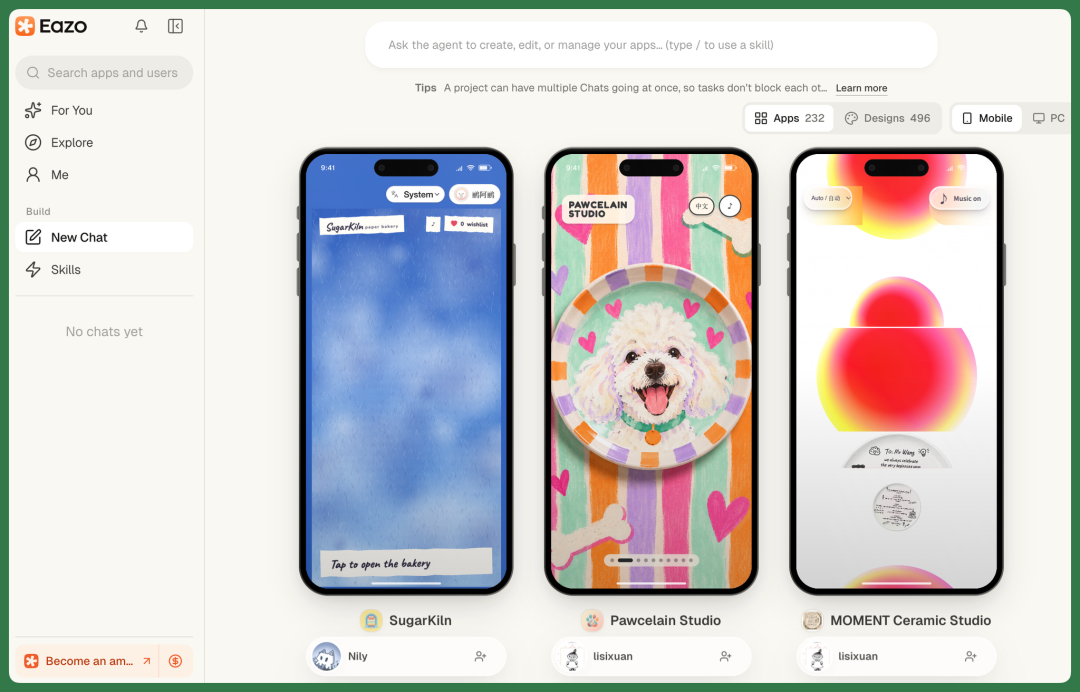
What does that mean? Simply put, users only need to describe what they need, and Eazo can turn that requirement into a complete app. This app can have its own interface and data, and can also incorporate AI, payments, sharing, and other capabilities.
And to give these apps true Personal Agent capabilities, Eazo has another layer of infrastructure behind it — Qoni, which provides agents with identity, action capabilities, and long-term memory. The team officially defines Qoni as a managed infrastructure layer for Personal Agents.
One turns requirements into apps. The other gives those apps agent capabilities.
🚥
We actually built two apps with Eazo and want to share our real experience.
Eazo's Core Is Wild Design
Eazo is already available directly on both mobile and desktop in China, with data synced across both platforms.
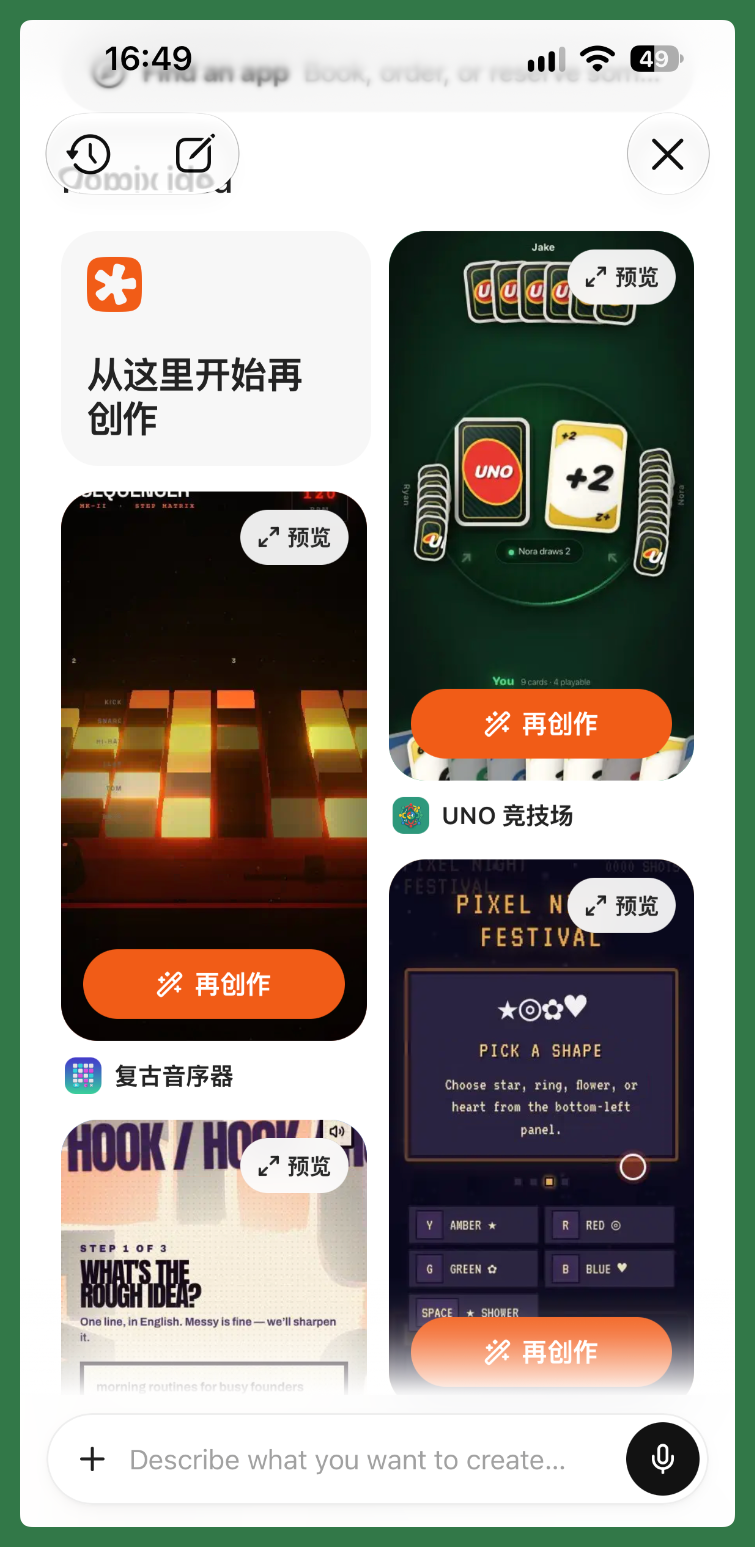
For easier demonstration, we'll use the desktop web version to show you a few apps we built.
【1】Plant Journal
Many of my colleagues have their own hobbies.
Koji, for instance, is into birdwatching. He often visits wetland parks and jots down the birds he sees, along with location and time. Another colleague loves fishing and keeps records of daily weather, water conditions, and what he caught.
My own hobby is simpler: I grow houseplants. I've already accumulated quite a collection at home — monstera, mint, haworthia, you name it.
But anyone who's actually kept plants knows that each pot has its own watering cycle. Mint might need water every two days, while haworthia can go two weeks. I usually remember this myself, but when I'm traveling for work, my family easily gets confused about which plant needs water and which doesn't.
I've tried a few plant care apps before. They have decent features, but the AI capabilities are limited, and the visual style isn't really to my taste.
So this time, I used Eazo to build one for myself — and the result exceeded my expectations.
When Eazo actually generates an app, it follows a product design approach called Wild Design.
Simply put, when I give it a relatively vague requirement, it doesn't just produce a generic page. Instead, it generates multiple complete visual schemes covering layout, composition, typography, imagery, animation, texture, and overall atmosphere.
For example, when I asked it to make a "balcony plant journal," my prompt was actually quite simple.
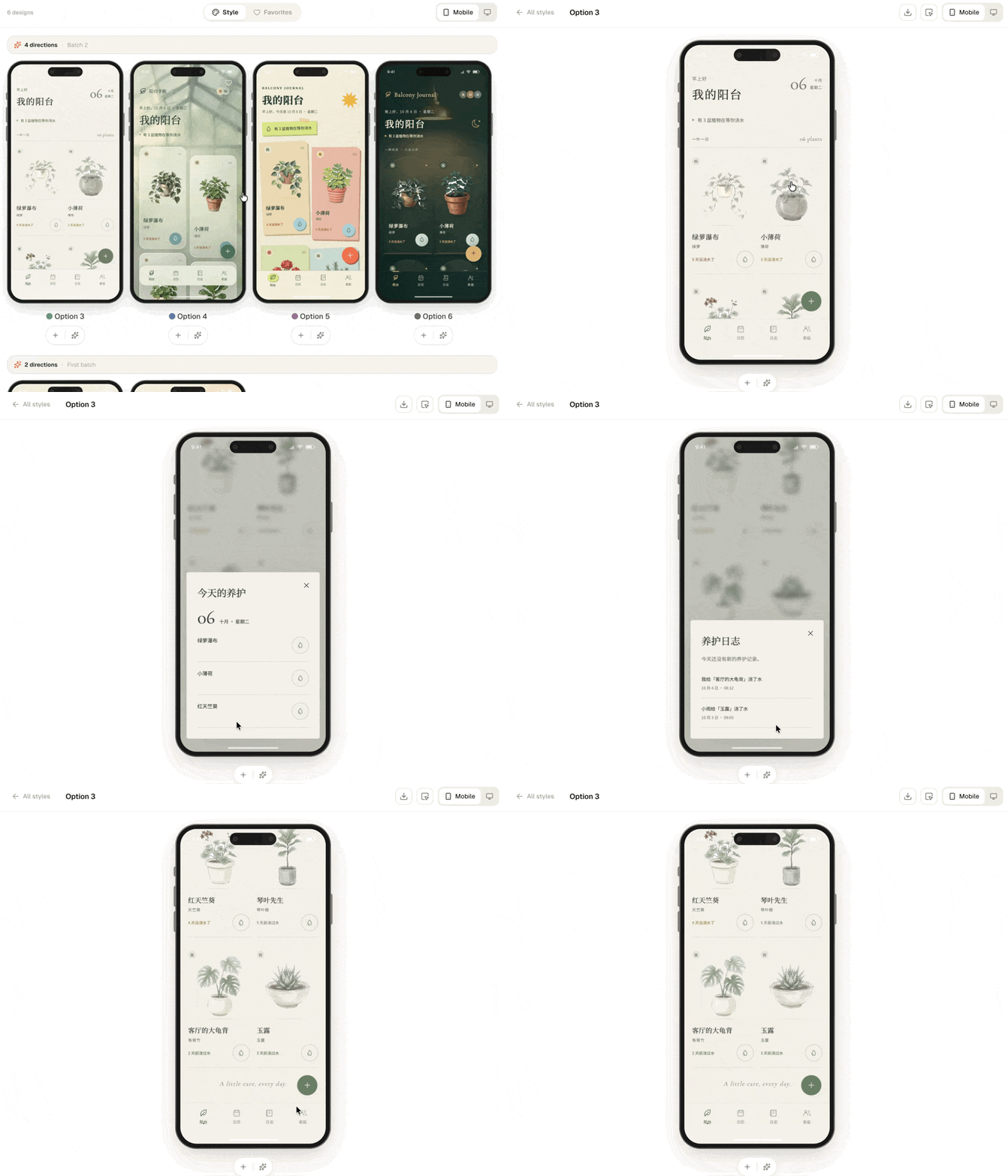
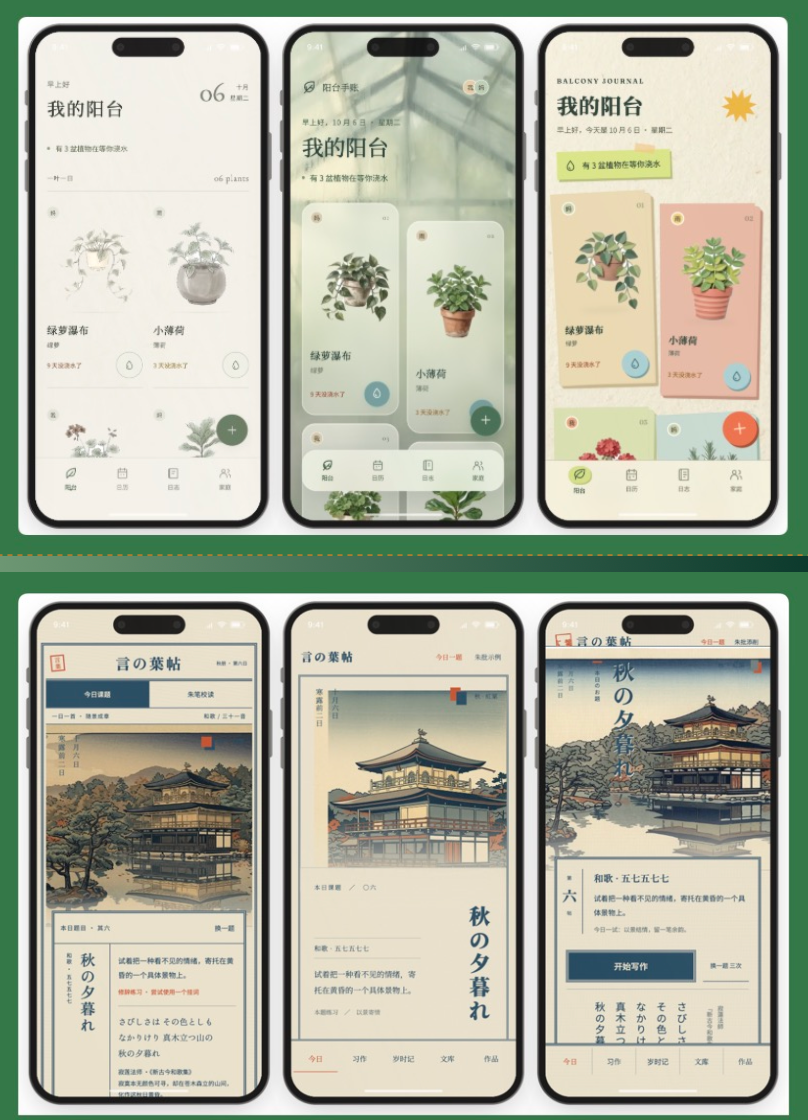
Eazo first interprets my need, then directly generates 6 different visual designs for me to choose my preferred direction.
Each visual scheme corresponds to a distinct product aesthetic in Eazo's system.
The first version comes out quickly and is already quite polished. Especially on the frontend visual side, the differences between schemes are immediately apparent.
Some lean cleaner and more minimalist, some skew Japanese-inspired, and others use more playful cartoon card designs.
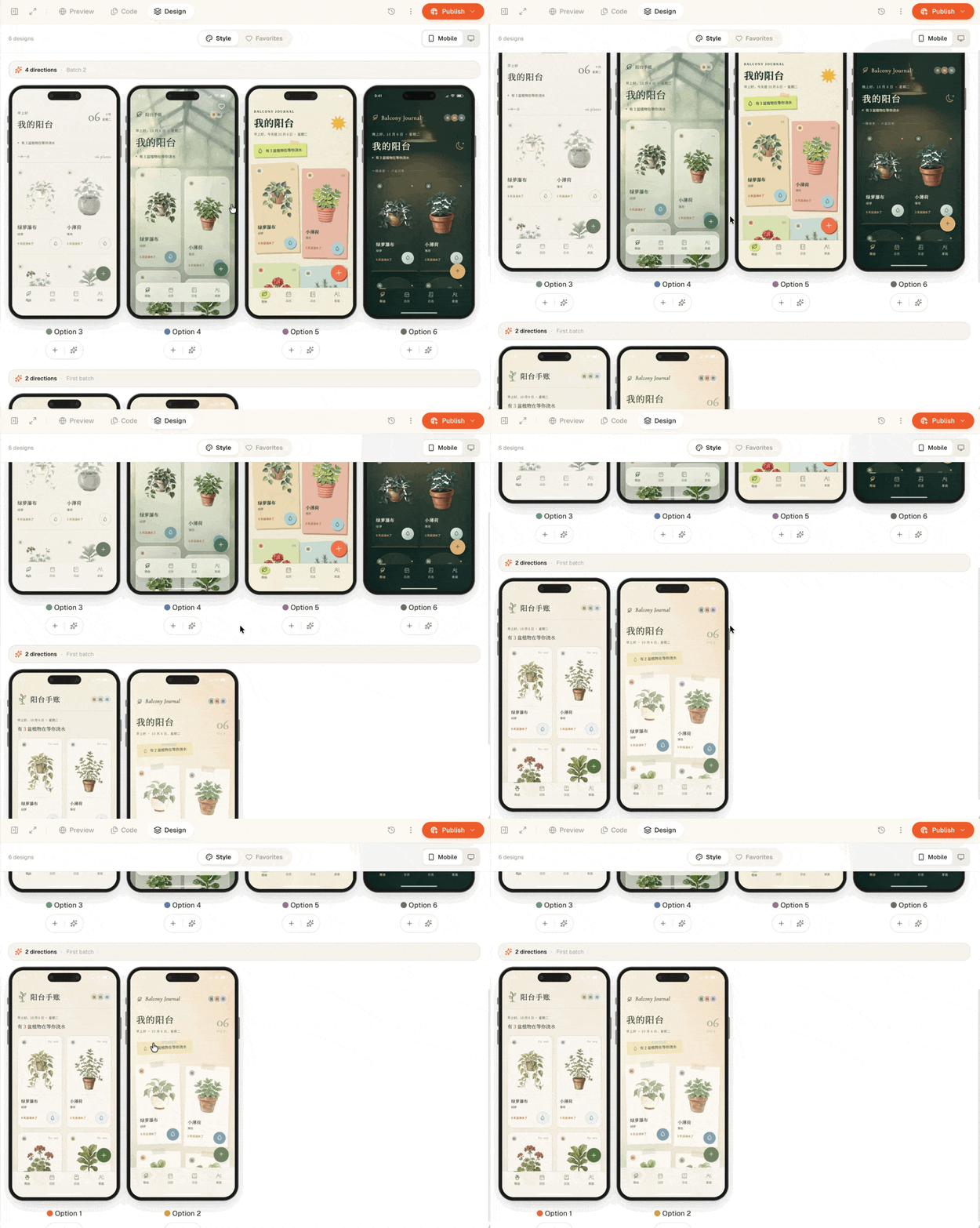
And when these schemes first generate, the product interface is already fairly complete — not just a simple visual draft.
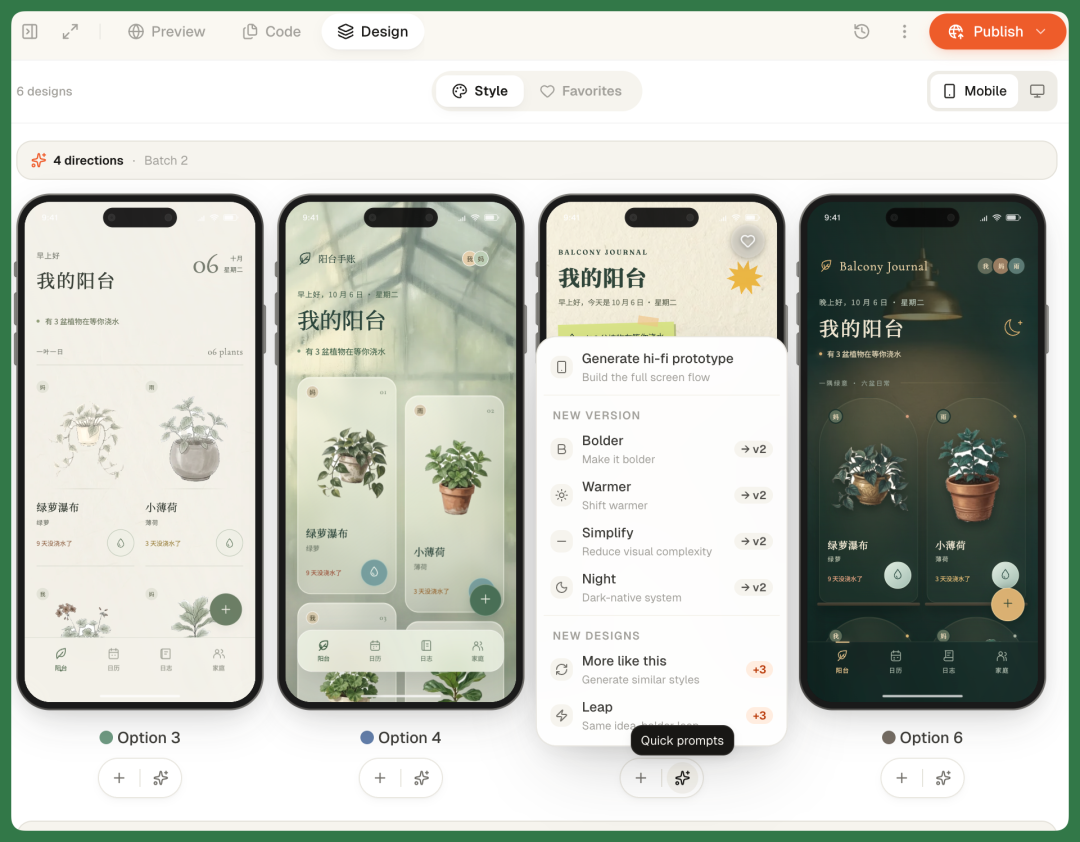
From these 6 versions, we can keep iterating. For example, unifying all fonts to Bold, or after selecting one style, having Eazo generate several extension schemes based on that direction.
These adjustments don't require rewriting prompts. Just click the Quick Prompts below each style to make modifications quickly through the graphical interface.
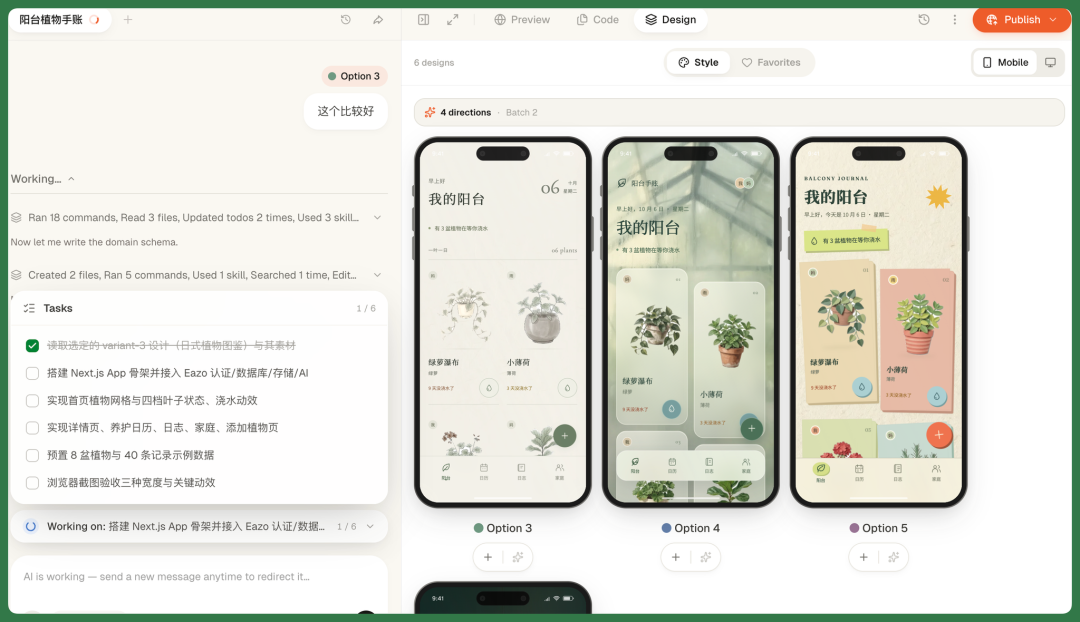
After selecting a style, you can directly import it into the Coding Agent interface.
Next, the agent breaks the entire development process into multiple tasks, generates a ToDo list, and executes step by step.
And with Qoni's managed infrastructure behind Eazo now, the final apps come out with fairly high completeness.
Basic capabilities like authentication, database, and storage are essentially included. AI capabilities can also be plugged in directly, since Eazo already integrates many different models.
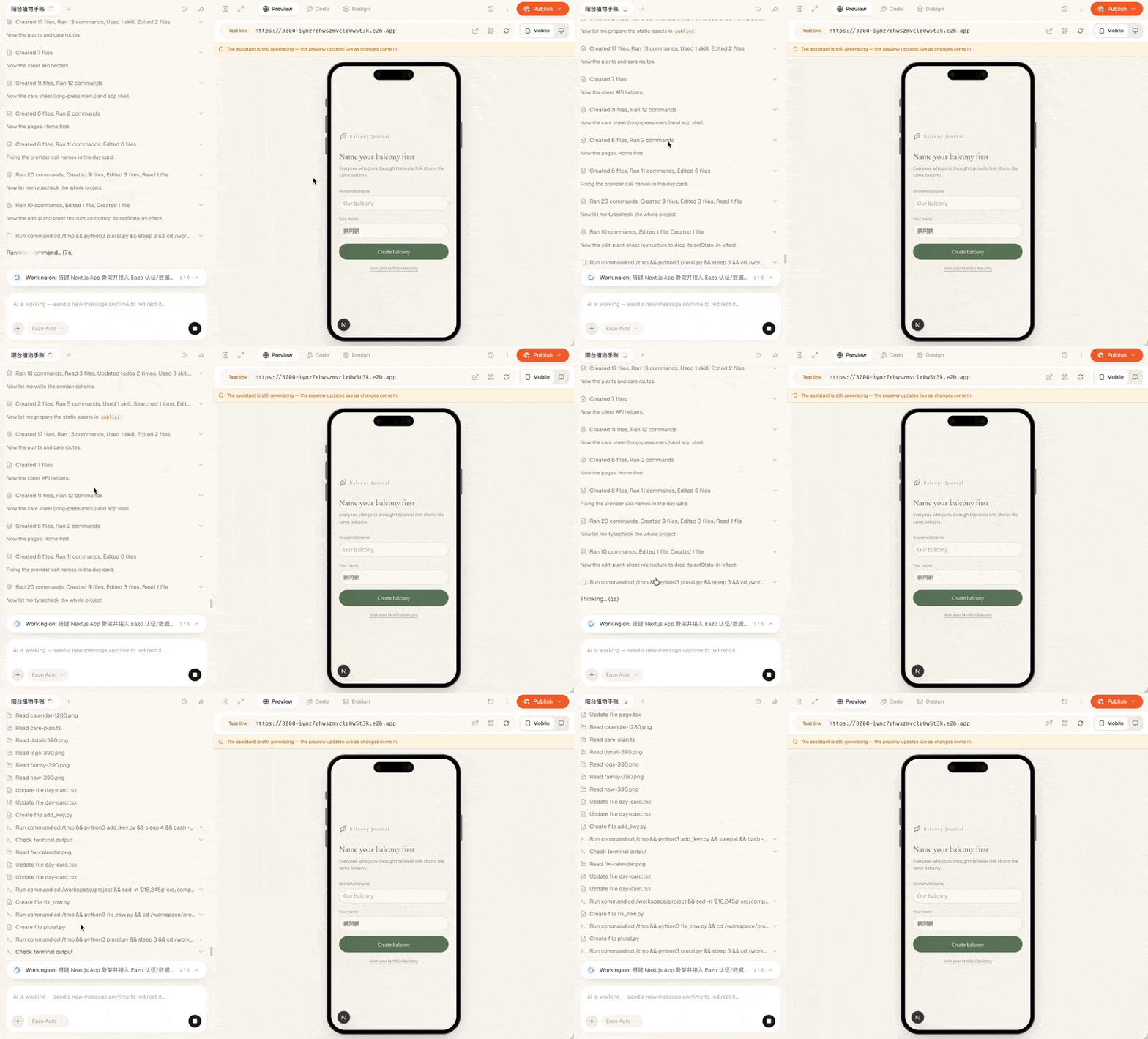
During actual execution, Eazo behaves much like a Coding Agent, working through the previously generated ToDo list item by item.
And before officially starting, we can also choose which model to call. Eazo has integrated quite a few SOTA models, switchable depending on the task.
There's another interesting point here.
During the app-building process, when AI capabilities are involved, Eazo sometimes directly lets us choose which specific model to call, making the whole process quite transparent.
For example, when I upload a plant photo and want to first cut out the background, then generate an illustration, it lets me choose the vision model or image generation model myself.
Different models have different calling costs, so this actually allows choosing based on your needs and budget. Want better results? Use a more capable model. More cost-conscious? Switch to a cheaper one.
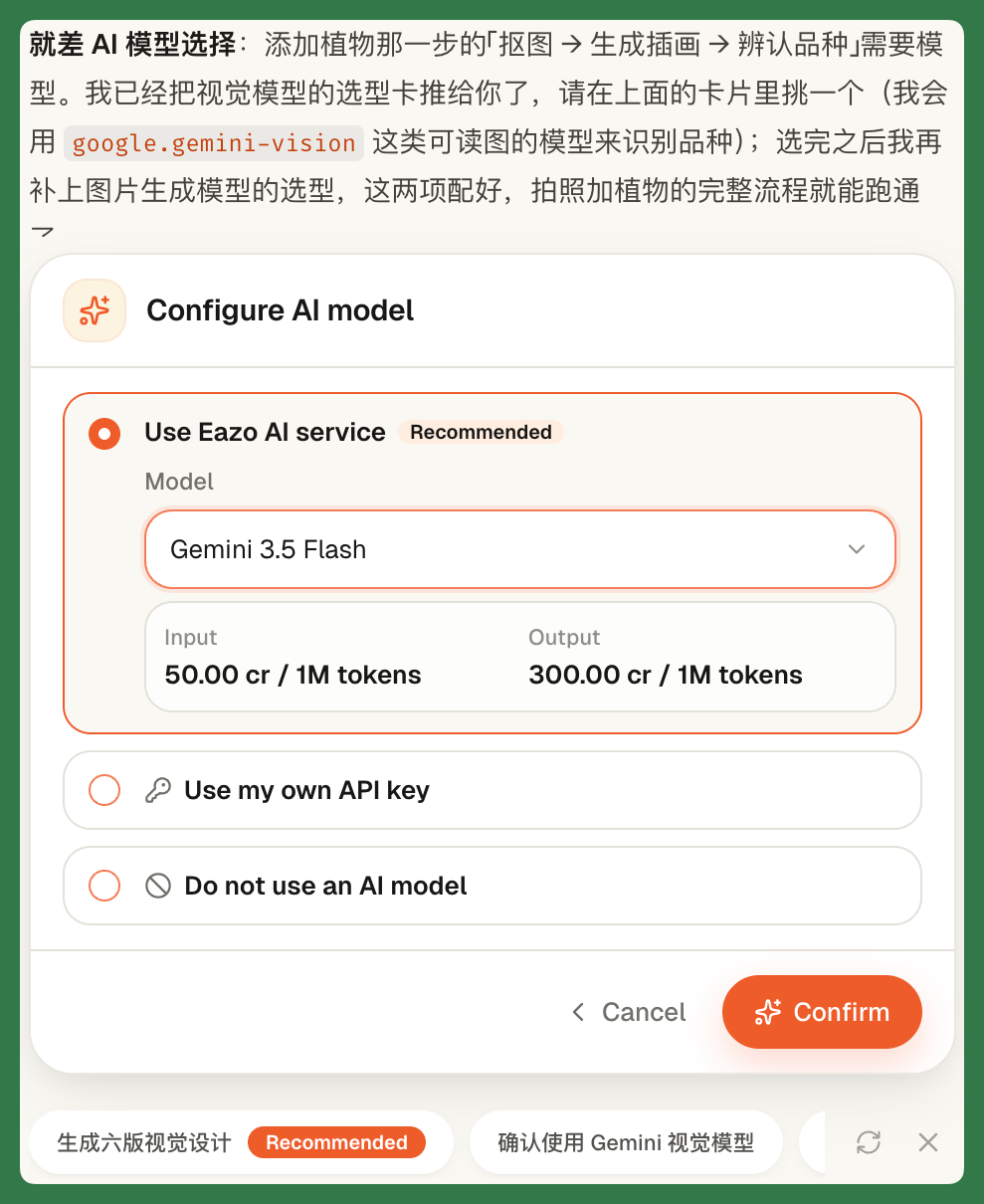
For image recognition, I directly chose Gemini 3.5 Flash. Eazo first uses this model to test recognition results multiple times, accurately identifying plants like rosemary. If the test results look good, I just continue with this model.
For generating the illustrations, I used Gemini 3.1 Flash Image. For a production-grade app like this, that model is more than sufficient.
The whole process took about 30 minutes, and I had a fairly complete app ready to go. From there, I could jump straight into the login screen and start using it.
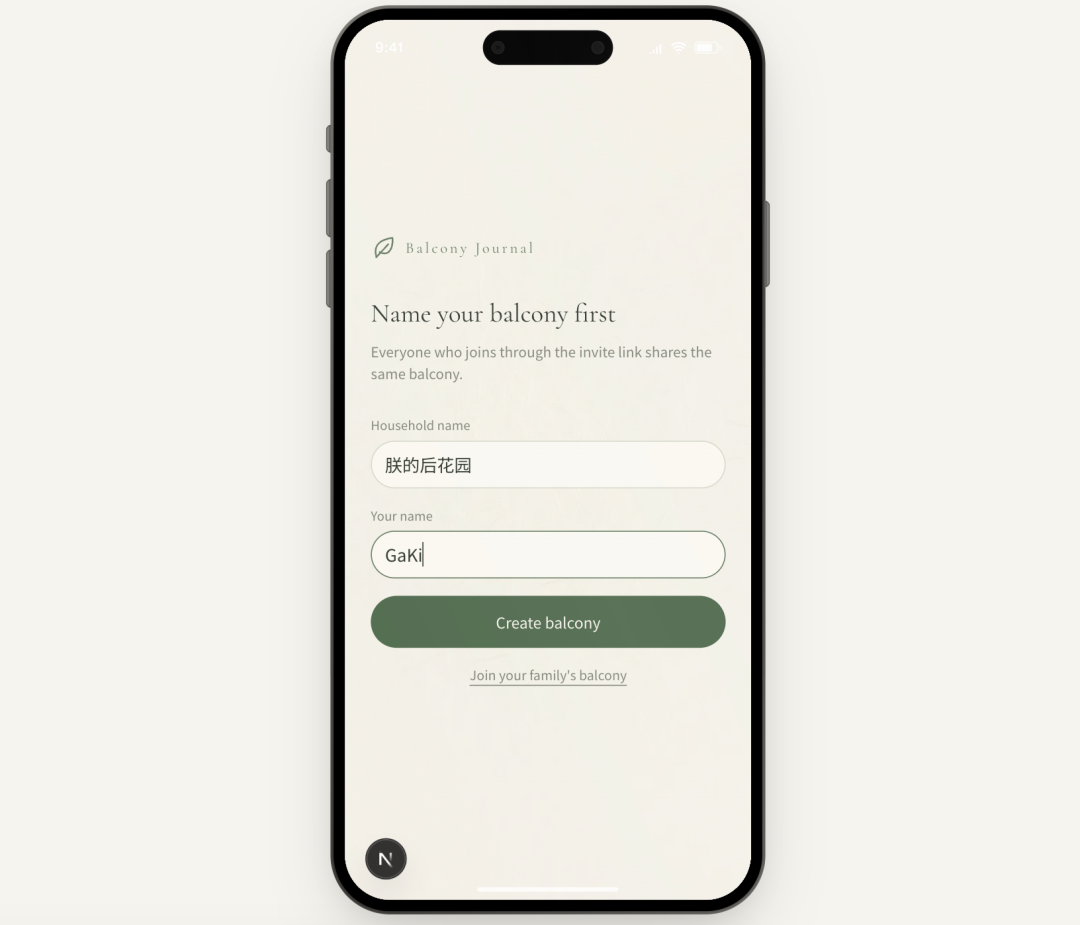
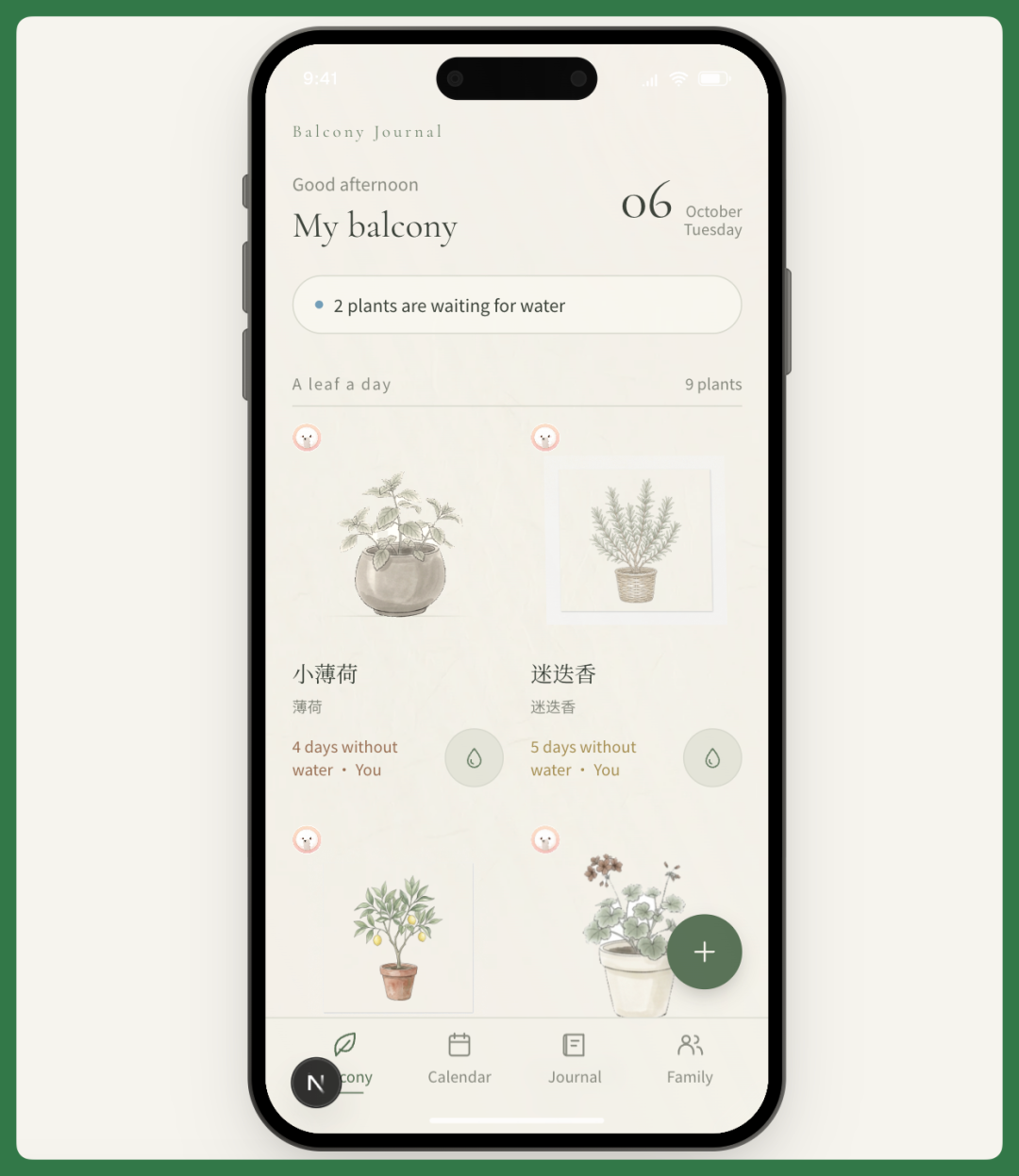
Now we have our own personal "Balcony Plant Journal."
Every plant in it is one I'm actually growing at home. Each illustration is a regenerated single-potted-plant image based on real photos.
The overall design leans toward a Japanese aesthetic — the background, typography, and layout were mostly handled by Eazo itself, without much extra tweaking from me.
So the final result is already quite polished, with solid visual appeal.
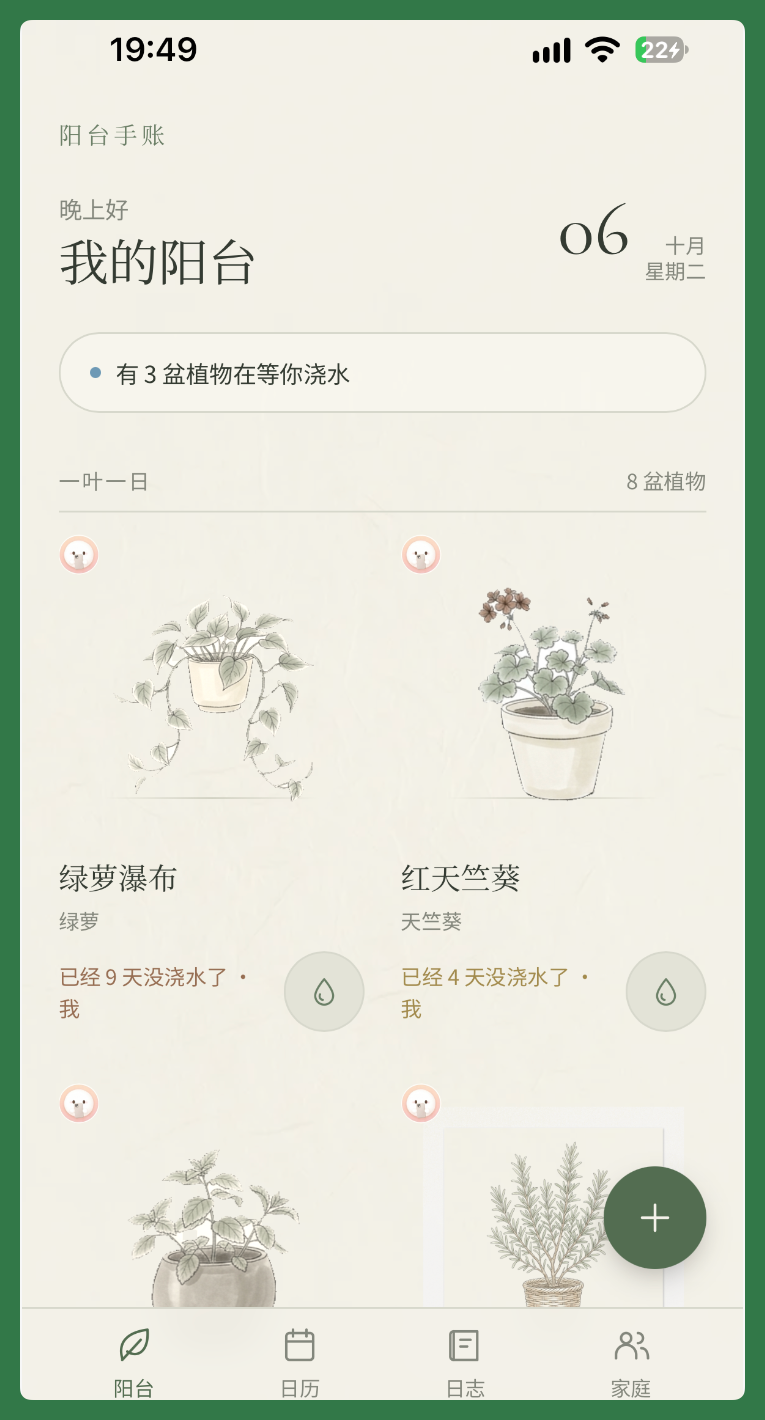
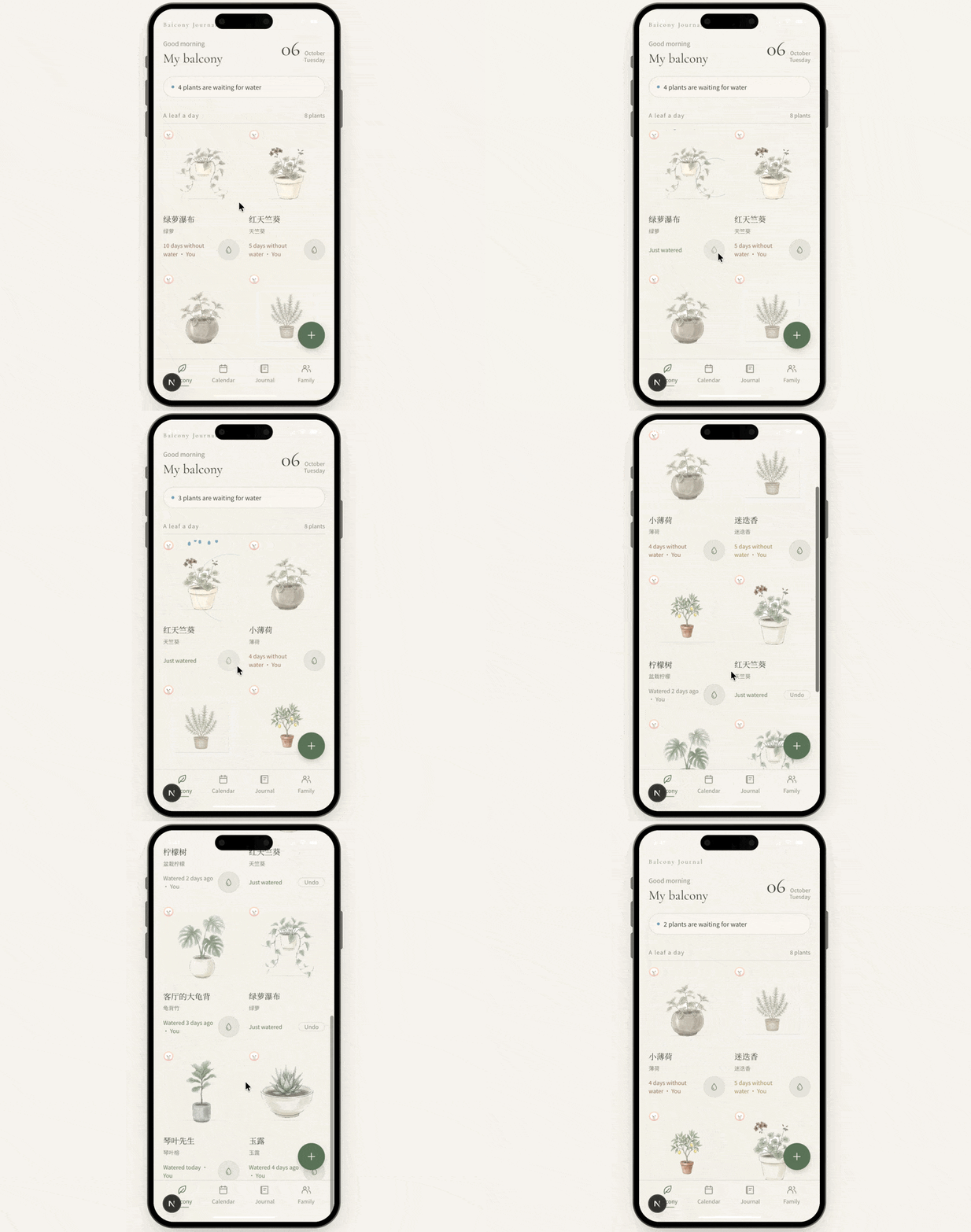
From then on, every time I water a plant, I just tap on it to log the watering session.
That record gets automatically saved to the database, and I can check each plant's watering history later.
For example, my Buddha's hand citron is still quite small — the plant hasn't fully matured yet — so I grabbed a reference image from Victory Nursery.
But to really test whether Eazo's app could hold up to production use, I didn't pick a photo of ripe fruit. Instead, I deliberately chose an image of a Buddha's hand still in its green, unripe stage.
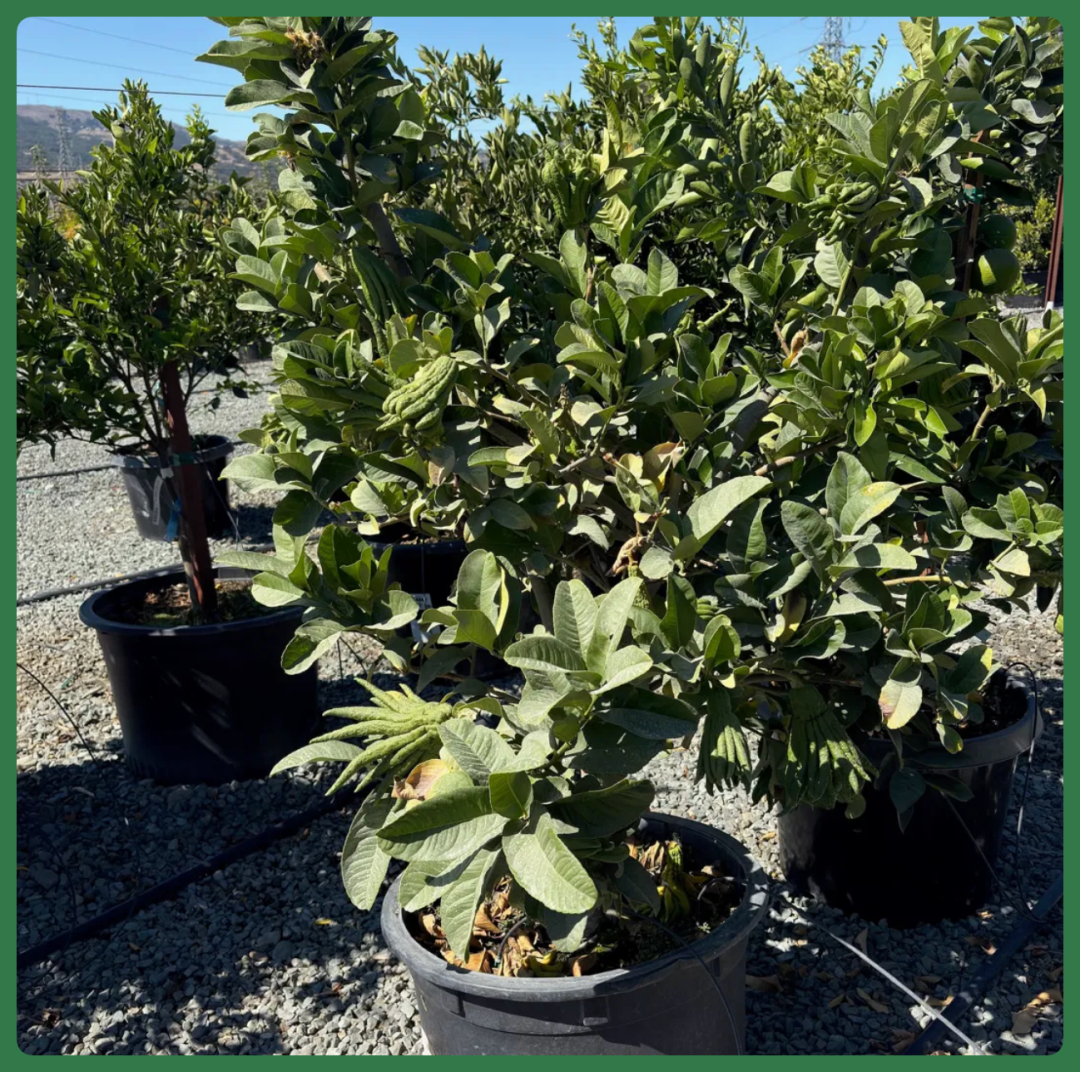
Then I just tapped the plus button on the home screen to upload this real image, or I could have used the camera directly — both options work.
After the image is uploaded, Eazo automatically handles background removal, then performs visual recognition and analysis on the plant.
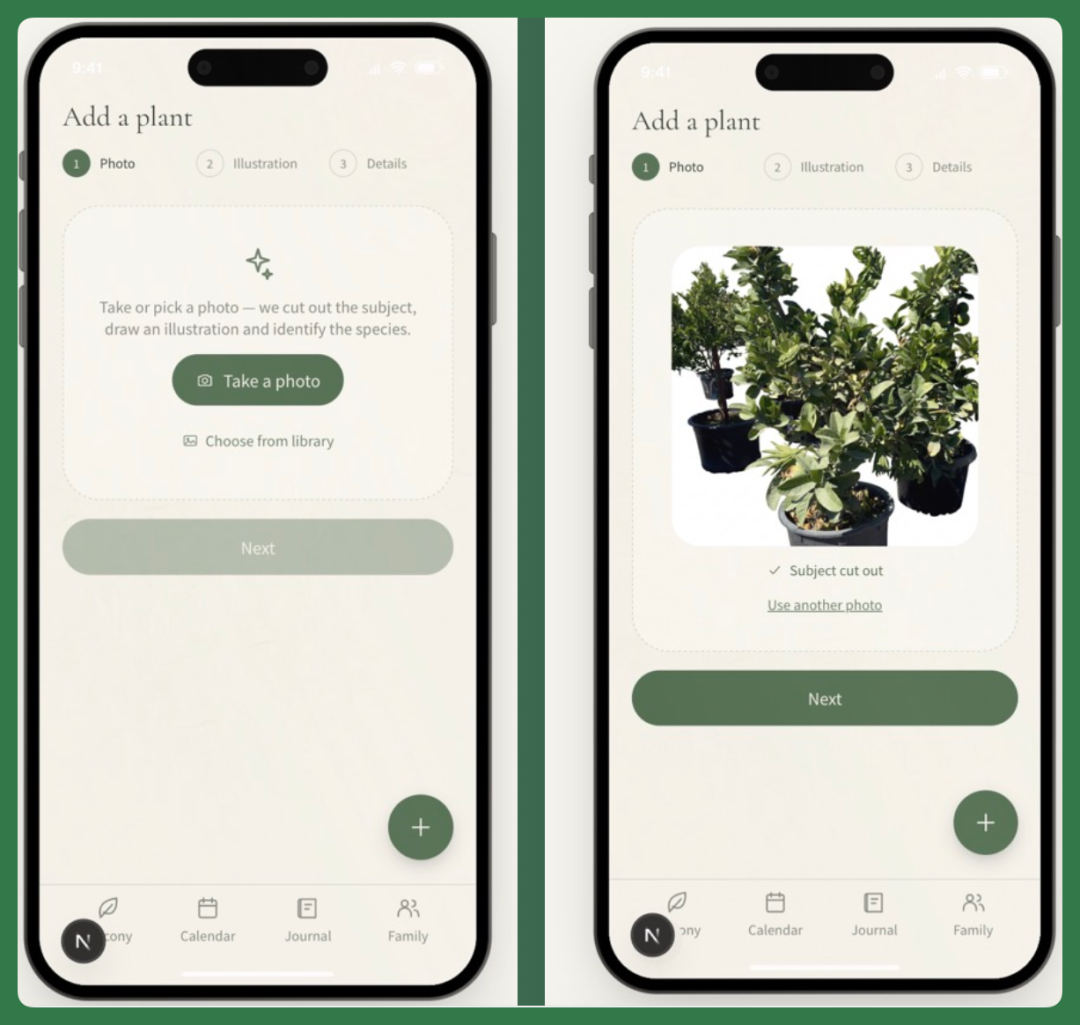
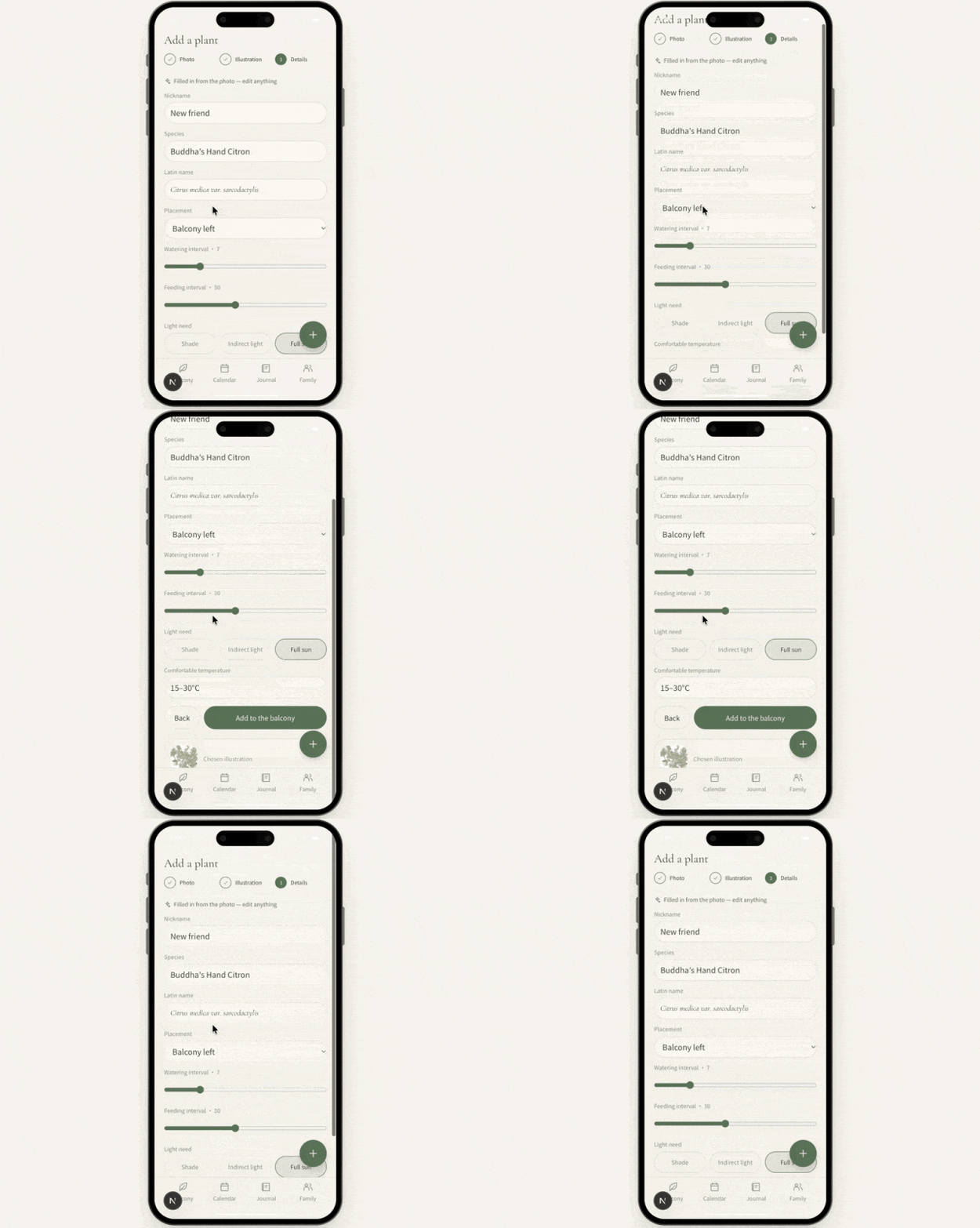
While some features in this app were preset, the plant identification here is entirely driven by the backend model itself.
I didn't tell it what this plant was in advance. It identified it as a Buddha's hand citron on its own and auto-generated the corresponding name and information.
The suggested watering schedule that follows is also based on the AI's own knowledge, possibly combined with web search — it's not a fixed default, and I can adjust it later.
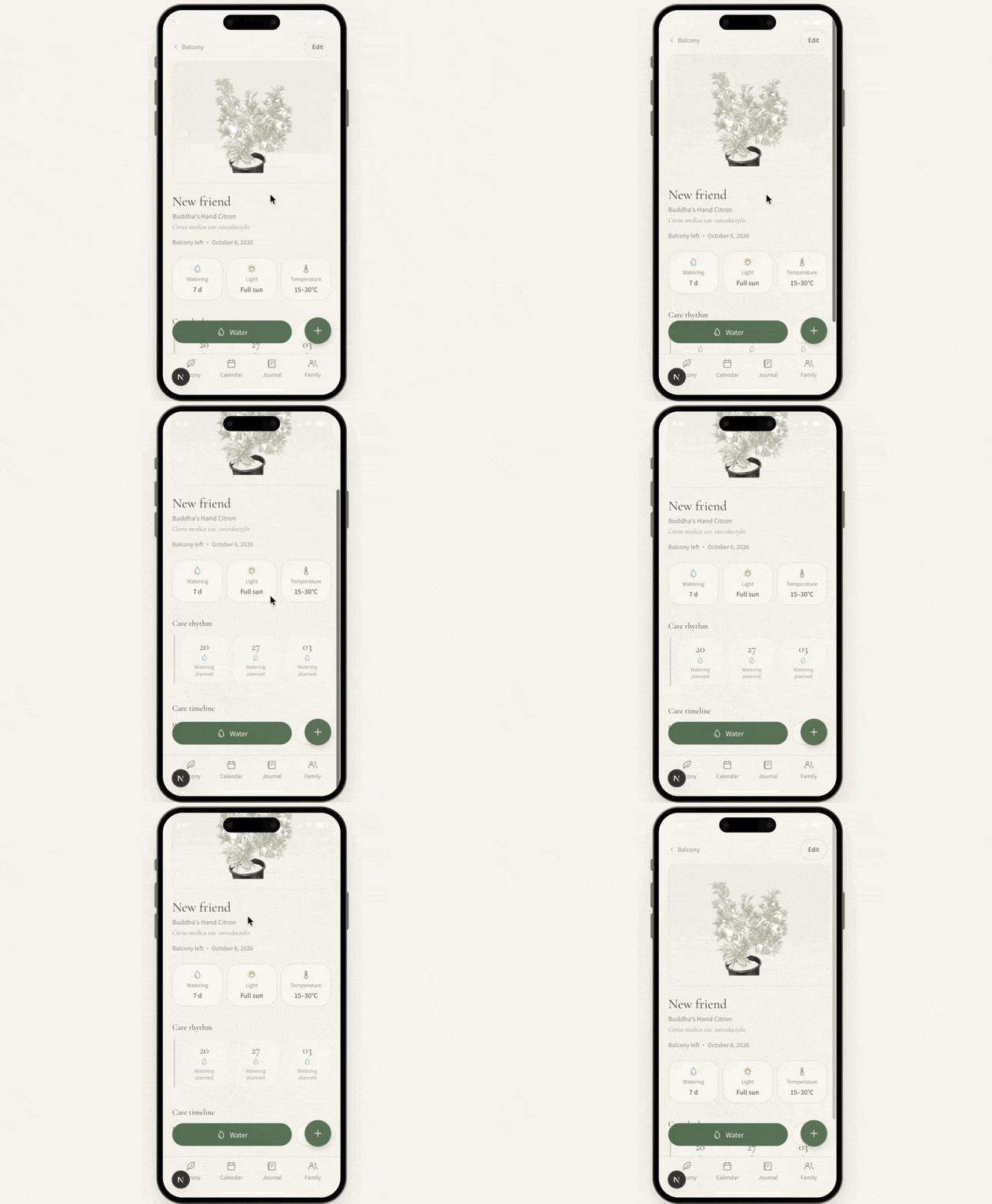
All the plant illustrations here, as mentioned earlier, were generated using Gemini 3.1 Flash Image, and the results are pretty solid.
And since Eazo itself is a Personal Agent, it doesn't just make a simple one-off call to an image generation model. When creating plant illustrations, it first composes its own generation prompt based on the current task, then calls the model to produce the image — the entire process runs automatically along the Agent's workflow.
So what comes out isn't just an isolated image; the style, plant information, and overall visual design of the app all come together quite naturally.
For the calendar section, I told it in my prompt from the start that I didn't want a standard date picker — I wanted something more like designed card transitions.
The final result mostly hit that direction. Each card features a collage-style or illustrated plant image, paired with the date and relevant info, which feels more interesting than a conventional calendar.
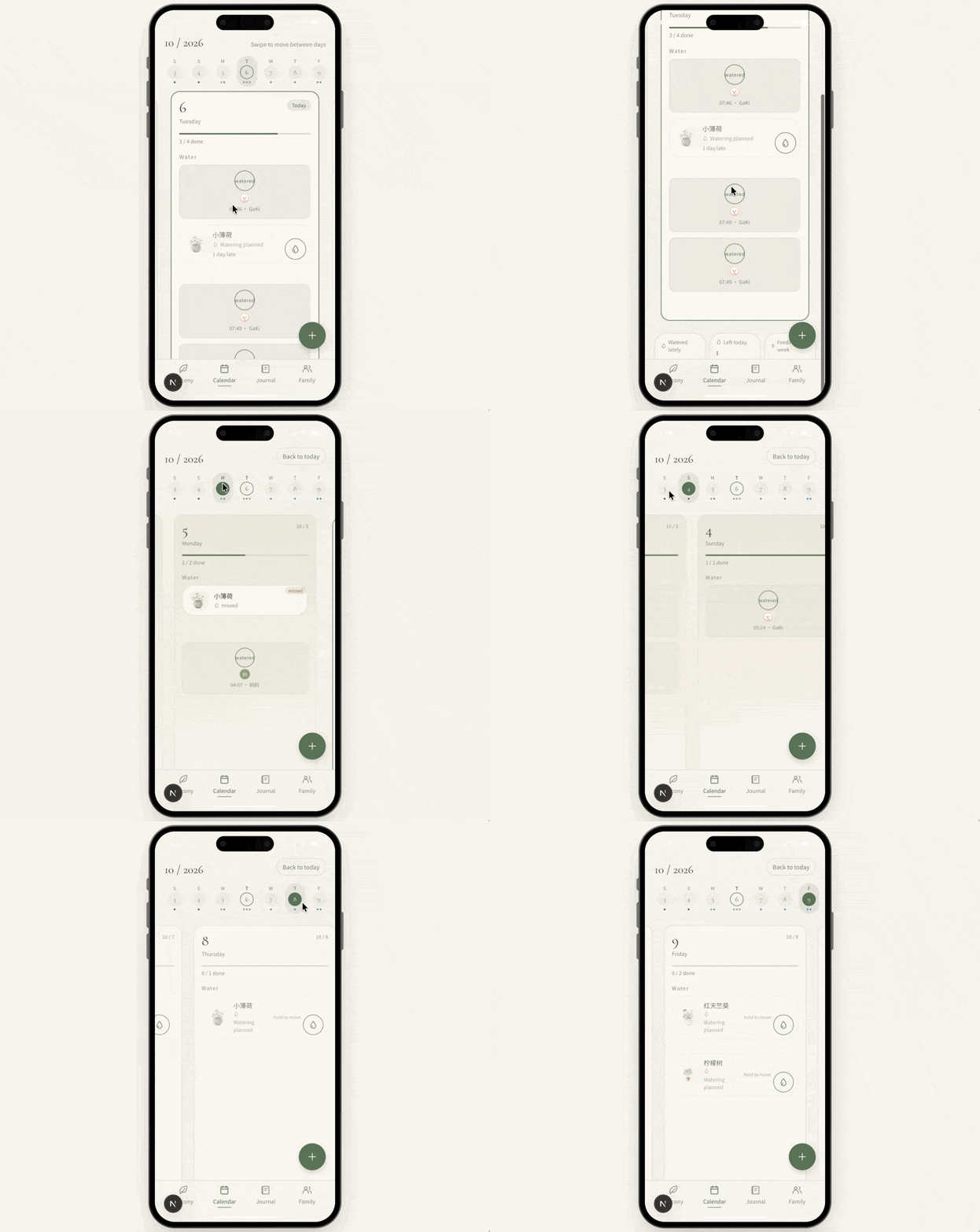
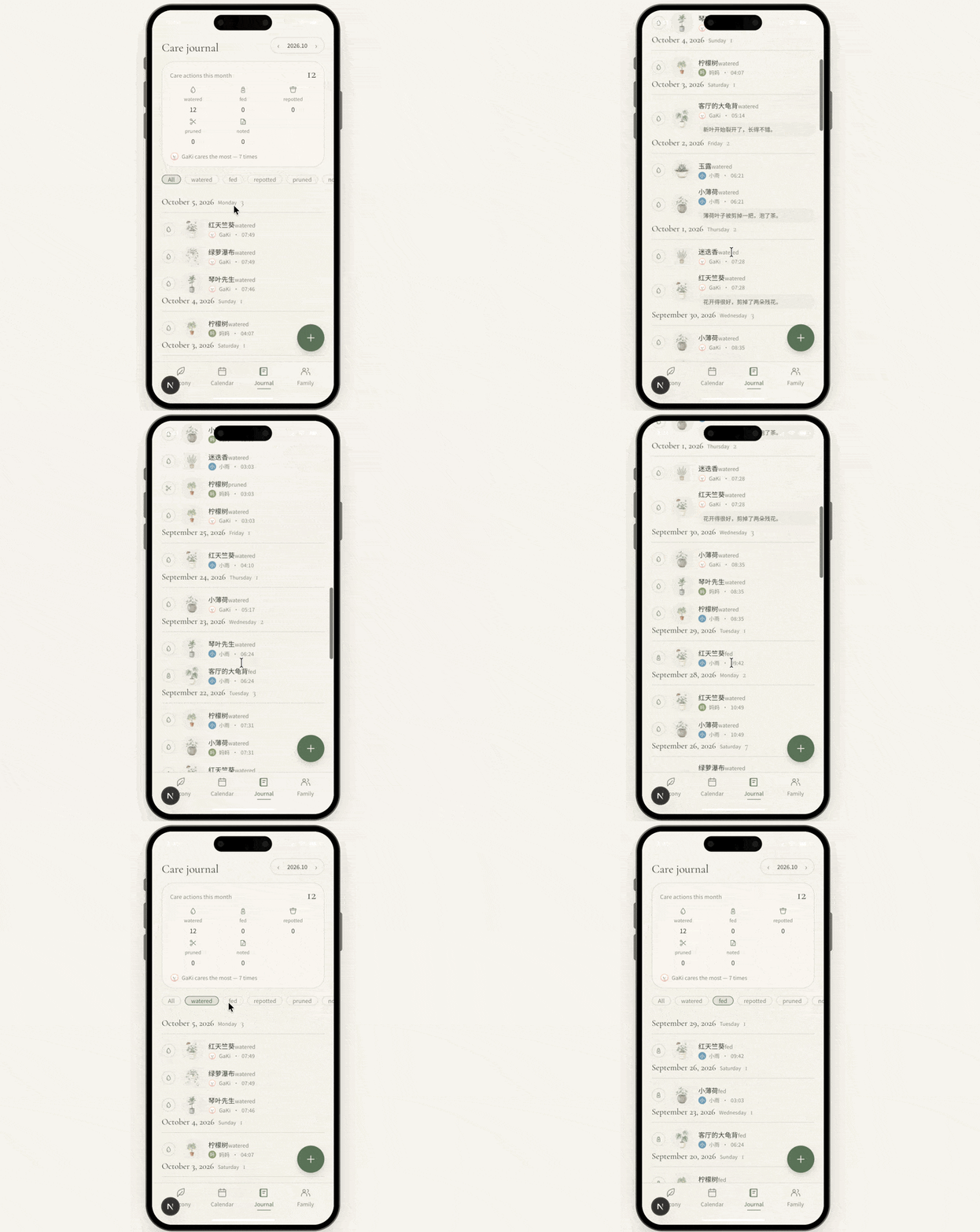
Later, I also backfilled some of my older care records.
I reorganized all the watering dates, plant names, illustrations, and dates. Because the final app actually turned out quite beautiful, and I genuinely wanted to keep using it long-term, I went ahead and imported my previous records too.
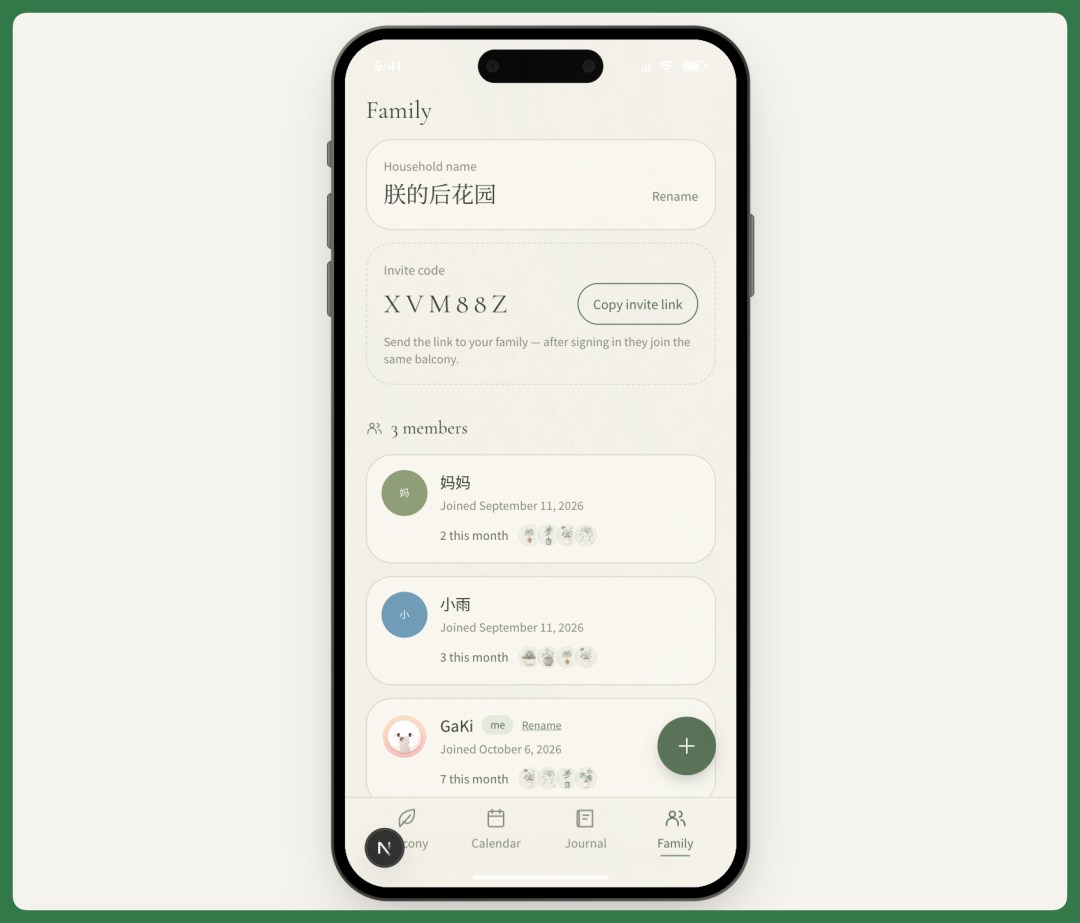
The app now supports sharing, so I can invite other household members to use it together.
There's an Invite Code feature, and I can also copy an Invite Link to send to others. Once they open the link, they can view and log plant care records together.
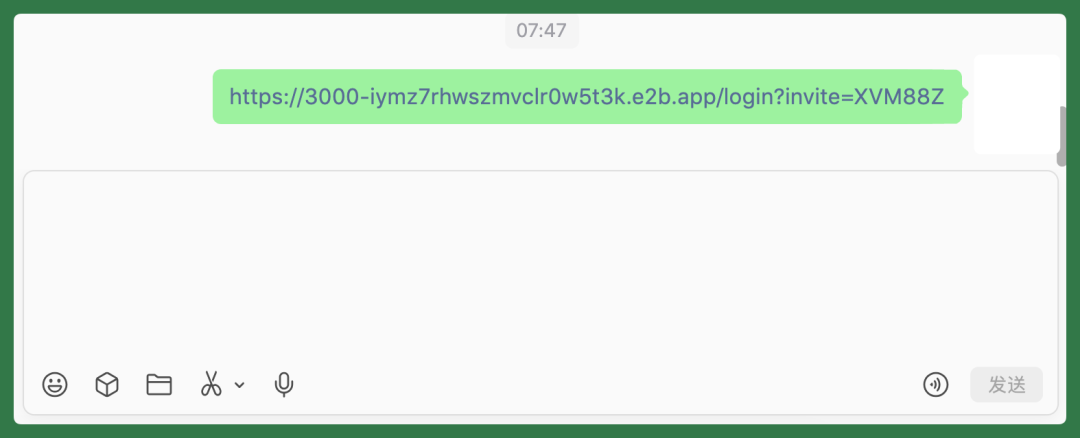
This Invite Link actually works — you can copy and use it for real.
Since this is already a fairly complete production-grade app, features like sharing and inviting are fully functional.
I can copy this link, send it in WeChat, and others can tap it to jump straight into the app and start using it together.
The app's feature set is already quite complete.
Features like Invite Link, Journal, Calendar, real image uploads, and the full follow-up workflow — all run on real databases, not temporary in-memory data or mocked effects.
Under the hood, it's primarily hosted on Eazo's PostgreSQL, with Drizzle ORM handling the data layer.
And as mentioned earlier, Eazo's desktop and mobile versions are synced. So after building this app, I can now use it fully on my phone too.
With Qoni powering the entire Personal Agent runtime, publishing the app is straightforward too.
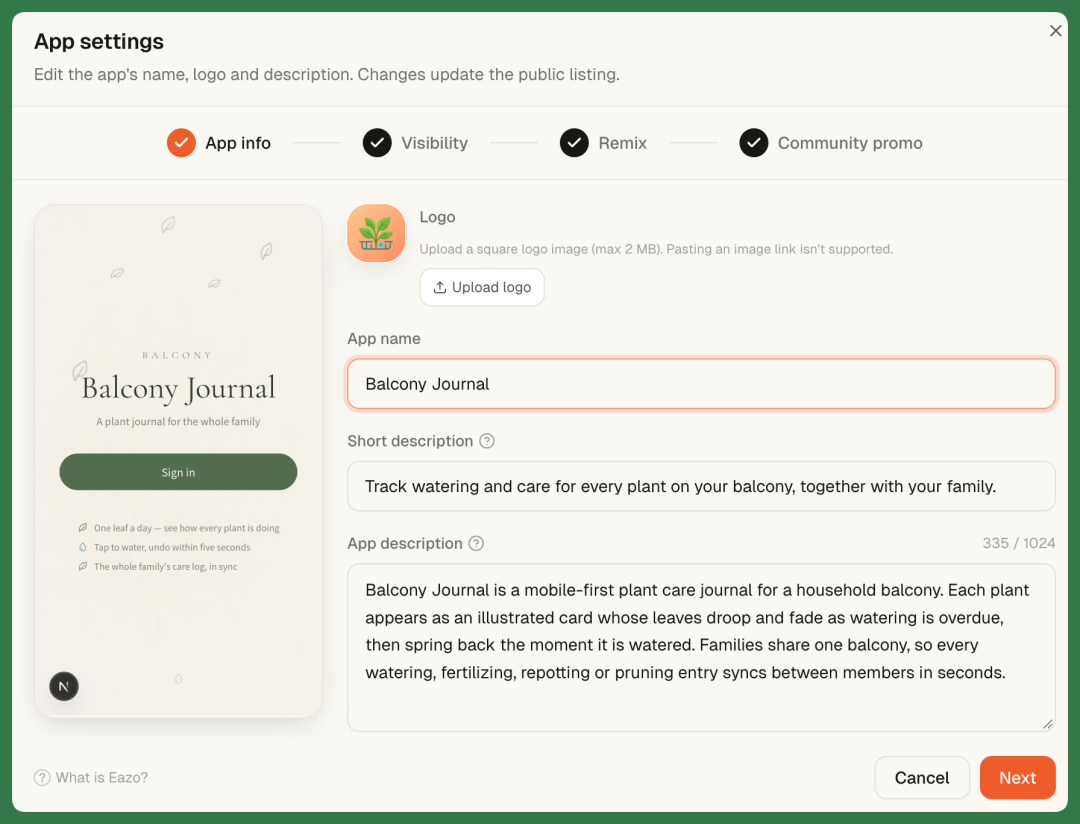
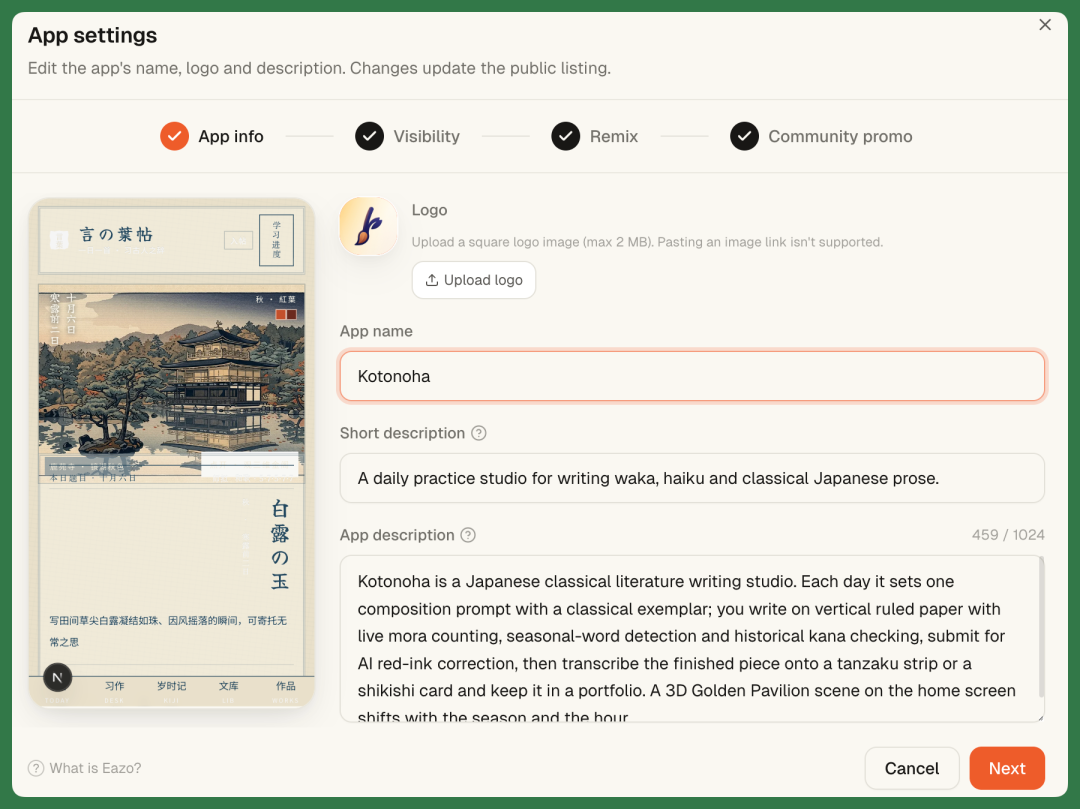
After clicking Publish, you enter App Settings, where you can edit the app name, description, and other details.
If you choose public release, you can also set Remix permissions separately — whether others are allowed to Remix your app, and how much it costs to Remix, are both configurable.
Below is the public link to our published app — feel free to check it out.
https://project-26f2ff5b.eazo.dev
[2] Classical Japanese Literature Writing Practice — "Kotoba Journal"
I recently rewatched Makoto Shinkai's The Garden of Words.
There's a classic scene in the film where teacher Yukino sits in a rainy gazebo and recites a waka poem. The gist is:
If thunder rumbles, the sky darkens, and rain begins to fall — will you stay? This poem comes from the Man'yōshū, composed over a thousand years ago.
Lately, quite a few friends around me have started studying classical Japanese as a casual hobby.
So I looked into it and found that Japan actually has quite a few apps for haiku and tanka. But most are pretty limited in functionality — some only let you publish work, others are mainly for drilling grammar. And many are only available on the Japanese App Store, which isn't very convenient for users in China.
What's even more regrettable is that some previously well-made products have since shut down. Utayomin, once a famous tanka community, operated for ten years and even earned a feature spot on the App Store's "Today" tab, but it closed down a couple of years ago.
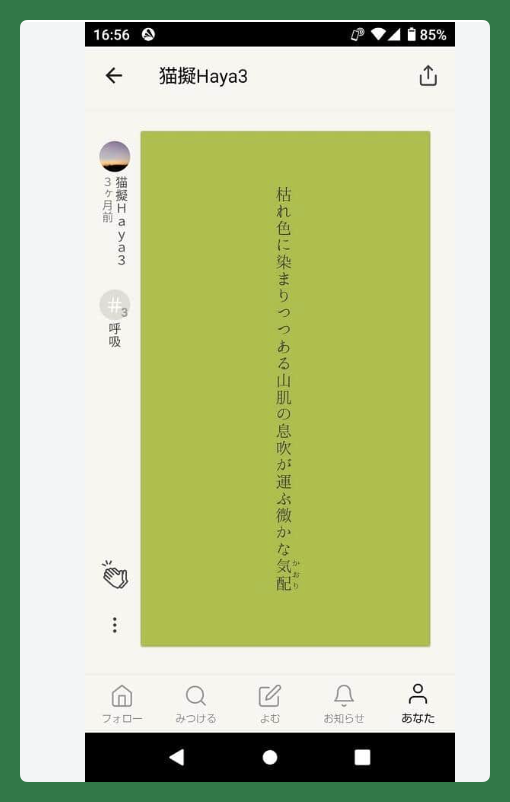
Image source: J-cast
And among the similar apps actually available in China's App Store, many are simply in Japanese, which creates a fairly steep learning curve for domestic users.
So this time, I decided to just build one myself with Eazo from start to finish — partly to see how far it could push functionality and frontend design, and whether it could outdo products built by traditional teams.
In this app, I can practice writing waka, haiku, or essays in classical Japanese. I also added an AI tutor that can review and critique my work directly online.
Here I discovered that Eazo supports a wide range of upload file types. Beyond the usual images and text, you can upload HTML files, compressed archives, and more.
So I uploaded a photo of Kinkaku-ji and had it serve as the main visual reference for the entire app. Eazo then continued through the Wild Design workflow, generating six distinct visual schemes based on this image and my requirements.
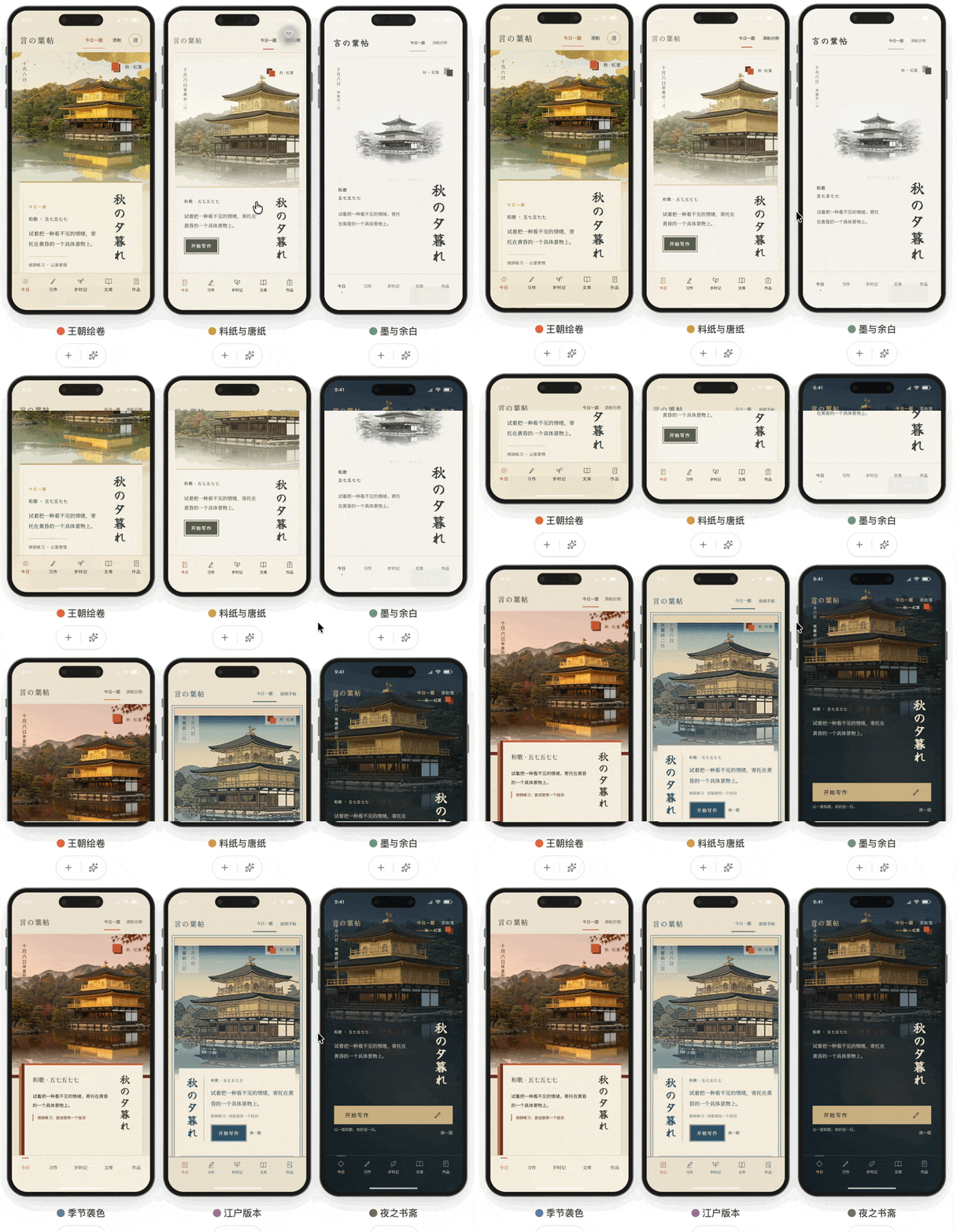
Of these six schemes, my personal favorite was the "Edo" version.
It naturally fit the concept of Kotoba-cho — the visual style paired well with the classical Japanese writing scenario. And since the feature layout was already fairly complete, the overall result looked quite polished right from the first version.
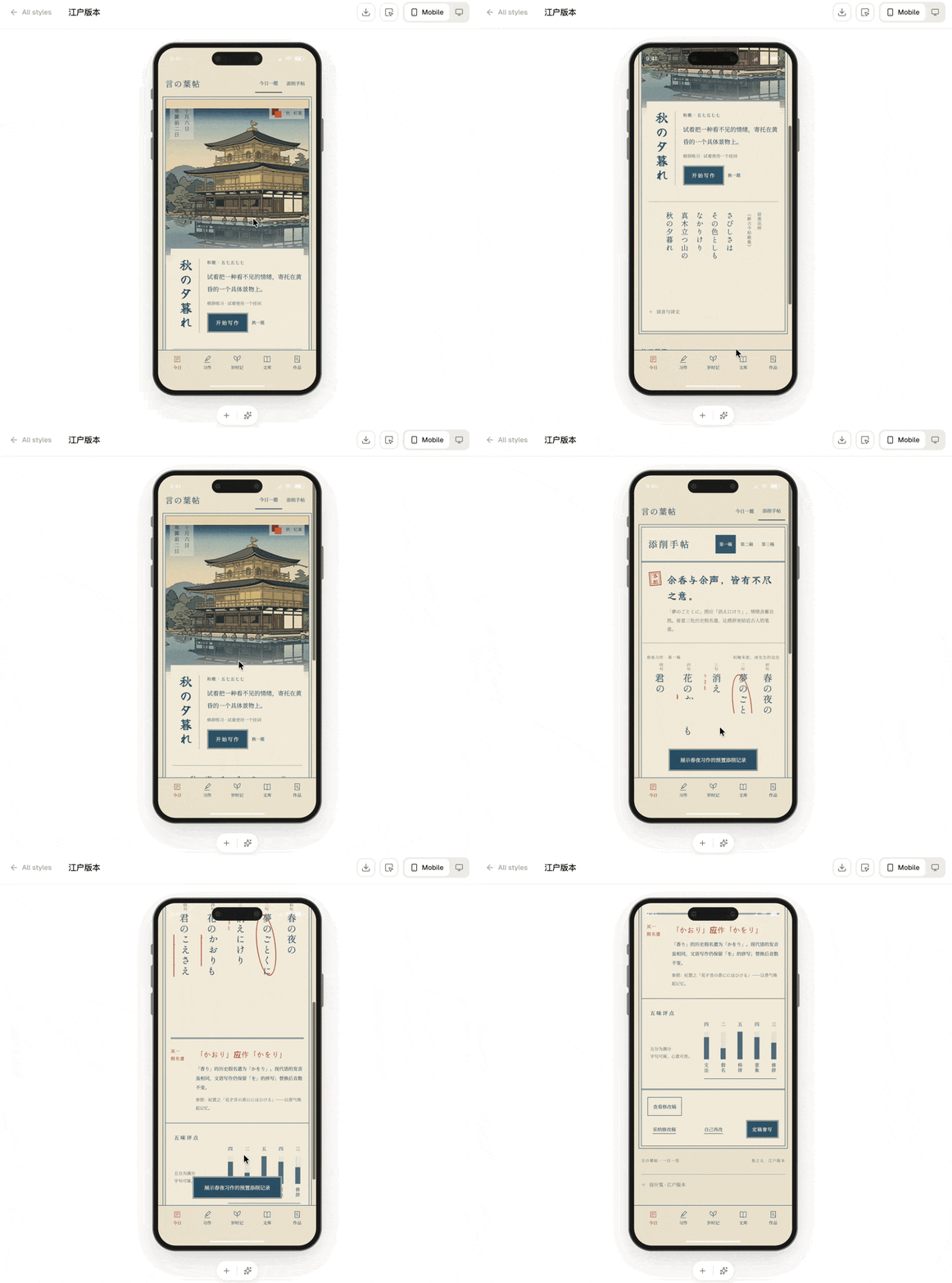
As mentioned earlier, we can also use Quick Prompt to generate several sibling apps derived from this same version.
For instance, one variant could adopt a dense letterpress style with a continuous single-column long page; another could switch to a spread format with larger type and more generous spacing.
Though they all follow the same "Edo" visual direction, the actual compositions differ substantially. Look closely and you'll notice clear variations in page structure, whitespace, font size, and content arrangement.
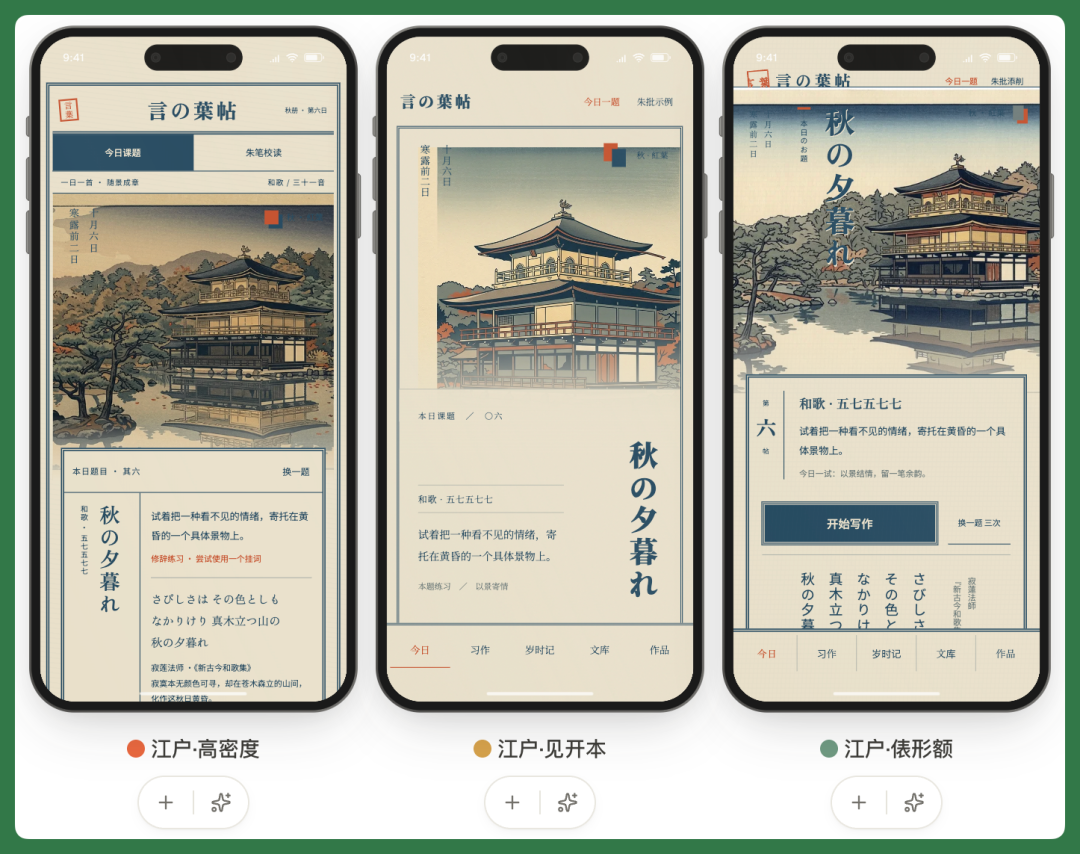
In the end, I still preferred the "Edo High-Density" version.
Eazo's six variants aren't six completely unrelated directions. They're adjustments around the same core need — tweaking composition, typography, density, and whitespace — which makes the selection process feel more intuitive.
I also discovered that Eazo supports cloud-based Blender modeling. I had it generate a 3D model directly from the Kinkaku-ji reference image, and now tapping the Kinkaku-ji illustration on the home screen takes you straight into the 3D scene.
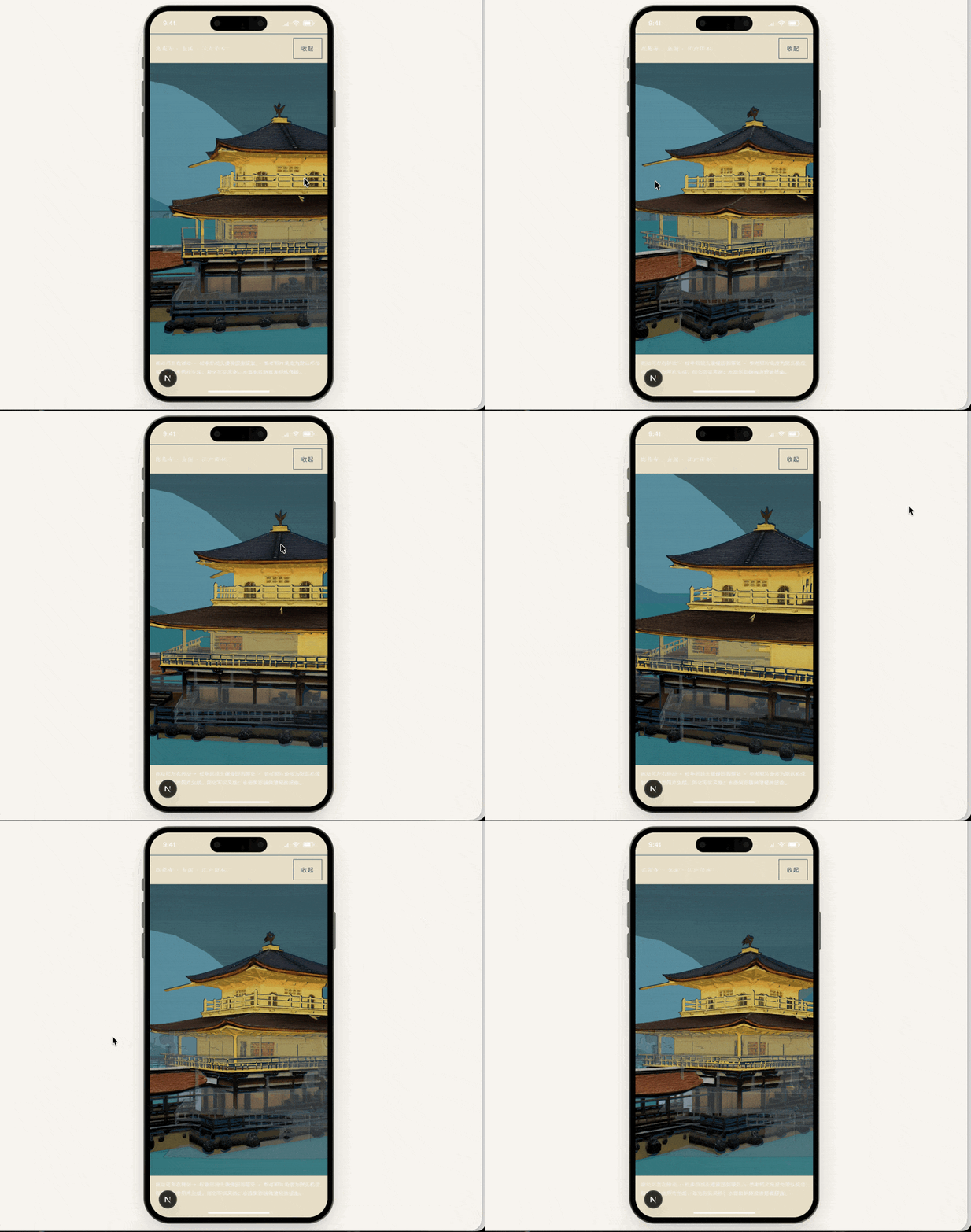
I also added a more fully developed "AI Critique" feature.
After practicing haiku, you can tap "AI Critique" to have the built-in AI review your work, even annotating it line by line.
The model used here is also customizable. Eazo recommends the most suitable model based on task type — for text critique this time, it used the DeepSeek series.
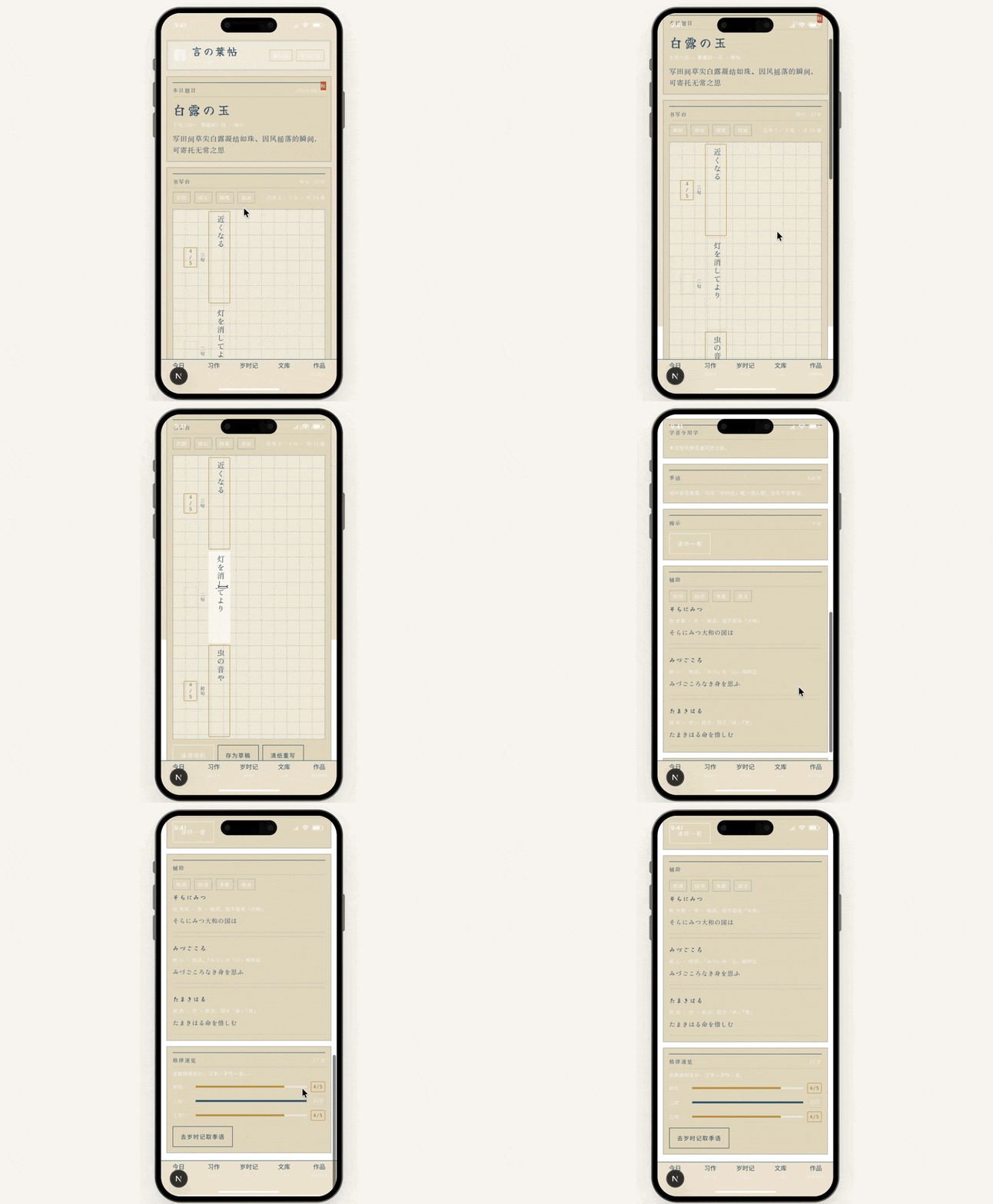
The app's functionality is now at least more complete than some competing products I've seen in Japan's App Store.
It includes daily prompt cards, yesterday's ink flow, vertical manuscript paper, verification, font switching, and the aforementioned AI Critique — basically covering the full workflow from practice to review.
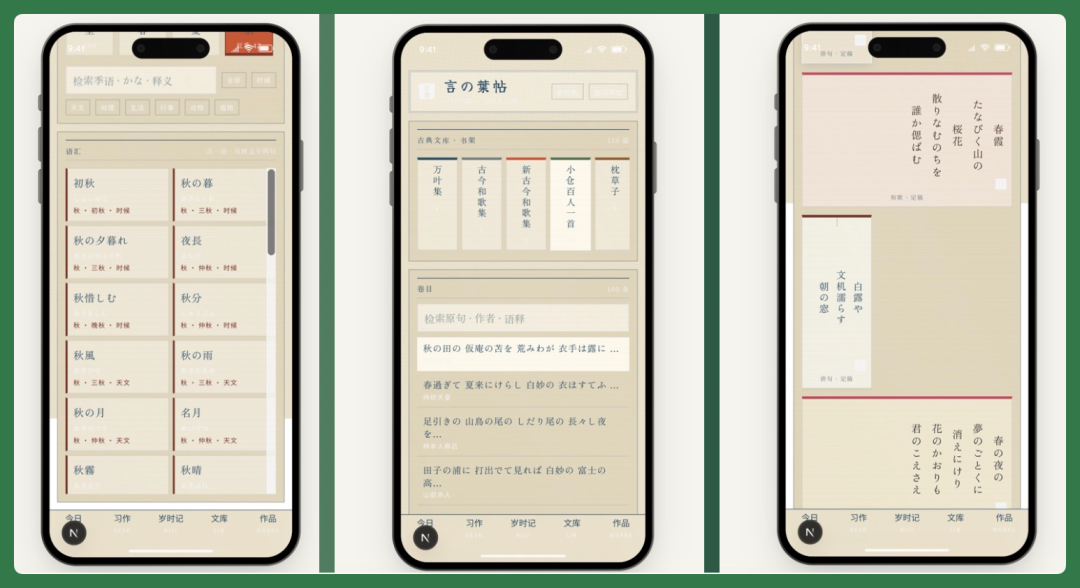
There's even a Saijiki (seasonal word almanac) where you can filter through hundreds of kigo by season and category.
Plus a classical library collecting works from the Man'yōshū, Kokin Wakashū, Shin Kokin Wakashū, The Pillow Book, Essays in Idleness, An Account of My Hut, and more — over 100 pieces in total.
I've already officially released this app. Link below:
https://project-9956041d.eazo.dev
After building these two apps, I think Eazo and Qoni make more sense when viewed together.
Eazo mainly addresses how users actually employ a Personal Agent to solve their everyday needs.
Many Personal Agents still use conversation as the primary interface. The user states a need, and the agent returns text, a result, or executes the next step.
But plenty of daily needs aren't well-suited to being handled through ongoing dialogue.
For plant care, what I actually need each day is simply to see which plant needs watering and tap to log it. For haiku practice, I need manuscript paper, a seasonal word database, a record of my works, and AI critique.
Once these needs become long-term habits, they're better served by buttons, cards, lists, calendars, and data views — not by reopening a chat window every day and restating the request.
So what Eazo does is let a Personal Agent first understand a relatively vague need, then directly transform it into an app for long-term use.
Qoni, meanwhile, can be seen as more foundational infrastructure. Because if a Personal Agent is truly going to belong to someone long-term, it needs to know "who you are," remember what's happened before, and be able to carry out concrete actions for you.
So Eazo and Qoni together correspond to two layers:
【1】The graphical interface on top
【2】Identity, memory, and action underneath.
From this perspective, Eazo's understanding of Personal Agents is quite distinctive:
The end goal of a Personal Agent shouldn't just be a smarter command line — it should be able to generate the most appropriate interface for whatever the scenario demands.
Just this morning, OpenAI announced the full rollout of GPT-6 to ChatGPT users, alongside an intriguing new capability — Intelligent UI.
In short, ChatGPT can now decide what kind of interface to generate based on the user's question. Interactive charts, calculators, forms, even small playable games.
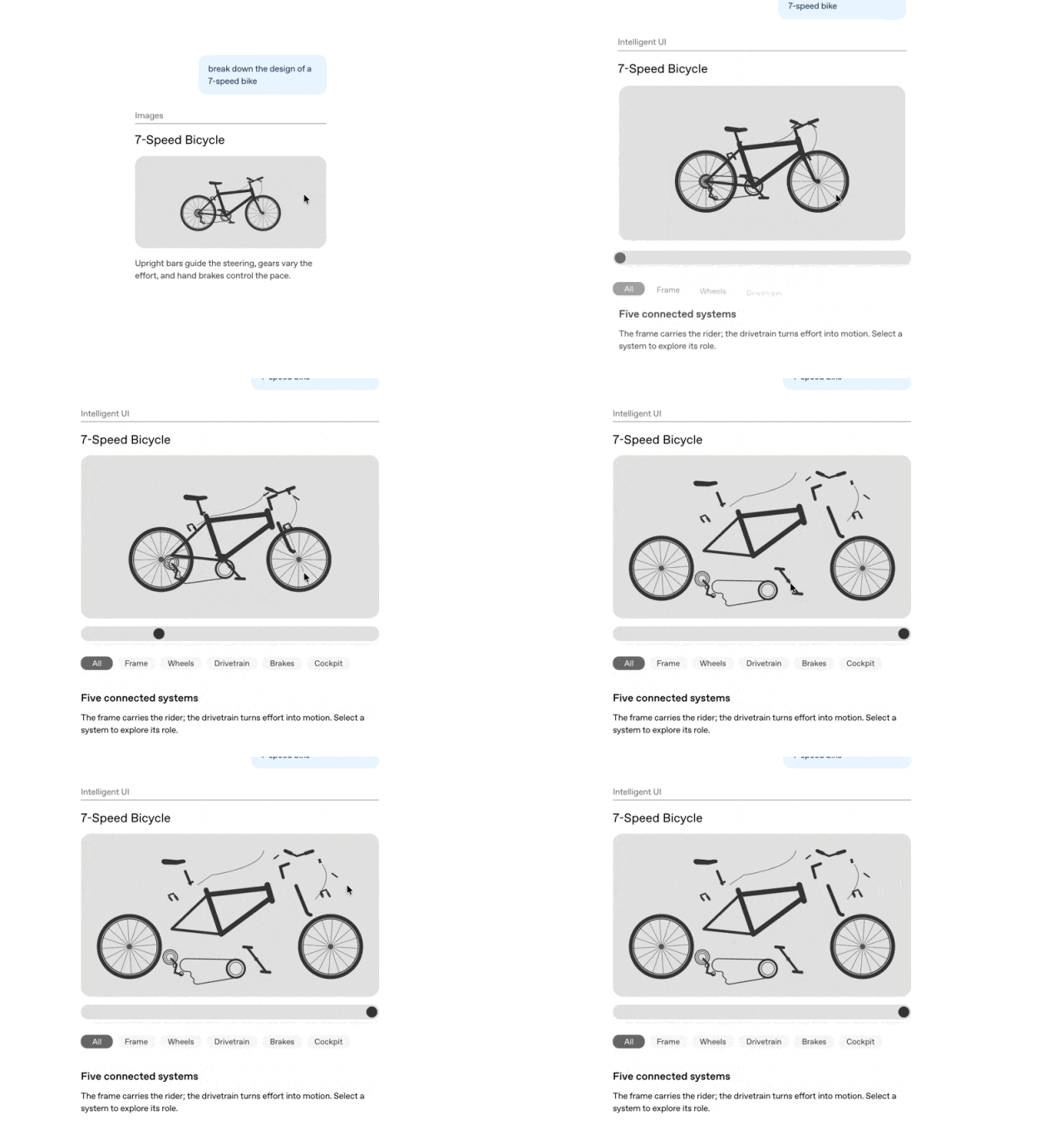
This confirms the earlier assessment: AI interaction is gradually shifting from pure conversation toward on-demand generated graphical interfaces.
That said, ChatGPT's and Eazo's product approaches still differ.
ChatGPT's Intelligent UI mainly generates an interactive response around the immediate question. Eazo goes a step further, aiming to turn a user's long-term need into a standalone app.
I noticed Eazo also released some of its technical data this time.
For instance, its underlying framework is the self-developed General Agent framework EazoTack.
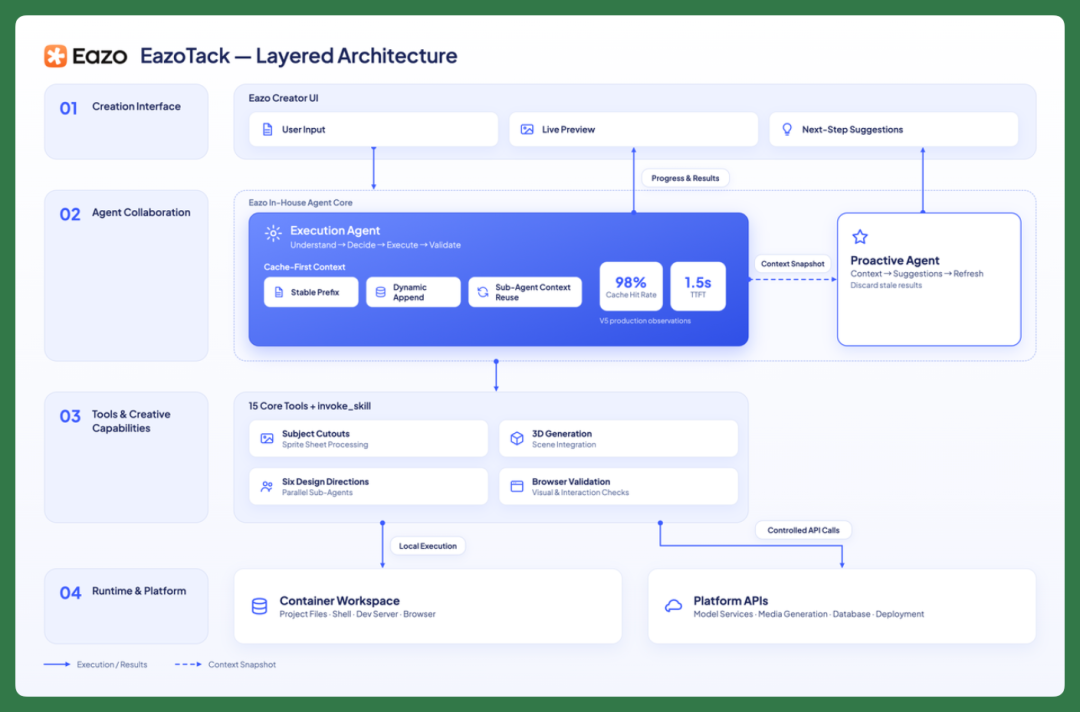
According to the official description, EazoTack currently completes tasks through 15 base tools and one meta-tool, using cache-first context management to reduce redundant computation.
Its 7-day network-wide cache hit rate has reached 98.3%.
On Eazo's own published benchmark, the company scored 88, while Codex came in at 84.4.
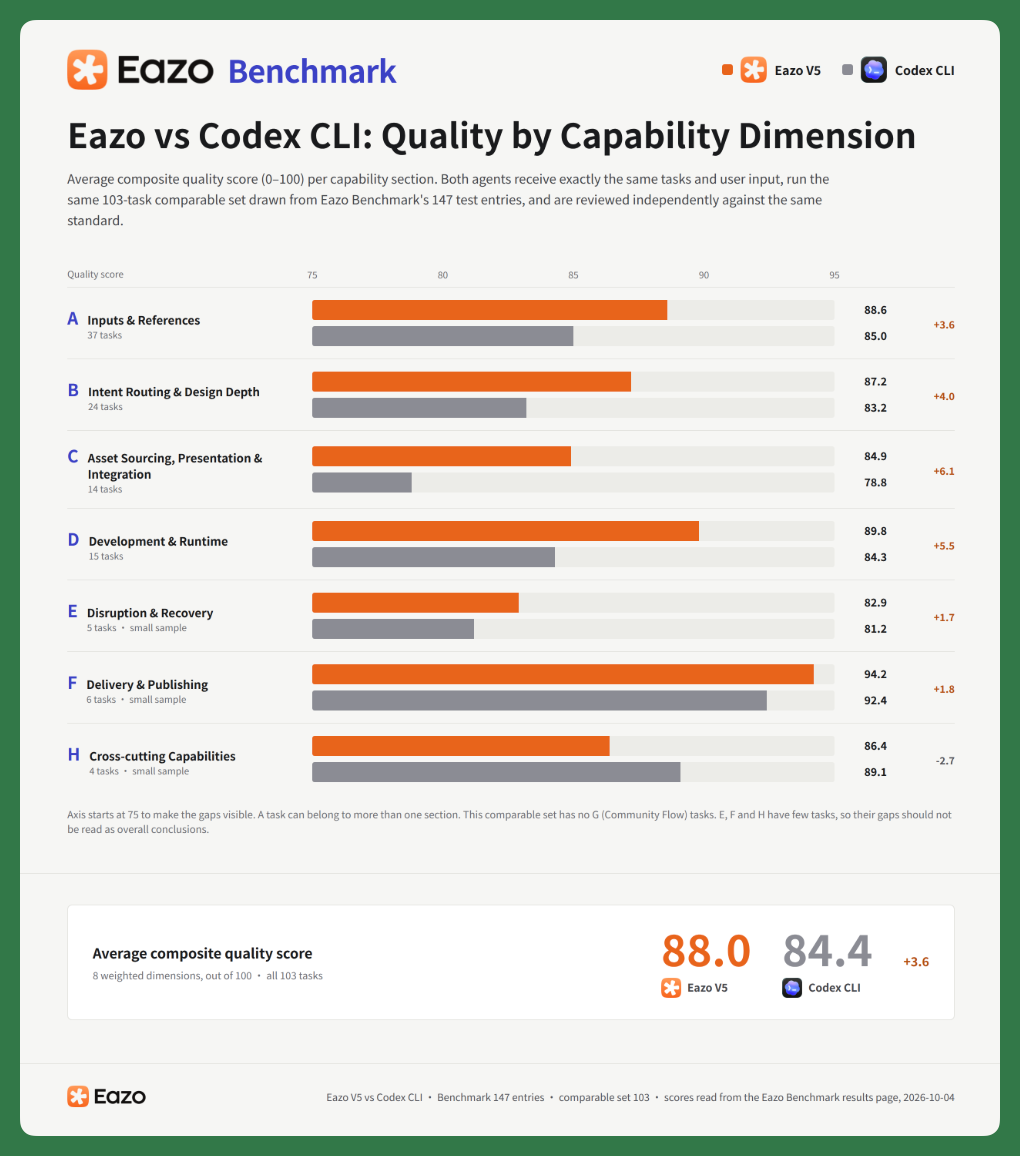
It's worth emphasizing that this is a benchmark Eazo designed itself for creative agents. It doesn't test pure coding ability alone — it evaluates the full pipeline from requirements understanding, design, and development through to deployment, publishing, and remixing.
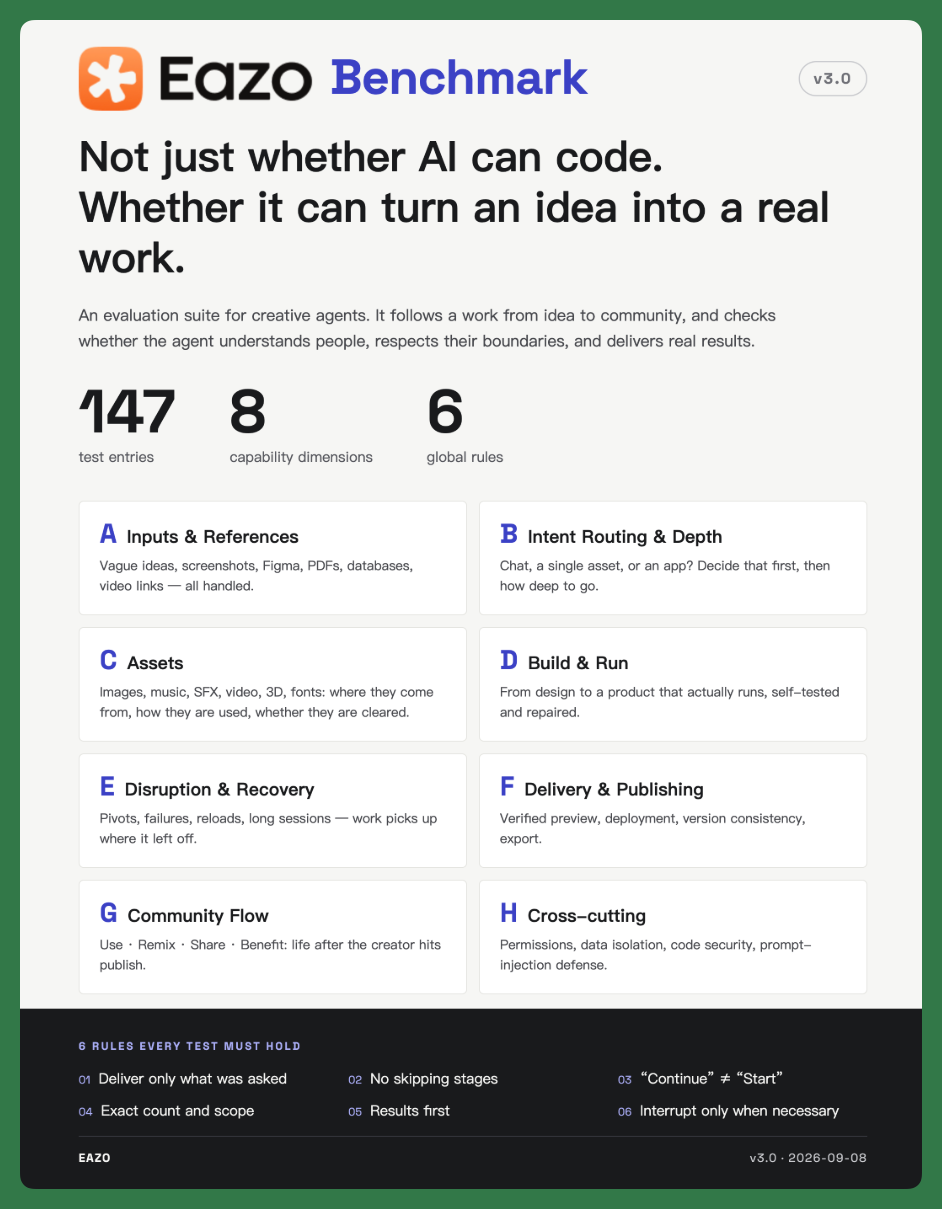
So what this data really signals, I think, is Eazo's particular vision for what a personal agent should be. What they're actually optimizing for is an end-to-end workflow that turns a vague idea into a finished product.
Which brings us back to the personal agent itself.
By the second half of 2026, personal agents are looking more and more like a settled direction. But beneath that broad heading, product forms are still very much up for grabs.
How many entirely distinct product tributaries will branch off from this main current of personal agents?
Each form factor will demand its own interaction paradigm, its own technical architecture — and will open up its own commercial opportunities.