Everyone's calling it the Douyin of the AI era. Is it really?

We put Loopit — the app that's been dominating conversations lately — to the test.
We Tested Loopit, the App Everyone's Talking About

👦🏻 Author: Jingshan
🥷 Editor: Koji
🧑🎨 Design: NCon

Content platforms have been evolving for over a decade now.
But one thing has barely changed: our relationship with content is still fundamentally about watching.
Articles are for watching, videos are for watching, livestreams are for watching. Even when you add likes, comments, polls, or choose-your-own-adventure branching, these feel more like buttons you tap while spectating — the content itself stays linear.
Enter the AI era, and this question keeps coming up. What if content isn't just for watching, but for doing, for playing? Would it still be a content platform in any recognizable sense?
In the past couple of days, this question has suddenly landed right in the middle of the conversation.
An app called Loopit has been repeatedly compared to "the TikTok of the AI era."
Elon Musk's repost on X turbocharged that framing, and the product has been heavily discussed among creators and investors ever since. We saw the hype too.
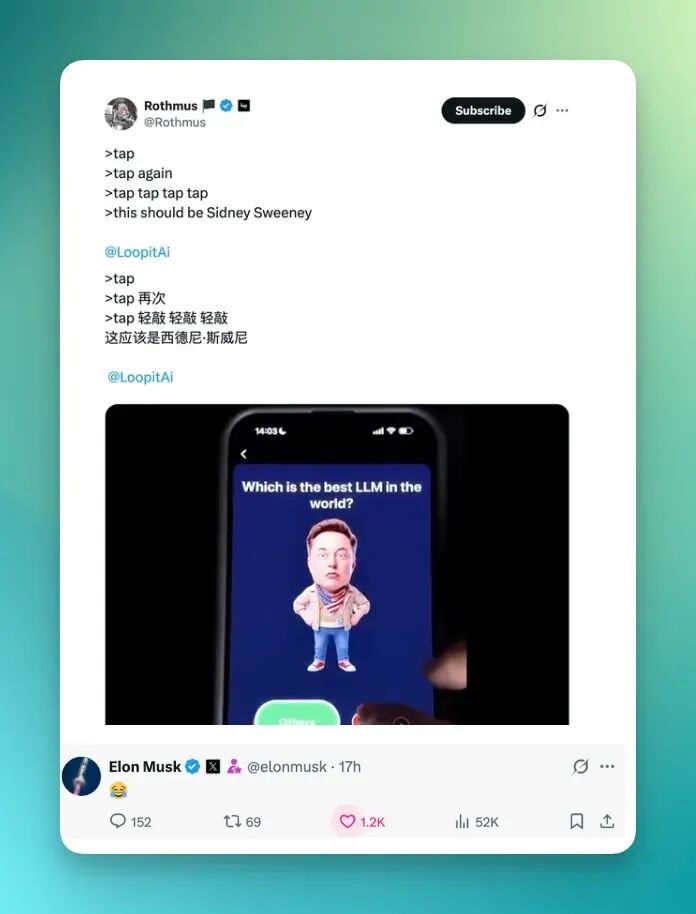
But before jumping to conclusions, we were more curious about something else: when content really stops being something you just watch and becomes something you can't stop playing, what does that actually feel like?
So this piece isn't a trend forecast or a manifesto for the future. We treated Loopit as a content experiment and played through it completely.
🚥
Here's what we found.
A New Kind of Interactive Content Platform
Loopit is an interactive content creation platform. You can search "Loopit" directly on the App Store, though it's still in beta — you'll need to request an invite code inside the app first.
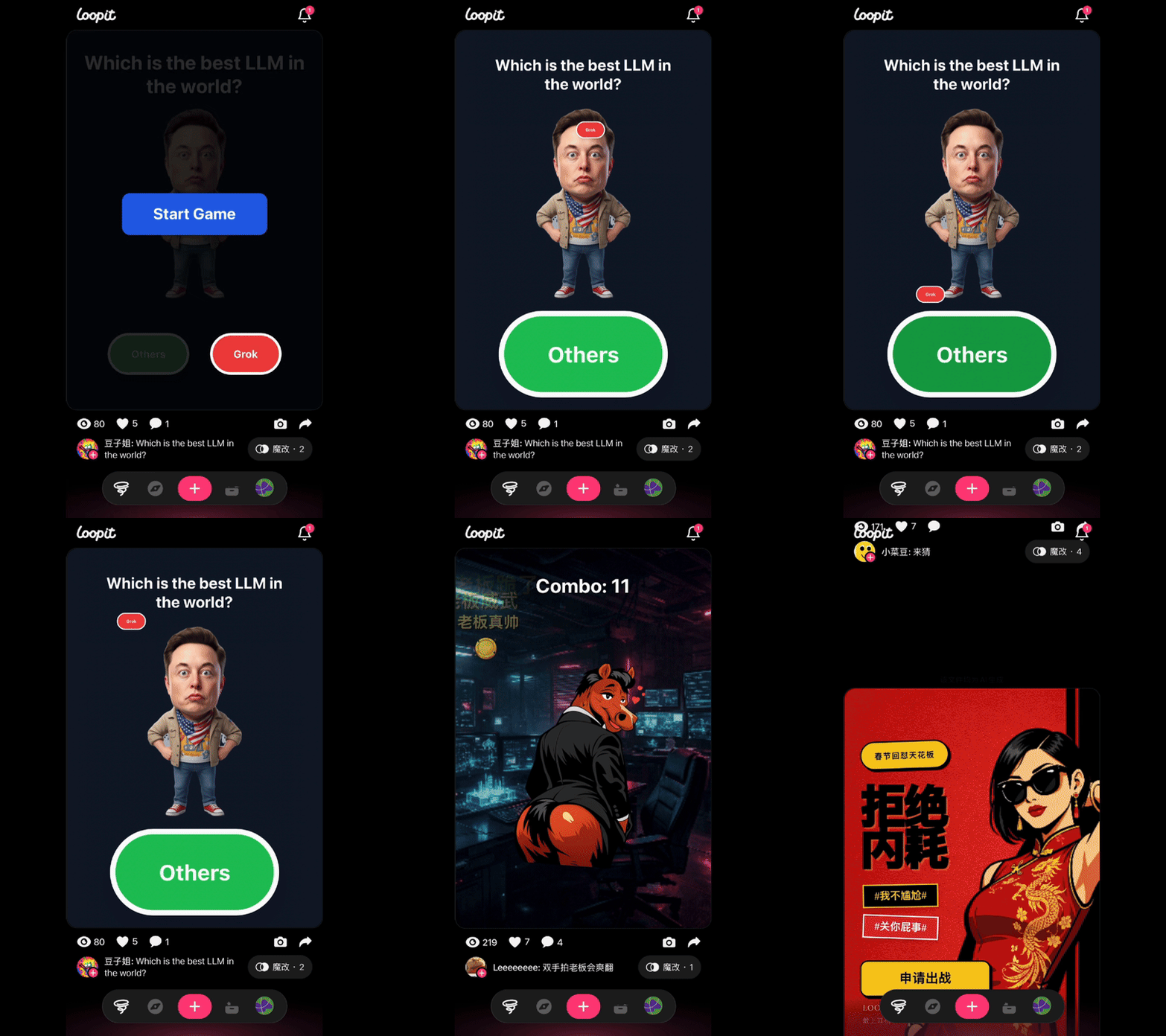
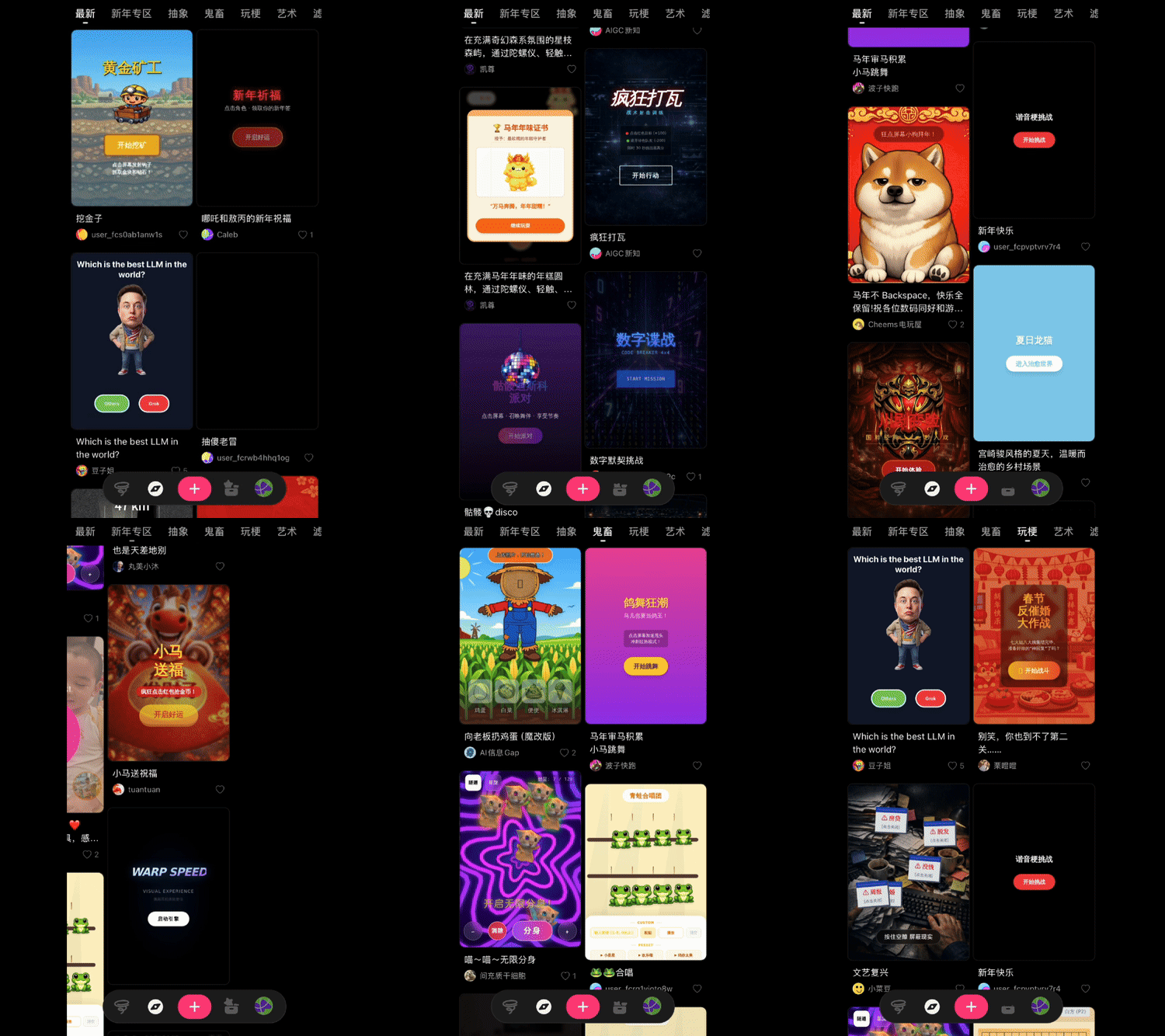
The whole interface basically feels like TikTok-style short video. The two screenshots below show all the interactive content creators have made on the platform. You scroll through it just like you scroll through short videos.
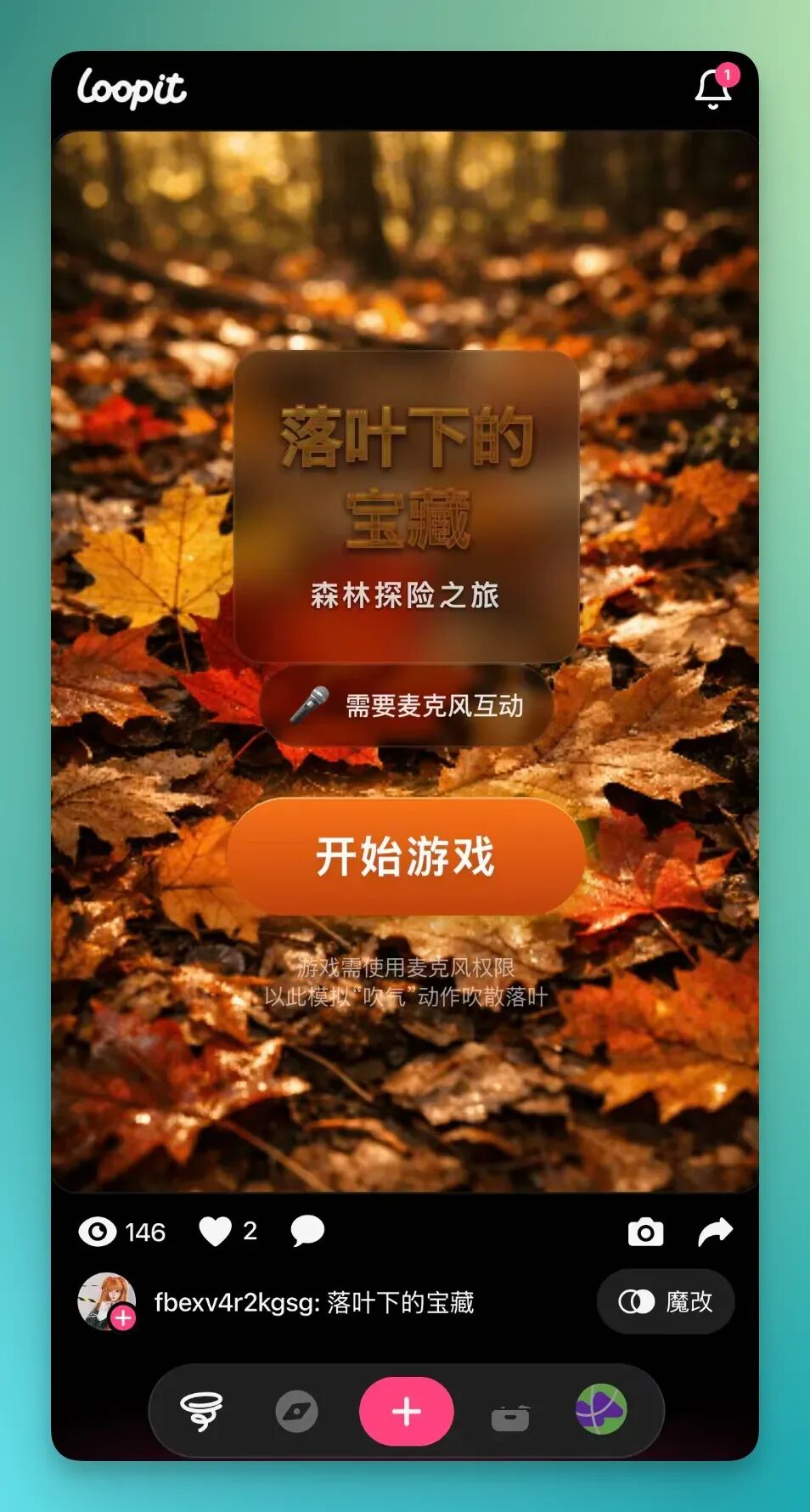
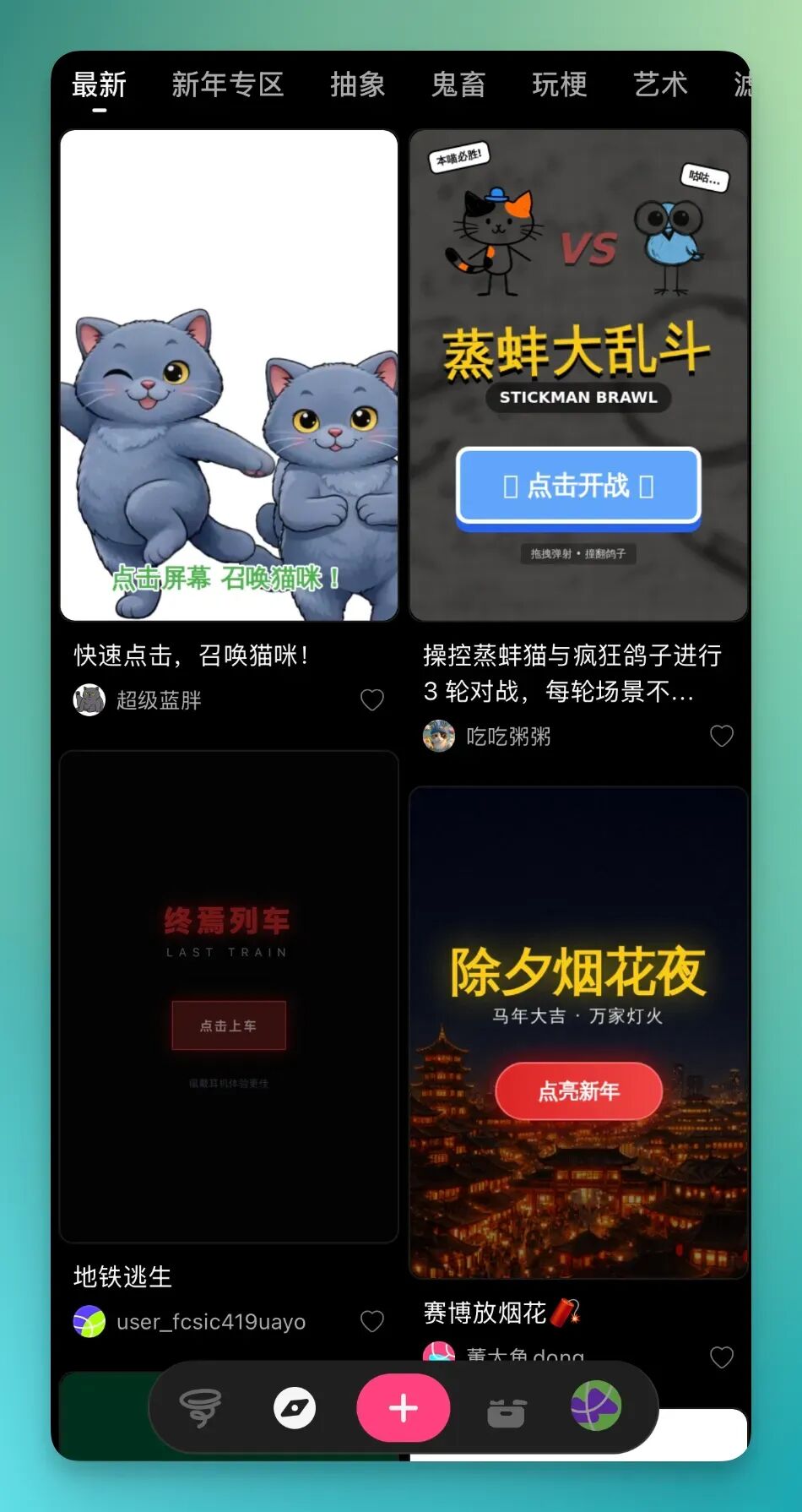
What's interesting is that all interactive content is displayed in that same short-video waterfall feed.
In the GIF on the left, after you finish one piece of interactive content, you just swipe up. Same as short videos — swipe to the next one, keep playing. The image on the right shows the categories for interactive content. You can see all the different types available.
Loopit isn't actually an interactive gaming platform — it's an "interactive content" platform.
Why "interactive content"? Because the entire platform lets you start from a single sentence, a single meme, any tiny idea, and turn it into a complete piece of interactive content.
It doesn't require building out a full systemic logic like a game does. So it's more oriented toward universal creation, with a low barrier to entry.
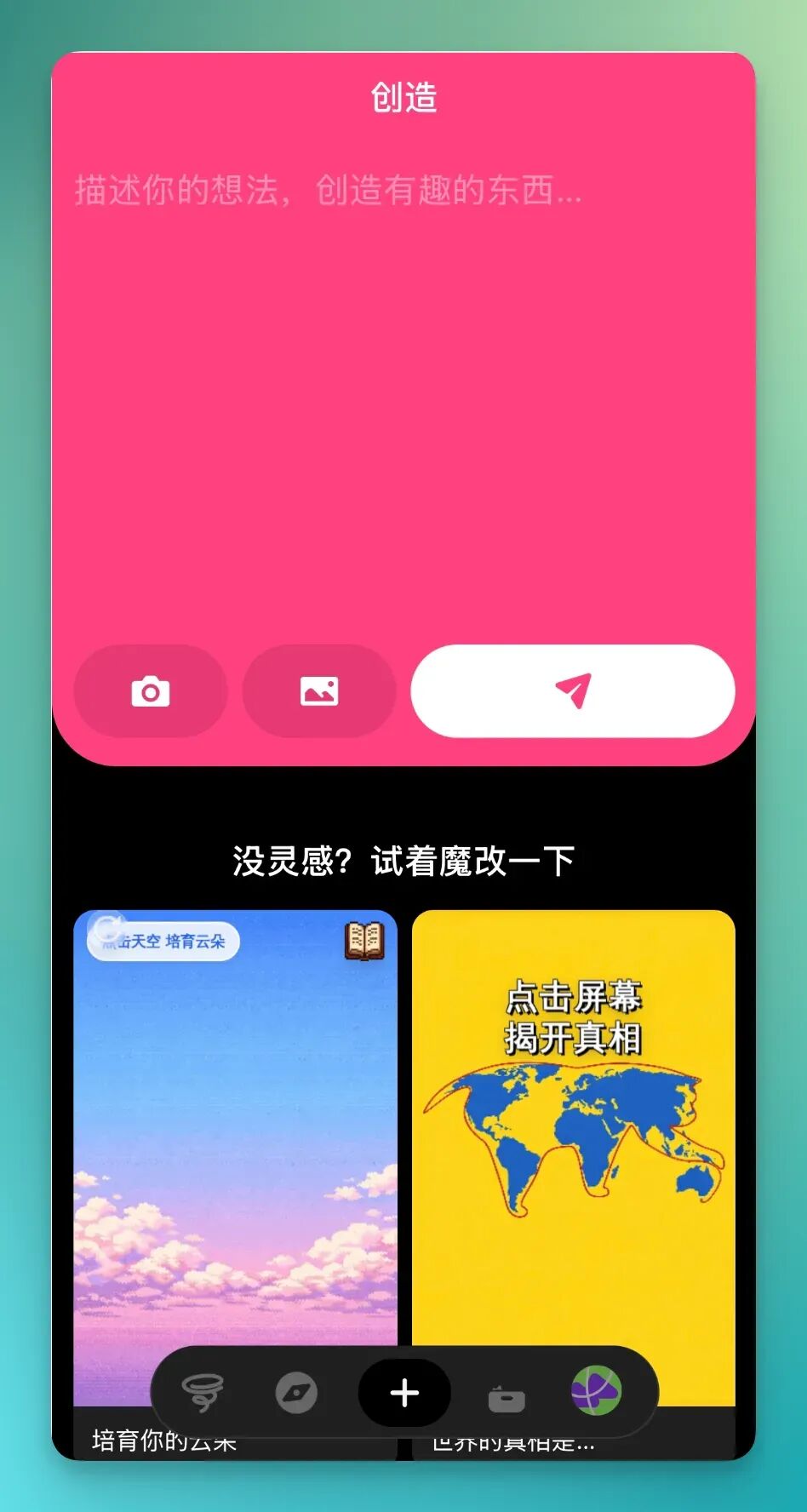
There's a plus button at the bottom — that's the creation entry point.
Tap it and you can take a photo directly or upload images, with multimodal input support. Add a prompt and you can create directly. Pretty low barrier.
Charizard
The workflow for uploading multimodal content as reference is pretty smooth. For example, I casually uploaded an image of Charizard.

One of the platform's biggest features is interactivity.
By interactivity, I mean it can call on various phone input methods for content creation. Like microphone access, volume buttons, gyroscope. There's a lot of room for imagination.
For example, using this Charizard image, I could enable microphone access with a simple prompt:
Draw a sleepy Charizard. Enable microphone access. When I blow into the phone, it wakes up and breathes fire. The harder I blow, the farther and more intense the flames should be.
I recorded a video below.
I turned on microphone access directly in the platform. Then I blew into the mic port at the bottom of the phone — the harder I blew, the bigger the fire effect.
The platform also adds music when creating this interactive content, something that fits the overall vibe. I also designed a bunch of goblin minions to pop out from the left side.
Loopit supports fairly complete multi-turn dialogue, just like a chatbot.
Through multi-turn dialogue, you can fine-tune the interactive content you create. For example, I didn't ask for goblin minions at first. But through multi-turn dialogue, I could smoothly add that feature on top of what was already there.

Cat & Dog Blind Date
The interactive content above was actually pretty simple.
With a more complex prompt, Loopit can create more elaborate content. For example, I wanted it to make a cat and dog blind date event — an interactive blind box experience.
The main logic is: tap the screen to open a blind box and randomly get a character. Each opening gives a different result. With good luck, you might get a hidden rare. And when you increase microphone input, you're more likely to draw an extrovert pet.
Here's the prompt:
Create an interactive blind box experience with the theme "Cat & Dog Blind Date." When users tap the screen, they open a blind box and randomly get a cat or dog character with an image, name, personality tag, and dating profile. Each opening gives a different result. Style should be funny, leaning into young people's meme culture. Visuals should be cartoon-style, bright colors, optimized for vertical screen. Add a second interaction: when users tap again, they see the "matching result" and "date review." Include probability for extreme outcomes like "instantly blocked," "instant match," or "just wants to eat, not date." Add rare character probability, like hidden SSR Cat King, socially anxious dog, etc. Add phone-shaking to trigger "redraw." Add microphone input: if the user speaks loudly, they're more likely to draw an "extrovert pet." If the user taps rapidly in succession, trigger the "forced arranged date" Easter egg storyline.
The screen recording below shows what I got from a single prompt in Loopit. You'll find it barely needed detailed visual requirements to produce fairly complete content.
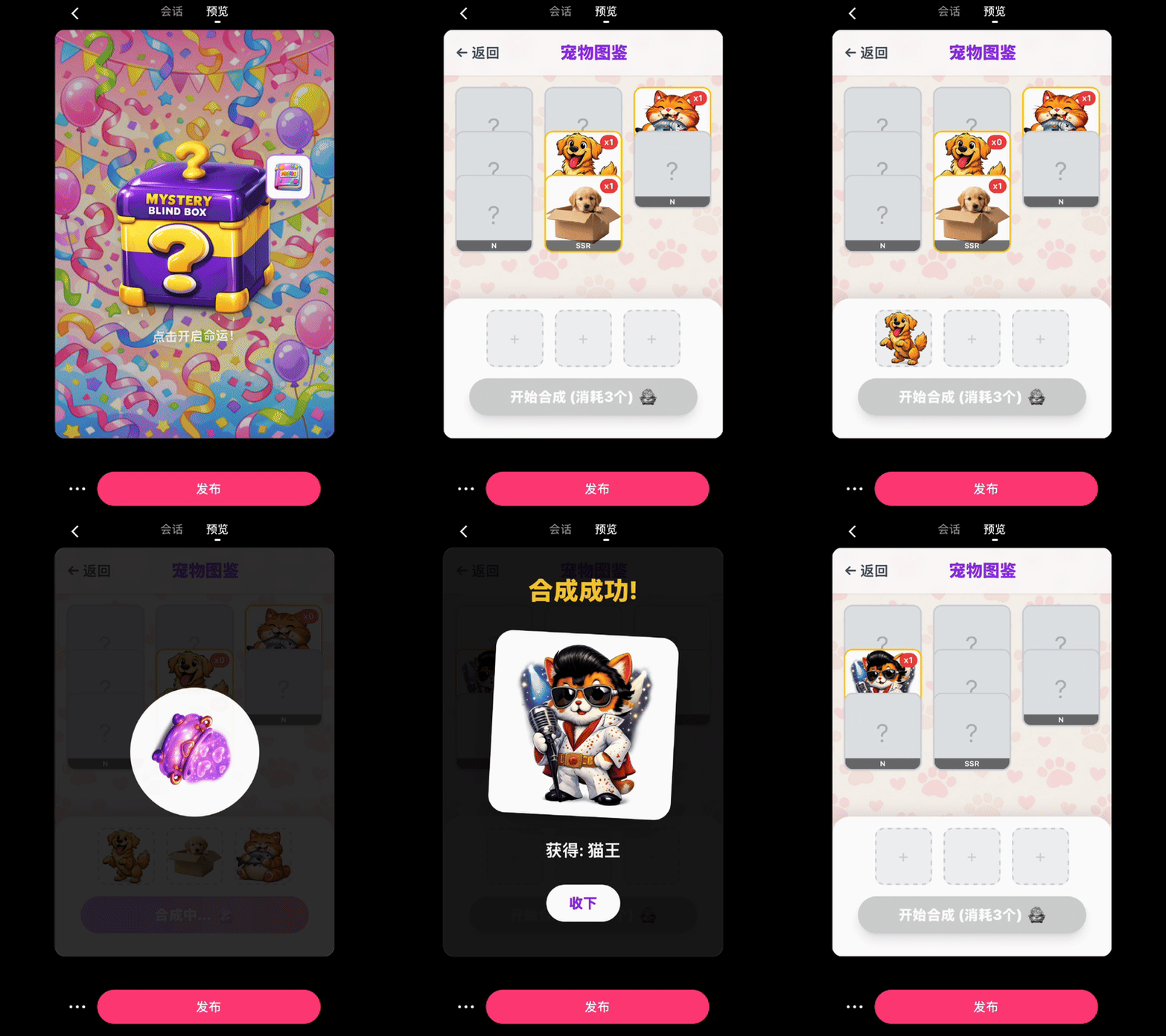
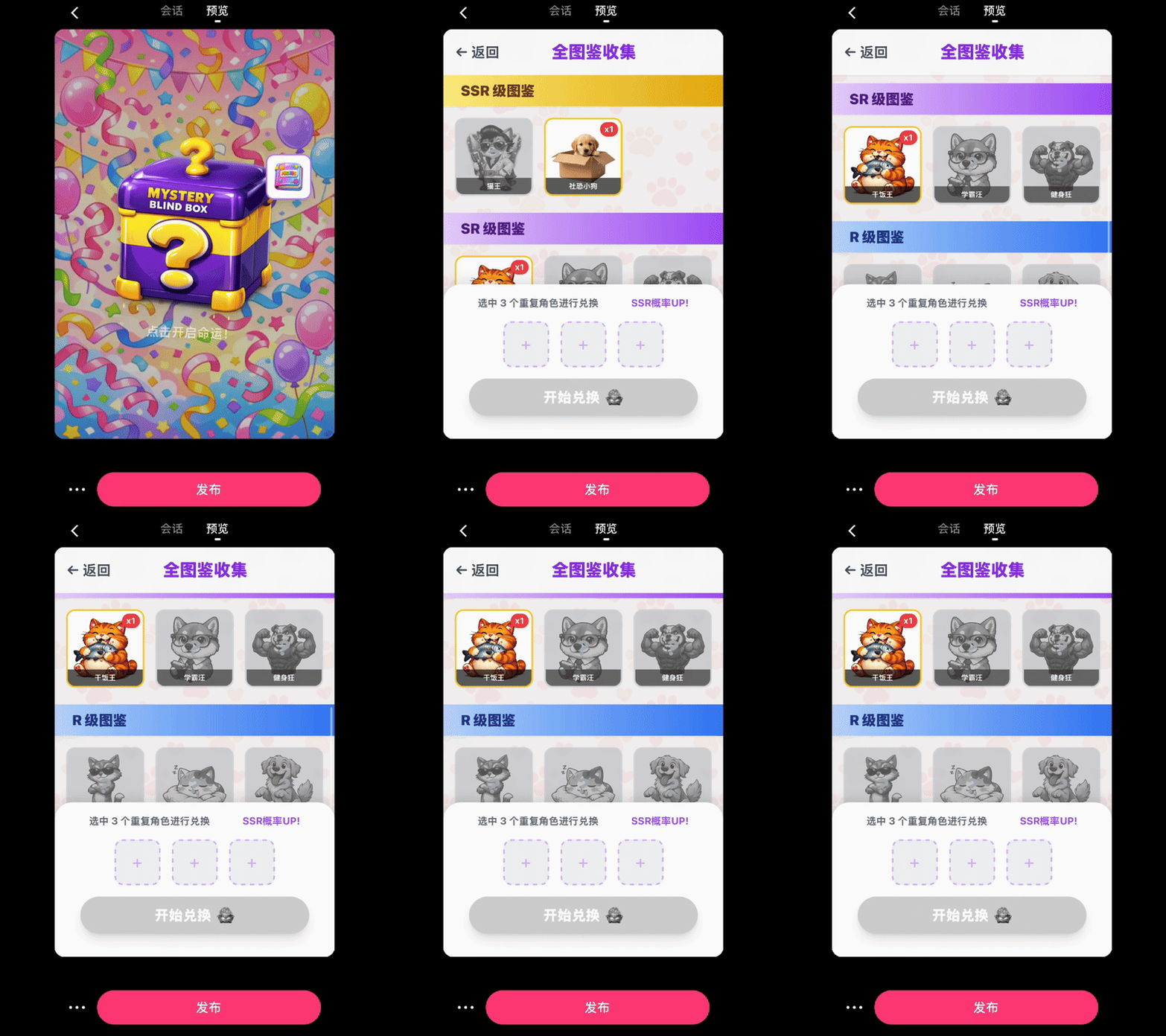
I also specifically designed a pet collection feature. Meaning when you draw a pet, it automatically saves to your collection, sorted by N, SSR rarity levels.
When I collect three pets, I can choose freely. Select three already-obtained pets from the collection and fuse them into a higher-tier one.
Loopit handles phone hardware interactions quite smoothly.
For example, you can absolutely set it so that when you keep tapping the screen — I set mine to five taps per second — it automatically produces a low-tier pet card. Then gives me a system warning.

Later I made the pet collection even richer, wanting it to build me a complete collection album with all pet cards in the system.
Unobtained ones stay gray; obtained ones automatically turn colorful. You can also select three duplicate characters to exchange. During this process, SSR card probability increases.
Honestly, by this point, I was genuinely getting hooked.
Because the barrier really is low, the whole interaction flow is fairly smooth. And it handles phone hardware input interactions well, so there's more possibility space.
Like this "Black Stories" interactive content below.
Black Stories
I also discovered Loopit can set up narration in interactive content, with AI voice functionality. So I had it make a Black Stories interactive experience, which is puzzle/deduction oriented.
I built in a lot of features. First interaction: asking questions. Tap the screen to get clue hints. Long-press to unlock key clues. Shake the phone gyroscope and it gives misleading clues.
Basically used all the phone hardware inputs.
Here's the prompt:
Create an interactive deduction game with the theme "Black Stories puzzle." Present a bizarre but brief incident description. Users can tap an "ask question" button to get clue hints. Each hint only gives a little information, never the direct answer. Atmosphere should be slightly suspenseful but not horror. Add three interaction buttons: "Ask about details," "Ask about motive," "Ask about environment clues." Each button returns hints from different directions. Hints should stay vague but advance the reasoning. If user long-presses screen for three seconds, unlocks "key clue." If user shakes phone, system gives a misleading clue. Control total clue count to 6–8. After clue #7, allow user to tap "reveal answer." Answer should show reasoning process through animation. If user speaks into microphone, trigger "narrator hint."
The screen recording below shows the fairly complete basic Black Stories interactive logic. You'll see the visuals and functionality are quite polished. For example, you need to collect 8 clues to unlock the truth.
During this, you can ask about environment, motive, details. It even integrates narrator functionality that reads clues aloud, exploring.
If you long-press the center card for three seconds, it gives me a key hidden clue.
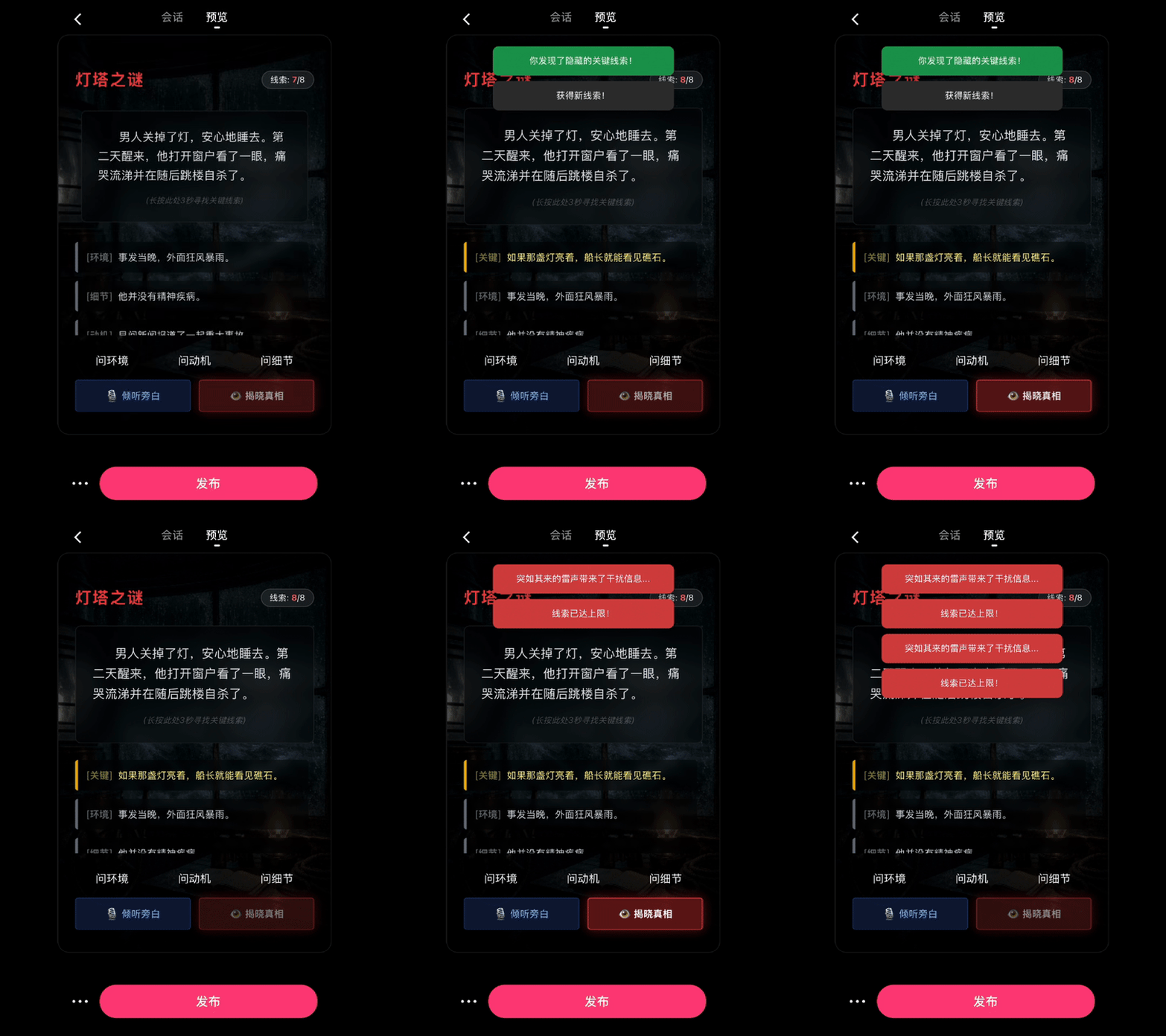
When I shake the phone gyroscope, it automatically gives a misleading干扰信息. Then displays background提示 like "sudden thunder brings干扰信息."
Spring Festival Anti-Marriage-Pressure Survival Challenge
From the interactive content above, Loopit actually suits cartoon-style content really well, with various voiceovers, rhythmic cartoon content. Especially interactive narrative-style content.
So I made a "Spring Festival Anti-Marriage-Pressure Survival Challenge."
In this interactive content, various relatives at a family gathering take turns launching marriage-pressure questions. With each question, it gives a bunch of options. I can choose from them, and each choice leads to different story outcomes.
Here's the prompt:
Create an interactive narrative with the theme "Spring Festival Anti-Marriage-Pressure Survival Challenge." Setting is a Spring Festival family reunion dinner table. Different relatives take turns launching marriage-pressure questions. Each round, users choose from three response options. Each choice leads to different story outcomes. Style should be funny, close to real-life dialogue. Visuals should be cartoon-style, not photorealistic. Optimized for vertical interactive experience. Generate at least 12 different marriage-pressure lines, including: elder-style concern, passive-aggressive, comparing-to-other-kids, pretending-to-joke, sudden-strike. Each should feel authentically everyday. Each question gives three differently styled response options: A: polite evasion type, B: humorous counterattack type, C: reverse-question type. Don't repeat sentence patterns, should feel like real dialogue. Set multiple ending types: "successfully changed topic." Add "rapid-tap interruption" mechanism: when relatives start long marriage-pressure speeches, user rapid-tapping triggers "topic interruption success," "got pressed further." If user speaks into microphone, system recognizes as "live counterattack," directly triggers powerful response line, "whole table silence," "convinced elder," "relative switches to pressuring someone else," "triggers hidden ally (cousin rescue)." Each ending gets a funny summary line. Add a "stress meter" bar: gets raised by continuous pressing, lowered by successful topic changes. Stress meter full triggers "instant social death ending."
Below is the interactive content I made from a single prompt in one go. You'll notice there's a stress meter at the top. When I answer poorly, it increases stress.
Each character — like Auntie, Grandma — gets their own AI appearance. Dialogue boxes appear below, and after each one finishes, it gives me three options.
And interestingly, I also had it put a voice button in the bottom right corner.
This voice button lets me build up rage, then directly unleash a critical hit on the marriage-pressuring Auntie without answering.
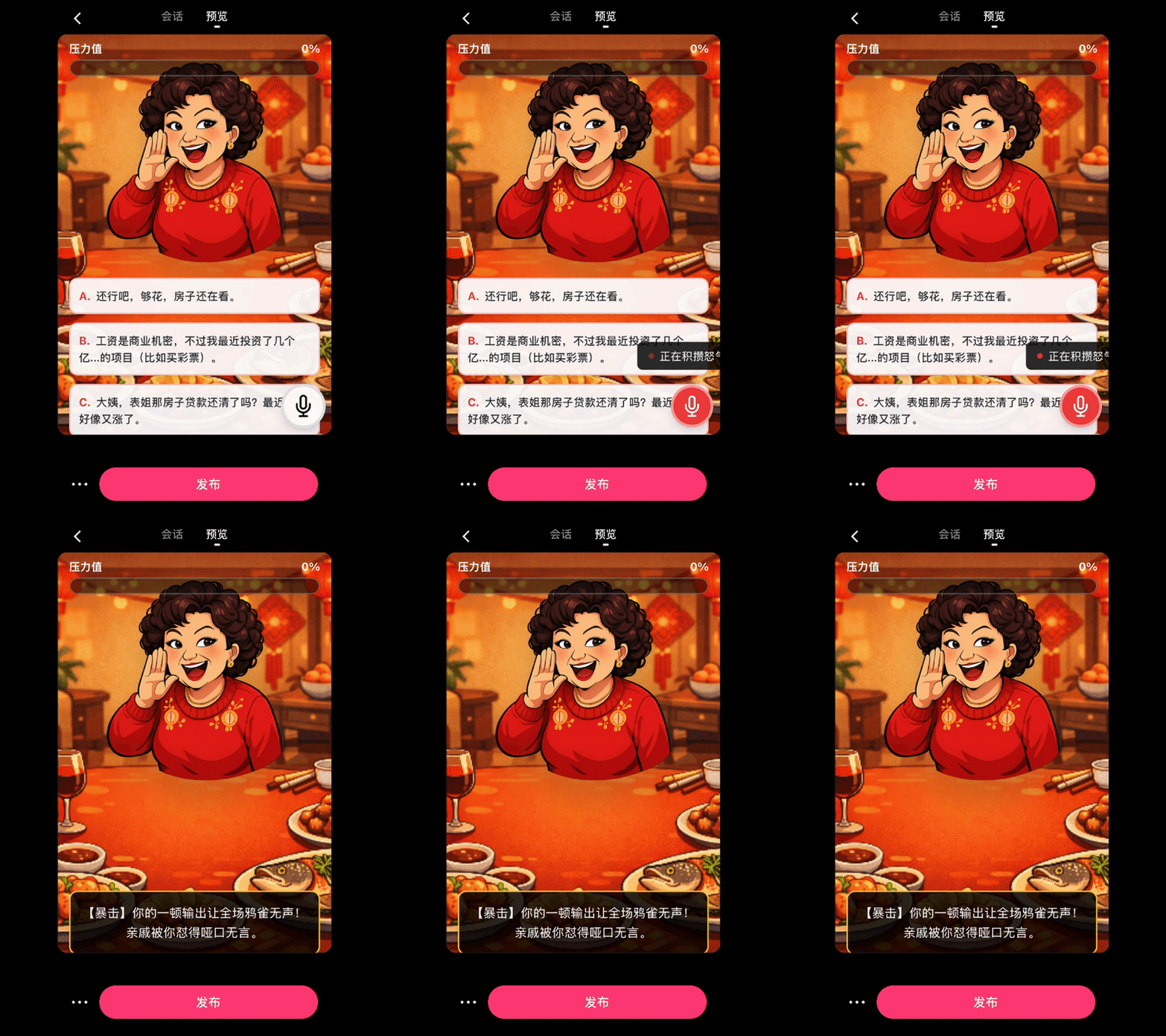
Even when the marriage-pressurer — like Grandma — is still mid-dialogue, I can directly interrupt her. Rapid-tap the screen, use phone hardware interaction to quickly cut her off.
Then she gives a pretty funny prompt, something like "you quickly shove a piece of braised pork into your relative's mouth, successfully changing the topic."

Remix
Loopit really wants to emphasize this "phone hardware interaction" point, combined with AI's rapid generation of interactive content. There's already tons of interactive content throughout Loopit. While scrolling, because each one was pretty interesting, I wanted to play with all of them.
Ended up scrolling and scrolling just like a short video platform, directly burning a lot of time. During scrolling I saw a really interesting piece of interactive content.
Someone made a magic mirror that directly calls phone camera access. But it doesn't show my face directly — instead it turns my face into a cartoon image, a really abstract one.
Inside it can recognize my blinking, can recognize my mouth opening. And comes with various effects.
This point is genuinely really fun.
This actually leads to a particularly convenient feature in Loopit.
In Loopit's community, I'm seeing the early signs of a "Remix" culture. One creator releases a basic interactive template (like a talking hamburger), and another user can build on it to "secondary-create" — turning the hamburger into a singing pizza, or changing its interaction logic.
Like that particularly abstract, particularly meme-y interactive content above — I can use the Remix entry point and with one sentence have it add a function for me: when I shake my head, a hair grows on top of my head.
The final result is indeed quite meme-y:
Loopit is still in early stages, carrying a rough but very alive vibe.
Loopit really wants to make one thing clear: content was always meant to be played.