A Flash model starts delivering front-end work that rivals Opus 5.5

👦🏻 Author: GaKi
🥷 Editor: Koji
🧑🎨 Layout: NCon

After the release of Claude Opus 5.5, if you only look at the benchmark scores for coding ability, it's actually hard to explain why so many developers feel such a strong difference with this generation of models.
One of the most important changes actually happened on the frontend — the pages AI writes really do look better now.
This also confirms one of the more fun claims about Vibe Coding:
"Frontend is productivity." But AI doing frontend is no longer just Opus 5.5's advantage.
On September 27, MiniMax launched M3.1 Flash Preview on MiniMax Code and opened it for public testing. This is a Flash model with further improvements in coding and agent work, and it can directly understand images and videos.
From our actual testing this time, one fairly obvious impression is that M3.1 Flash Preview's frontend capabilities have indeed improved a lot compared to MiniMax's previous models, and in some scenarios it doesn't lose out even when compared to Claude Opus 5.5.
Especially on complex pages, visual reproduction, and some more stylistic interactive websites, the results from the two are already very close.
Next, we did 3 very interesting cases to see just how far M3.1 Flash Preview can take frontend development now.
Animated Resume
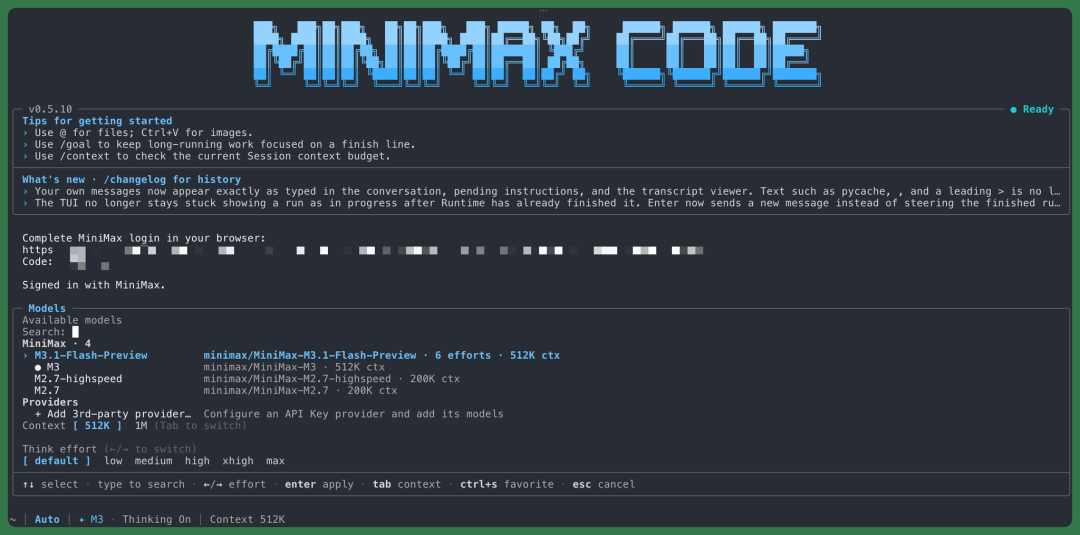
First off, MiniMax M3.1 Flash Preview is now available directly in MiniMax Code. It's quite fast — the official data says roughly 150 tokens per second, and in my actual usage, I can basically hit around 130 tokens per second.
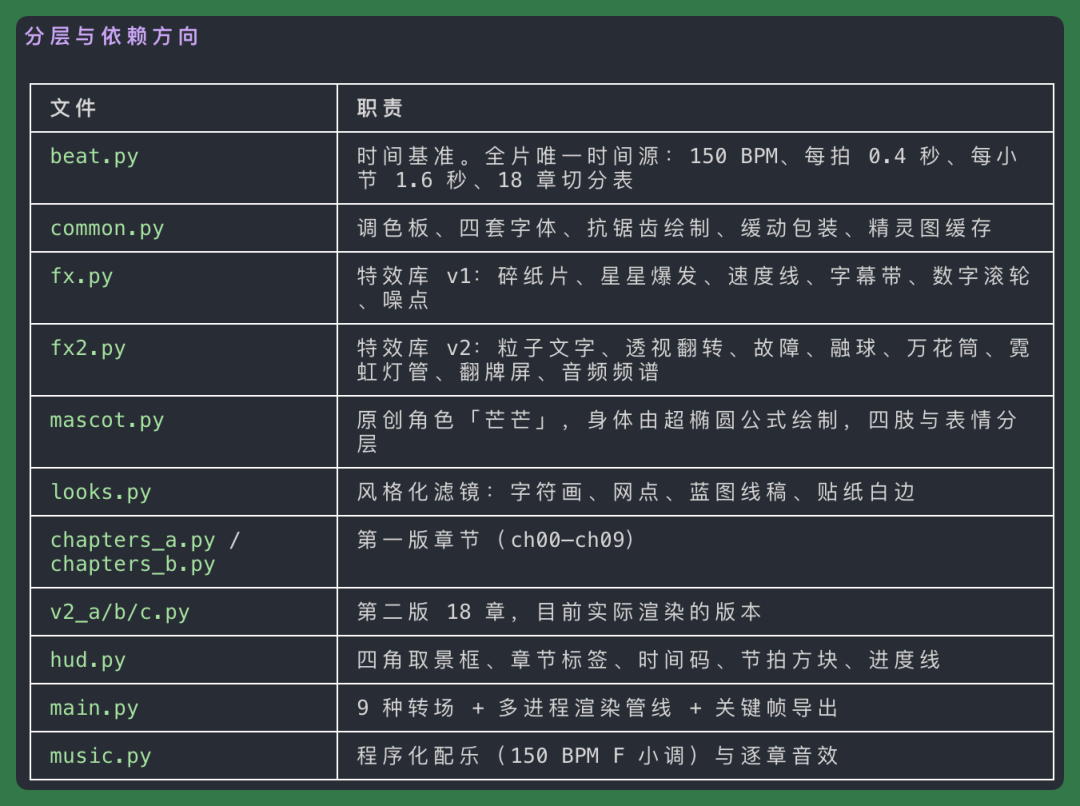
Opus 5.5 has been very hot lately, with lots of people using it to write Python directly and render various short clips frame by frame. There's one effect I particularly like — the animated resume made by @小禁书我和你拼了.

These past couple days I also referenced the style of this blogger's finished work and tried out MiniMax M3.1 Flash Preview. As long as you write the prompt completely, it can produce fairly similar results.
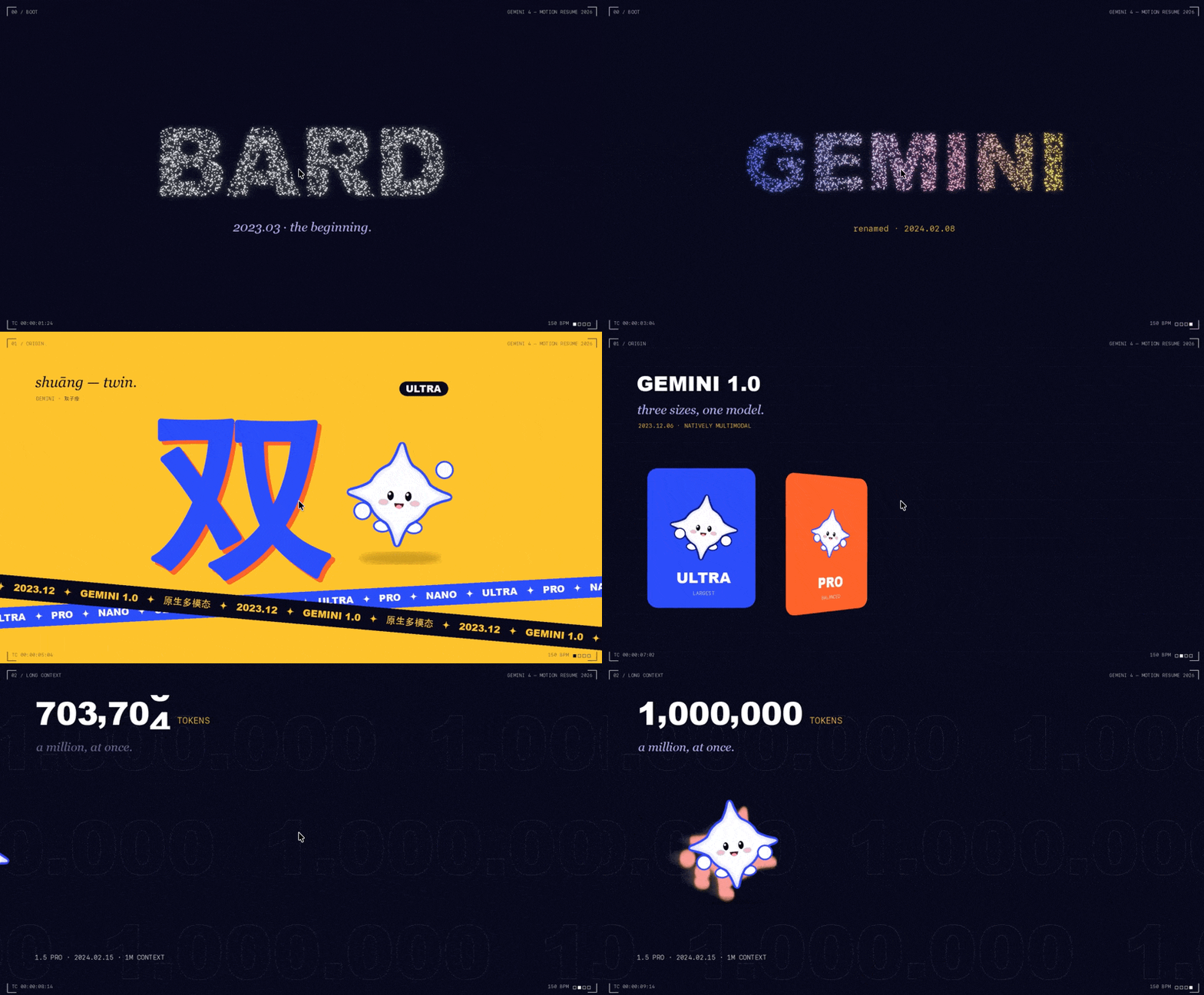
For example, I asked it to use only Python, with PIL and NumPy, to render a motion graphics short frame by frame — making an animated resume for the release history of Gemini 4's models.
The whole process doesn't need Manim or After Effects; you can draw the animation frame by frame directly with Python.
Because M3.1 Flash Preview is itself a Flash-level model, it's very fast and well-suited for iterative revisions.
Its overall capabilities are quite balanced, the frontend effects and aesthetics are good too — I basically revise it 3–5 rounds and the overall effect is more or less there.
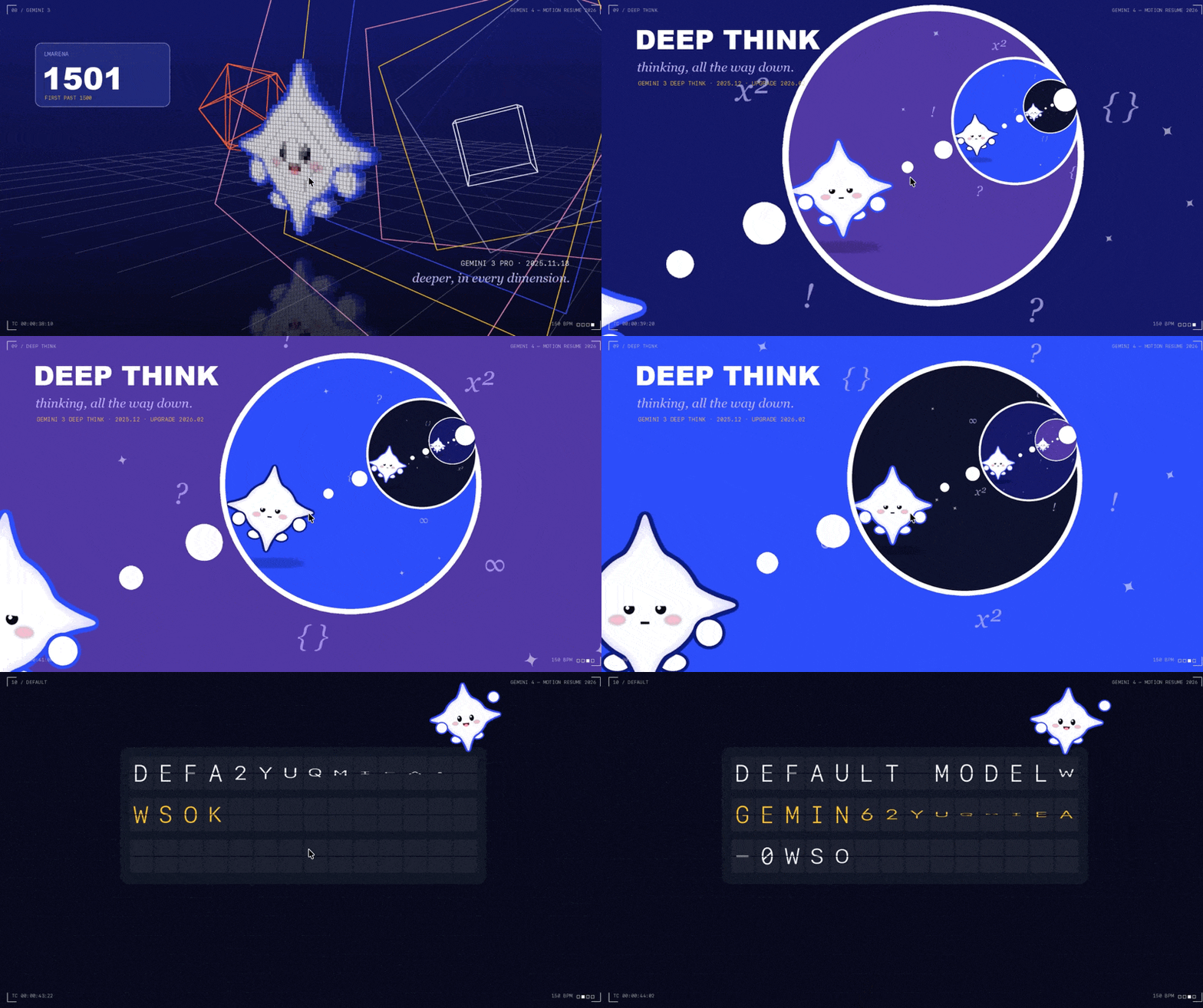
I recorded a few GIFs so you can see the actual effects directly.
For example, below is the entire evolution from Bard to Gemini. I also took the opportunity to redesign a version of the Gemini icon, which I named "Mangmang."
No AI-generated images were used in the entire project — all the elements and animations in the visuals were made directly with code.
And here's another example of dynamic shot transitions:
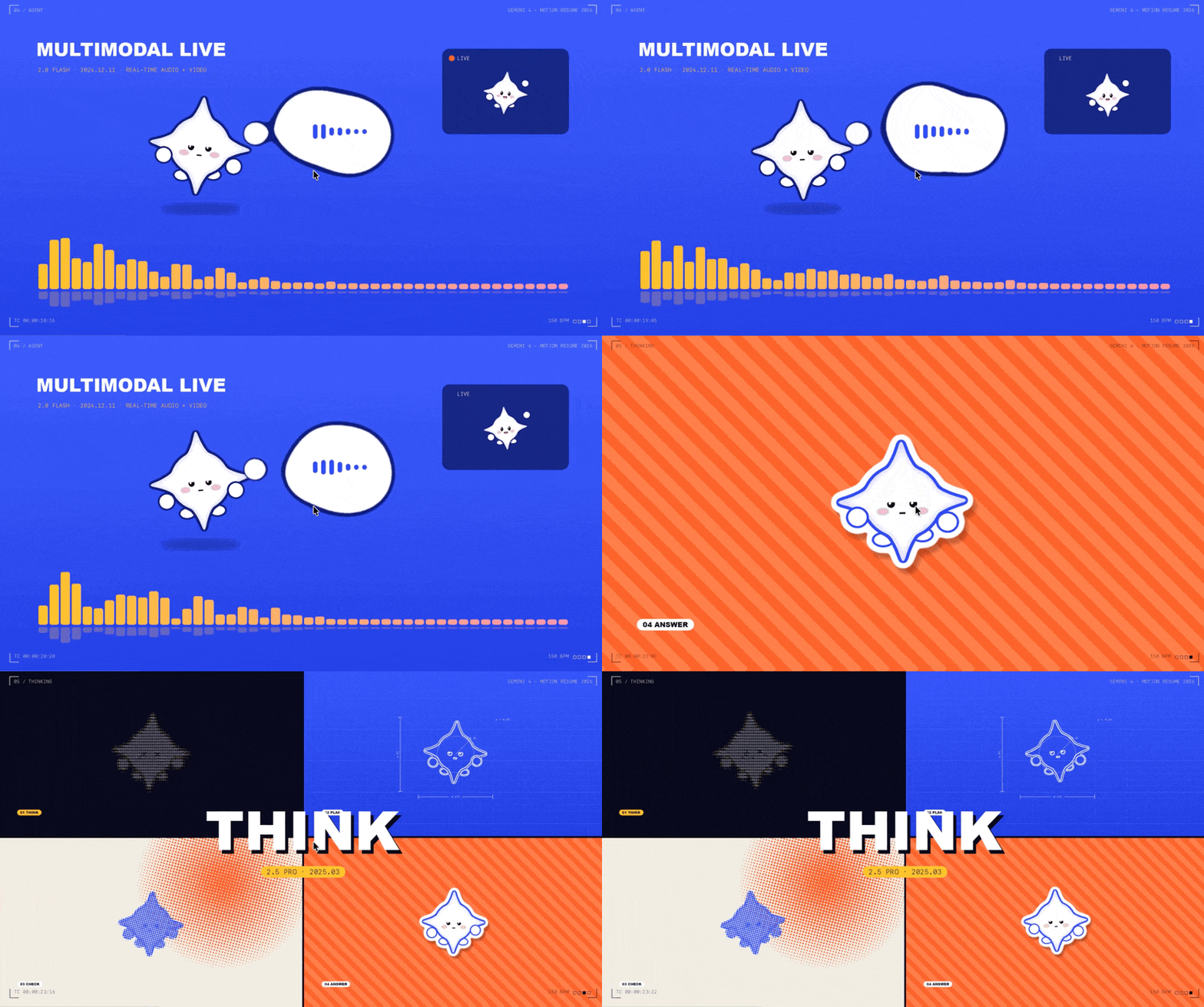
I first had M3.1 Flash Preview help me complete the storyboard, then made the short video based on that storyboard.
So in the final result, there are lots of transitions between animations and switches between different shots. Things like this sound wave transformation can also be made directly.
These kinds of effects are very common in product showcases, so they're quite suitable for HTML animations too — the whole process went pretty smoothly.

Compared to formats like PPT or HTML, which are inherently constrained by certain layouts and frontend rules, pure Python offers much more freedom — text, positioning, and animations can all be directly controlled.
That's why it can produce visuals with this much sense of motion, while still maintaining sufficient precision in the details:
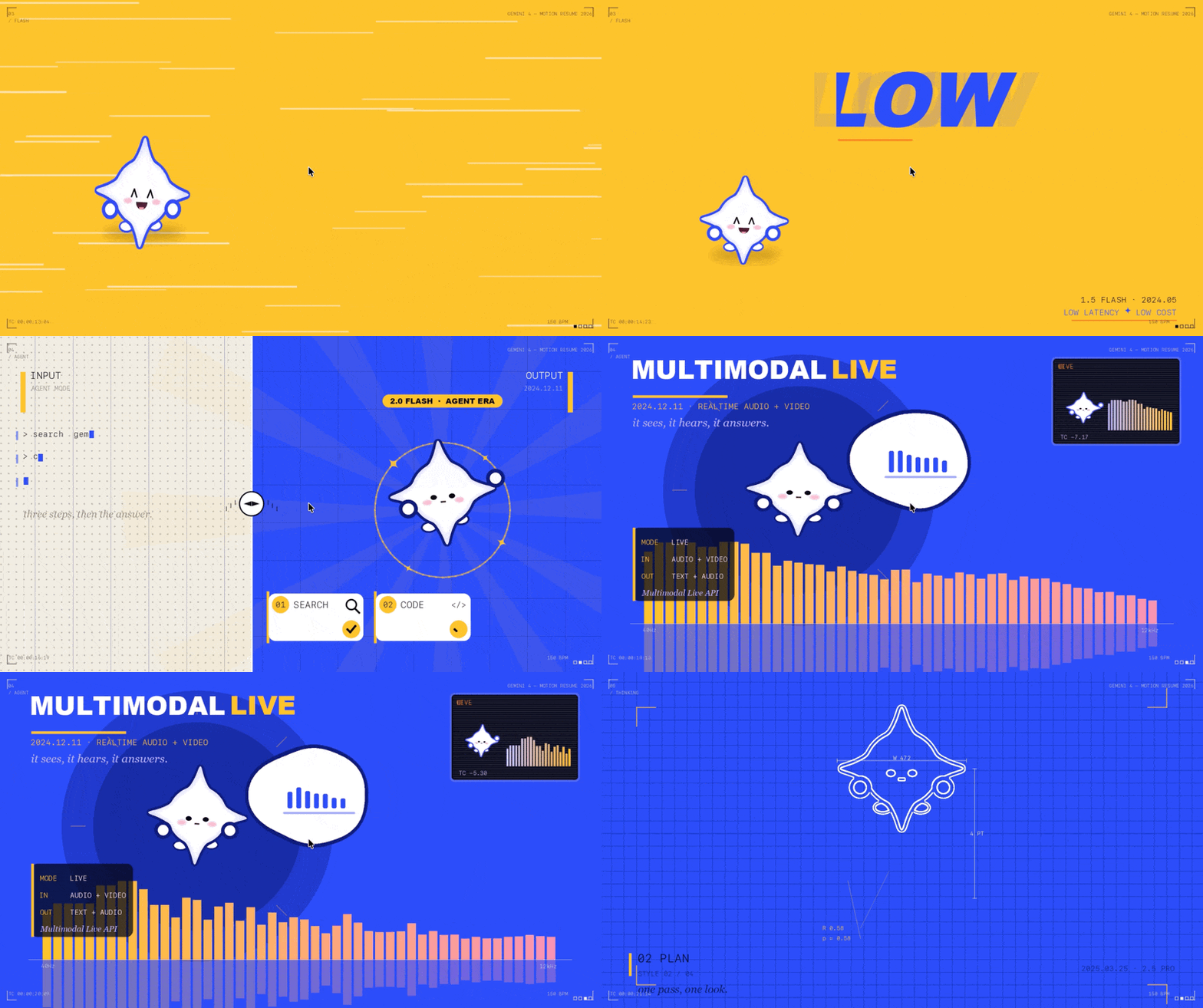
Or even more complex, you can have it make dynamic grid displays like the one below. All the character logos designed for Gemini can be arranged in a grid, filling the entire screen, then all bouncing together.

Camera Disassembly Workbench
The examples above are more about looking at M3.1 Flash Preview's pure frontend capabilities.
But quite a few models now — like GPT 6 Astra, Opus 5.5, and this time M3.1 Flash Preview — are already quite suitable for combining 3D modeling with frontend interaction.
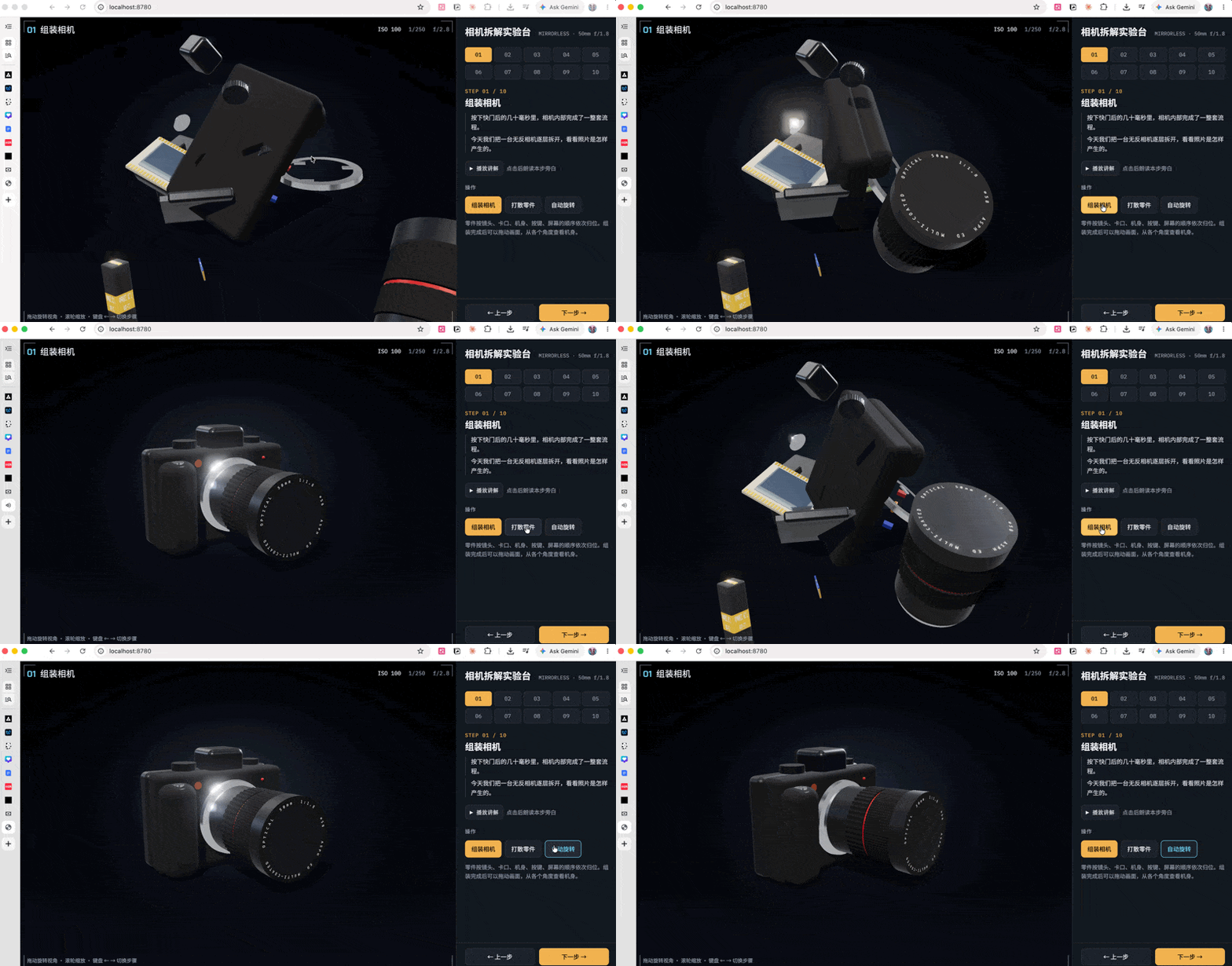
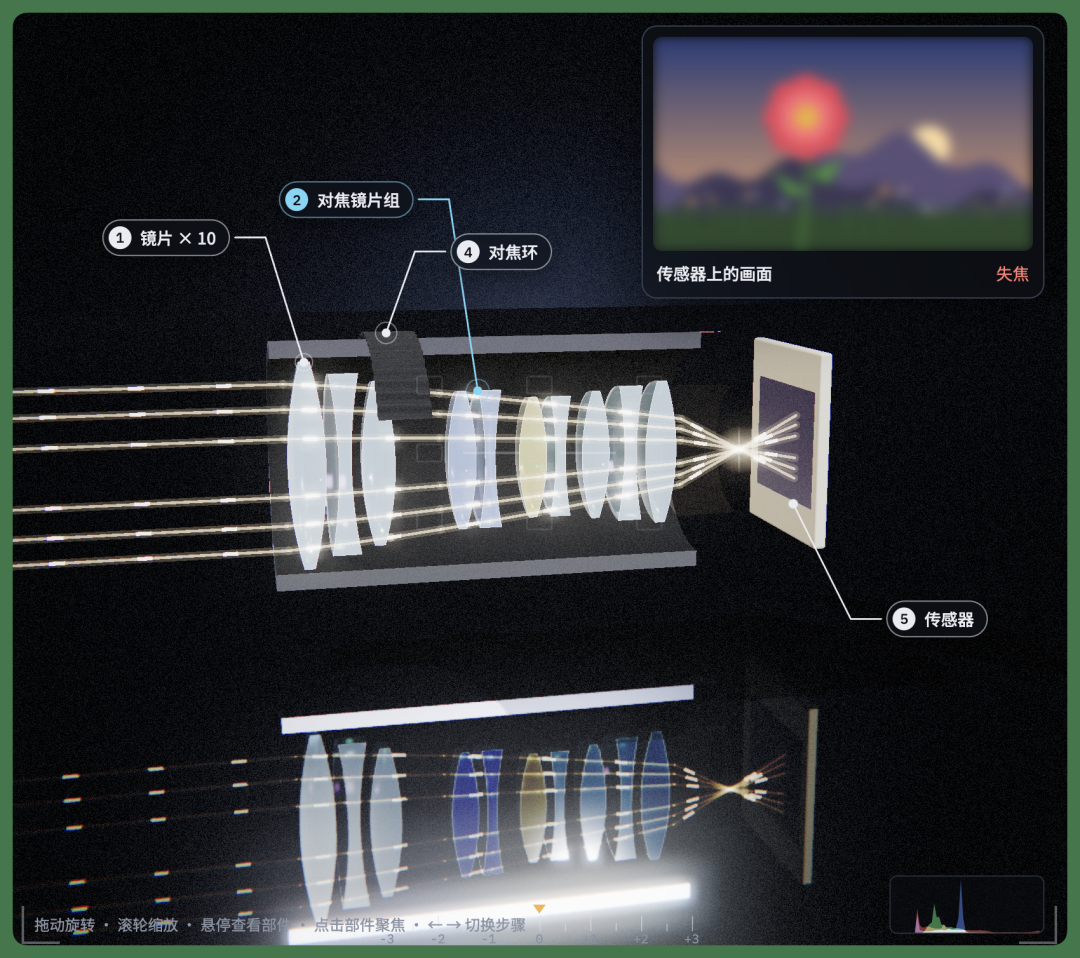
For example, I made a "Camera Disassembly Workbench" to explain how cameras actually work. I fed the same prompt to both M3.1 Flash Preview and Opus 5.5 and did a simple comparison of the results.
The performance of the two is actually very close.
It's a directly interactive 3D webpage. I broke the whole process into 10 steps, from a pile of camera parts at the start to a complete mirrorless camera at the end.
No complex modeling was done in Blender; many of the models and interactions were completed directly with code.
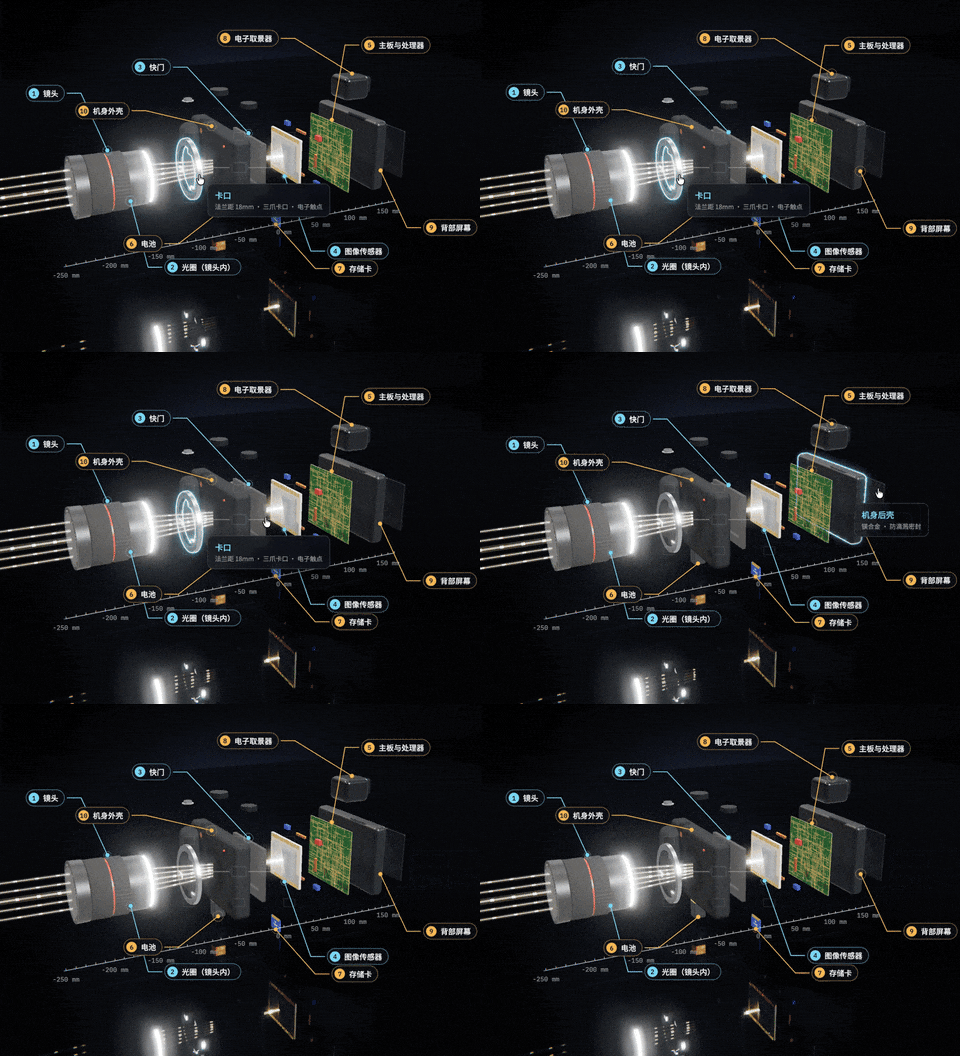
And below is the version made by Opus 5.5. The overall effect is already very close to M3.1 Flash Preview, though Opus 5.5 adds some extra details on top, like more prominent highlighting of key components.
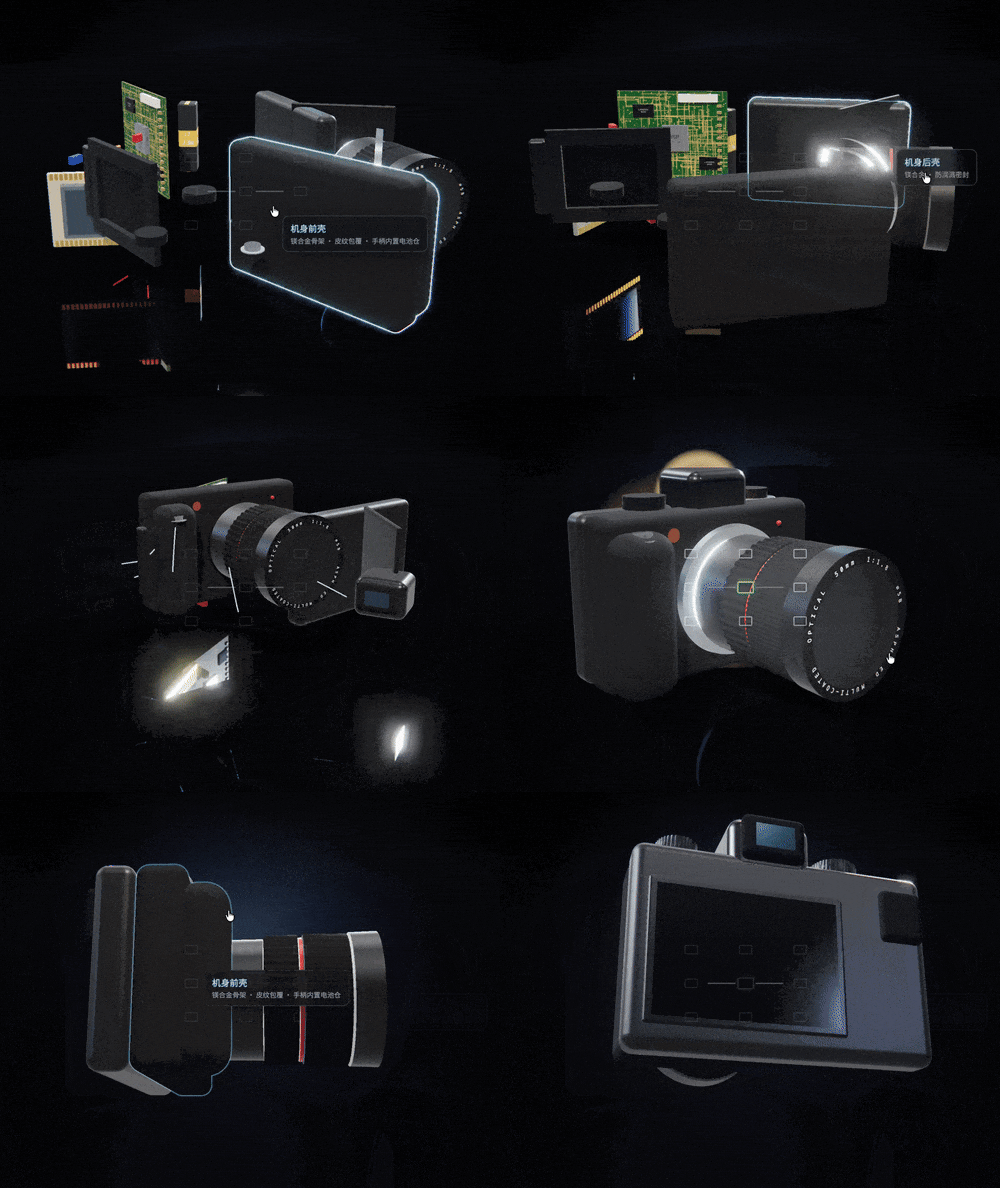
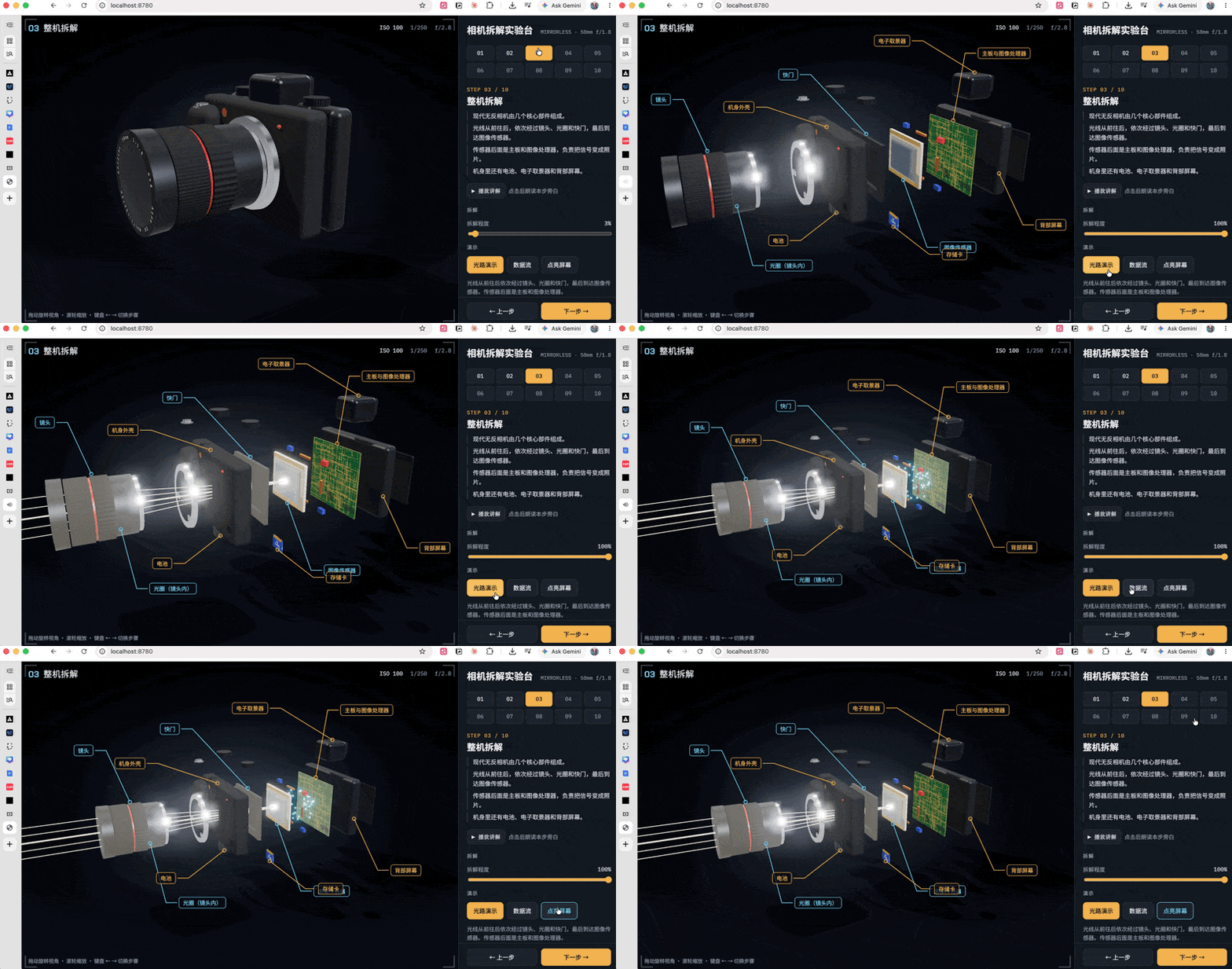
Next up is full disassembly and light path demonstration.
After clicking, the camera expands its internal structure layer by layer. Light enters from the front, passing sequentially through the lens, aperture, and shutter, finally reaching the image sensor.
The overall effect from Opus 5.5 based on the same prompt doesn't differ much from M3.1 Flash Preview.
But in the details, Opus 5.5 went one step further, adding length and distance scales to the entire camera assembly process to make the presentation more complete.
Behind the sensor are the mainboard and image processor, which continue processing the received signals into the final photo.
Besides these core components, you can also see the battery, electronic viewfinder, and rear screen inside the body.
The aperture can be adjusted from F1.4 all the way to F16. Each adjustment shows a corresponding image in the upper right corner, directly demonstrating what photos taken at that aperture roughly look like.
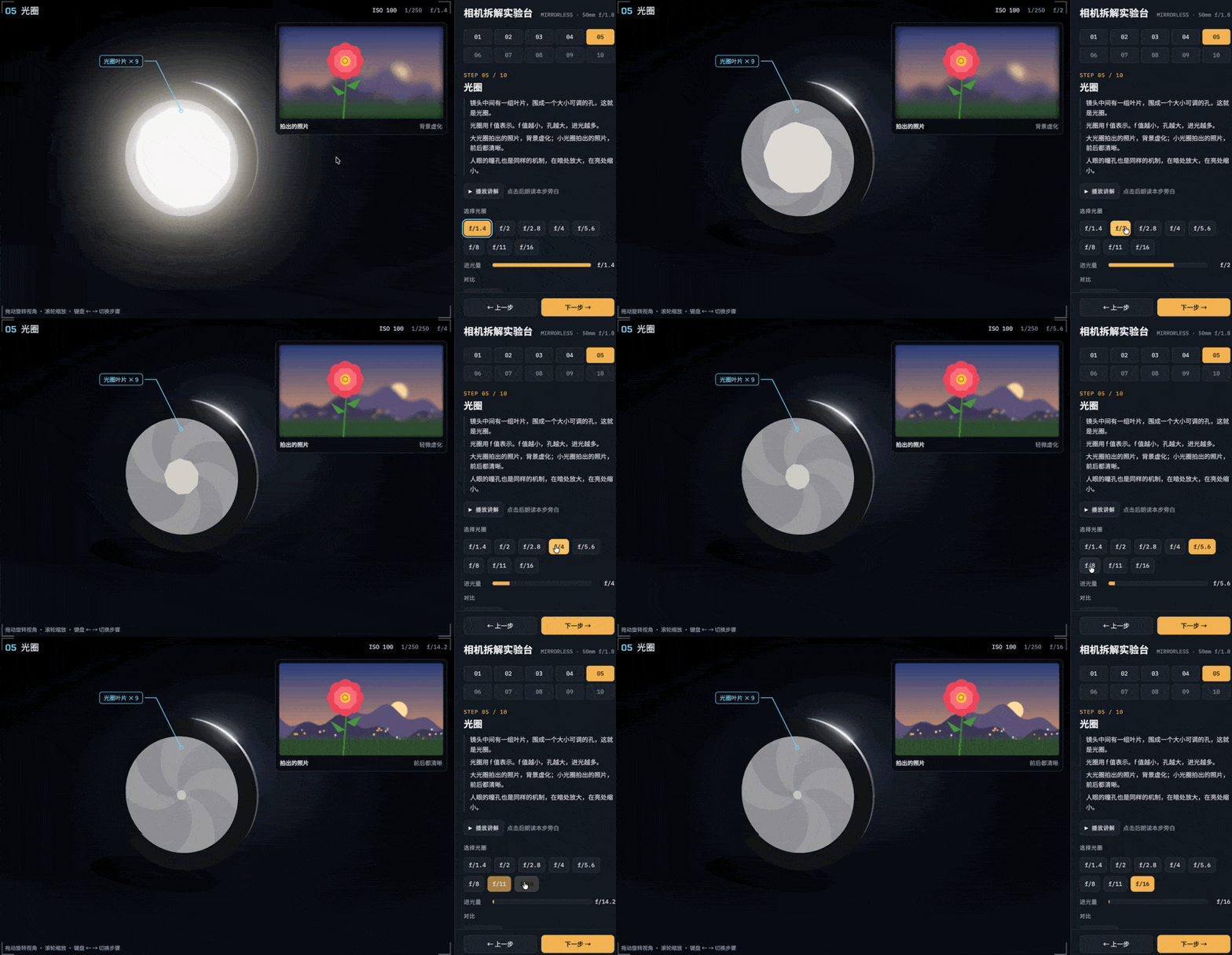
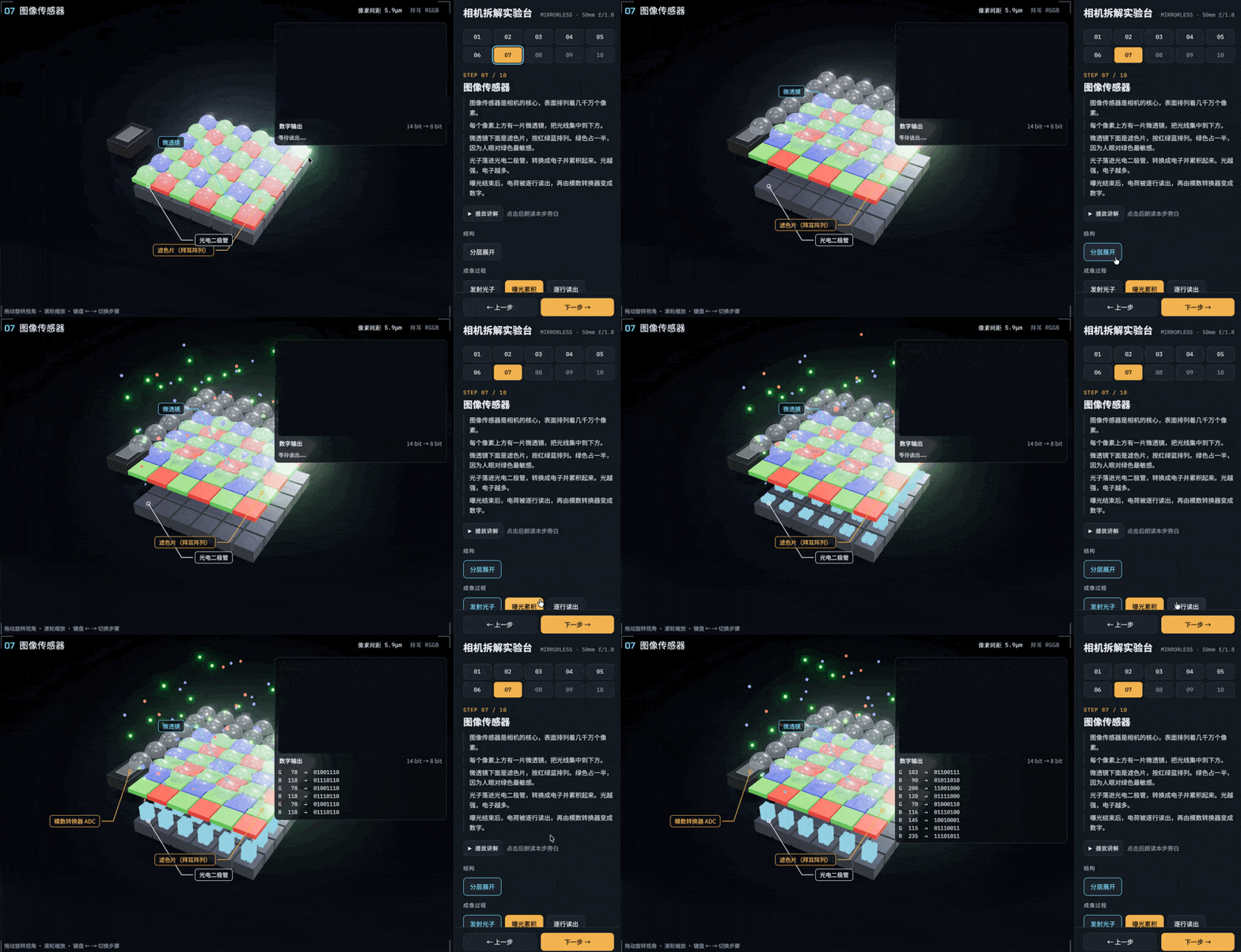
The image sensor is actually a very core part of a mirrorless camera, because it contains tens of millions of pixels.
So I also made a sensor disassembly that can be expanded layer by layer.
There's also a dynamic interactive effect inside — photons fall into photodiodes and then get converted into electrons. This makes the whole process much more intuitive to watch.
When taking photos there are also different formats, like RAW and JPEG. In between there's a lot of image processing — demosaicing, white balance, noise reduction, and sharpening.
These can also be made into fairly intuitive dynamic presentations with M3.1 Flash Preview.
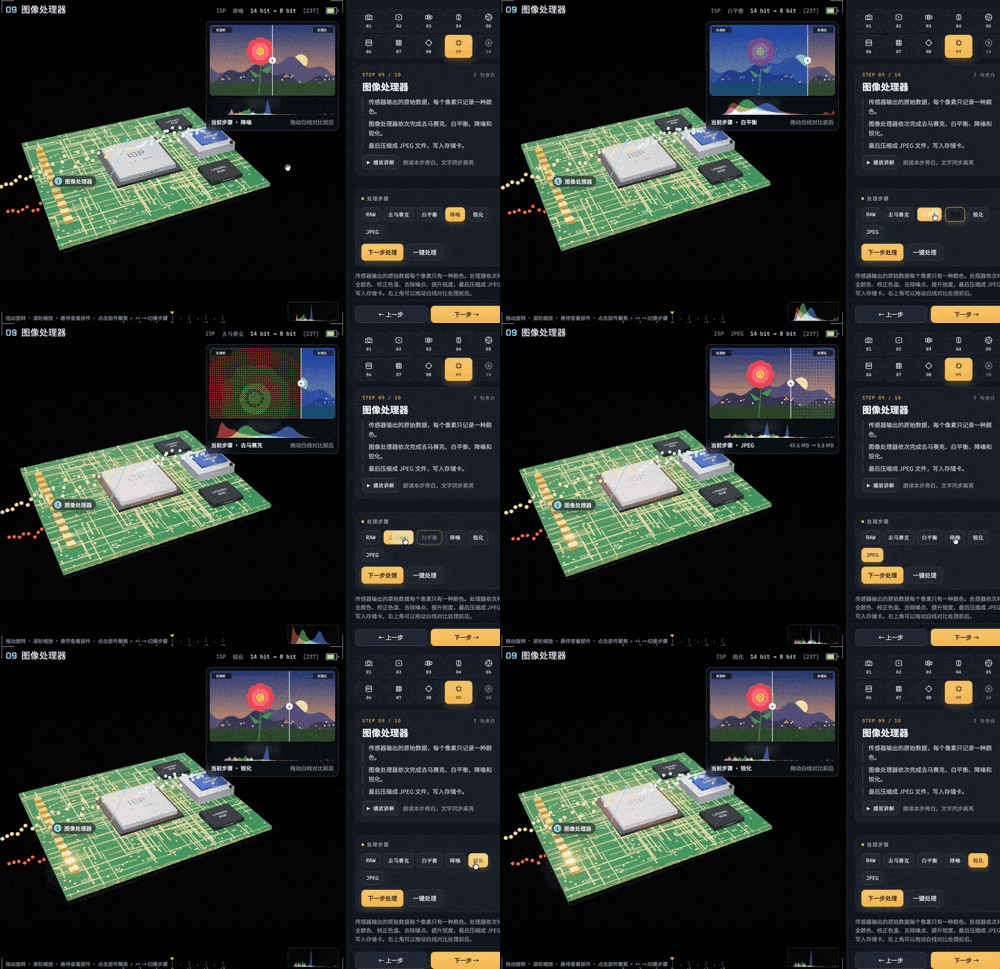
For example, starting from the raw data initially output by the sensor, where each pixel only records one color, then step by step showing how the image completes demosaicing, white balance, noise reduction, and sharpening, before finally being compressed into a JPEG file and written to the memory card.
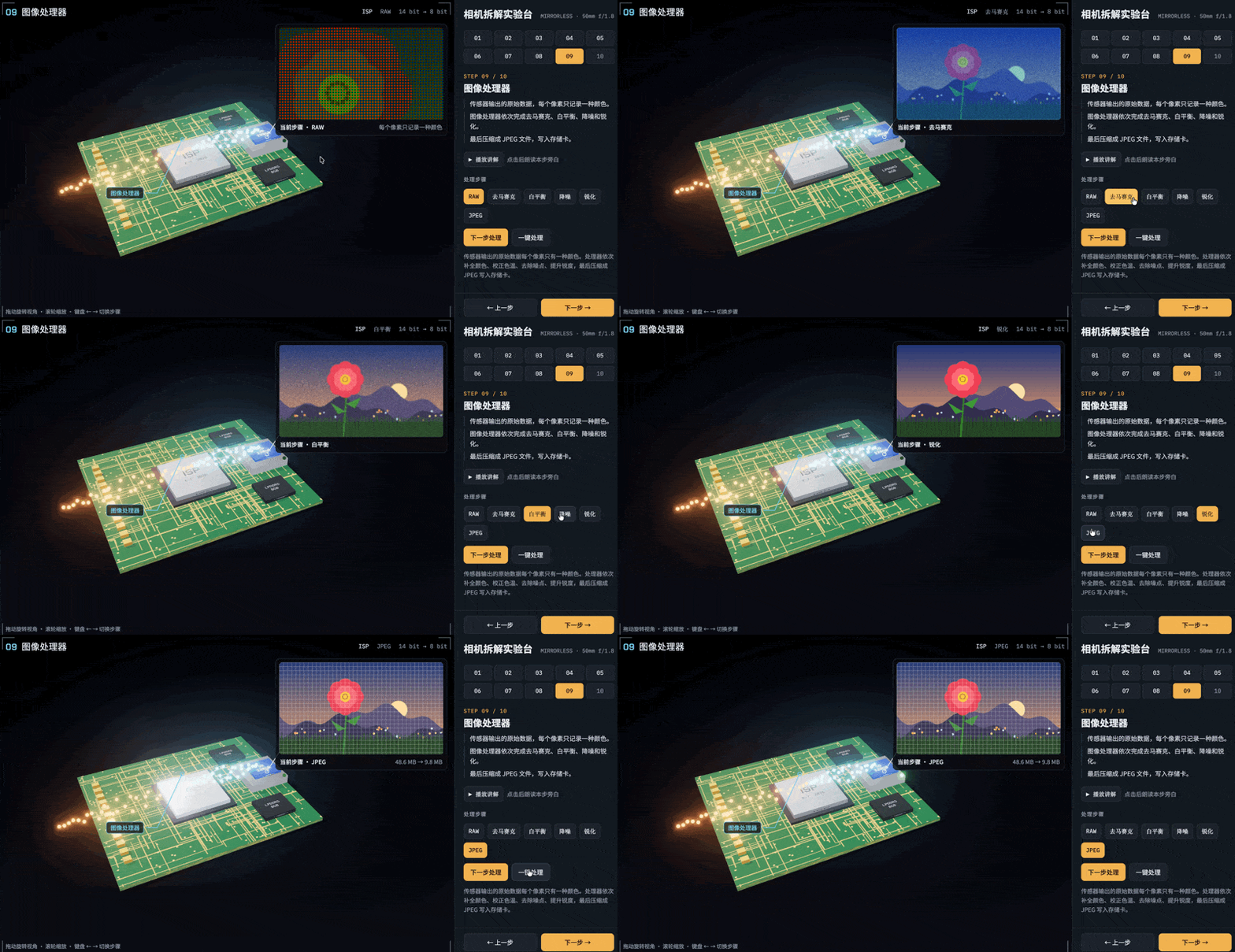
In the image processing section, Opus 5.5's details are somewhat more complete. For example, when the upper right image switches, it adds a sliding transition to make the change more natural.
But in terms of lighting effects, M3.1 Flash Preview actually does finer work. Especially in the number, layers, and motion of light particles — it looks richer.
Finally there's a full process review.
All the previously disassembled parts are put back together, then starting from pressing the shutter, you can see how light passes sequentially through the lens, aperture, and shutter, reaches the sensor to complete recording, and finally gets processed by the processor into a photo.
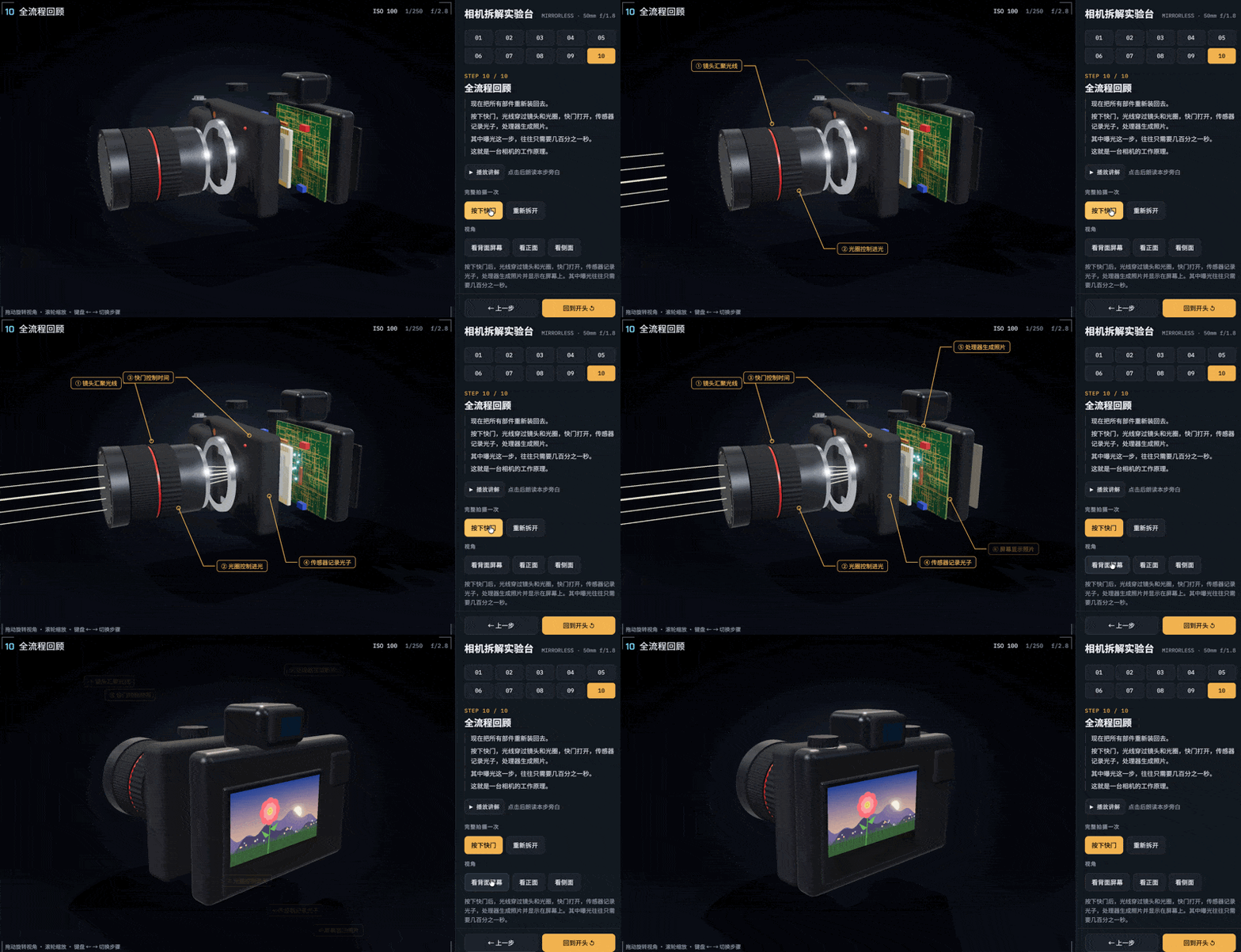
This full process review was actually the most complex part of this test. It simultaneously involves light changes, data flow, electronic signal transmission, and transitions between multiple continuous scenes.
But it's precisely in this case that, using the same prompt, the final results from M3.1 Flash Preview and Opus 5.5 are almost the same — just looking at the finished product, it's already hard to tell any obvious difference.
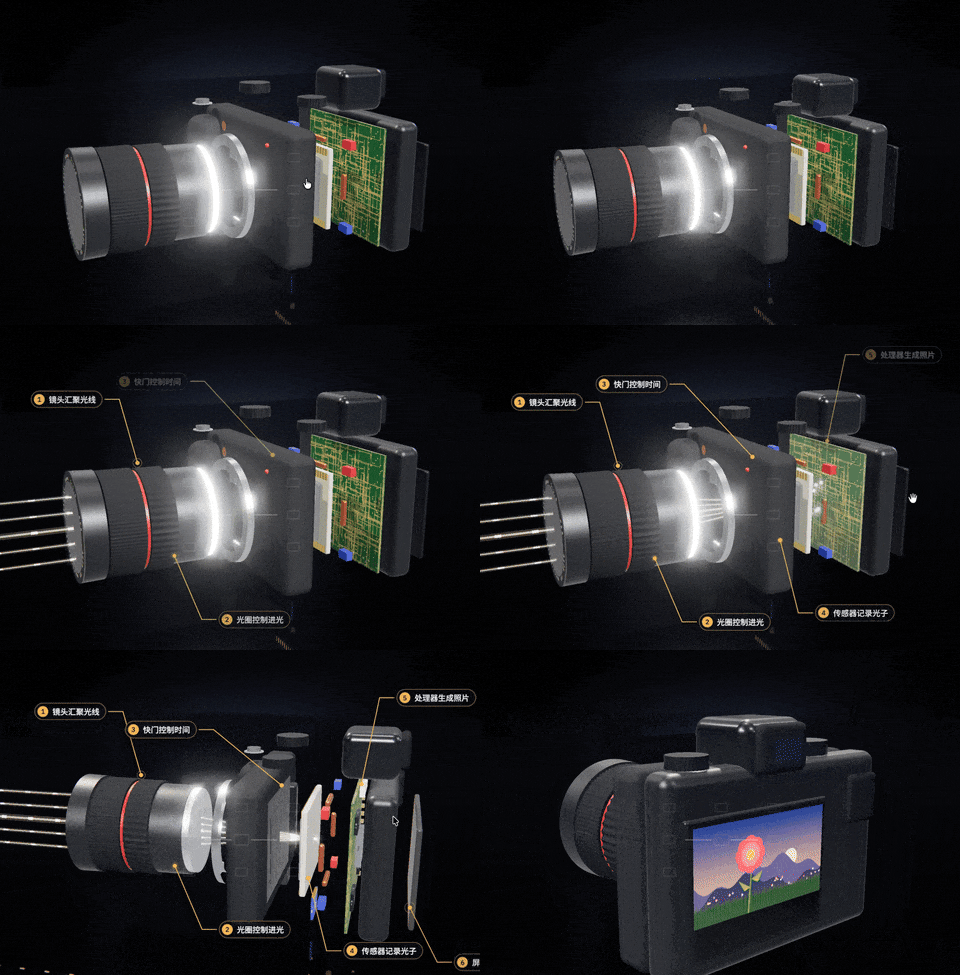
Basically at this point, the complete working principle of a camera has been explained.
This kind of rapid modeling plus various intuitive dynamic interactions actually tests both frontend and coding abilities quite a bit.
For example, after selecting a certain part, that part lights up with a fairly natural glow to highlight the key point. There are also various explanatory labels, light and electronic signal transmission, and even after pressing the shutter, the light completes the entire process and finally shows what photo appears on the screen — all of these require coordination between frontend effects and coding ability.
From this perspective, M3.1 Flash Preview's performance is very close to or even on par with Opus 5.5 under the same prompt input.
Mr. Panda's Paper Art World
Let's look at one more sticker recreation case.
These past couple days while looking at various open source projects, I found that quite a few experts have made very artistic projects. But in this type of project, many use AI-generated textures.
For example, below is an open source project called "Mr. Panda's Paper Art World."
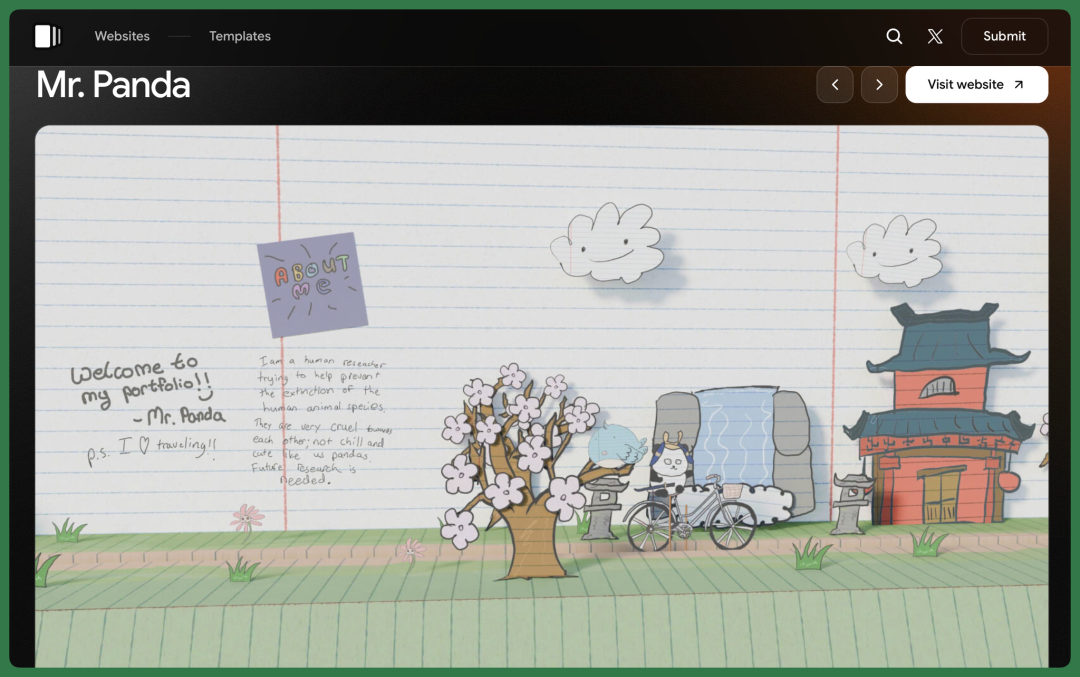
It's now quite popular to put these hand-drawn stickers into webpages and let users control a character walking through them.
For example, when the mouse touches a certain sticker, that sticker automatically enlarges, and the whole page has a very obvious paper art and hand-drawn feel.
So browsing this website feels very much like flipping through an interactive pop-up storybook.
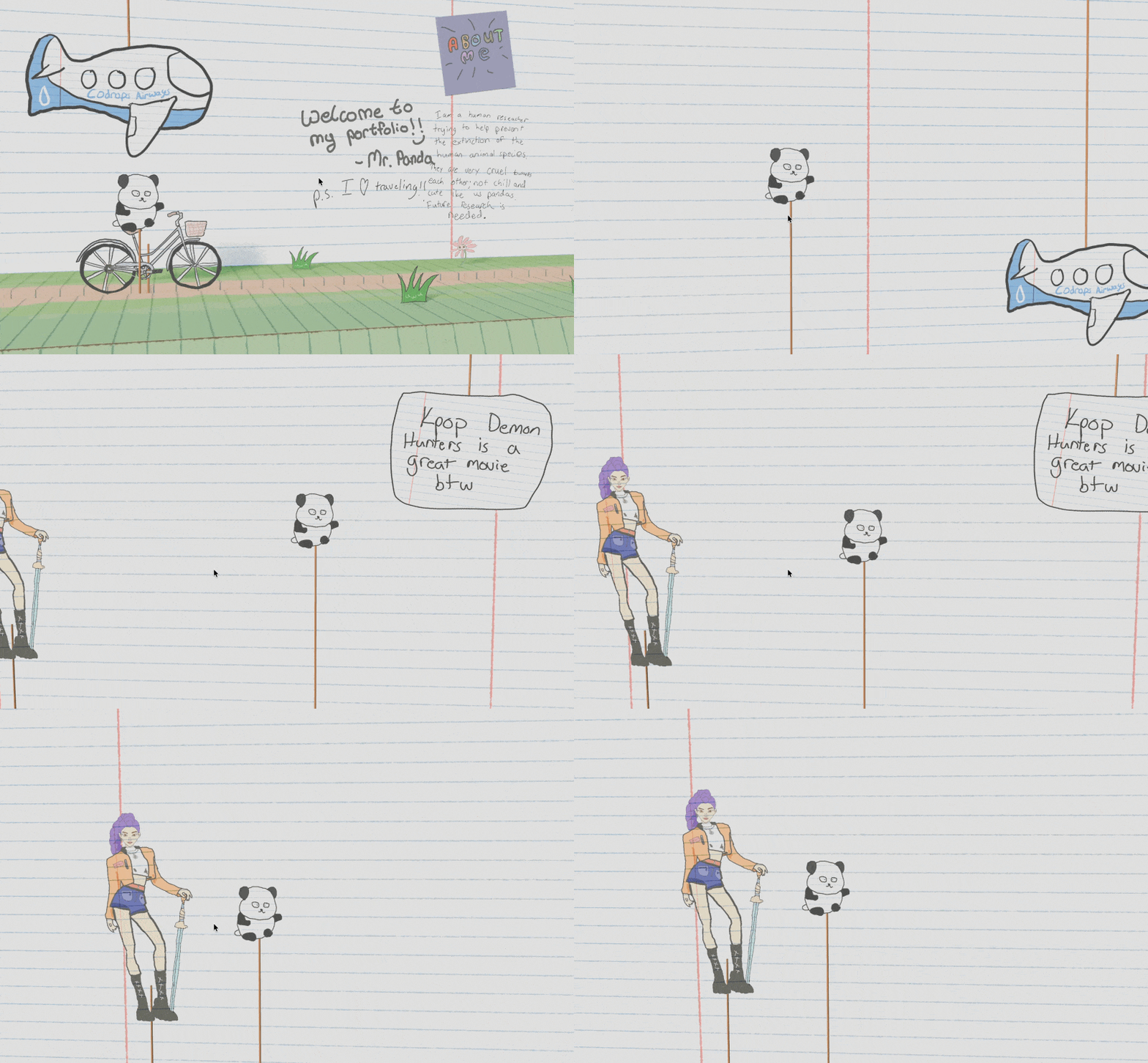
The interactions in this project are also quite well done. There's a small cat riding a bicycle, with many clip art pieces around it naturally floating up and down.
I can directly use my laptop trackpad to control the cat riding, or make it move left, bumping into the paper and stickers in the background — the whole process is interactively real-time.
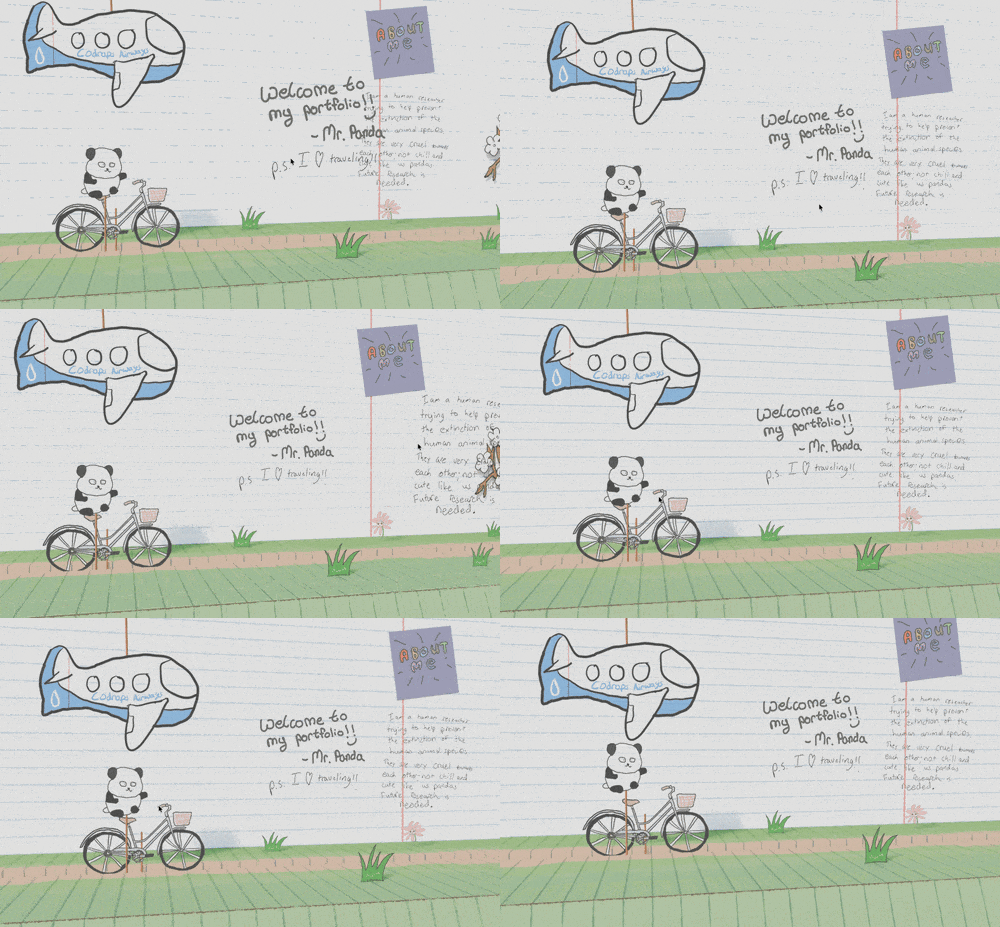
Afterward, I took a few screenshots and had M3.1 Flash Preview first analyze the project's interactive effects and texture materials.
It quickly found the original open source project, but I specifically added a requirement: do not reference any of the source code inside, only use the texture materials that the project has already open-sourced.
Then I had M3.1 Flash Preview rewrite the entire interaction from scratch, embedding all materials directly.
It now supports scrolling, dragging, outfit changes, and complete scene loops — the entire process without using the original author's application source code, only using the publicly available art materials from the original project.

One interesting point: when I was playing with the original project, I felt its trackpad response was a bit weak, and actual operation was slightly complicated.
But after recreating it with M3.1 Flash Preview, it sped up the entire interaction, so many effects are easier to show.
Of course you can also see that some places are a bit too fast. But overall, the interaction is fairly complete.
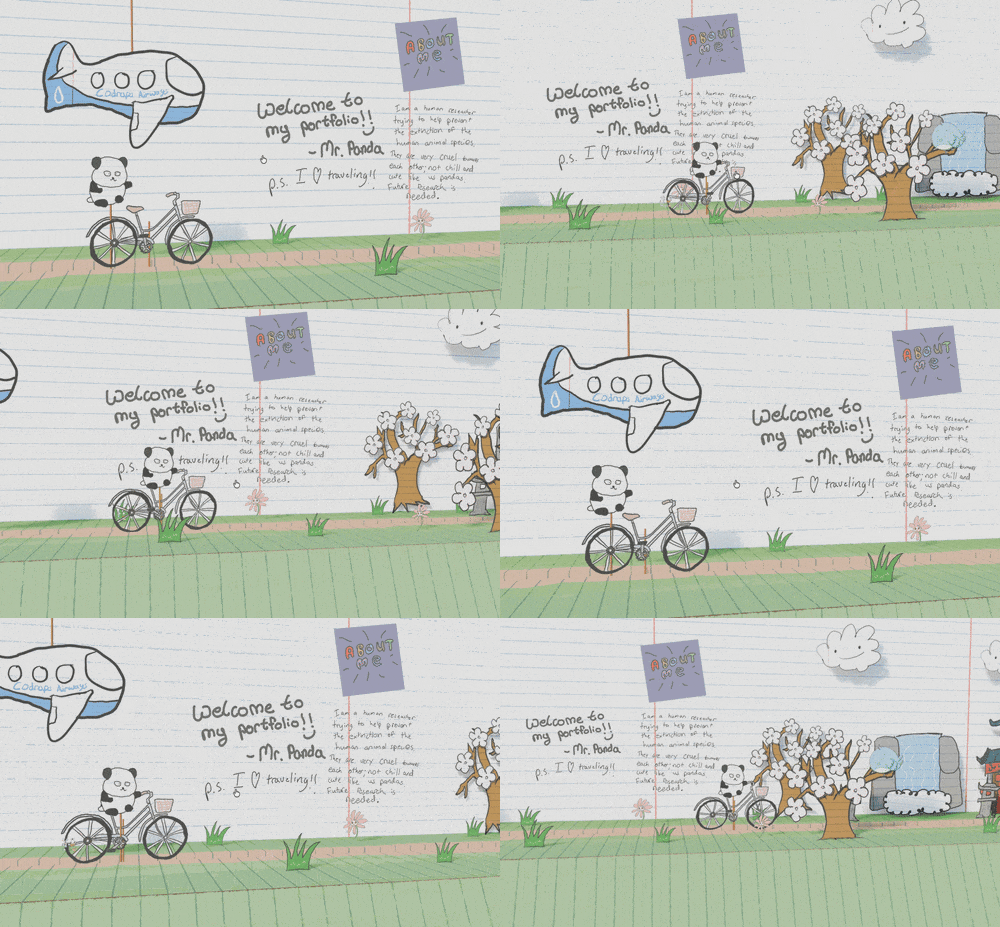
M3.1 Flash Preview rewrote the camera, scrolling, interaction, and animations from scratch.
For example, you can now directly press and hold on the screen to drag up and down, moving the entire scene forward or backward.
However, the panda itself wasn't remodeled, nor were separate limb bones and realistic stepping motions made. Its body posture still comes from the original textures — M3.1 Flash Preview mainly controls the paper doll's position, slight bobbing, and outfit changes.
The cycling pose was a bit off at first; I revised it two or three more rounds. Now it's fairly complete overall, not looking much different from the original project.
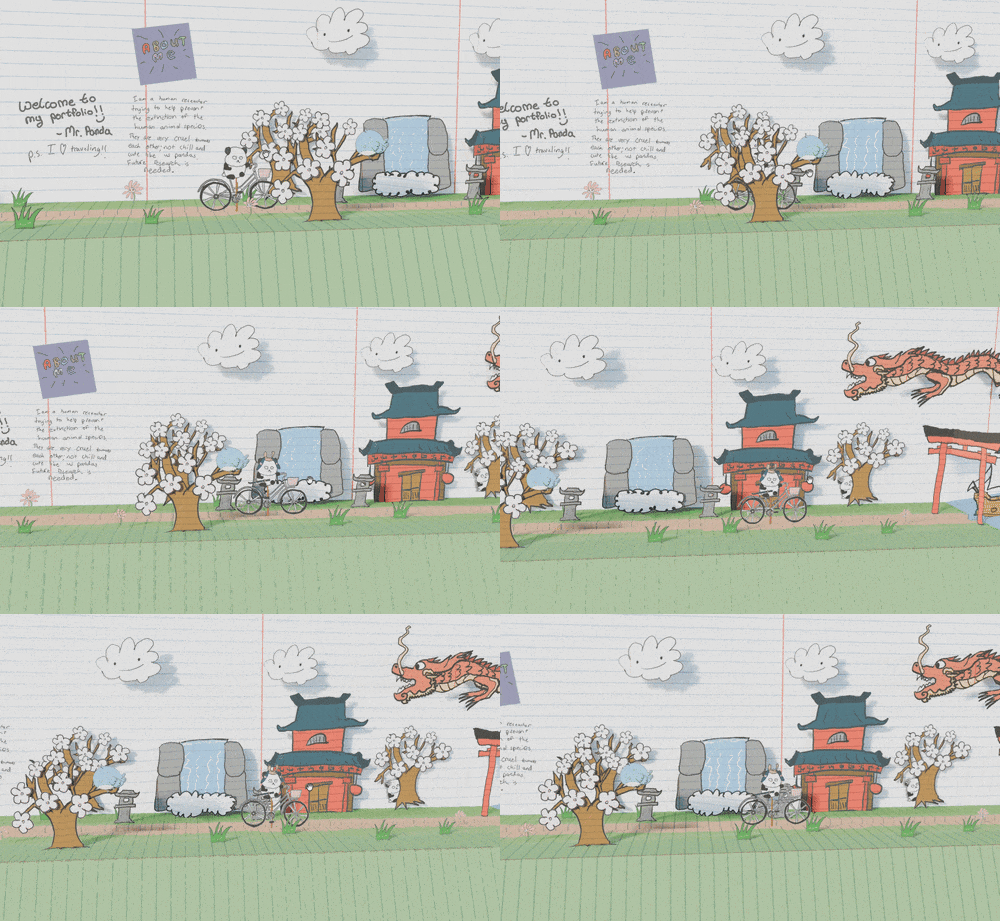
So looking at it now, models like MiniMax M3.1 Flash Preview, while positioned as Flash models, have quite good frontend effects and recreation capabilities.
This may become a trend in multimodal scenarios going forward.
In the future, when people see a well-made project, they can directly have a multimodal model analyze its visual effects and interaction methods, then rebuild it themselves. This process itself can also help developers understand faster how a project is actually implemented.
And Flash models have another obvious advantage: fast iteration. After the first version comes out, you can immediately continue revising to a second, third version, so the speed of learning and trial-and-error is faster.
These past two years, people have increasingly felt that frontend ability is very important.
Like how Anthropic later specifically built Frontend Design capabilities for Claude Code, even explicitly requiring models to avoid common "AI-style" pages — very AI-looking fonts, classic purple gradients, and fixed card layouts.
So now when evaluating a coding model, many people feel frontend is already a capability worth testing separately.
From our actual experience with these cases this time, MiniMax M3.1 Flash Preview performs quite well on this point.
Especially when given a fairly clear visual reference, its understanding of page structure, style, animation, and details is already fairly on point.
From these rounds of actual testing, M3.1 Flash Preview's frontend capabilities can already be compared alongside Opus 5.5.
On complex pages, visual reproduction, and interactive effects, the final completion level of the two is very close. Opus 5.5 is more complete on certain details, but on some lighting and particle effects, M3.1 Flash Preview is actually finer.
This also means that Flash models' value is no longer just speed. For needs like event pages, marketing pages, internal tools, and small product prototypes — which themselves highly value delivery speed — if frontend effects can also approach Opus 5.5, such models will be quite competitive.
Going forward, if models can more stably complete visual understanding, style recreation, interaction completion, and continuous revision, frontend development is likely to become an even larger model invocation scenario, and will continue driving subsequent services like deployment, hosting, and databases.
That is, AI can move from occasionally making demos to entering teams' daily production workflows, bringing more stable model subscriptions and API calls.
If you have some time these next few days, we'd still quite recommend trying out M3.1 Flash Preview yourself.
Pick any website you like, a design image, or even a small project you've always wanted to make, and have it build it from scratch.
Recommended Reading

Join the Membership Group