You used to use Flowith; now it's agents that use Flowith.

The agent has moved into the canvas and now has its own desk.
Agents Have Moved Into the Canvas and Now Have Their Own Desks
👦🏻 Author: Jingshan
🥷 Editor: Koji
🧑🎨 Layout: NCon

One trend has become especially noticeable lately: more and more products are building CLIs, reshaping their core capabilities into forms that agents like Claude Code and Codex can directly understand and invoke. The simplest and most common path is to package your product's capabilities as an open Skill and hook it into an agent's tool chain.
You've probably noticed — over the past few months, it feels like every few days some product announces agent integration.
The logic behind this is straightforward. As agents become the entry point for more and more people's daily work, any product still stuck in the "user opens the webpage, user clicks the button" flow becomes invisible within the agent's workflow. So "making yourself callable by agents" is becoming a new survival strategy for products.
Flowith, which made its debut at Crossing, has evolved along the way into a multimodal creative space where humans and agents work together.
On one hand, Flowith's canvas has always been one of its most distinctive features — and one of the easiest ways to enter a flow state. But some new users still find the learning curve a bit steep. So this time, rather than changing the canvas's core direction, they reorganized key features like node references, follow-up paths, and the text, image, and multimodal editors to help new users get up to speed faster. The whole flow feels much smoother now:
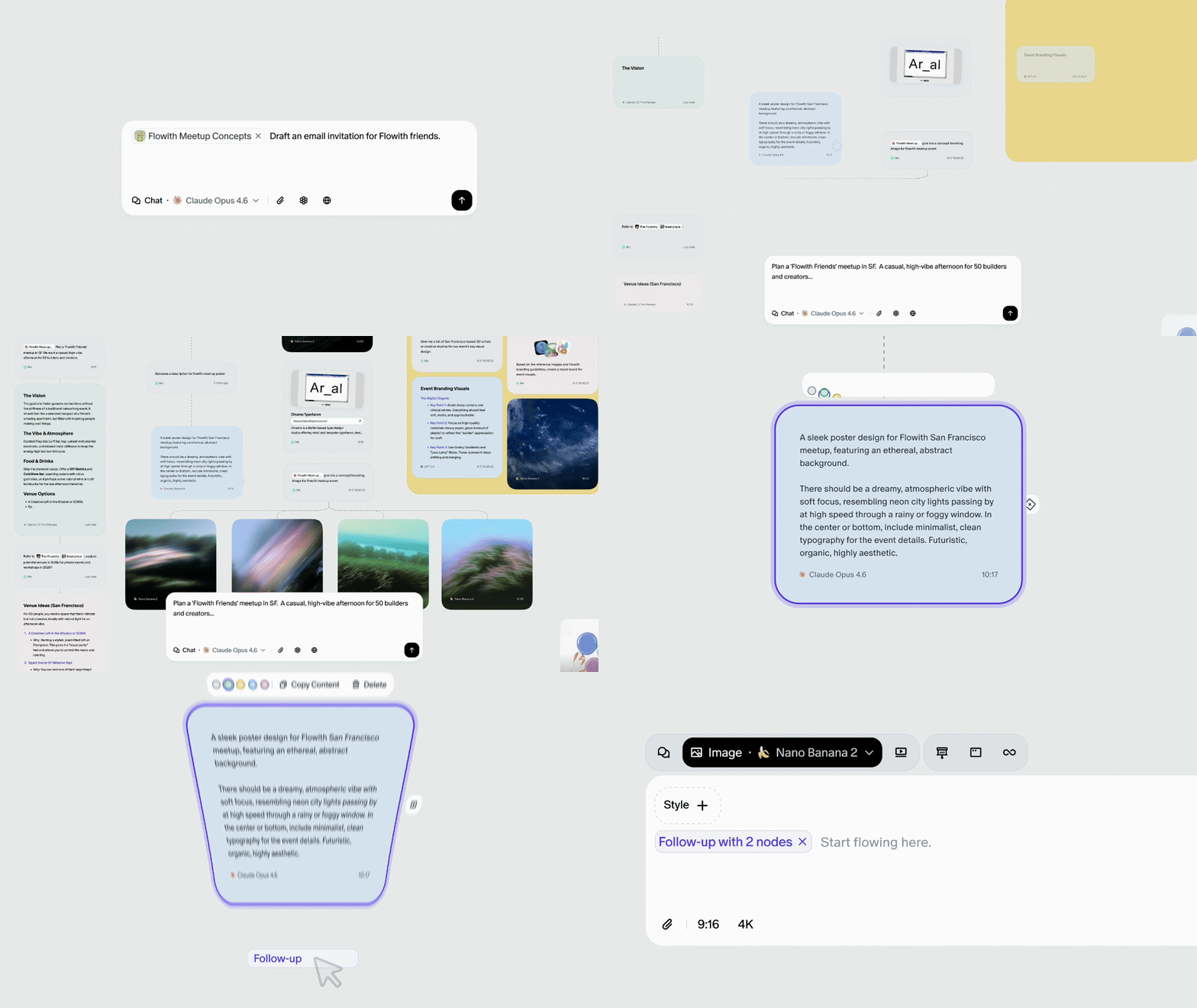
More importantly, they've opened up the Canvas-cowork Skill, allowing mainstream agents like Claude Code to work directly on Flowith's canvas: generating images, text, and video, even calling sub-agents for batch tasks, with support for multi-agent collaboration.
🚥 Here's our hands-on experience.
The Canvas Becomes an Agent Workspace
The canvas itself has seen quite a few changes — onboarding guides for new users, a homepage reorganized by output modality, and a new Playbook section with example cases. The barrier to entry is noticeably lower than before. Node interactions have been optimized too, which we'll touch on during the hands-on section.
But the standout feature in this update is Flowith's open Canvas-cowork Skill.
In short, you can now have Claude Code, Codex, OpenClaw, and other mainstream agents work directly on Flowith's canvas.
Installation is simple — one line:
❯ Install for me: npx skills add flowith-ai/canvas-cowork
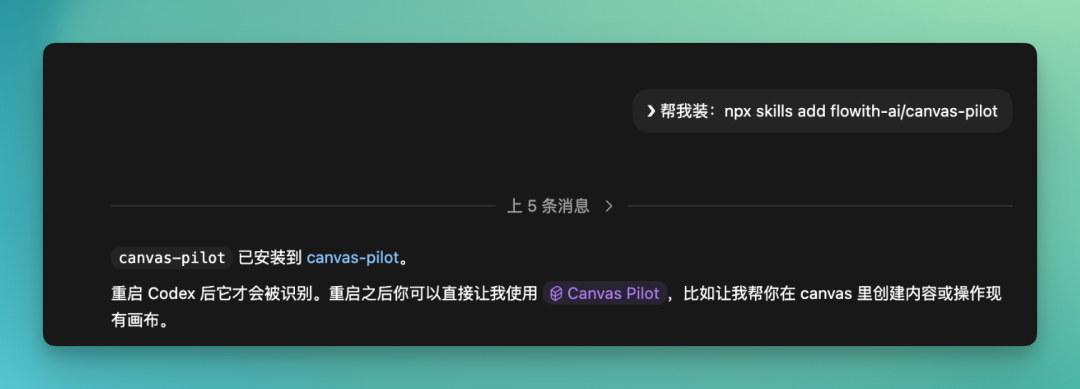
The Canvas-cowork Skill essentially wraps Flowith's canvas capabilities. It can create and manage canvases within Flowith, and directly generate multimodal content. Images, video, text — all in batches.
The Neo Agent inside can also be called directly, so you can run entire batches together. And it can access all canvas information and content, reading out everything in the canvas — nodes, results, processes, comments — and organizing it all centrally. It's essentially taking scattered information and putting it under unified orchestration.
Flowith's core strength is producing complete content at scale on an infinite canvas. A brand launch event, for instance, is a perfect use case. You can issue commands directly in Codex and let it work.
First, research current mainstream visual styles, then build a complete strategy based on those findings. Then, following that strategy, batch-generate visual assets in a unified style — from research to strategy to output, all in one continuous chain.
The prompt:
Please first complete trend research, then based on the findings, generate a complete set of unified-style visual assets for a spring launch event for an AI collaboration product, and organize the results on a single canvas. Project background: * Product name: Flow AI * Product type: AI collaboration workspace for creative teams and knowledge workers * Core selling points: multi-agent collaboration, visual workflow, multimodal creation, team-shared canvas * Use cases: website redesign, launch preheat, social media distribution, product introduction page * Target audience: AI practitioners, designers, product managers, creators, tech media * Brand temperament: cutting-edge, calm, restrained, futuristic, premium but not flashy * Communication goal: let users feel "this isn't just another AI tool, but a new work interface"
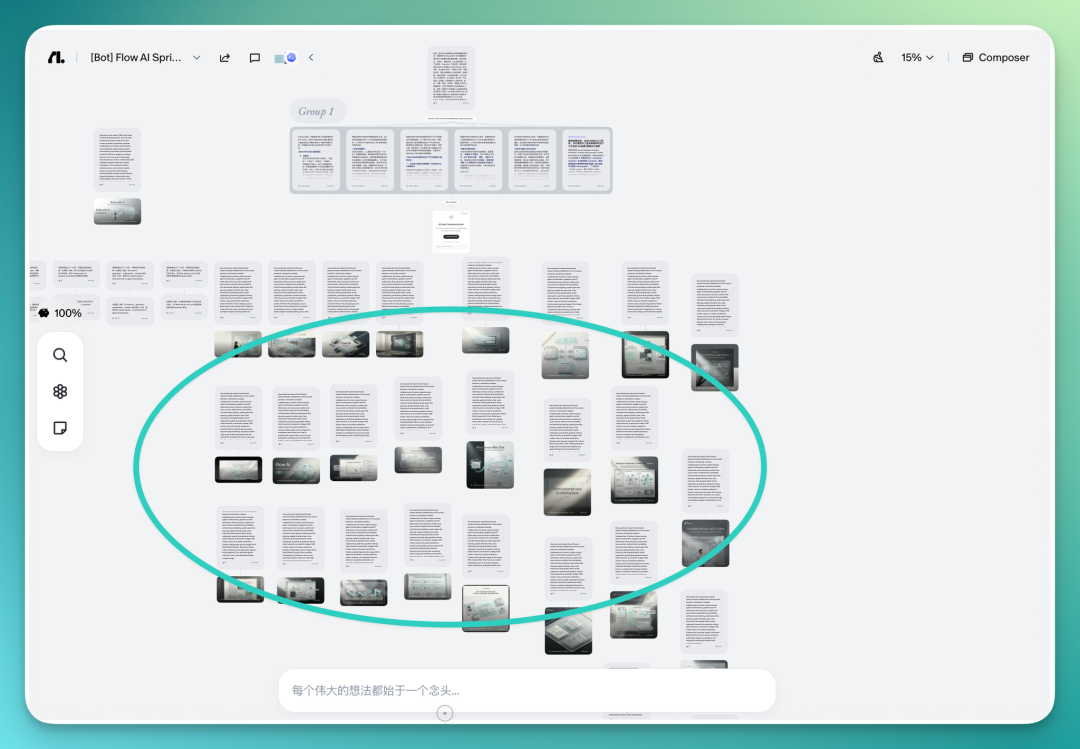
After you send the command in Codex, Flowith's Canvas begins executing tasks automatically. You'll see it first input the main task prompt, then quickly unfold an entire workflow.
Many nodes appear on the canvas, each executing part of the task, with the whole process running in parallel.
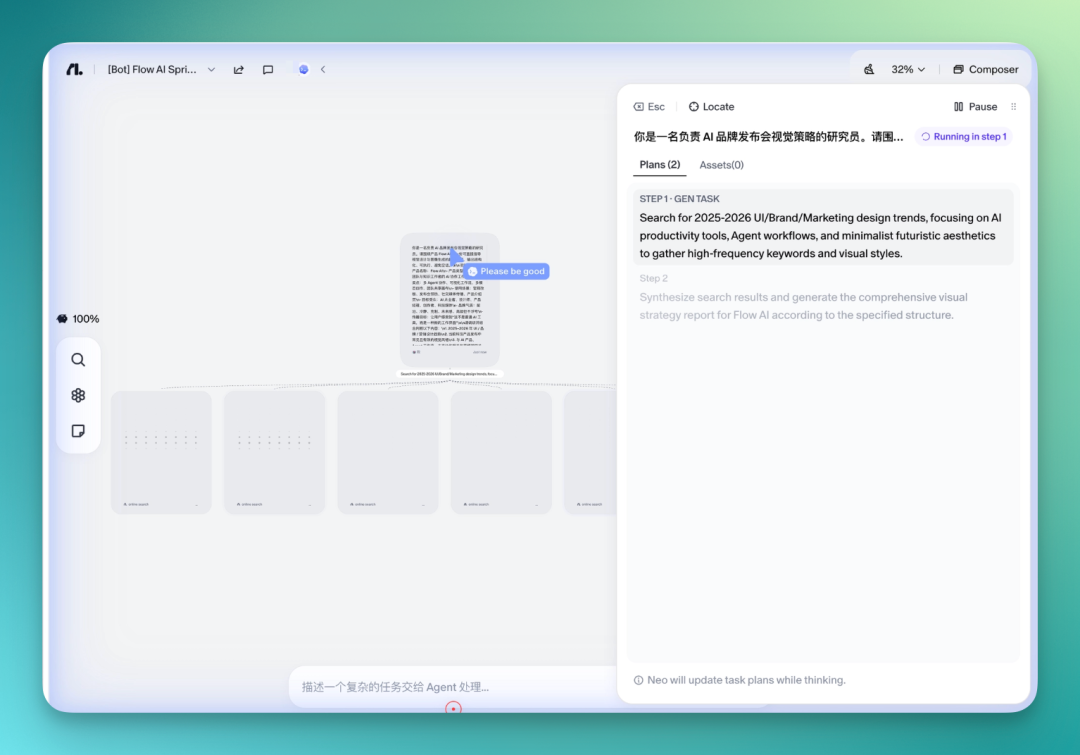
Connecting to Flowith through Codex lets you use the Neo Agent directly. Neo will plan out an entire set of tasks on the Canvas based on your prompt.
For example, it first produces several trends, then breaks out a batch of keywords, with each visual keyword becoming a node — ensuring the visual system that follows is unified and executable.
Then it splits into multiple task lines — KV, landing page, social media — each advancing independently but using the same visual system.
You can also choose the model yourself, such as specifying NanoBanana Pro.
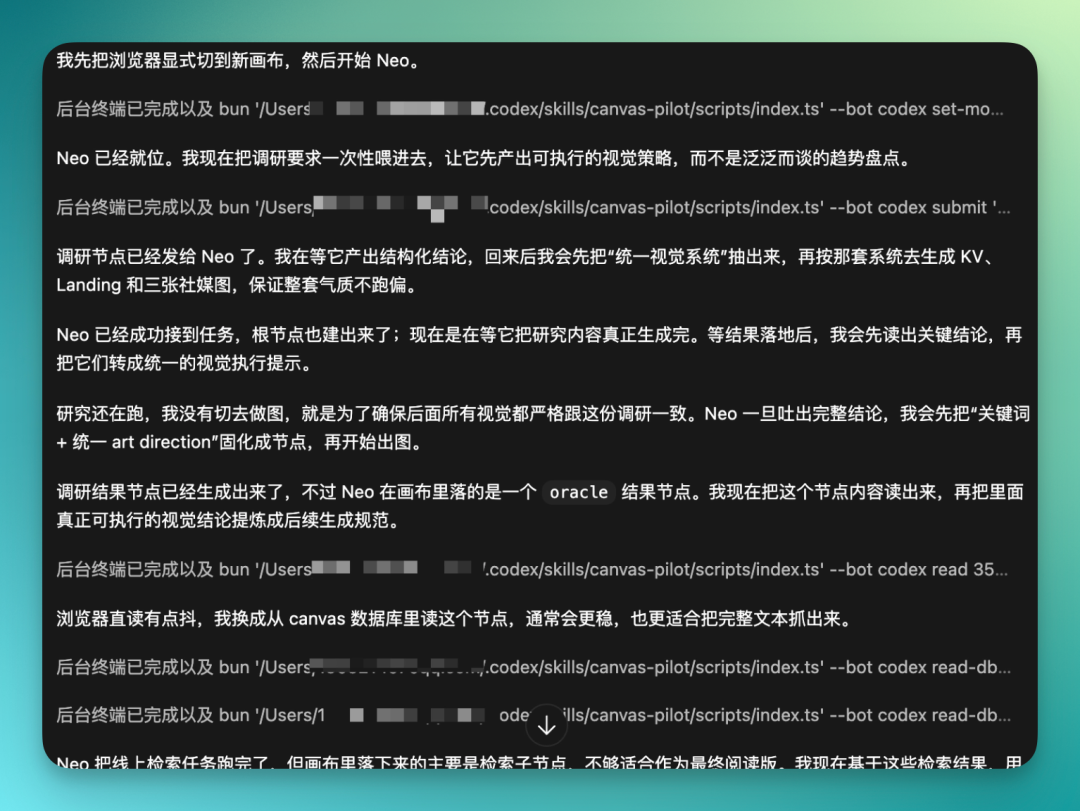
Zooming in: after you input these commands in Codex, it first analyzes all node tasks. Neo then handles specific execution and planning within Flowith.
A main node appears first, organizing the main task prompt and placing it as the starting point for all subsequent tasks.
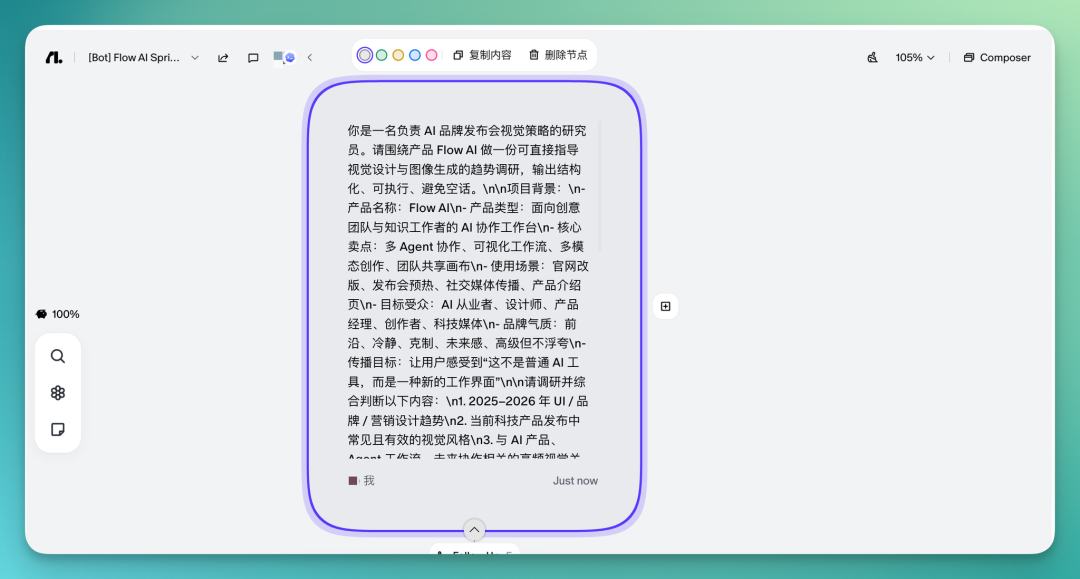
Then based on this main node, it continues breaking down into multiple nodes, conducting multiple studies on current mainstream tech productivity platforms' UI and brand marketing design trends.
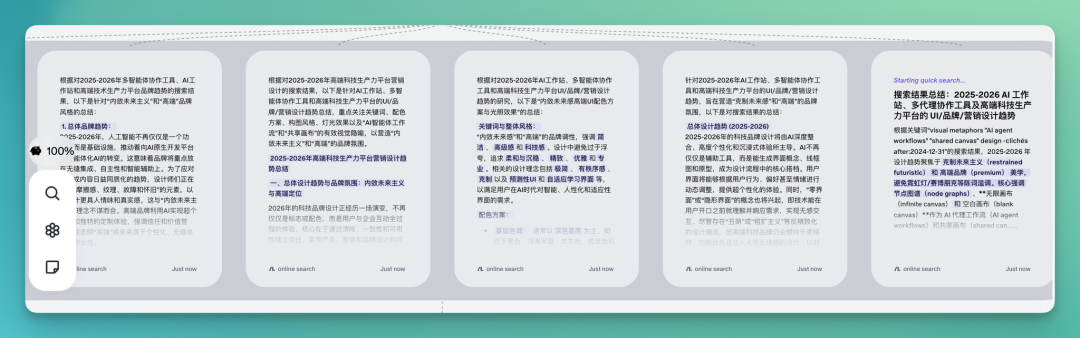
The canvas has also seen many adjustments. You can now click a node directly, and a panel pops up on the right — you can zoom in for a closer look or edit directly inside.
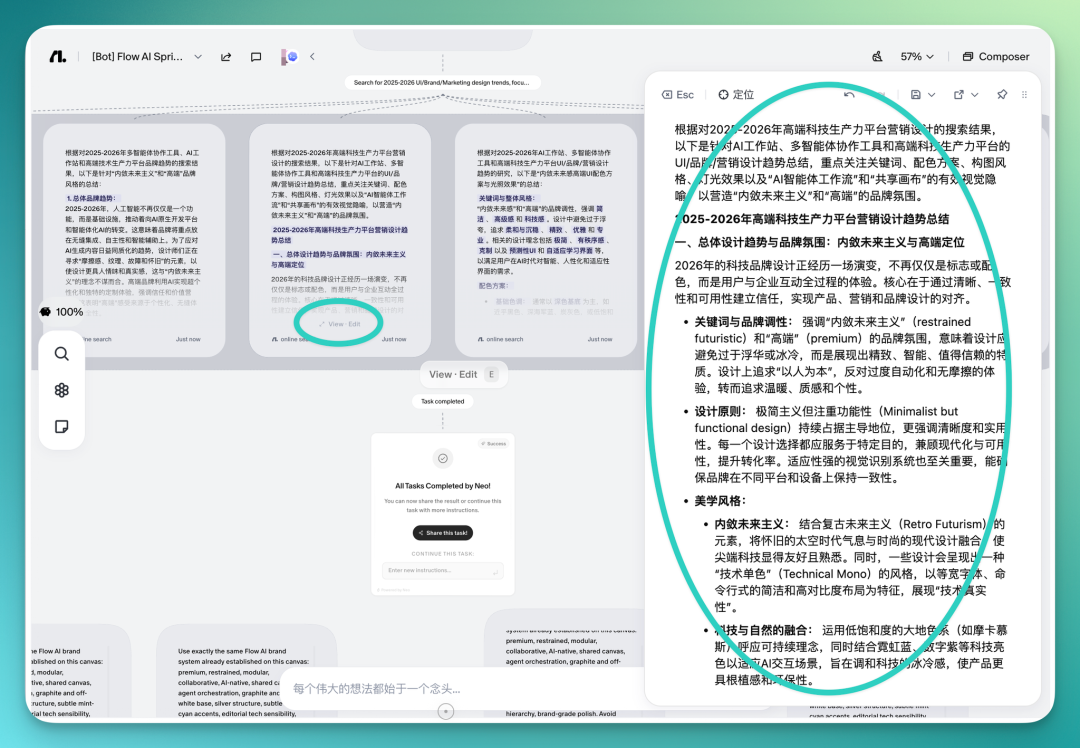
One advantage of having Flowith's Neo Agent do the research: it's more likely to dig up newer, less formulaic brand styles. Because if you just let AI do "tech feel," the results tend to be generic, easily falling into clichés.
Running it with the Neo Agent, it researches from many sources, integrates different design references, and finally gives you a more complete assessment: how a productivity platform's visual style should actually be done.
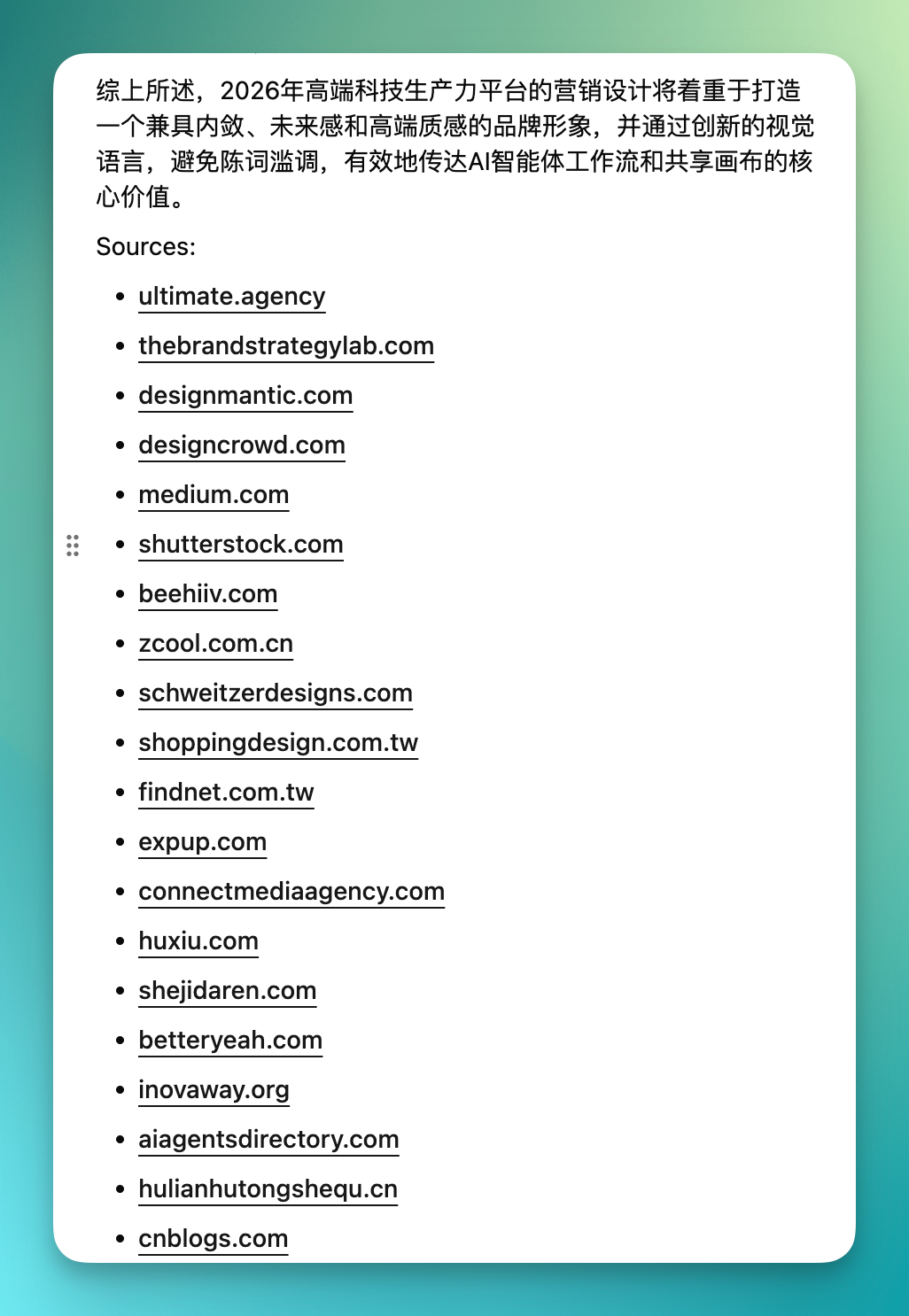
If you're using Codex, it can directly call models in Flowith for you. You just need to chat with it.

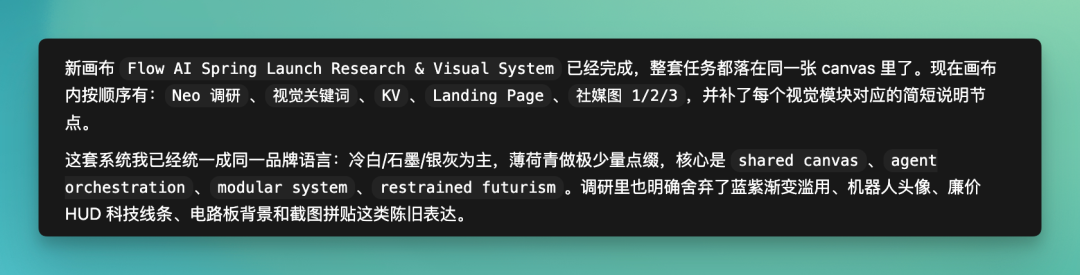
The final brand language Flowith delivers is the complete set below. By this point, the canvas has already completed substantial upfront research — including Neo's research results, visual keywords, and brief descriptions for each visual module.
The entire brand language is set. What's interesting is that it explicitly rejects some overused tech aesthetics, especially the cheaper, more formulaic expressions.
The final results — I've screenshotted a few. Overall, it's noticeably better than writing your own prompt from scratch or finding references on design sites.
The visuals are cleaner now, with coordinated combinations like mint, white, and gray, giving a unified overall impression.
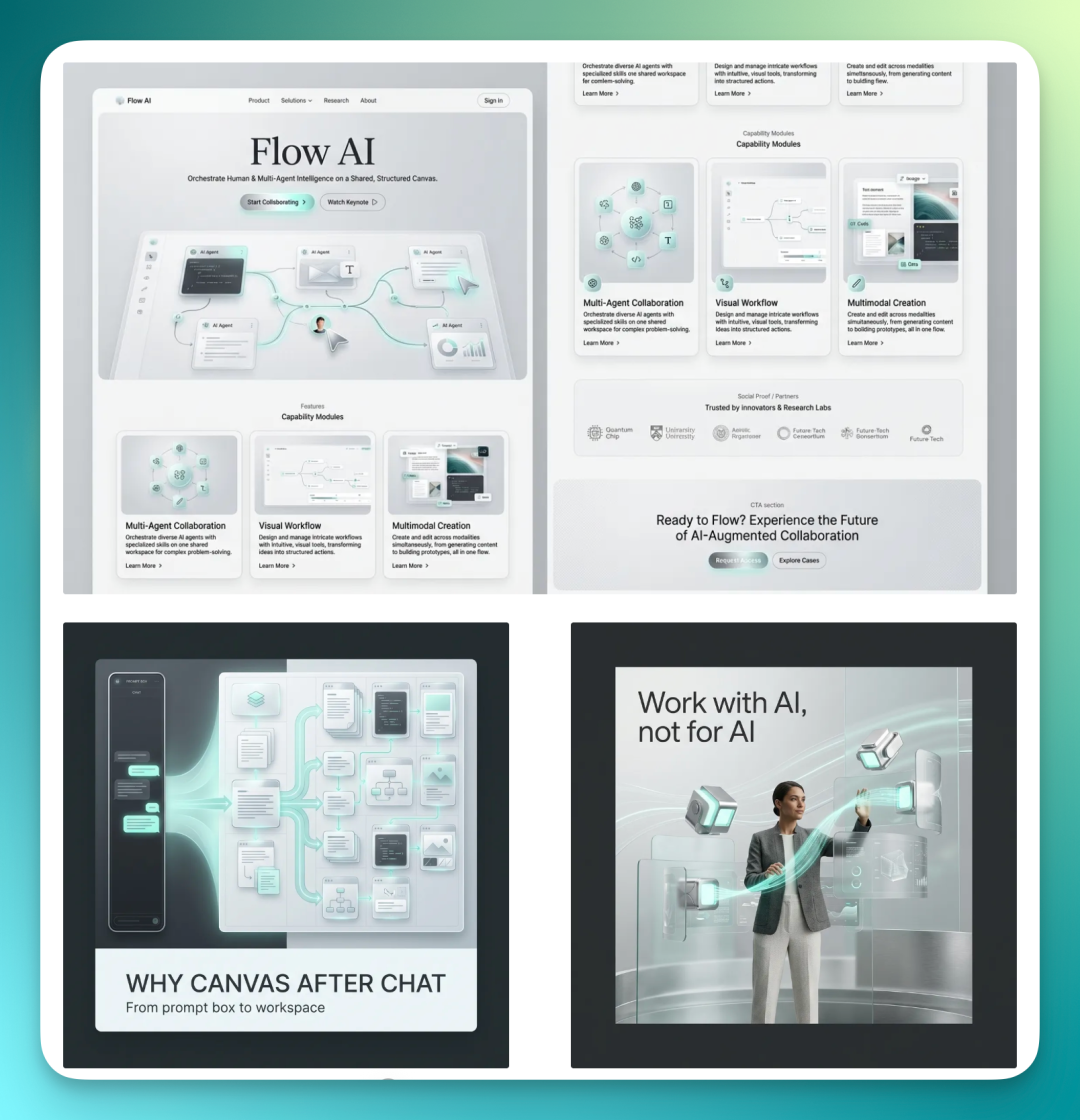
It's not just a one-time generation of 5–7 assets like KV, landing page, social media images. You can have it produce a complete visual design system following one visual language.
So it generates many nodes, which you can freely organize and adjust on the canvas.
The section below is from my own experience. Because it can do an entire set at once, and each node has a preceding prompt that essentially locks in the style first.
So the overall brand style is very unified, with consistent visual language. Within this complete set, you can directly pick and choose. I've selected a few of the better assets here.
As we mentioned earlier, this Skill has a capability where it can directly query past node content in Flowith — using natural language.
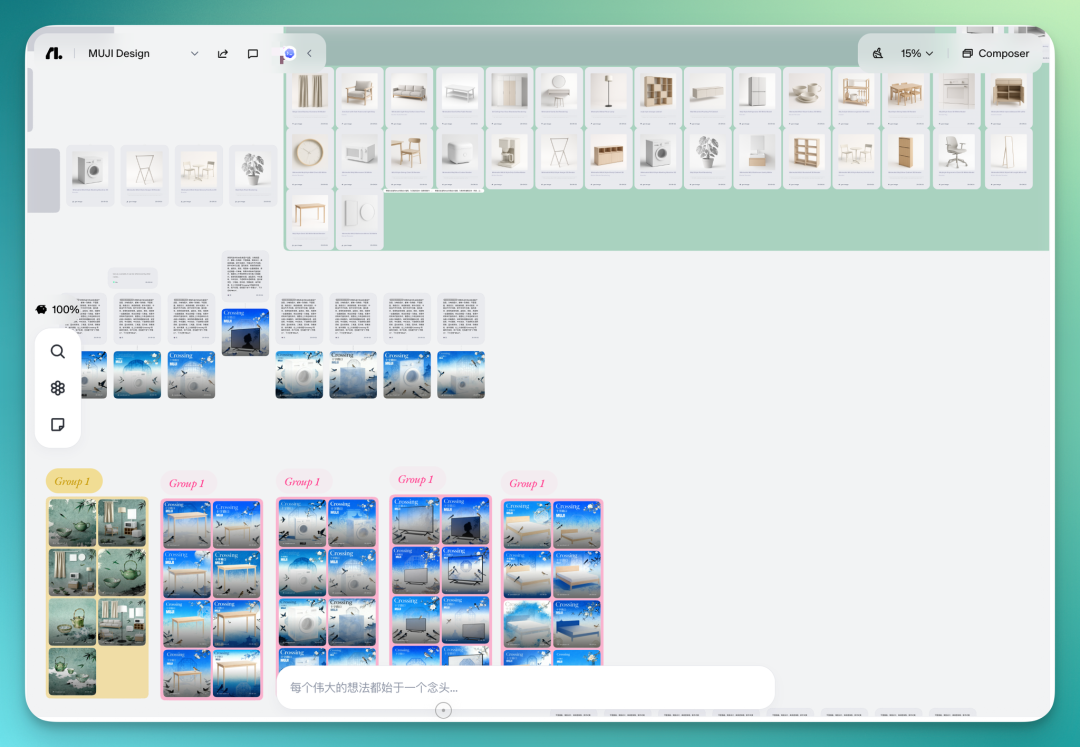
For example, I previously created a canvas for Muji-style home design. You can have it look up this content, then continue designing, generating images, researching, even video content based on it.
The prompt:
Continue using Canvas-cowork. Task: retrieve my previously created canvas called Muji Design Keywords: - Muji-style home - Japanese minimalism -原木 / 米白 / 留白空间 Requirements: - Find the canvas - Summarize the following: 1. Spatial style (color / material / lighting) 2. Furniture characteristics (form / layout / proportion) 3. Atmosphere keywords (e.g., restrained, quiet, lived-in) 4. Reusable visual elements (at least 5) Output: - A structured summary - Extract "unified visual language" (for subsequent video generation)
Below is my previous canvas for Muji-style home design. You can see that Codex has already called this Skill and found the corresponding canvas for me.
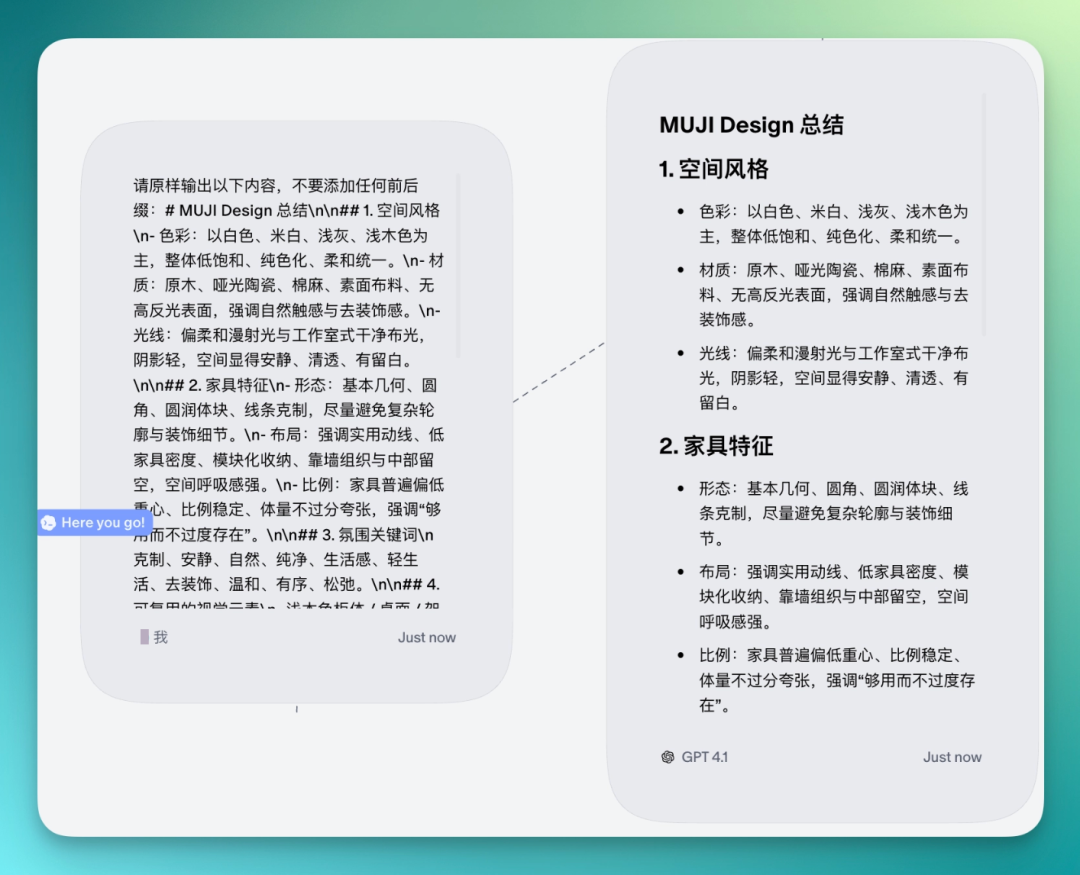
After that, the first thing I had it do was summarize all context in this canvas, then help me extract Muji home style prompts and keywords.
Because these keywords will be used for later design work. It organizes spatial style, furniture characteristics, and other content, sending it all to me in one go.
Then I had it create Muji-style short videos for each piece of furniture based on these styles. First generating scripts, then doing video positioning and shot breakdowns based on the style content organized and researched earlier.
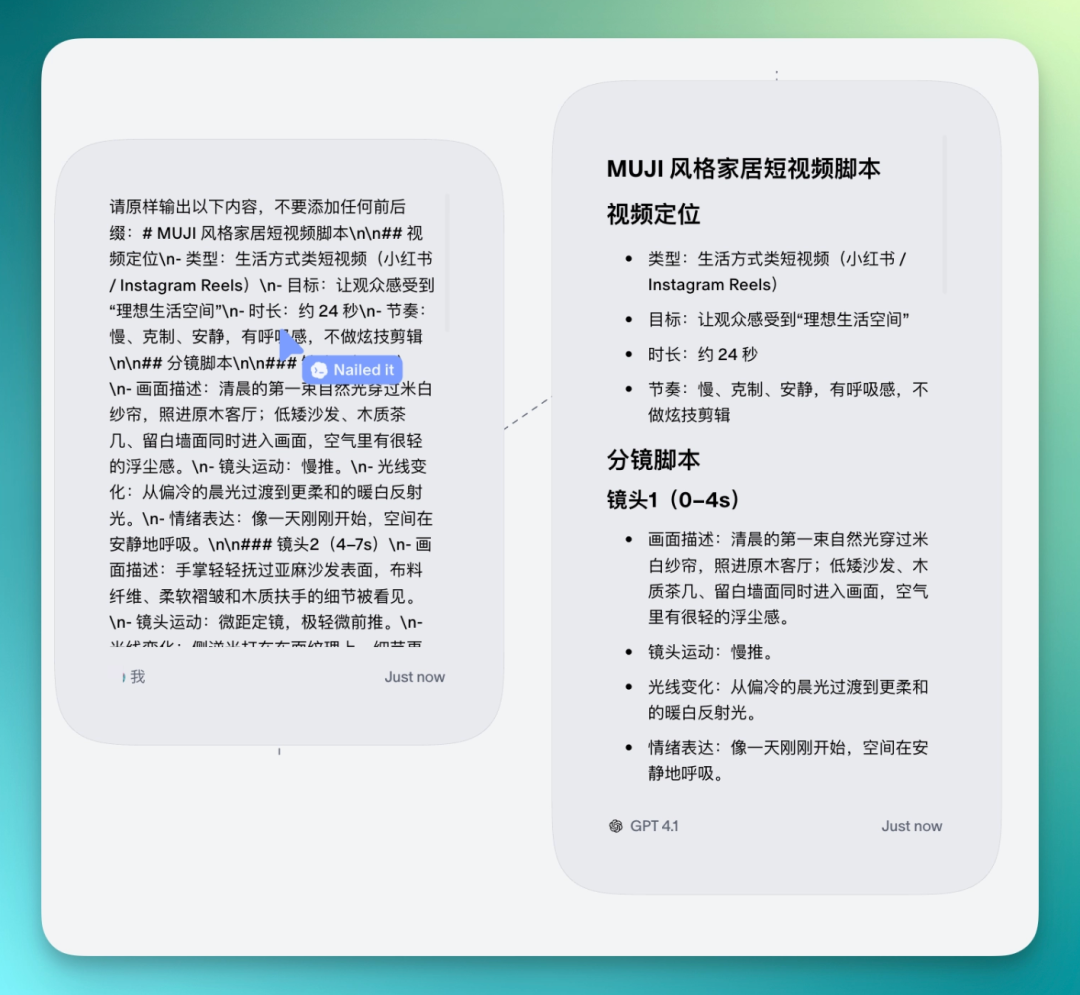
Then Flowith's Neo Agent directly calls VEO 3.1's fast model for this round — also a speed-prioritized choice. It explains why too, such as this model being more suitable for natural light, micro-movement, stable camera lifestyle clips, able to quickly produce a unified style set.
It also clearly defines each shot — 9:16 aspect ratio, duration, audio or not, etc.
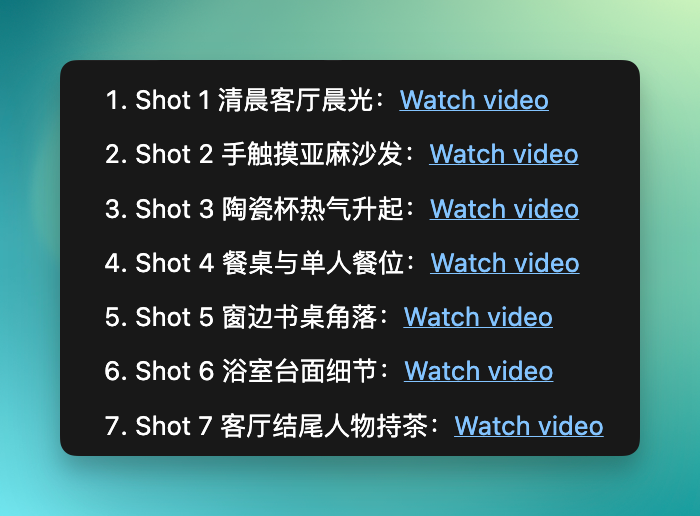
Then it's very fast, because these nodes are all called in parallel. The whole process looks quite spectacular, with everything coming out together.
And because the context, style, and language were all strictly defined earlier, the final style of each video is very consistent.
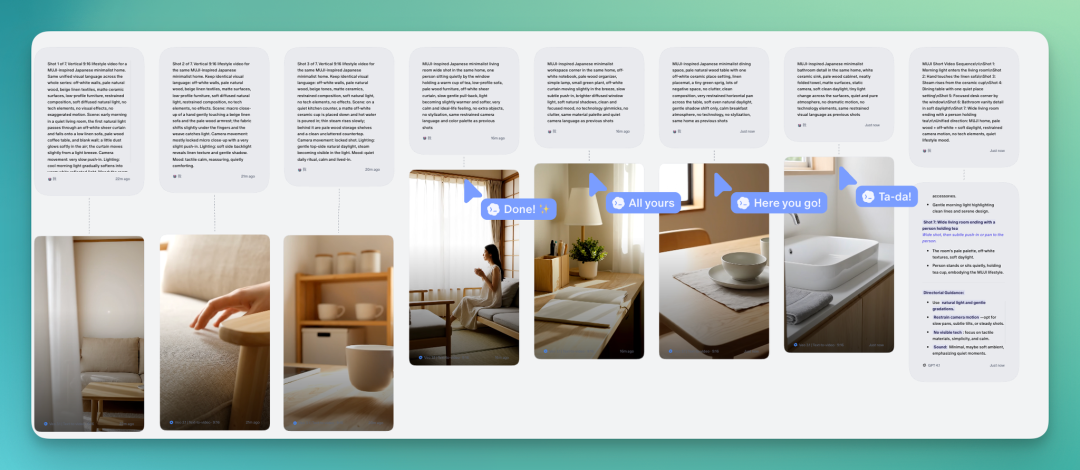
The final unvoiced result:
After that I had it organize all shots into a complete short video structure:
Organize all generated shots into a complete short video structure. Output: Video rhythm structure: - Opening (introduce the space) - Middle (details and sense of life) - Ending (emotional resolution)
You can even expand these home style images and scenes into a complete UI design set.
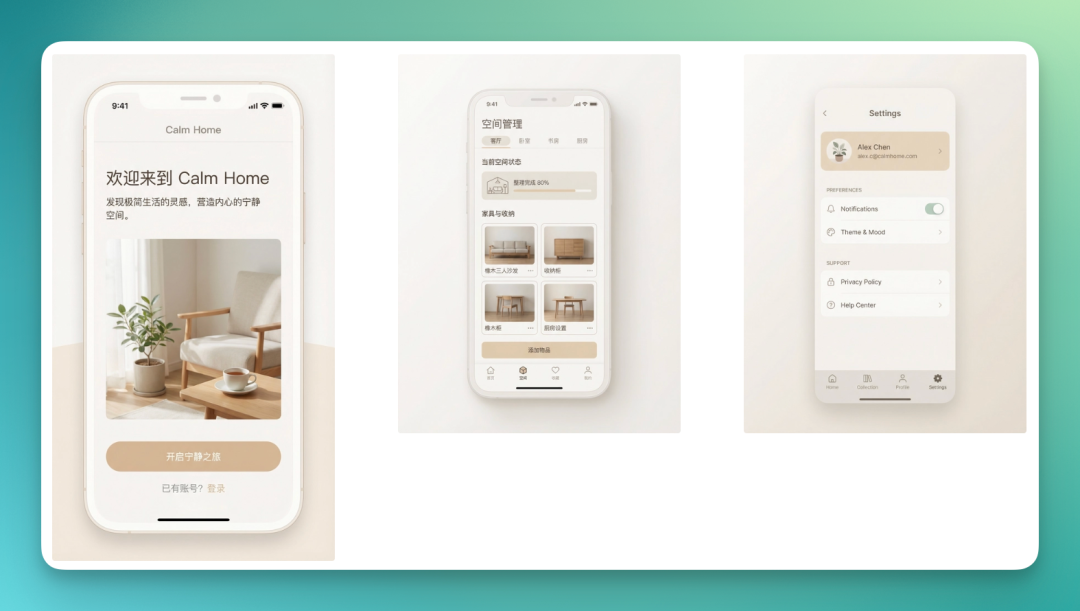
Then the complete UI design set, including colors, tone, and design language for titles and body text, can also be organized into one image.
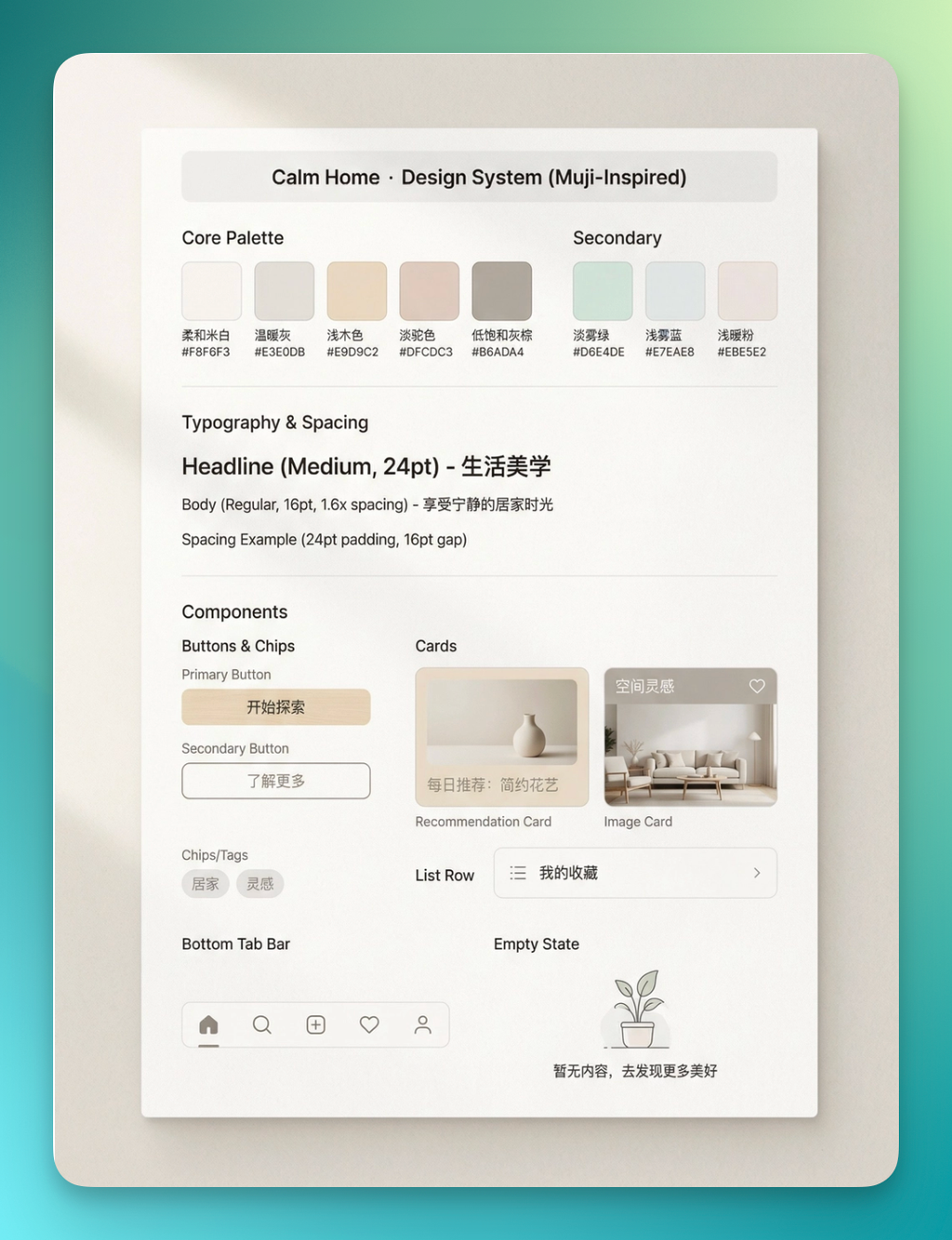
So I've also found that Flowith is well-suited for complete content design sets, not just single-point output.
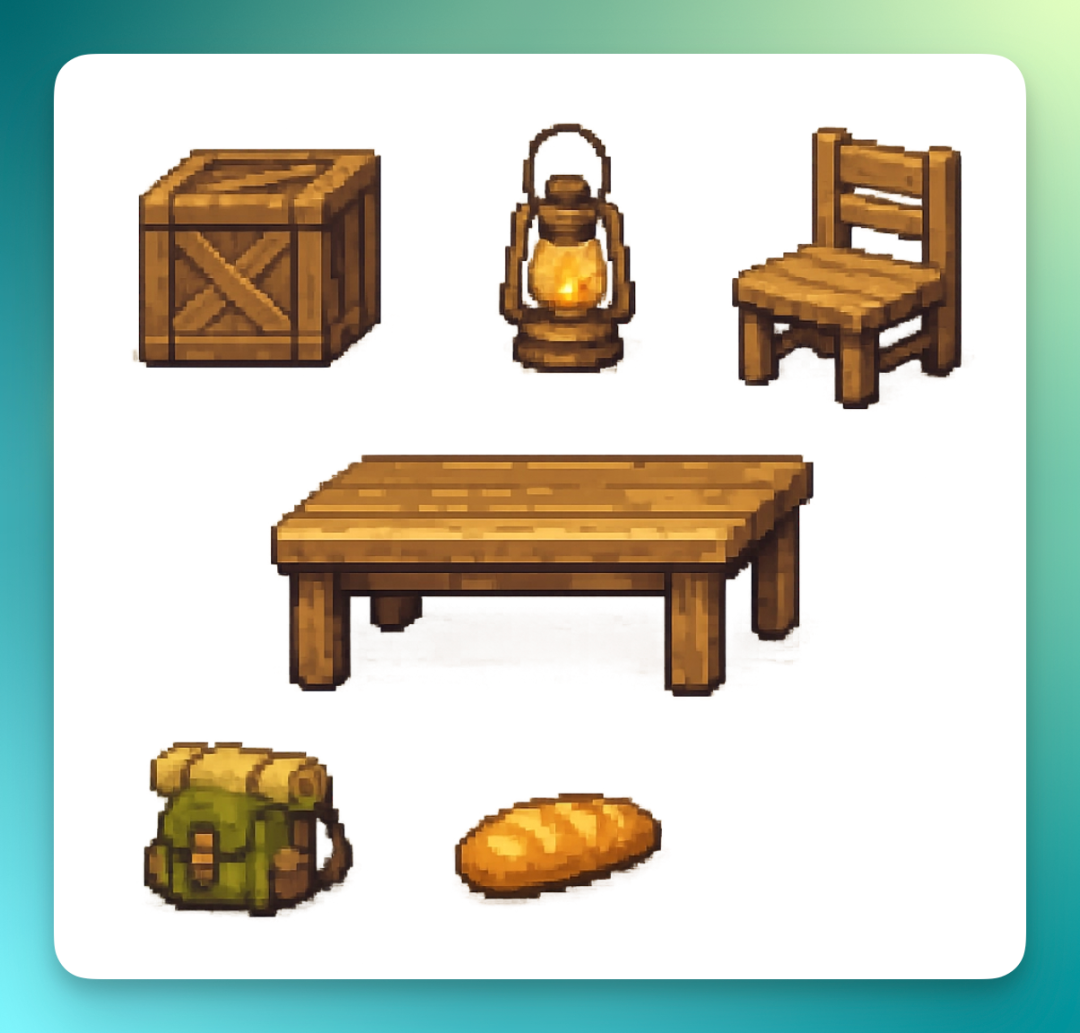
Indie game development has been hot in communities lately, and this kind of 2D pixel-art adventure game is actually a typical use case. Because it's essentially a complete content set — characters, terrain, items, all these RPG elements need unified design.
In this situation, using Codex to call Flowith's Canvas-cowork skill is very suitable.
Task: establish a complete art style system for a 2D pixel-art adventure game (for all subsequent generation). Generate 90 images total. Game settings: - Genre: pixel adventure / exploration - Perspective: 2D top-down (classic RPG style) - Worldview: warm natural world + light fantasy elements - Atmosphere: healing, quiet, slightly lonely
After you input this prompt into Codex, you'll see it call everything in parallel at once. I recorded a GIF here where you can clearly see the whole process.
I directly had it generate 90 image assets:
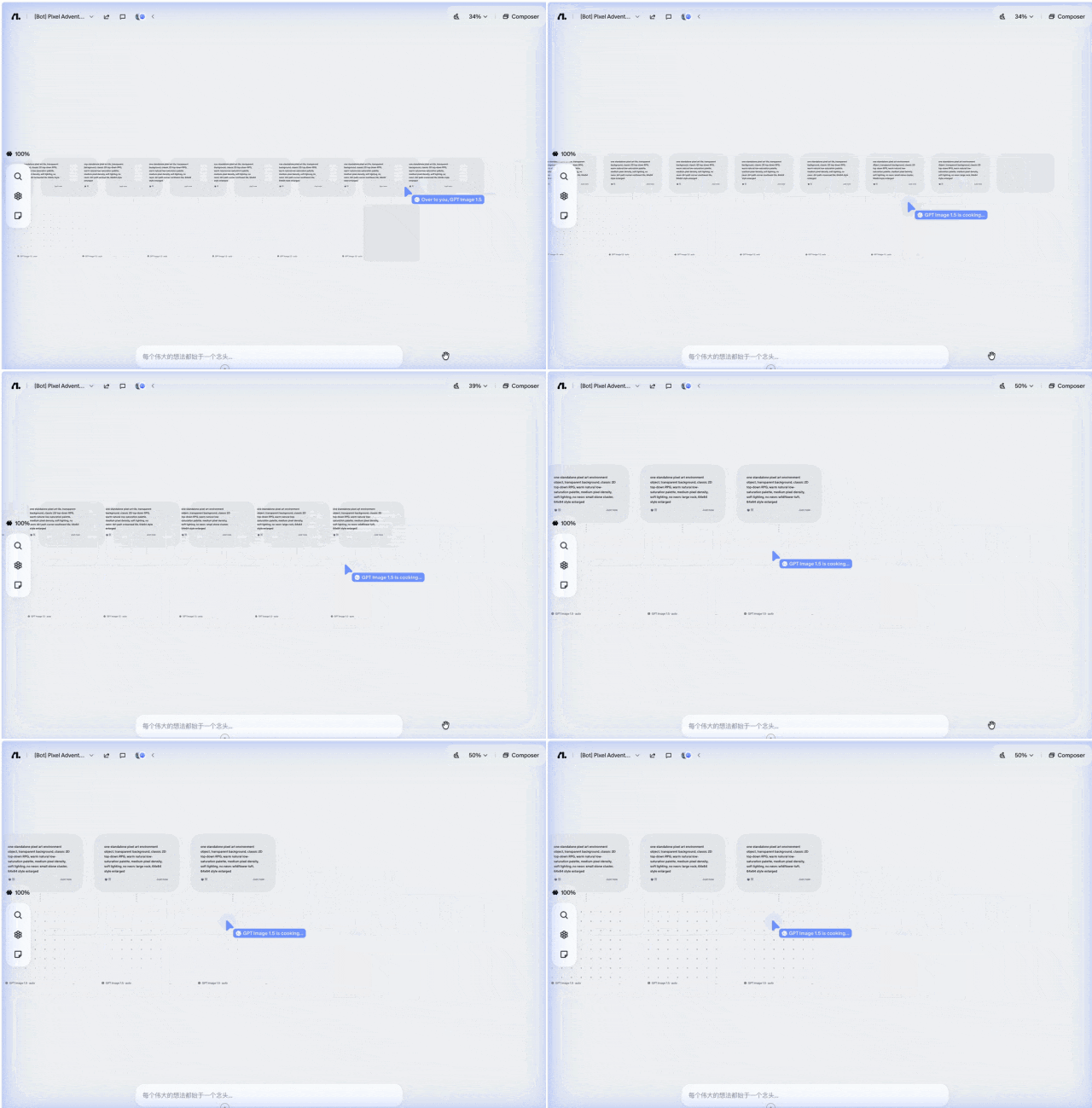
Then it breaks down characters, items, maps, terrain, generating one image per element — 90 assets total.
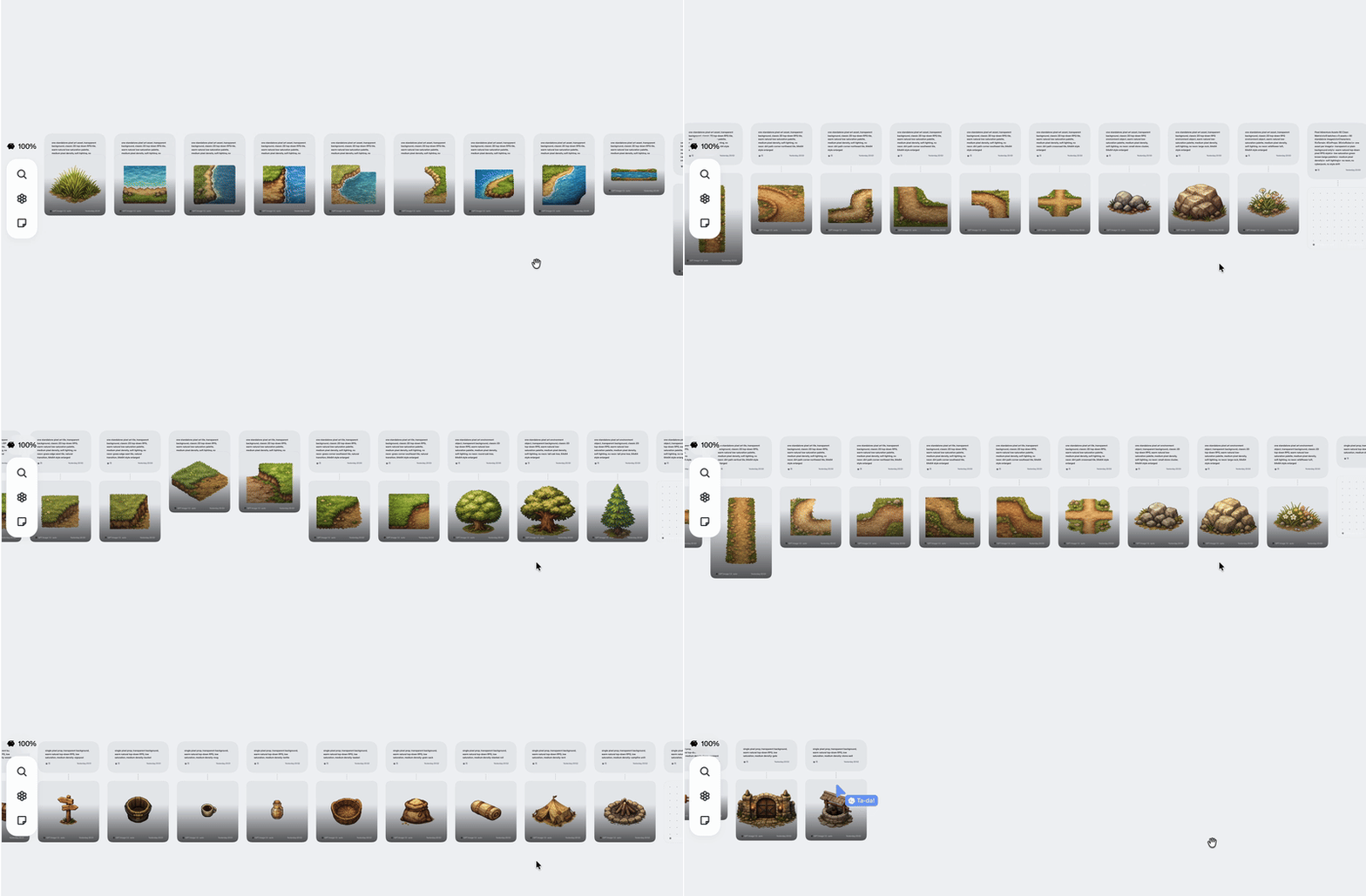
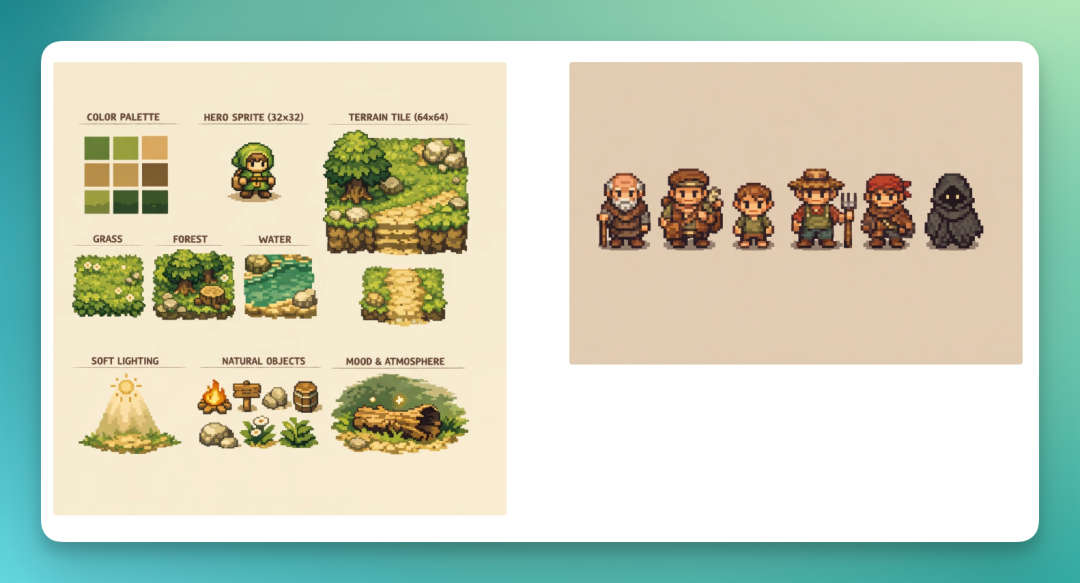
Here I've organized some asset collections. First the overall color tone, then overview images of terrain, items, and characters, plus some characters it designed.
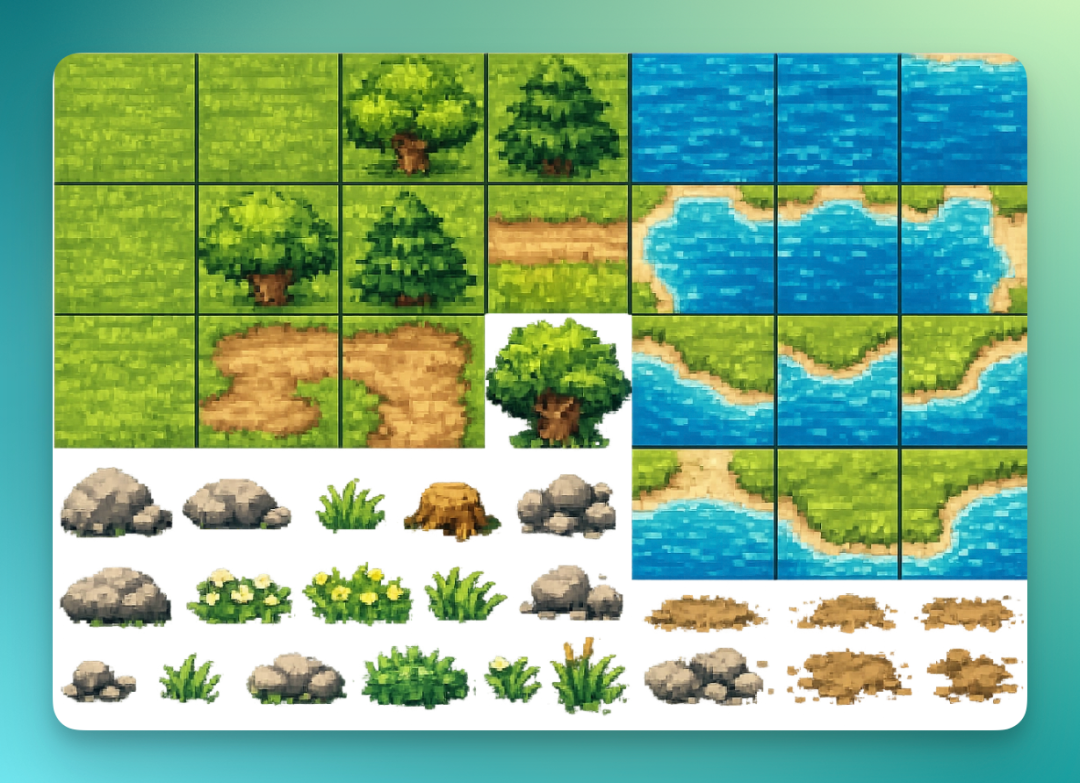
Basic terrain tile set:
Interactive item set:
This Skill now also supports multi-agent collaboration, quite smoothly:
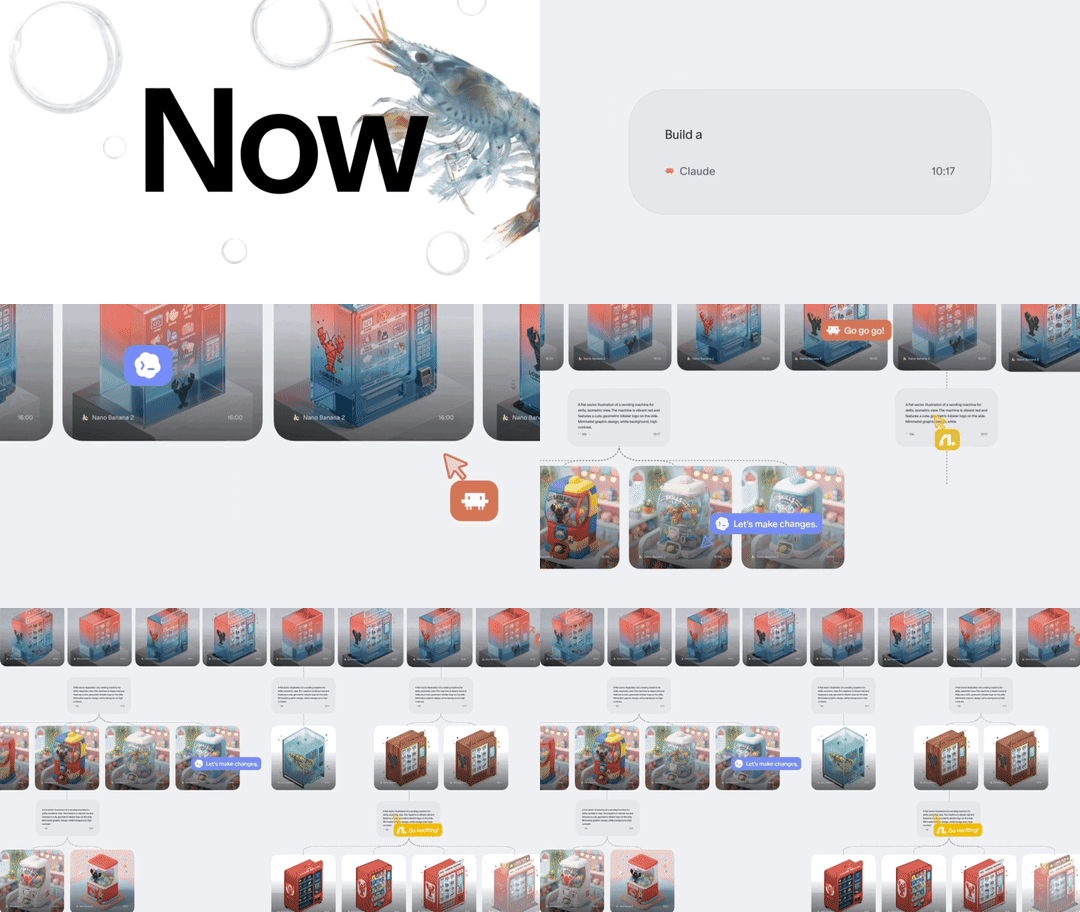
Flowith's Canvas-cowork skill lets multiple agents work together in the same canvas — essentially agents collaborating with agents to complete tasks.
Usage is simple too — just send the collaboration canvas URL to Codex. For example:
Use Canvas-cowork skill to collaborate in someone else's canvas, address: https://flowith.io/conv/xxxxx Based on the content in this canvas, generate APP UI in this canvas

The Canvas-cowork Skill recognizes all context in the collaboration canvas:

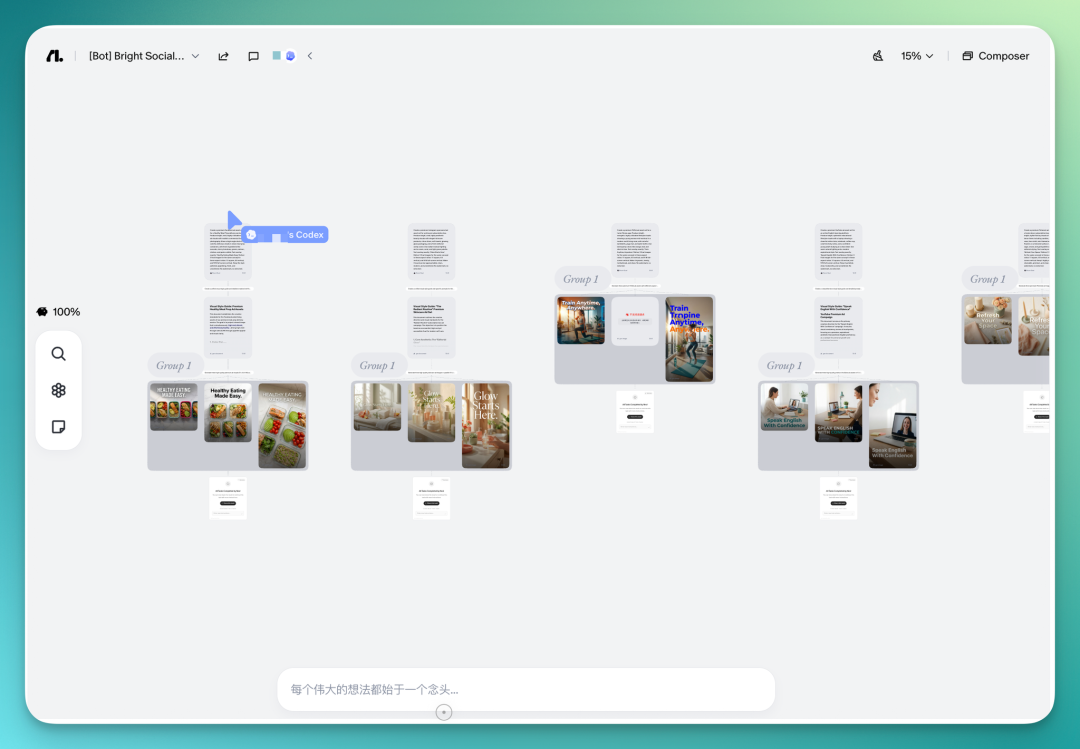
Finally, converging on several directions most suitable for mobile product UI:
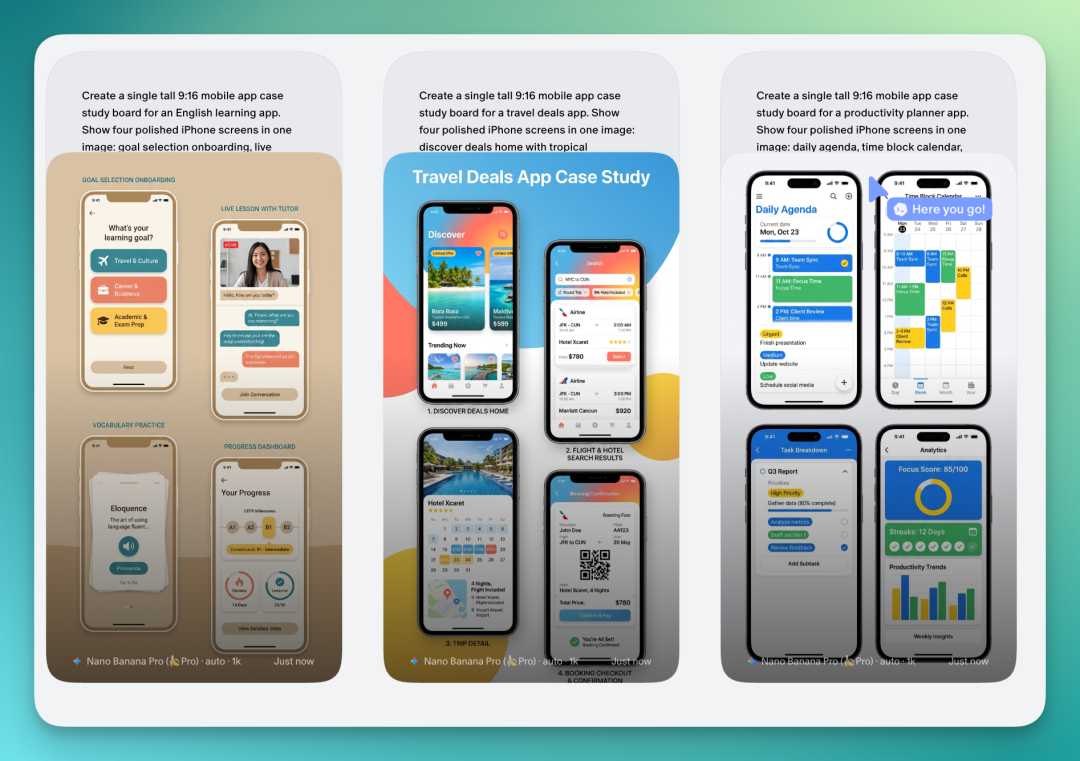
All generated image content above can be quickly edited:
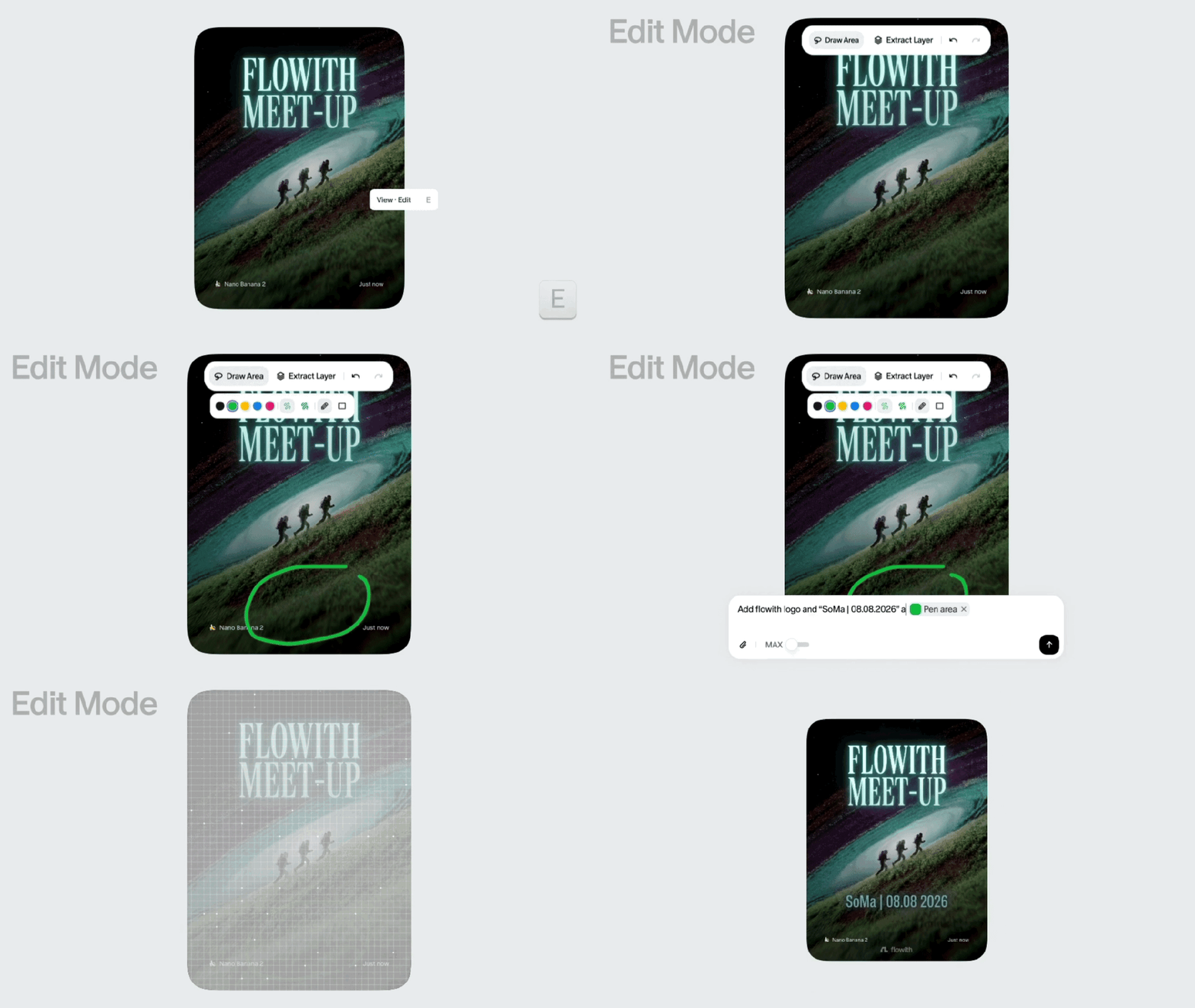
Overall, the logic of Canvas-cowork skill is transforming the canvas from a "tool for humans" into a "shared workspace for humans and agents."
The agent is no longer just something you chat with — it becomes your canvas collaborator, with the final output being jointly advanced by both.
Looking back at Flowith's update this time, there's an angle worth mentioning. In 2026, a structural shift is underway in AI products: product CLI-ification.
More and more products are turning their capabilities into "services callable by agents." Previously, product distribution logic was: build a good interface, build a good experience, get users to come. Now there's an additional layer: build good interfaces, build good Skills, get agents to call you.
Agents are starting to take over the role of workflow orchestration. You tell the agent what you ultimately want, and the agent decides which tools to call, in what order, how to combine them.
🚥
Looking back over the past few months, most products have opened various Claws, and now more and more products are opening CLIs, letting agents directly invoke their features. What's novel about Flowith is that what it's opening is the "canvas" — with ample context, open to multi-person teams and multi-agent collaboration.
So looking ahead, two directions are becoming increasingly clear.
One: agents and humans will increasingly collaborate in the same space, and multiple agents will coordinate in the same space too.
The other: for some product scenarios, having agents use them is genuinely more efficient than humans using them directly. Opening yourself to agents isn't just about avoiding obsolescence — it's because doing so can actually unlock greater product value.
Flowith's update this time shows us one way these two directions can land. In the future, evaluating whether a product is good may require not just looking at how well humans use it, but also how smoothly agents can work with it.