How Many Fewer Detours Will Kids Who Grow Up With Doubao Aixue Take?

Doubao Aixue is just too well-rounded.
Aixue is just too comprehensive.

👦🏻 Author: GaKi
🥷 Editor: Koji
🧑🎨 Layout: NCon

Over the past two years, AI application scenarios have been dizzying to track. But if you had to pick one sector with the fastest growth and most surprising penetration, education would likely top the list.
ByteDance's Gauth is a compelling case in point. Since its launch in 2020, Gauth has become one of the most widely adopted education apps in the world, with over 200 million downloads — a phenomenon in AI-powered education.
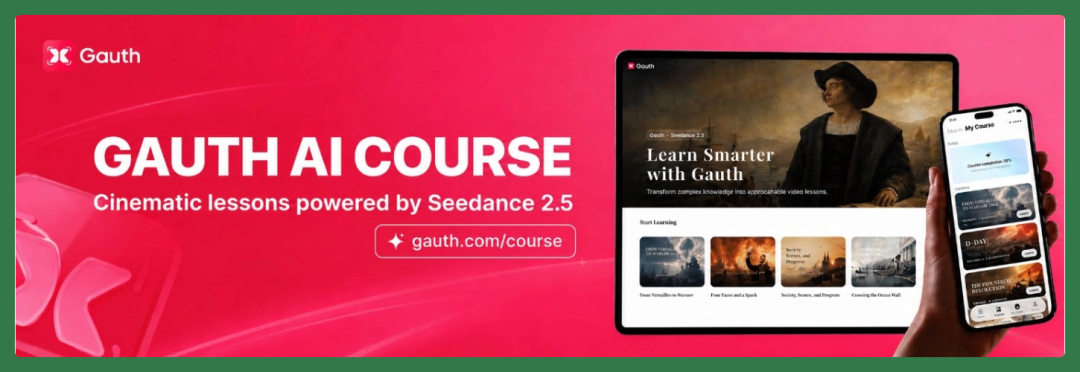
But that's only side A of the story. ByteDance first built Gauth overseas, then brought that same AI tutoring capability back to China as "Aixue."
Compared to Gauth, Aixue hews closer to domestic students' curriculum content and usage habits, and has now been updated to version 2.0.
ByteDance has made several moves along the way: in early July, the product partnered with Tang Guoqiang to launch an interactive Memorial on the Departure for War series. When Seedance 2.5 was released, Aixue was also showcased as a flagship implementation case.
Aixue clearly carries significant weight in ByteDance's current business portfolio.
🚥
Several colleagues on the Crossing team happen to have kids who are heavy users of this product. Drawing on these children's daily experiences, we've put together a firsthand observation.
We've organized actual usage scenarios into three broad categories — Chinese, math, and English — covering K-12 education both at home and abroad, to examine ByteDance's strategic thinking across its overseas and domestic efforts, and what concrete changes AI has brought to children's learning processes.
Aixue Is Just Too Comprehensive
The current standalone Aixue app, backed by the Doubao multimodal large model and the Seedance model family, already covers a wide range of learning scenarios.
Students at elementary, middle, and high school levels can all find corresponding content inside.
Breaking it down, what's most worth noting in this experience is how a problem gets unfolded step by step.
First, Q&A. Students can ask the AI directly about problems they can't solve or concepts they don't understand — this part is fairly basic and needs little elaboration.
Second, and more importantly, AI is beginning to change how students encounter and absorb knowledge. Now AI can adjust its explanations, generate content, and even use images, voice, and video to explain things based on the student's immediate question.
So AI has been embedded throughout the entire Aixue learning process.
Below, we look at three specific "Chinese, math, English" scenarios to see how this AI education product actually works.
[1] Math — Newton's Universal Gravitation
We'll start with the newly updated "Study Mode" to see how a simple question can branch out into explanations, quizzes, and learning materials.
For instance, we can type directly into the input box: "How did Newton discover the law of universal gravitation?"
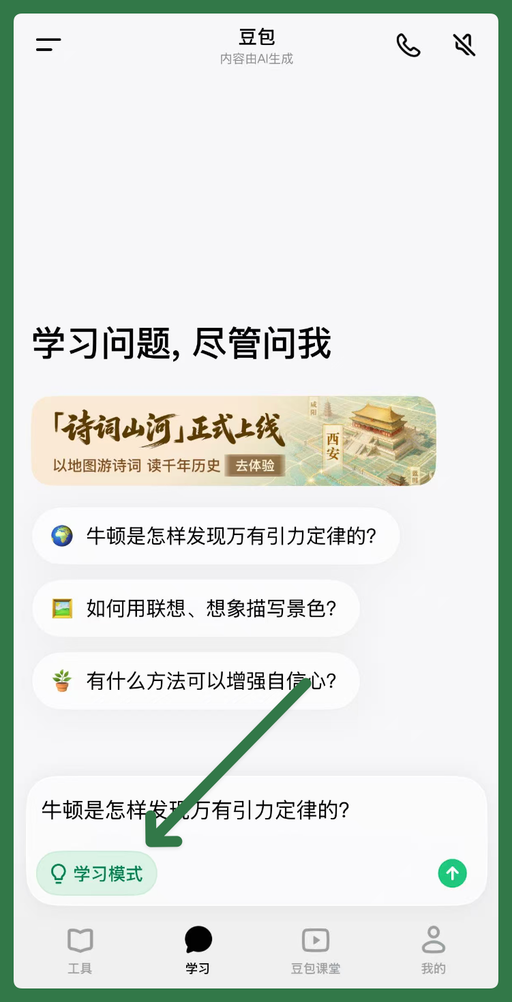
Most people heard the Newton-and-apple story as children, but from "why does the apple fall" to "why does the moon orbit the earth," there are quite a few questions worth pursuing.
At least when I learned this, I basically just read the textbook. There might be one picture of Newton with an apple, and the rest was mostly text — very little interaction between the student and the material.
Starting with the most basic capability, Aixue can handle AI Q&A directly.
If you ask how Newton discovered the law of universal gravitation, it first explains the historical process and basic knowledge in the simplest text.
Go deeper, and the interaction starts getting richer. When it gets to the relationship between the moon and earth, it can explain while displaying diagrams. You can also keep asking follow-up questions to go deeper on any point.
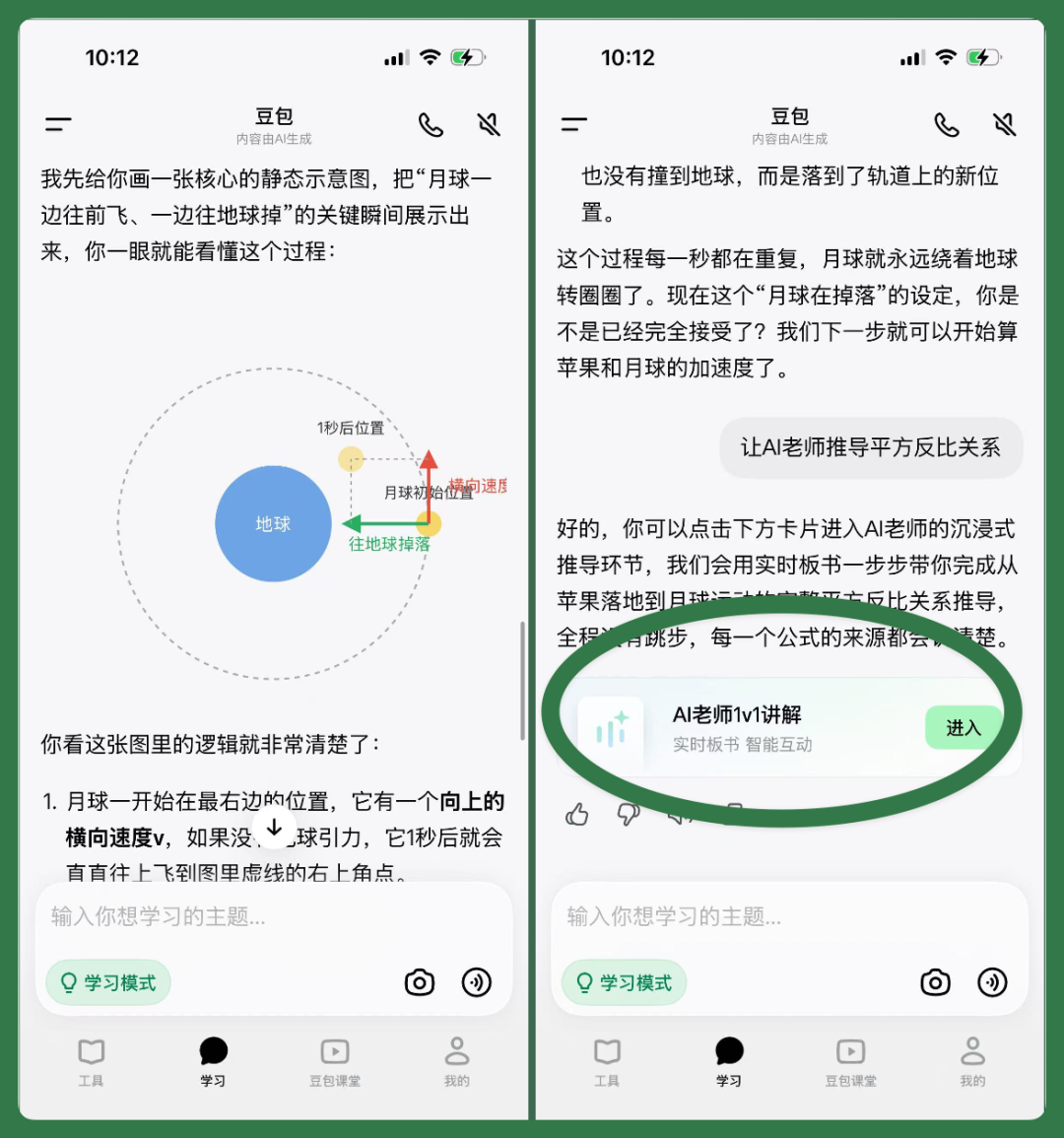
What's interesting here is that the learning content and path are continuous.
Initially, you might just want to understand the Newton-and-apple story at an elementary level. But as you keep asking, the content can gradually advance to middle and high school levels. For example, if you continue asking: "Why is gravitational force inversely proportional to the square of distance?"
When questions get complex enough that text alone doesn't cut it, it switches to a new interaction mode — popping up an "AI Teacher 1-on-1 Explanation" card that leads to further interactive explanation.
Entering through the AI teacher 1-on-1 explanation portal, the content is remarkably complete: the AI teacher delivers blackboard lectures, Q&A problem-solving, and even in-class quizzes.
The screen recording below shows this explanation and interaction process:
After entering "AI Teacher 1-on-1 Explanation," the interface already looks quite like an actual class.
Subtitles display continuously at the bottom, while the AI teacher presents blackboard content matching the lecture above. I noticed a small detail: the highlighter effects on the blackboard aren't perfectly neat — they're deliberately made to look handwritten.
And the AI teacher doesn't just lecture one-way. After finishing a section, it automatically pops up an in-class quiz where students can answer multiple-choice questions directly in the card.
If you answer wrong, the AI teacher doesn't just give you the answer — it re-explains the relevant content based on where you went wrong.
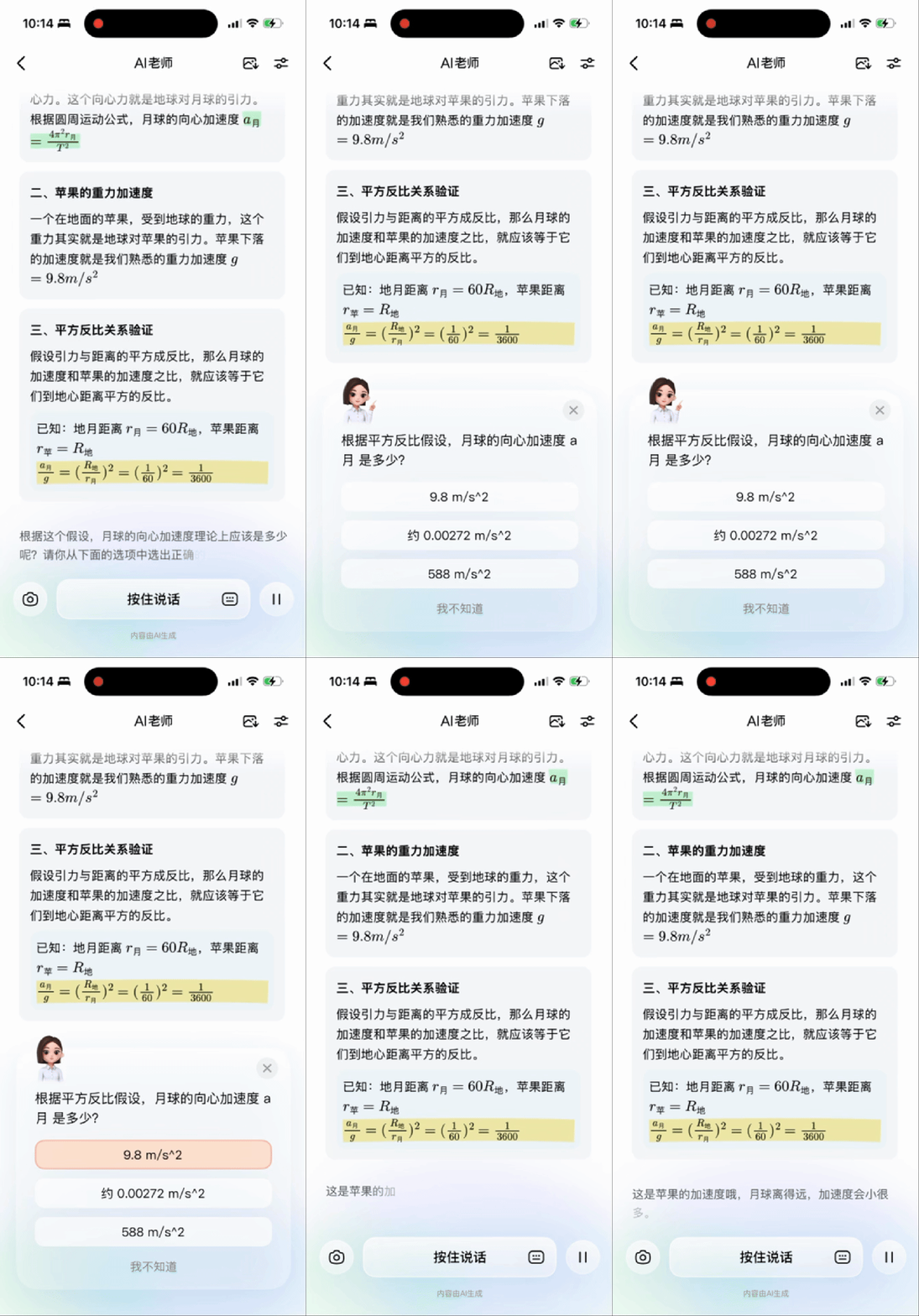
I also noticed that during the AI teacher's explanation, students can actually interrupt at any time.
There's an input box at the bottom where you can either type or speak directly. For younger children, speaking is often more natural than typing, so this interaction is easier to pick up.
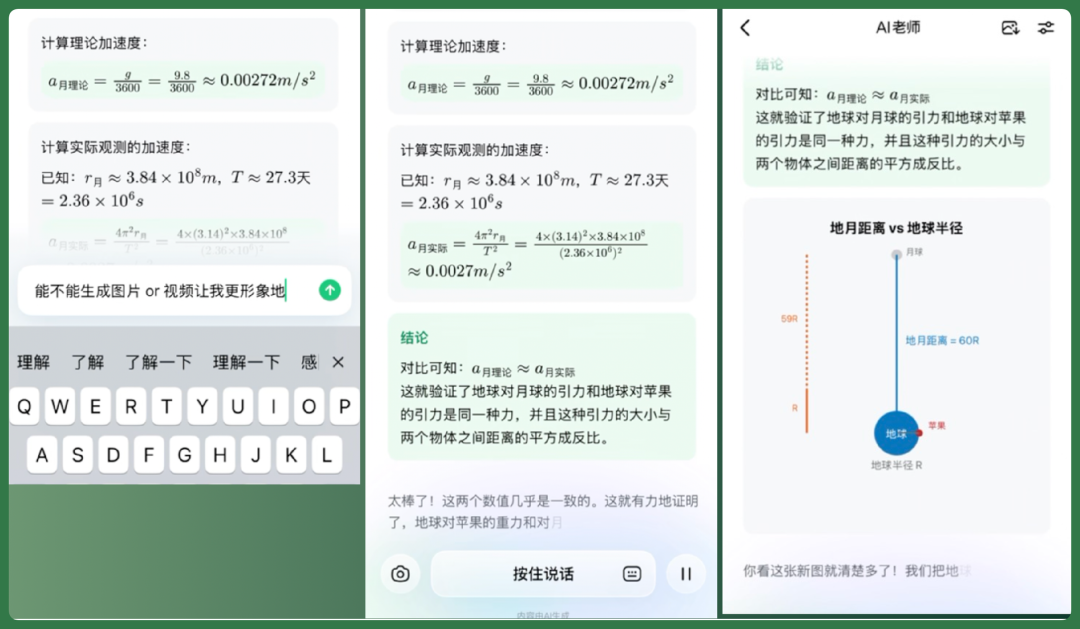
If something isn't clear, you can directly ask the AI teacher to explain it differently. For example, making "earth-moon distance" and "earth's radius" into more intuitive interactive cards, then explaining the formula with graphics.
That is, students don't have to wait until a whole section finishes to ask questions — they can interrupt, follow up, and ask the AI to switch to a more understandable approach mid-lecture.
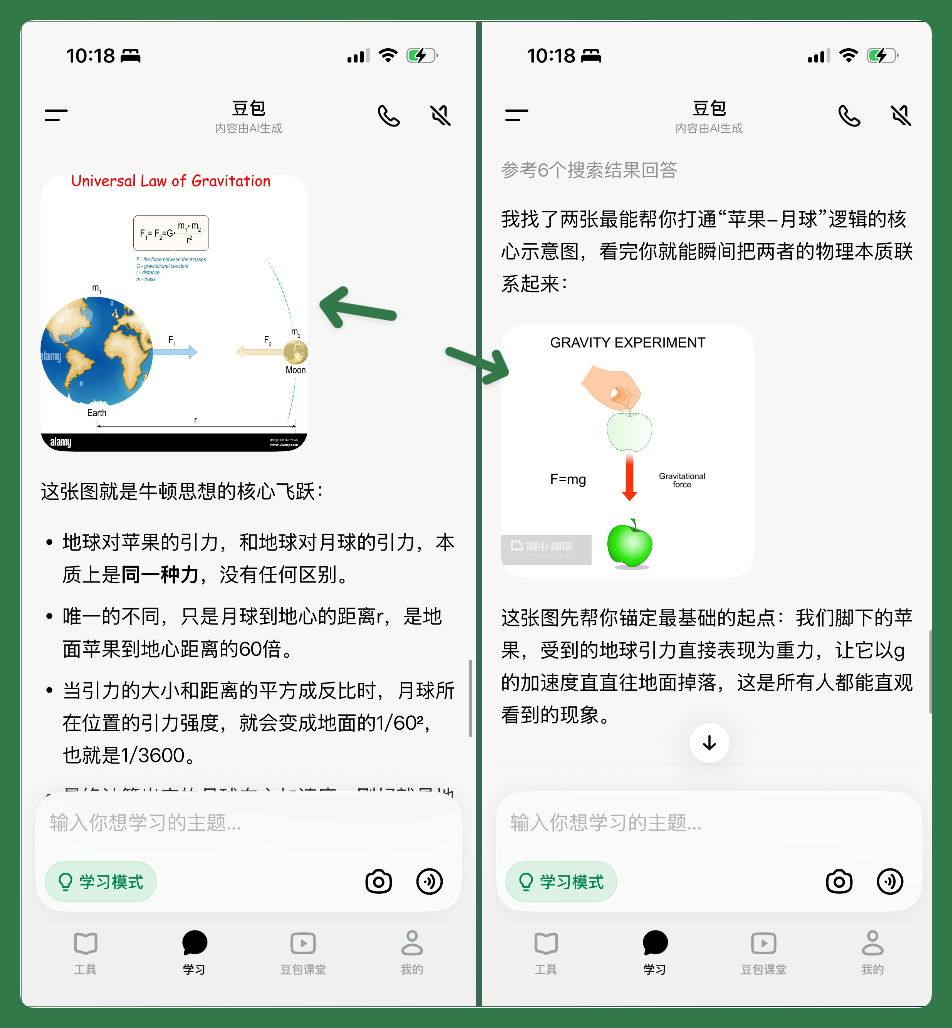
Or, during the conversation, it may trigger even richer content.
When you ask it to explain the core of Newton's thinking, it might directly gather relevant images and insert them into the conversation.
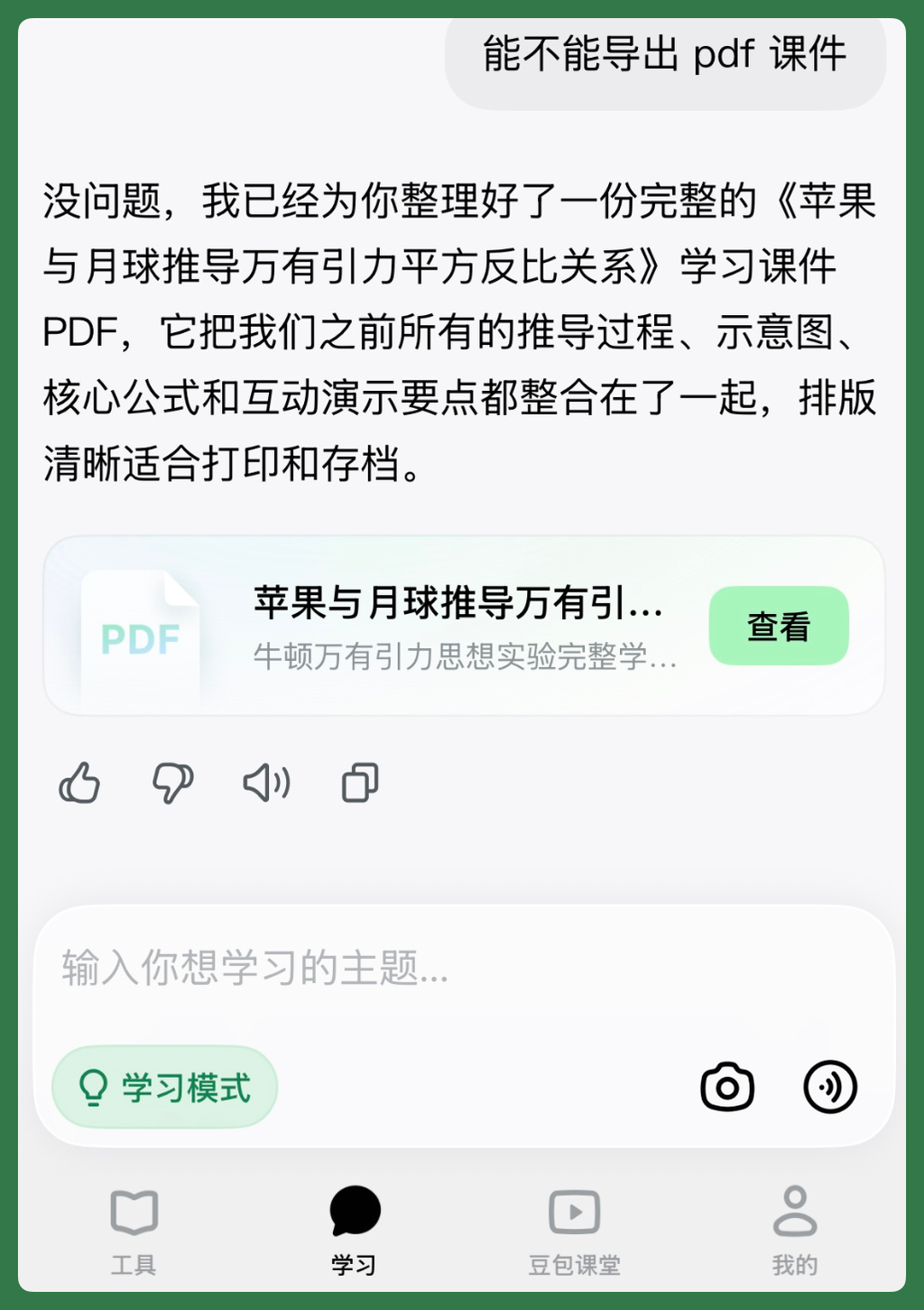
Additionally, the entire set of learning content about apples, the moon, and the inverse-square law of gravitation can be compiled by AI into a PDF lesson.
Once generated, it can be opened directly in Aixue or saved to other file locations for later review.
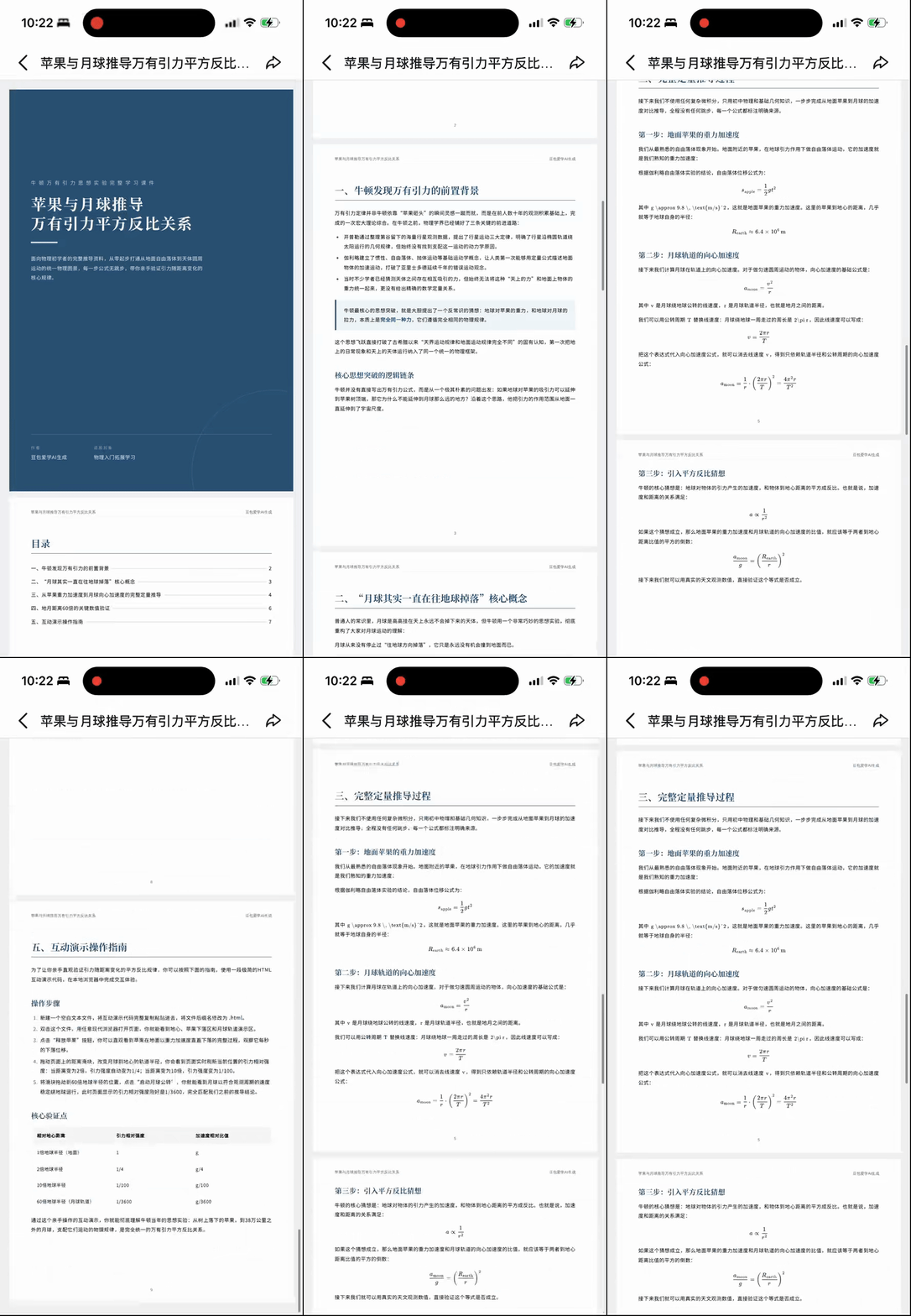
This PDF lesson is also quite complete in layout.
For example, it has a separate cover page and main headings, while formula derivation sections use a more paper-like formatting — it doesn't look like a simple chat log export.
Now let's look at the Chinese language scenario.
[2] Chinese — The Five Dynasties and Ten Kingdoms
If we look at it among the traditional Chinese, math, and English subjects, Chinese is actually a subject very well-suited for AI enhancement. It involves historical background, figures, locations, and specific scenes, so much of the content is hard to make feel real to students if explained through text alone.
In the past, if teachers wanted to make this content more vivid, they often had to prepare PowerPoints in advance, find character images and historical materials themselves, and stitch them together — quite a hassle (especially when the Chinese teacher is also the homeroom teacher, they probably have even less time for this).
But in Aixue, explanations can unfold around learning needs, combining searched images or generated visual content. This way, Chinese class isn't just teacher lecturing and students reading text — corresponding visual content can appear continuously as characters and scenes are discussed.
Below, let's look at how Aixue uses AI to string these interactions together, using the "Five Dynasties and Ten Kingdoms" scenario.
This topic has been fairly hot in recent months, appearing frequently in domestic TV dramas and cultural programs.
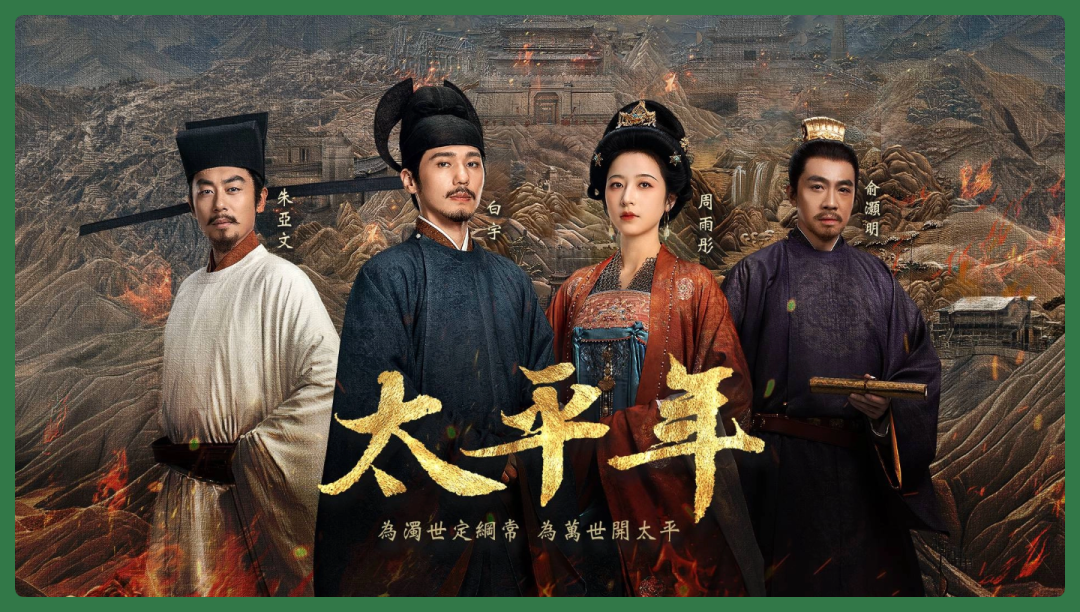
Taiping Nian TV drama still
But the Five Dynasties and Ten Kingdoms period has a vast cast of characters and enormous scope — conventional explanations easily become confusing. In Aixue's study mode, AI can directly generate a "Custom AI Lesson," breaking down this originally fragmented and complex historical topic into structurally intuitive, more targeted interactive mini-lessons.
For example, after helping you sort out the most basic content of the Five Dynasties and Ten Kingdoms, you can continue by selecting a specific scenario and having it directly generate a custom AI lesson.
Before generation, you can also use natural language to tell it what you'd like the lesson to focus on. For instance, I chose "story feel and insights," and the system first offered several directions — you just pick one to continue.
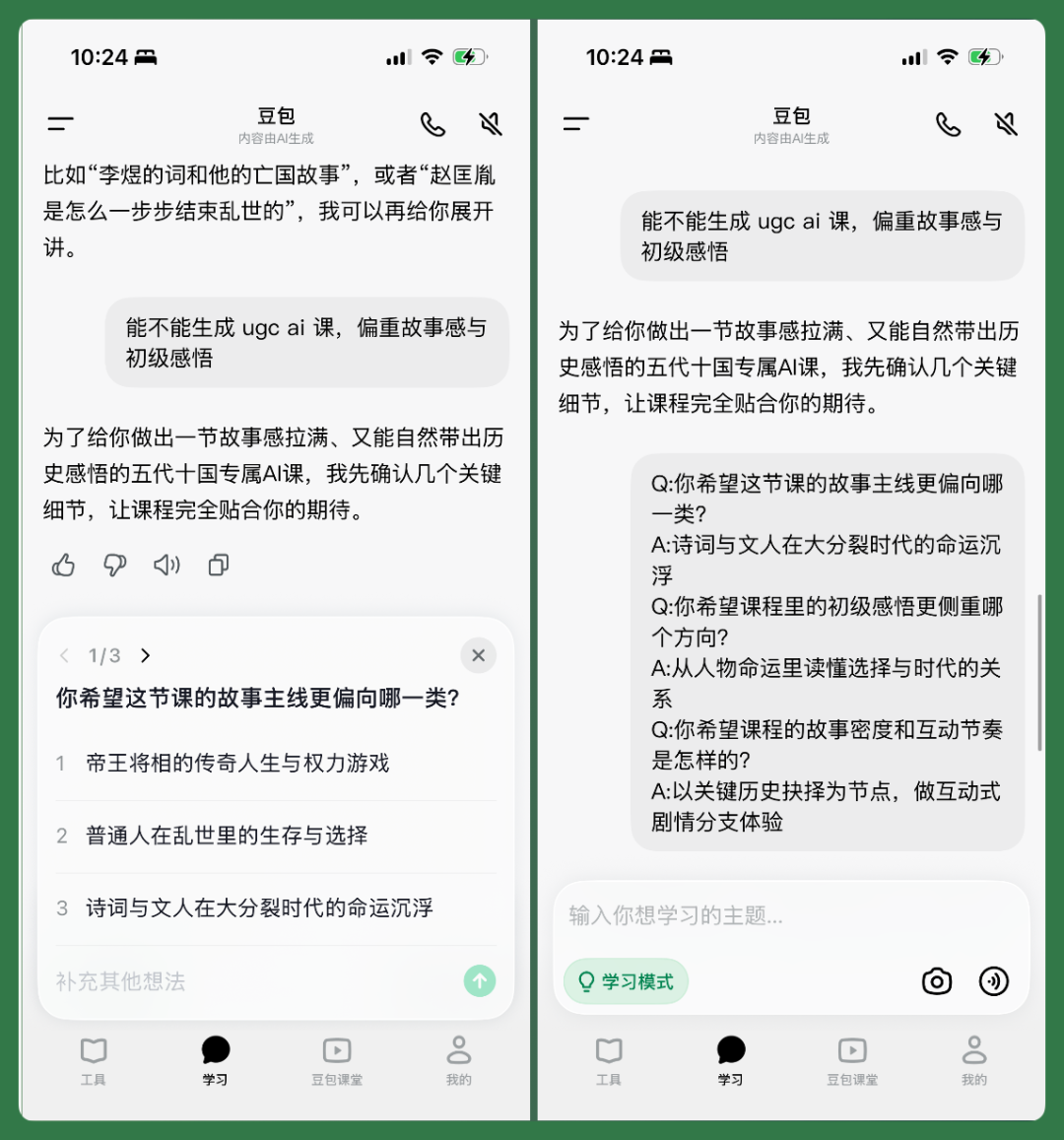
The entire generation takes about 3–5 minutes, reasonably fast.
What finally appears is a video AI lesson. Viewing it in full, you'll find it's not simply stringing together AI-generated clips.
The video intersperses substantial text content, supplemented with images for information. When knowledge points are less dense but need to convey specific scenes, it switches to AI-generated visuals.
So the whole lesson actually keeps switching between text, images, and AI video, choosing different expression methods for different content.
Besides generating lessons on demand, you can also enter "Doubao Classroom" to learn from existing course content.
For example, in early July this year, Tang Guoqiang collaborated with Aixue to create the interactive Memorial on the Departure for War series:
After students finish watching this kind of custom AI lesson, they usually still have some unanswered questions or things they want to explore further.
Exiting the lesson and returning to the AI conversation with Aixue, the system continues to pop up knowledge flashcards, guiding students to keep asking and learning, extending the content from the lesson further.
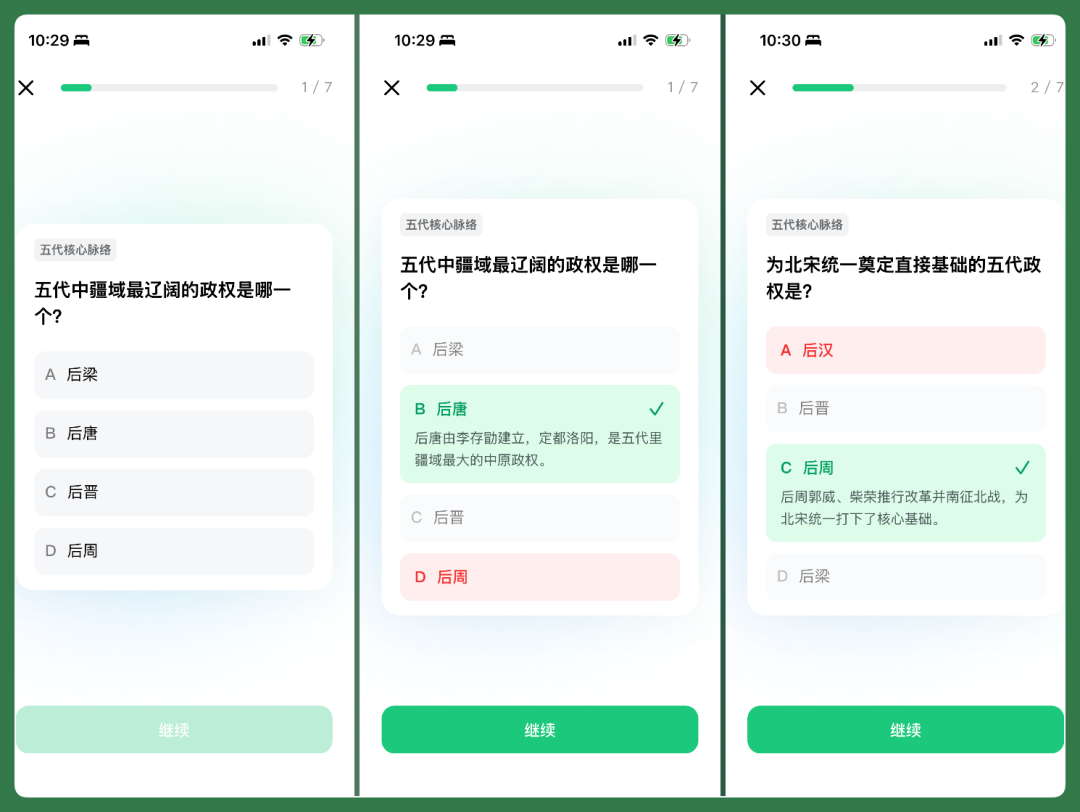
In this custom AI lesson about "scholars' choices" amid the chaos of the Five Dynasties and Ten Kingdoms, Luo Yin is mentioned frequently. He was one of the more representative literati from late Tang through the Five Dynasties and Ten Kingdoms period, and his poem The Bee is very well-known.
At this point, without needing to exit and find another tool, you can directly have the AI dictate Luo Yin's The Bee for you in the same entry point.
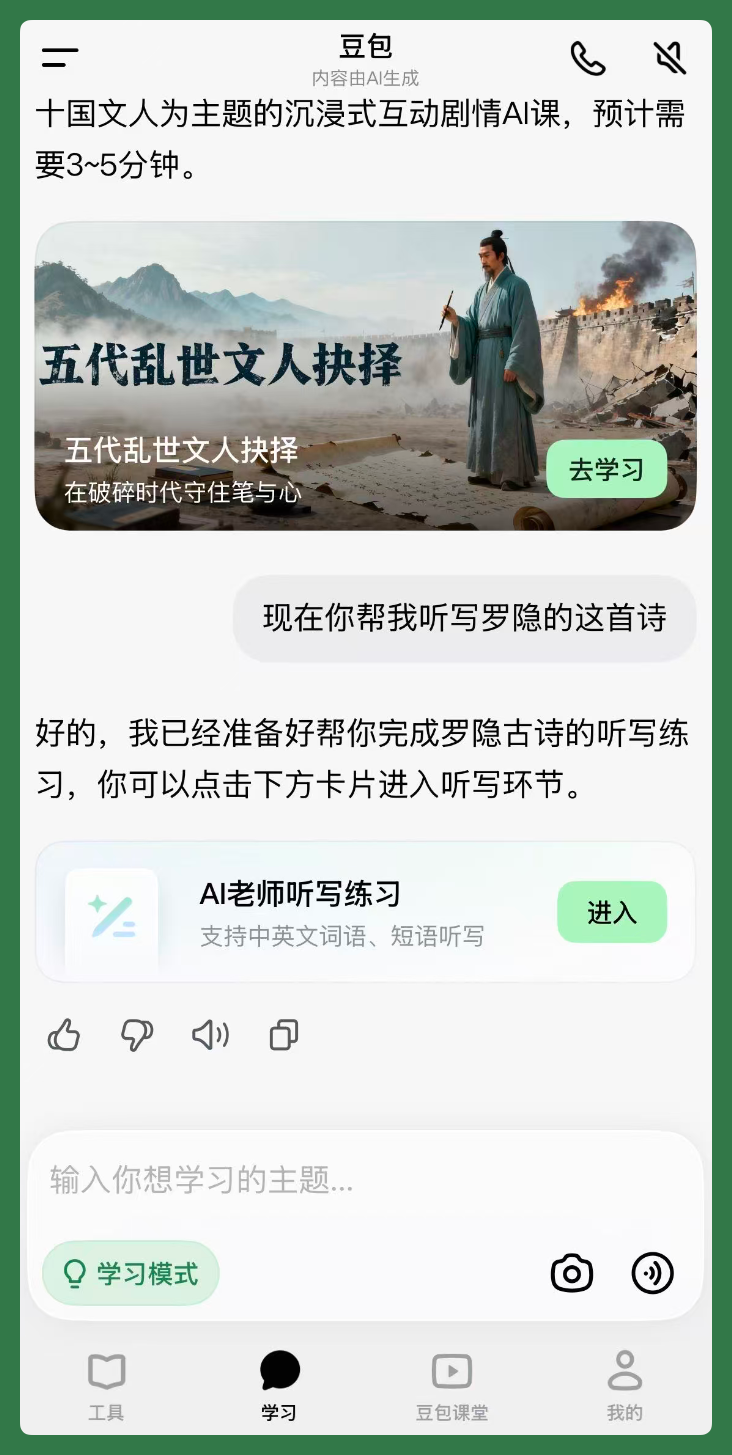
Having AI dictate a poem for a student can actually be done in many ways.
We recorded an actual experience video.
Listening through it, it closely resembles the dictation methods teachers commonly use in class. For example, when reciting each line, it repeats several times, with pacing, pauses, and intonation quite close to real classroom rhythm.
At this point I realized, from a student's perspective, opening a conversation in "Study Mode" and continuing to learn around the Five Dynasties and Ten Kingdoms, you can already accomplish quite a lot.
From the most basic information Q&A, to custom AI lessons, to character explanations and poetry dictation, basically everything can be completed within the same conversation. To some extent, it already resembles a textbook that keeps unfolding further.
And there are some very granular needs that can also be handled.
For example, when seeing "Zhao Kuangyin," many students might know how to pronounce "Yin" but not necessarily how to write it. At this point, you can directly select the character "胤" from the AI's response, use it as context, and ask the AI: "How do I write this character? Can you teach me stroke by stroke?"
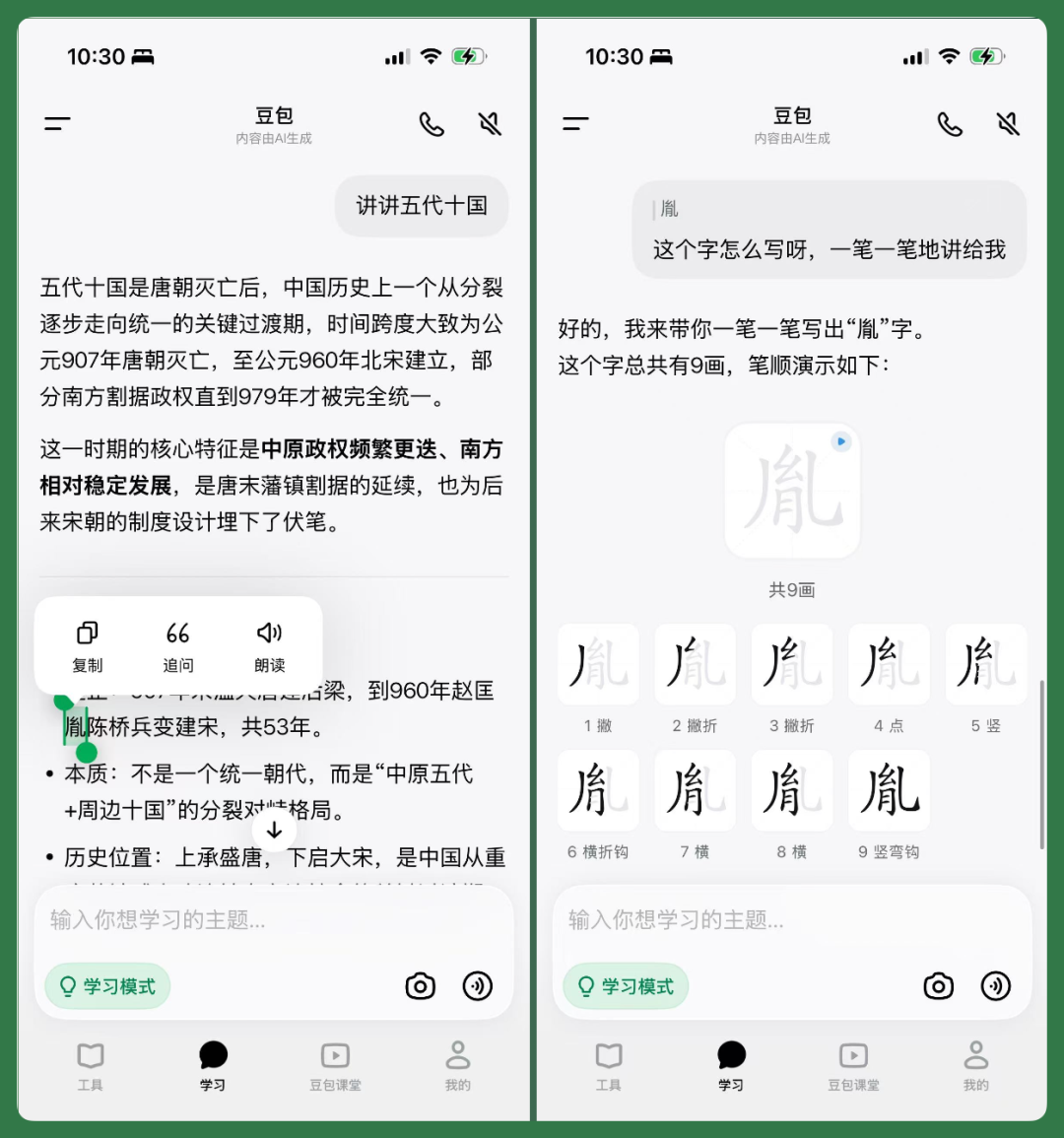
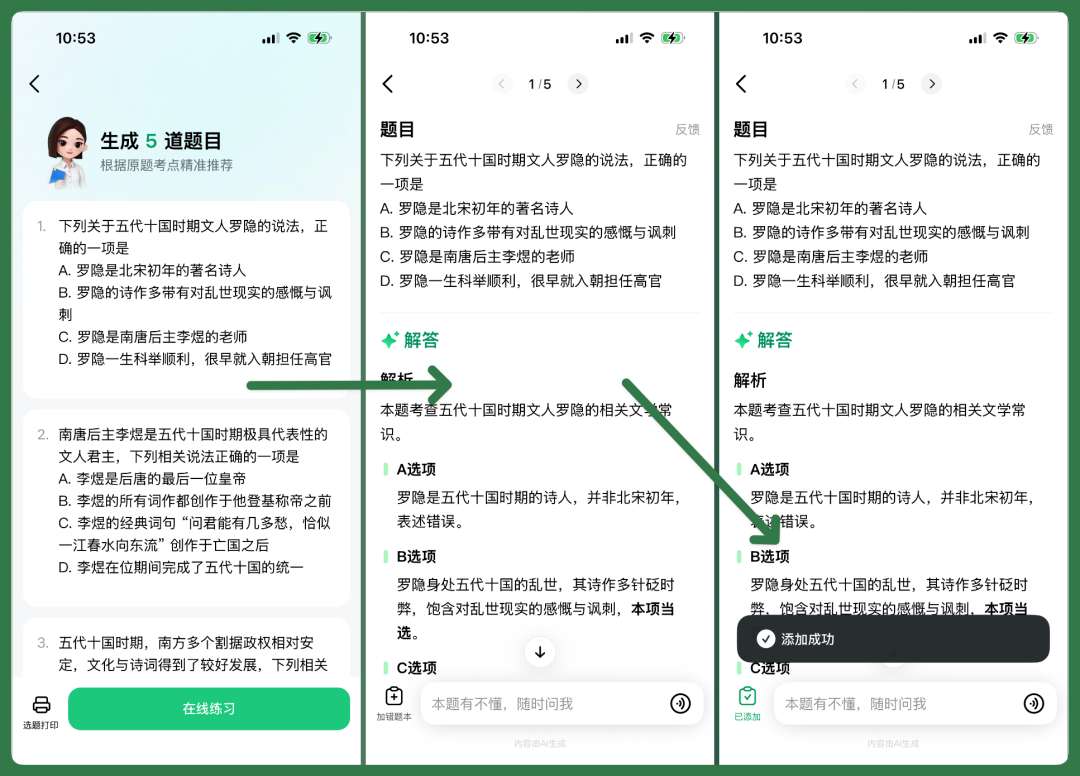
Going further, it can also directly generate exam-point questions based on the previous AI responses and learning content.
It's not just one or two simple questions — it can generate a set of exercises according to needs, which students can answer directly online, with corresponding explanations shown after completion.
If a question is answered wrong, you can also add it to the "Error Notebook" with one click, for later review.
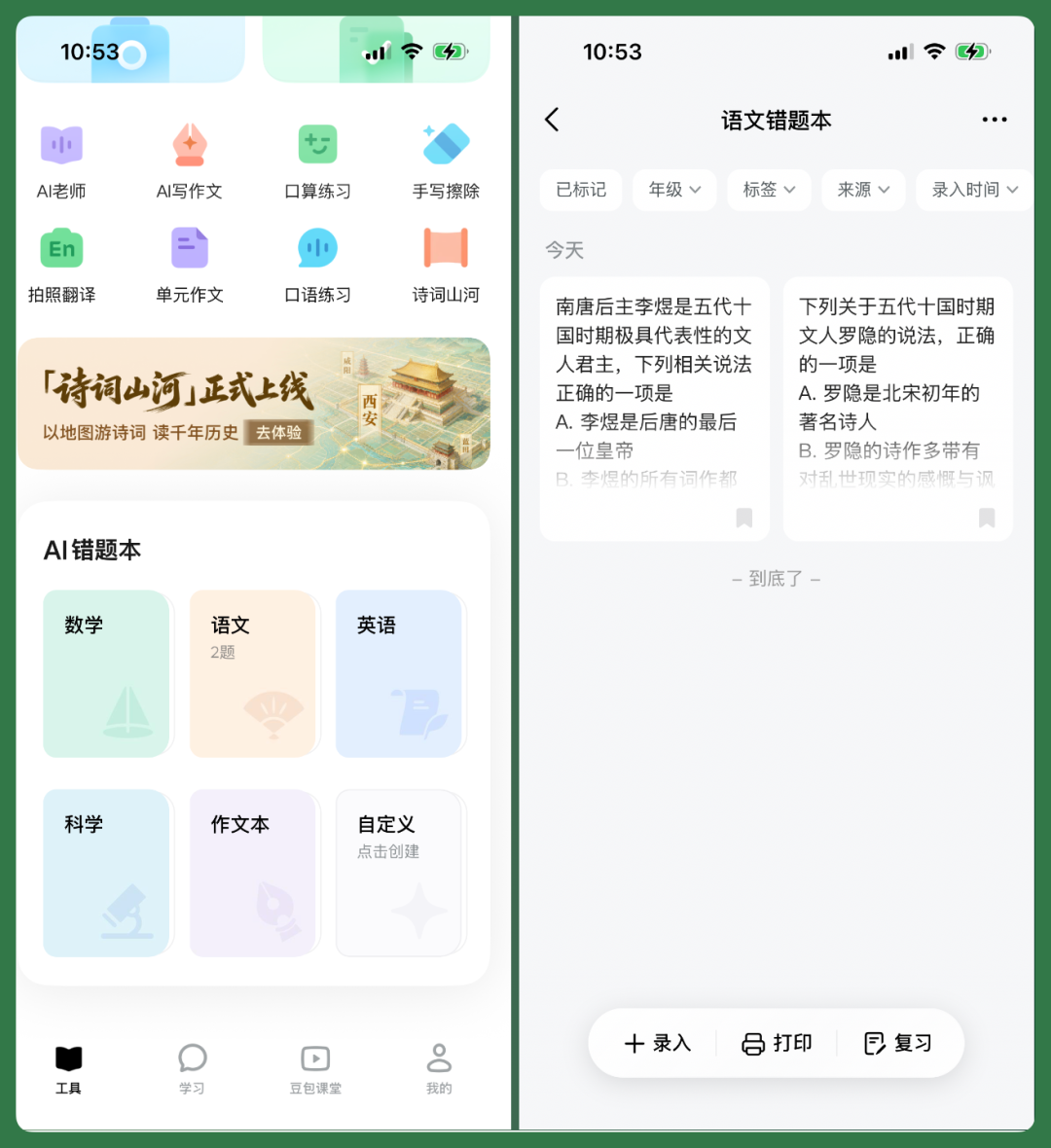
And when I checked the "Error Notebook," I found it doesn't just store wrong answers as-is.
When a question is added to the error notebook, AI reorganizes it once more, re-sorting the corresponding context, exam points, and explanations before filing it away.
Now let's look at the English scenario.
[3] Singapore G4 English Math Problems
Here I've selected Singapore G4 English math problems.
This scenario is actually quite common in China now — many children use Singapore math for extracurricular practice. One reason is that it learns math through English, training both English comprehension and mathematical thinking, and the problem difficulty is usually higher than school curriculum.
So many extracurricular tutoring programs now also incorporate this type of content.
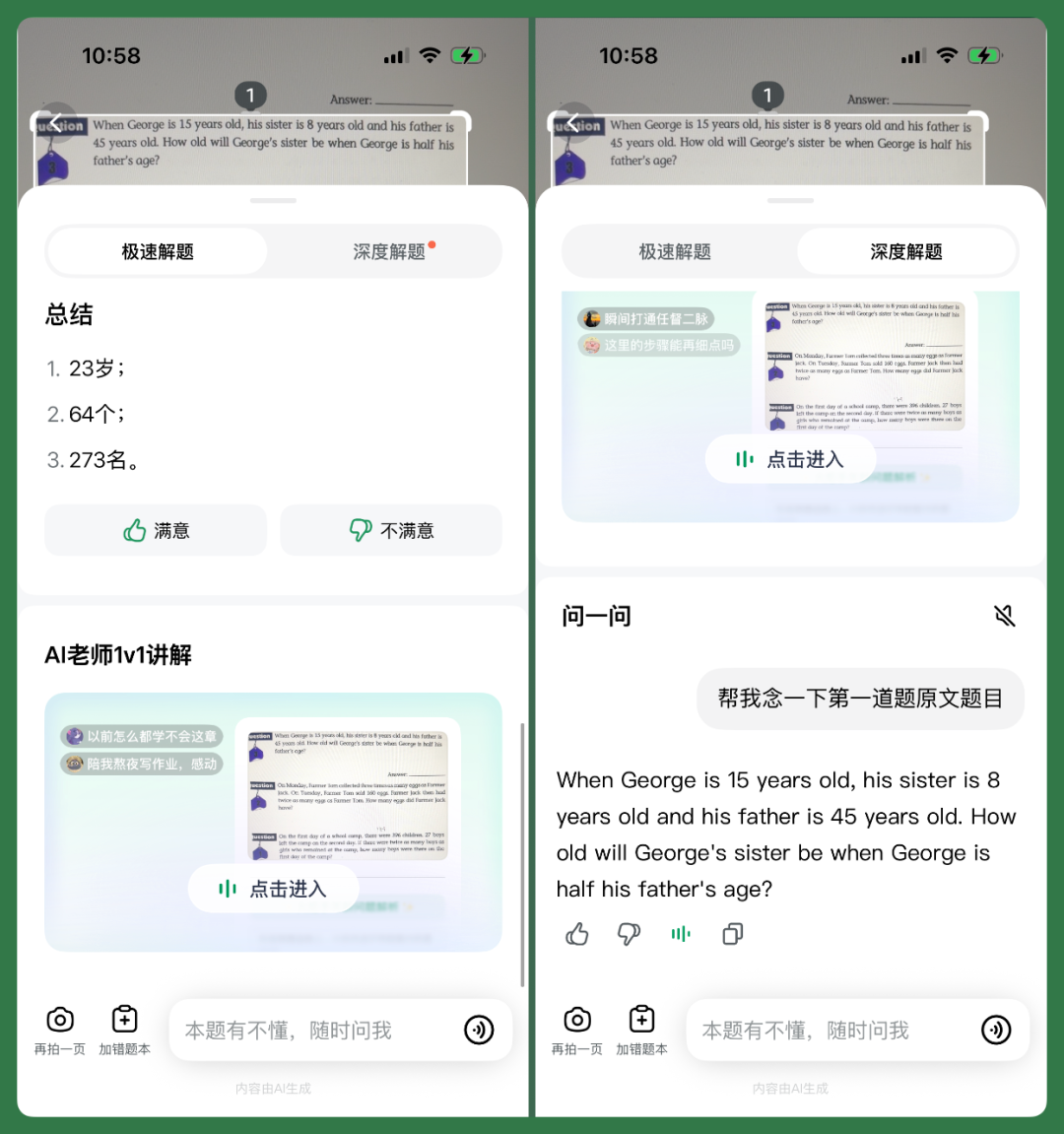
Now we can directly open the camera in Aixue's study mode, point it at these problems, and it automatically recognizes the problem content. There are multiple modes inside, such as single problem, multiple problems, solution, and general.
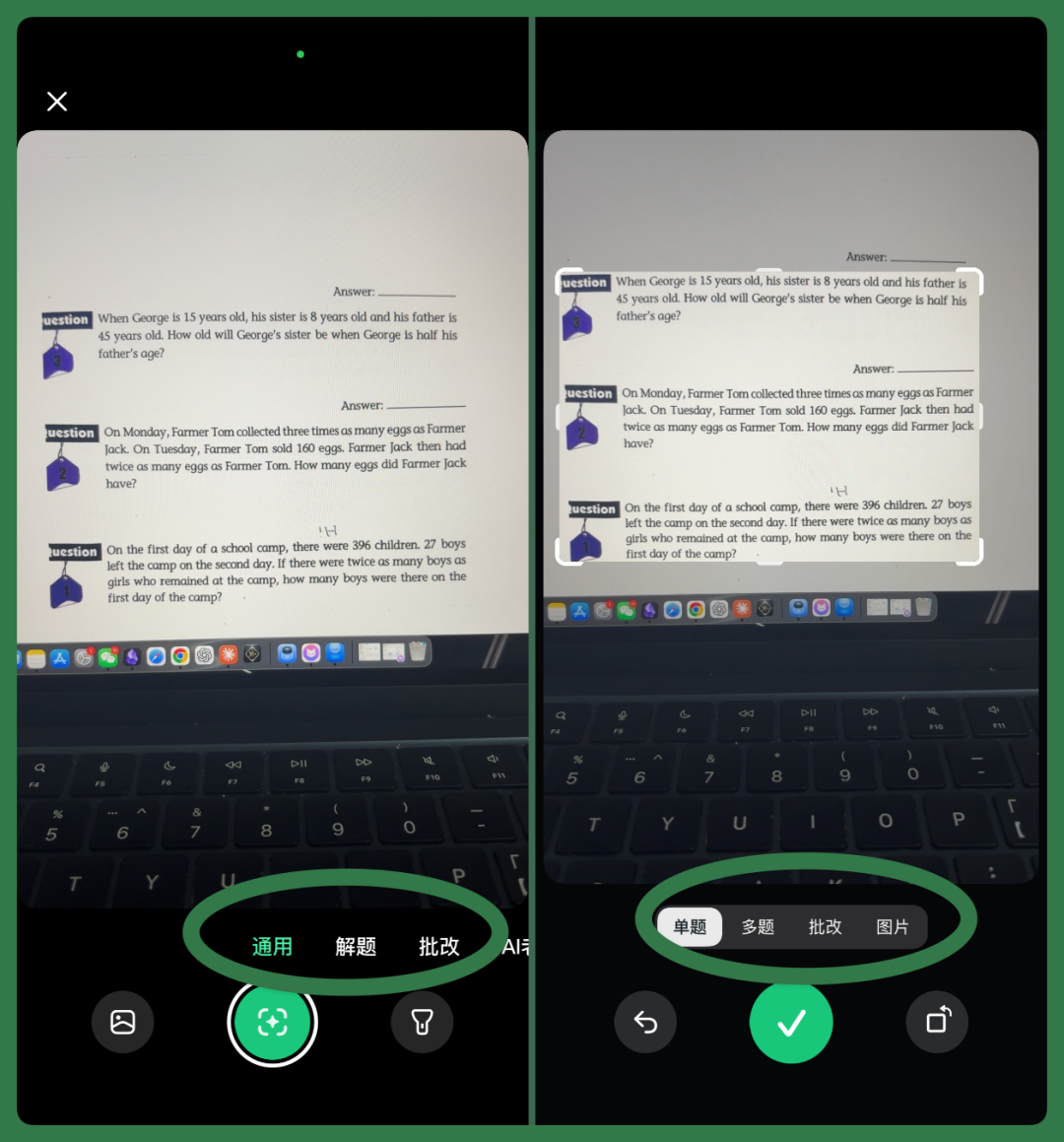
If you select the "Solve Problem" scenario, after photographing the problem, Aixue quickly recognizes the content and directly provides the answer and explanation.
There are mainly two modes:
[1] "Quick Solve": Get the answer and explanation faster.
[2] "Deep Analysis": Break down the solution process and explain step by step.
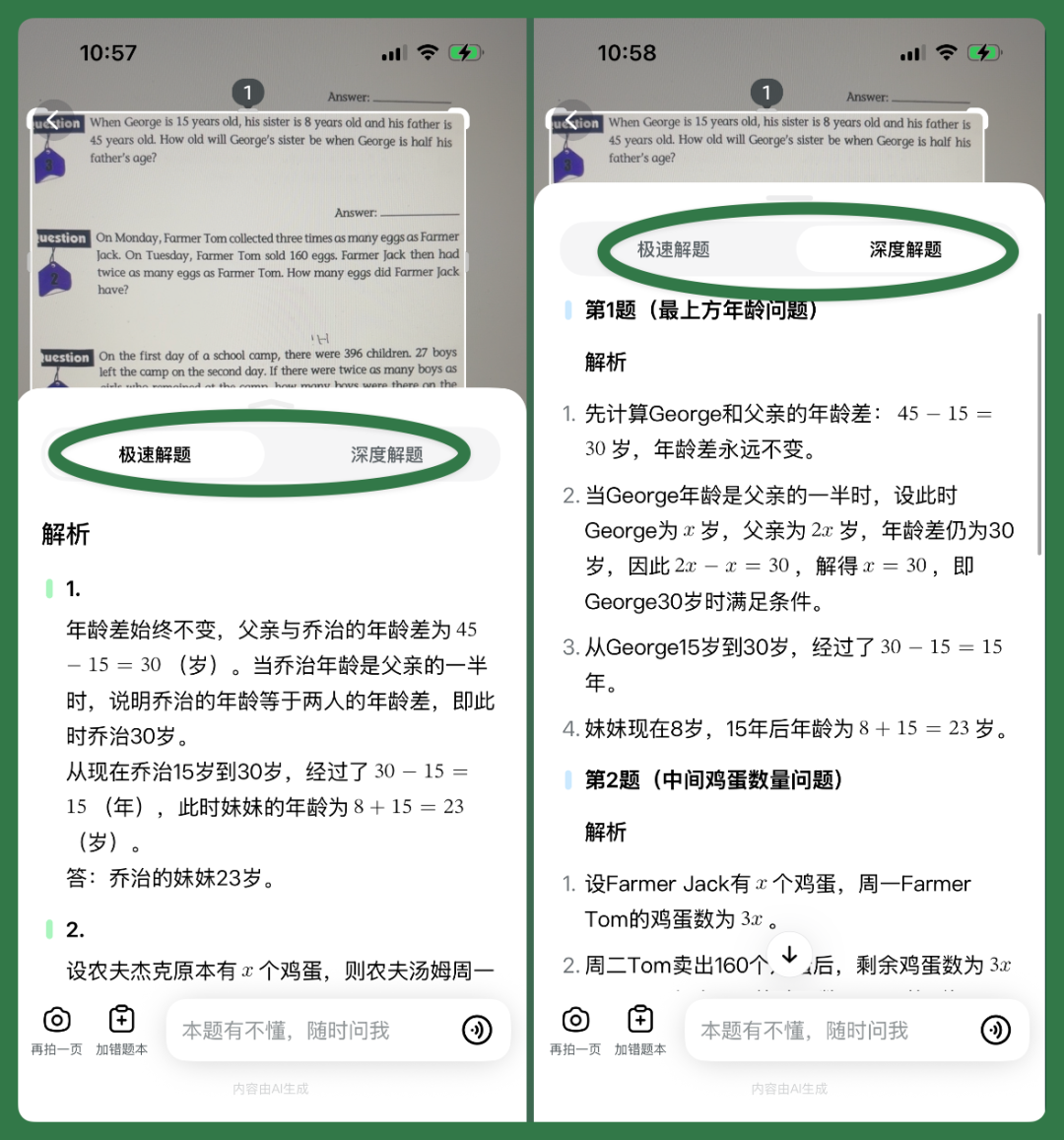
And scrolling further down in the "Solve Problem" feature, you can also see the "AI Teacher 1-on-1 Explanation" card.
If you still have questions after reading the explanation, you can directly continue asking. For example, having the AI teacher first read the original English text of the first problem aloud, then continue explaining the problem meaning or solution process.
Aixue has actually integrated many different Skills. The AI video lessons, visual cards, tables, and other content mentioned earlier are largely automatically triggered during conversations based on the student's questions.
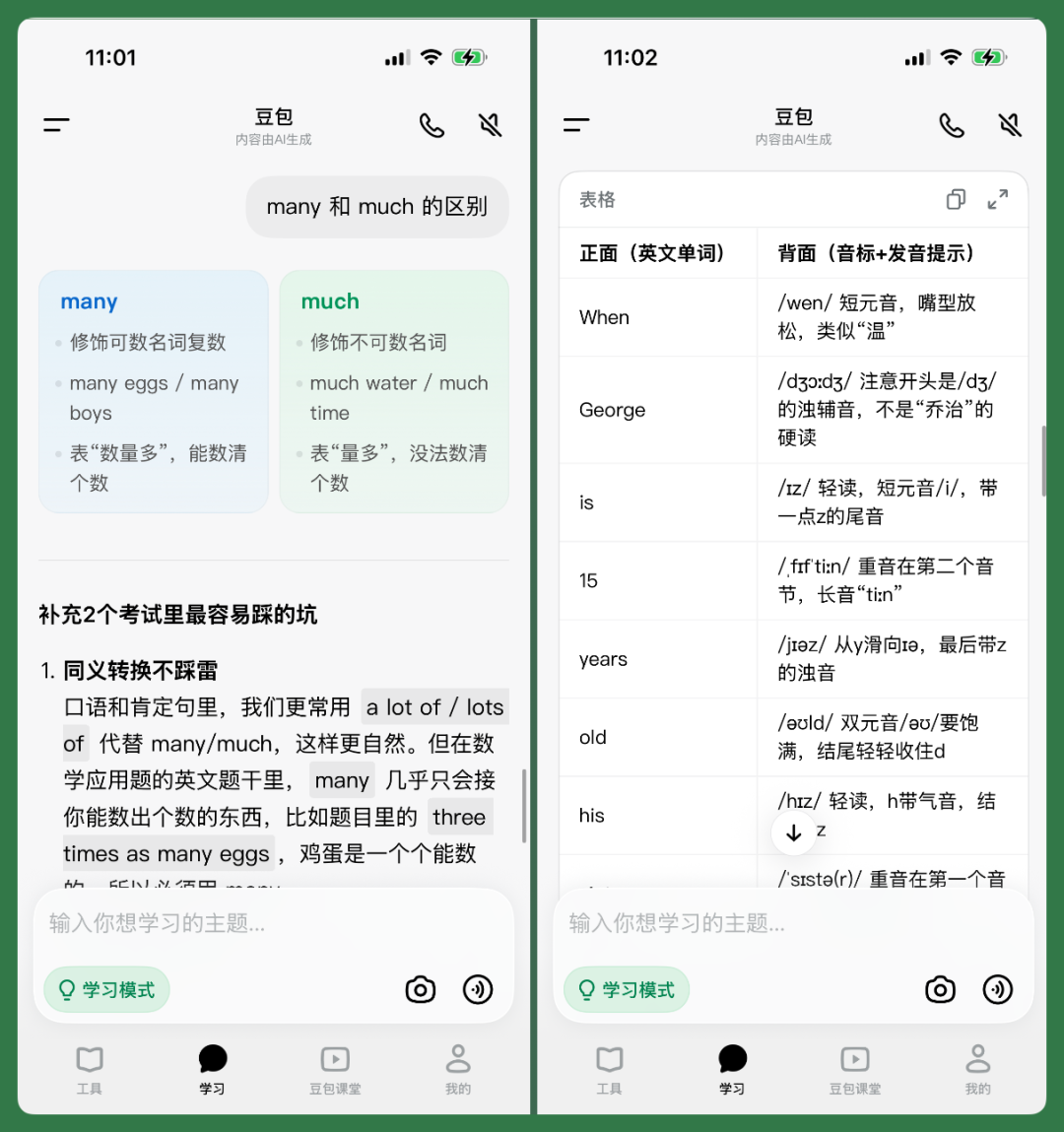
For example, when doing Singapore English math problems, children might encounter some unfamiliar English expressions — the difference between "many" and "much" is a classic example.
At this point you can directly continue asking in the current conversation, and AI will automatically generate a more intuitive comparison card. Or you can have it organize all the English words, phonetic symbols, and pronunciation tips that appear in the whole problem set into a table — it will directly format it as one.
AI Has Entered Every Link of Learning
So looking back now at these Chinese, math, and English scenarios, what Aixue has truly upgraded this time isn't just a few new features.
Whether it's "Doubao Classroom" or "Study Mode," AI has been placed into nearly every product link. In terms of specific interactions, there are custom AI lessons, blackboard lectures, explanations and quizzes closer to real classrooms, and various visual cards, images, and tables.
Behind this content lies both the Doubao large model's understanding of questions and context, coordination among different learning functions, and Seedance and other technologies' application in video content.
More importantly, all these capabilities have been placed into the same entry point.
Now opening a new session and continuously asking around a knowledge point, the conversation itself gradually becomes a complete set of learning content. It can start from the most basic knowledge and extend to deeper content, even spanning elementary, middle, and high school.
To some extent, a session is like a textbook that keeps generating around a certain knowledge point, and its content can ultimately be directly exported as a PDF lesson.
🚥
Looking at product developments on both domestic and international fronts, education is likely one of the fields where AI implementation is currently most concentrated and the business logic relatively clear.
In the North American market, players have moved very quickly.
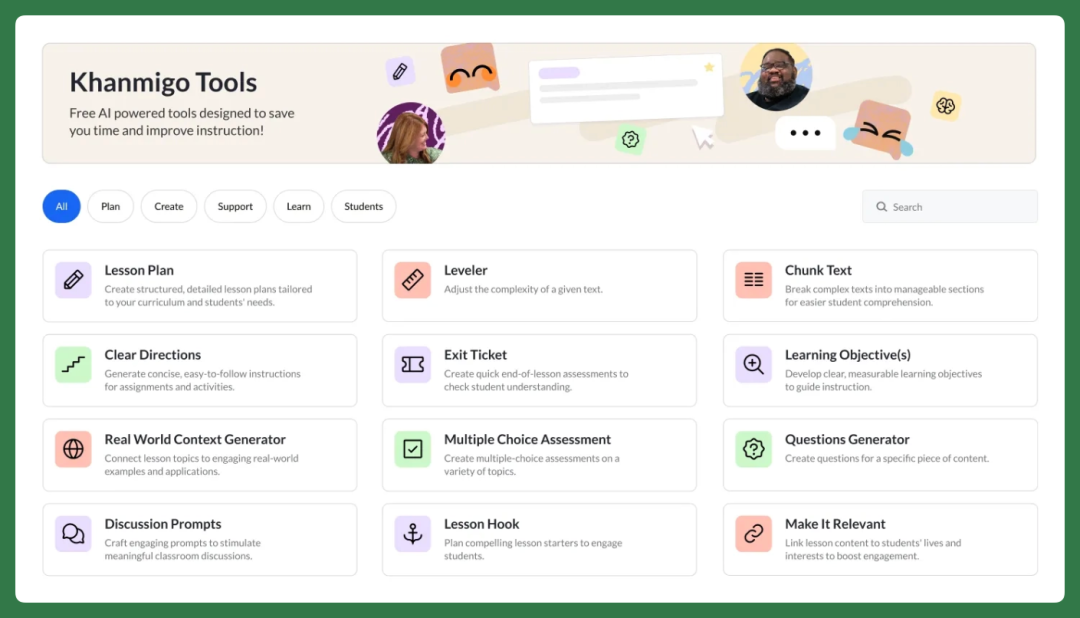
Duolingo has clearly shifted focus toward AI, launching Duolingo Max with real-time conversation and contextual parsing. Khan Academy introduced Khanmigo, an AI assistant emphasizing heuristic guidance, and is gradually pushing into public school districts and teacher preparation scenarios.
ByteDance uses Gauth overseas for problem banks and Q&A, while exploring tutoring scenarios domestically through Aixue.
Everyone is competing for education scenarios because demand here is sufficiently rigid and the usage cycle sufficiently long.
For example, students doing homework after class is an almost daily high-frequency need (especially in China), parents generally have strong willingness to invest in learning, and schools and teachers also have strong needs for lesson preparation and grading.
So, once an education product helps parents, students, and teachers solve these specific pain points and establishes a basic relationship with users, it tends to be used continuously for a long time, with scenarios potentially spanning the entire K-12 stage.
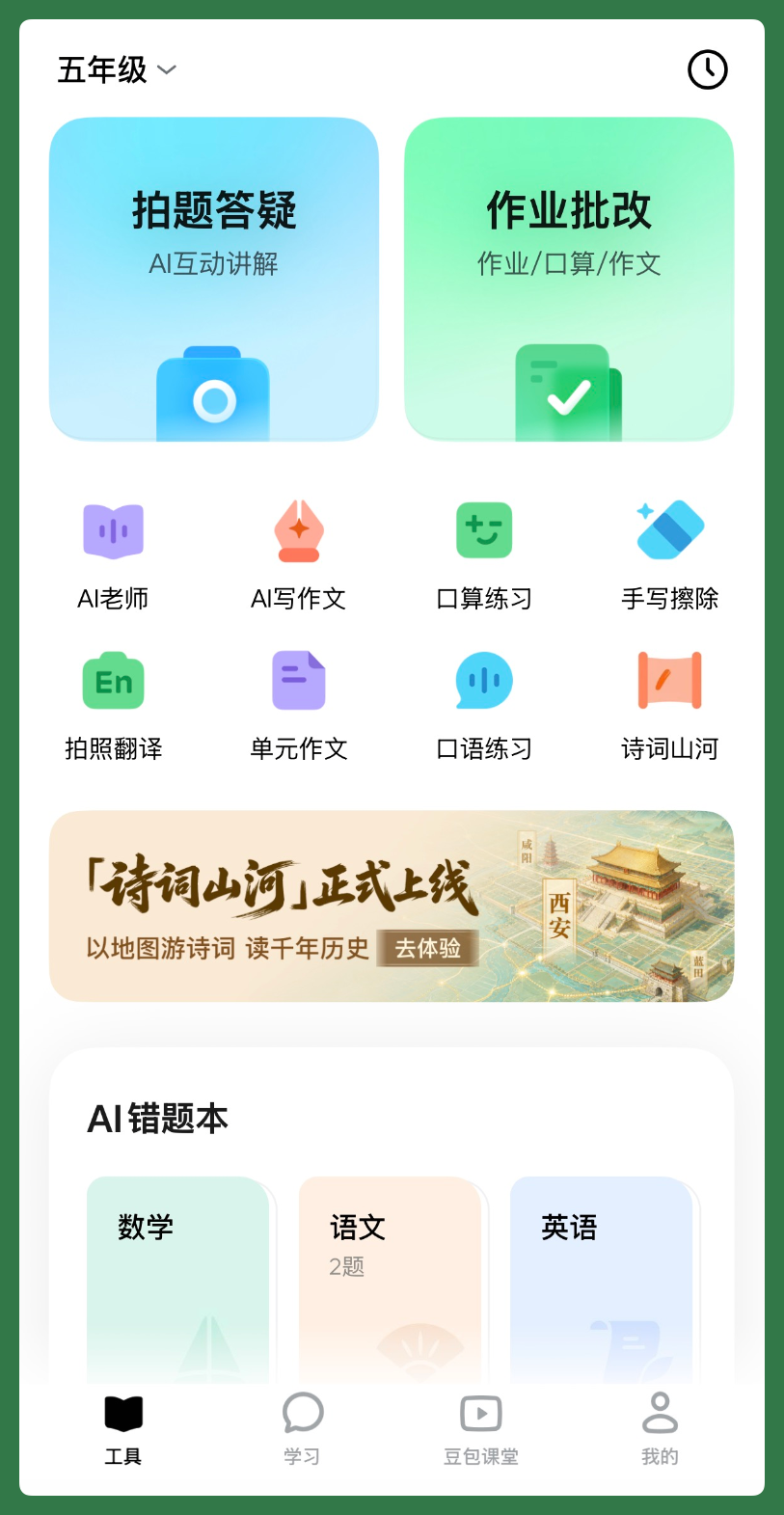
The imagination is vast, but actual experience depends heavily on product craftsmanship.
Because AI capability itself doesn't directly equal a usable education tool. If you simply embed an AI dialog box stiffly into an app, students often don't know what to ask during actual learning and quickly abandon it.
So education scenarios truly test massive engineering details.
For example, when photographing a problem, does it simply give a result or analyze in layered depth; when something isn't understood, can it handle multi-round follow-up questions and explain thinking thoroughly from shallow to deep.
After explanation, can wrong answers be automatically deposited into an error notebook for second-round review — these interlocking closed loops are what product craftsmanship is really about.
Whether it's Gauth overseas or Aixue domestically, ByteDance's two moves are both worth examining as case studies.
If you normally pay attention to AI's performance in education scenarios, it's worth taking time to actually install this product and experience it once — you'll gain an intuitive sense of the current engineering caliber of AI education products.
Recommended Reading
Join Member Group