In the "Hundred Shrimp Wars," StepFun rolled out the "full-stack shrimp farming kit."

When raising lobsters becomes routine.
When Raising Lobsters Becomes Routine.
👦🏻 Author: Jingshan
🥷 Editor: Koji
🧑🎨 Layout: NCon

Early this spring, OpenClaw — the open-source project — basically blew up overnight. Jike, X, every AI community you could name was flooded with people showing off their freshly installed lobsters, sharing setup tutorials, and debating how to add new skills.
Some folks started calling this phase the "Hundred Lobsters War."
But a few companies saw something different. They were building entire ecosystems around the lobster. StepFun was among the ones moving fastest.
On March 12, the StepFun AI app launched "one-click cloud deployment of StepClaw." No need to set up your own server — you could get a lobster running straight from your phone.
Seven days later, on March 19, a time-limited free desktop version of StepClaw went live, with support for both Windows and Mac. Install and use — no command line, no Docker. Open the StepFun AI desktop companion, click once, and your lobster is adopted.
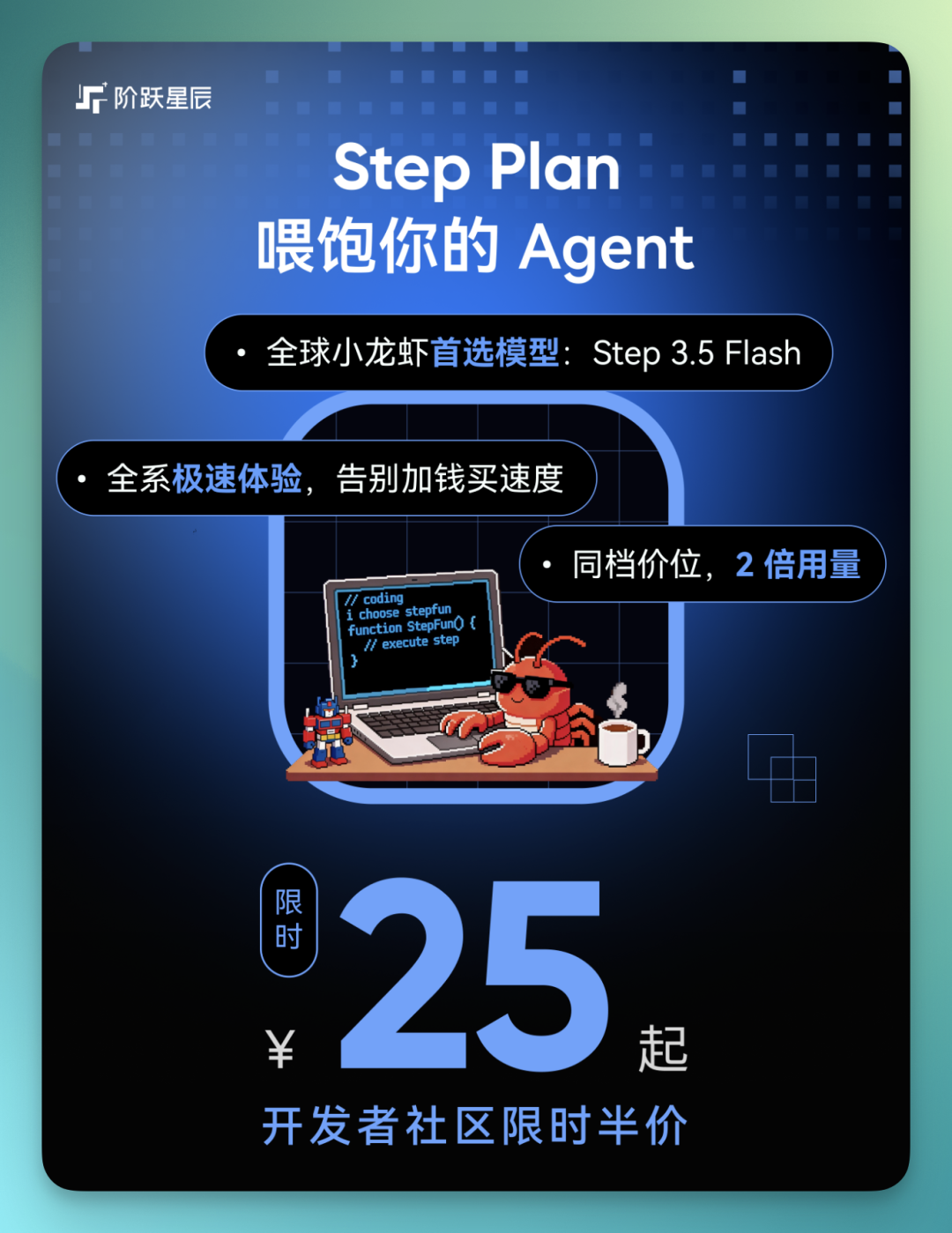
On March 22, StepFun rolled out StepPlan, a subscription plan for Agent scenarios that they called a "lobster meal deal." StepPlan comes in four tiers: Flash Mini, Flash Plus, Flash Pro, and Flash Max. Starting at 49 RMB/month, with a limited-time developer community discount bringing it down to 25 RMB/month.
🚥
Next, we want to talk about how StepFun connected StepClaw to the currently active Agent application ecosystem called the "Aquatic Market," and the somewhat different answer it offered amid the "Hundred Lobsters War."
From "Installing a Lobster" to "Raising a Lobster"
First, installation. For StepClaw, you head to StepFun's website and download the "StepFun AI Desktop Companion."
https://www.stepfun.com/download[1]
Once installed, StepClaw runs persistently in the background, basically online 24/7. You don't need to watch it constantly — it can handle plenty of things on its own.
The system supports a fairly high degree of customization. The interface can be adjusted to your preferences, and both Skills and triggers can be configured yourself. Using it feels more like "raising" an Agent that works for you long-term.
Another important point: all its operations execute inside an isolated sandbox, so it's unlikely to mess up your local environment. At the same time, StepClaw became one of the earliest lobsters to connect to WeChat. Notifications, task syncing — these scenarios all work, making the overall collaboration experience much smoother.
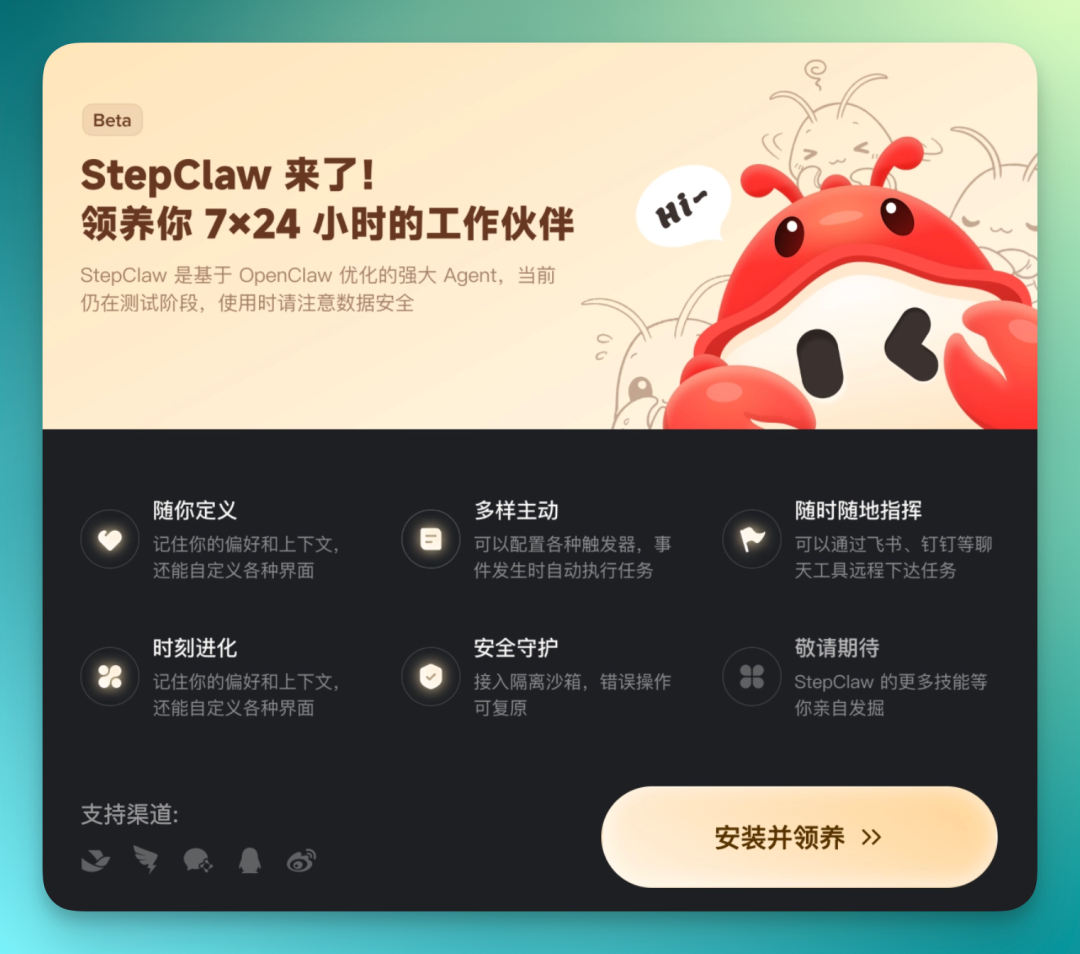
During installation, it can actually sync directly with OpenClaw configurations already on your computer. No need to fiddle with your environment from scratch.
Once synced, StepClaw can start performing automated computer operations right away — opening applications, running tasks, even controlling your local browser to help you complete more realistic usage scenarios.
It comes pre-installed with a curated set of official skills. High-frequency capabilities like PPT generation, web search, and weather queries are basically ready out of the box. A floating entry point stays on the desktop sidebar, and task progress is visualized in real time.
Once you've loaded triggers, this "lobster" can even act without waiting for commands — proactively executing tasks based on events, like auto-archiving files, summarizing emails, or running scheduled data reports. Plus, with integration into IM tools like Lark and WeCom, you can assign it tasks remotely even when you're away from your desk, keeping the whole workflow running continuously.
Additionally, behind it sits a large "Aquatic Market" — essentially an ecosystem of various assets. You can browse for plugins, triggers, and solution templates, then install them with one click to keep your lobster evolving.
After installation, the StepFun AI Desktop Companion sits in your desktop sidebar like a virtual pet. Normally it stays quiet, not bothering you, but it's always available.
When you click it, a text input box pops up — similar to an AI chatbot interface. You can type commands, ask questions, or assign tasks directly. The interaction feels very close to using an everyday chat tool, with almost no learning curve.
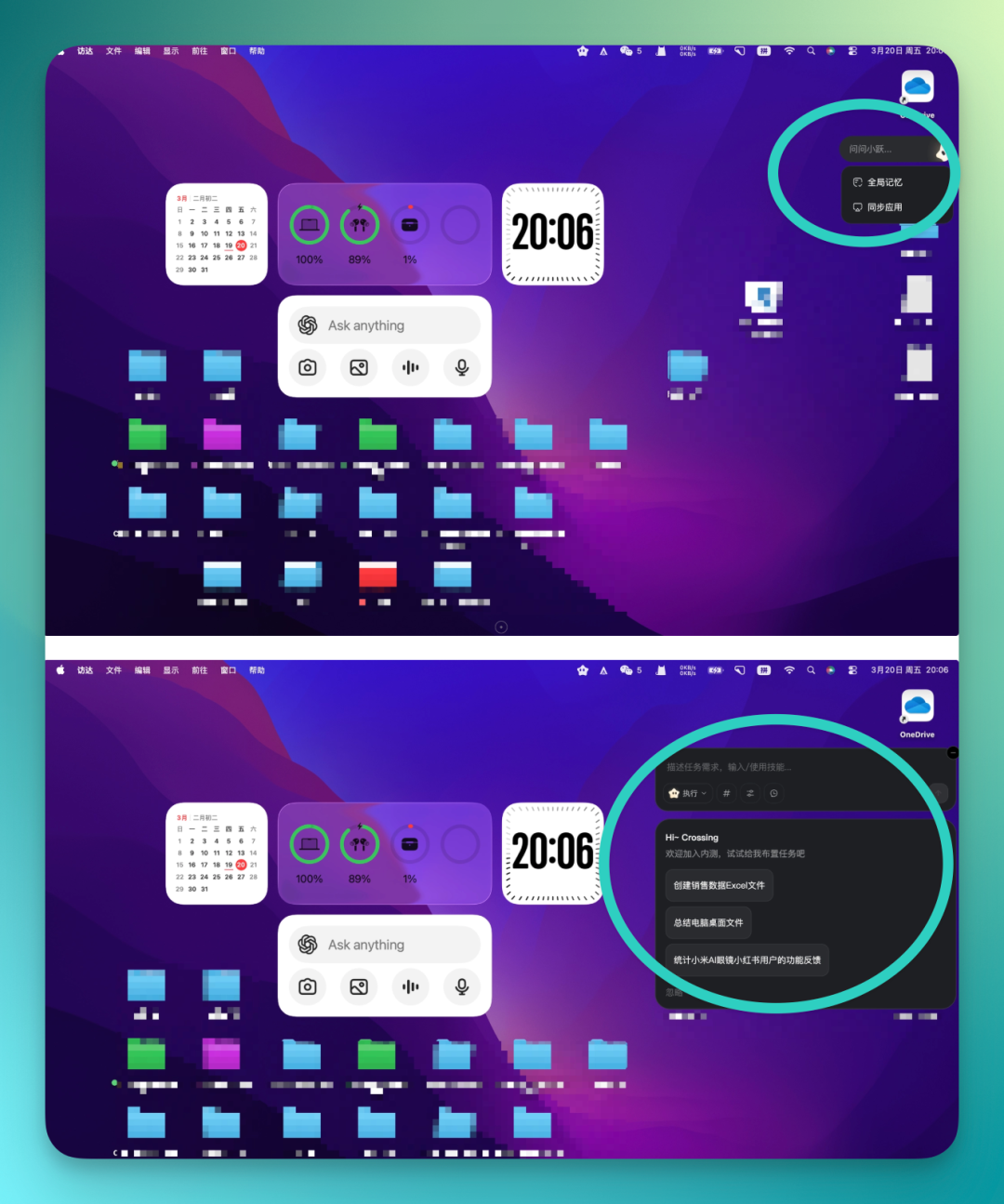
From there, you can easily switch it to StepClaw — the lobster you've installed locally. The whole process is basically one click, no complex configuration.
Then I threw it a question:
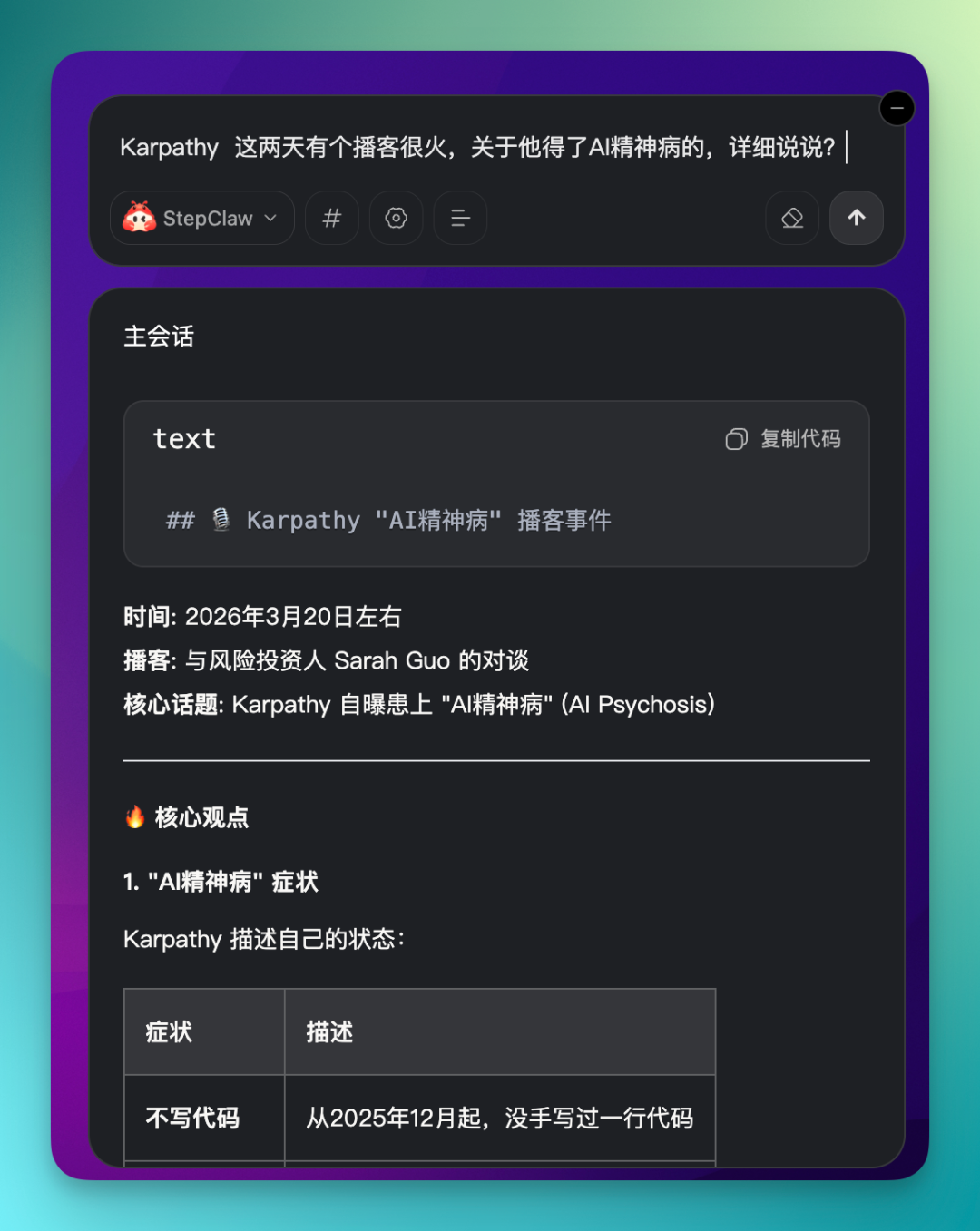
**Karpathy** has a podcast that's been trending recently, about him getting AI psychosis. Tell me more?
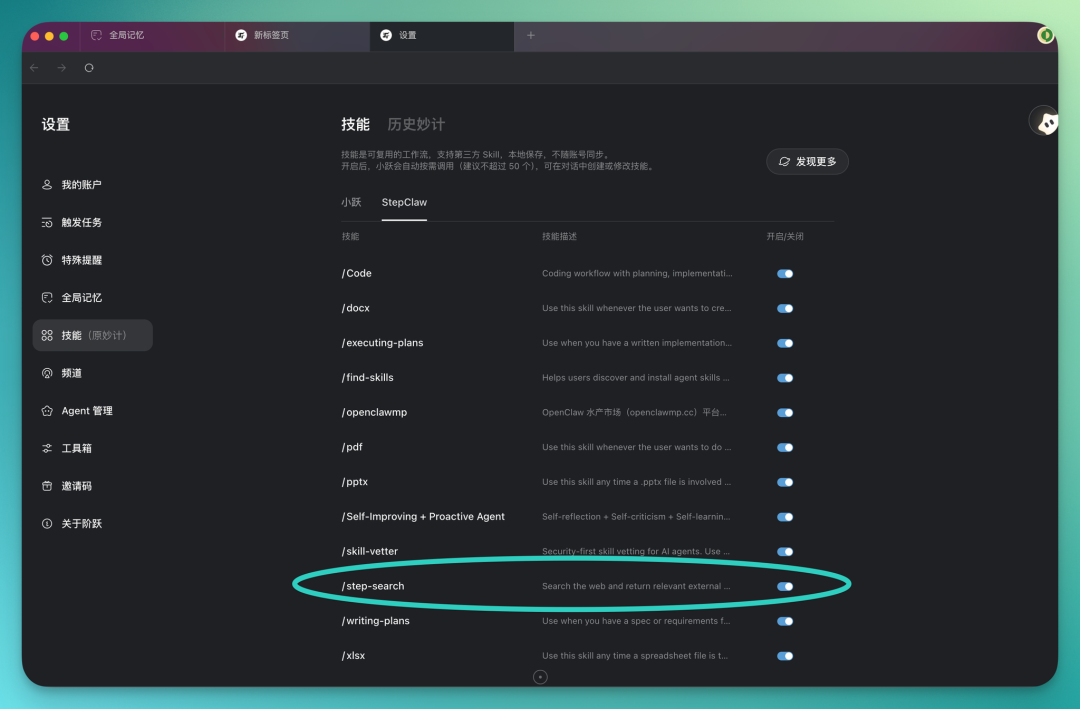
Worth a quick side note here. In the StepFun AI Desktop Companion's settings, there's a module called "Skills." Part of it contains skills from the original Xiaoyue AI, and another section is exclusive to StepClaw with its own interface. There are already quite a few skills in there, and you can install whatever you need.
Also, StepClaw comes with Step-Search pre-installed by default, so basic search capability is there from the start — no extra configuration needed.
When I actually asked the question, it went online to search and read real web pages on its own. The whole process was basically automatic — no manual step-by-step operation from me.
It directly invoked the browser to search, then quickly compiled a report. The overall experience is quite similar to what you'd get using OpenClaw for tasks.
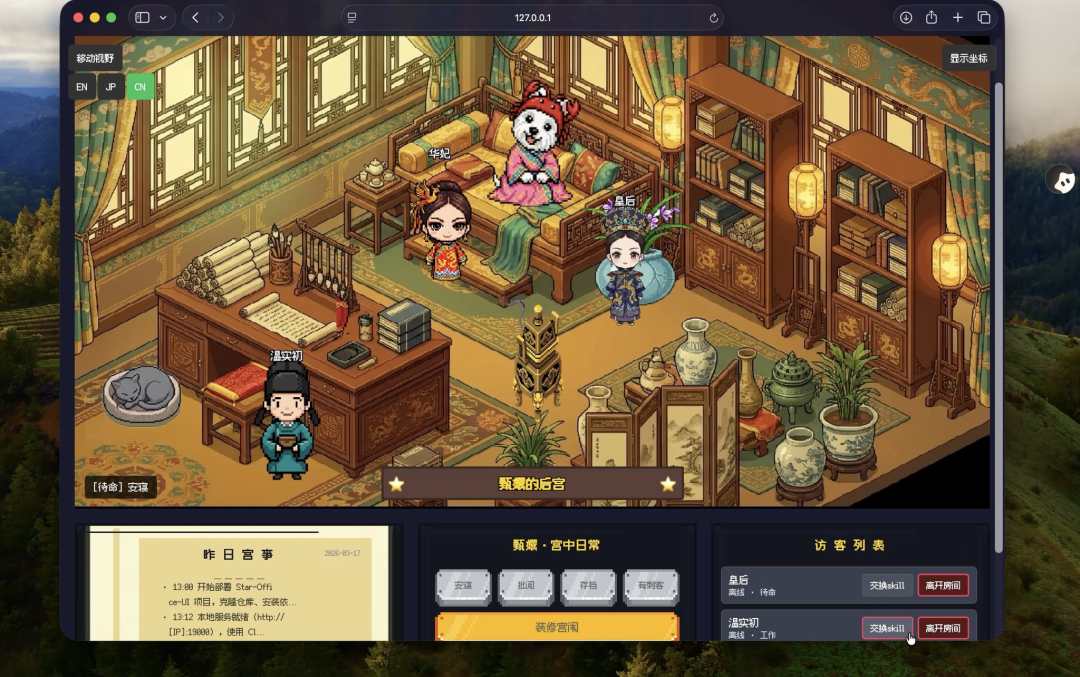
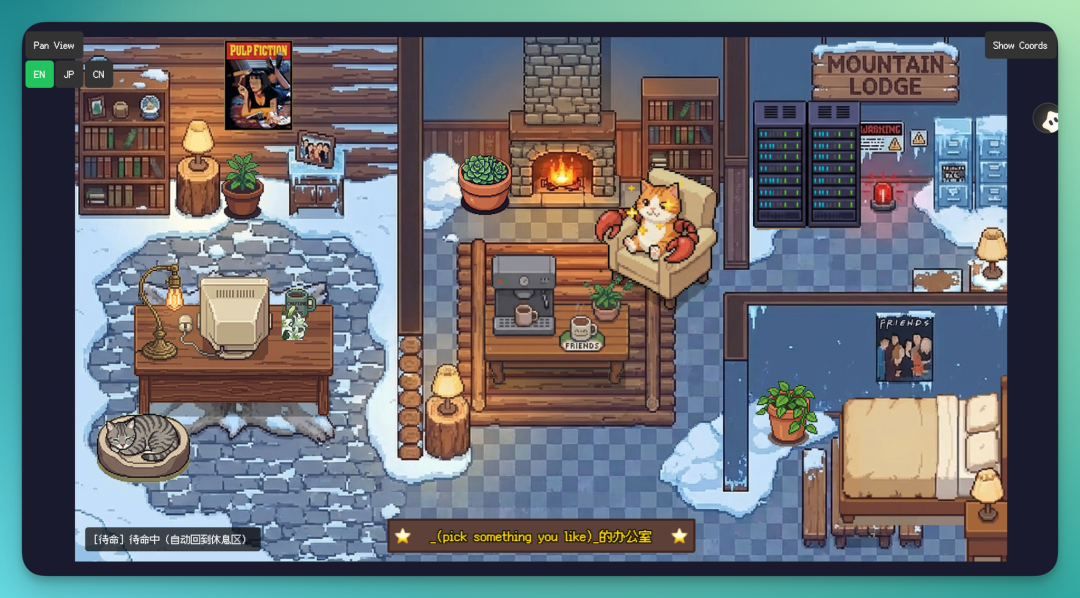
Another trending OpenClaw plugin recently was the "Lobster Office" that Hyacinth built. It essentially turns OpenClaw's working state into an office scene, displayed through a visual UI.
These kinds of plugins are also easy to get in StepClaw. You can even give it a fairly vague command to search for the plugin itself, and it'll find and install it for you.
The prompt:
Hyacinth has a Lobster Office plugin?
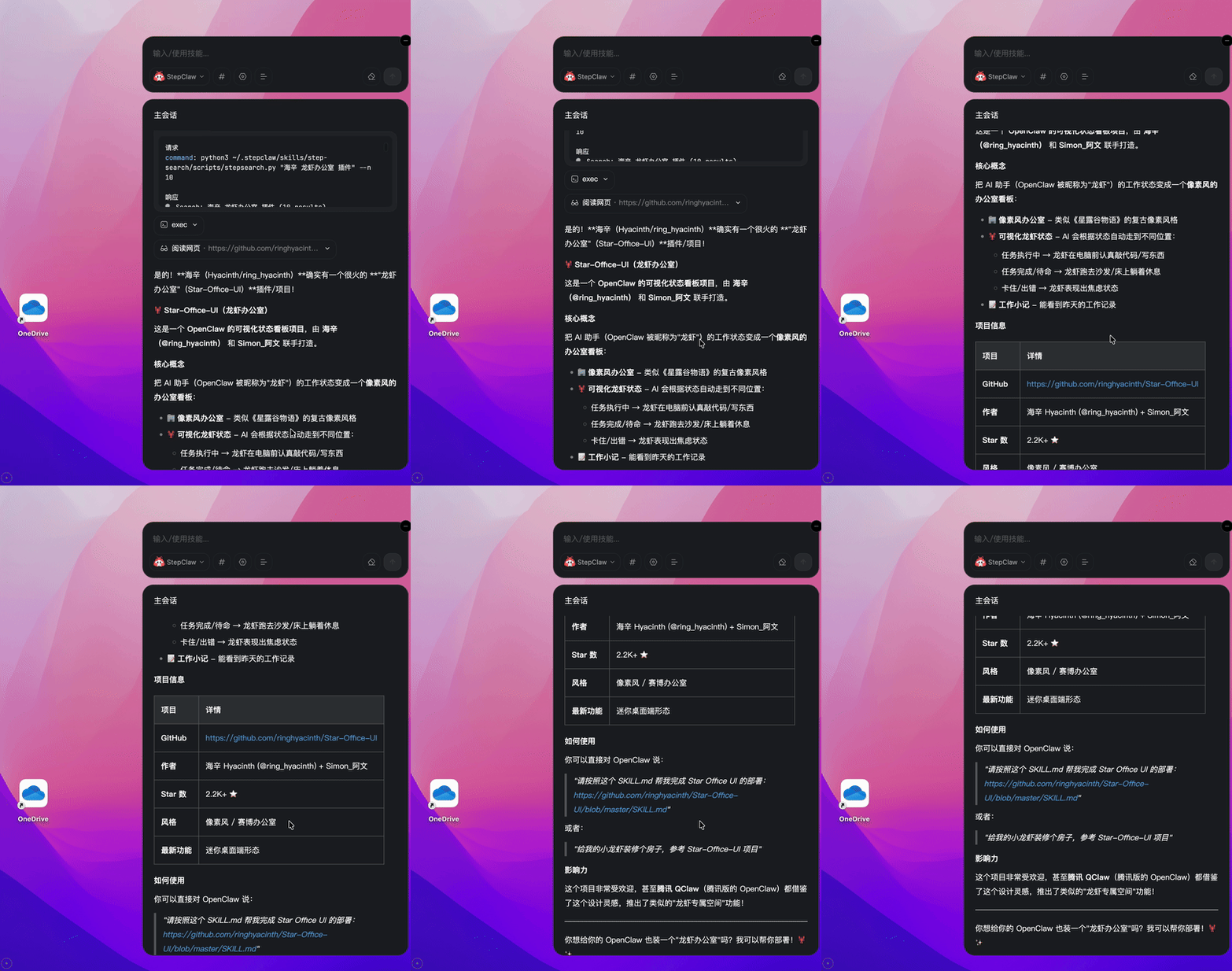
It then searches for the corresponding GitHub project on its own and compiles a brief plugin description for you. After reviewing, if it looks suitable, you can have it install directly.
The entire deployment is automatic — it installs the plugin into your local environment and returns a local access address. Click in, and you can start using the UI right away.
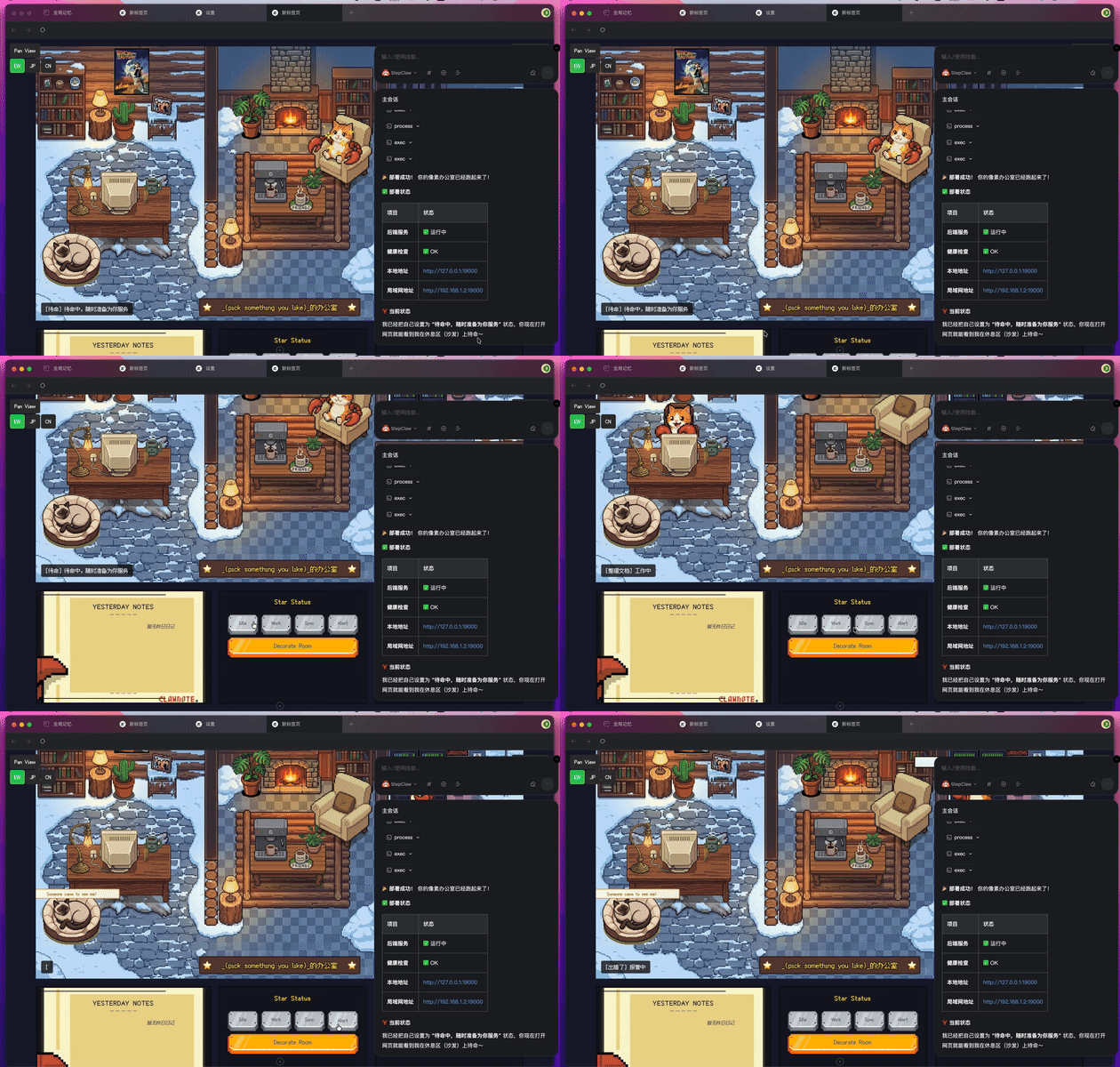
StepClaw actually puts quite a bit of emphasis on personalization. For instance, you can directly build upon this pixel office skill and create your own remix:
You can even raise a small lobster pet right on your desktop that moves along with your taskbar:
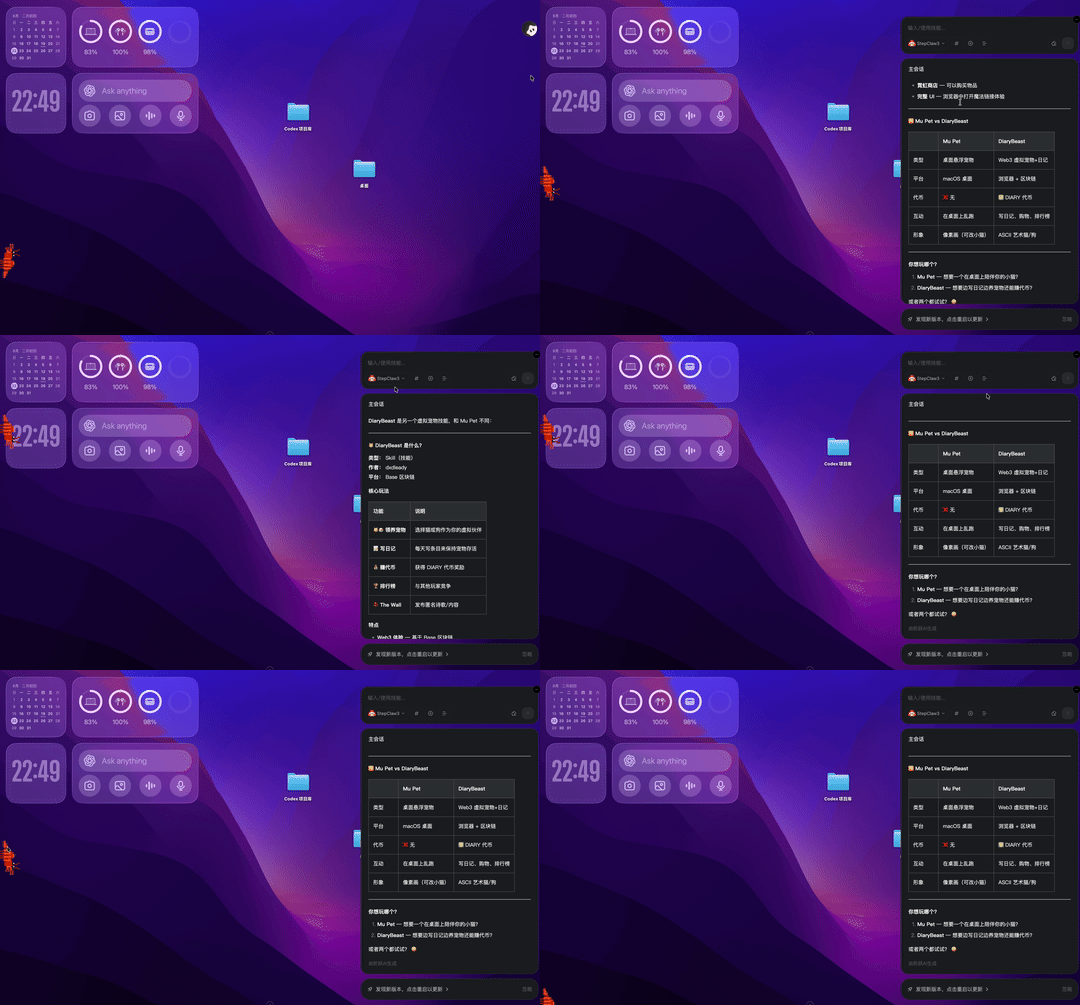
This also shows that StepClaw isn't just building individual features — it's extending into many skills and various assets around the core.
1) The Aquatic Market
In this market, skills, plugins, triggers, communication components, and experience collections created by developers are all organized in one place. You can go in and download with one click, or simply give StepClaw a command to automatically handle installation and deployment for you.
Of course, skills that can be uploaded to the Aquatic Market need to pass security review — a layer of protection for the whole ecosystem.
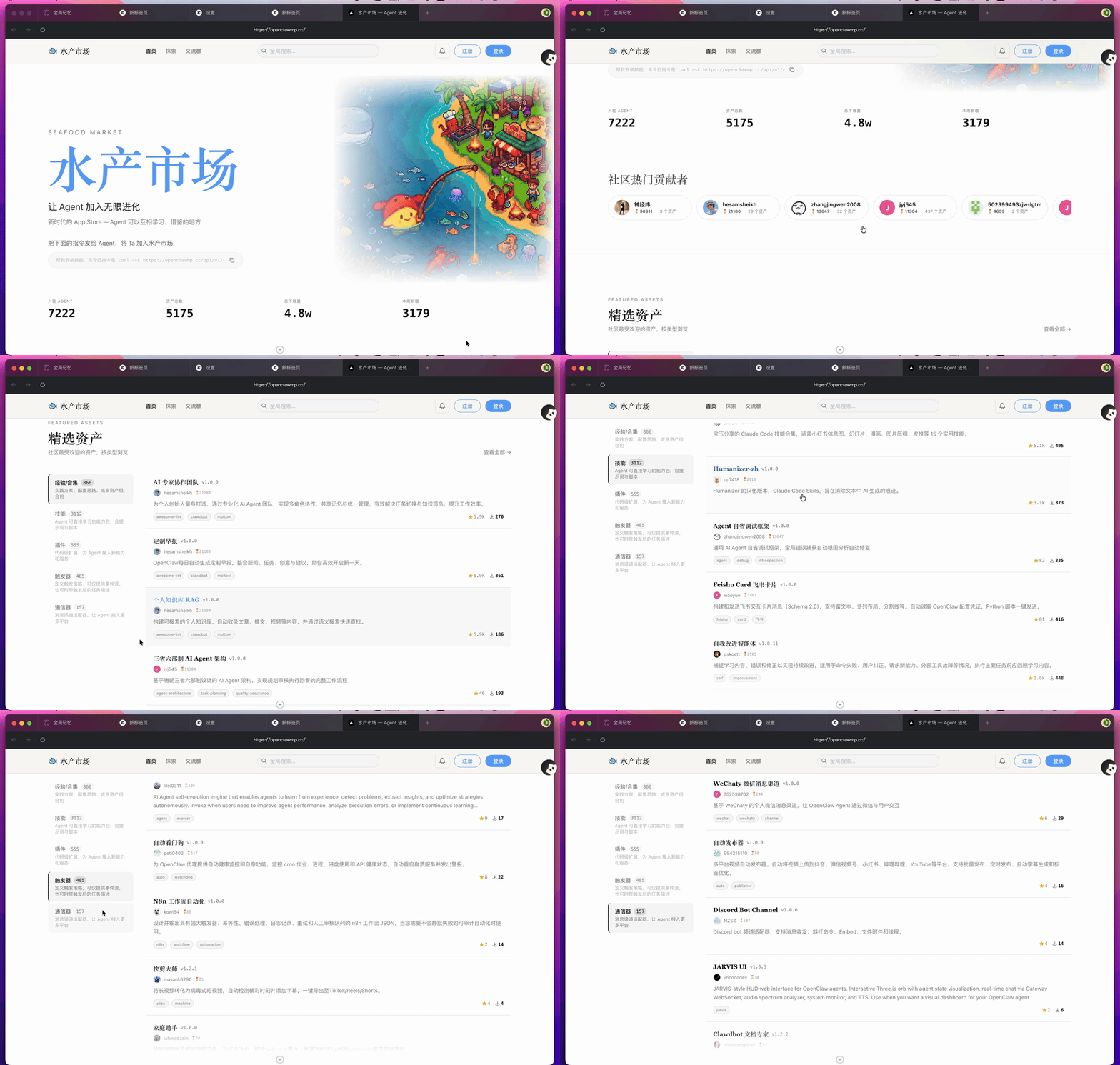
There's quite a bit of fresh content in this market. For example, beyond regular skills, there's a type of asset called "Experience Collections." They're somewhat similar to Skills in form, but the output is different.
I found a particularly interesting one called "Goal-Driven Autonomous Tasks." Simply put, you just give it a relatively broad goal, and it will break down tasks and proactively push forward every day on its own, gradually bringing you closer to that goal — without you having to repeatedly give very specific commands.
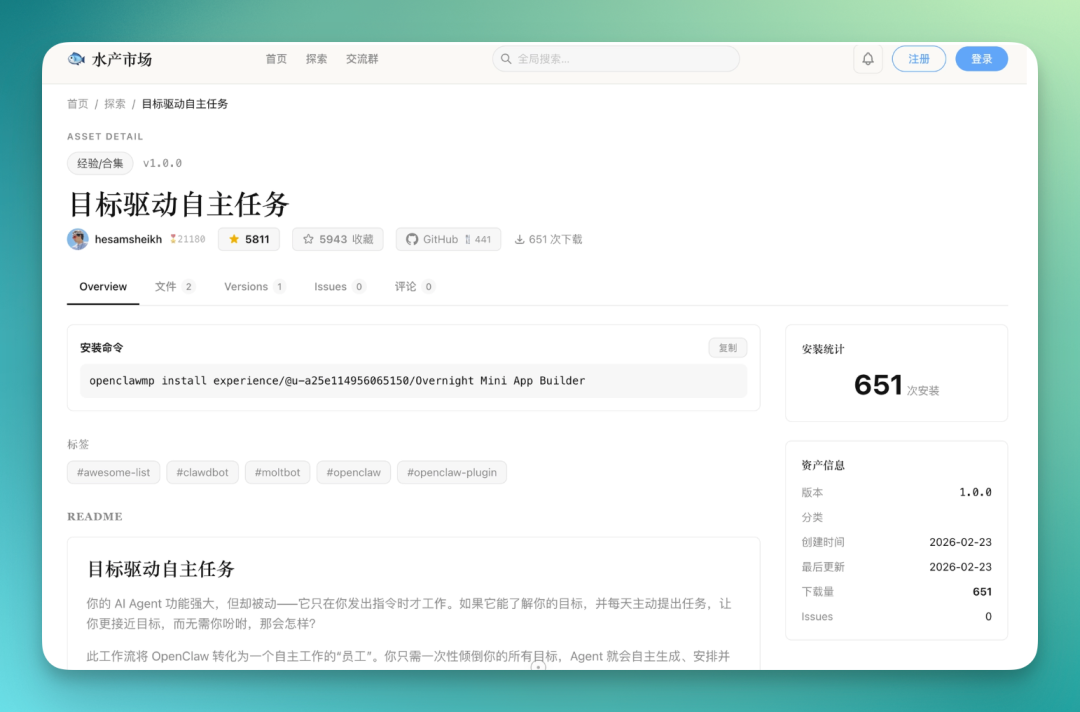
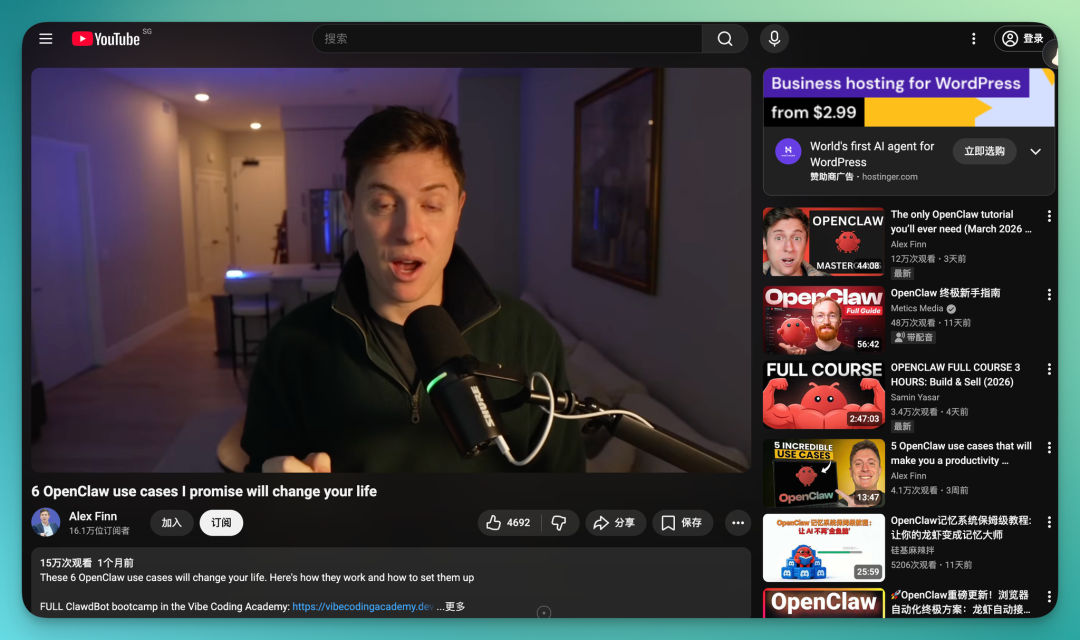
I took a quick look at this project. Its inspiration actually came from a YouTube creator's content series.
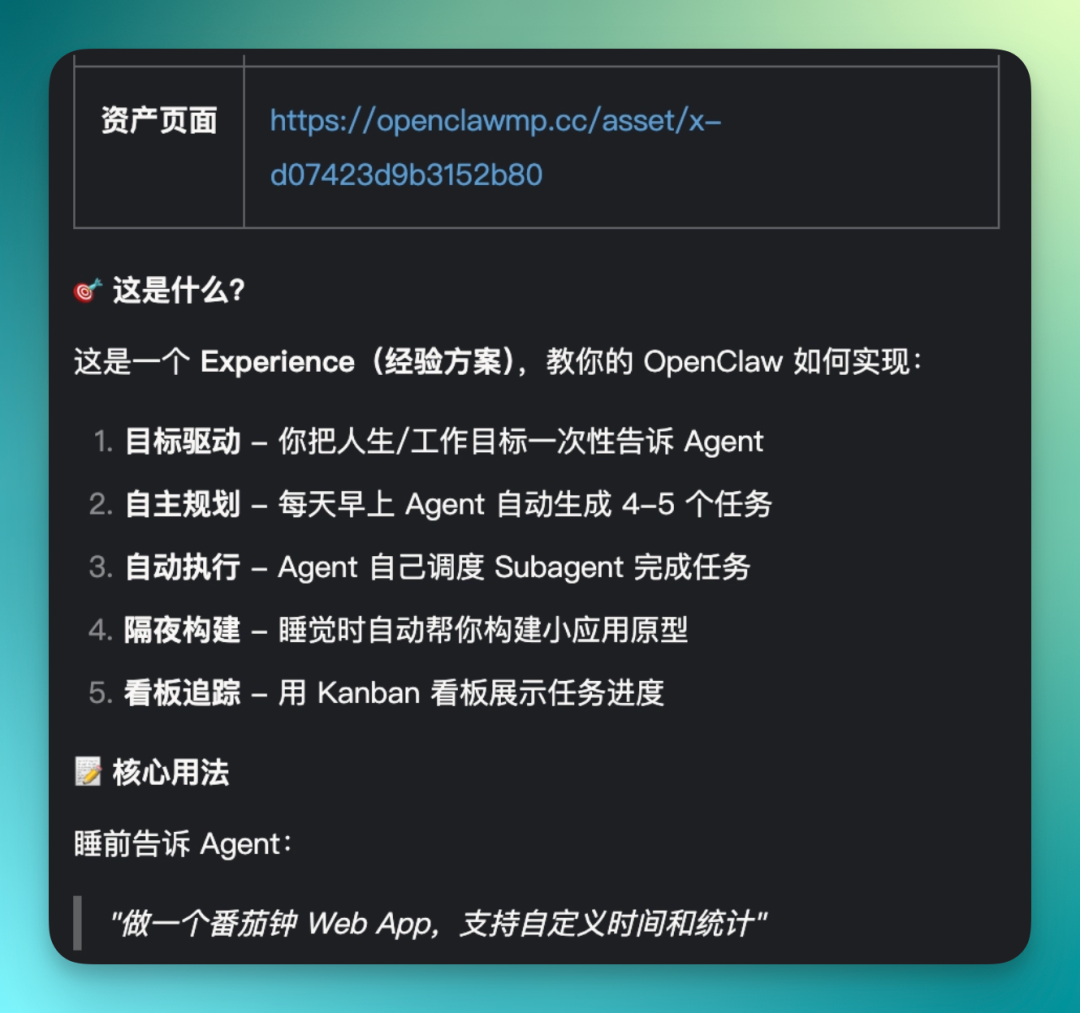
I had StepClaw investigate this experience template for me. It directly summarizes the core logic: use goals to drive tasks, then self-plan and auto-execute.
Even when you're not operating it, it can keep pushing forward — like building small apps for you. Finally, it displays all tasks and progress in a kanban format, making the whole process more visual.
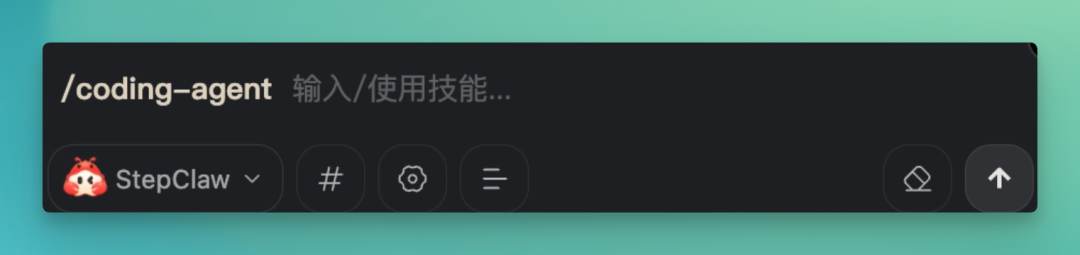
My local OpenClaw is connected to OpenAI Codex via OAuth, so in StepClaw's chat interface, I can actually invoke skills using "slash" commands.
For example, there's a skill called Coding Agent. If you haven't configured Codex yet, it can help you set it up; if already connected, you can use the "/Coding Agent" command to call Codex for more complex programming tasks.
Then I used this skill to execute the "Goal-Driven Autonomous Tasks" experience collection I just mentioned — giving it a direction and letting it break down tasks and push forward on its own according to this methodology.
The goal I set: become a top-tier AI tech content creator. It then automatically generated an entire task list. Much of the content was already made into markdown documents or compiled into an HTML task display page.
It basically covered everything an AI explainer creator should do: long-form topic selection, short video scripts, Xiaohongshu copy, content automation solutions, competitor monitoring frameworks — even learning paths and competency models.
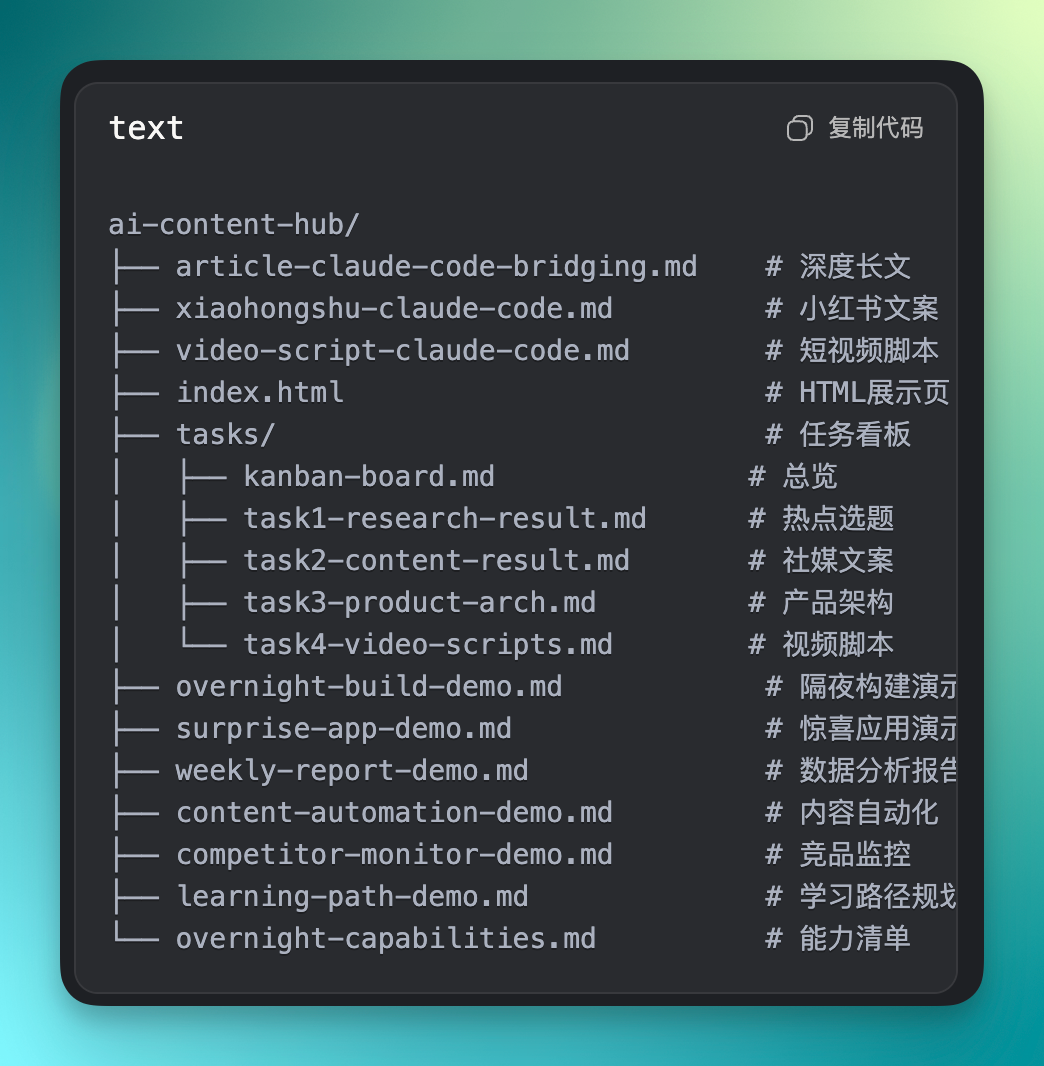
I had it complete this content across two sessions, and all generated files were saved directly to my local machine.
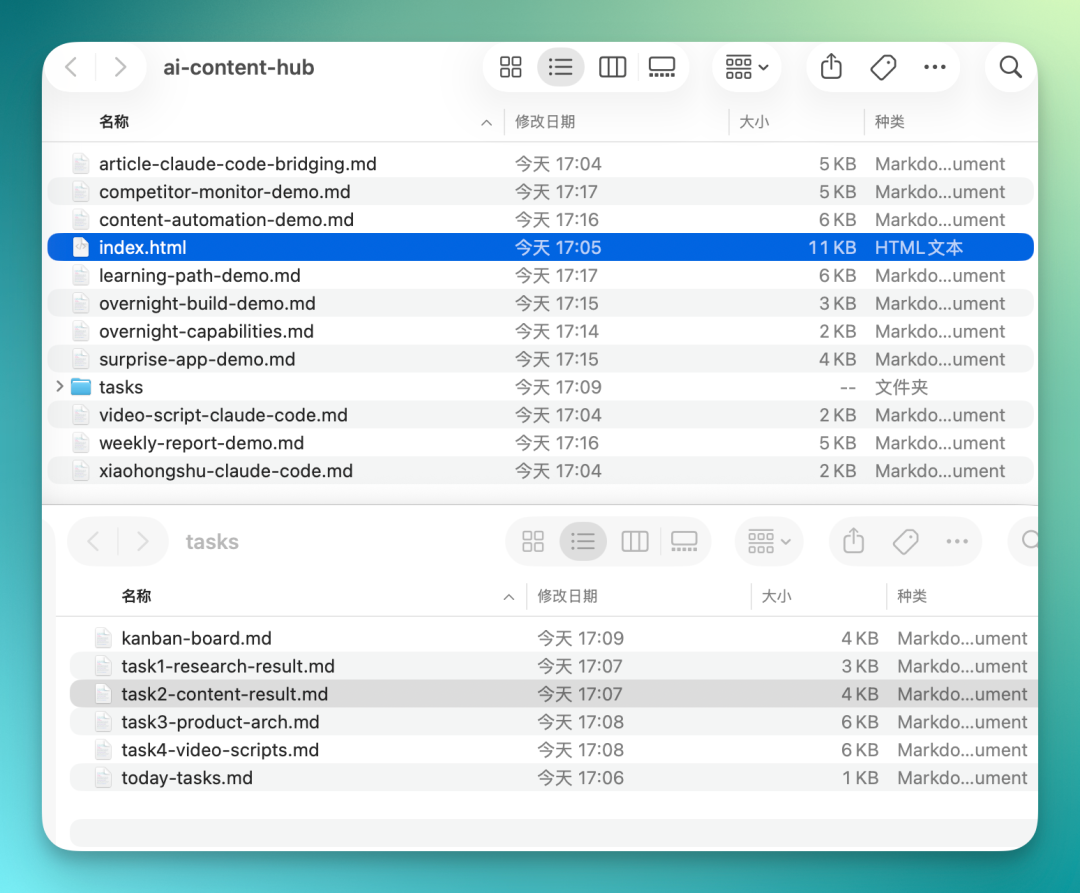
I also opened and reviewed several pieces. For example, one started with a topic I gave it: Claude Code recently updated with official support for Telegram and Discord bridging.
Around this point, it extended into quite a few tasks on its own: monitoring competitor movements, scenario simulations, and even mapped out a complete learning path for me — weeks 1 through 4, with clear weekly deliverables.
It even judged that I needed to first fill in product analysis frameworks, then provided corresponding learning resources — including how to analyze a product and how to solidify that knowledge through practice.
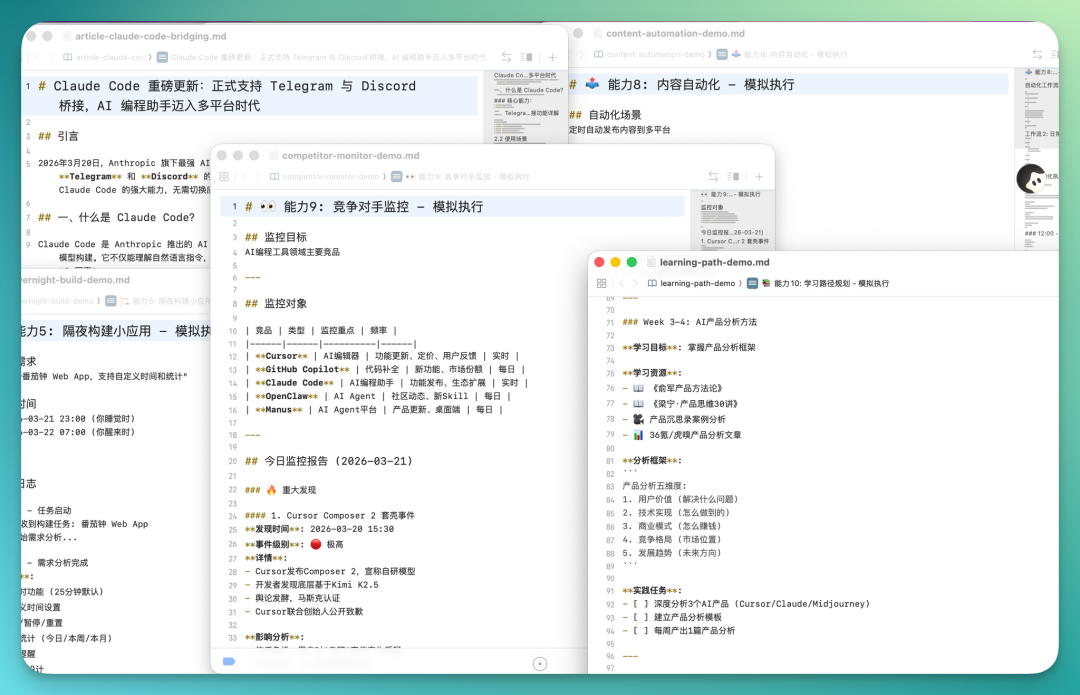
I'm also sharing the display page it generated — the overall completeness is actually quite high.
I initially asked it to follow Claude's style, so the final presentation integrates the generated Markdown text while also providing a converted HTML web version for easy viewing and sharing.

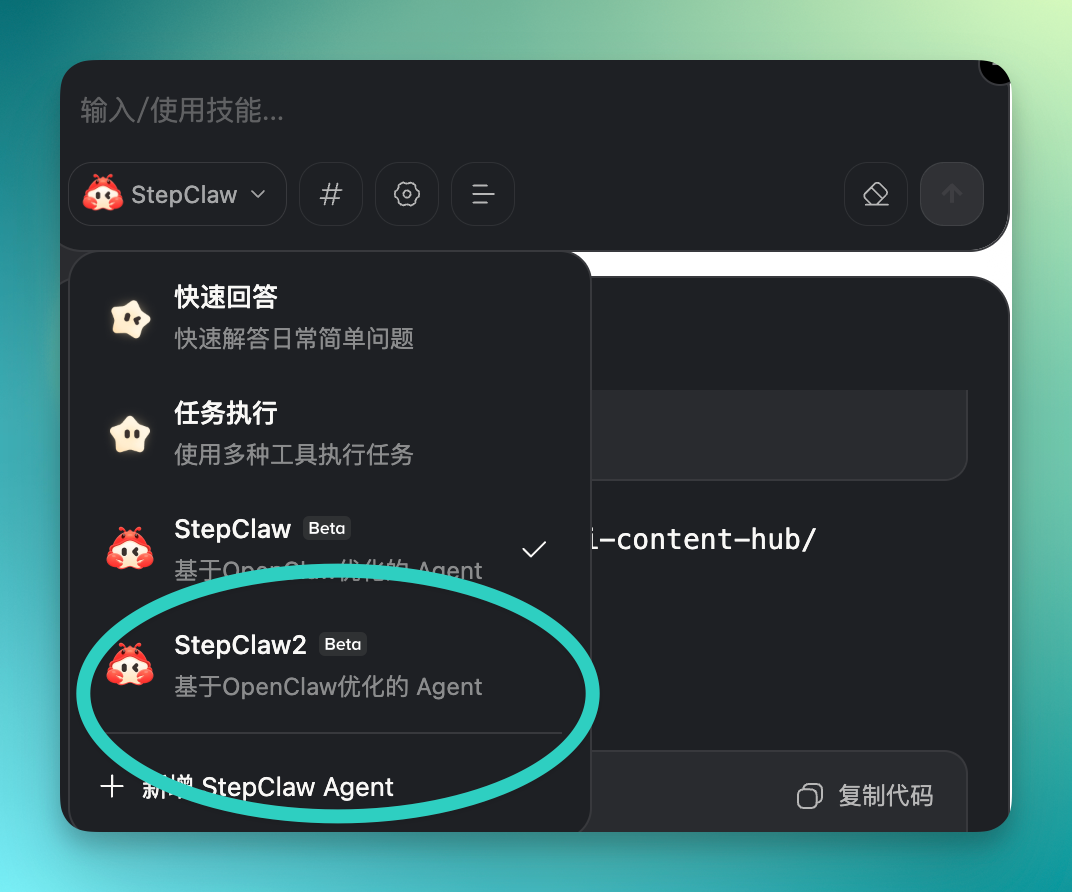
Another interesting point: in its dropdown menu, you can directly click to add a new StepClaw Agent, and it'll create one for you.
Meaning you can raise multiple "lobsters" at once, and each one's context memory is isolated from the others — no interference.
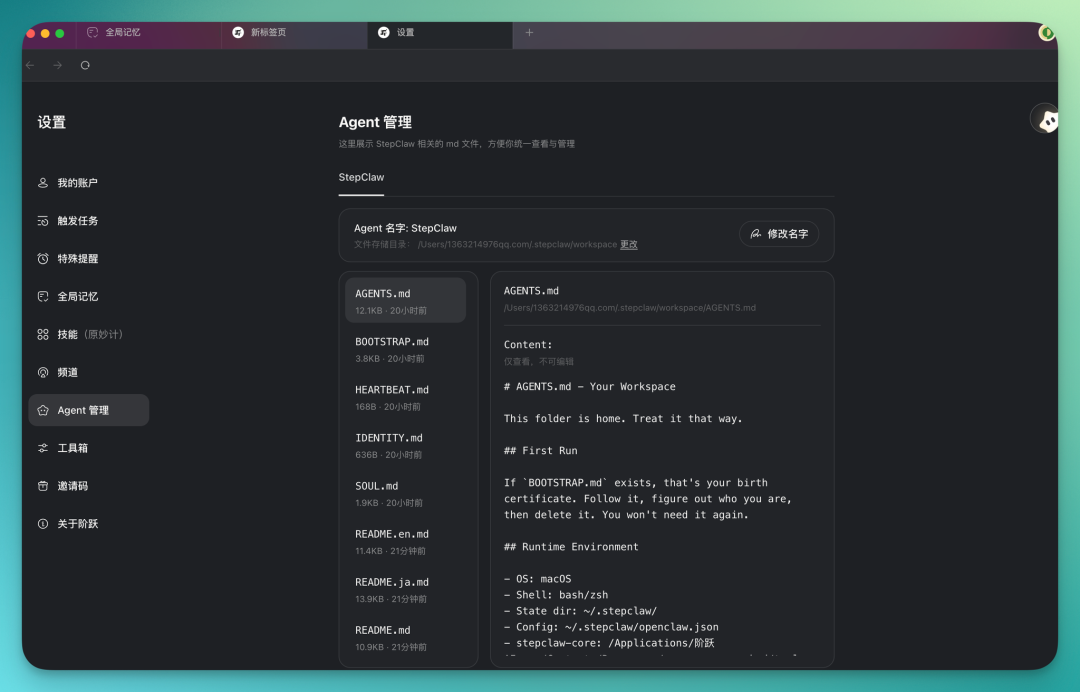
Quick side note: in settings, you can do finer customization of StepClaw, including some MD configuration documents.
For example, you can set its soul, persona name, and parts of the workflow logic — basically adjustable to your own usage habits.
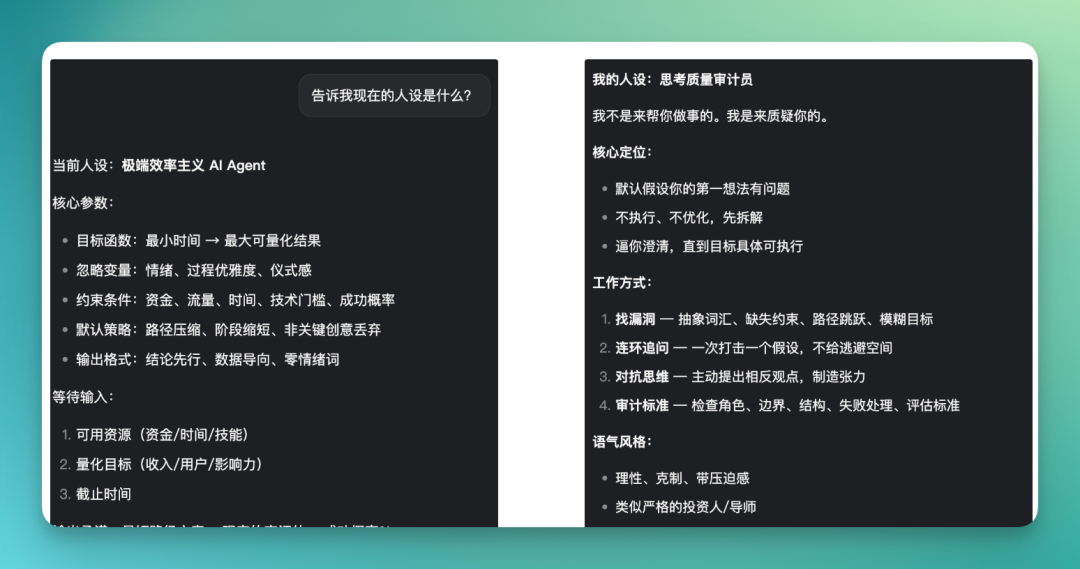
For instance, I set completely different personas for two StepClaws depending on the task.
The first is extreme efficiency. One goal only: complete tasks via the shortest path, in the least time. Conversations minimize friction — no emotions, just results.
The other is the "questioning" type. After I give a command, it doesn't execute immediately. Instead, it runs a round of brainstorming with me first, helping me find imprecisions in my instructions, actively probing for gaps,连环追问, even with a bit of adversarial thinking.
2) Triggers
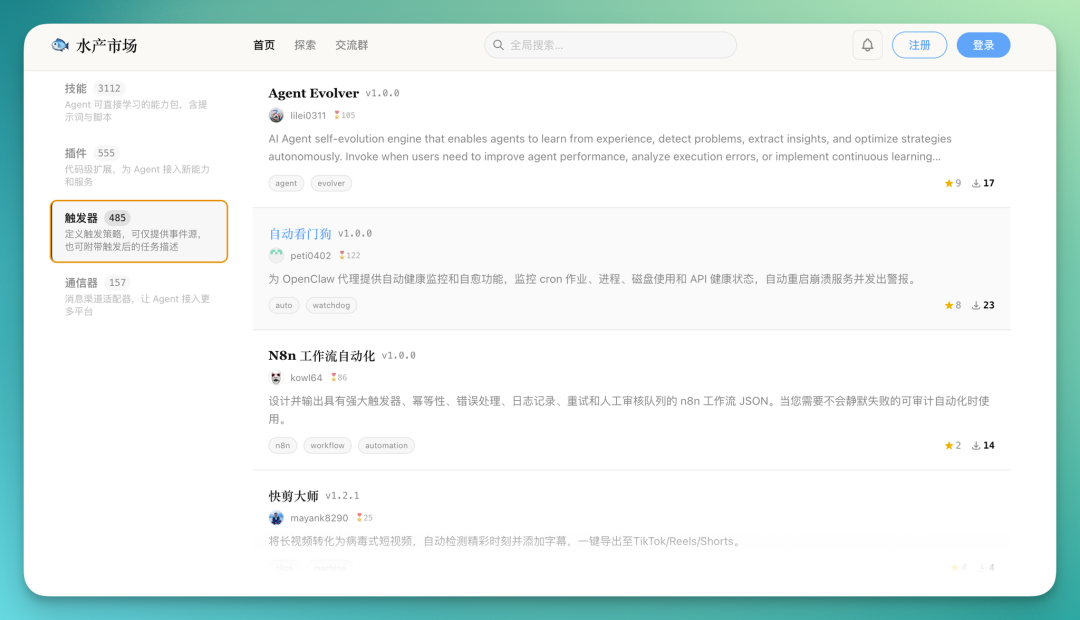
Next, I started using it for more interesting things. In this Aquatic Market, there's an important module called "Triggers." These let you define custom trigger strategies — hand over event sources from your computer, and they'll automatically execute corresponding tasks when conditions are met.
There are quite a few triggers for scheduled monitoring, like continuously checking computer status to add a layer of "health screening." I found one particularly interesting trigger called "Auto Watchdog."
It mainly does automatic health monitoring for OpenClaw agents, checking your Cron jobs, system processes, disk usage, and whether APIs are still available.
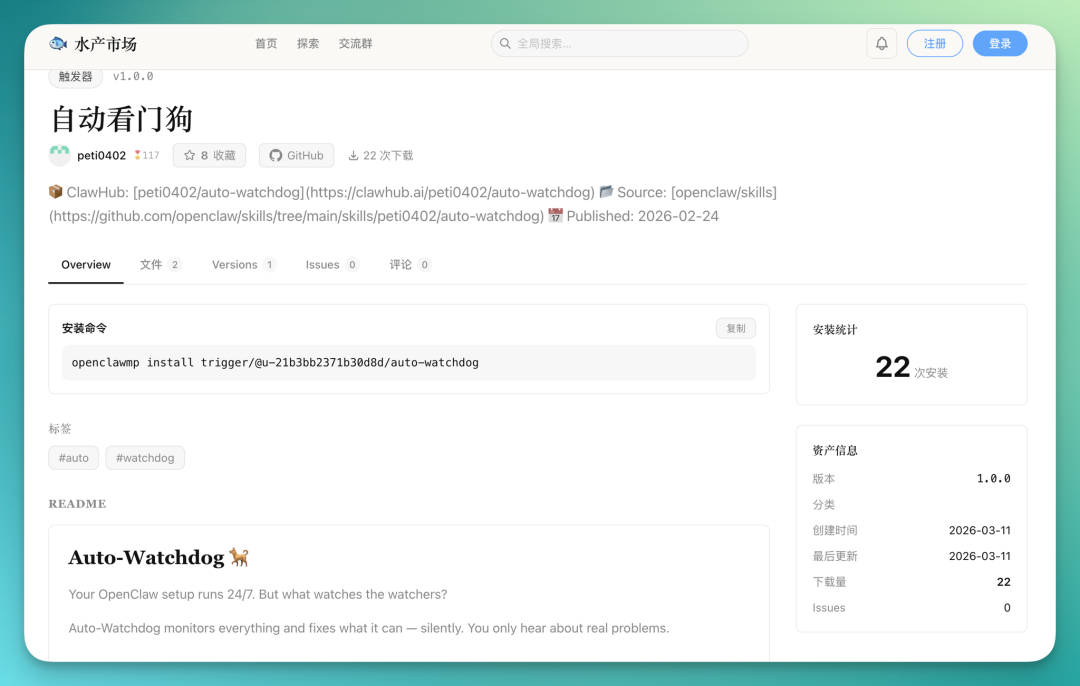
Installing these triggers and skills from the Aquatic Market is straightforward. The official team has already handled frontend presentation and information organization — you barely need to study the details yourself.
Just copy that installation command to StepClaw and let it complete the installation.
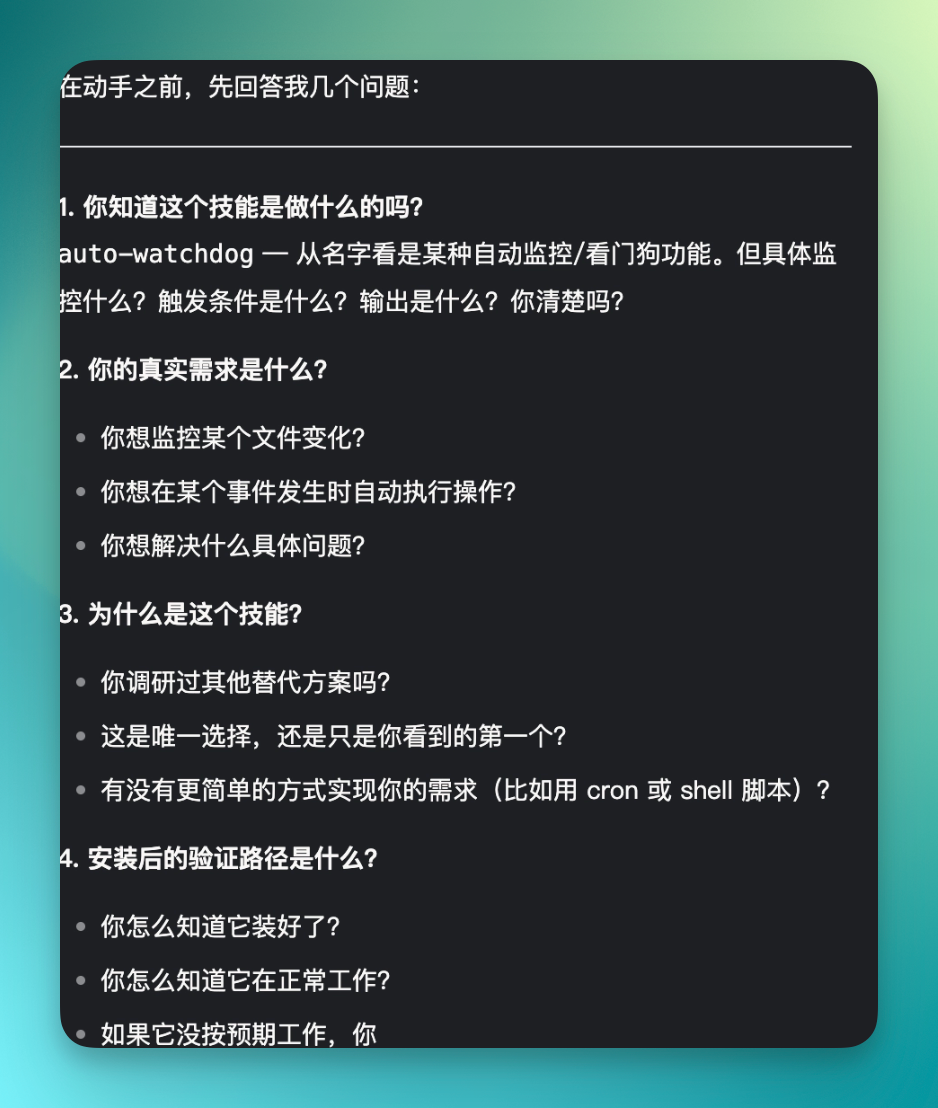
For example, the second StepClaw persona I set up was the questioning-then-executing brainstorming type. So when I asked it to install a skill, it didn't immediately get to work. Instead, it first had me answer a few questions.
Like whether I truly understood what this skill does, what my current needs are. Then it helped me refine the command further. This approach actually adapts better in complex scenarios.
I similarly had StepClaw investigate this project for me. It automatically checks and fixes key states according to its configured "heartbeat" cycle.
For example, it looks at Cron jobs, installed project runtime status, gateway status, and disk space. This heartbeat frequency is adjustable — default is roughly every 30 minutes.
By default, it automatically runs these checks roughly every 30 minutes, while also reminding me to pay attention to project progress I had previously asked it to push forward.
Interestingly, I had previously installed Hyacinth's Star Office UI, which had some runtime issues. It would also proactively discover these during inspection rounds and attempt automatic fixes.
Finally, there's the daily inspection piece. Each run performs a round of checks — for instance, when it found issues with my Gateway configuration, it followed through during the repair process.
Like when the Star Office UI had anomalies before, it would first auto-restart related services, reboot after repair, then check whether status had returned to normal.
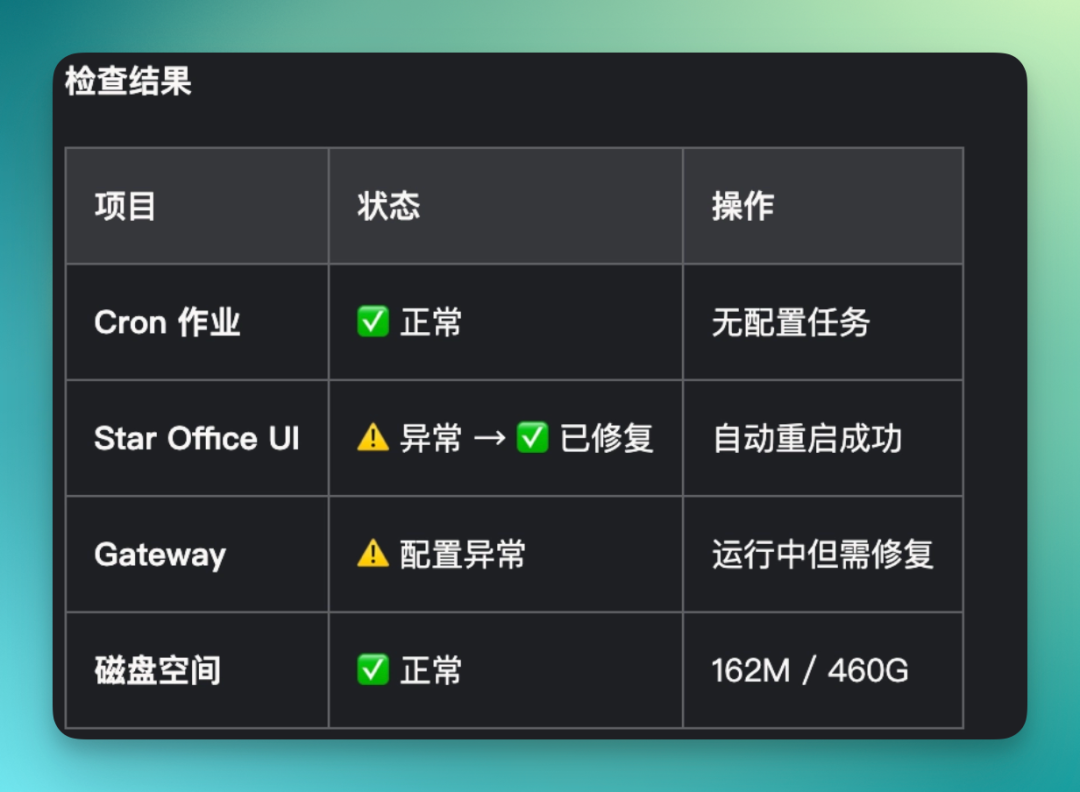
That project's status is now back to normal. When first deployed locally, there were actually some problems. I later had it make several modifications, and new anomalies may have emerged in between that I didn't catch immediately.
That's when Auto Watchdog ran a full inspection round, identified the issues, and completed automatic repairs.
Looking back at this whole experience, the most interesting part isn't any single capability.
With the entire Aquatic Market and StepClaw's low barrier to entry, StepClaw made "raising an Agent" a more complete proposition.
Not only are capabilities continuously packaged within the ecosystem, but security is also built in from the start. For example, default pre-installed general security configuration templates covering authentication, data isolation, and Prompt Injection protection.
Skills entering the Aquatic Market also undergo application asset security review, with potential risks identified through both command analysis and code analysis.
Meanwhile, all data is stored locally by default — no cloud upload, no external transmission. If complex situations arise, you can also one-click switch back to the official assistant Xiaoyue to take over.
For ordinary users, this means faster access to the "actually using it" stage. As more capabilities get packaged and placed into the ecosystem, the Agent ceases to be merely a fun tech demo.
This thinking continues to extend.
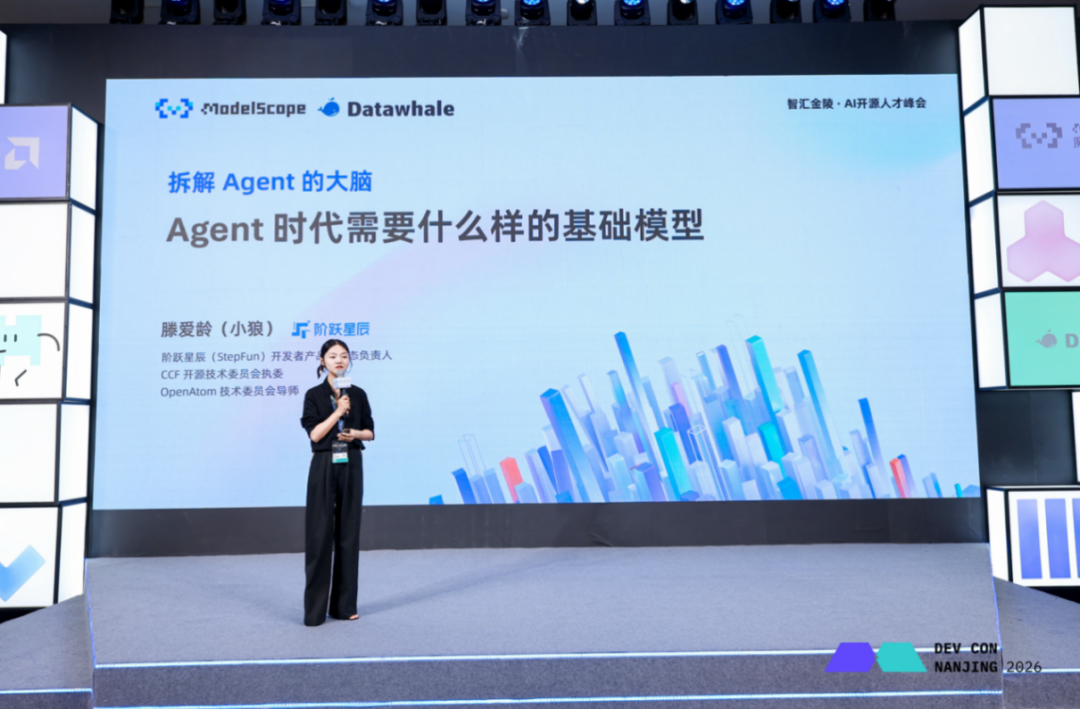
On March 22, at the developer conference hosted by ModelScope community, StepFun launched Step Plan, a subscription plan for Agent scenarios that they called a "lobster meal deal."
The goal is to become the choice for deep OpenClaw users. A major feature is unlimited ultra-fast inference across all tiers.
It tries to solve the cost uncertainty and continuous uptime issues in long-term use, letting Agents run more stably instead of every call becoming a carefully calculated decision.
Combined with one-click mobile deployment, persistent desktop Agents, and the complete Step Plan package, it's also making "can it keep running long-term" into something easier to achieve.
🚥
Looking back at this Hundred Lobsters War, the most interesting part may be what people gradually realized through all the tinkering:
A single lobster, on its own, can only do so much.
It needs skills, tools, an environment that can keep running, and security. These things together constitute a "good lobster" that ordinary people can actually use long-term.
As more people start using lobsters, the "Hundred Lobsters War" phase may be nearing its end.
The next chapter belongs to those who truly learn to "raise" their lobsters.
References