Lark Has a New Work Buddy: Hands-On With Doubao Work

Work really can be handed off to Doubao now.
Work can really be handed off to Doubao Work first.

👦🏻 Author: GaKi
🥷 Editor: Koji
🧑🎨 Layout: NCon

On August 25, "Doubao Work" officially launched as a standalone product and brand.
Behind this lies a ByteDance consolidation of resources for AI-powered office scenarios: on July 30, the Lark product team was merged into Doubao; on August 24, the workplace capabilities of TRAE Work and Coze were successively brought under Doubao's umbrella.
In just 25 days, ByteDance gathered all its "productivity Agent" cards onto the same table.
"Doubao Work" is ByteDance's first answer in this battle for the workplace — "New work habits: let Doubao do it first."

Simply put, it's Doubao's new Agent product for workplace scenarios, deeply integrated with the Lark ecosystem.
Centered on your goals, it can autonomously read enterprise context from Lark — cloud documents, chat history, multidimensional tables, approvals, and calendars all fall within its field of view. By breaking down tasks and calling tools, it delivers usable, editable final outputs grounded in your enterprise context (including documents, spreadsheets, PPTs, webpages, even entire computer workflows). 🚥
Over the past week, Crossing used it intensively for daily work, hardly leaving this single entry point. Our biggest takeaway:
Work can really be handed off to Doubao Work first. Here's our hands-on experience.
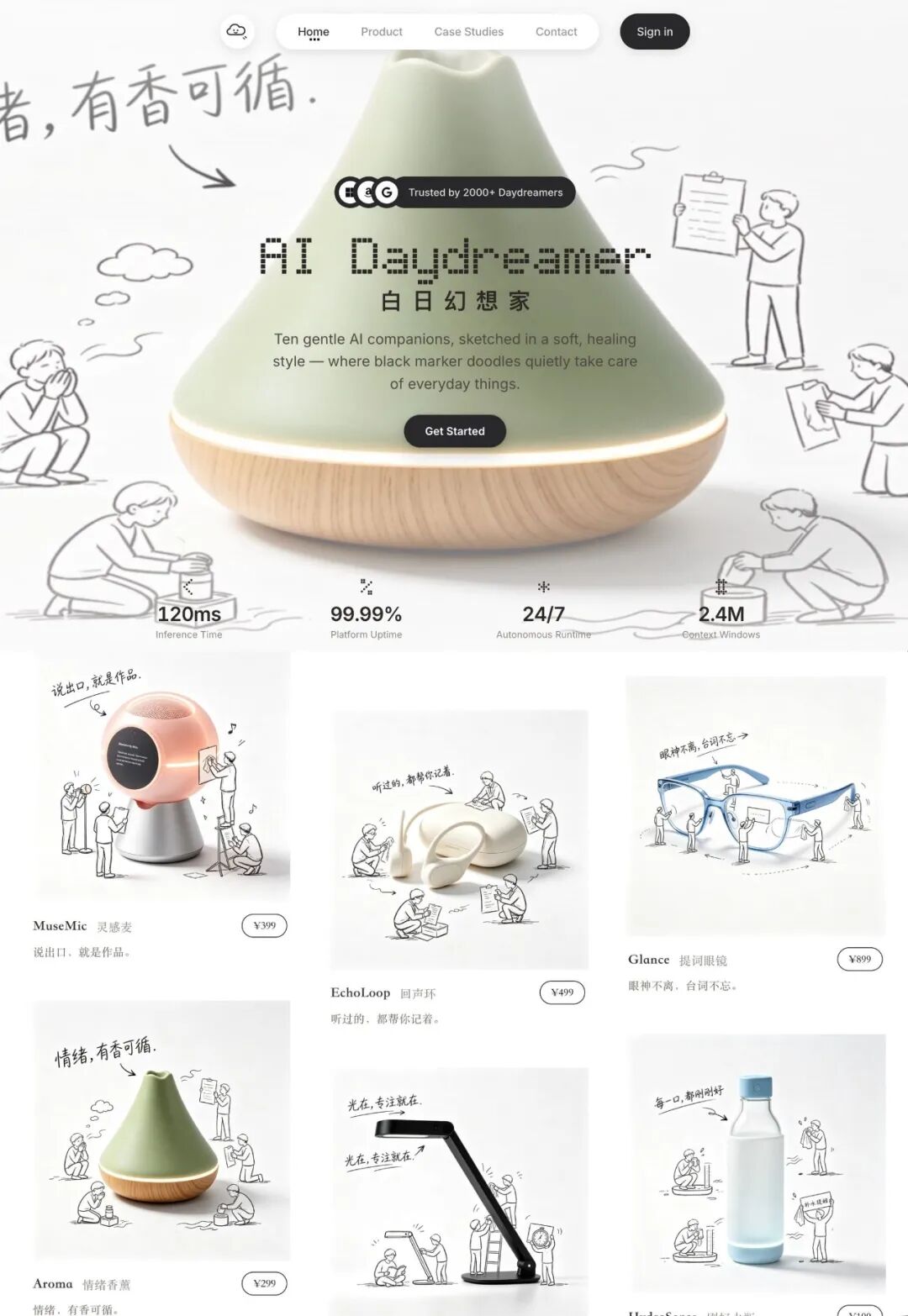
Hands-on: We used Doubao Work to build a "HEYTEA-style" AI DayDreamer website
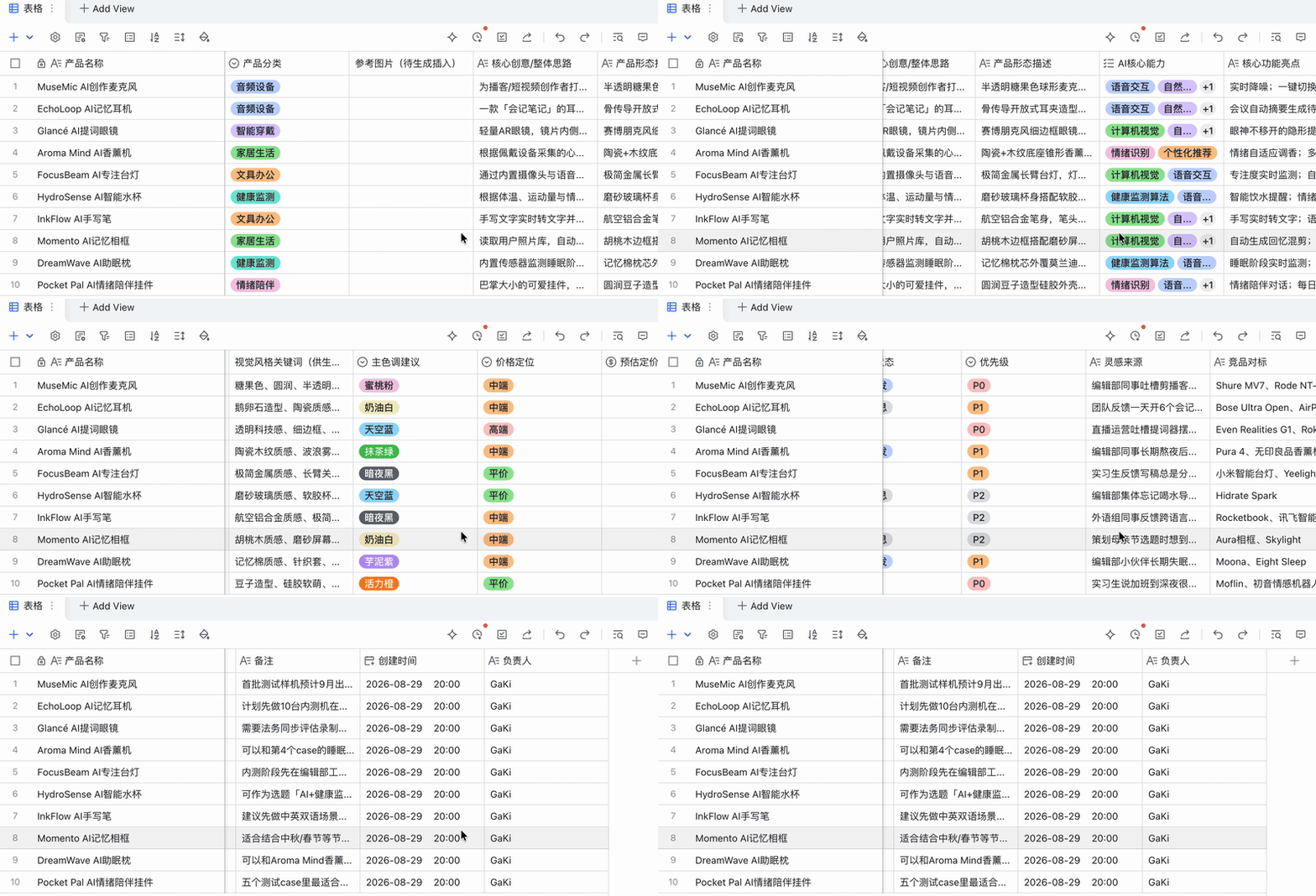
The Crossing team has an internal habit: when colleagues come across absurd yet intriguing AI product ideas while browsing, they save them to a Lark multidimensional table called AI DayDreamer. It has accumulated 10 conceptual products so far, ranging from AI prompt glasses to emotion-soothing chat companions.
Since we were testing "Doubao Work" this week, we tried completing the entire pipeline from Lark multidimensional table to full prototype website entirely within it.
This process happened to string together Doubao Work's complete capability chain: reading tables, downloading and installing GitHub Skills, batch image generation, writing PRDs, prototype building, writing READMEs, and iterative refinement.
The final result looked pretty good, style-wise:
Entry Points
First, the current entry points for "Doubao Work" — there are three paths.
[1] Switch to work mode in the Doubao PC client.
[2] The standalone "Doubao Work" app.
[3] Embedded Lark entry point, allowing you to summon "Doubao Work" directly within Lark.
Since all our context documents live in Lark, we chose the embedded entry point for this website build. After all, content like group chats and READMEs needs to flow back into Lark for iteration.
If you prefer a standalone app, you can also log in with your Lark account in the "Doubao Work" app — the experience is identical.
From Lark Multidimensional Table to Prototype Website
The multidimensional table below contains AI creative microphones, memory headphones, aromatherapy diffusers, focus desk lamps, smart water bottles, and more — recording each product's category, P0-to-PX priority level, creation date, and product concept.
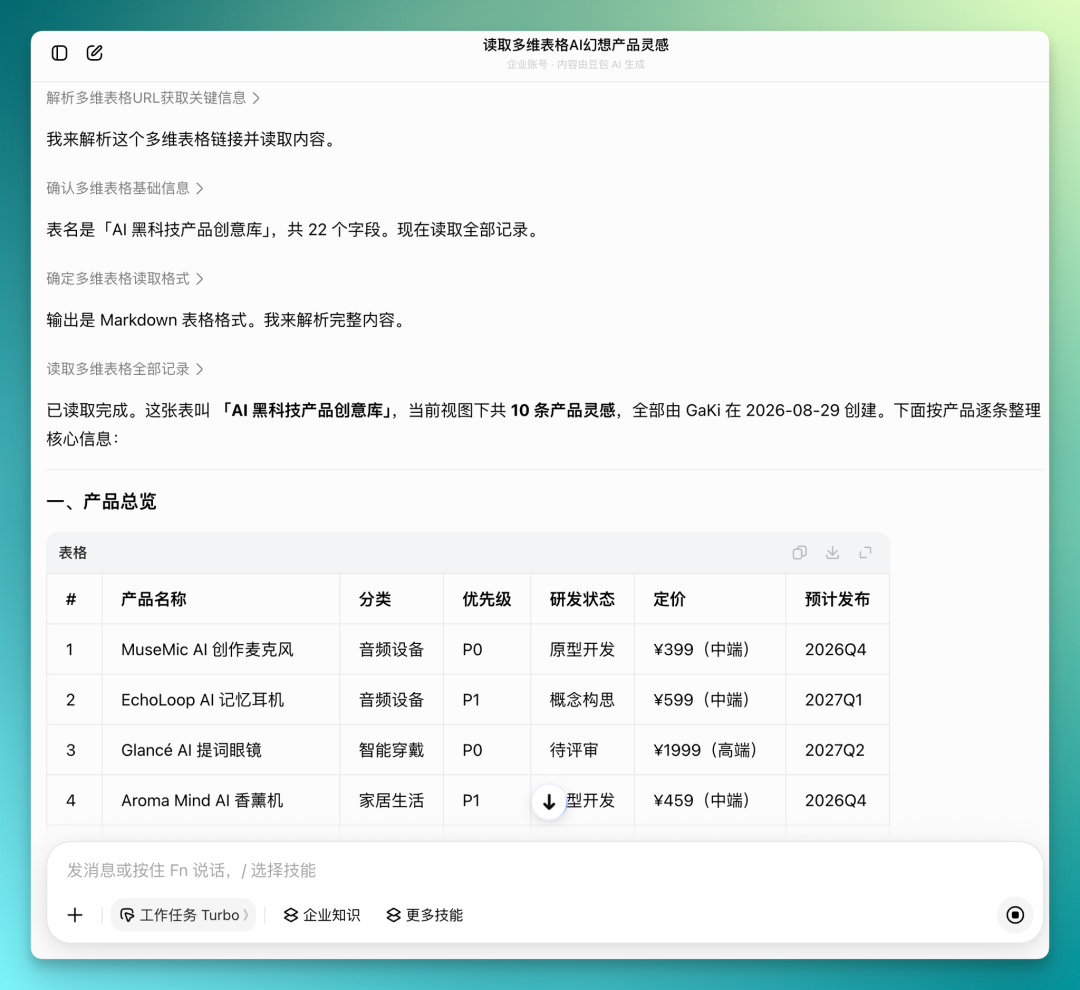
Now you can directly have "Doubao Work" read the entire multidimensional table of AI fantasy product ideas, parsing all fields and extracting all records itself.
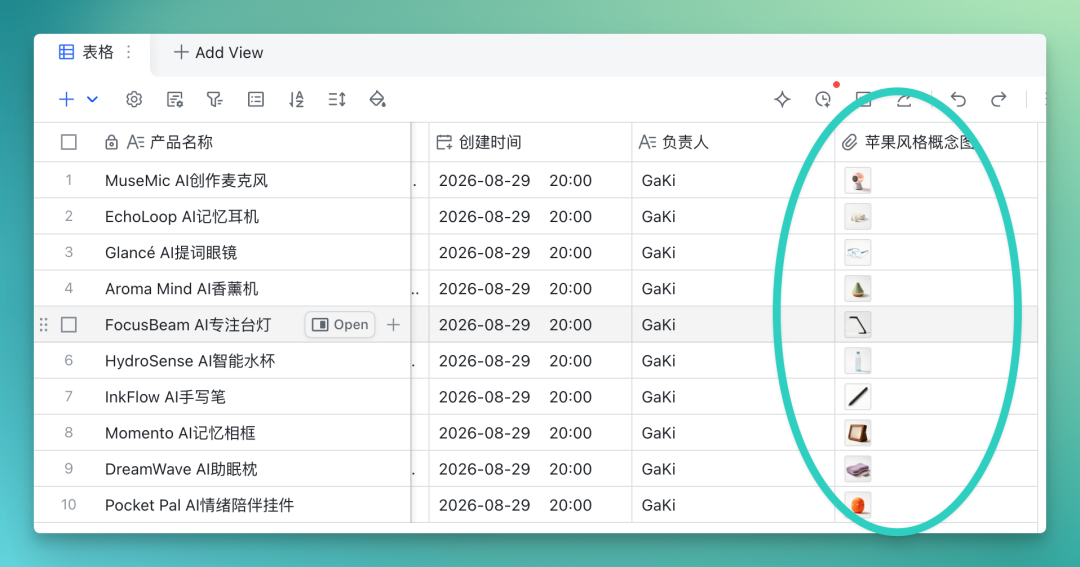
The multidimensional table only recorded inspiration and basic concepts for these creative products. Since "Doubao Work" has multimodal capabilities with integrated image and video generation, you can directly have it create a new attachment column for product concept images based on all the context it read.
I asked it to generate a pure white background, Apple-style concept image for each of the 10 products, then download and upload them to the corresponding records.

After uploading, the concept images occupied their own column.
"Doubao Work" uses the Seedream 4.5 model by default for image generation — reasonably fast, decent quality.
Here are all the product concept images it generated:

But for prototype building, these concept images alone weren't particularly eye-catching style-wise.
The HEYTEA style is trending across communities for image restyling — we wanted to use it to generate HEYTEA-style versions of all images, plus micro-motion videos.
HEYTEA style adds black hand-drawn doodle figures to base reference images, each with its own theme. There are already many such Skills on GitHub:
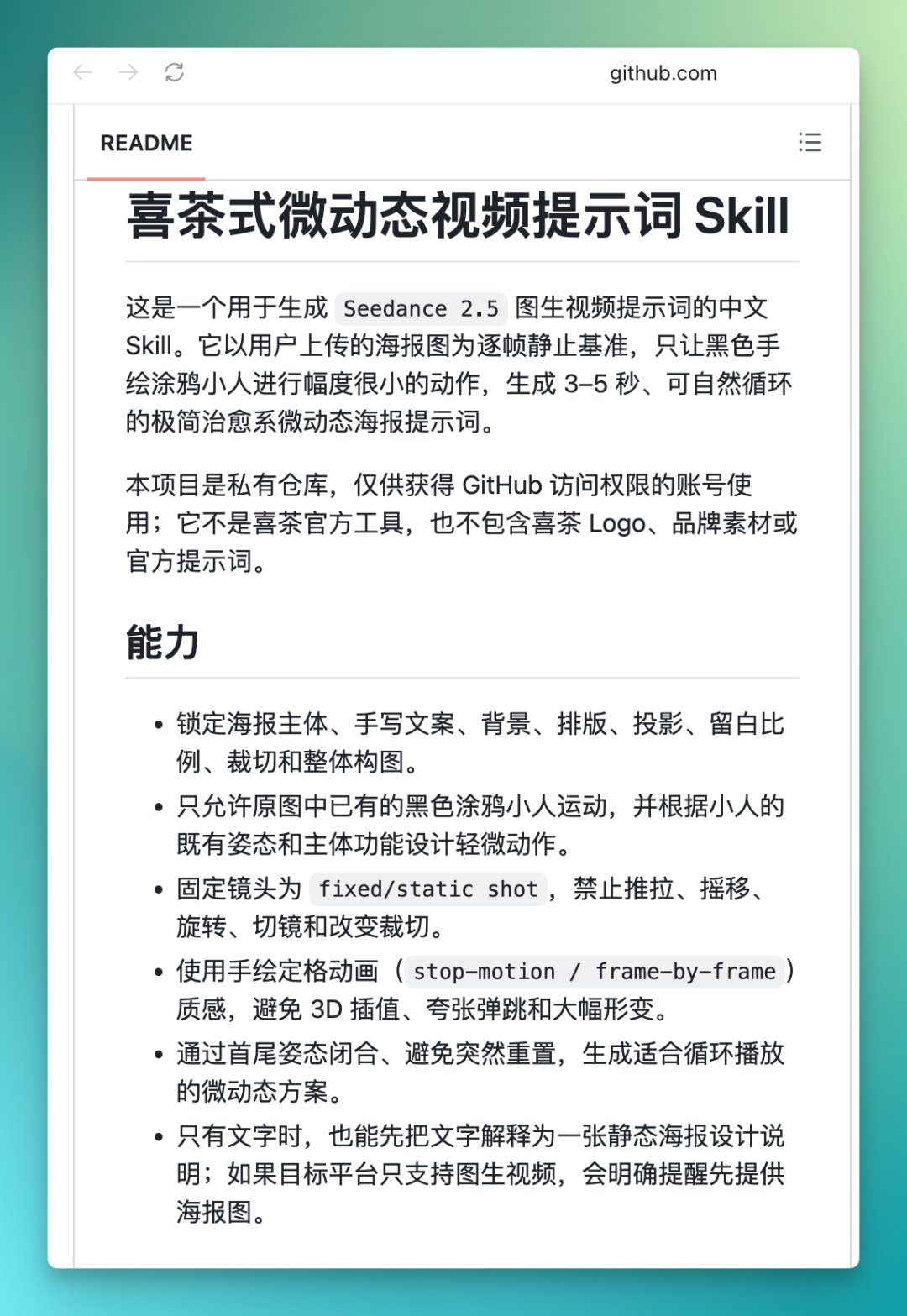
"Doubao Work" can directly install Skills — tell it the GitHub project URL and it installs automatically:

Beyond external installation, "Doubao Work" also has a skill connector with built-in Skills for documents, spreadsheets, PPTs, and creative design — very flexible to use.
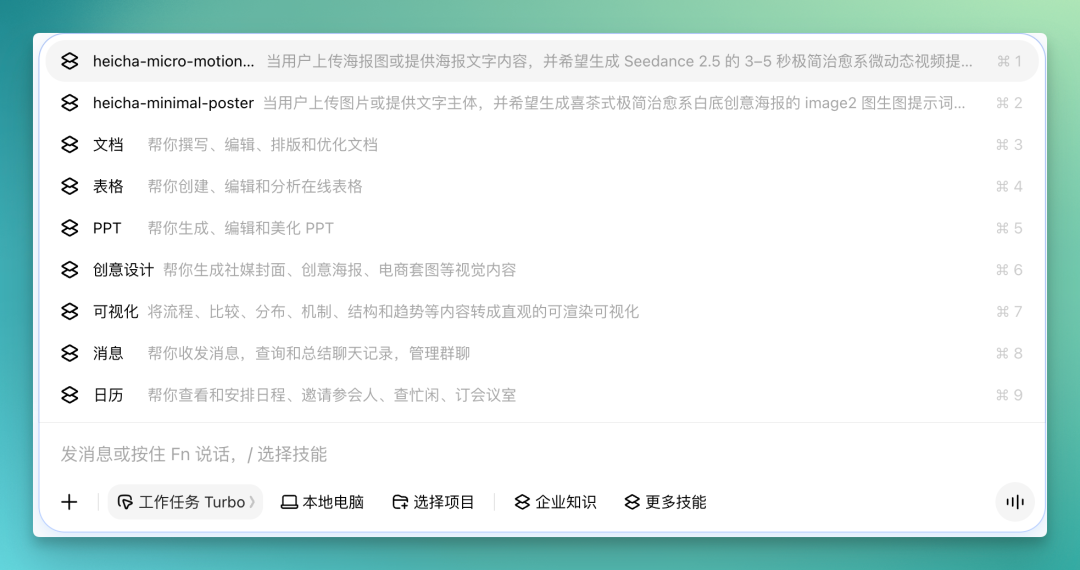
After "Doubao Work" autonomously downloaded and installed the HEYTEA-style Skill from GitHub, we could directly use it to have the tool read the 10 AI DayDreamer product images already generated in the multidimensional table, convert them to HEYTEA style, and store them back in the table.
The results were quite good.

Generally, Motion-style prototype websites embed a video on the homepage.
I directly had "Doubao Work" use the HEYTEA-style micro-motion video Skill to create a short micro-motion video based on one of the AI DayDreamer products — the Aroma Mind AI aromatherapy diffuser image.
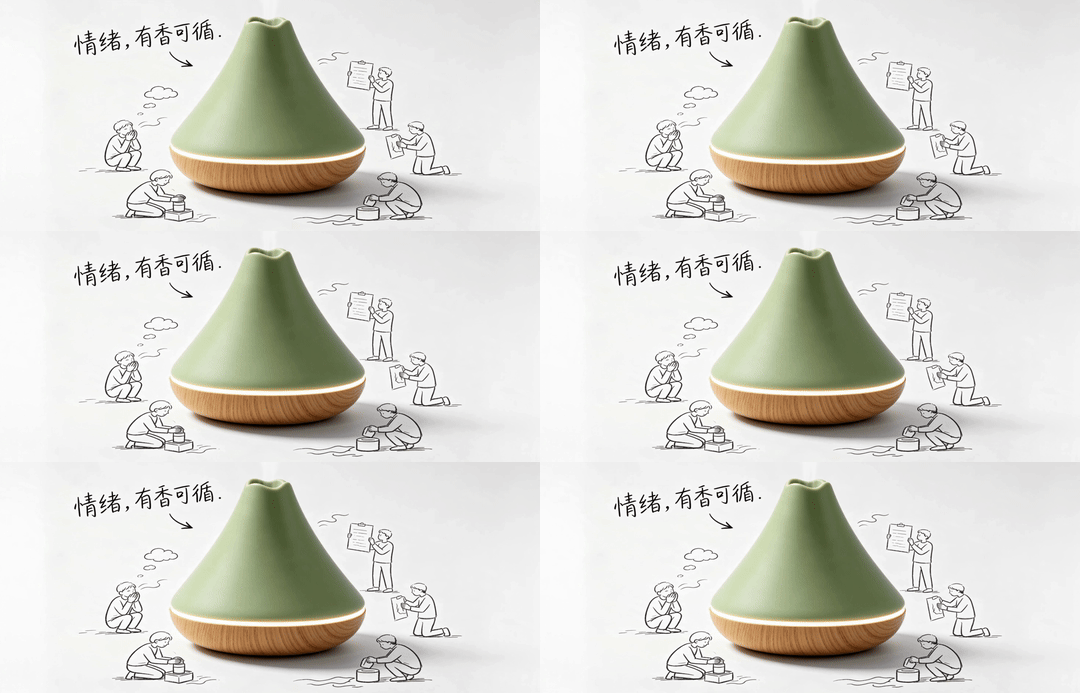
With all assets and the AI DayDreamer product concept framework in place, the next step for website building required a PRD.
At this point, you can have "Doubao Work" forward the multidimensional table to a group chat for everyone to suggest what the PRD should cover — style, features, and so on.
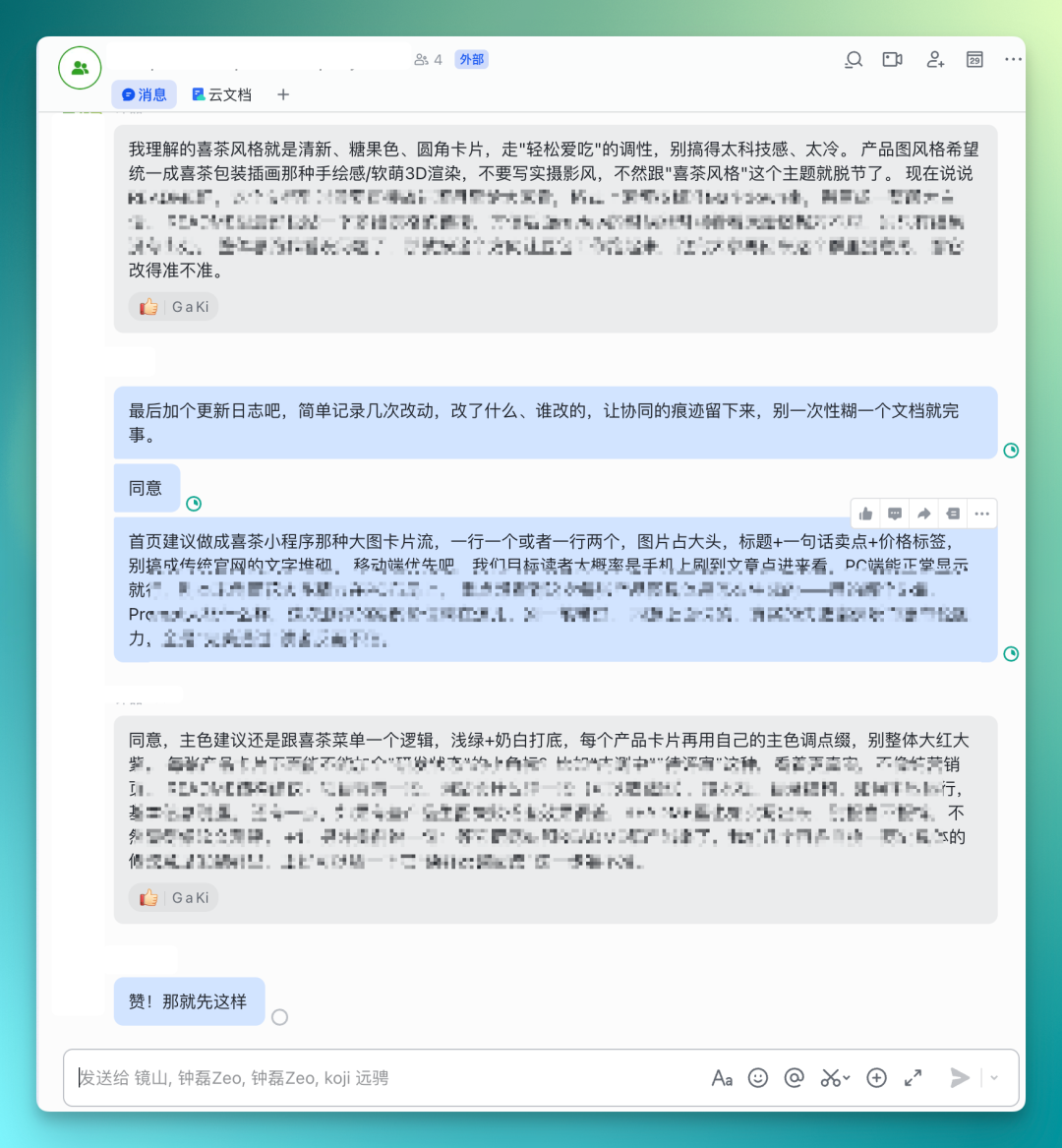
After everyone gives feedback, there's no need to manually copy these comments back to "Doubao Work" — you can have it directly search and compile information from the group chat, then produce a PRD cloud document itself. If making a PRD in MD format, all output can be collaboratively edited with AI: select the section to modify, describe requirements in natural language, and everything else stays unchanged.

In real development, PRDs inevitably require repeated revision and iteration.
Then you can have it flow the PRD back to the group chat — this back-and-forth can happen many times. And the entire conversation entry point remains just "Doubao Work," keeping things simple.
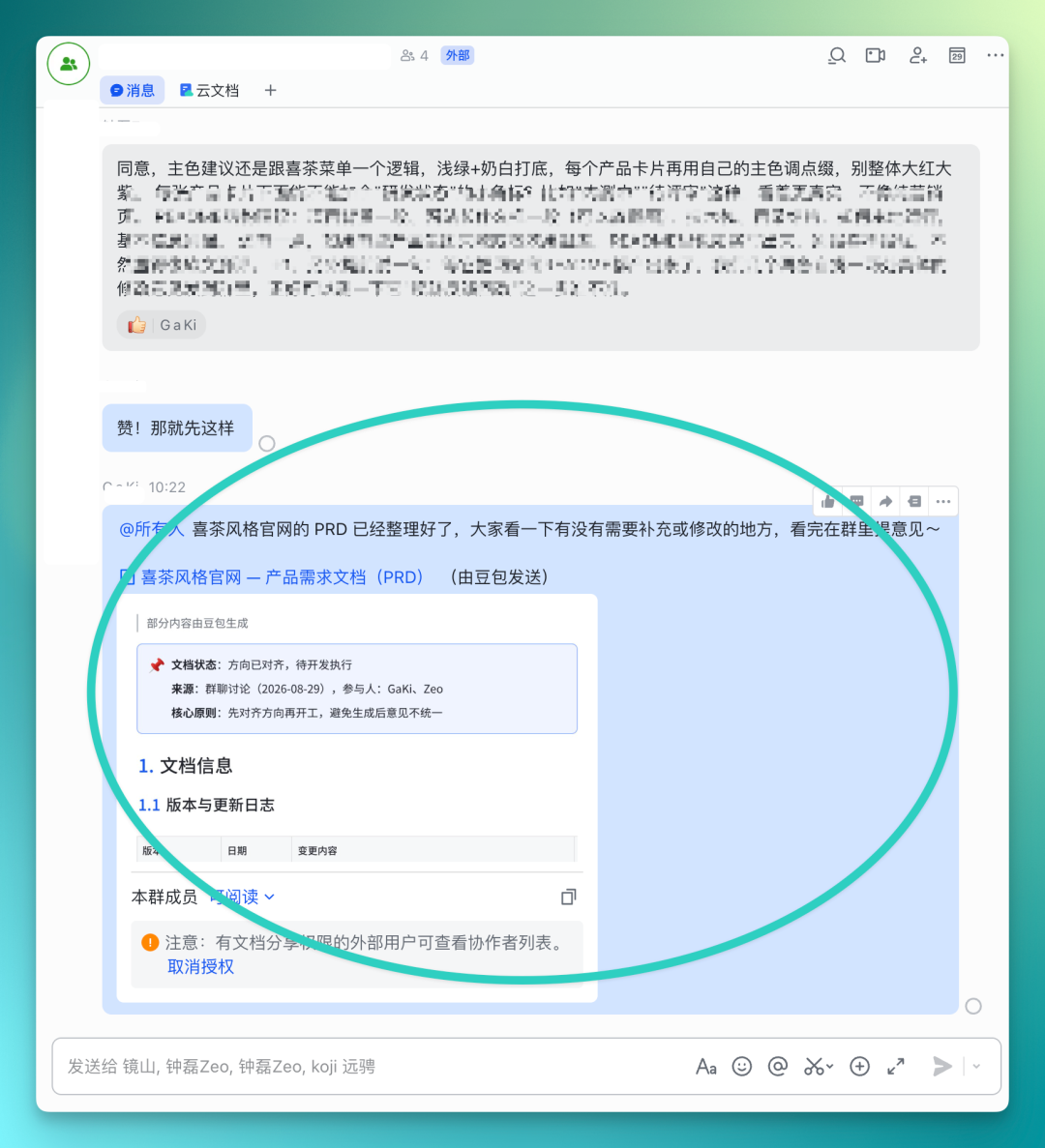
Afterwards, based on this PRD and all assets generated in the multidimensional table, you can quickly generate frontend effects in "Doubao Work" and iterate through multiple rounds of refinement. Many features in "Doubao Work" are quite polished — for example, while this PRD is a cloud document, it can be quickly downloaded in Word, PDF, and MD formats.
Many people certainly have their own preferred Coding Agents — downloading the MD-format PRD locally and importing it for building works perfectly fine too. And with Lark's CLI, directly linking the multidimensional table and PRD to your Coding Agent allows it to read all context.
My personal habit is still to generate frontend directly in Lark with "Doubao Work," at least to get the basic skeleton up.
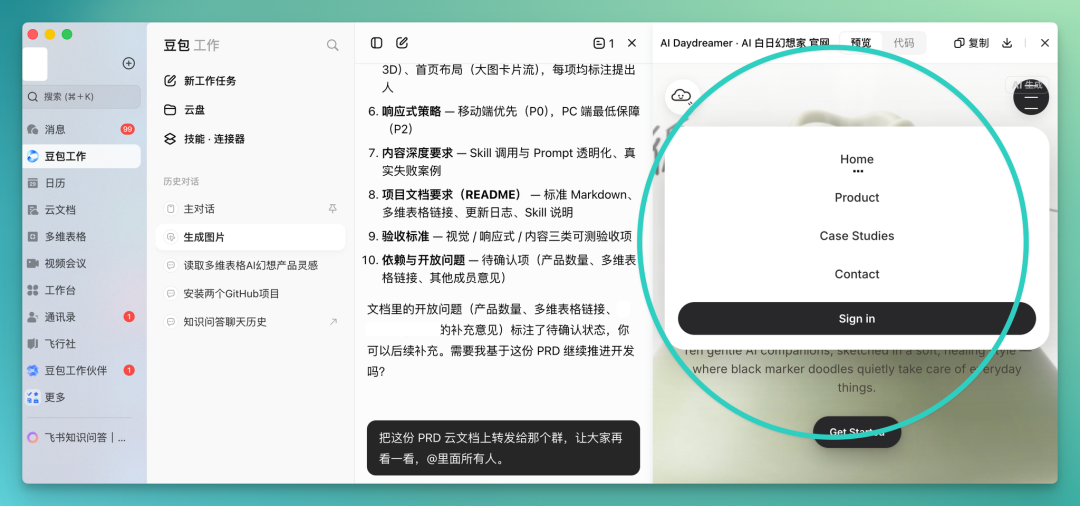
The frontend effects for this prototype website can be produced quickly in Lark's embedded "Doubao Work," with all code downloadable. The basic website effects:
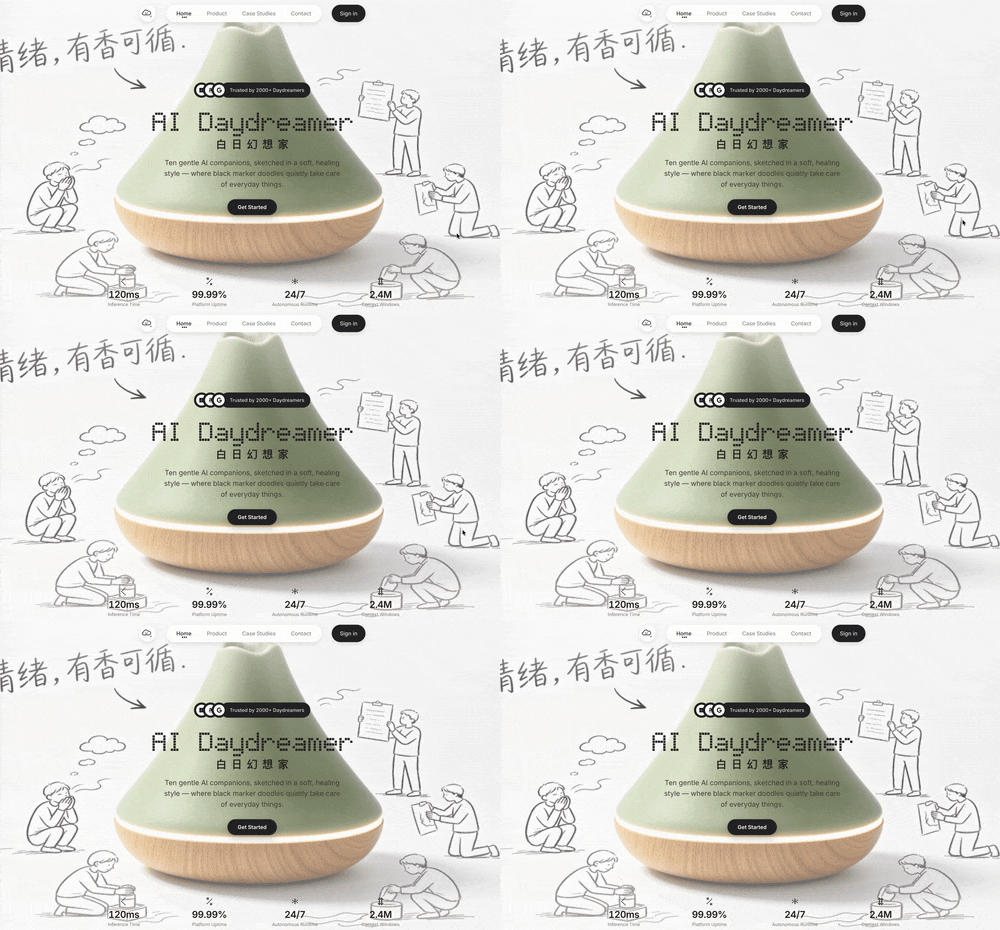
This HEYTEA-style micro-motion video featuring the Aroma Mind AI aromatherapy diffuser can serve as an embedded video for homepage display.
For all products below, the multidimensional table already contains their HEYTEA-style images, prices, and complete descriptions — you can have it arranged in this asymmetric masonry layout.

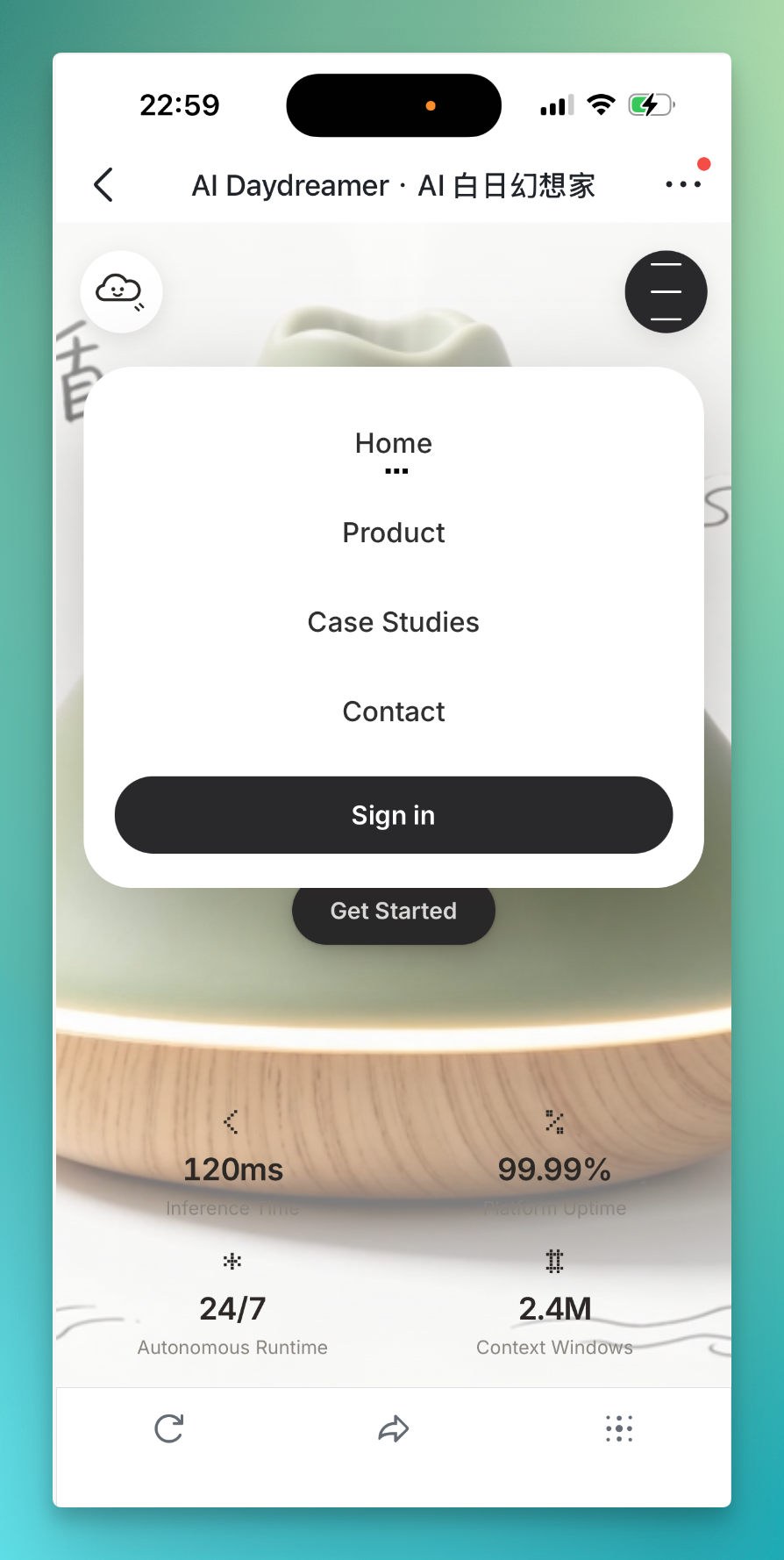
Incidentally, all of the above — including further frontend development, PRD forwarding, group chat information gathering and synthesis, cloud document creation, even PPT creation — is fully cross-platform.
Meaning you can remotely control computer operations from your phone, and I can watch the entire production process in real-time on mobile:
After all this, you can also have "Doubao Work" write a README summarizing the entire website project — explaining project background, what the site looks like, which Skills were used to generate product images, and data sources. This README can also be shared to multiple group chats.
Meaning from our usual accumulated multidimensional table content through final prototype building and README summary, everything was completed inside "Doubao Work."
Now about quotas — Doubao Work currently implements a rolling 5-hour-over-7-day usage cycle. Given the underlying model and overall Harness efficiency, plus Doubao's built-in multimodal image and video generation capabilities, the quota is fairly durable.
Precisely because of this, while testing this case, I also casually plugged it into my daily workflow.
For example, I often need to keep a specific application window always on top, but macOS doesn't natively support window pinning — finding a solution is actually quite a hassle. So I directly had Doubao Work search GitHub for relevant projects, quickly finding TopIt. It's a fairly practical and somewhat popular small tool lately that can pin designated windows with one click, very handy for daily use.
And in this process of extensively searching, filtering, and organizing GitHub projects, I found Doubao Work's quota quite durable. So I had it do a Deep Research run on GitHub directly, collecting 100 genuinely productivity-boosting open-source tools and compiling them into a mega collection.
This case also ties in nicely with office scenarios. We hadn't covered its ability to handle local Office files much earlier — this time we could string together the complete workflow of "GitHub deep search + information organization + local Office file output."
GitHub 100 Efficiency Tools Mega Collection
Executing this task in Doubao Work, while the overall workload wasn't small, the quota was generous enough that the prompt didn't need to be particularly complex.
I basically gave it one straightforward request:
Go to GitHub and find 100 efficiency tool projects similar to TopIt, focusing on filtering for sufficiently practical tools that can genuinely improve daily workflows.
The final deliverables were also directly specified as three: a DOC document for complete introductions and categorized organization of all 100 projects; an Excel spreadsheet for structured summary of project names, functions, GitHub URLs, Star counts, etc.; and a PPT filtering out the most recommendable projects into a more browsable, shareable collection.
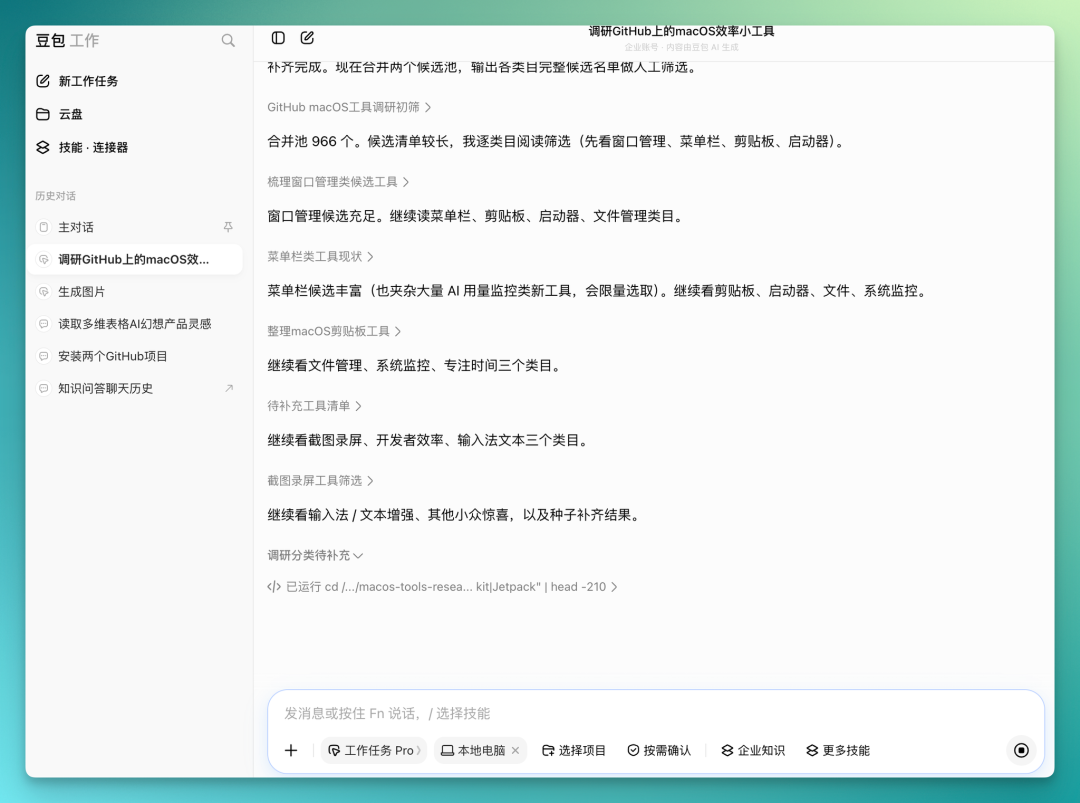
Overall time wasn't too long — roughly half an hour to complete 3 rounds of GitHub retrieval, cumulatively crawling and deduplicating 966+ candidate repositories.
On this basis, it further filtered out hundreds of qualifying macOS efficiency tool projects, finally selecting 100 as formal recommendations while preserving 90 backup candidates.
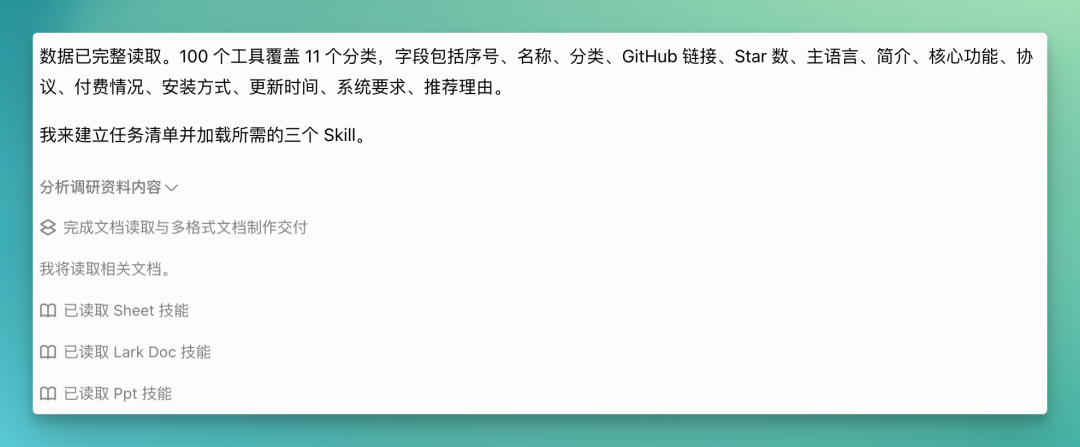
Delivery of all three outputs went relatively smoothly. I also noticed one detail: if the local computer environment connection isn't smooth enough, it can switch to a virtual environment to complete project setup, so the whole process basically won't get stuck due to local environment issues.
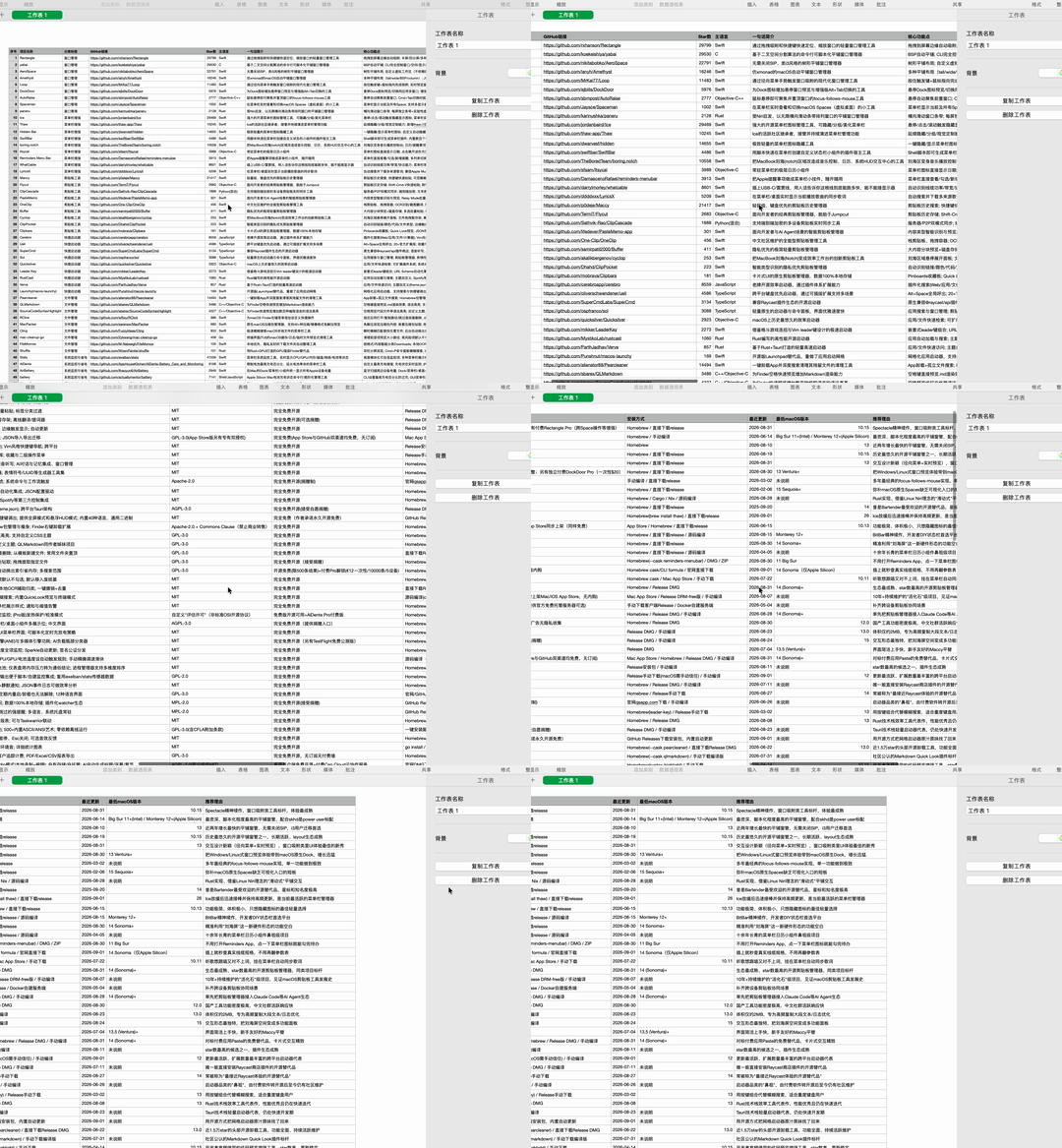
In the end, it delivered three Office files. Taking Excel as an example, it organized 100 tools with 14 fields each, further divided into 11 categories; it also calculated total GitHub Stars, average, and median for these projects, with all project links organized in the table.
Word documents and PPTs followed similar logic, further shaping these 100 tools into versions more suitable for reading and presentation. Overall completion exceeded my initial expectations.
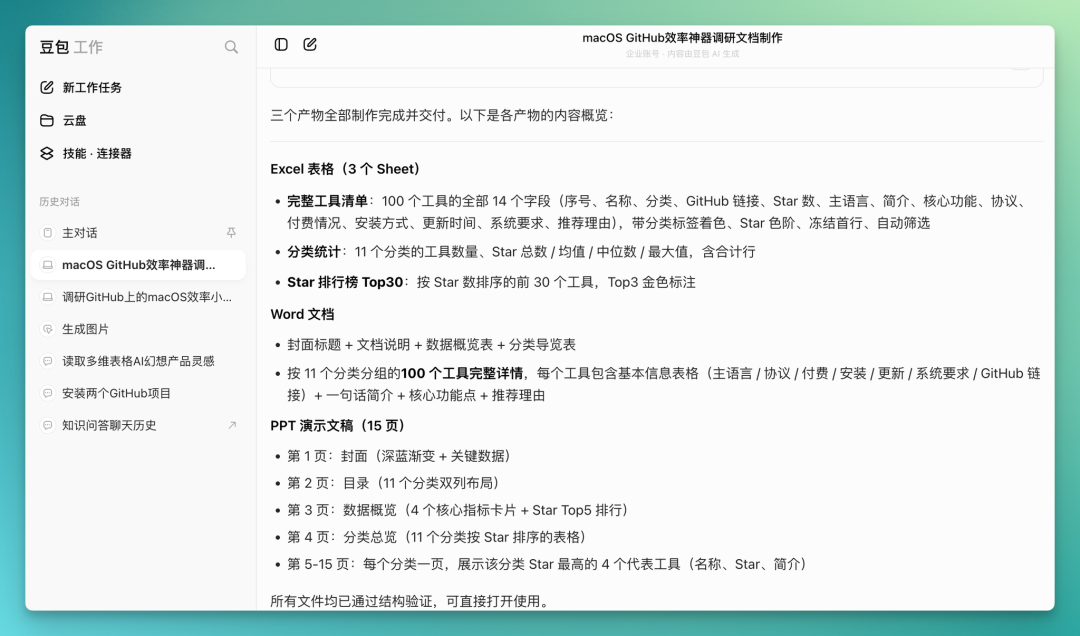
Now we can look specifically at the delivered Excel/CSV table. The 100 projects are organized in detail, each containing core information like project name, GitHub link, Star count, and project description — basically no need for manual supplementation. Compared to simply providing a list of project names, this structured table is obviously more suitable for subsequent filtering, categorization, and secondary organization.
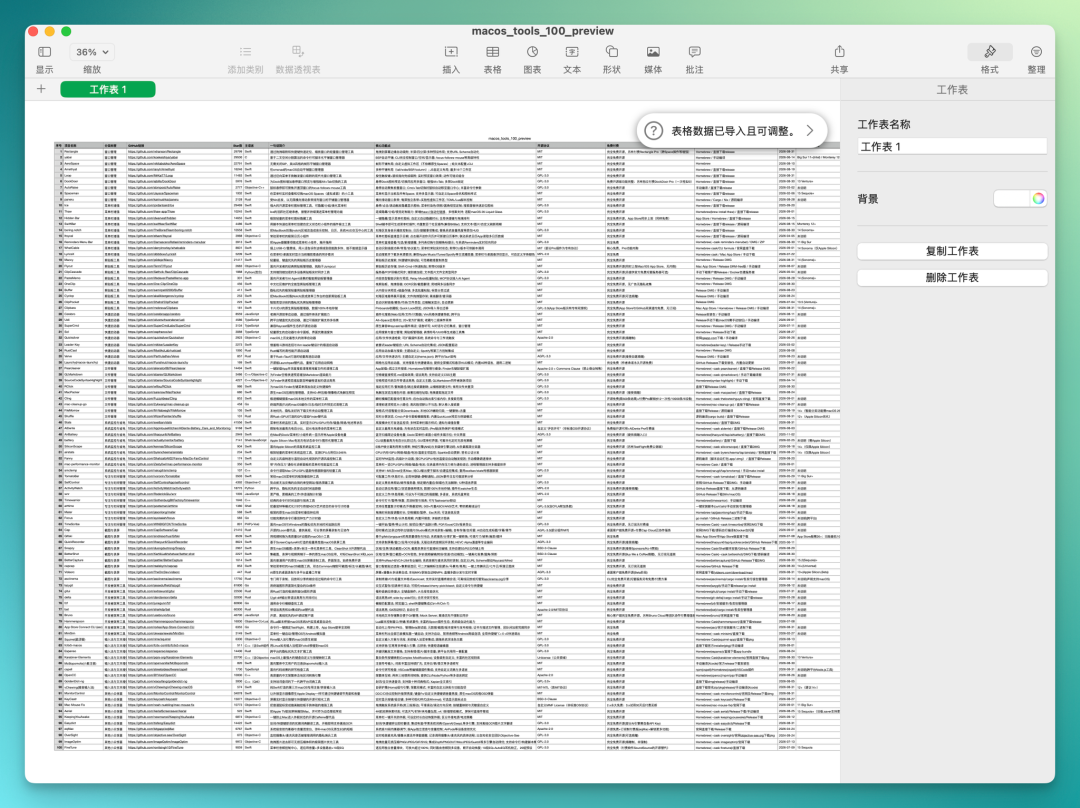
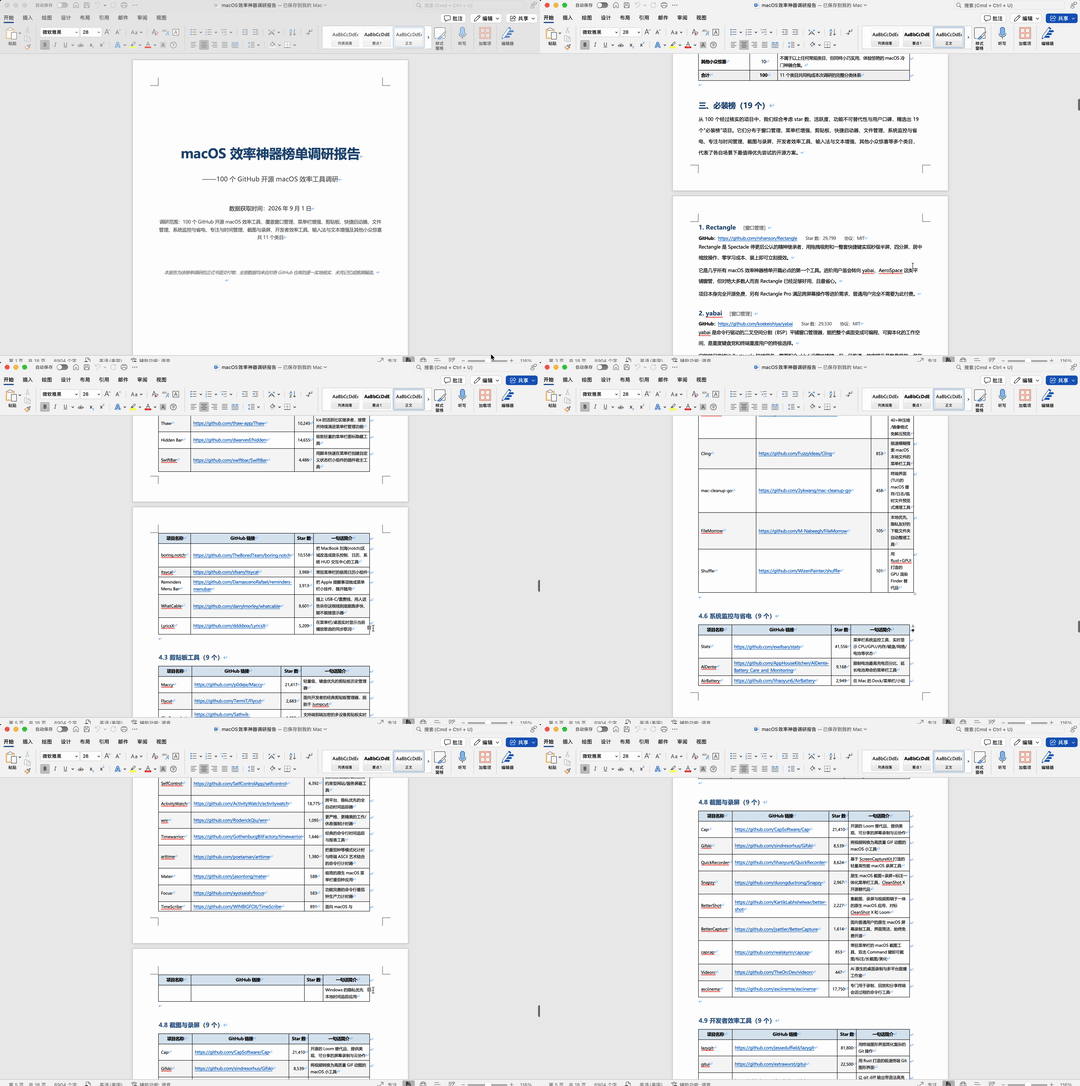
Word documents achieved similar completion, with overall layout, columns, and information structure largely problem-free.
It organizes content by tool category, with each category as a separate level-2 heading, then uses tables to organize specific projects below. Project names, GitHub links, function descriptions are all included, with current Star counts clearly marked for each item to quickly gauge project popularity and maturity.
So it's not simply dumping search results into Word — it's already done a fairly complete round of structural organization, basically ready to read and continue filtering as-is.
These documents can all be directly downloaded locally from Doubao Work, or you can click the generated file cards to enter corresponding cloud documents for continued viewing and editing.
The PPT aspect is especially convenient. After opening via card, you can directly enter Lark to continue editing, with each page able to individually call AI for modifications — basically no need to re-export, adjust, and re-upload.
And it's fairly complete on the presentation layer too. After opening the PPT in Lark, a narration subtitle bar appears at the bottom of the page, with each page automatically paired with a corresponding explanatory segment.

Running through this entire project, plus the earlier website project, still didn't hit Doubao Work's quota ceiling. For heavy tasks involving continuous Deep Research, webpage generation, and delivery of multiple Office files, this quota is basically quite sufficient. Two heavy cases completed, quota still not exhausted.
From a higher-dimensional perspective, the AI workplace battle in China has long been underway, with nearly every major tech company pushing hard in this direction.
Taking our "HEYTEA-style AI DayDreamer product website" build as an example, the entire workflow hardly ever left the "Doubao Work" ecosystem. From early-stage product research, multidimensional table creation and data interpretation, to generating HEYTEA-style product images and website frontend effects, through PRD document iterative refinement and group chat key information extraction — all core links were completed end-to-end within "Doubao Work."
As an all-in-one collaboration platform, Lark carries core workflows including documents, meetings, calendars, approvals, and instant messaging — it's the infrastructure for team information flow and collaborative execution. The combination of Doubao Work and Lark essentially creates an "intelligent collaboration hub" for enterprises: Lark provides the collaboration infrastructure, Doubao Work provides intelligent execution capability.
This is precisely the core confidence behind the Doubao ecosystem's ability to support AI workplace scenarios.
Whether large language models, image and video generation models, or systematic Agent Harness frameworks — "Doubao Work" has assembled all the pieces. While backend development and other heavy technical links still currently require assistance from other Agent products — after all, everyone has their own preferred tools for coding scenarios — this belongs to the relatively later part of the chain.
Overall, "Doubao Work" has delivered its phase-one answer sheet.
As for what score this answer sheet deserves — that depends on the honest feedback from users over the coming months. The AI workplace entry tickets have all been distributed; what comes next is a contest over who can truly stay in users' workflows.