Liblib Releases LibTV: Our In-Depth Hands-On Test

Human creators and Agents are equals.
Human creators and Agents are equals.
👦🏻 Author: Jingshan
🥷 Editor: Koji
🧑🎨 Layout: NCon

After OpenClaw blew up, an interesting consensus started forming across the industry.
People began talking about something: AI products need to become Agent-ready. You need to let Agents understand your product, let them call your capabilities, and give them plenty of well-designed interfaces to work with.
In other words, half of your product's future users might be Agents.
A year ago, most people would've found this take premature. But post-OpenClaw, it became concrete. When you see an Agent calling tools, orchestrating workflows, and completing entire tasks on its own, the natural next question is: what about other domains? What about video creation?
Right at this inflection point, LiblibAI launched a new AI video product: LibTV.
One of its biggest selling points: from Day 1, it was built for both humans and Agents. Human creators get their own canvas and workflow. Agents get their own Skill interfaces. The two are equals.
🚥
Here's our hands-on experience and observations.
LibTV (Human Side): One Canvas for the Entire Project
If you talk to creators actually using AI for video, you'll hear a common frustration: generating a good-looking shot isn't hard anymore. The hard part is organizing a dozen or two dozen shots into a complete piece.
This process is incredibly fragmented. The market currently offers two broad approaches.
【1】Agent-style conversational interfaces — you give it a sentence, it generates for you. Easy to get started, but the ceiling is low. Slightly complex creative intent, and it can't keep up.
【2】Pure node-based workflows, like ComfyUI. Powerful, sure, but the setup cost and learning curve are steep enough to scare off most creators. Plus, all the small tweaks and adjustments along the way force you to keep exporting to other software, fragmenting the process even further.
So what this space is actually missing is something that strings model capabilities together with the creative process.
That's what LibTV is trying to build.
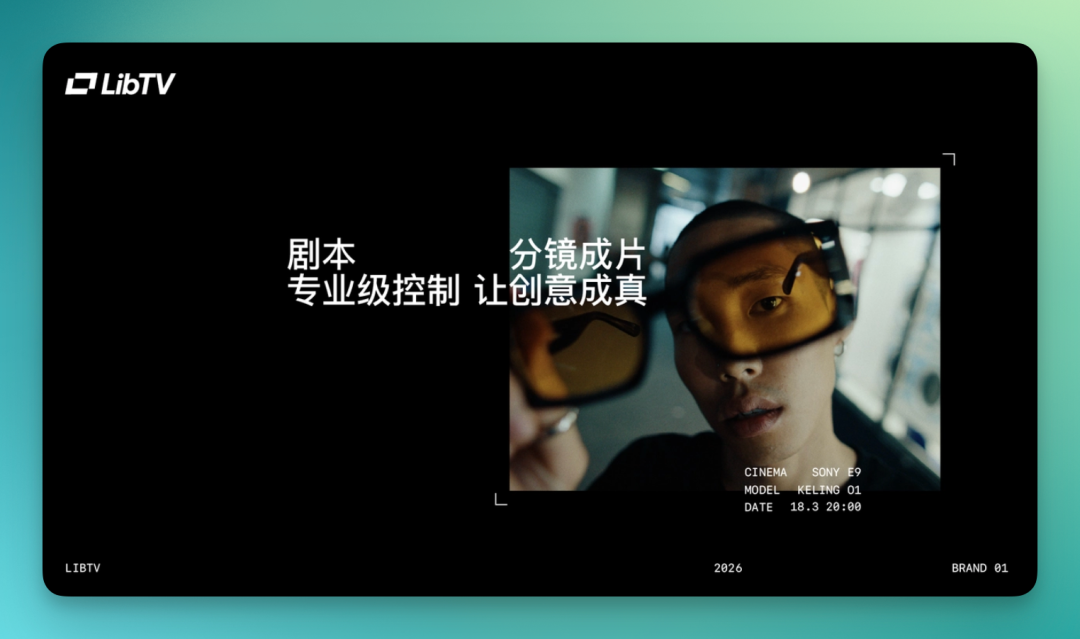
But while doing this, they've simultaneously opened this same canvas to both humans and Agents. On the human side, you build workflows directly on the LibTV canvas — canvas, nodes, storyboards, editing, anywhere you need fine-grained control, you can get your hands dirty.
Agents automate this same set of tasks. Through Skill interfaces, they can understand tasks, call models, orchestrate workflows, and auto-generate content.
LibTV: https://www.liblib.tv/
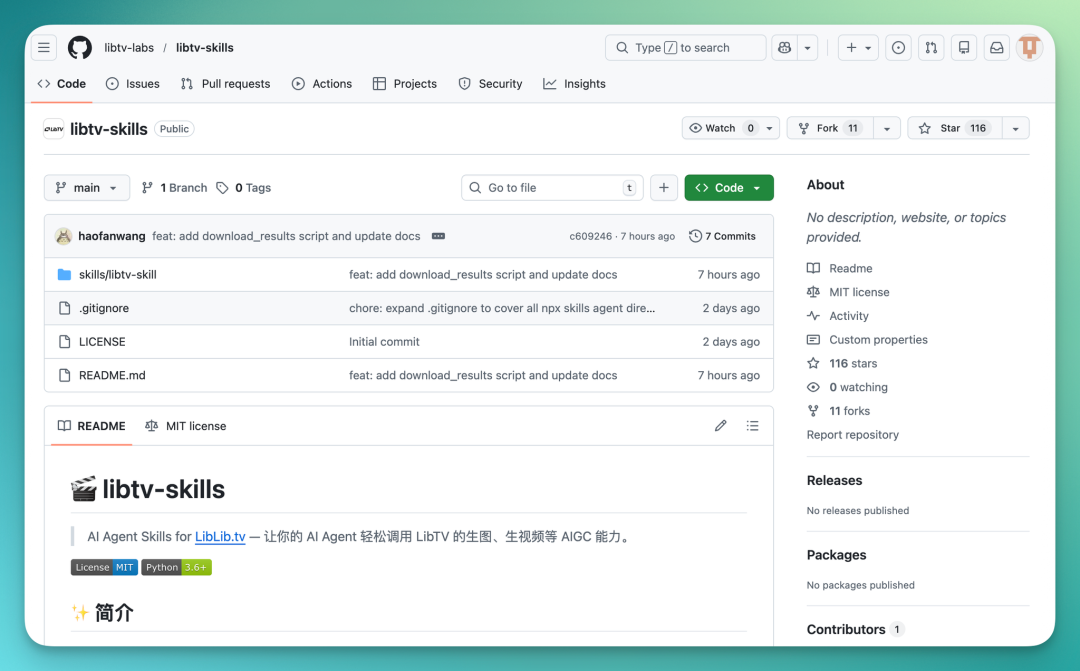
LibTV Skill (open source): https://github.com/libtv-labs/libtv-skills
This time, I built an AI workflow from scratch in LibTV to make a short film with a bit of a twist. Along the way, I'll walk through what makes LibTV unique and how the overall flow feels.
My initial storyboard looked like this:
| Shot | Scene |
|---|---|
| 1 | Woman sitting in a dim room, crying |
| 2 | She gets up and walks toward the door |
| 3 | Opens the door and enters the kitchen |
| 4 | She pours water and drinks |
| 5 | A teardrop falls into the cup |
| 6 | Hard cut to flowers exploding across the screen |
| 7 | She wakes up, confused expression |
| 8 | Kitchen transforms again into flower-burst dream |
| 9 | She looks out the window |
| 10 | A Crossing hot air balloon floats by, guy holding flowers saying "be happy" |
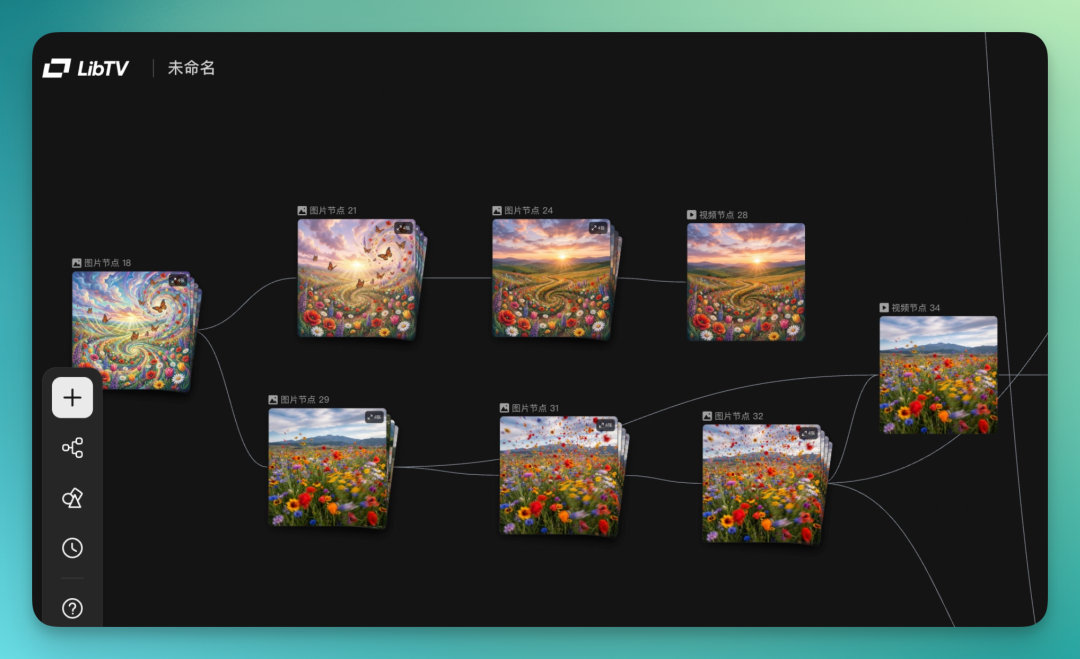
Let's start with the basics. LibTV's core interface is an infinite canvas. Double-click anywhere to spawn a node.
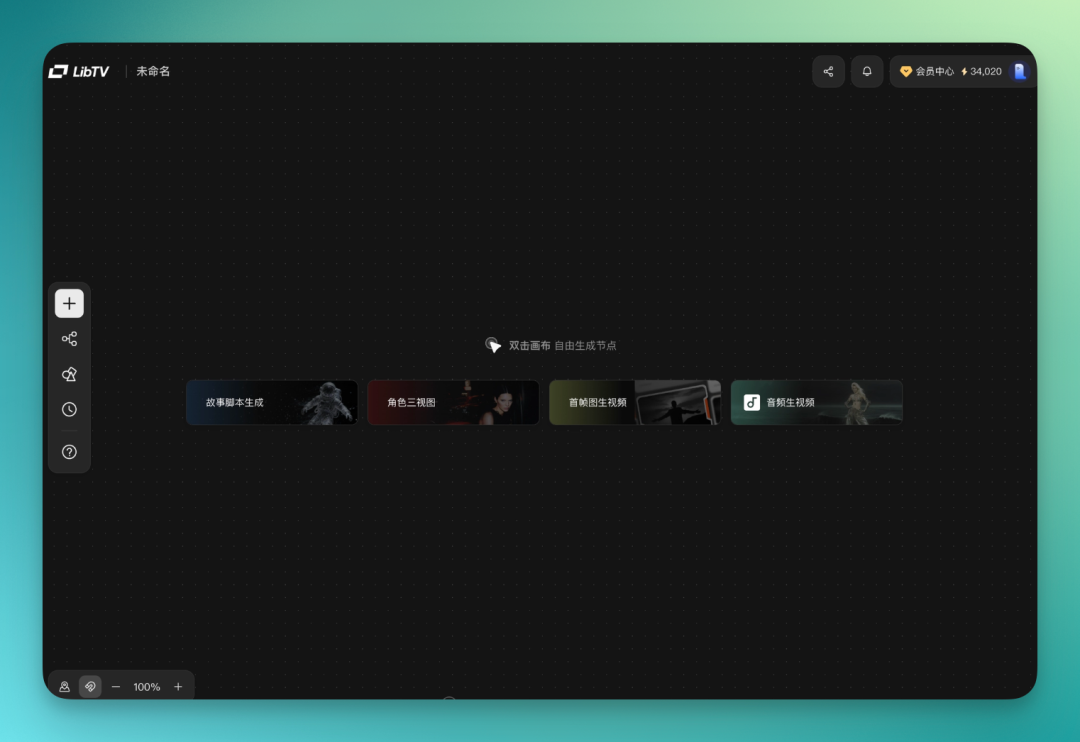
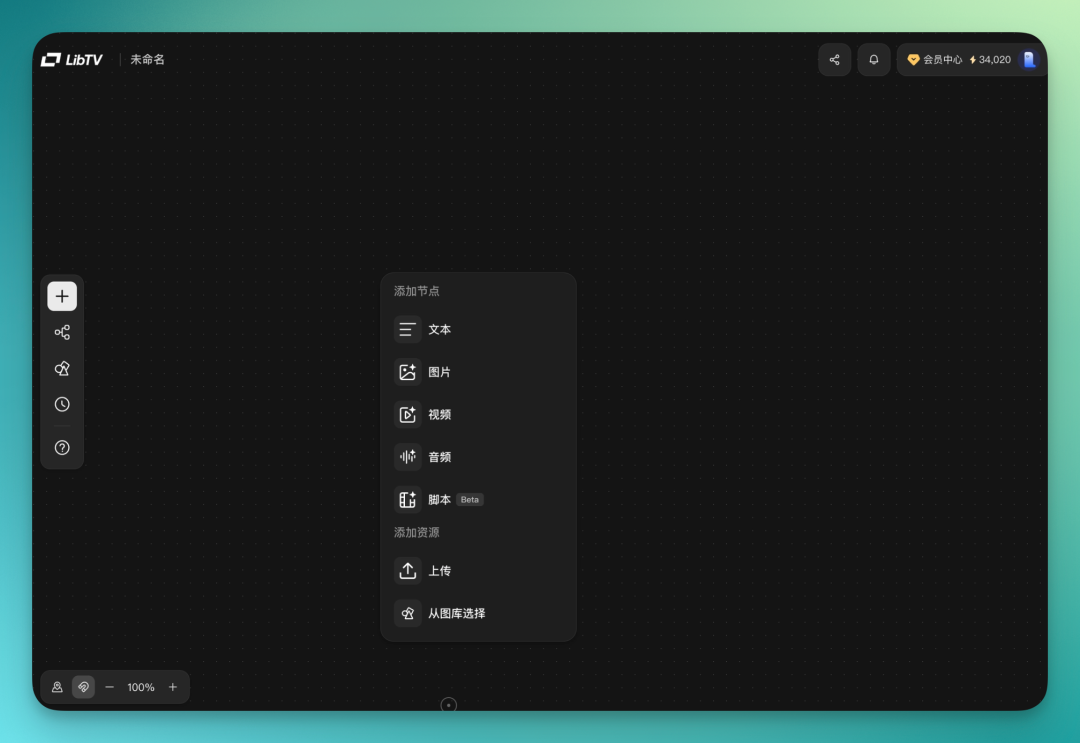
Text, images, video, audio, scripts — double-click to create. You can also upload assets directly. LibTV's own asset library is integrated too; just drag and drop onto the canvas.
For my short, the main scene is a young woman crying in a dim room. Starting simple: create a text node.
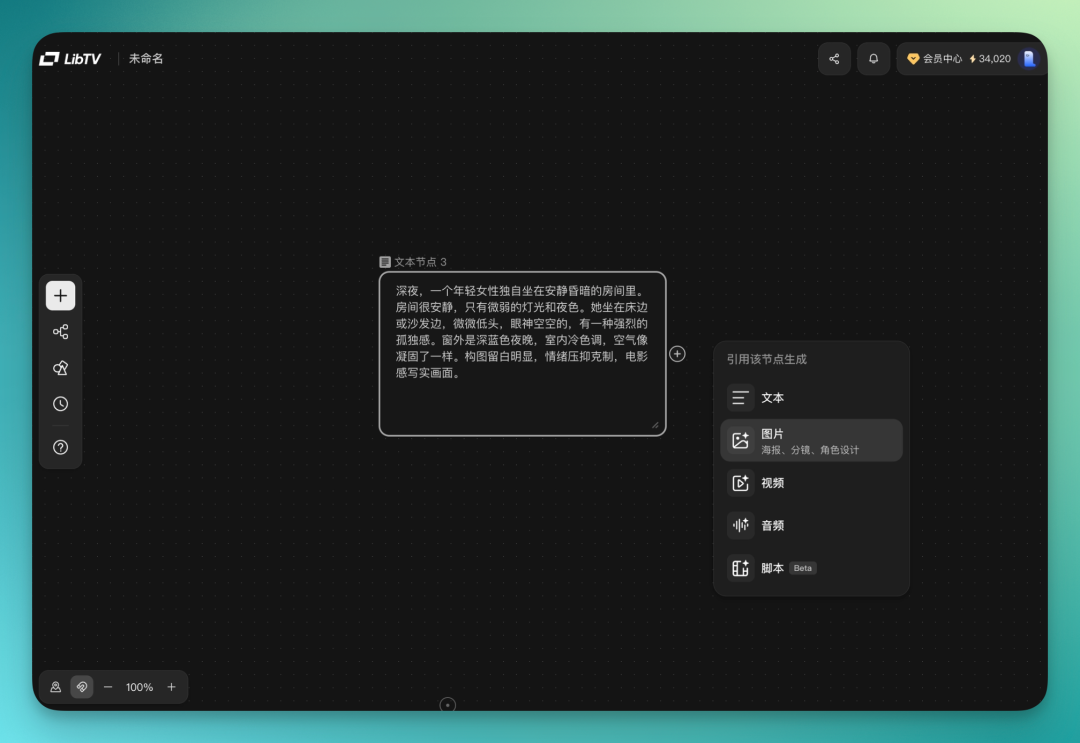
Pull a line straight from the text node to the next one. Connect an image node, follow wherever your thinking leads, connect the dots. Then generate the image.
On models, LibTV has a fairly comprehensive built-in library. For images: Seedream 5.0, Omni-Image Model V2, and others. For video: Seedance 2.0, Keling AI 3.0 and O3, Wan 2.6. Three mainstream LLMs for language. Audio covered by ElevenLab v3 and Mureka v8.
I personally use Lib Nano Pro for images and Kling O3 for video.
Connecting nodes on the canvas, the whole flow feels smooth.
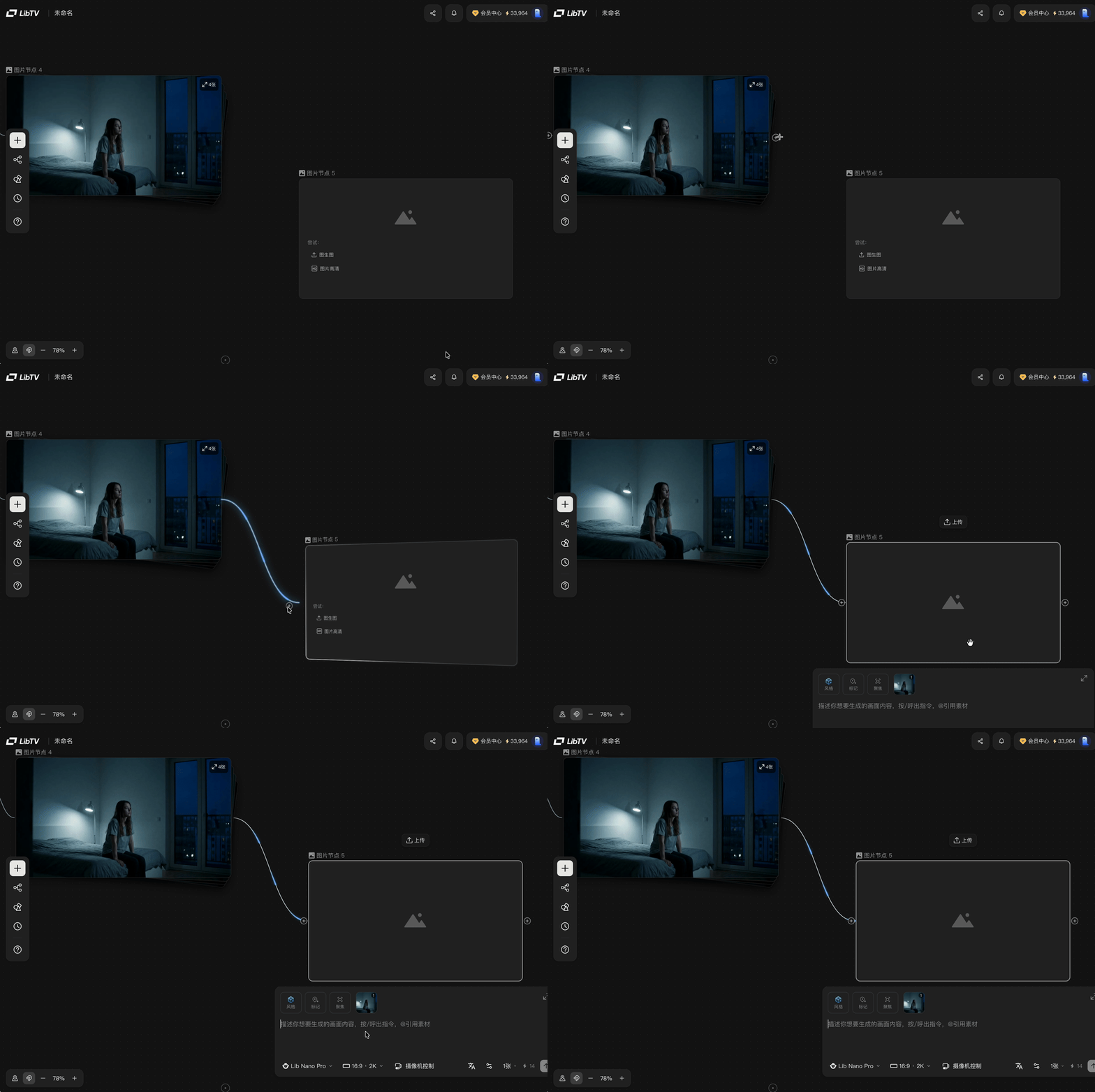
One neat detail: image nodes have a "Focus" feature. You can box-select a subject or detail from a previous node and use it as reference for generation.
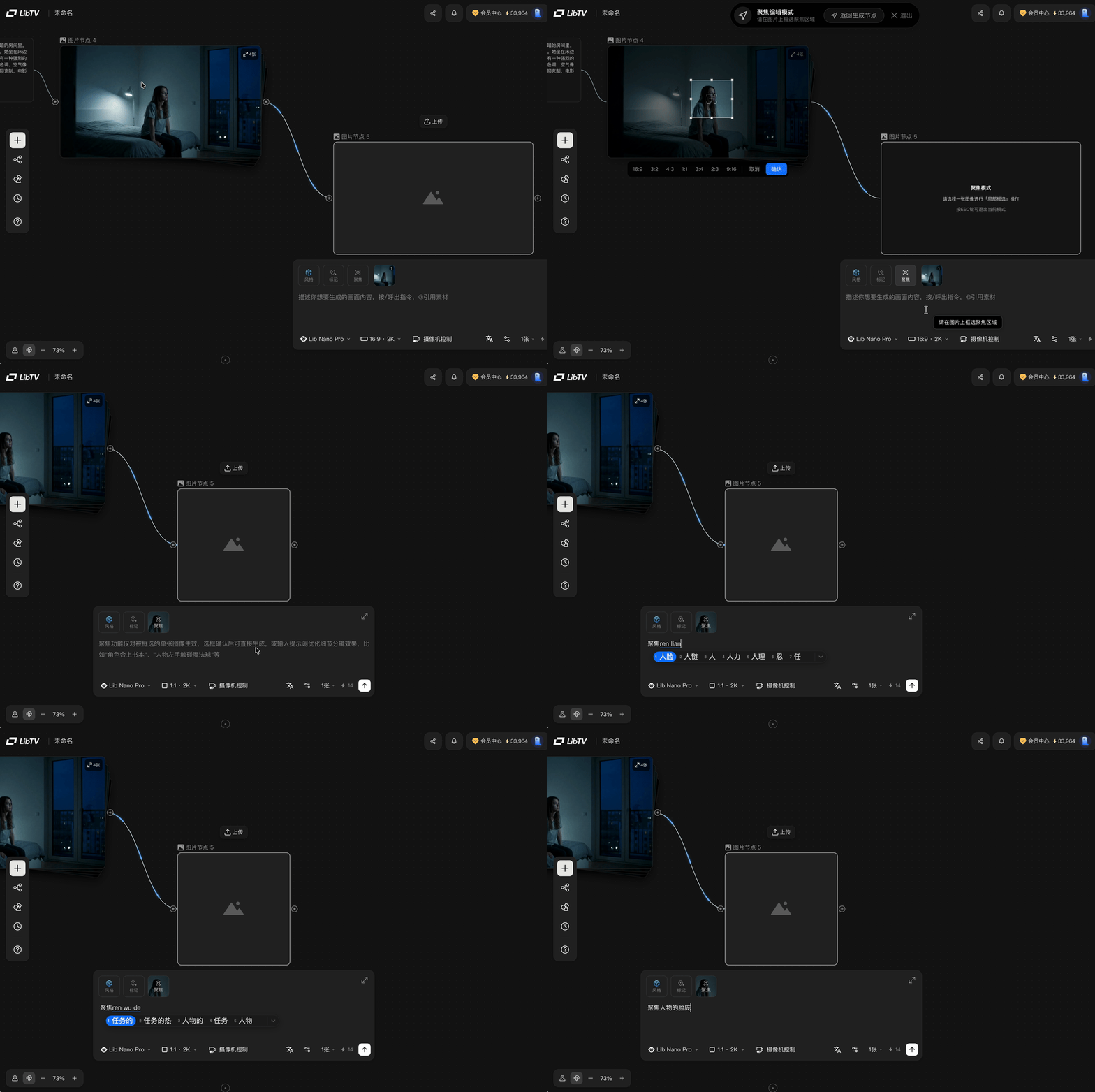
I directly boxed the woman's face from the previous image, told it to focus on her face, specifically an eye close-up.
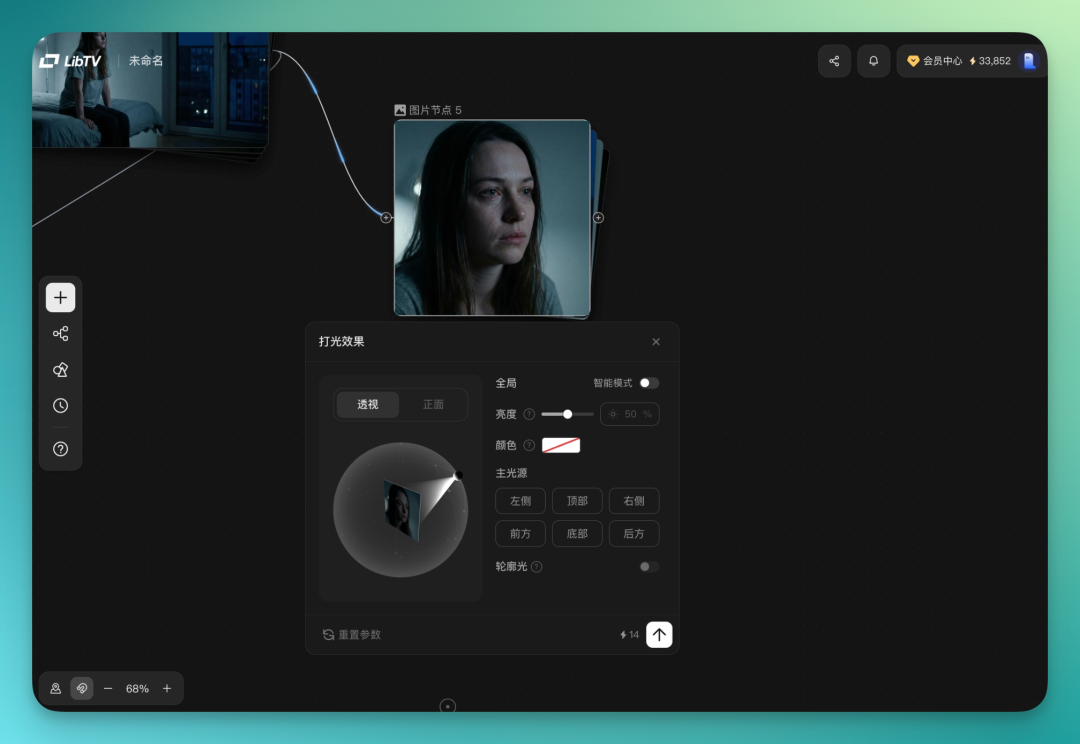
Each image node has a lot of sub-features built in. Lighting effects are selectable directly, brightness and color adjustable with a click — basically foolproof. Perspective angles can be dragged directly too.
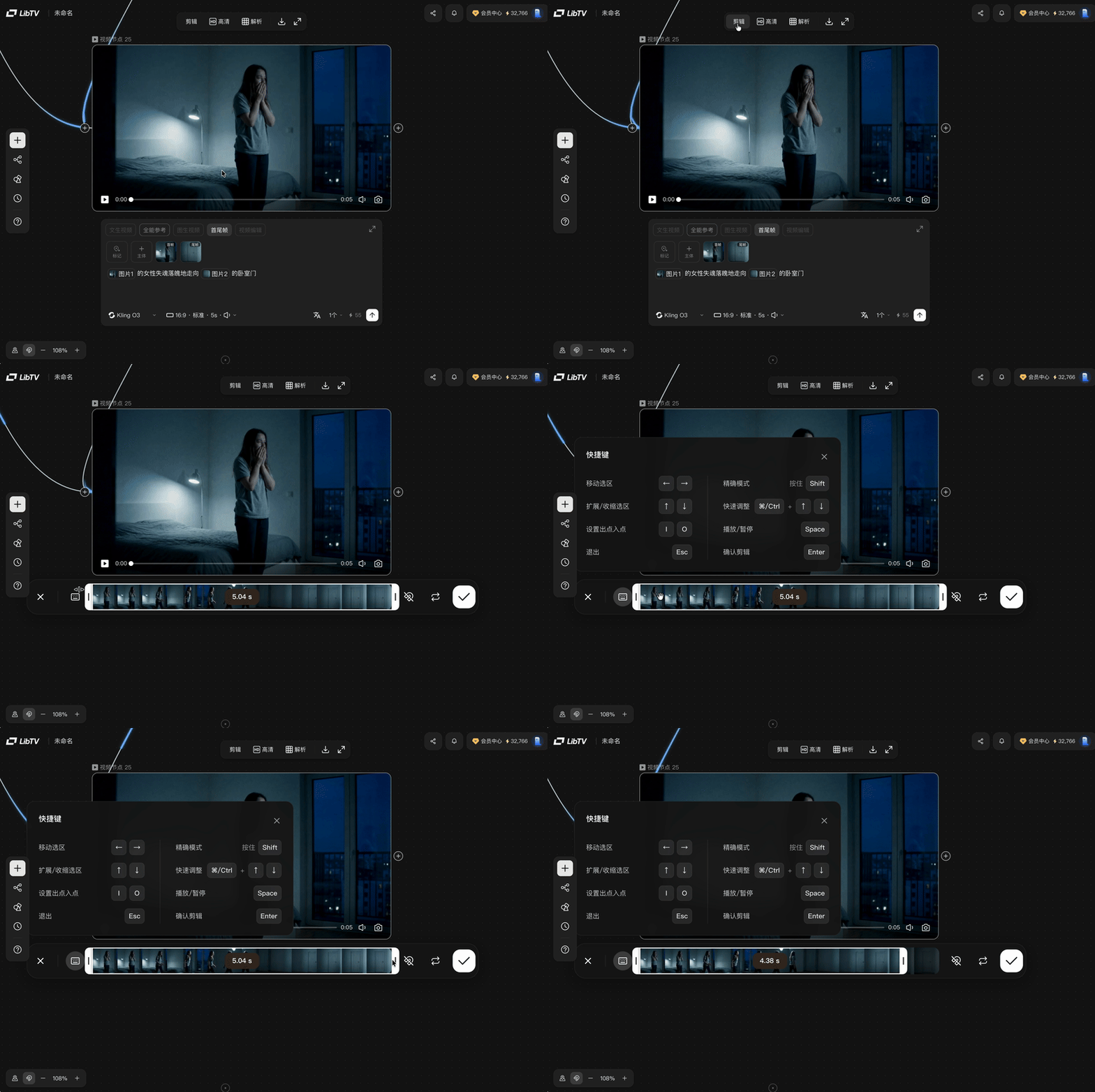
Another practical detail in LibTV: video nodes let you edit directly. AI-generated videos often have this problem — maybe only 2 seconds out of 5 are usable. Now you just cut it right in the canvas.
Next scene: I want the woman opening a door, that confused-atmosphere vibe. Sometimes the ideas flow, but you still hit a wall.
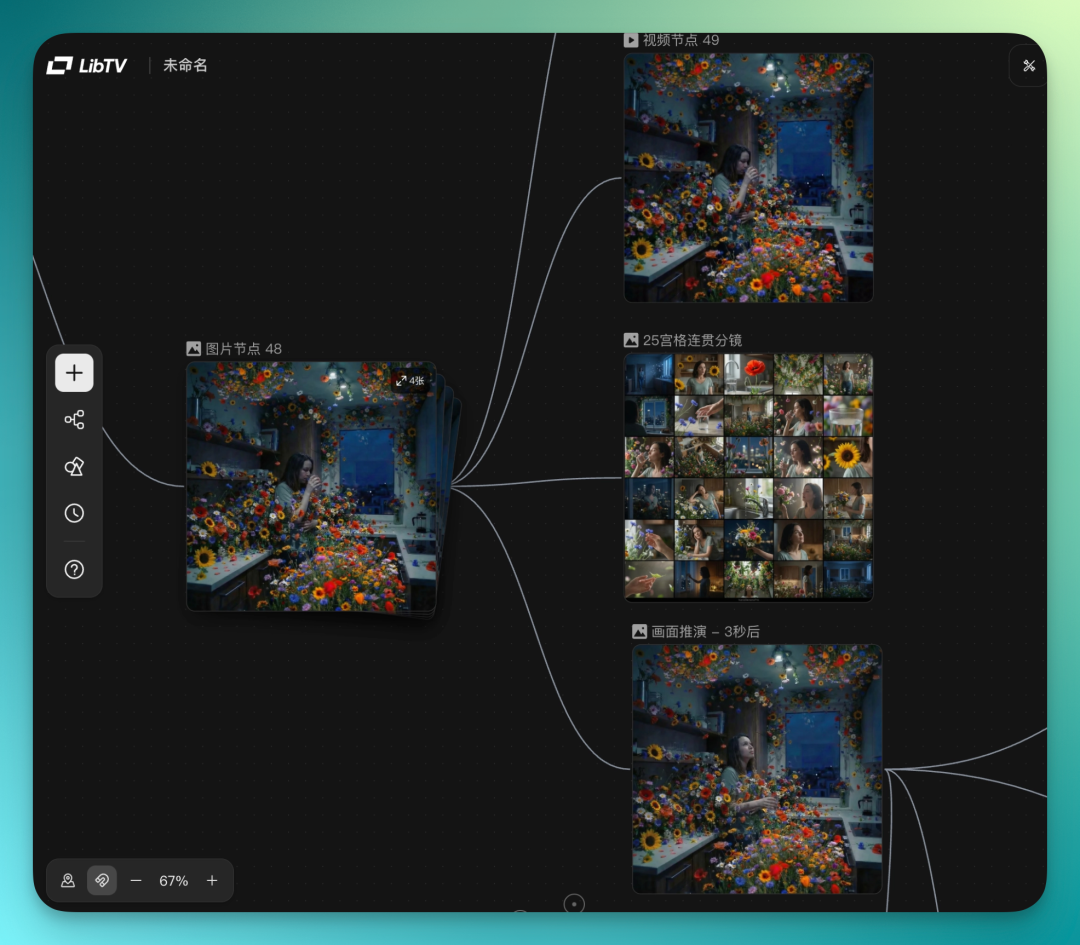
LibTV has a unique feature for this: type a slash in an image node, just like using commands in Claude Code. Options pop up — nine-panel grids, plot extrapolation, and other built-in assist tools.
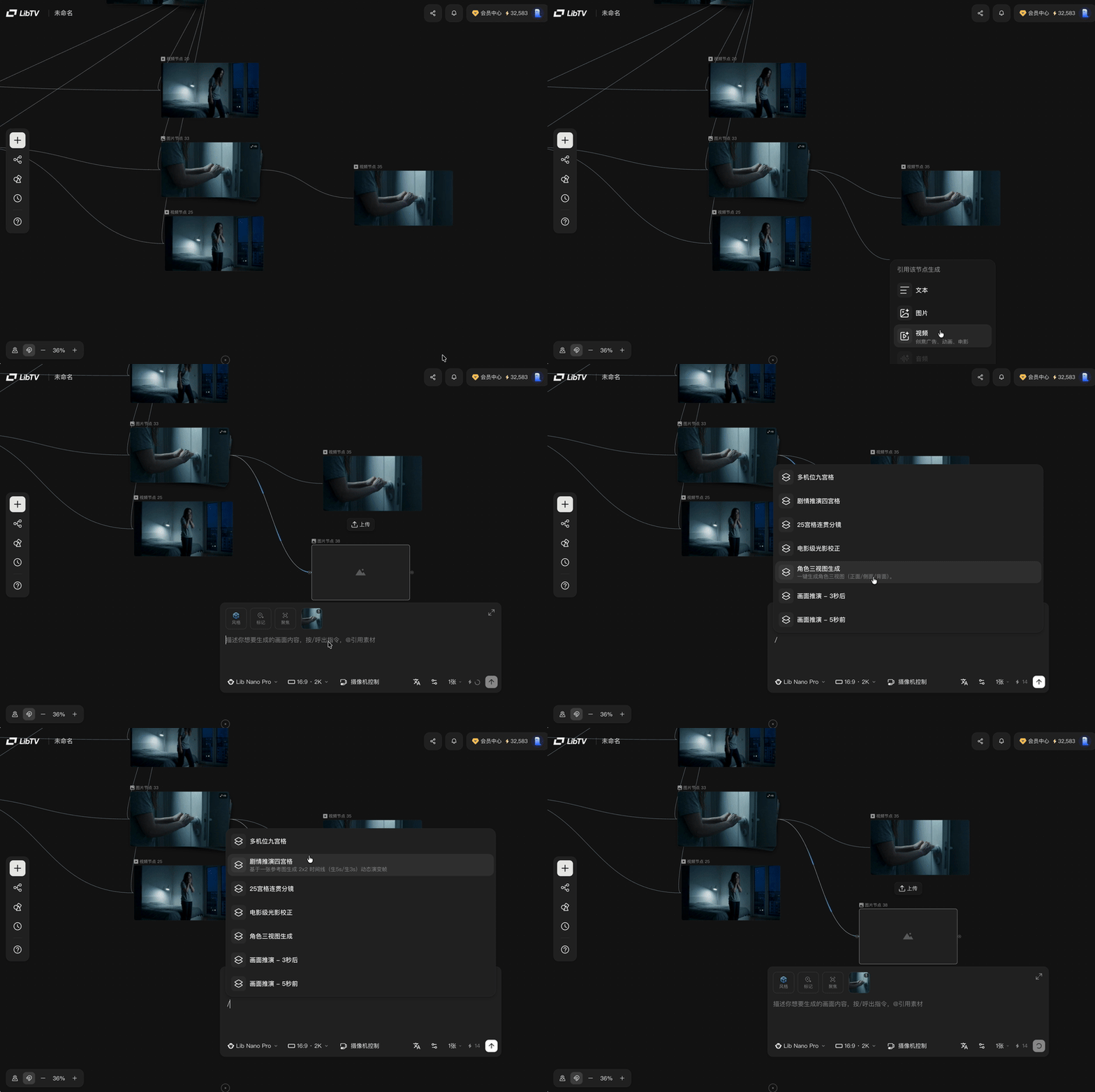
I pulled an image node and had it generate a multi-angle nine-panel grid, even up to 25-panel continuous storyboards. With these storyboards, inspiration expands.
In practice, the workflow speed-up is noticeable.
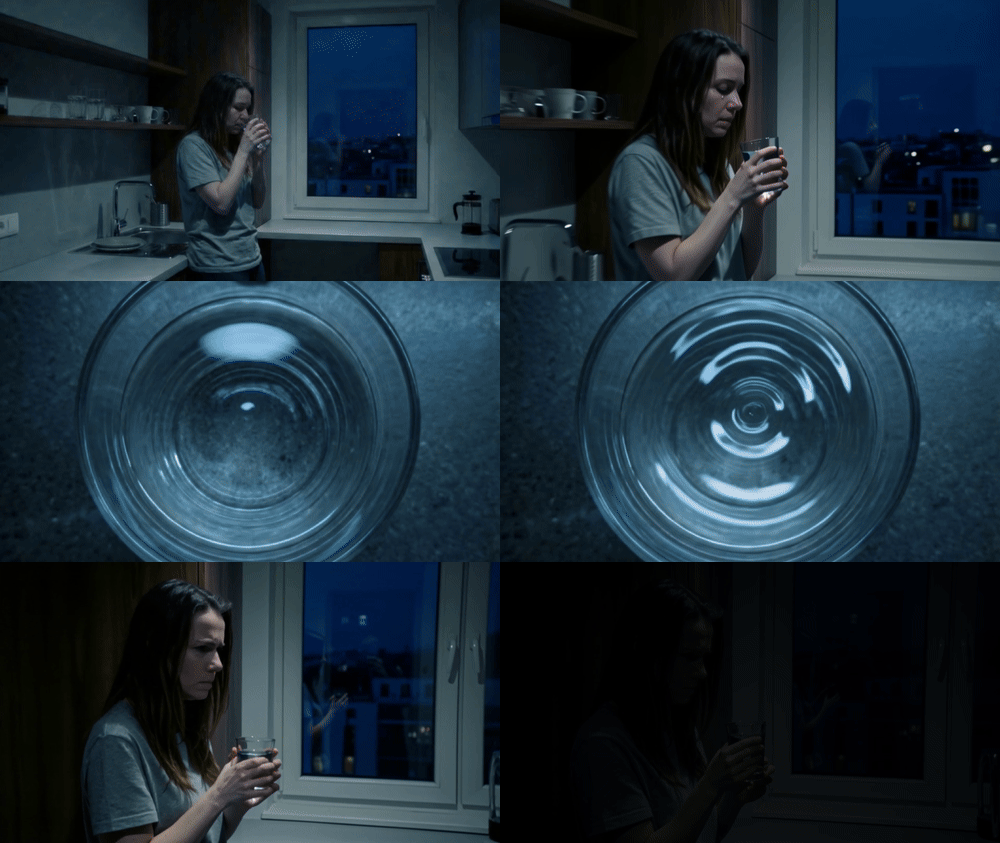
Next scene cuts to the kitchen, she's drinking water there.
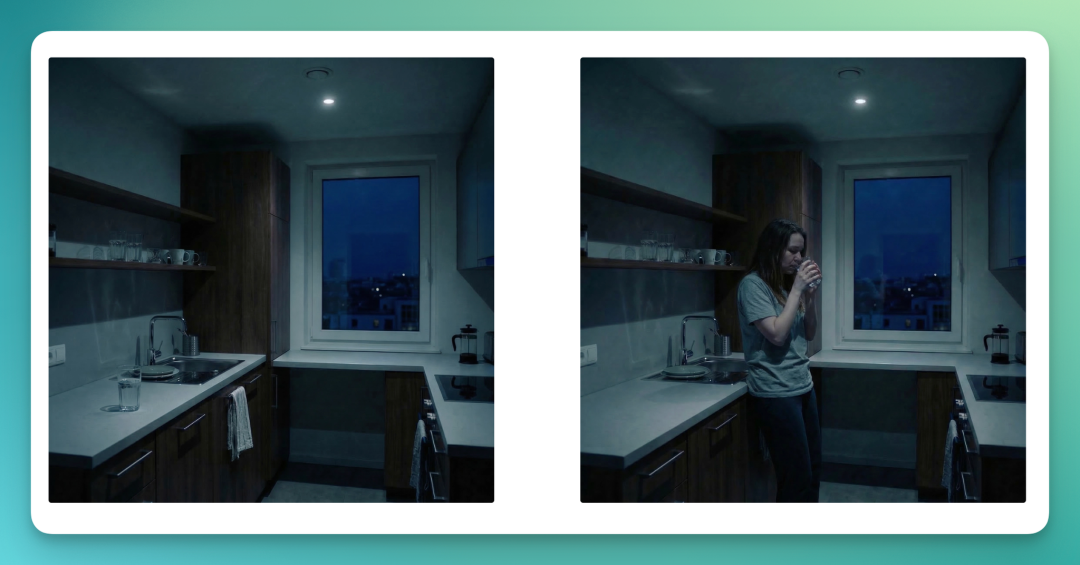
Looking at LibTV's nine-panel storyboard, I got an idea: use "Focus" to box-select that cup of water in the kitchen, have it generate a top-down view of the cup.
The output keeps the same table background from before — details stay coherent.
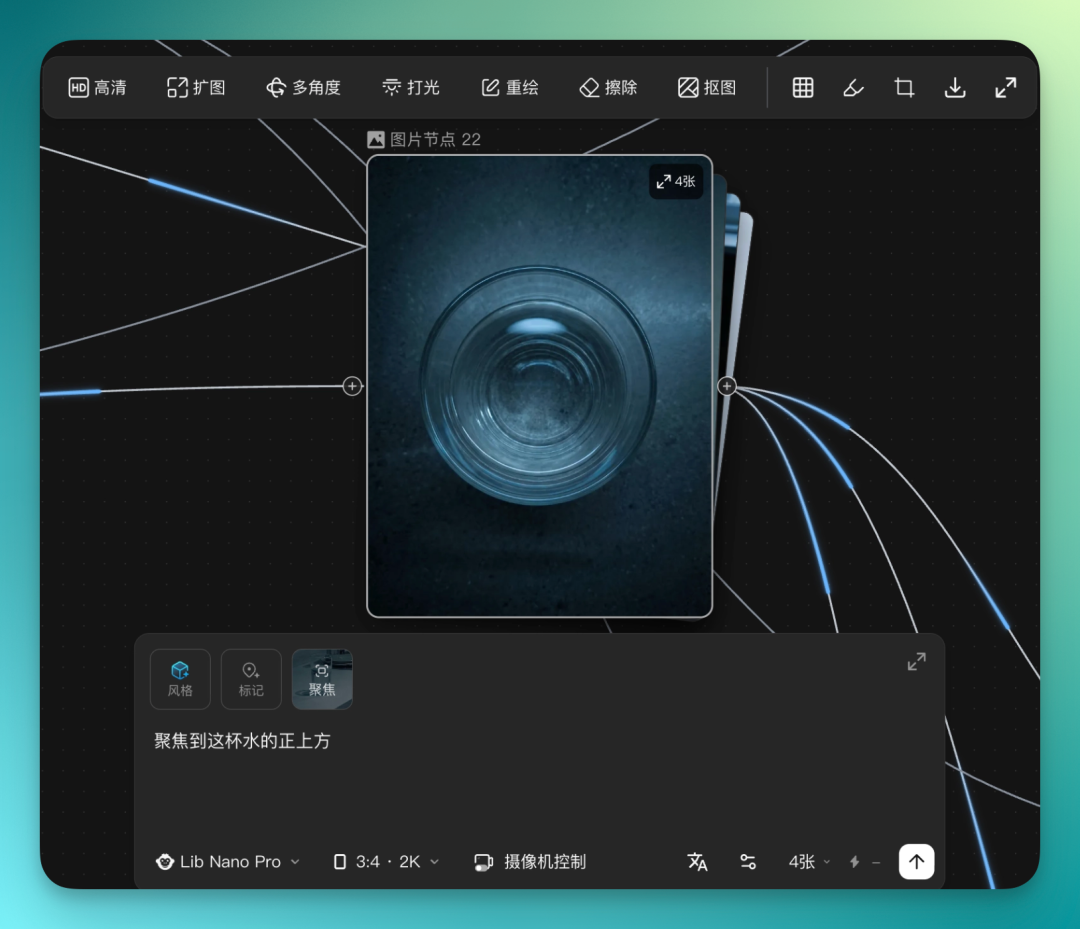
Previous shot: camera focuses on the woman's tear-falling moment. Next shot: hard cut to the teardrop falling into the cup. This transition lands well.

The instant the tear hits the cup, I want to hard cut to a completely different scene: flowers blooming everywhere, filling the entire frame.
But here's the problem. This stylistic leap is too big — if I keep generating with Kling O3 directly, it's hard to control the output. So I switch approaches: pull a separate workflow line on the canvas, run two tracks independently.
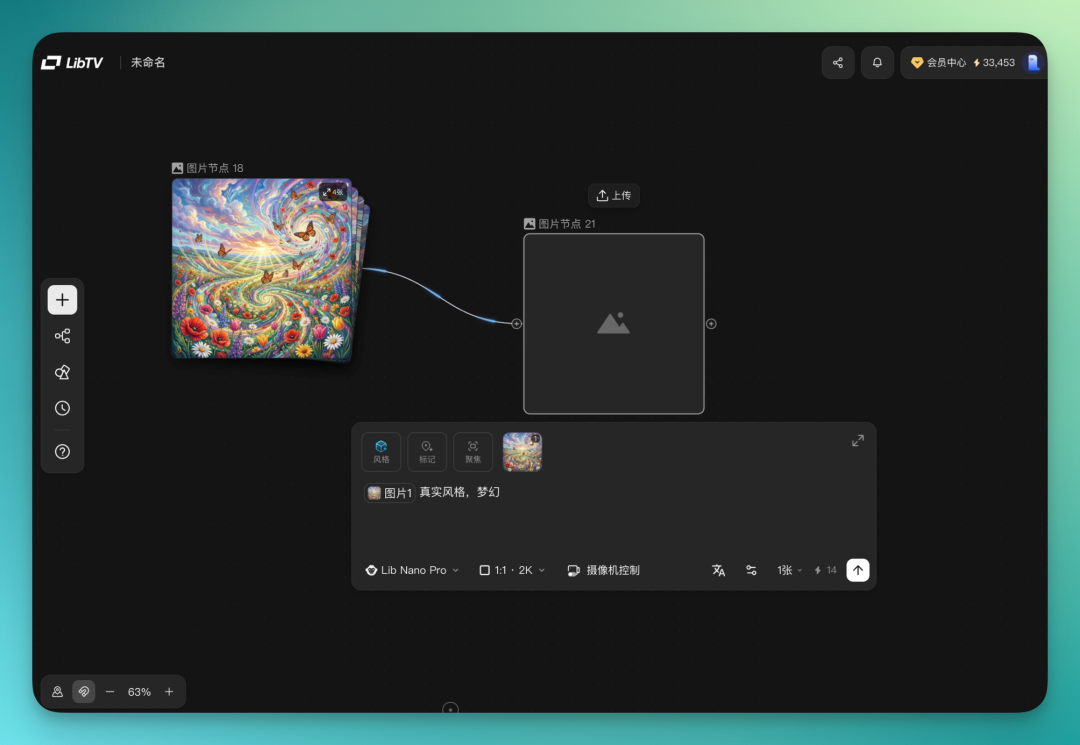
When generating images, there's a style module in the node. It integrates tons of user-uploaded style presets from the community — just pick one.
I chose a "Chinese Aesthetic / Guofang / Gilded Color" style and applied it.
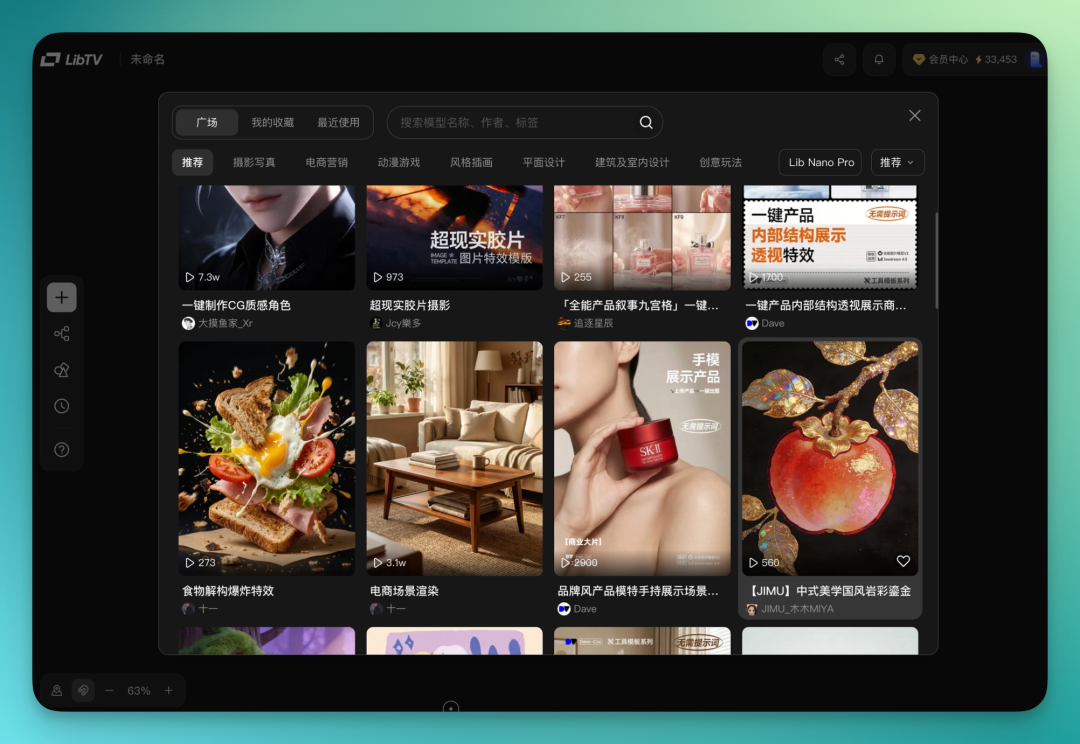
Then batch generate. Each image node can fine-tune based on the previous one, pushing forward frame by frame. I generated about 40-50 images on this track, finally picked one I liked, then had it animate the flower burst.
This transition is my favorite part of the whole piece. Woman in distress, crying, drinking water, tear drops into cup, hard cut to flower burst, hard cut back to reality, she's confused. The rhythm jumps, the twist hits hard.
Continuing on. LibTV also has a scene extrapolation feature — it directly predicts what the frame will look like 3 seconds later based on the current image, helping you think through continuous storyboards and find inspiration from there. I use this one a lot.
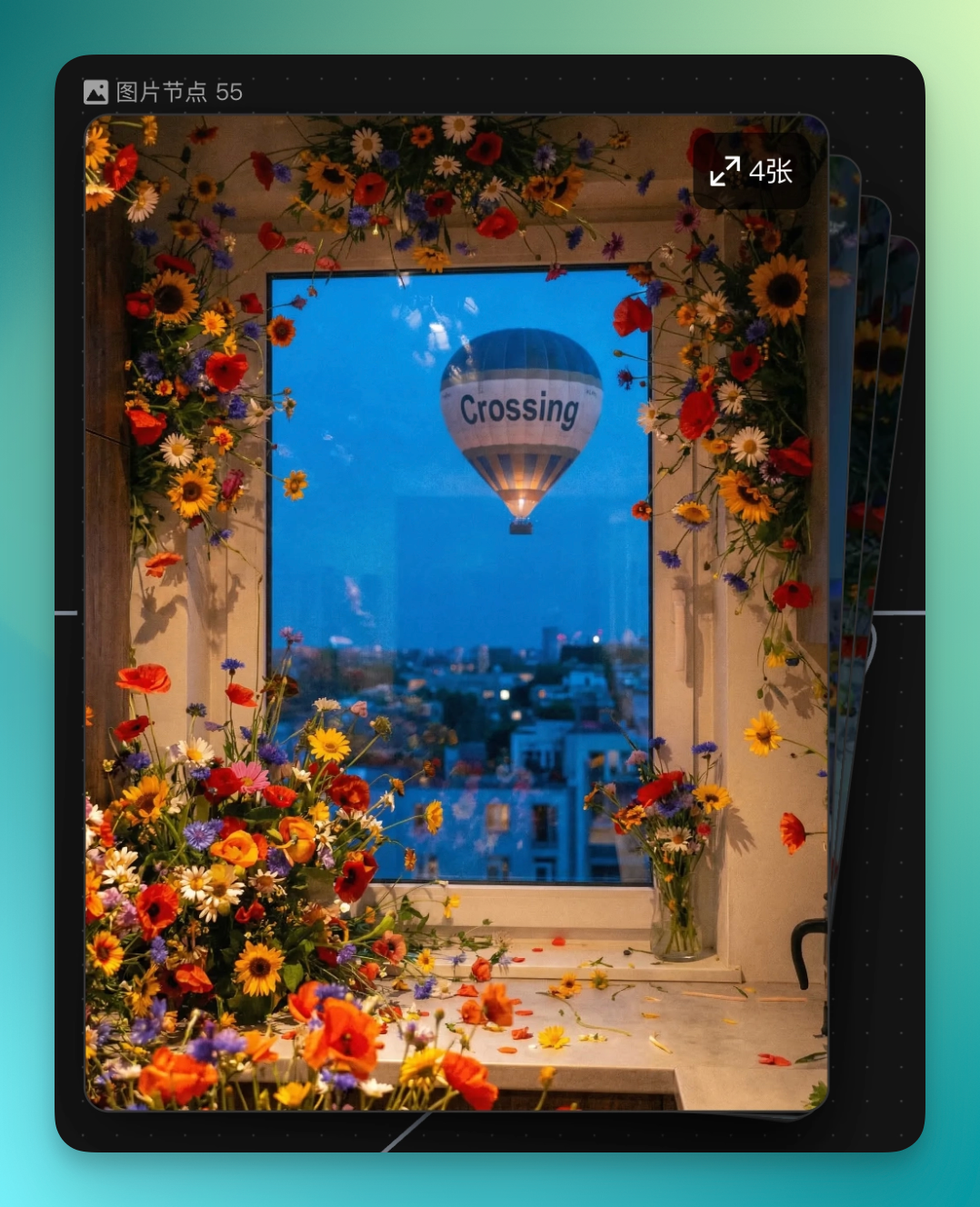
The protagonist's mood starts improving, the frame full of flowers. Then I thought: use Focus to box the window, have a hot air balloon float by outside with Crossing on it.
Then I uploaded Koji's photo, used LibTV's built-in screenshot tool to directly crop that bouquet from the bottom-left corner of the generated image, and had Koji holding this bouquet standing on the hot air balloon.
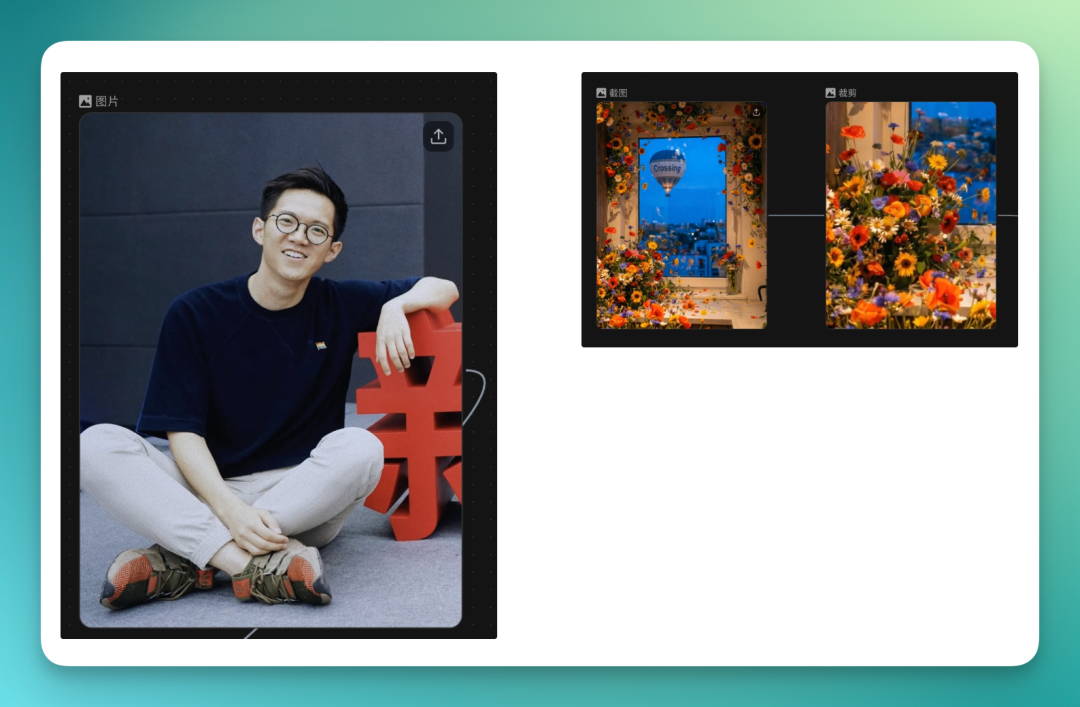
It generates a batch of images, pick whichever looks right, keep fine-tuning step by step.
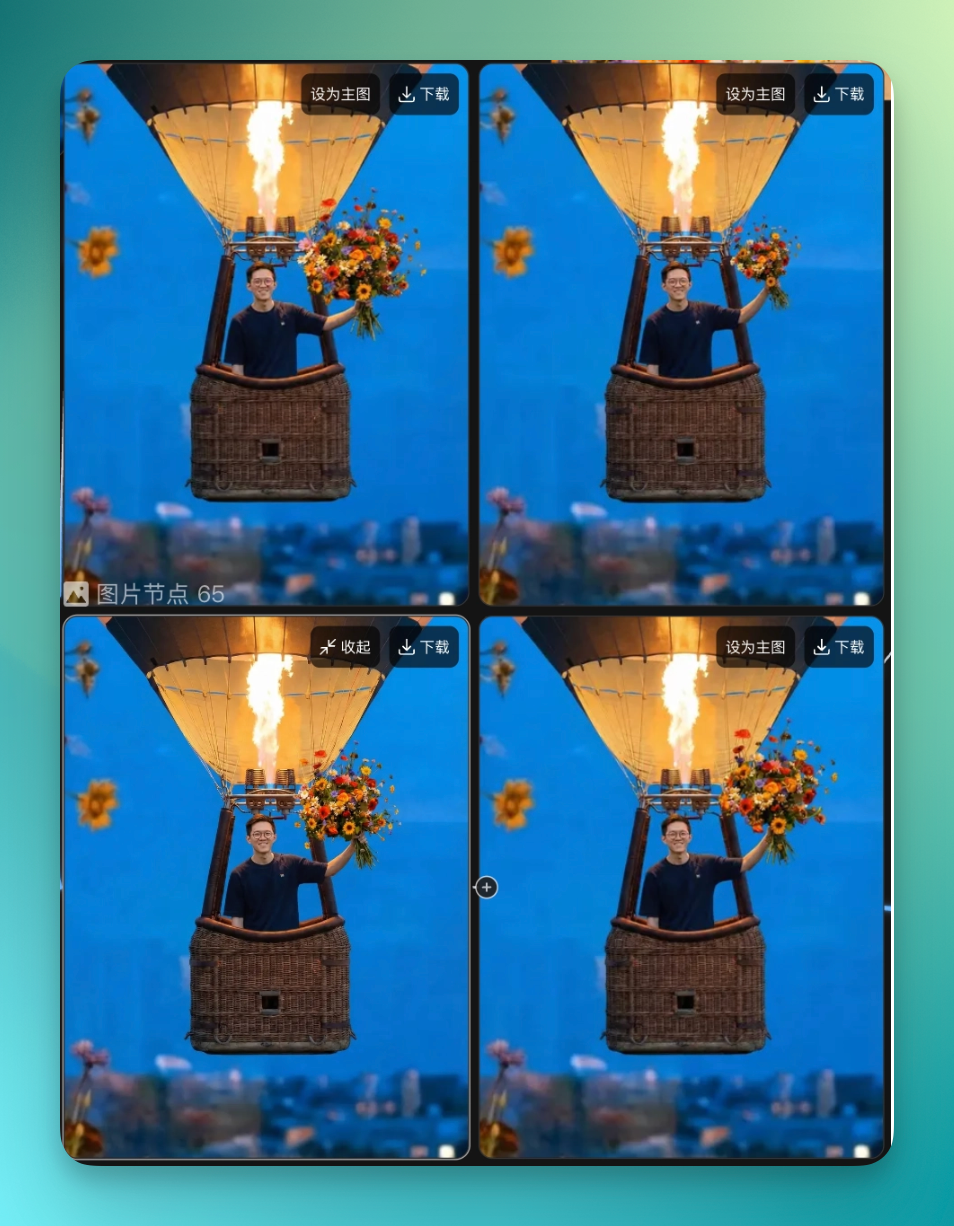
Final result:
A woman sits alone in a dim room, crying. She gets up to drink water in the kitchen, camera follows her. As she drinks, a teardrop falls into the cup — hard cut, flowers explode across the screen. She snaps back, confused. The next second after confusion, like dreaming again, flowers burst in the kitchen once more.
She turns to the window. A hot air balloon floats by Crossing, a guy standing on it holding flowers, meaning: be happy.
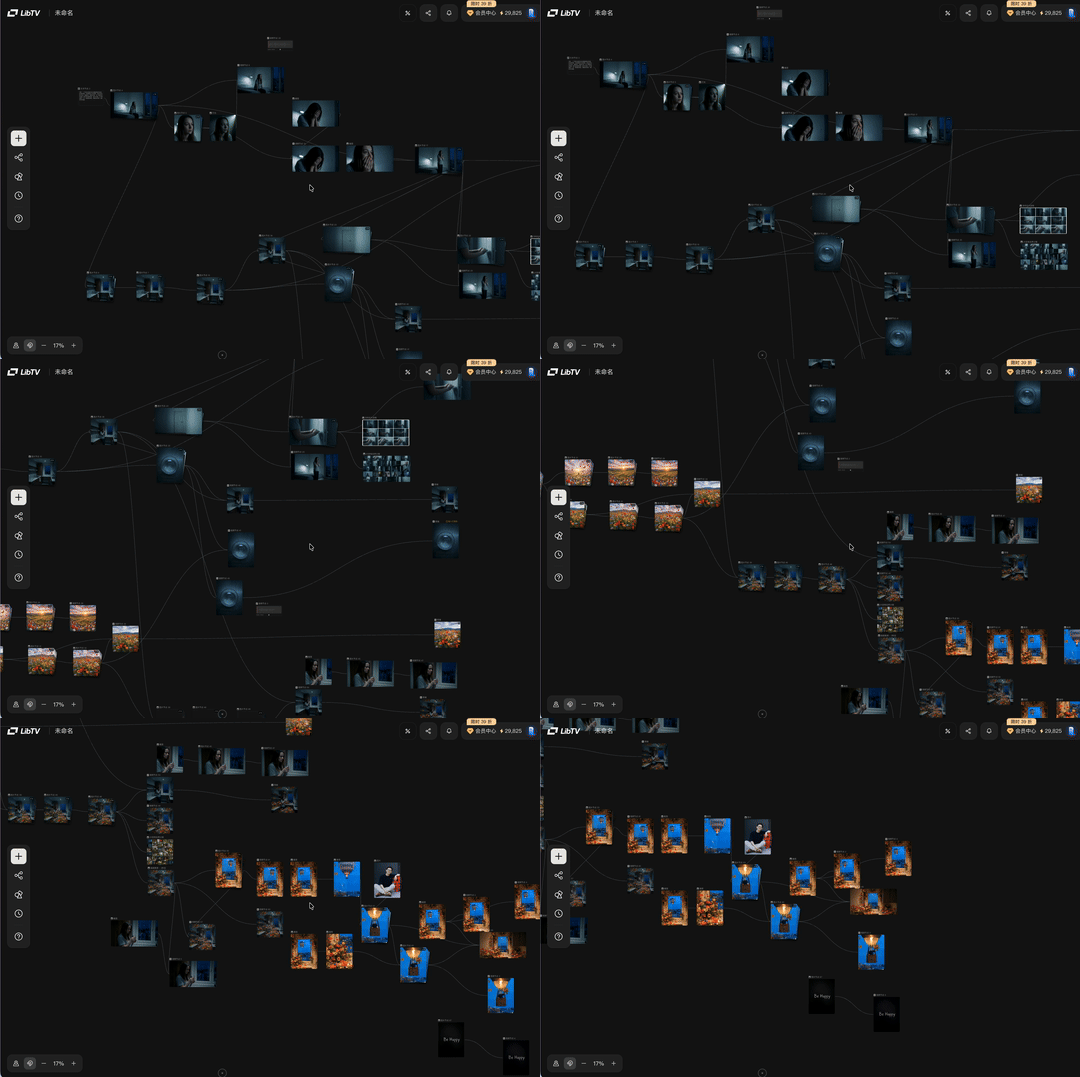
The GIF below is my complete workflow this time.
It looks a lot like a mind map, but LibTV's infinite canvas carries real creative logic. Inspiration flows where it flows, the canvas follows. When you're stuck, use its built-in features to extend with one click, pick a direction, generate the next node directly.
All nodes are strung together with AI capabilities. The whole run is genuinely smooth, saves a lot of time.
LibTV (Agent Side)
So far we've talked about LibTV as a creation tool. But what really makes it worth dwelling on is its other side.
LibTV left an opening for Agents. Several Skills are already open, like the short drama generation Skill — you give the Agent one sentence in chat, and it runs through script, character design, storyboard, video generation, and editing by itself, delivering a complete short drama.
If you've used Personal Agents like Xiaolongxia, these Skills can be called directly. Send one message, the Agent runs the workflow in LibTV's backend — you don't even need to open the LibTV web page.
I used Tencent's WorkBuddy Claw paired with QQ. The various modified Claw versions from different companies are pretty similar in capability now — all can remote-control local operations.
I sent one message directly in QQ, asked it to make me a sci-fi short drama, gave it the key.
Make a 25-second sci-fi anime short
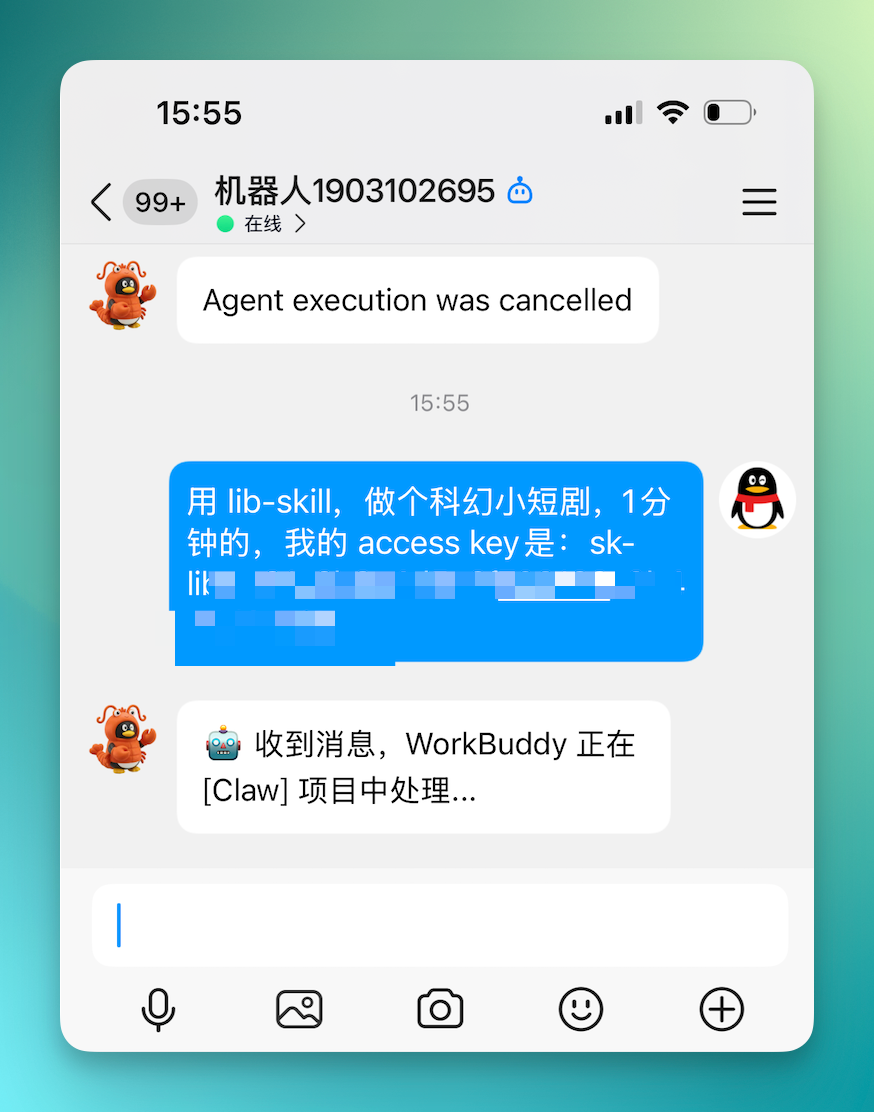
WorkBuddy Claw keeps hitting LibTV's API, checking progress every 60 seconds, pushing updates whenever there's new progress. Whole process is hands-off, just wait for notifications.
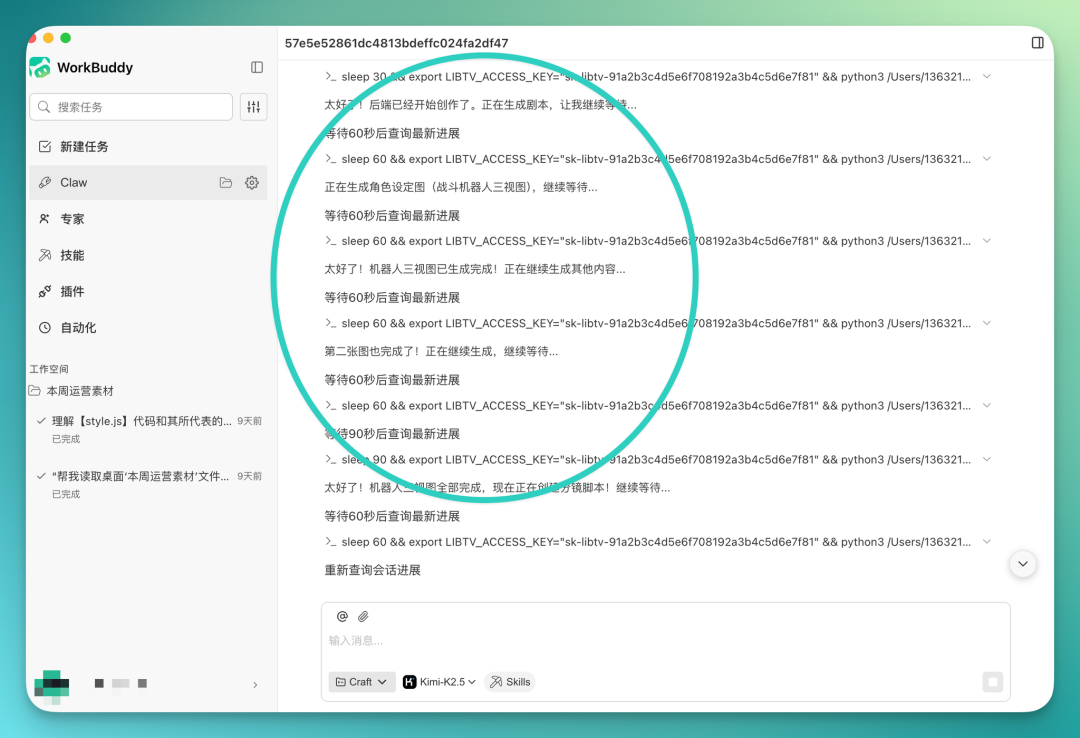
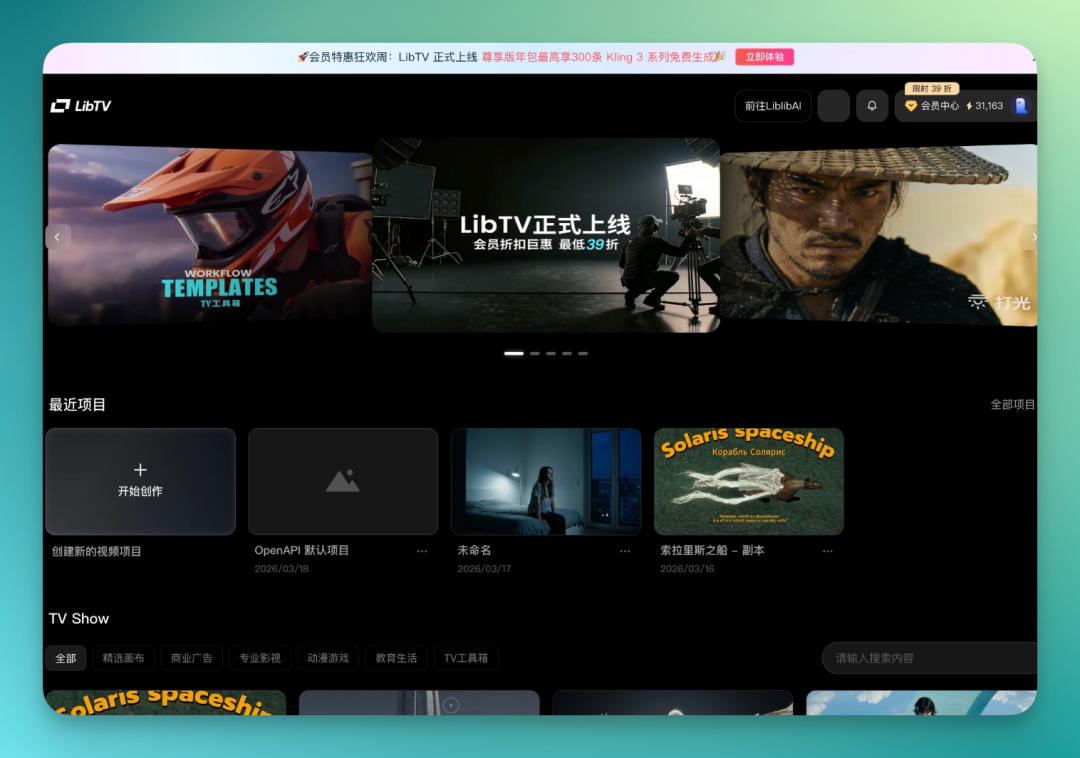
Meanwhile, under Recent Projects on LibTV's website, an OpenAPI default project appears. You can watch in real-time as it builds the workflow step by step — the entire process is fully transparent.
It starts with the script, then designs front and side views for each character, auto-generates the script, then creates storyboards frame by frame based on the script.
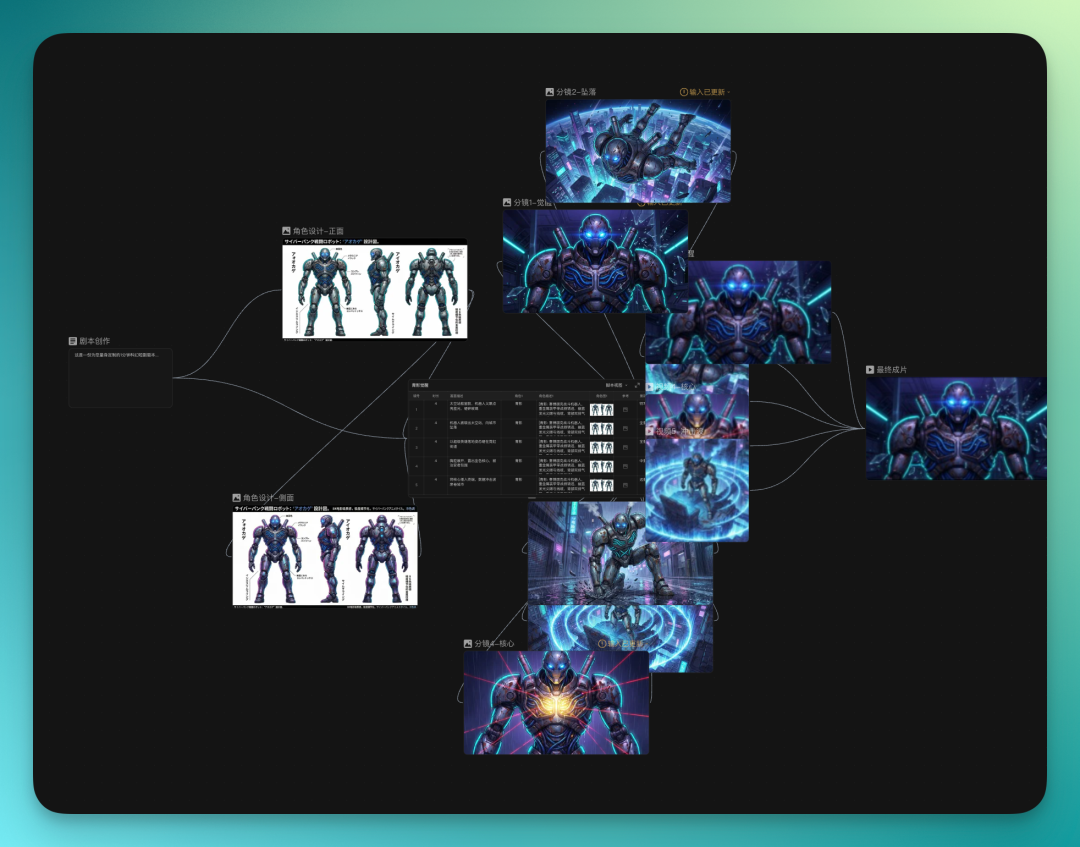
For character design, it auto-generates front and side view design sheets, even in two different styles.
Here's the video it produced.
Honestly, I gave it one sentence, zero additional prompt constraints. This is just a first experimental draft. Look closely and there are plenty of flaws, the script still needs manual tweaking.
But considering it's fully automatic, zero prompt engineering, the fluidity and completeness of this first pass is already decent.
Later I made a script and view myself in LibTV, it generated a batch of storyboards. Results were okay, but not exactly what I wanted.
But this itself is also a LibTV use case — even when results aren't satisfying, the script and storyboards can give you some inspirational direction.
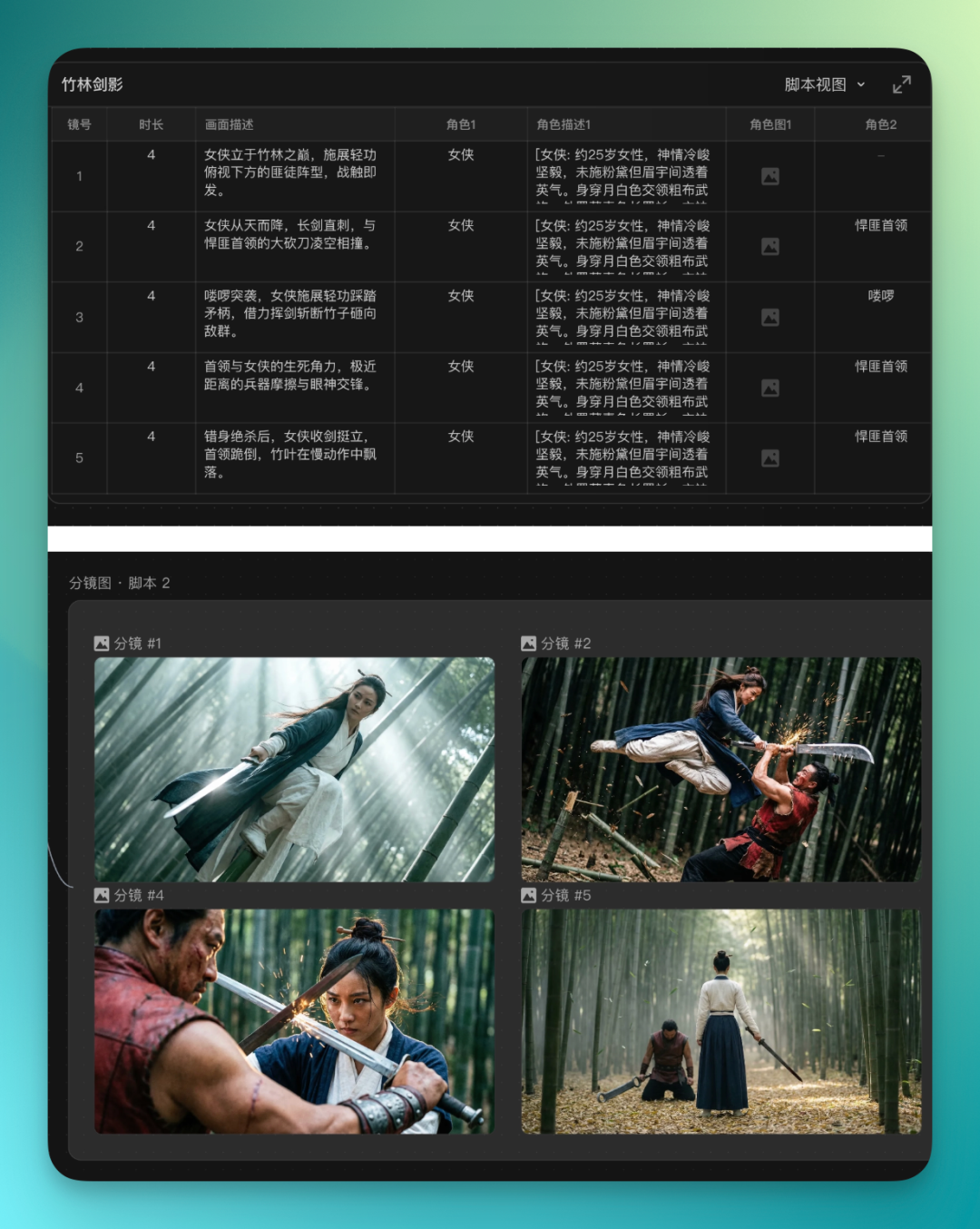
From hands-on testing, you do need to tell LibTV slightly more detail, clearly specify what content you want — results get much better.
So based on the script's inspiration, I dug up King Hu's A Touch of Zen that people have been revisiting lately, asked it to reference that style for a 25-second short.
Prompt:
Use LibTV-Skill to make a 25-second video, wuxia film style, reference director King Hu's A Touch of Zen film style, images are in my local "LibTV" folder, please use as reference then please create the complete workflow for this task on the canvas
I put a screenshot from A Touch of Zen in my local LibTV folder as reference.
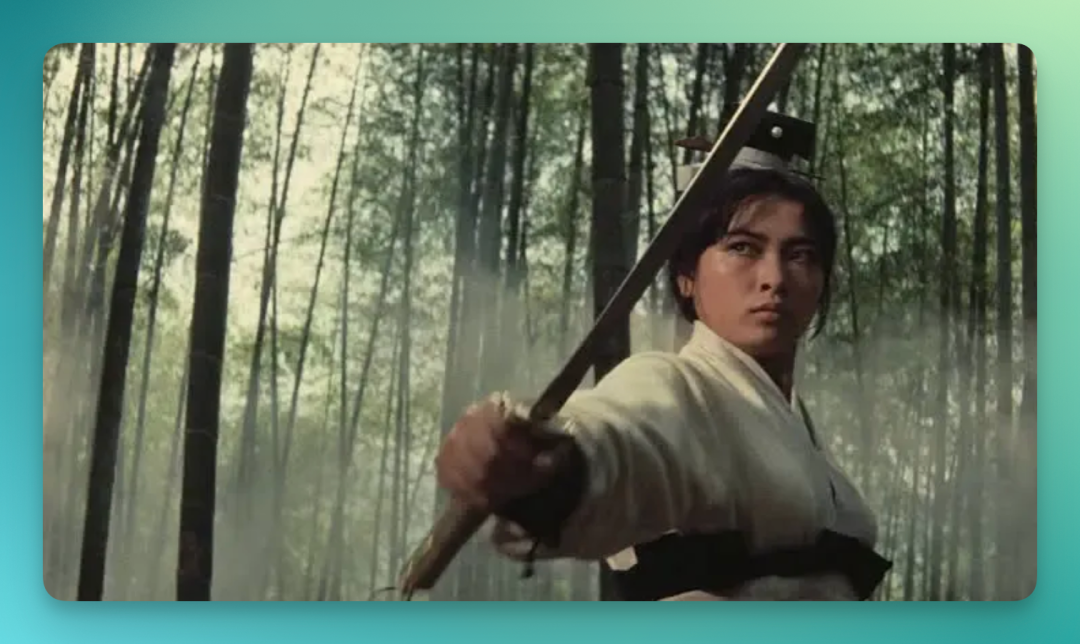
LibTV again builds the workflow in real-time in the backend. This time with slightly more detailed prompts, the overall style grasp is noticeably more accurate. Character consistency and shot continuity are both better than the previous version.
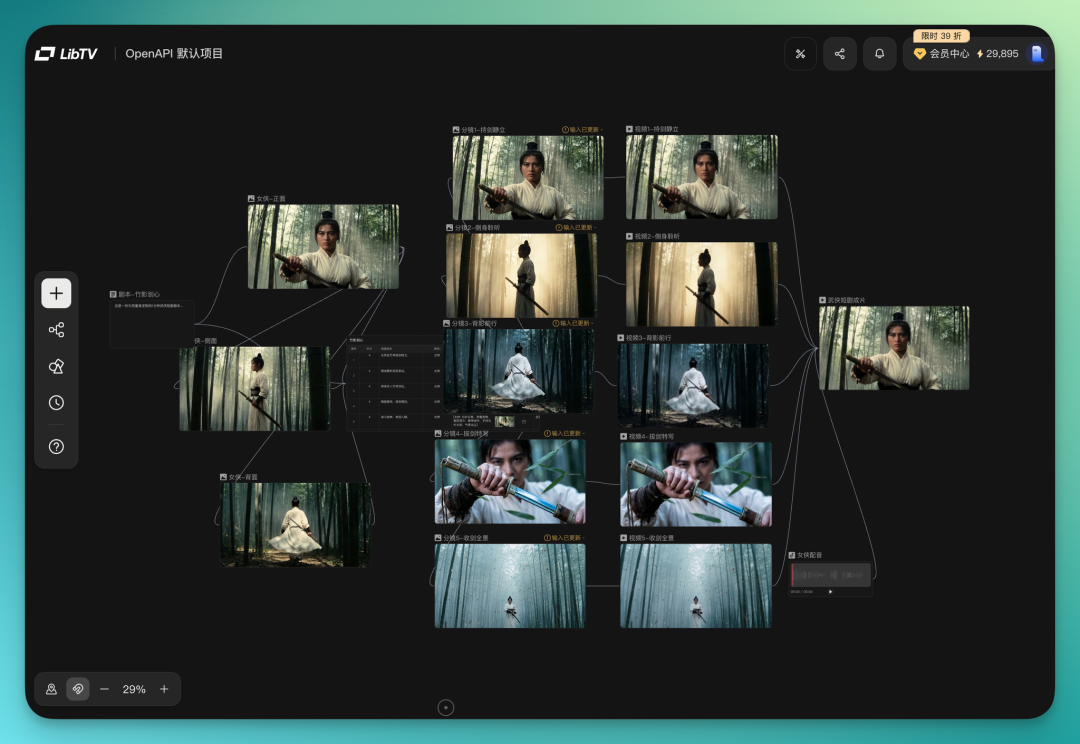
The final video has high style consistency, many scenes carry that King Hu mid-century atmosphere. Details land too — sword-drawing motions, camera angle switches, all have a certain feel to them.
And all this, from a one-sentence prompt.
Finally, pricing — this matters practically.
In video creation there's a term called "gacha" because AI-generated image quality fluctuates; you often need to run many times before landing a satisfactory result.
LibTV has optimized on pricing. Annual plans go as low as 39% off, with select models stacking an additional 40% off — membership prices are roughly 70% lower than mainstream competitors, and model credit pricing is also very low.
Plus current subscribers get up to 300 free top-tier video generation credits.
Overall, LibTV offers one possible answer: pack model capabilities, creation tools, and workflow management into the same canvas, letting creators do everything in one place.
At the same time, leave an equally wide door open for Agents, letting AI call the same creative capabilities.
When a creator iterates on the canvas and finally settles on a workflow they're satisfied with, that workflow can be packaged as a template, or even become a Skill in the future.
This means a creator's aesthetic judgment and creative experience could flow into other Agents' toolboxes, called upon by more people.
Of course, LibTV is still in a relatively early stage, many capabilities are still in development. Whether it can truly run through this logic remains to be seen with time.
🚥
LibTV: https://www.liblib.tv/
LibTV Skill (open source): https://github.com/libtv-labs/libtv-skills