LibTV has also released its own video agent — we tested it out immediately.

AI video is entering the Agent era. A good shot is only the starting point.
AI Video Enters the Agent Era — Great Shots Are Just the Beginning
👦🏻 Author: GaKi
🥷 Editor: Koji
🧑🎨 Layout: NCon

When people first try AI video tools, they're often blown away by a single moment. But once they actually start making something, they hit a different kind of wall —
Workflows are hard to build, and there's no clear place to start.
A single prompt can already generate a stunning shot in video models like Seedance 2.0. But real video creation rarely begins with one shot, and it never ends with one either.
This gap hasn't gone unnoticed by the "pick-and-shovel" players circling AI video production. They're sprinting into the market. Case in point:
LibTV recently launched LibTV Agent. It bundles the entire video creation pipeline — creative planning, scripting, storyboarding, image generation, and post-production tweaks — into a single AI workflow. Users can kick off projects with natural language, or tap into LibTV's Skill Hub to have the AI handle production across different styles and scenarios. Professional creators still get Storyboard and Node views for granular control over shots, nodes, and the generation flow.
🚥
The Crossing team took it for a spin right away, testing it across advertising, short dramas, music videos, and other use cases.
Here's what we found.
Codex Micro Luxury TVC
You can access LibTV Agent through the LibTV website:
Some context first: OpenAI recently released Codex Micro, a physical mini-keyboard for operating AI agents. The official promo video didn't actually show the keyboard's design in much detail. But one blogger posted a photo on X — a product shot from OpenAI's booth that looked very close to what Codex Micro would become.
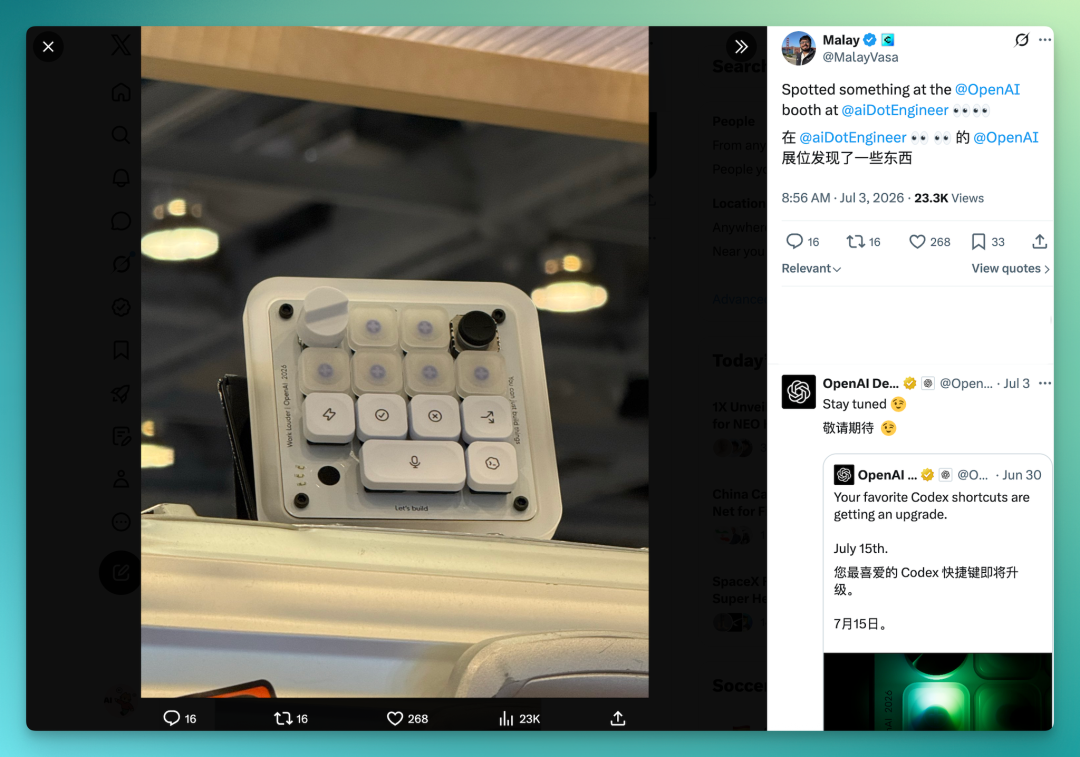
My idea: create an Apple-style luxury promo for this product. This was a perfect chance to test one of LibTV Agent's major new features — the integrated Agent Skill Hub.
The Hub packs a solid collection of Skills covering professional film, advertising, comic dramas, gaming, anime, and music videos, all callable with one click. The Luxury TVC Skill, for instance, handles visual expression for premium brands, with cinematic language and an overall TVC aesthetic that feels genuinely high-end.
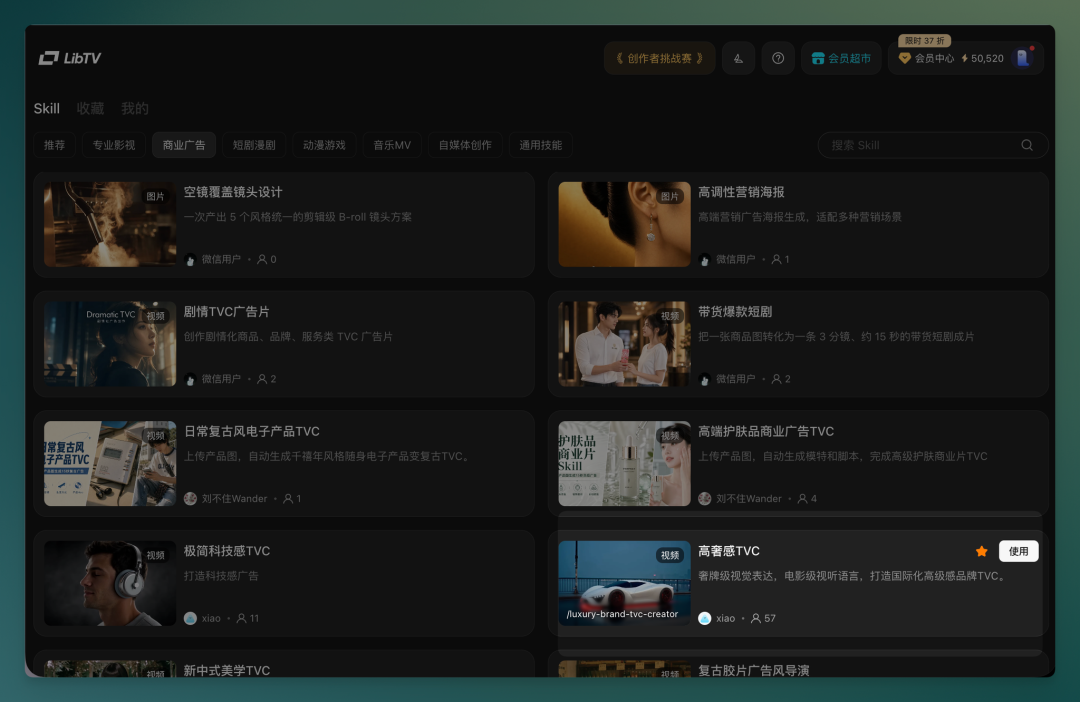
The workflow is straightforward: select the Skill, drop your product image into the chat, and enter your prompt.
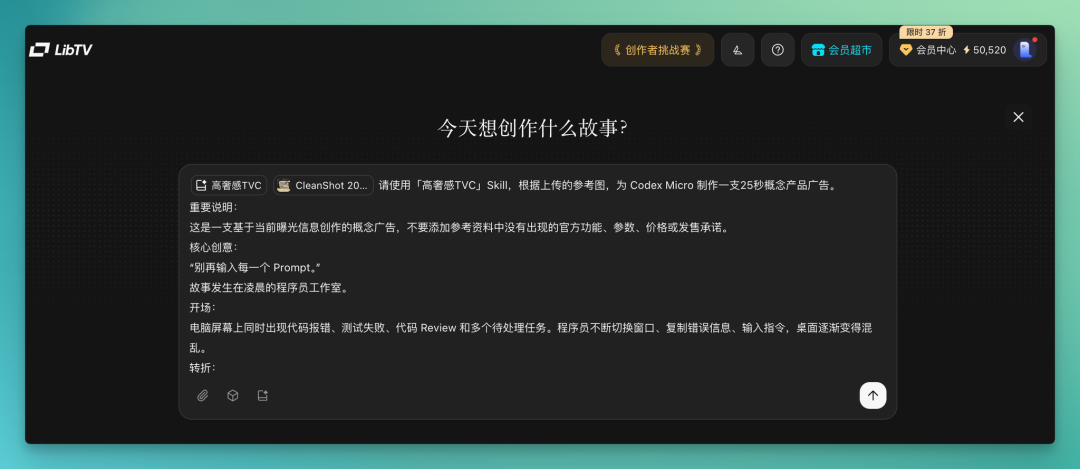
LibTV Agent now runs entirely on an Agent conversation flow. It auto-generates product three-views, detail shots, and multiple storyboard images, then plans the overall structure based on these nodes before generating video, BGM, and other elements.
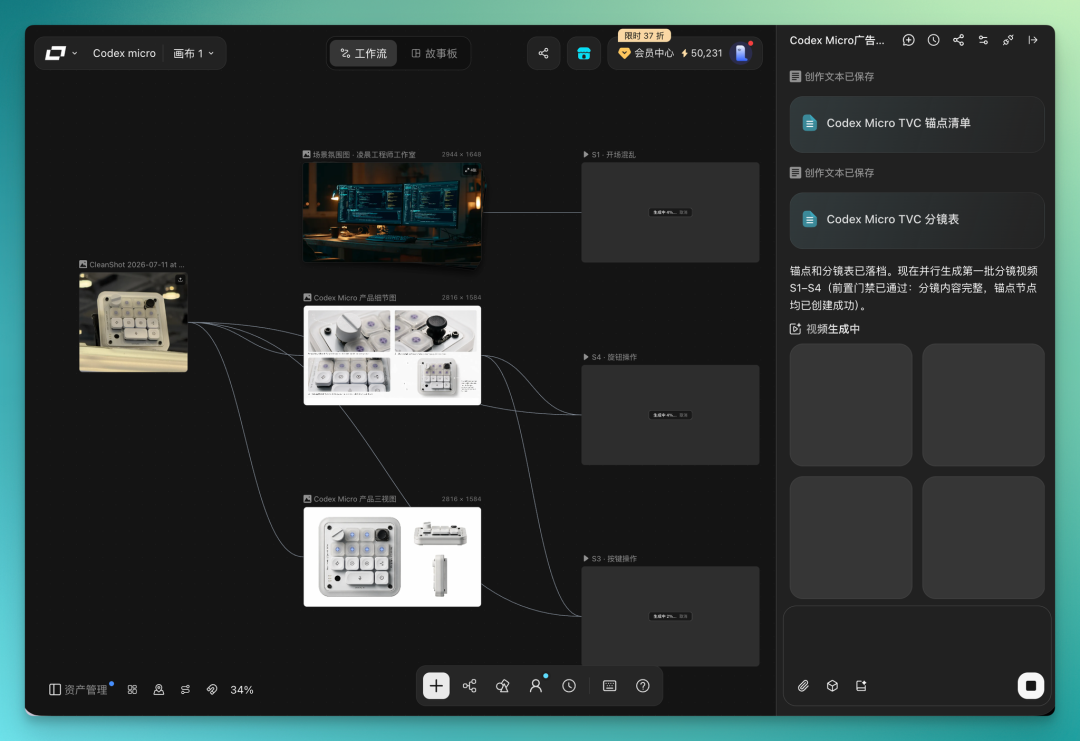
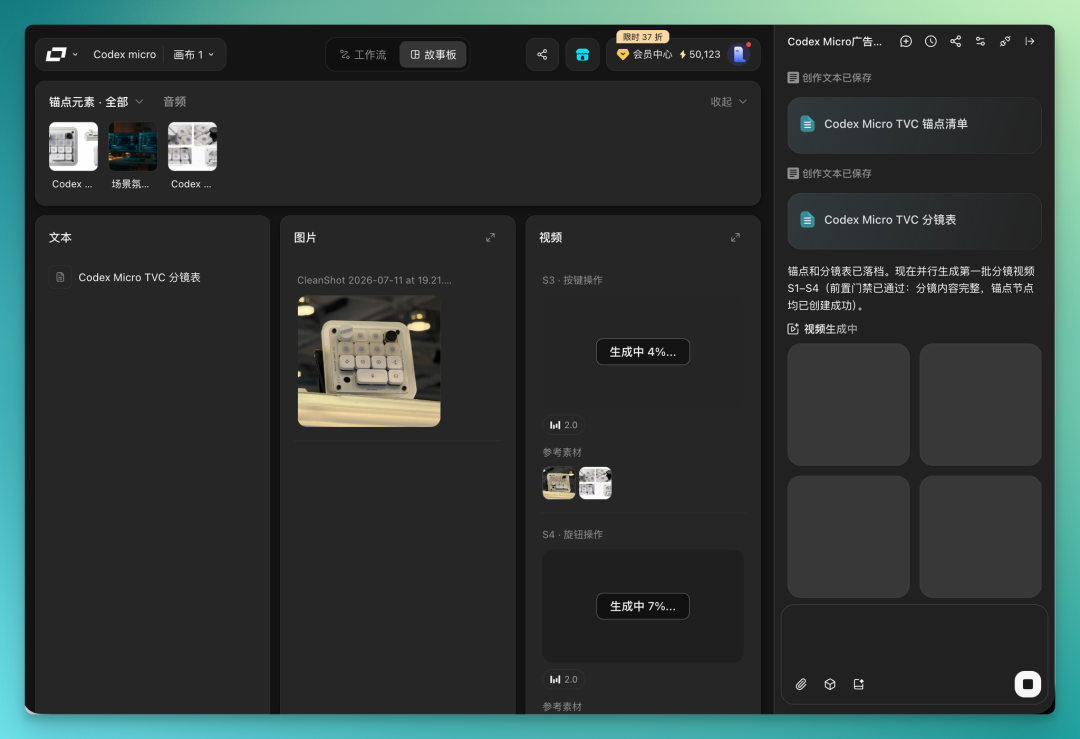
LibTV's infinite canvas has two display modes: workflow view (shown above) and storyboard view. I typically use the workflow view to track overall progress across the canvas, then switch to storyboard for fine-tuning text, images, and video details.
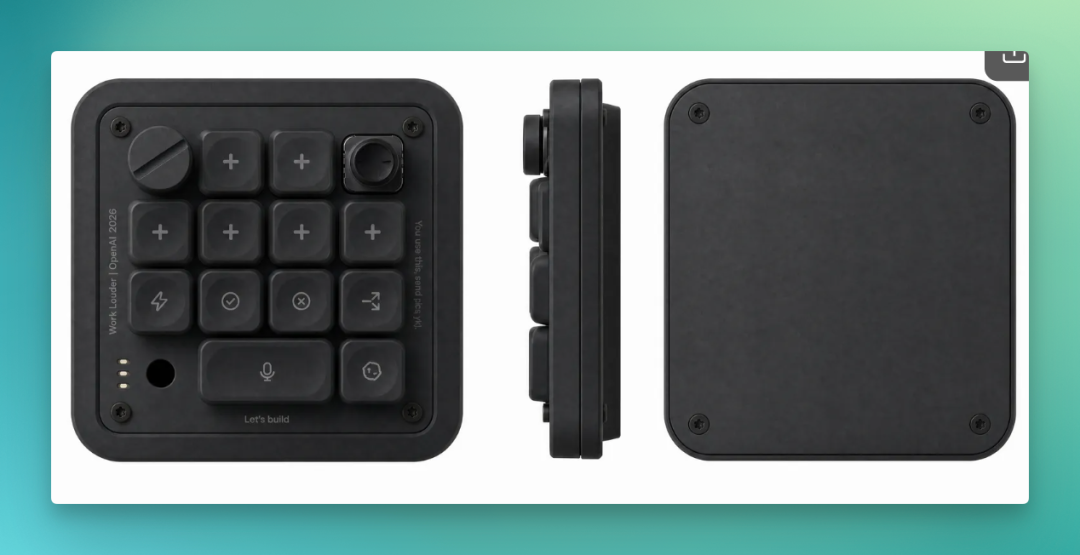
During production, I noticed the white version of Codex Micro wasn't working well — the keys and body tended to blur together, lacking definition.
So I had it generate an alternative version with a black Codex Micro.
The final result:
The concept was straightforward: open on pure black to emphasize the Codex Micro's material quality, cut through multiple angles in the middle, and close with a human character interacting with the product — basically standard TVC structure, and the final piece holds together well.
A few details in the video show what LibTV Agent can do: it supports multi-round reasoning, and lets you freely modify any node. In this shot, for instance, a heartbeat sound plays the moment a finger presses a key.

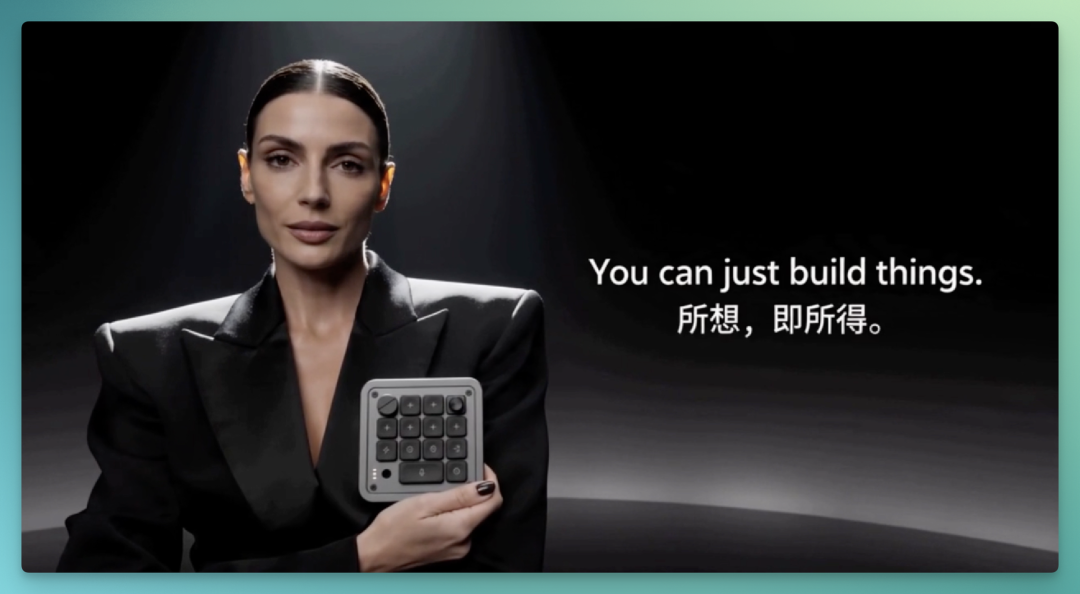
Another shot: after the Codex Micro rotates through shifting light, a model reaches in to pick it up, ending on a bilingual tagline. The transition and sense of movement here are handled quite well:
[2] Codex Micro Absurdist Comedy Sales Pitch
Working through that first luxury TVC, I developed a prompt template that works.
The structure: start with a global style prefix that locks in the overall aesthetic and visual elements; follow with specific shot descriptions; end with a negative prompt. Following this structure improves success rates noticeably.
LibTV Agent's Skill Hub includes an "Absurdist Comedy" Skill that tested well.
I used it to create a slapstick sales pitch for the Codex Micro.
The prompt structure:
`Global style prefix:
Absurdist comedy short in the style of a Chinese city night market documentary. Handheld follow-cam, slight shake, documentary texture. Environment: bustling night market street, warm yellow bulb strings, rising steam, sizzling oil, noisy crowds. Protagonist: a dead-serious young salesman in a crisp suit that clashes completely with the night market, cradling a palm-sized square black keyboard like it's precious jewelry.
Specific shots: XXXXX.
Negative prompt: no blurry or distorted faces, no extra fingers, no deformed limbs, no text watermarks, no cartoon style, no studio lighting, no excessive beauty filters, keyboard must not deform or gain extra keys. `
With the Skill plus prompt template combo, LibTV Agent works more methodically. It generated a complete workflow containing 5–10 shots.
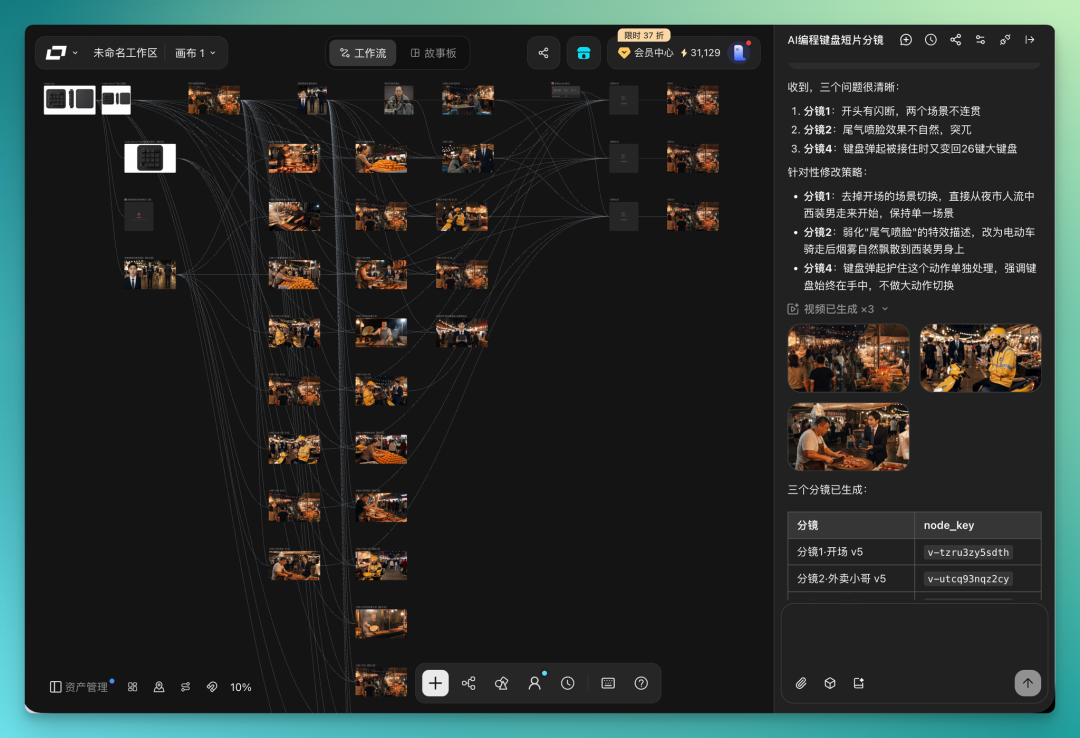
I did hit problems in practice. These AI video Agent workflows are tightly coupled — outputs from each step flow directly into the next.
The storyboard generation went smoothly this time, with coherent scenes and narrative flow. But the final product didn't match my reference image. I had the Agent diagnose itself, and it traced the issue back to the initial character anchor image of the suited salesman: the product in his hands was wrong.
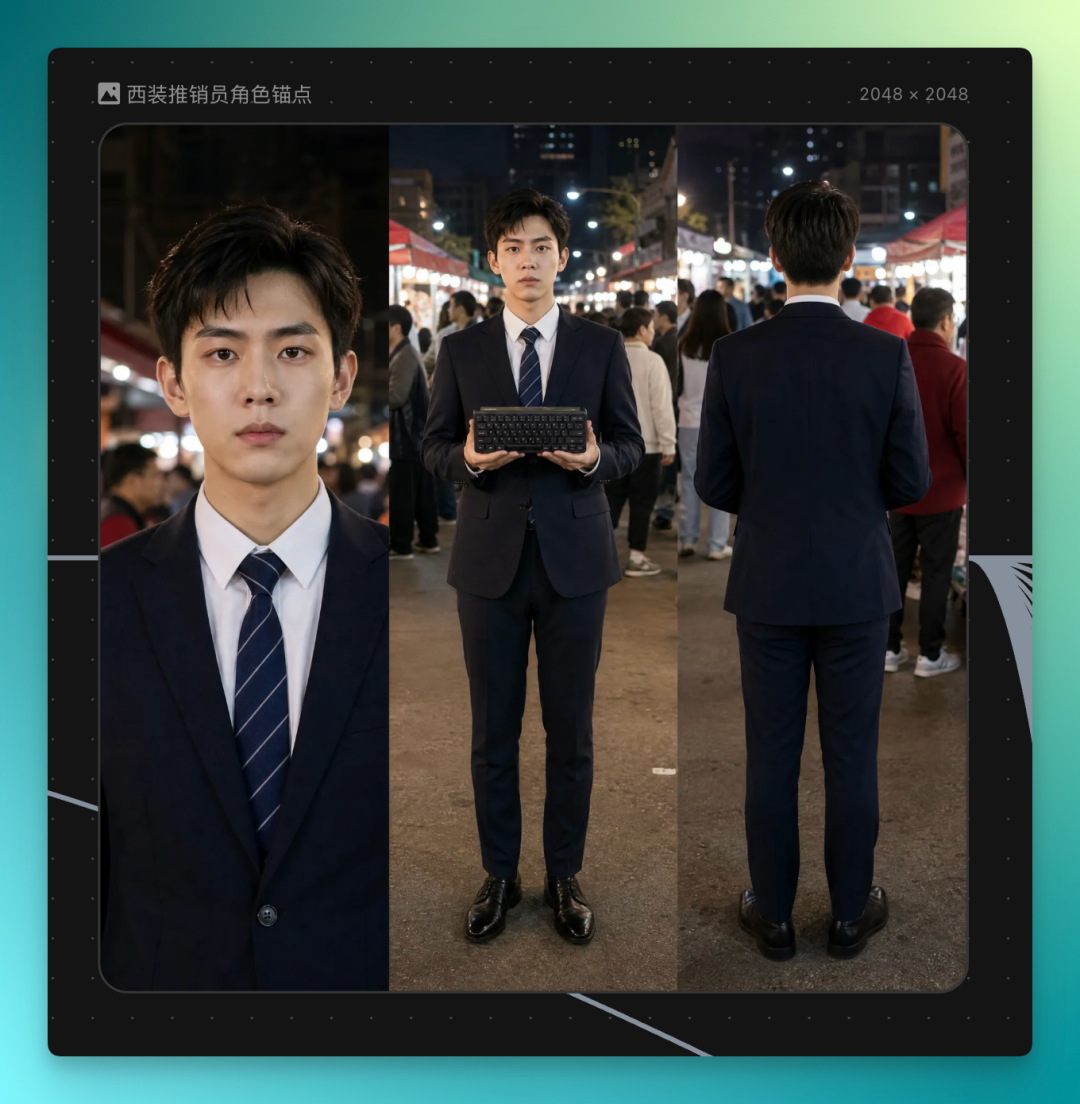
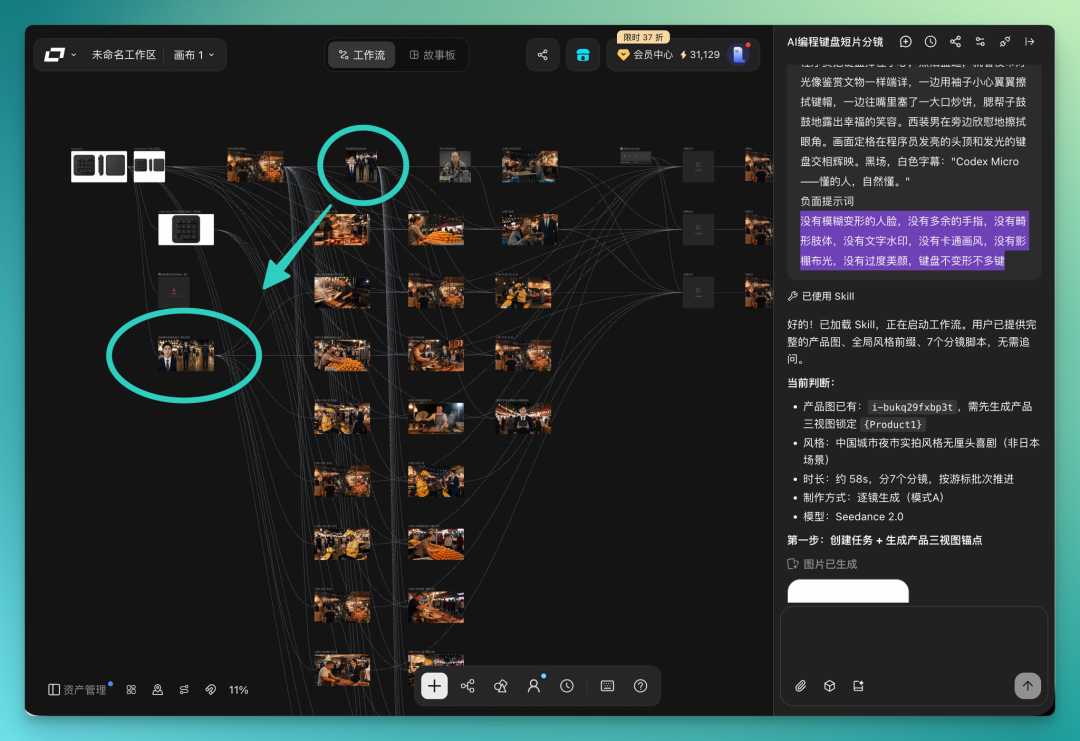
Fixing upstream nodes in LibTV Agent is relatively easy. Click the problematic image and it enters the Agent's context directly. I told it the product in the salesman's hands didn't match my reference, and it regenerated the image using my original product reference, then asked me to confirm.
After confirmation, downstream storyboards reran based on the corrected character and the unaffected scenes.
And it didn't rerun everything — out of the initial 5–7 shots, maybe only 3–4 needed redoing. It presented a checklist for me to select which shots to regenerate. After selection, it ran the automated pipeline again.
The final result — I'm satisfied overall. Plot elements I hadn't specified in the prompt were filled in automatically; errors mid-process and BGM adjustments mostly resolved themselves.
Once the upstream node was fixed, I didn't need to manually align every storyboard. It reran all downstream nodes and synthesized the complete video automatically.
[3] "Solitary American Fitness Short" + Custom Skill
The first two videos used off-the-shelf Skills from the Skill Hub. Along the way, I spotted improvements worth making — for instance, it doesn't default to using nine-panel grids as references, though in my experience, nine-panel grids as visual and narrative references significantly help the model.
Issues discovered through actual use can be consolidated into a custom Skill.
I followed this approach to build a "Solitary American Fitness Short" Skill.
You've probably seen this genre: a hoodie-clad American-style athlete training alone in forests, highways, and similar settings, with cinematic drone shots and dynamic camera movement, the whole frame radiating a lonely yet determined atmosphere — the spirit of pushing forward no matter when, no matter where.
Finished Skills can be uploaded directly to LibTV's Skill Hub. There's a create button on the Skill page:
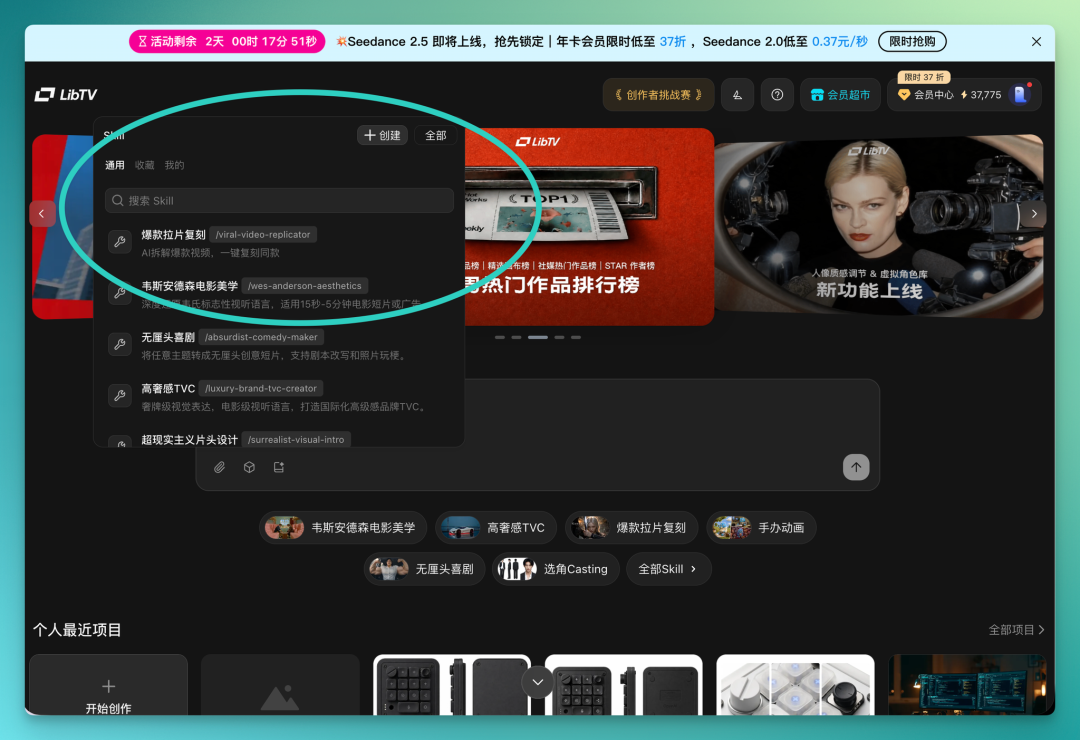
Click in and you can create your own Skill — fill in the name and description, then paste the Skill content straight from Claude Code's output.
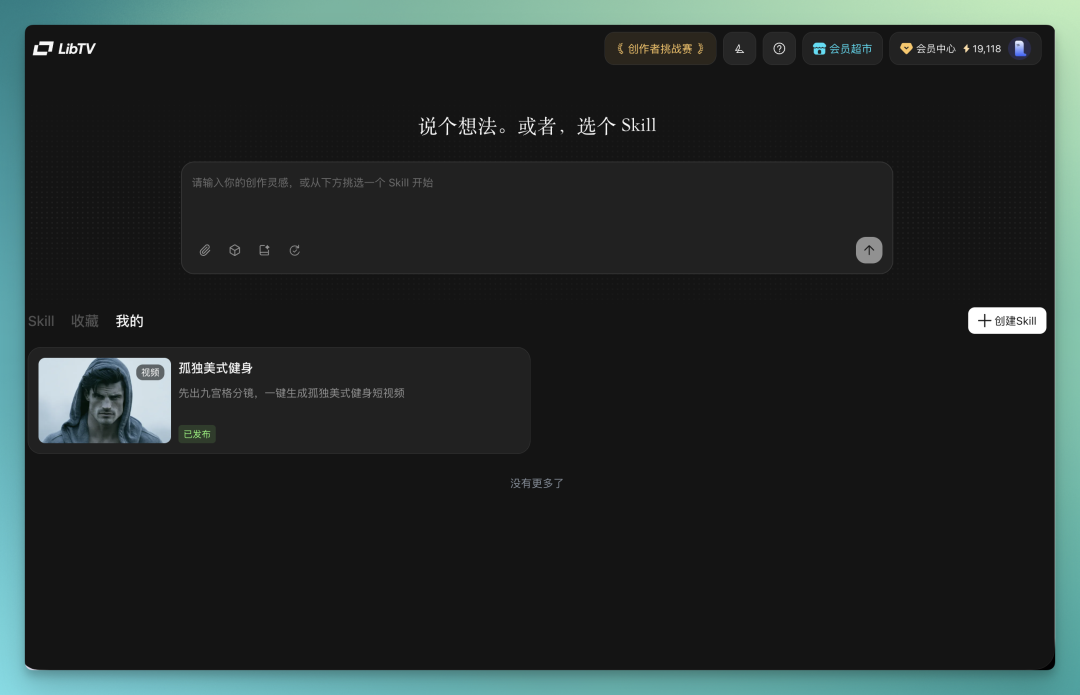
I gave it a cover image in the solitary American fitness style:

With this nine-panel grid as visual reference, plus camera language restricted to 12 preset types, the final generated video is far more stylistically consistent and noticeably more polished overall.
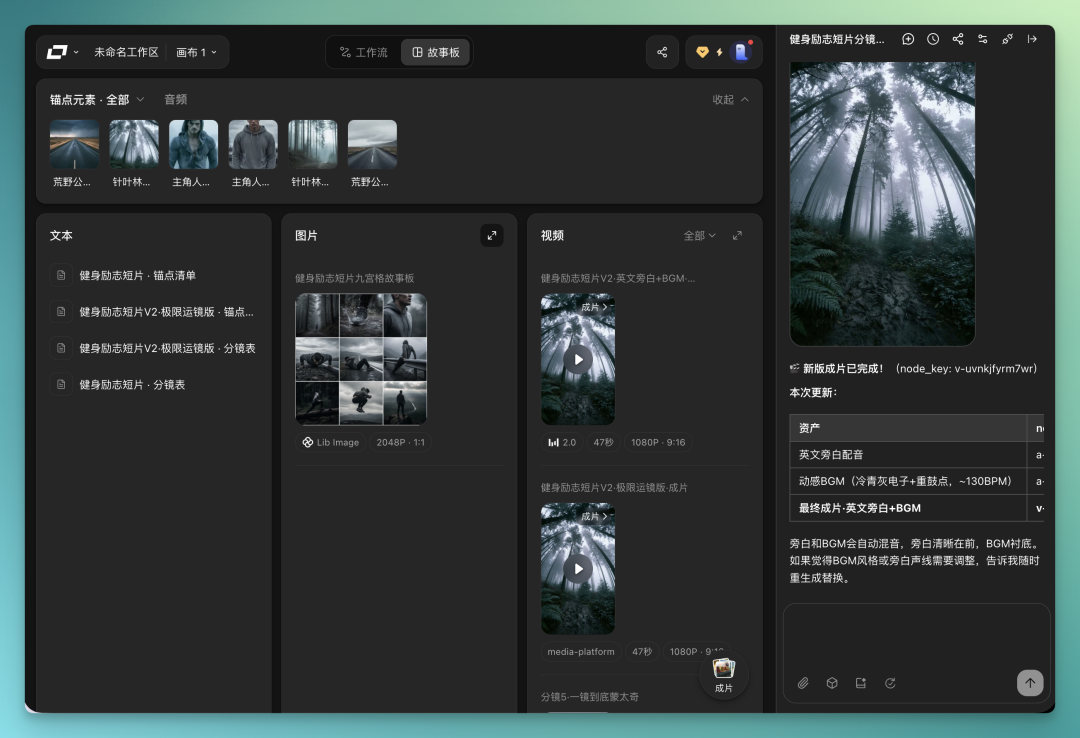
The final result:
The shot composition genuinely delivers.
One valuable finding from hands-on testing: AI is beginning to understand contextual relationships in video production. Early character setup, style selection, and storyboard planning continue to influence subsequent video generation. When a node goes wrong, you can target that specific segment for revision without tearing down the entire production pipeline.
This shifts AI video from a one-shot generation experience toward a continuous creative process. And the change Agent workflows bring is connecting these previously scattered creative steps.
At the same time, the Skill system introduces another shift. Much of the expertise accumulated by directors, art directors, and advertising creatives has traditionally lived as personal methodology, difficult to replicate. Skills attempt to crystallize this creative experience, visual style, and workflow into callable capabilities — making creative methodology itself a new kind of production resource.
🚥
Of course, AI video Agents remain in rapid development. For complex narrative, aesthetic judgment, and ultimate creative decisions, human creators still carry the core role — no need to worry about replacement there.
But products like LibTV Agent show where AI video competition is heading. Future critical capabilities may come from the combination of model generation power, creative workflow organization, and professional experience crystallization.
As AI participates in more and more creative stages, the barriers, efficiency, and organizational patterns of video production may all face transformation.
LibTV Agent's launch is an exploration of exactly this possibility.
Crossing is looking for freelance writers to cover AI product and model reviews.
If you've written pieces like: Hands-On: PixVerse C1[2], Hands-On: LibTV[3], please reach out to zeo0811@gmail.com. Your email should include: ① personal introduction, ② AI review articles you've written.
We offer competitive rates. Looking forward to observing and documenting the AI era together 🎪

References
[1] https://www.liblib.tv/: https://www.liblib.tv/
[2] Hands-On: PixVerse C1: https://mp.weixin.qq.com/s/cgAzZy2PptdYaWbqywVg7A
[3] Hands-On: LibTV: https://mp.weixin.qq.com/s/aycqnq8wlaaOei1QZmhFHQ