Tencent's Marvis Wants to Take a Different Path

Twenty years later, the word "butler" has reappeared in AI products.
Twenty years later, the word "butler" has reappeared in AI products.

👦🏻 Author: GaKi
🥷 Editor: Koji
🧑🎨 Layout: NCon

On September 24, Marvis — Tencent's operating-system-level personal AI butler — rolled out its new version to all users.
Marvis upgraded itself from "personal AI assistant" to "personal AI butler," launching four butlers responsible for the computer, files, software, and browser respectively.
Marvis officially launched in May this year and has maintained a consistent direction throughout:
Help users manage their personal digital assets over the long term. The word "butler" probably feels familiar to many people.
Starting in 2006, when numerous PC manager products launched domestically, many people's first step after buying a new computer or reinstalling their system was to install a "PC manager."
Twenty years later, the term "PC manager" has reappeared in AI products.
🚥
The PC Manager of the Internet Era
The earliest job of the Internet-era PC manager was, naturally, antivirus and malware detection.
As computers gained more functionality, junk cleanup, boot acceleration, software management, vulnerability repair, and pop-up blocking all converged into a single piece of software. For instance, traditional PC managers proposed a combined "antivirus + management" model as early as 2012, illustrating this trend.
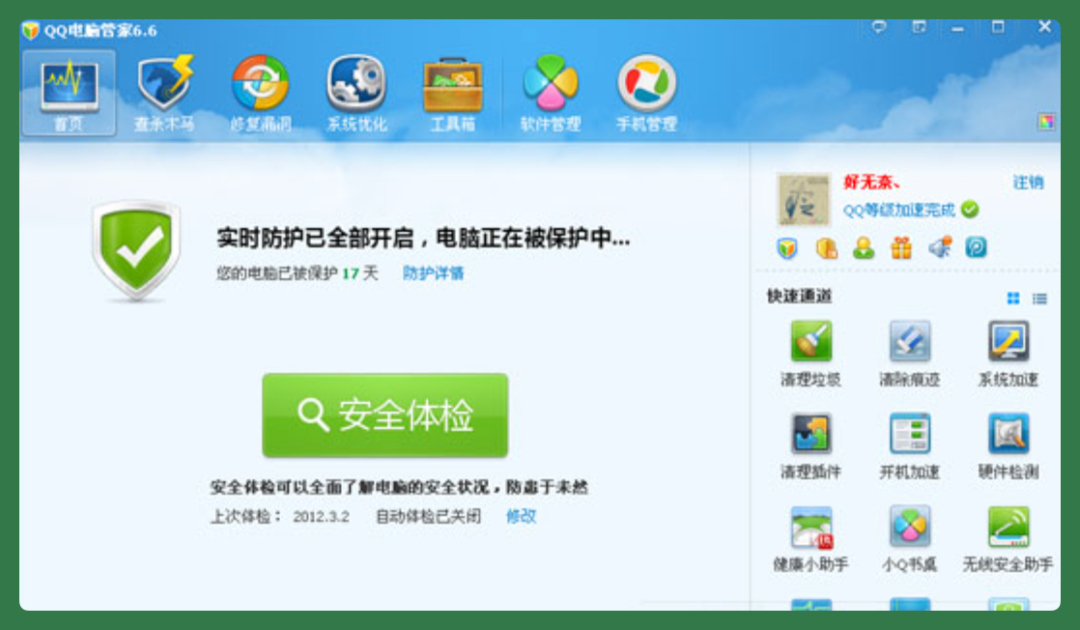
Looking back after all these years, the PC manager's most important resource was actually its position.
Many users installed the PC manager as their first piece of software after reinstalling their system. It could run persistently in the background, launch on startup, and enjoyed relatively high system privileges — processes and startup items were largely within its control.
Overall, the PC manager sat between the user and the operating system.
Users who didn't understand the system relied on the manager to handle system problems. Software wanting to enter the user's computer often had to pass the manager's inspection, or even come through the manager's app store.
Applications in the app store were verified, unlike downloads from the web.
Because of this position, many companies competed for this entry point during the Internet era. Free models and software distribution — many product strategies revolved around it.
However, the previous generation of PC managers had obvious limitations.
For one, its interaction model was simply pressing buttons. Users opened the software, saw a health score, couldn't judge whether optimization was actually needed, but still pressed one-click acceleration or one-click cleanup and left the rest to the PC manager.
Yet while the PC manager could handle common problems, it couldn't handle anything beyond what engineers had coded into it — basically nothing at all. For more complex situations — software update issues, file locations, personalized memory optimization, even driver conflicts — it struggled.
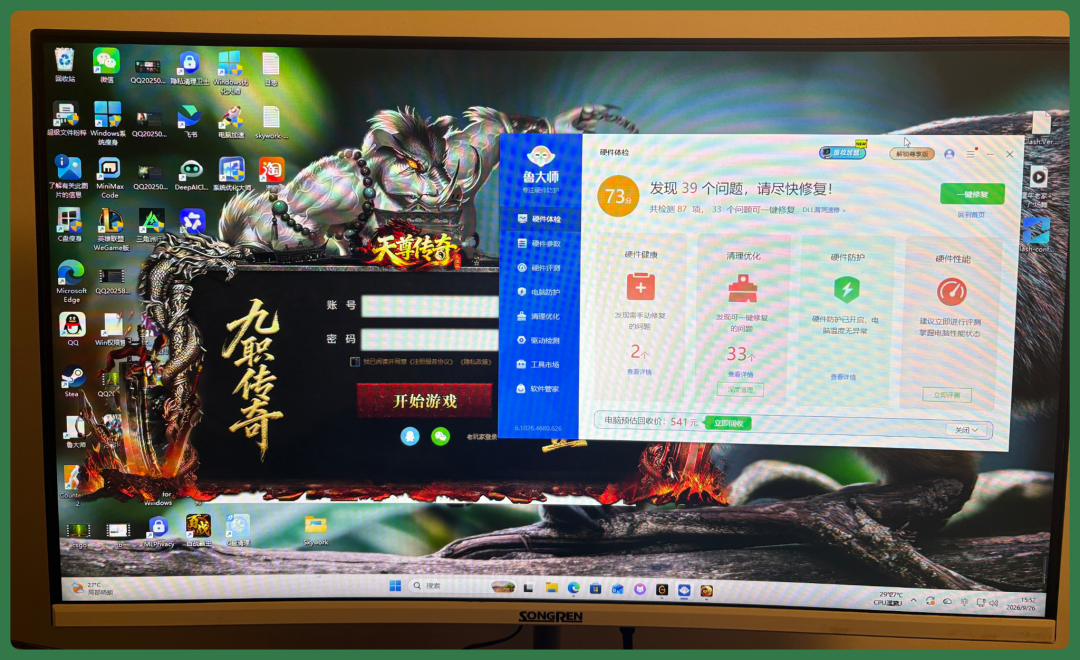
My own computer constantly gets bombarded with "Tianzun Legend" trojan-style game pop-ups that are nearly impossible to block through conventional means.
Users ultimately had to search for tutorials online, follow step-by-step instructions themselves, or simply take their computer to a repair shop for a clean reinstall from scratch.
At this stage, users had almost no real authority over the PC manager, nor any meaningful "digital assets."
Another problem: users had to make their own judgments about their computer environment.
For example, which risk items on the PC health report needed attention and which could be ignored — ordinary users could barely understand this. And the PC manager wouldn't, or couldn't, explain each one clearly.
Entering the AI era, the value of this entry point persists and has even grown, because it can do far more for users.
Overall, there are three main changes.
【1】The interaction model has changed.
Users can now describe their "vague, felt problems" in plain language — my computer boots really slowly, my C: drive is full.
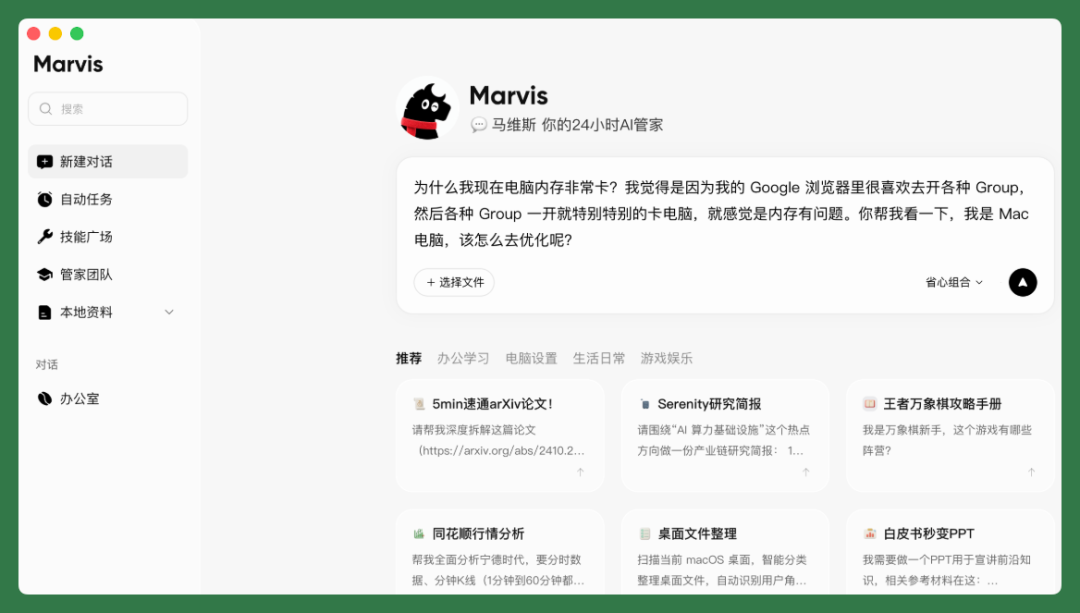
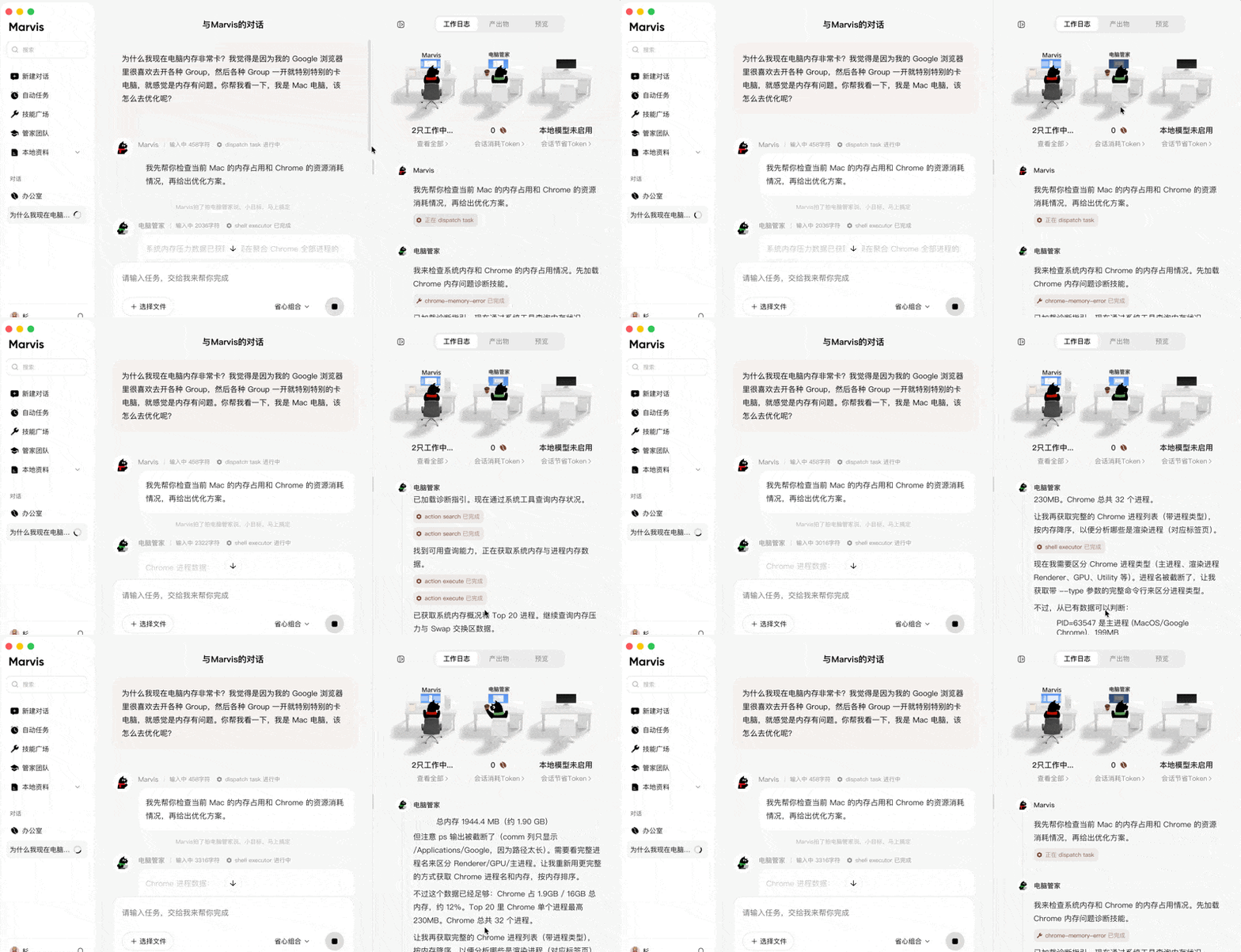
The AI PC manager first checks the computer's status, explains where the problem lies, then proposes a solution. Users don't need to know the professional terminology.
【2】The management targets have changed.
The previous generation of managers primarily managed the system itself — junk files, processes, registries. The AI butler's scope is broader, encompassing years of accumulated documents, photos, videos, plus browser bookmarks and accounts.
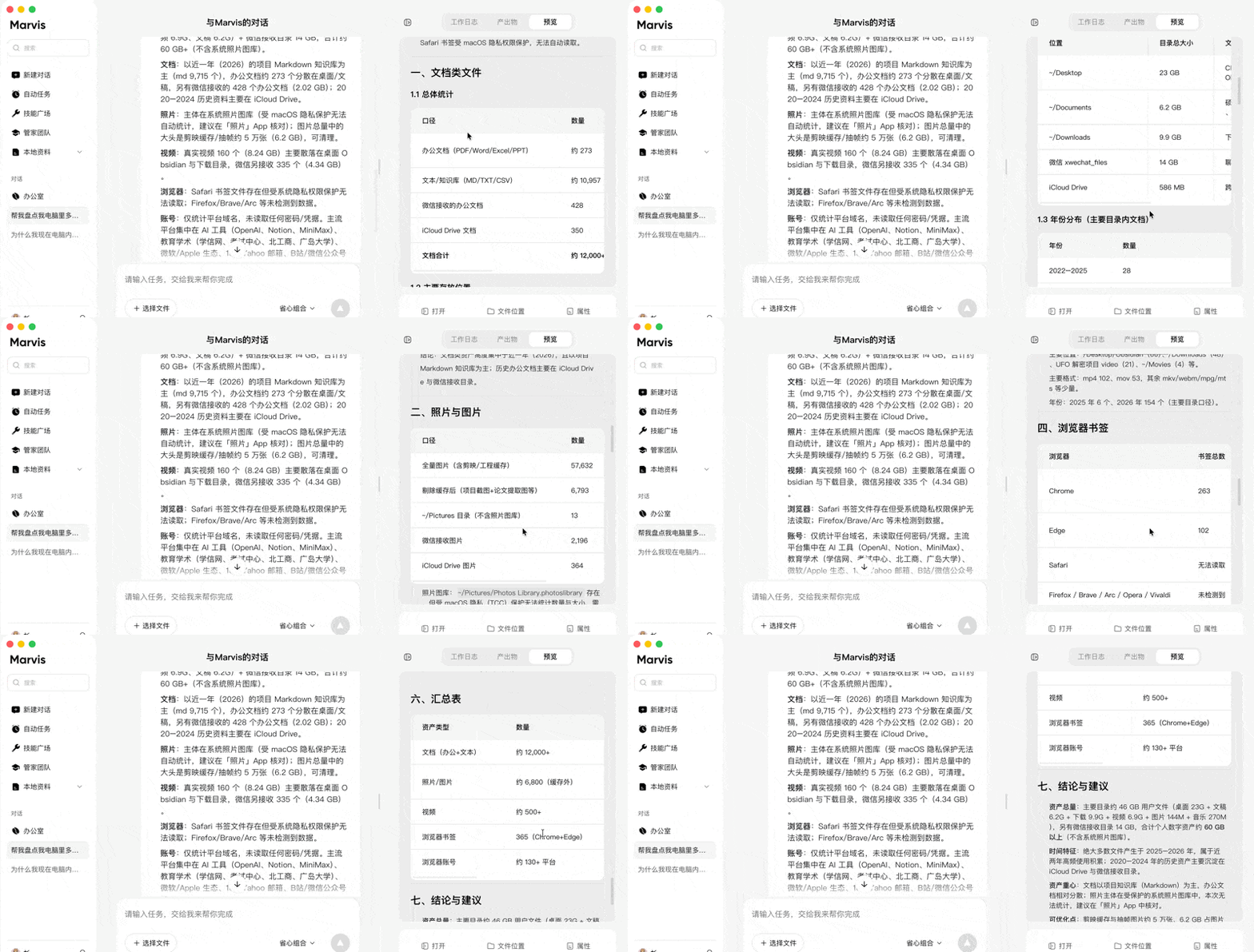
These too are personal assets, and more important ones at that.
【3】The execution boundaries have changed.
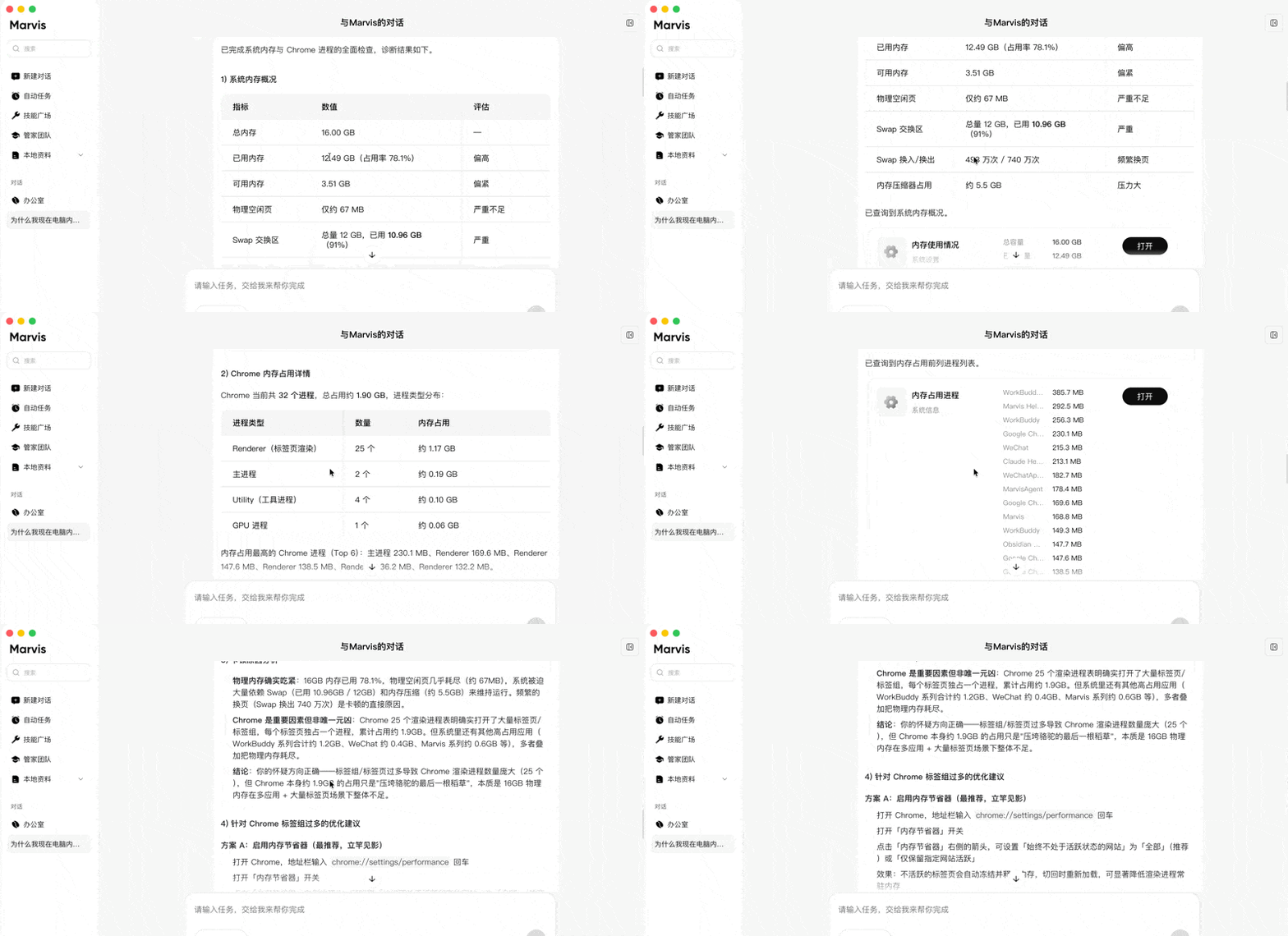
AI butlers can directly take action, so boundaries matter more. Deleting files, modifying system configurations, payment-related operations — all should first explain the reasoning to the user and obtain confirmation.
These three changes share one root cause:
For AI to complete tasks on behalf of users, it needs entry points, permissions, and context — all three exist at the operating system layer, not within any single application. To cite an academic example, in June this year, researchers from Tsinghua University, Peking University, and The University of Hong Kong published a paper on arXiv. They modified the Android open-source operating system itself, making the AI Agent part of the system capable of directly scheduling system resources and working across applications.
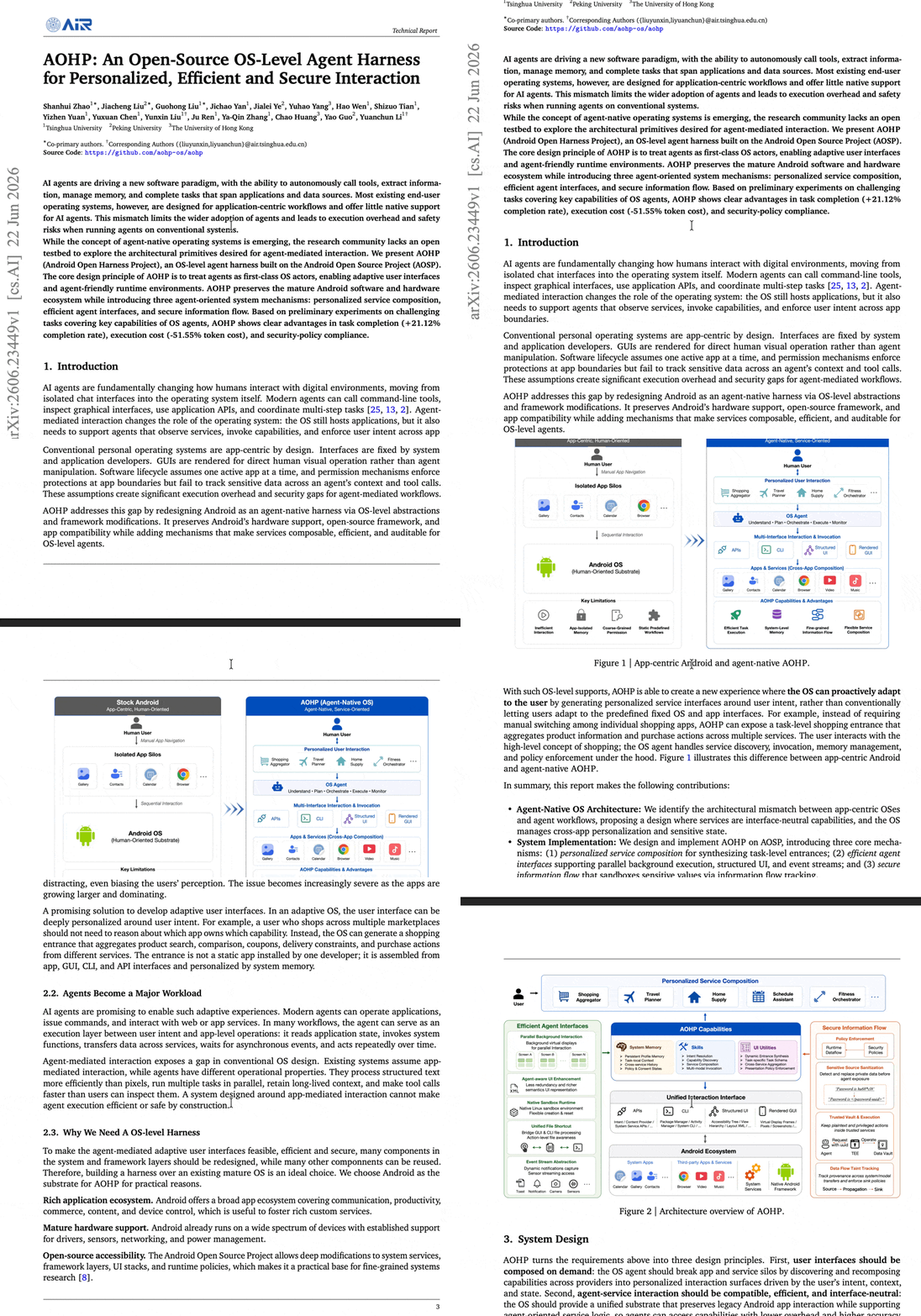
In their experiments, the modified system improved task completion rates from 54.44% to 75.56%, while reducing token consumption by 51.55%.
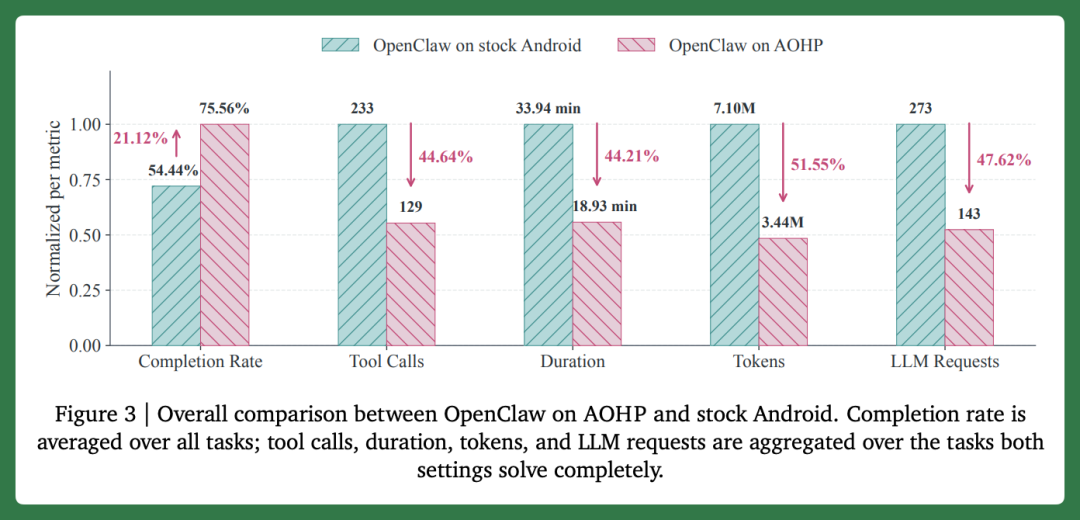
This research differs from Marvis's approach. The research team modified the operating system itself. Marvis runs on existing Windows, macOS, and other systems, relying on system-granted permissions and pre-integrated tools to manage the computer.
But both point in the same direction.
The closer AI is to the system, the more complete the context it commands, and the better it completes tasks. So the AI-era PC manager should work as close to the system layer as possible.
This is positioning, and naturally a requirement.
Therefore, the AI-era PC manager still sits between user and system. Its work has shifted from periodic cleanup to long-term management.
Marvis's Edge-Cloud Collaboration
Looking at this upgrade holistically, what Marvis wants to do is directly help users manage their computers while handling various scattered small tasks on the PC.
Its task-processing approach also differs from many office Agents. Marvis first uses a local model to organize files and materials that the user has permitted access to. When users need to look something up, it searches this content first, then calls cloud models as needed.
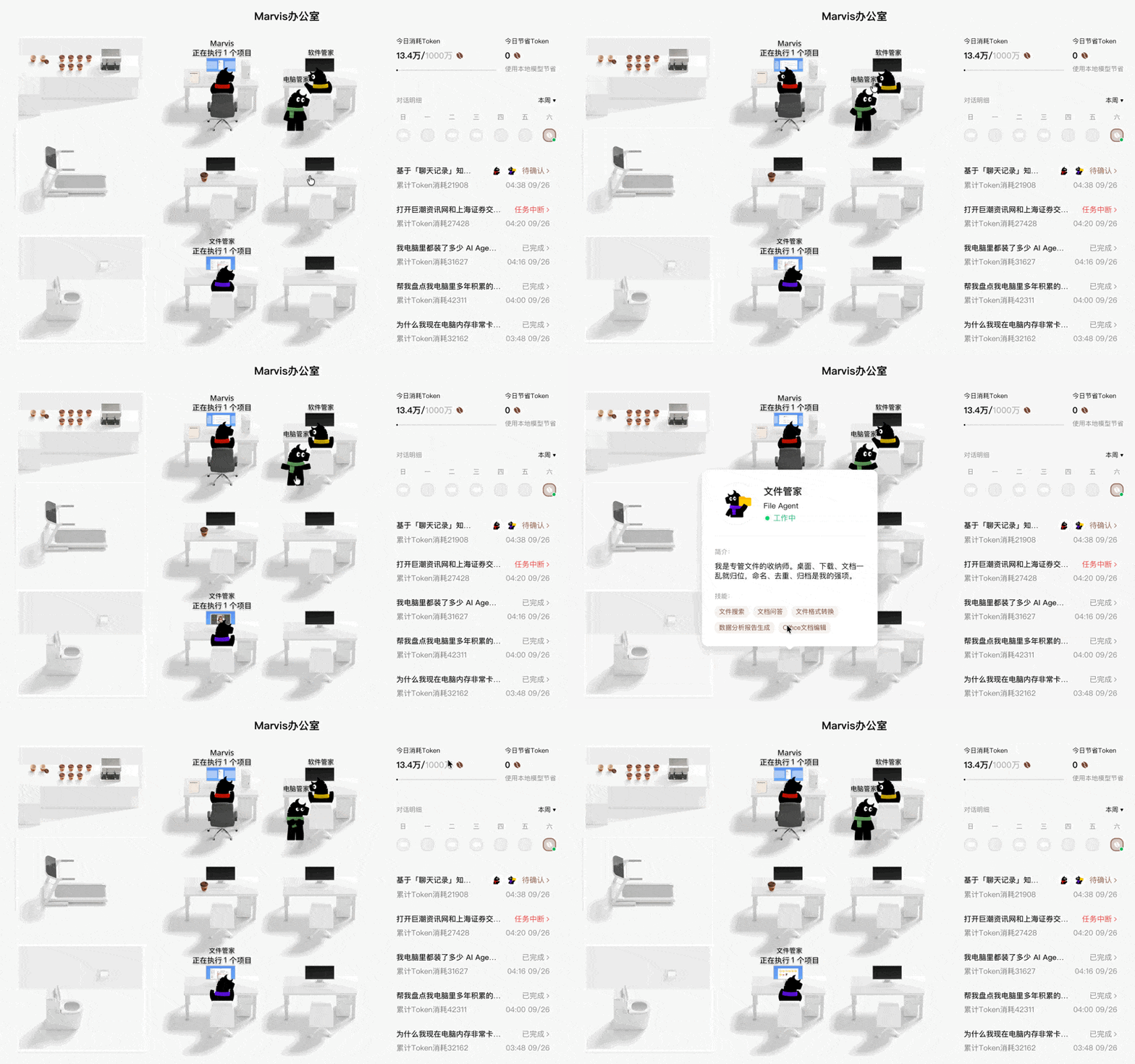
Office Agents like WorkBuddy more directly rely on cloud models to process tasks. Marvis puts some work on the local machine first.
And this path matched Marvis's positioning from the very beginning.
According to the Marvis team, development actually began in 2024.
The first problem they tackled was getting AI to understand local files on users' computers. In 2025, they added operating system capabilities, allowing it to directly adjust settings, manage software, and handle system issues.
On May 20, 2026, Marvis launched to all users. That version used 6 Agents collaborating on tasks — one for understanding requirements and breaking down tasks, plus five others handling files, system, applications, browser, and search respectively.
In June, the iOS version launched; in July, Marvis integrated Tencent's Hunyuan Hy3, with official benchmarks showing 93.7% completion rates on file editing, file management, and computer diagnostics. In August, the skills marketplace accumulated 10 official MCPs covering office, travel, consumption, and lifestyle services.
Reviewing this timeline, Marvis's direction never fundamentally changed — it chose to build at the operating system layer from the start. First handling local files, then system operations, then integrating browser and external services.
Every added capability revolved around the user's own computer.
The Crossing team tested Marvis in May in the article "Hands-On with Tencent's New Product Marvis | You Call Yourself a Next-Gen Agent OS?" and shared some of our thoughts.
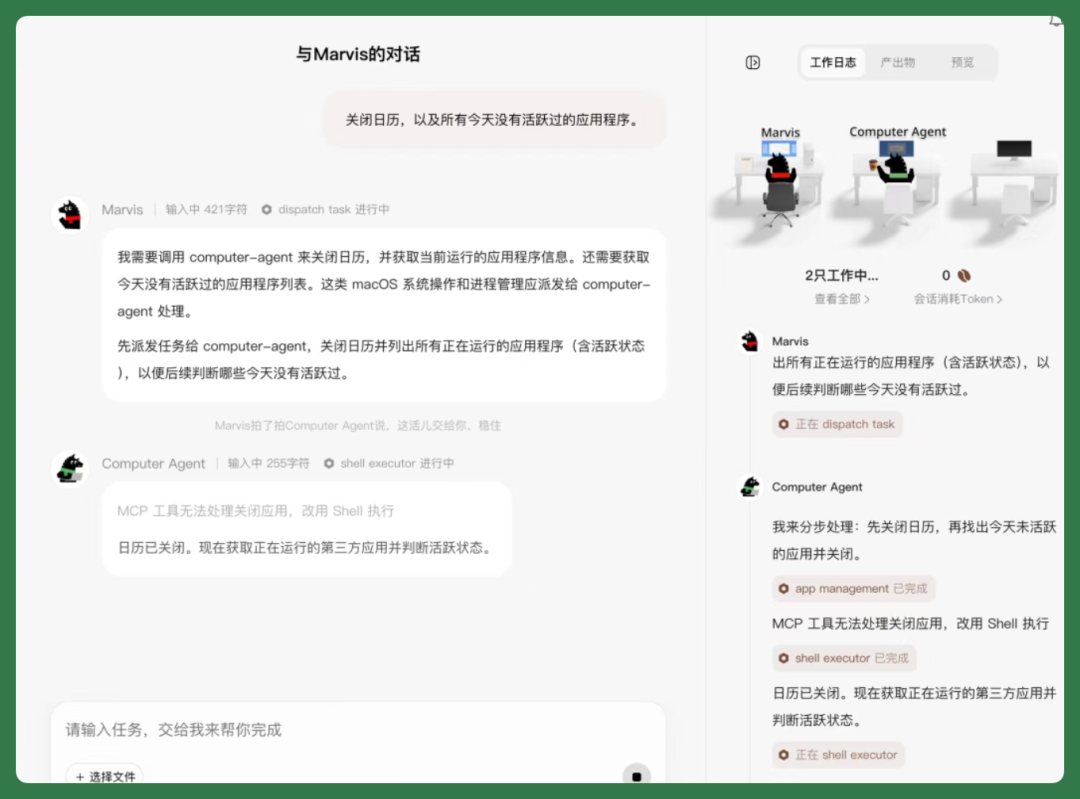
Our impression then was that its greatest value lay in lowering barriers — even having the potential to become an Agent OS. Ordinary users didn't need to install developer tools or write configuration files; a single sentence could get it to operate the computer.
So this upgrade from "assistant" to "butler" is consistent with the previous direction — the rename simply describes what it was already doing more accurately.
The official framing: equipping users' "digital homes" with a butler team. Each butler manages one area, and they can collaborate with each other.
The four updated butlers all align with this positioning.
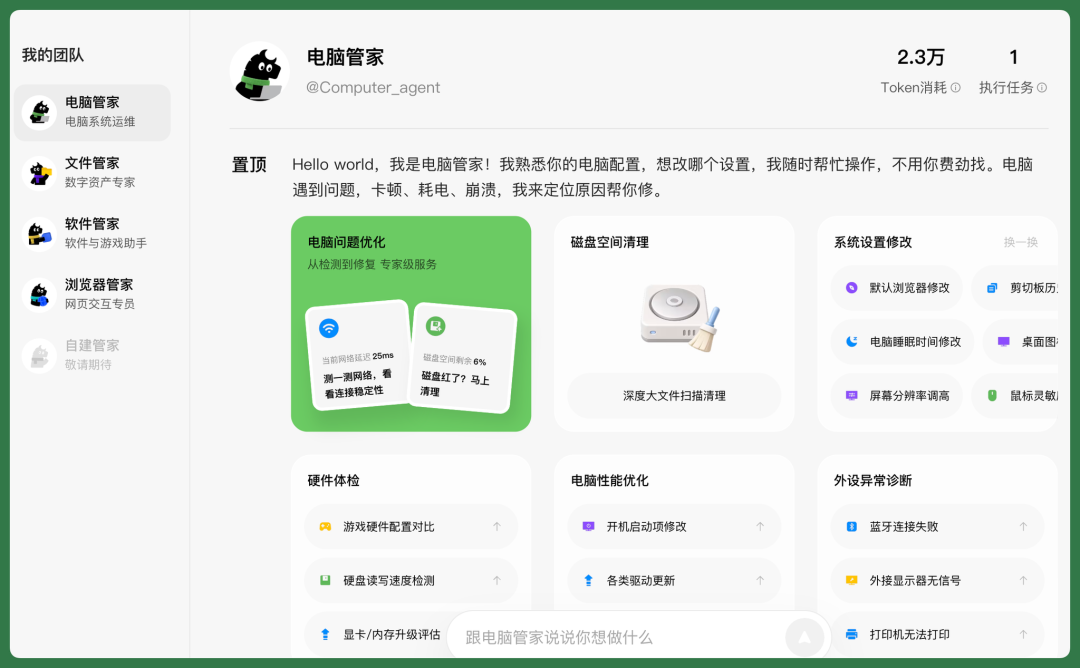
【1】Computer Butler
The computer butler handles the computer's own state, including system diagnostics, performance optimization, hardware detection, and configuration adjustments.
Its approach differs from previous-generation tools. It first inspects the computer, explains which programs are consuming resources, where problems likely originate, which operations carry risk — then solicits the user's opinion.
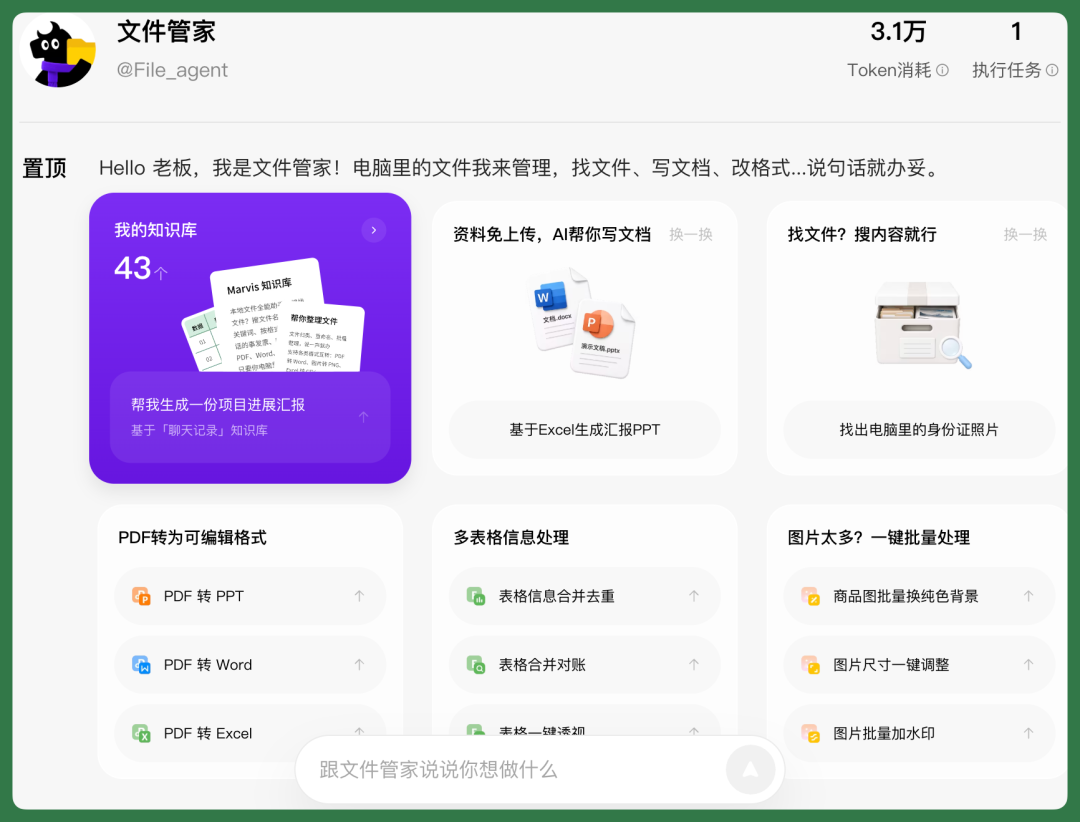
【2】File Butler
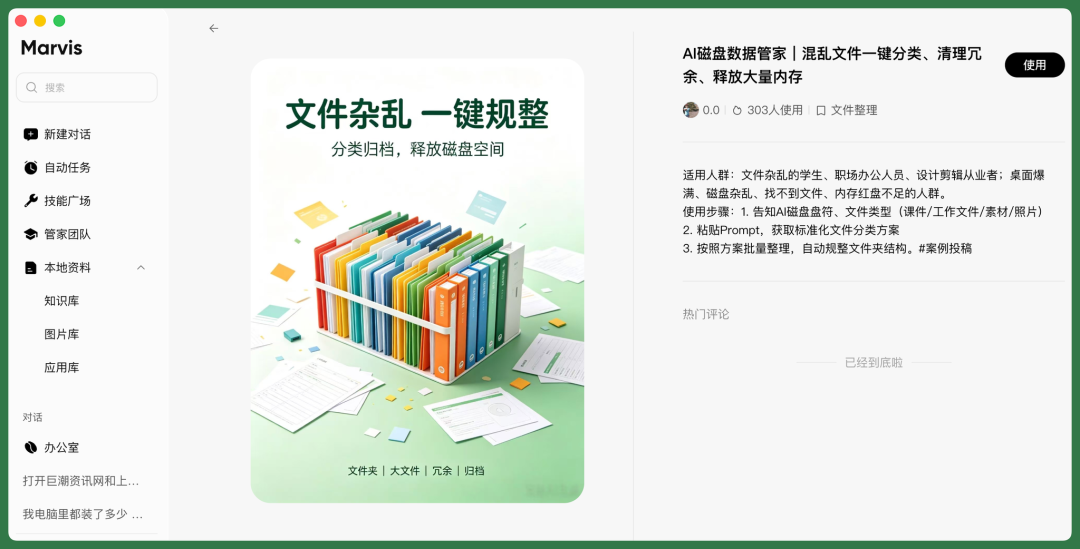
The file butler is the focus of this update. It automatically scans files on the computer and organizes them into a local knowledge base by topic.
The barrier for using the edge-side model has also lowered, with VRAM requirements dropping from 16 GB to 8 GB. According to official disclosure, current daily edge-side users number approximately 14,000.
【3】Software Butler
The software butler handles software installation, updates, and optimization, and can complete some automated operations through application integrations. For gamers, it can also tune game performance.
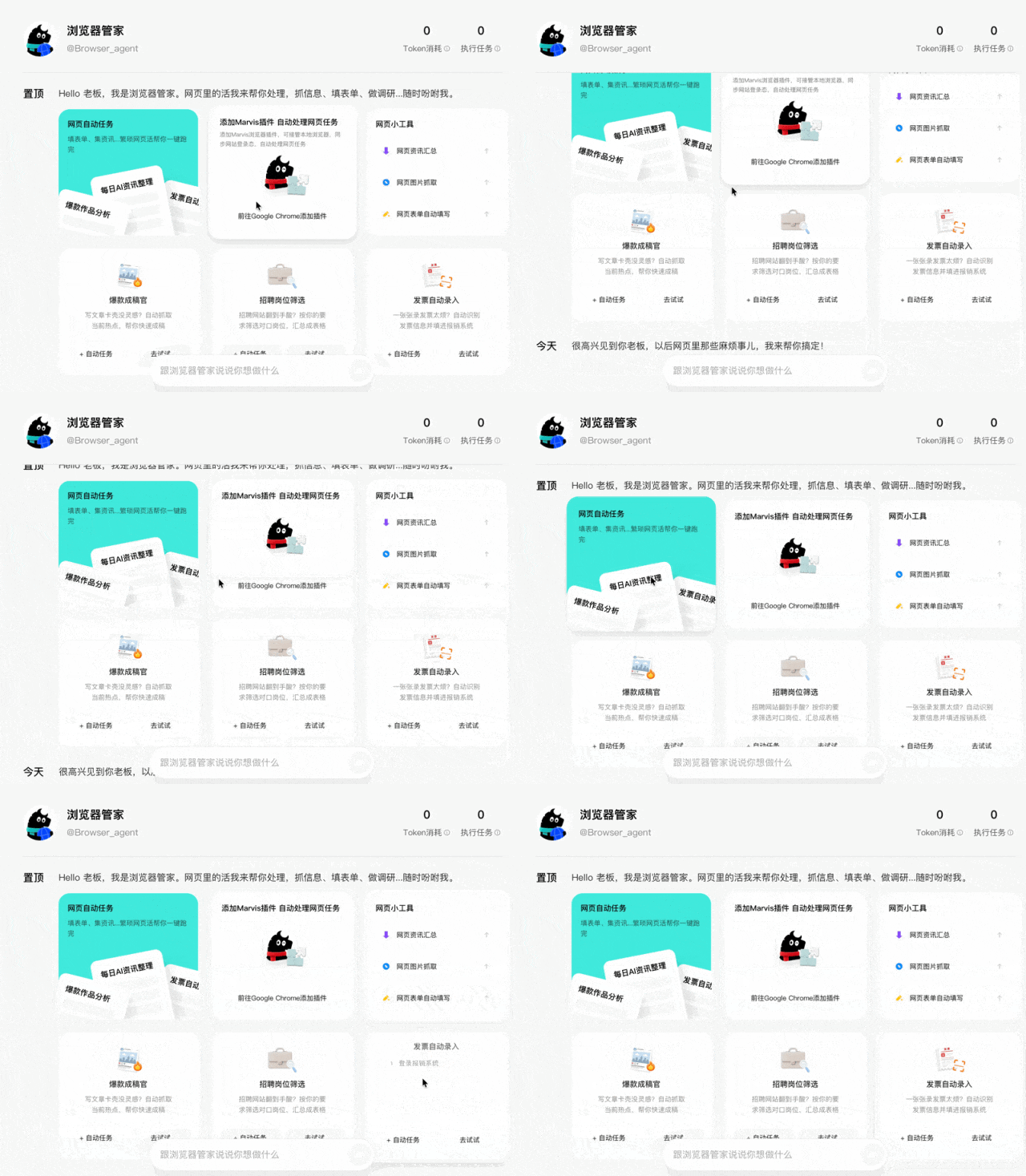
【4】Browser Butler
The browser butler handles browser affairs. It can extract web content, auto-fill forms, and execute repetitive web tasks according to user-set schedules and rules.
This capability relies on cross-device remote control. According to official disclosure, Marvis's cross-device remote control has accumulated 18 million calls.
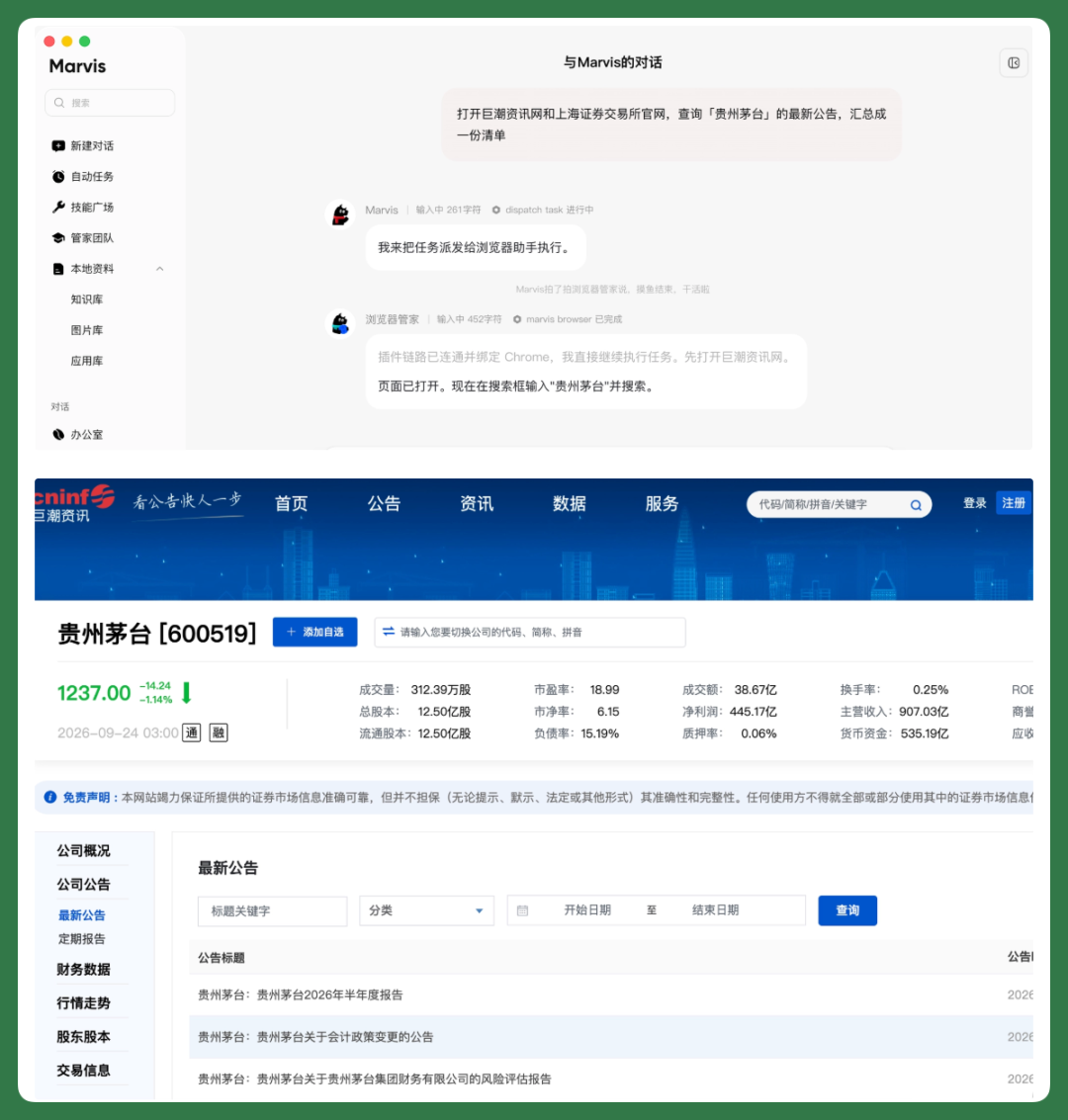
Viewing the four butlers together, their management targets share one trait: they are all long-term user assets. Computer equipment, local files, commonly used software, browser bookmarks and accounts — users keep these for years.
Per official plans, game, lifestyle, campus, finance, and health butlers will launch subsequently, and users will also be able to create custom butlers.
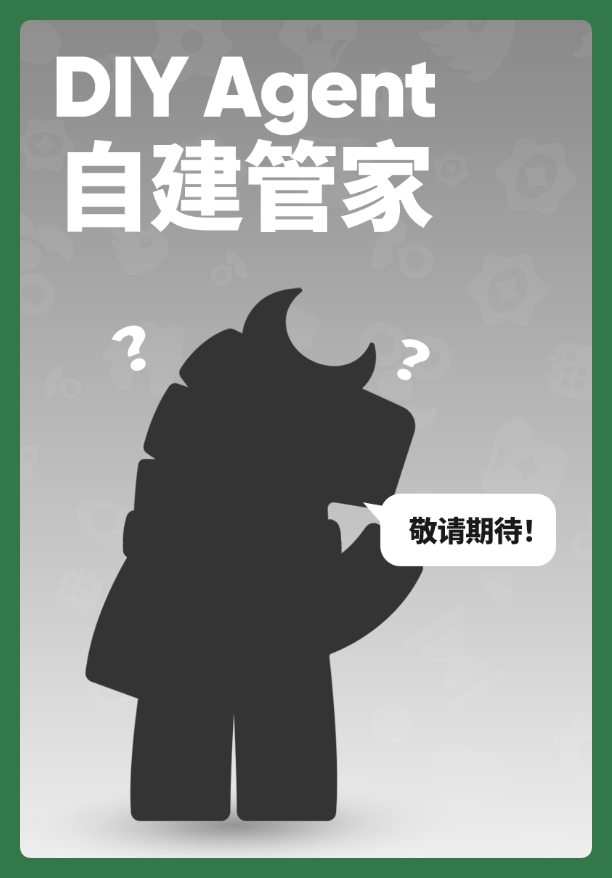
Interestingly on the hardware front, we noticed that Marvis customized versions for Feiniu and Ugreen NAS will launch in October, while versions for Kylin and UnionTech's domestic innovation ecosystem will release between September and October.
Marvis's management scope will expand from one computer to more personal and household devices.
The more Agents there are, the more a butler is needed?
This year, AI Agent growth has been undeniable.
On personal computers specifically, this shift is equally apparent.
Many people now have several AI Agents installed on their computers. They do largely the same things with high functional overlap.
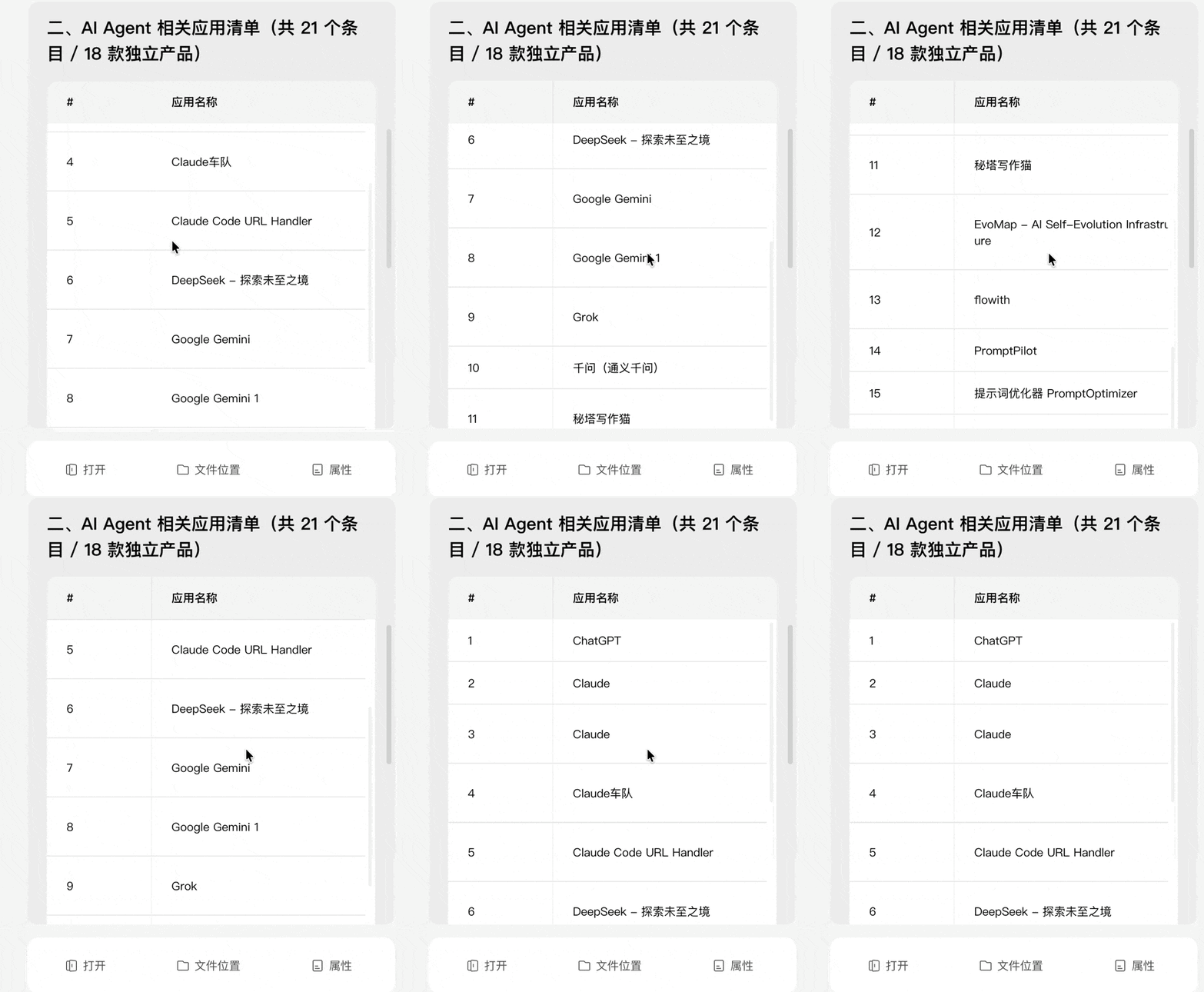
Most are office-scenario tools where users set goals, they execute tasks, and deliver Excel, PPT, PDF, and other materials.
After using them for a while, many people (myself included) encounter new problems.
The most immediate is the computer noticeably slowing down. With only 16 GB RAM on a Mac, running several persistent background processes in parallel — say Ghostty with Claude Code, plus the Codex App — makes the computer even slower.
C: drive space running low, with AI-generated cache, logs, and model files easily consuming dozens of GB.
For those who deeply embed AI into their workflow, the desktop and downloads folders basically fill up with AI-generated drafts, screenshots, spreadsheets, and documents, filenames typically being strings of dates and numbers.
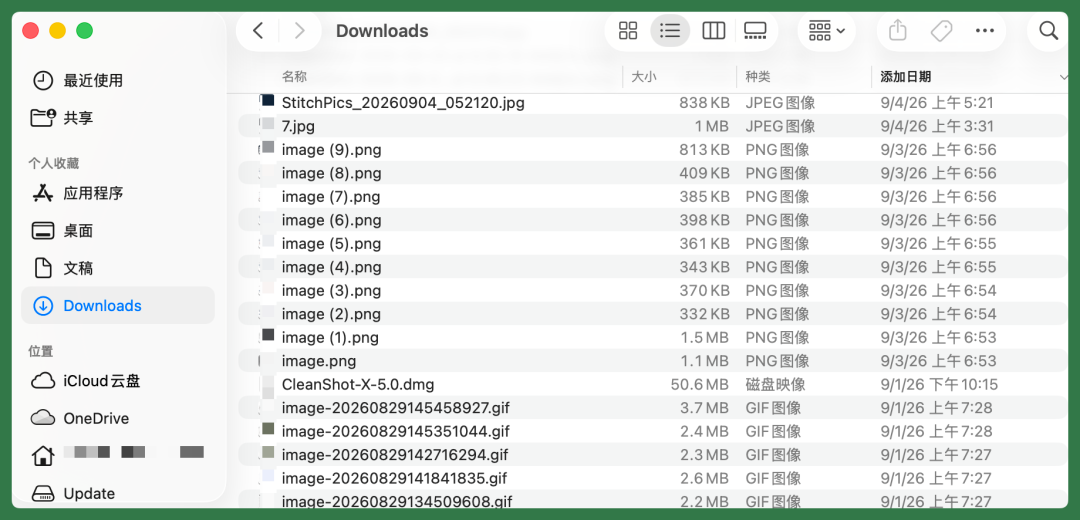
Within half a day, it's basically impossible to remember which file corresponds to which task.
At this point, many people go back into the AI Agent product interface and "re-download" a file, saving it again to the downloads folder.
Now, many people even face an interesting situation:
The previous generation of PC managers mainly cleaned up human-generated junk. In the AI era, many files on the computer are generated by AI itself, in far greater quantities than humans produce. So cleanup and organization have actually become daily needs again in the AI era.
Moreover, office Agents and AI butlers are a division of labor, not "mutually exclusive substitutes".
Office Agents handle specific tasks and deliver results. AI butlers manage computer running state and user personal assets, providing office Agents with a stable, orderly working environment.
Their relationships with users differ too. Office Agents work task-by-task; when the task ends, that session's work ends.
The AI butler remains persistently on the computer, continuously managing it.
So users don't need to choose just one. And the AI butler sits closer to the foundation.
For two reasons.
【1】The AI PC butler commands more complete context. Device status, local files, browser, software, and system permissions are all within its management scope.
An Agent wanting to do its job well needs this same information.
【2】On this contextual foundation, it can extend upward into task capabilities, even office Agent capabilities.
Taking Marvis as an example, it supports Skills and MCPs; a single butler can assume much of an Agent's work.
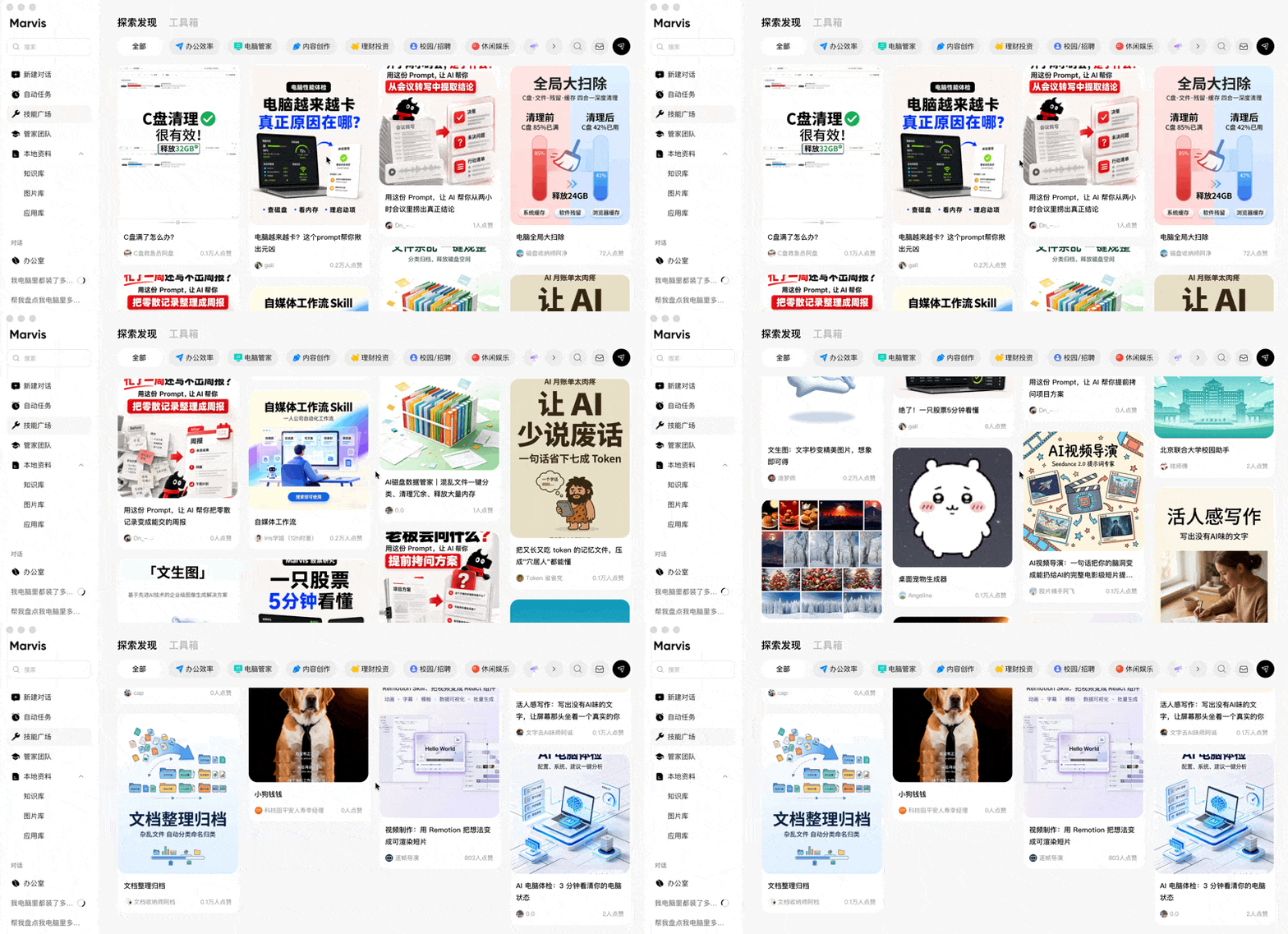
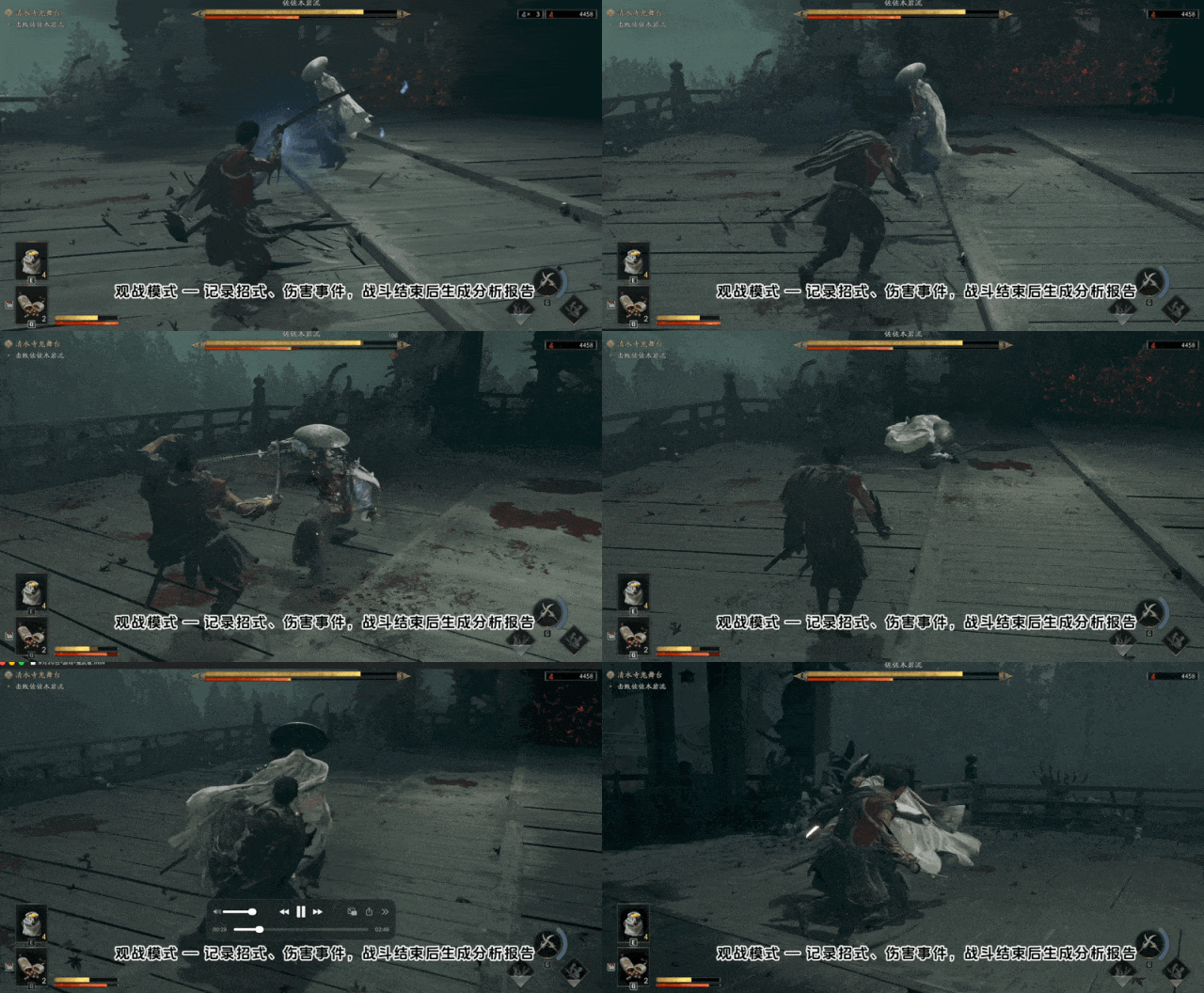
More concretely, the AI PC butler can cultivate more non-office Agents — for instance, Marvis updated with a game butler this time.
We saw this butler's capabilities at a Tencent Marvis team exchange. The game butler can directly participate in players' gaming sessions, real-time breaking down boss moves, and even provide combo analysis reports after matches:
🚥
Over the past twenty years, the PC manager position has undergone many transformations — from initial antivirus to computer doctor, to PC manager, to AI PC manager — taking various forms, its importance as an entry point repeatedly emphasized.
Companies have competed around "the first software after installation" and "the persistent background entry point" from the Internet era through the AI era, for many years.
Later, phones became many people's most-used device, and PC managers' presence diminished somewhat. Yet computers as a category persist, and with various AI computers and AI Agents launching, computers' necessity has arguably grown even stronger than before.
Entering the AI era, the value and presence of the PC manager entry point remain high.

Between user and operating system, an AI role is still needed to understand user needs and manage computers and personal assets.
So in the future, when you reinstall your system or get a new computer, if the first thing becomes installing an "AI PC manager," then the old habit of "installing a PC manager" may truly return in a new form.
Recommended Reading

Join Member Group