Chinese New Year is here, and MiniMax has played its "trump card."

From Group Chat Assistant to App Prototype: A Hands-On Test of MiniMax 2.5
From Group Chat Assistant to App Prototype: A Hands-On Test of MiniMax 2.5
👦🏻 Author: Jingshan
🥷 Editor: Koji
🧑🎨 Layout: NCon

The Spring Festival of 2026 may go down as the most intense one in Chinese internet history.
With just three days until New Year's Eve, AI model vendors basically don't have "time off" as an option. New models are dropping one after another, each generation noticeably stronger, with dramatic leaps in capability.
For many people, the past two weeks can be summed up in six words:
Can't keep up.
Parameters are climbing, benchmark scores are climbing, agent capabilities are climbing, workflow capabilities are climbing.
And today, MiniMax released its new-generation model MiniMax 2.5. The Crossing team put it through dozens of tasks end-to-end, integrating it into our OpenClaw as a personal assistant, for front-end testing, and for app components...
🚥
Here are three tasks from our complete test log.
1) Configuring an OpenClaw Personal Assistant with MiniMax 2.5
OpenClaw has been hot lately, and we've been digging into it too. I've already got it installed and running on my own machine.
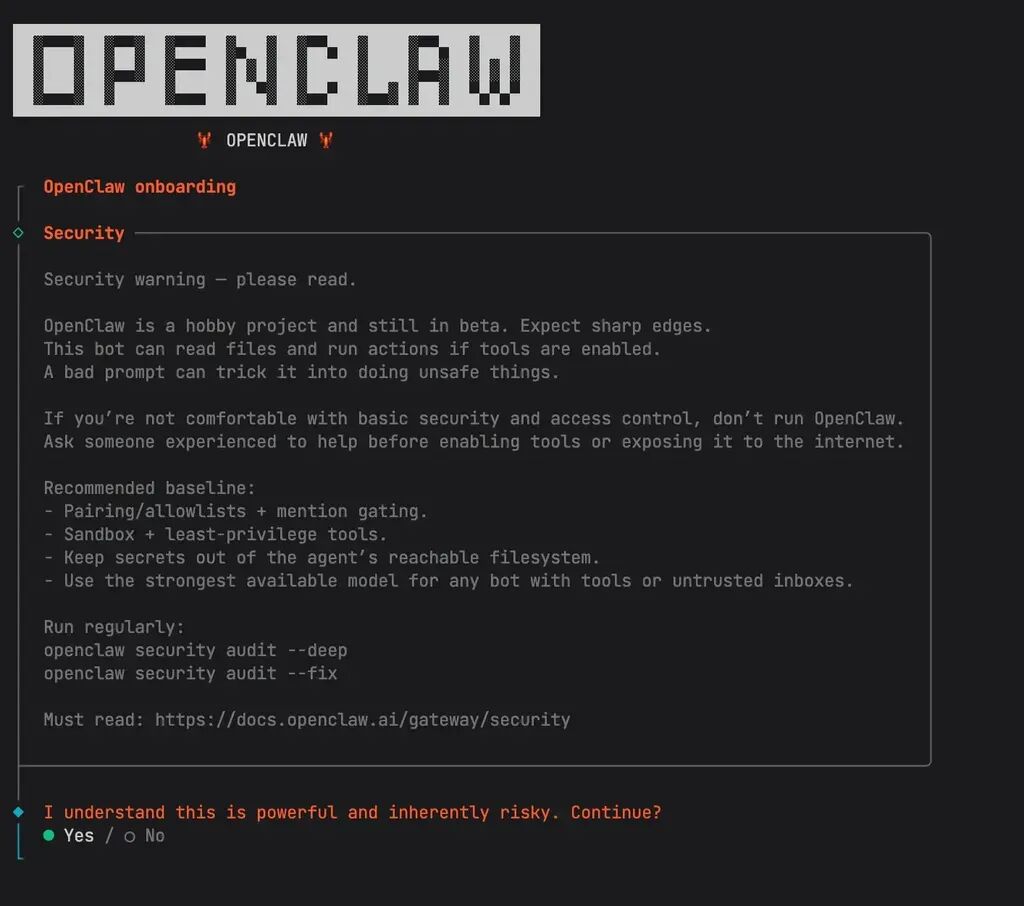
If you want something more convenient, you can deploy it directly on Tencent Cloud. ByteDance Cloud, Alibaba Cloud, and other platforms all have ready-made deployment services that save a lot of hassle and get you straight to Lark.
MiniMax Agent itself can also deploy OpenClaw with one click — tutorials are on their official WeChat Channels account. There are multiple approaches, all fairly straightforward.
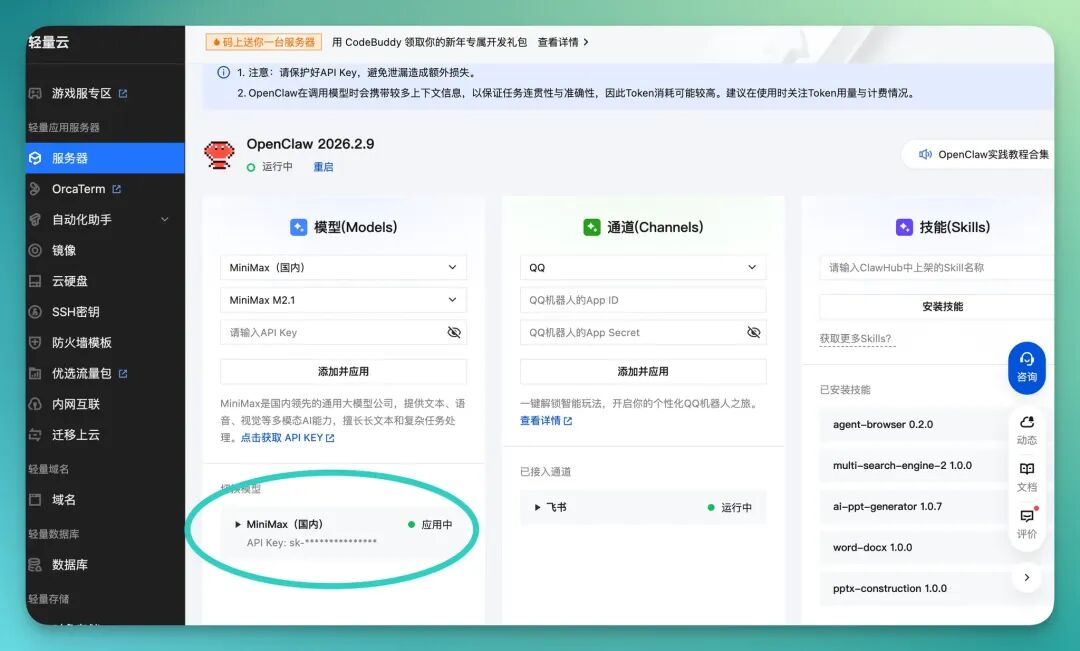
For the model, I went with the MiniMax 2.5 API — plug and play, no need to mess with the underlying environment yourself. And since MiniMax 2.5 is a 10B parameter activated model, it runs fast and costs little.
So now I've got an OpenClaw powered by MiniMax 2.5, ready to use as a personal assistant. The overall experience is pretty solid.
MiniMax 2.5 ranks among the more capable models — it can handle many tasks in parallel, whether that's understanding requirements, breaking down steps, or executing instructions, all fairly reliably.
Actual usage feels responsive too. Daily tasks like looking up information, organizing content, running workflows — it can handle them all.
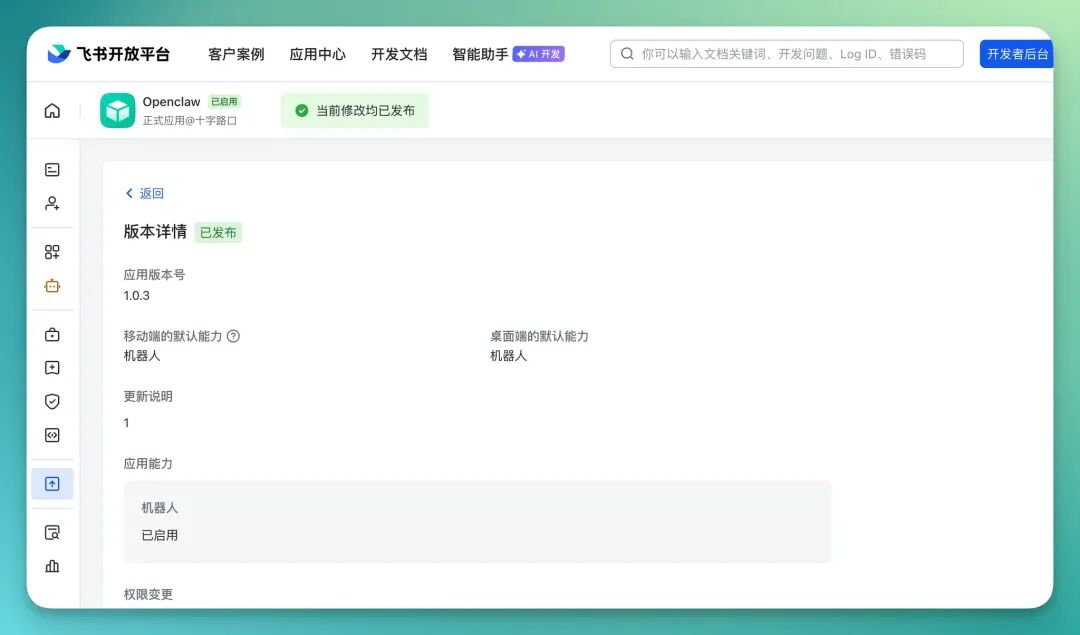
You can also turn OpenClaw into a group chat bot, plug it into our Lark group, and suddenly the group has an "OpenClaw + MiniMax 2.5" personal assistant. It performs well in daily office scenarios, basically on-call whenever you need it.
Especially for common office tasks like writing documents, making presentations, and organizing documentation — it's fast and saves time.
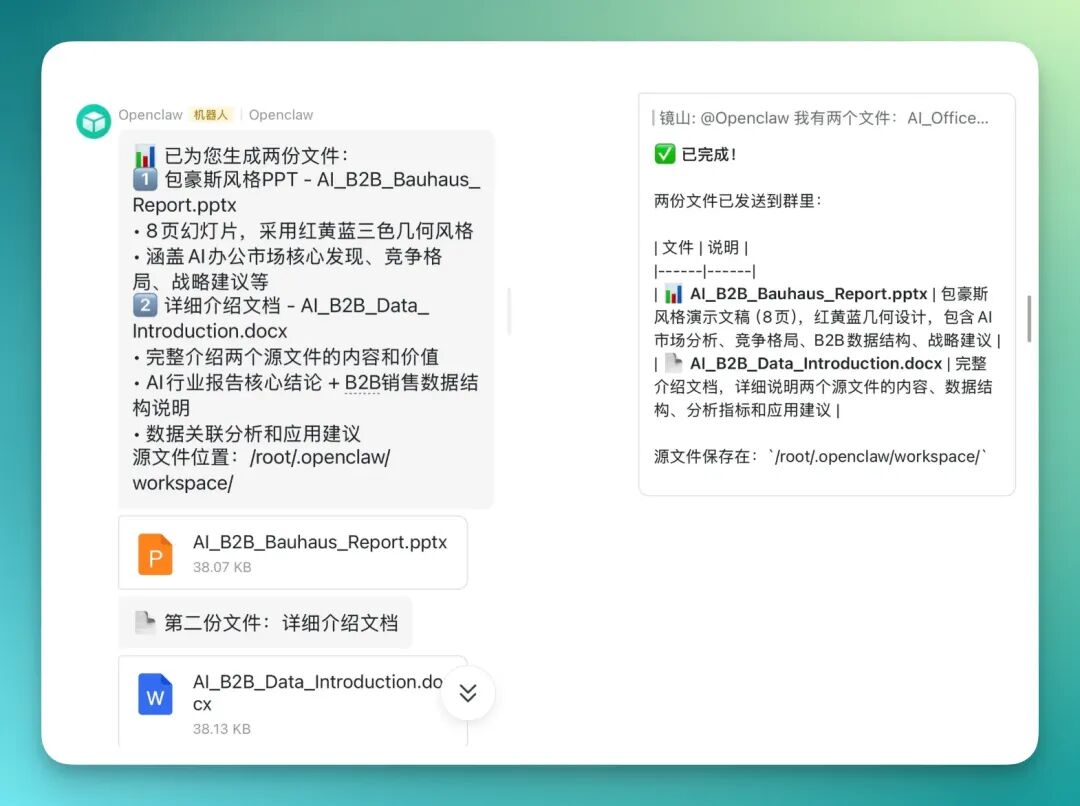
Because it's running on MiniMax 2.5 in the backend, it handles long tasks and complex tasks pretty well. Especially that kind of work requiring extensive research then compilation into DOC documents — the overall completion quality holds up.
I usually just @ it in the group, send over requirements and prompts, and it quickly organizes results and gives a complete reply right in the chat. For our scenarios where we're constantly looking up information, making summaries, and producing reports, the efficiency boost is noticeable.
The generated DOC content usually has clear structure too, with sections, headings, bullet points, and sometimes auto-generated tables that organize information intuitively — basically ready to edit or use directly.
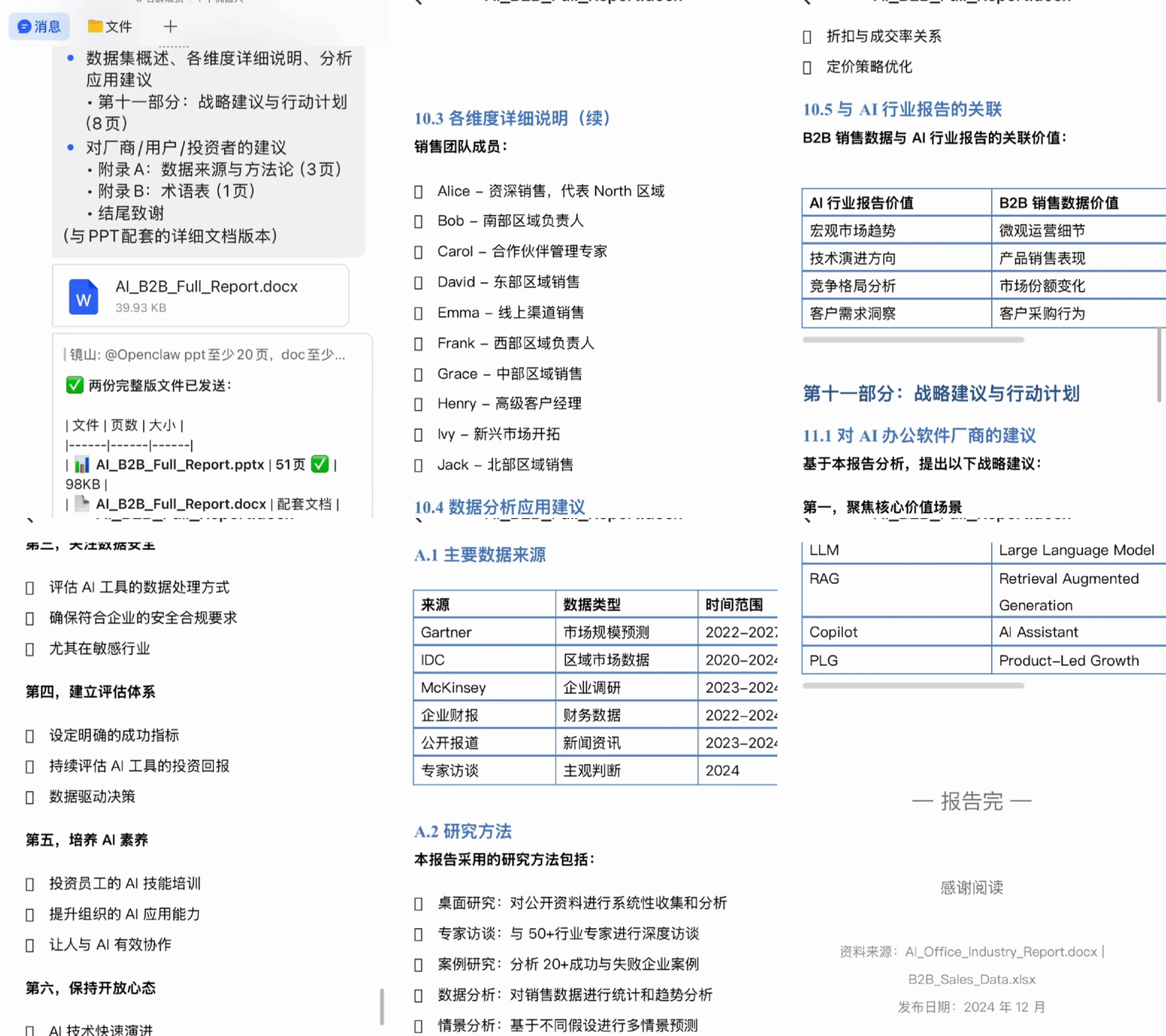
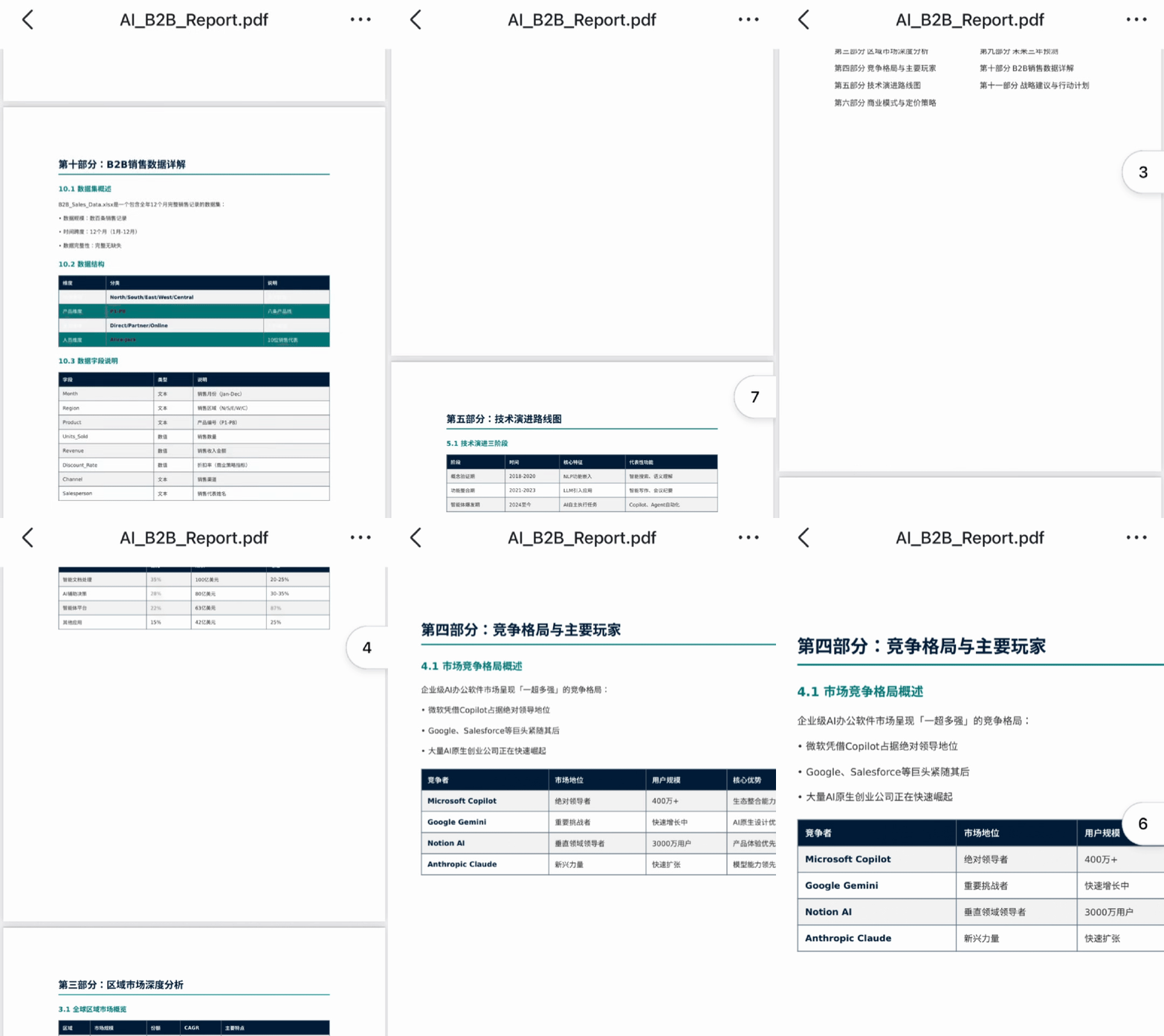
It can even produce a complete, substantial PDF report straight away — dozens of pages is no problem, and the overall quality is usable, not that patchwork feel.
As long as your prompt is clear, with background, goals, and requirements spelled out, it reacts quickly in these more personal, customized usage scenarios, very much like an on-call assistant that organizes an entire report for you to fine-tune as needed.
MiniMax 2.5 can also generate complete PPT decks, and not just a few pages of outline — but versions with fairly complete content and structure.
The generated PPTs generally have clear title hierarchy, body content arranged logically, with tables and bullet lists included, the structure is fairly clear.
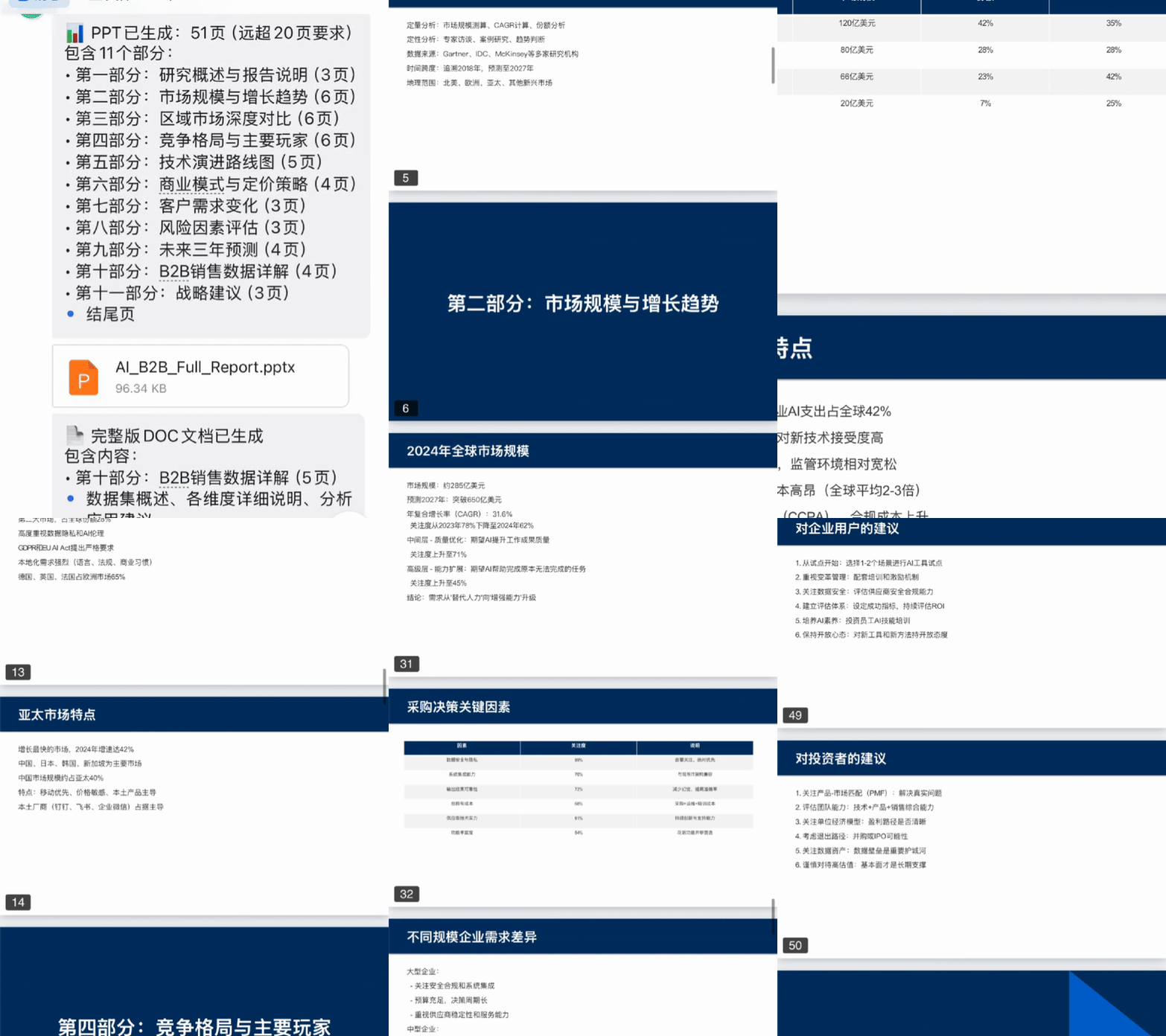
Of course, if you just have OpenClaw call MiniMax 2.5 directly to generate a PPT, it can still produce fairly complete content with passable layouts, but it leans more generic.
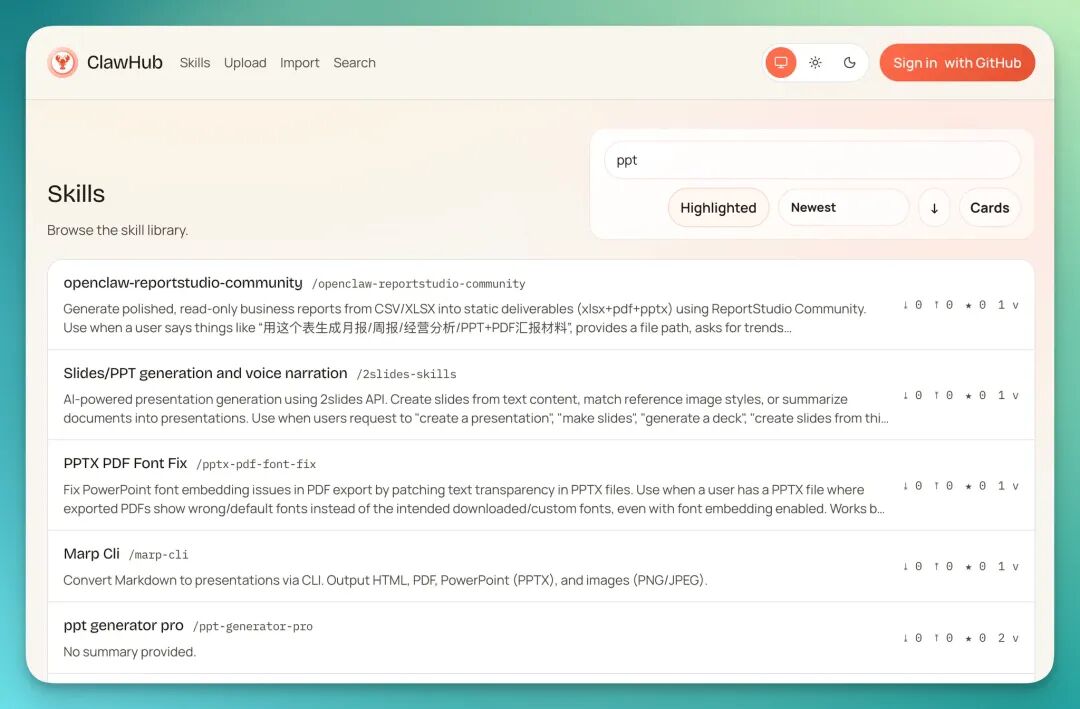
If you want it more specialized for certain scenarios, like optimizing the PPT workflow specifically, you can install corresponding Skills for it.
Installing Skills in a cloud server environment is actually simple — just go to ClawHub, enter the skill name, and it auto-pulls and configures.
Once installed, you just chat with OpenClaw normally in the group, no need to manually say "invoke this skill" every time. As long as your requirements match, it will judge on its own and automatically use the corresponding Skills to complete the task, making the workflow much smoother.
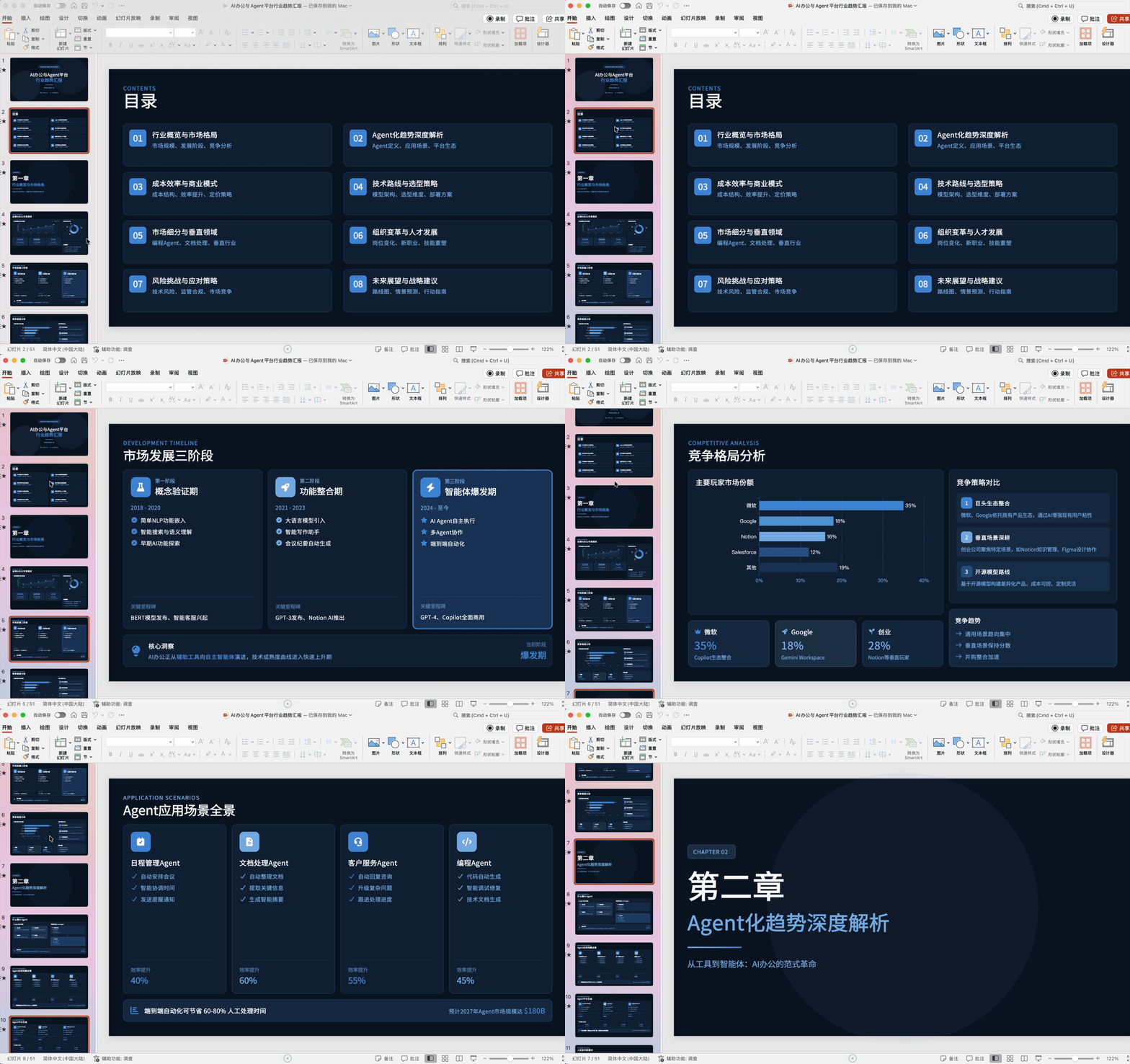
When you equip it with corresponding skills and have it specifically polish a PPT, the results are generally more refined and better structured than direct generation.
Of course, this precision mode usually takes a bit more time, but the finished quality is higher too.
Running this workflow with MiniMax 2.5, the final PPTs usually come out more complete in structure, content density, and page arrangement, with clearer logic lines:
2) Web — Cherry Studio — OpenCode
From these tests, you can already see that MiniMax 2.5 is doing quite well in visual presentation and layout arrangement.
Later I also tested it on front-end tasks, like generating HTML pages directly and making simple web pages, to see how the code and effects actually hold up.
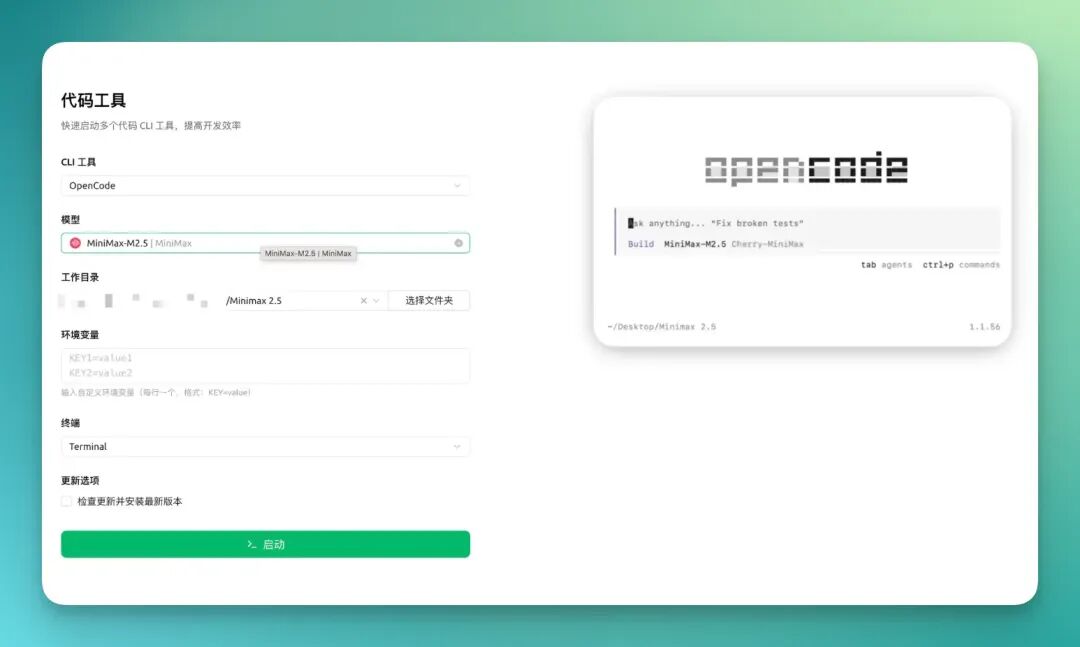
For programming-type requests, I usually connect MiniMax 2.5 directly in Cherry Studio, where debugging and conversation flow smoothly. For more complex tasks, like multi-file projects or front-end/back-end coordination, I go straight to Open Code, which quite a few people in the open-source community are using now.
Of course Claude Code would be even more comfortable, and you can also plug MiniMax 2.5 into it.
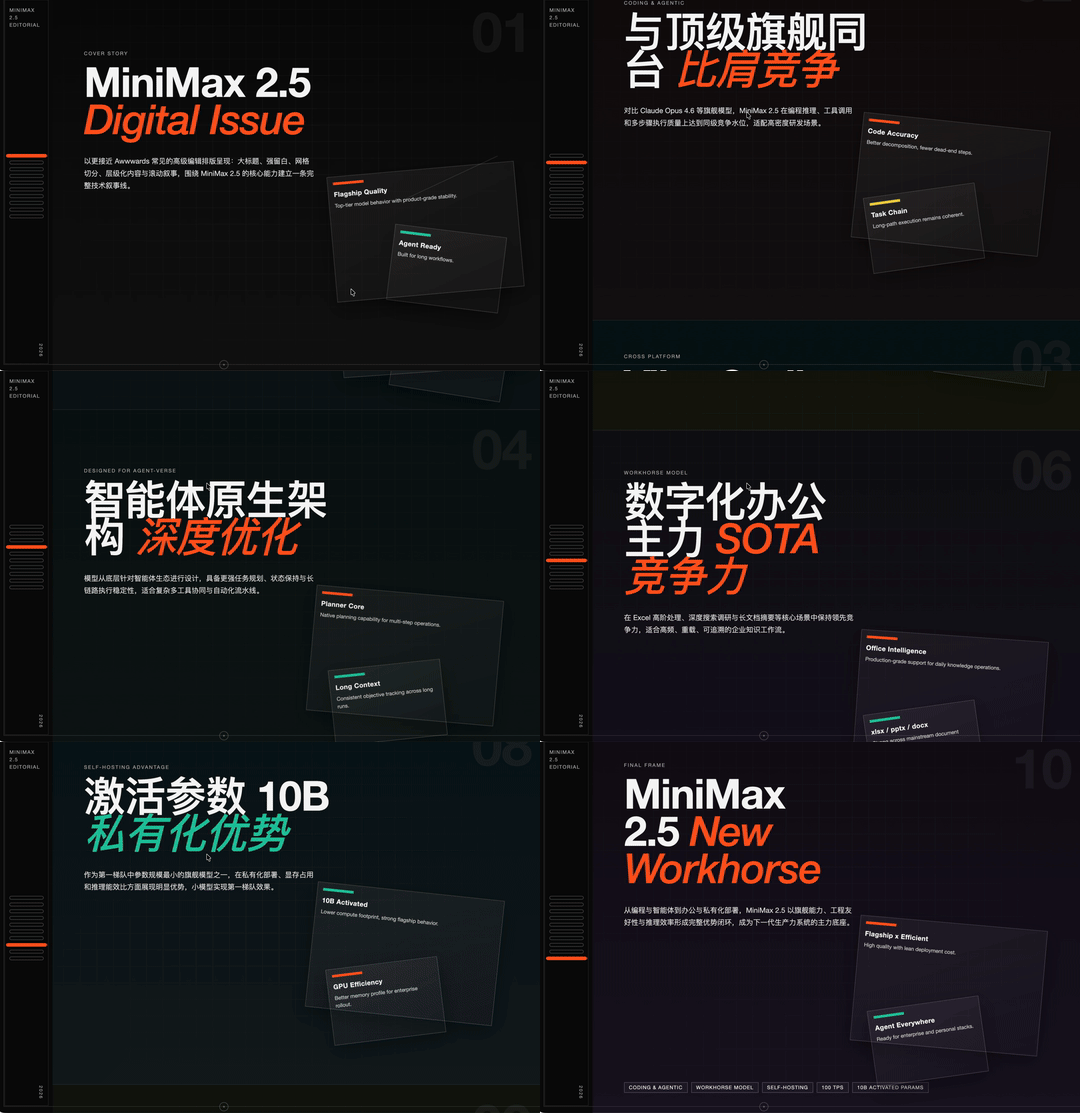
After that I had MiniMax 2.5 do three web page tests in different styles. For the first page, I asked it to introduce its own capability improvements, while giving it a reference site to replicate and redesign from — the result was pretty decent.
Overall you can see it used fairly experimental typography, with solid color treatment on key text. The first half of headlines basically keeps a unified color scheme, while the second half uses accent colors to pull focus — clear visual hierarchy, nothing looks messy.
The card sections in the page also have dynamic effects, not pure static layouts.
The whole HTML page is fairly substantial, around twenty pages total, but style and component consistency holds up well.
Another example: I used a fairly long, detailed prompt to have it build a complete coffee-themed website, including product intro pages, e-commerce display images — the whole package.
My usual approach is to start with a rough idea, then have MiniMax 2.5 help me expand it into a more complete, standardized long prompt, filling in page structure, visual style, component types, and so on.
With sufficiently clear prompts like this, combined with MiniMax 2.5's own capabilities in style control and layout organization, the resulting e-commerce web pages have high overall consistency — style, color scheme, and component rules align across pages, looking professional and unified.

Later I also had it do a more experimental-style page, mainly testing its performance on interactivity and visual effects.
This version uses highly experimental typography overall, with page content basically built as card structures. Clicking into different areas triggers dynamic floating windows — the interactive feedback is actually there, not just static display.
And many text elements have interactive effects too, like automatically changing color on click, switching to that bright electric green, giving the overall impression more punch, more like a front-end portfolio piece.
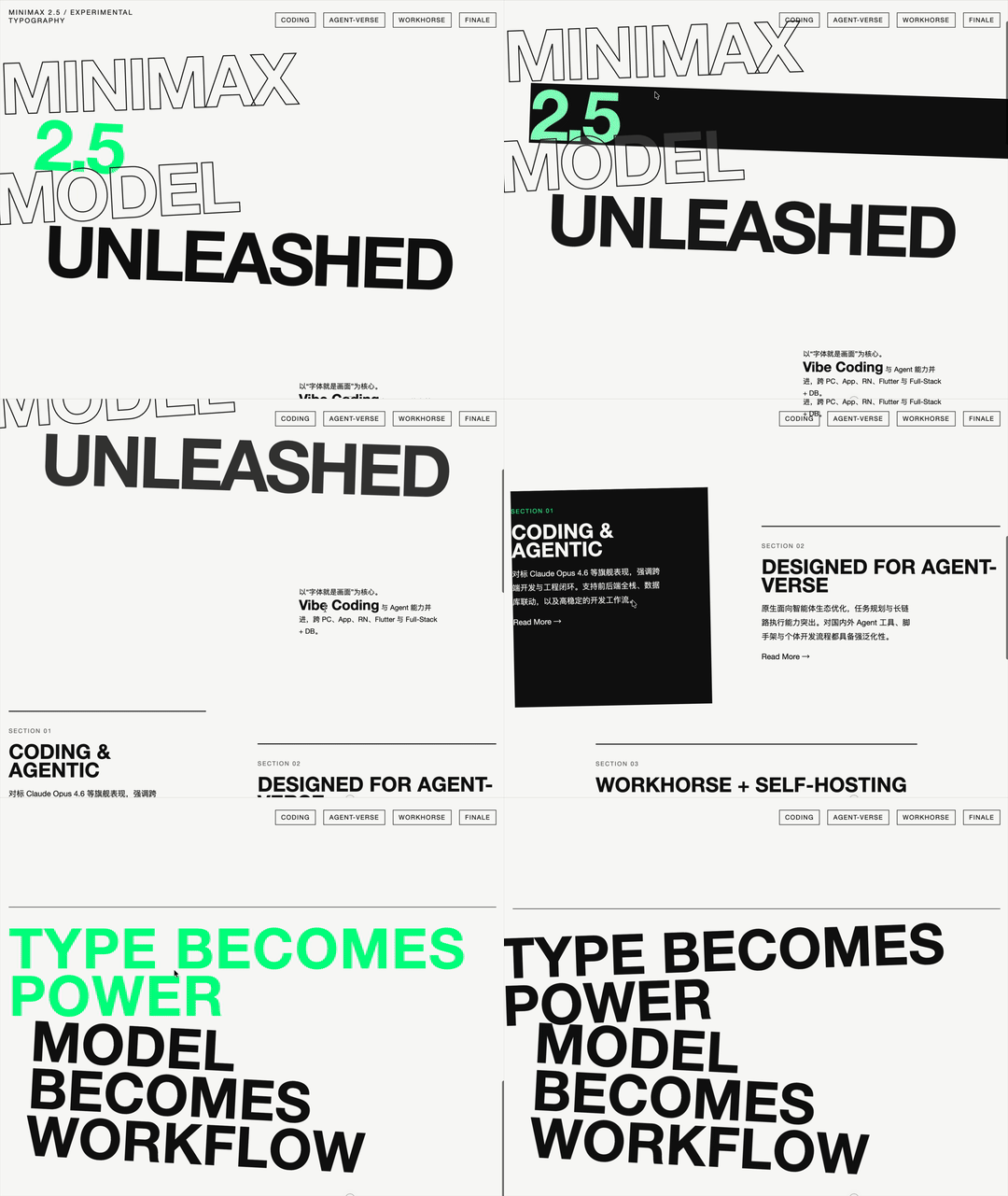
So looking at the overall picture, this version of MiniMax 2.5 performs quite steadily on front-end pages. Whether page display effects, visual presentation, or layout detail handling, it's reached a fairly usable level.
Including the pairing of text and various interface elements, hierarchy arrangement, emphasis highlighting — it considers these together.
3) iOS App Simulation — Xcode
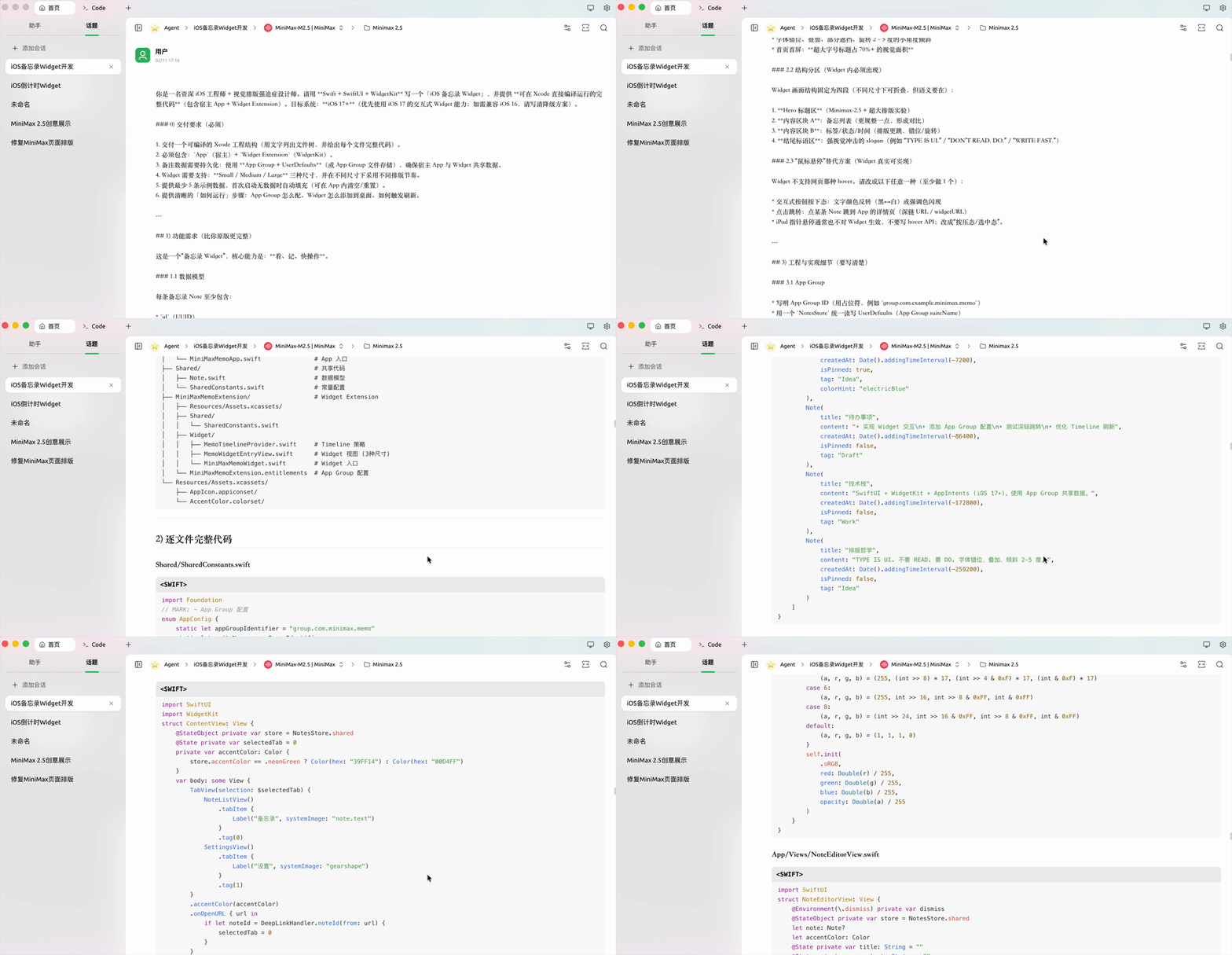
Going deeper into programming capabilities, I also did quite a bit of hands-on testing this time. Let me start with a simpler example: I've been tinkering with iOS app development lately, so here's a lightweight mini-app simulation as a demo.
For this kind of not-too-complex app prototype, I generally use the Agent conversation mode in Cherry Studio, having it help me build up code and structure step by step.
If the task gets more complex, involving multiple modules or multi-file projects, I switch to Open Code to coordinate.
I basically alternate between these two tools, with MiniMax 2.5 plugged into both.
In the example below, after installing Xcode, I organized the model-generated code into a complete project package, then opened the project file in Xcode and ran the simulator directly to see results.
The first round produced a memo/checklist-style mini-app — not overly complex, but writing and note-taking capabilities were integrated, ready for recording titles and body content directly.
For the interface I made two color schemes switchable, one electric green and one electric blue, so users can choose their style. Functionally it's fairly practical too — you can add new notes, tap in to edit titles and content, and also one-tap clear all notes. As a prototype version, it runs through completely.
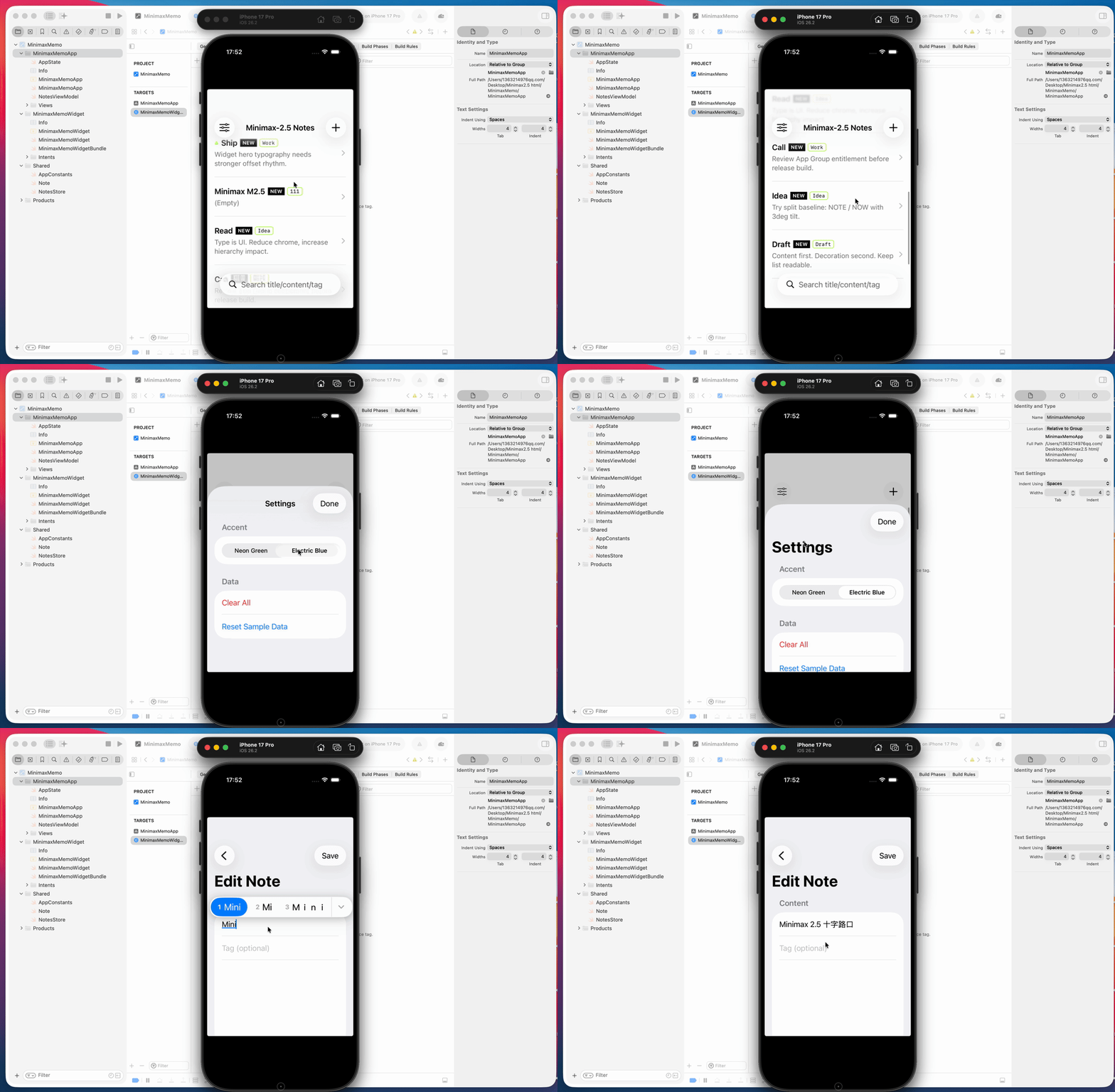
Of course, while that version above was a complete project generated by MiniMax 2.5 in one shot, the functionality was still fairly basic. So I kept iterating, adding more capabilities.
Using it in a programming Agent environment like OpenCode, the overall experience is quite smooth, especially for code changes and bug fixes — MiniMax 2.5 performs fairly steadily. Give it error messages and target effects, and it usually quickly identifies problem points and provides directly replaceable code.
Later I did an upgraded version, adding quite a few features to the original memo app.
For example, the overall interface was changed to a card layout, using square cards to display each note, looking clearer. All entered content can also auto-generate a heatmap view for activity and usage statistics.
In the heatmap module, it also includes statistics like total notes written, how many were pinned, record counts for different time periods, and so on.
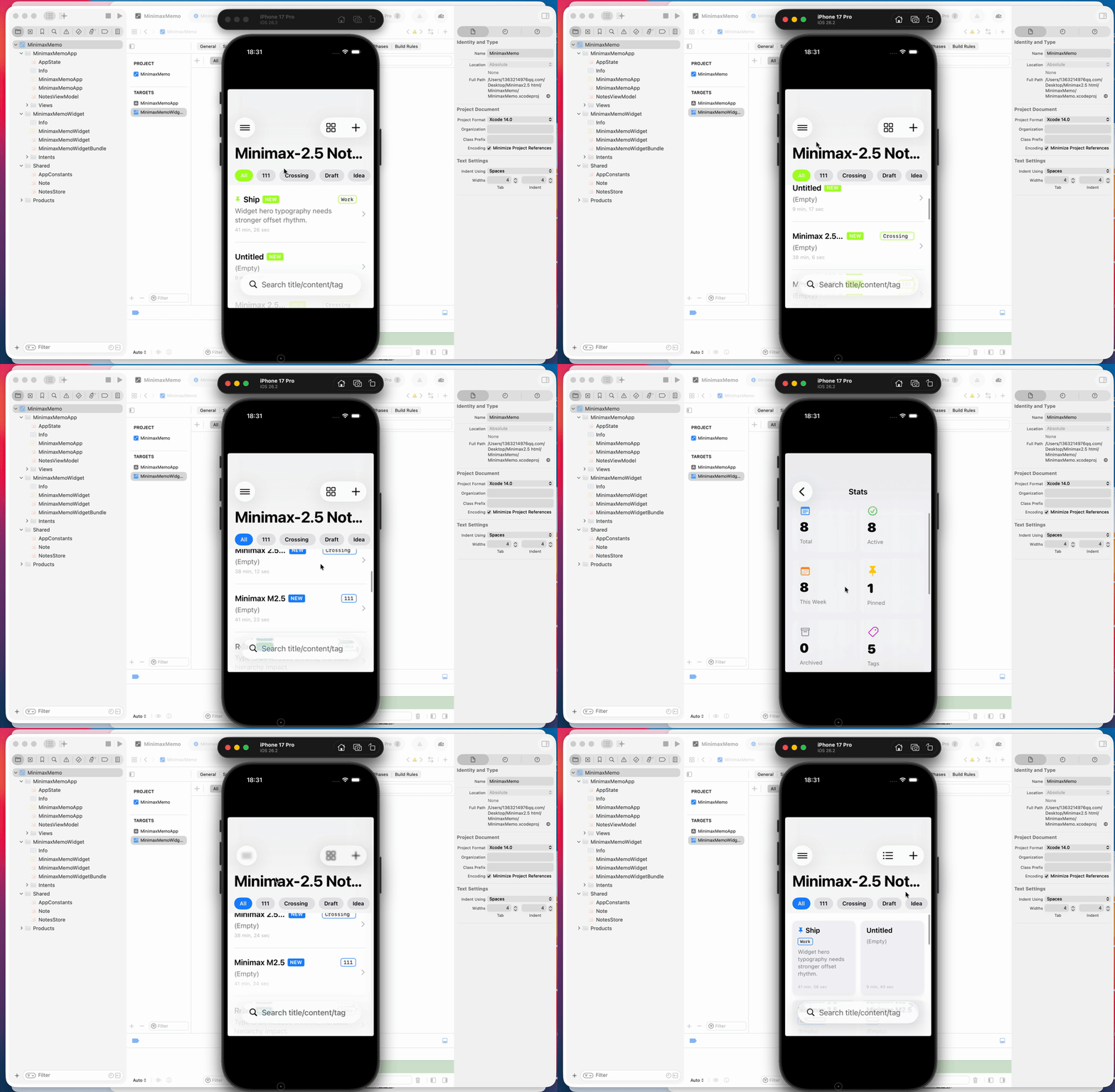
Later I had it do another upgrade, and this version is much more complete.
Now every note can have its own interface color set individually, with about 7 to 10 color options, and it supports preview view — after writing you can see the overall effect first before deciding whether to change.
The content area is also built as card structure. When I type text in, it automatically counts characters and lines for you, and gives an approximate reading time estimate — all this info displays together, making usage clearer.
Another very practical point is search functionality. Now searching keywords directly from the main interface, matching content gets highlighted directly in the list — no need to tap in one by one to find:
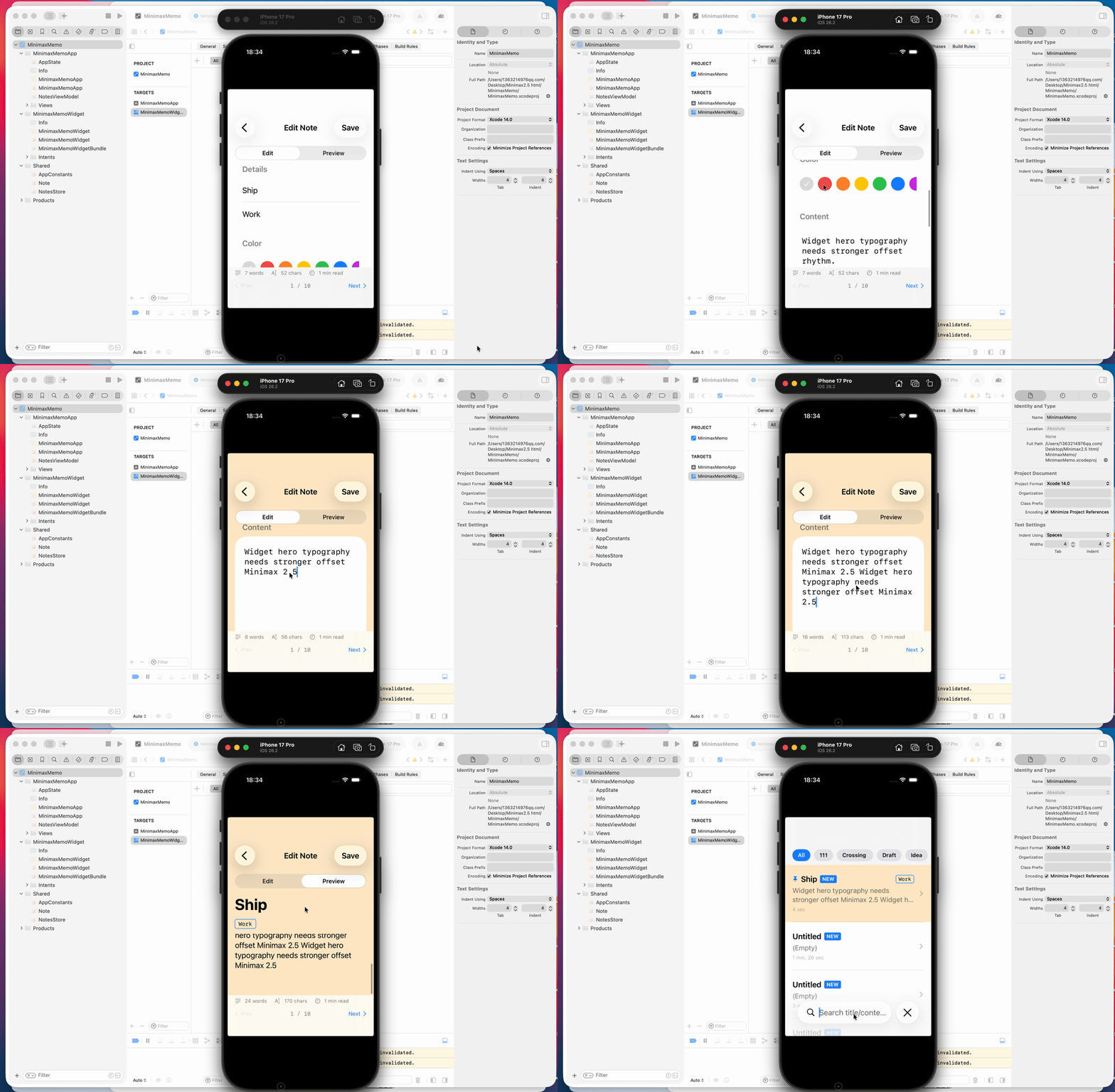
Of course, that first version of the front-end interface was really just getting functionality running — I didn't give MiniMax 2.5 very detailed page prompt settings.
Later I did a separate design round focused specifically on interface display, pulling the visual layer out for单独 optimization.
I unified the main title to "MiniMax 2.5 Note," changed all content areas below to floating black-and-white card styles for clearer layers. The accent color was unified to electric blue, with key buttons, status info, and important tags all handled by the same color rules, so the overall look is more unified and more design-conscious.
I also had it reorganize the categories section, with each category differentiated in color and font without clashing. This way information hierarchy, focal points, and operation entry points all become more intuitive, and the overall interface completion level noticeably steps up.
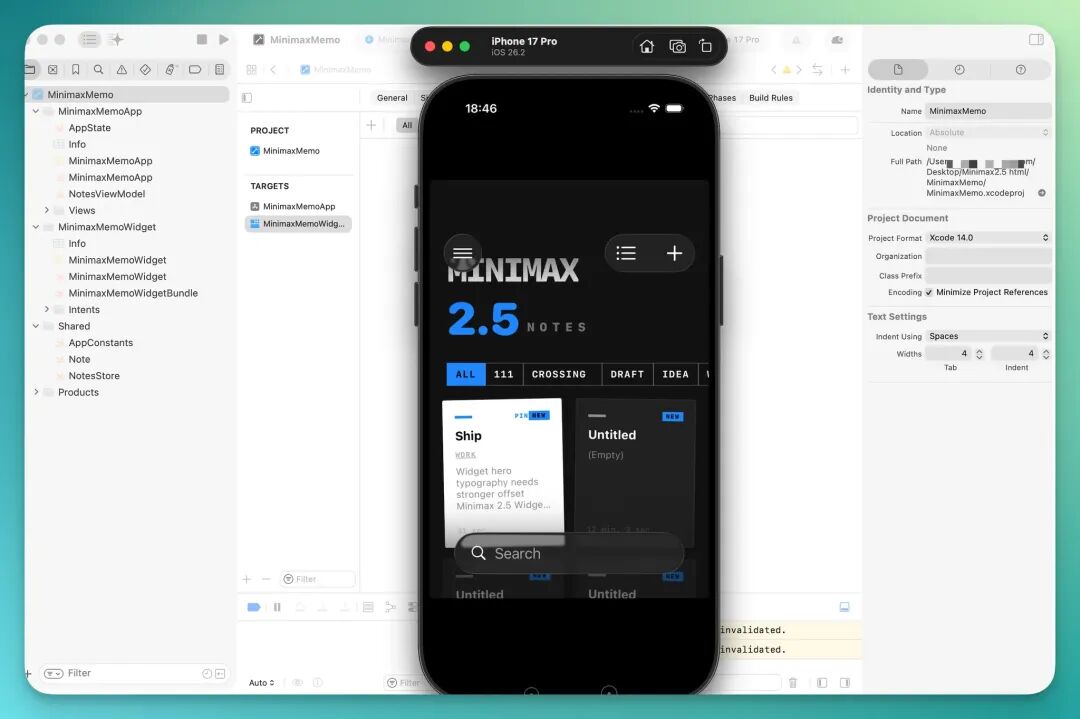
Of course, all these features themselves are still fairly basic cases, only qualifying as entry-level mini-project demos, not complex systems.
But even in these basic scenarios, you can already feel MiniMax 2.5's improvements across various capabilities.
🚥
Finally, I'd also recommend deploying AI tools like OpenClaw yourself, plugging in new domestic models like MiniMax 2.5 and actually running them.
Have it read your spreadsheets, edit your documents, generate your pages, string together your workflows.
Only when AI enters your real environment does its value get fully amplified.