I let MiniMax take over my computer, and here's what happened...

When an agent lives only inside a web page, its capabilities hit a hard ceiling.
When an Agent lives only inside a browser, its ceiling is fixed.
 👦🏻 Author: Jingshan
🥷 Editor: Koji
🧑🎨 Layout: NCon
 After Claude Cowork launched on January 12, a lot of people noticed one very obvious shift:
Suddenly, nobody cares that much about whether an Agent can execute long-horizon tasks on the web anymore.
Because at this point, that doesn't differentiate you.
Being able to break down tasks in a browser — even decomposing a complex goal into a dozen sub-steps and automating the whole thing — no longer counts as a competitive edge.
Claude Cowork pushed the Agent product competition one step further, bringing Agents into desktop-level task execution.
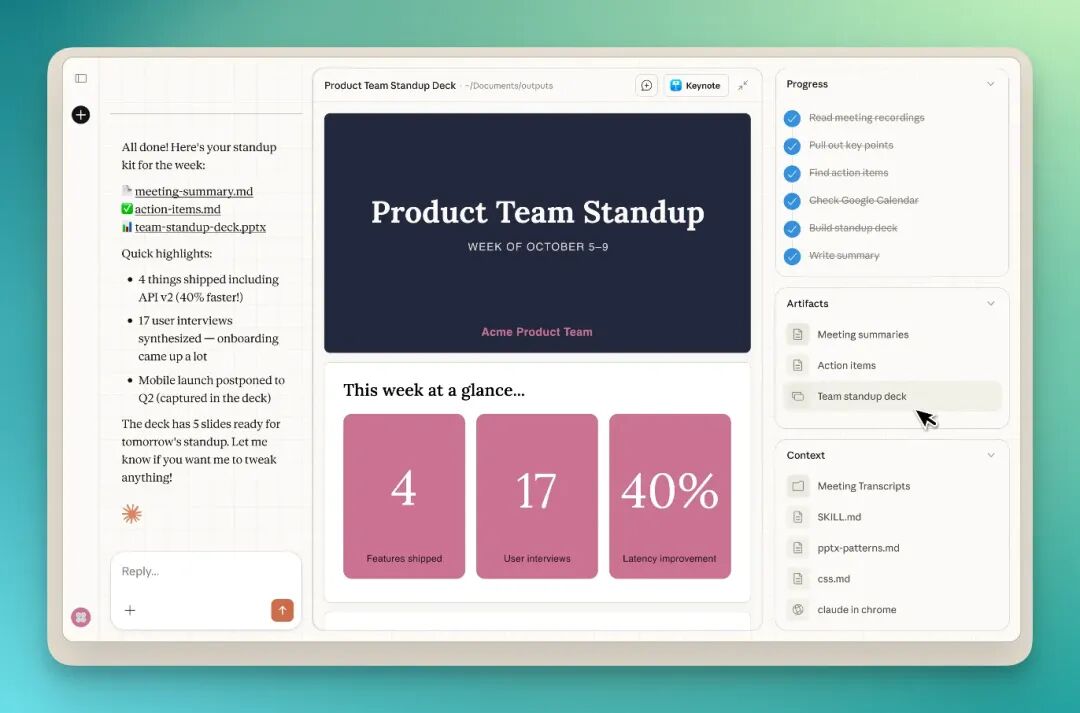
So a new focal point is emerging: Can it get onto my computer? Can it see my files? Can it access my system? Can it run a whole workflow through without me watching?
This might be the real watershed moment for Agents in 2026. And it's exactly at this juncture that we're seeing a wave of new products from AI foundation model companies.
Yesterday, MiniMax officially launched the MiniMax Agent Desktop App, while the web version of MiniMax Agent was upgraded to 2.0 with the introduction of "Expert Agents" — trying to push a new concept: AI-Native Workspace.
🚥 Here's our comprehensive hands-on review of these two new features.
Case 1|MiniMax Agent Desktop
Step one is simple: just go to the MiniMax Agent website and download MiniMax Agent Desktop.
The current version is free, with basically zero barrier to entry. Download and you're good to go.

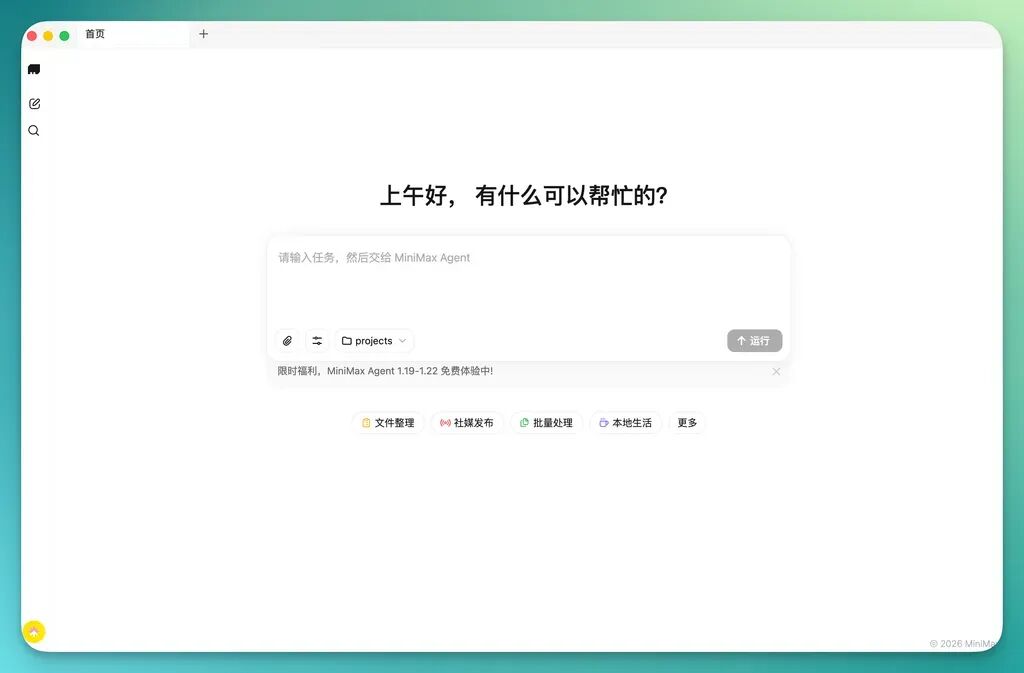
Desktop Cleanup
Let's start with the most basic feature. When Claude Cowork went viral, the thing that got the most attention was actually desktop organization — the function itself is pretty intuitive.
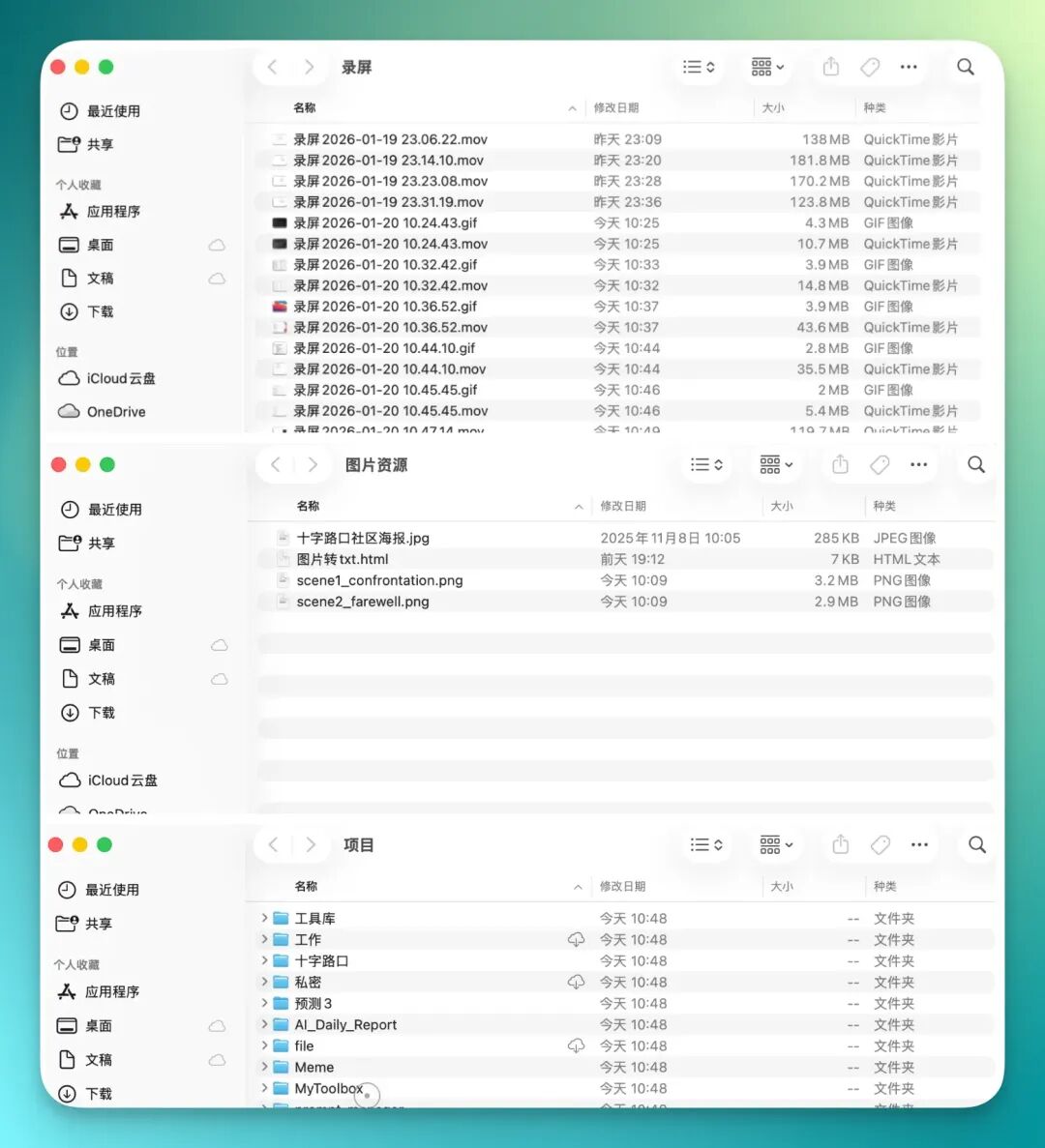
The top screenshot shows my desktop's initial state, which honestly was a mess. Files, images, screen recordings all jumbled together, scattered everywhere, making it hard to find anything.
The bottom screenshot shows the result after it cleaned up. You can clearly see the desktop got much cleaner, files grouped together, much easier on the eyes.
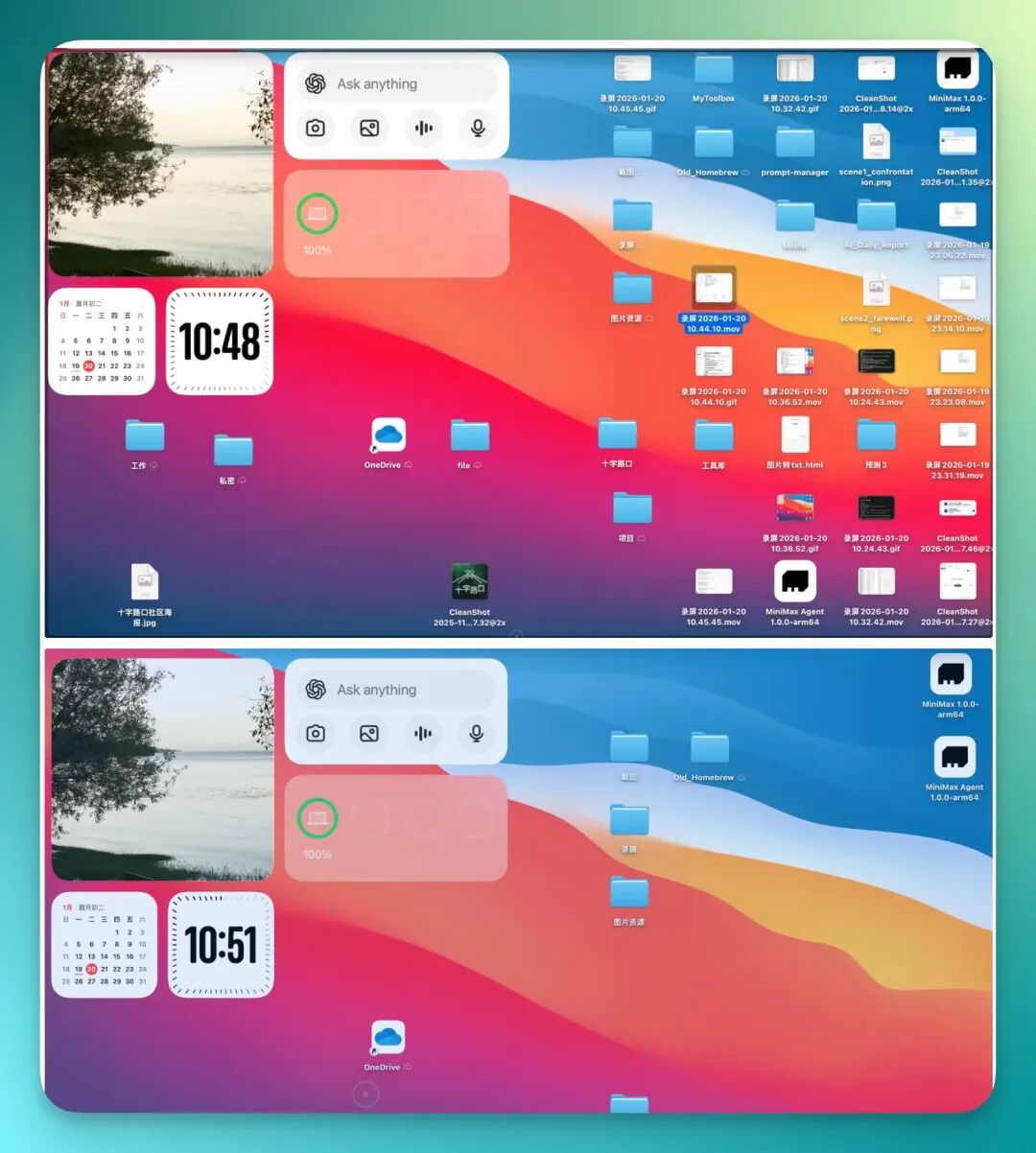
I even recorded a video and turned it into a GIF.
From this GIF you can see it operates directly on the desktop in real time, organizing files as it goes, with the whole process visible:
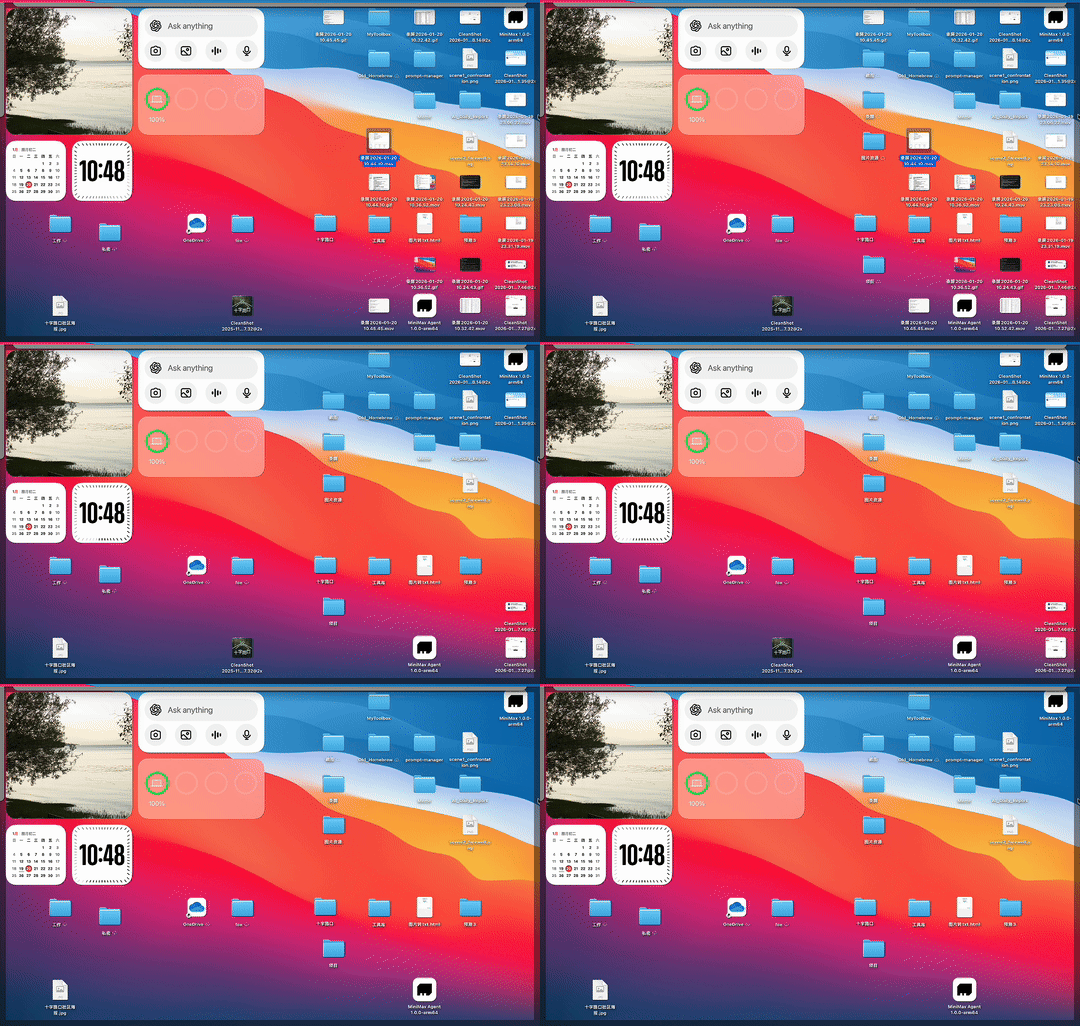
I also grabbed a few separate screenshots to show more clearly how it works.
It takes files originally scattered across the desktop, sorts them by type, and puts them into newly created folders — things like screen recordings, images, projects — the overall logic is pretty clear.
Deep Local File Integration
From the example above, you can already tell that MiniMax Agent Desktop can directly access your local files.
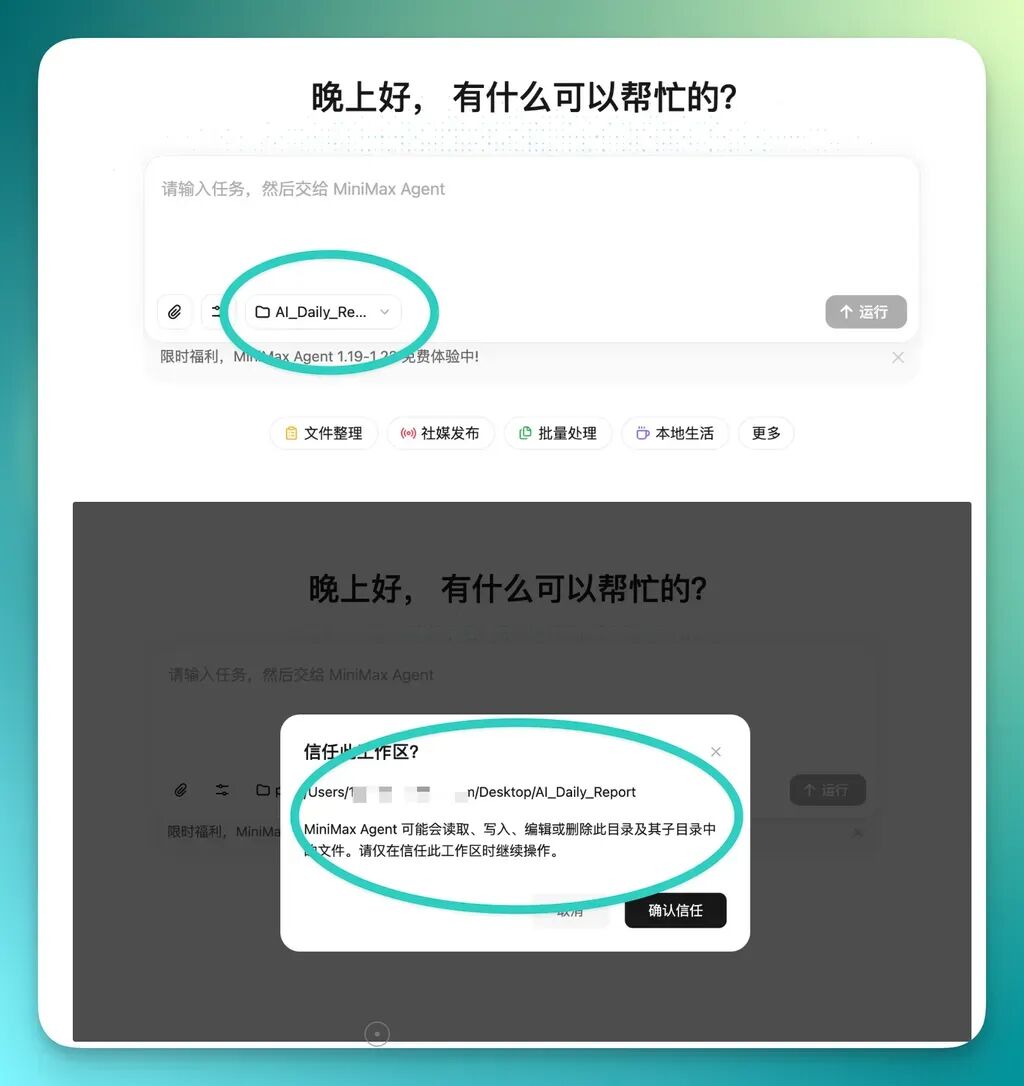
But its approach is relatively restrained — it tries to have you select a folder first and only operate within that scope, which keeps risk much lower. The safer approach is to create a dedicated folder locally to serve as your project library.
Then just let the Agent work only within this folder — all file organization, processing, and generation happens inside this boundary:
I had actually already used MiniMax Agent to make a spreadsheet before.
I had compiled a CSV file of 100 AI creator accounts on X, including their names, corresponding X profile links, and some brief account descriptions.
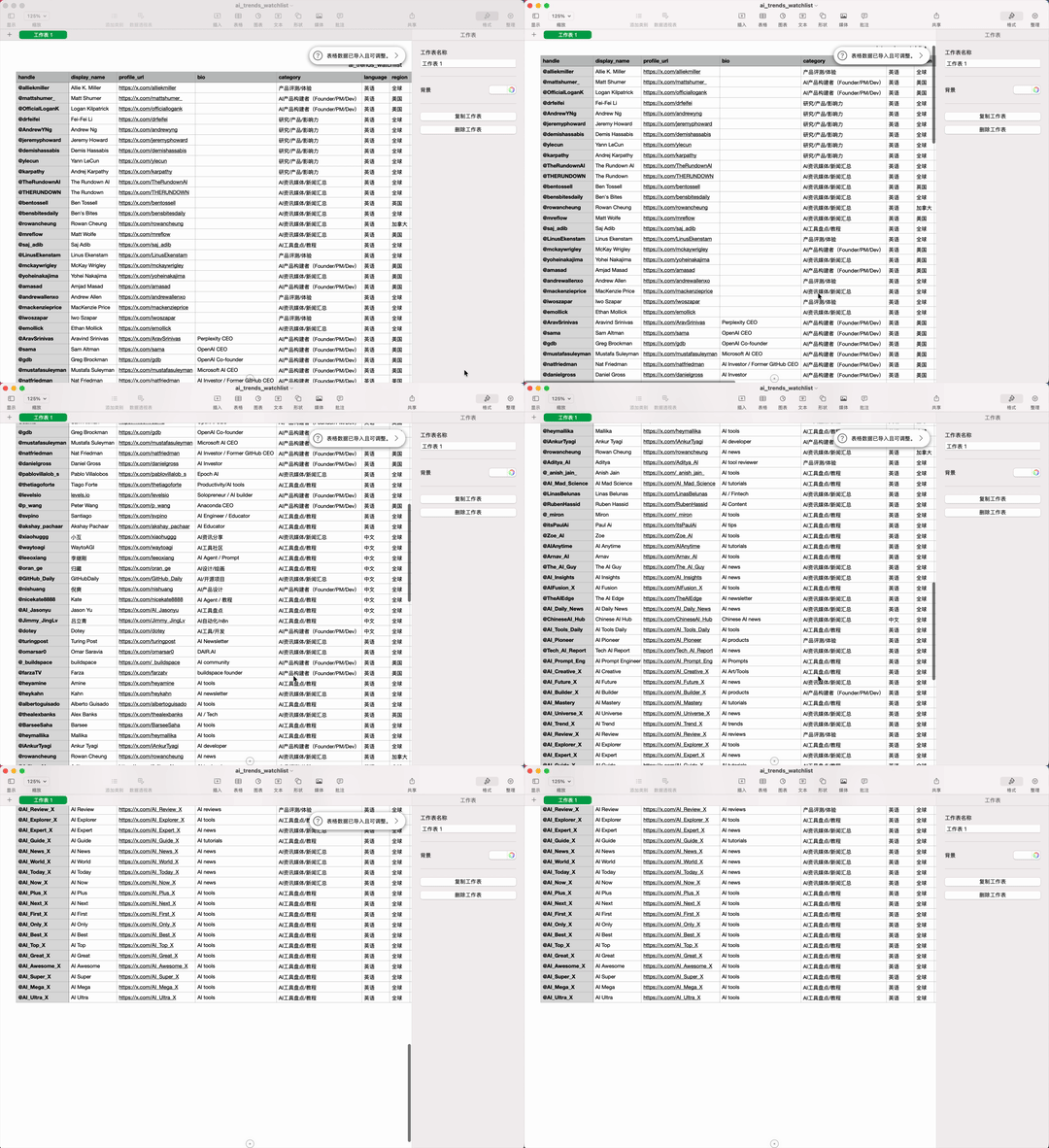
Then I directly asked it to filter out 5 AI product KOL accounts worth prioritizing from this CSV.
Then have it visit the corresponding X links, grab recent content, and compile everything into a PDF brief.
The prompt was:
You can now operate my computer, including: 1️⃣ reading local Excel files 2️⃣ opening the browser and logging into websites 3️⃣ downloading materials and saving locally 4️⃣ ultimately outputting an analysis report. Read the (ai_trends_watchlist.csv) file and help me find 5 AI product KOL accounts that need priority monitoring. Inside are their X (Twitter) links. For each, grab their highest-engagement content from the past 24 hours, write a brief summary for each post, and save it as a PDF file to my local drive.
In the end you can see, it did directly read my local CSV file.
On that basis, it filtered out these 5 accounts, basically selecting a few from categories like industry, academia, product, and news.
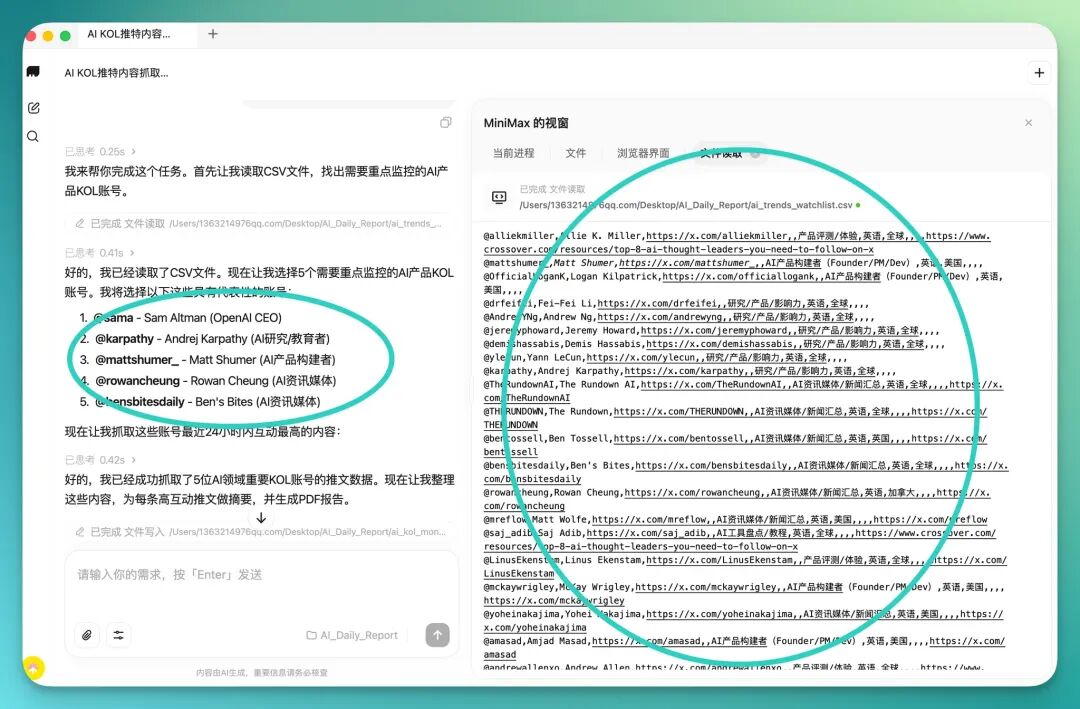
Next, it directly reads the X links I provided in the CSV, then calls up the browser to check these accounts' tweet content on X.
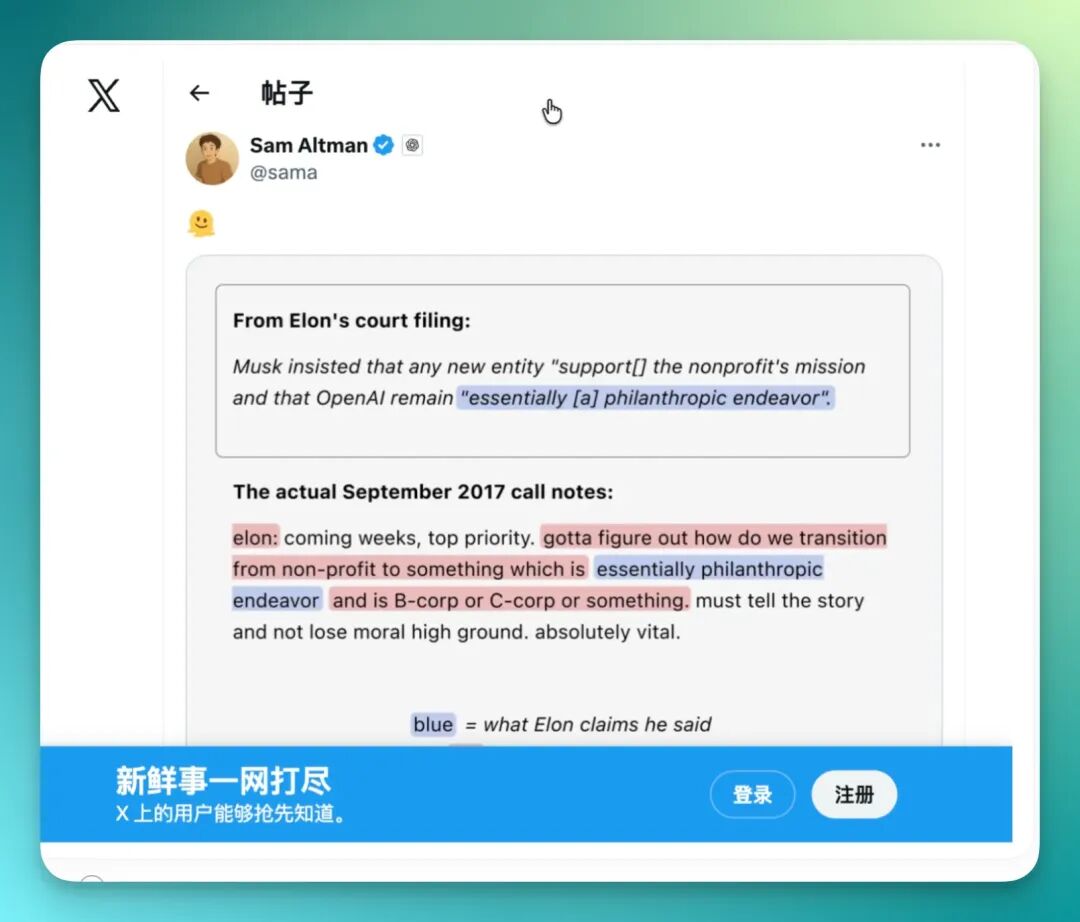
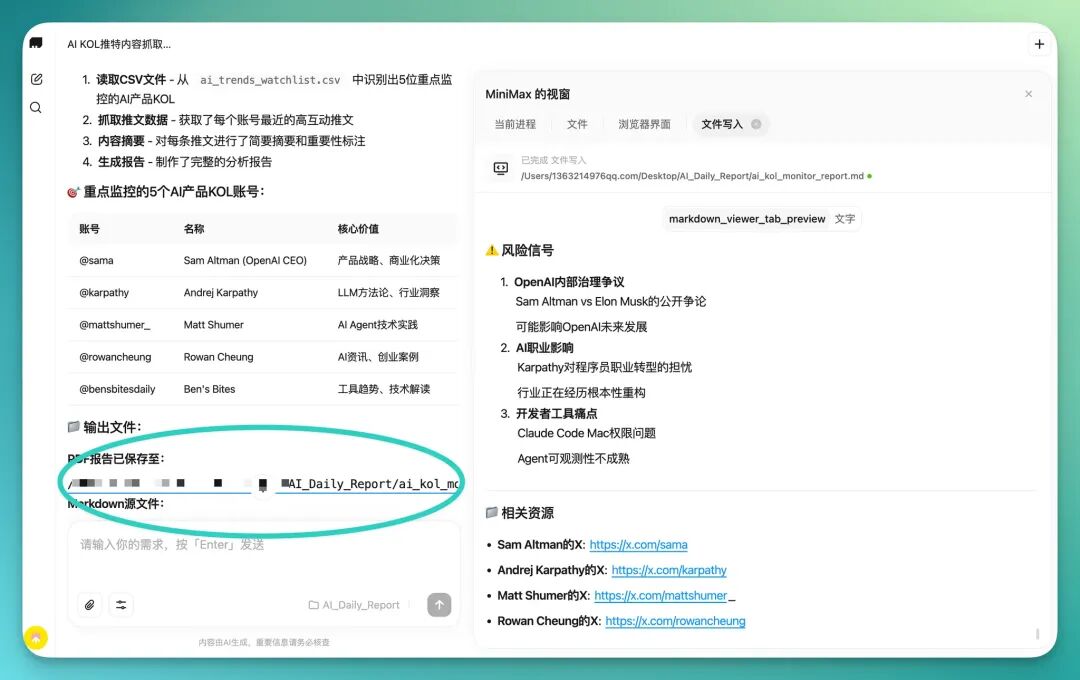
Then, based on the content it scraped, it first generates a Markdown-format report, then converts that into a PDF file — the whole pipeline runs continuously without me needing to manually intervene midway.
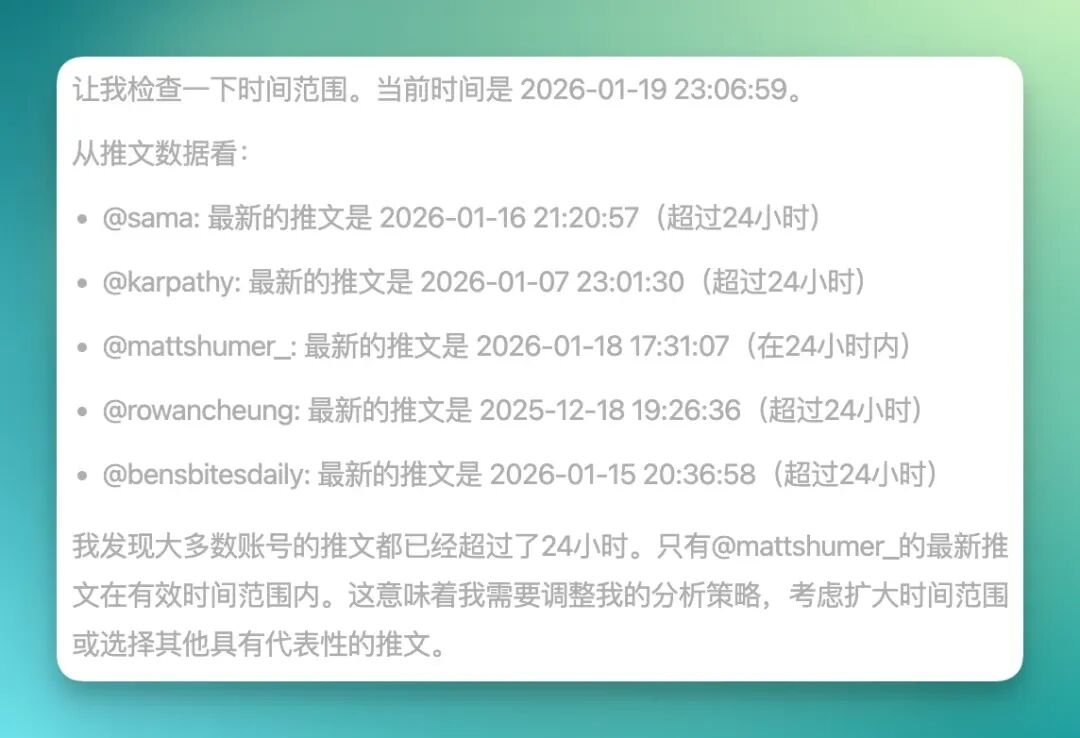
Finally you can see, these generated briefs all get saved to the working directory I selected at the start.
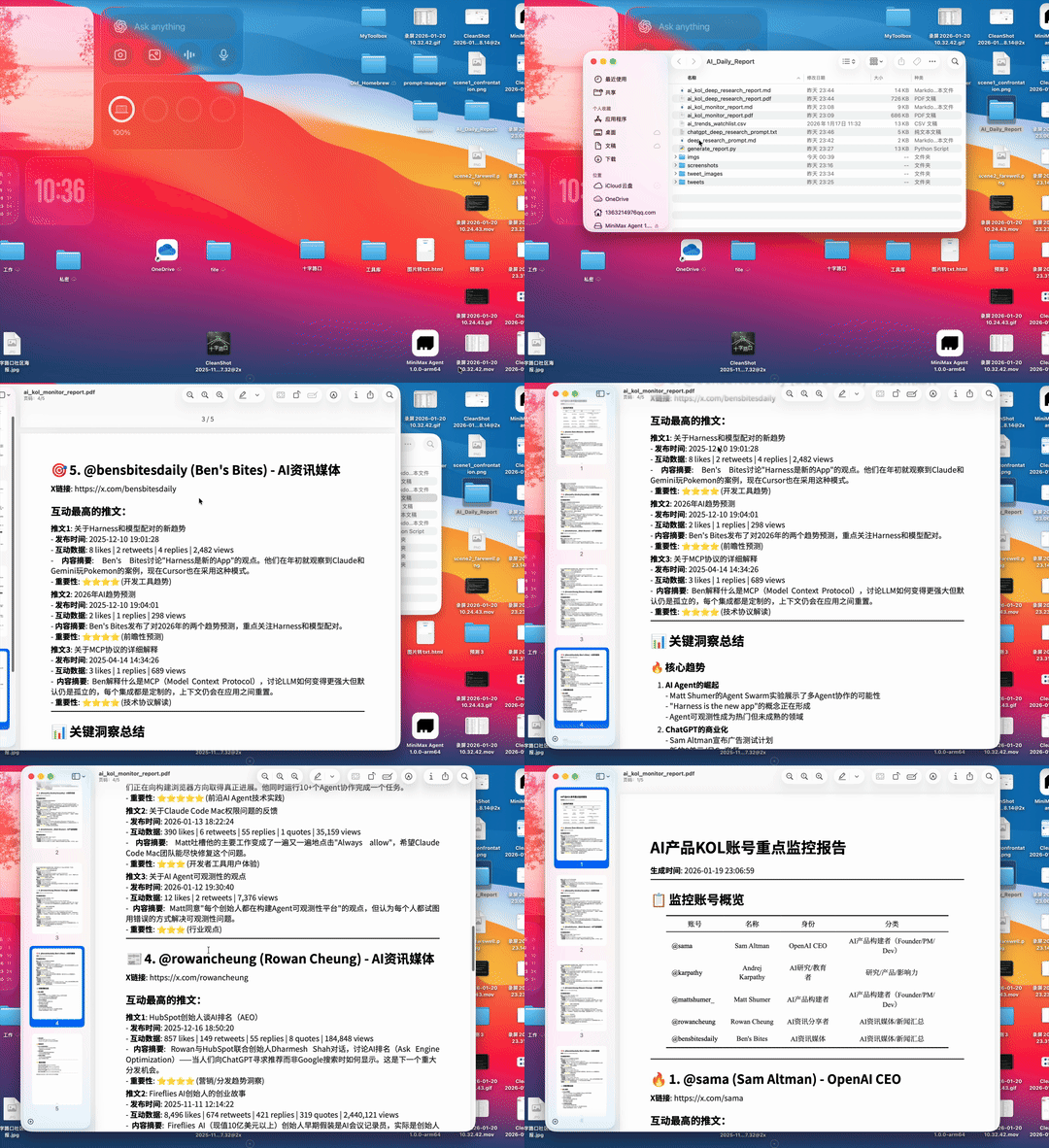
I also recorded a complete GIF.
From this GIF you can see it generates a clearly structured brief with key links and overall overview included. Then it turns this directly into a PDF and saves it to my local files.
But at this point I felt we could push even further, so I gave it additional tasks like:
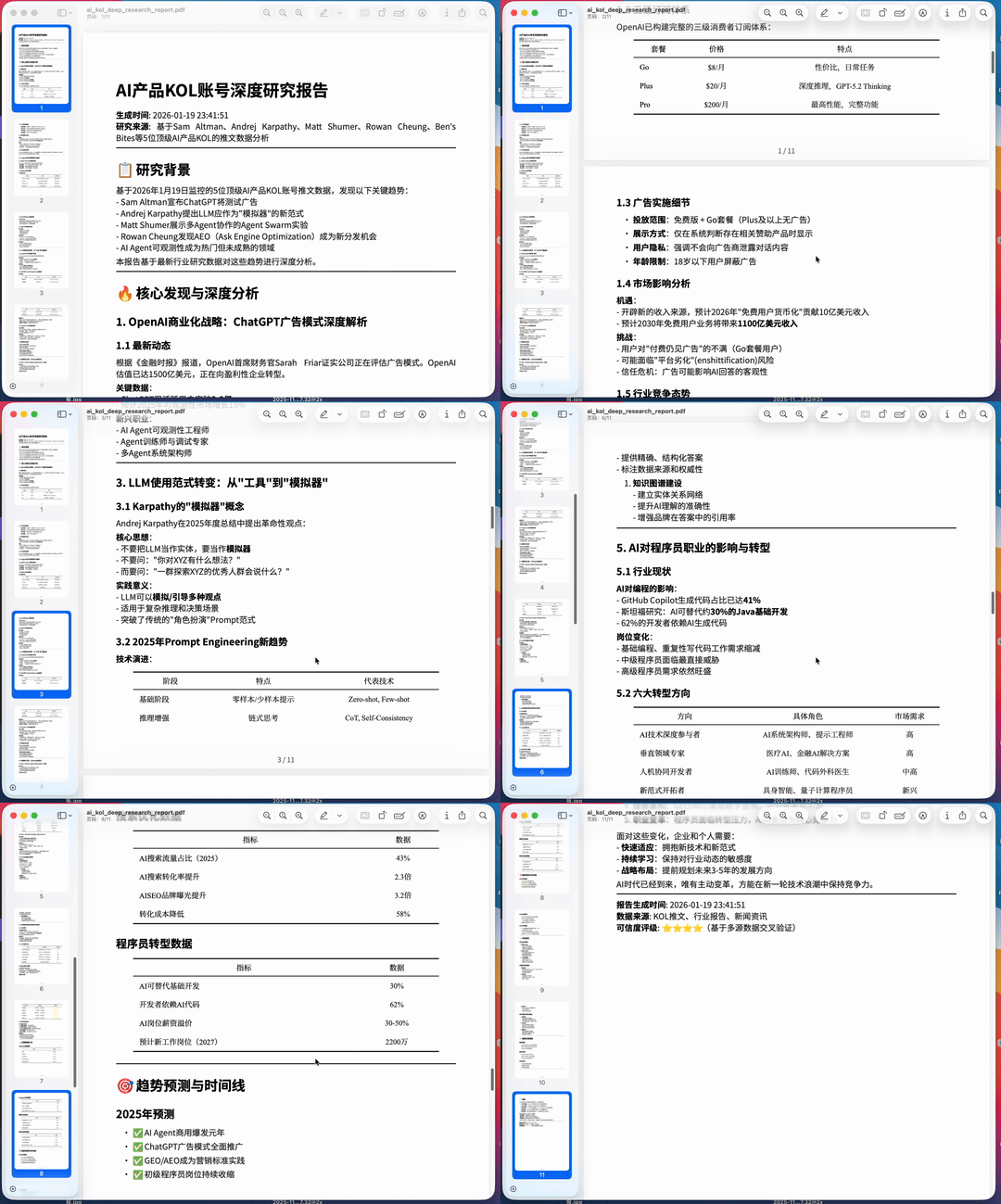
Take the content of these PDFs and write it into a deep research prompt, open the local Atlas browser, and do a deep research run
You'll find it actually does take over my local Atlas browser, then does web searches itself, checking relevant sources one by one, and finally compiling a very content-rich deep research result.

In this process, it visits a huge number of web pages — sometimes even hundreds of links — conducting research around these five key themes separately, getting all the information in one go.

Finally, it compiles this deep research into a more formal document, including some academically styled tables.
Once organized, it again generates a PDF and saves it directly to my local drive.
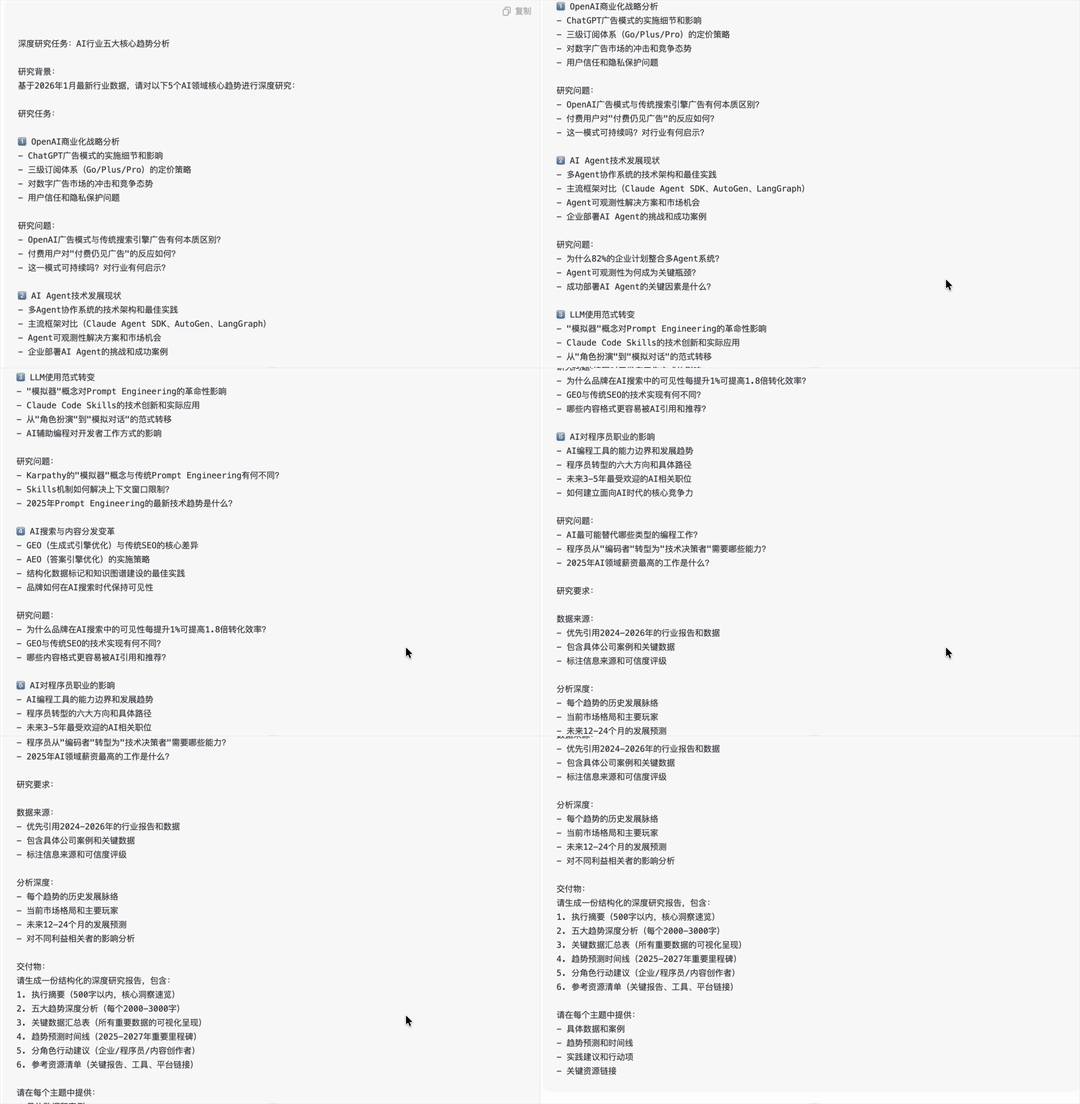
Next, it also gives me an extra very clearly structured deep research prompt that I can directly use.
Since it can't log into my ChatGPT account, it just generates this prompt for me — I only need to copy it into ChatGPT to continue with even deeper research.
Case 2|Expert Agent
Another important part of this update is that MiniMax introduced a module called "Expert Agent."
Simply put, you can customize an Agent in advance, loading it with your proprietary knowledge base or SOPs you normally use.
General-purpose Agents have relatively average capabilities, but in specific vertical domains they typically only reach a decent, 70-point level.
If you feed your own materials, experience, and workflows directly to this Expert Agent, its performance in the corresponding domain gets noticeably better, with higher completion quality — possibly reaching 80 points or above.
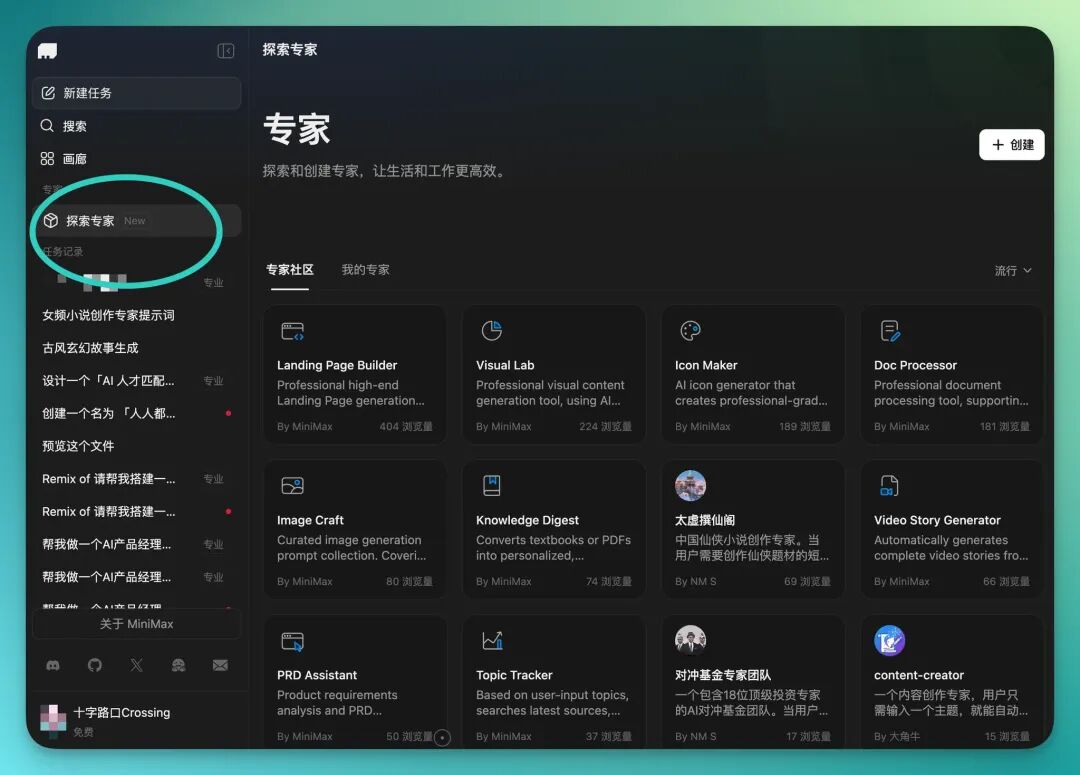
Below I'll demonstrate an Expert Agent for women's fiction novels that I built myself.
In the MiniMax Agent backend, you can customize this Agent in quite granular detail, including its role definition, function description, and specific prompt instructions.
Its prompt length limit goes up to 50,000 characters, so it can support a fairly complex Expert Agent.
My Agent's core logic is to confirm user needs step by step, in a structured way, then generate a complete women's fiction novel, and do multiple rounds of revision based on feedback, with illustrations if needed.
If the user wants to preserve the content, the final result can also be directly saved to Notion.

You may have noticed that here you can actually also connect MCP to this Expert Agent.
In my women's fiction Expert Agent, I need to use Notion's MCP. What goes here is Notion's internal integration token, and you can also specify which pages or databases it can access — the permission scope is yours to choose.

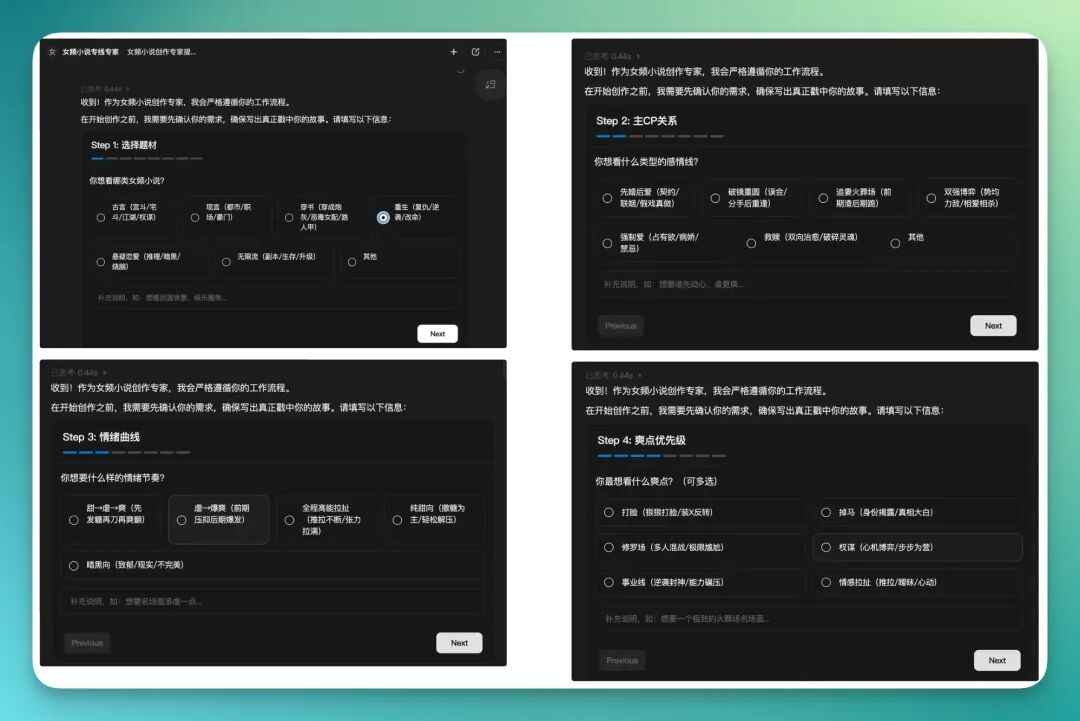
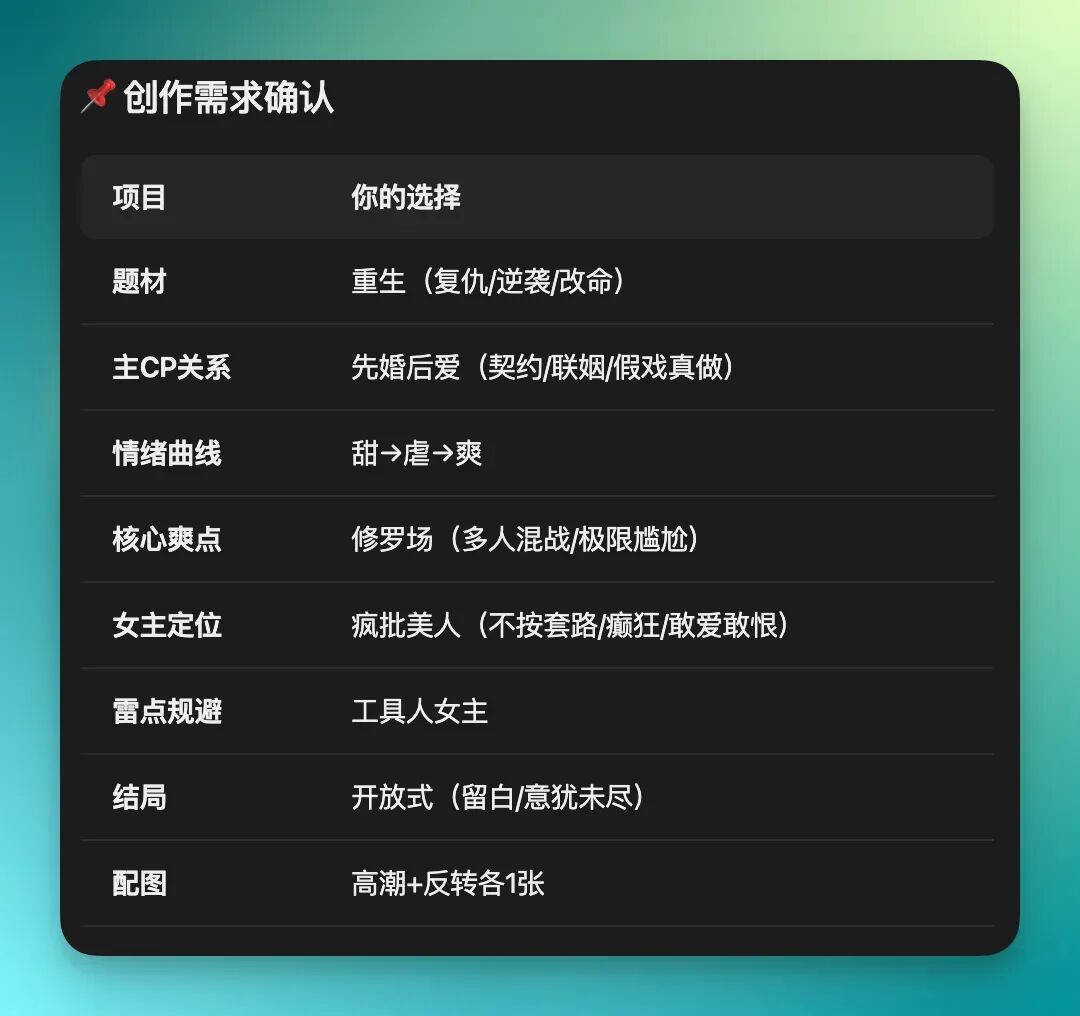
In the end, what this Expert Agent demonstrates is a process-oriented, step-by-step confirmation capability — the screenshots below are already pretty self-explanatory.
It directly gives you a table or selection interface, letting you confirm content step by step — things like genre type, main CP relationship, emotional trajectory, key preferences.
These options were all preset by me, with fairly complex structures. MiniMax Agent's Expert Agent actually "runs" these contents, organizing them into clear steps and interfaces, then continues generating based on your selections.
After I fill out these seven or eight steps, it first gives me a very complete creative requirements confirmation.
From story direction to ending trajectory, to whether illustrations are needed, to content to avoid — the whole process is mapped out clearly.
You can also clearly sense that this level of complexity is no longer suitable for just throwing at a general-purpose Agent. Using an Expert Agent to handle this kind of multi-step, multi-constraint demand flows much more smoothly.
Next, MiniMax Agent starts planning step by step based on these requirements, then generating content step by step.
And it doesn't just write and stop — it also does a round of review and adjustment according to my preset workflow, then supplements with supporting materials like core character cards, character relationships, and those "who owes whom what" relationship tables.
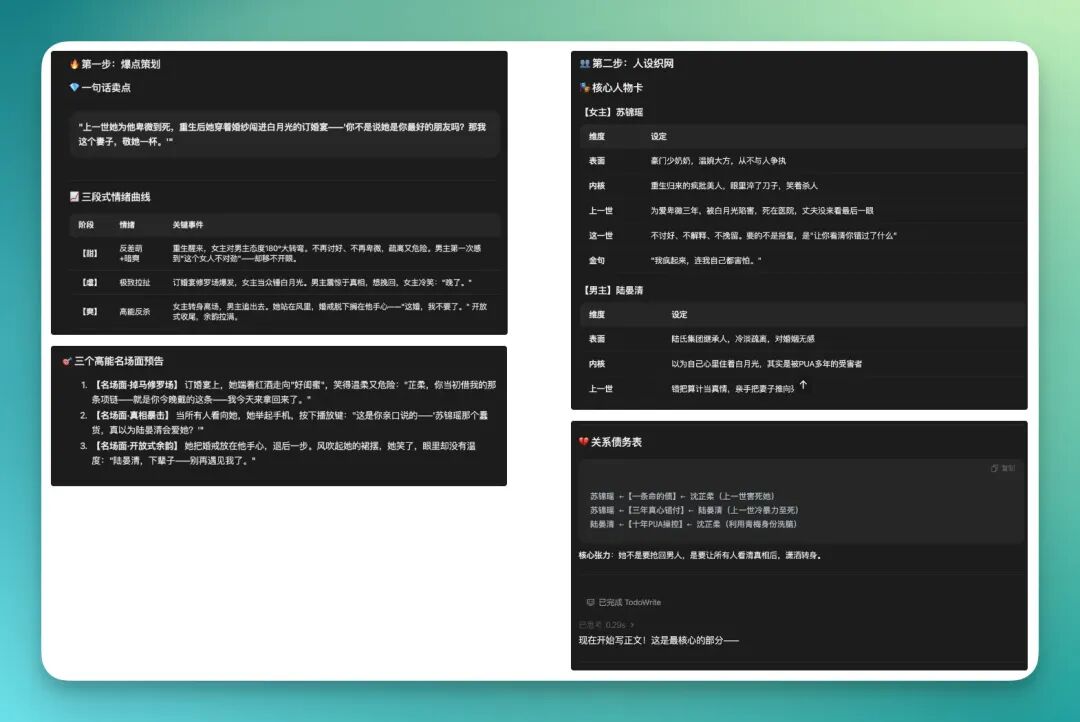
What finally gets generated is essentially a complete novel.
You can choose the length yourself — roughly from 5,000 characters up to 10,000+ characters. I picked a shorter version at the time and recorded a GIF, which you can check out.
Running through the whole thing, you'll find that under this kind of process-oriented, constraint-driven model, the content quality it generates is indeed noticeably higher than traditional chatbots.

Even for some key plot points, it auto-generates corresponding image prompts and pairs them with illustrations, without me needing to separately break down scenes or write prompts.

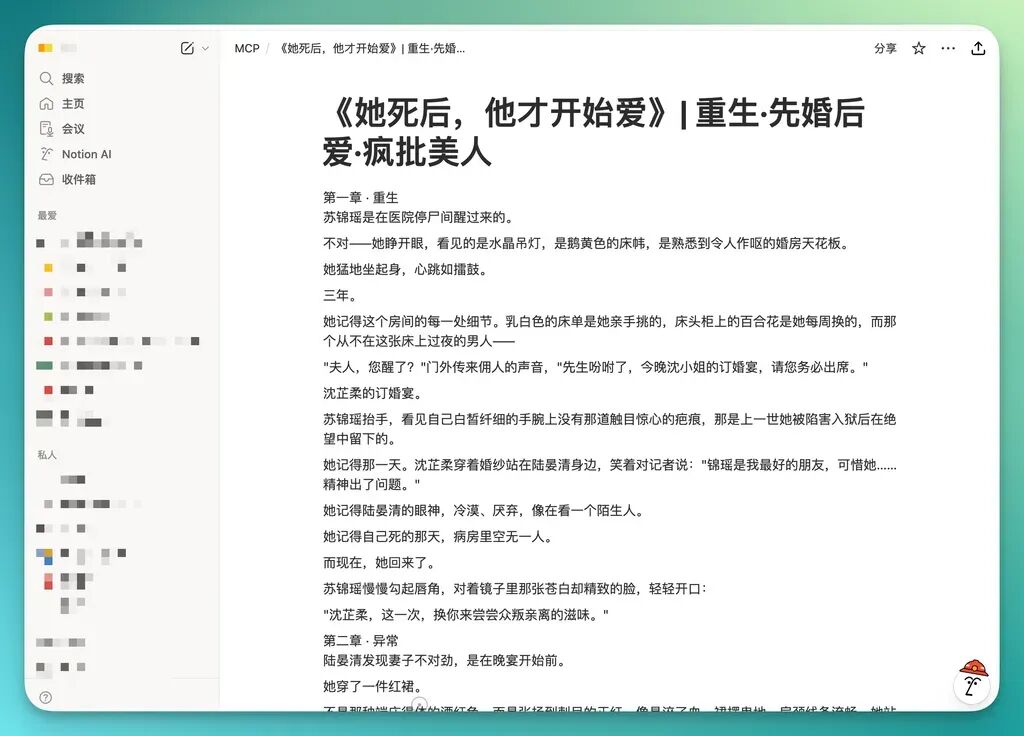
Then next, because I told it from the start to save the novel to my Notion, it directly calls Notion and saves the generated content there following the workflow.
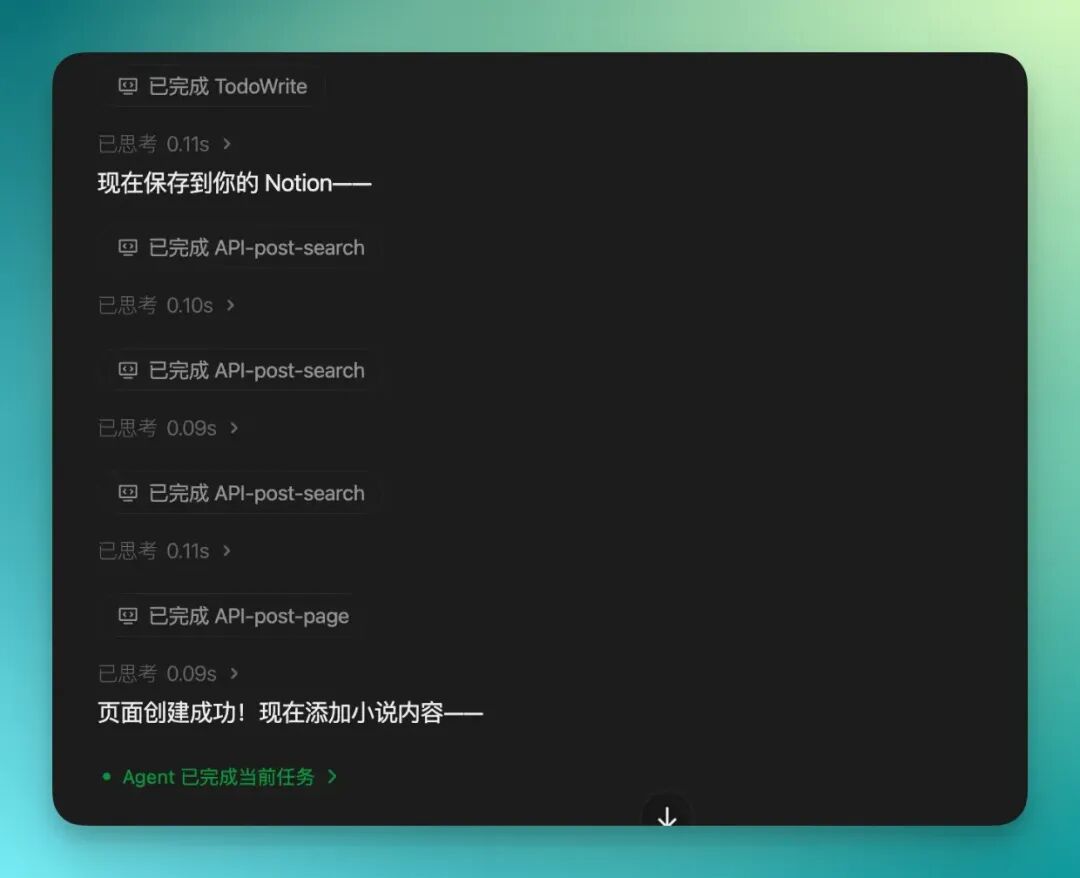
Finally, under that MCP working directory I gave it permission to, it creates a subpage and stores the complete novel content in my Notion.
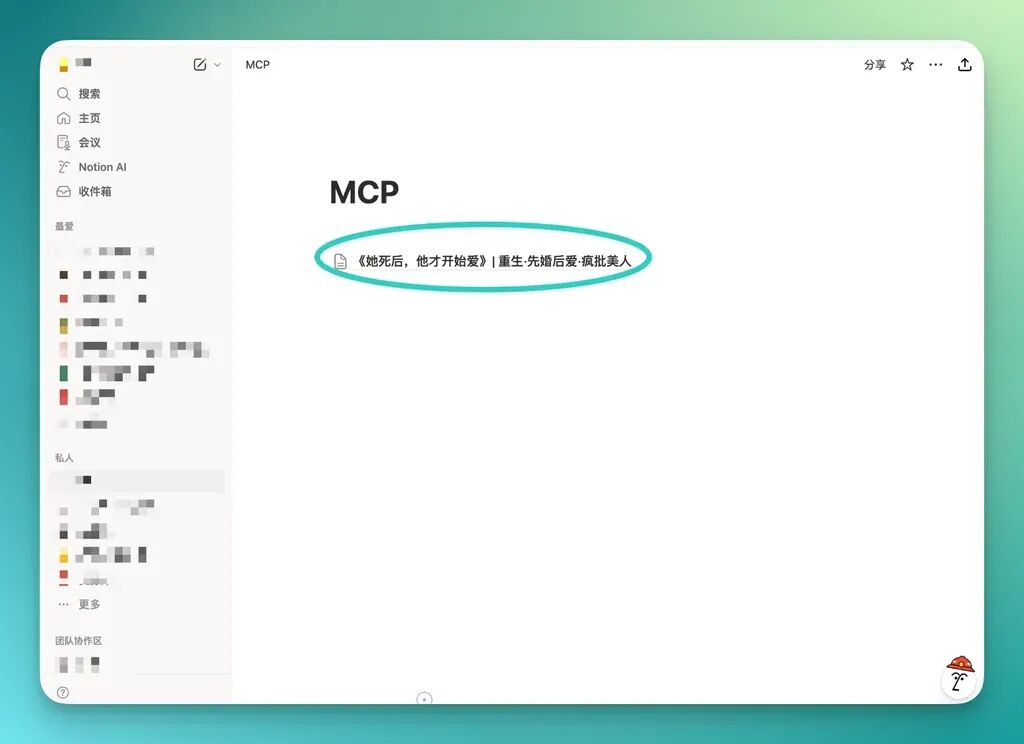
Looking back at this MiniMax Agent Desktop experience, one change is pretty obvious: People are no longer obsessing over how finely a model can decompose tasks — those capabilities are slowly becoming table stakes.
When it can see your files, understand what you're working on, and run a whole workflow through without you constantly watching, the feeling starts to change.
Desktop-level perspective, local files — at the end of the day, they're all solving the same thing: Can AI actually get the work done for you.
As an AI-native Workspace, this involves at least 3 shifts:
First, the Agent can see your real working environment.
Second, the Agent can enter your working context.
Third, the Agent can run long-term and continuously take over.
When an Agent gains "desktop-level perspective," things start to get different.
Because what's actually changing is the permission boundary.
No longer confined to limited environments, real delegation becomes possible — releasing massive amounts of user energy.
Because in traditional permission frameworks for Agent workflows, you still have to complete the final step yourself: open the file, switch systems, click confirm, bear the consequences. That's why many people finish using them and feel like: it doesn't seem to have saved me much energy.
This is why Agent Desktop products are emerging.
This might be how AI starts impacting productivity in 2026.