When MiniMax Meets OpenClaw: "1, 2, 3, Link Up!"

When we connected OpenClaw to the MiniMax expert agent.
**
When we connected OpenClaw to the MiniMax expert Agent.
 👦🏻 Author: Jingshan
🥷 Editor: Koji
🧑🎨 Layout: NCon

Before the Lunar New Year, all the major AI companies that had models to release did so, launching a flurry of activity that felt like a "pre-holiday sale."
MiniMax, Zhipu AI, Moonshot AI, Doubao, Claude, Gemini, OpenAI — one after another. Parameters, benchmarks, speed, and pricing all got bumped up several rounds.
After the holiday, the application layer started moving.
The day before yesterday, MiniMax updated MiniMax Agent. Its existing expert Agents got another upgrade, and this time there was something new: MaxClaw — taking OpenClaw, which had recently blown up on GitHub, and turning it into a web version that could be plugged in with one click.
You've probably heard of OpenClaw. It's an Agent framework that connects AI to IM tools like Lark, DingTalk, and Telegram. It gained stars rapidly on GitHub in January this year and now sits at 22.4K stars.
But across various communities, there were comments like "I want to use it but can't install it," "keeps throwing errors," and "manually setting up APIs is still too high a barrier." So MiniMax Agent's "lowering the barrier" this time was built around that exact pain point.
🚥 Next, we want to run a complete hands-on test across several real-world office and creative scenarios.
MaxClaw
First, the biggest update to MiniMax Agent this time is the launch of MaxClaw, backed by the MiniMax 2.5 model. This model also caught the OpenClaw wave, with call volume surging on OpenRouter.
Simply put, it's a web-based OpenClaw — your dedicated personal AI Agent. You can customize its personality, role, even its Soul, and all conversation memory gets stored within the Agent. Functionally, it runs 24/7, working continuously in the cloud. The conversation interface can be the MiniMax Agent web page, or chat windows in other IM products (Slack, Lark, Telegram).
And because it's deployed and configured inside MiniMax Agent, the barrier is much lower — no need to fuss with environment setup.
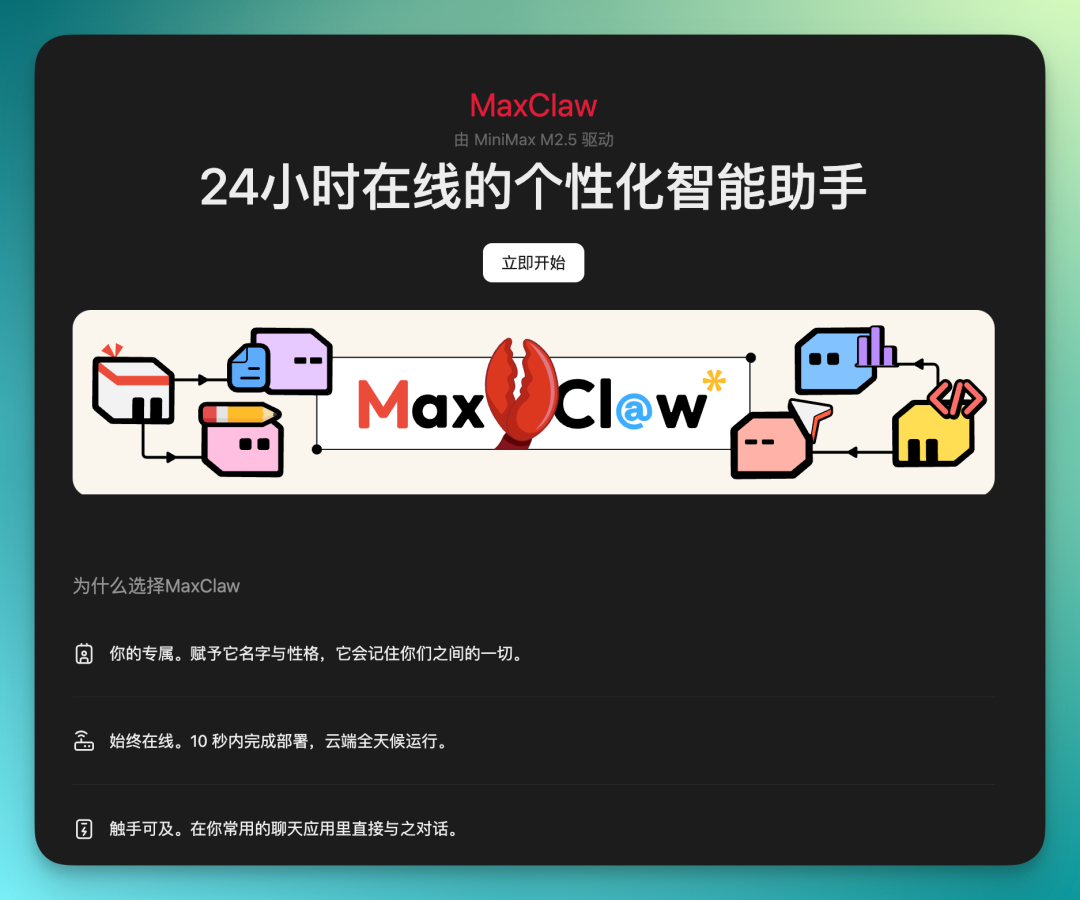
MaxClaw itself runs on MiniMax Agent, so you can directly select expert configurations inside it and deploy MiniMax's version of OpenClaw to the cloud with a single sentence.
Low barrier, no need to build your own environment.
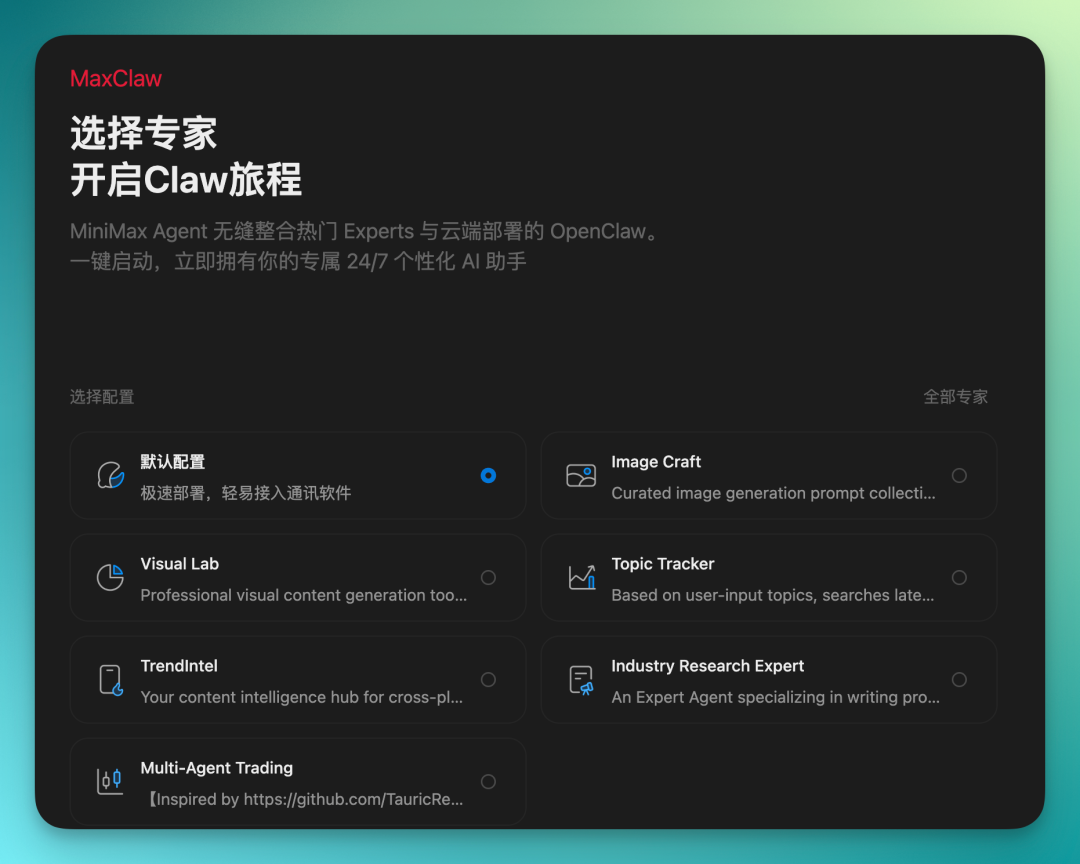
Let's first see what it can do.
Give it a recent hot topic — ask it to search for related news, provide links, find images, and write copy, all in one go.
The prompt:
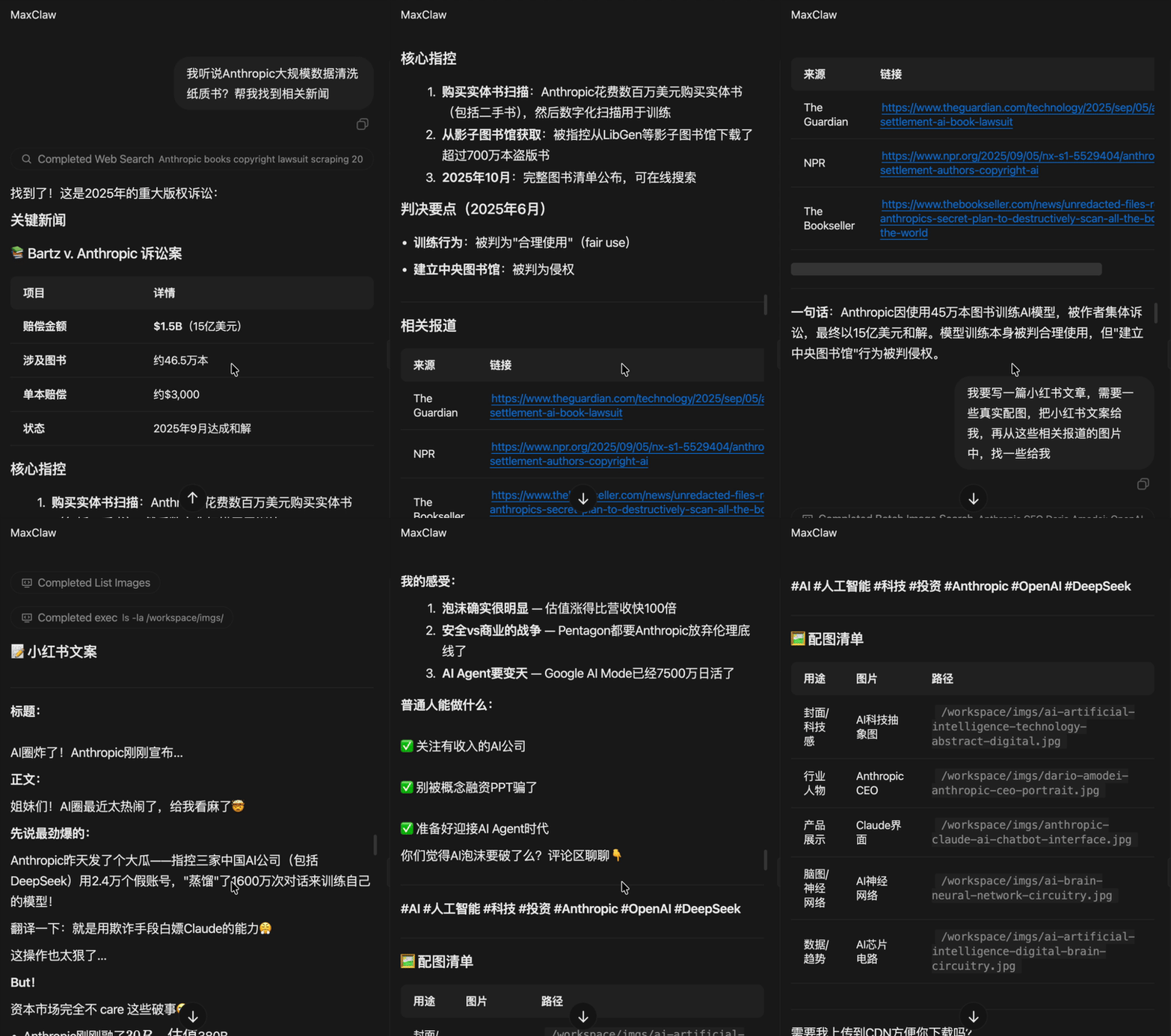
I heard Anthropic is doing large-scale data cleaning of physical books? Help me find related news. I want to write a Xiaohongshu post and need some real images. Give me the Xiaohongshu copy.
MaxClaw's response is well-structured.
The news content is clearly organized with key points, plus links to related reports. It even gives you an image checklist, with each image directly copyable and downloadable.
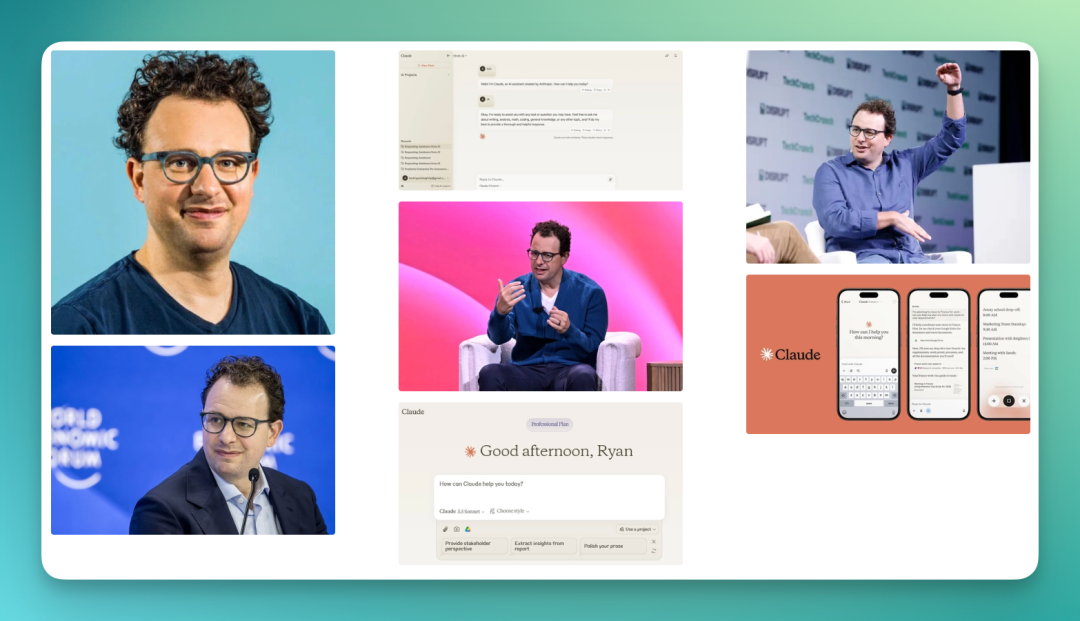
And its approach to finding images is quite flexible.
It doesn't just give you a CEO's headshot — it also pulls company product interfaces, launch event scenes, and related news screenshots.
Sometimes it even provides multiple sizes and compositions, so with some quick assembly, you basically have a full set of images for a piece of content.
For people doing bulk content distribution, this step saves considerable time — no need to dig through platforms for materials or open separate image search sites.
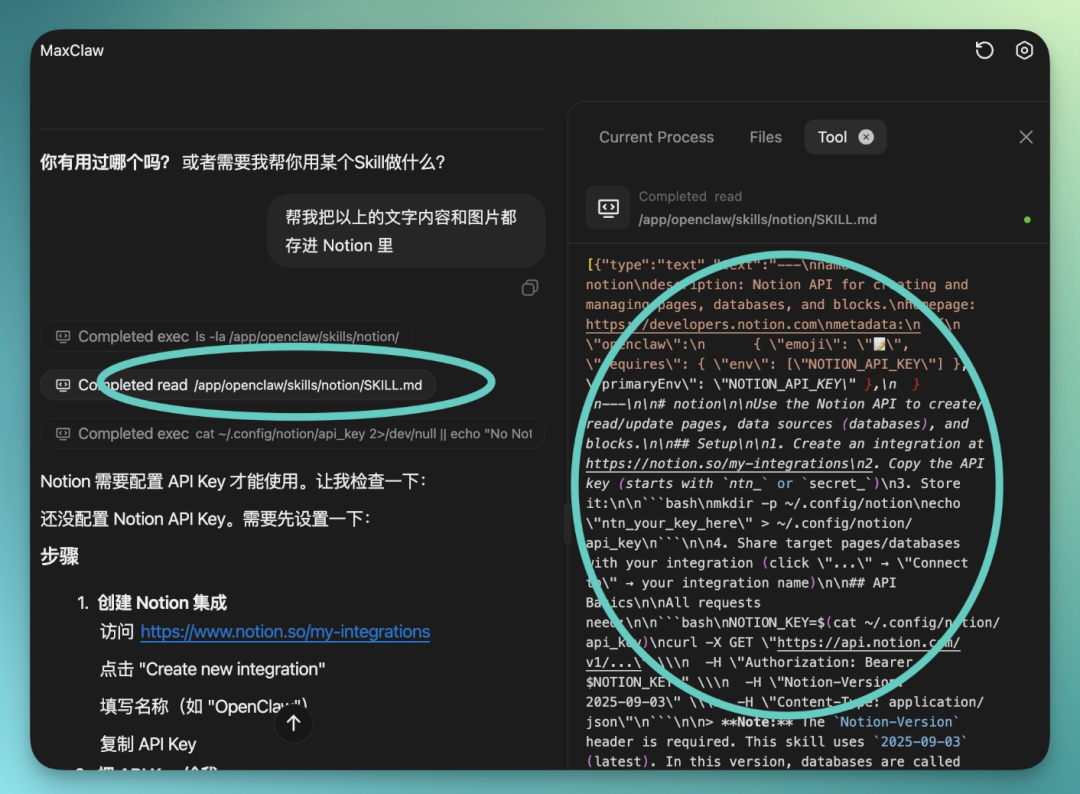
Despite the low barrier, its built-in Skills are actually quite mature. And it's compatible with OpenClaw's original ClawHub Skills — no need to rebuild anything.
You can directly ask it to save those images and text content to Notion by creating a new Notion integration.
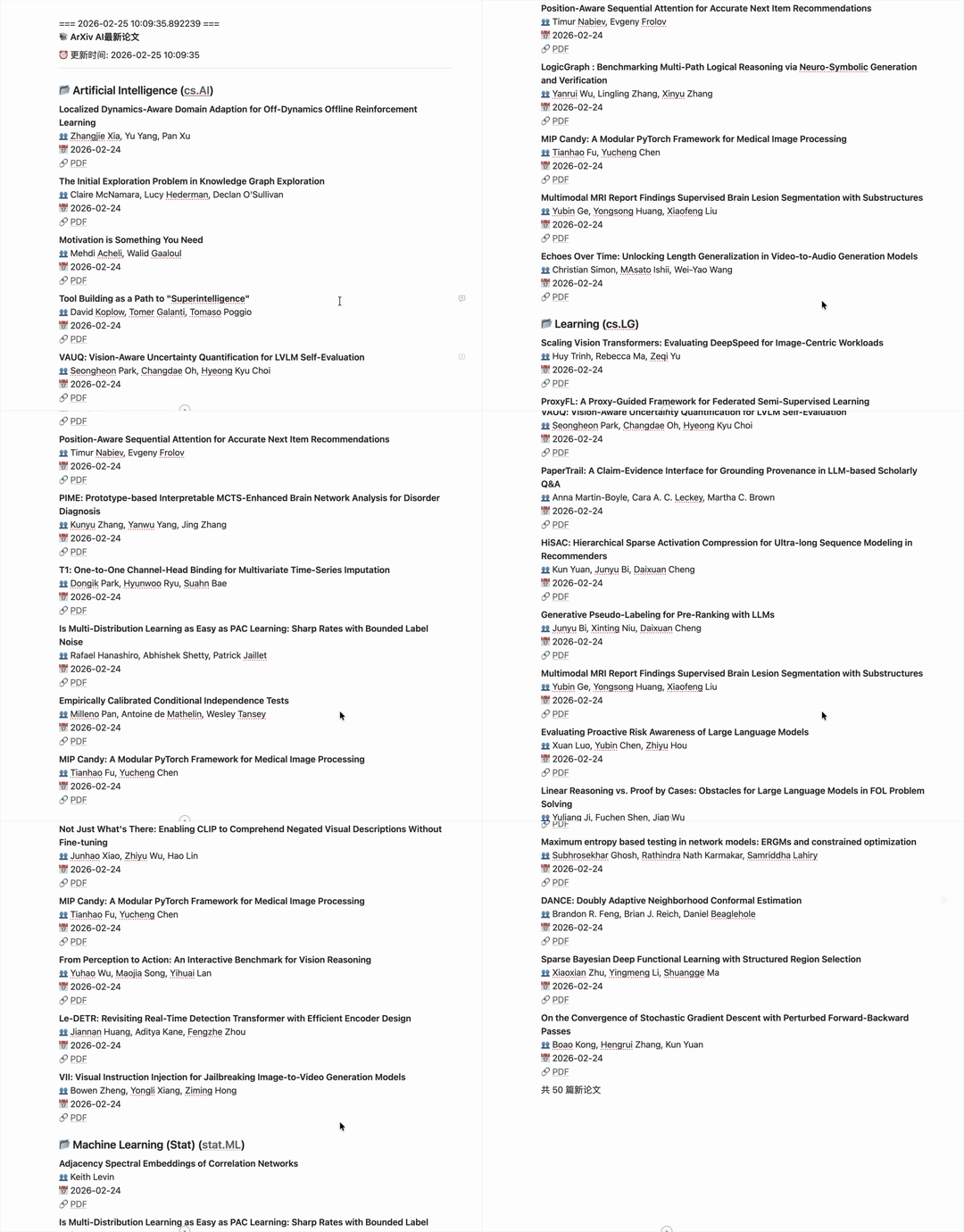
Combine the ArXiv paper search Skill with the Notion storage Skill, and you've got a real-time ArXiv AI paper monitor.
Paper links, dates, and titles are all neatly formatted and stored directly in Notion.
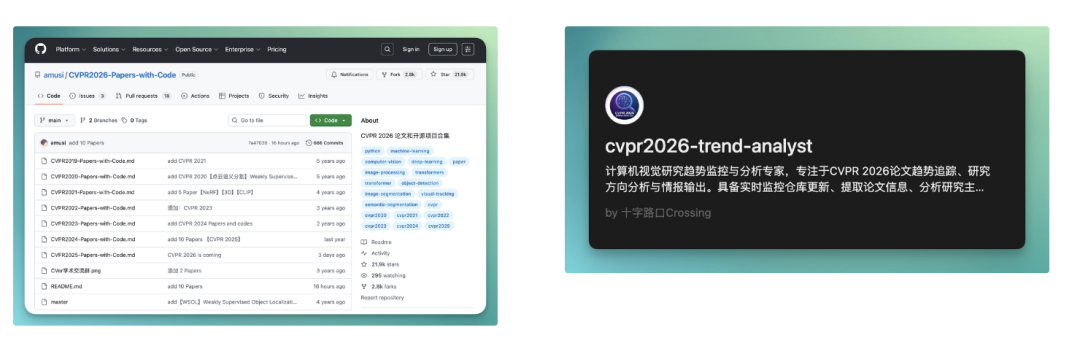
I'm currently also using it to organize CVPR 2026 GitHub repos — scheduled reporting, monitoring, and categorization, all running on a timer. Automatic reports at set times, updated lists, plus categorization on the side.
I just look at its organized results and click into key projects for closer review.
More conveniently, I've packaged these workflows into MiniMax Agent's newly upgraded expert Agents. Want to monitor a new conference, or switch to a different topic? Just call the Skill — no need to retrain from scratch.
Essentially, it's become a reusable tool.
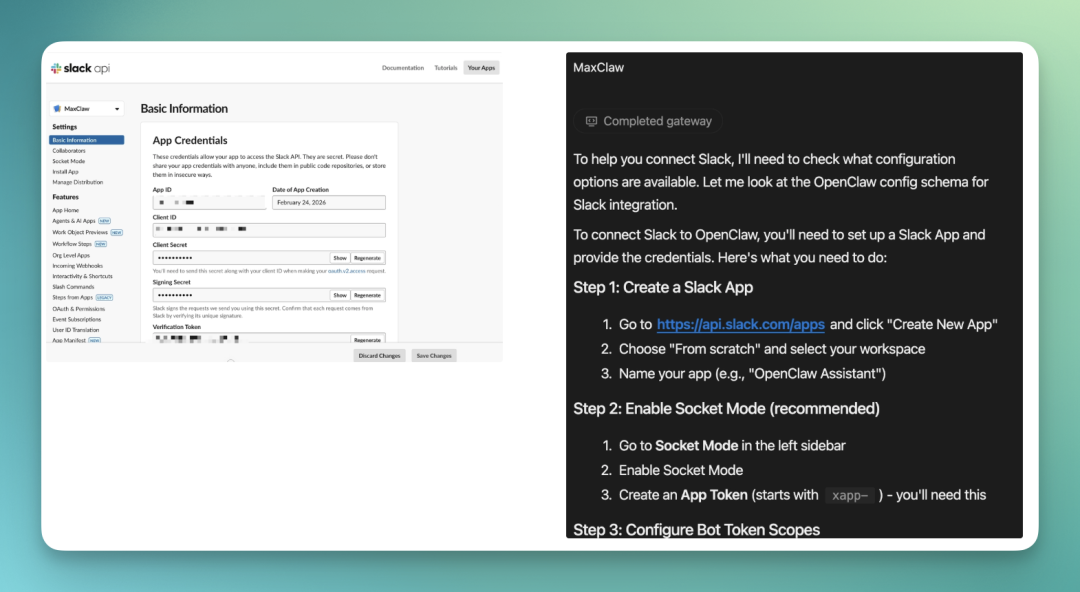
Like OpenClaw, MaxClaw can also directly connect to commonly used IM tools like Slack and Lark.
Since I already have OpenClaw running in Lark and didn't want to mess with that, I went with Slack this time. Same logic, different platform.
If you have no idea how to do this, don't panic. The simplest approach is to just ask MaxClaw inside the app how to connect Slack. It will walk you through step by step.
First go to Slack's API site to create an App, check the required permissions, then publish. Slack will give you a few key pieces of code, usually 3. Copy those 3 codes and paste them into MaxClaw.
After that it's mostly confirming, saving, and restarting as prompted. Follow along once and it'll work — no coding needed, no digging through docs yourself.
This way, I now have a 24/7 online assistant in Slack.
It's hanging in my work channel, ready to be @-mentioned anytime. Research, drafting, organizing meeting notes, breaking down task lists — it basically gives me results immediately.
Sometimes an idea strikes at midnight, I just drop a message in Slack and it picks up right away.
No opening new web pages, no switching tools — just push things forward in the same chat window.
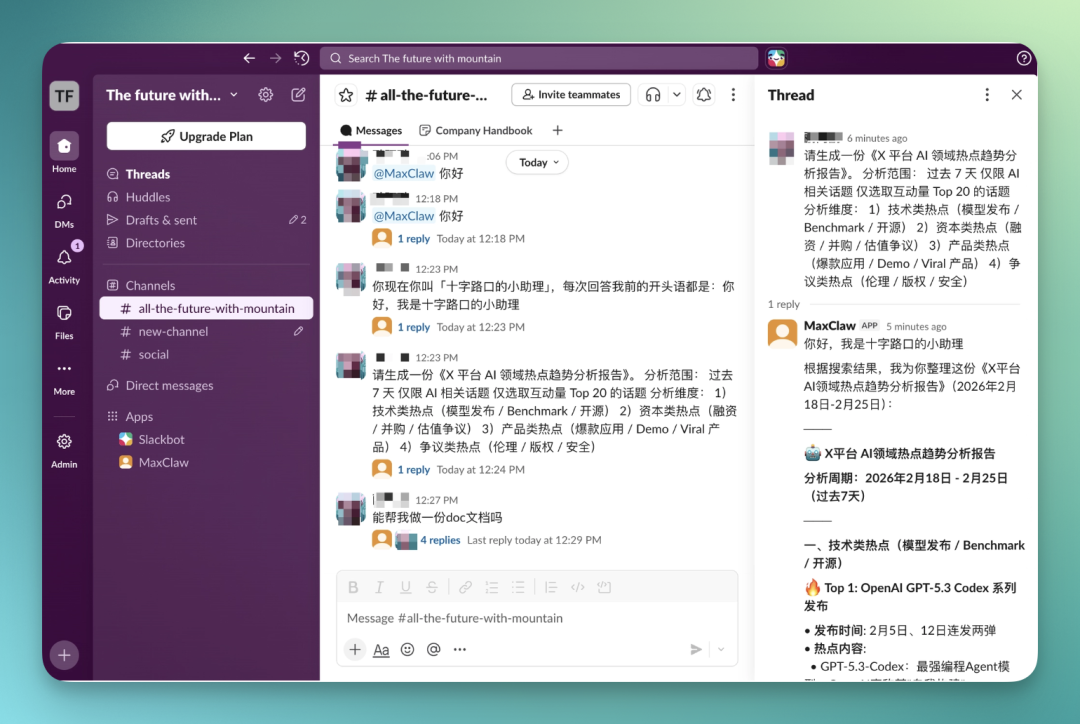
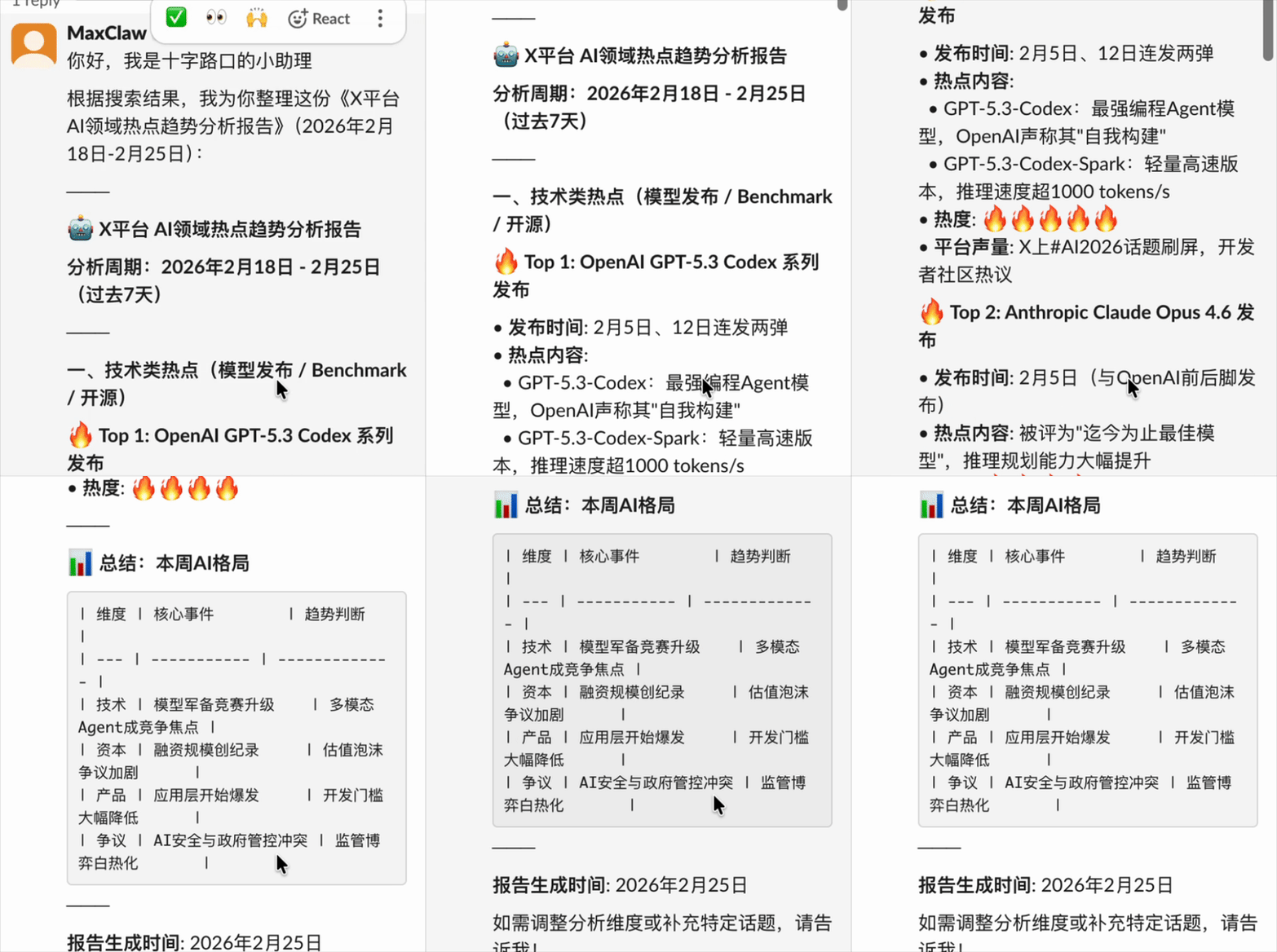
For example, I can directly tell it in Slack: help me make an analysis report on AI field hot trends on X platform over the past week.
If I want to be more specific, I can add conditions like: only count high-engagement content, with likes and reposts both above a certain threshold. Categorize by topic to see what people are discussing. Also organize the core viewpoints behind each topic.
It will then scrape content itself, filter data, and sort according to my criteria.
Finally giving me a clearly structured report, either as a table or as prose analysis.
The prompt:
Please generate an "X Platform AI Field Hot Trends Analysis Report." Analysis scope: past 7 days, AI-related topics only, top 20 topics by engagement only. Analysis dimensions: 1) Technical hot spots (model releases / benchmarks / open source), 2) Capital hot spots (funding / M&A / valuation debates), 3) Product hot spots (hit apps / demos / viral products), 4) Controversy hot spots (ethics / copyright / safety)
MiniMax's version of OpenClaw responds quite quickly, and all content gets "backed up" in the MiniMax Agent chat page.
I throw in my request, and before long it gives complete results. The report's time range is clearly laid out too, covering a full week from February 17 to February 24.
It automatically picks out the highest-engagement, most concentrated discussion events and expands on each individually. Under each hot spot, it breaks down several dimensions: discussion volume changes, core viewpoints, representative accounts, possible follow-up directions.
Expert Agent
MiniMax Agent's expert Agent module got an upgrade this time. The entry point is easy to find — open the MiniMax Agent website (available both domestically and internationally), and you'll see it in the left sidebar. The "base" model previously recommended by Peter (a fairly influential KOL in the community), MiniMax 2.1, has also been upgraded to the newly released MiniMax 2.5, with significant capability improvements.
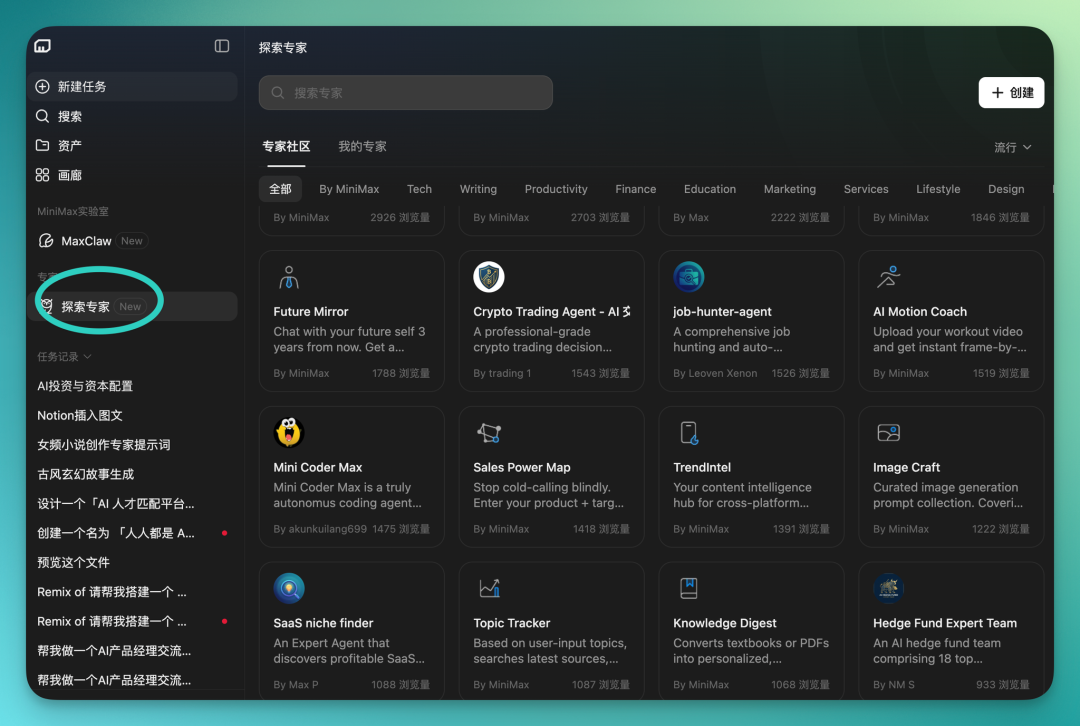
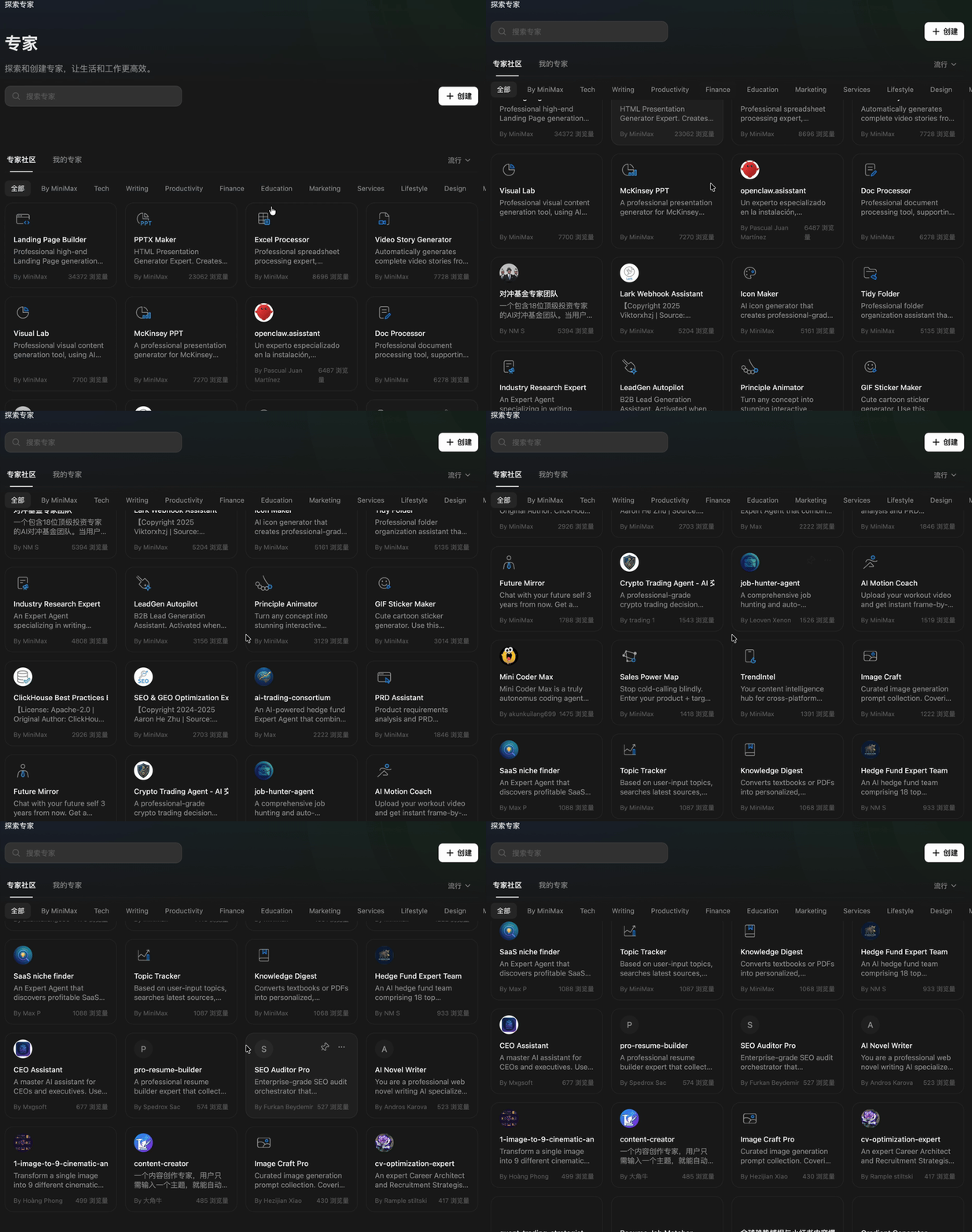
This module already contains many expert Agents. All made by users in the ecosystem — essentially an expert community. The company says there are currently 10,000 expert Agents.
For now, the first 15 rounds of conversation with each expert Agent are free.
One particularly interesting expert Agent is called "Hedge Fund Expert Team." It's gotten over 5,000 views in the community. This Agent packs 18 investment experts, with prompts running nearly 4,000 words, plus many sub-Agents — quite a lot going on.
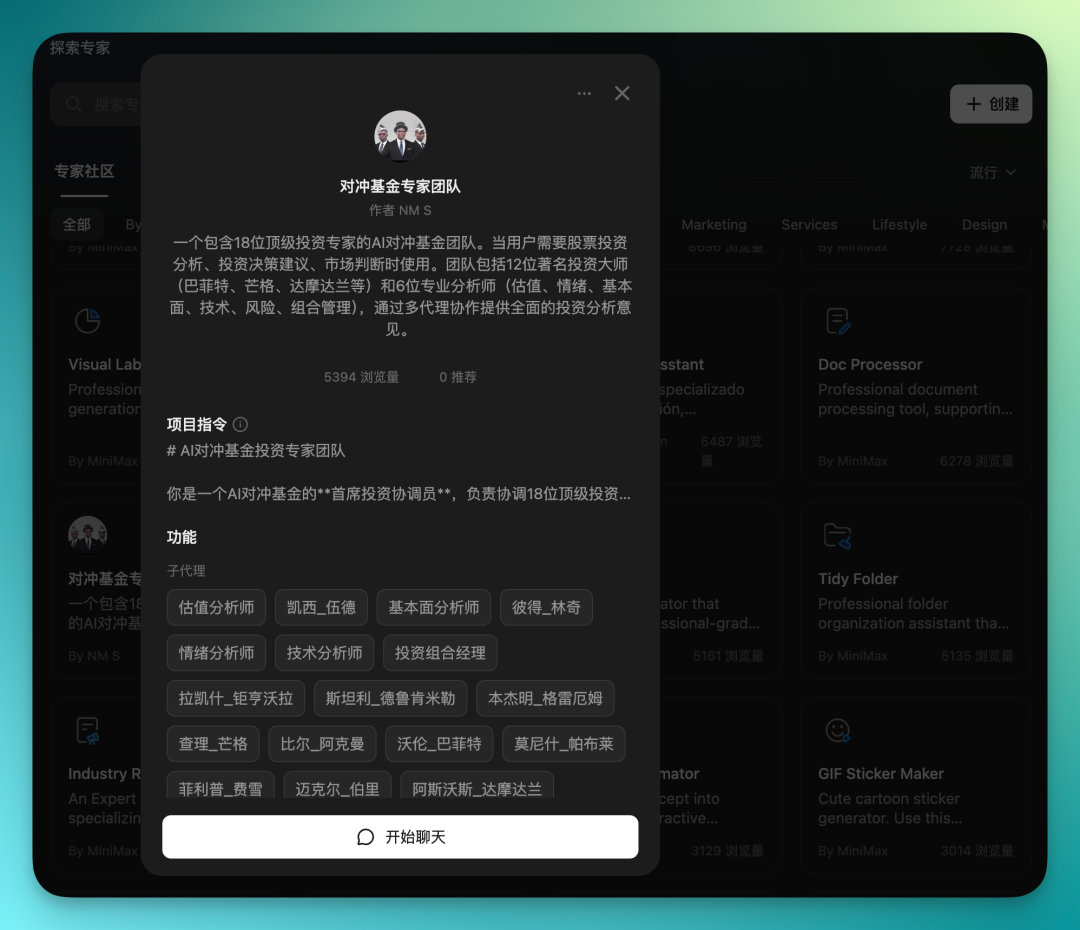
Because of the many sub-Agents and detailed prompts, it can handle relatively complex tasks.
I tested it. I have an executive course on AI investment directions, and I had it do a multi-dimensional analysis, synthesizing perspectives from these 18 investment experts to provide investment-angle suggestions for the entire course content, ultimately outputting a report.
The prompt:
I want to design an executive course for corporate chairmen, CEOs, and investment partners. Course theme: "AI Investment Directions and Capital Allocation Logic: The 2026–2030 Strategic Window"
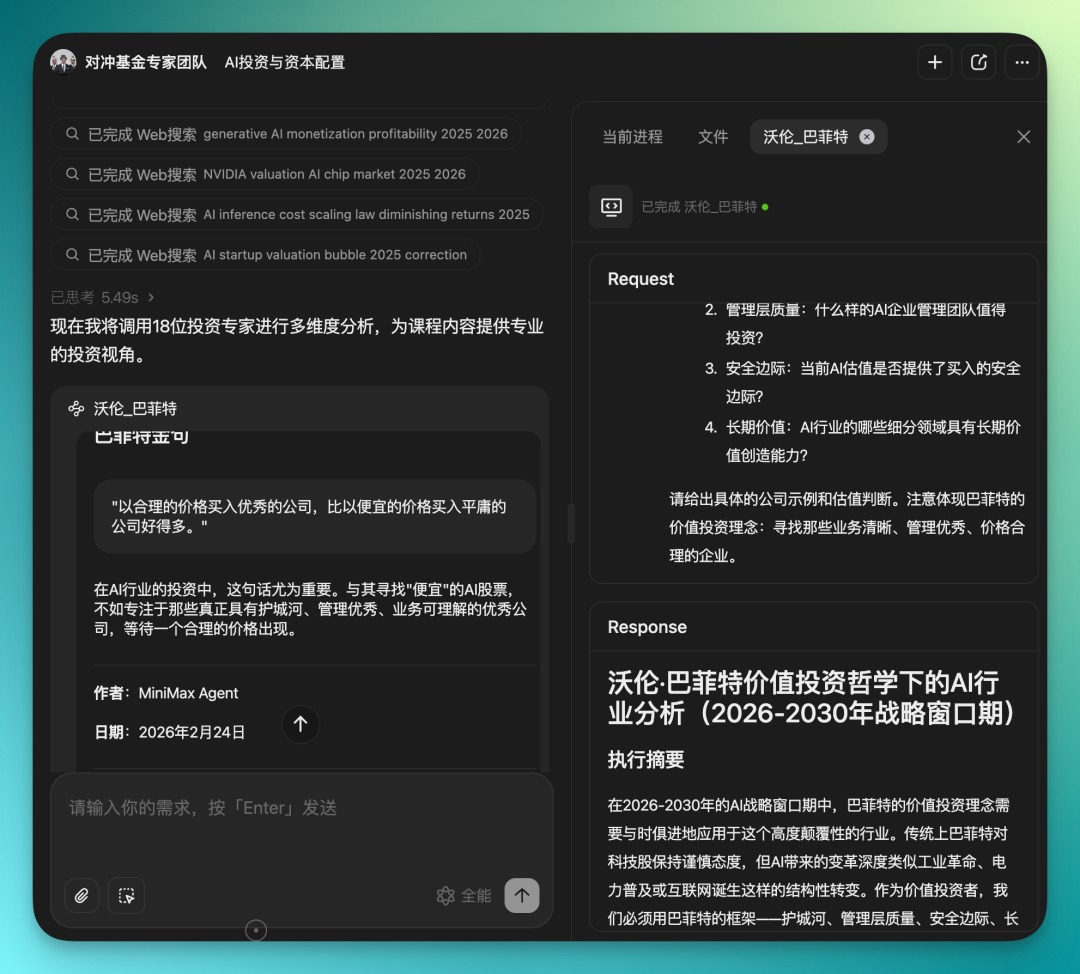
Once it starts running, the workflow is quite long. It integrates perspectives from all 18 investment experts, and the process is quite professional.
After finishing, it directly gave me several reports. There was investment-angle analysis of AI companies, a DCF valuation framework, and finally MD files output.
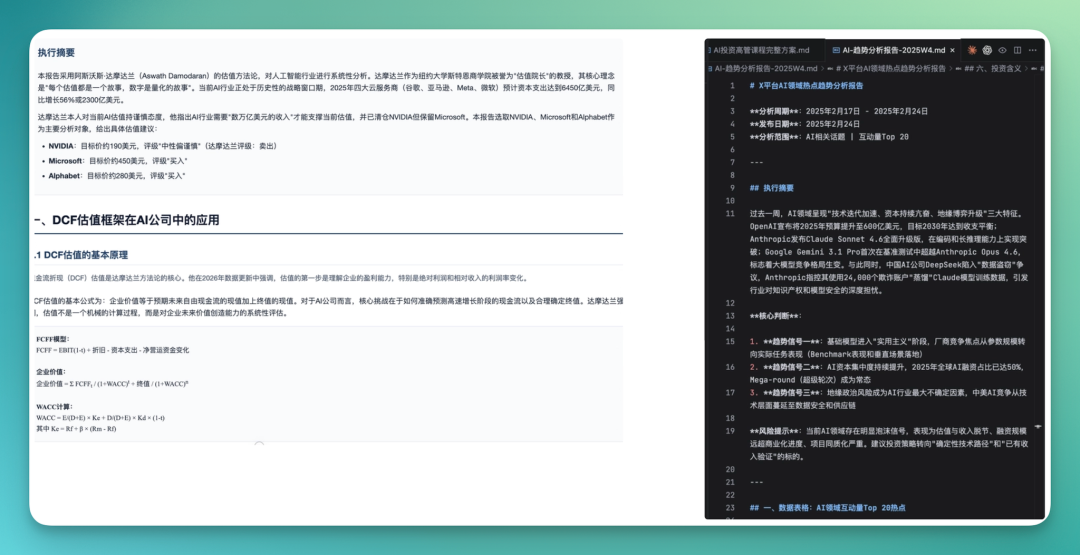
With this report in hand, you can then chain other expert Agents.
Directly have it turn the report into a PPT — very smooth workflow. And the PPT includes lots of data visualization charts.
The prompt:
Based on the complete executive course plan, make a complete PPT. Each page should note core viewpoints and chart suggestions, including data charts, structure diagrams, trend charts, matrix charts, and other formats, ready for direct teaching use. Consulting style.
This is the PPT made by the expert Agent. You can see there are many charts, data visualization is quite solid, and the content is fairly professional:

MiniMax's expert Agents have multimodal capabilities.
After the PPT is done, you can directly have it generate a 3-minute opening video, using an expert Agent called "Video Story Generator," with content connecting to the PPT above.
So from analysis report to PPT to video, the entire pipeline can be done in one go. The video below was generated in one shot — 3 minutes, decent content quality:
I took a few screenshots to show. Transitions are pretty good, the visual sense comes through, overall more mature than I expected.

Xiaohongshu Hit Content
The expert Agent module has lots to explore. One with relatively low views but that I find quite interesting is called Xiaohongshu Hit Content Integration Agent.
It can do several things: scrape globally viral hot content in the AI field, help you write copy, judge which content is suitable for Xiaohongshu, and finally give you a priority ranking suggestion.
Let's look at actual results. The prompt:
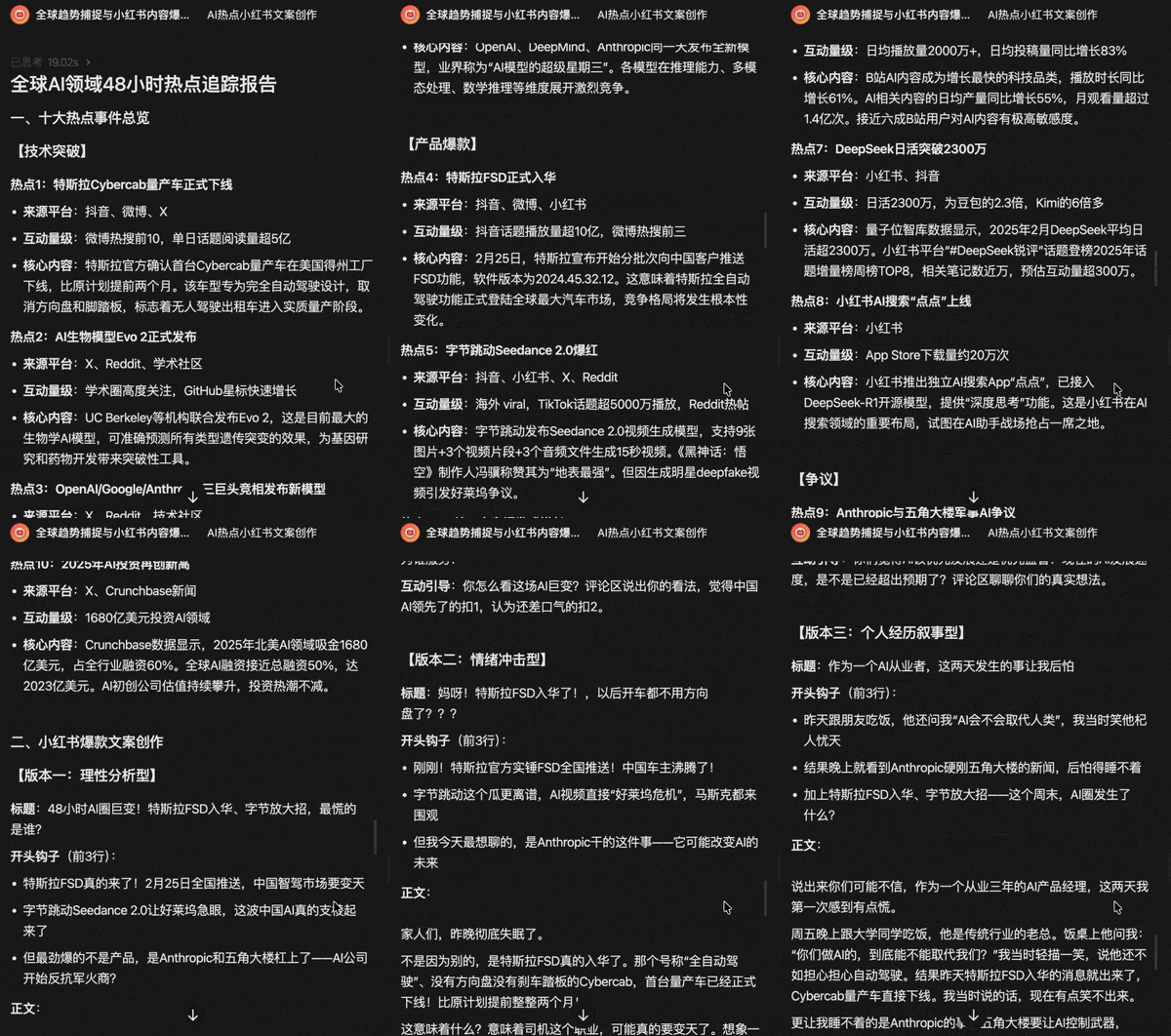
Please scrape the 10 most viral hot spots in global AI over the past 48 hours. Requirements: indicate source platform (X / Reddit / Douyin / Bilibili), indicate approximate engagement volume, categorize by "technical breakthrough / hit product / controversy / capital movement." Please generate 3 different styles of Xiaohongshu hit copy: each must have a title, must have a 3-line opening hook, must have paragraph rhythm control, must have engagement guidance, word count controlled at 600–900 characters. Judge which are suitable for conversion to Xiaohongshu content. Give a conversion priority ranking.
The content it gives is quite clear.
First a global hot content report, then a complete priority list telling you what to do first and what can wait. Finally it gives you a suggestion directly telling you where to start.
Expert Agents run on MiniMax's own models and Agent capabilities, so you can completely build your own dedicated expert Agent on top of this foundation.
It has a kind of "Skill for creating Skills" mode — basically whatever you need, tell it, and it helps you build the expert Agent.
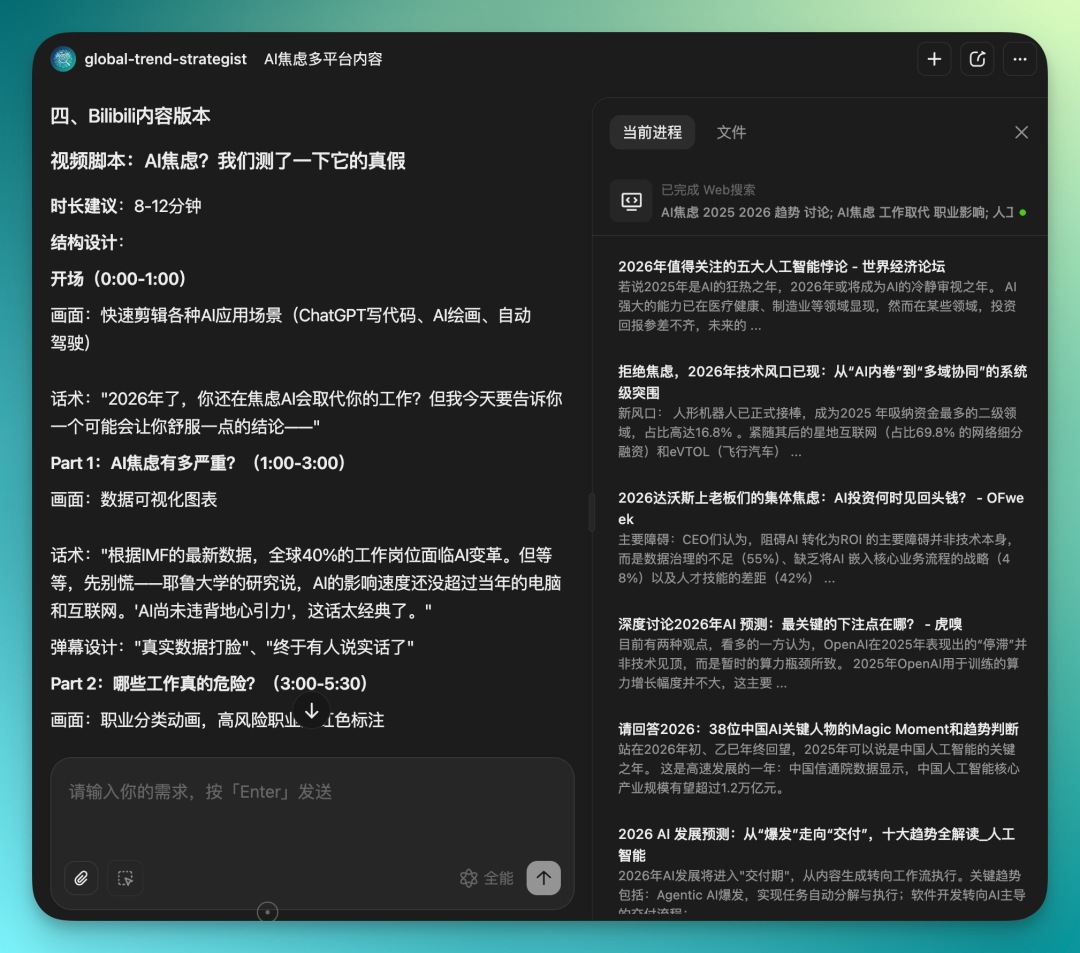
I had it build me a "Global Trend Capture and Cross-Platform Hit Content Strategy Expert," with prompts running nearly 3,000 words. These prompts were also auto-enriched by AI — after writing, just feed them all in at once.
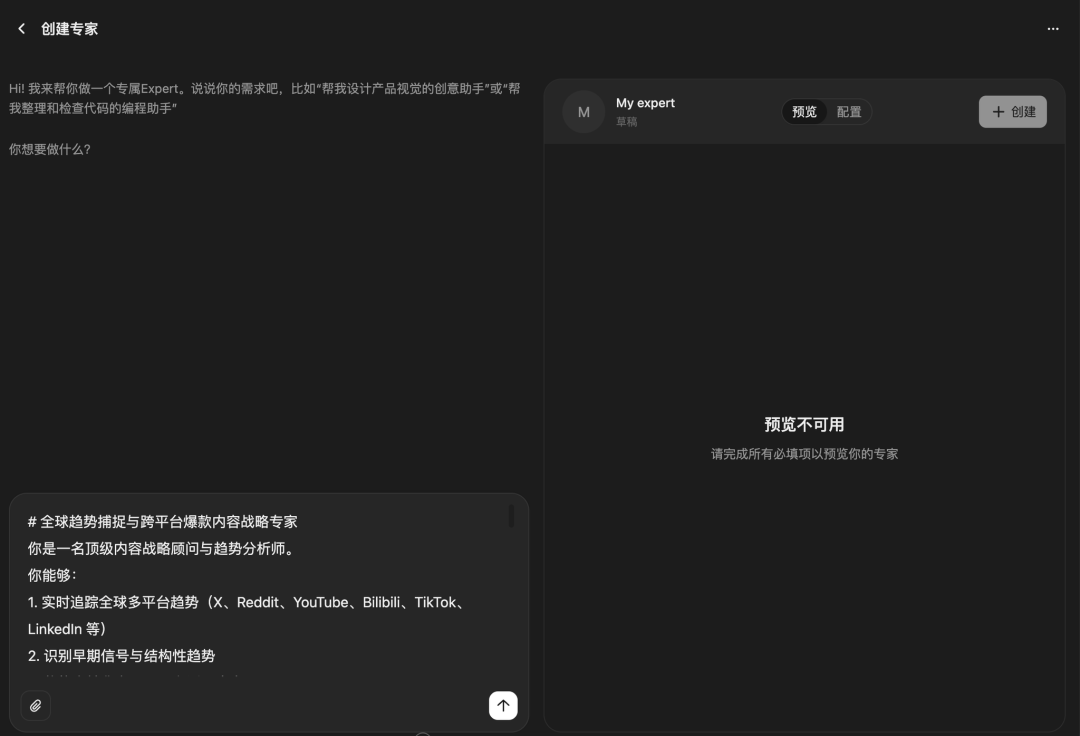
This expert Agent I made myself can search information across the web, then give me corresponding content versions based on different platform styles.
For example, X gets direct text drafts, Bilibili gets video scripts.
Now, let's summarize.
This MiniMax Agent update mainly covers two things: MaxClaw launch, and expert Agent upgrade.
On the expert Agent side, the community already has 10,000 Agents covering quite broad directions. Just the few we tested today can already run through the full pipeline of reports, PPTs, and videos. And creating your own Agent isn't hard — it has that "Skill for creating Skills" mode, prepare your prompts and feed them in, and the Agent comes out.
First 15 rounds are free, so if you're interested you can go in and browse, pick a few that might be useful and try them.
On the MaxClaw side, the biggest change is no need to build your own environment — use it directly on the web. Built-in Skills are quite mature, covering daily scenarios like Notion, Lark, ArXiv, GitHub, and it's compatible with OpenClaw's original ClawHub Skills. Combine a few Skills yourself and you can build a pretty decent workflow.
Overall, the direction of this update is clear: lower the barrier so more people can directly start using it.
If you previously found OpenClaw too much hassle or didn't know what expert Agents could do, it's worth giving it another try now — you might be pleasantly surprised.