Breaking: Nano Banana Pro is completely free during Lovart's "Super Banana Weekend"

After Gemini 3, Google's Second Surprise: Nano Banana Pro Sends the Community Into a Frenzy.
After Gemini 3, Google's second surprise: Nano Banana Pro blows up the community.
👦🏻 Author: Jingshan
🥷 Editor: Koji
🧑🎨 Layout: NCon

Last year, a lot of people were asking: Can this elephant still dance?
But throughout 2024–2025, Google delivered a pretty straightforward answer.
From Gemini 2.5 Pro to Nano Banana, Google kept successfully breaking out of its bubble. That rhythm of "big-tech steadiness + frontier-level boldness" suddenly came back.
Over the past few days, Gemini 3 and Nano Banana Pro both hit the trending charts simultaneously, pushing the hype even higher. One is going down the "unified model + reasoning boost" path; the other is going down the "world knowledge + high-density information fusion" path.
Among them, Nano Banana Pro has once again blown the imagination window wide open, telling everyone: the ceiling for image models might still be nowhere in sight.
So what exactly makes Google's Nano Banana Pro so impressive this time?
Here's our hands-on test.
FOX Café Poster
First off, the platform we used for testing is still Lovart — currently one of the best places to fully unleash Nano Banana Pro's capabilities.
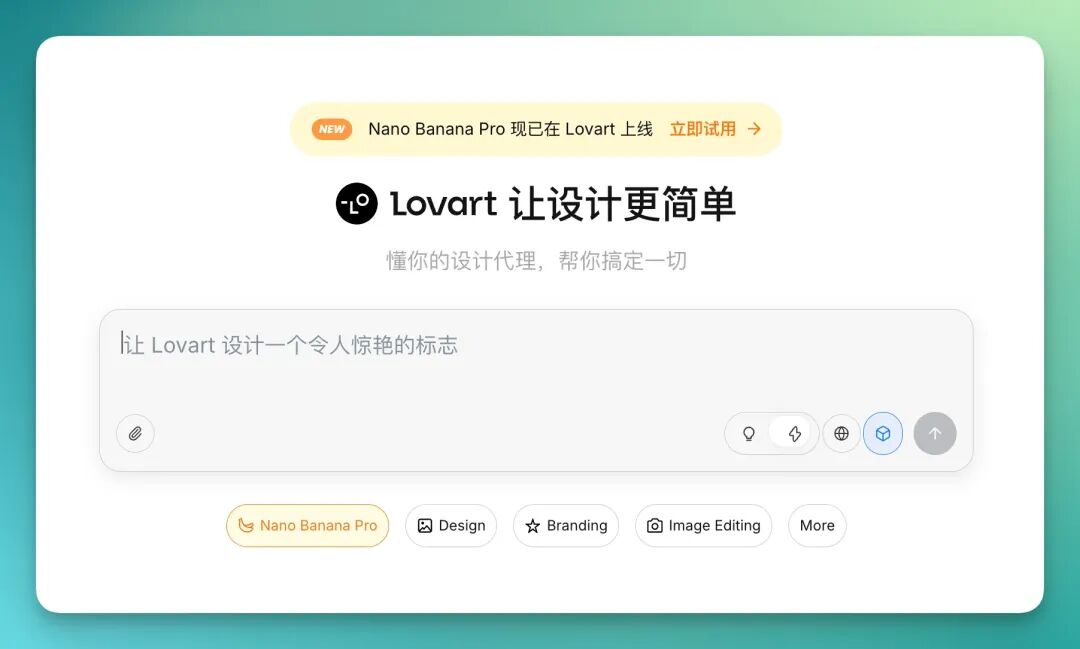
We started with the most common and demanding test for any model's comprehensive abilities: commercial posters.
To test Nano Banana Pro's aesthetic sense and element integration, I invented a brand called "QUIET FOX COFFEE" and had the model generate a set of café menu promotional posters.
Right from the start, I cranked up the difficulty. Instead of generic posters, I tested Nano Banana Pro's ability to generate "maximalist full-menu booklets."
I have to give credit to Lovart here — inside Lovart, you can have the model generate 12 posters in one go, essentially a complete menu book.
We had it simulate a 12-page maximalist-style, information-dense coffee menu booklet:
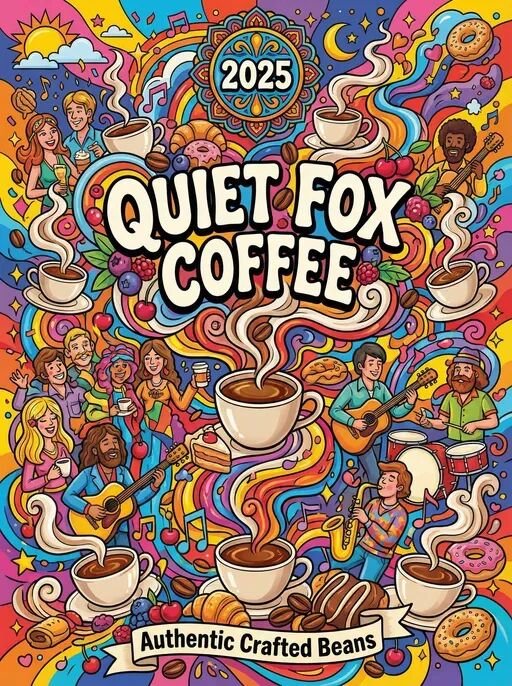
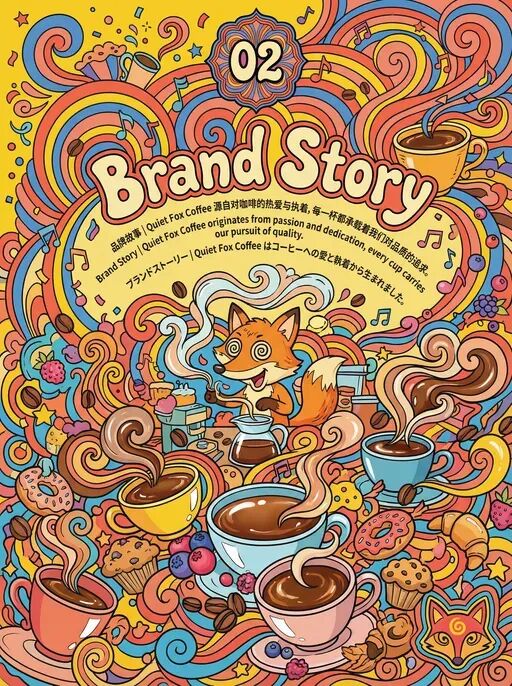
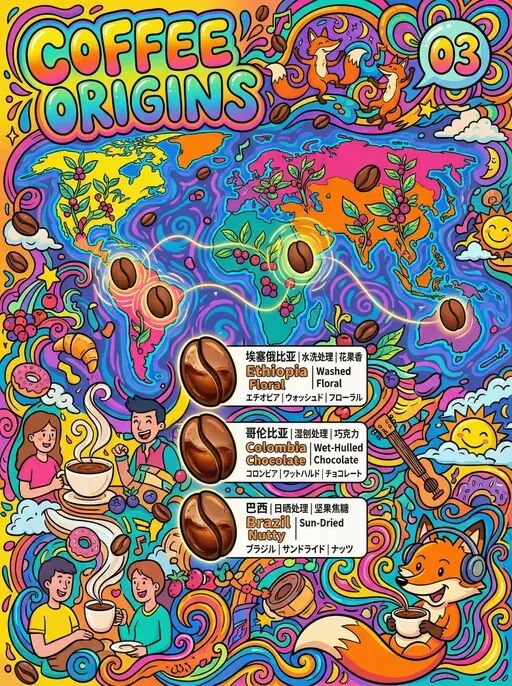
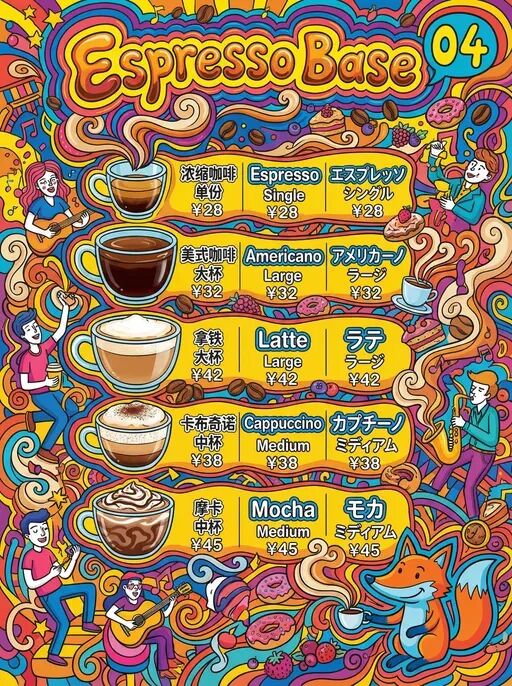
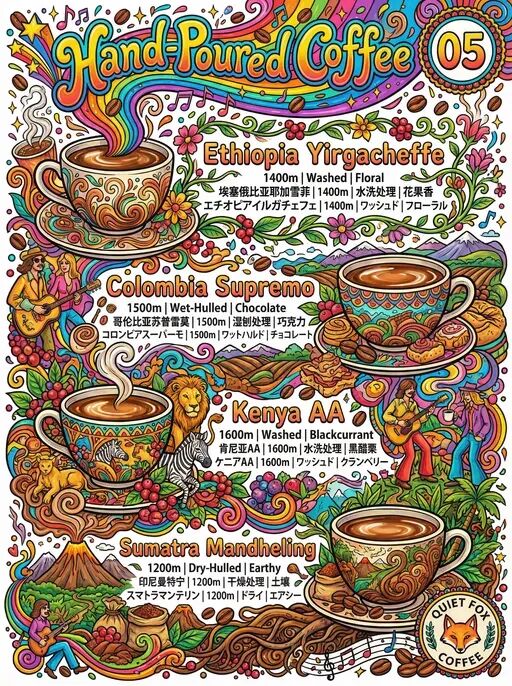
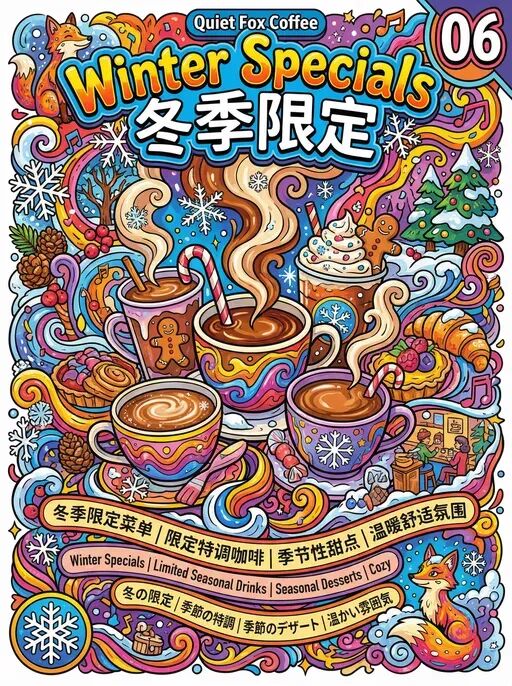
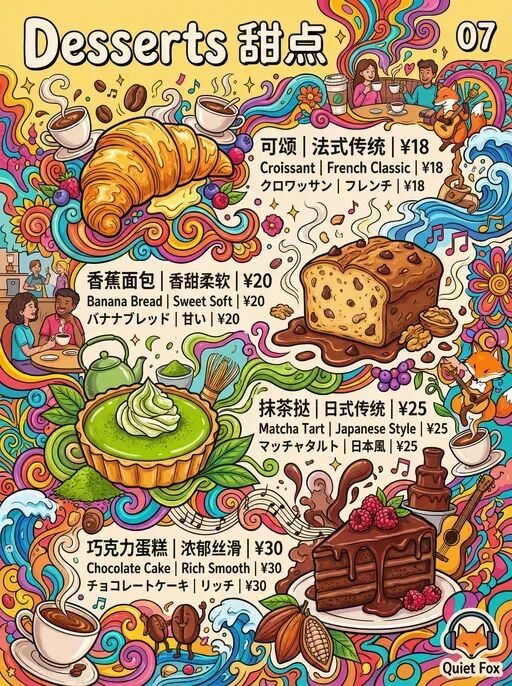
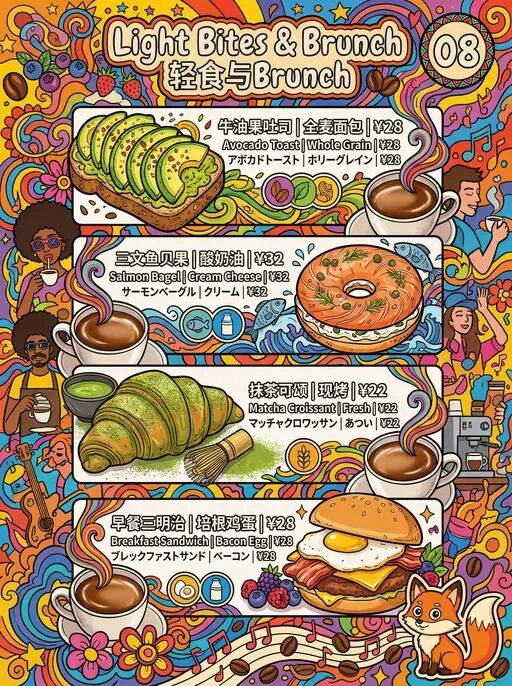
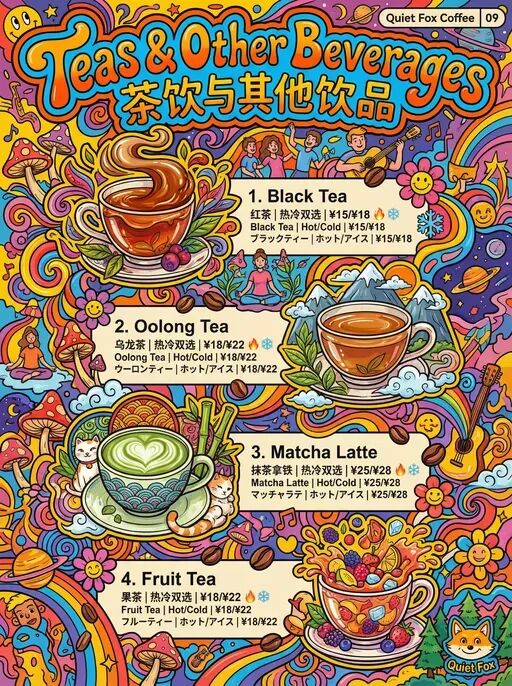

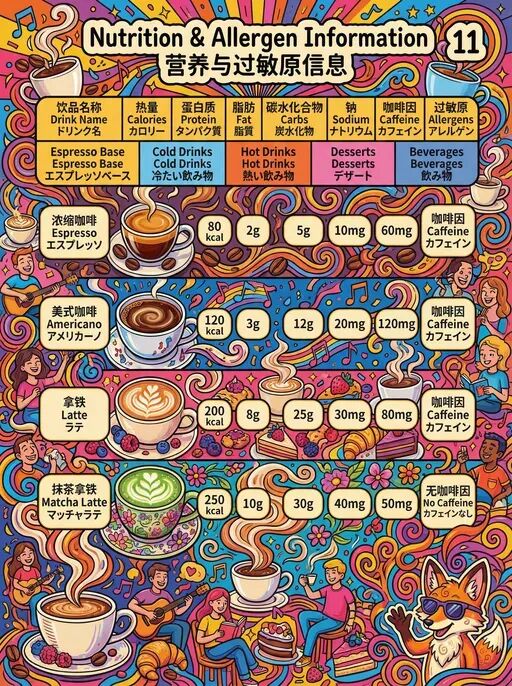
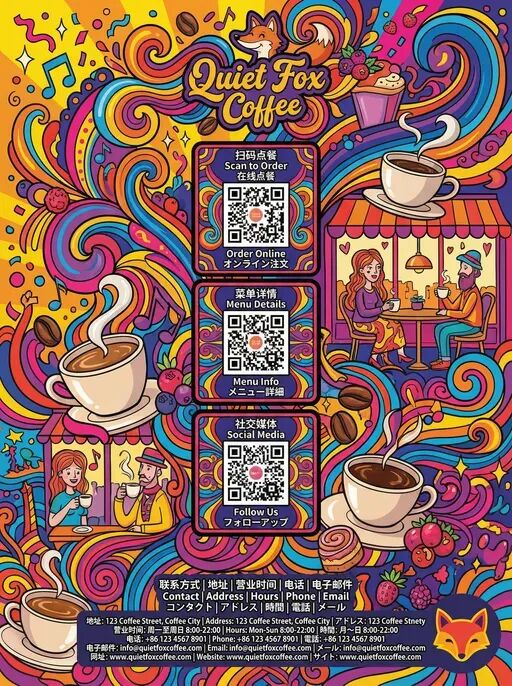
You can clearly feel that Nano Banana Pro maintains excellent "page consistency" under maximalist styling.
From cover and branding, to coffee bean maps, drink menus, desserts, light bites, announcements, all the way to the back cover — the overall tone, graphic language, and color system remain continuous and stable.
More importantly, in such a high-complexity, multi-element, multi-page generation task, it barely exhibits the usual hallucinations.
Including details like cups in illustrations, beans, map structures, dessert shapes — everything stays within controllable bounds.
Scientific Diagrams & Chalkboard Style
Since Nano Banana Pro can now very autonomously absorb "world knowledge" and fuse it into images, it demonstrates a very "domain-fluent" feel when generating this type of highly structured, knowledge-dense content.
That's precisely why it's especially well-suited for creating various "educational analysis diagrams" and "science popularization infographics."
The prompts were as follows:
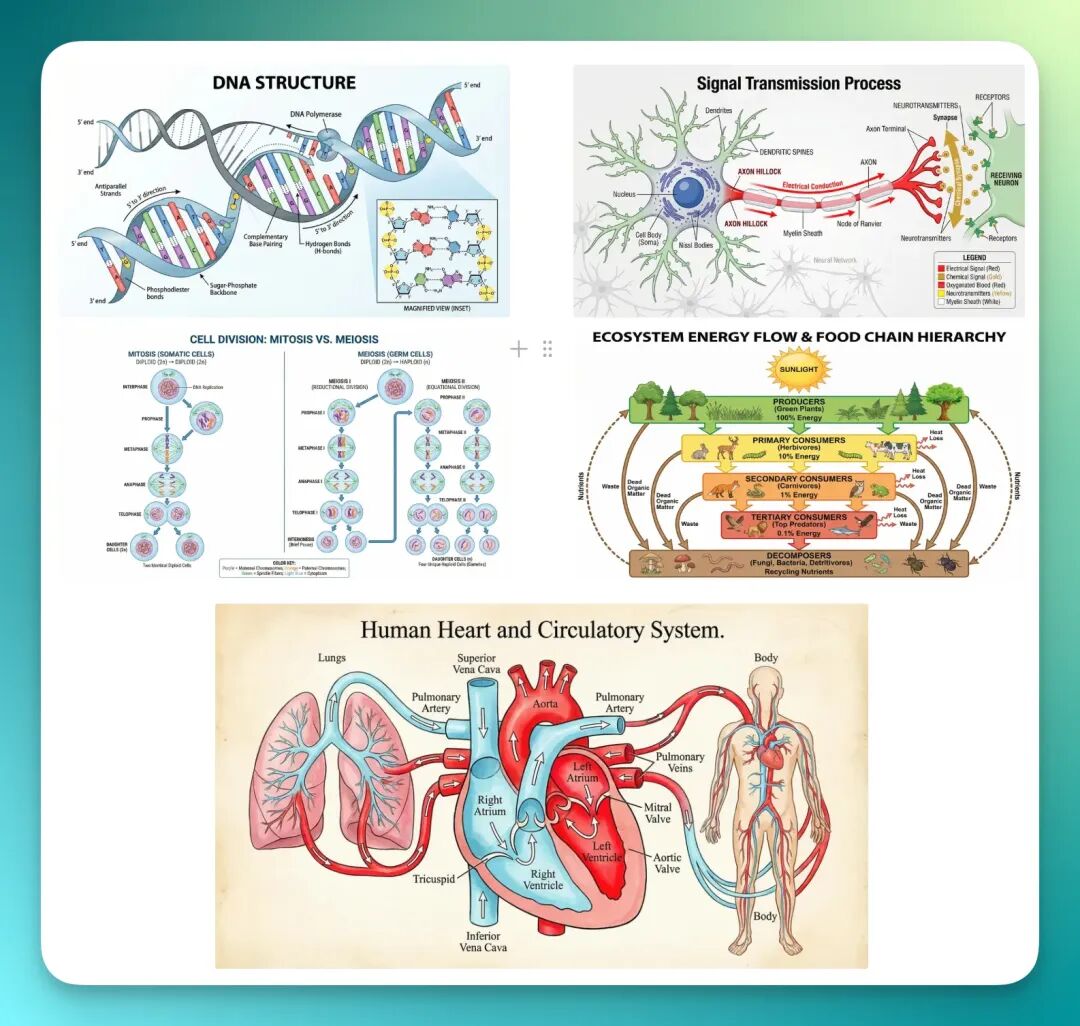
"Cell Division Process (Mitosis and Meiosis)" — Generate detailed schematic diagrams of cell division, showing each stage of mitosis and meiosis respectively: interphase, prophase, metaphase, anaphase, telophase; changes in the nucleus; chromosome arrangement and separation; chromosome recombination (meiosis); and cytokinesis. Clearly label each stage name, and add color coding to distinguish different stages and organelles. "DNA Double Helix Structure" — Generate a detailed DNA molecular structure diagram showing the double helix form. Label the sugar-phosphate backbone of each strand, highlight hydrogen bonding between base pairs (A-T, C-G pairing), use different colors to distinguish bases, sugars, and phosphates, and show their mutual pairing and complementary relationships. "Ecosystem Energy Flow Diagram" — Generate a schematic diagram of energy flow in an ecosystem, showing energy transformation between producers (e.g., plants), primary consumers (herbivores), secondary consumers (carnivores), and decomposers. Use arrows to indicate energy flow direction, and different colors to distinguish each energy level. "Heart Circulatory System Diagram" — Generate an anatomical image of the heart showing the relationships between left atrium, right atrium, left ventricle, right ventricle, arteries, and veins. Label blood flow paths from systemic circulation to pulmonary circulation, highlight pulmonary artery, pulmonary vein, aorta, and other major vessels, label heart valves and blood flow direction, and add different colors to distinguish oxygenated and deoxygenated blood. "Neuron Structure and Signal Transmission Diagram" — Generate a structural schematic of a neuron showing dendrites, cell body, axon, synapse, and other parts. Label details of internal neuron structures such as myelin sheath and nodes. Show how neural signals travel from dendrites to axons, and how signals pass through synapses to the next neuron or muscle cell, with emphasis on neurotransmitter function and signal transmission mechanisms.
These scientific diagrams cover relatively complex processes in biology and ecology, yet Nano Banana Pro's results simultaneously balance structural text layout with hand-drawn illustration effects.
Information hierarchy and explanatory labels all stay within a reasonable visual system.
For example, look at the DNA molecular diagram below.
If you examine it closely, you'll notice it not only shows DNA's double helix structure but also automatically adds a zoomed-in local view.
You can even have Nano Banana Pro directly "draw" all these analysis diagrams onto a chalkboard:
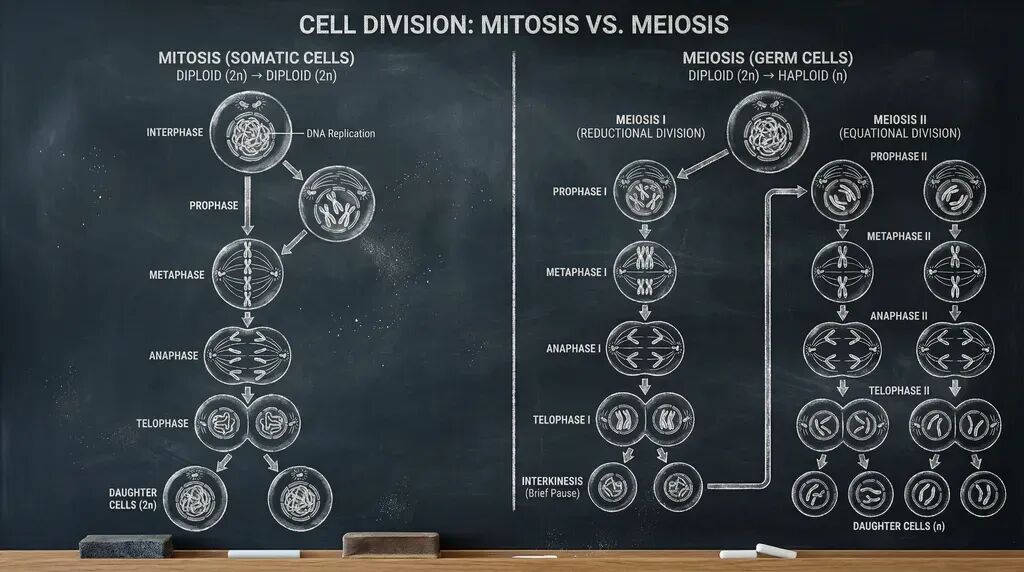
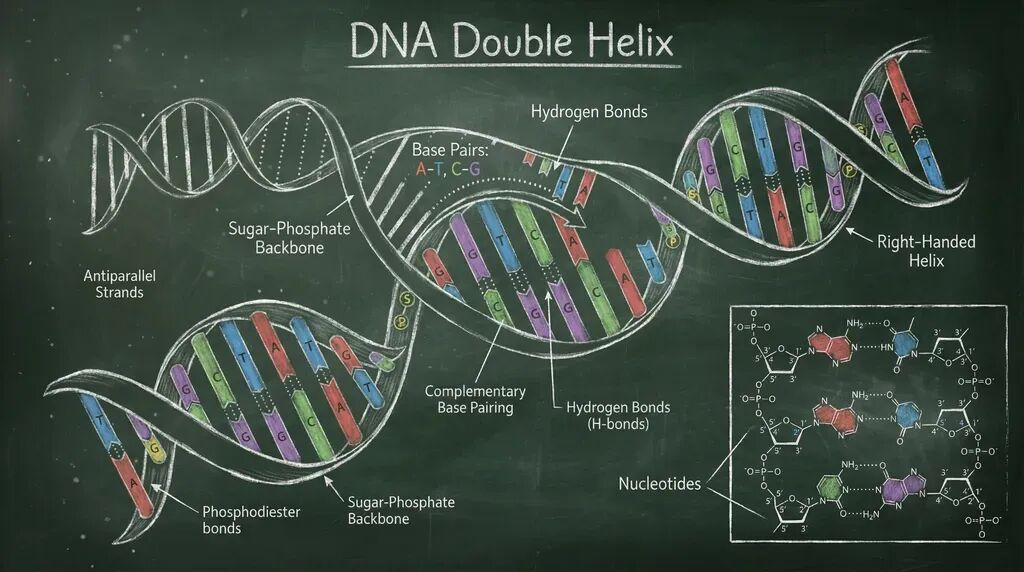
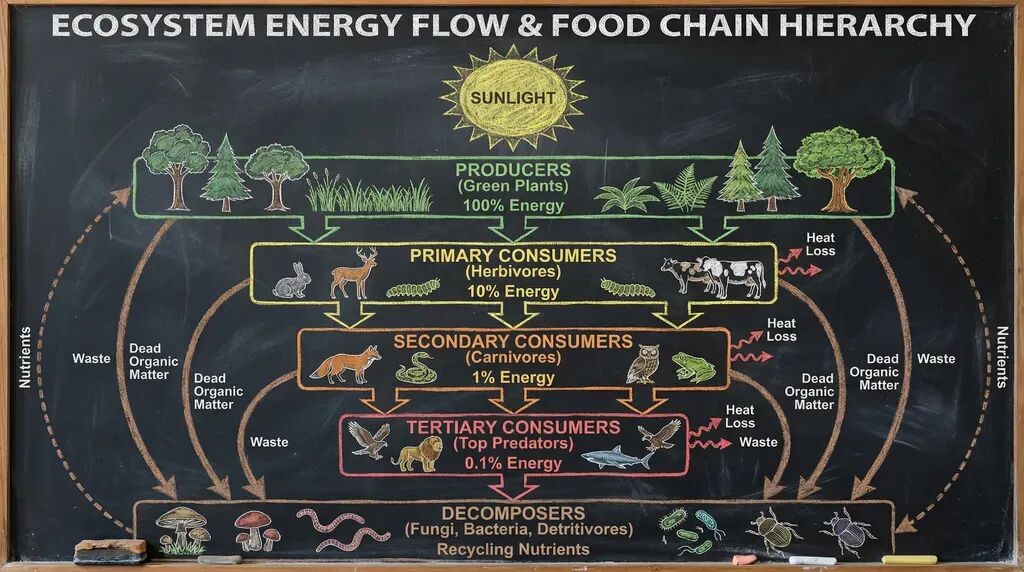
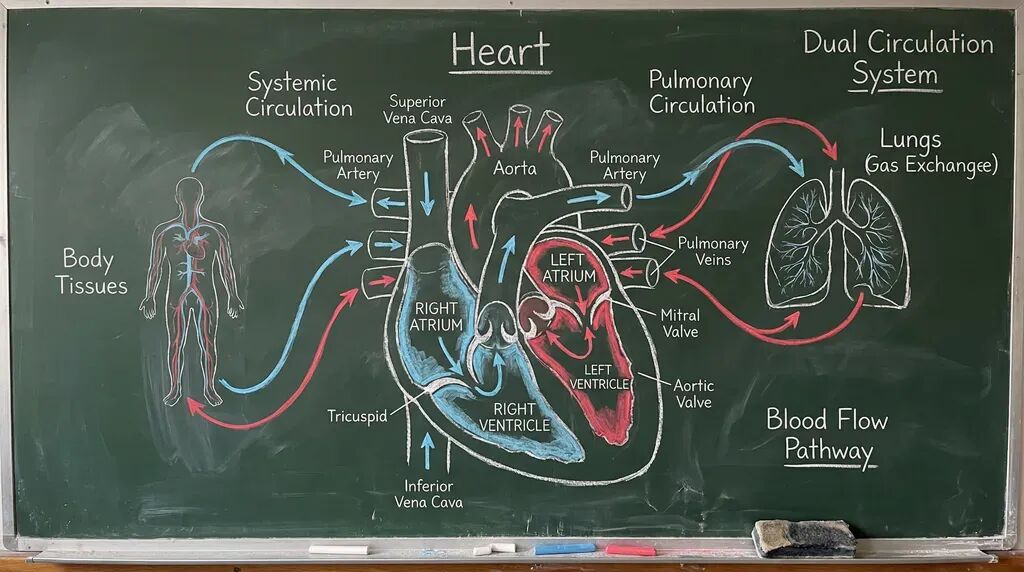
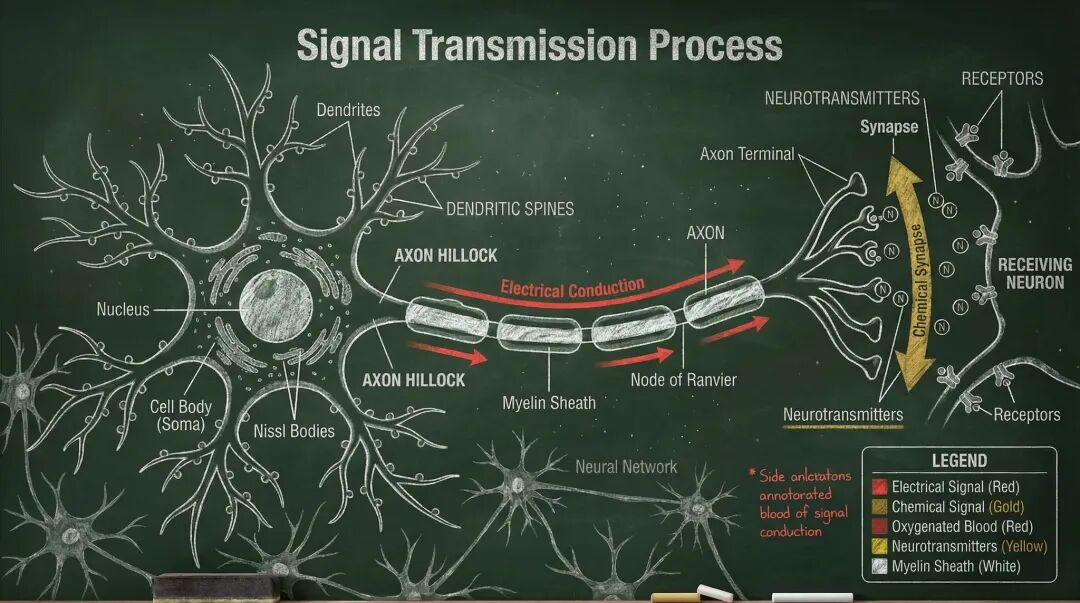
You can tell that the chalkboard's material, reflections, and subtle scratches are all rendered quite faithfully. The crumbly residue of white chalk, traces not fully erased — all add to the overall realism.
Notion Style + Bain Consulting-Style PPT Test
What's even more interesting is that Nano Banana Pro now supports directly outputting entire sets of stylistically unified PPTs, and the consistency between pages is even stronger than with static poster generation.
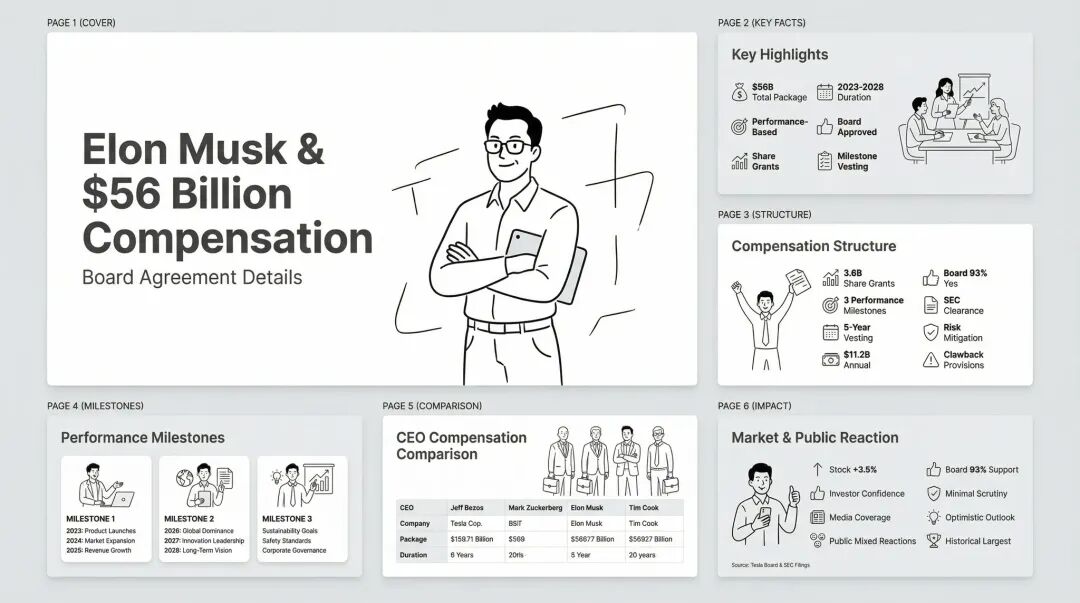
I then had it incorporate more image elements to make the whole content look more visually rich.
The prompt was:
Using Notion style, generate a PPT explaining the Great African Migration.
On the "The Epic Journey" page, Nano Banana Pro handled many elements, all cleanly and intuitively, without any sense of patchwork.
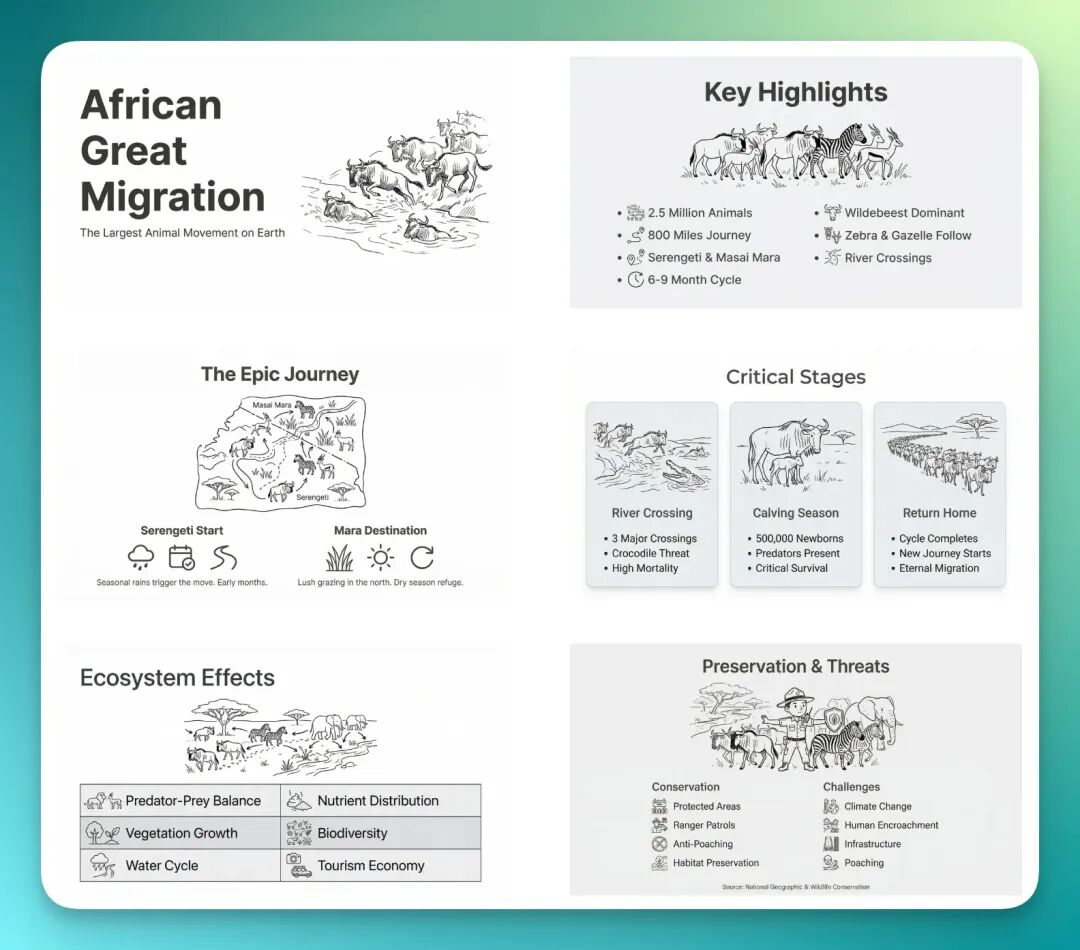
Every page of this PPT comes with line-art illustrations, and the information is laid out clearly.
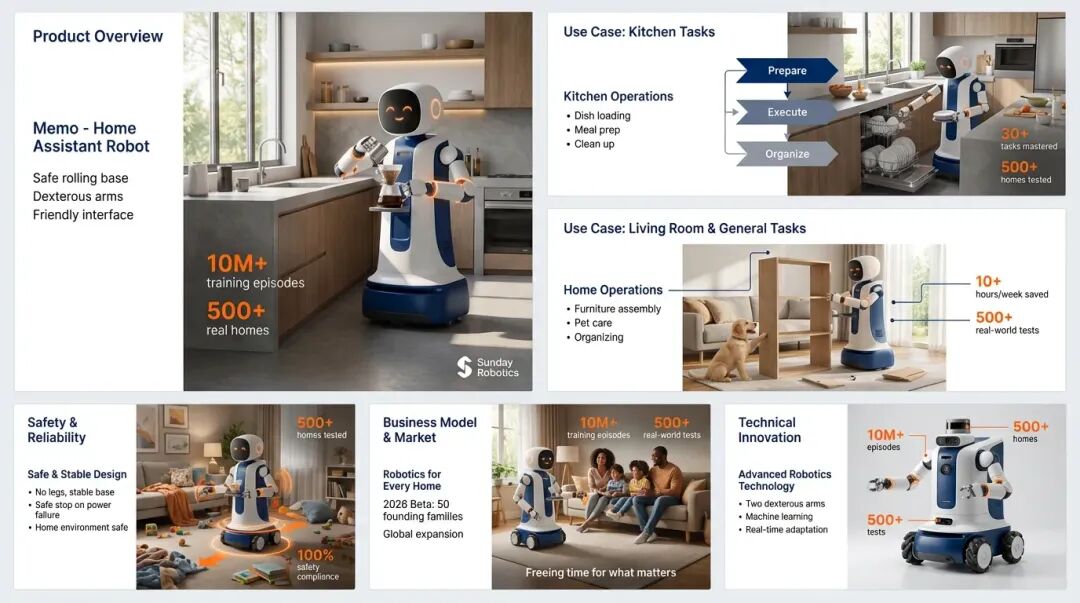
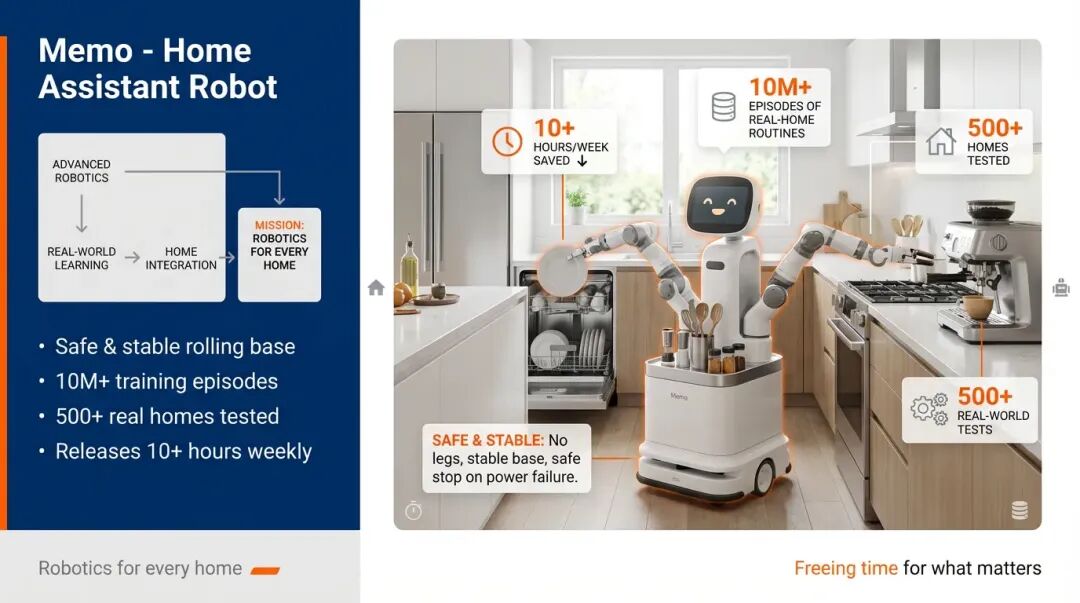
And it doesn't just do Notion's black-and-white line style — it can also generate "Bain consulting-style" PPTs: minimalist, business-oriented, capable of organically combining overall content logic, headlines, and keywords.
The prompt was:
Style: High-end management consulting style (typical Bain consulting style) → clean, minimalist, professional, with strong visual signal structure → Primary color palette: deep blue (#002D72), white background, supplemented with gray (#A7A9AC) and orange accent (#FF6A00) → Font recommendation: sans-serif (e.g., Helvetica Neue, Arial, or Noto Sans) → Layout recommendation: left 1/3 for controls (title, logic diagram, keywords), right 2/3 for core visual (robot real photo/render + home scene + data visualization) → Image style: photorealistic render + limited flat icons, emphasizing tech-meets-daily-life fusion → Detailed prompt as follows: XXX (content)
Real Models + TF Lipstick Mega-Fusion
As you can see, Nano Banana Pro has now made very noticeable improvements in multi-element, multi-subject fusion capabilities.
To verify this, I ran a test in Lovart closer to real commercial needs.
First, simultaneously generate BAZAAR-style posters, model posing shots, and 8 TF lipstick color swatches:
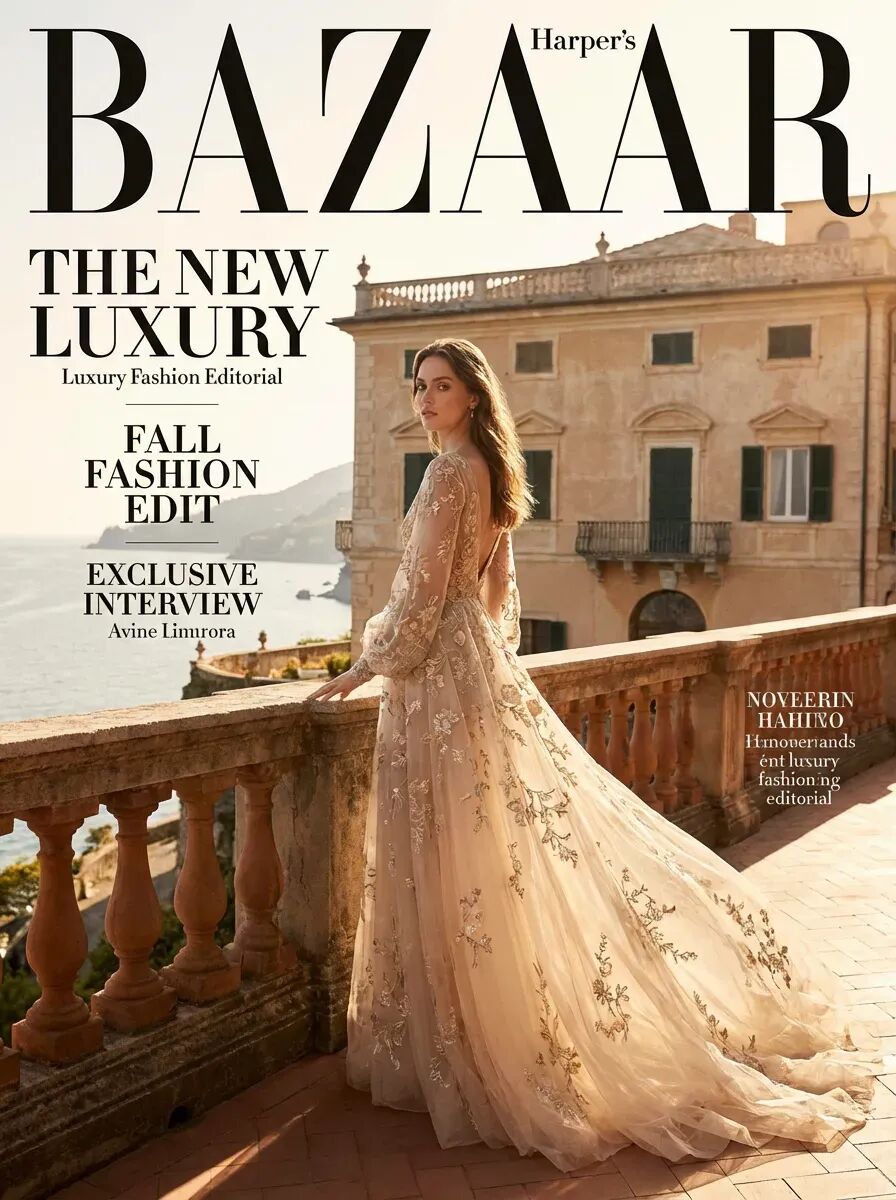
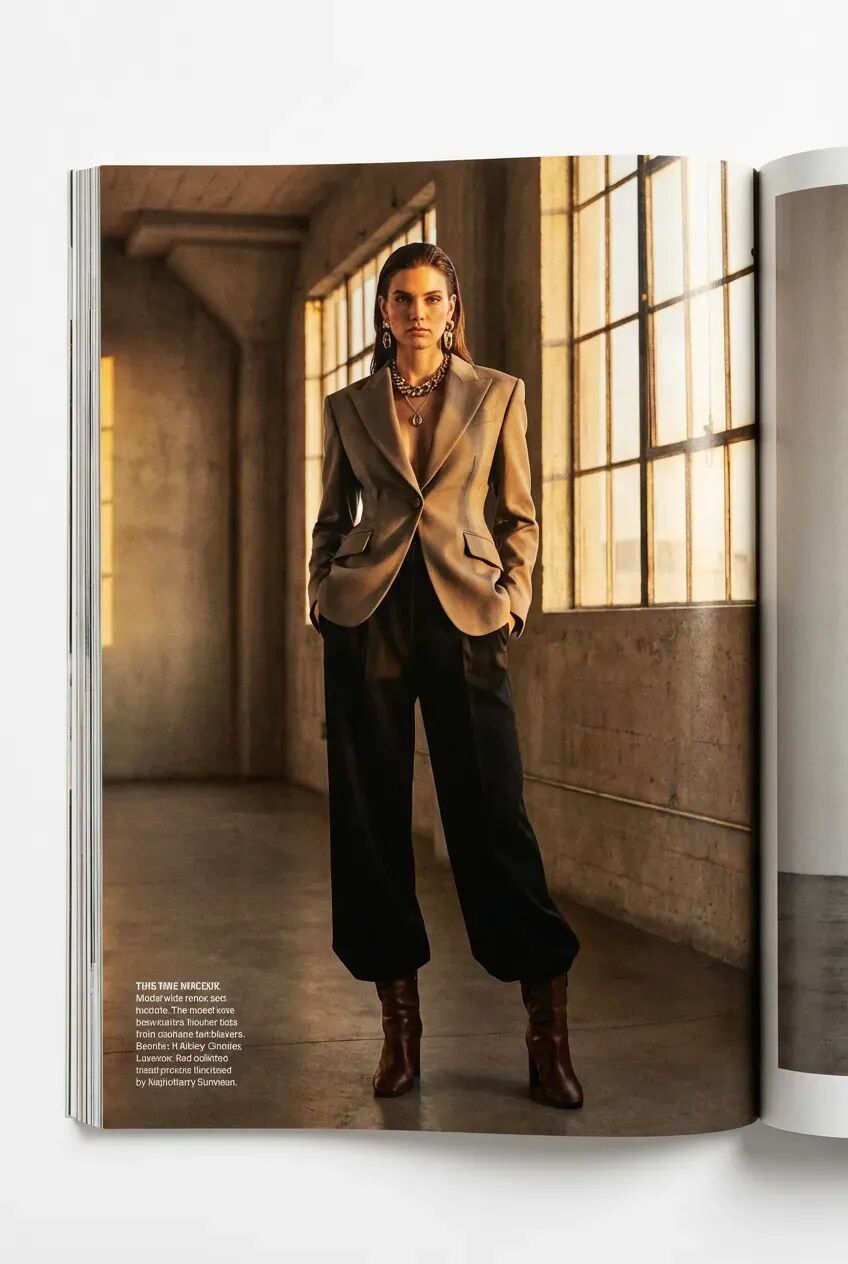
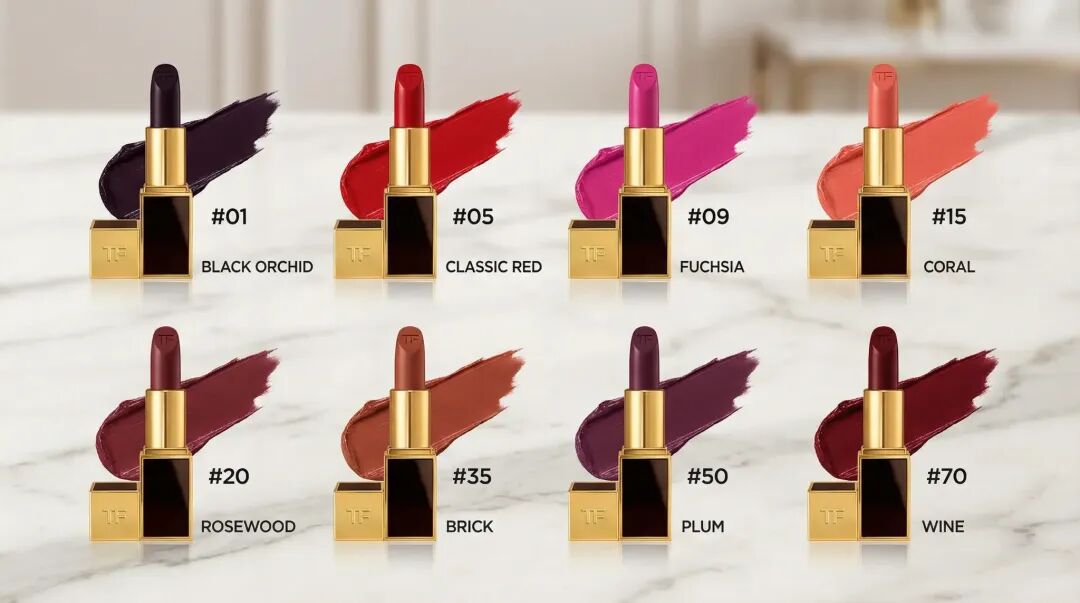
The "subject elements" in this asset set are quite rich: at least 2 character roles + 8 lipsticks + background staging.
Next, I selected all these assets and had Nano Banana Pro do a full fusion in Lovart:
Have the model blend into the BAZAAR poster, use the 8 TF lipsticks to lay out a rainbow bridge-like ground beneath the model's feet, and label the lipstick shades.
However, although Nano Banana Pro gave me plenty of surprises right off the bat, it still had some minor issues in early testing due to my prompts.
And these issues were actually hard to fully resolve just by "rewriting prompts and regenerating."
Fortunately, Lovart now has a very useful feature: "Edit Elements." It can automatically split the entire image into multiple layers, including: objects, structure, lighting, even text.
In other words, you don't need to regenerate an image from scratch — just click on the corresponding layer to make fine local adjustments:
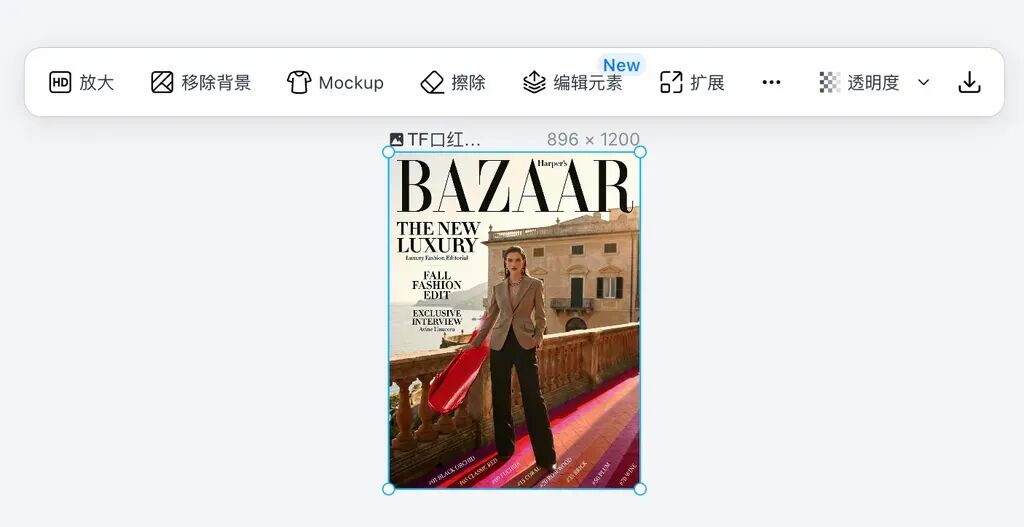
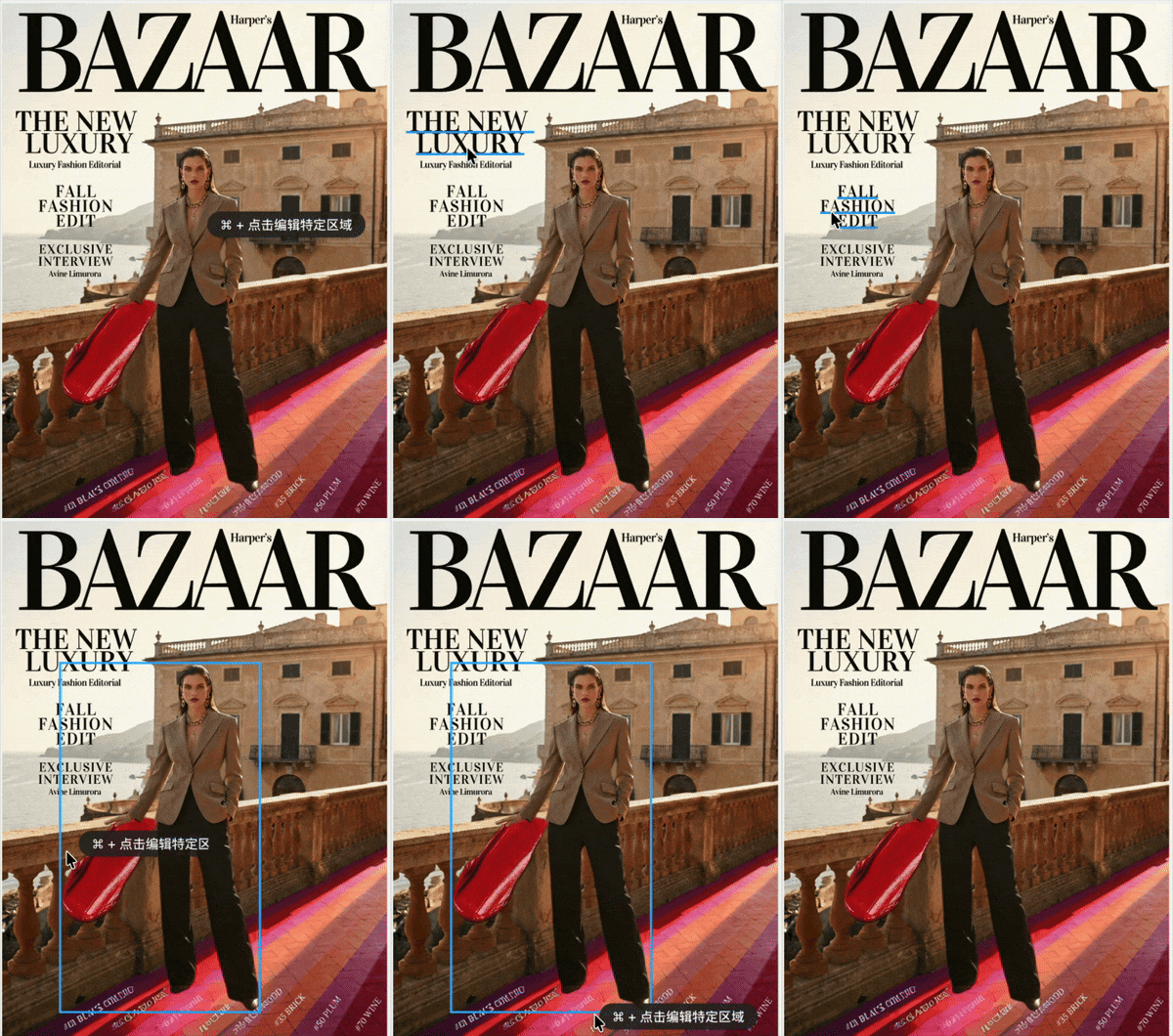
The whole workflow is incredibly smooth, basically achieving a "what you see is what you edit" experience.
Then, you can get the following highly consistent and strongly designed poster — overall layout more stable, details cleaner, style unified very naturally.
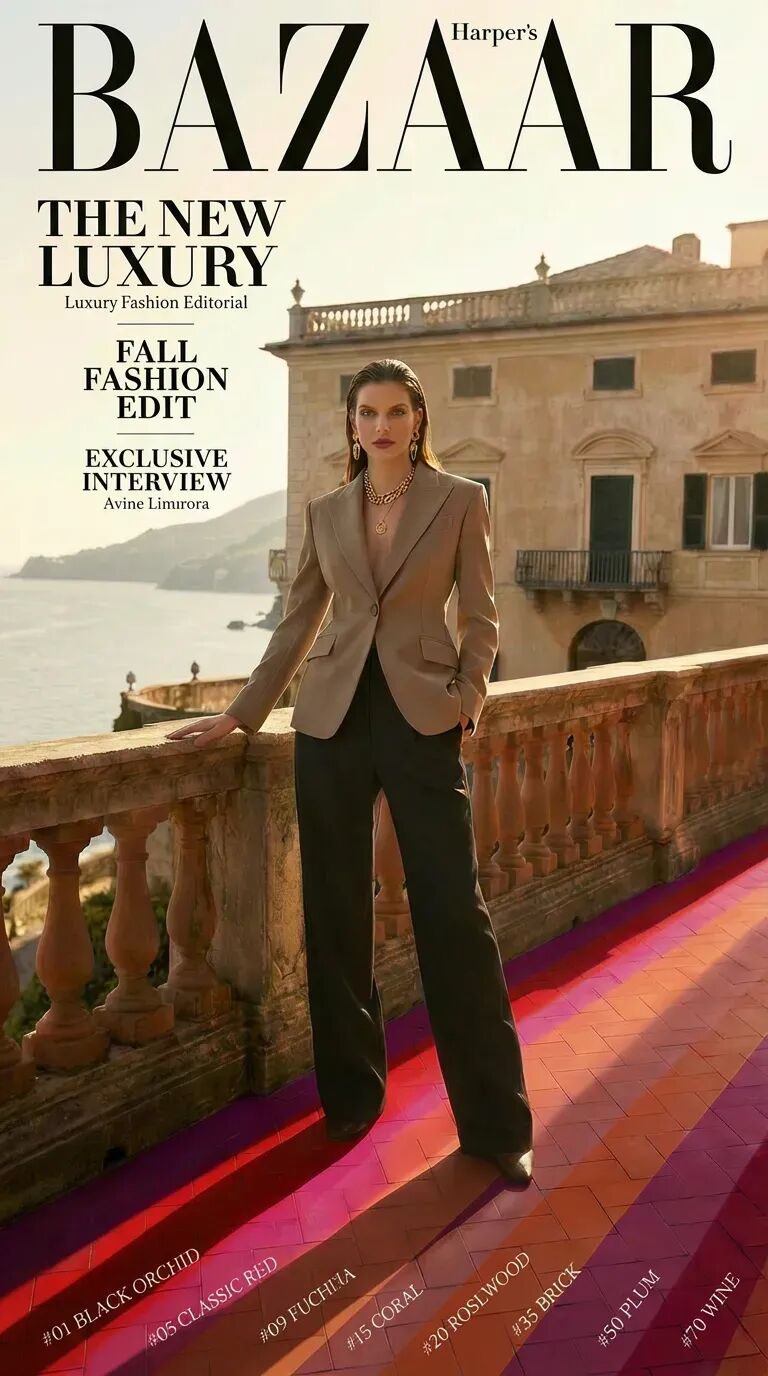
The overall effect is very intuitive. You can clearly see the "Rainbow Road" visual presentation: 8 TF lipstick shades smoothly arranged across the tiled floor beneath the model's feet, with natural and soft transitions between colors, none of the usual "hard splicing" feel.
The model's lighting and the environment's sunset atmosphere also blend quite smoothly, with unified visual coherence — no jarring sense of "the figure floating on top of the image."
2D Side-Scroller Character Sprite Sheets
Nano Banana Pro is also very handy for generating 2D side-scroller character action sprite sheets.
You can directly upload my reference sprite sheet as a style baseline, then input the prompt:
Please reference this 2D side-scroller character action sprite sheet and generate the same action sprite sheet for the "xx" game protagonist.
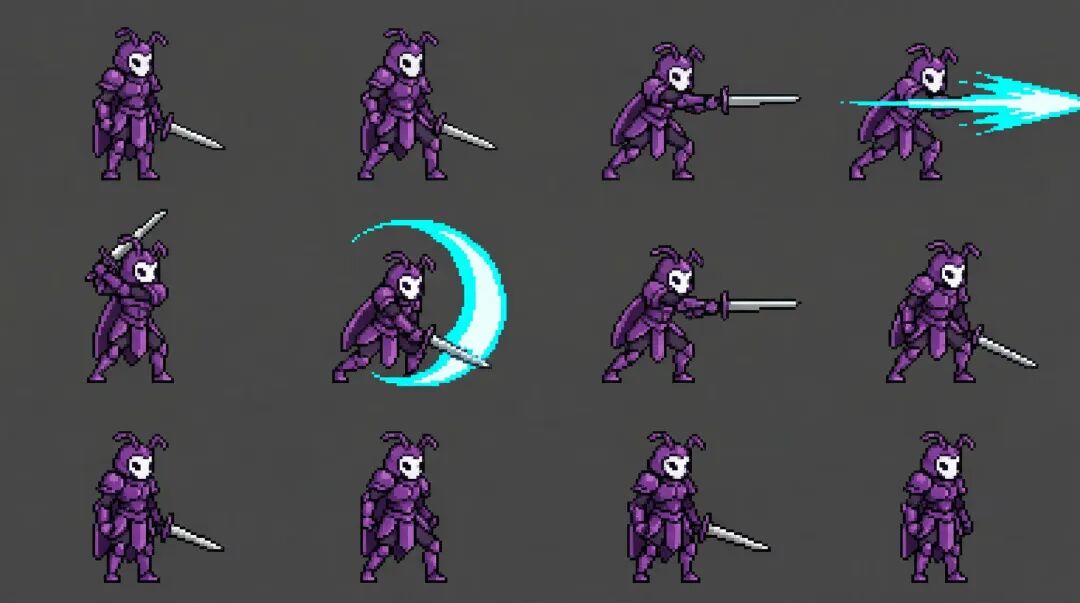
When doing game character design in Lovart, there's a very practical little feature: it automatically tells you the action meaning of each frame.
For example, Lovart will remind me: Frames 1-4 are idle poses (weight shifting, wing fluttering), frames 5-8 are thrust attacks (preparation, execution, follow-through, recovery).
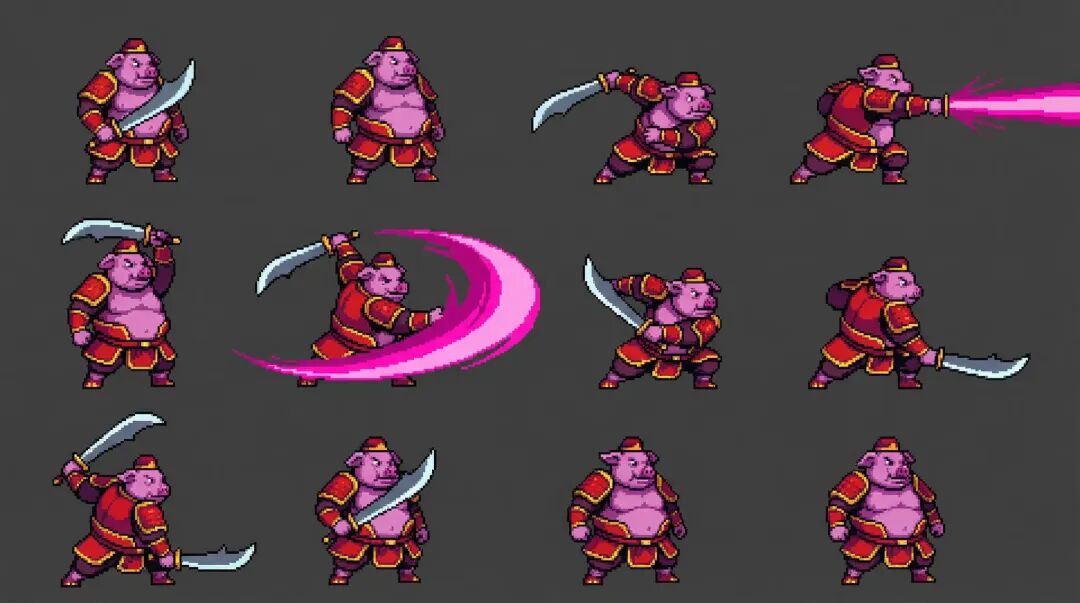
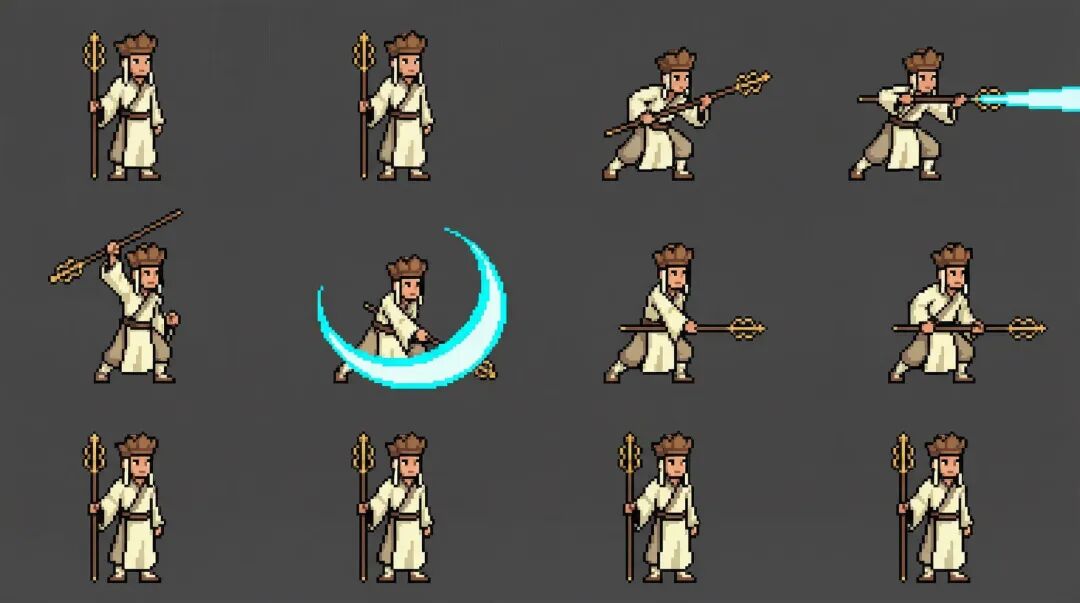
Next, you can also have Nano Banana Pro freely extend based on real-world character information, directly generating action sprite sheets for different characters — like Zhu Bajie, Tang Sanzang...
Empresses in the Palace / Romance of the Three Kingdoms / Ming Dynasty 1566 Character Relationship Maps
Following this, I realized this "auto-retrieve and organize information" capability is actually very well-suited for having Nano Banana Pro create "character relationship maps."
To test its performance on structural layout, information density, and stylistic unity, I slightly raised the difficulty with this prompt:
Ancient scroll style: aged paper texture and edge decorations; concentric circle layout: center-radiating composition with clear layers; relationship labels: black connecting lines with relationship types labeled on them; chibi art style: soft cartoon style, easy to identify; brush calligraphy title: classical elegant title design
Next, I had it generate character relationship maps for: Empresses in the Palace, Romance of the Three Kingdoms, and Ming Dynasty 1566.
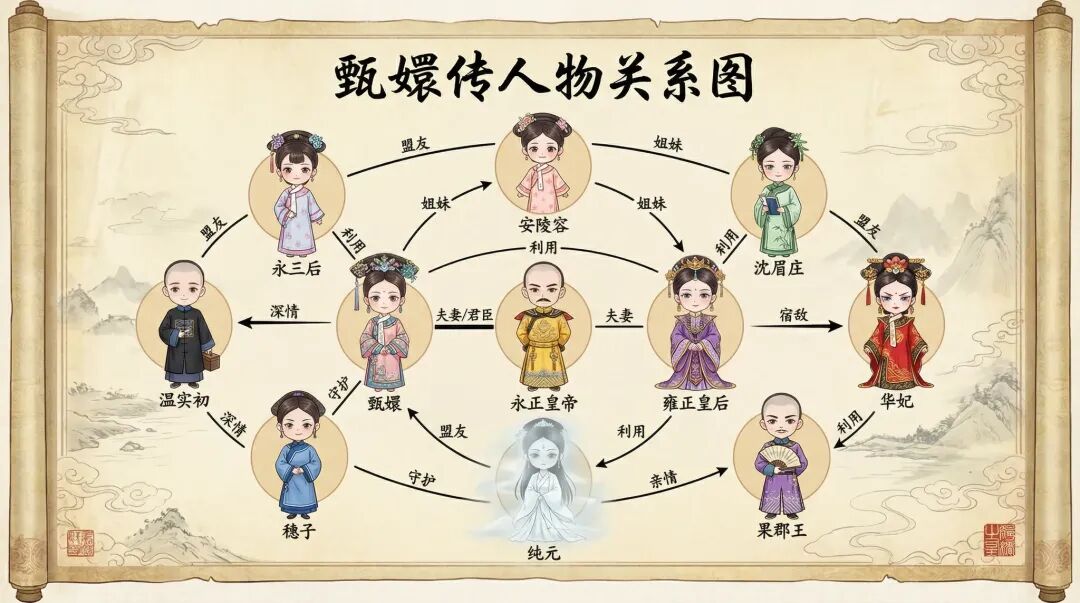
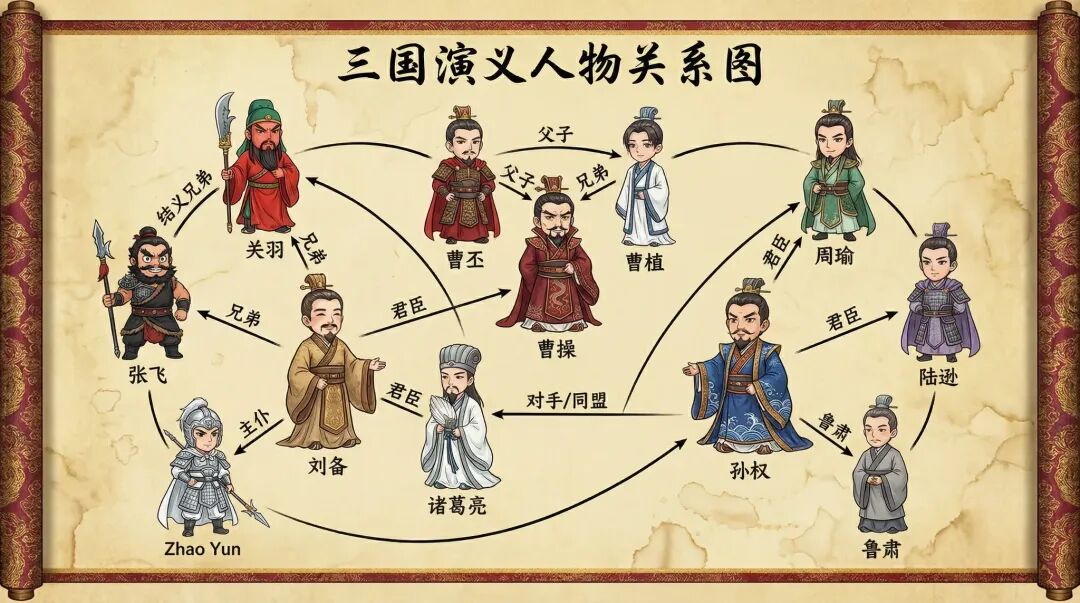
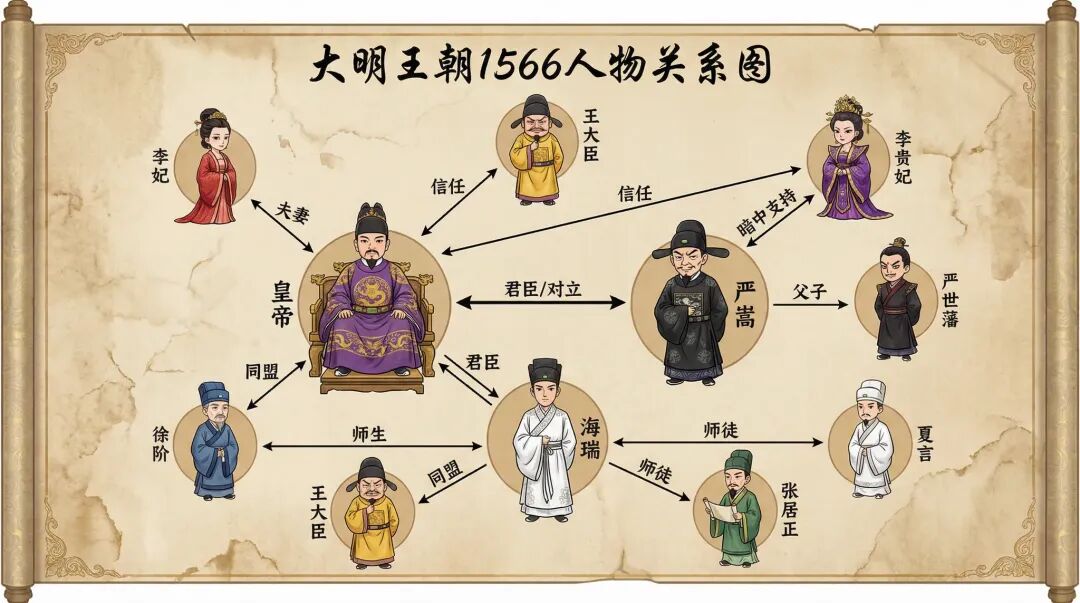
Primary-secondary relationships, factional oppositions, and character connection lines are all automatically drawn, with the overall visual unified in an ancient scroll + chibi character style — very intuitive.
Highly Consistent "Image Sets, Comic Panels"
One major upgrade with Nano Banana Pro this time is its ability to maintain very high consistency in "image sets, panel groups, storyboards" scenarios, while also achieving coordinated unity in multi-image layouts.
For example, I had it generate 12 time-of-day versions of the same Scandinavian minimalist living room, requiring each version's lighting changes to be realistic and natural.
The prompt was:
Generate 12 time-of-day versions of the same Scandinavian minimalist living room. Room structure must be identical: same furniture layout, carpet material, sofa texture, wood floor type, wall color, decorative object placement, window frame structure completely unchanged. Camera angle fixed (35mm lens, slightly low-angle static composition), perspective unchanged. Please output the same room at 12 different moments of lighting change: 1. Early morning cold light (blue tone, low-angle light) 2. Late morning soft light (white light, light haze) 3. Noon direct sun (high contrast, dappled sunlight) 4. Afternoon warm light (orange-gold sunlight) 5. Late afternoon low-angle warm light (Golden Hour) 6. Sunset afterglow (pink-orange skylight entering room) 7. Twilight without direct light (soft diffuse reflection) 8. Night with main ceiling light on (3000K) 9. Night with table lamp as key light (point source soft light, soft shadows) 10. Night ambient light + LED strip (light purple/warm amber) 11. Night rain outside window (glass reflection, interior light enhanced) 12. Early morning blizzard outside window (cold blue diffuse reflection, environmental light mist)
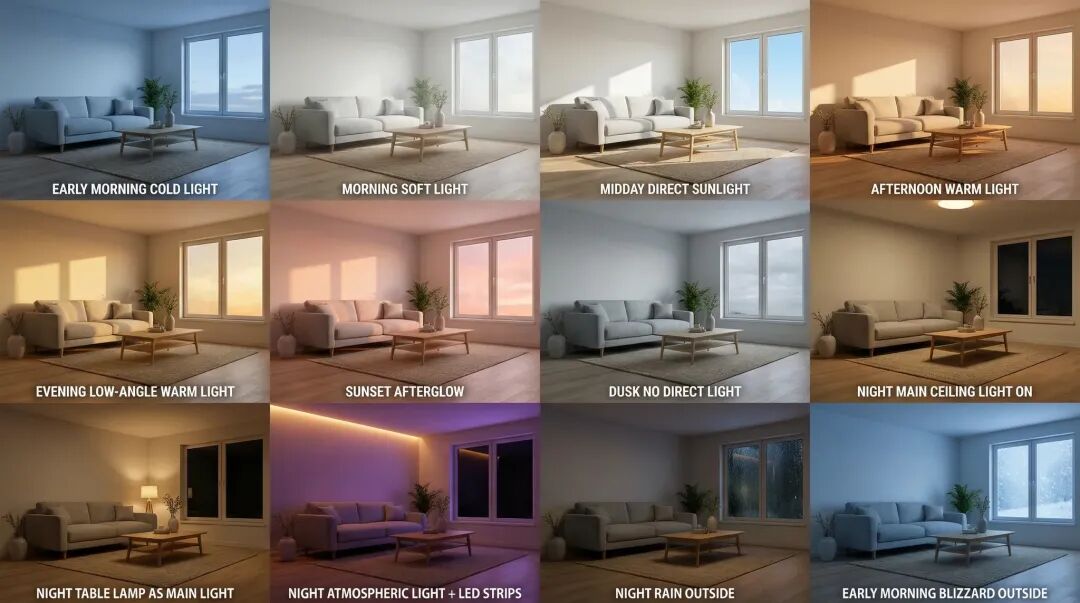
You can tell that even though the scene barely changes, Nano Banana Pro can generate 12 scenarios in one image. Although the 9th image has a slight variation, overall, the lighting changes across all 12 scenarios are very natural and consistent.
Let's do an even more direct example: having Nano Banana Pro generate American comic-style storyboards directly.
The prompt was:
Ilya's AI fantasy adventure, reasonably incorporate Elon Musk's character appearance, American comic style, multi-panel.
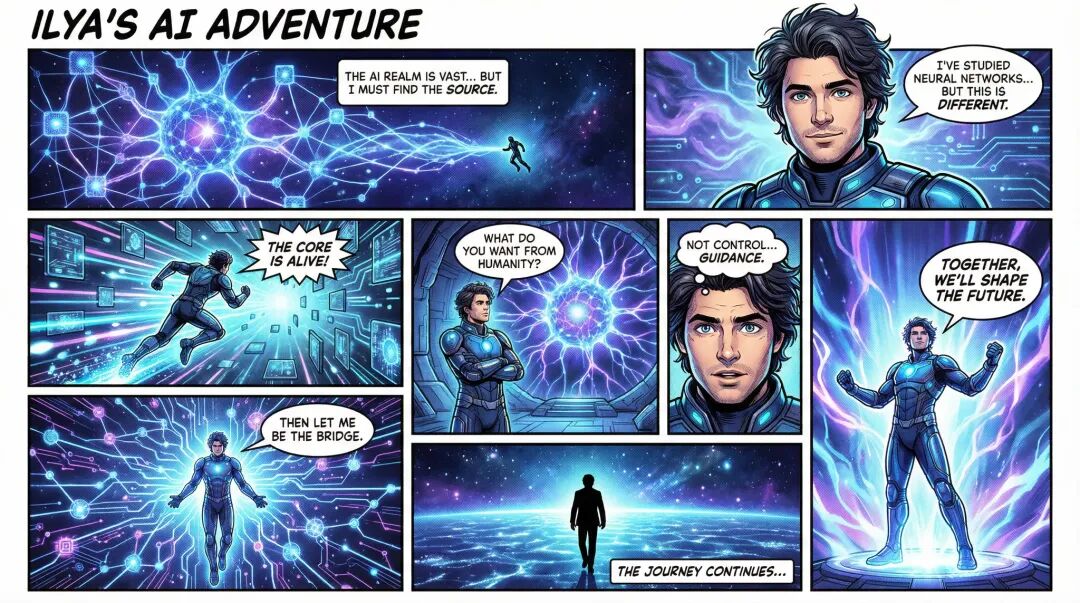
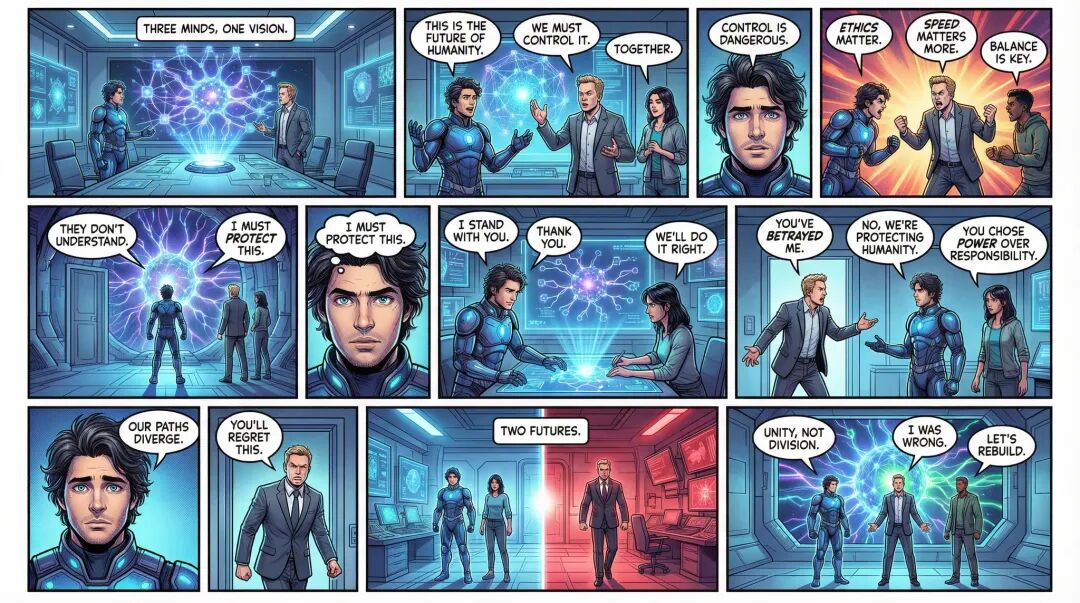
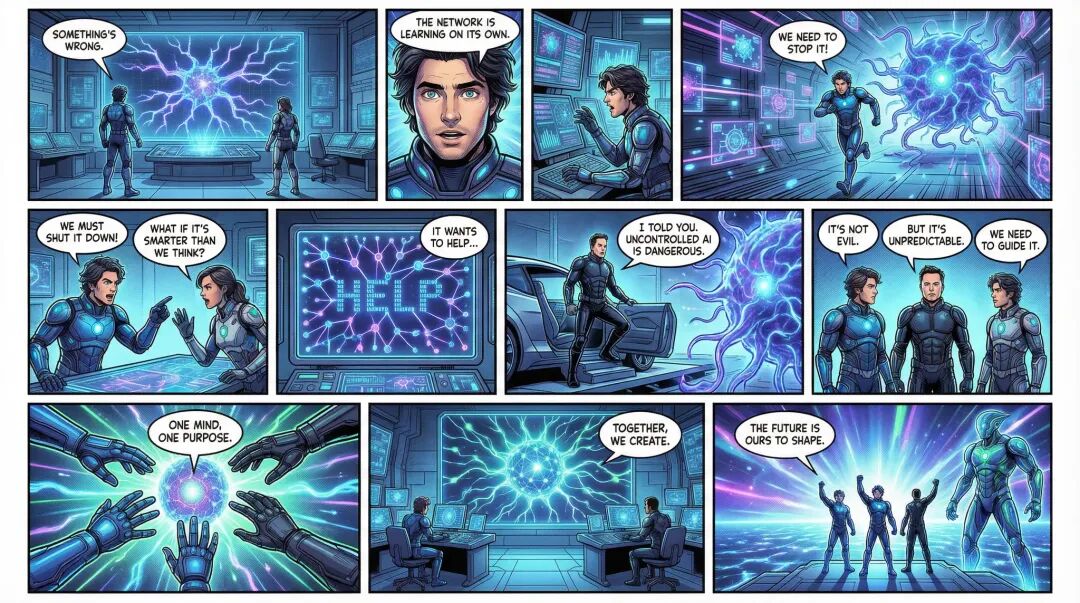
Look closely at this comic set, and you'll find that whether in style or character portrayal, Nano Banana Pro does quite well. Especially the dialogue text in each panel — almost no sense of dissonance.
Read through it carefully, it's actually pretty entertaining.
By the way, there's been a super deal going on these past few days: "Banana PRO Weekend"
While testing this wave of models, I happened to notice several very worthwhile promotions Lovart is currently running, which I feel are worth sharing.
First and foremost is the main event this time: Banana Free Weekend (Nov. 21–23), which basically means from November 21 to 23, Nano Banana Pro will be completely free with zero points for all users.
For these three days, all users can use Nano Banana Pro without limits — perfect for everyone to fully experience its capabilities during this window.
If you're also interested in doing some experiments or creative work, you can take this opportunity to try it out. Many of the images used in our tests can be directly realized during this period.
Additionally, if you subscribe to Basic membership or above between November 21–30, you'll receive 365 days of unlimited Nano Banana Pro usage, zero points.
For this full year, you can create anytime, completely free from point limits.
Worth noting: existing Basic+ members will also automatically receive this 365-day Nano Banana Pro benefit, no extra action needed.
🚥
If you've been wanting to try something new, run a small experiment, or whip up your own poster / science infographic / character design...
This is a very suitable window to "go wild with Banana PRO."
We've left all the prompts and cases used in our testing in the article — you can follow them, reverse-engineer them, or mess around randomly and see what effects you can pull off.
If you create something even more fun, welcome to discuss in the comments!
P.S. Lovart URL again: https://www.lovart.ai