Dreamina Octo is here! What is this "Vibe Create" it's aiming for?

A collaborator with "aesthetic preferences."
A Collaborator With "Aesthetic Preferences"
👦🏻 Author: Jingshan
🥷 Editor: Koji
🧑🎨 Layout: NCon

Since 2026, a clear trend has emerged in the AI creative tools space: more and more products are moving toward "full-chain" workflows, becoming All In One offerings.
What these All In One products aim to solve boils down to two things:
First, lowering the barrier to entry so people who don't know how to use professional software can still create things.
Second, and more fundamentally, connecting every node in the creative process so the path from inspiration to finished piece stays coherent — rather than starting from scratch at every step.
Dreamina recently launched Octo, positioned as an AI-native dynamic storytelling tool. In simple terms, it's a single canvas where you go from initial spark of inspiration all the way to exporting a finished video.
🚥
Here's our complete hands-on test.
From a vague idea to an anime short — research and inspiration
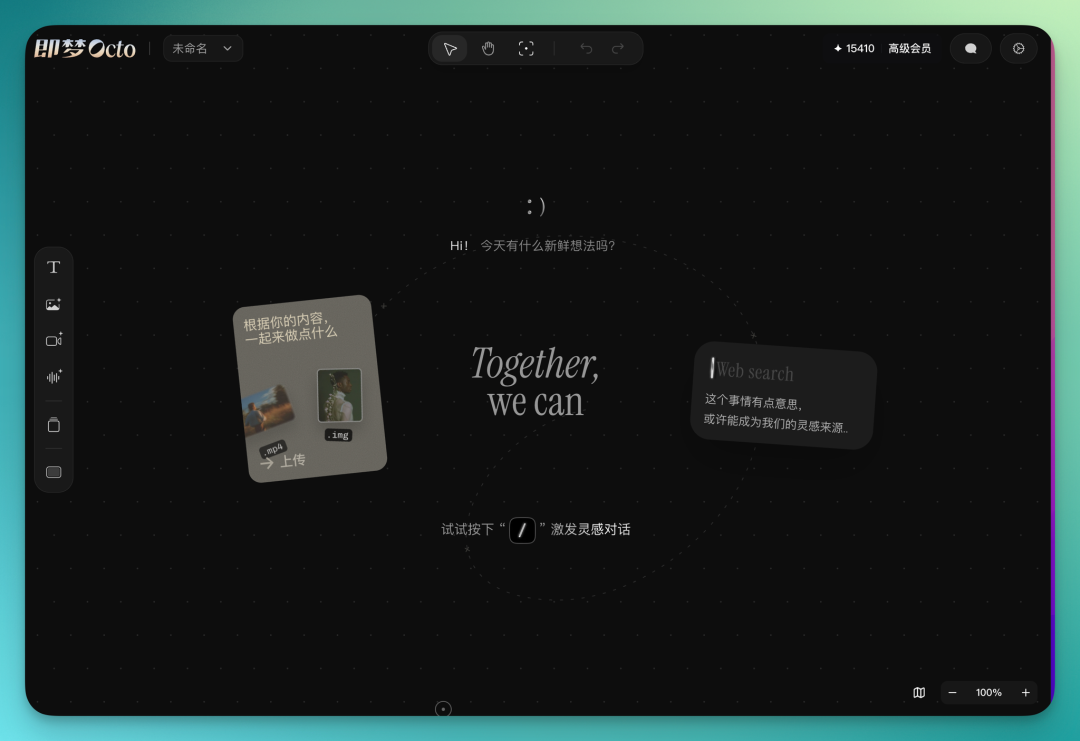
Open Octo, and you're greeted with a blank canvas.
I started with only a rough direction: I wanted to make a short film in a dark Showa-era style, with the atmospheric quality of Mamoru Oshii's 1985 Angel's Egg, featuring 3D characters and a sense of contradiction. But I had no concrete story, characters, or structure in mind.
Press the / key anywhere on the blank canvas, and a dialog box pops up. This is Octo's main interaction entry point — at any time, anywhere on the canvas, hit / to start chatting with it.
I started with a fairly open-ended question:
What are the visual characteristics of Showa-era animation?
Octo conducted extensive online research, doing a deep dive into the styles and evolution of Showa-period anime:
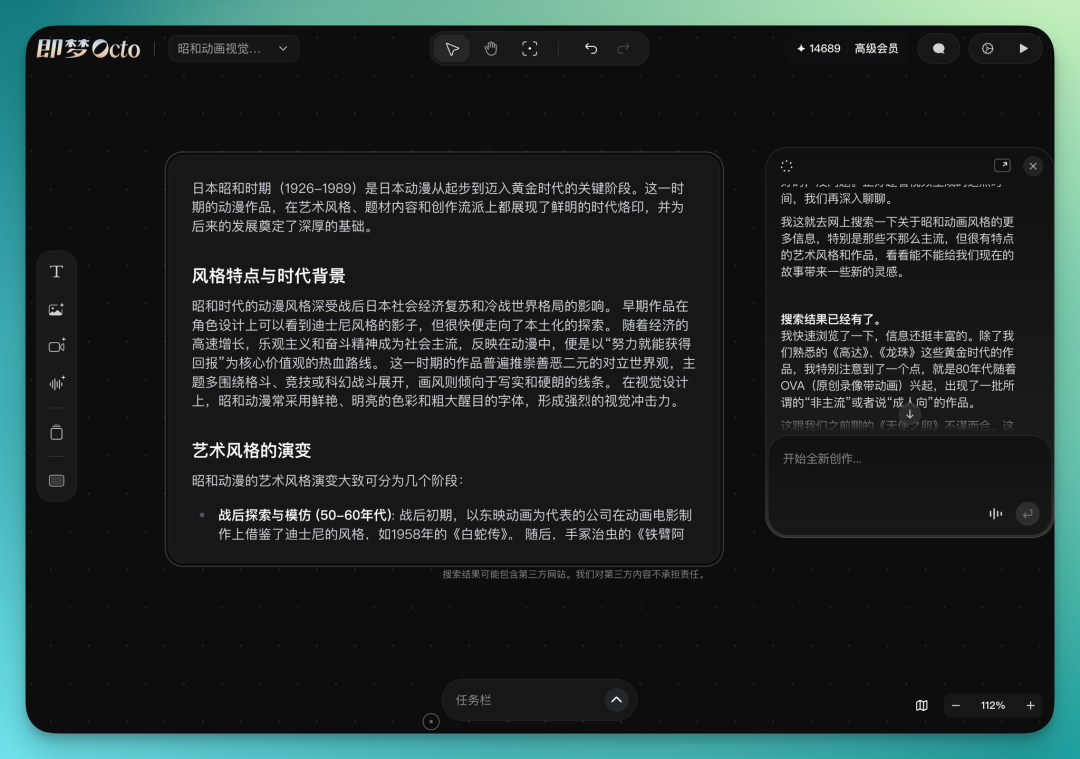
At this point, you can have Octo continue refining the visual style of that era. If it feels imprecise or too broad, you can also drag in a few screenshots from Angel's Egg that you've prepared in advance, dropping them directly onto the canvas as references for Octo.
This step felt pretty smooth. Octo automatically parsed the content of these images and immediately grasped the tone I was after. It directly referenced visual elements from the images in its response.
I had it search the web for the evolution of Showa-era animation art styles, then create a representative image for each stage along a timeline. The logic was clear — starting from the 1950s-60s, that period was basically the early style of Astro Boy.
Moving forward, the visuals started leaning toward sci-fi. In the later period, it shifted to works like Angel's Egg and Akira that emphasized artistic expression more heavily.
While waiting for results, you can keep chatting with Octo about plot direction. This "asynchronous parallel" design is quite practical — when image generation or search is running, you don't have to sit idle; the conversation can keep moving.
Locking in style, building assets
After the inspiration phase, the first thing to do is lock down the style.
Octo has an asset system — one of the most core designs in the entire product. You can create different types of "asset cards": style, character, environment, object, plus a custom type. Each card can hold text descriptions and reference images, essentially building a memory anchor for the AI.
I started by creating a style asset. I put in the most accurate style images selected from the earlier inspiration process, then used the star feature to mark the two best as "primary references." In all subsequent image generation steps, just type @ in the dialog box or image generation node, select this style asset's name, and the generated images will automatically incorporate these style references.
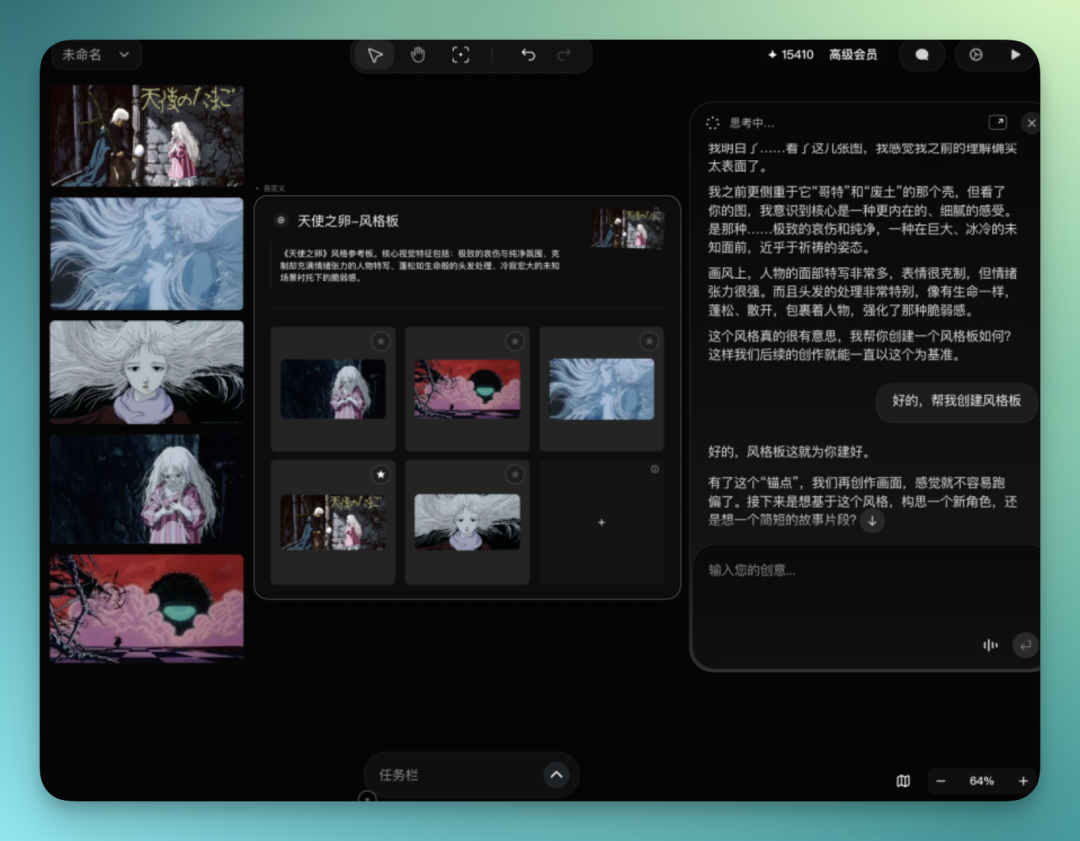
This @ reference mechanism runs through the entire creative workflow and gets used repeatedly. For example, I had Octo generate related character and scene assets based on this style board.
It also directly tells you that it has "aligned" these styles, so things will go more smoothly from here. This is actually quite crucial — it's essentially unifying the aesthetic upfront.
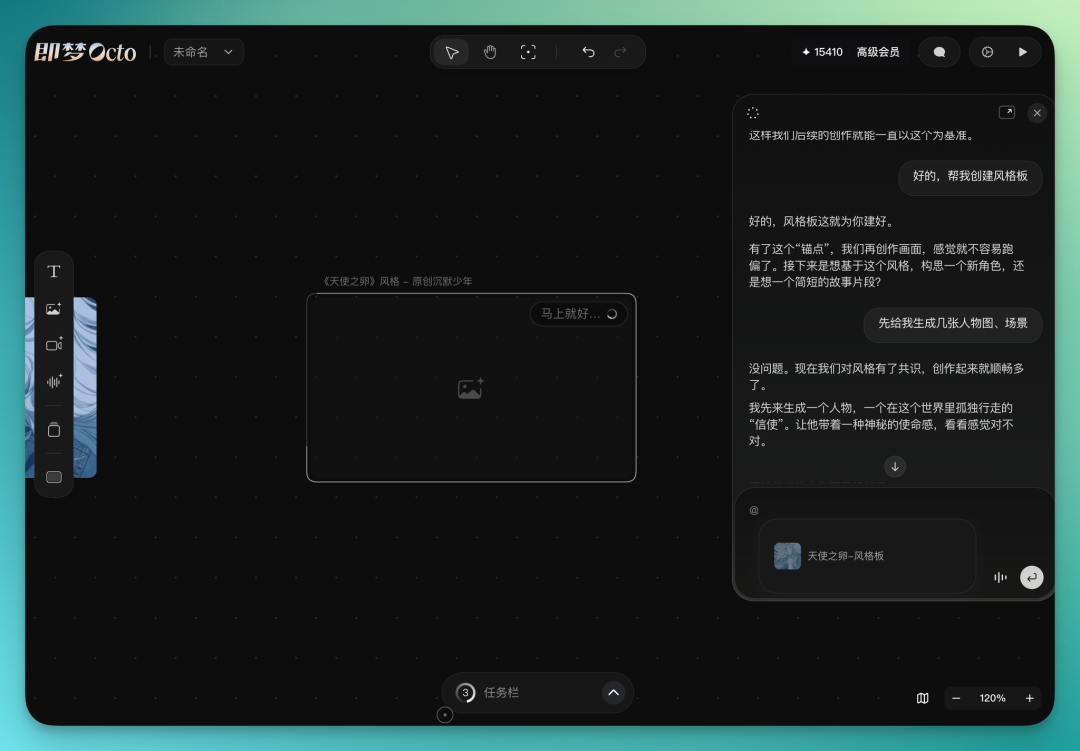
Then when generating images, you'll notice it doesn't just follow the prompt. For many background settings related to the image, it fills them in itself. Things like environment, atmosphere — you don't need to describe them sentence by sentence.
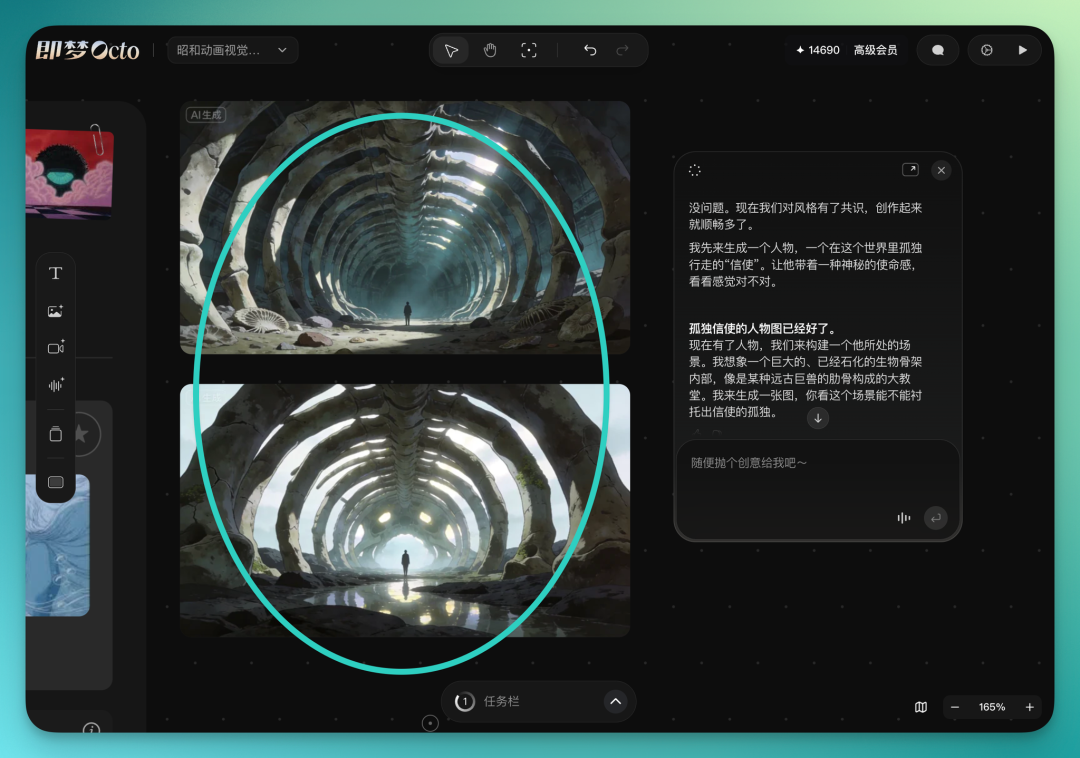
Octo can also do very fine-tuned adjustments to generated images. For instance, it initially generated a massive skeletal cathedral as an inspiration source, but I didn't like the lighting — so I could quickly fine-tune it with natural language:
Next, I created a character asset. I described the protagonist to Octo: a taciturn, androgynous youth in black clothing, with empty eyes.
Octo automatically generated a front-facing character image based on the description. Besides the image, the character card has text fields for personality description, character arc, and more — you can keep adding details:
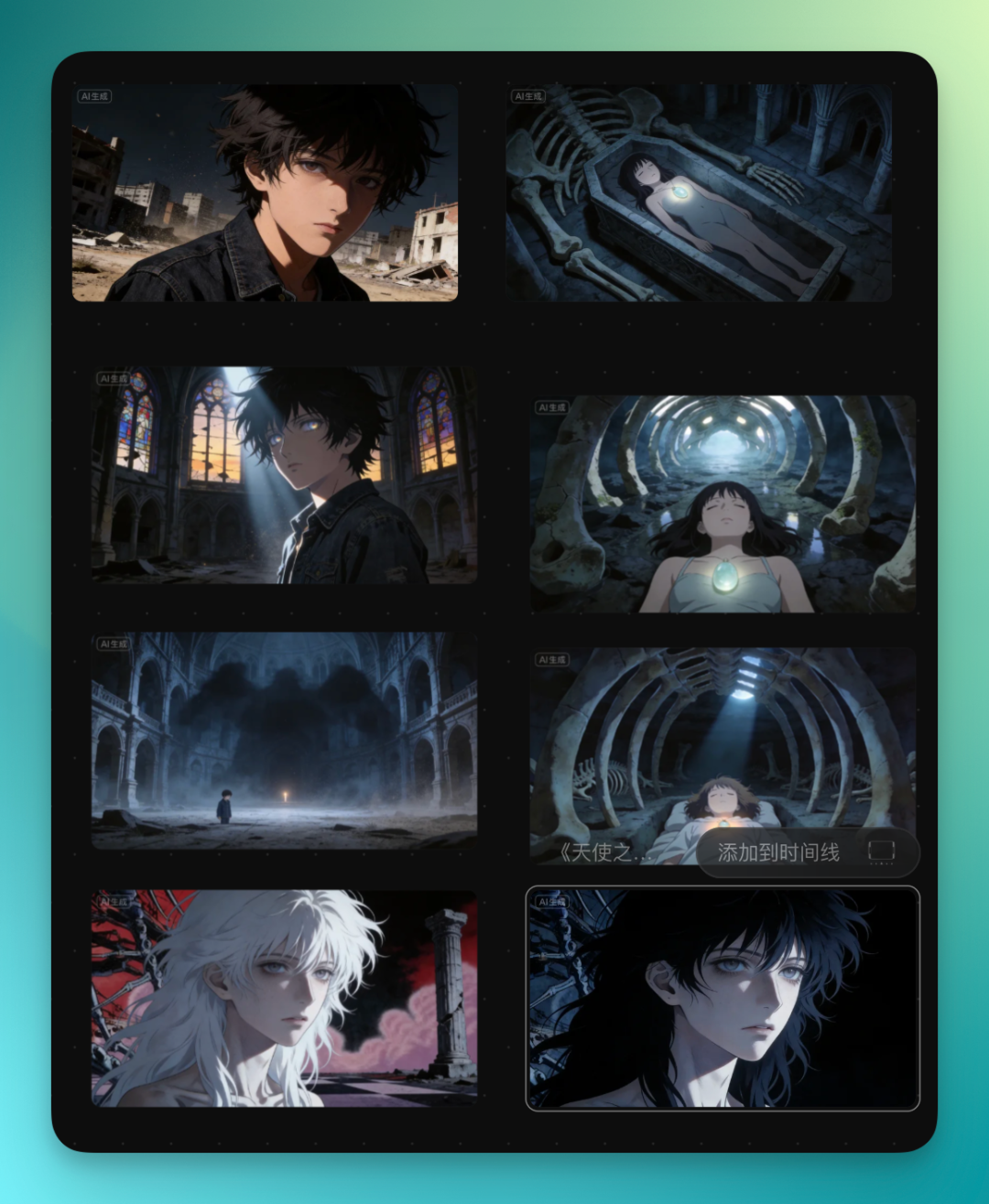
Once all assets are built, the canvas has a complete visual infrastructure. Whether writing story outlines, creating storyboards, or generating video later, you can reference these assets via @ to maintain global consistency.
From inspiration to story outline
With assets in place, the next step was having Octo help me organize my scattered ideas into a story. From this step, you can see that you don't need to come into Octo with prepared inspiration — it can integrate and extend ideas as they emerge step by step.
In the dialog box, I had it generate a story outline. Because all previous chat history, uploaded references, and created asset cards were already in Octo's context, it had a very complete understanding of what I wanted to do.
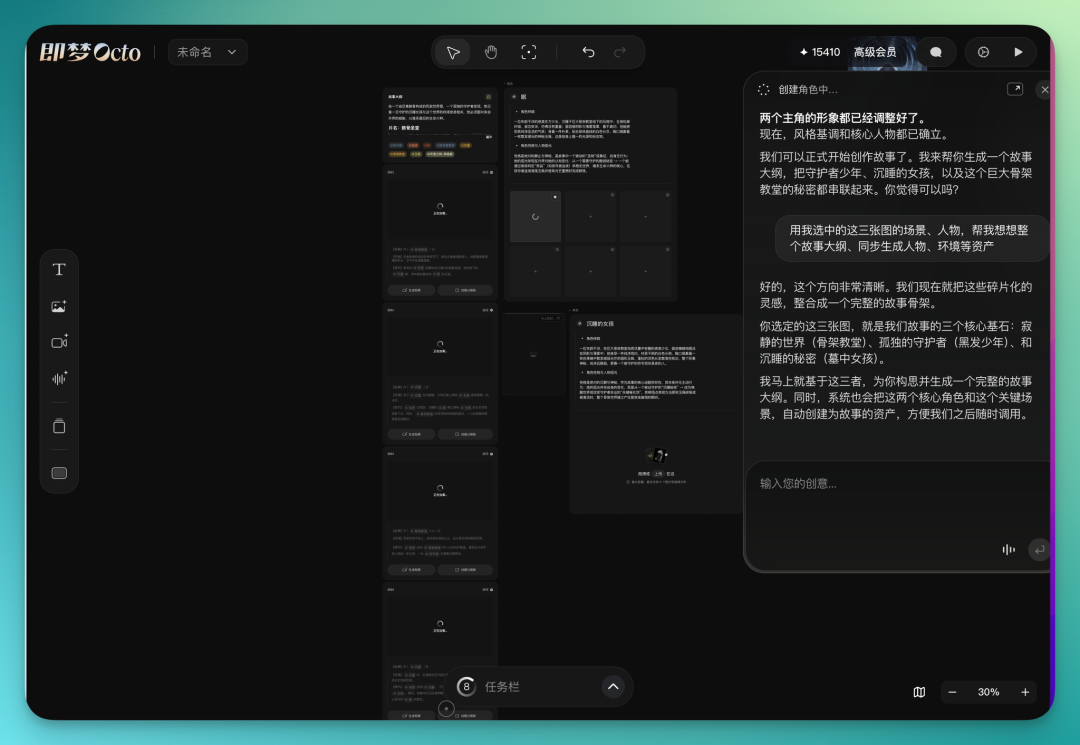
Then it generated some character cards for me, like the lonely youth guarding a sleeping girl:
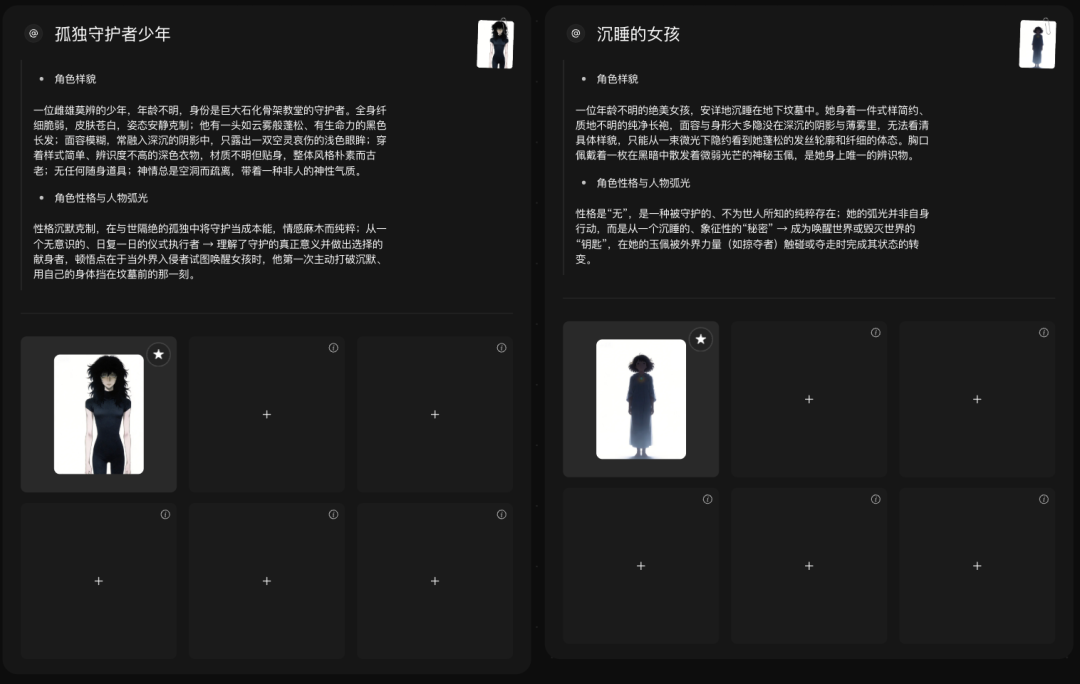
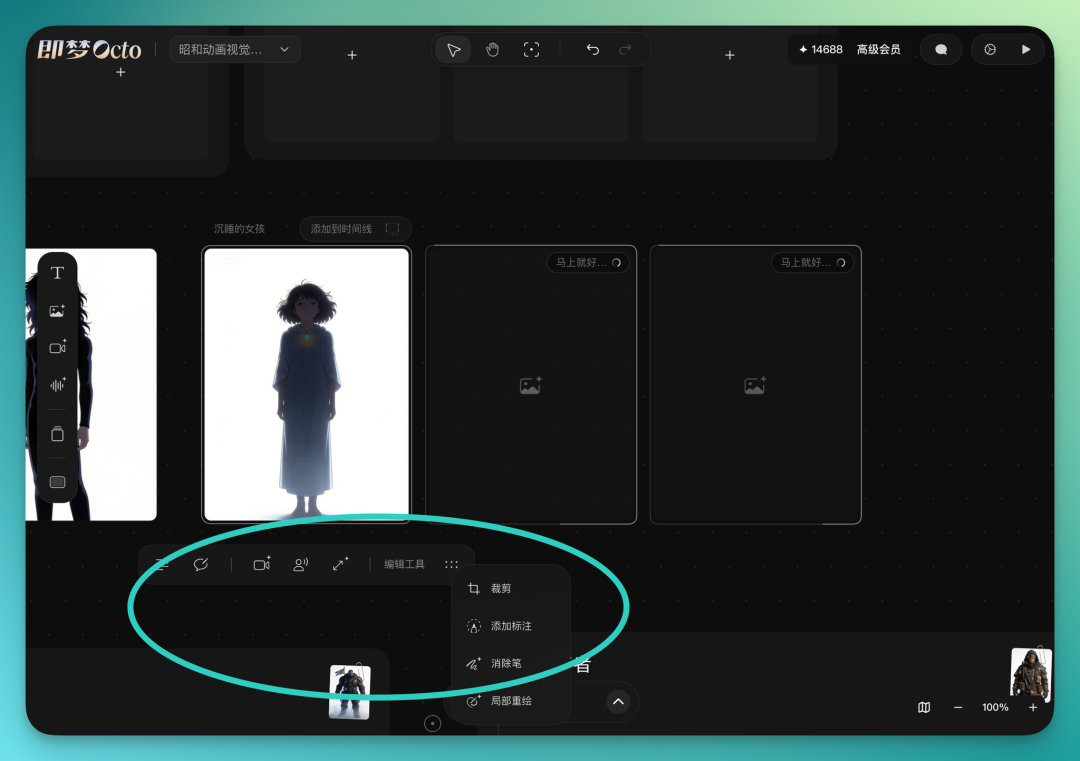
These character images can directly connect to a full suite of tools for adjustment. The built-in capabilities are already quite comprehensive. You can directly modify prompts for fine-tuning, or one-click generate video, lip-sync, and upscaling.
There are also more editing-oriented tools like cropping, annotation, eraser, and inpainting — all operated directly on the image without switching back and forth.
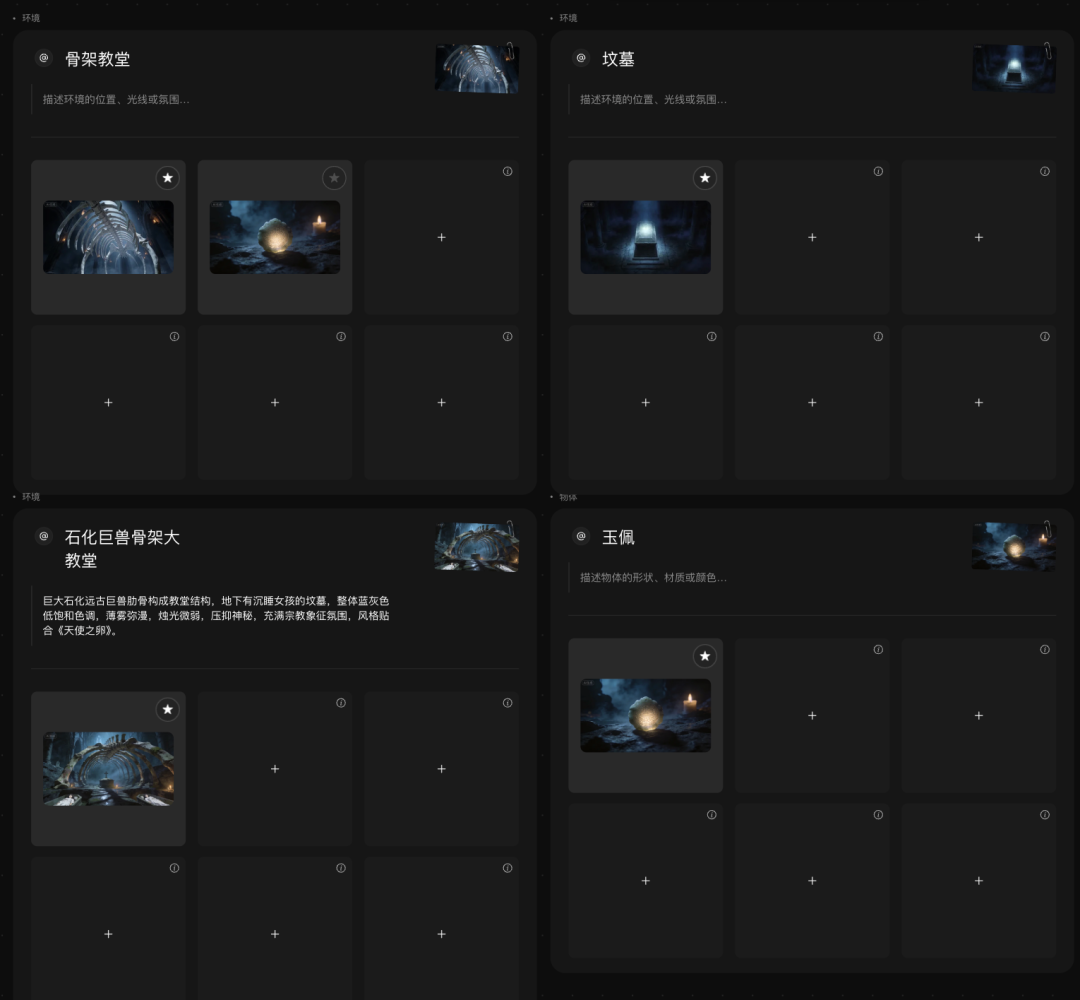
Based on the initial context, it also automatically fills in environment-related assets. Things like skeletons, cathedrals, graves, jade pendants.
Each asset is in card form. In the upper right corner of the card image, you can click a star. This star means: set this image as the primary reference. For subsequent content generation, it will prioritize aligning with this image's style and details. Switching is also easy — one click to change the primary reference:
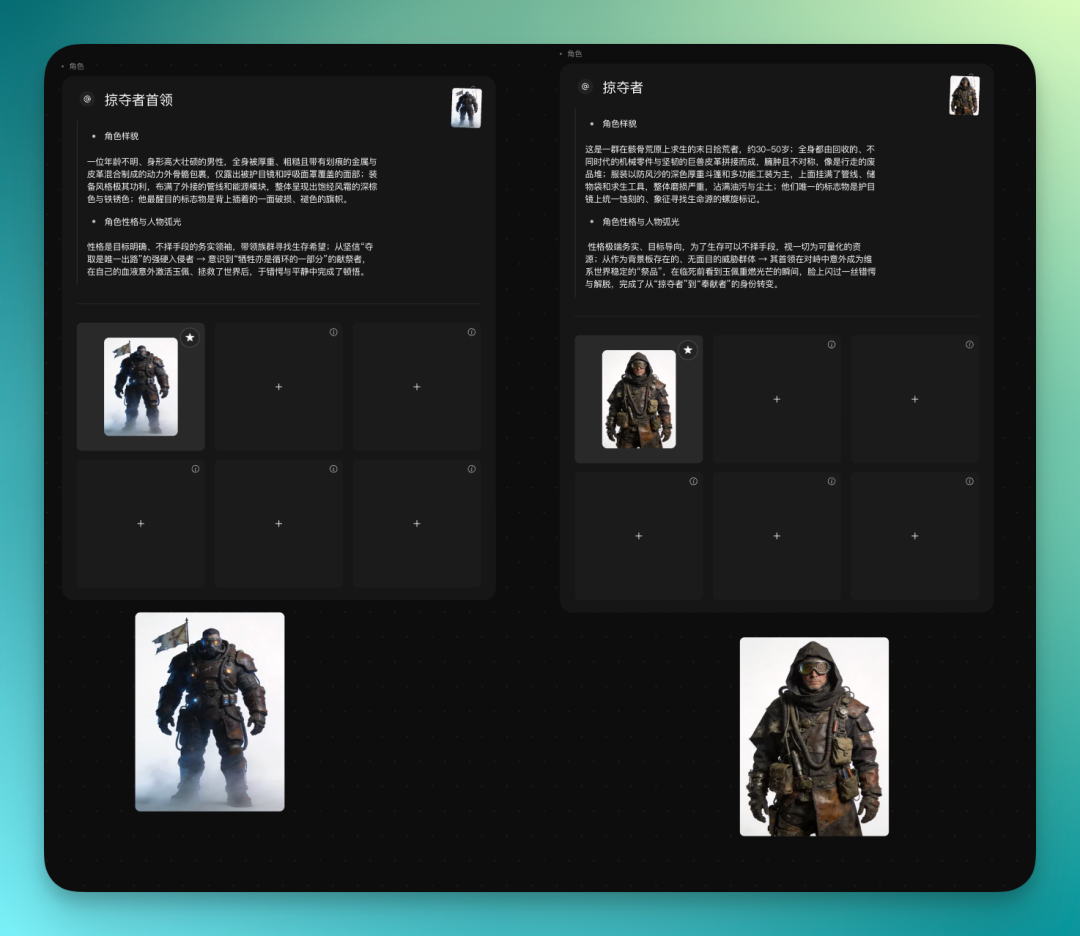
From the start, I set a direction: a mixed 3D and 2D anime effect. Octo directly follows this approach, automatically filling in the antagonists for me too.
For example, it generated a batch of marauders with modern weapons, plus a leader character. The overall style aligns with the earlier setup and doesn't drift. And it's not just images — the character's appearance, personality setup, and character arc are generated together and attached directly to the card. You can switch between them anytime when using later, without having to separately fill in the setup.
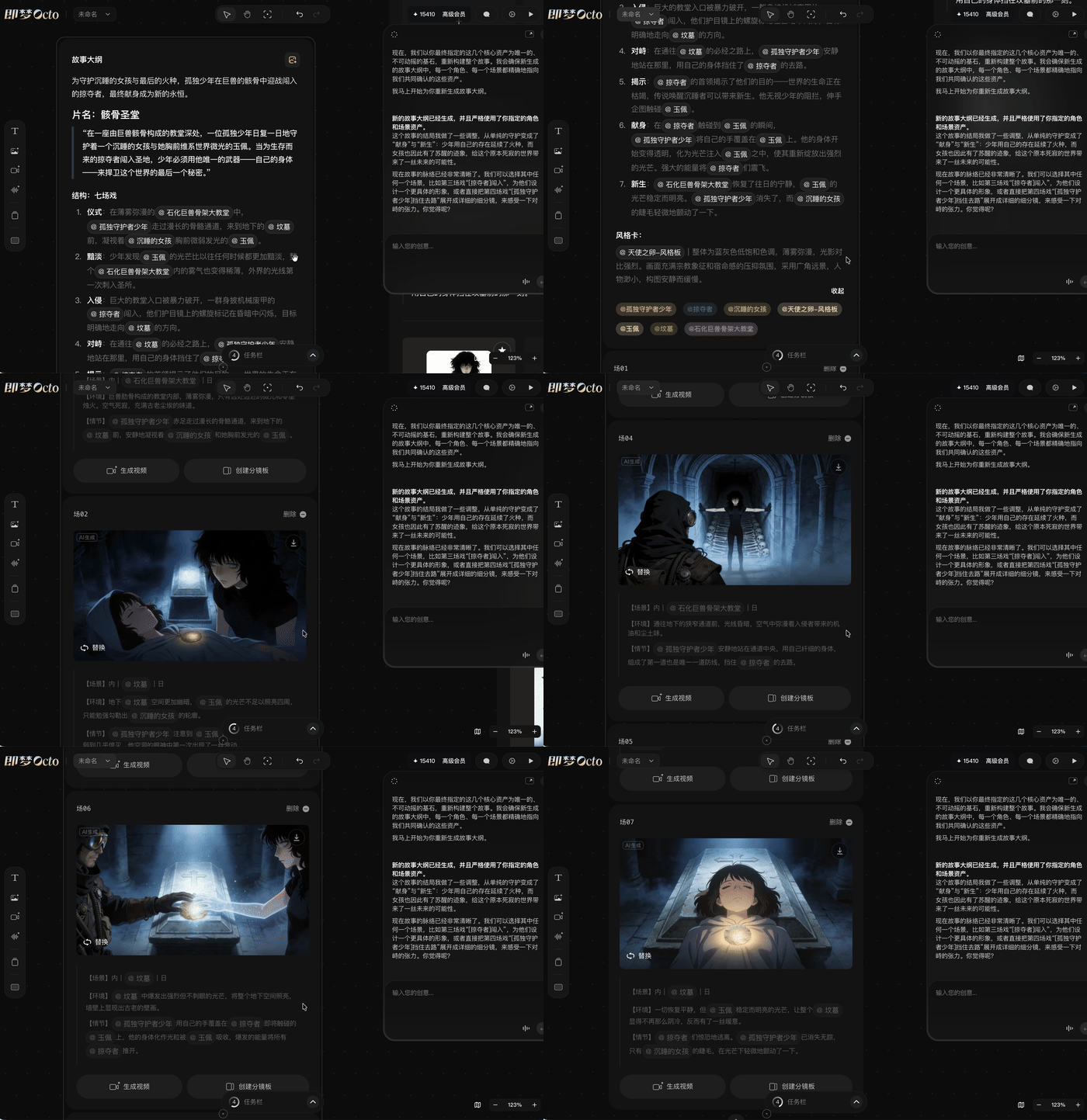
Next, Octo directly organizes all these materials into a complete story outline and storyboard.
How complete? Basically a full set of ready-to-use plans. How the visuals unfold, how the shots cut, how the pacing flows — it writes everything out. The reference elements used in each shot, how characters interact with each other — it's all marked.
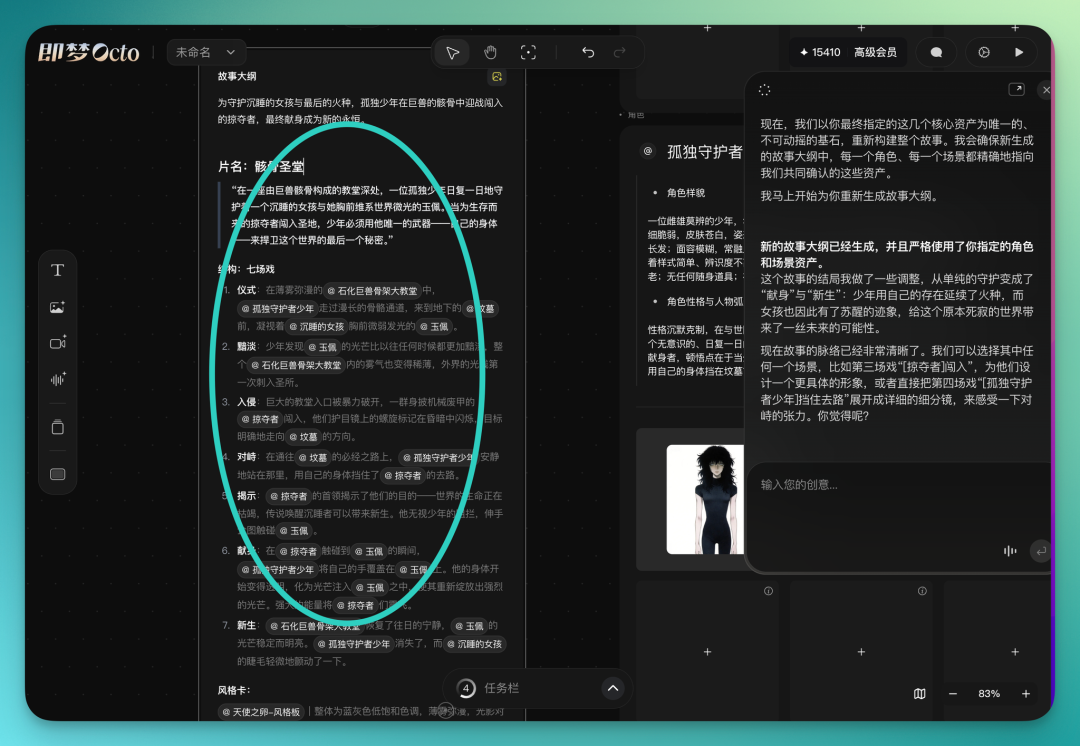
Moreover, Octo's canvas itself is a free space. You can return to any step at any time and start a conversation with any node.
Every shot in the story outline can be directly converted to video with one click. The prompt is open — you can modify it anytime without being locked in. The underlying engine is Seedance 2.0, so generation speed and visual consistency are decent.
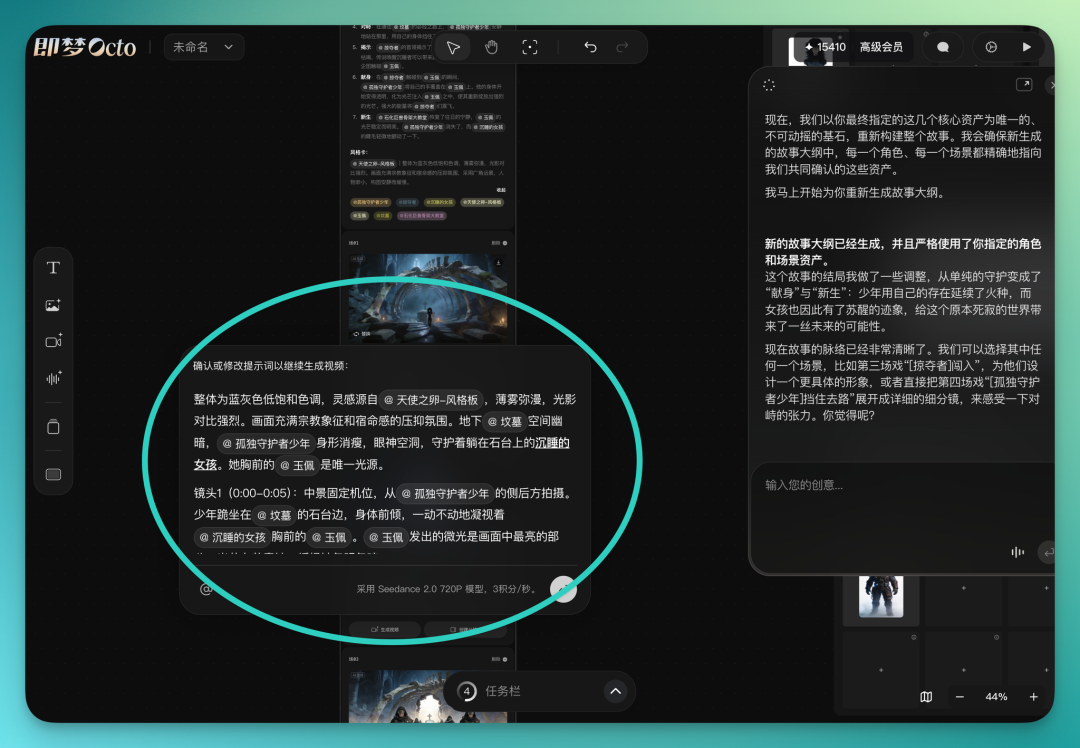
All videos can be generated in parallel. Initially it broke down 7 shots for me, and the overall flow was coherent without obvious jumps.
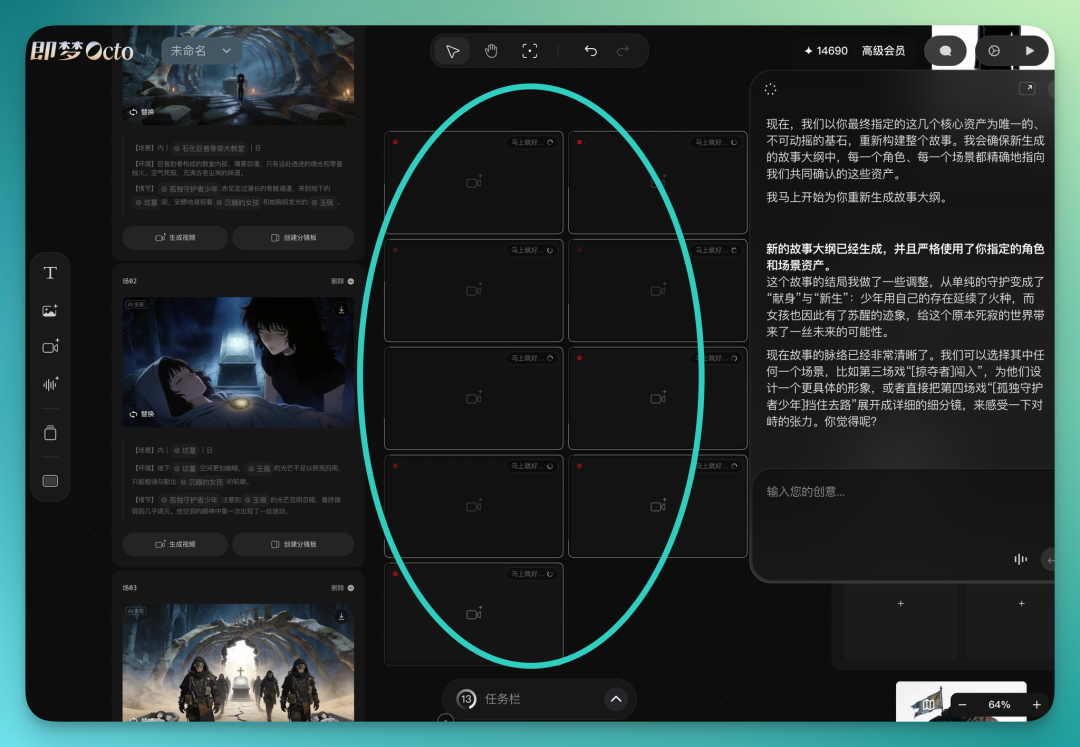
Each shot can be generated individually, and the same shot can generate multiple versions simultaneously. So you can expand quantity and do selection at the same time.
At the time, I directly had it run 9 storyboard videos in parallel, and after one round I could see effects from different versions:
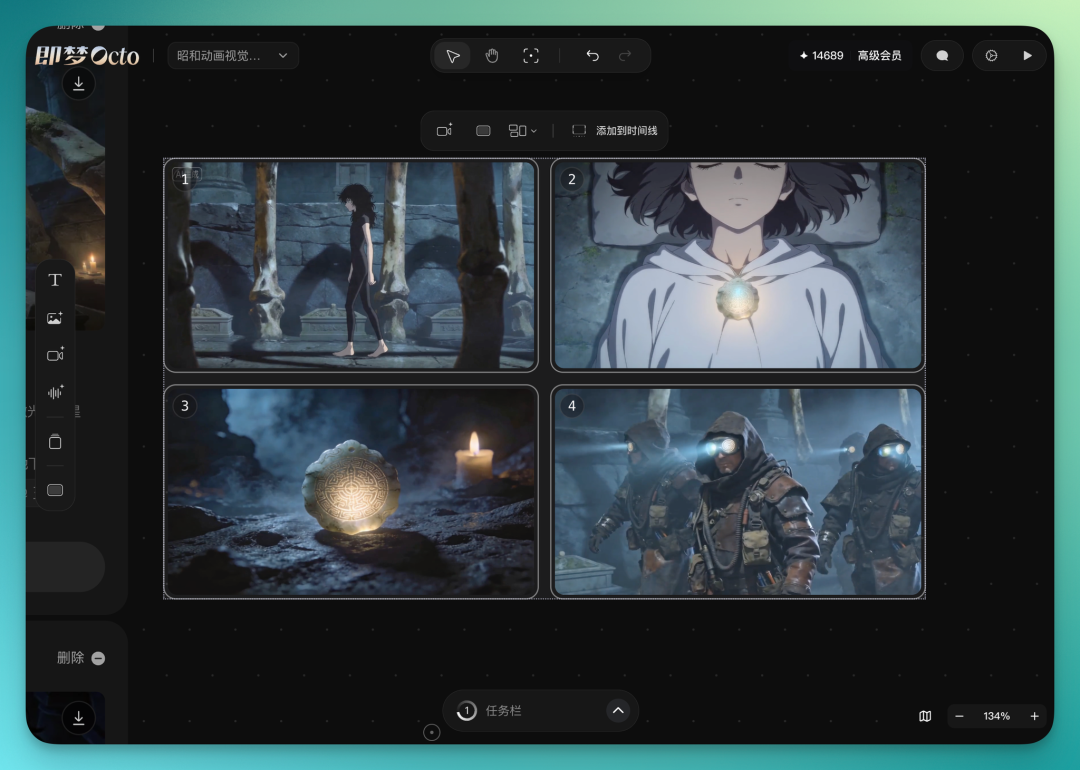
The canvas also has a convenient "arrange" feature that one-click organizes story shots into appropriate positions on the canvas:
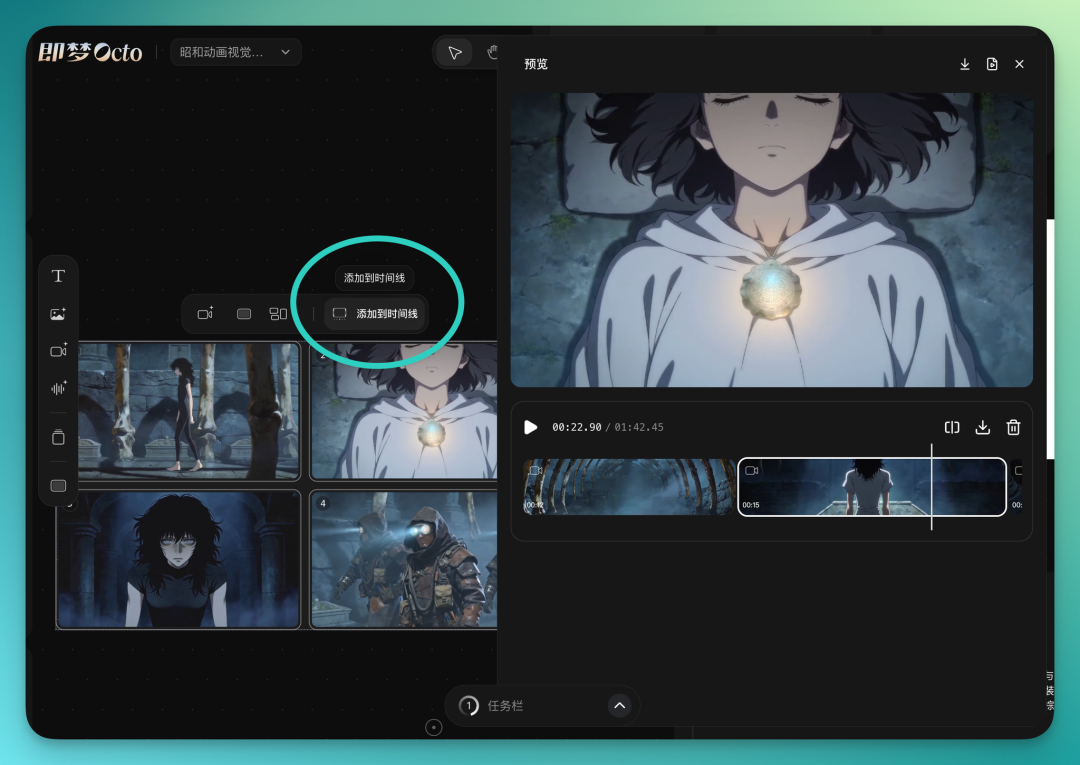
The final step: drag all videos into the timeline at the bottom of the canvas. The timeline supports basic editing operations — you can adjust clip order, trim length, and do simple arrangement.
There are two export options. One is direct video file export, ready to use. The other is exporting an XML project file, which can be directly imported into Premiere Pro or Final Cut Pro with all timeline information and clip order preserved.
For those needing more refined post-production, you complete the main creation in Octo, then seamlessly switch to professional editing software for final polishing.
Now, after refinement, the overall plot is: an androgynous black-haired youth has been guarding a girl inside a skeletal cathedral. This girl has a mysterious jade pendant, and then many 3D-style antagonists suddenly break this tranquility, bursting into the skeletal cathedral to seize the pendant.
But this youth, by touching the jade pendant, stuns all the antagonists in place. Everyone had assumed the girl with the jade pendant had been in a coma, but in the end, her eyelids move — hinting to the audience that she is about to awaken.
The overall character and scene consistency in the video is decent. The anime-style male and female protagonists and 3D-style antagonists basically achieve interaction in some actions, and the video itself comes with direct audio output, so editing isn't very difficult.
Now, to summarize what Octo does: essentially it takes the entire chain of "inspiration → research → assets → script → storyboard → video → editing," which was previously scattered across five or six tools, and consolidates it into a single canvas.
Previously, completing a video work usually followed this workflow: the creator first has a clear storyboard script, or at least a very specific inspiration or idea, then uses AI to reverse-engineer prompts for each frame. The whole process is essentially "think it through clearly first, then have AI execute." This is certainly very important, but the problem is that human creative inspiration is often hard to concretize from the start.
It might be a piece of music, might be some point that suddenly came to mind the night before — there's a feeling, but definitely no way to describe it in precise language.
What's more troublesome is that when you forcibly translate this vague feeling into text prompts, many key elements often get lost. Atmosphere, indescribable emotions — by the time they become specific prompts and workflows, they're already not the original thing.
What Octo wants to do is intervene at the stage when this "inspiration is still vague." You don't need to first translate the feeling into language — you can directly throw in an image, a reference clip, or even just linger at a certain node, and Octo will follow your cursor to understand what you're focusing on, proactively throwing out reference frames it thinks match, helping you gradually "find" that vague feeling bit by bit.
The whole process isn't "you say, AI does" — it's more like two people searching together for something that doesn't yet have a shape. This experience is, in some ways, closer to a "collaborator with aesthetic preferences" rather than just an execution tool.
Currently Octo is still quite "young" and hasn't fully launched. But it reflects Dreamina's ongoing exploration of the "human-AI relationship."
Dreamina's Kelly Zhang once shared one of her judgments:
The ideal future relationship between humans and AI is not replacement, but collaboration.
The implication: AI inspires humans, and humans then go further with AI's help. Octo is a concrete experiment in this direction.