Hands-On With OiiOii 2.0: AI Video Creators Can Fuss a Little Less

Agent + Infinite Canvas: The Imagination It Unlocks
The Imagination Unlocked by Agent + Infinite Canvas.
👦🏻 Author: GaKi
🥷 Editor: Koji
🧑🎨 Layout: NCon

If there's one product answer that the AI creative tools space has collectively converged on over the past year, it's this:
Agent + Infinite Canvas.
Among the entrepreneurs betting on this direction is someone we already know. Six months ago, Crossing podcast hosted Naonao, founder of OiiOii.
In that episode, she was most bullish on using Agents for animation. Traditional GUI tools keep stacking features until they become bloated, she argued, while Agents hide the complexity behind the scenes.
Animation production itself is assembly-line work — screenwriters, character designers, environment artists, storyboard artists passing the baton in sequence. It's perfectly suited to a team of specialized Agents, like "a crew serving one director."
OiiOii's goal was to let ordinary people make an entire animated film from a single sentence.
Six months later, that vision has materialized into product. Last week, OiiOii released 2.0 with three new capabilities: Smart Canvas, Shot Deconstruction, and the Skill Library. The centerpiece is Smart Canvas, which hands off the complex operations of manual node-wiring and parameter-tuning in traditional node-based editors to Agents.
🚥
Here's our breakdown of the update, plus our full hands-on experience.
What's New in OiiOii 2.0?
A quick overview first — detailed tests follow.
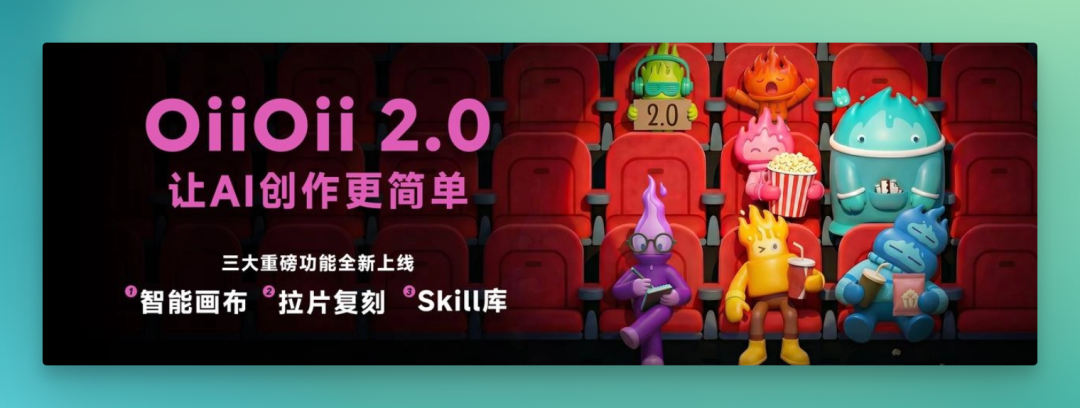
The 2.0 update is oriented around making creation simpler. Three capability updates:
[1] Smart Canvas
[2] Shot Deconstruction
[3] Skill Library
1. Smart Canvas: Assets and Agent Conversation, Finally Unified
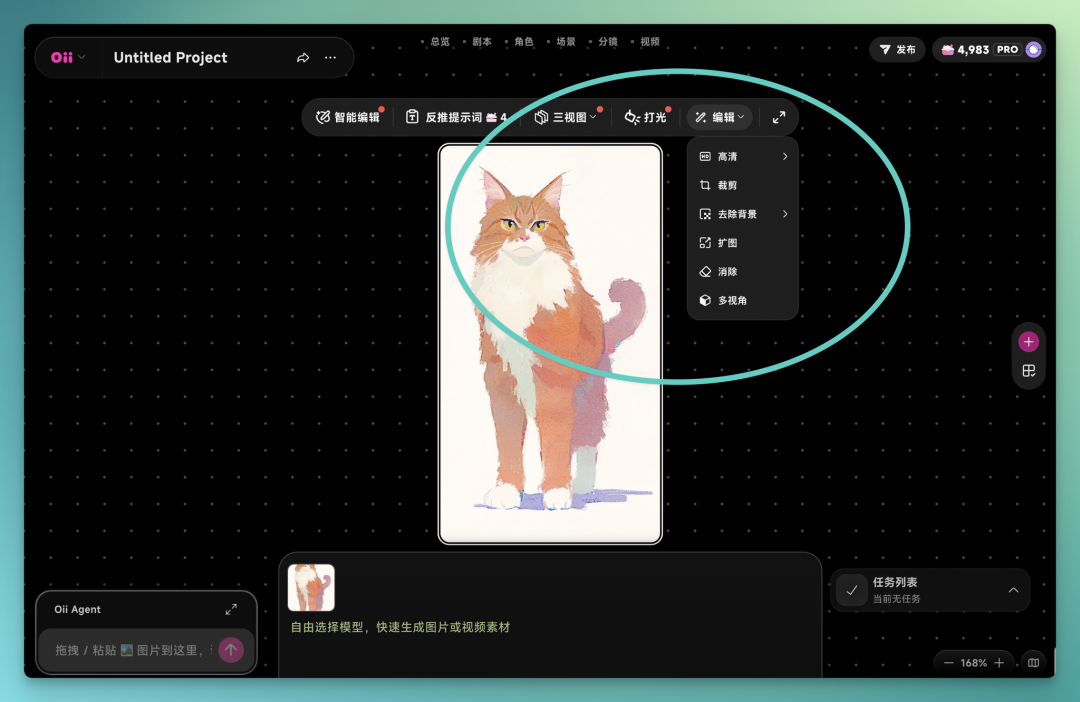
The most fundamental change in 2.0 is that canvas assets and the Agent dialog box are now fused into a single whole. You can issue instructions in natural language, and the AI Agent executes directly on the canvas.
Common edits like upscaling, outpainting, background removal, inpainting, and subtitle removal no longer require leaving the canvas.
2. Shot Deconstruction + Prompt Reverse-Engineering
Upload a video, and OiiOii 2.0 now performs director-level shot breakdowns, extracting characters, environments, plot, shot sizes, and narrative rhythm across 18 dimensions in total. You can swap elements, modify styles, and directly replicate viral hits.
3. Skill Library
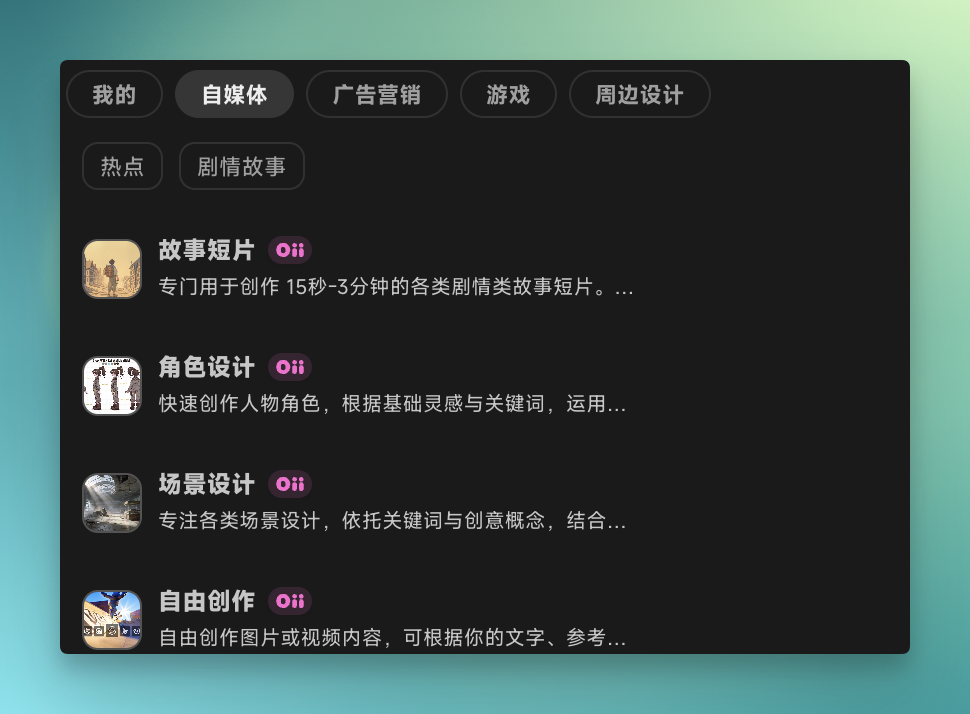
Addressing AGC creation needs across different industries, 2.0 introduces attachable Skills, with more to come.
The existing Skill Library already covers content creation, advertising and marketing, gaming, and more:
Below are two hands-on tests we ran with Smart Canvas and Shot Deconstruction, touching on all the updates above.
Smart Canvas
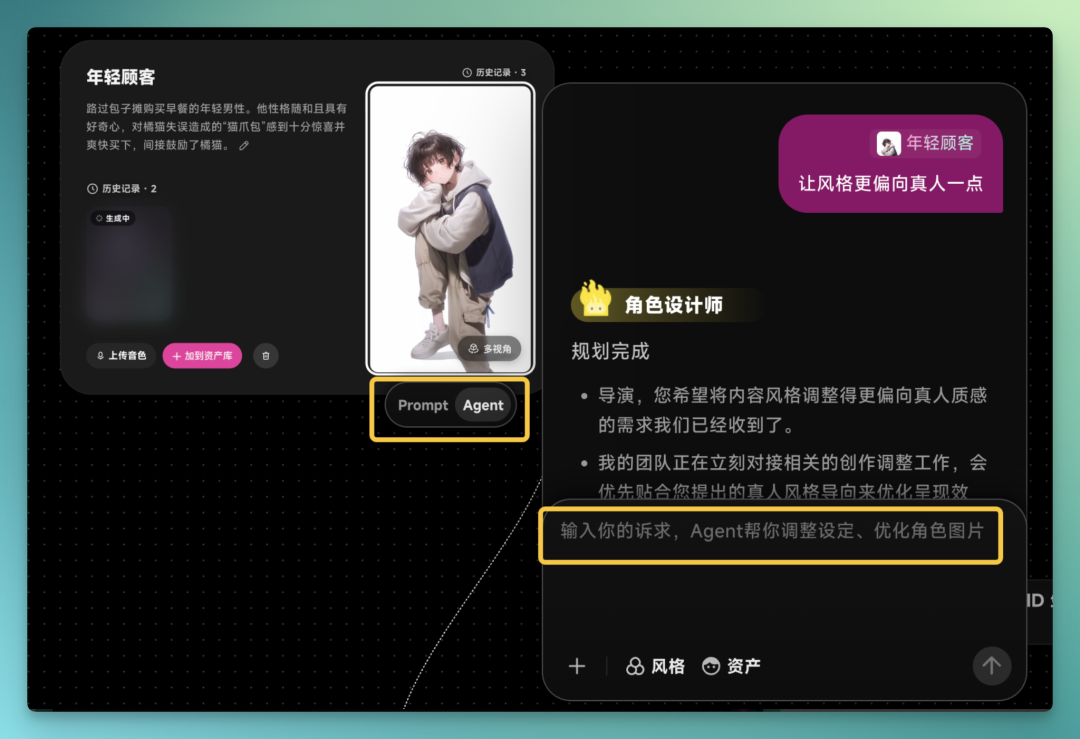
Bottom line first: in practice, Smart Canvas is the most consequential change this time. It lowers the barrier to AI creation further and boosts creative efficiency. Agent conversation and the canvas are merged. You can freely create projects on the canvas — besides the typical prompt-editing creative mode found in most canvas tools, you can switch approaches and call up an Agent for assistance at any time. Spot something you don't like? Just describe it in natural language. No more agonizing over prompt engineering.
It lets Agents boost your efficiency without sacrificing creative freedom.
OiiOii's core function is story short creation. The original pipeline ran from analysis to script to characters to storyboards, with multiple Agents handing off in sequence — a single sentence could produce a complete short.
With the new Smart Canvas layered onto this pipeline, we can summon Agents for collaborative creation at any node: script, character, environment, or storyboard.
Lately there's been a wave of hand-drawn, healing-style animal shorts circulating online. I tested one:
A stray cat finds a glowing star on a rainy city night and returns it to the sky. Just send that sentence to the Agent.
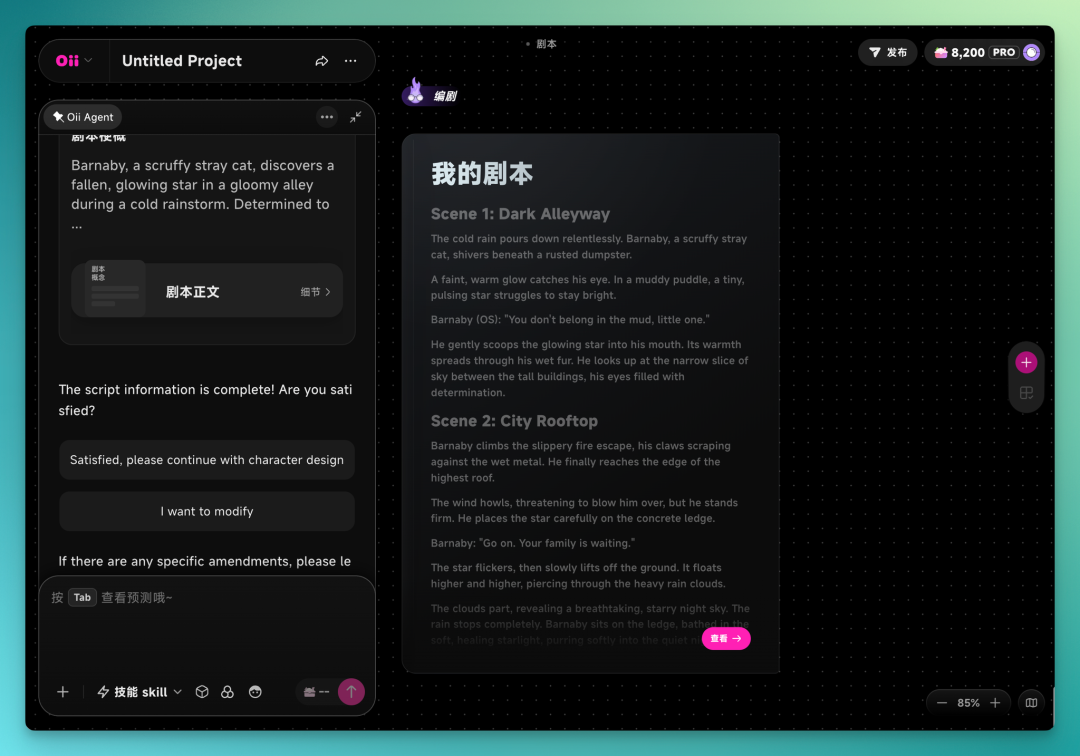
The Agent first calls the art director, who analyzes the prompt and presents several options — click to select. After that, it invites other Agents into the conversation one by one to complete the video. First up is the screenwriter. The screenwriter Agent produces a full script based on the prompt.
Next is the character designer Agent, which offers several style options. I chose watercolor hand-drawn.
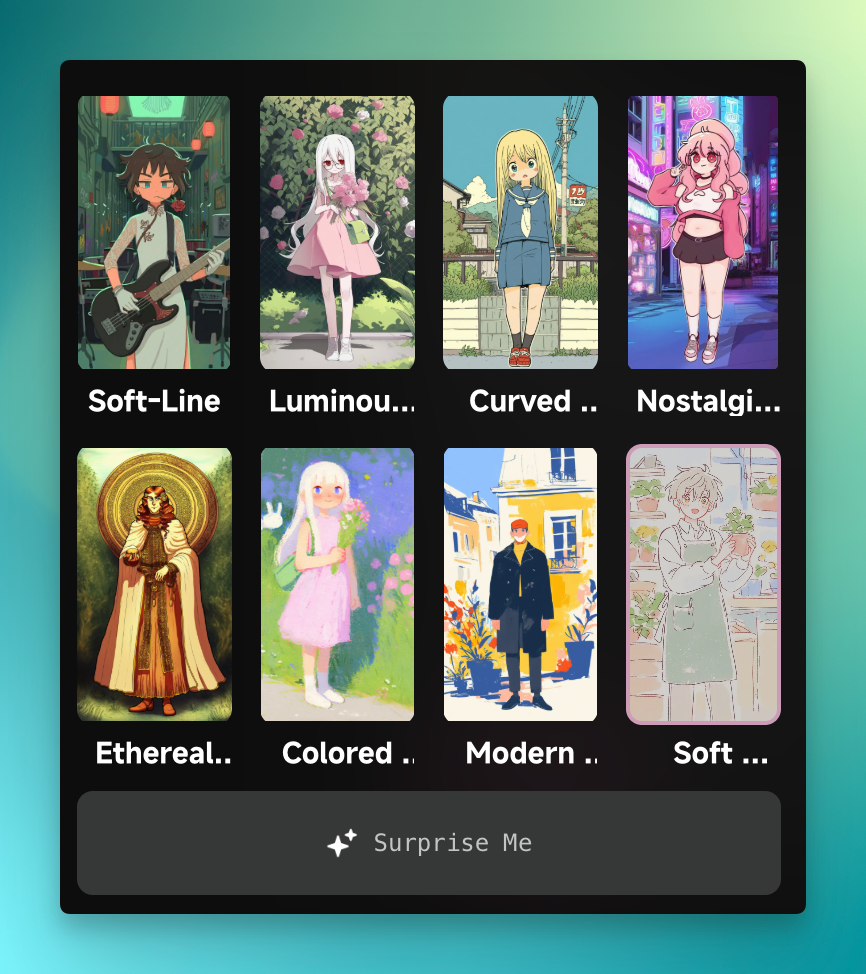
It then automatically designs characters in the selected style.
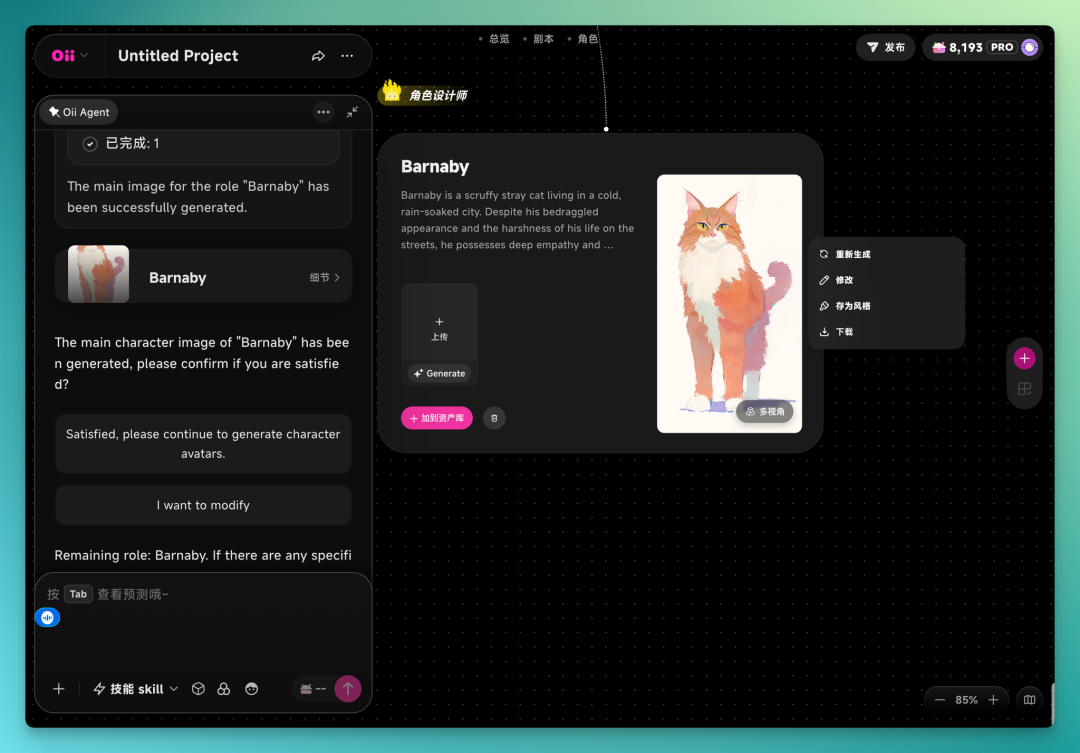
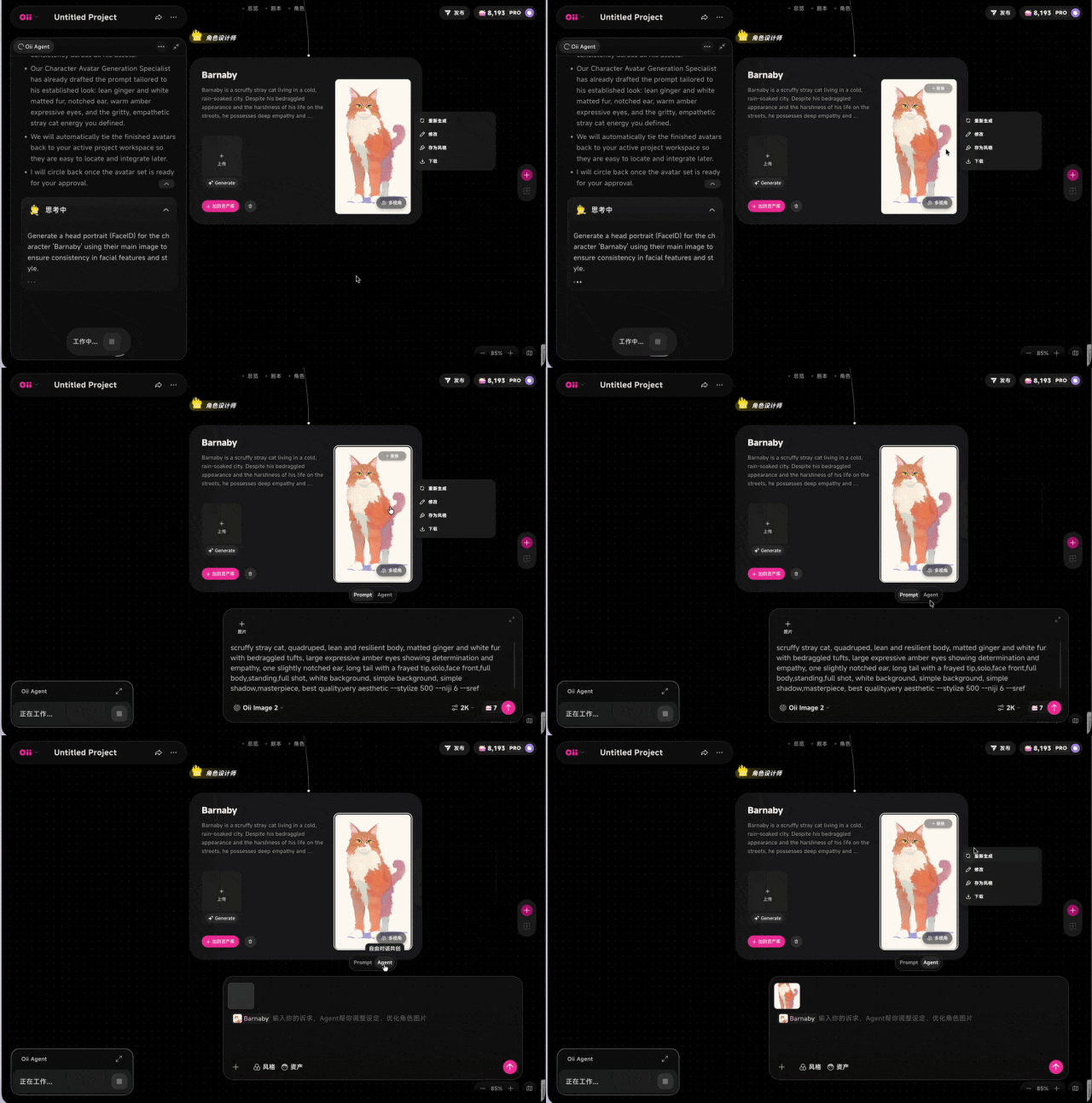
In Smart Canvas, clicking on a generated character card or video card reveals two options: Prompt and Agent. Prompt lets you manually edit the prompt; Agent lets you describe changes conversationally. I usually go straight to Agent to modify character details.
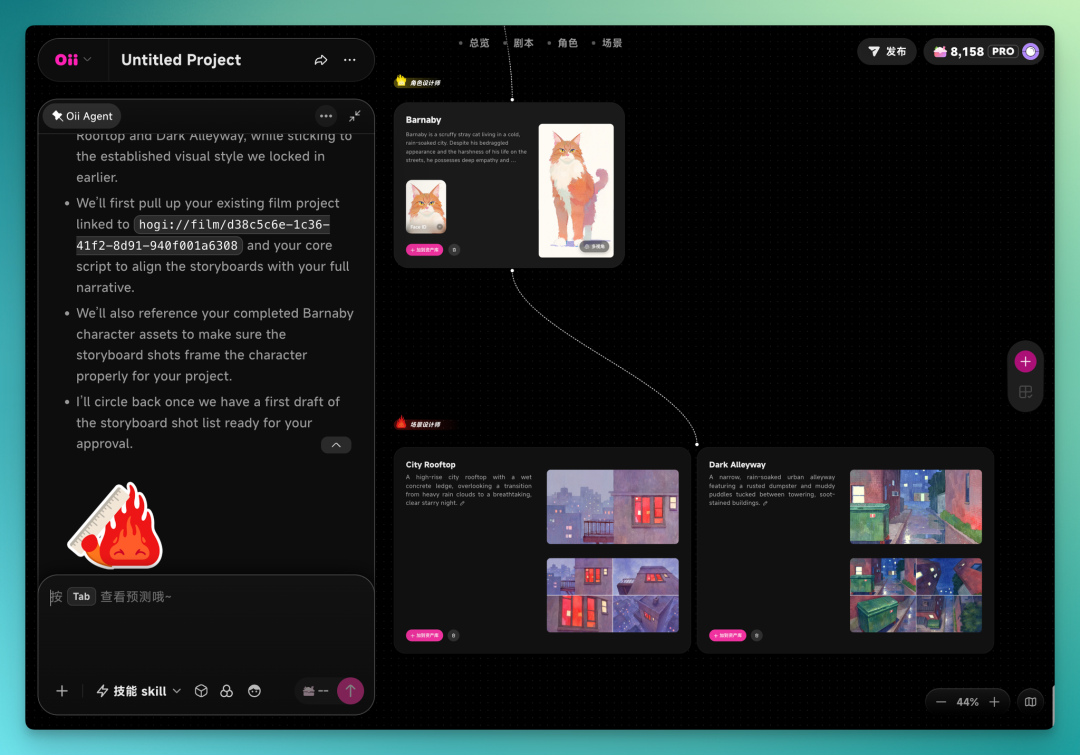
Then the environment designer joins, creating multiple scenes in the same art style.
Once these are done, the storyboard artist enters the conversation. Select the model, resolution, and storyboard plan, and it moves into finer execution — the pipeline is now in its second half. After repeated use, I've found that the 9-panel reference layout gives more stable results. If any single panel doesn't work, you can regenerate just that one without redoing the entire set.
It generates a 9-panel storyboard using the prior environment images, character images, and script text as reference.
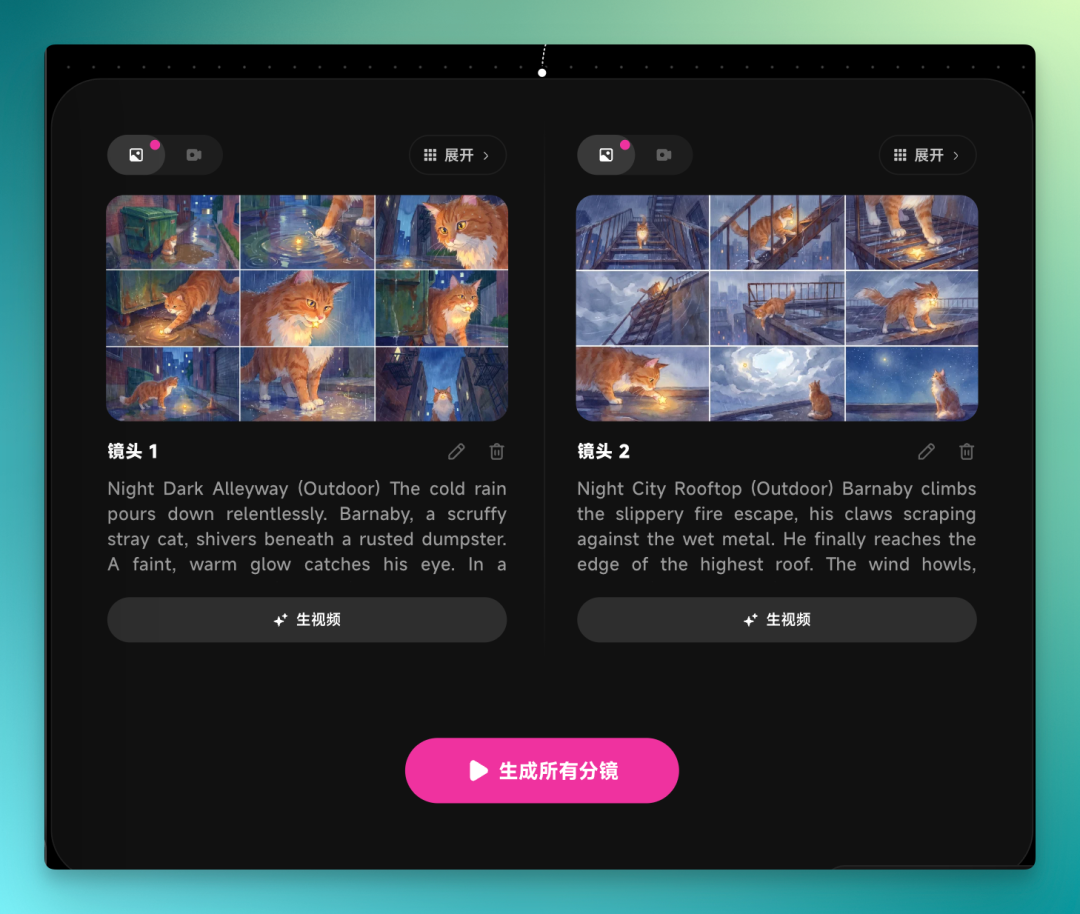
Once these are locked in, you can generate all storyboard shots. It also calls Suno to first generate a music prompt matching the overall tone, then produces background music from that. Storyboards can be generated in parallel — launch multiple at once, then return to the canvas to select and arrange.
The final result:
The finished piece maintains coherent plot and character continuity, with consistent visual style.
Viewed holistically, the short production workspace resembles a director's desk. On the left, you see all task progress issued to Agents; on the right, the canvas displays creative outputs. Not happy with something? Click the asset on the canvas and call out the Agent to rework it.
Clear workflow, clear results, controllable details. No complex prompts needed — conceive your story, then create through "conversation."
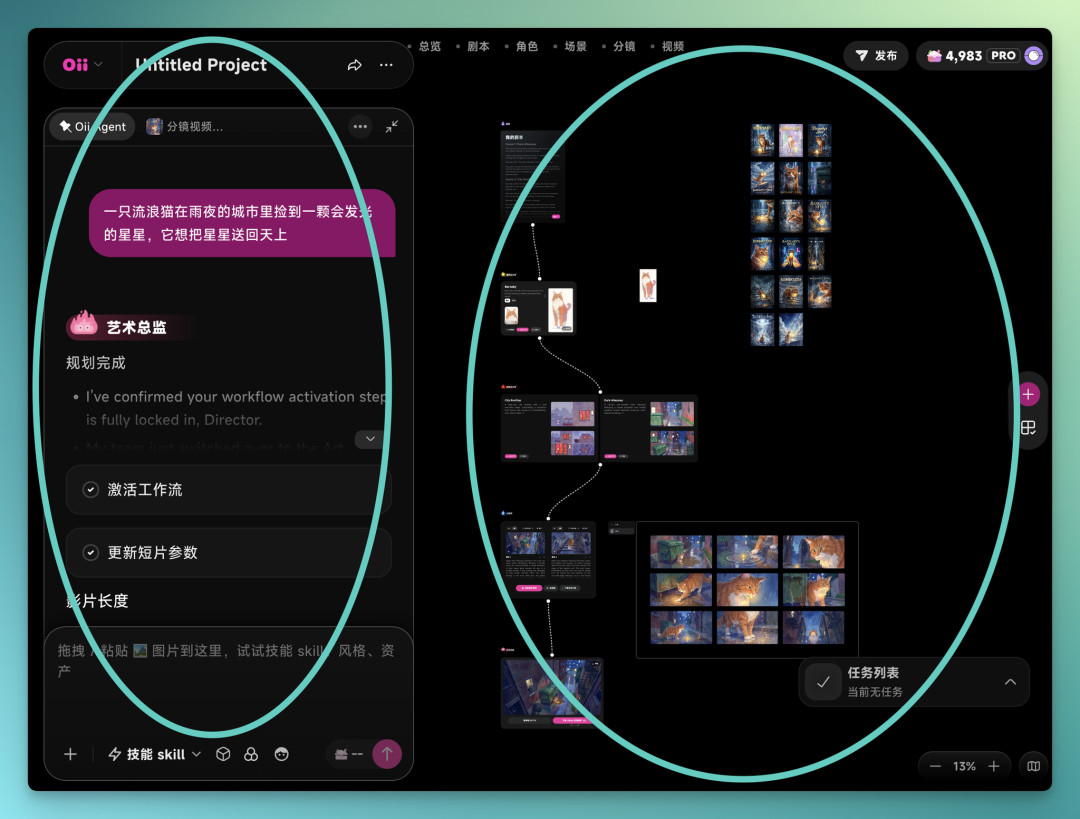
For instance, the cat character it generated, plus the environment images, the complete storyboard, even every individual shot — all can be modified through Agent conversation according to your vision.
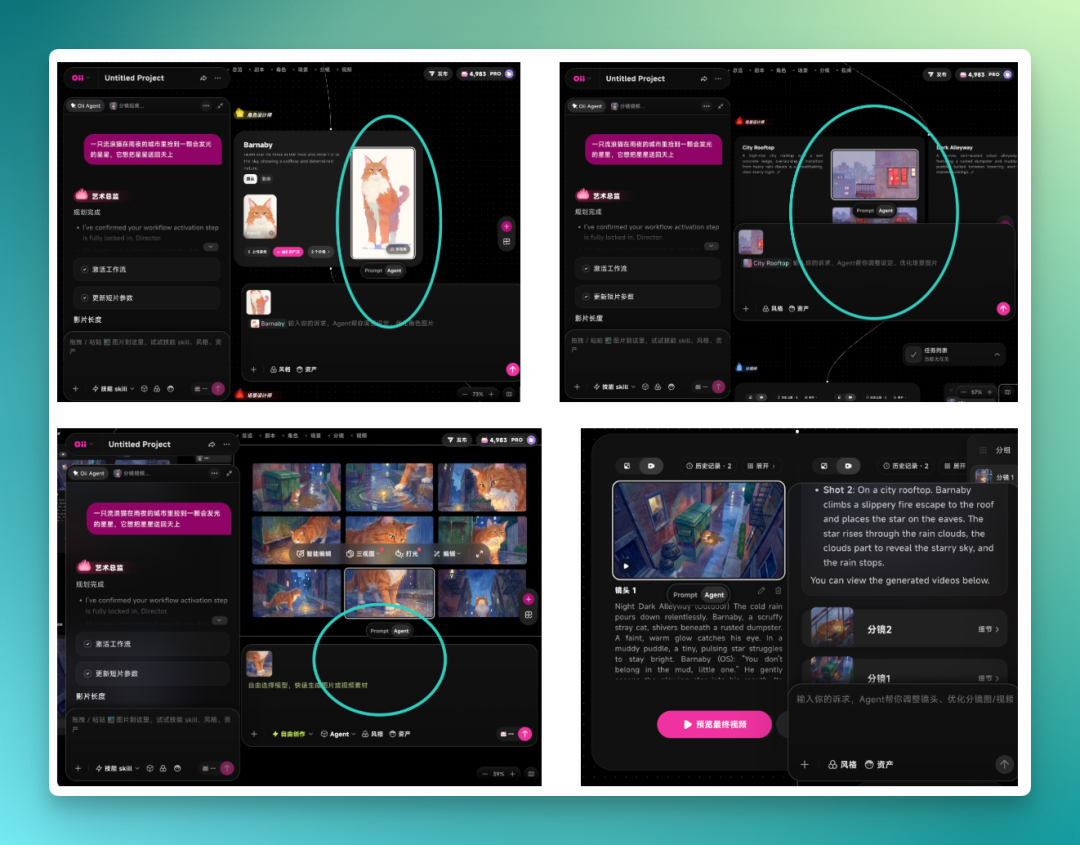
In one early version of the video, I felt the cat was too generic, not distinctive enough. So I told the Agent conversationally to generate a Siamese cat in the same style, wearing an imaginative crown on its head, with a diamond ring on its tail.
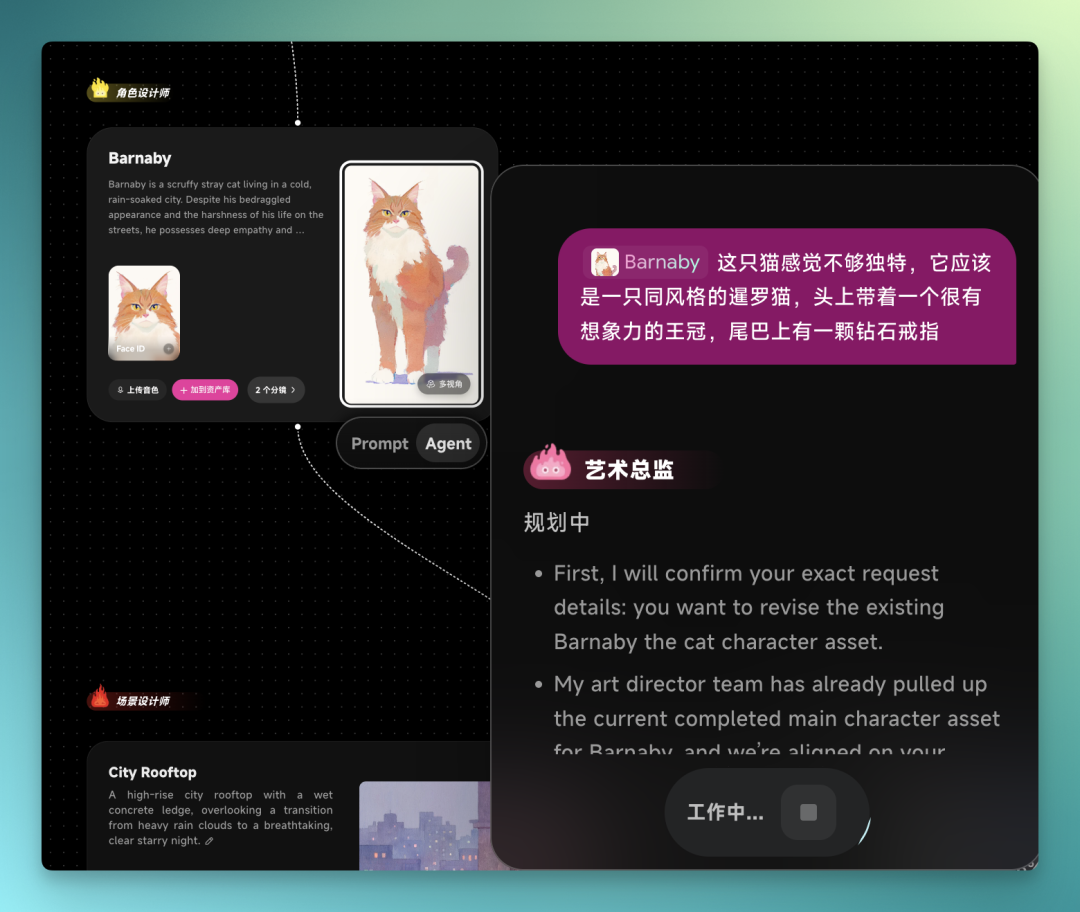
Afterward, you can see its workflow directly in the dialog with that Agent. It's also integrated into the Agent conversation stream on the left, and it simultaneously replaces the original cat character.
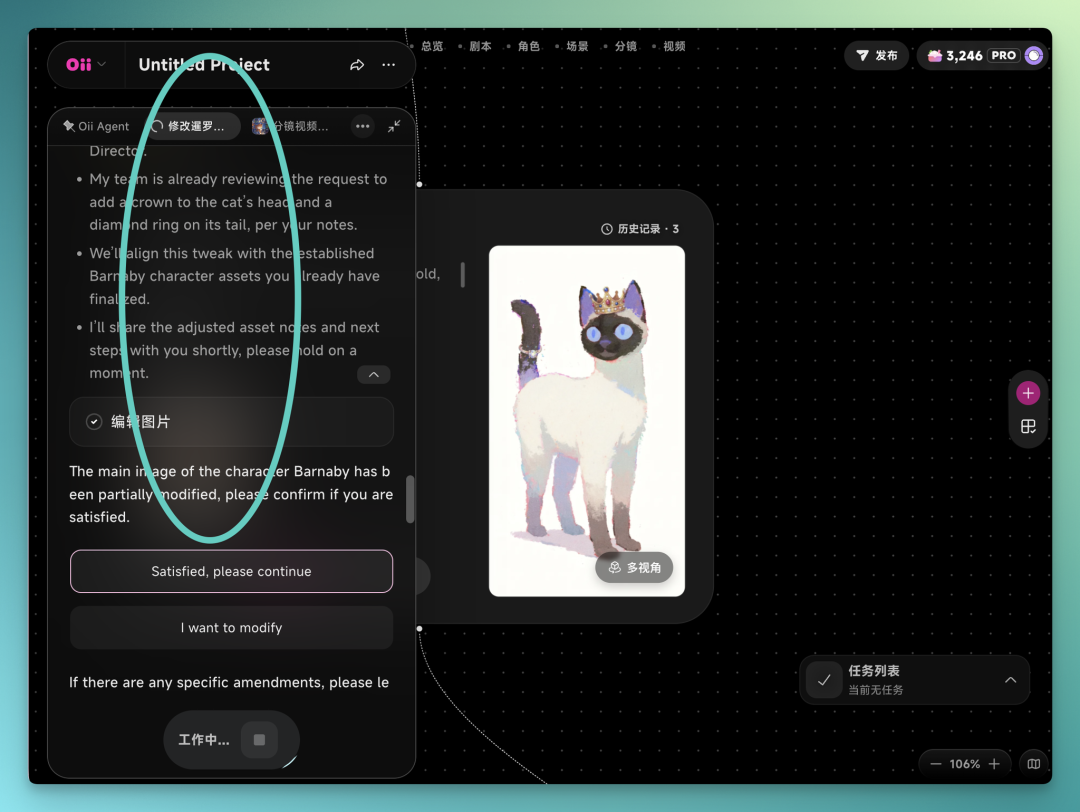
Similarly, when I replace the protagonist character image at the front of the canvas, the subsequent environments, storyboards, and shots get reorganized accordingly.
And it's not just the protagonist image — storyboards, shots, and environment assets generated later can all be opened directly and modified by Agent in natural language.
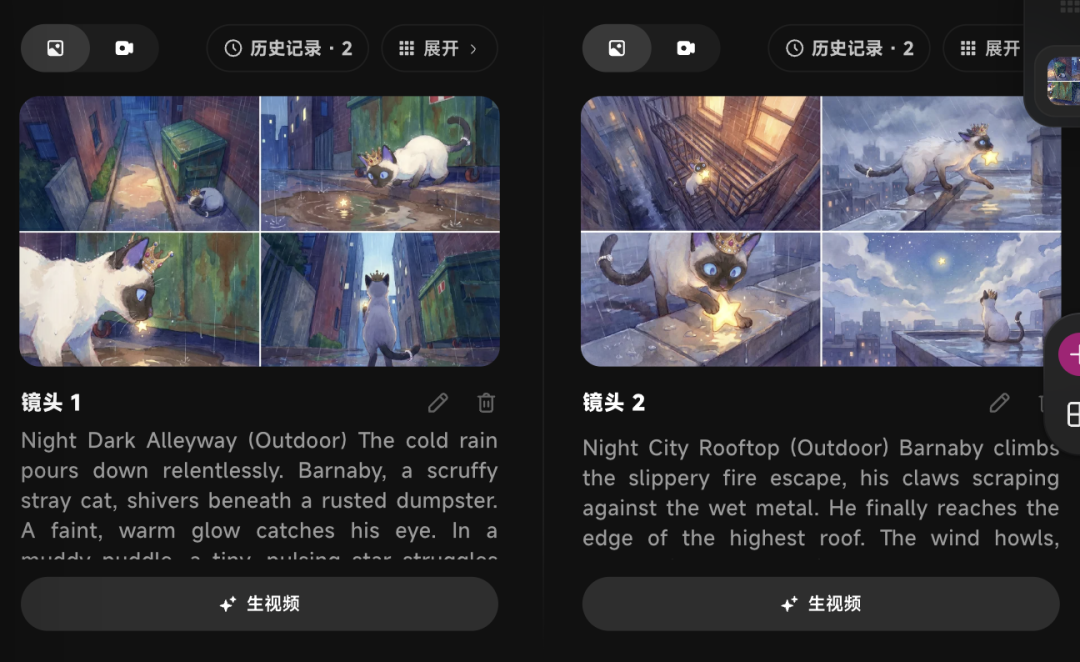
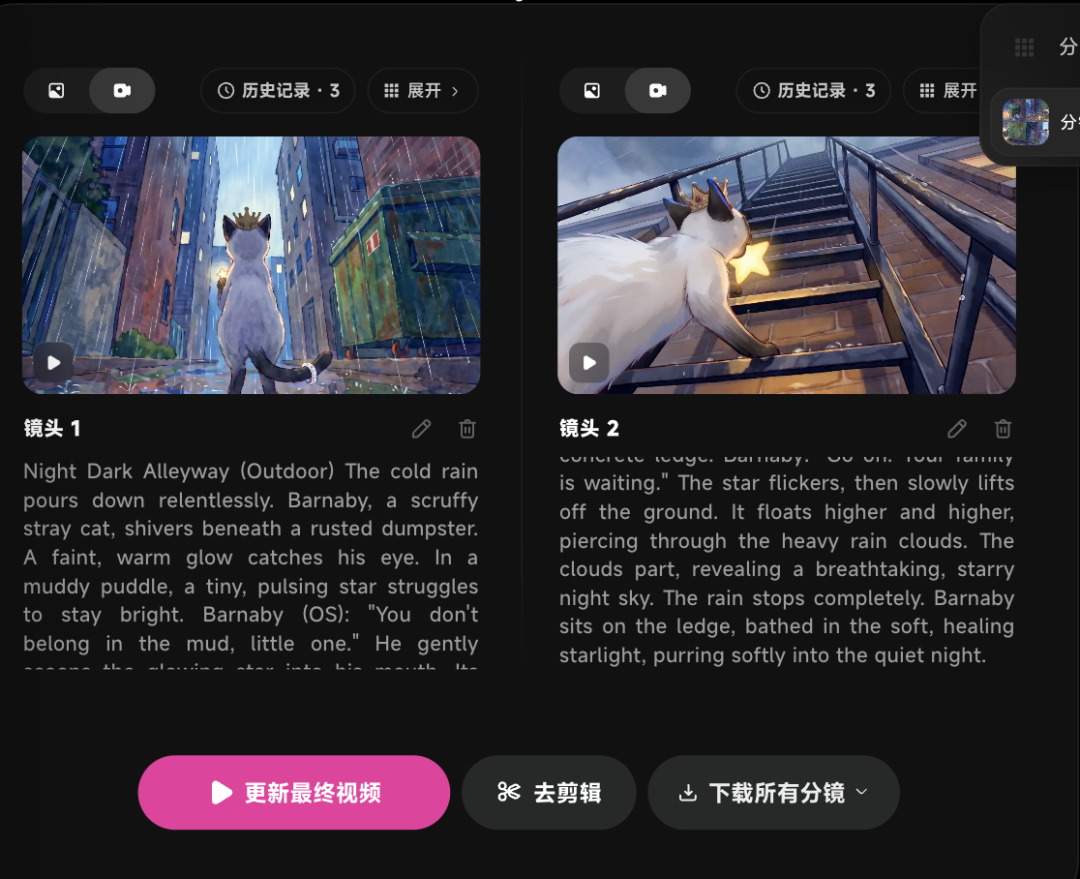
In this version, I first swapped the character, then adjusted some environment images, and regenerated the final video. Compared to the first version, the environmental changes weren't dramatic, but character consistency improved, and the overall story logic basically held.
I also tested it on a recent viral "1,000-person challenge" format. The premise: a host presides over an aquatic AI battle royale with many characters, lots of action and movement. I made one following this concept. In the finished piece, character actions and shot transitions were largely auto-arranged; I mainly provided the premise and general direction.
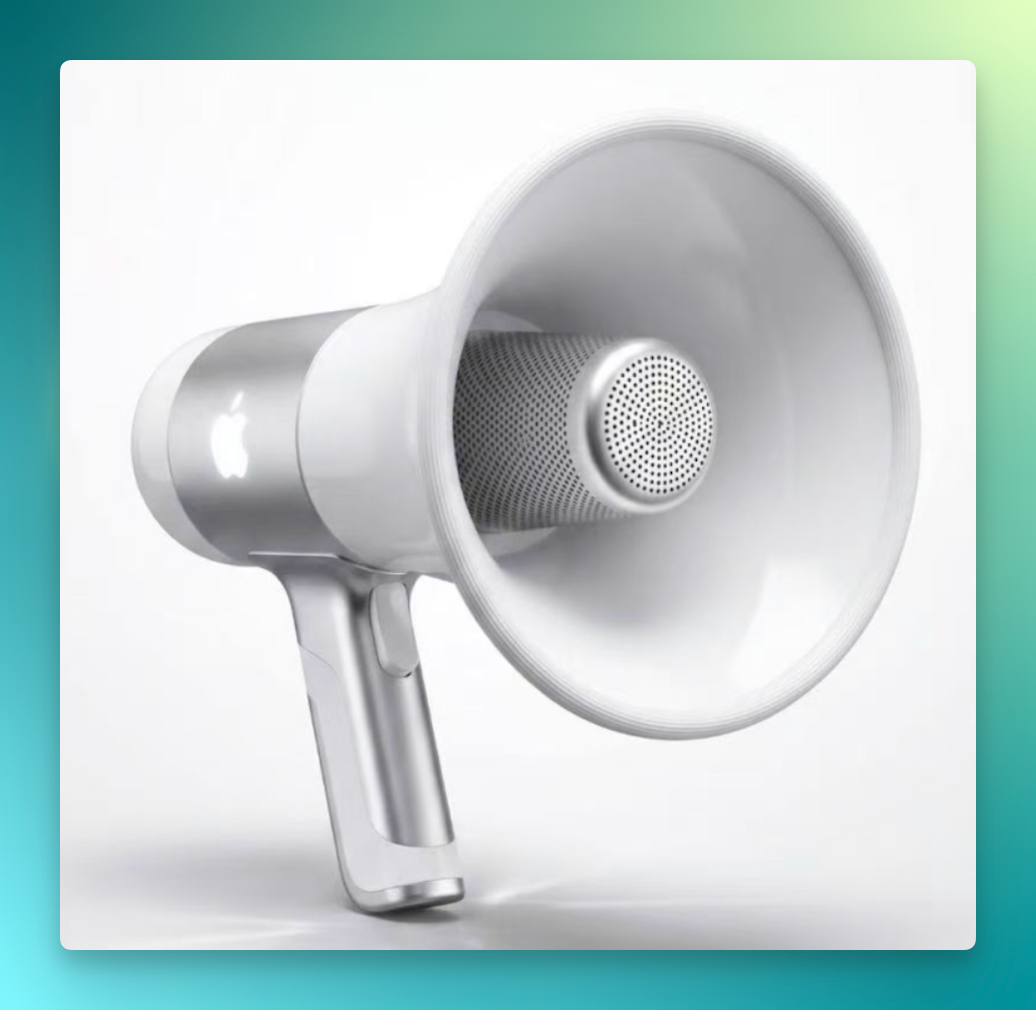
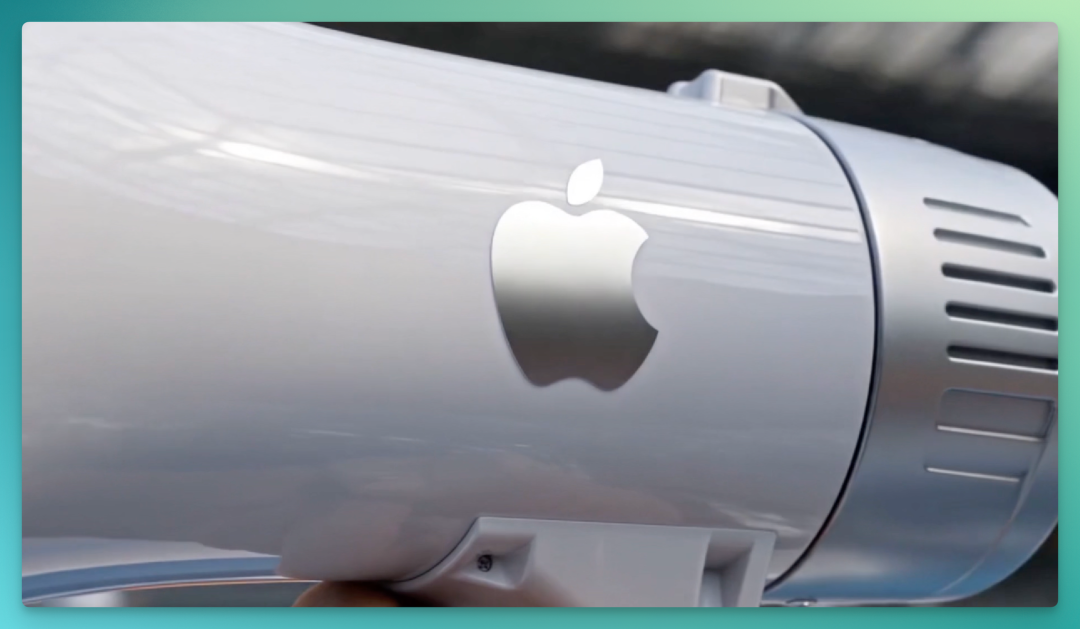
The rules go roughly like this: each person holds a "magic microphone" designed earlier — shout the name of any prop, and that prop appears in your hand for attacking and defending, until the last person not fallen into the water wins a million-yuan prize.
The final complete result:
Including the magic microphone and overall shot transitions — it feels remarkably smooth. The microphone accuracy especially is nearly identical to the image I uploaded.
Shot Deconstruction
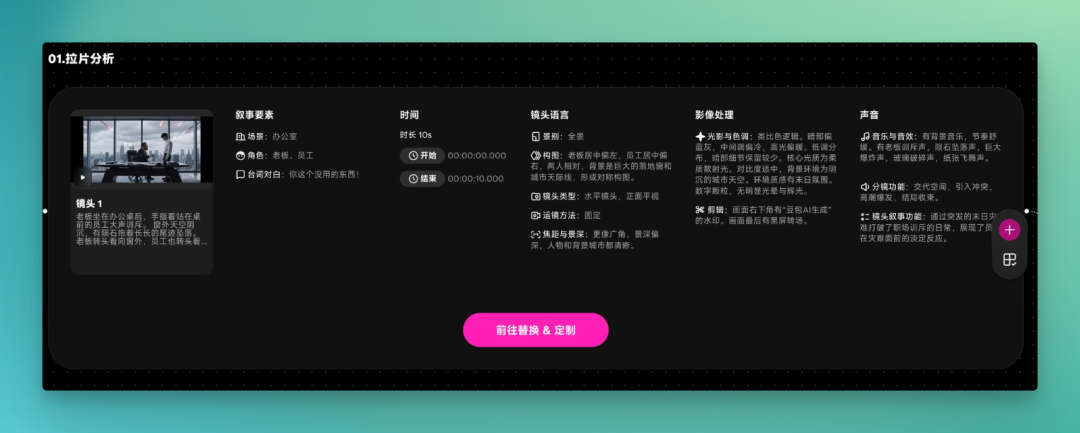
Shot Deconstruction is another major module in OiiOii 2.0. Its capability: upload a video, and the Agent performs 18-dimensional shot analysis, extracting all swappable elements. You can replace characters, environments, props, and more — besides the obvious "big" elements like protagonist and setting, even very fine details can be swapped.
Click Replicate to one-click swap in your uploaded elements, or input custom requirements to recreate the original video your way.
Here's a hands-on test. Lately a certain video format has been trending on Douyin: "punch your boss before the apocalypse." Many have tried it, with varying quality.
Upload the video directly in the canvas and click Shot Deconstruction.
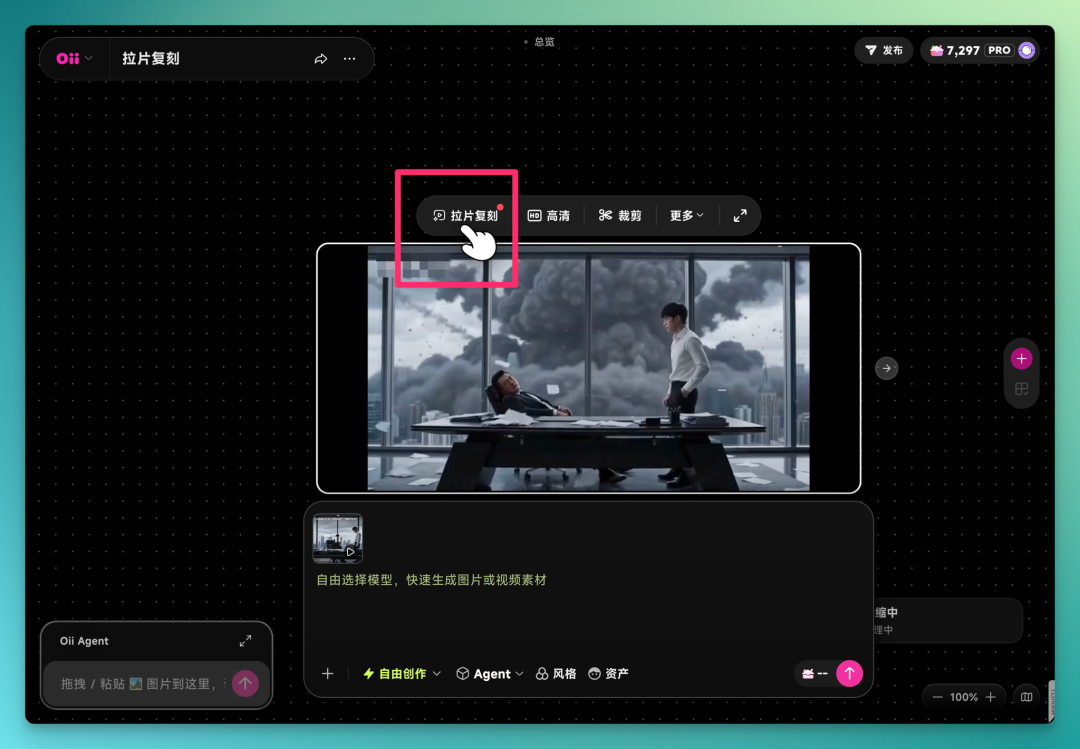
The deconstruction is more granular than I expected, breaking out over a dozen dimensions. Narrative elements, temporal structure, plus cinematographic language like composition, camera movement, shot types, plus image treatment and sound — all get parsed and compiled into a structured list, mapped segment by segment to the original:
The Agent extracts characters, environments, and elements from the video. Click Replace to swap in your own assets.
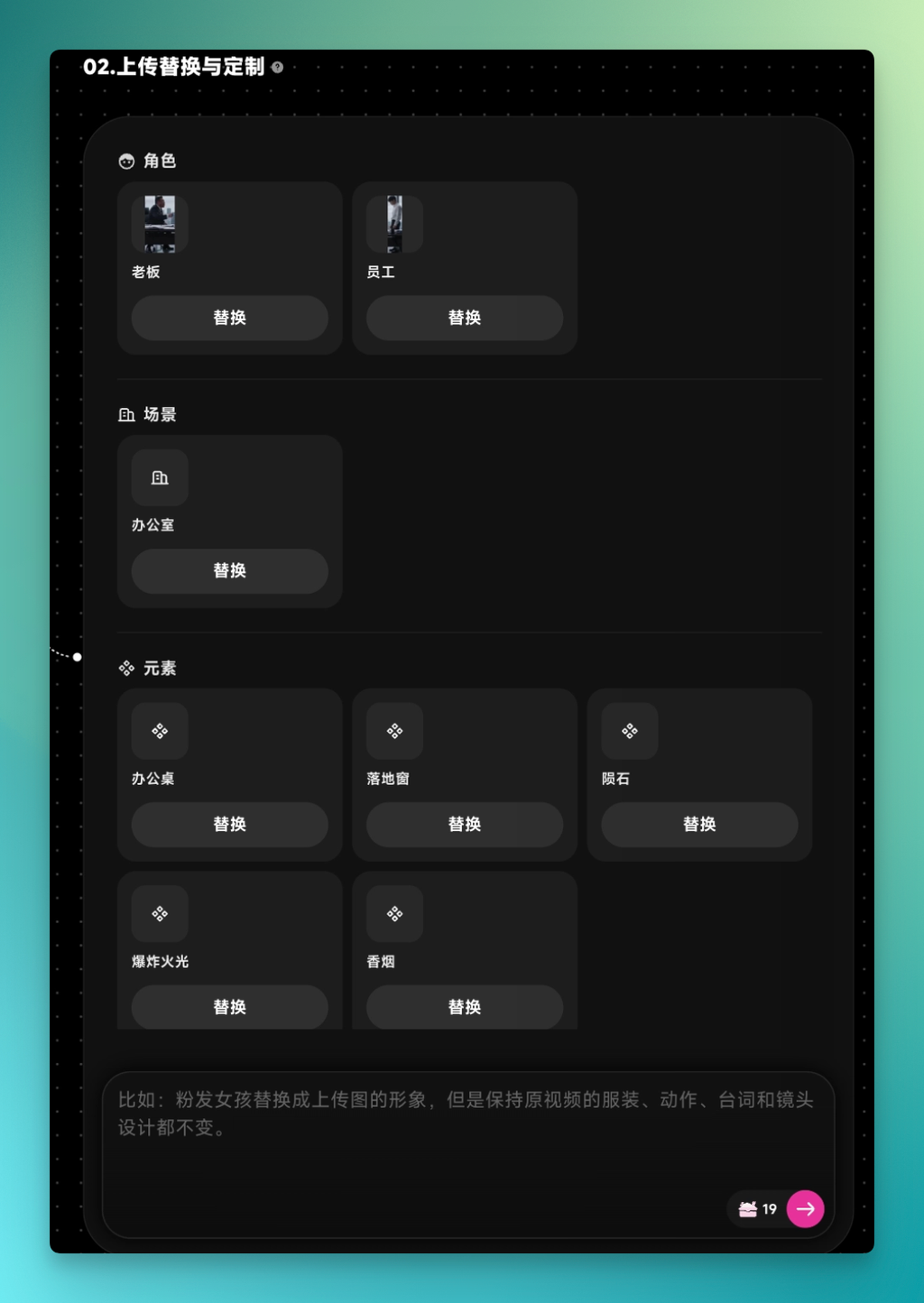
You can directly replace this image onto the corresponding character, and the video's effects get swapped too.
After replacement, it reverse-engineers prompts for all content, producing a complete prompt covering color grading, lighting, visual style, overall video description, and specific effects. This prompt can be used as-is or modified further — essentially documenting the original's production approach.
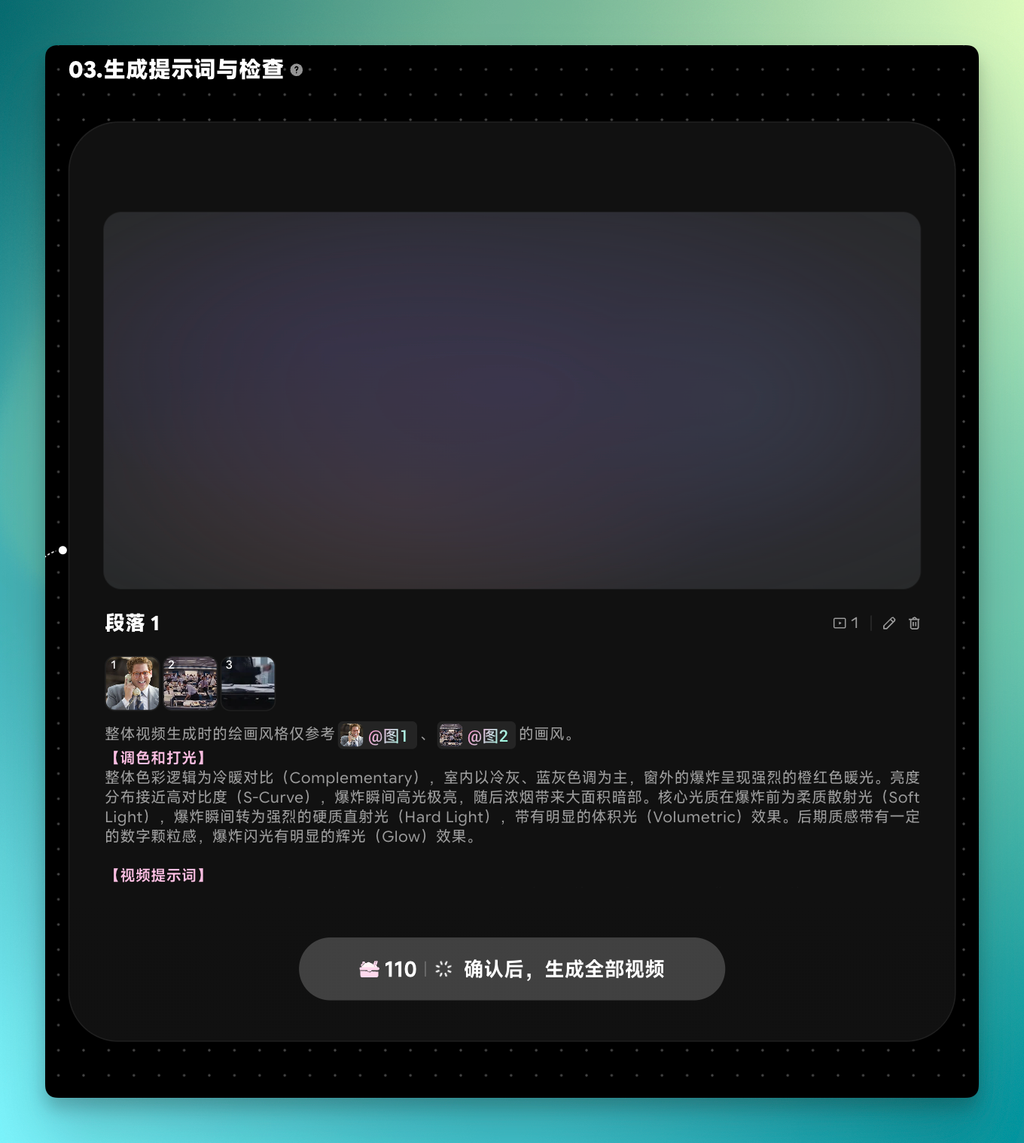
At this point you're basically done:
After swapping elements, you can also enter your desired style in the dialog below for more personalized customization. For example: on top of this video, add a different anime-style hit effect to the employee-punching-boss action.
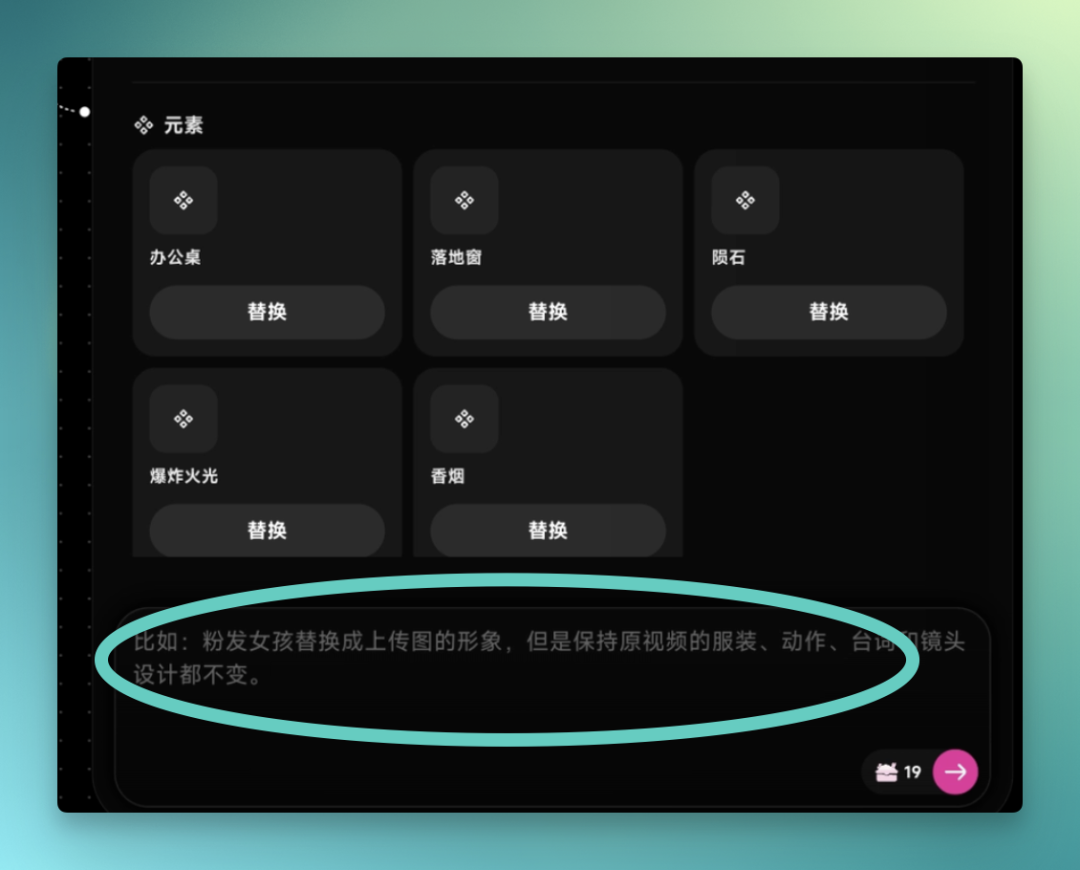
The complete result below — the punch effect is added quite smoothly:
Of course, due to music copyright, the videos above don't use the "viral hit song." I tested privately with the track everyone's using, and the feel is definitely there.
Skill Library
This update's Skill Library packs substantial skills, covering content creation, advertising and marketing, gaming, merchandise design, and more. For instance, when I hit a wall designing a character, I opened the Character Design Skill, and it helped me flesh out a character concept according to my direction.
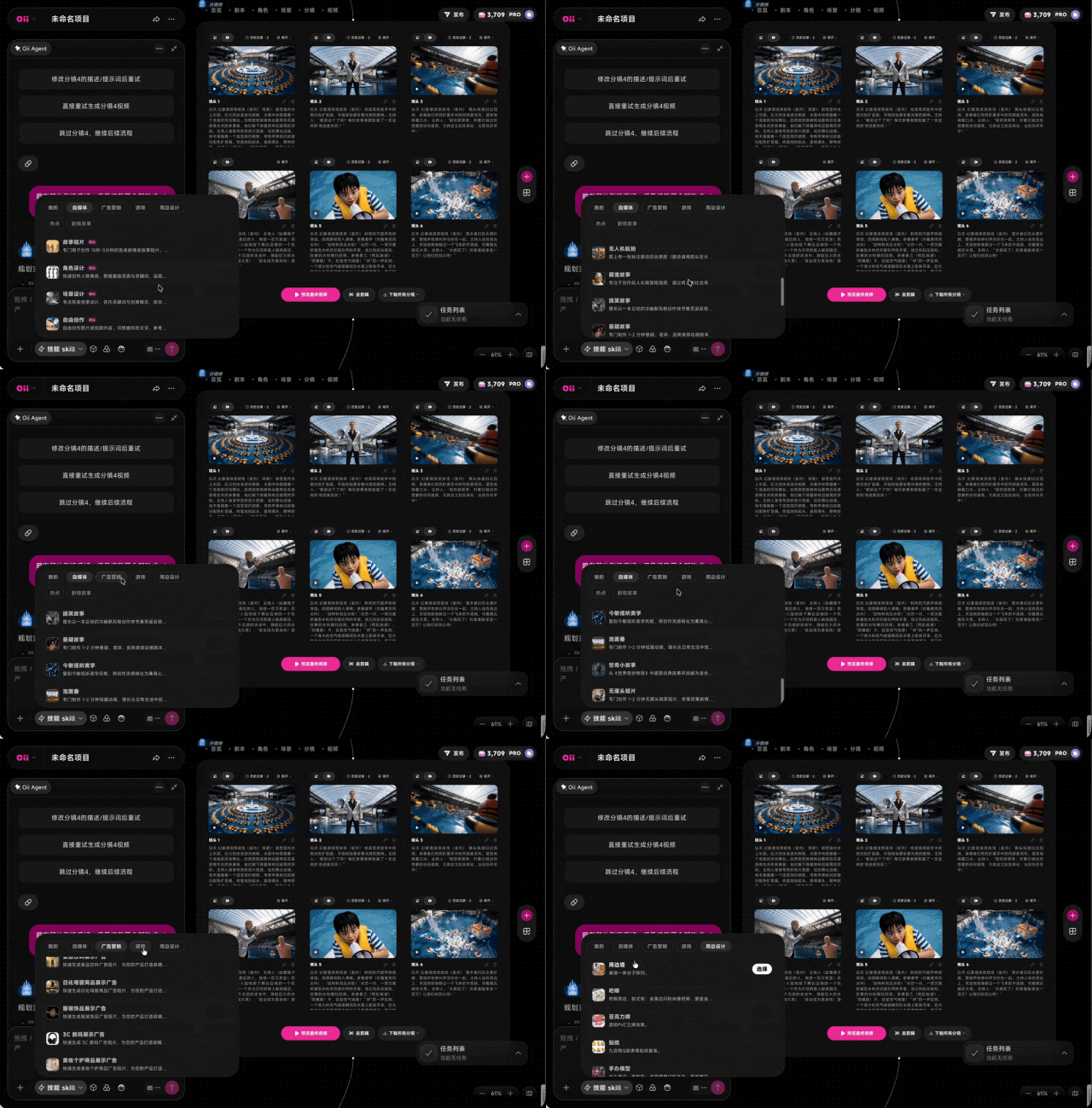
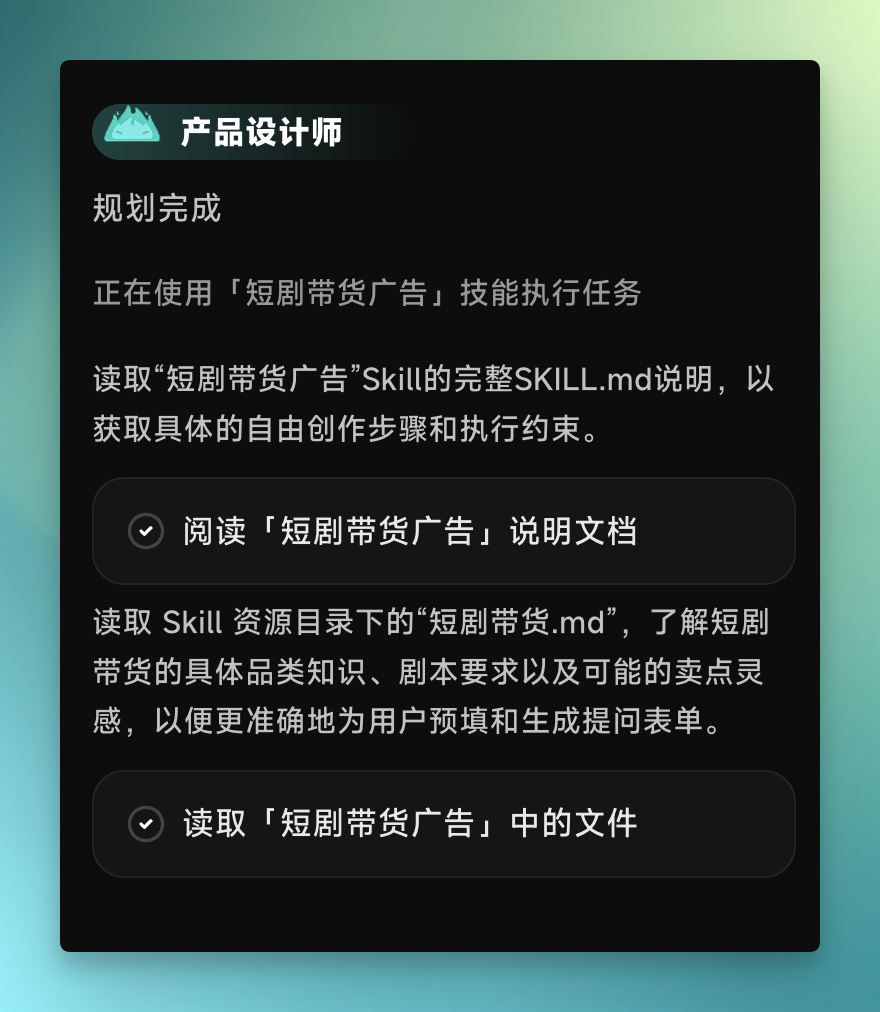
The Skill Library also includes a full suite of advertising and marketing capabilities. Each Skill corresponds to a mature methodology and execution workflow. For example, I uploaded this magic microphone wanting to make a "quick reversal and face-slapping" short drama for product sales — just call up the corresponding short drama sales Skill.
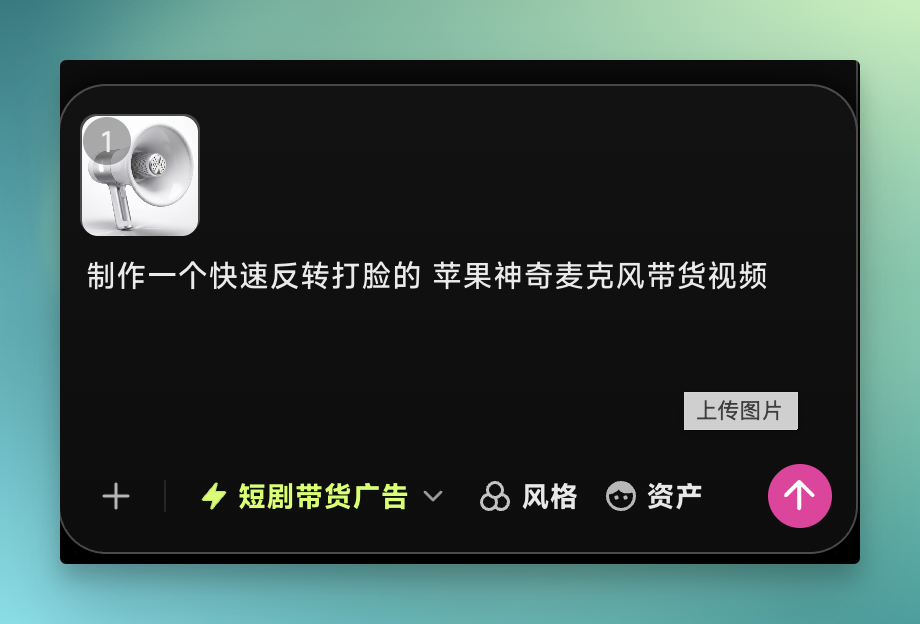
The Agent then automatically reads this short drama sales Skill's documentation. Inside is a complete,沉淀ed video production workflow, from plot design and character setup to storyboard, voiceover, and editing — each step has corresponding methodology and execution standards.
The final output — characters, environments, dialogue, voiceover, editing, and packaging — is largely auto-completed by these Skills. What I actually need to do is just set the direction and click confirm at key nodes.
Viewed holistically from the hands-on experience above, the emergence of the "Canvas + Agent" combination changes far more than interaction.
In the past, countless people may have carried stories inside them their whole lives without ever getting to release them.
Now, things are different. The key difference lies in "Canvas + Agent" being a complementary pair. Agent solves the "capability" problem — breaking down tasks, orchestrating models, multi-step execution, giving one person the output of a full team. Canvas solves the "trust" problem — all intermediate outputs laid out before your eyes, every step visible, editable, reversible, so automation doesn't come at the cost of losing control.
Past AI tools tended to occupy only one side. Fully automatic ones felt like opening blind boxes; fully manual ones felt like missing the point of AI. Only together do "effortless" and "in-control" both hold true.
Now, Agent can attempt to take over execution; Canvas returns the sense of control. You sit before an infinitely large table, spread out your ideas, and an Agent team gets to work around it. Taking OiiOii 2.0 as an example: Smart Canvas carries assets and global vision; the Agent dialog carries instructions and workflow advancement; the two work in tandem. On this foundation, Shot Deconstruction and prompt reverse-engineering lower the starting threshold, while the Skill Library ensures continuous capability growth.
And what remains for you to do? Only judgment, and storytelling.
So the end of tools has always been expression. When the barrier to making a film drops to a single sentence, what becomes truly scarce is only what you want to say.
🚥
Finally, two official announcements:
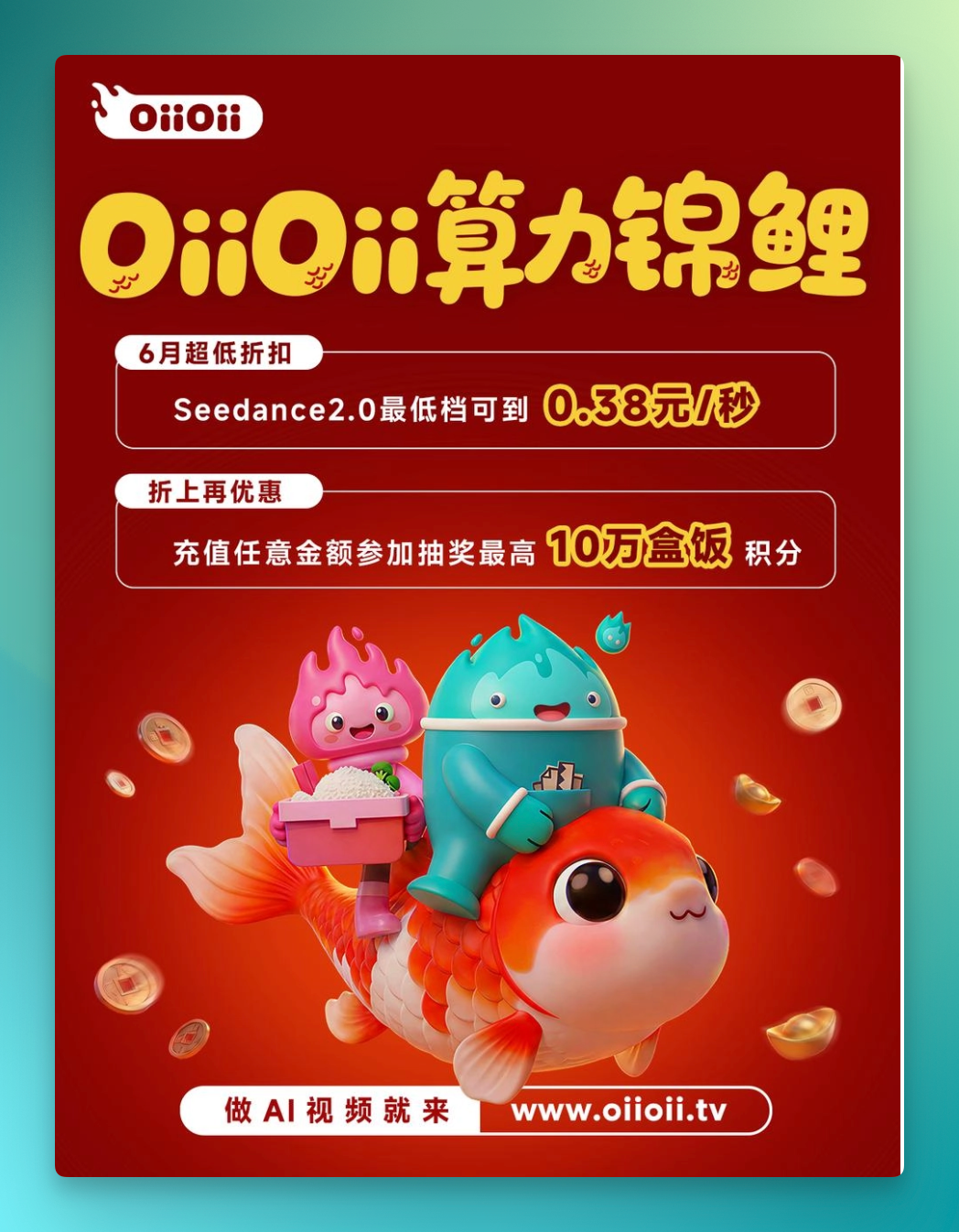
OiiOii is running a June promotion: Seedance 2.0's lowest tier drops to 0.38 RMB/second; any recharge amount enters you in a lottery for up to 100,000 Box Meal points. (For full details, see oiioii.tv.) OiiOii website: oiioii.tv