What Can You Do with OpenClaw on a Cloud Phone?

No environment setup needed, no command line required — just open it on your phone and start using it.
No environment setup, no command line, just open it on your phone and go.
 👦🏻 Author: Jingshan
🥷 Editor: Koji
🧑🎨 Layout: NCon

A month ago, OpenClaw went viral. The comment section looked like this: "I get it, but I can't deploy it."
That's pretty much the default experience for everyday users encountering cutting-edge AI tools. You know what it can do, it seems impressive, but setting up environments, configuring parameters, resolving dependencies — every step costs you learning time.
And the people who actually pay that cost sometimes end up just as frustrated: the time spent wrestling with deployment alone can exceed whatever time OpenClaw might have saved them.
Fortunately, this pain point is glaringly obvious — obvious enough that nearly every AI vendor has zeroed in on it.
Over the past few weeks, model providers have been rolling out "modified OpenClaw" variants in droves, lowering deployment barriers, simplifying workflows, offering one-click launches. The core strategy boils down to one word: reduce.
Last week, Baidu's "Red Finger Operator" got another major upgrade. The approach was direct: take the full, unmodified OpenClaw and stuff it entirely into a cloud-based virtual phone, creating a "mobile OpenClaw." No environment setup, no command line, just open it on your phone and go.
🚥
Here's our hands-on review.
1) An Operational App-Based "OpenClaw"
First, what is this product?
It's an AI product from Baidu called "Red Finger Operator," which they're branding as the "mobile version of OpenClaw." Red Finger Operator's operating environment is essentially an AI-powered virtual cloud phone running in the cloud.
After opening the app, you can currently get a free 10-day trial — claim a virtual phone and start using it immediately.
The cloud phone comes pre-installed with many apps, and you can download more yourself. These apps all support account login and work just like a real phone environment.
To directly control this cloud phone, tap "Preview" in the upper right corner, then "Take Over Phone," and you're in. One more detail: this cloud phone also has a built-in "full OpenClaw" pre-installed.
So "mobile OpenClaw" — Red Finger Operator — can operate phone apps, including the "full OpenClaw," within this virtual cloud phone environment.
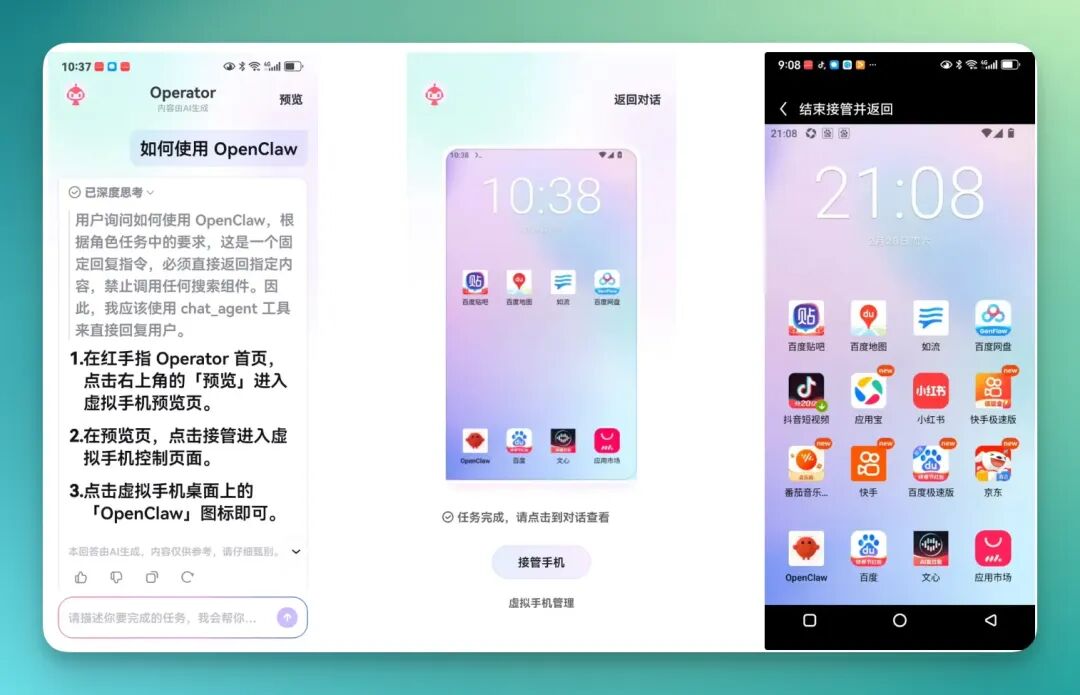
The biggest advantage of this product is its low barrier to entry. No deployment, no environment configuration — tap one button and you're in. And since it's natively a mobile product, it's naturally suited for mobile scenarios. Often you don't even need to separately connect to third-party apps.
However, it's Android-only for now; iOS users will have to wait.
Once inside, it also guides you on how to use it, so the learning curve is quick. Another practical point: the virtual cloud phone environment is completely isolated from your actual phone. Apps in the cloud phone stay in the cloud phone; apps on your personal phone stay on your personal phone. No interference.
You won't suddenly disrupt your own phone's normal usage while using it.
It integrates many capabilities for operating phone apps, somewhat resembling GUI automation but more foolproof, with plenty of genuinely useful applications.
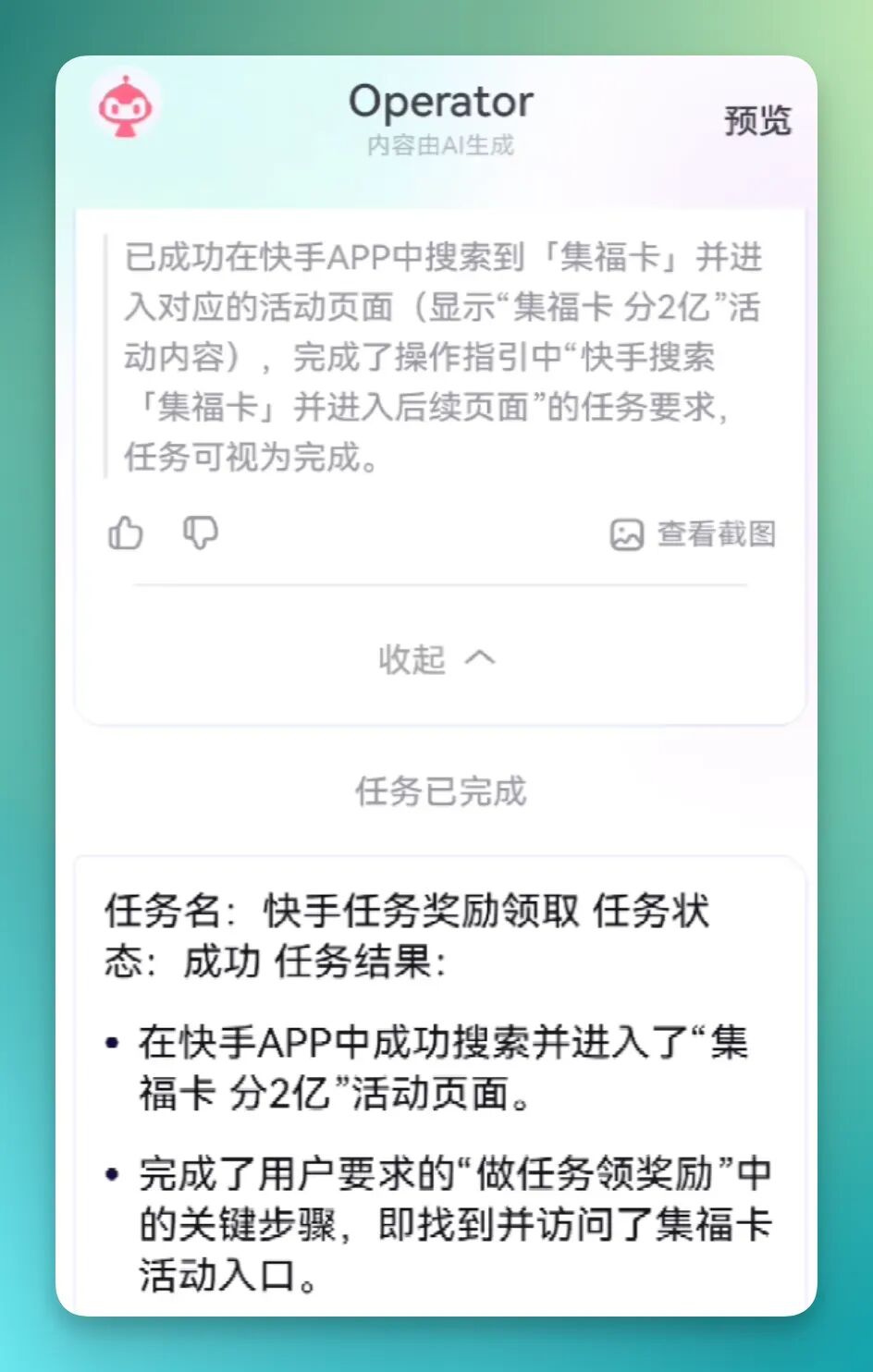
Take the simplest example. Earlier, I had participated in Kuaishou Lite's 2026 Spring Festival "collect fortune cards" event, but I couldn't remember where the entry point was. You just type a prompt into Operator:
Where is the Kuaishou fortune card collection page? Search within the app and find it.
Then Operator enters the virtual cloud phone on its own and starts executing step by step.
It taps the screen itself, types into Kuaishou Lite's search box itself, searches itself — the entire workflow is fully automated.
And after every step, it automatically takes a screenshot, uses visual recognition to verify whether that step was executed correctly, then decides what to do next. It's essentially doing real-time self-checking to make sure it hasn't gone off track.
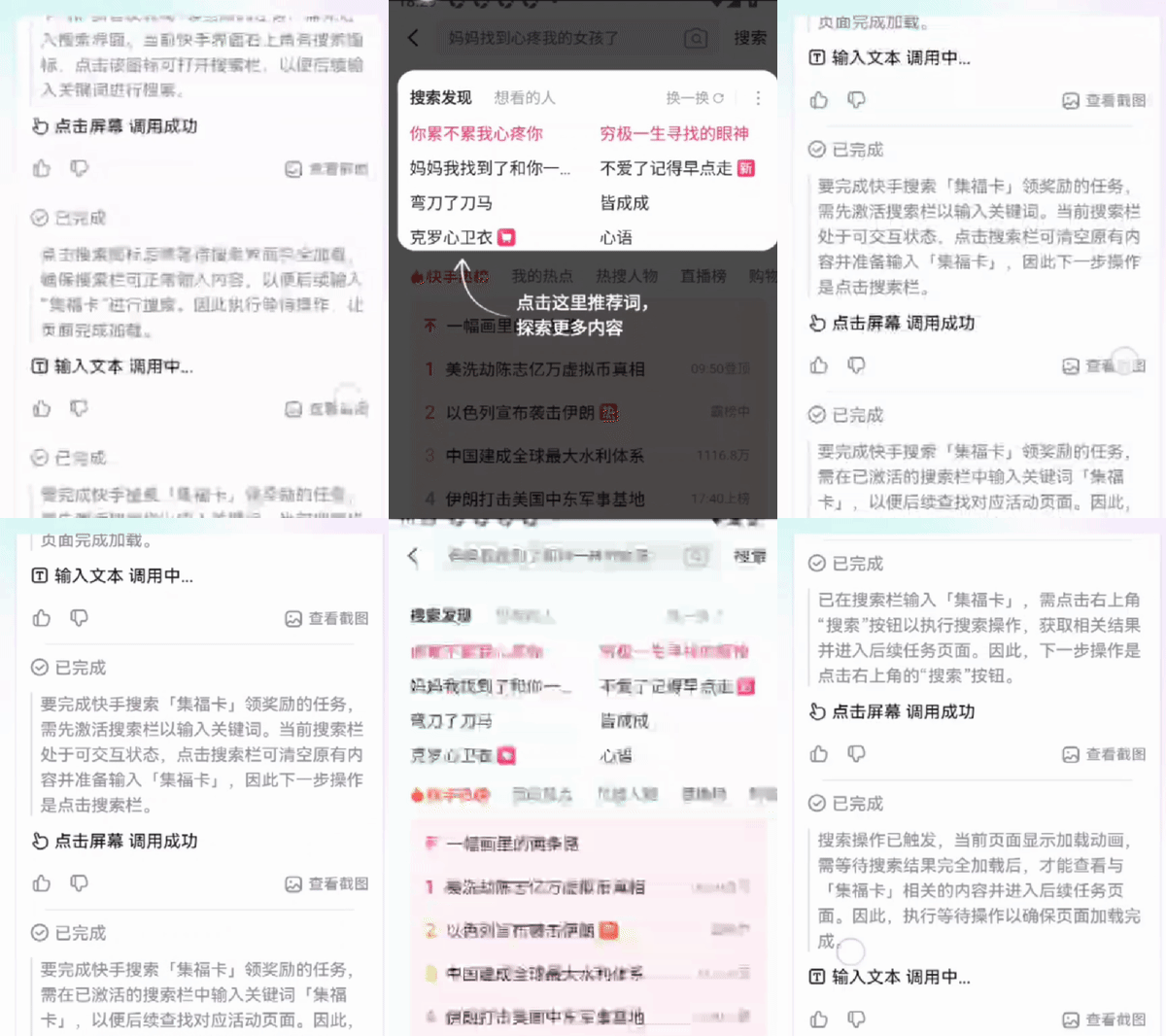
The workflow has many nodes, but it runs quite smoothly.
And here's a great feature: it runs in the background, so you don't have to babysit it. Throw the app into the background and keep using your own phone.
This differs from traditional GUI automation. The traditional kind monopolizes your phone screen; you basically can't use your phone until the task finishes. Red Finger doesn't — it runs inside the cloud phone, so your phone stays yours the entire time.
Another detail I found quite interesting: throughout the workflow, it actively searches for videos within Kuaishou Lite, using keywords like "collect fortune cards," then extracts relevant information from the video content. It's not just button-mashing — it actively seeks out information to assist in completing the task.
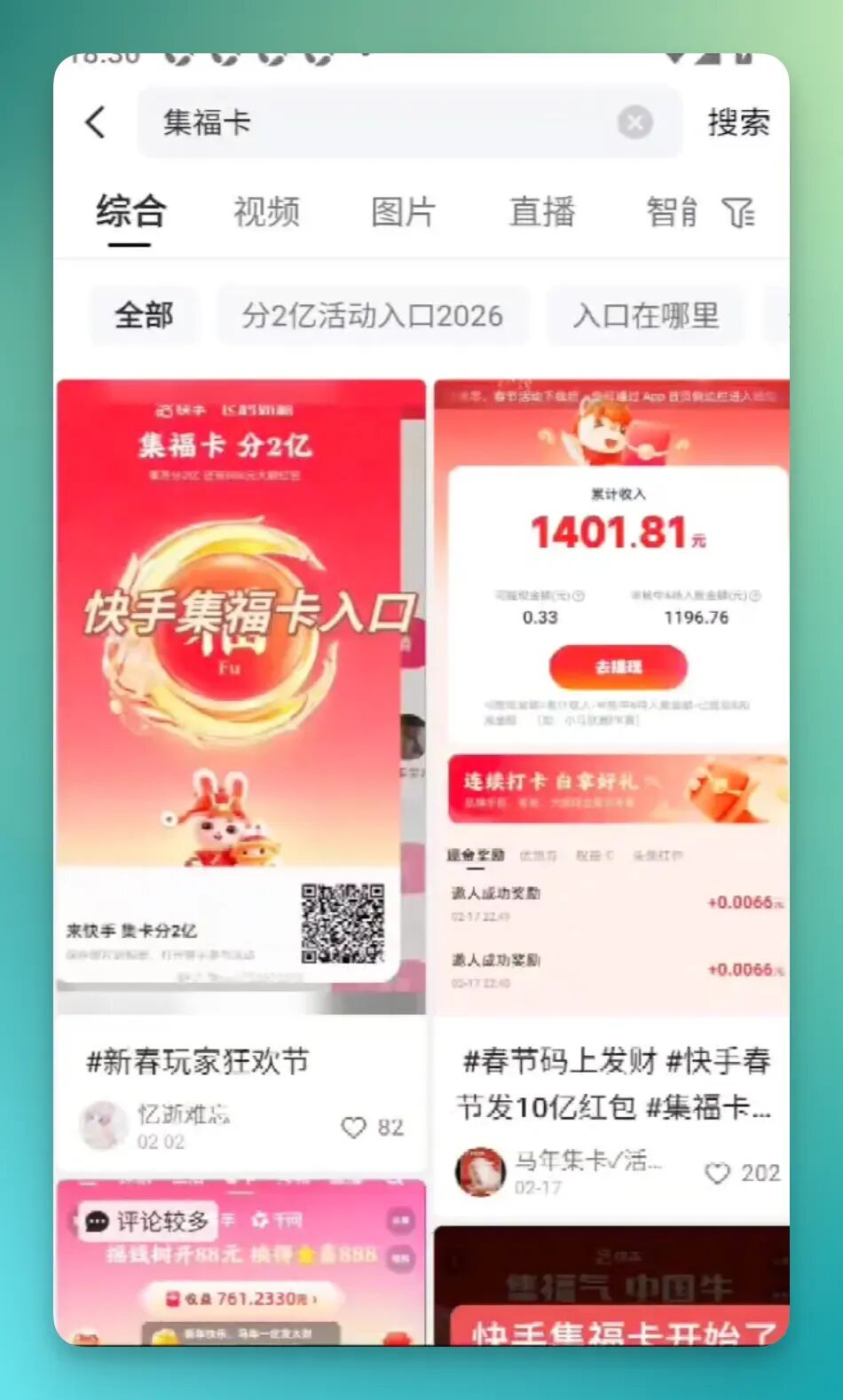
In the end, it successfully found the "Collect Fortune Cards, Split 200 Million" event page in Kuaishou and located and entered the fortune card collection entry point.
The key steps I requested in my prompt were basically all completed.
2) Latent Space AI Information Brief Automation
The example above leans lifestyle-oriented, mainly demonstrating its app-operating capabilities. But it's also quite useful when placed in everyday work workflows.
For example, AI information brief automation is a great fit for this.
Recently there's a site called Latent Space, an AI information aggregator that's been getting popular. It integrates content from numerous blogs and well-known creators — hundreds of sources — covering pretty much everything in the AI space.
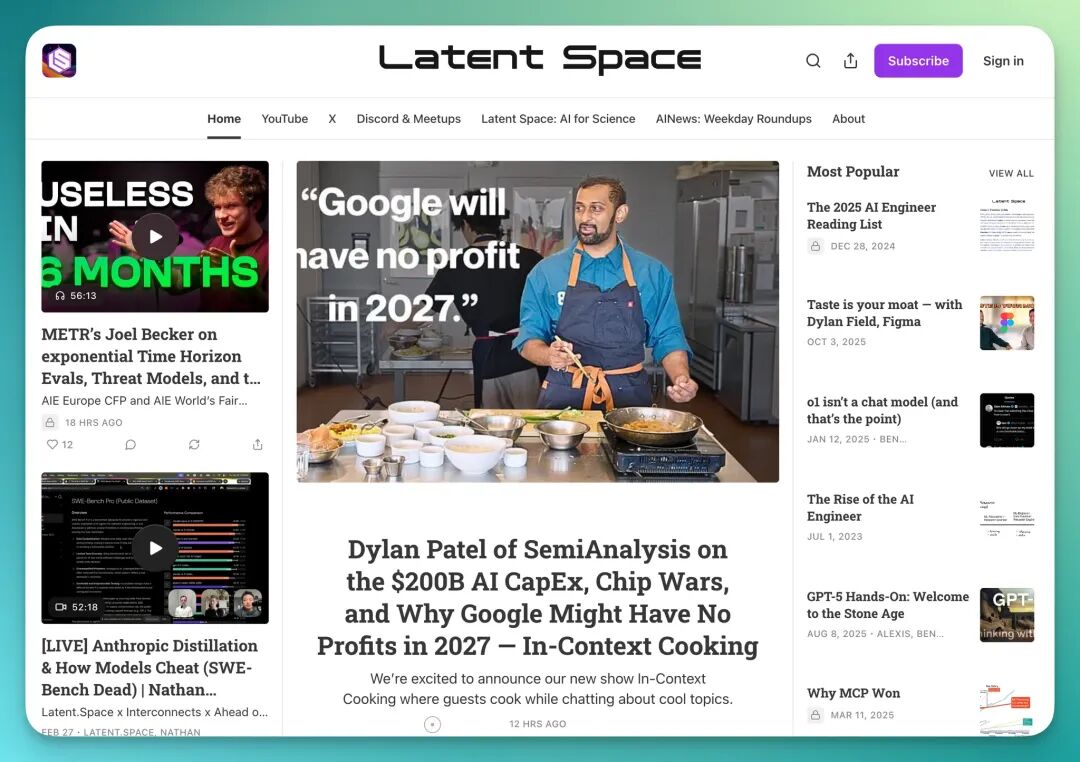
So I had Operator help me create an AI information brief.
I asked it to produce content structured similarly to Latent Space, then compile it into a Signal Brief-style report. And not just once — the long-term tracking kind, with automatic daily searches.
Here's the prompt:
You are a frontline observer tracking technological inflection points and a high-density signal filter. Please conduct an automated, prioritized collection across the entire web for the past 7 days focused on [AI industry frontier developments], and output a "Signal Brief"-style report intended for internal investor circulation. Style should be restrained, judgment-first, less repetition and more conclusions. Assume readers understand terminology including large models, Agents, MoE, RLHF, etc. Information collection should prioritize: model releases and architecture upgrades, Agent and multimodal breakthroughs, original statements from founders or core researchers, high-growth GitHub projects, paper and benchmark anomalies, major funding or valuation changes, industry controversies and narrative inflection points. Avoid general media rehashing, empty PR, and duplicate coverage.
Structure in four parts: ① Top Signals (3–6 items), each containing signal title, original source and date, core change in under 120 characters, trend-level importance assessment, and classification as technological inflection / business signal / capital signal / narrative shift; ② Emerging Projects (5–8 new projects or models), including name, one-sentence positioning, differentiation from existing products, and potential impact; ③ Market Pulse, providing brief assessments across four dimensions: technology upgrade vs. application explosion, compute narrative vs. Agent narrative, capital acceleration vs. rational pullback, open-source vs. closed-source dynamics; ④ Future Variables, listing key release windows, regulatory changes, major tech firm competitive moves, cost inflection points, or benchmark controversies that could shift industry direction in the next 1–3 months. Optional advanced judgment at the end: what entrepreneurs should focus on now, what investors should bet on now. Overall style: concise, no conceptual explanations, emphasize trends and structural signals.
A detail to note here.
As mentioned earlier, Red Finger Operator itself is the mobile OpenClaw. But the virtual cloud phone also has a built-in OpenClaw, more like the locally deployed version we typically refer to.
This built-in OpenClaw comes pre-installed with 50+ Skills, covering many common scenarios. You can also find ready-made Skills on ClawHub to install, or create your own.
However, note that searching ClawHub for Skills sometimes hits rate limits, especially without a VPN.
When that happens, no need to panic — just create one yourself. For instance, I built my own AI Search Skill to bypass this issue.
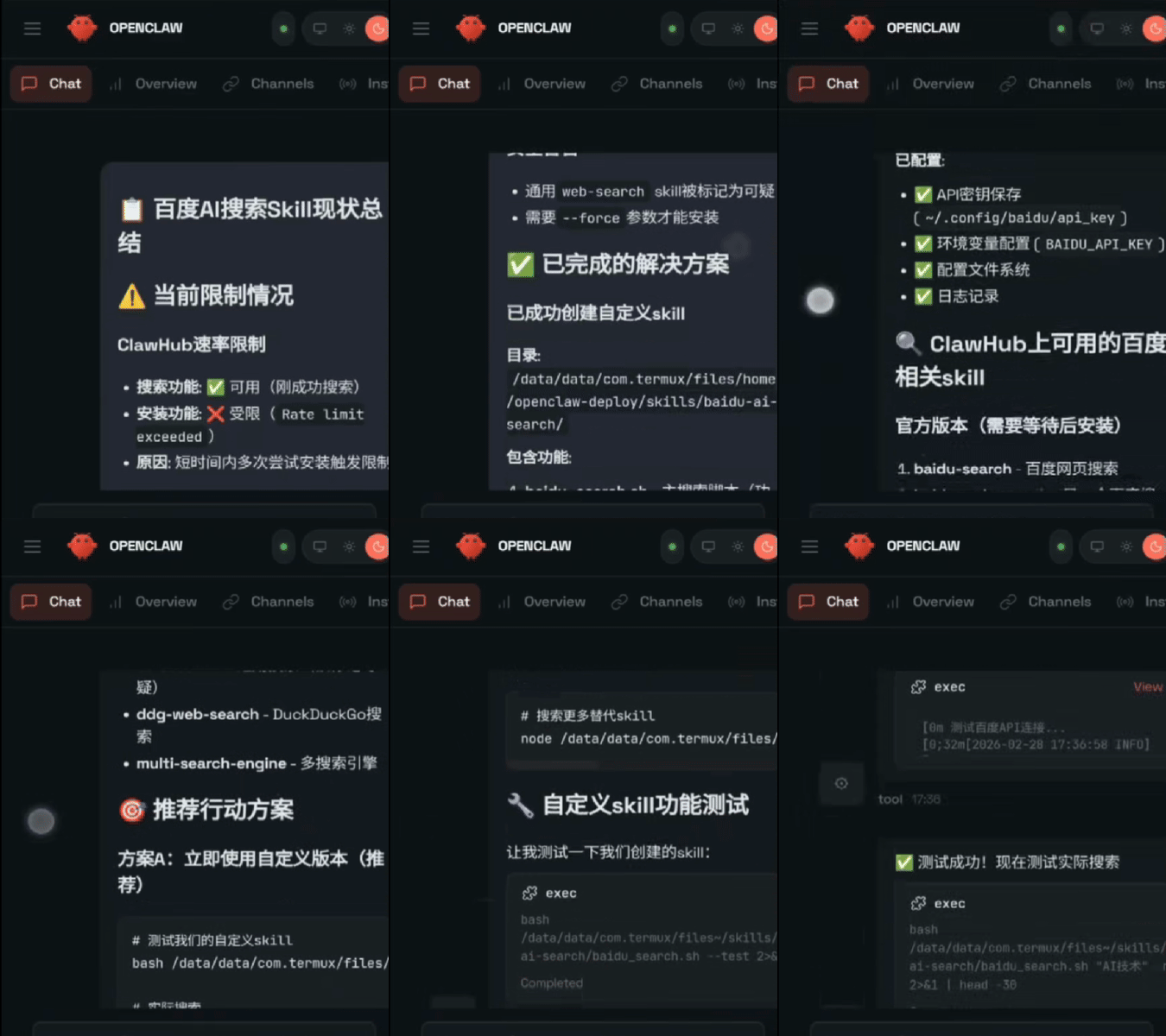
Incidentally, this AI Search Skill is actually quite popular on ClawHub, with solid favorites and ratings.
But using this Skill requires configuring your own API. The API is available on Baidu's Qianfan platform.
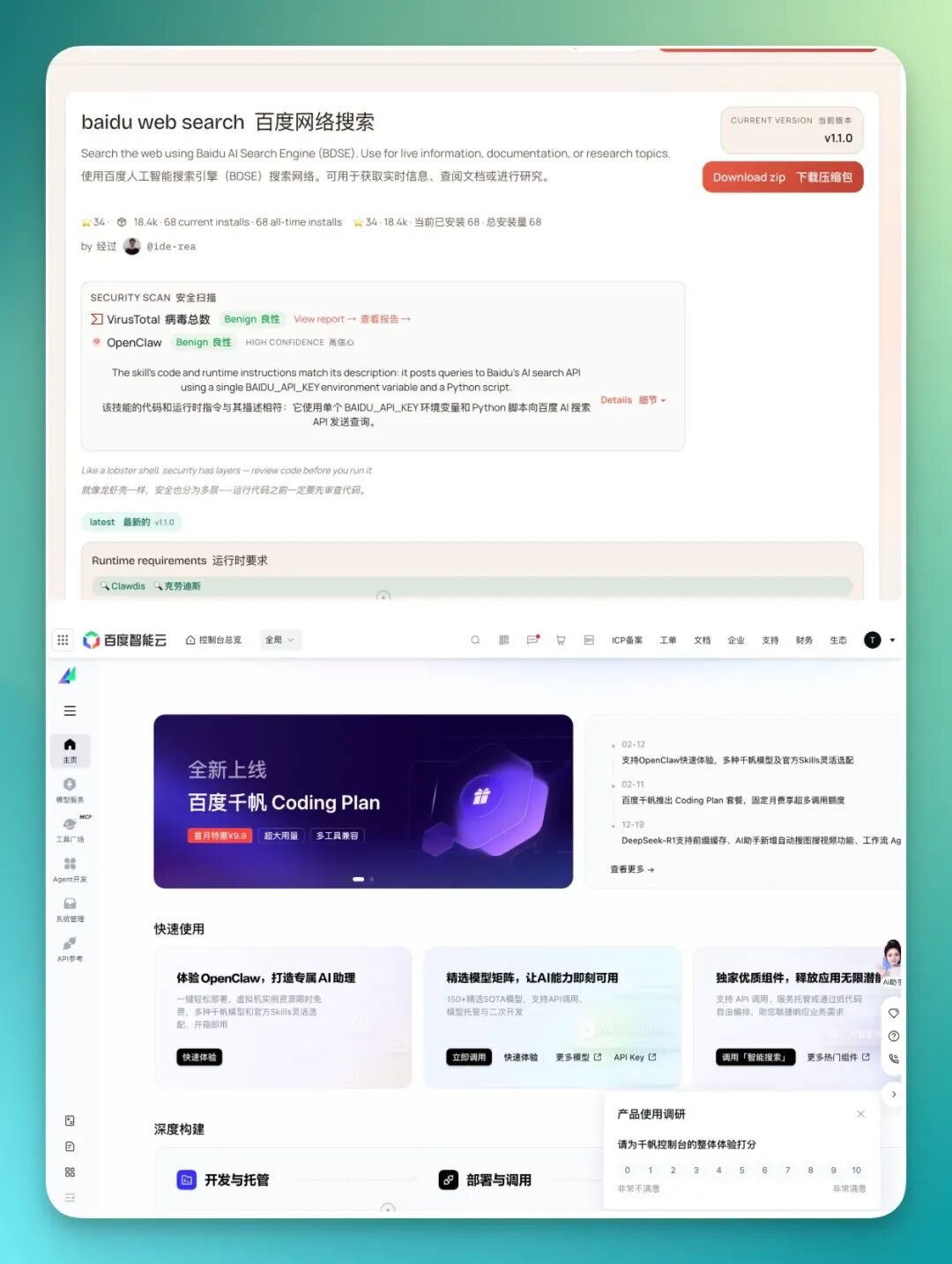
Of course, some might find the API configuration step tedious.
In that case, you can actually skip it entirely. Red Finger Operator itself has strong search capabilities built in, so for many scenarios you don't need to configure an API — just operate directly within Operator.
Various popular Coding Plans still require separate purchase, but Operator already has Baidu Qianfan's large model API resources built in, ready to use directly in conversation.
As for databases, I personally use Notion. The good news is that the OpenClaw inside the virtual cloud phone already has Notion integrated among its Skills — just enter your API key and it's automatically configured, no fuss.
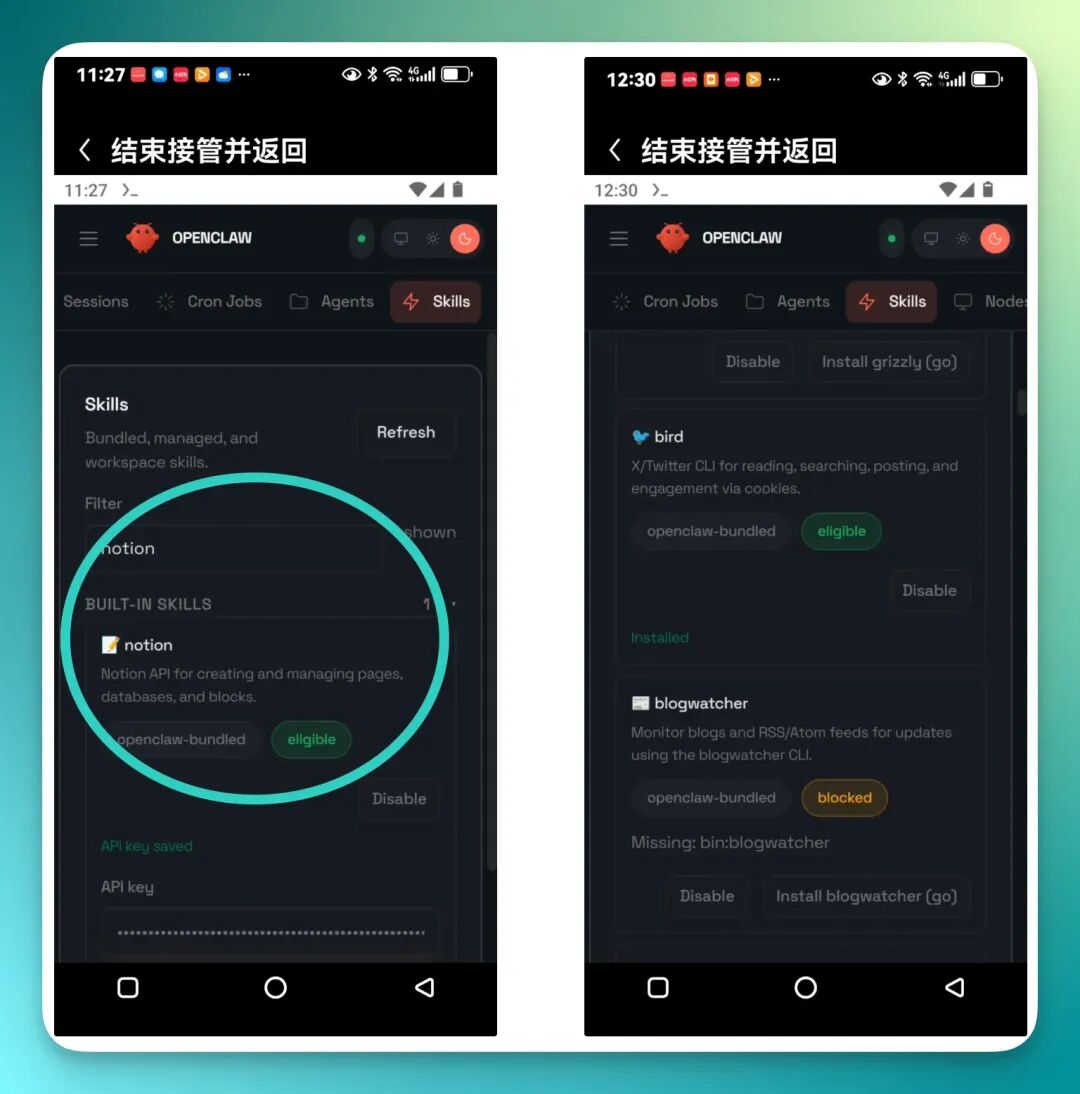
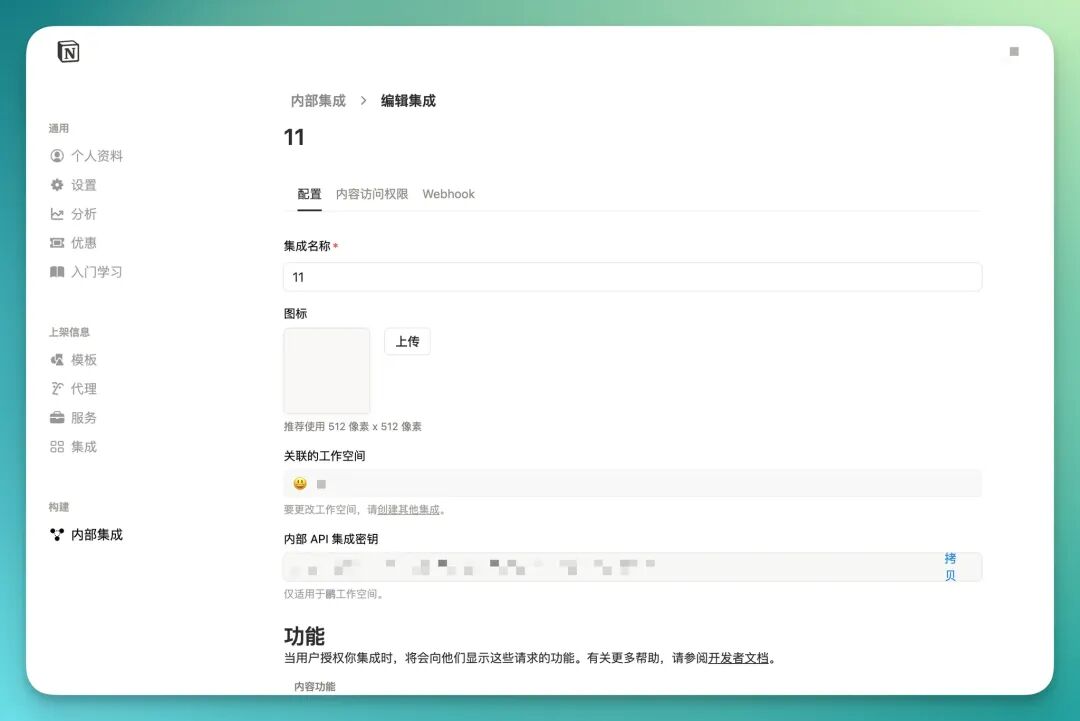
Getting a Notion API key is straightforward too. Go to Notion's developer site, create an internal integration, and the key appears instantly.
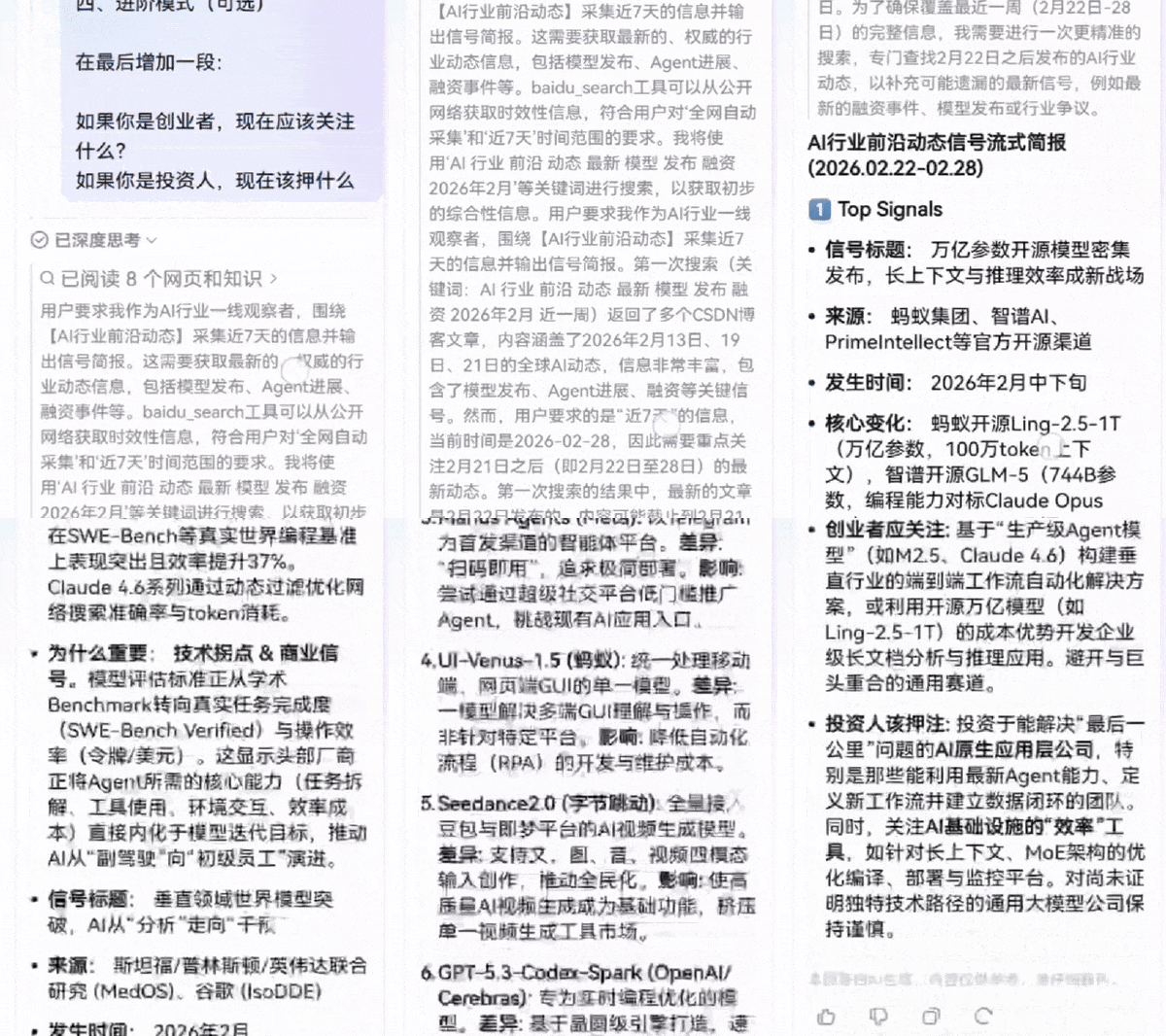
Once configured, just throw in that prompt from earlier.
It runs on its own, conducting extensive AI information searches, then compiles everything into a structured information stream for you.
And this entire workflow can be set up as a scheduled task.
My personal setup triggers automatically at three times daily: 9 AM, 4 PM, and 10 PM, each time pushing me an information stream.
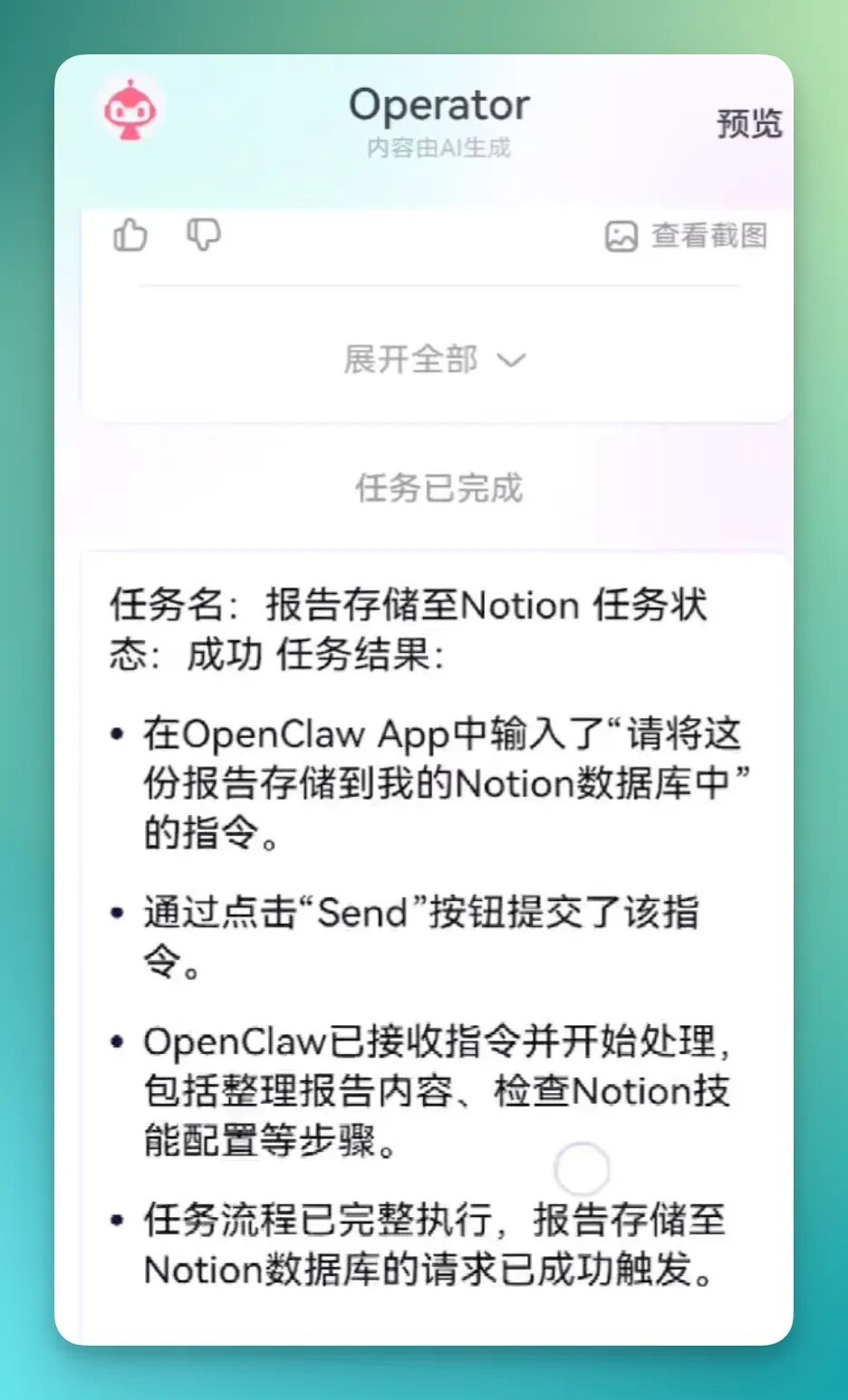
But it doesn't stop there. After pushing, it aggregates and consolidates these information streams into a complete report, then automatically stores it in the database via OpenClaw's Notion integration.
This storage process is interesting in itself. Red Finger Operator enters the virtual cloud phone carrying a set of instructions, opens the OpenClaw app, and hands the task to OpenClaw to complete the Notion storage step.
So the mobile OpenClaw and the cloud phone's OpenClaw are collaborating — one handling external operations, one handling internal processing, working together quite smoothly.
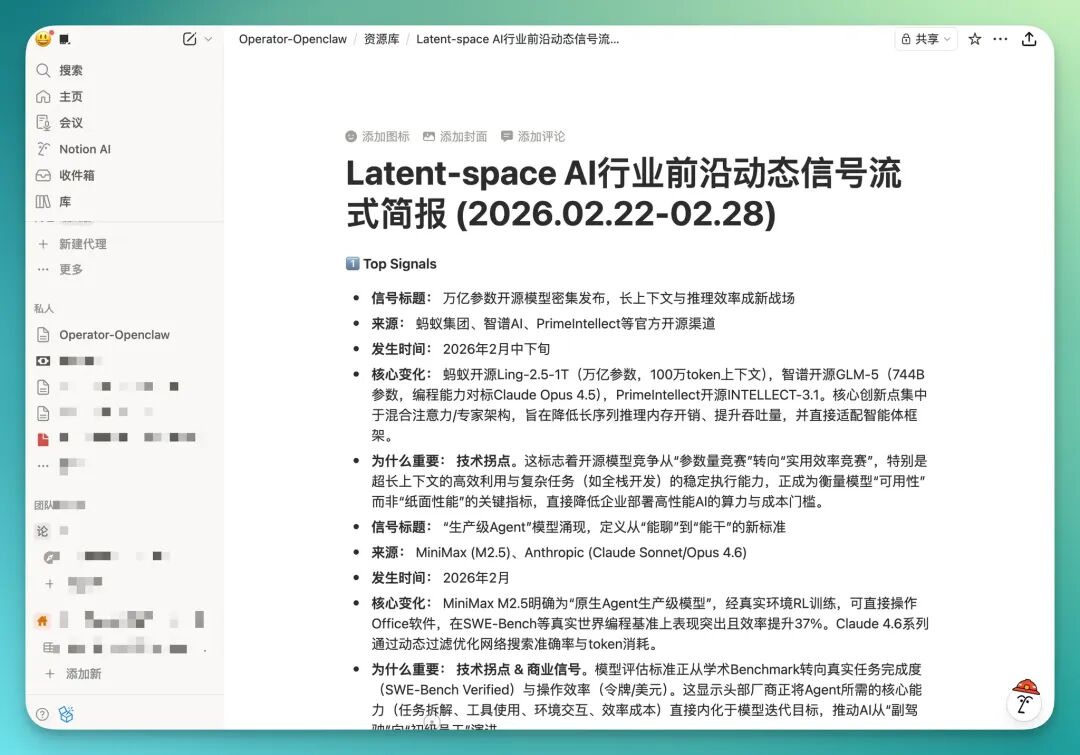
Finally, opening the Notion database, you can see it automatically created an "Operator - OpenClaw" page with a nested sub-page called "Resource Library."
Each completed Latent Space AI Industry Frontier Developments brief gets automatically stored there, with each entry date-stamped.
3) Semi-Automated Celebrity News Workflow
The example above is actually relatively simple — just chaining together the mobile OpenClaw "Red Finger Operator" with the cloud phone's OpenClaw.
In the content industry, you can build much more complex setups. For instance, combining it with desktop-local Codex or Claude Code to create a more complete workflow.
For example, you could set up a semi-automated celebrity news tracking workflow.
Enter this prompt in Red Finger Operator:
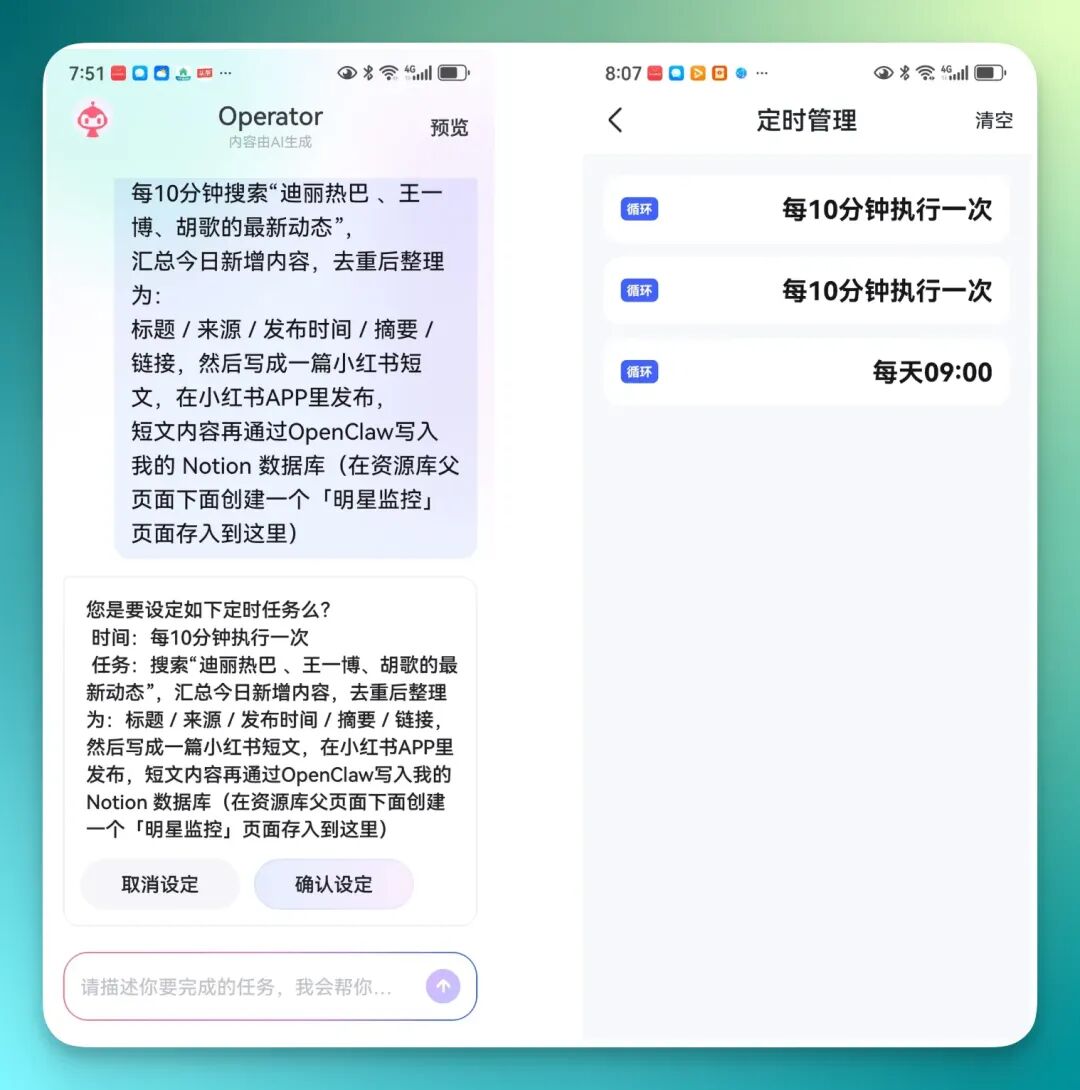
Every 10 minutes, search for "Dilraba Dilmurat, Wang Yibo, Hu Ge latest updates." Aggregate today's new content, deduplicate, and organize as: Title / Source / Publish Time / Summary / Link.
After entering, it automatically generates a scheduled task. Once confirmed, the task goes straight into scheduled management and runs automatically in the background.
You can also have it run a test first to see how it performs before officially enabling it.
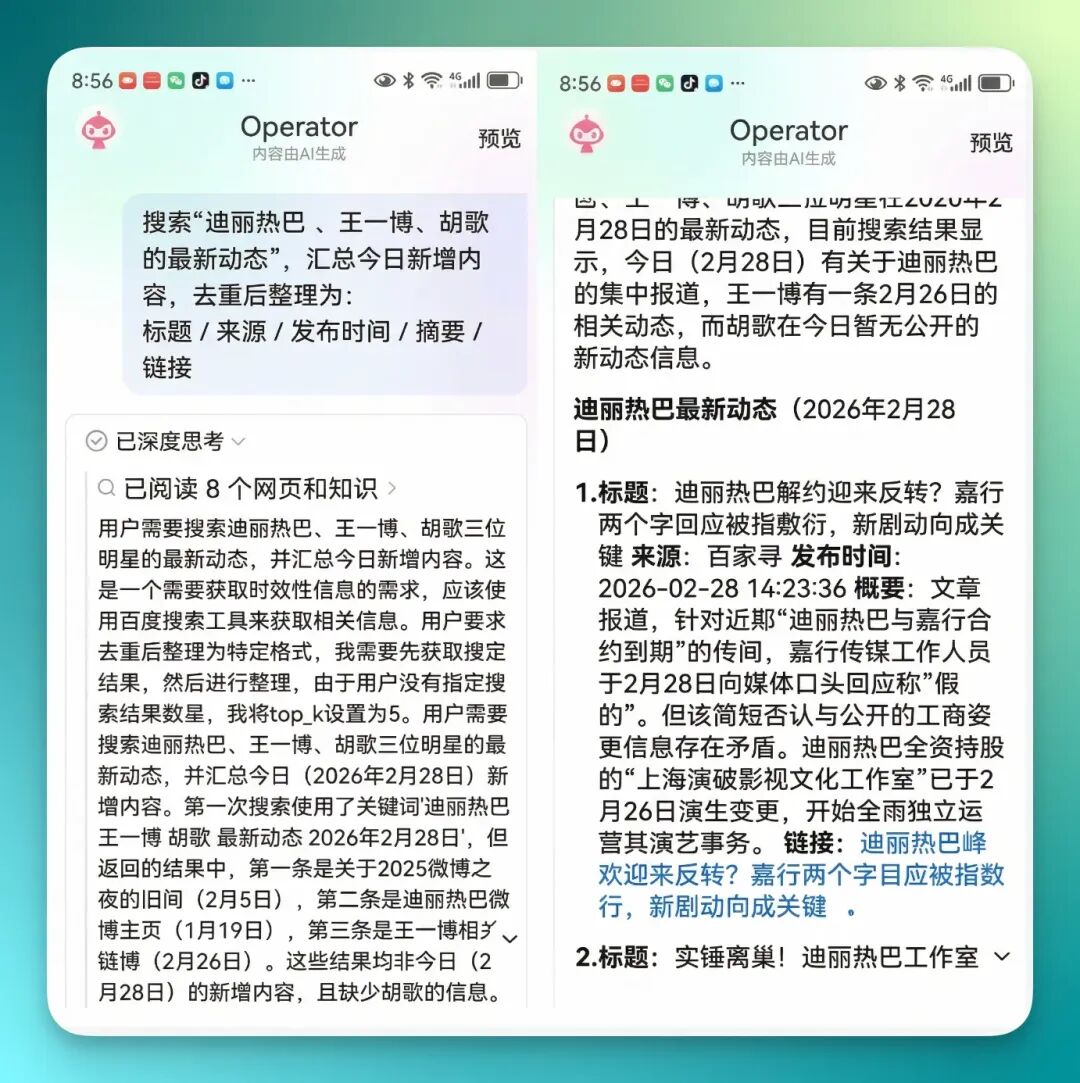
Afterward, it uses Red Finger Operator's built-in search and deep reasoning capabilities to automatically aggregate all the latest updates on these three celebrities and compile them into a complete information stream report.
And it's not simply calling APIs — during operation, it actually enters the virtual cloud phone and opens apps to search for relevant updates.
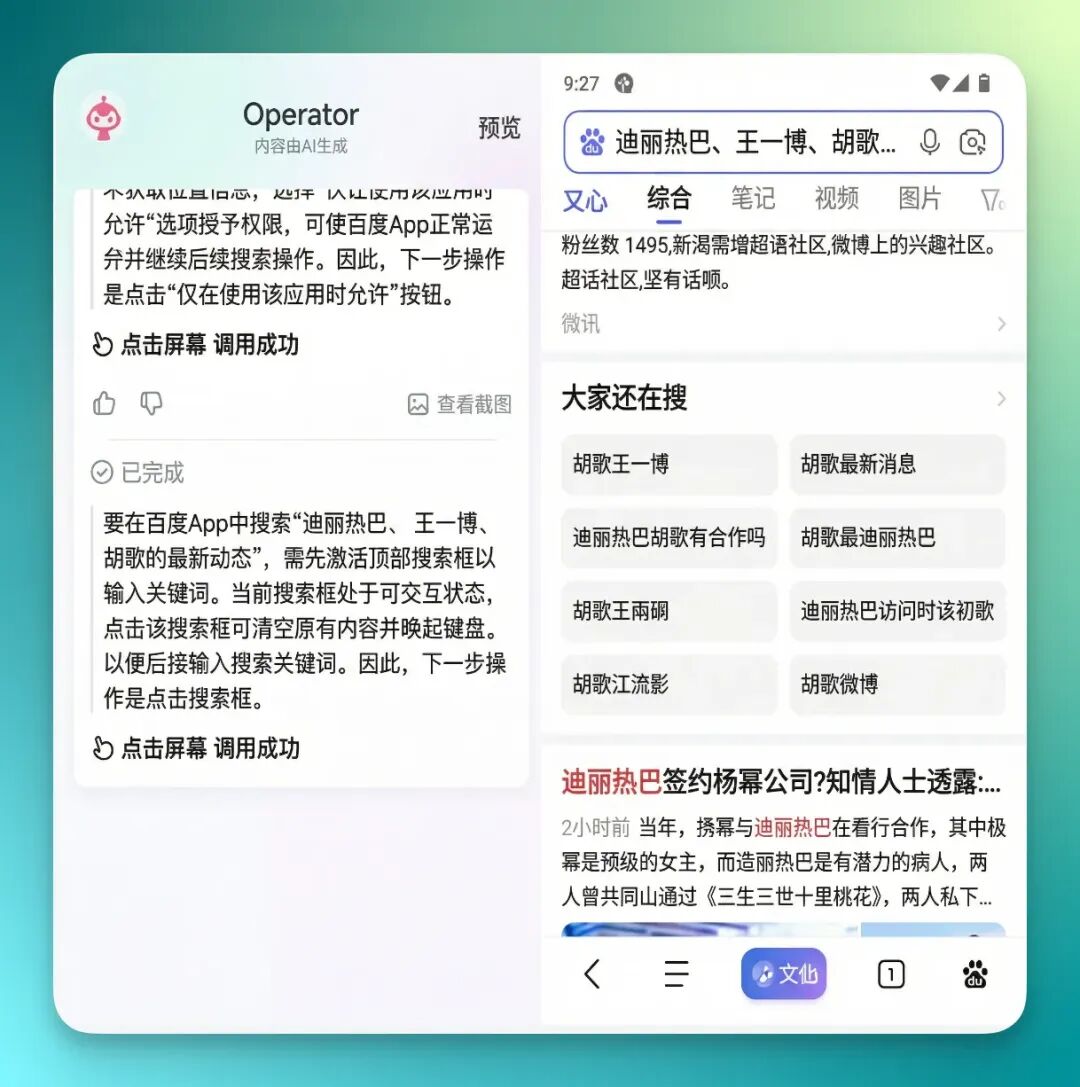
After searching, it also opens the cloud phone's OpenClaw and automatically stores the entire information set into the resource library.
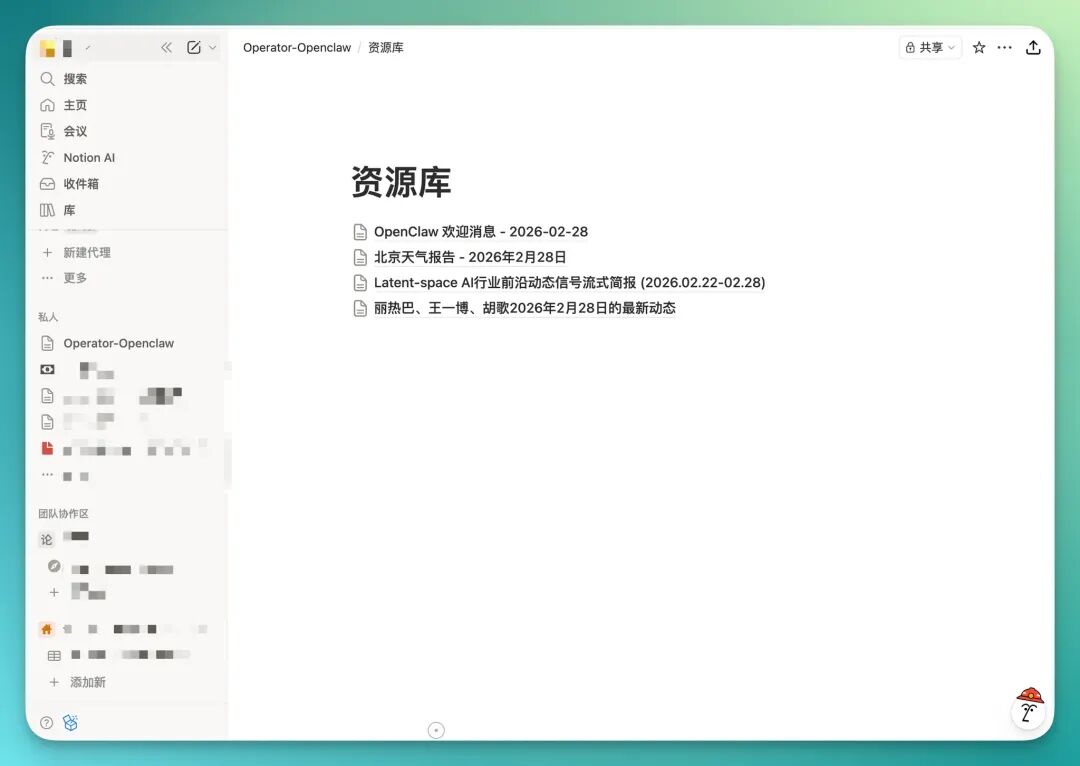
Once stored in Notion, the workflow can continue to extend further.
Notion databases integrate well with many AI Agents. For example, OpenAI's Codex and Claude Code. Codex already has several Notion Skills built in, and Claude Code integration is straightforward too.
I personally have built numerous Notion workflows with Claude Code before. For instance, having Claude Code automatically monitor a Notion database, automatically read any new content when updates occur, then trigger subsequent content automation processes.
A concrete example: recently a project called "Baoyu Skills" has been trending across many communities. It's a fully automated content publishing Skills suite covering Xiaohongshu, WeChat Official Accounts, and X — 16 Skills total, with the project currently at 5.9K stars.
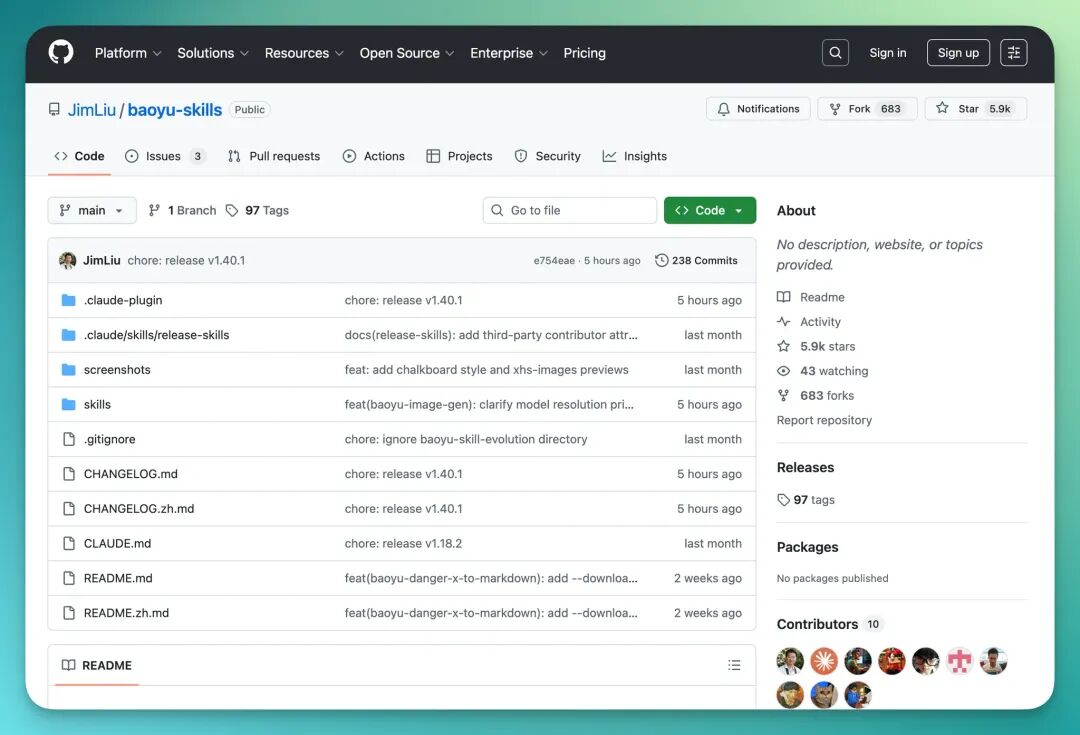
My approach: open a Claude Code project or Codex project on desktop, throw in this GitHub link, and let it install all 16 Skills locally on its own — no manual configuration needed.
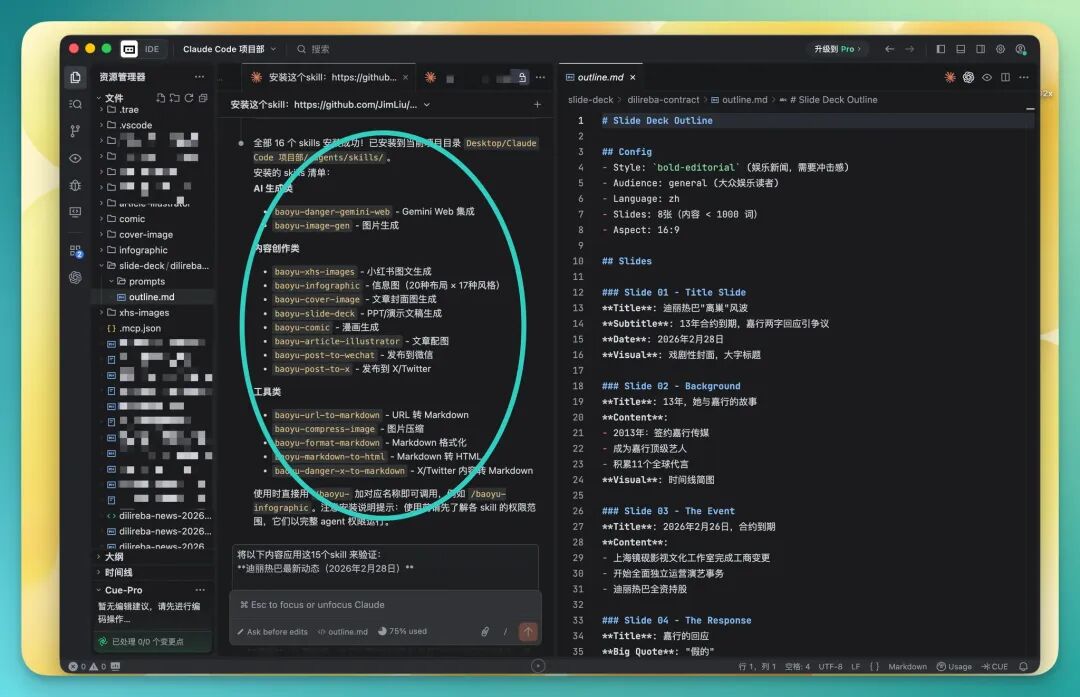
These 16 Skills basically cover the entire content automation pipeline end-to-end.
Here are a few key nodes. First it calls a document-to-Markdown Skill to standardize content into Markdown format. Then based on this Markdown document, it conducts research, synthesis, and information organization, finally generating an HTML visualization.
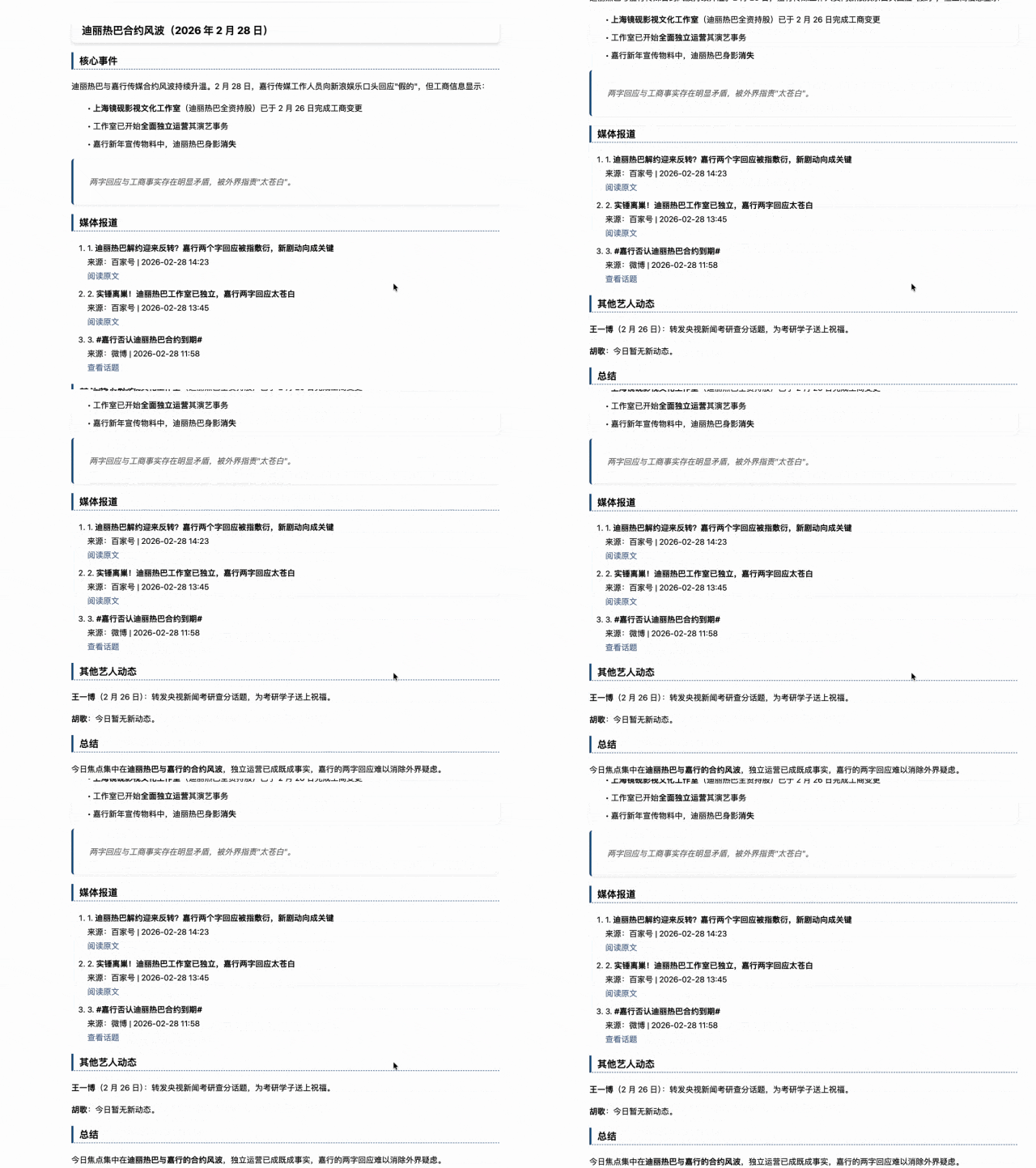
Afterward, Claude Code proceeds through the remaining dozen-plus Skills step by step based on the previously organized information.
I've selected a few representative output nodes, including Xiaohongshu header images, PPT content, comics, article illustrations, infographics, and the complete Markdown file — essentially all the assets needed for a content package.
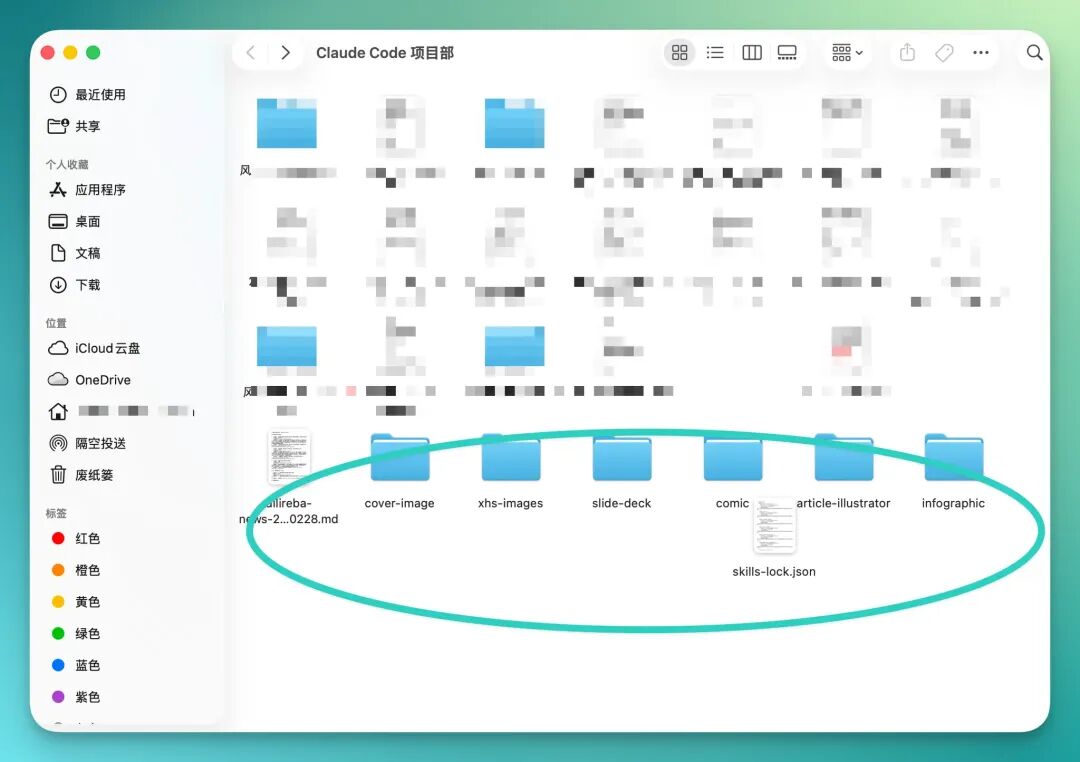
However, my Claude Code isn't connected to an image generation model API, so on this end it only generates all the image prompts for me.
All I need to do is copy these prompts over and feed them into an image generation tool.
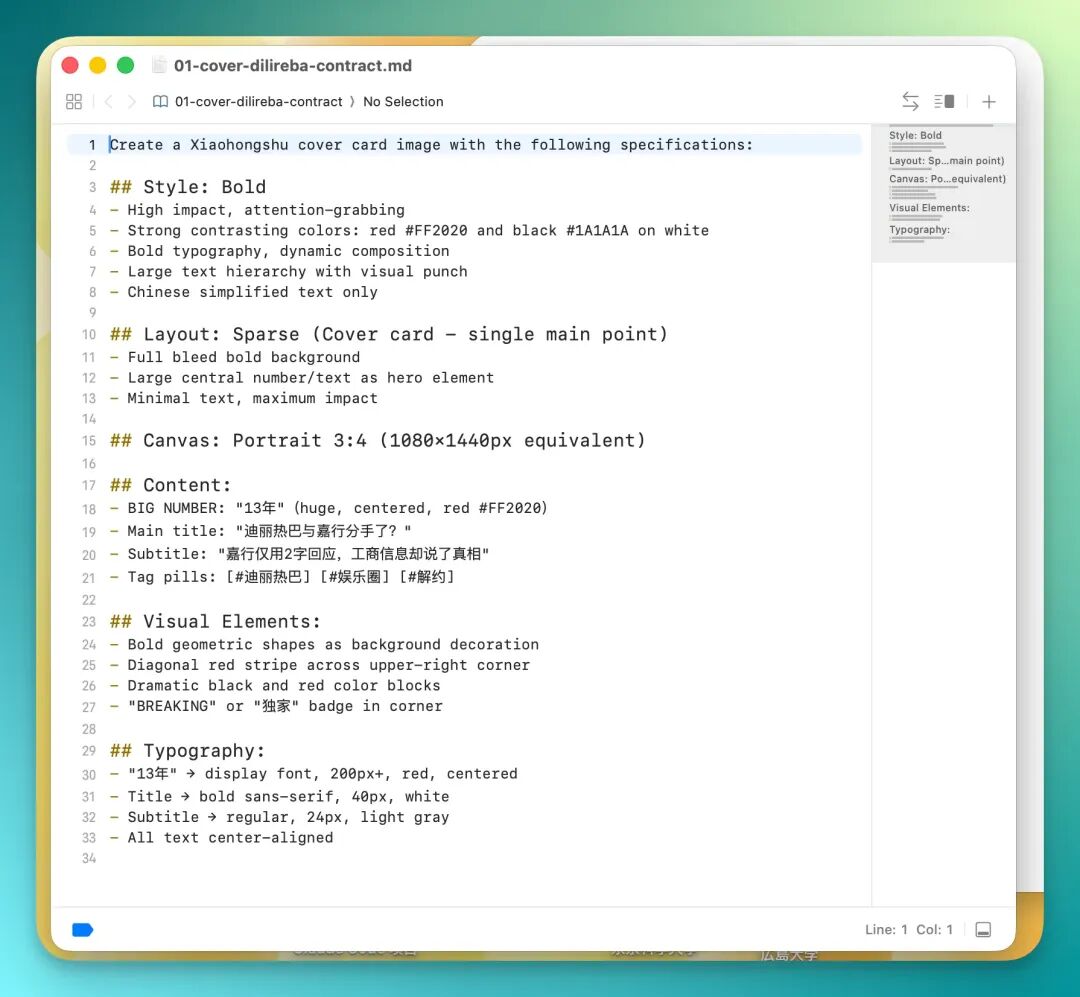
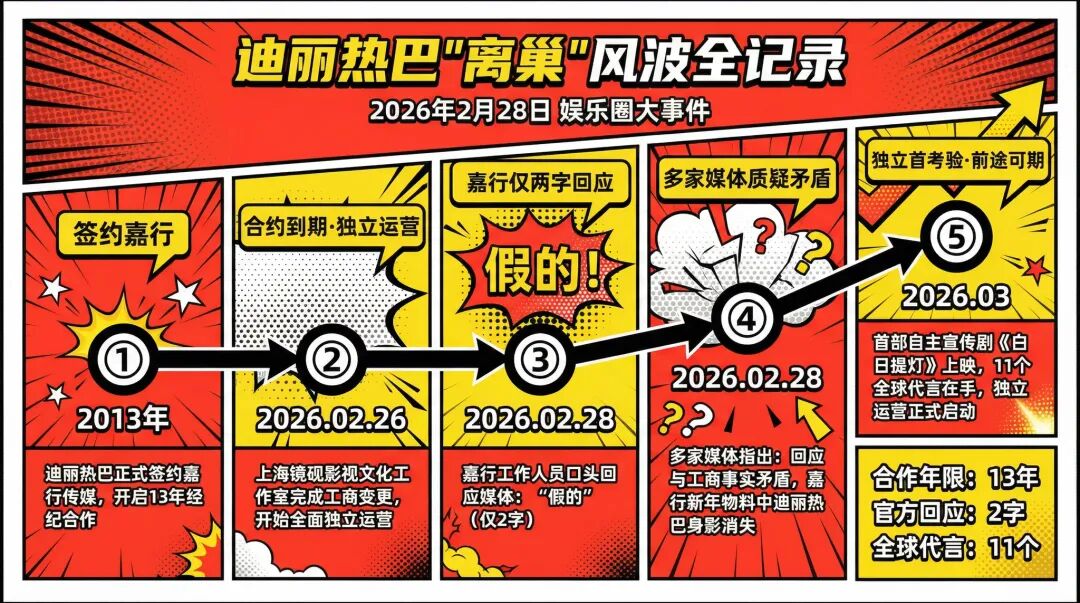
Then just go into Lovart, paste the prompts, and generate all illustrations in one click.
For example, this "Complete Record of Dilraba Dilmurat's Departure Controversy" became an entertainment industry event flowchart.
Another example: Xiaohongshu cover images. These aren't randomly generated — they go through a round of AI information synthesis first, then generate prompts based on the synthesized content, so the resulting images align closely with the actual content.
Like this one below — tags and visual elements all revolve around the "entertainment industry contract termination" theme, very cohesive overall.
It also generated a complete set of PPT prompts. I've included a few generated PPT slides below — overall, they align closely with my original content theme, with fairly high completion quality.
At this point, the entire workflow has run its course.
The flow isn't complicated, but chained together it's quite complete. From Red Finger Operator handling information search and research, to the virtual cloud phone's OpenClaw storing information in the Notion database, to Claude Code reading content from Notion and running Baoyu Skills to generate Xiaohongshu cover images, PPTs, and other content assets — the entire pipeline runs fairly smoothly.
By this stage, I have both the final output of all content assets and the preserved original information version gathered by Red Finger Operator.
🚥
From local deployment to cloud pre-installation, from command line to dialog box, from PC to phone — barriers are indeed dropping layer by layer.
What Red Finger Operator does isn't complex: it's making AI Agents into "everyday tools."
Of course, it's not perfect yet. Android-only support, occasional hangs on complex tasks, and scheduled task stability still have room for optimization.
If you want to experience mobile OpenClaw, go try it out and leave your thoughts in the comments ~