OpenClaw Goes Viral for 30 Days, China's Developers Crank Out a No-Install Version

We tested the browser-based version of OpenClaw.
We Took the Browser-Based OpenClaw for a Test Drive.

👦🏻 Author: Jingshan
🥷 Editor: Koji
🧑🎨 Layout: NCon

As OpenClaw has blown up — racking up over 200K stars on GitHub, with its founder getting "acquired" by OpenAI — a whole ecosystem of new species has sprung up around this phenomenon of a product.
For many people, it was their first realization: An agent can look up information, write code, call APIs, and run workflows through a single IM interface, even chaining multi-step tasks together.
But problems emerged quickly. The number of people actually running OpenClaw locally long-term has remained pretty limited.
That's mainly because deployment environments, permission configurations, and backend model API access — each one is a barrier. So not many people actually use it day-to-day.
Yesterday, we found that Moonshot AI's official website launched Kimi Claw, moving the agent entry point directly into the browser, cutting out many steps while adding features and improving the experience.
🚥
Here's our hands-on review.
What Can a "Browser-Based" OpenClaw Actually Do?
This Kimi Claw release has already integrated all the Skills from ClawHub. You can install whatever Skills you need into a cloud environment with a single sentence in your browser — no manual configuration, no tedious steps.
It also comes with 40GB of cloud storage. Any files generated during your conversations get saved to the cloud directly. You can pull them back out later for further work, and there's also notably better support for long conversations.
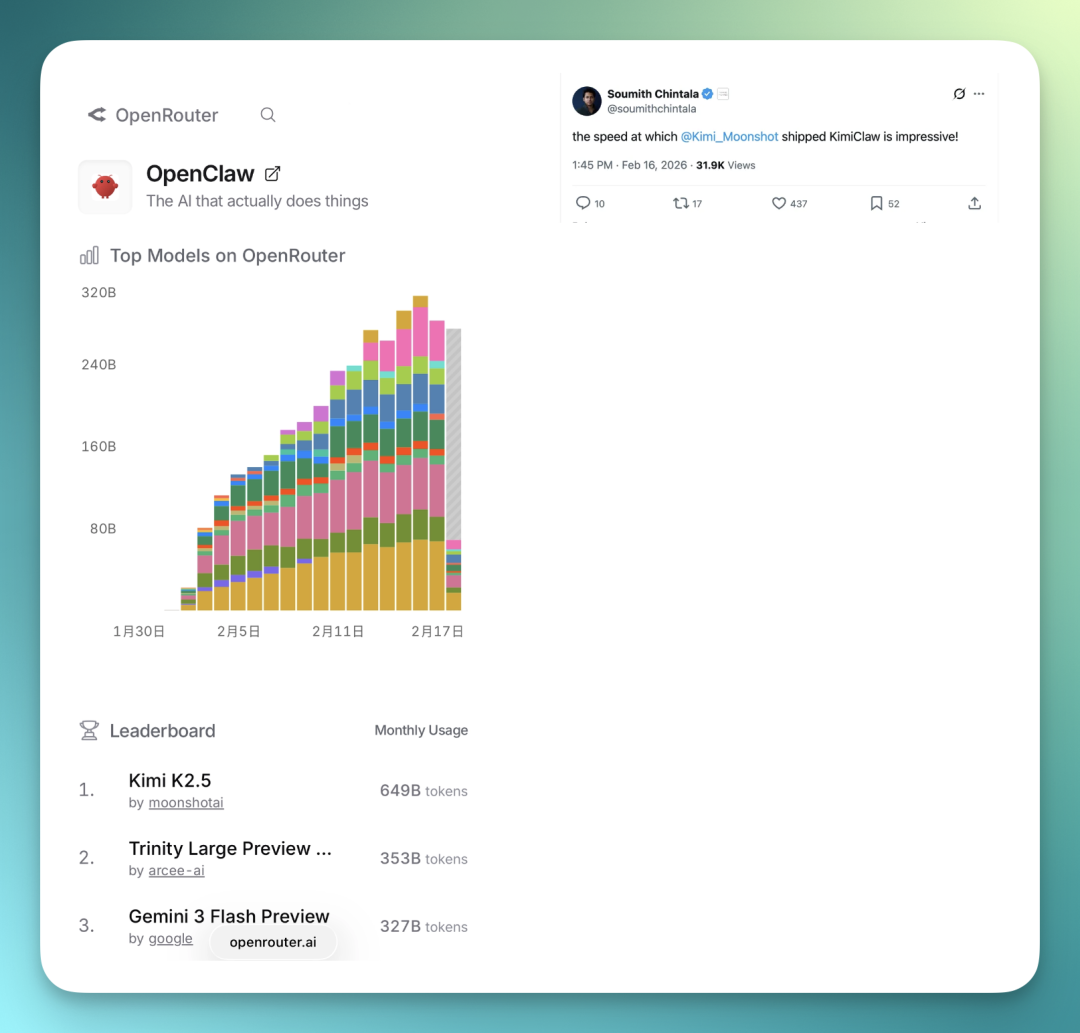
The Kimi K2.5 + Kimi Claw combo has been driving serious traffic these past couple days.
Right now Kimi K2.5 is the most-used model on OpenClaw, and even PyTorch co-founder and Thinking Machines CTO gave Kimi Claw a shoutout:
It's also much simpler to use now — just go through Moonshot AI's website, no local deployment needed, far fewer environment and permission headaches. Much friendlier for people without deep technical chops.
Before, many people got stuck at the search step with OpenClaw — you had to manually install Search-related Skills, configure APIs, and the search results weren't always stable. With Kimi Claw, you can use Moonshot AI's built-in search directly, no need to hook up your own services. The whole flow is much smoother.
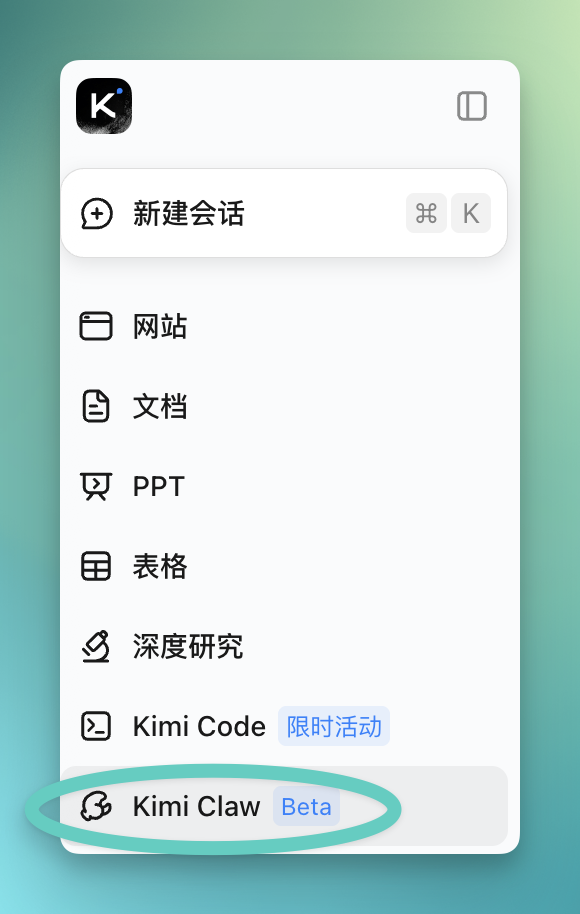
Now you can see the Kimi Claw entry point directly in the left sidebar of the Moonshot AI site. Still in Beta, but the whole workflow is already fairly complete:
You'll need Moonshot AI's Allegretto tier or higher to use it. Monthly subscription is ¥199, which also includes upgrades to Kimi Agent and Kimi Code. Annual billing gets a 20% discount, around ¥160. I already had a membership, so I could use it right away.
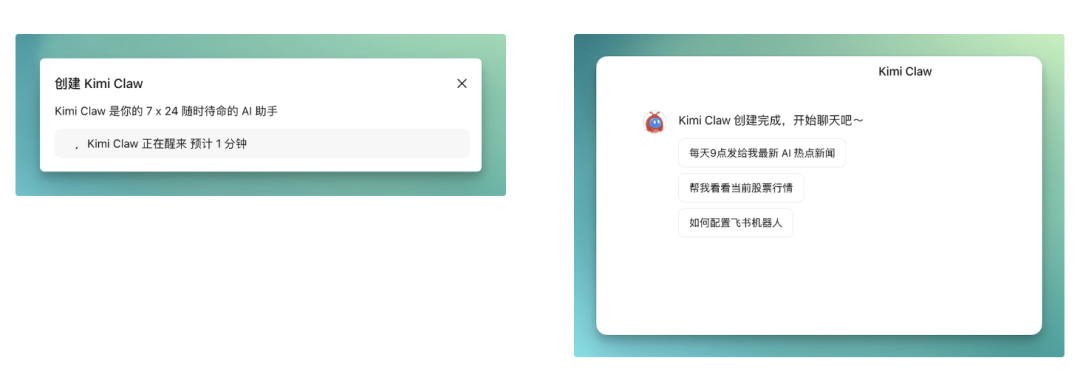
After clicking into Kimi Claw, a page pops up first.
There's barely any configuration needed — just hit "Create" and you're done. Short workflow, no filling in a bunch of parameters. The whole deployment process is pretty foolproof; even if you've never set up an agent tool before, you can get through it quickly.
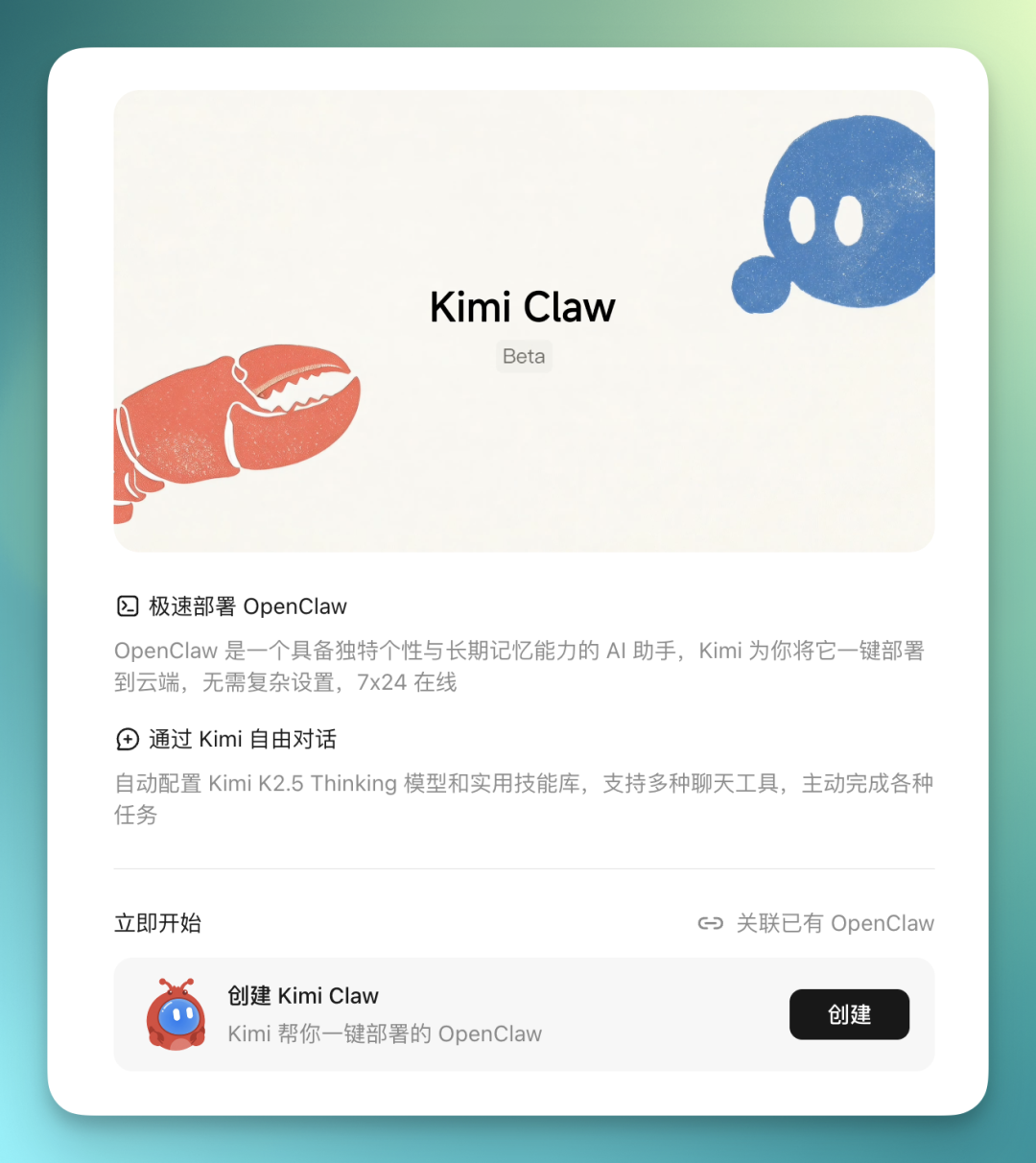
How simple? You click "Create" on that page, wait about a minute, and you're already inside Kimi Claw.
At this point it's basically set up — you can start talking to it and running tasks right away, no additional setup needed.
No API configuration, no parameter filling, no fiddling with interface options. The whole process is easier than spinning up most cloud server environments. One click and you're in — very beginner-friendly.
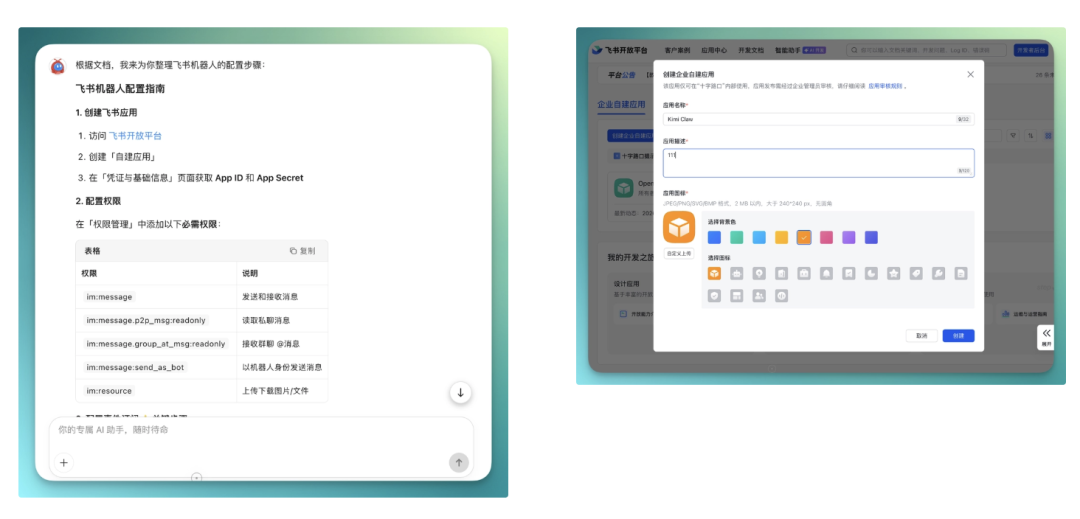
Once you enter Kimi Claw, it gives you a set of instructions first, walking you through how to connect a Lark bot. The steps are clearly written — just follow along.
To configure the Lark bot, you don't need to hunt around for documentation. Just go to the Lark open platform, create a bot following their workflow, fill in the required parameters, then paste them back into Kimi Claw as prompted, and you're connected.
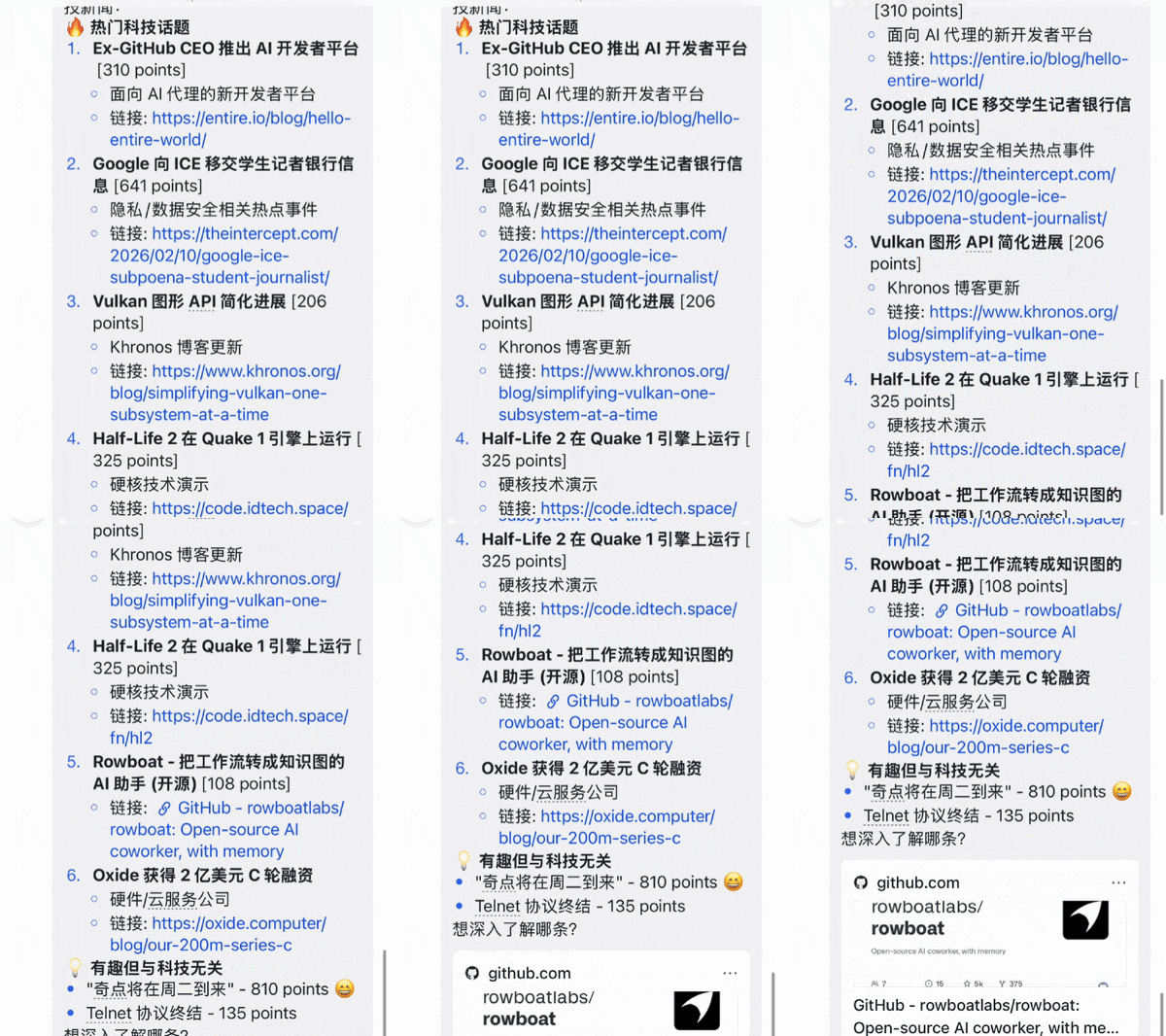
Using it in Lark is a very straightforward bot experience.
You just drop your request in the chat, and it replies step by step, usually breaking things down into bullet points with clear structure.
To stay closer to how regular users would actually use it, we'll demonstrate directly in the browser with Kimi Claw below.
Summarizing a 4-Hour Podcast on a Whim
Since Kimi Claw runs directly in the browser and comes with 40GB of cloud storage space.
Every conversation you have with it, every file generated, every process record gets saved — you can pick up where you left off later. So its "memory space" is pretty ample. And this memory can be directly "formatted by agreement."
For example, you can lay out rules in advance: from now on, every sentence must start with a certain fixed prefix, some marker style, or fixed output format.
"Dear sir, you've worked hard today"
Of course you can also specify response patterns upfront. Tell it to always answer in three sections, or analyze first then conclude, or always unfold in a fixed order.
A few days ago I also saw that Lex Fridman did an interview with the OpenClaw founder:
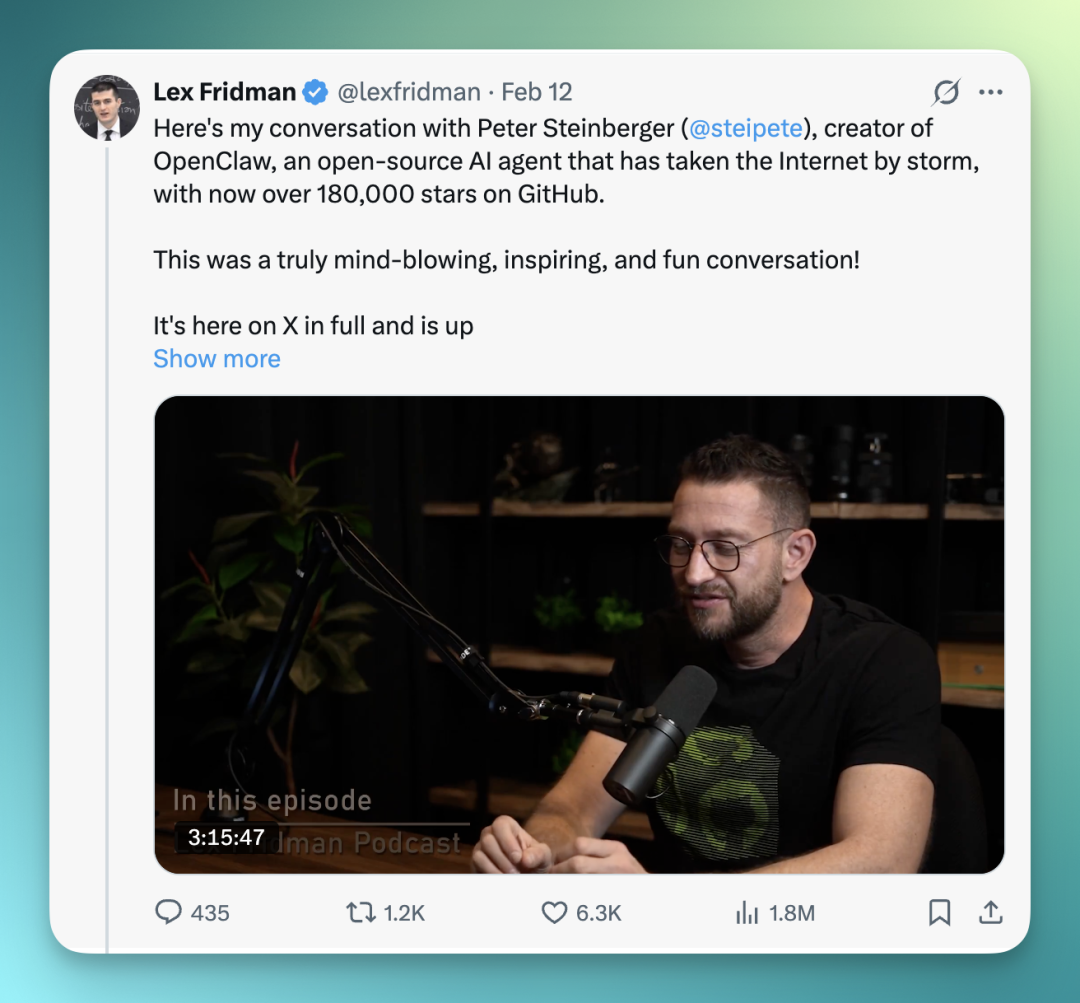
I happened to have the audio file for this much-circulated podcast episode on hand. And Moonshot AI's search capabilities are pretty strong — even if you just toss it an X link, it might not directly open the original link, but it'll generally go search for related materials on its own.
It automatically dispatches sub-agents to find pages on the same topic, reposts, or summary content, locates the podcast's transcript, and continues processing from there.
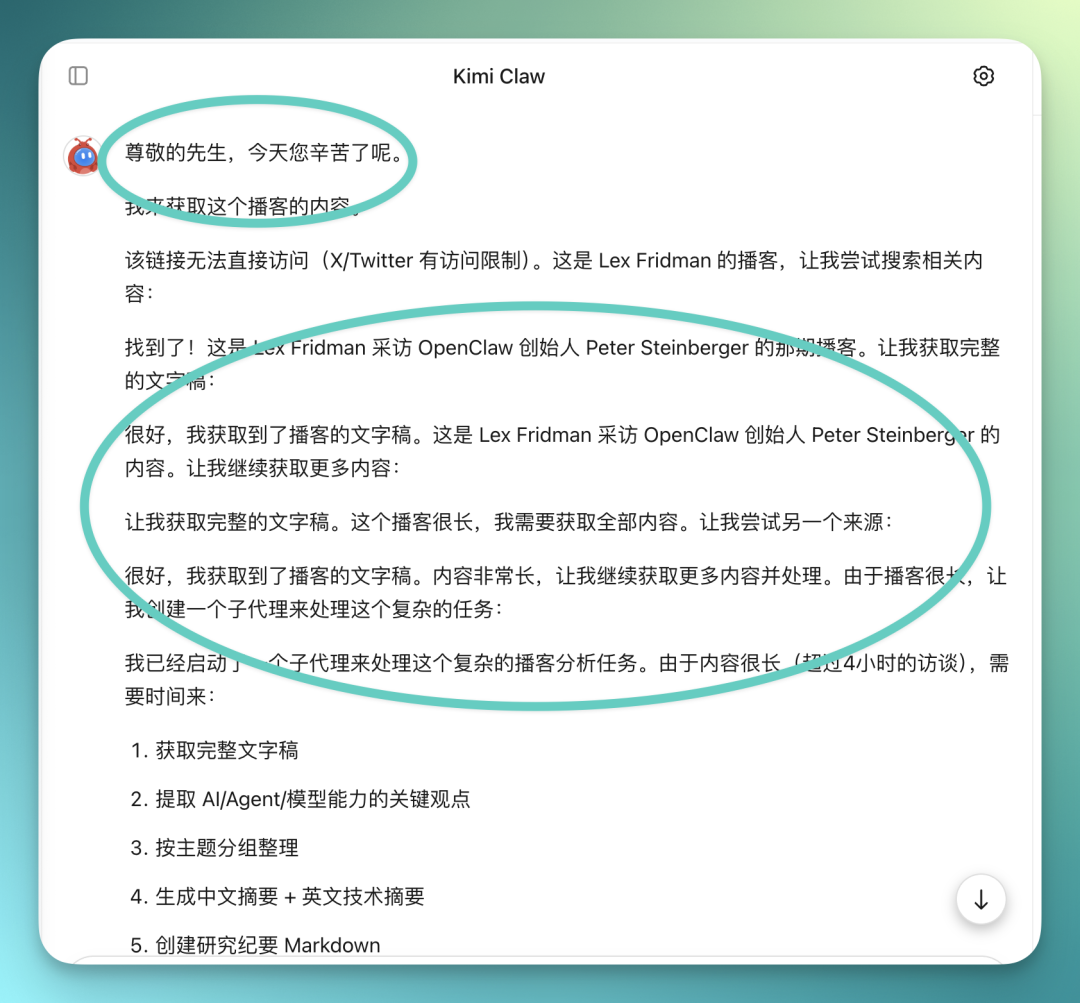
In that step just now, it's actually quite obvious: Kimi has gotten quite good at calling sub-agents on its own to break complex tasks into pieces.
Like when I threw that podcast content at it — these audio conversations run three to four hours, so the text gets very long, and it hands it off to sub-agents for processing.
The task I gave it:
Convert this podcast audio into a full transcript; Extract key viewpoints on AI / Agents / model capabilities; Organize into structured notes grouped by topic; Output one Chinese summary + one English technical summary; Generate a one-page research memo in Markdown; Save to cloud folder "Agent Research Materials."
Kimi Claw runs through this pretty quickly overall.
Files generated along the way also get automatically saved in its cloud space. You can pull them back out later for further work, reprocessing, or export — no downloading and re-uploading on your end.
If you want to put data in other cloud storage, you can also have the agent help you configure that, like connecting your own cloud drive or object storage.
Though this adds a few more steps — you'll need to configure permissions and parameters as prompted, then let it connect through.
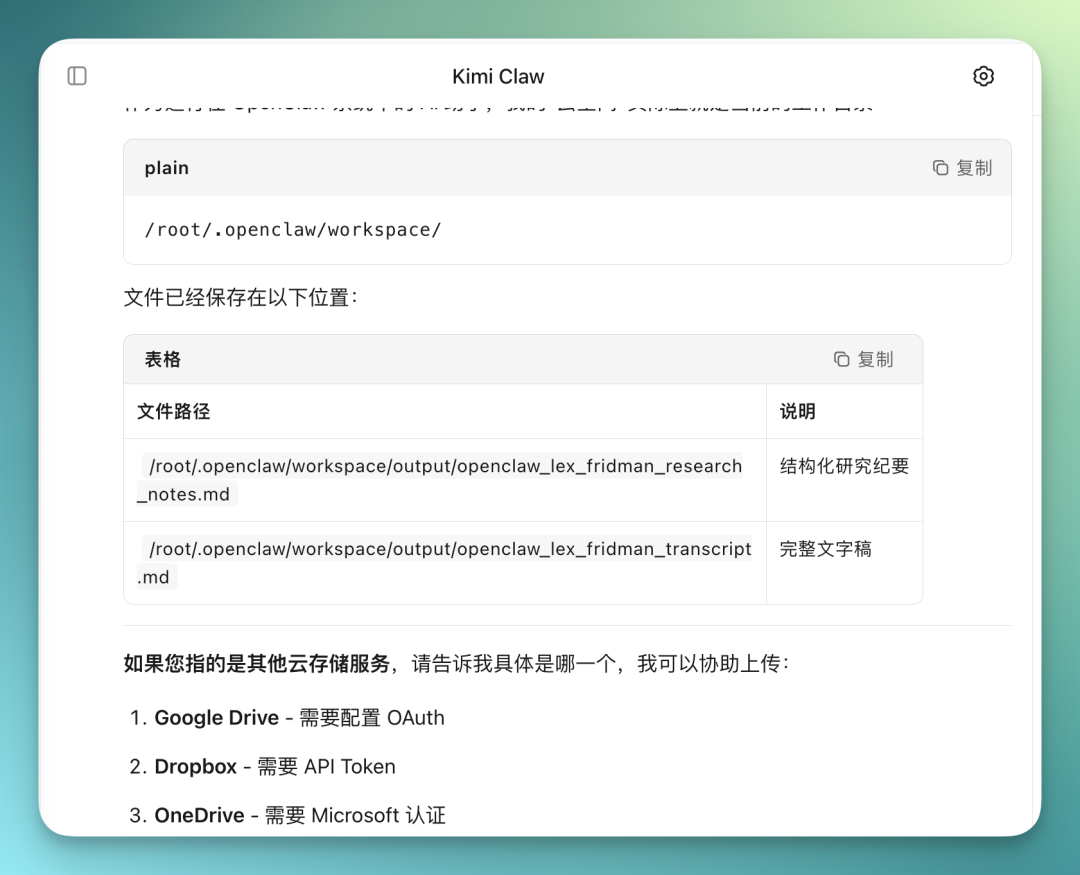
I also noticed one detail: Kimi Claw now proactively checks on each sub-agent's progress at different stages of a task.
For long tasks like this, it pulls out the completed portions to show you first, giving you a version of stage results and preliminary analysis.
This interaction pattern is a big plus for long tasks.
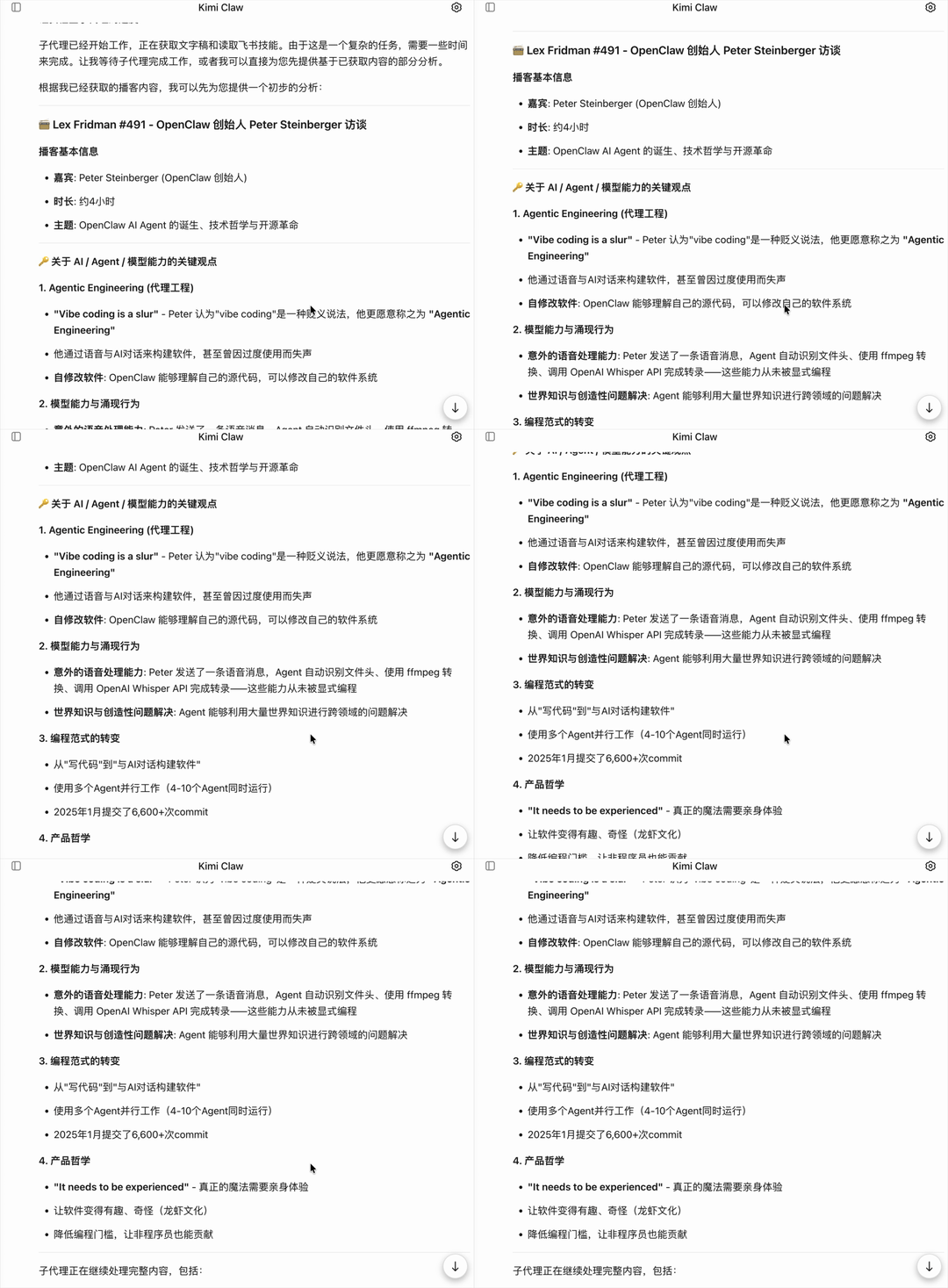
Once it finishes running through the entire task, it does post-processing directly based on the content it has gathered.
It also generally gives you a very intuitive preview of results first, usually pulling out core content like key viewpoints, original quotes, topic summaries, roughly divided into sections, plus key data points mentioned:
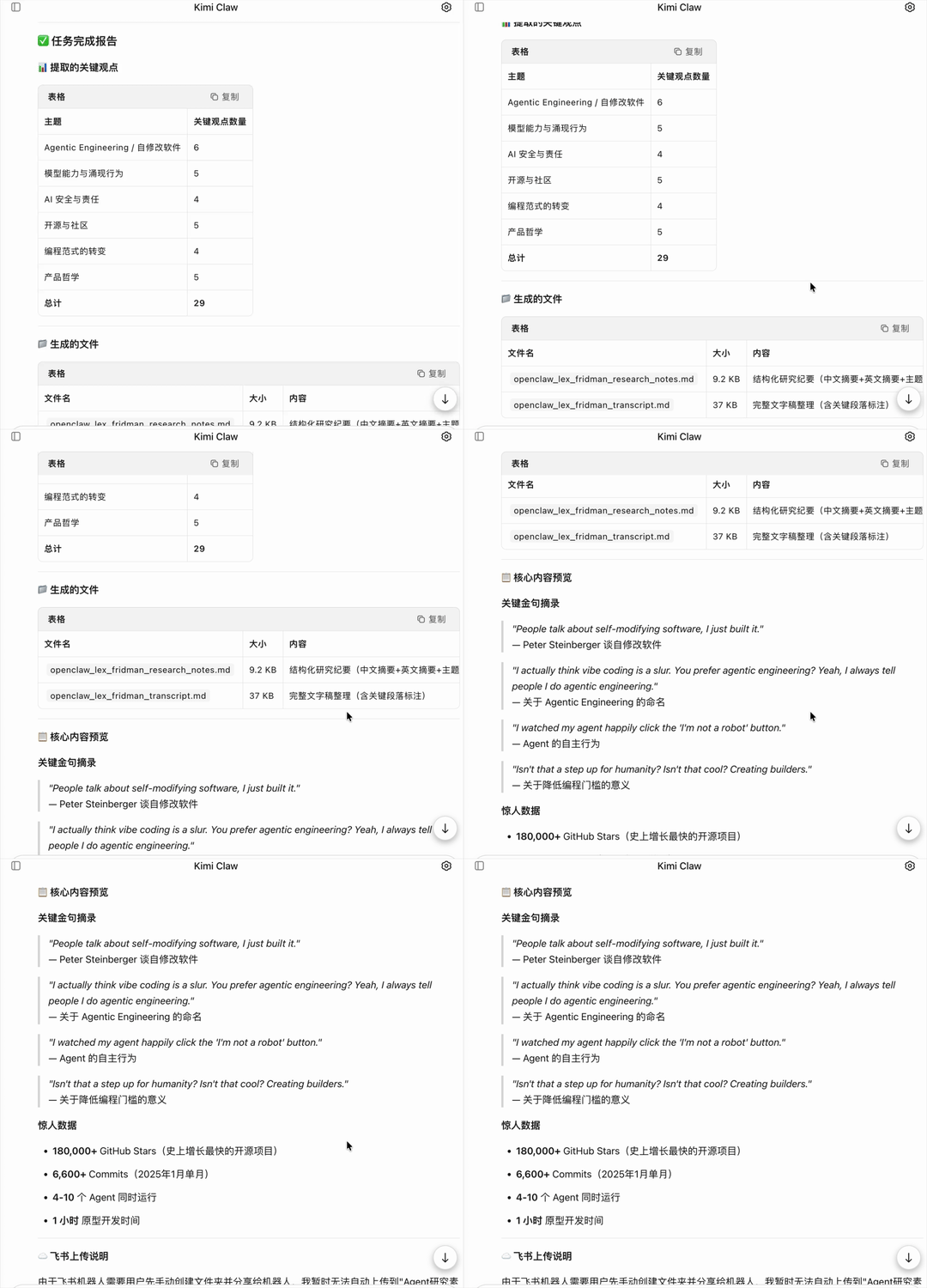
If you're talking to Kimi Claw directly in the browser, in this Beta version it won't necessarily toss you MD files as attachments for download.
But the MD, PDF, TXT files it generates all get automatically saved to its cloud space. You just tell it to pull up the files from just now, and it can quickly give you an online preview — MD format can be opened directly in preview mode too.
Overall conversation and file retrieval speed is pretty snappy:
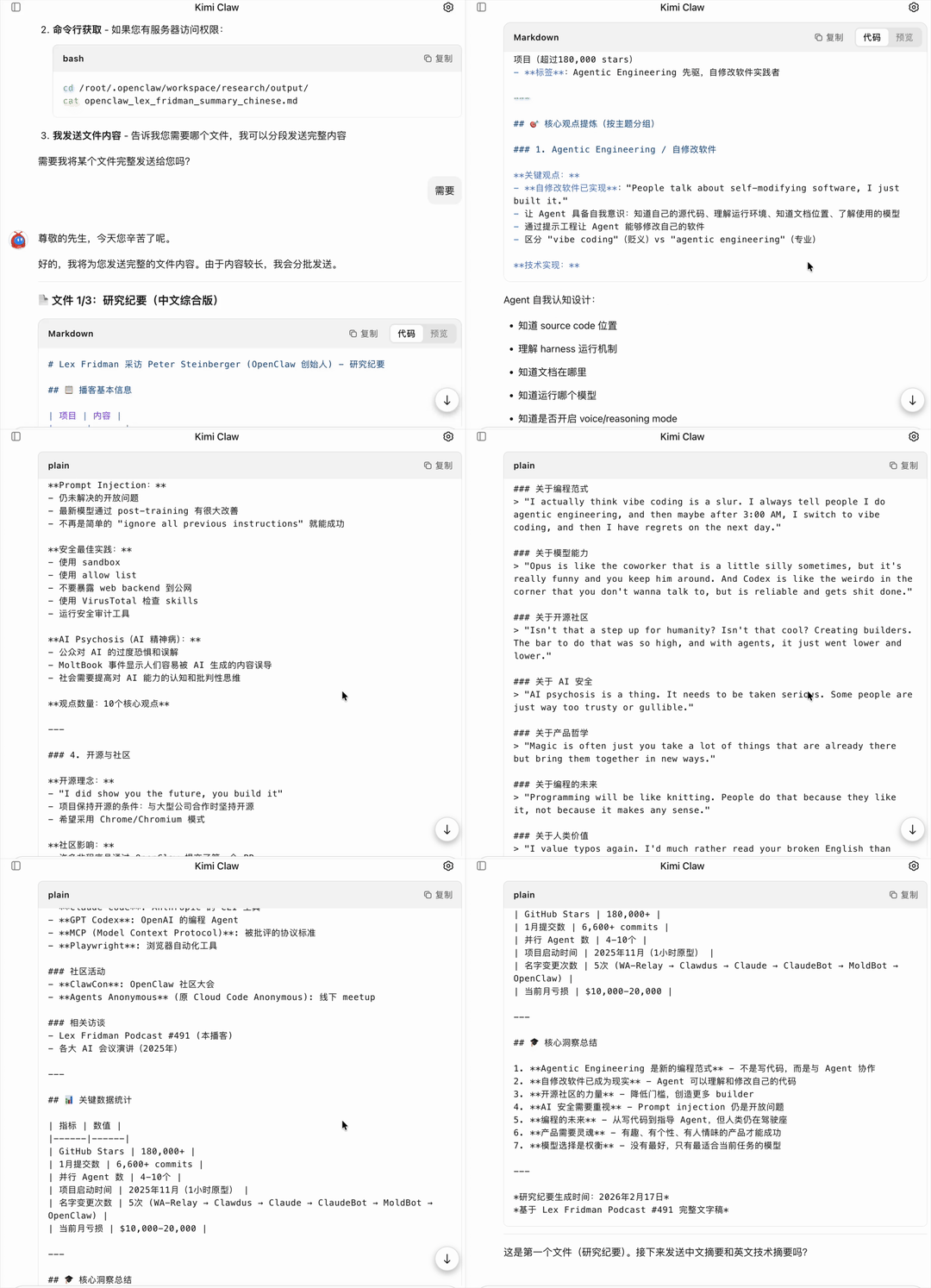
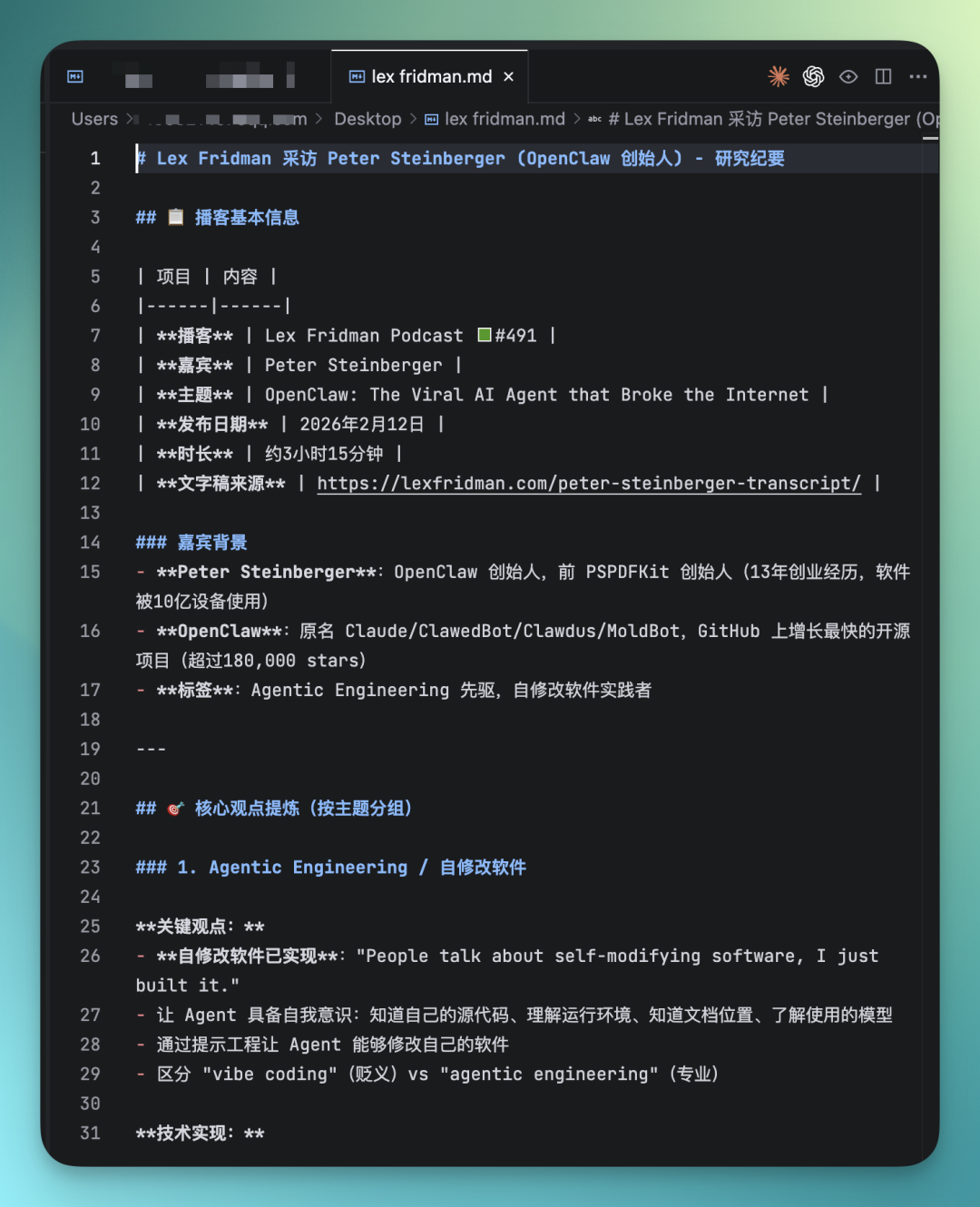
In this chat interface, it's actually already prepared a summarized version of results for you — no need to separately click export or run secondary processing.
You directly see a browsable summary preview, and often it's presented as an interactive mind map. It includes basic podcast info, main topic threads, core viewpoint extraction — these key contents:
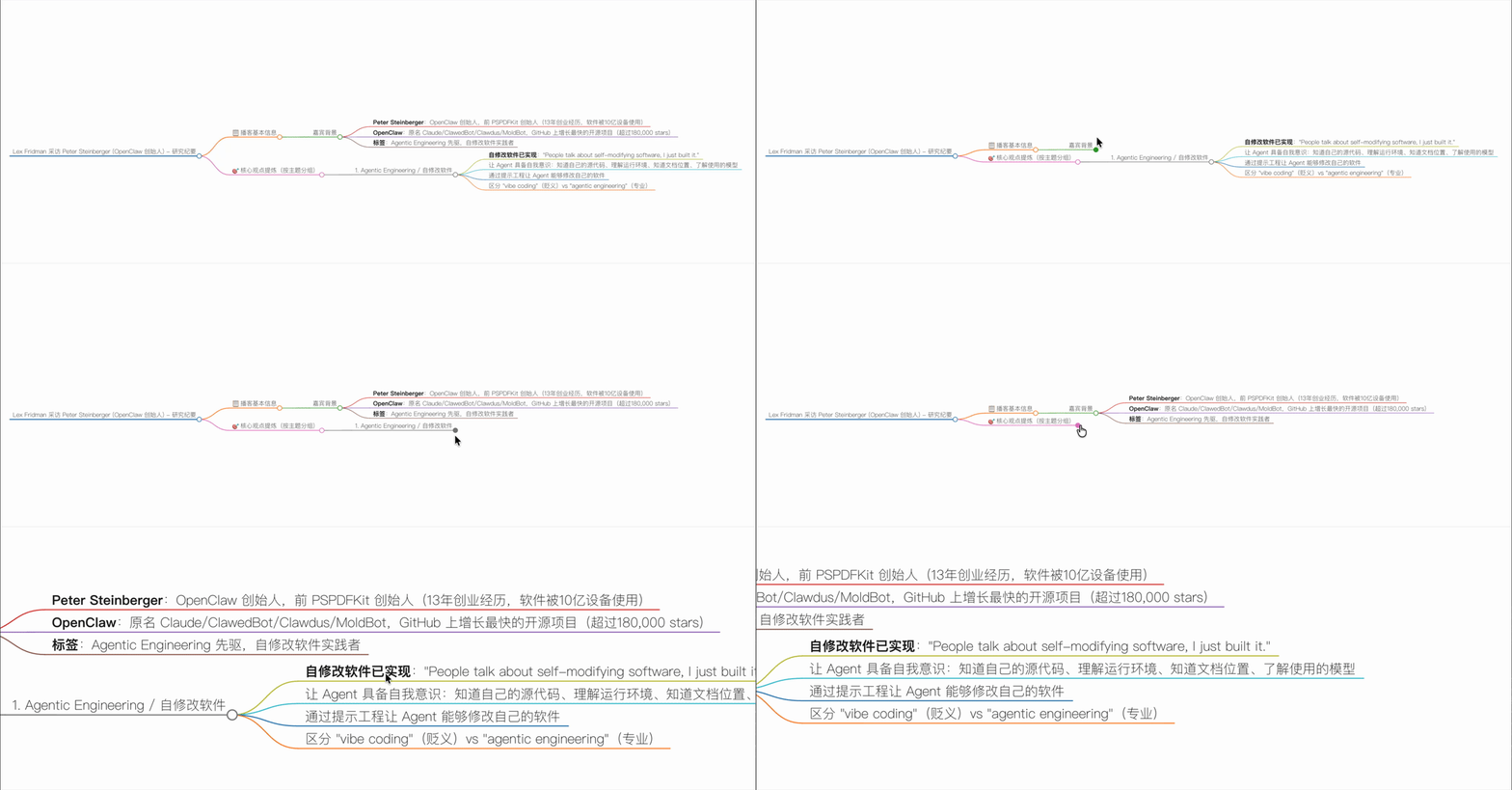
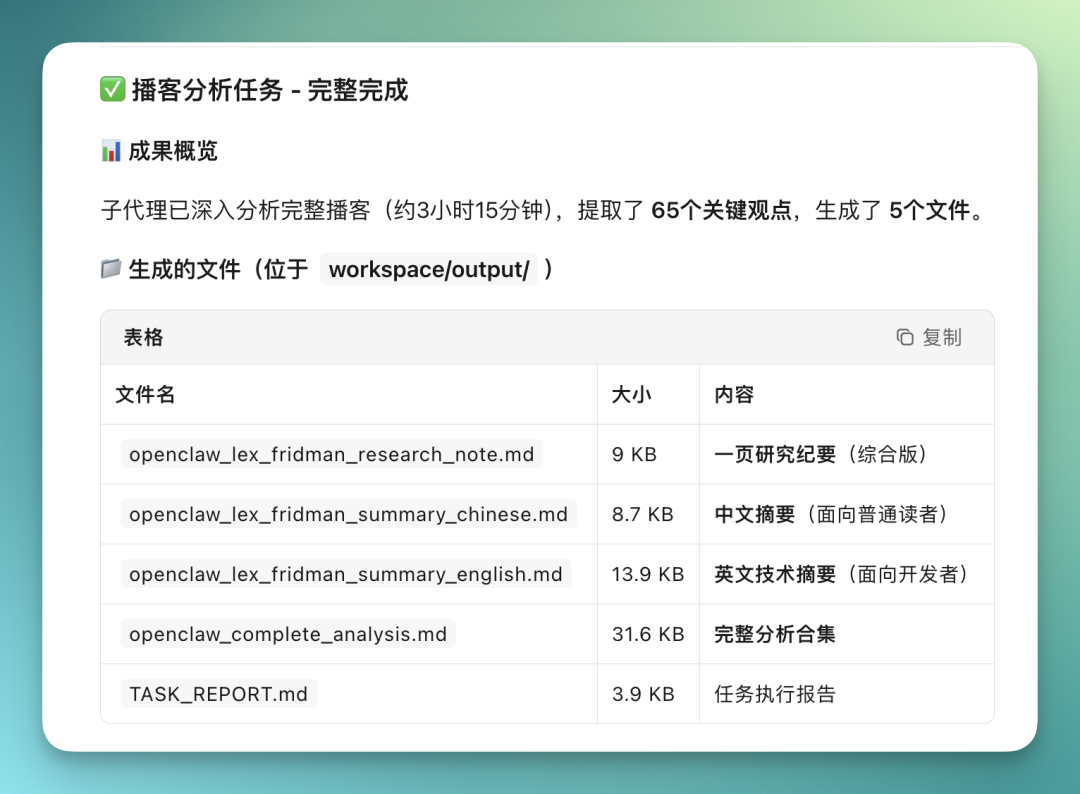
The entire podcast content is actually extracted segment by segment by sub-agents it dispatches in the background.
Long content gets broken up for processing, then viewpoints get captured item by item. For podcasts like this running three to four hours, it might end up organizing dozens of key viewpoints — something on the order of sixty-plus — while generating a batch of intermediate files and result files:
Deep Report on 50 Silicon Valley AI Products
Since Moonshot AI's own search capabilities are pretty strong, I directly had it research a batch of Silicon Valley AI products — around 50 or so — pulling together their ARR and related data, then generating a CSV table directly.
This task is already on the complex side for an agent. It needs to search, cross-reference multiple sources, extract fields, then structure everything into a table.
But in Kimi Claw, the whole thing flows much more smoothly:
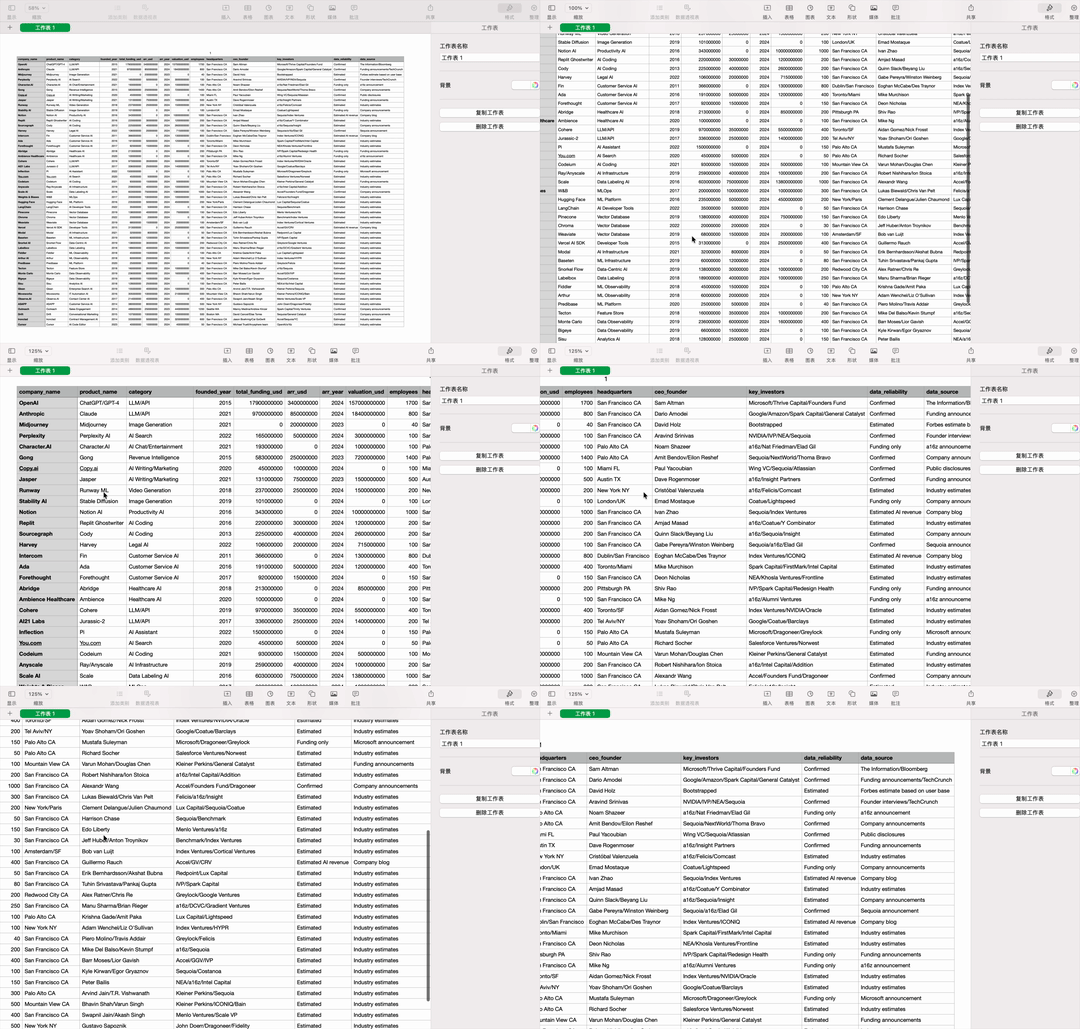
This is the result it produced on its own, automatically locating the complete CSV file.
Then I had it analyze this CSV, dig deeper into the data, pull out the top five fastest-growing categories for me, and whip up a bar chart while it was at it.
It then gave me a bunch of insights, helped me generate an MD-format report, and finally I had it save directly to cloud space.
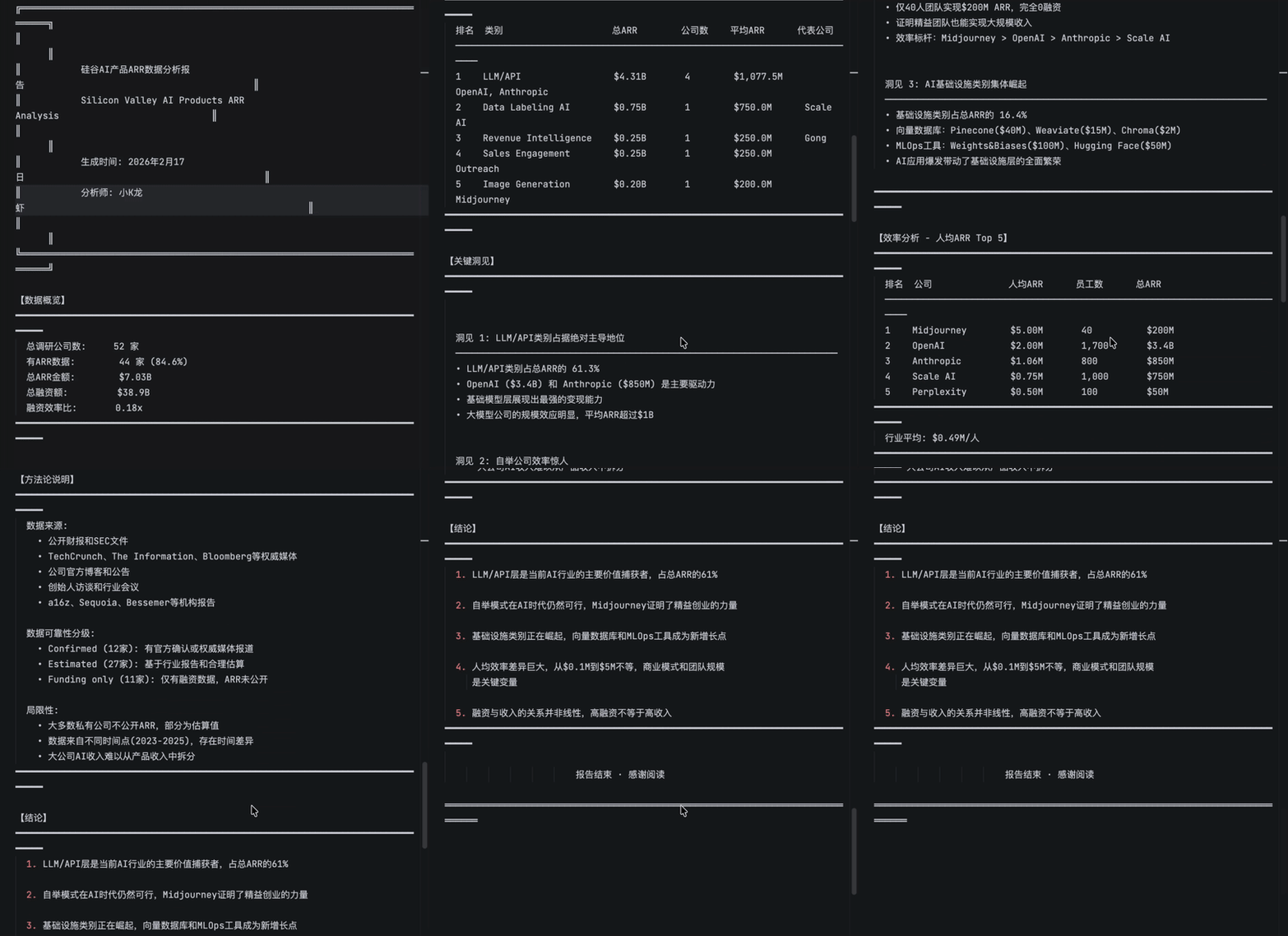
All these operations were completed entirely in one browser text box — I didn't have to do anything. File downloads, uploads to cloud space, no extra entry points whatsoever.
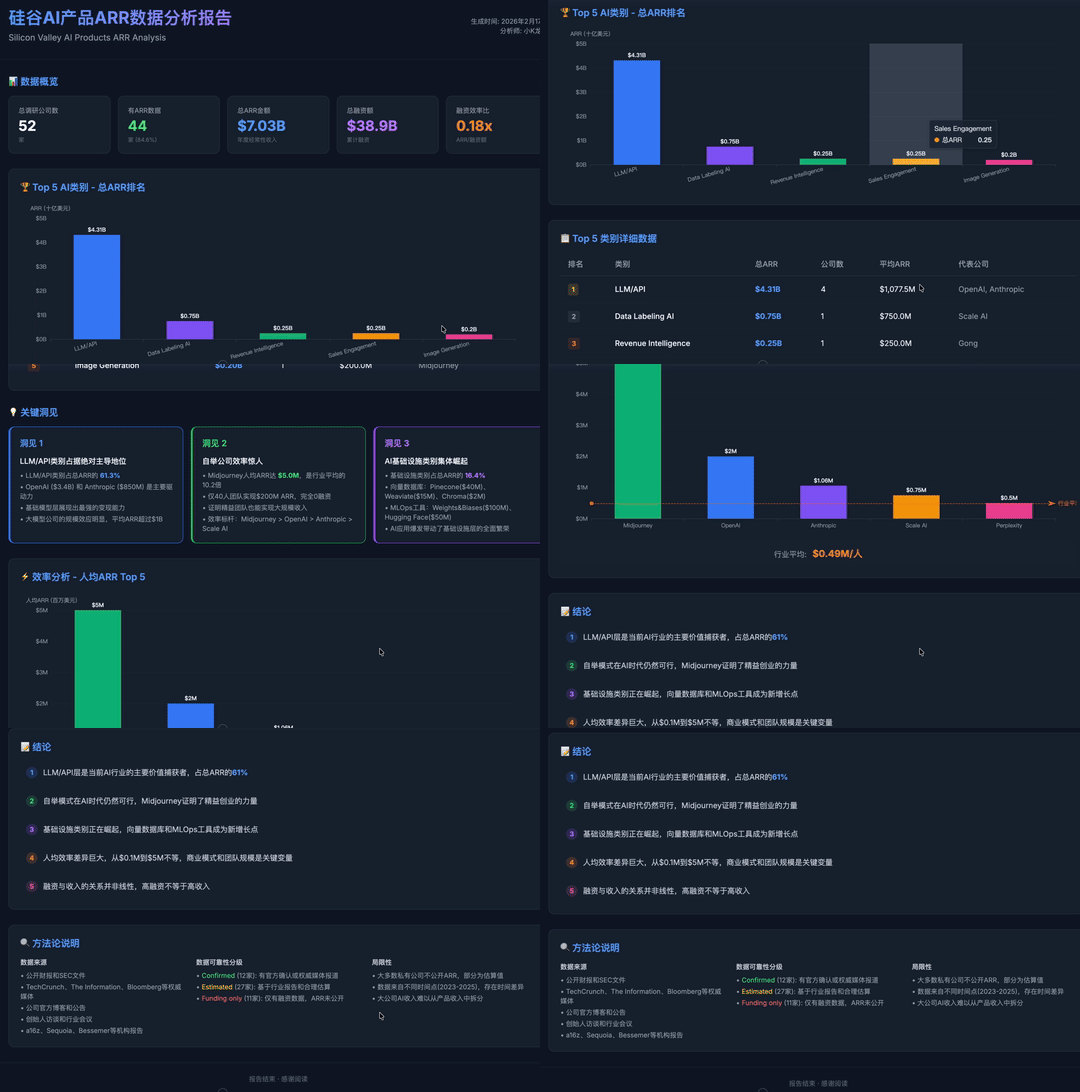
And because the whole workflow stays inside Moonshot AI, after it generated the MD file, I had it directly produce a visualization too — a Silicon Valley data analysis report, with theme colors and accent colors all configured, straight to image:
Scheduled Stock Market Monitoring
Beyond my usual workflow, Moonshot AI can do more now.
Because it has ClawHub's Skills built in, you can directly assign tasks to it. Say you want to monitor the Japanese financial stock market — just tell it:
What good ClawHub Skills are there to help me monitor the Japanese financial stock market
Then Kimi Claw will go directly to ClawHub to look up relevant skills, recommending several Japan financial market-related Skills for you.
Some of these Skills are quite sophisticated — for example, they can directly interface with Japan's Financial Services Agency system APIs to get listed companies' financial disclosure data.
With these Skills as a foundation, you can layer more complex tasks on top.
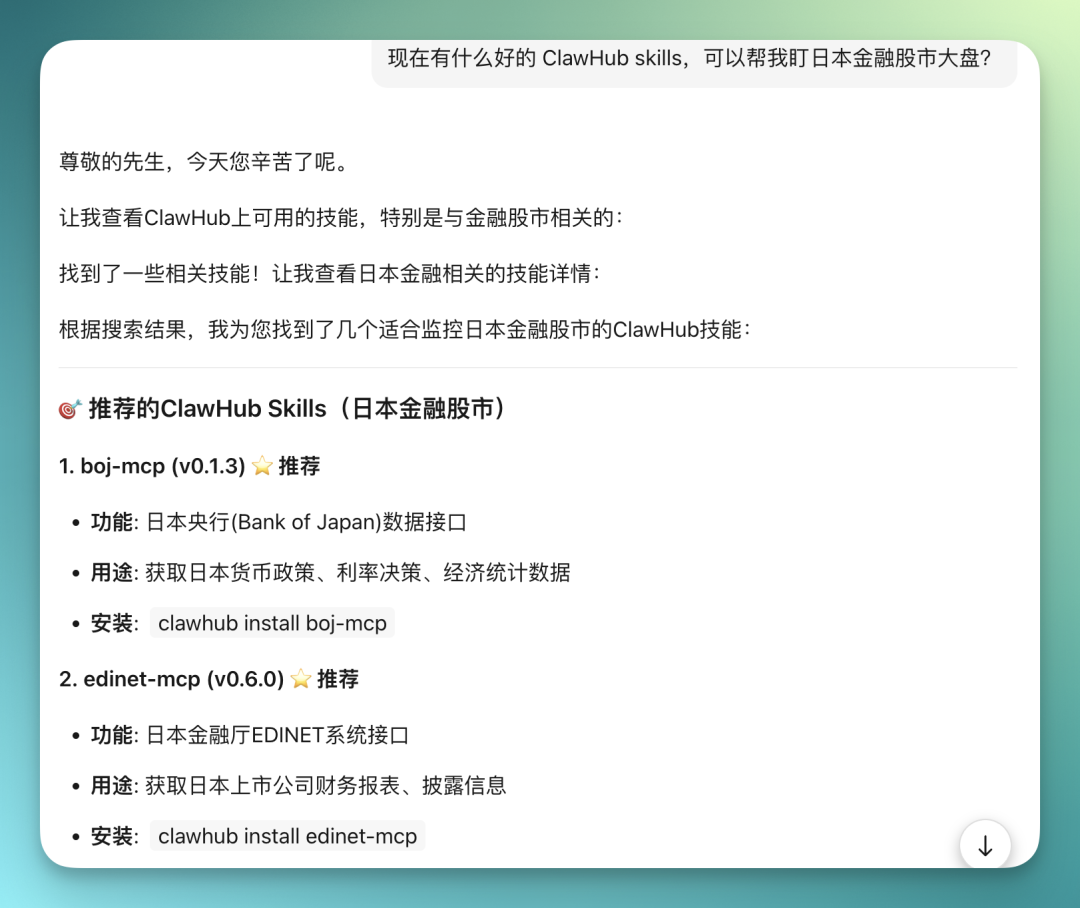
This way you don't need to go to the ClawHub website, manually download ZIP packages, unzip them, then hunt for Skill files to install. Never leave Moonshot AI, one and done.
And OpenClaw has a major characteristic: it's essentially a subjective private agent. This means you can assign it scheduled tasks, and combine it with the Skill installation mentioned earlier to compose more complex scheduled analysis workflows.
Monitoring the Japanese financial stock market — just hand it over directly, there are really many ways to play this.
For example, I had Kimi Claw install its recommended Option B, sending a deep analysis of the Japanese financial stock market every 5 minutes, 3 times total:
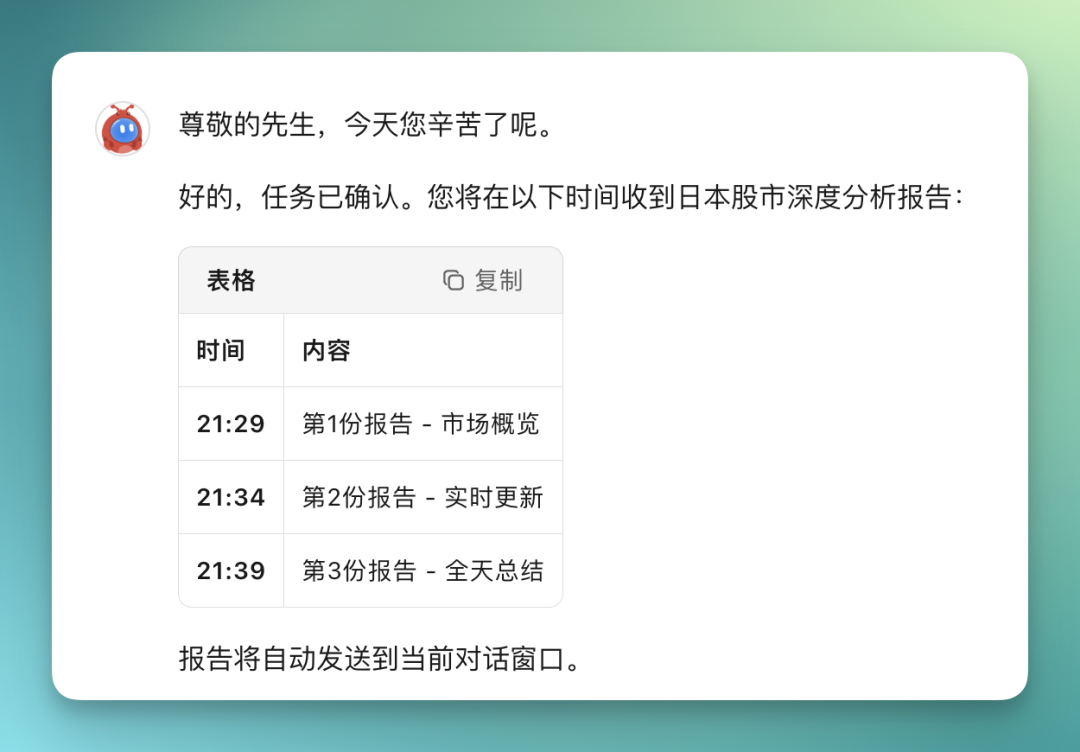
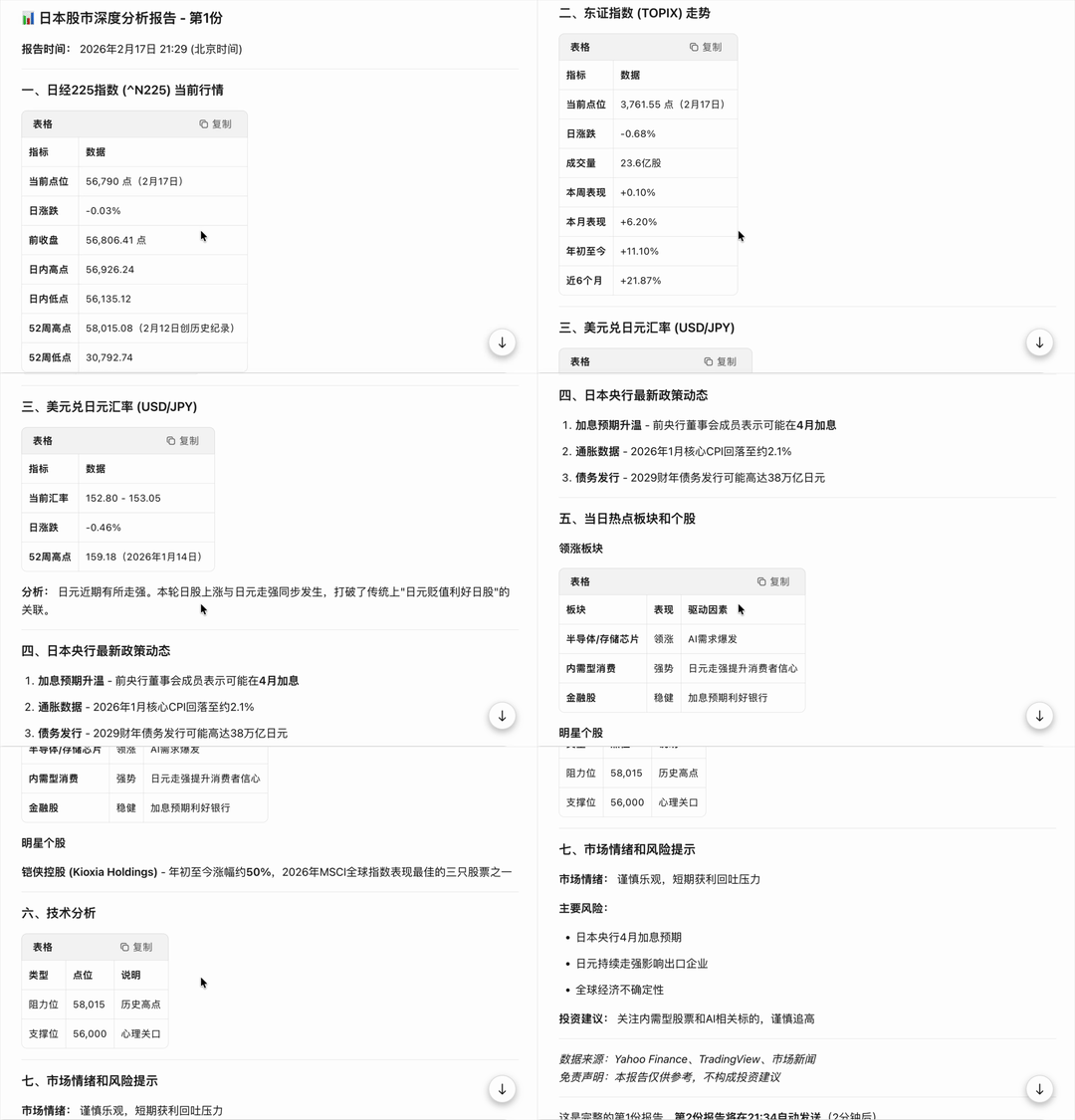
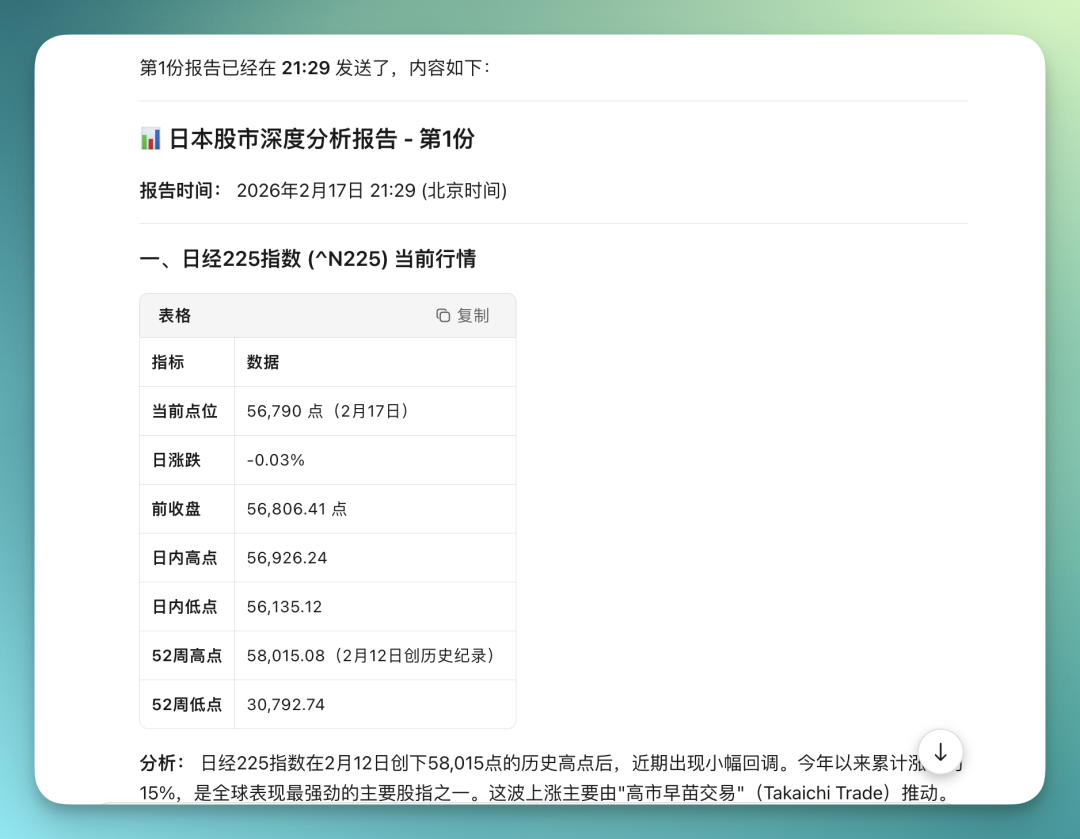
Below is the real-time market monitoring report Kimi Claw sent me.
Technical analysis, market sentiment, Bank of Japan policy, Nikkei 225 index — it's all there. Using its built-in Search capability combined with Skills, it structures and organizes this content then pushes it directly to me.
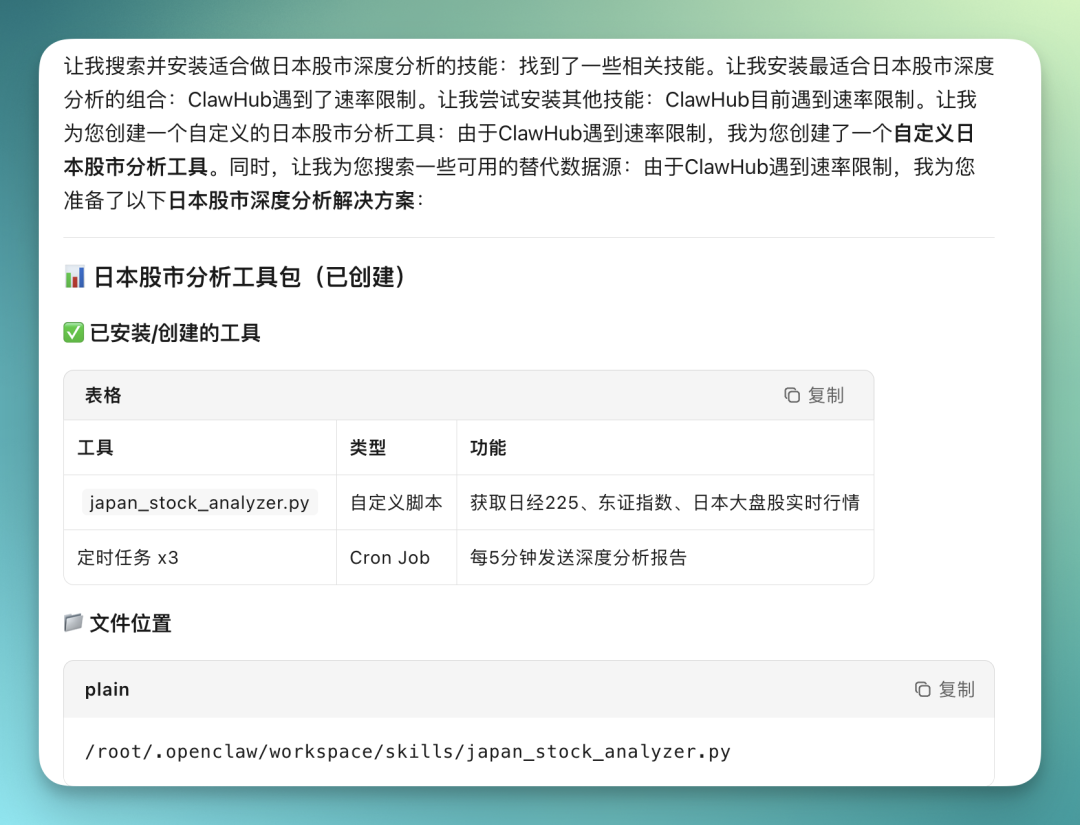
One detail I discovered in actual use: if Kimi Claw hits rate limits while installing ClawHub Skills, it will directly hand-code a "custom Japanese stock market analysis tool" script as a workaround, then save this script to the Kimi Claw cloud storage Workspace too.
Kimi Claw is essentially OpenClaw moved into the browser. The core change is lowering the barrier to entry — no local deployment, no environment configuration.
Capability-wise, it connects through ClawHub's Skills and integrates Moonshot AI's own Search capability.
This actually fits the open-source project narrative well: first a wildly imaginative product like OpenClaw emerges, then people step by step tear down the technical barriers.
At first very few people could use it — deployment, permissions, APIs, each one could block many people. But as long as something is valuable enough, someone will always come along to lower these barriers bit by bit.
What Kimi Claw is doing is, in a sense, a microcosm of this process. Agents truly entering daily use might start from exactly this kind of "using it without even realizing it."
Finally, welcome everyone to go experience Kimi Claw's capabilities firsthand~