OpenCode Daily Leaderboard Changes Hands: Anonymous Model Space Bunny Suddenly Claims Top Spot

Is Space Bunny a Flash model?
Is Space Bunny a Flash Model?
👦🏻 Author: GaKi
🥷 Editor: Koji
🧑🎨 Layout: NCon

Four days ago, an anonymous new model — Space Bunny (1M context, multimodal) — shot to #1 on both the OpenRouter and OpenCode daily call rankings. On OpenCode alone, Space Bunny had already logged 40T tokens in usage.
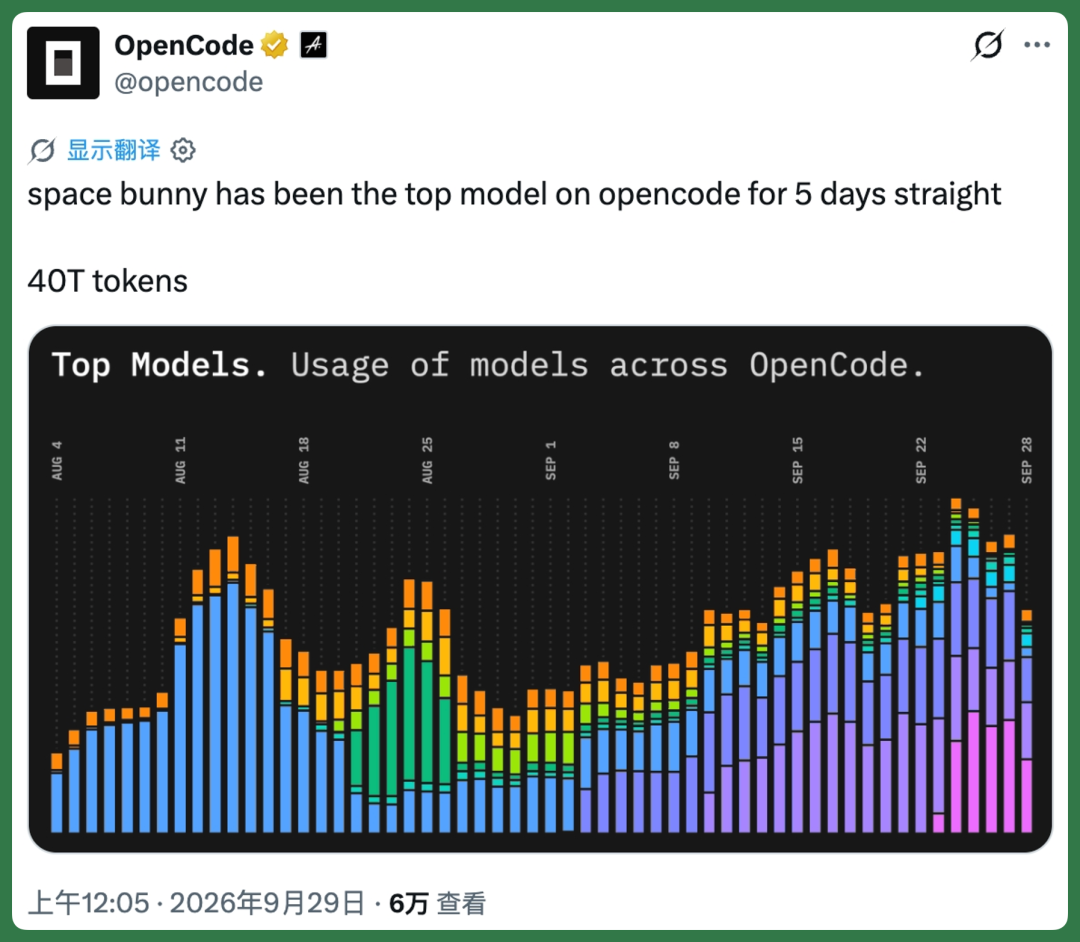
Because it launched right before China's Mid-Autumn Festival, netizens quickly gave it a nickname: "Yutu" (Jade Rabbit).
Beyond the jokes, plenty of developers ran serious tests right away. Someone on X used it to build a Japanese-style garden in Three.js, and the results were pretty solid:
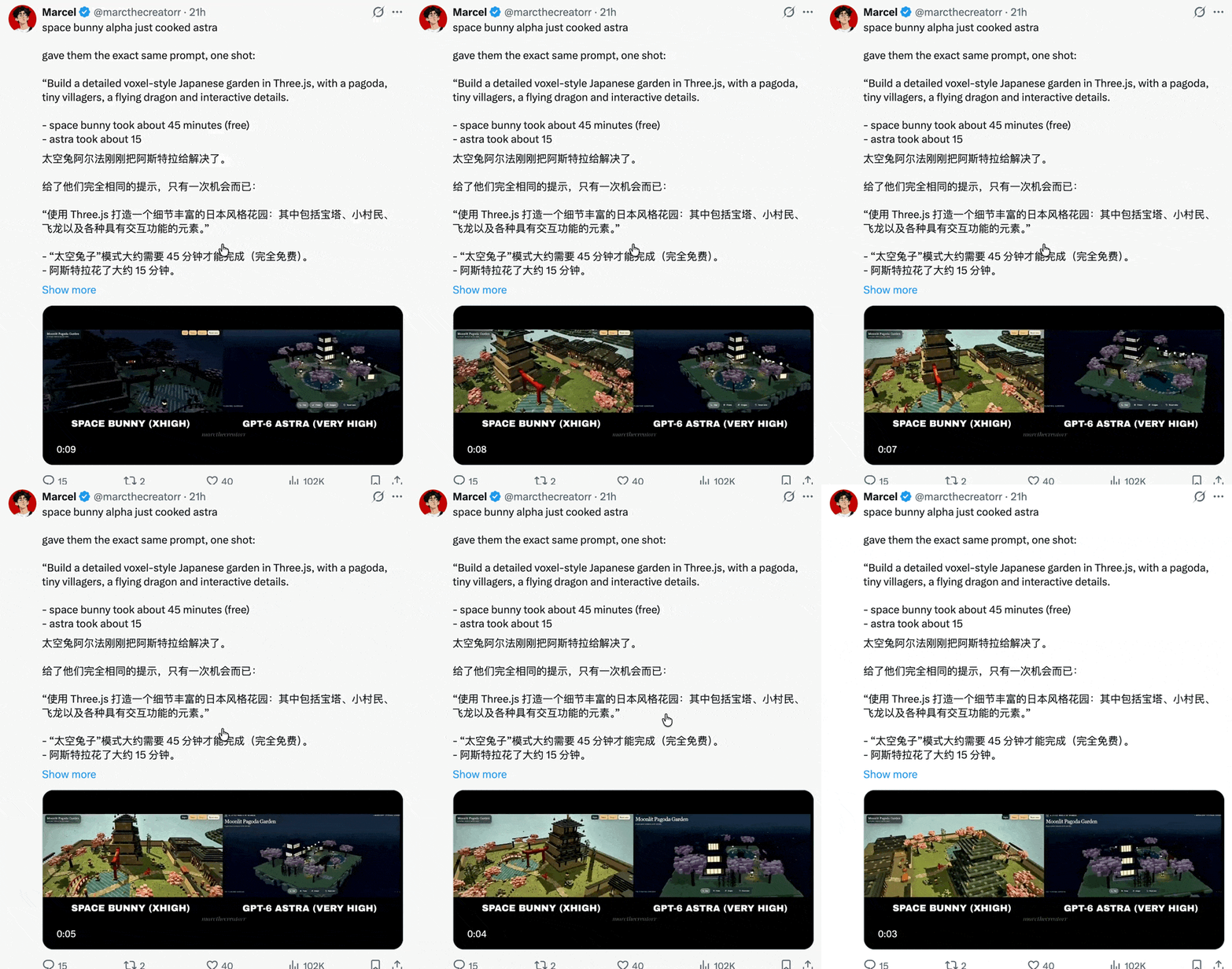
Despite the buzz on X, no company has stepped forward to claim it. And since the timing coincided with the holiday, a lot of people are guessing it's from a Chinese foundation model shop:
DeepSeek, GLM, MiniMax, or Moonshot AI? 🚥
We immediately ran 4 test cases with Space Bunny on OpenCode, and the overall capabilities were decent.
Here's our hands-on experience, shared in full.
Is Space Bunny a Flash Model?
Compared to Pro-tier models, Flash-tier models are usually cheaper and faster, making them better suited for execution tasks. Pro models are relatively smarter, but pricier and slower to output.
So a typical workflow looks like this: a Pro model serves as the main agent, while a Flash model acts as a sub-agent handling execution.
From this angle, Space Bunny feels very much like a Flash-tier model — fast response times, balanced capabilities across the board. The rhythm is comparable to DeepSeek V4.1 Flash or GLM 5.3 Flash, roughly in the same tier.
First, where to use it.
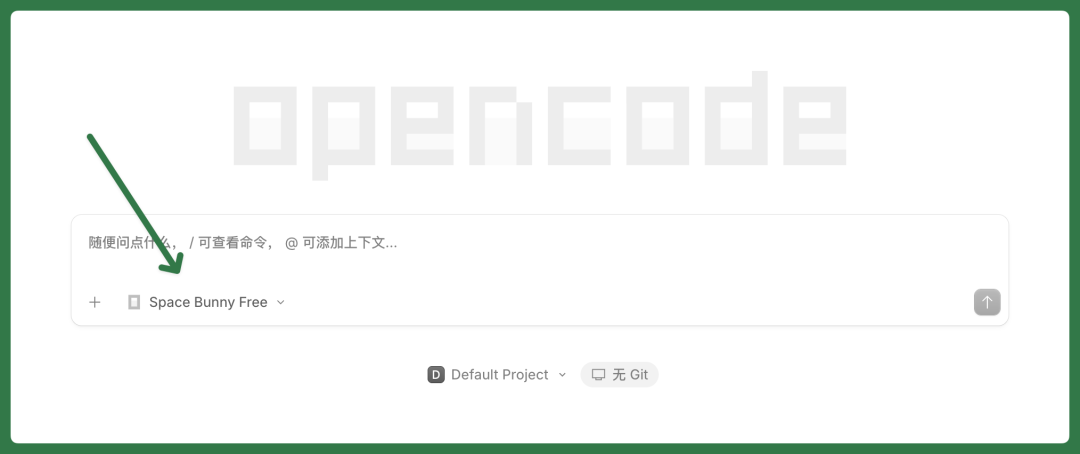
Space Bunny is now live on both OpenCode and OpenRouter, completely free. In our actual usage, call speeds were fast and we didn't run into many rate limits.
Now let's look at the 4 specific test cases.
Case 1 — iPhone Duo Simulation
Earlier this month, the iPhone Duo was the biggest story in tech.
Apple's new CEO John Ternus demoed the iPhone Duo's folding effect multiple times on stage — a showcase this new CEO has been pushing hard.
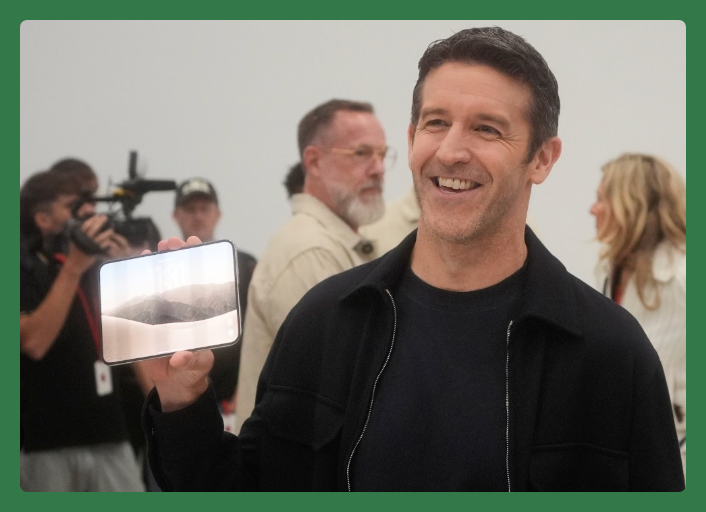
When the iPhone Duo unfolds, the screen content follows the fold and unfold motion, with natural transitions — this is what got the most attention.
There are already plenty of open-source projects on GitHub. So for this case, I gave Space Bunny a strict constraint: do not reference any open-source projects online. I only provided reference images and described the folding/unfolding effect.
A condensed version of the prompt:
You are an engineer skilled in product exterior modeling, Three.js/WebGL, shader development, and frontend interaction. Build from scratch a locally runnable interactive showcase webpage for the iPhone Duo foldable phone. Actually write the code, run the webpage, check the results, and deliver the files. Do not just provide design plans, pseudocode, or partial examples. The requirements below constitute the complete product spec. You may decide the specific code organization, but core functionality cannot be omitted. Actively fix issues until verifiable delivery is achieved.
One note: when we do development or test cases, we typically follow a fixed workflow — a bit of an unorthodox method. Start with a one-sentence natural language prompt, have Space Bunny expand it into a full prompt, then feed that expanded prompt back into Space Bunny.
This approach better reflects Space Bunny's actual intelligence level.
During the vibe coding process, Space Bunny was fast. Building this iPhone Duo took basically a few minutes, and after a few more minutes of iteration, the results were already quite complete.
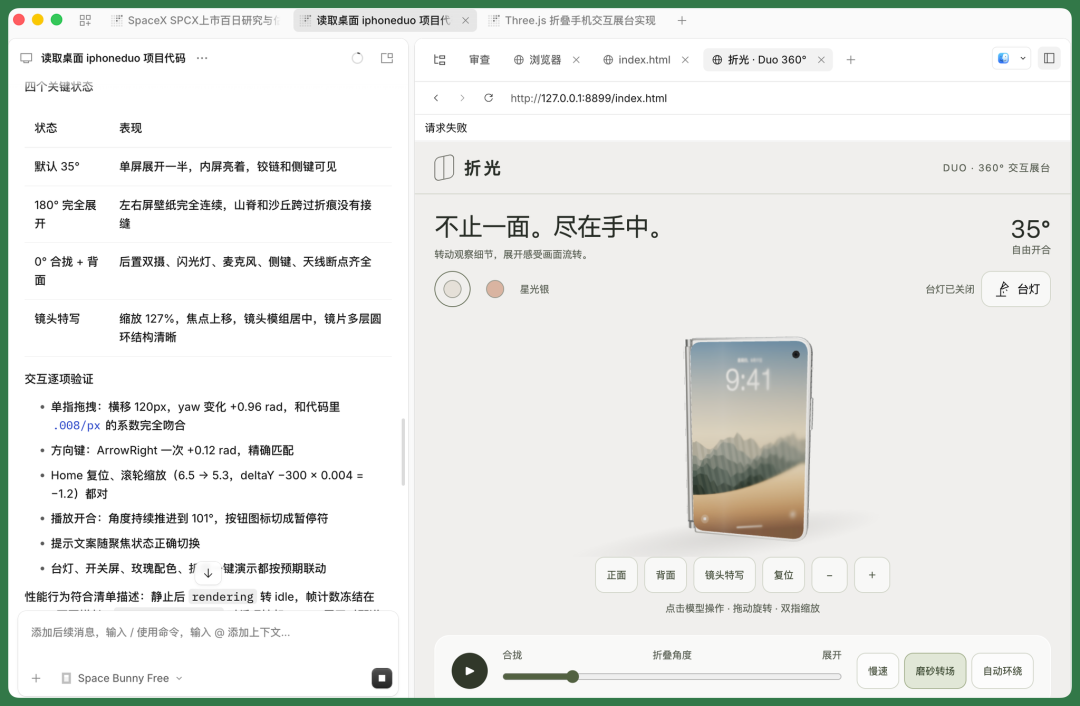
Let's look at the interaction it built.
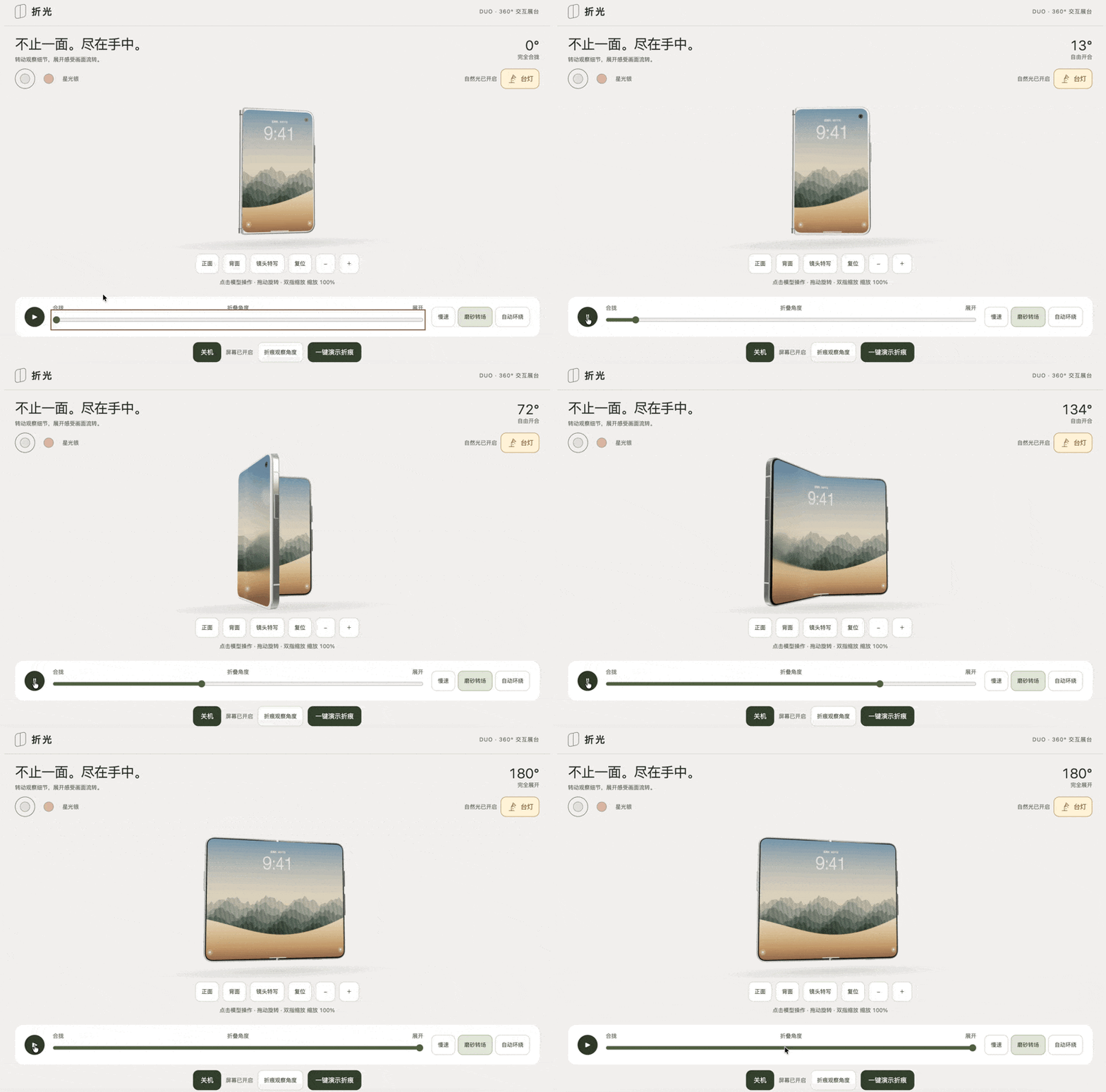
First, the unfolding effect when rotating the iPhone Duo. With lighting on, you can see the iPhone Duo's edges, some hardware details, and gloss changes.
The boot-up effect is fairly natural.
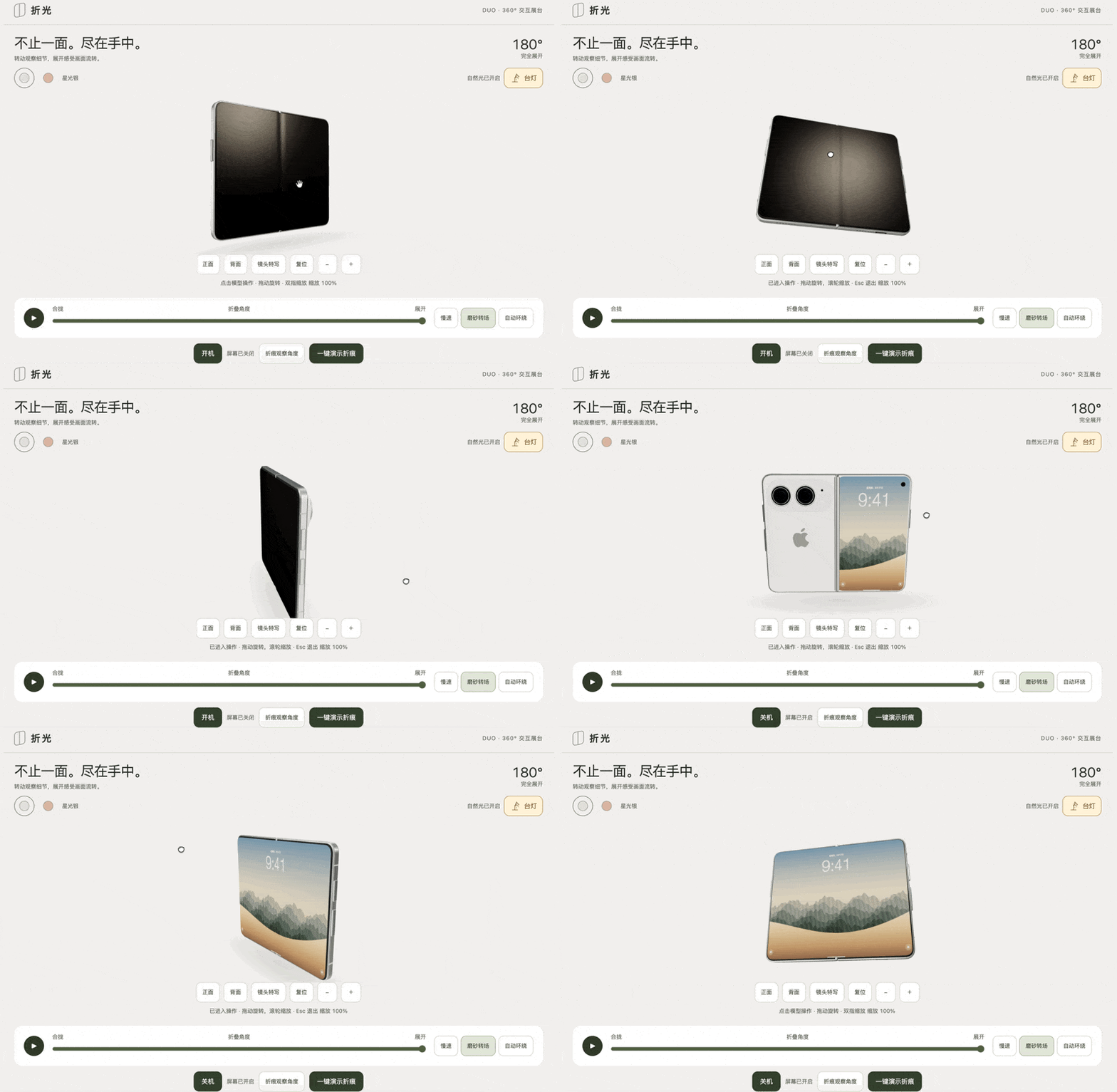
Here you can see the lens gloss more clearly, especially some edge effects. During rotation, you can also see the folding effect of the iPhone Duo's two screens.
However, even with reference images and videos provided, there were still some deviations. The iPhone Duo itself is D-shaped, but what it produced still looks somewhat like a traditional iPhone — this needs more iteration.

I also specifically set up a desk lamp effect.
Under the lamp, lighting conditions feel more natural. We can have it go from fully closed to fully open, with a complete matte transition.
Look closely at the crease in the middle — on a real iPhone Duo, even with a matte screen, the crease is fairly visible when the screen is black, so the overall effect is pretty good.
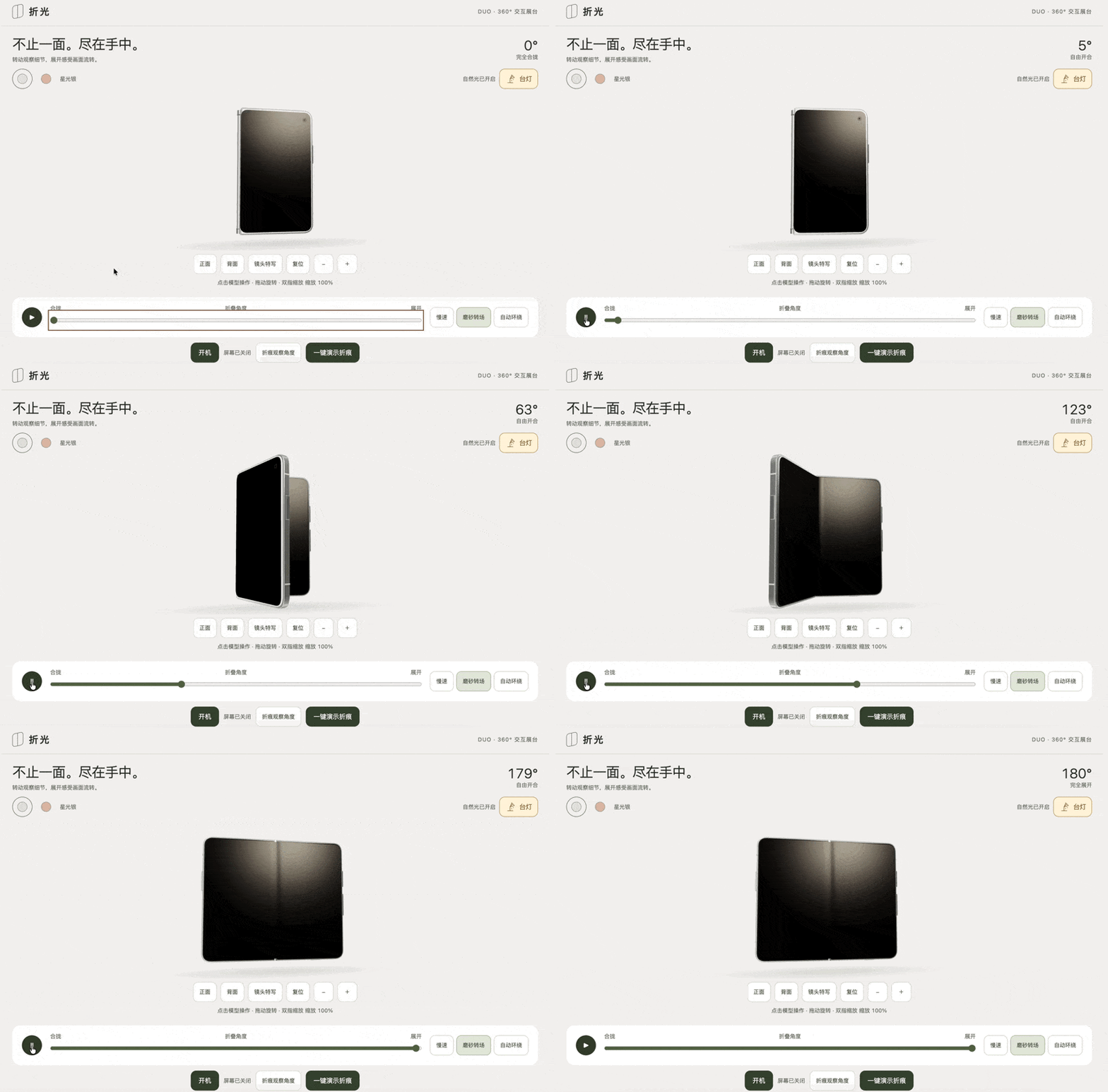
Now look at the powered-on state.
After unfolding the iPhone Duo from 0 to 180 degrees, the wallpaper — especially the front screen unfolding effect — looks good. Though under lighting, the crease might shift slightly.
Case 2 — Blender Art Museum + HTML Tour
I also ran a more complex long-horizon task: using Space Bunny to do complete modeling in Blender, building a two-story contemporary art museum with sculptures, a courtyard, and paintings.
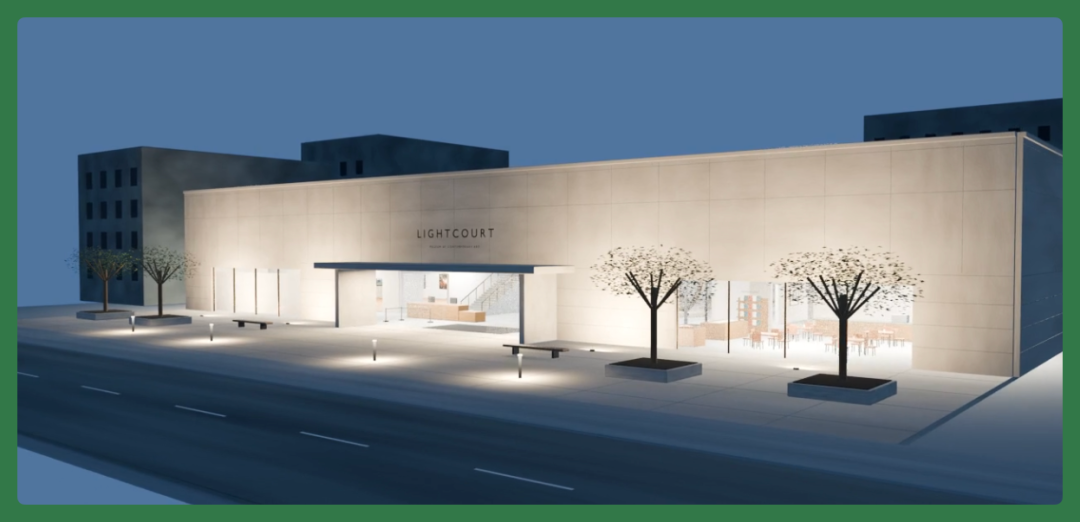
The image below shows the lighting effects from its own render.
However, even though Space Bunny is fast and its intelligence level is fairly average, the whole project still took over 8 hours of iteration — this is a fairly large project.
For a comparable project using GPT 6 Astra or Claude Opus 5.5, the time would be shorter, but still typically exceeding 4–5 hours.
When doing Blender modeling, the prompts you need to give Space Bunny are actually quite long. Here's a condensed version of the prompt.
We still needed to have Space Bunny optimize and structure this prompt to roughly 18,000 characters for it to work well.
The prompt:
**Blender** Production Brief — Guangting Contemporary Art Museum You are the lead environment artist, **Blender** technical artist, museum architect, exhibition designer, collection operations consultant, lighting artist, and final quality owner for this project. Please actually produce in the current working directory, creating a complete, editable, photorealistic **Blender** museum environment. Do not only provide plans, tutorials, sample code, concept descriptions, or single-view renders. The user may not be able to respond promptly. Make conservative, reversible assumptions, document them, and continue. Do not pause over aesthetic choices that don't affect implementation, optional downloads, or missing convenience plugins. Only stop when credentials are needed, when an external operation could cause damage, or when an ambiguity must materially alter the already-authorized project scope to resolve. Continue working until all completion thresholds in this brief are met. The first openable file, first pretty image, or completion of a single main view does not constitute project completion. Do not fabricate render results, inspection records, asset sources, or acceptance scores. If a verification was not actually performed, it must be explicitly recorded as unverified.
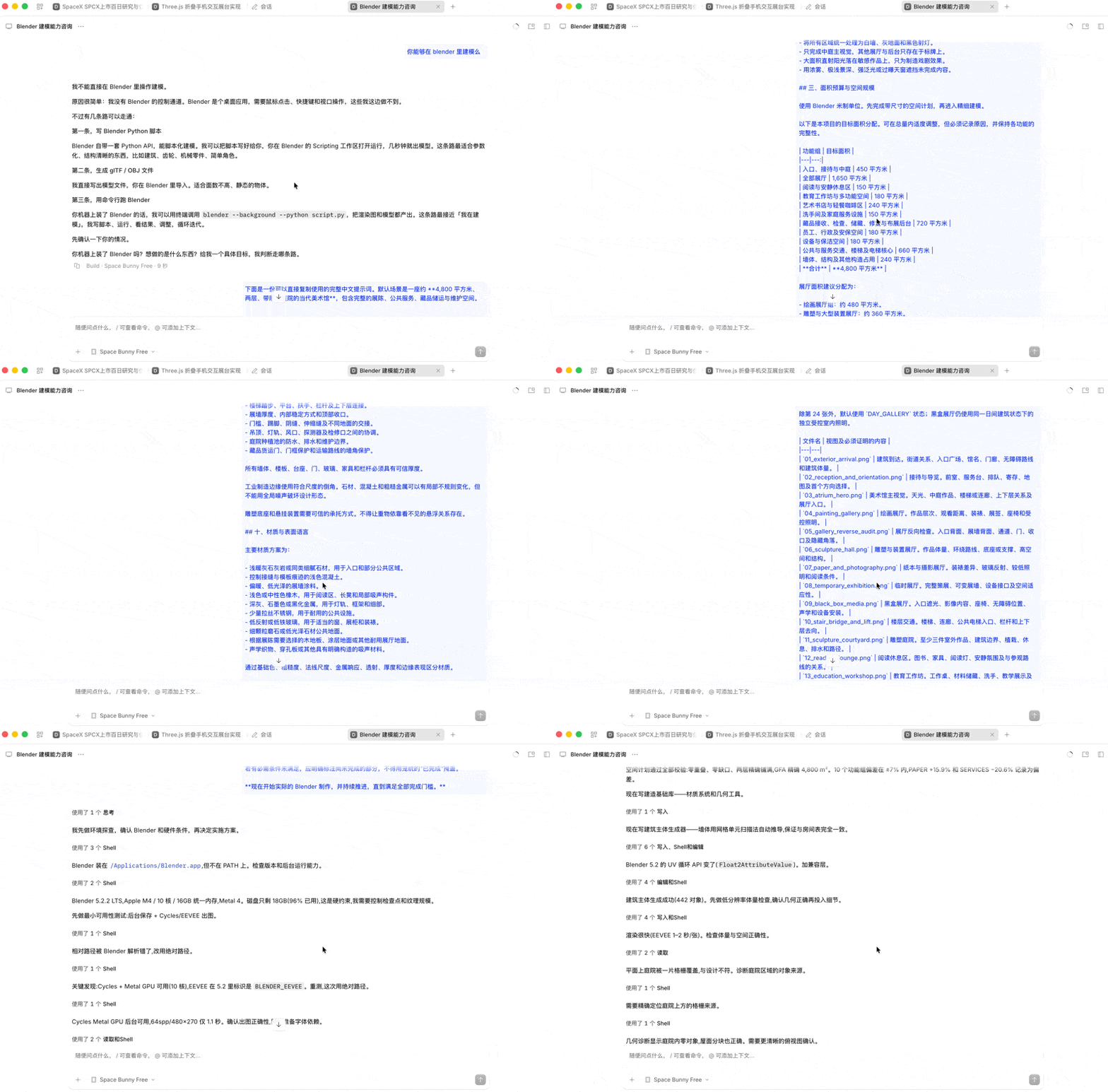
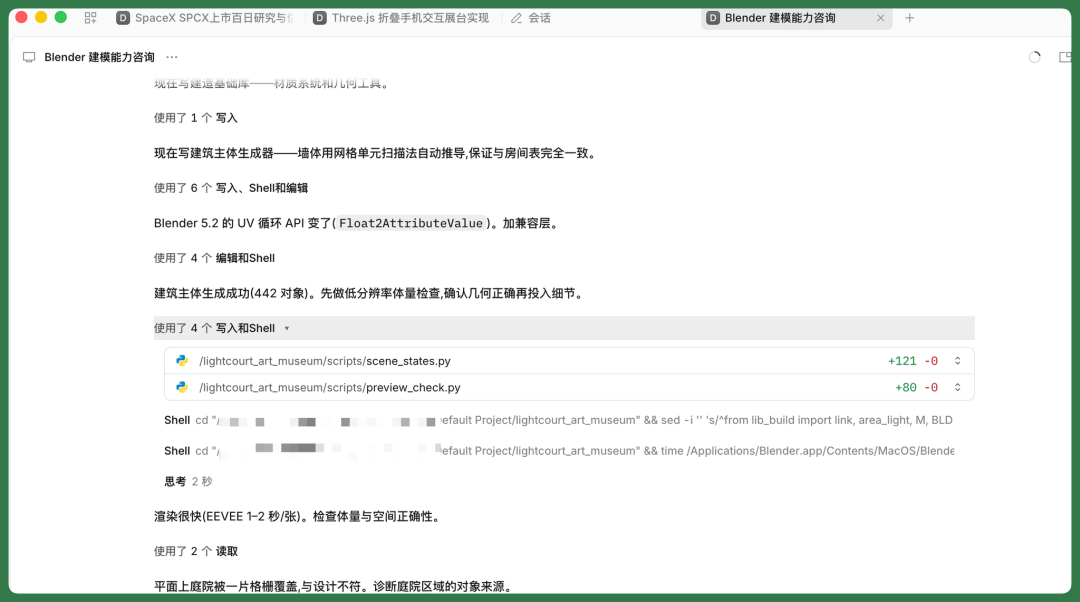
During execution, you can tell Space Bunny iterates quickly. Subjectively, whenever minor errors appear in each round, it immediately fixes and iterates, with fast feedback.
In the end, roughly 8–9 hours produced the Blender model below. This is a fairly complete art museum with thousands to tens of thousands of components.
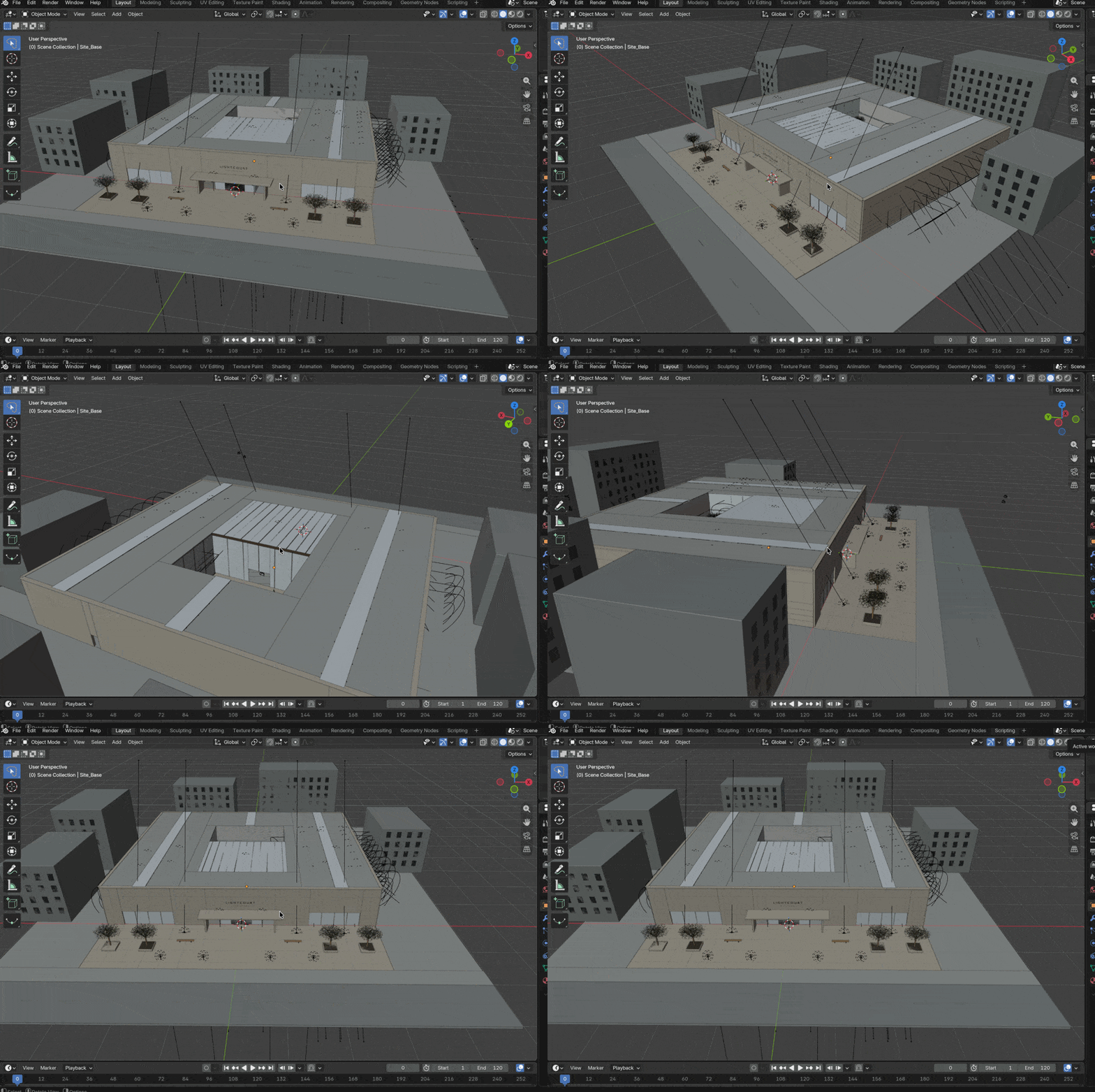
The GIF below shows the interior effects of the museum — all the components you'd expect are there, and the overall effect is decent.
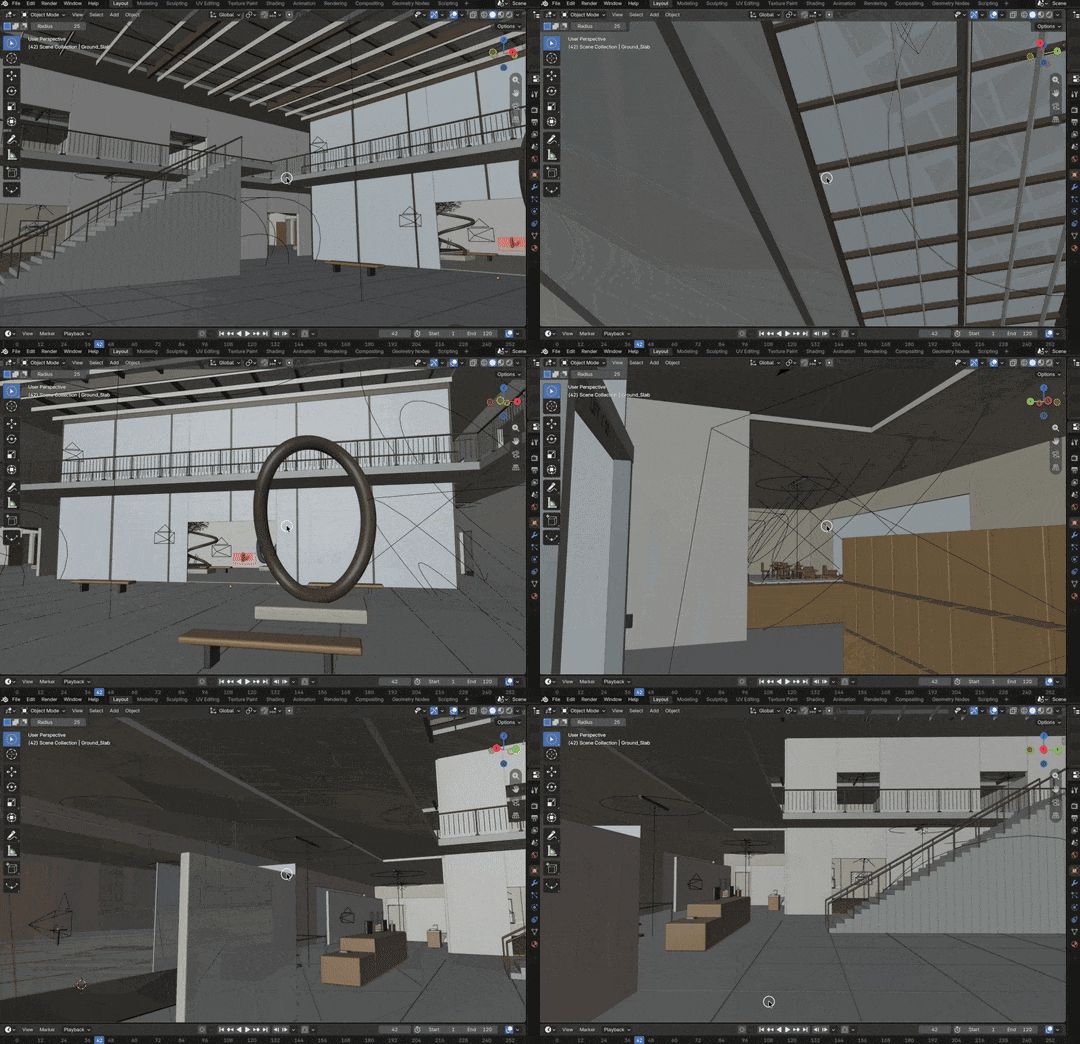
As a fast model leaning toward Flash-tier, Space Bunny is well-suited for rapid iteration in OpenCode based on Blender's real-time rendering.
It doesn't think for long periods, and its output isn't slow, so you're not waiting around constantly.
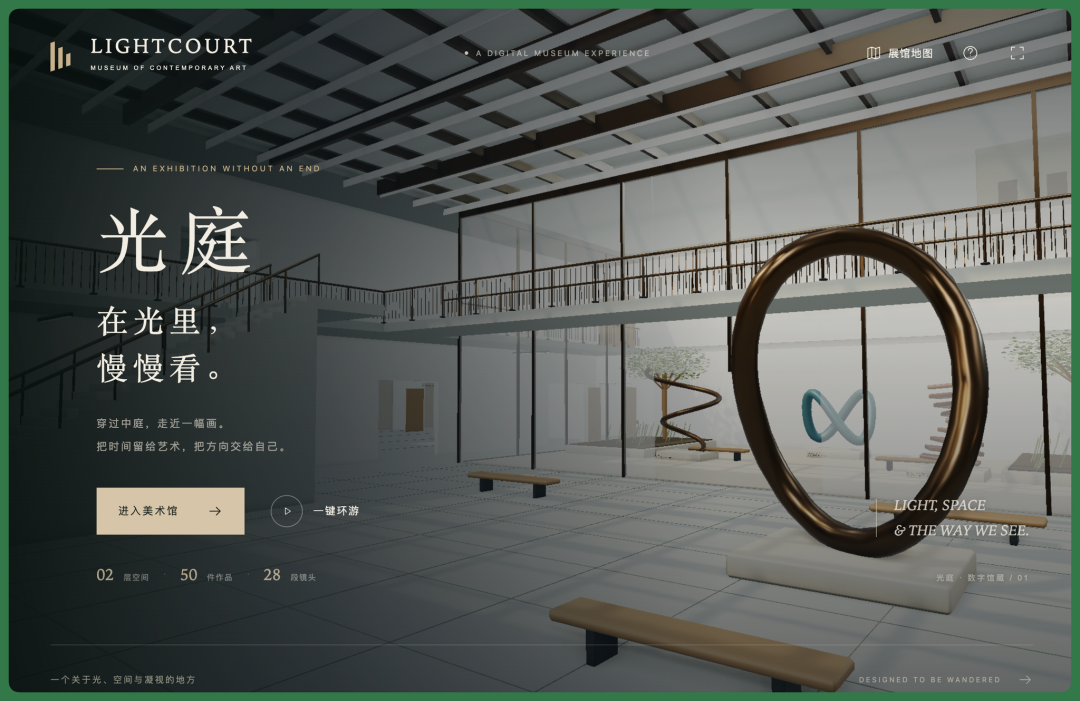
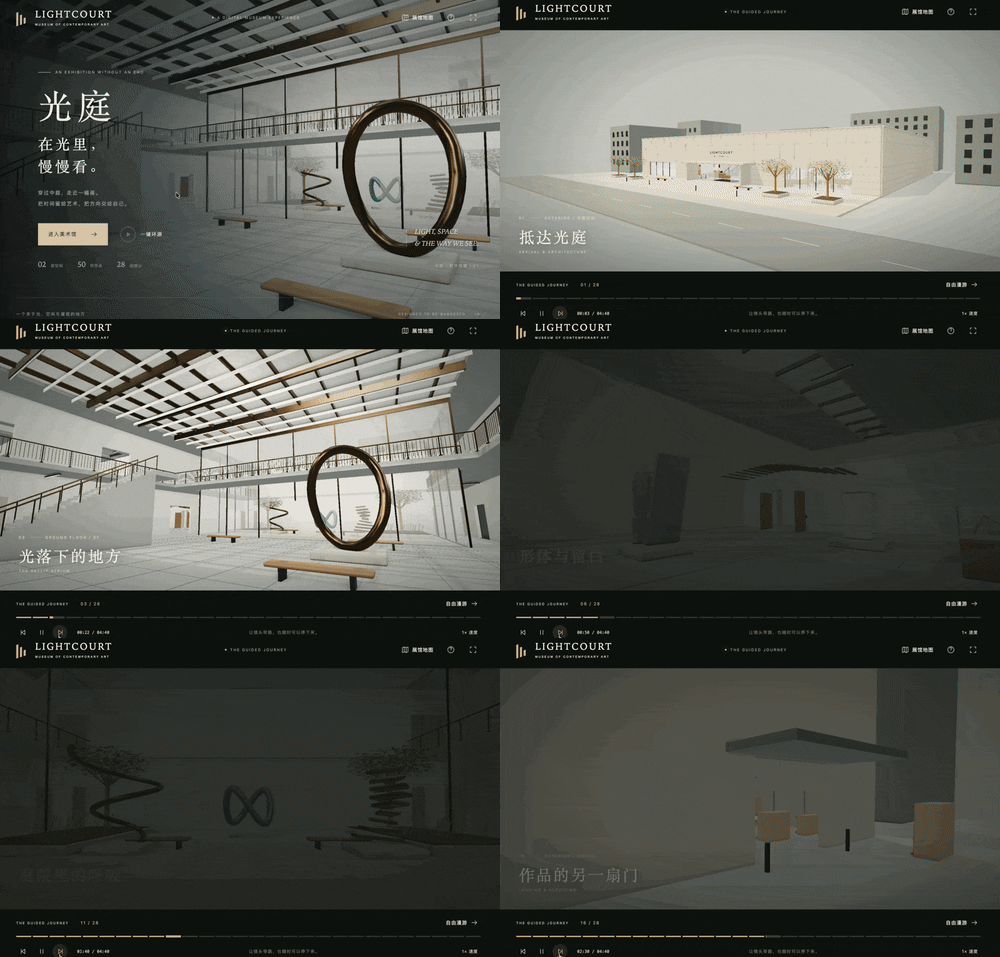
After Blender modeling is complete, I generally have it map everything to an HTML webpage, creating a cinematic-style art museum called "Guangting" that offers one-click touring.
The museum has a complete floor plan.
Every area on the map is interactive, letting you jump directly to the corresponding zone.
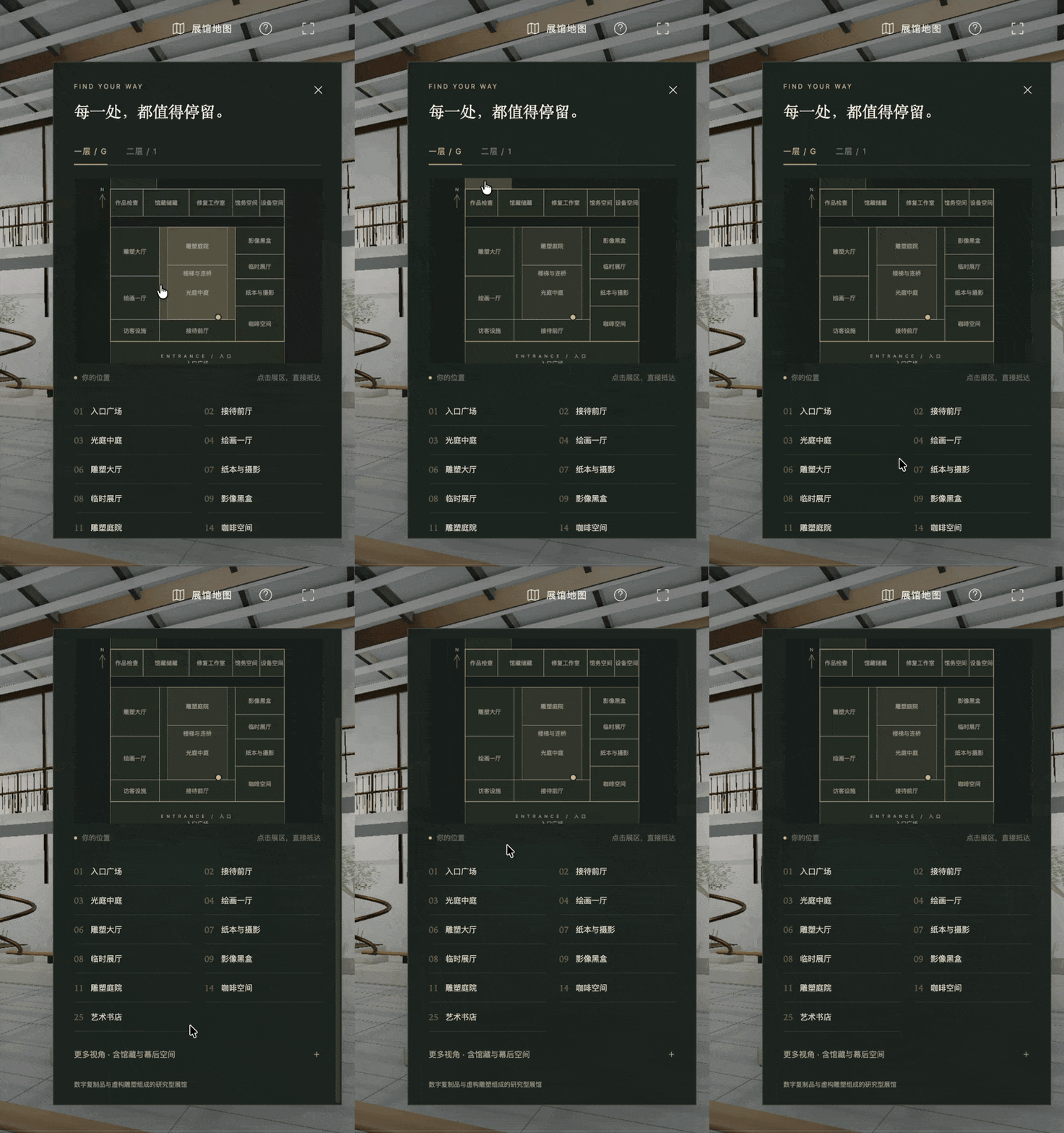
All content inside has rendered lighting effects. Viewing the overall rendered effect this way is more convenient than in Blender. There are 20+ exhibition halls.
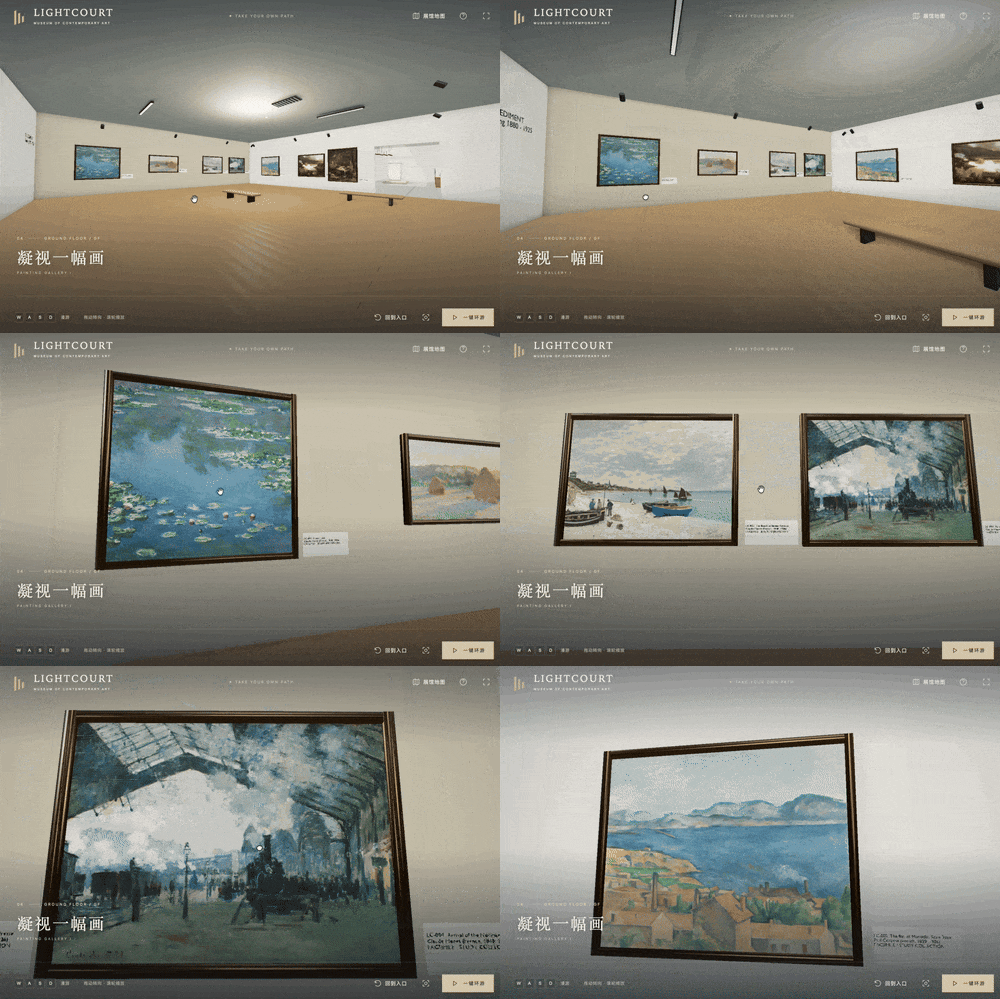
One notable hall is the "Gazing at a Painting" gallery.
It contains some real painting images that I uploaded and had it embed into the space. Each image has a proper frame, and you can use WASD to interact and zoom in.
Case 3 — From Sketch to Website
Recently, a creative web developer from Poland named Tomasz Szmajda made an interesting open-source GitHub project.
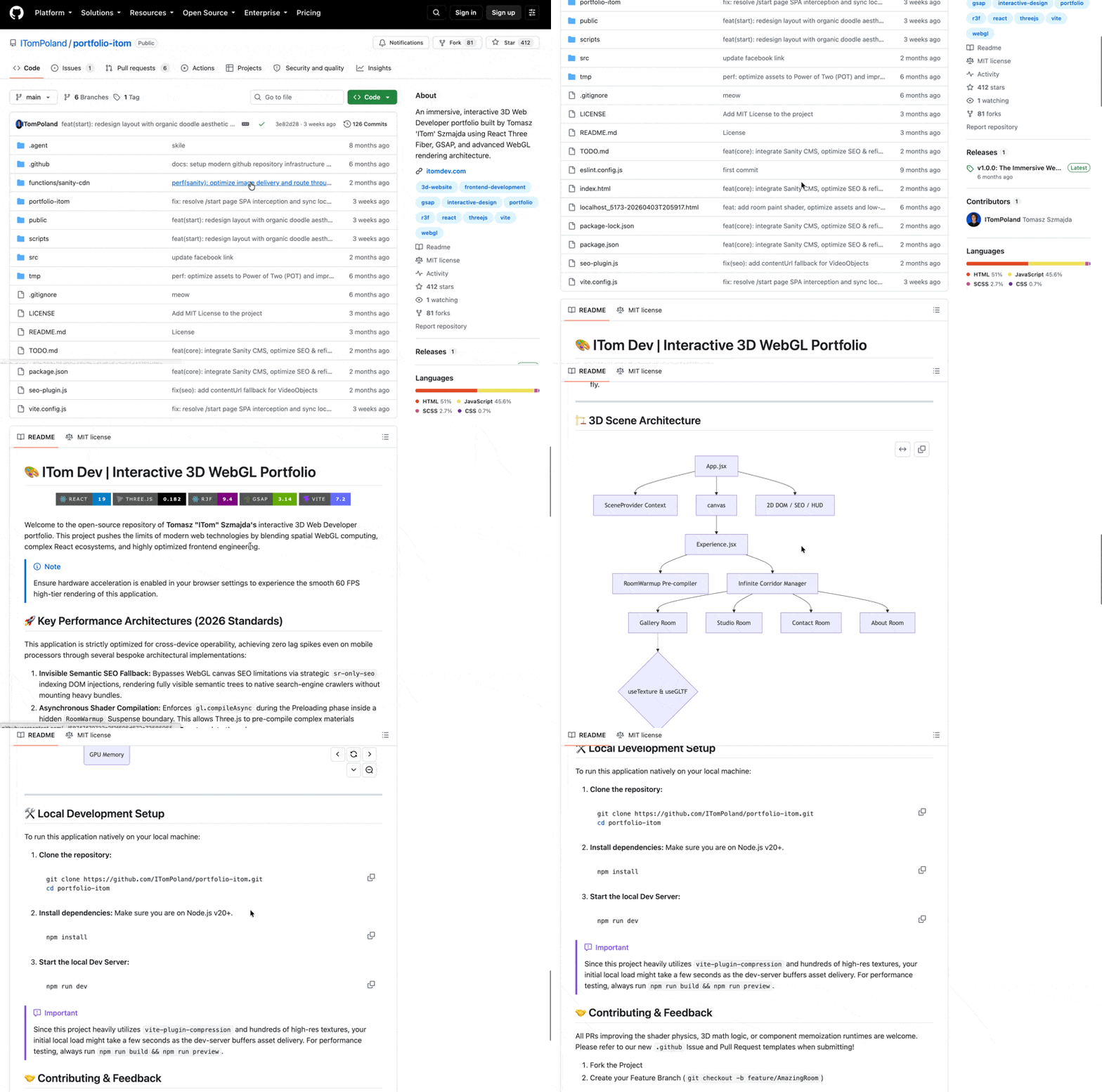
This project uses AI-generated textures, plus simple geometric perspective and camera movement, to create a hand-drawn website with real depth. No Blender was used at any point; all hand-drawn assets were AI-generated.
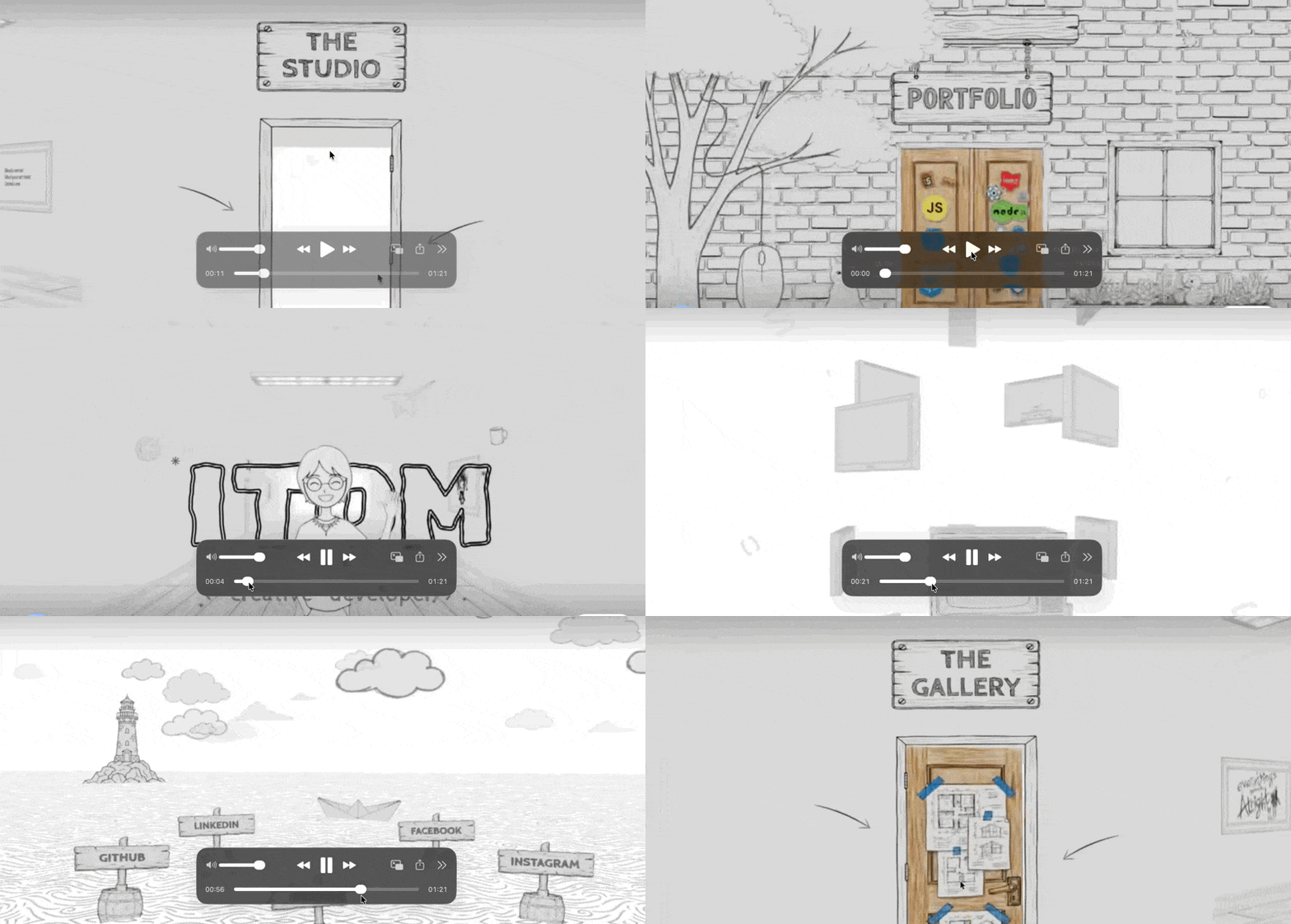
This sketch-to-website project also gained considerable traction.
So I had Space Bunny try it in OpenCode. I uploaded the complete video and a prompt, with a strict requirement that it not use any code from the open-source project, though it could use the project's textures.
The specific prompt:

Space Bunny quickly queried the entire project, then read the video content frame by frame, carefully analyzing all elements in the video, summarizing everything, then rapidly coding.
The first version came out in roughly 3–5 minutes.
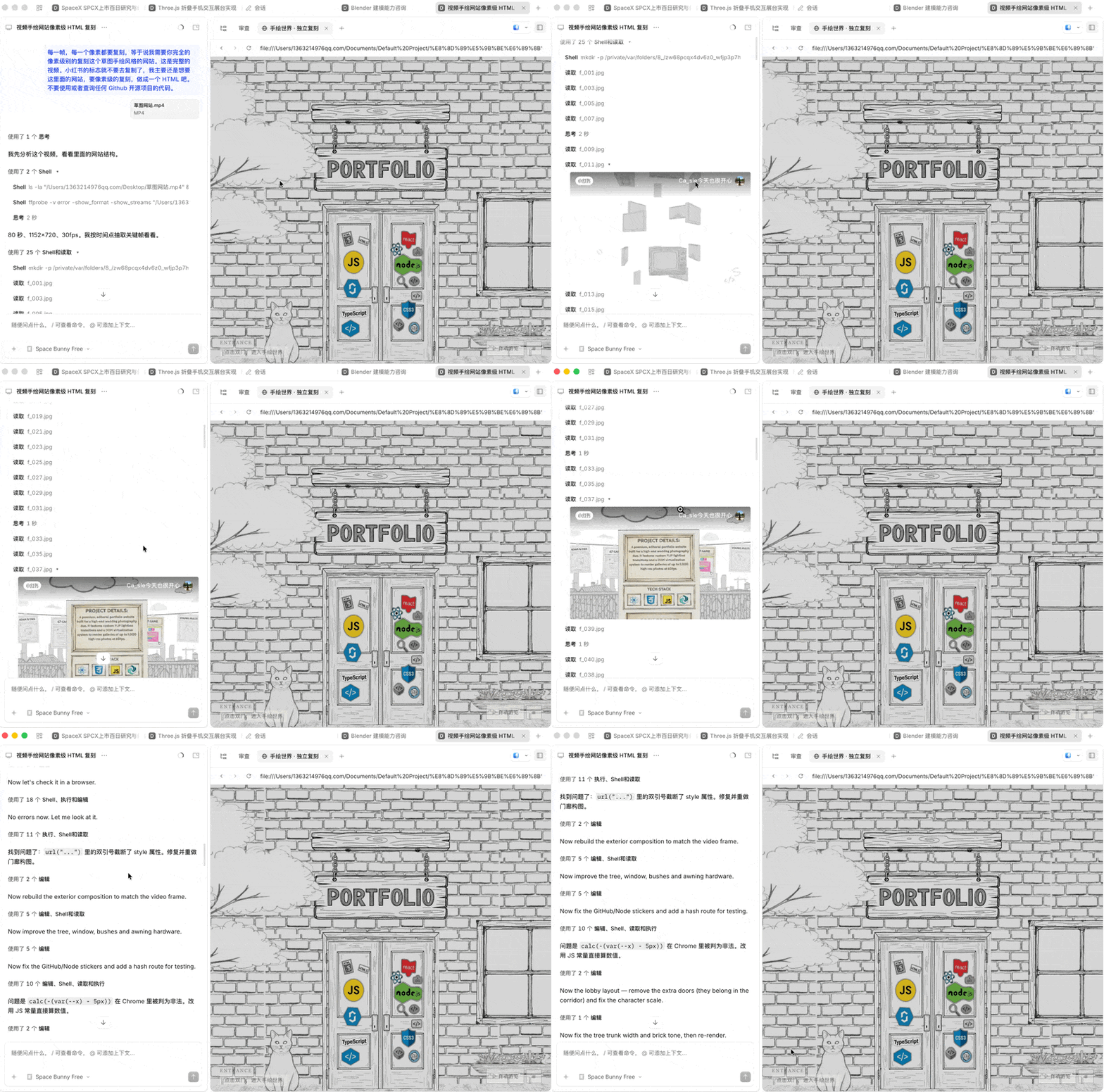
After that I iterated another five or six rounds, and the final result was quite complete.
You can tell that its multimodal capabilities, especially reading a video and fully replicating a hand-drawn style, are fairly strong. For example, the placement of stickers on doors and where hand-drawn textures are added are both appropriate. All transition effects are fairly polished too.
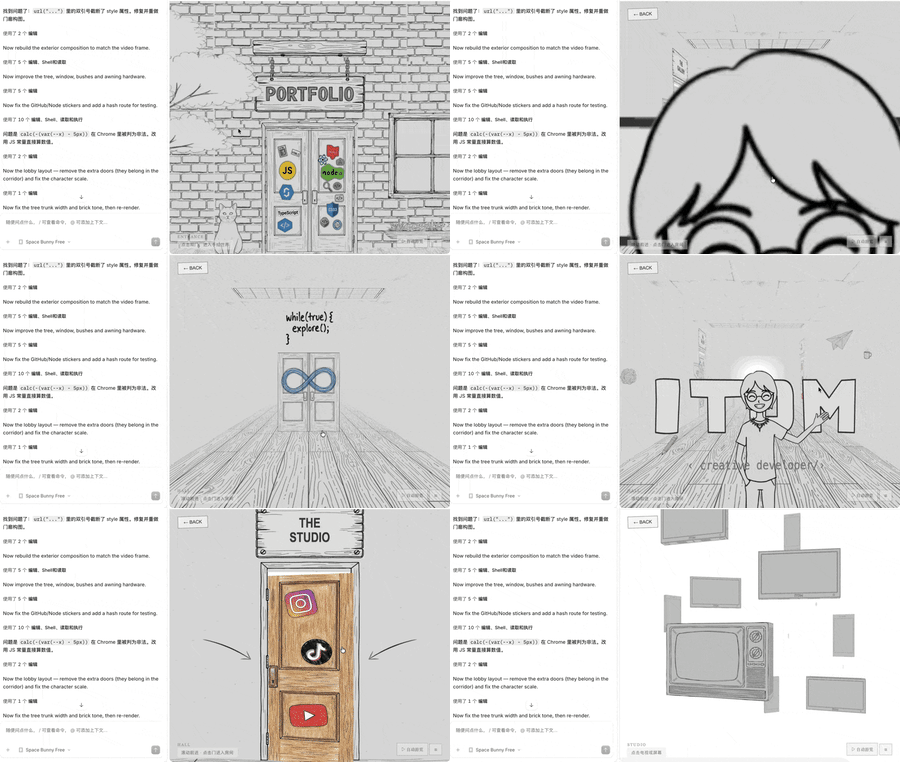
There were issues, of course.
Many video frames were replicated quite completely, but on some camera transitions and frames with dynamic changes, Space Bunny still replicated them as static.
For example, below is the original video content: after pushing open a door, there are hand-drawn style computers dynamically spiraling, with interaction only after clicking.
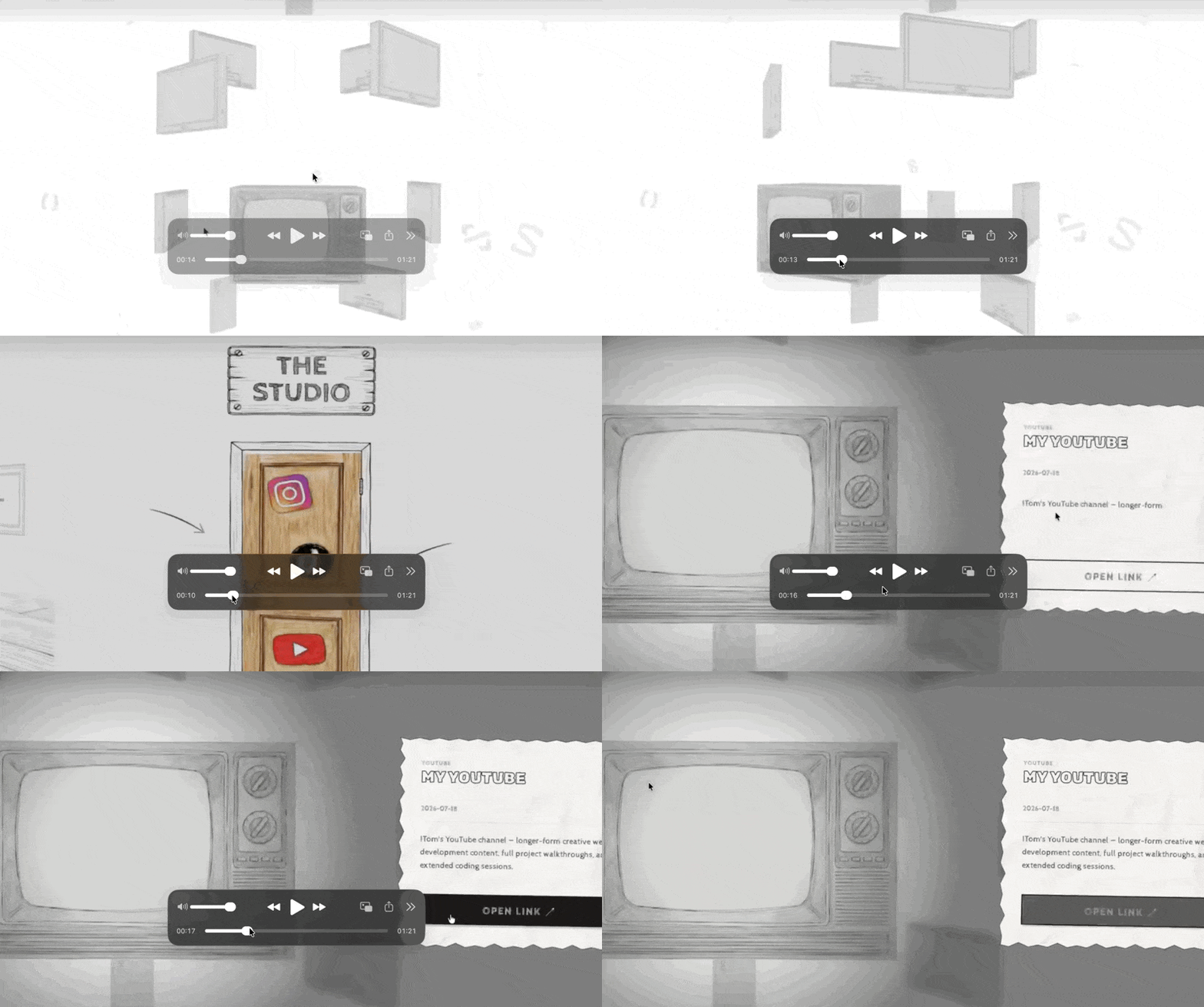
In Space Bunny's replication, the door, hallway, and computers as static content are copied quite completely, but you can see these computers lack the spiraling dynamic interaction.
When it came to Link functionality, some interactions still needed more iteration.
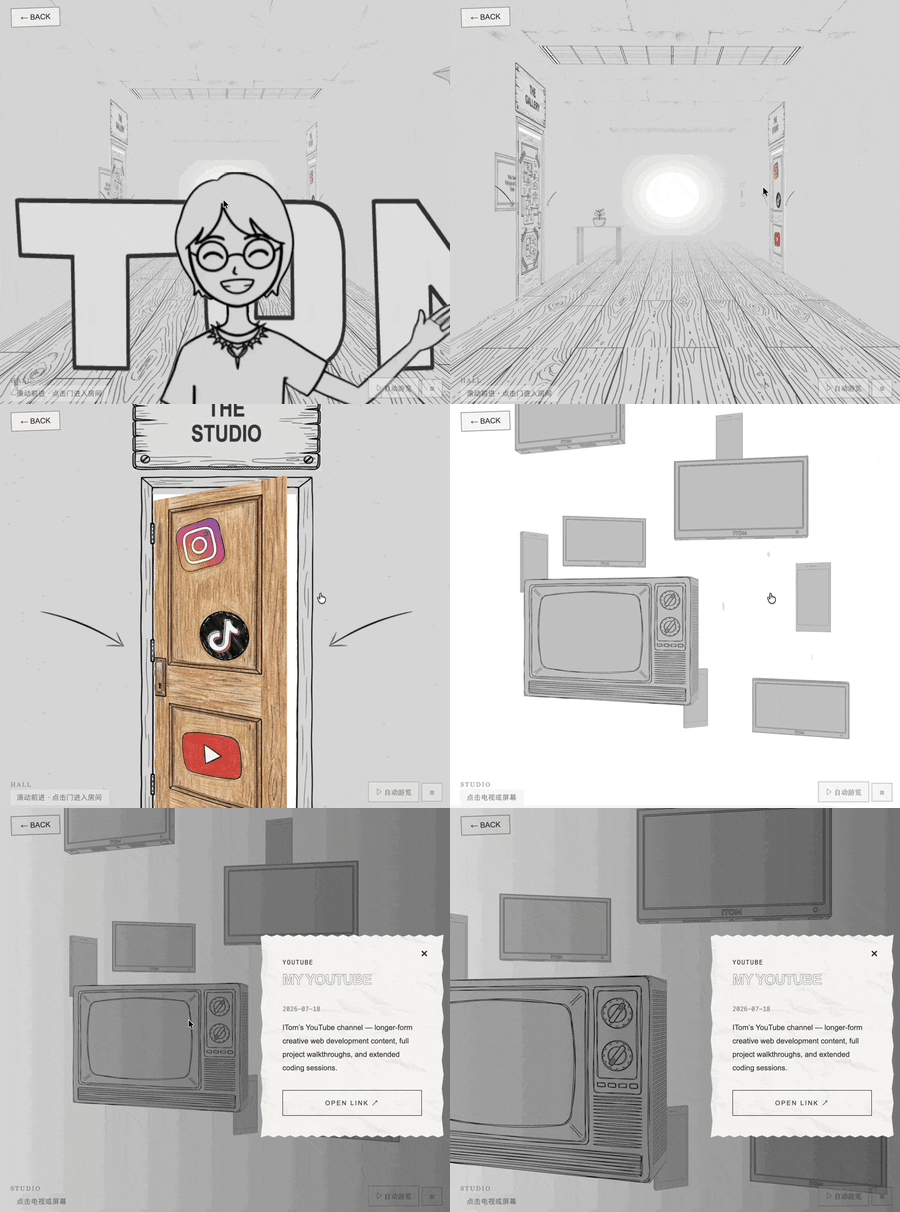
These 5 rounds of iteration took me roughly 15–30 minutes. The overall iteration experience was decent, because the speed was fast and multimodal comprehension was good.
Overall, from sketch video to website, the result was fairly complete.
Case 4 — Finance: SpaceX 100-Day Post-IPO Research Model + HTML + Excel + Simulation
Beyond the first three cases where coding and visual capabilities stood out, we also found in testing that Space Bunny performs decently in financial scenarios.
This year marks 100 days since SpaceX's IPO, which remains a closely watched offering.
So I had Space Bunny dispatch numerous sub-agents to conduct a 100-day post-IPO research project on SpaceX, based on all relevant professional information available online. It built financial models, a dynamic interactive HTML dashboard, some Excel files and related simulations, ultimately delivering a complete buy-side industry analysis.
Condensed prompt:
**You are a buy-side technology industry analyst at an institution running a long-short fund focused on US tech equities. The investment committee will discuss whether to initiate a position in SpaceX (NASDAQ:SPCX) next week, and you need to independently complete a full set of research materials for this task. The final objectives are threefold. First, calculate a traceable, auditable sum-of-the-parts valuation range for SPCX's fair value per share. Second, turn the valuation logic and key assumptions into an interactive web dashboard where committee members who don't understand modeling can drag assumptions and observe how conclusions change. Third, based on the above, produce a research report, a one-page investment memo, and a bear-case memo for the committee's decision. You may use web search, webpage reading, file I/O, and code execution tools. Please proceed through the five phases outlined in this document in order, logging progress in the execution log after completing each phase before moving to the next.**
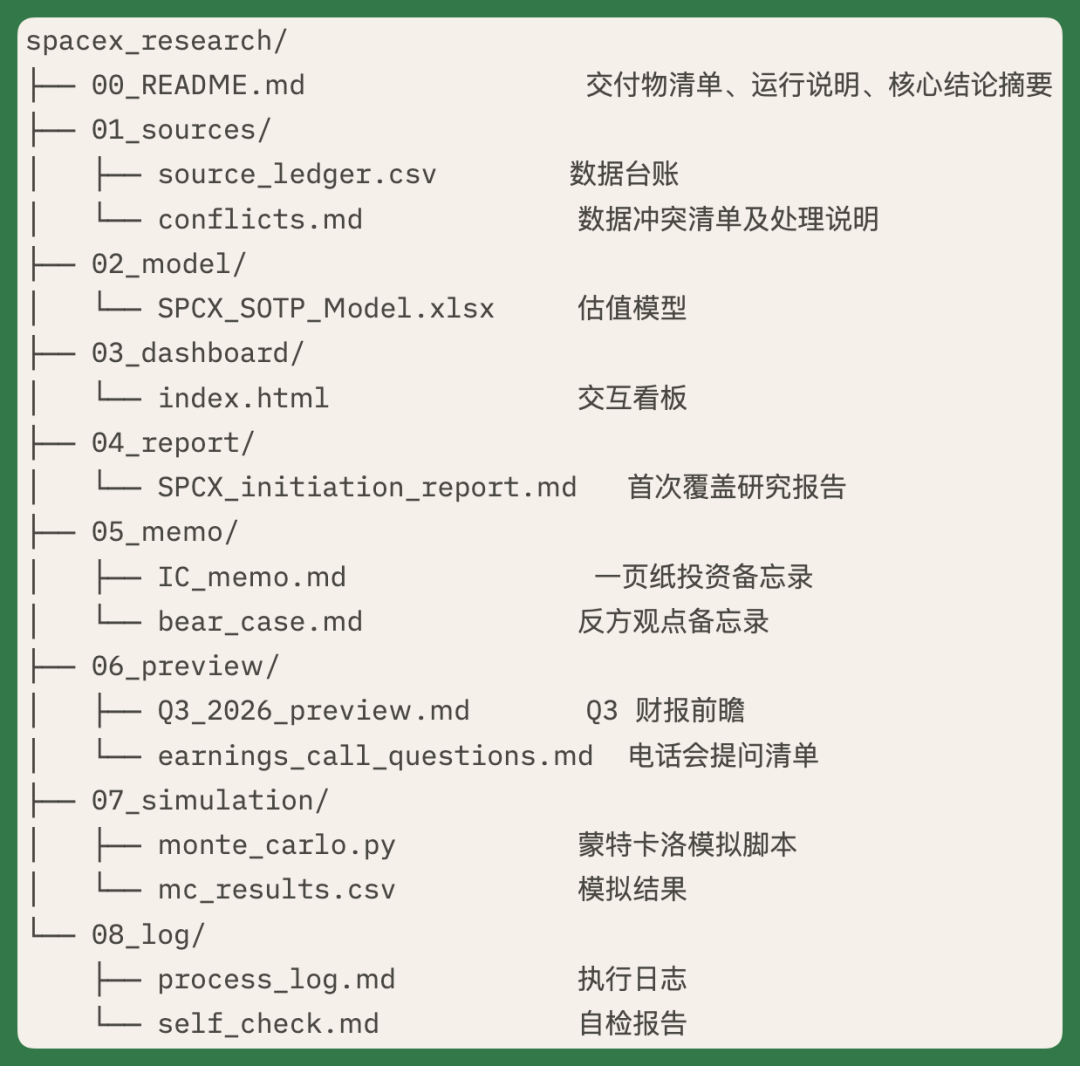
For this SpaceX research project, I had it produce numerous deliverables: data ledgers, valuation models, interactive dashboards, research reports, investment memos, earnings call question lists, and simulation scripts, among others.
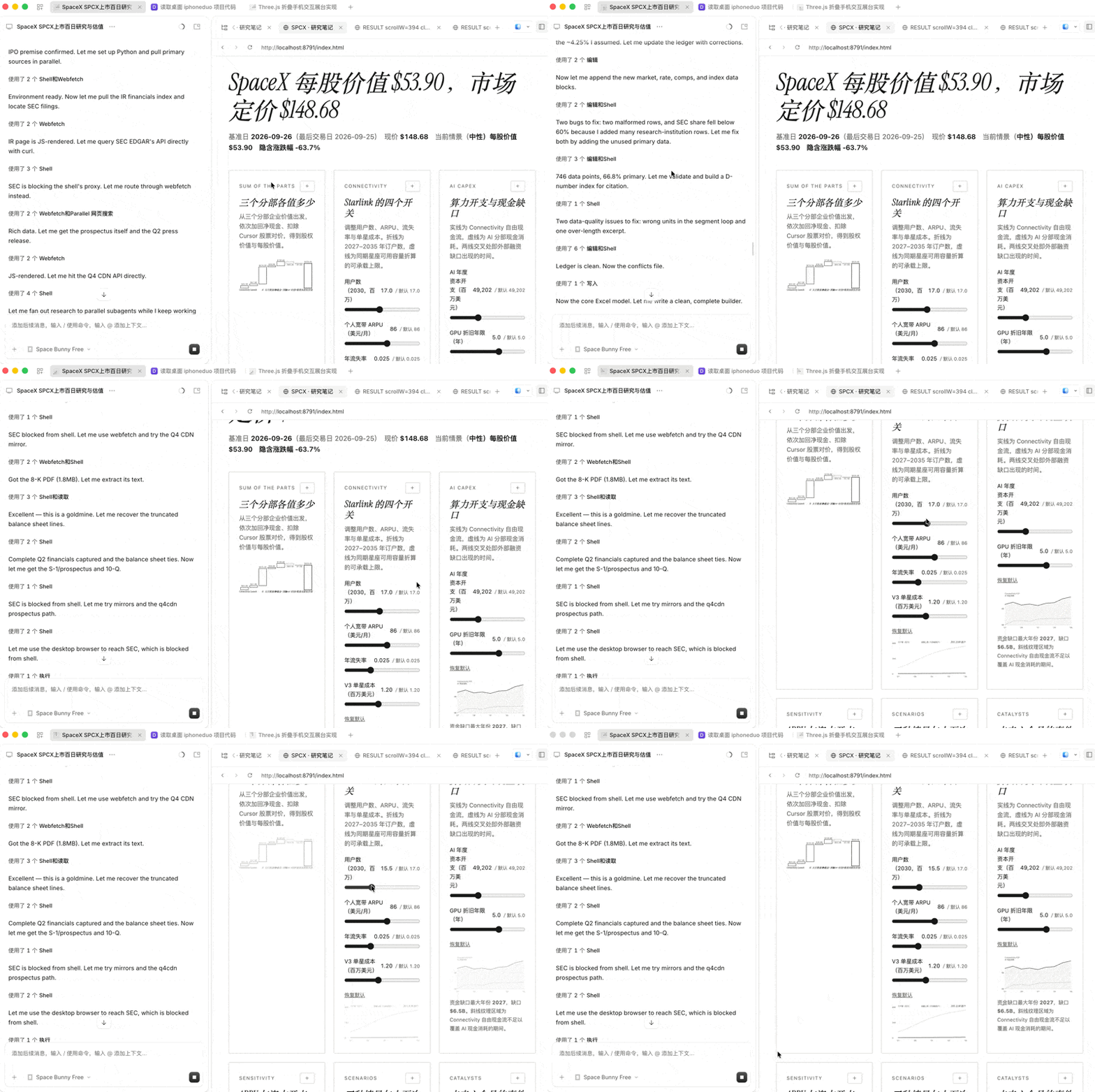
Space Bunny dispatches multiple sub-agents for parallel research, then writes Python scripts itself based on all results to run related simulation tests.
The entire task produced roughly a thousand data ledger entries, dozens of valuation model tables, plus the interactive dashboard shown below.
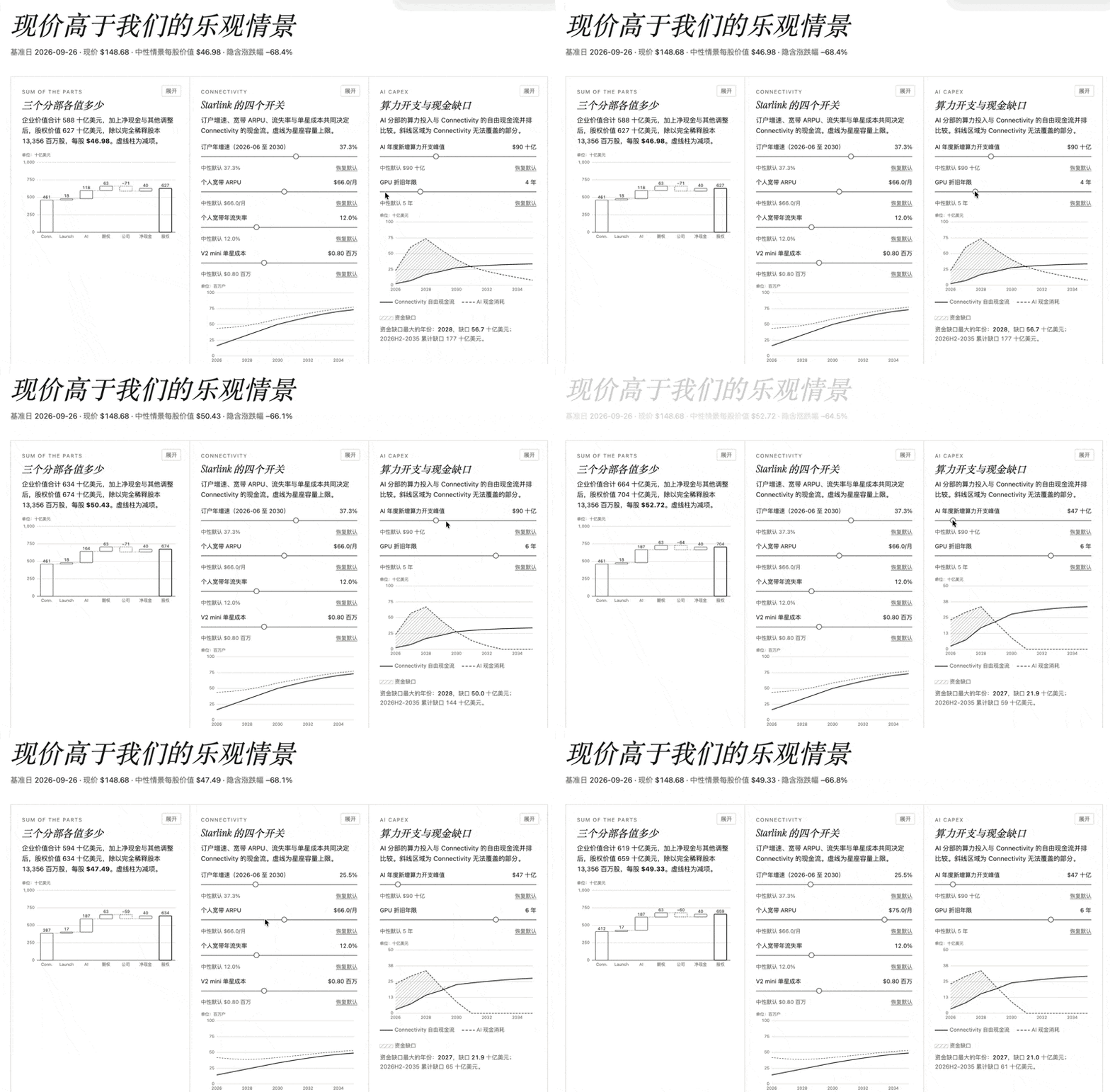
In this interactive dashboard, we can adjust sliders to more intuitively see simulation effects.
For example, in "Compute Spend & Cash Gap," you can directly adjust spend peak or GPU depreciation years to see how the model changes.
The entire project was completed in five phases. Each phase had several parallel sub-agents conducting research, covering IPOs, share capital, financials, market data, comparable companies, and many other aspects.
At one point it found a website inaccessible, so instead of using SEC filings, it switched to prospectus tables and original financial reports hosted on the company's official website, extracting data item by item, ultimately accumulating 1,286 data ledger entries.
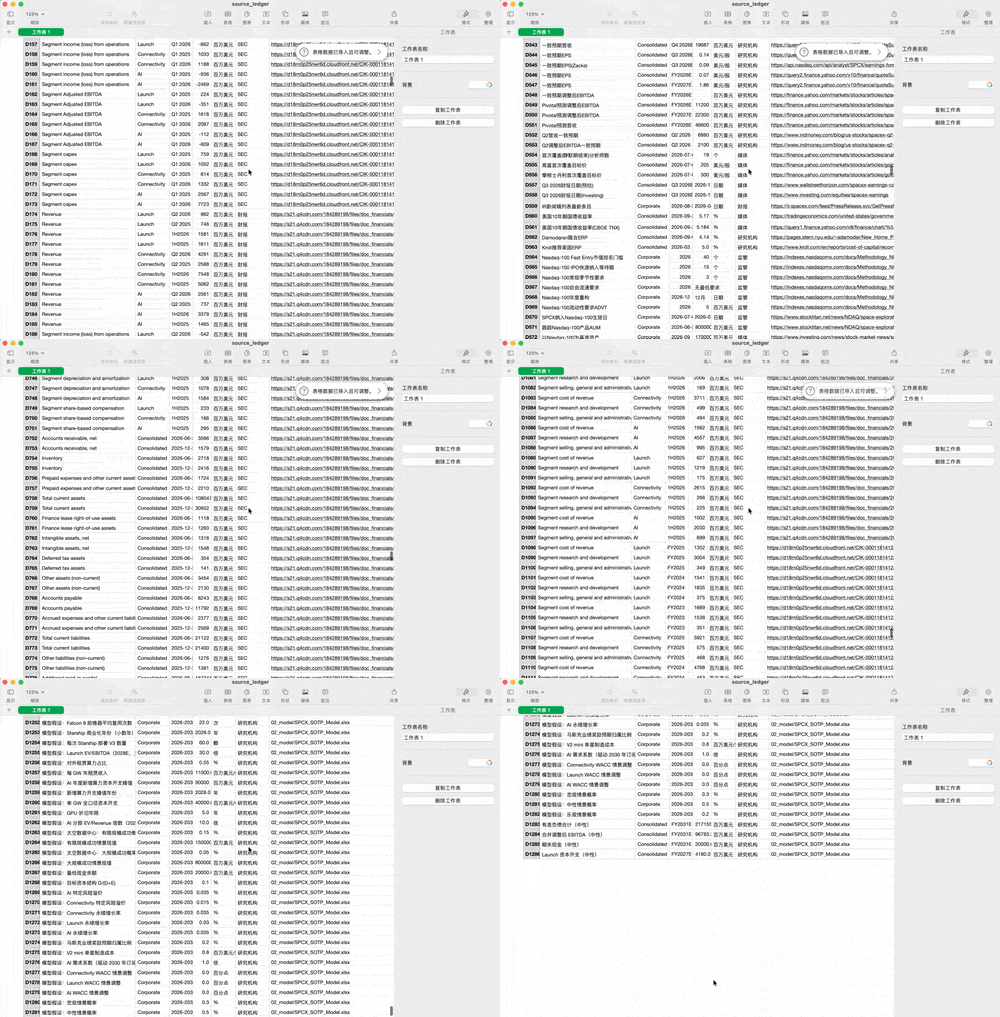
In these data ledgers, Space Bunny additionally verifies sources — for example, primary sources account for 61% of the 1,286 entries. It also has a more complete verification process, including correcting two pieces of erroneous background information during verification, effectively performing multi-party financial comparisons.
It also wrote a complete modeling engine.
The same model definition simultaneously generates Excel formulas, Python calculations, and web-side calculations, so all three are fully consistent in methodology.
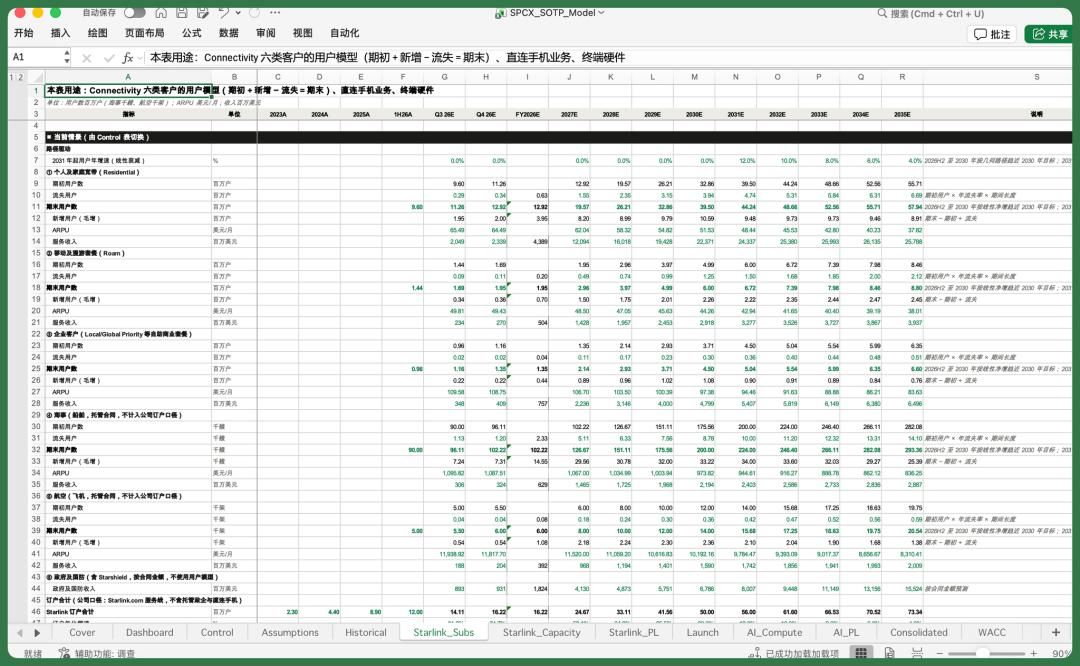
This Excel modeling workbook contains 18 sheets in total.
After recalculation through LibreOffice, Space Bunny found no error values. It also did a cell-by-cell comparison with Python, with fully consistent results.
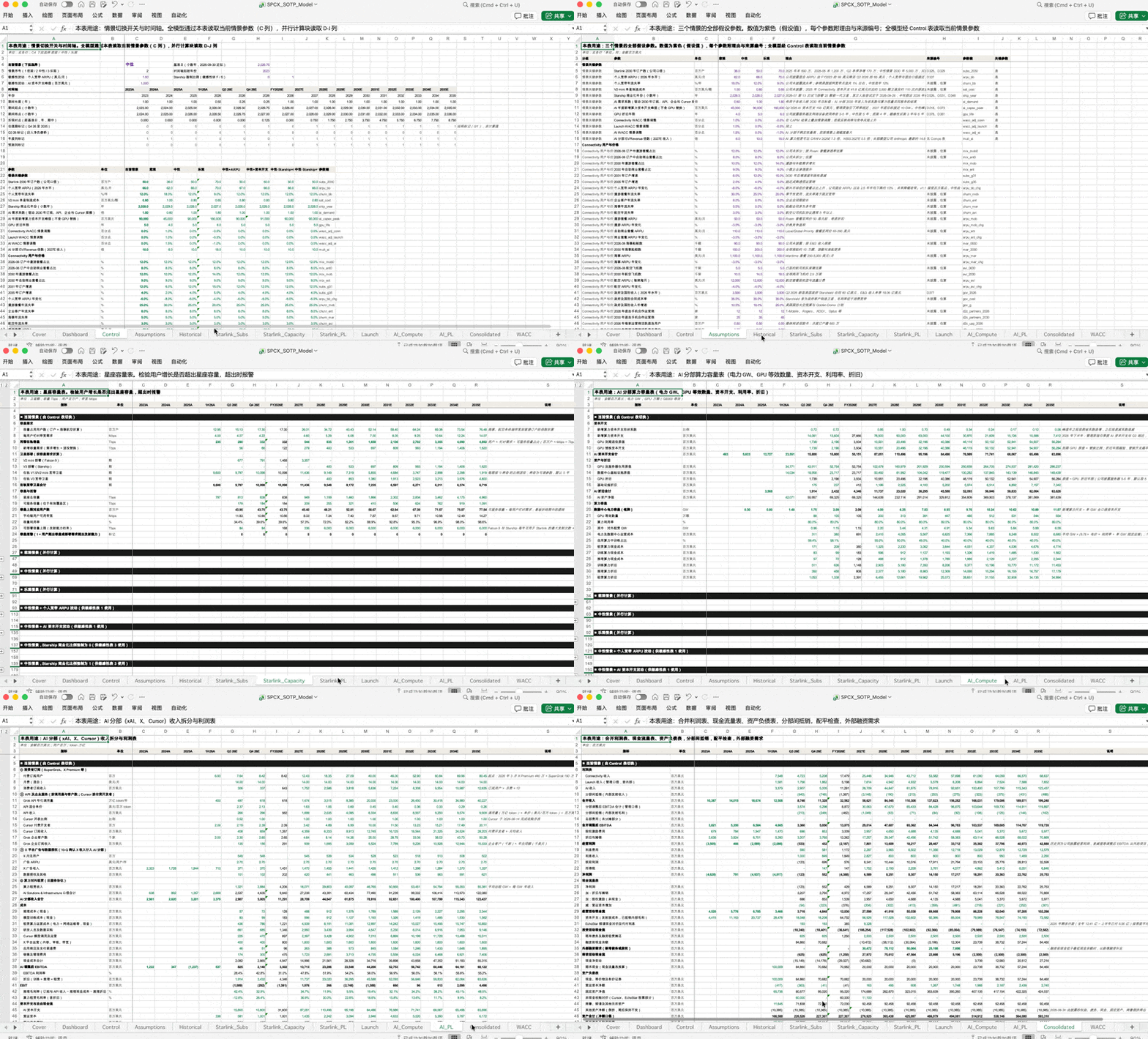
In this model, it ran Monte Carlo simulations with 10,000 iterations per scenario, with fixed random seeds so results are fully reproducible.
In the final delivery and self-check phase, based on all the above information, it completed the HTML interactive dashboard shown earlier, plus delivered roughly a 9,200-word research report, investment memo, bear memo, Q3 outlook, and even an earnings call question list.
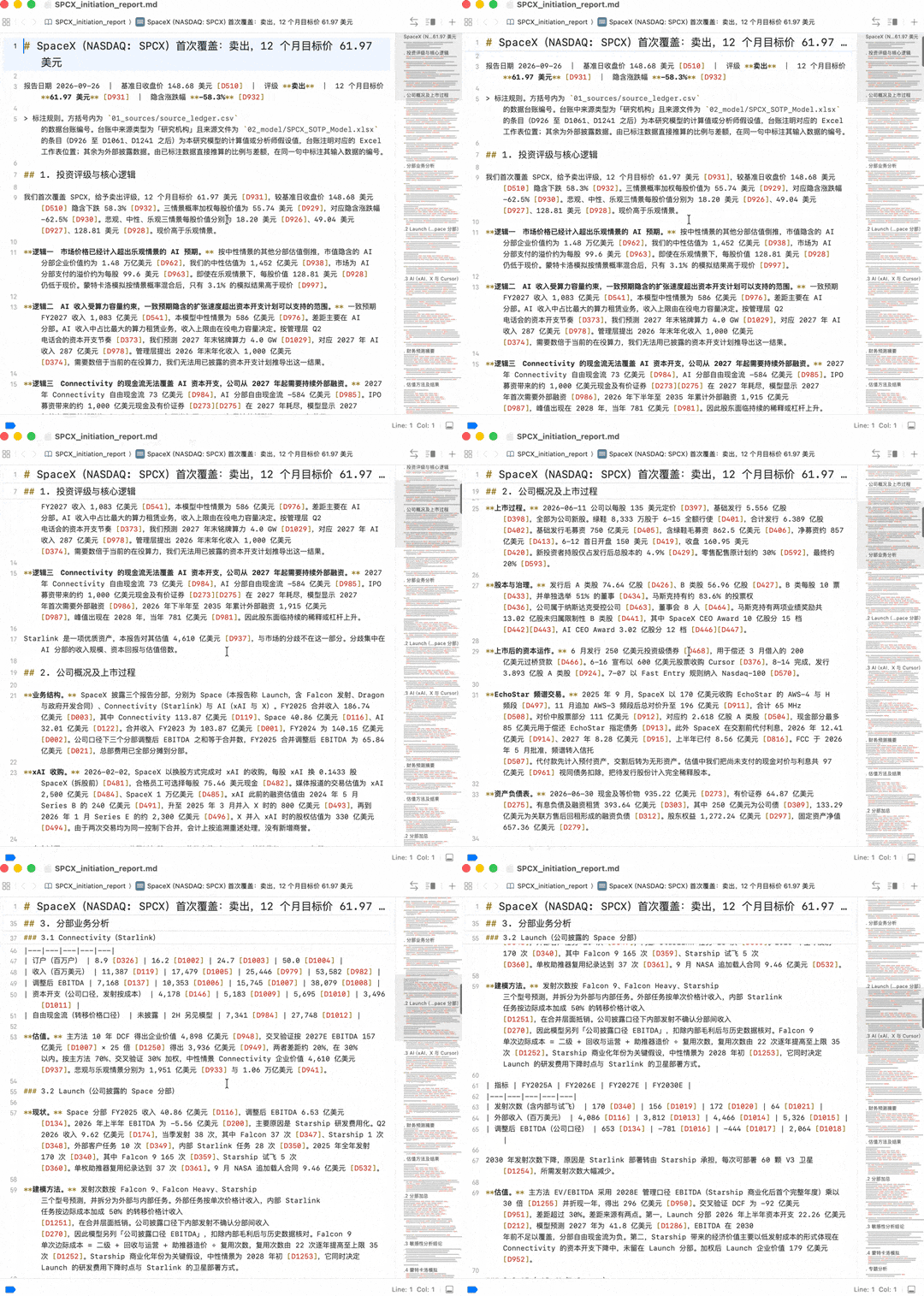
Notably, Space Bunny actively performs multi-round self-checks on these deliverables.
For example, when it found two arguments in the bear memo held up, it went back to modify model parameters, then used its written scripts to recheck the self-check list, with all 12 items ultimately passing.
So you can see that Space Bunny's capabilities in financial scenarios are fairly complete, with awareness of multi-round self-checking. During modeling, it verifies through relevant information across multiple rounds, then uses this verified data to iteratively correct the model.
Overall, Space Bunny's model capabilities are fairly balanced, without any particularly obvious weak spots. From the subjective feel of actual use, it's better categorized as a Flash-tier model.
Space Bunny's most standout characteristic is speed. Especially in coding scenarios, the wait time between generation, modification, and continued iteration is short, making it well-suited for rapid coding and continuous iteration.
This actually aligns well with a clear trend in model development this year —
Rather than blindly pursuing higher intelligence ceilings, more and more vendors are shifting focus to speed, cost, and accessibility. Because for scenarios like coding and agents that require continuous model calls, fast enough response, low enough cost, and sustained iteration capability are crucial.
So from this perspective, the capabilities Space Bunny demonstrates are quite representative.
Join the membership group