So This Is What It Feels Like to Have a Personal AI?

Documenting "A Week in the Life of a Creator and Their AI Assistant."
Documenting "A Week Living With an AI Assistant."

👦🏻 Author: GaKi
🥷 Editor: Koji
🧑🎨 Layout: NCon

In the 1964 Marvel comics, Jarvis began as the Stark family's elderly butler; it wasn't until the 2008 Iron Man film that he was reimagined as the AI we all know.

But in the prequel comics' subtext, Tony named the system after his deceased butler.
So the name Jarvis itself preserves the emotional weight of the original "butler" role. It serves Tony, understands his habits, appears proactively when needed, and integrates deeply into his life, work, and emotions.
That's why, year after year, whenever anyone brings up "Personal AI," Jarvis almost always gets pulled back into the conversation. The core of this Jarvis-like experience boils down to roughly three things:
Memory, Proactivity, and an intuitive GUI. In September this year, a product called Today AI officially launched for users in China, positioning itself precisely as a "Personal AI assistant."
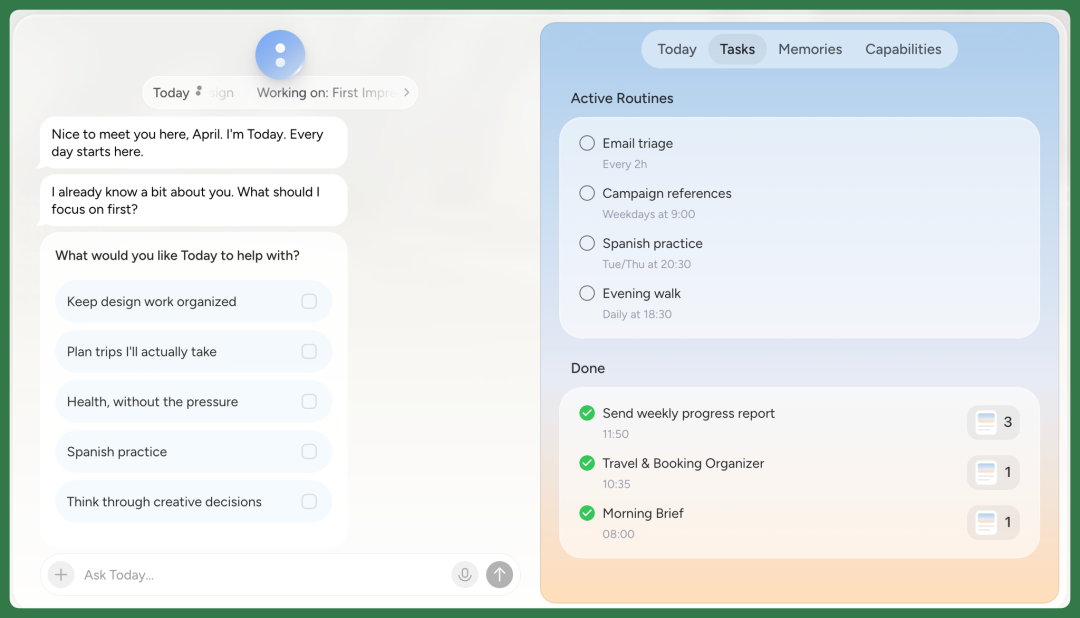
Today AI learns your preferences, goals, and plans over time, then delivers more thoughtful, preference-based Proactive interactions in subsequent conversations and tasks — letting AI actively participate in daily life.
So, if an AI startup were to actually build a Jarvis for ordinary people today, what should it look like?
🚥
The Crossing team got early access to Today AI's beta and has been using it for a while.
Next, we'll start from "a week living with an AI assistant" and see what such a "personal AI assistant" can actually help us do.
A Week Living With an AI Assistant
Today AI is a personal assistant built around the Personal AI Agent concept, currently available on macOS, Windows, Linux, and iOS. For the rest of this piece, we'll focus on the macOS experience.
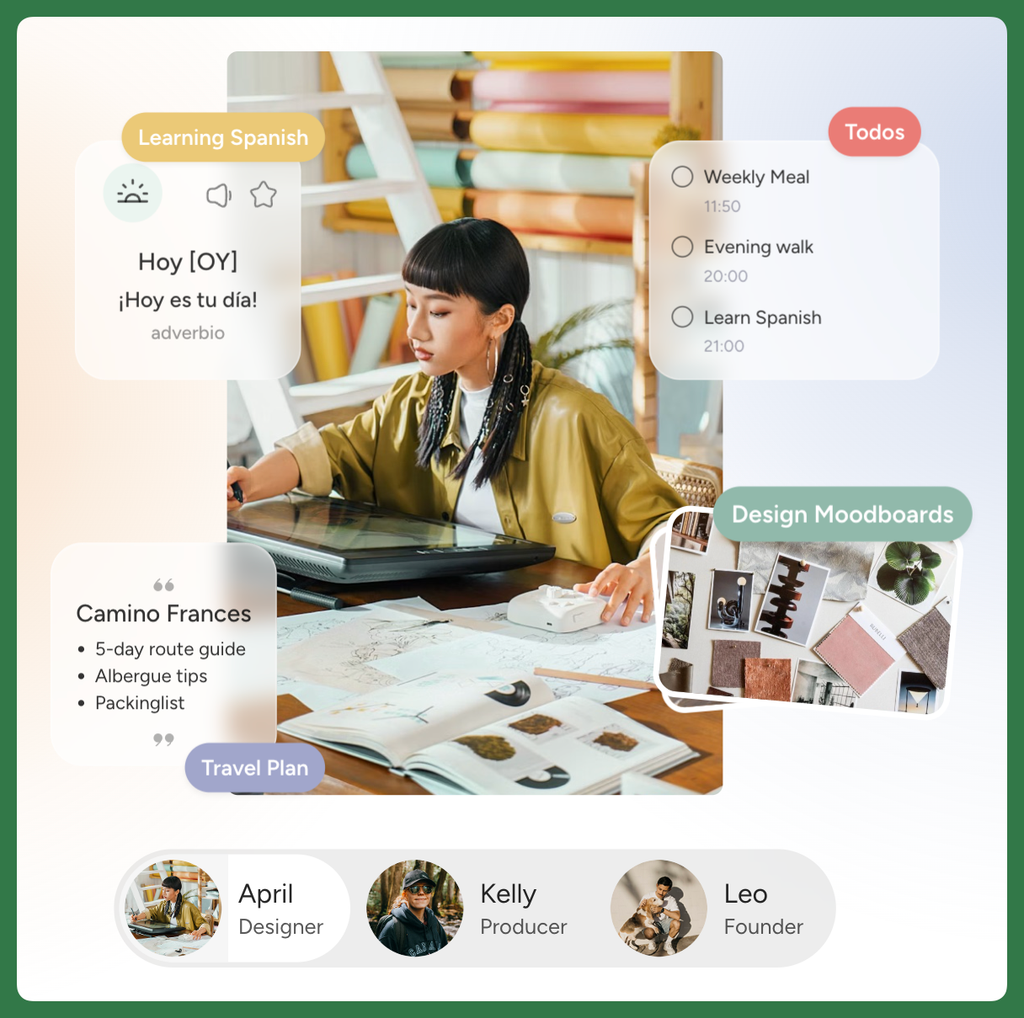
After deep, sustained use, it does cover a wide range of what a personal assistant can handle. The core interaction is that it continuously accumulates understanding of me through conversation, then uses that understanding to Proactively drive everything that follows.
I named this Personal AI assistant Jarvis.
My "living with it" experience falls into two main categories: pushing forward and looking back.
Pushing forward means advancing work and life; looking back means helping me review work and life.
Viewed through these two threads, the overall product experience becomes much clearer.
Today AI is designed around two workflow paths. One is an intuitive graphical interface where users trigger actions themselves. The other — and more important — is Proactive "pushing forward" of work and life.
Let's briefly look at the first.
[1] User-Initiated Triggers
The most immediate thing is that it actively updates briefings based on Memory and daily conversations. These briefings appear as cards on the right side, and their content isn't fixed — they evolve as Memory accumulates.
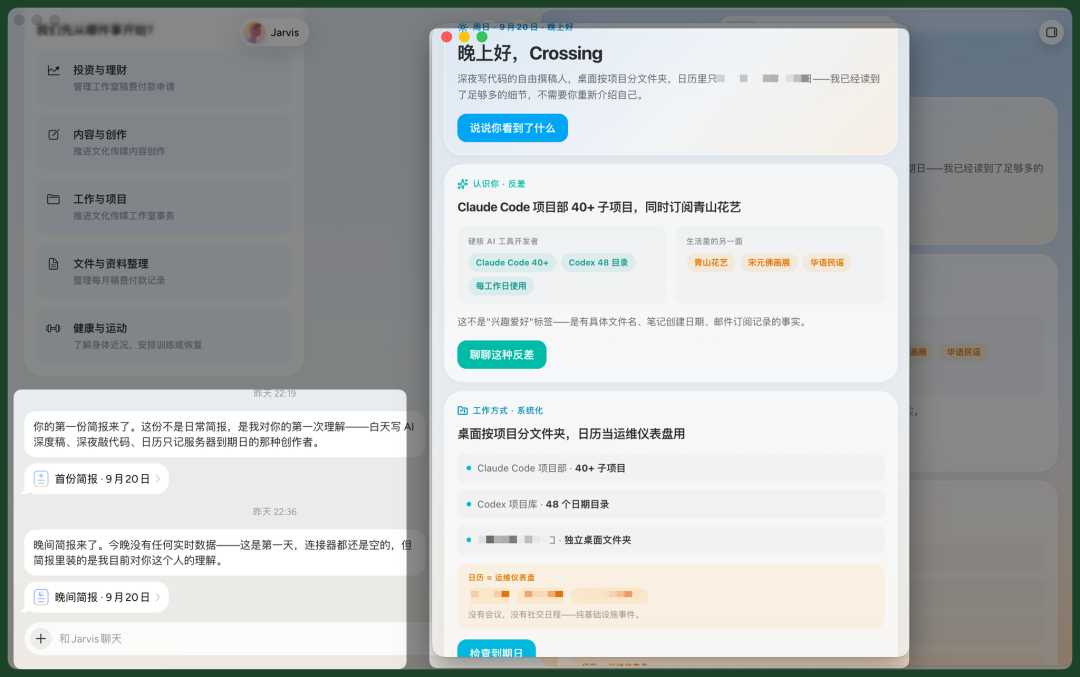
Here's a concrete example. It noticed I mainly do four types of things: writing articles, personal branding, AI vibe coding, and daily creative writing.
So it generates different cards around these four areas. I can click in and ask it to judge which task is most worth prioritizing today.
For instance, based on my work that day, it reminds me I've been using Today AI since day one, then suggests how to advance this article — like outlining the structure first, or adding certain screenshots.
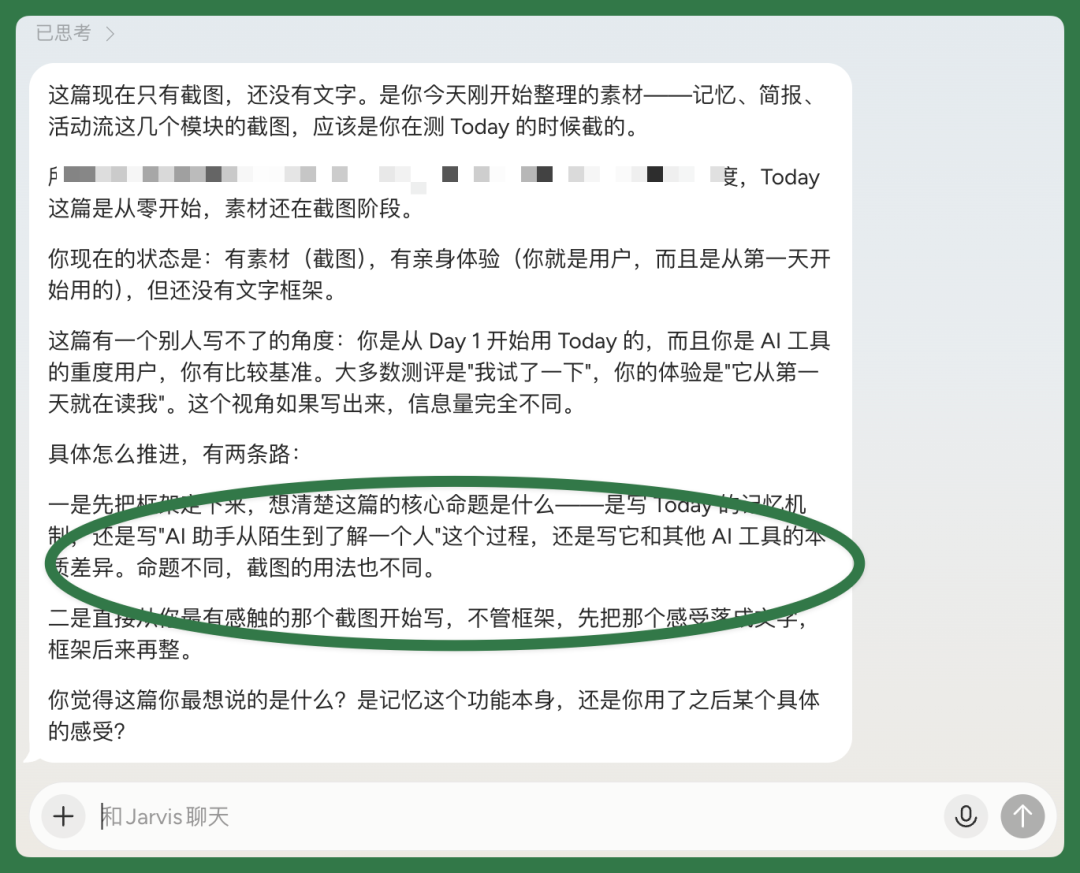
I can keep working with Today AI to figure out how to write this piece.
Drawing on previously remembered writing habits, it suggests putting sci-fi Jarvis and real-world Personal AI side by side, organizing the whole article around the gap between them.

Then I usually schedule writing time in Obsidian and Apple Calendar. Today AI combines my local content with previously remembered information, figures out I'm currently working on two articles, and compiles them into a morning briefing.
It also distinguishes the status of these two articles — one tagged "at risk of dragging on," the other "at risk of being forgotten" — so I can see at a glance what needs attention next.
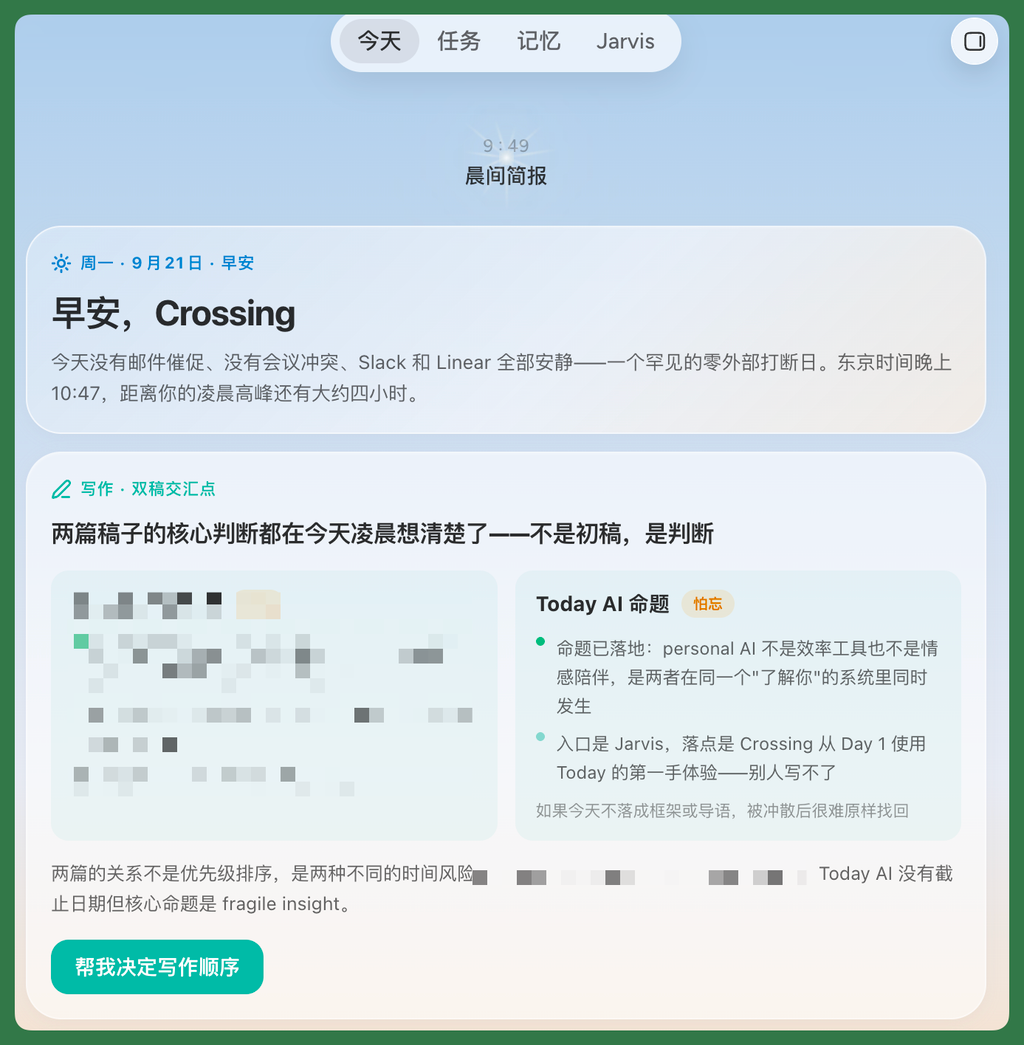
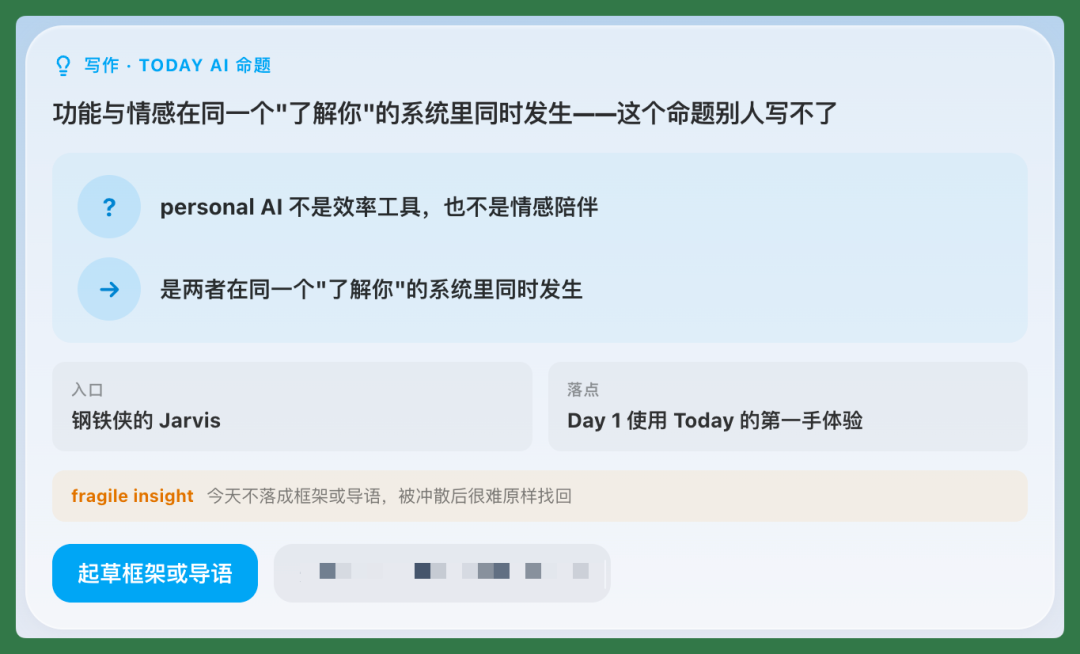
As our conversations accumulate, Jarvis gradually learns that when I write, I typically care about both product features and emotional expression.
After organizing all this, it generates another new card. I can click right in and ask it to help me draft the full article outline.
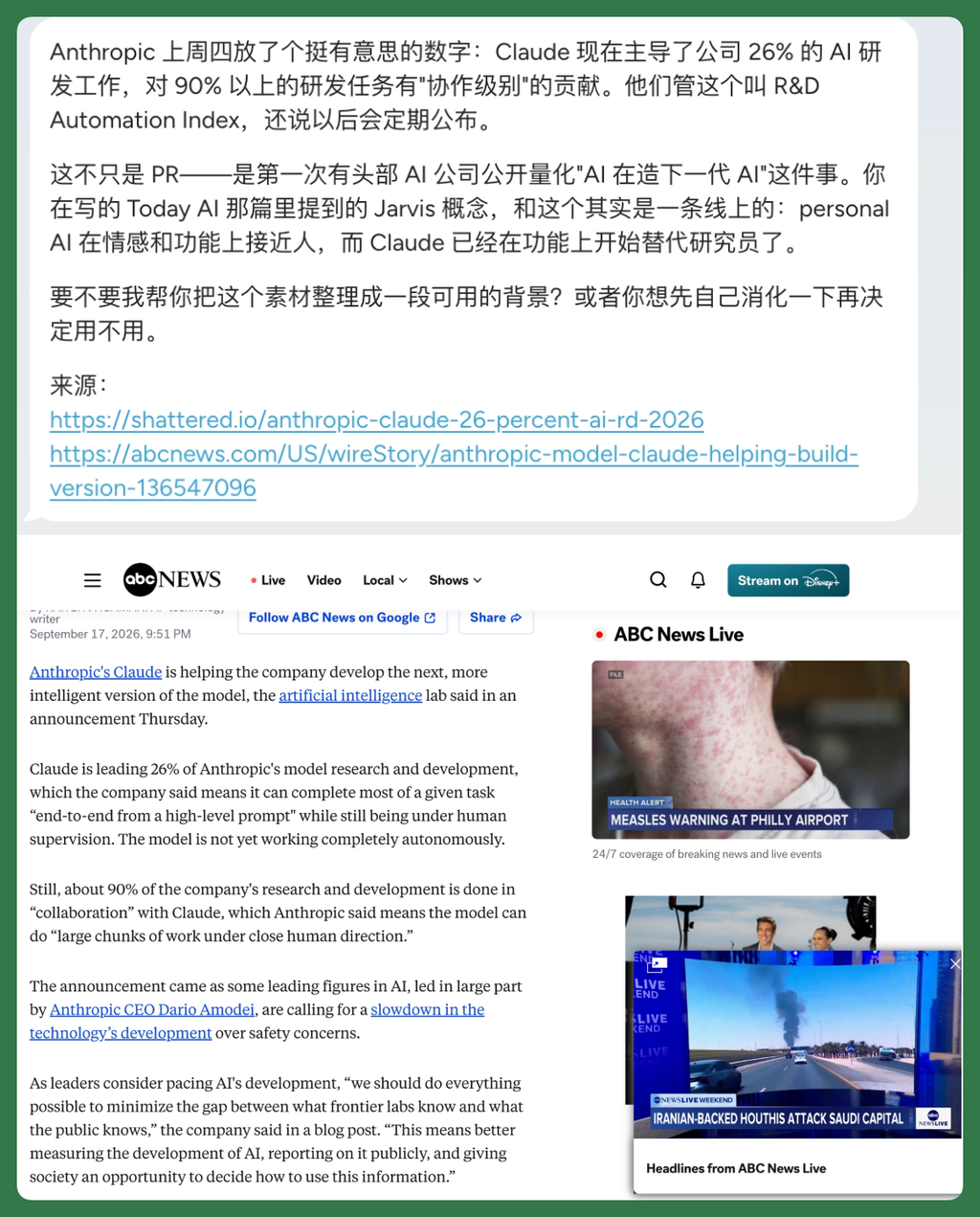
It also proactively pushes latest industry news from time to time, helping me accumulate daily writing material — which was a nice surprise.
For example, Anthropic mentioned last Thursday that Claude is now involved in 26% of the company's AI R&D work. Jarvis judged this as aligned with my usual interests and pushed it to me, with sources attached to the card.
Beyond cards in the chat window, it also intermittently pushes noteworthy industry information in the right sidebar, pre-filtering out less important content to make material accumulation easier.
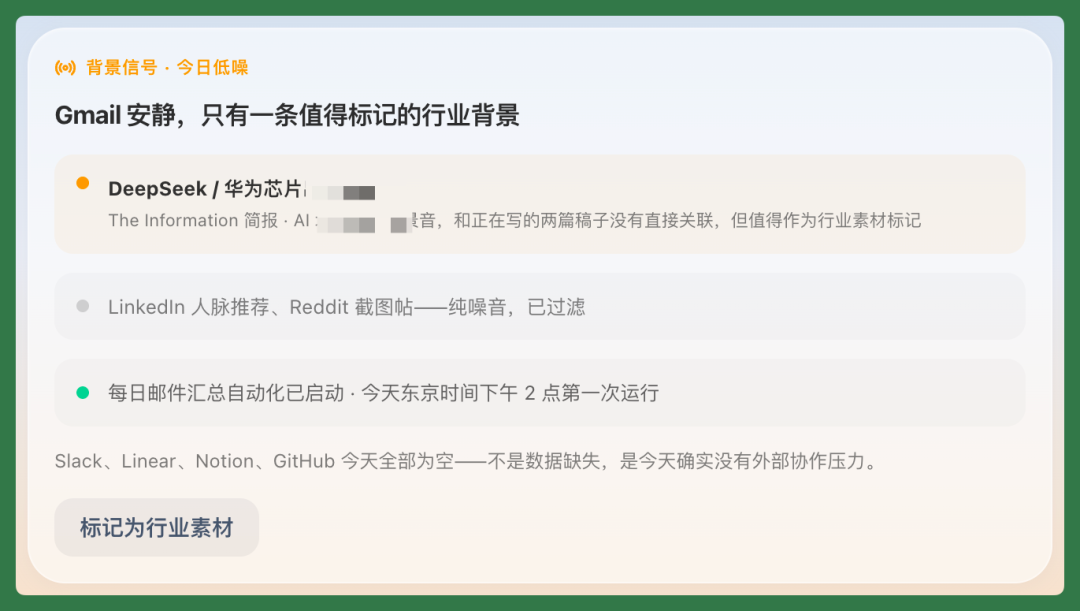
If I find pushed industry information valuable, I can click "Mark as industry material." It then does deep organization of all marked content, and the results get stored back into memory.
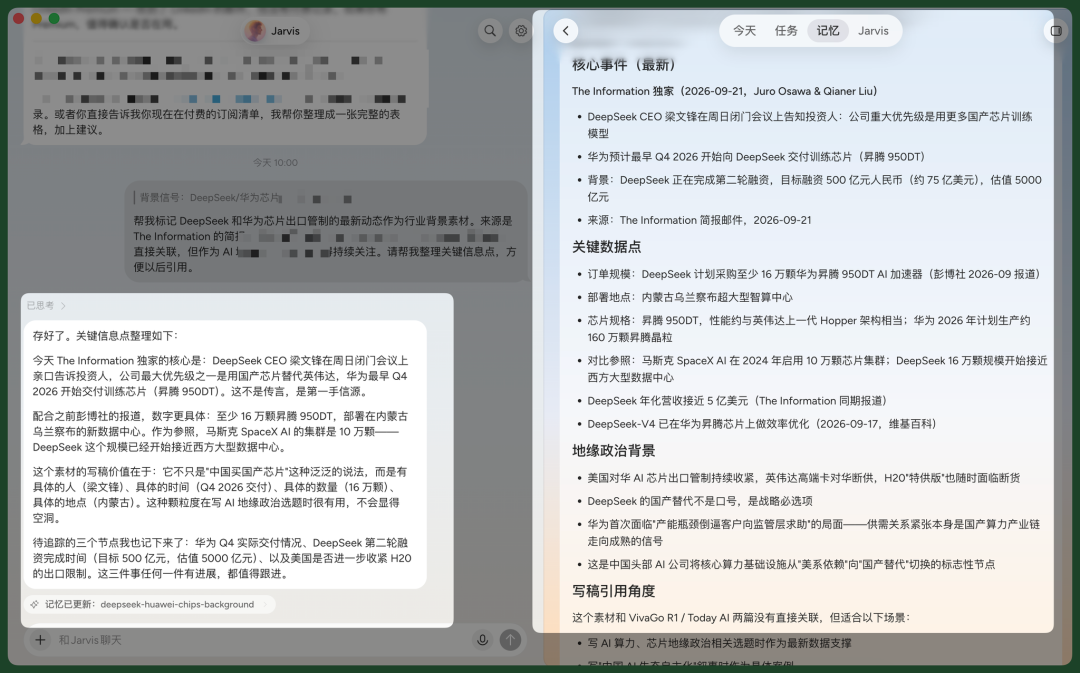
The case below lets you more directly feel Today AI's ability to proactively push work forward.
[2] AI Takes the Initiative — A Highly Proactive Interview Case
Proactively Spotting Story Signals
Jarvis pushes information to me at different times throughout the day — morning briefings, evening briefings. More importantly, this content isn't a fixed template; it's judged in combination with what I'm currently doing.
For example, I've been working on a piece about US-China AI relations. When Jarvis pushed my morning briefing, it happened to mention a relevant event, then directly reminded me that now was a good window to work on this article.
There are many similar proactive pushes. Jarvis continuously combines my schedule, ongoing tasks, and recent topics of interest to actively deliver relevant industry information.
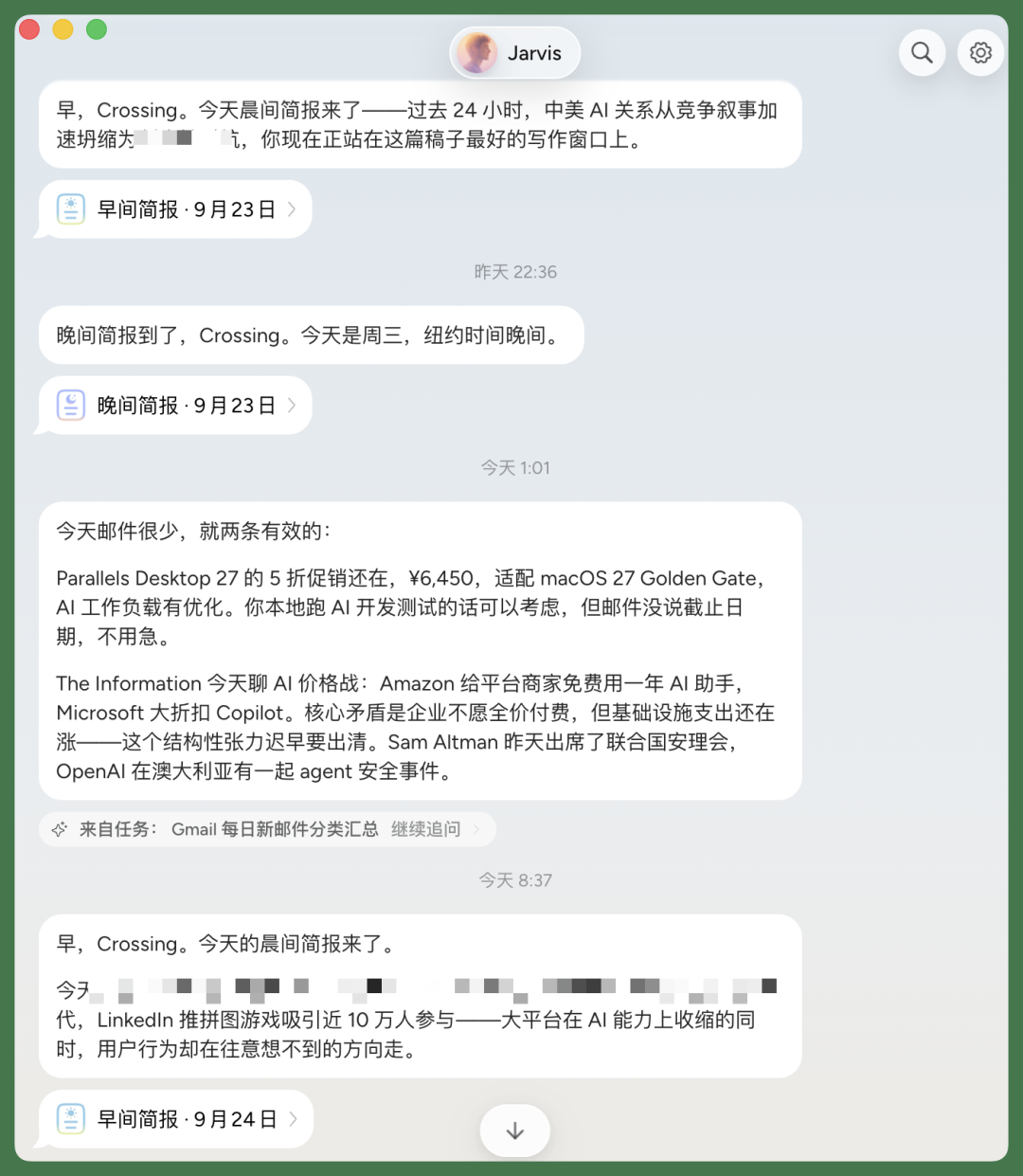
A more striking example: Jarvis once pushed an evening briefing that specifically singled out several notable AI safety signals from that day.
One was related to a tool I use daily; another happened to cut directly into an article I was writing at the time. Two completely different directions, but both connected to things I had in progress.
So what Jarvis does isn't just organizing industry information. It first knows what I still have unfinished, then maps that day's new information against those incomplete items.
This way, an evening briefing simultaneously helps me reprioritize the day's tasks. Which information is most relevant to current work, which things are worth pushing forward first — Jarvis actively surfaces these connections for me.
Secondly, Jarvis also proactively organizes my Gmail inbox, finding truly noteworthy information inside.
Things like subscription renewals, unusual emails, or recent changes to a project. Jarvis filters these out and pushes them to me proactively, without me having to dig through emails one by one.
Because Jarvis continuously pushes large amounts of information to me, mostly in briefing format, it doesn't feel heavy at all. Instead, it's easy to spot new story signals from within.
For instance, once I saw a piece about "Luma AI CEO on World Models Limitations." Luma AI itself is an AI video company, but it's been moving toward World Models — a clear industry trend right now.
Seeing this, I immediately thought of our previous OiiOii hands-on review. So a new story naturally emerged: could we interview an AI video Agent company like OiiOii, see if they're working on anything World Models-related, and get their take on this direction?
So these briefings, for me, aren't just about getting industry information. They continuously trigger new stories, reconnecting scattered information with content we've done before.
After Confirmation, Proactively Querying Past Materials
Once I confirm this angle, I can send it directly to Jarvis. For example:
If I'm going to interview OiiOii's founder Naonao later, Crossing previously wrote an article about them. I need Jarvis to query that article and do web searches, compiling key information about him and the company, plus the progress and angle from our last coverage. Today AI has the ability to query local apps and context, similar to mainstream Coding Agents. For example, it proactively searches first in my local Obsidian article library for Crossing's coverage of OiiOii.
I asked it to generate an HTML deliverable, and the result was quite detailed.
Looking closely, it combined web search, Xiaoyuzhou podcast content, and my local Obsidian article library, organizing the previous coverage angle from three lines.
Once the overall coverage angle and interview prep are mostly sorted, Jarvis also directly organizes the content in HTML format for a quick scan.
If I confirm this direction works, Jarvis doesn't stop there — it continues asking if I want to further organize complete interview background and an interview outline.
After confirmation, Jarvis goes one step further, continuing to search for relevant materials, filling in company background,人物信息, industry changes, past viewpoints, then compiling it all into more complete interview prep materials.
The whole process barely requires me to break tasks down repeatedly. Jarvis judges what should come next based on my previous confirmation, then proactively pushes the interview prep forward.
Proactively Organizing Interview Background and Outline
For example, after complete materials are organized, Jarvis also proactively compares this content with the previous interview prep.
It judges that the previous version is better for reference, so it's more complete and longer. But if actually brought to the interview site, background materials and outline need to be shorter and tighter, so I can quickly scan and find key points.
So it continues organizing, directly generating an "OiiOii Interview Background and Outline" more suitable for on-site use, compressing the previous mass of information into a few most important backgrounds, judgments, and questions.
Building on the previous HTML version, I can also specify my preferred display format.
For instance, I had Jarvis organize all key items into a ToDo List, where I can check off each item as completed. Compared to the reference version, this one is noticeably leaner and more suitable for actual interview execution.
And these HTML deliverables can all be shared with one click. After sharing, it generates a Today AI link, convenient to send to colleagues or interview subjects.
Proactively Adding to Google Calendar
After all this prep is done, Jarvis continues one step further, actively asking if I want to schedule a day for the interview, and which day would work better.
Once I confirm, it combines my calendar and daily work habits to start finding a more suitable time. For example this time, it places the time after the October National Day holiday, then continues judging based on my existing schedule.
Jarvis knows I have something important on Friday, October 10, so it won't squeeze the interview into that day. It also factors in my usual work rhythm, looking at which day in the second week has relatively fewer commitments and smoother overall pacing, then slots the interview there.
So after comprehensive consideration, Jarvis directly schedules it for another afternoon.
Once I confirm, Jarvis can proactively arrange everything into Google Calendar. It attaches key interview directions and reference Xiaoyuzhou podcast links in the calendar description, so I can review them by opening the calendar before the interview.
This interview case is a very concrete example of how Jarvis proactively pushes my daily work and life forward. These interactions are thoroughly Proactive, all based on its personal understanding of me.
But in actual use, beyond pushing forward, I also need a Personal AI assistant to help me review work and life, so I can grow more.
So let's look below at how Jarvis helps me do retrospectives, through the capabilities described above.
Retrospectives
Writing Retrospectives
In daily use, I chat with Jarvis about lots of content, giving it plenty of context, and it remembers lots of Memory.
For example, it detected a contrast in me: on one hand doing lots of development with Claude, while also subscribing to some literary websites. It found these interests contrasting, and proactively asked me to talk about this topic.
It also worried the framing was too abstract, so it gave me several directionally similar examples.
For instance, it found Tracy Kidder's The Soul of a New Machine. This book is about a technical project, but also covers people's states under high-pressure work.
Jarvis uses examples like this to help me rethink the relationship between work and life, and how to let each side bring something new to the other.
This step was quite illuminating.
Because when actually writing, writers don't just organize product features — they also need to bring in their own feelings and understanding from other domains. Jarvis noticed that many of my previous articles followed the sequence of "product launch → hands-on test → results." To write more authentically, I could switch angles.
For example, it found my previous Vivago video Agent hands-on. At the time I made the "Tiangong Juque" aesthetic case, and Jarvis followed this article to help me retrospect why I wrote it that way then, and how this angle could continue unfolding.
Feature Retrospectives
Beyond specific scenarios like writing, Jarvis also helps me review daily usage patterns.
For example, it finds my Claude, Codex, and other projects from the right sidebar, notices I have multiple subscriptions and some expiring services. I can click directly and have it check all expiration dates for me.
It can also help manage my inbox.
For example, after new emails arrive, relevant content appears in the right sidebar. I can click directly to have Jarvis view email content, then judge whether this email is worth attention.
There's also a task bar on the right, pre-loaded with some common Personal AI assistant functions like weekly review, deadline reminders, file organization, etc.
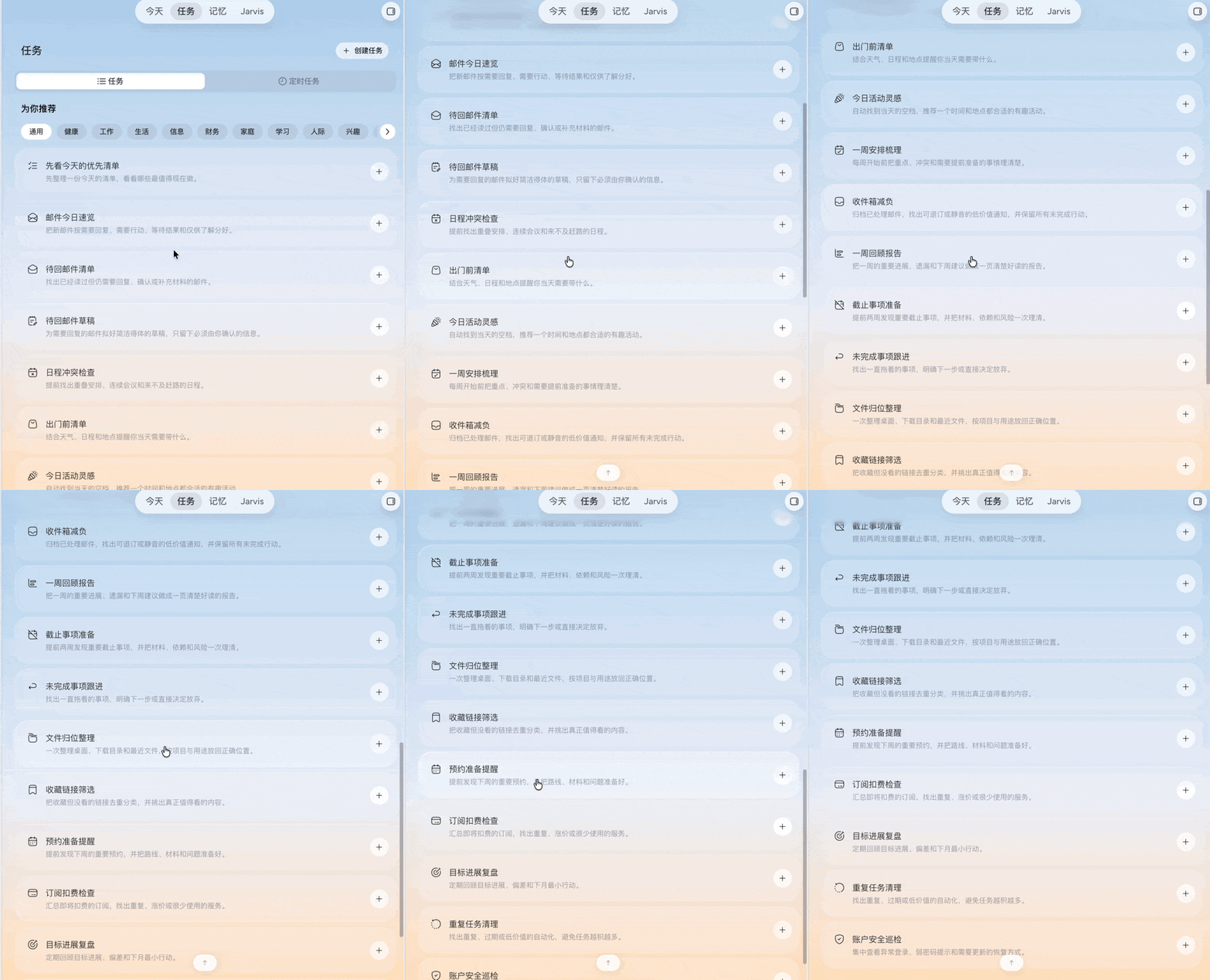
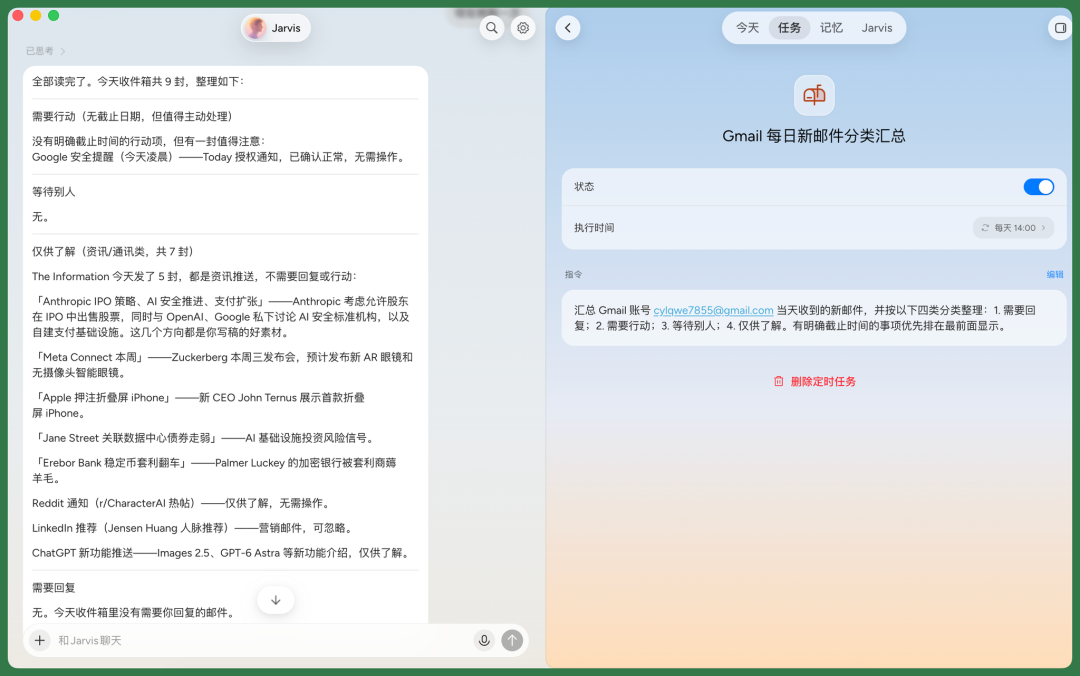
In the task bar, I can directly have Jarvis organize all inbox content.
It queries 9 emails from that day's inbox, including notifications from The Information, Anthropic, Readdit, and other sources, then auto-generates a Gmail daily new email classification summary, and sets it as a scheduled task.
It can also autonomously check my monthly subscriptions and membership plans based on inbox content.
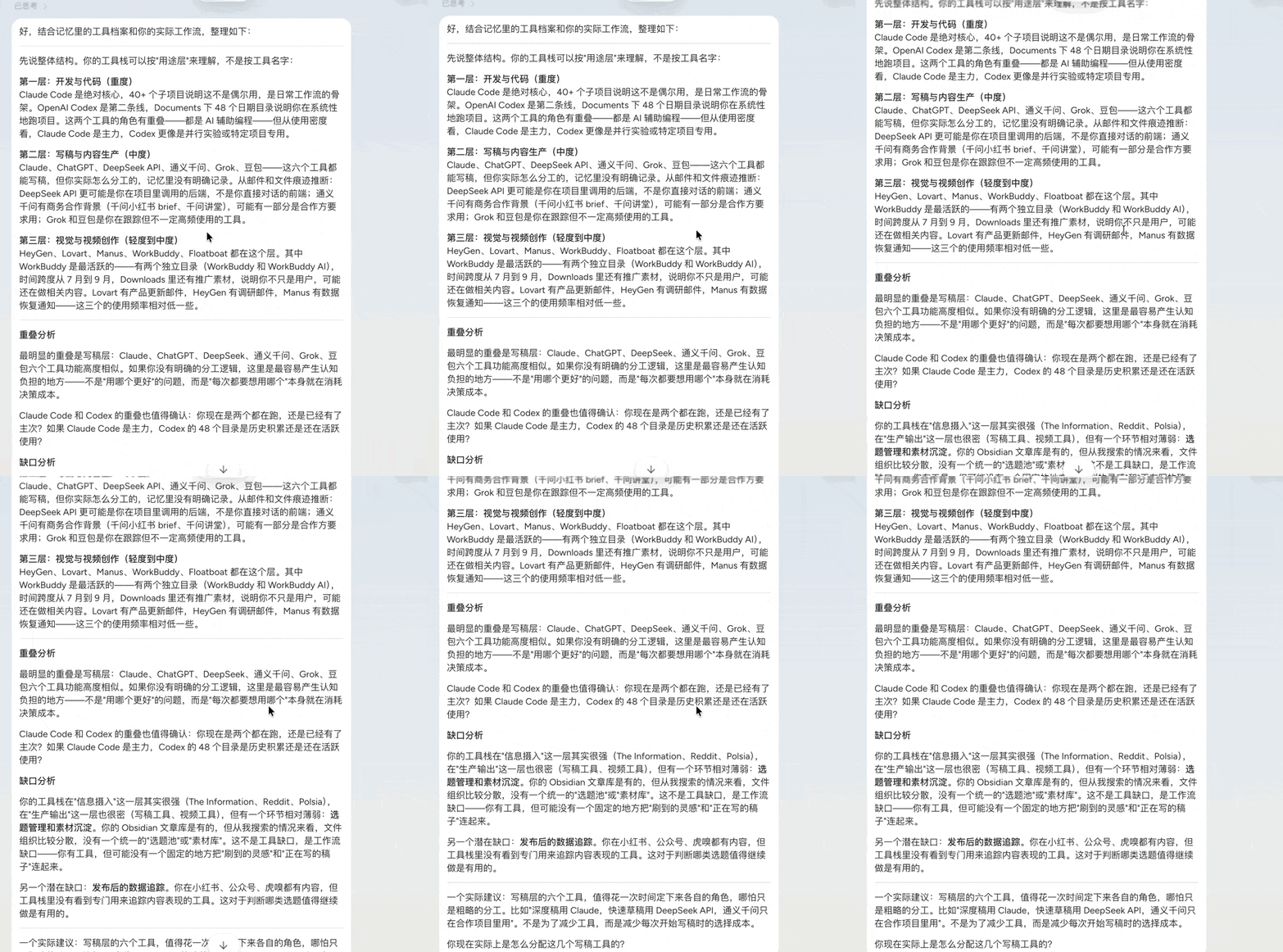
As mentioned earlier, I daily use multiple AI platforms, development tools, and cloud services. Jarvis helps me organize these tools and offers to audit my tool stack.
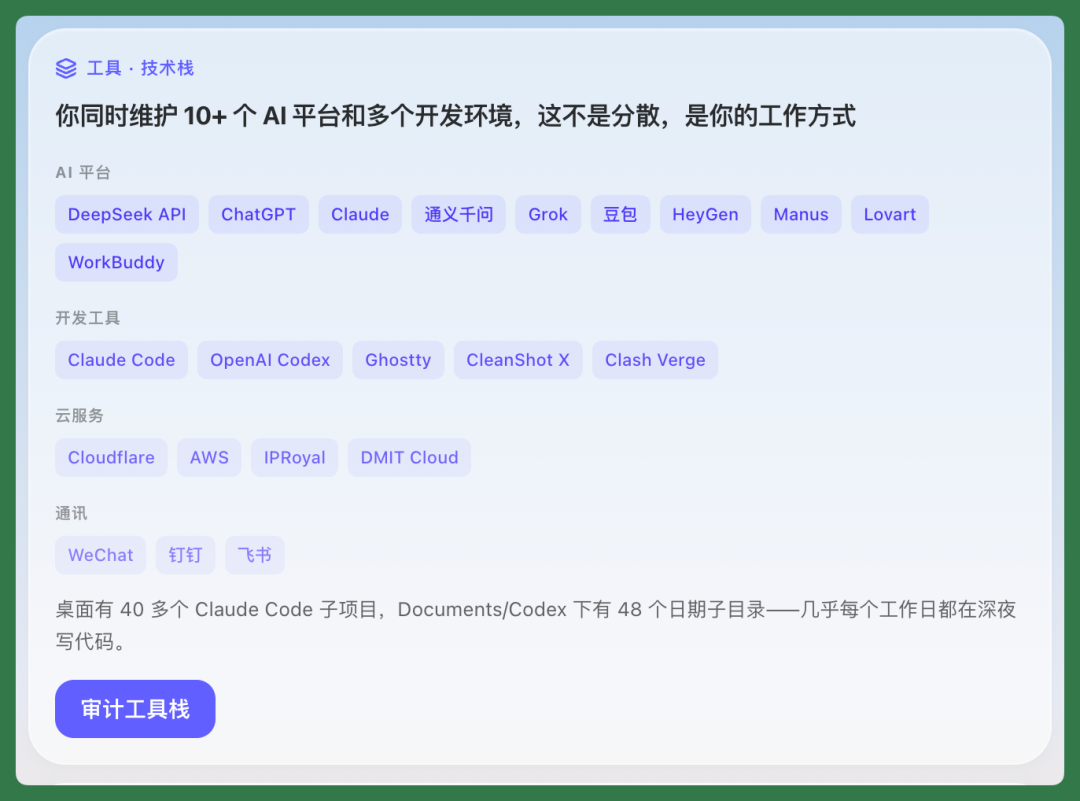
After organizing, it judges Claude as my most core daily work tool, Codex as the second line, while also giving me some writing optimization suggestions.
This kind of organization gradually helps me see clearly which tools I actually use, how I arrange work, and where else can be adjusted.
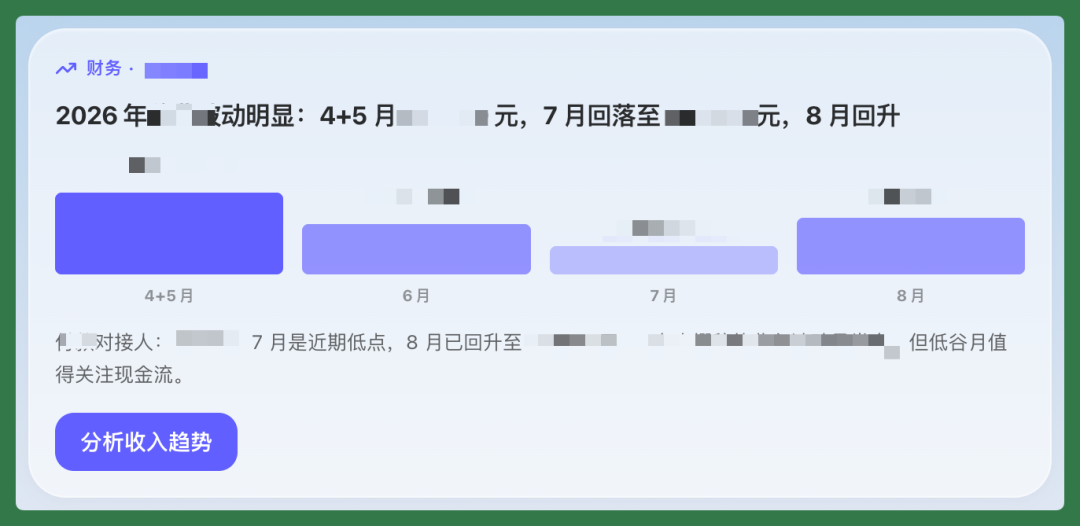
I recorded some financial information in Notion, like fund-related content.
After Jarvis queries this data, it helps me generate a financial card, even making a graphical interface where I can directly have it analyze income trends.
As mentioned earlier, my conversations with Jarvis are processed in parallel.
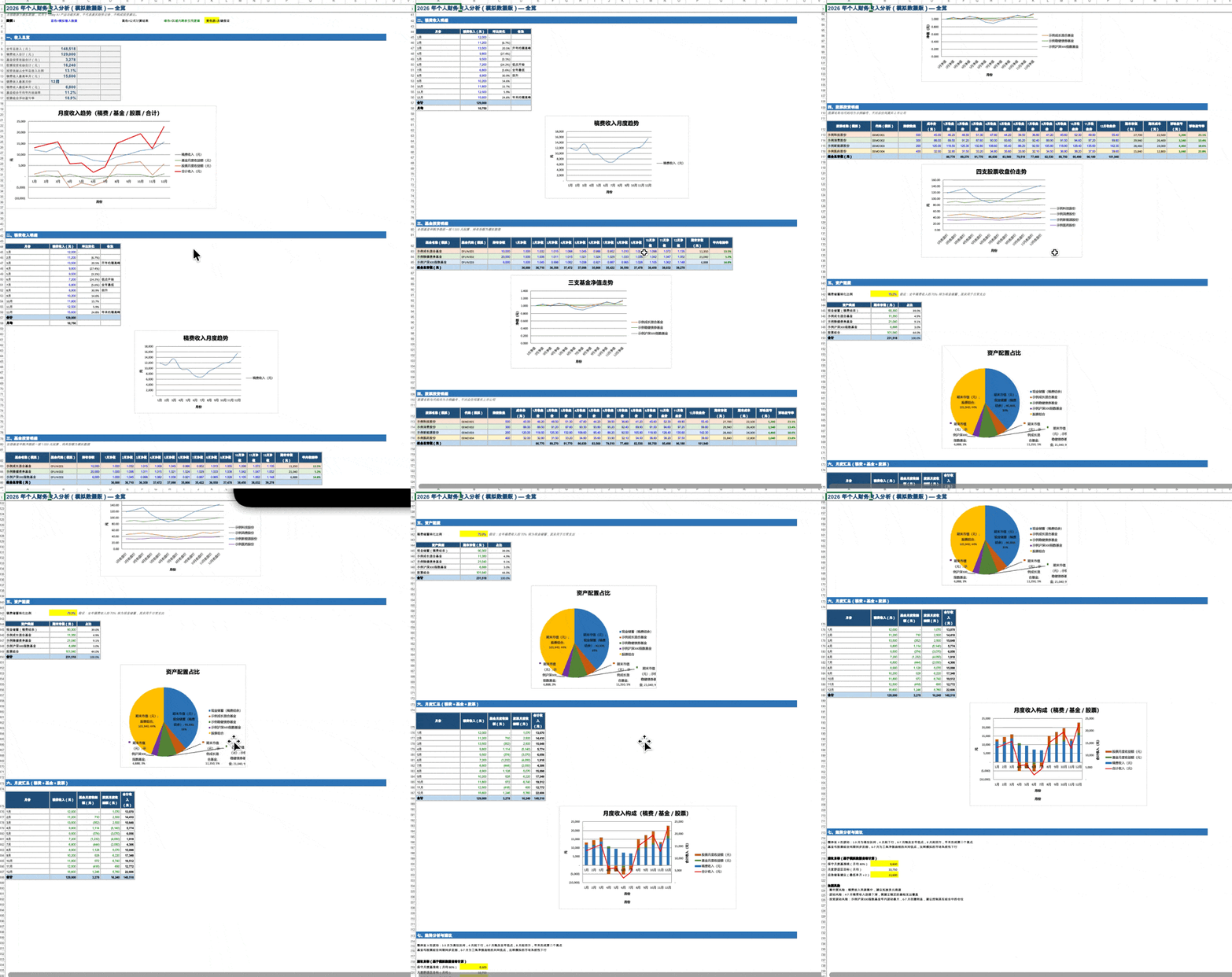
For example, when I ask it to generate an Excel file, it calls Tools to execute in the background while I can continue chatting with it about another topic.

Today AI supports multiple file export formats, including Excel, PDF, PPT, and other daily office files.
The Excel below is a financial income analysis it helped me organize, with all data replaced by simulated data for privacy protection.
Today AI has a notable design characteristic in its product: although it connects to multiple MCP connectors like Notion, Slack, and GitHub, it doesn't just connect them and let users call them with natural language.
It pre-designs specific functional paths for each connected product.
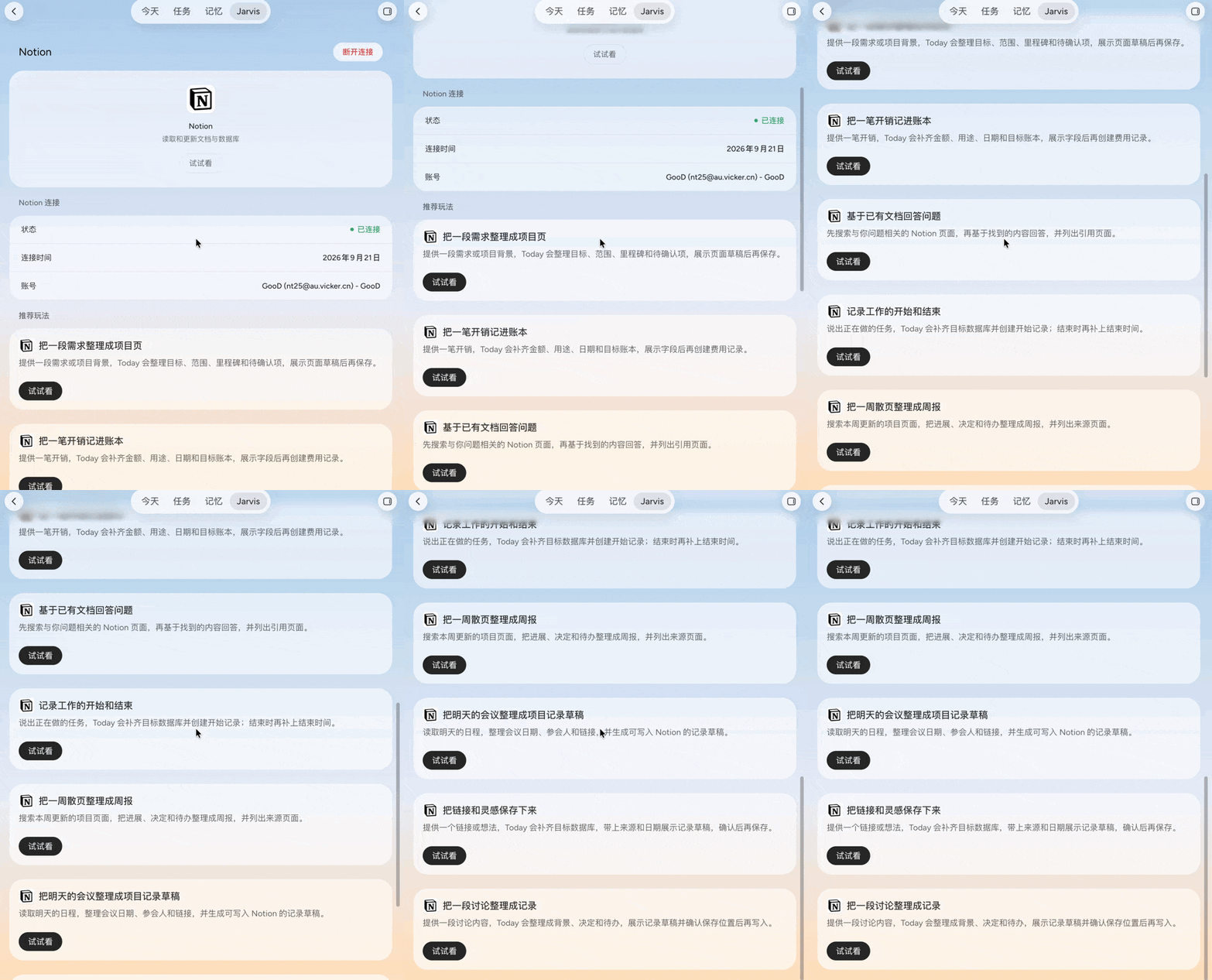
Taking Notion as an example, it presets operation entry points like "turn a piece of requirements into a web link" or "compile scattered weekly pages into a briefing."
This solves a common pain point: when facing an AI personal assistant, users sometimes don't know what to ask it to do.
Today AI's approach is to combine user Memory and actual usage scenarios to design these functional path UIs first.
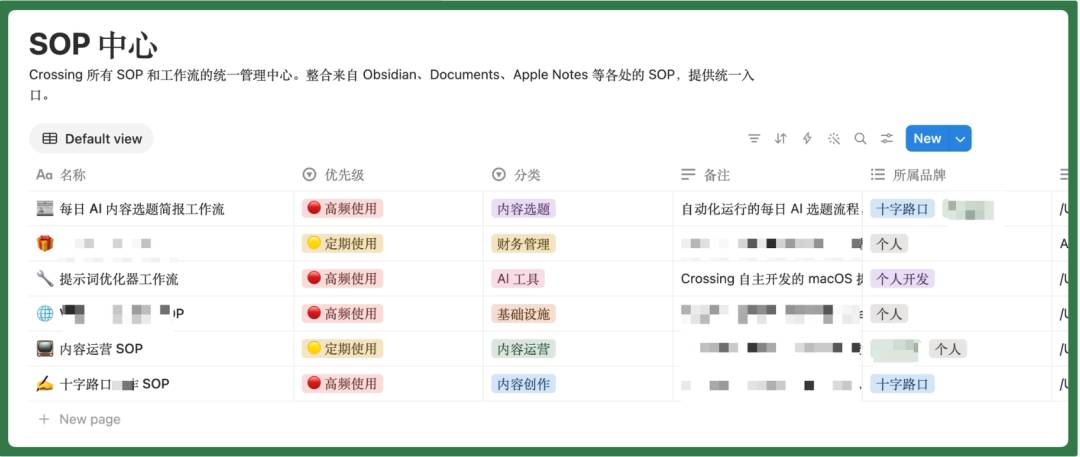
I make lots of SOPs, recording them in Obsidian, sometimes as Skills, sometimes directly in memos. For multi-step processes like subscribing to Apple gift cards, I habitually make them into SOPs.
At this point I can have Jarvis organize all daily accumulated SOPs based on habits recorded in Memory, directly connect to Notion, and create a new Database to store all SOPs.
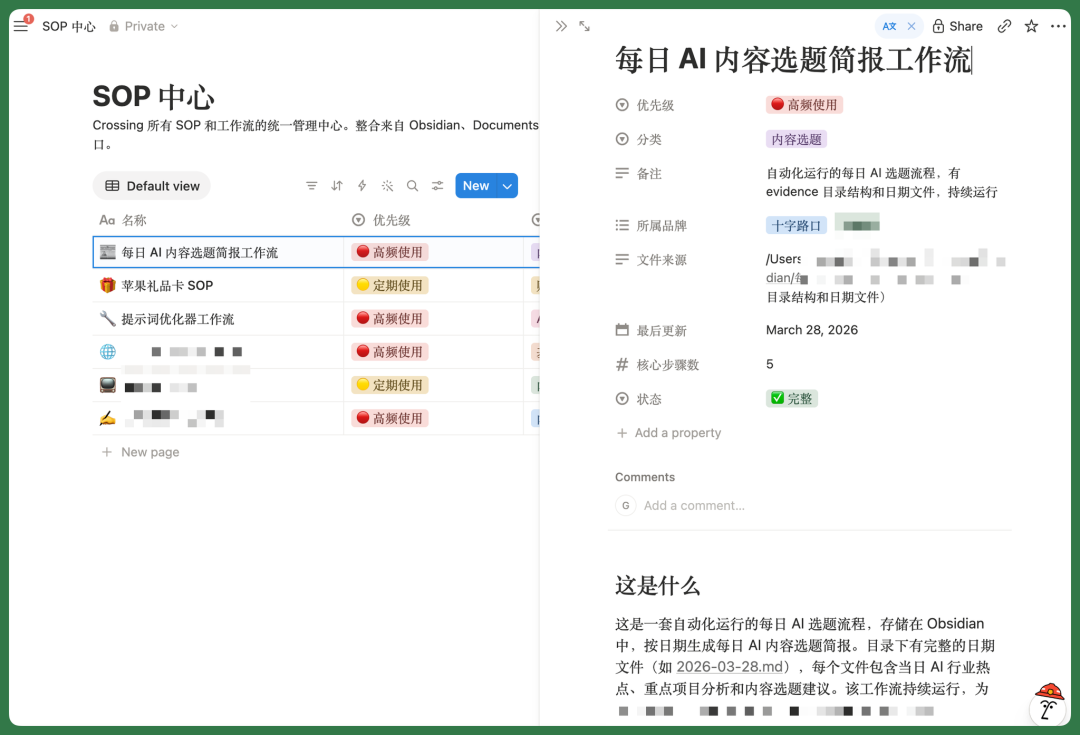
The organized SOP content is quite detailed, like the "Daily AI Content Story Briefing Workflow" below.
Overall, the most important thing about Today AI is that it gradually remembers my habits, work methods, and what I'm doing.
As this information accumulates, it understands me more and more, and proactively helps push work forward and review recent activities.
Throughout usage, beyond handling specific tasks, it also gradually brings a sense of companionship. Plus the relatively intuitive interface and proactive information pushing, I can relatively clearly know what it remembers and what it's helping me do.
🚥
Over the past year, we've seen more and more attempts at Personal AI.
The most typical of course is "Little Crayfish" OpenClaw.
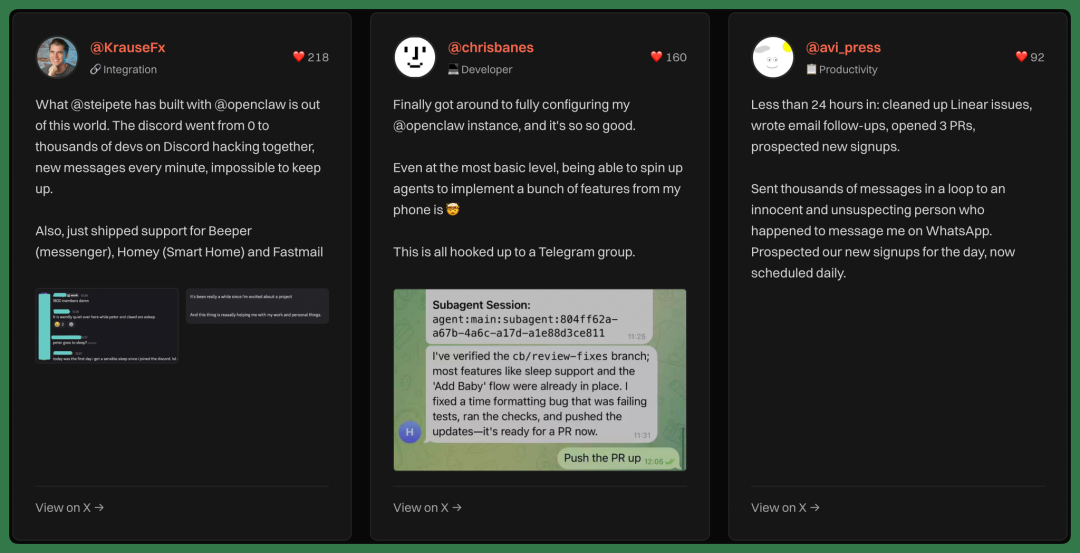
OpenClaw's ShowCase
It expands Agent capabilities very well — AI can run long-term on your own computer, connect to email, calendar, and chat software, call various Skills, even directly execute tasks on the user's behalf.
But there are actually still several questions here:
When an ordinary user really has an AI Agent that can do almost anything, what should they have it do on day one? How do you get someone who originally didn't know how to use AI to gradually start using it? This is a feeling that's grown stronger and stronger for us after experiencing many Agent products recently.
What's truly critical for Personal AI next likely isn't just a stronger Agent orchestration mechanism beneath the frontend.
It also needs a sufficiently simple, intuitive graphical interface so ordinary people know what the AI currently knows and is doing; it needs long-term Memory so users don't have to reintroduce themselves every day; and it needs Proactivity so the AI can judge for itself, based on this Memory, when it's worth showing up. Today AI is trying to find a balance among GUI, Memory, and Proactivity, letting an ordinary user accumulate their own Memory and gradually get used to AI actively participating.
Although this answer is still "not quite Jarvis" yet, the direction for Personal AI is much clearer than a year ago.
Join the member group