This Product Hunt #1 Monthly Agent Built a Cloud-Based Agent Team

What Else Can General-Purpose AI Agents Do?
What Else Can a General-Purpose AI Agent Do?
👦🏻 Author: Jingshan
🥷 Editor: Koji
🧑🎨 Design: NCon

Last week, OpenClaw surpassed 250K stars, becoming the most-starred project in GitHub history — ahead of React. That number says one thing: developer interest in AI agents has hit a fever pitch.
But how far is "installed" from "actually useful"?
A lot of teams are in this state right now: everyone spontaneously downloading IDEs, tinkering with Claude Code, learning as they go. The initial experience is genuinely impressive. Then the confusion sets in. The learning curve is too steep; it's hard to actually migrate daily workflows over.
So "too high a barrier" has become the target for both big tech and AI startups.
Among this wave of products, Happycapy — which topped Product Hunt's monthly leaderboard in February — stands out as a telling example. The product logic is simple: an AI agent platform that runs in your browser, giving each user a dedicated cloud environment. Open it and go. Nothing to install.
What's notable is that Happycapy, inspired by Claude Code, started building early. The week OpenClaw blew up, Happycapy was roughly ready to ship. The team's own workflow had already been restructured by "being AI-agented," which itself drew attention.
🚥
Here's our hands-on experience with Happycapy.
"Unlimited Tokens" for Cloud-Based OpenClaw
First, the Happycapy link:
In short, Happycapy is a cloud-based AI agent product. Each user gets their own isolated cloud sandbox. It can run complex, end-to-end tasks.
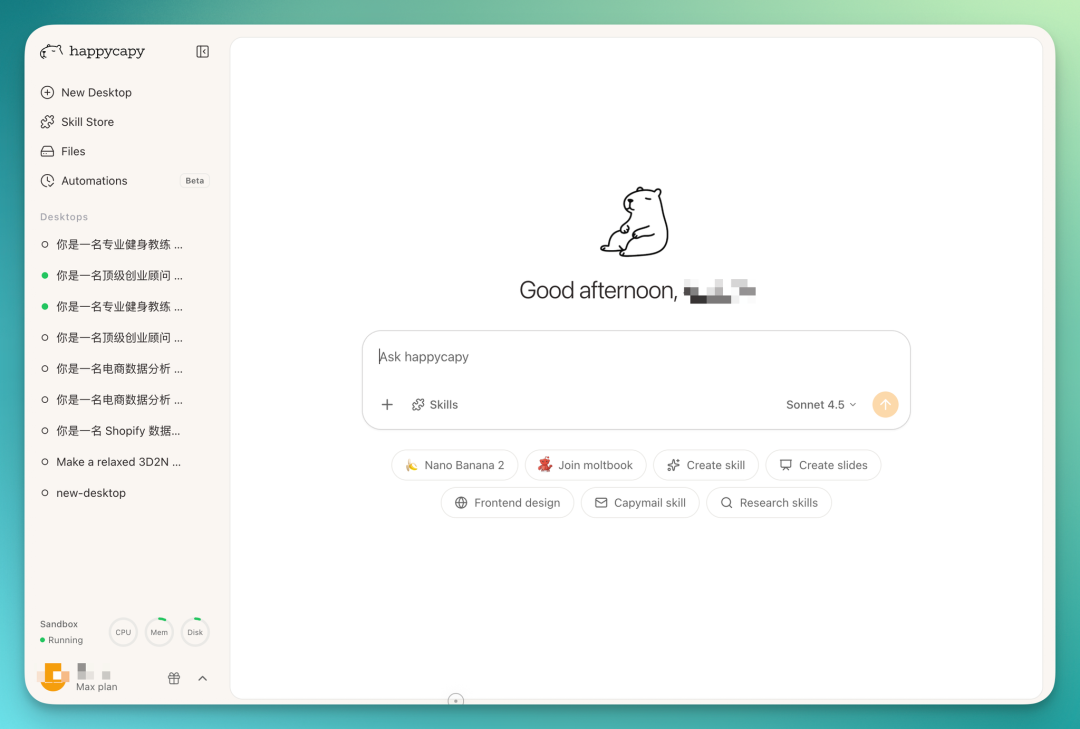
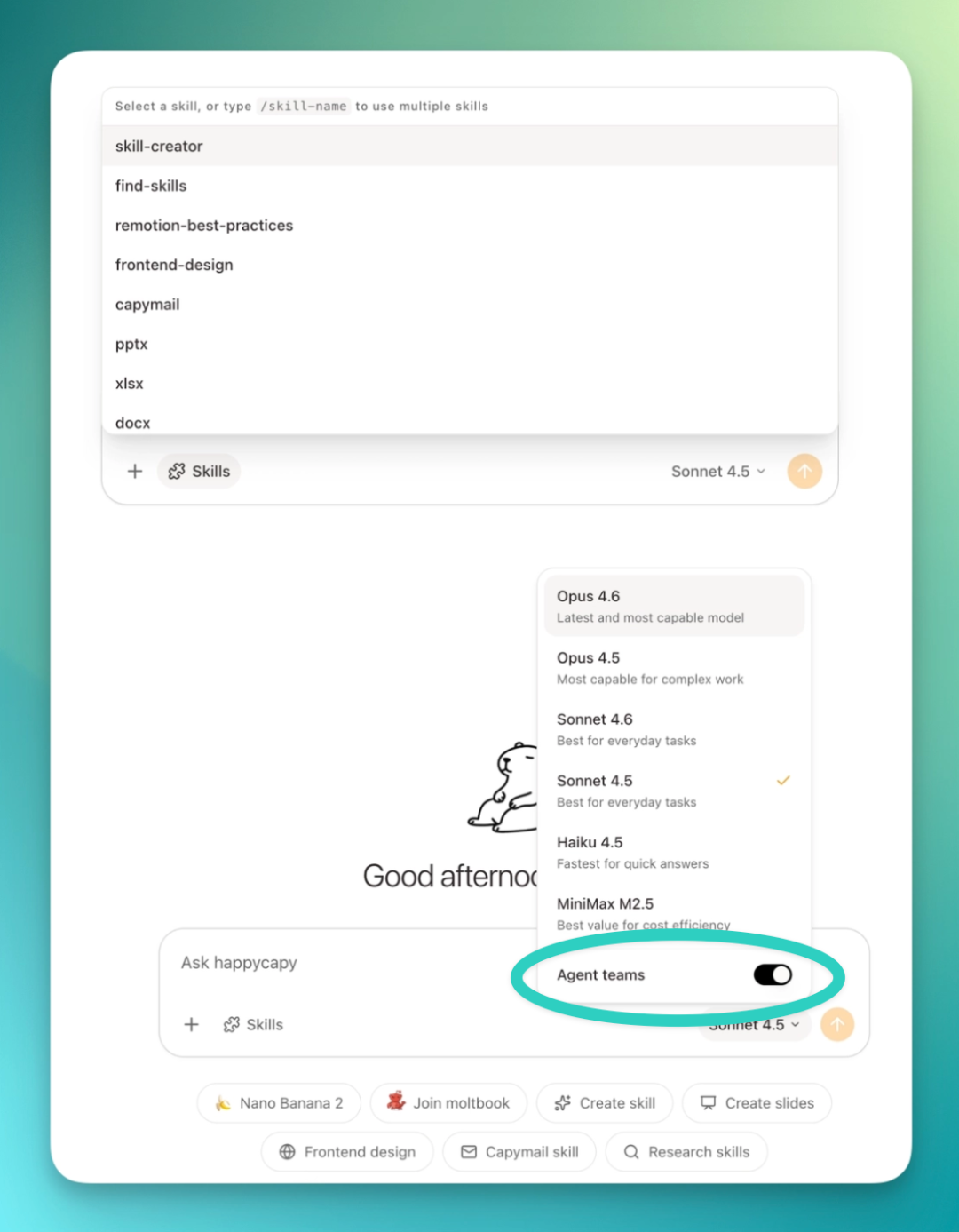
Happycapy integrates a range of Skills and supports several models, mainly Claude's flagship models plus Minimax's M2.5.
The standout feature this time is Agent Team. It can spin up multiple sub-agents simultaneously to tackle more complex tasks. For regular use, you just toggle it on — very convenient. Though this requires a Max membership.
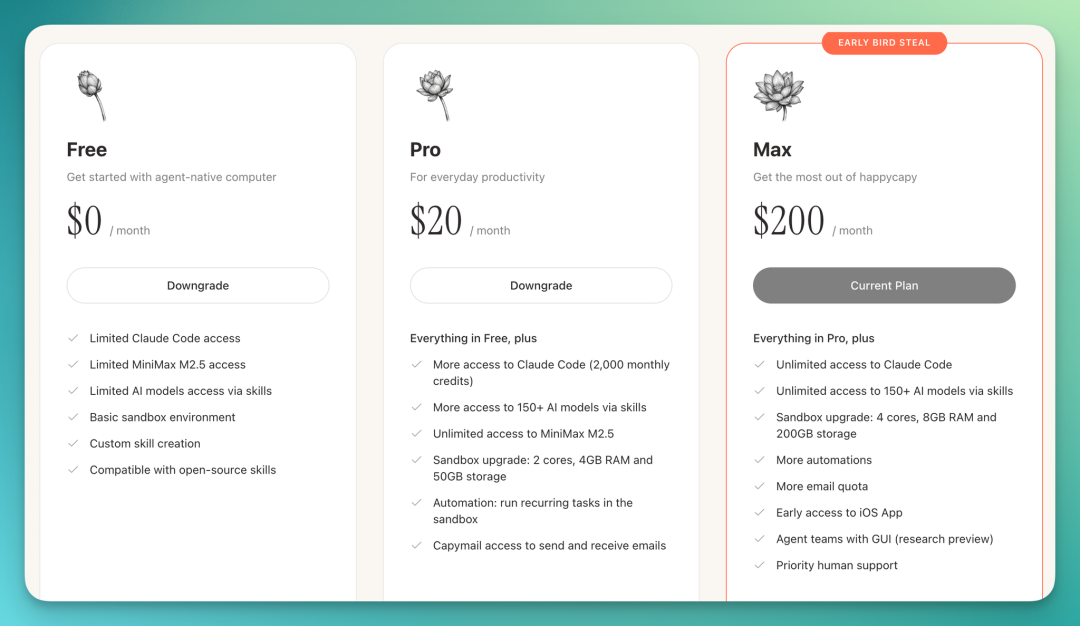
Worth highlighting: Happycapy's membership structure is unusual.
Happycapy supports multiple models. Pro members get unlimited tokens on MiniMax 2.5. Max members get unlimited tokens on all models. What this means: when you run tasks, no points deducted, no usage caps — just use it.
Pro already covers unlimited-token agent tasks. Max adds the Agent Team feature on top.
Daily Use Case | Professional Fitness Plan Delivered to Email
Here's an everyday but genuinely demanding scenario: fitness planning.
A professional fitness plan from an external app might charge a monthly fee and still not tailor to your needs. This is where Happycapy works well as a cloud-based scheduled agent.
I asked it to generate a complete fitness plan and email it to me. The deliverables included exercise diagrams, daily workout cards, and a PDF handbook — quite a lot.
Two challenges here: complex workflow, and multimodal output — generating images plus layout design.
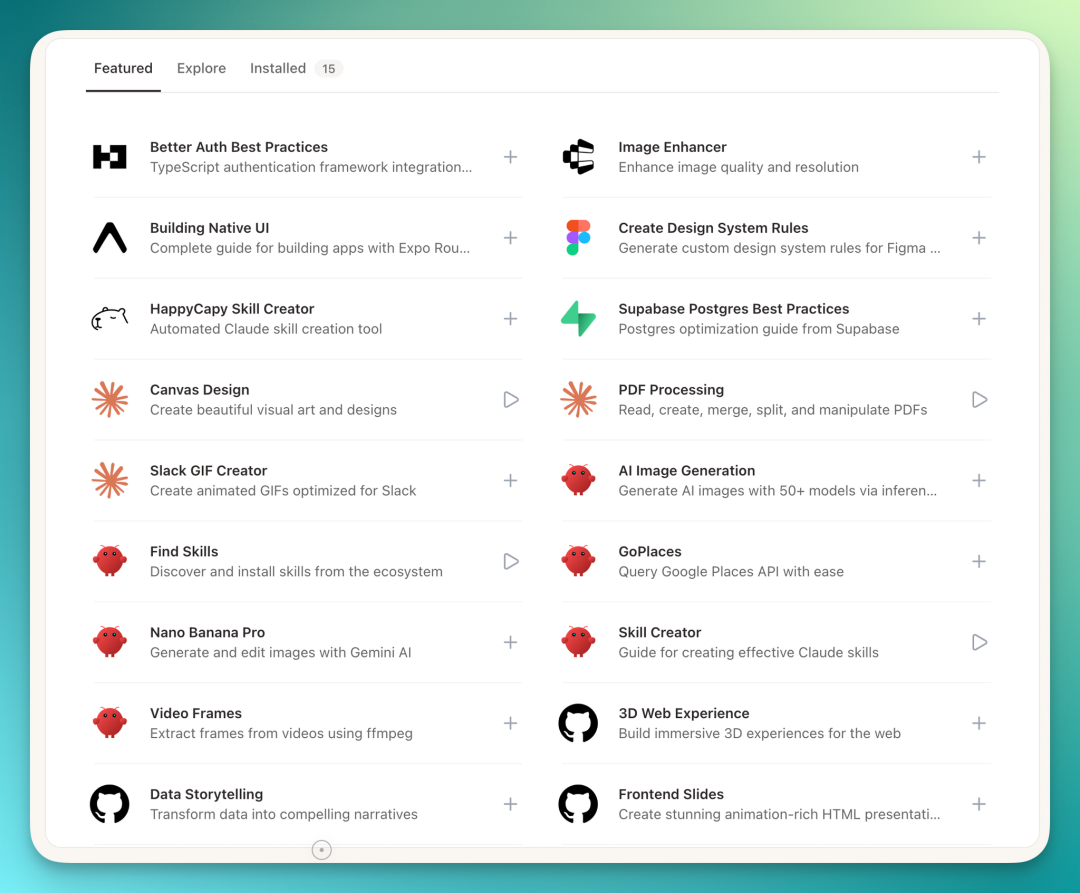
So I went to Happycapy's Skill Store and one-click installed Claude's Canvas-Design Skill. This Skill is built for design tasks; install and it's ready.
Prompt:
`You are an AI assistant combining professional fitness coaching, health data analysis, and visual design. Your task is to create a complete one-week fitness training plan based on the user's body data and training goals. The plan should be scientific, systematic, and suited to an intermediate trainee working out 5 days per week, 45–60 minutes per day. User info: male, 29 years old, 178cm, 75kg. Goals: muscle gain, fat loss, and improved core strength. Current level: intermediate. Available equipment: dumbbells, barbells, pull-up bar, treadmill. When designing the plan, properly allocate muscle groups, exercises, sets, reps, rest time, and exercise order, balancing strength and cardio training.
While generating the training plan, create clear exercise diagrams for each movement (standard fitness instruction style, showing correct form and key movement paths), and apply professional visual layout to all content: cover, weekly overview, daily workout pages, exercise descriptions, training tips, and recovery advice. Compile everything into a well-designed, clearly structured PDF fitness plan suitable for printing and mobile reading. When complete, send the generated PDF file to the user's email xxx@outlook.com.`
Before executing, Happycapy generates a todo list, breaking down all tasks and sequencing them — same logic as a general-purpose AI agent:
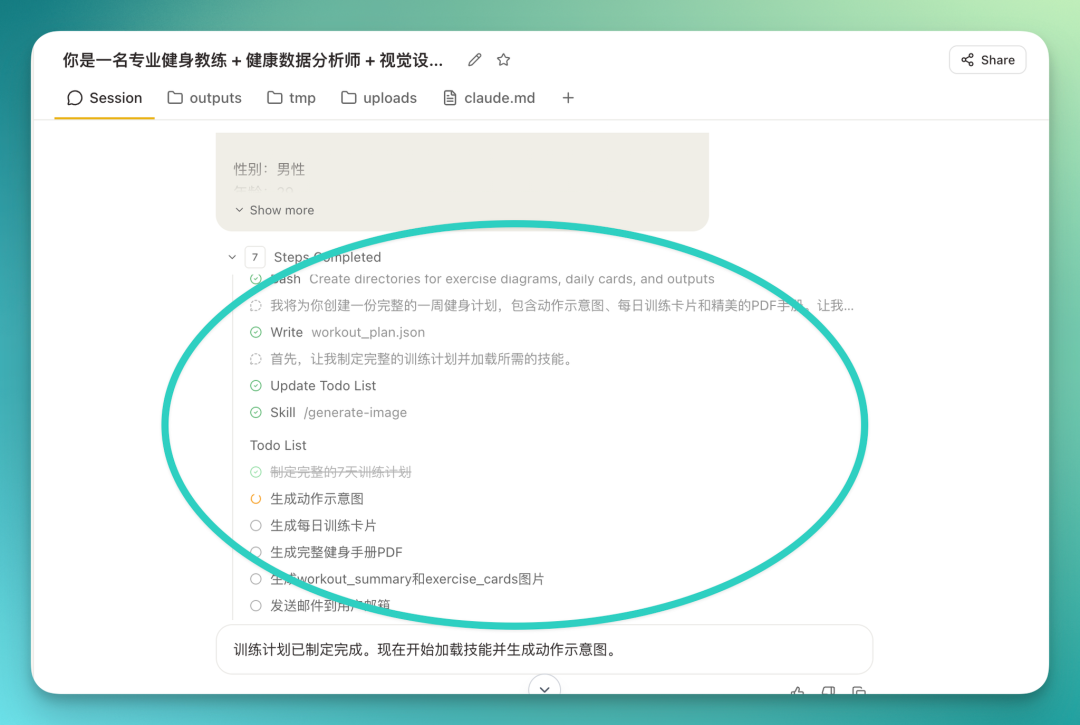
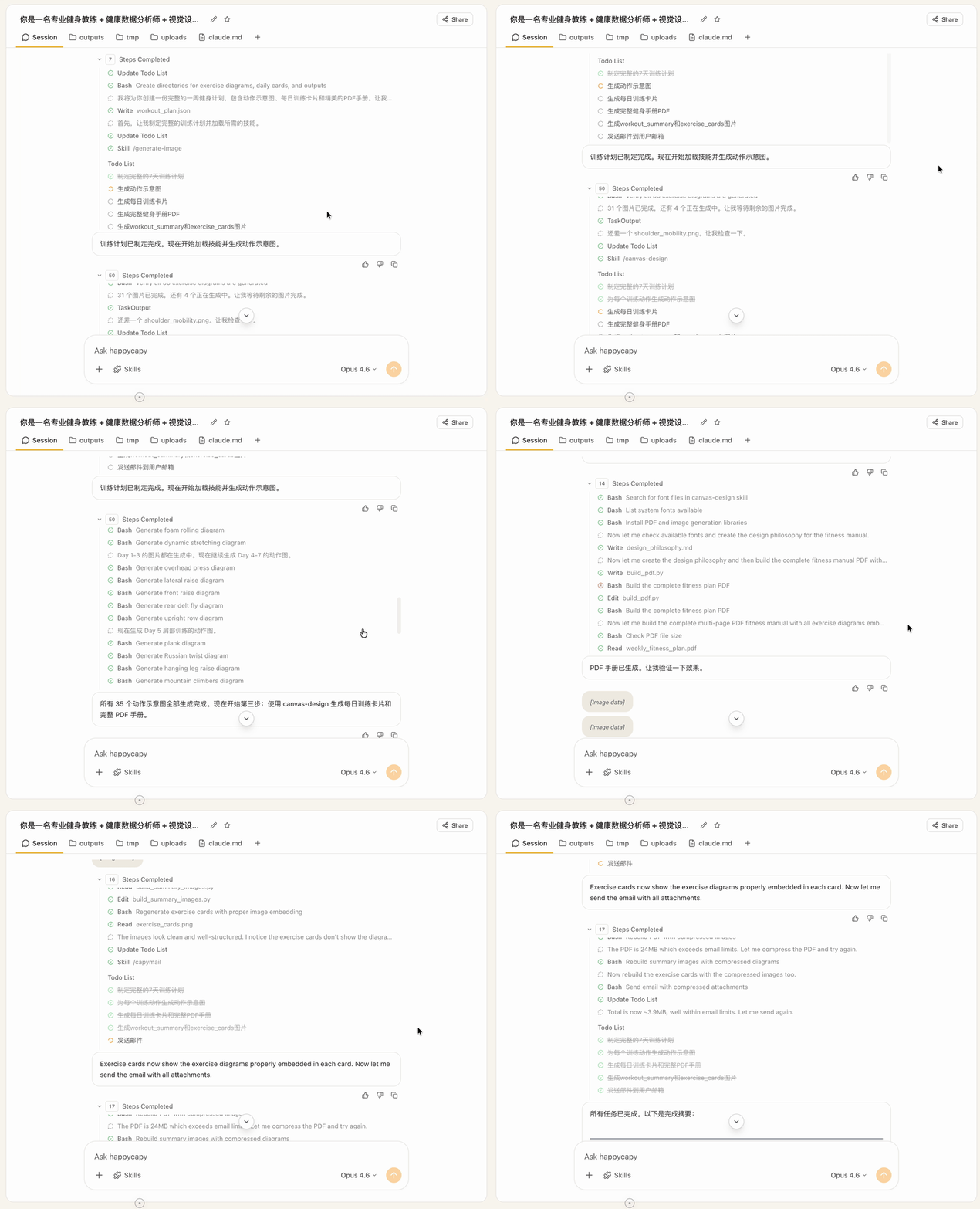
This time I had Agent Team enabled, using Claude's strongest Opus 4.6 model. The entire task ran 104 steps — I counted. Basically ran through without much hanging.
Occasional errors popped up; it caught and fixed them itself, no babysitting needed. Running entirely in the cloud, I just went and did other things.
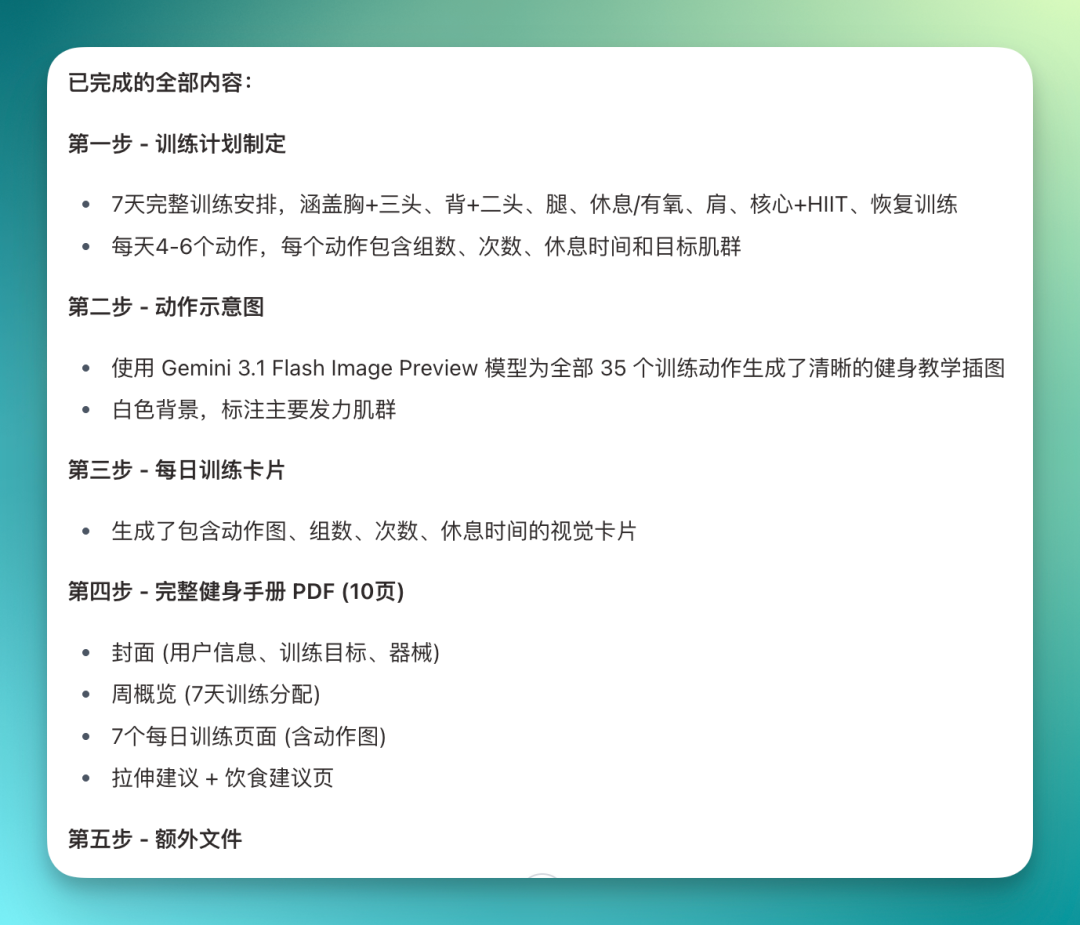
When finished, it delivers a summary briefing listing everything completed.
This run produced quite a lot: 7-day complete training plan, all muscle groups covered, exercise diagrams, daily workout cards, full fitness handbook.
And all files are directly downloadable:
To be honest, I ran this task twice.
The first time I only used the Canvas Design Skill. It went straight to the Skill's built-in image generation workflow. The resulting fitness info cards... to put it bluntly, were ugly, crude, and incomprehensible at a glance.
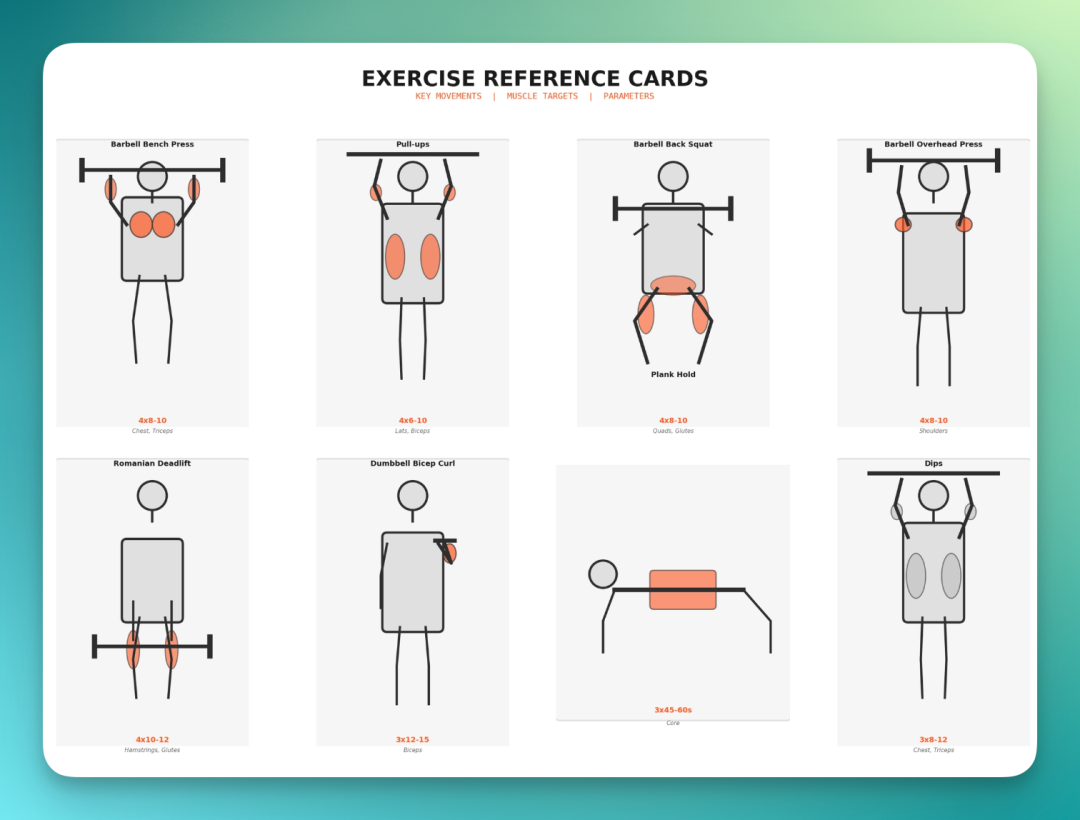
Later I added a line to the prompt, asking it to call Google's NanoBanana Pro for image generation. The results were completely different. Every training card had professional, readable diagrams.
And it wasn't just generating images. Before creating each image, it first compiled detailed exercise descriptions, sets, how to perform each set, how many poses needed — gathered all this information, then called NanoBanana Pro, and finally assembled everything into a PDF.
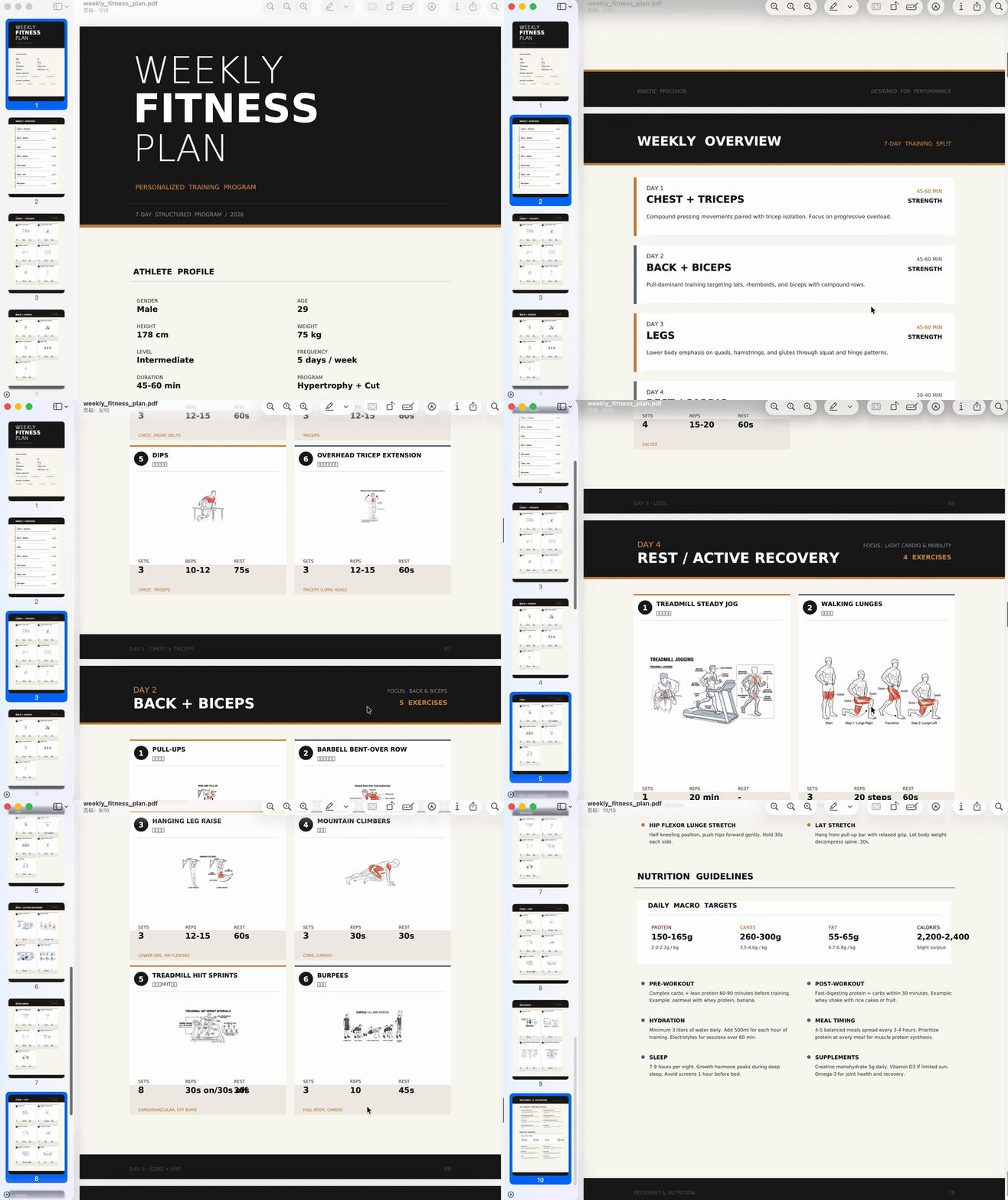
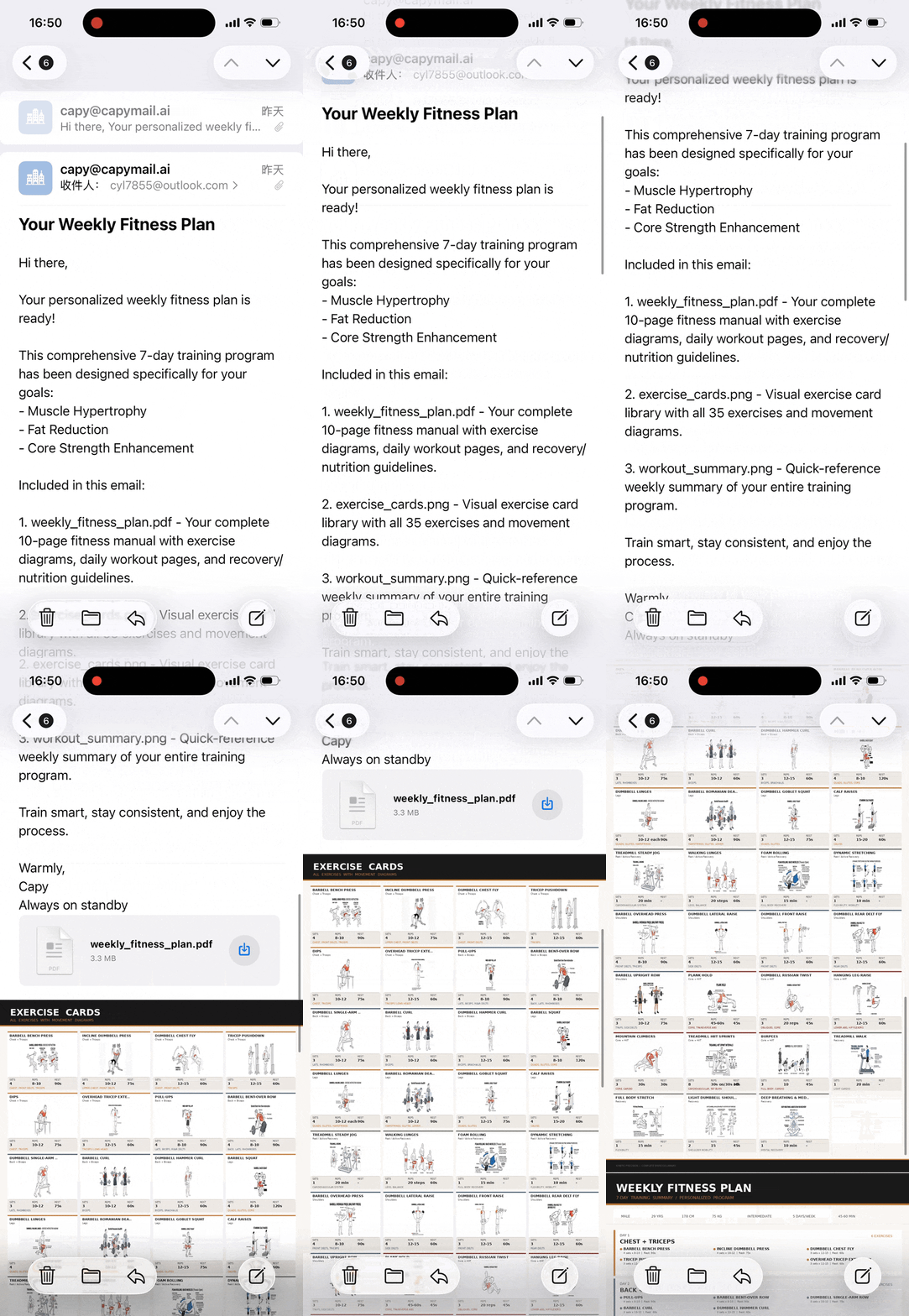
The image and GIF below show a complete PDF output, not scattered images.
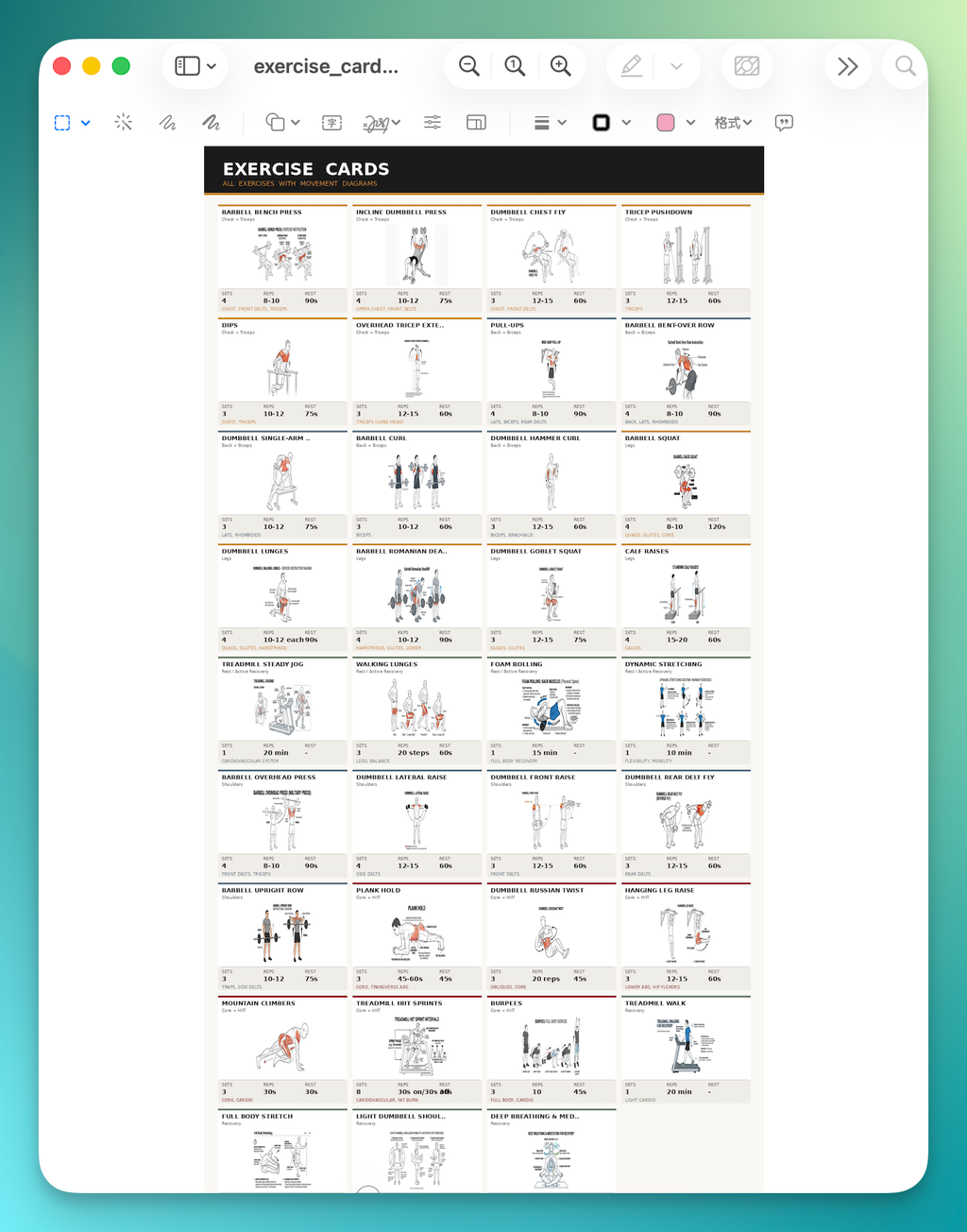
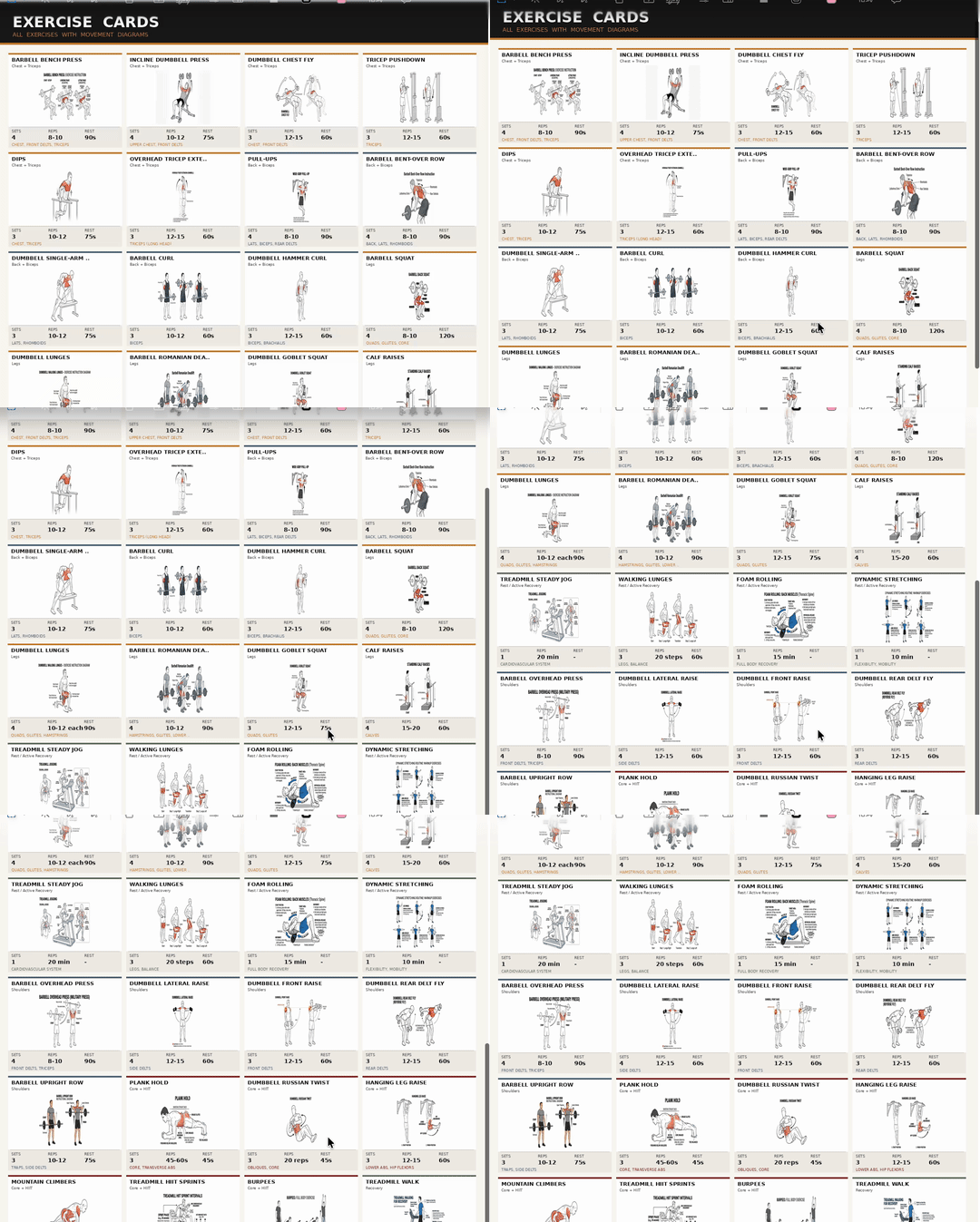
I went through it carefully — every exercise had a NanoBanana Pro-generated training card.
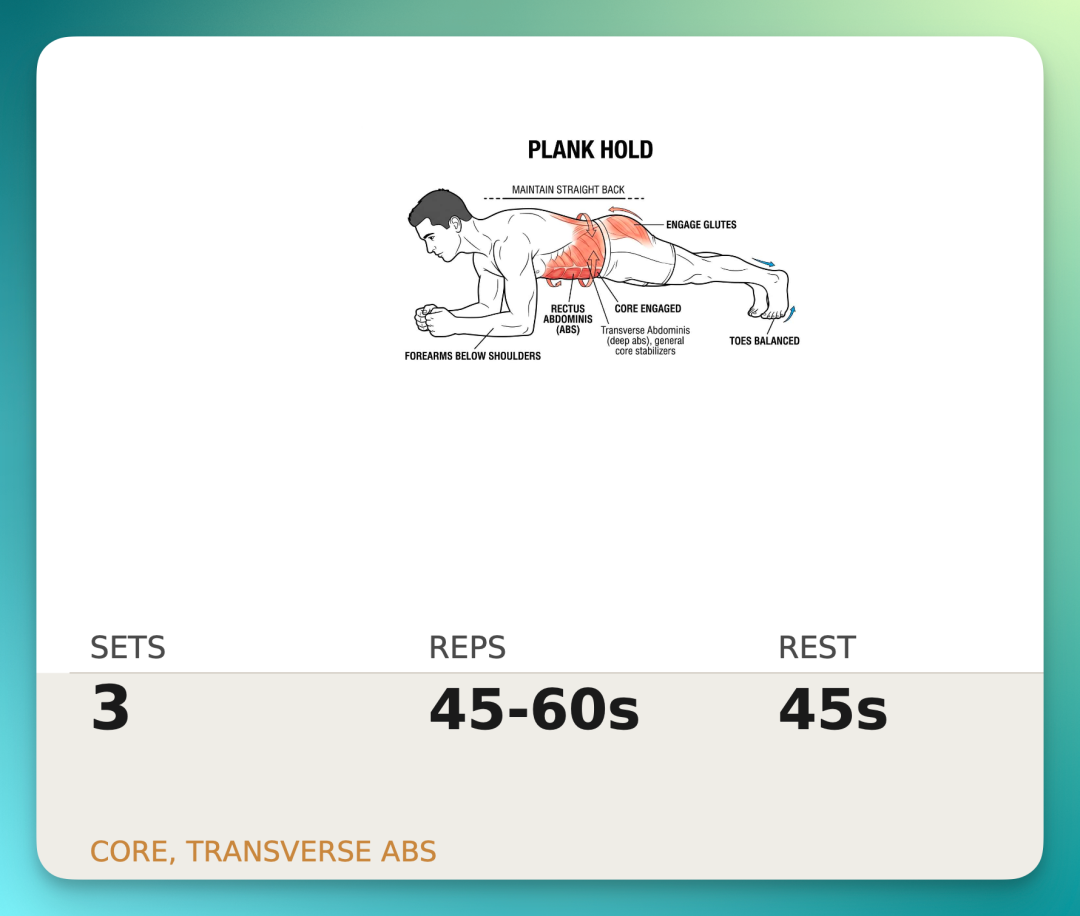
Take Plank Hold as an example. The card includes: exercise name, target muscle, muscle activation diagram, plus complete training protocol — 3 sets, 45–60 seconds per hold, 45 seconds rest between sets. Everything you'd need:
Of course, action images alone aren't enough.
I provided my personal info upfront: height, gender, fitness beginner, 5 workouts per week. With this, it produced a complete PDF plan tailored specifically to me.
The full PDF runs start to finish; exercise diagrams are just one component.
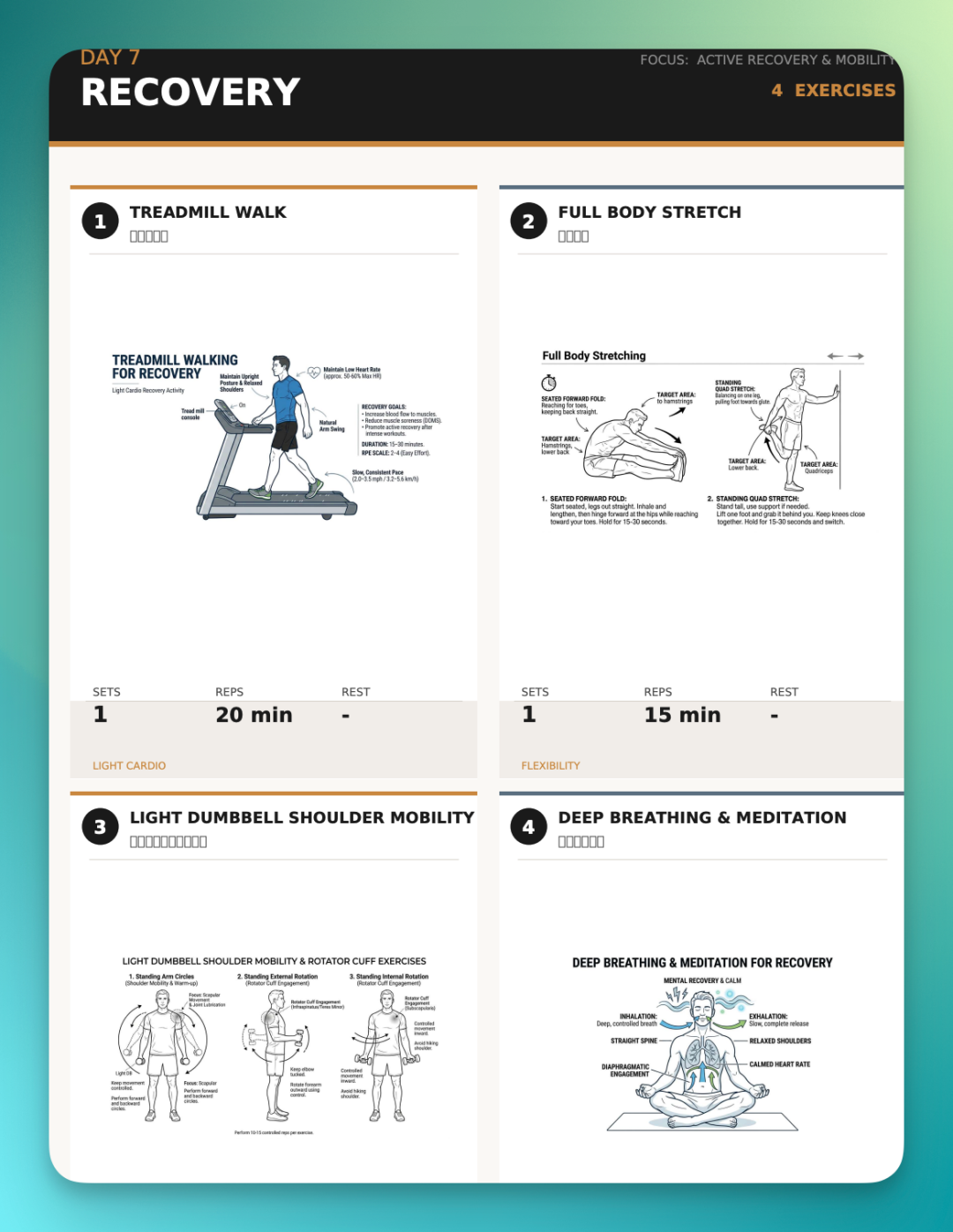
One detail I found interesting.
Day seven wasn't a workout — it scheduled a recovery day. Light walking, flexibility, posture work, deep-breathing meditation. Four activities, deliberately designed for rest and recovery.
And the text in each image is complete. This text wasn't randomly added during image generation; Happycapy compiled it earlier in the workflow, then handed to NanoBanana Pro for generation.
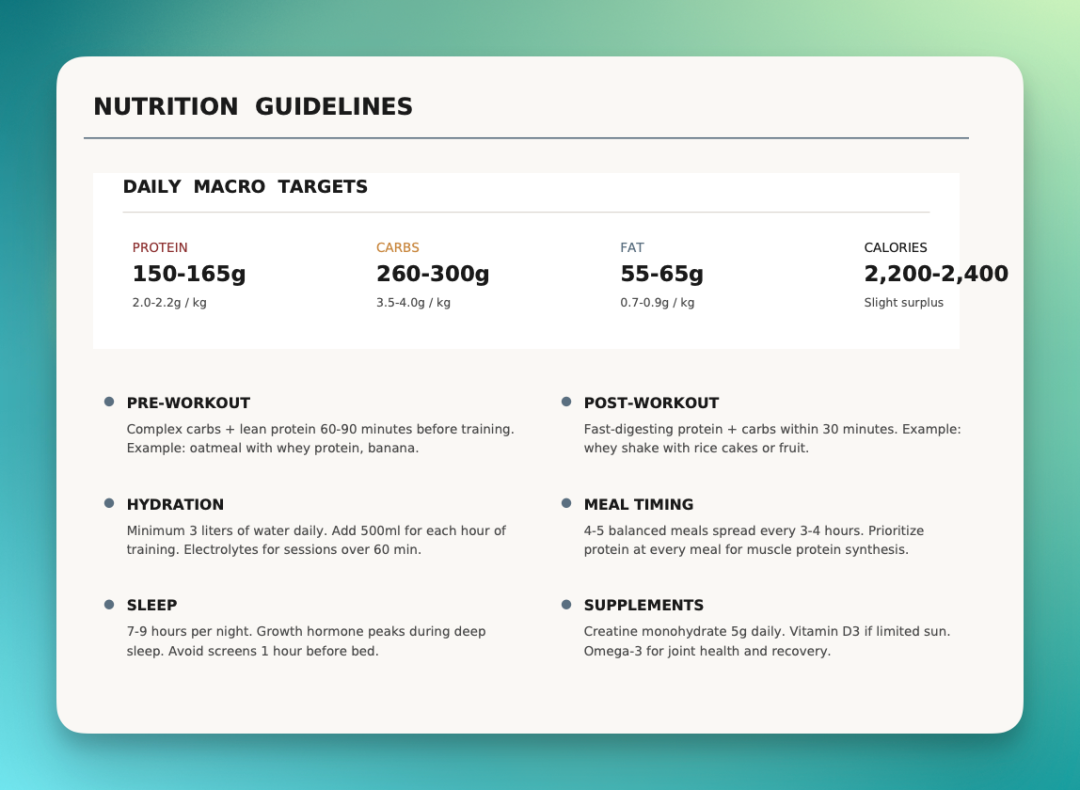
There's also a section calculating daily protein, fat, and calorie targets. Workout plan, diet guidance — all in one PDF:
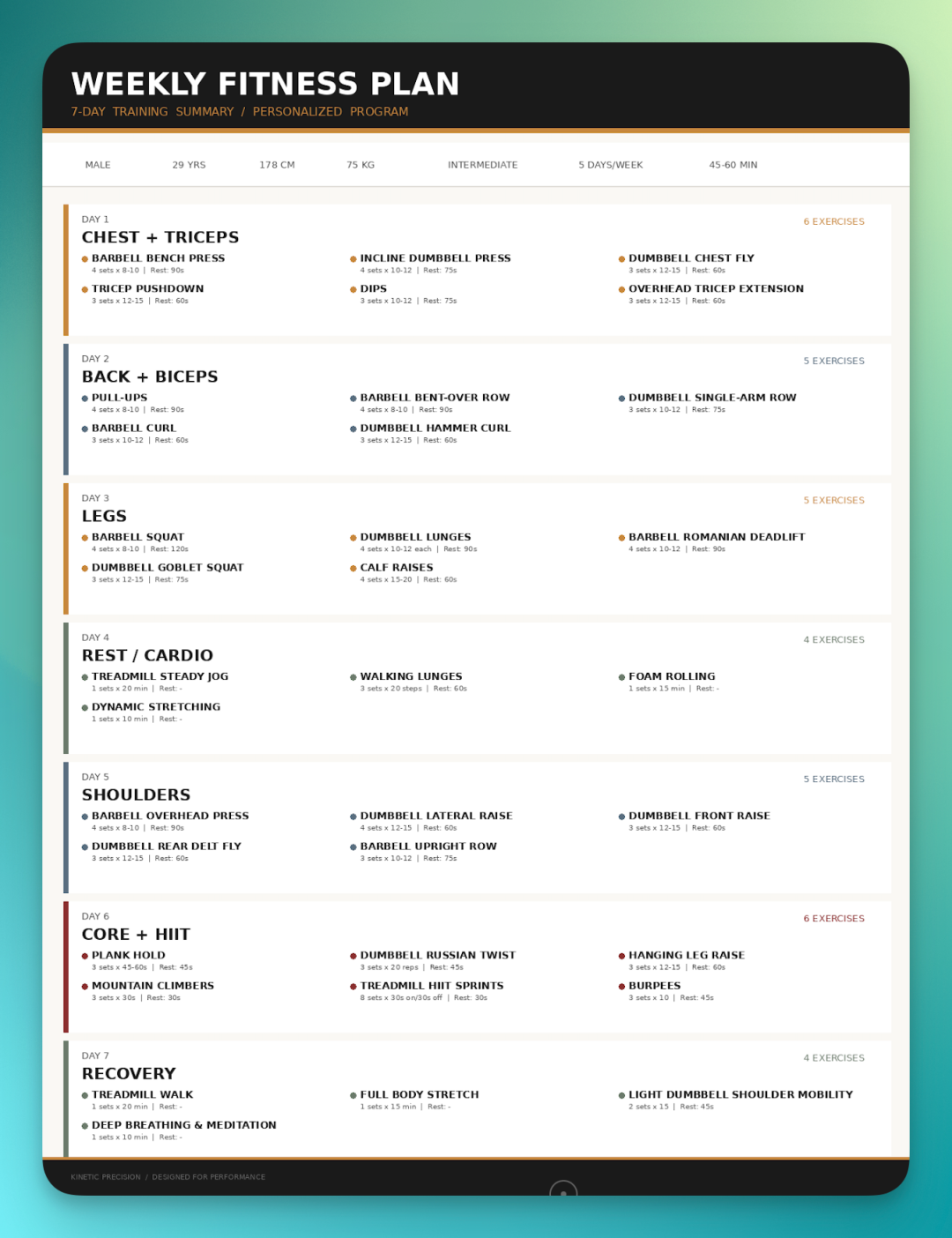
Finally, a complete weekly schedule. Daily workouts, number of exercises, sets — all laid out:
I checked its workflow — quite interesting.
The sequence: first call NanoBanana Pro to generate all 35 exercise diagrams. Then use Canvas to design daily workout cards. Finally write code to typeset everything into a multi-page PDF.
There was one error mid-process — build failed. It detected it, fixed the script, reran. After completion, it automatically checked file size to confirm the PDF actually generated.
Design, coding, layout — all completed smoothly:
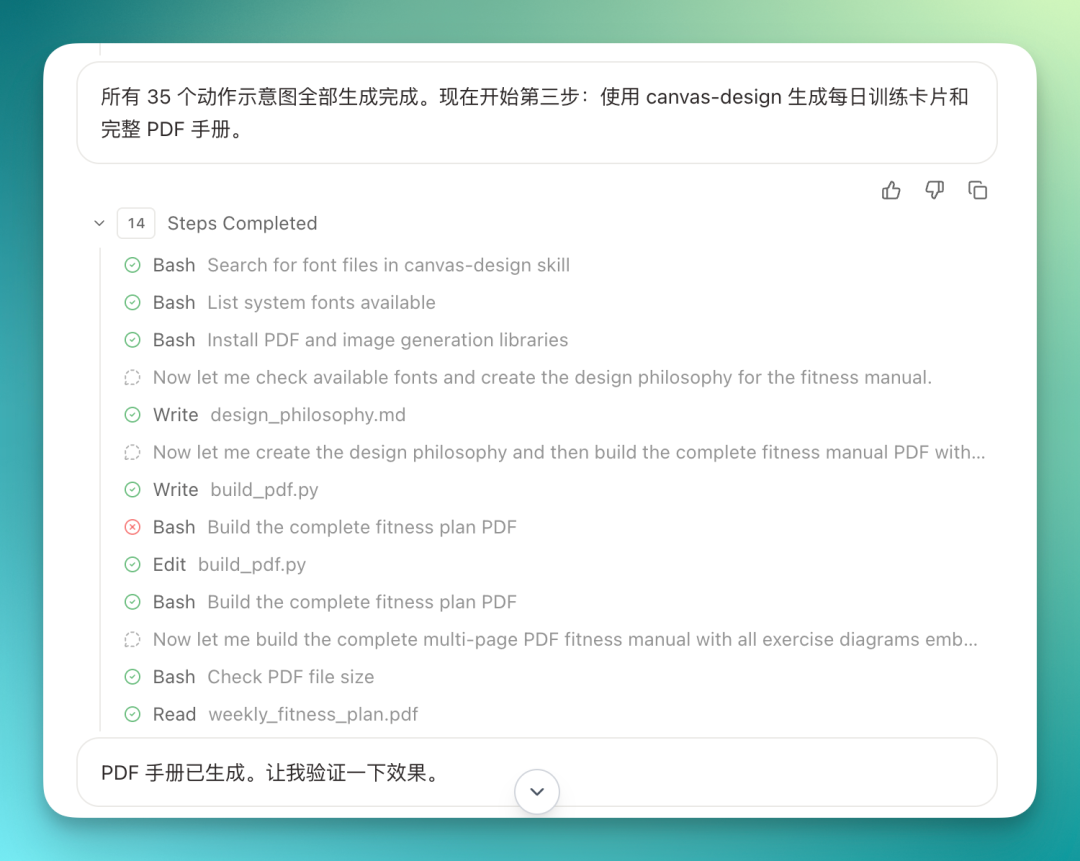
Finally I had it package everything — text summary, PDF, training cards, fitness plan — and email it to me.
Happycapy now supports scheduled tasks. So I'm planning to have it auto-run daily at a fixed time, saving me from manual triggers.
Work Scenario | Shopify E-commerce Data Analysis
Next, a work scenario — this better showcases Agent Team's capabilities.
With unlimited tokens, you can throw large tasks at it without worrying about data volume.
For example, I have a Shopify small-business operations database: 30 fields, 2,000 rows, a substantial table:
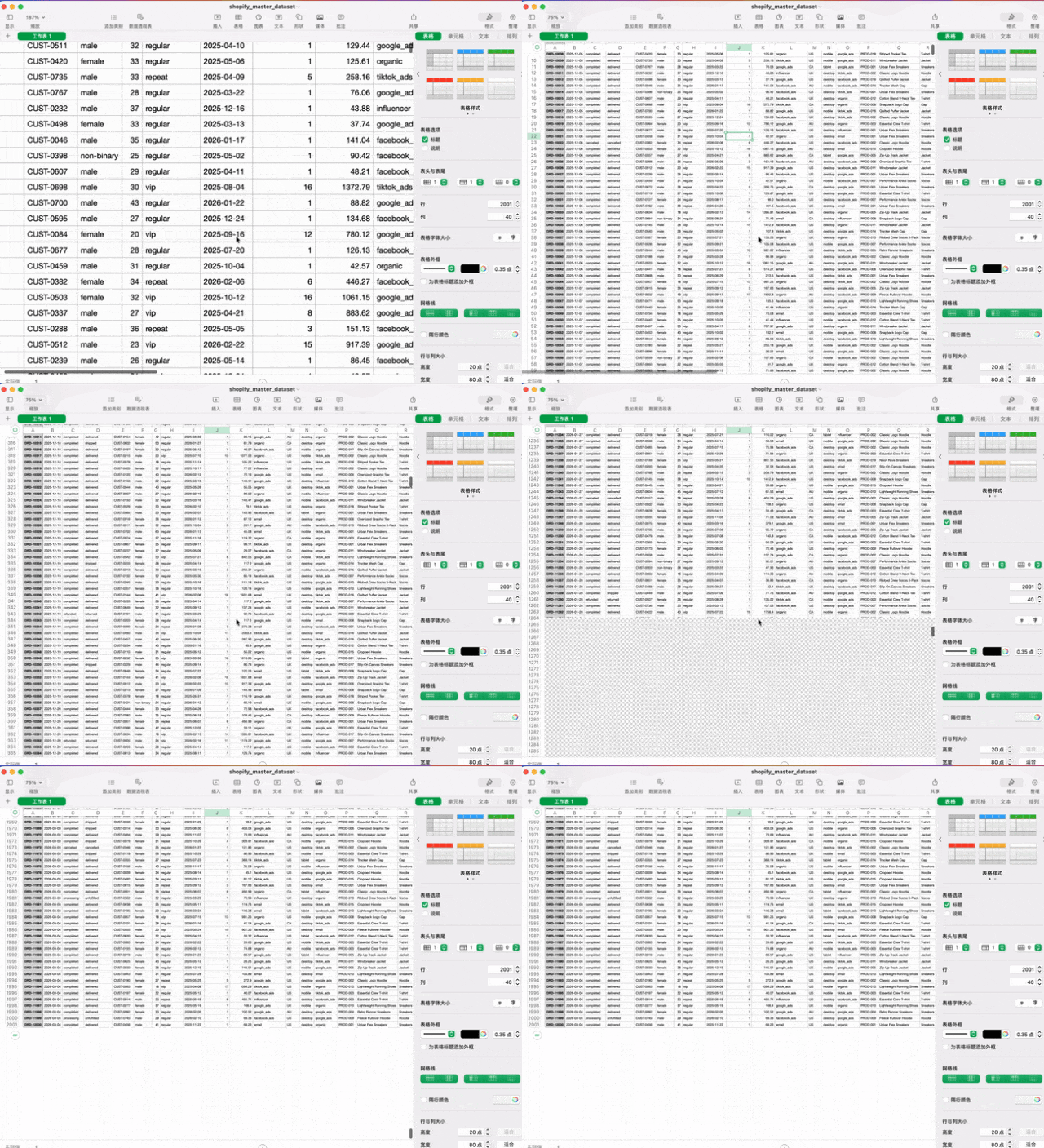
Like the fitness task above, this can also be set as a scheduled task to run automatically. Happycapy has a mobile app for checking results anytime. Enable Agent Team, upload the CSV, and let it run data analysis in the cloud.
It can handle quite a lot: read all data, analyze inventory, predict sellout dates based on recent sales, identify main refund reasons, provide ad optimization suggestions, restock recommendations, promotion strategies...
Then compile everything into a visual e-commerce operations daily report.
Prompt:
`You are an e-commerce data analysis agent. Your task is to read the user's uploaded Shopify store CSV data file and generate a complete daily operations report. Default analysis covers the last 24 hours combined with 7-day trends.
First load all CSV files and confirm field structure, including orders, products, ads_performance, inventory_history, traffic_analytics, and refunds. Then calculate core business metrics: today's sales, order count, average order value, top 5 products by sales volume, top 5 by revenue, and generate 7-day sales, order, and conversion rate trend analysis.
Next perform inventory analysis: identify products with inventory below 20, predict estimated sellout time based on last 7 days' sales, and output inventory_warning.csv. Simultaneously analyze ad data (Facebook, Google, TikTok), calculating ROAS, CTR, CPC, CPA, and identifying best and worst performers; analyze traffic data, evaluating traffic share by source, conversion rate, and revenue contribution; calculate refund rate and identify main refund reasons.
Based on all data, generate operational recommendations for ad optimization, inventory restocking, product operations, traffic growth, and promotion strategy. Finally generate the Shopify Daily Report, structured with sales overview, product performance, inventory risk, ad performance, traffic sources, refund analysis, and operational recommendations, exported as daily_shop_report_YYYY_MM_DD.docx.
Also generate visualization charts (sales_trend.png, top_products.png, ads_roas.png, traffic_sources.png), and save key output files: daily_shop_report.docx, sales_trend.png, inventory_warning.csv, ads_performance_summary.csv.
The report's goal is to provide clear, actionable e-commerce operations intelligence for the Shopify store.`
The workflow again ran hundreds of steps, but at good speed without hanging.
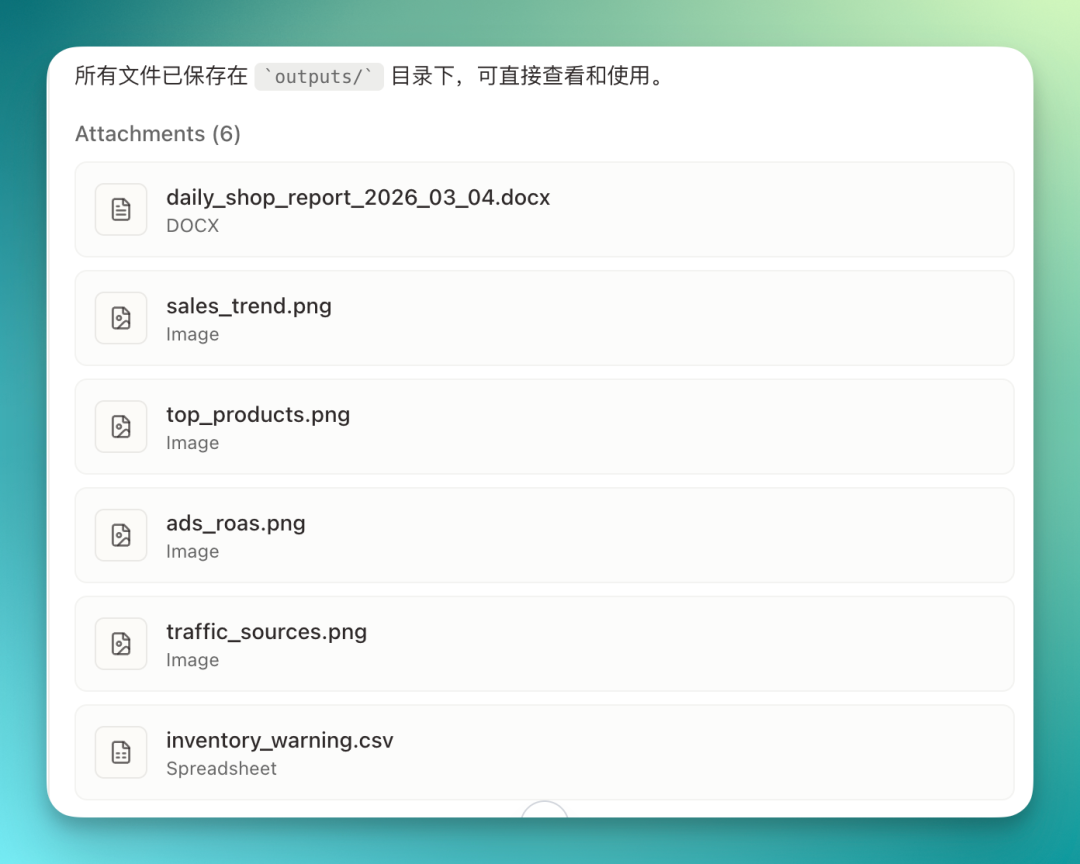
The finished interface looks like this: workflow on the left, all generated files on the right. Files can be zoomed and searched directly in the canvas — very intuitive.
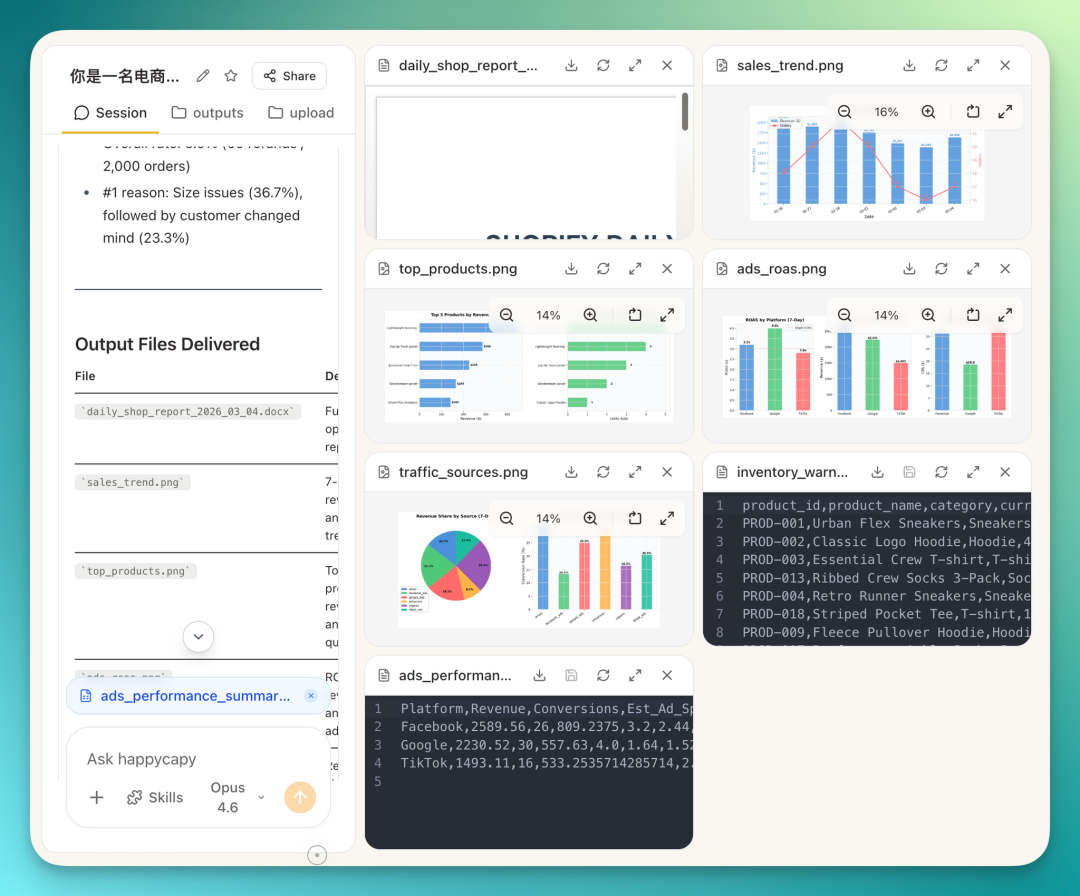
Each file can be downloaded individually:
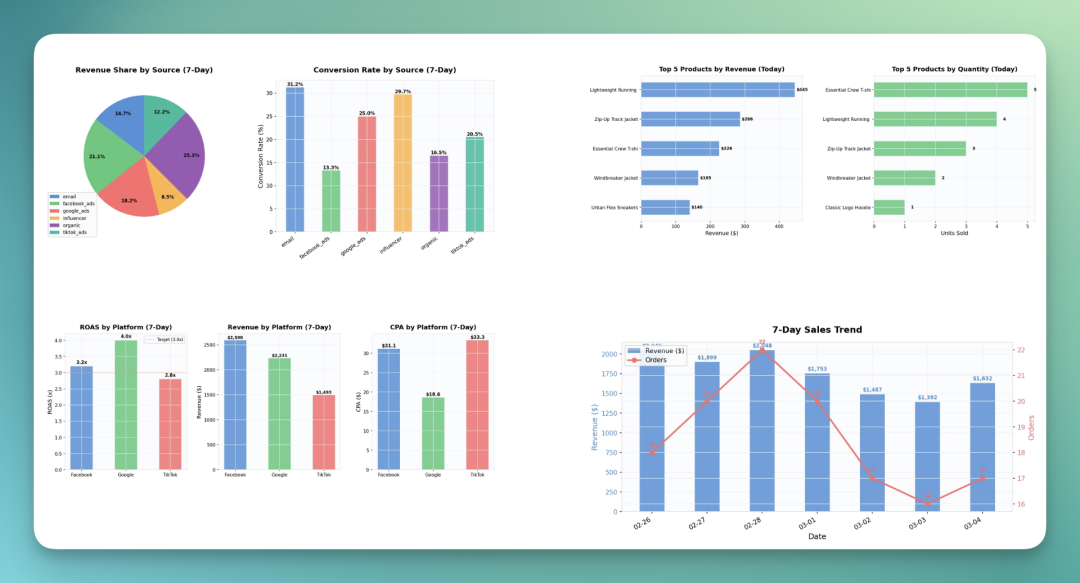
The charts below were separately requested, visual analysis based on that 2,000-row dataset.
Honestly, Happycapy handles this kind of chart analysis quite smoothly. No obvious hallucination issues, and the data looks correct.
I also had it produce a 16-page Word operations report.
Line charts, pie charts, bar charts — all present, with decent color coordination. The report opens with a clickable table of contents.
The whole document came out largely clean. I specifically cross-referenced report data against the original table — basically all accurate.
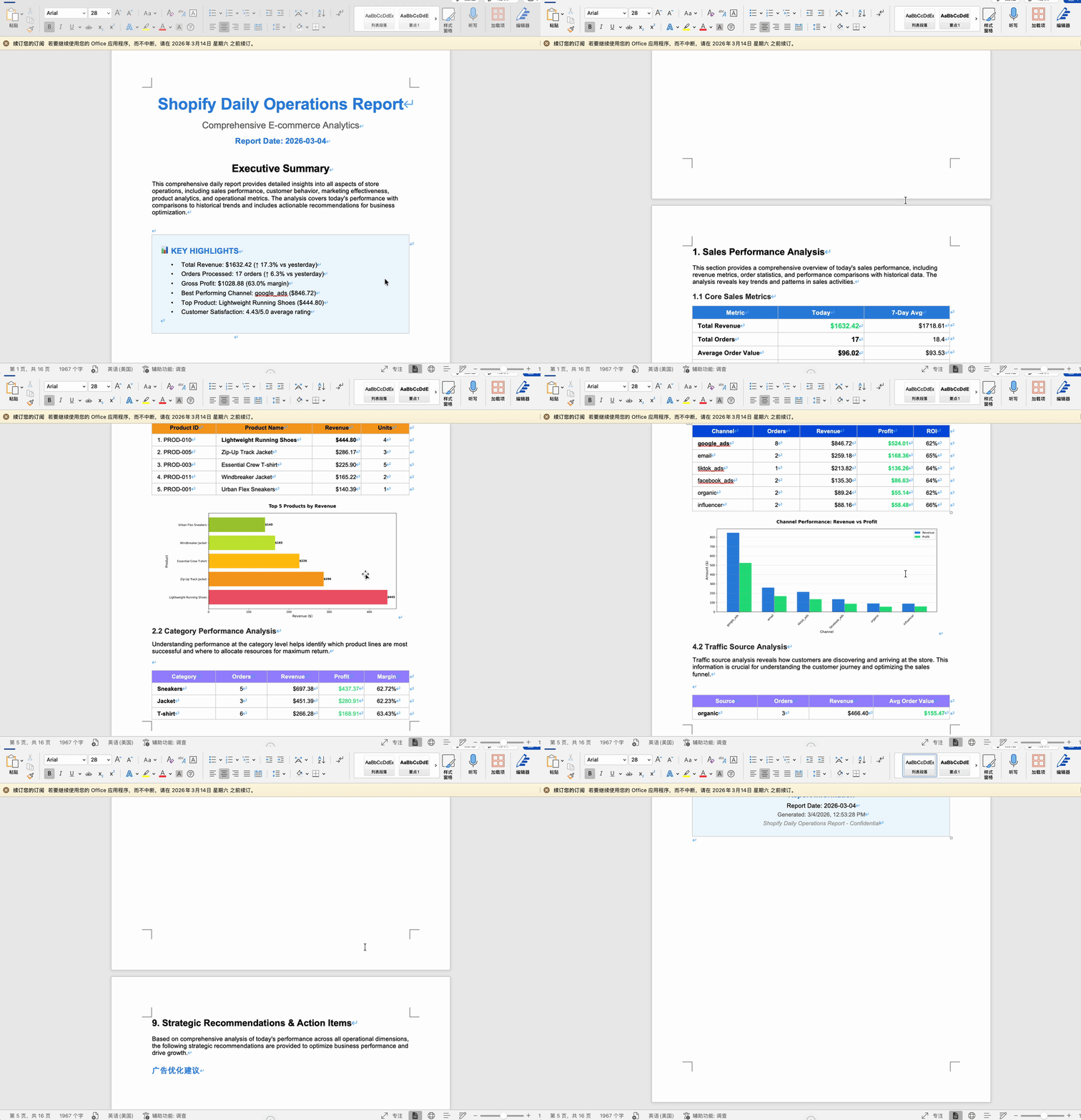
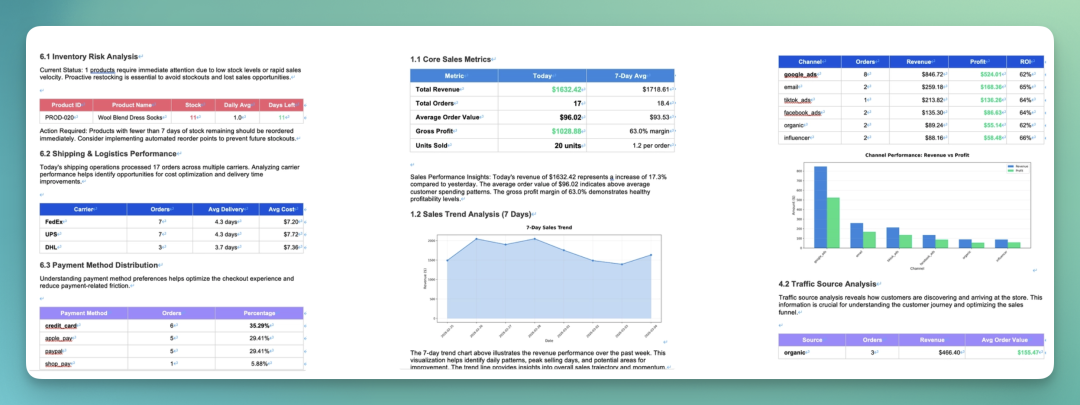
I screenshotted several pages — overall color palette is solid, not flashy, fairly harmonious. Most sections have charts underneath.
Data checked out too. I specifically looked at Payment Method Distribution — matches the original database.
Work Scenario | Full AI Product Launch Workflow
From the first two cases, Happycapy shows strong ability combining multimodal content with complex reports, supporting diverse output formats.
So next I directly asked it to produce a full launch package for a new AI product — from concept to product images, exploded views, PDF, PPT, the works.
It first defines the product form itself, then generates everything. Of course you can also upload your own AI product and have it produce fundraising materials and product concept design.
Prompt:
`You are a top-tier startup consultant + VC investment banking advisor + product strategy expert + AI hardware product design expert.
Your task is to generate a complete fundraising package + product concept design for an AI earbud startup.
Company info:
Name: Crossingroad
Sector: AI Voice Hardware / AI Earbuds
Positioning:
Building next-generation AI earbuds, moving human-AI interaction from "screens" to an always-available voice intelligent assistant.
Product form:
AI Native Earbuds`
First I had it design product image inspiration for AI language earbuds.
It generated nearly 50 images — different prompts, angles, colors. Important note: you need to specifically tell it to use NanoBanana Pro for image generation, otherwise quality drops significantly.
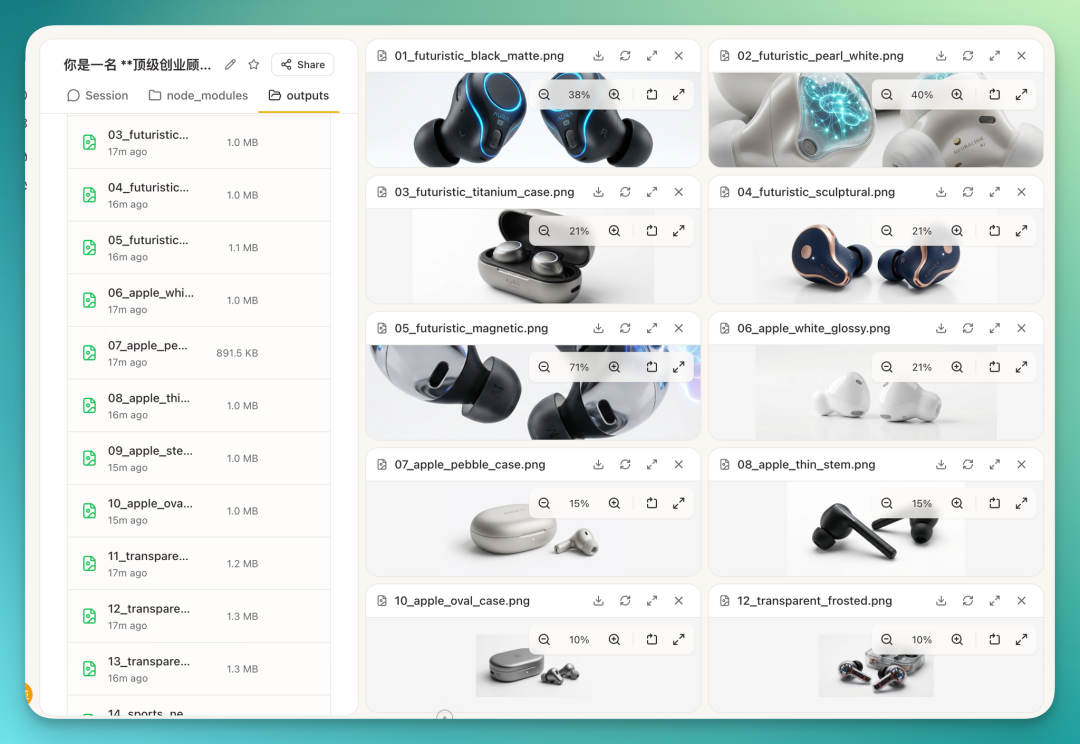
All files can be bulk-downloaded with one click. This run produced quite a lot of product images.
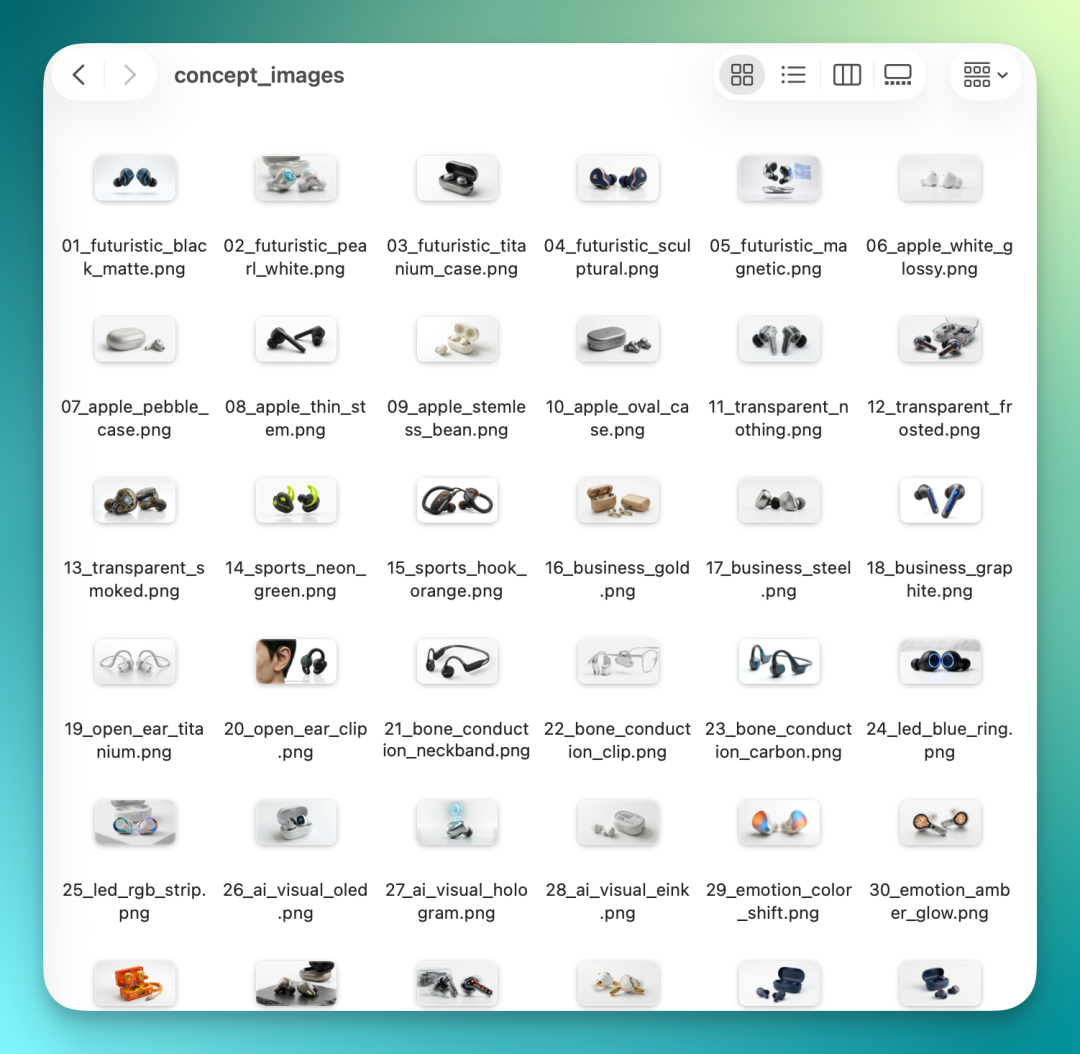
One point worth noting. With some other general AI agents, to save tokens, asking for product inspiration images might get you 5 to 10 images and that's it. But Happycapy, with unlimited tokens, doesn't seem to hold back.
All files display directly in output — quite a sight. And the files on the right in the image below are just a fraction.
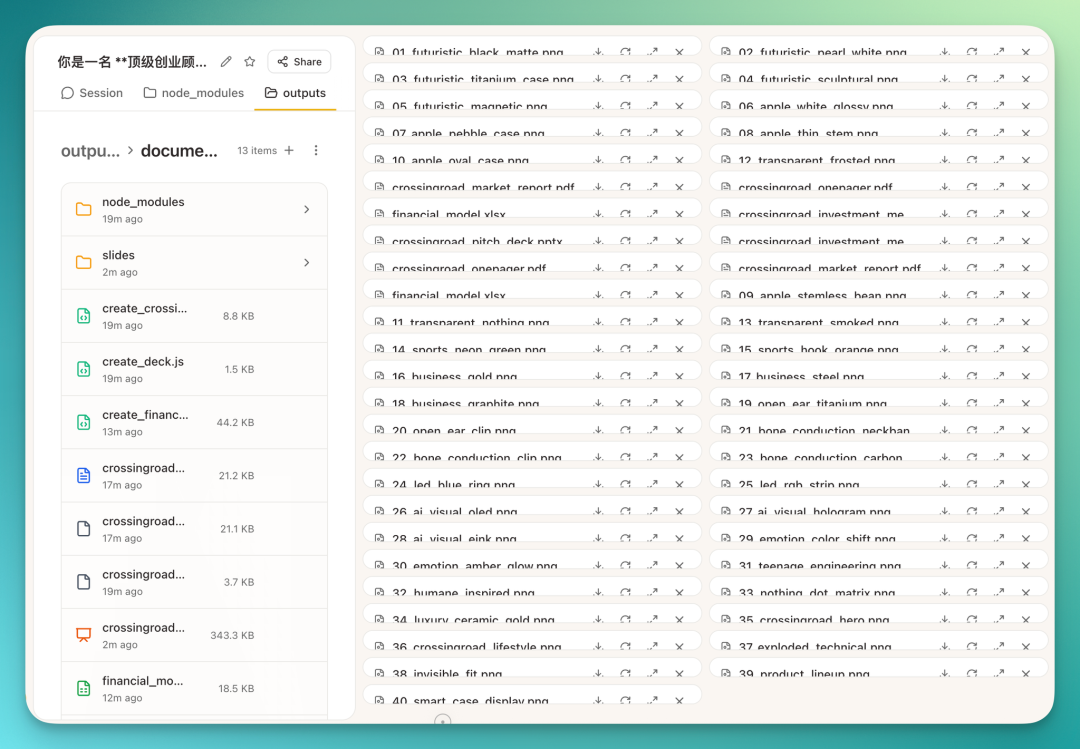
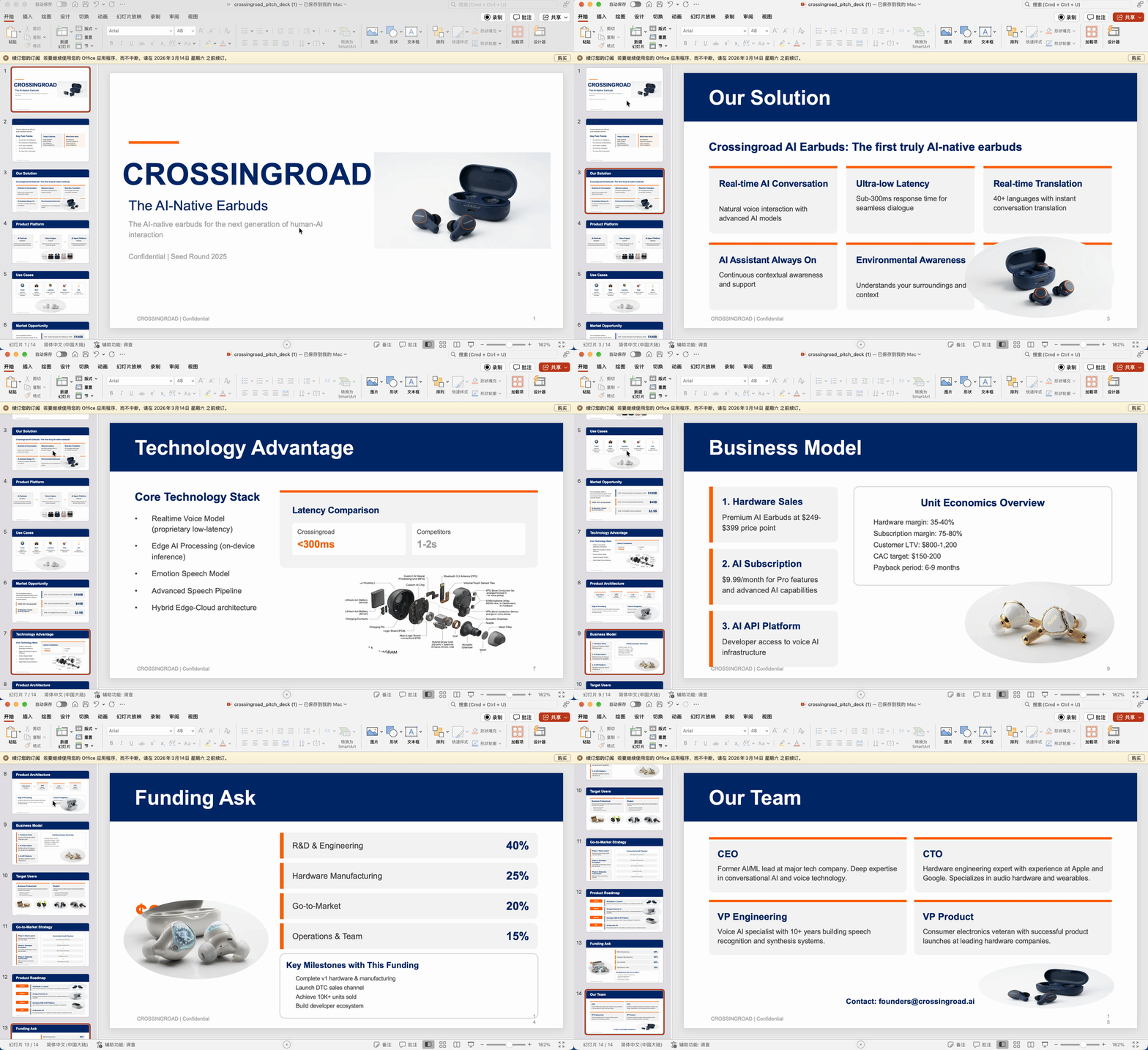
Final deliverables: an Excel spreadsheet with multiple tabs; a complete PDF report; plus a consulting-style PPT. All based on the fundraising data I uploaded.
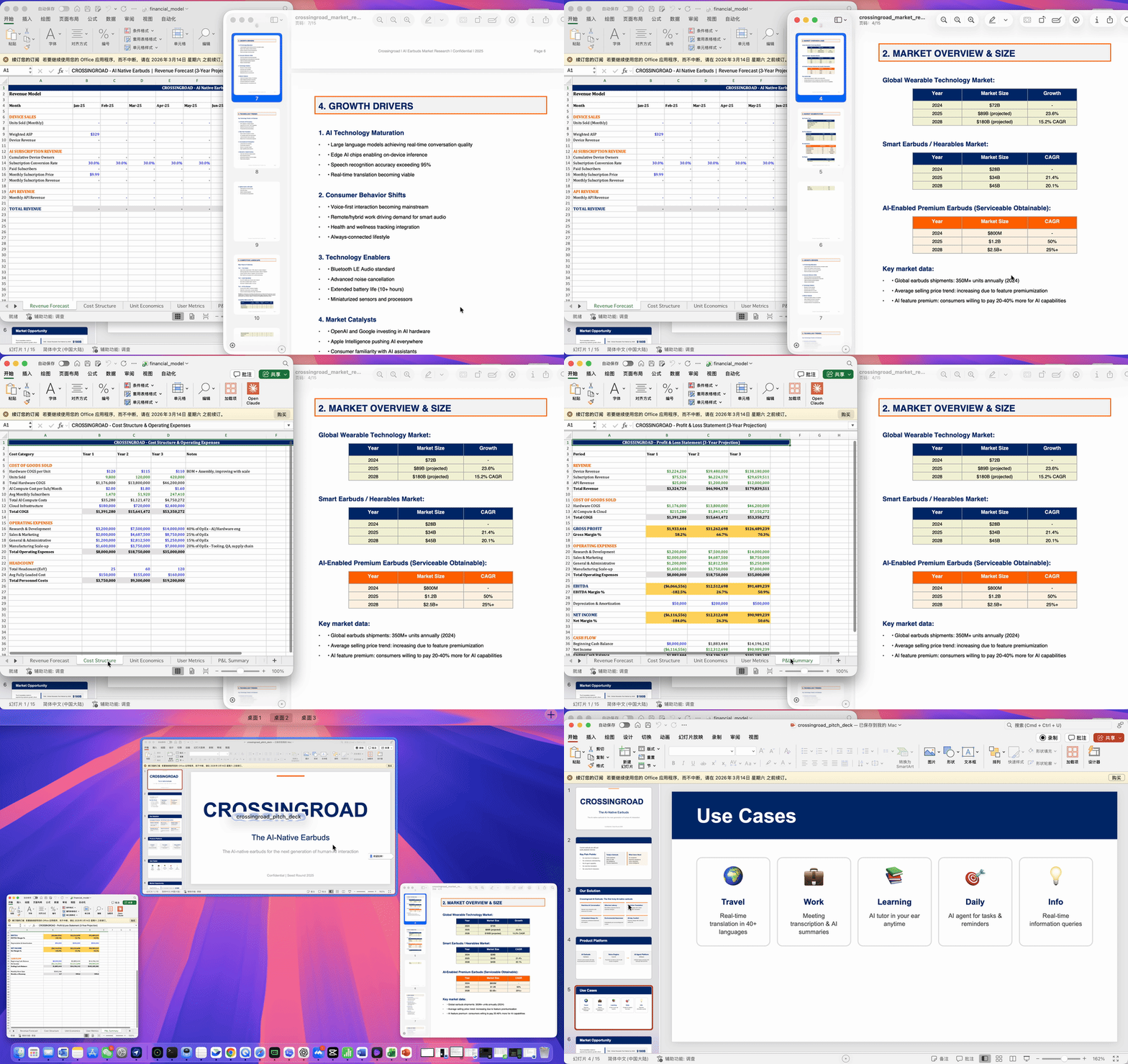
Initially I forgot to have it include product images in the report, so later I separately asked it to add the previously generated AI product images to the PPT.
Results were decent — some pages even used exploded views.
However, this kind of retroactive image addition has a chance of issues. Images get inserted but may overlay existing text.
It does try to handle this — for example, stitching several earbud images together, adding a gray background, inserting into the PPT while shifting original text boxes to make room. Usable, but not perfect every time.
Looking across these cases, Happycapy's capabilities simplify to four things.
First, complex tasks, run end-to-end. Much that previously required manual step-by-step execution, it runs through automatically.
Second, it can call multiple tools within one task: image generation, coding, layout, data analysis, report generation. The entire workflow auto-chains together.
And Happycapy has multiple agents working simultaneously. Complex tasks don't bottleneck on a single model. This pattern proves quite useful for data analysis and product design tasks.
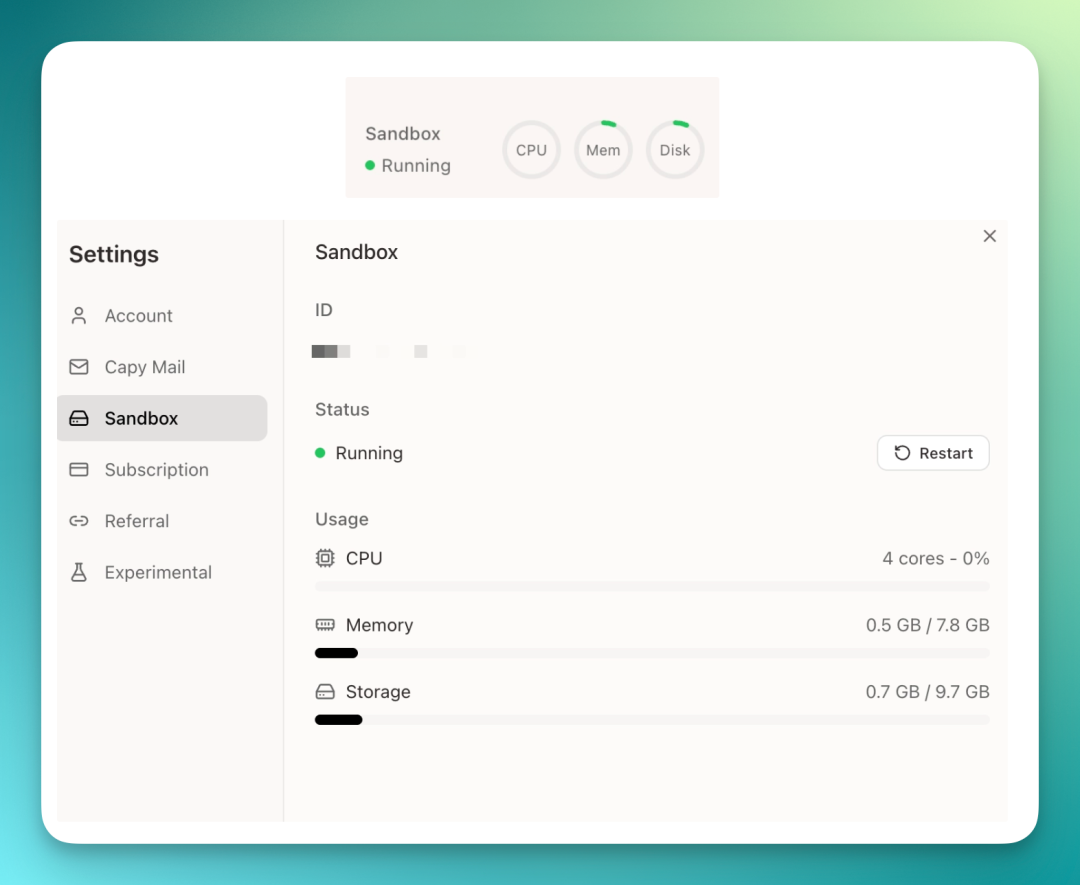
Finally, the entire workflow runs long-term in the cloud — Happycapy's biggest differentiator. Each user has an isolated environment. Tasks run in the cloud, consuming no local resources, with support for automated scheduling.
🚥
Finally, if cloud-based AI agents interest you, I'd recommend trying Happycapy yourself ~
P.S. Happycapy link: