Rethinking "Doubao Desktop": From Chat Tool to All-Purpose Creative Assistant

Lately, more than a few friends have mentioned that their parents have "gotten hooked on" Doubao — glued to their phones chatting with it, sometimes for half an hour at a stretch.
At a weekend get-together, when the conversation turned to AI tools people had been using lately, two friends independently recommended Doubao to me, with particular enthusiasm for the "Doubao desktop app." That piqued my curiosity anew.
So I reopened the Doubao desktop app on my computer. The last time I'd downloaded it was when the first demo version dropped — I remembered it as a half-baked product that had been gathering digital dust ever since. This time, the feature set was noticeably richer.
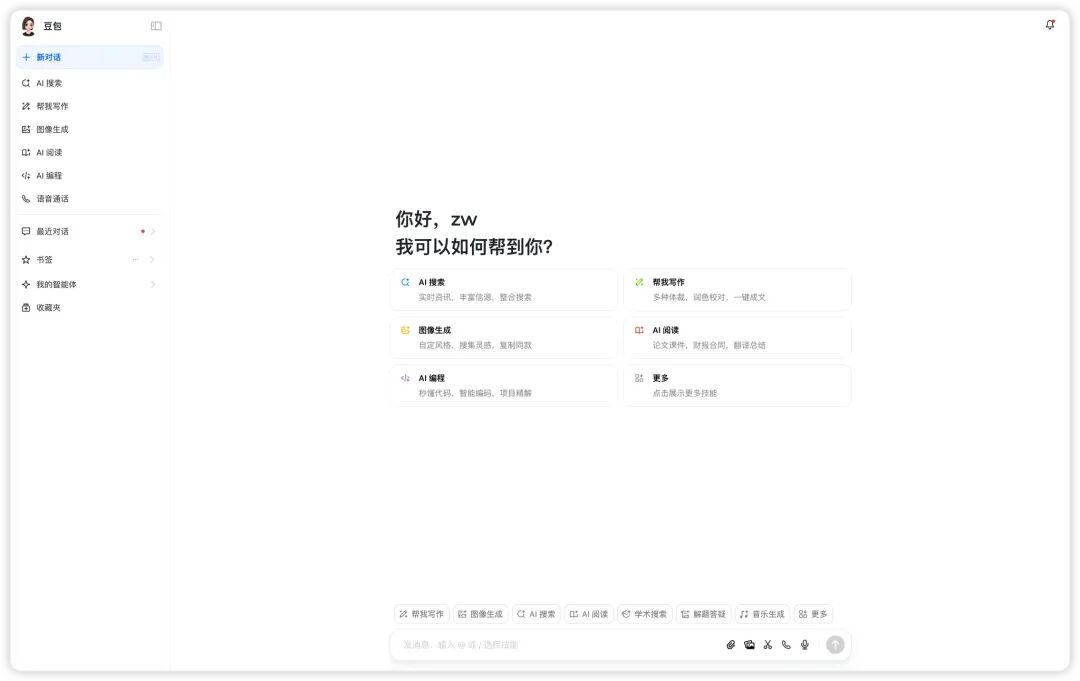
My immediate impression: the Doubao desktop app has quietly undergone a significant evolution.
From its origins as a simple chat interface, it has grown into an integrated workspace spanning browser, editor, and AIGC creation tools — Doubao is attempting to redefine how AI collaborates with creators.
What struck me most was its "chat + edit" design. I'd been planning to write an explainer on Claude MCP[1], and this new feature arrived at just the right moment. Unlike the fractured experience of toggling between multiple windows while reading papers, Doubao organically fuses conversation and editing, making the entire research and reading workflow surprisingly fluid.
Looking back, our expectations of AI products have been shifting. What started as a desire for "someone to chat with" has evolved into wanting something that can genuinely participate in our work. And Doubao seems to have read that change.

I spent an afternoon thoroughly exploring the desktop app's new features. Honestly, compared to the version from six months ago, Doubao delivered far more surprises. It felt like reuniting with an old friend after months apart and discovering she'd completely transformed — not just more polished, but having picked up an impressive array of new skills.
Let me share the three most striking changes I discovered.
The first and most significant change: Doubao's redefinition of the entire creative workflow
When I clicked on "Help Me Write" in the left sidebar, I found that Doubao had pre-built clear templates for various writing scenarios. What caught my eye in particular was the "Article (step-by-step drafting for major platforms)" option — isn't this exactly what content creators face every day?
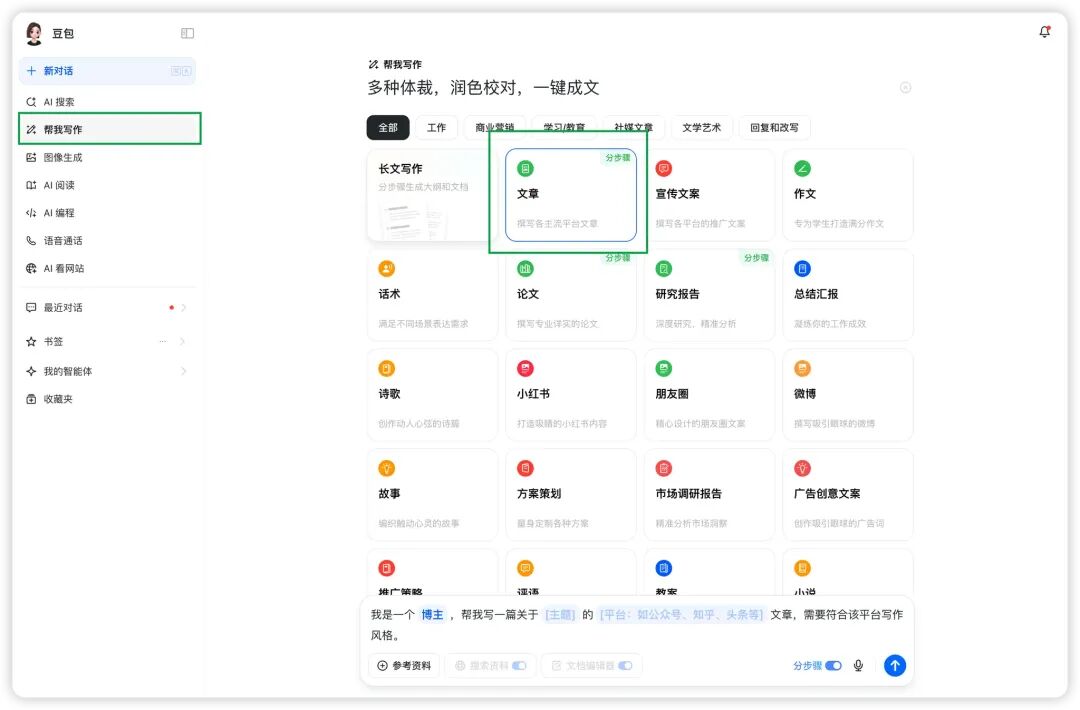
What delighted me was how Doubao transformed the writing process, often seen as an intimidating blank-page ordeal, into a simple fill-in-the-blanks exercise. In the search box, I only needed to provide three elements (using a copywriting intern drafting a brand article as an example):
- My role (copywriting intern)
- Topic (introducing the Xiaomi SU7 to expand brand reach and influence)
- Target platform (WeChat Official Account)

In under ten seconds, a fully structured outline appeared. What surprised me more was its attention to detail:
- Each section's paragraph length could be freely adjusted
- Subheadings could be flexibly added
- The main body even included reference citations
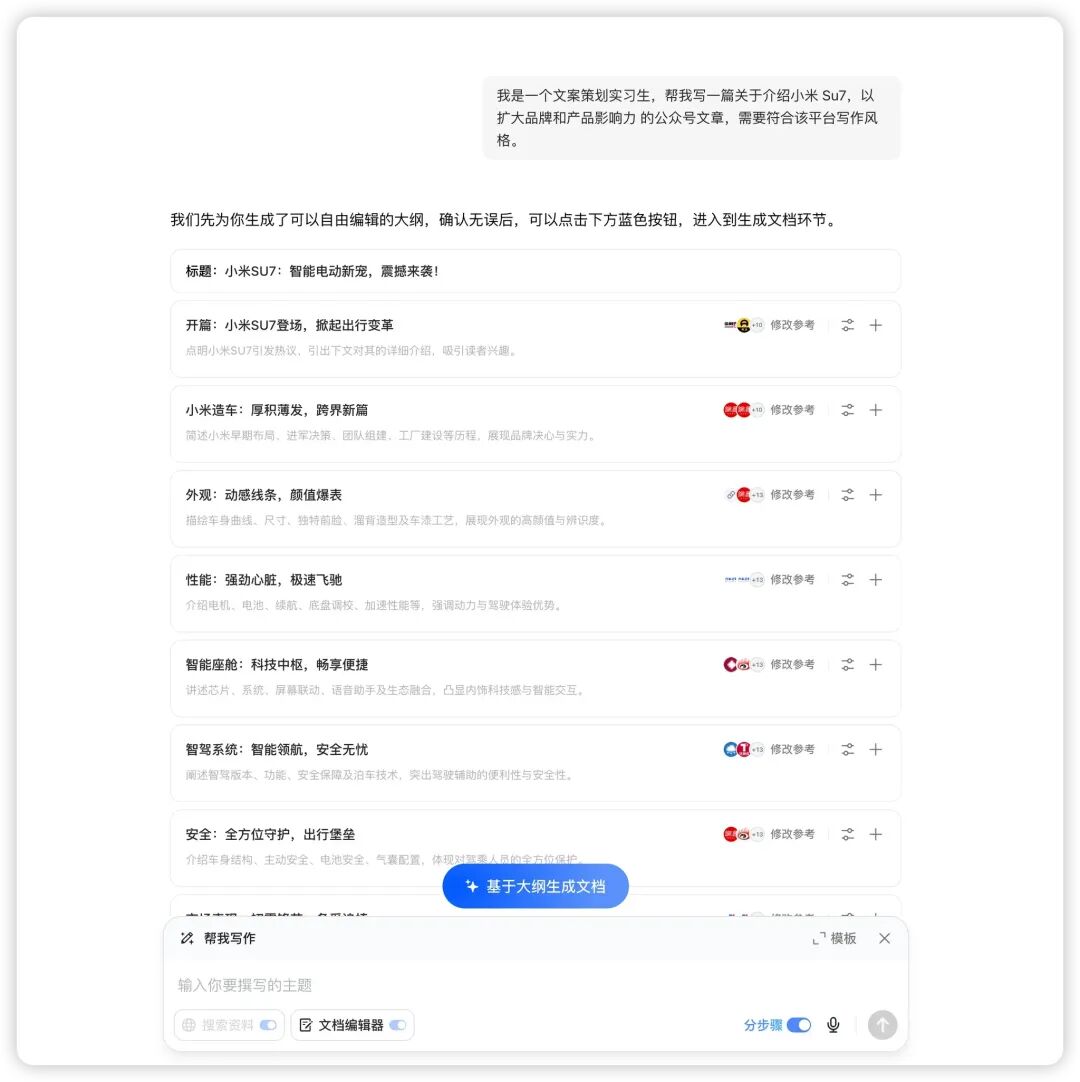
Even individual sections allowed setting paragraph length and adding subheadings.
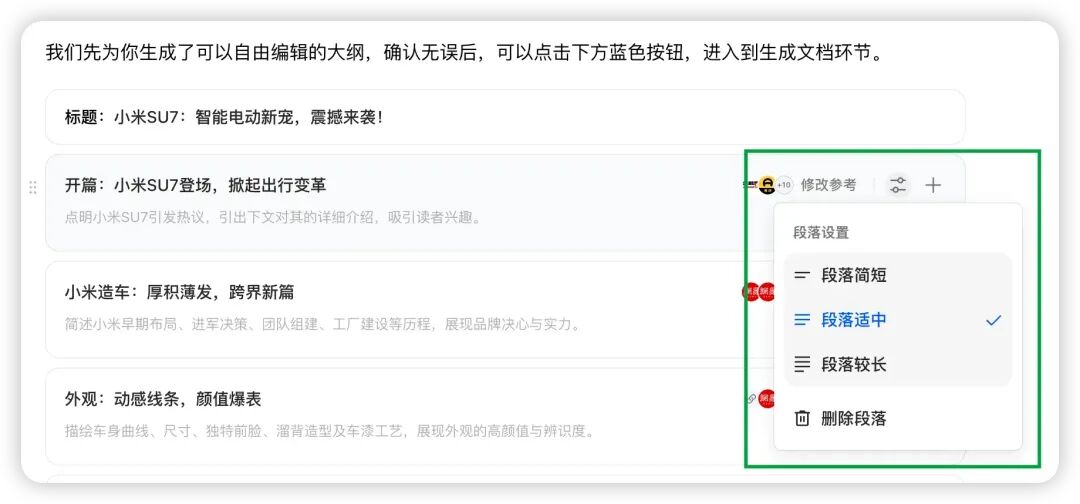
Paragraph settings offered three options: short, medium, and long.
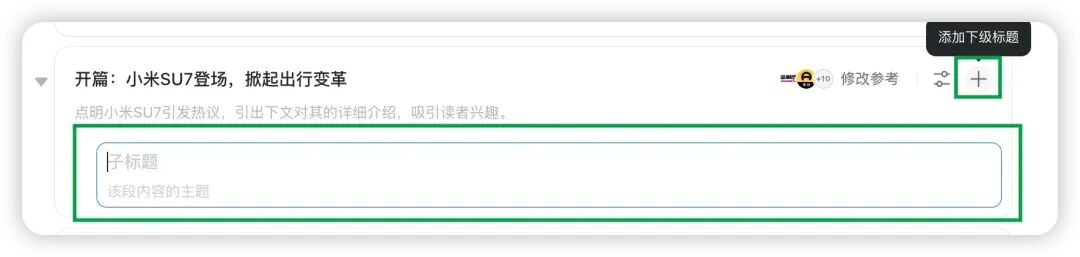
The subheading options gave articles more visual and reading "hierarchy." After clicking "Generate Document from Outline," a first draft matching the WeChat Official Account tone was ready in just 15 seconds.
The entire process flowed effortlessly, completely overturning my assumptions about AI writing — so this is how easy generating a content draft can be.
This templated design doesn't just boost efficiency; more importantly, it provides creators with clear structural guidance. For teams that need to produce content regularly, this is a long-awaited productivity tool.
The second change: a completely new experience for code development
As someone who frequently researches open-source projects, my biggest pain point has always been the window-hopping — GitHub for code, IDE for testing, chat tools for asking colleagues. Doubao's "AI Coding" feature seems to have spotted this exact problem.
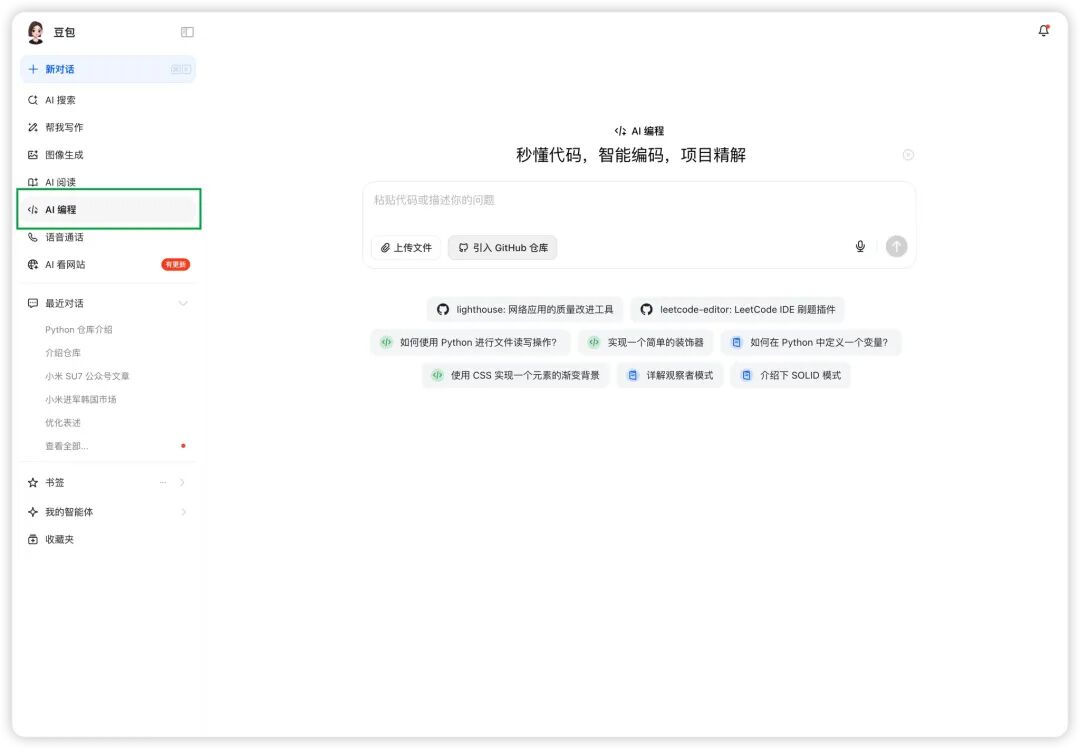
Let me test it with ByteDance's recently open-sourced LatentSync[2] project. It's an innovative lip-sync framework based on audio-conditioned latent diffusion models, dispensing with intermediate motion representations — a significantly different technical approach from traditional methods.
Clicking "Import GitHub Repository" and entering the project URL, Doubao immediately began analyzing the entire codebase. The process was surprisingly fast. What impressed me most:
- Complete project perspective: no more copying and pasting code snippets; Doubao can directly understand the entire project structure and context
- Smart directory navigation: switch between files as freely as in an IDE
- Immersive reading experience: the built-in code editor supports syntax highlighting, making reading exceptionally smooth
When I asked Doubao about LatentSync's basic principles, its response was impressive. First, it explained in plain language that this was a project about "generating corresponding mouth shapes directly from speech audio," then concisely identified three key differences from traditional methods:
- Generates directly in latent space, without intermediate steps
- Uses diffusion models to ensure generation quality
- End-to-end training approach simplifies the pipeline
It then provided an overview of key module code structures — not line-by-line comments, but summaries of each important component's function.
This gradual, layered explanation allowed me, a developer unfamiliar with the audio-visual domain, to progressively grasp the project architecture.
What really caught my eye was Doubao's interaction design for code reading. Hovering over any function in the code automatically surfaced two options: "Explain Code" and "Fix Code."
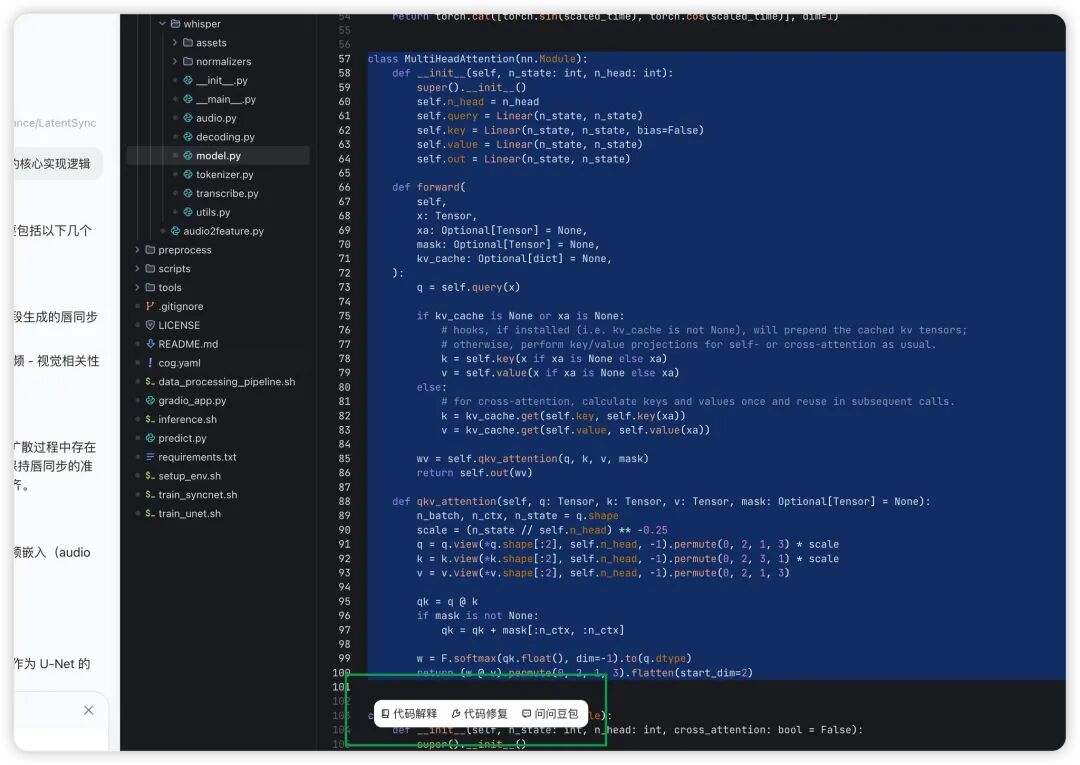
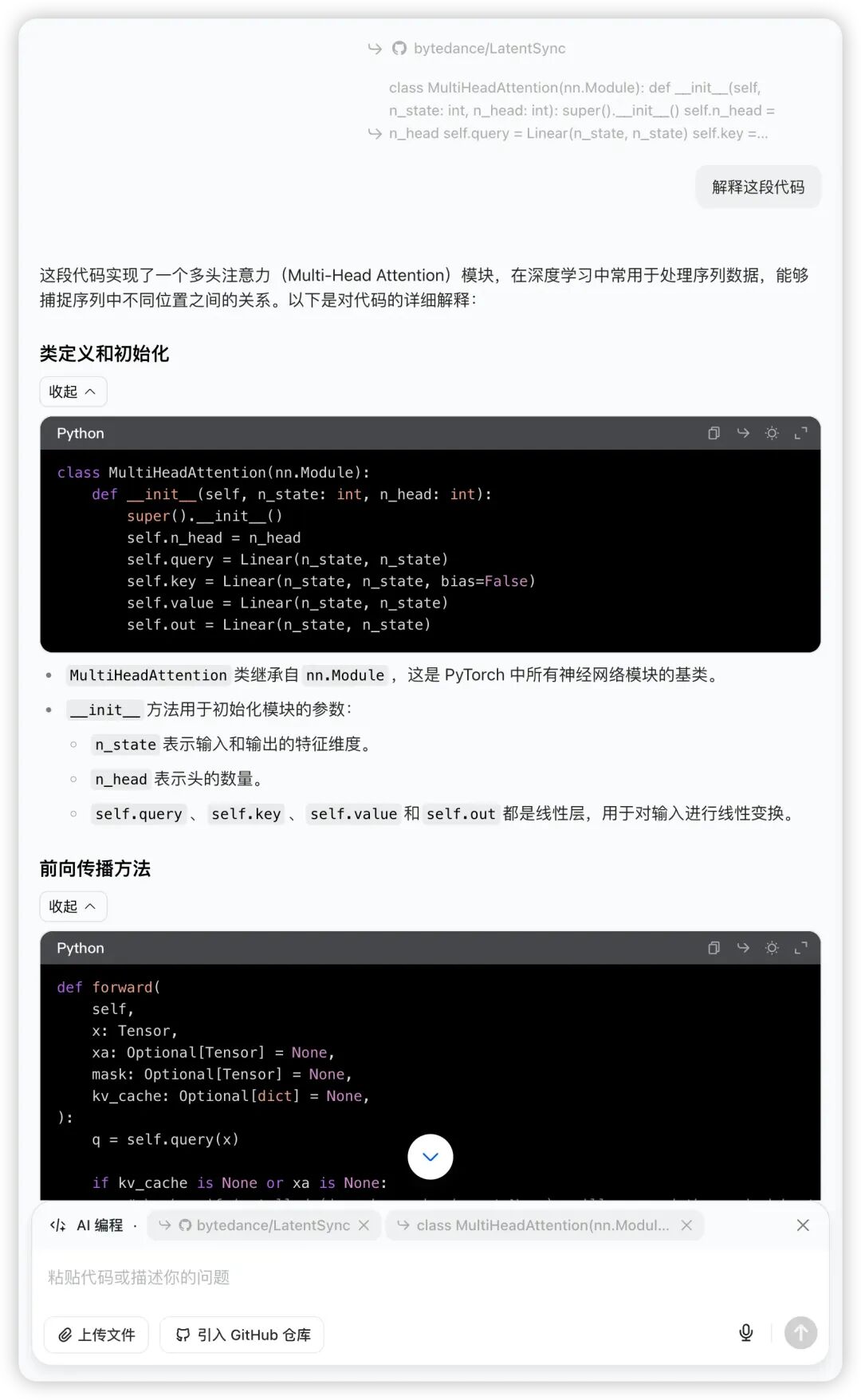
For example, when I selected the MultiHeadAttention class and clicked "Explain Code," Doubao delivered a remarkably clear interpretation:
Clicking "Fix Code," Doubao also offered several valuable optimization suggestions:
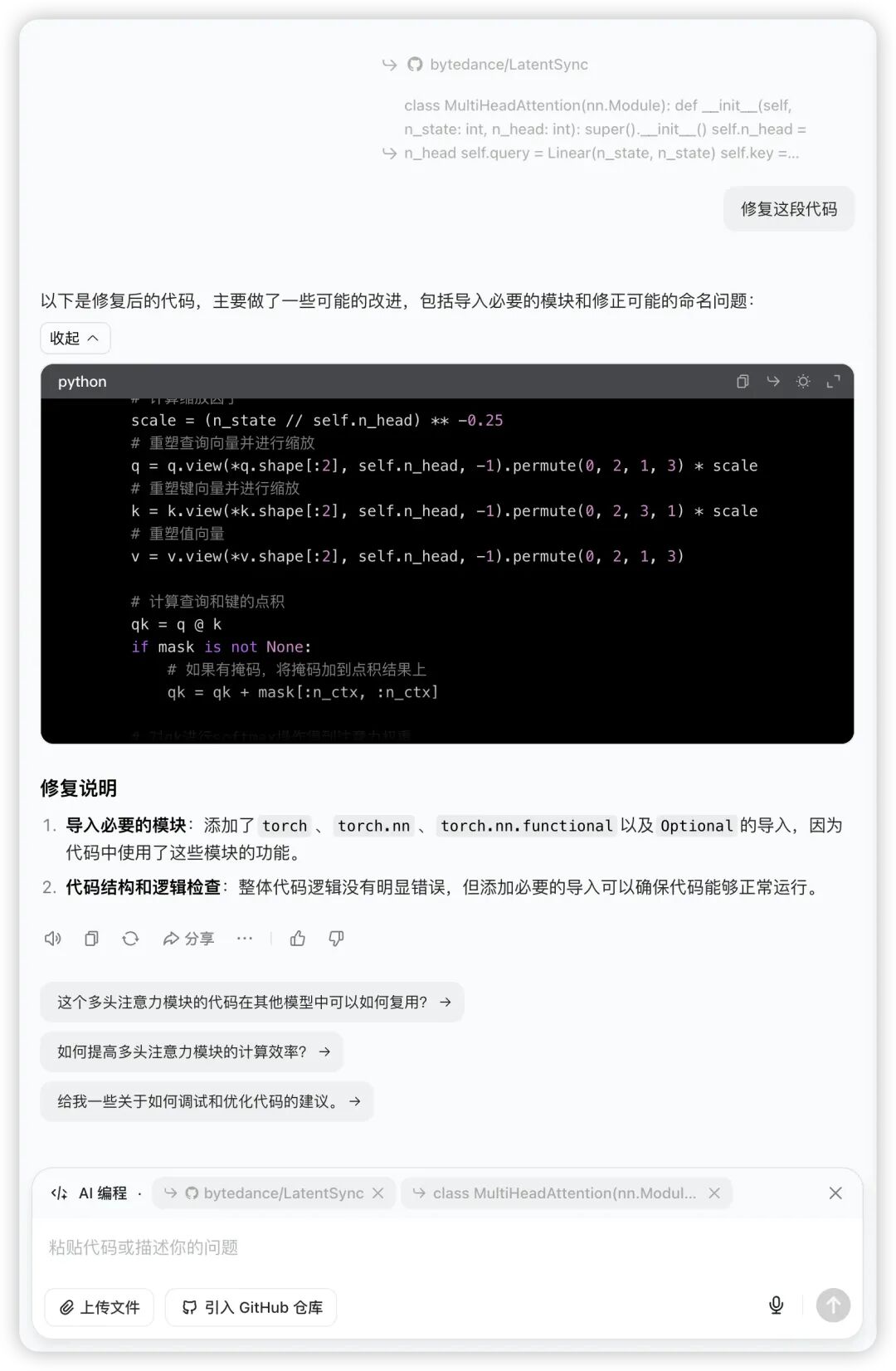
This immediate, professional feedback makes for a solid learning assistant for developers wanting to deeply understand deep learning model implementations. Especially when confronting core algorithm implementations like this, Doubao can both explain how the code works and identify potential optimization opportunities, significantly accelerating the project learning curve.
The third major change: Doubao is redefining how we acquire and process information
When I noticed the "AI Browse Web" option in the left sidebar marked with an "update available" badge, curiosity drove me to click in. Another surprise — Doubao had completely redesigned the information acquisition experience.
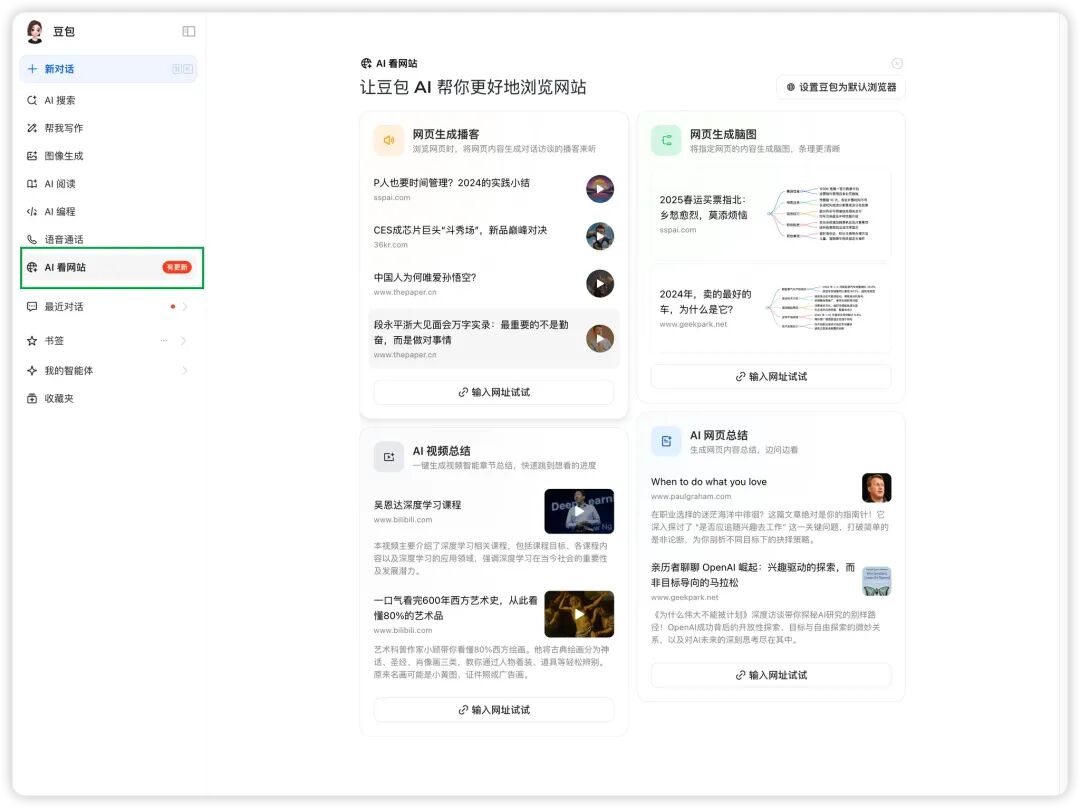
Let me demonstrate with a few real-world cases.
⚡️ Bringing text to life: webpage to podcast
I first tested it with a recent article from Crossing: Zhihu's "Ten Questions for the Internet" Revelation: One Platform, Three Questions, Thirteen Years of Era Codes. After loading the article, my attention was immediately drawn to the "Webpage Read Aloud" function in the upper right. Interestingly, it wasn't simple text-to-speech, but offered three reading modes: full-text reading, smart summary, and smart podcast.
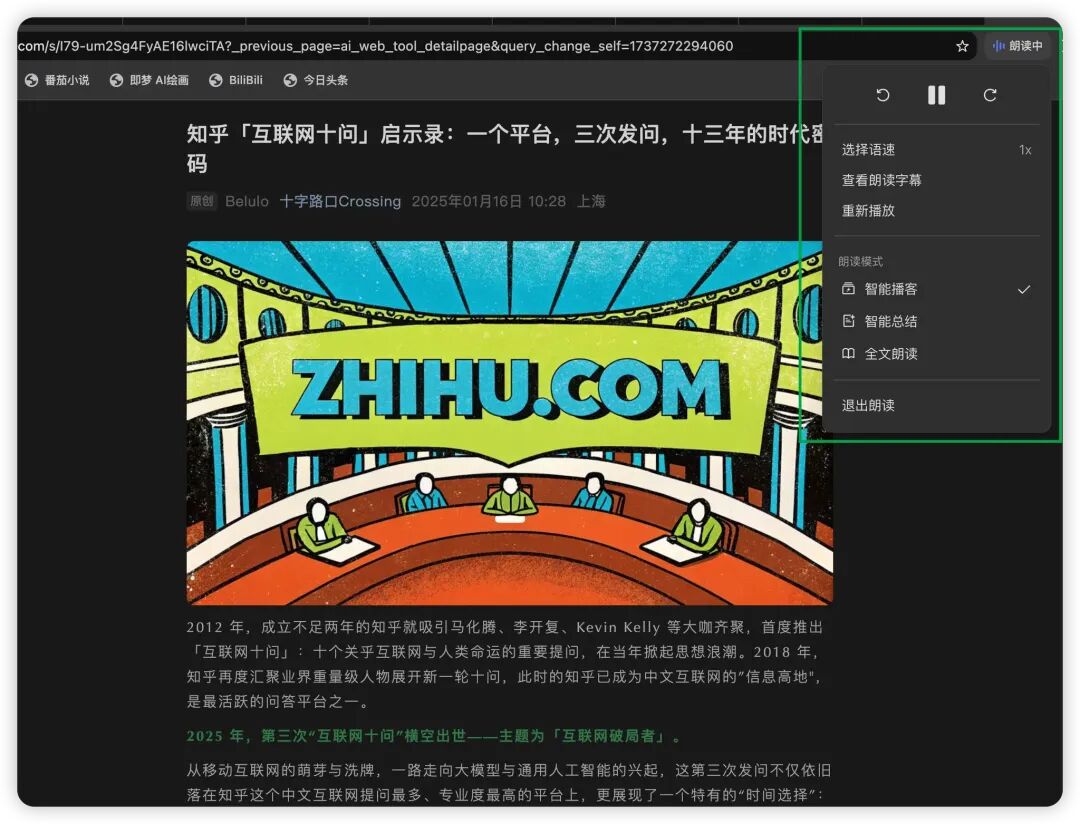
What blew me away was the "Smart Podcast" mode — it transformed the entire article into a two-person dialogue. Two voices going back and forth, like listening to an actual podcast episode. This format doesn't just make content more vivid; it's especially suited for commute-time listening.
🎯 Simplifying complexity: one-click mind map generation
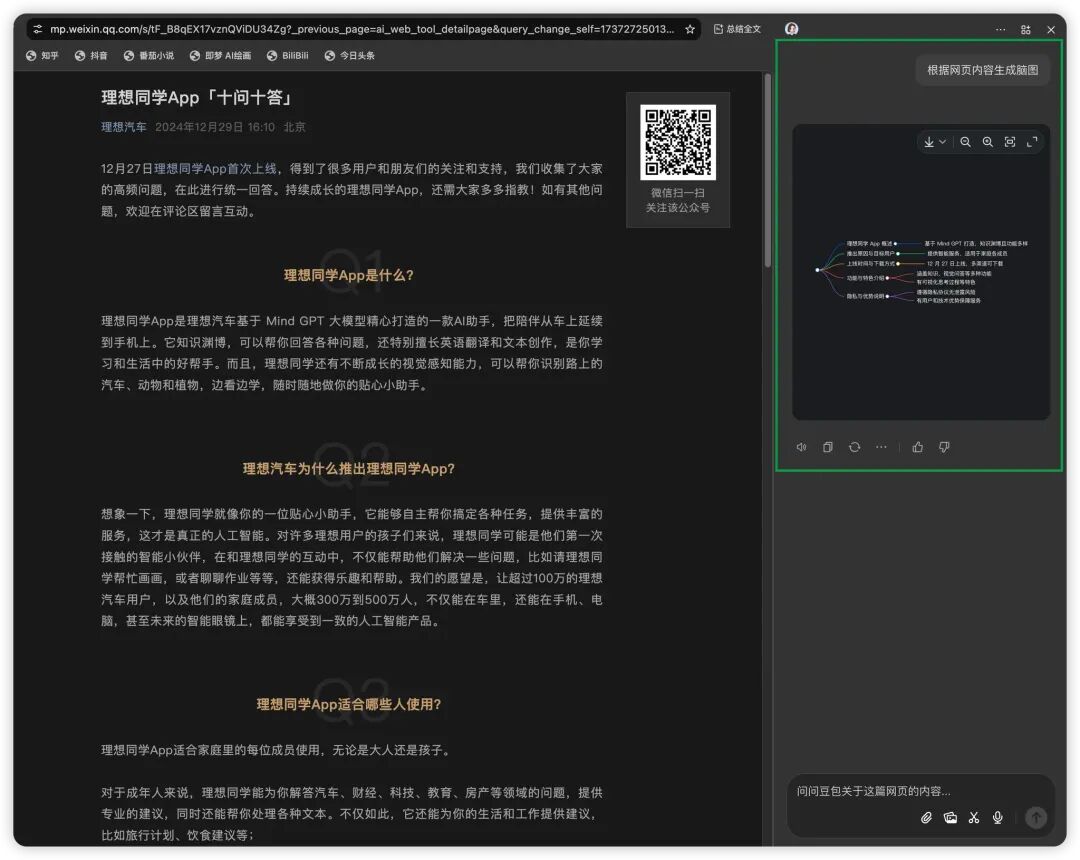
Next I tested the "Webpage to Mind Map" feature with Li Auto App's "Ten Questions, Ten Answers". The right panel instantly generated a clearly structured map, perfectly visualizing the article's core arguments. For Q&A-style long reads like this, using a mind map to organize logic is an ideal fit.
🎬 Effortlessly mastering video content
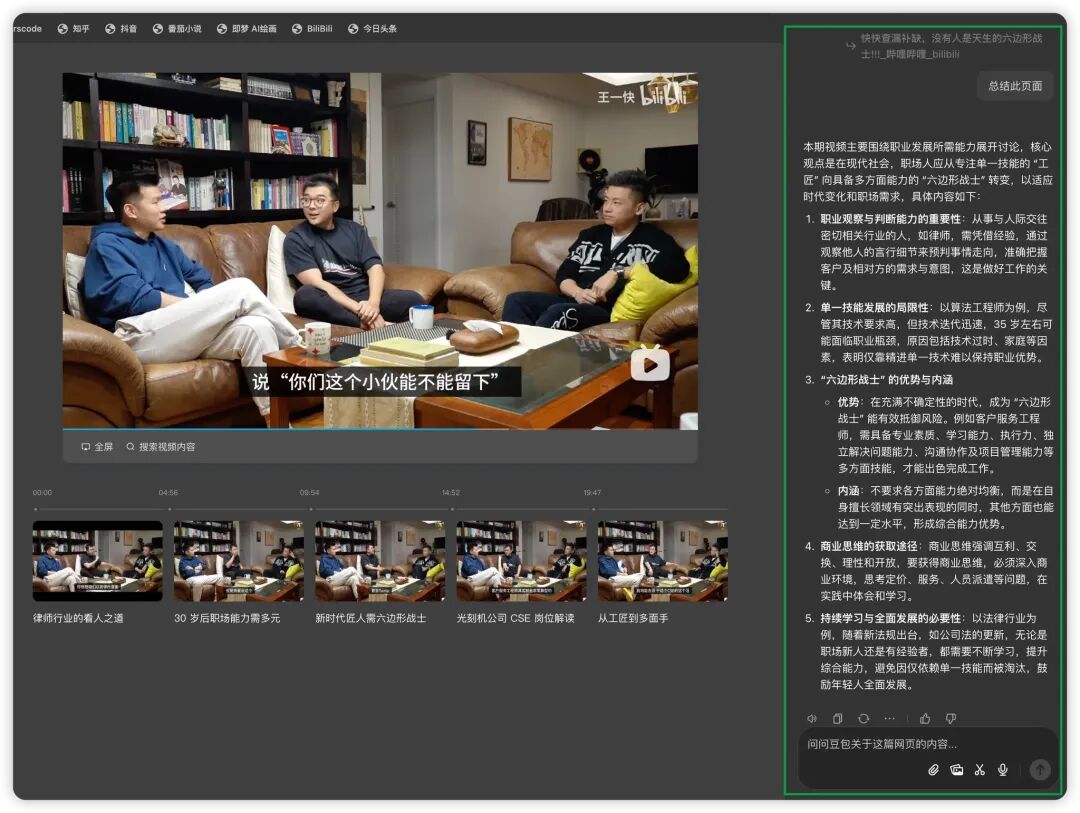
What impressed me even more was its comprehension of video content. I tested it with Yikuai Wang (COO of Shanghai-based Metta)[3]'s Bilibili video: "Quickly Fill the Gaps — Nobody's Born a Six-Sided Warrior!!!"[4]: Doubao not only summarized the video's core content but also generated a corresponding knowledge mind map. This means you no longer need to grind through repeated viewings to grasp a concept.
🌐 Cross-language information without barriers
Finally, I tested its handling of English content. Opening Not Boring[5]'s newsletter Weekly Dose of Optimism #126[6], Doubao immediately demonstrated its language chops: not only quickly summarizing key points but also providing real-time side-by-side translation. For anyone needing to rapidly scan overseas information, this is an absolute lifesaver.
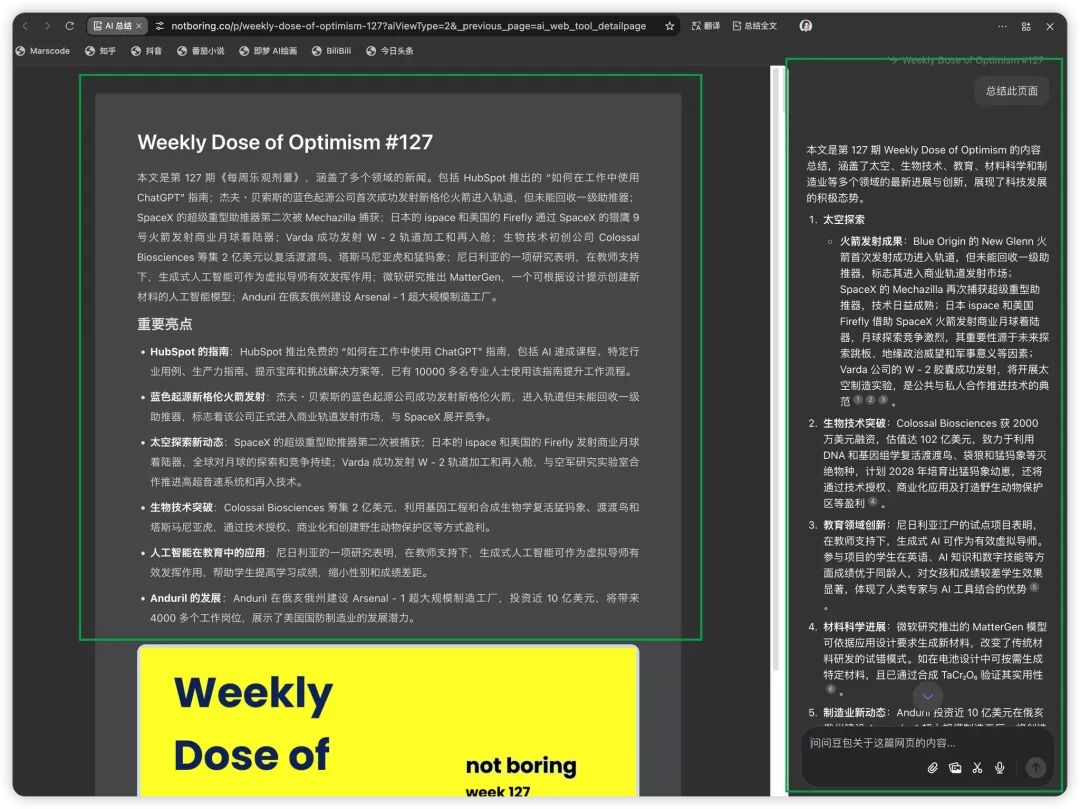
The revolutionary aspect of these features is that they're not just helping us "view" content — they're helping us "understand" content more efficiently. Whether it's text-to-speech, mind map generation, or video summarization, each represents a reorganization of information in ways better suited to human cognition.
This reminded me of something media theorist Marshall McLuhan said:
"The medium is the message" — when the way we acquire information changes, our way of understanding the world quietly changes too.
From 0 to 1: Writing an explainer with Doubao
To genuinely test Doubao's writing capabilities, I decided to use it to write an explainer article. The process gave me a deep appreciation for the unique qualities of this "chat + edit" model.
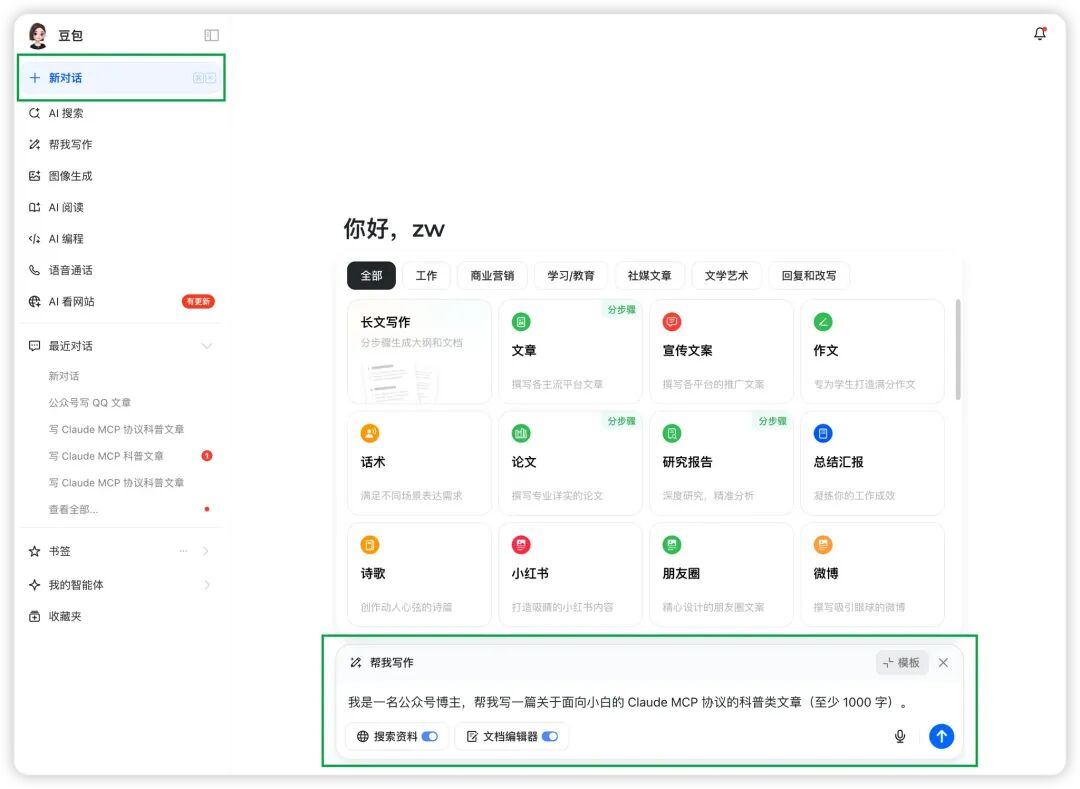
Clicking "New Chat," I checked "Search Sources" and "Document Editor" in the search box, entered a simple prompt, and began our article creation journey.
After clicking generate, Doubao automatically searched the web, referenced 9 sources, and quickly produced a first draft combining real information from those sources.
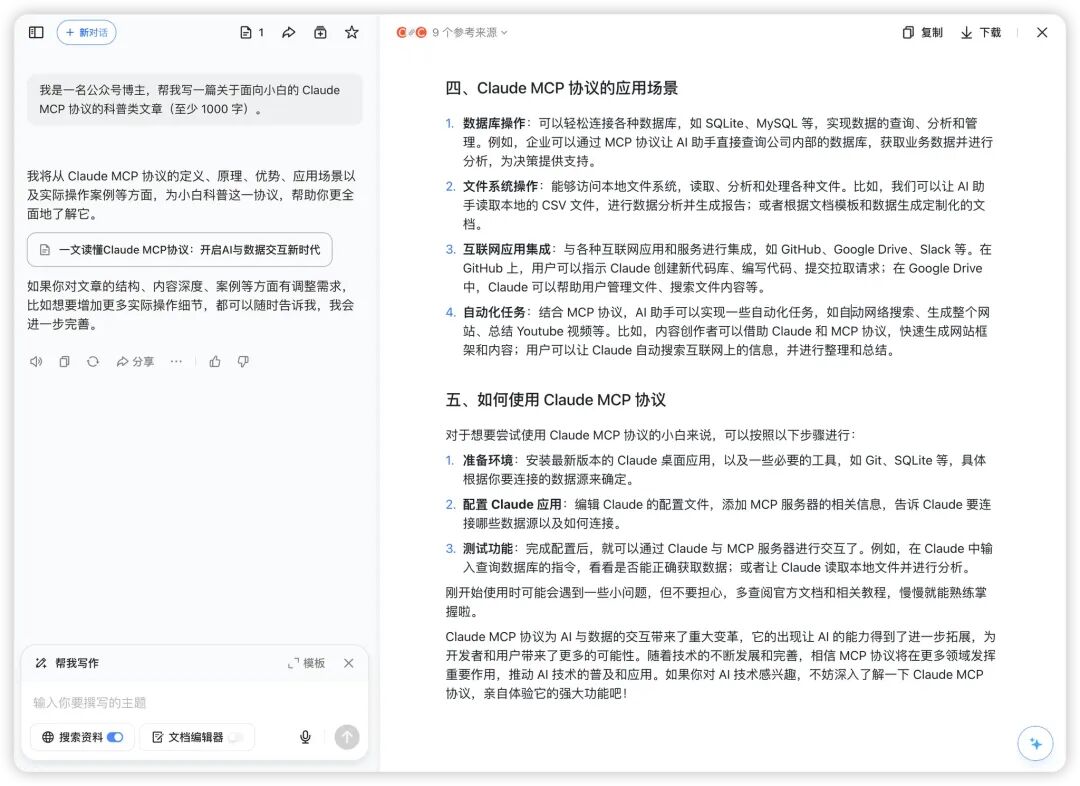
The beauty of "chat + edit" is that we can "second-edit" the model's output — meaning even if the initial result isn't quite right, we can polish and refine from that version.
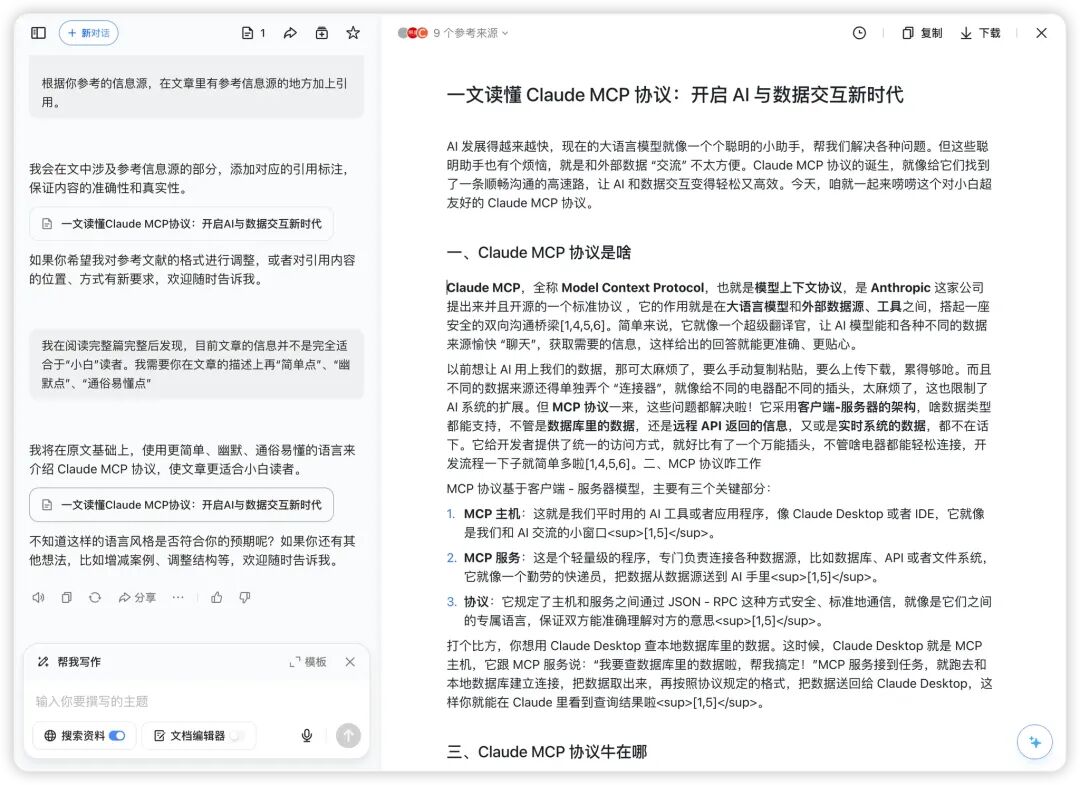
For instance, I noticed that while Doubao had referenced 9 sources, as a science explainer, I needed to ensure professional citation standards. So I requested "add citation markers." Doubao quickly obliged (though currently the in-text references still appear as HTML code, which is slightly rough, the overall result is solid).
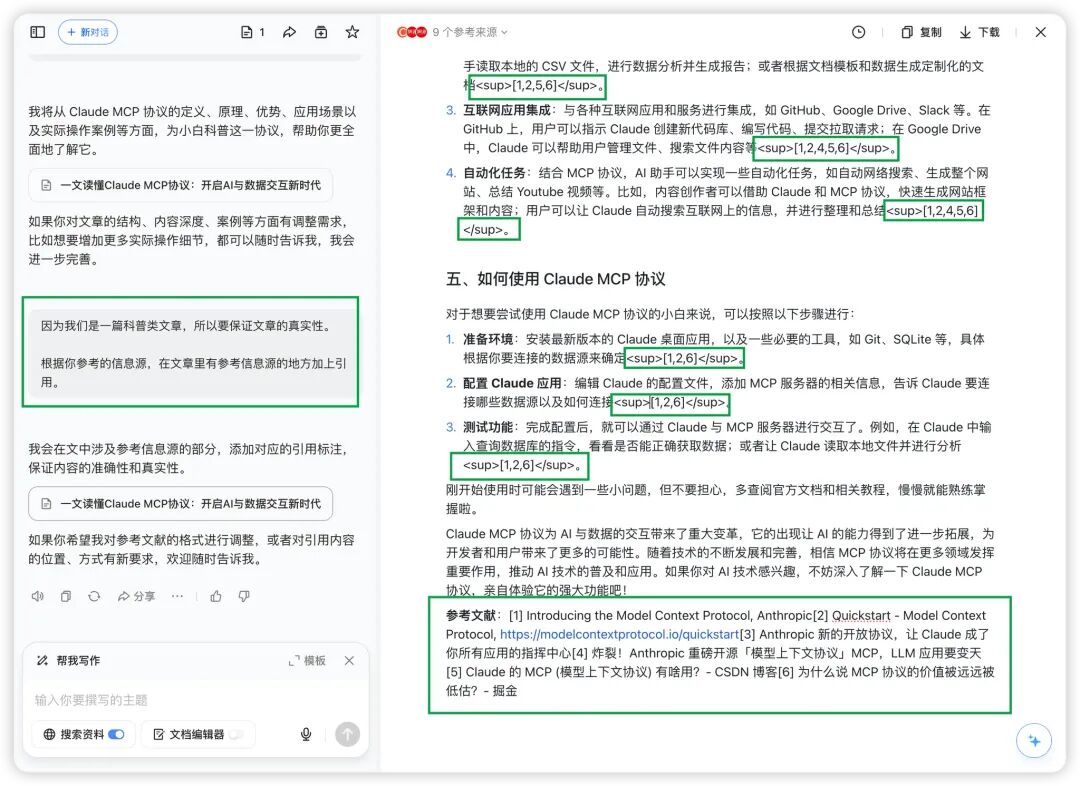
After receiving the "add citation markers" request, Doubao generated a "References" section at the article's end. Reading through carefully, I felt the expression still wasn't quite suitable for beginner readers. So I made a new request:
After reading the full article, I found the current information isn't fully suitable for "newbie" readers. I need you to make the descriptions "simpler," "funnier," and "more accessible."
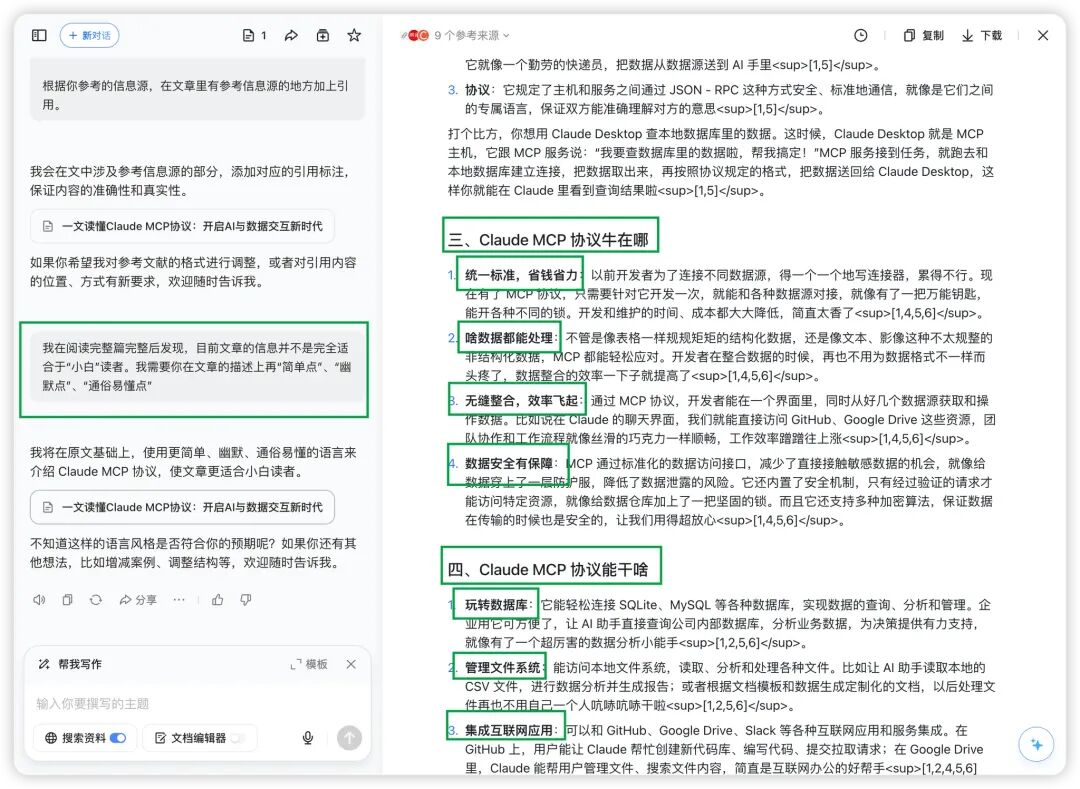
Doubao revised the entire article accordingly. The descriptions became more "accessible," and the tone grew "livelier" and "more engaging."
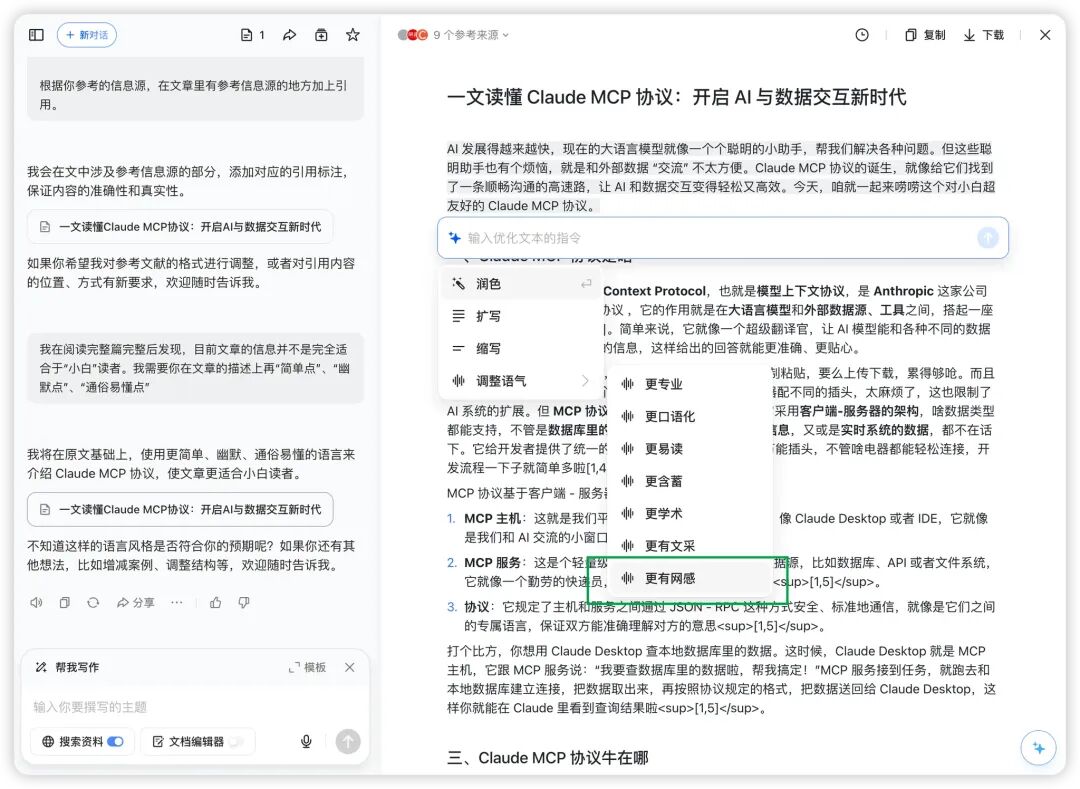
The integrated "chat + edit" editor also hides a thoughtful feature: selecting any text with your mouse pops up a small toolbar on the right offering "polish," "expand," "condense," and "adjust tone" for fine-grained revisions.
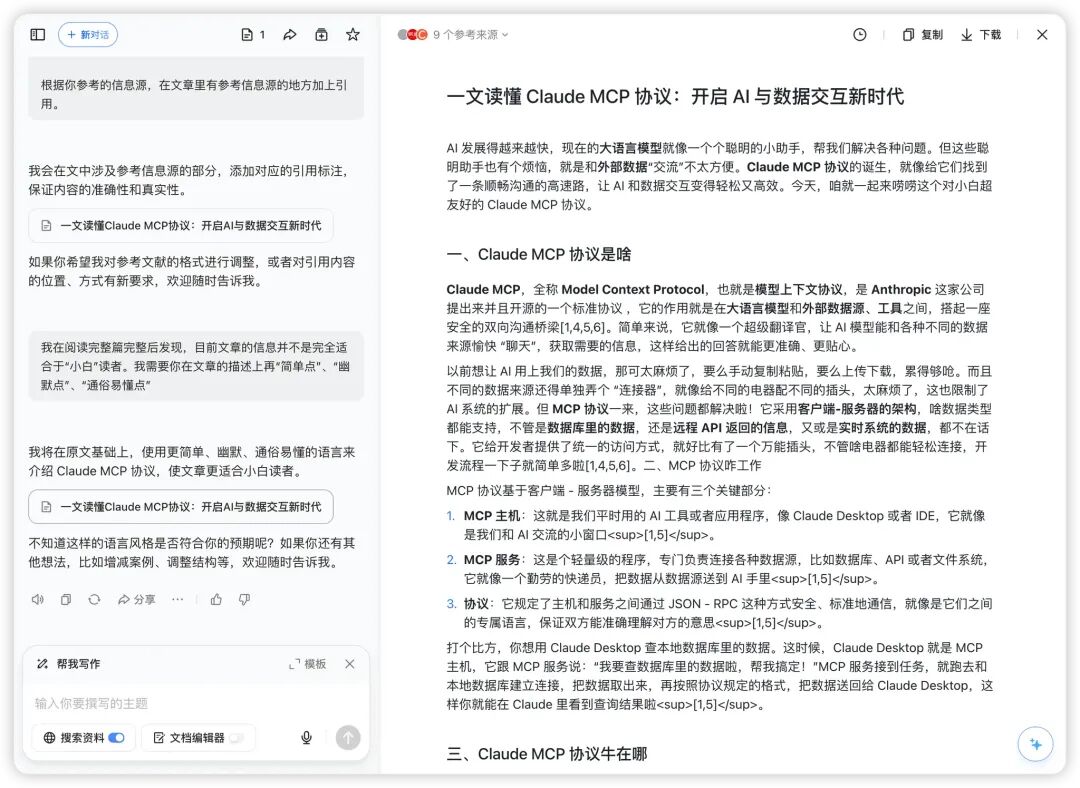
I noticed the first paragraph lacked necessary bolding, which wasn't great for reader experience, so I made some detail adjustments:
Bold important keywords and phrases
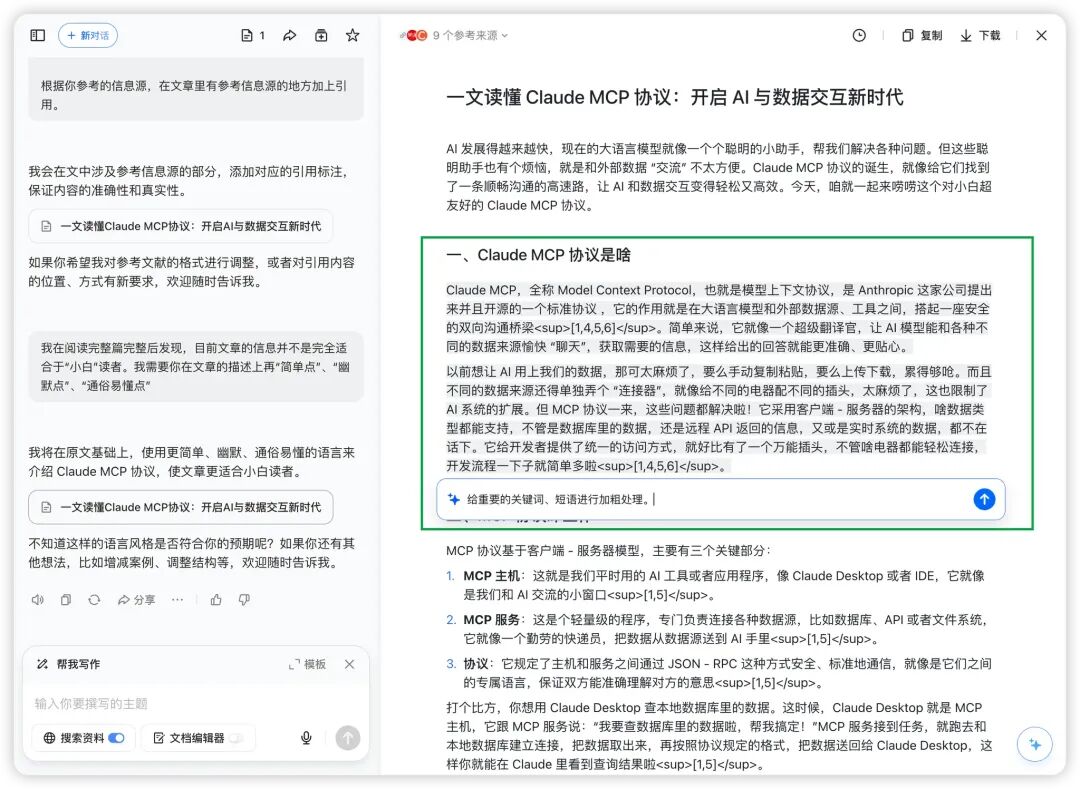
After clicking generate, Doubao provided detailed suggestions based on my request.
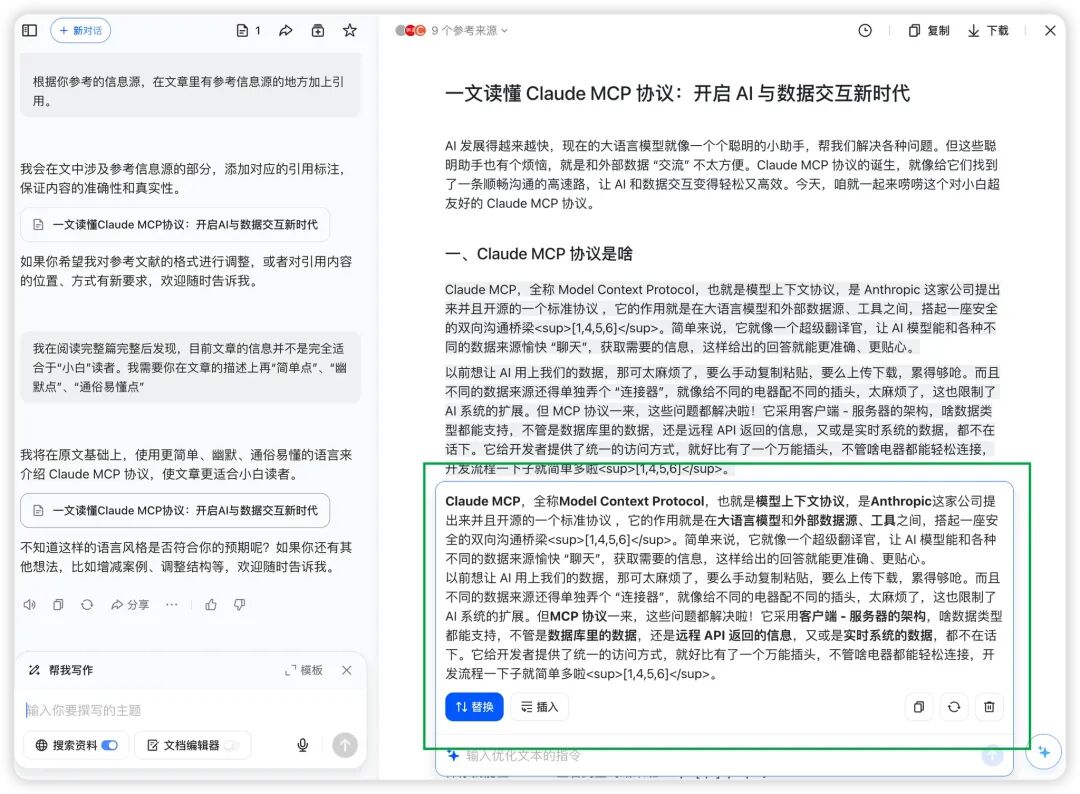
Clicking "Insert" improved the article's readability by a notch.
After highlighting text, you can also request "polish," "expand," "condense," or "adjust tone" for specific paragraphs. Here I added some "internet-native flavor" to the opening, hoping to better hook readers.
After several rounds of revision, the article's readability improved considerably.
This from-scratch writing exercise gave me deeper insight into Doubao's "chat + edit" model. It's no longer a simple linear process of "I make a request — AI delivers a result," but something closer to human creative habits: you can keep adjusting, continuously refining, until satisfied.
What surprised me most was that the entire creation process never interrupted my train of thought. No switching between windows, no getting distracted by tedious formatting adjustments, not even the time-consuming work of finding references — all elegantly solved.
This experience reminded me of something New York Times journalist Kevin Roose said:
"The best AI tools should be like a deeply knowledgeable assistant — understanding your intentions without stealing the spotlight."
Closing thoughts: AI isn't just a tool, but a bridge for emotion
Looking back at these evolutions in the Doubao desktop app, its ambition is clear: not simply piling on features, but redefining how humans and AI collaborate. From information acquisition to content creation to code development, Doubao is attempting to build a true "universal assistant." More importantly, it maintains radical simplicity — making AI features that once seemed daunting genuinely accessible.

And this "approachable" quality sparked an interesting idea. 😄
With Spring Festival approaching, I'm planning to secretly "implant" a version of "me" in my father's Doubao. More precisely, creating an agent with my personality traits, speech patterns, even my voice. And crucially, in this character setting, I want to include some things I've always been too shy to say face-to-face:
"Dad, remember to take your medicine on time, don't always forget when you get busy."
"Work pressure's been pretty intense this year, but don't worry, I've got it handled."
"Your son's really grown up more than before, I just still don't always know how to express it..."
During this traditional holiday, letting AI serve as an emotional "relay" between father and son — the thought alone is delightful. Maybe someday, I'll receive a "whisper" from Dad through Doubao too.
Technological progress ultimately returns to human nature.
When AI ceases to be cold and can gently convey our most authentic feelings — perhaps that's its most captivating form.
Author: zw Editor: Belulo Design/Layout: Nick
References
[1] Claude MCP: https://modelcontextprotocol.io/quickstart/server
[2] LatentSync: https://github.com/bytedance/LatentSync
[3] Yikuai Wang (COO of Metta, Shanghai): https://space.bilibili.com/46394862
[4] "Quickly Fill the Gaps — Nobody's Born a Six-Sided Warrior!!!": https://www.bilibili.com/video/BV1AXioYhEnr/?spm_id_from=333.999.0.0&vd_source=3580e39dab5c6a60388ff1f86466f5f3
[5] Not Boring: https://www.notboring.co/
[6] Weekly Dose of Optimism #126: https://www.notboring.co/p/weekly-dose-of-optimism-126