ByteDance Makes Its Move, Seedream 4.0 × Lark: AI-Powered E-Commerce Productivity Arrives

10 Real-World Test Scenarios — How Capable Are They?
**
10 Real-World Tests: How Capable Are They?
 👦🏻 Author: Jingshan
🥷 Editor: Koji
🧑🎨 Layout: NCon
 Google's Nano Banana has even been called the "ChatGPT moment" for AI image generation and editing, while ByteDance's Seedream 4.0 has further lowered the barrier to entry, allowing Chinese users to create at significantly lower cost.
Because of this, both models deliver impressive performance, and the tech giants behind them are racing to push them into broader product ecosystems.
ByteDance, in particular, has moved swiftly to fully productize Seedream 4.0. Dreamina, Doubao, and Xiaoyunque — three apps launched almost simultaneously, forming a complete AI content generation matrix.
The latest development came on September 12, 2025. Xiaoyunque, an AI creative agent, released Image Agent 2.0. Previously a strong performer in e-commerce marketing, this tool is now officially expanding from a vertical niche to the general public.
And now, riding the wave of Seedream 4.0's viral success, it has another chance to "break out."
🚥
To validate the new version's performance, we immediately designed 10 typical e-commerce scenarios and tested the Xiaoyunque Agent product powered by Seedream 4.0.
Here is our hands-on report.
1) Apple Launch Event + Fjällräven Backpack Poster
At 1:00 AM Beijing time on September 10, 2025, Apple held its "Awe-Dropping" launch event. I watched the entire thing, and new products like the AirPods 3 and iPhone 17 Air caught my eye.
But what truly grabbed my attention was actually the opening poster — it had real design sensibility:
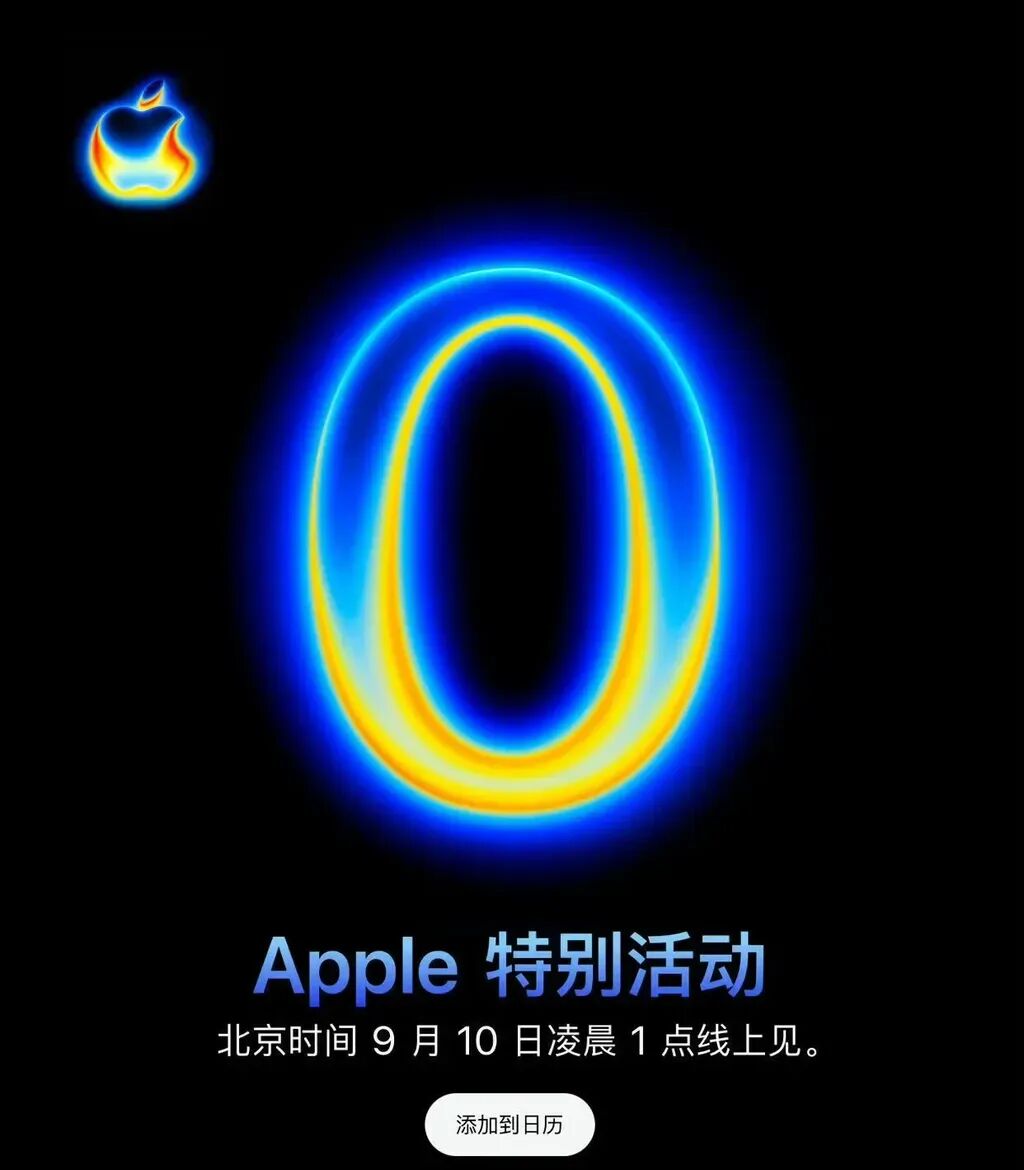
We'll use this poster as our starting point to see how Xiaoyunque performs with Seedream 4.0.
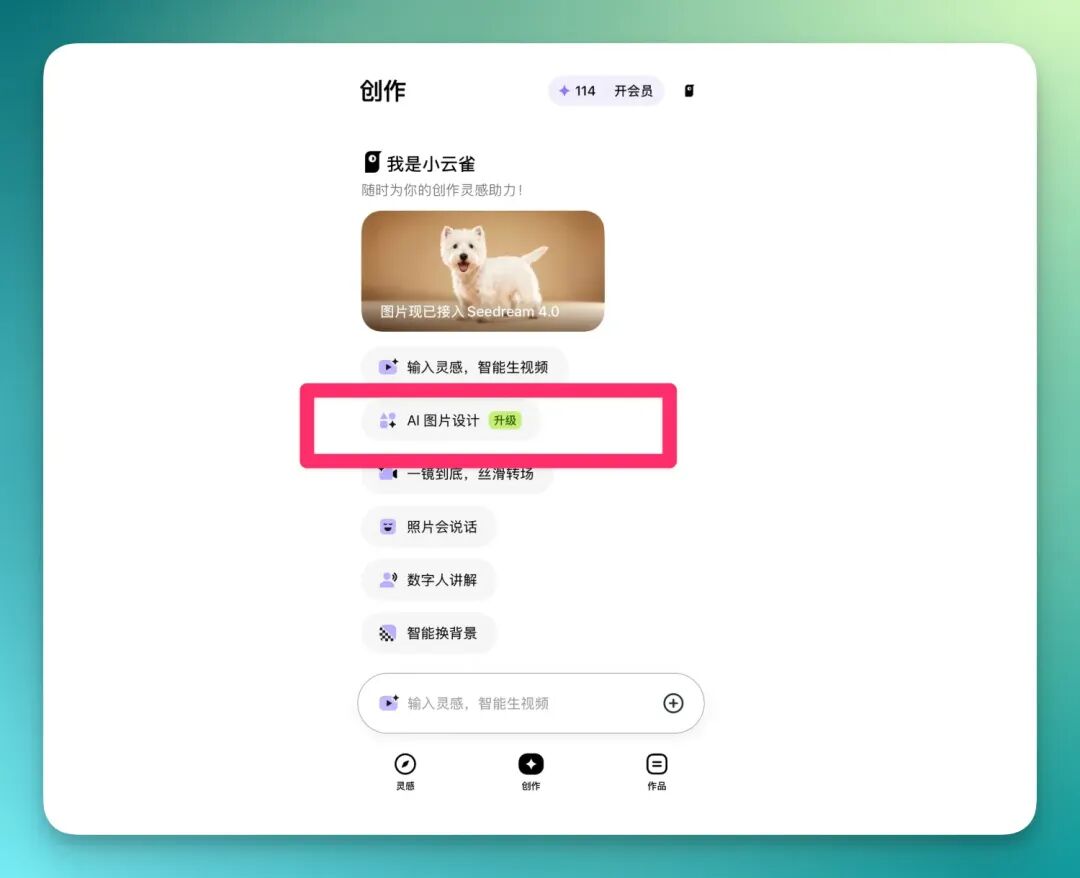
Xiaoyunque has revamped its interaction model from previous versions, now supporting "chat-style dialogue" that allows continuous modification and editing of the same image within a multimodal context window.
You can now directly select AI Image Design from the creation interface:
Then, I uploaded the Apple poster as a reference image and entered the prompt:
Change the numbers in the center of the image to 1, 2, 3
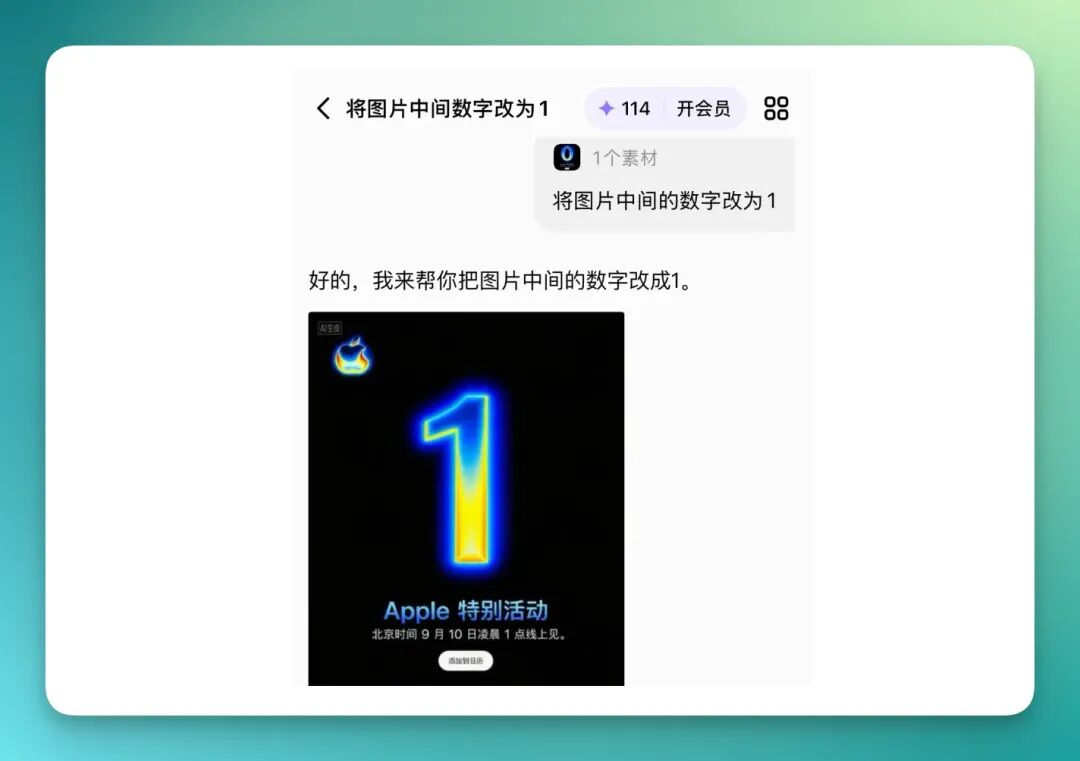
Xiaoyunque immediately generated multiple sets of results. Compared to the previous experience of only being able to make single edits, the new workflow can understand image elements more deeply, and the operation feels more natural and fluid.
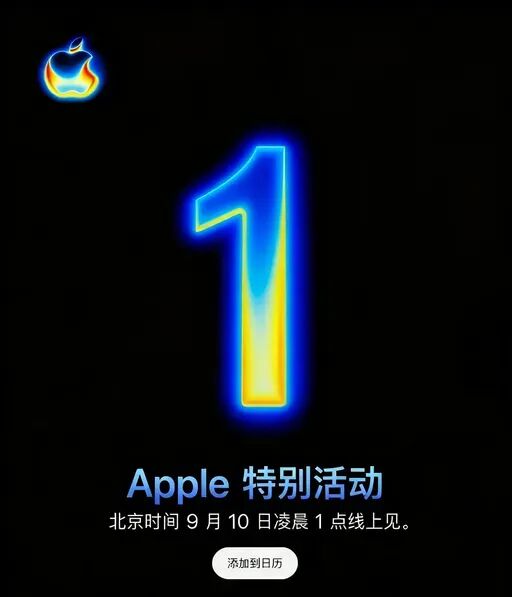
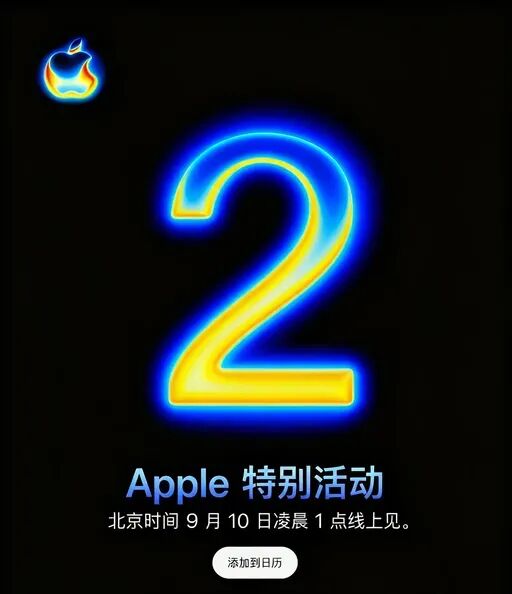
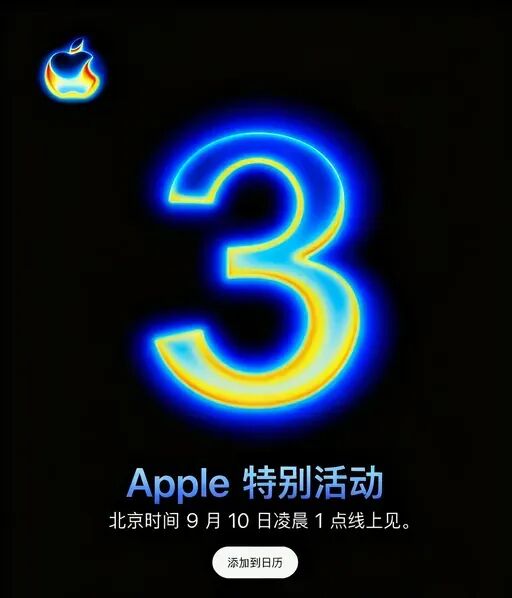
Next, I realized this poster style could easily be adapted for other products — like the Fjällräven backpack series. I grabbed a random group photo of backpacks and first used Xiaoyunque for high-definition restoration:
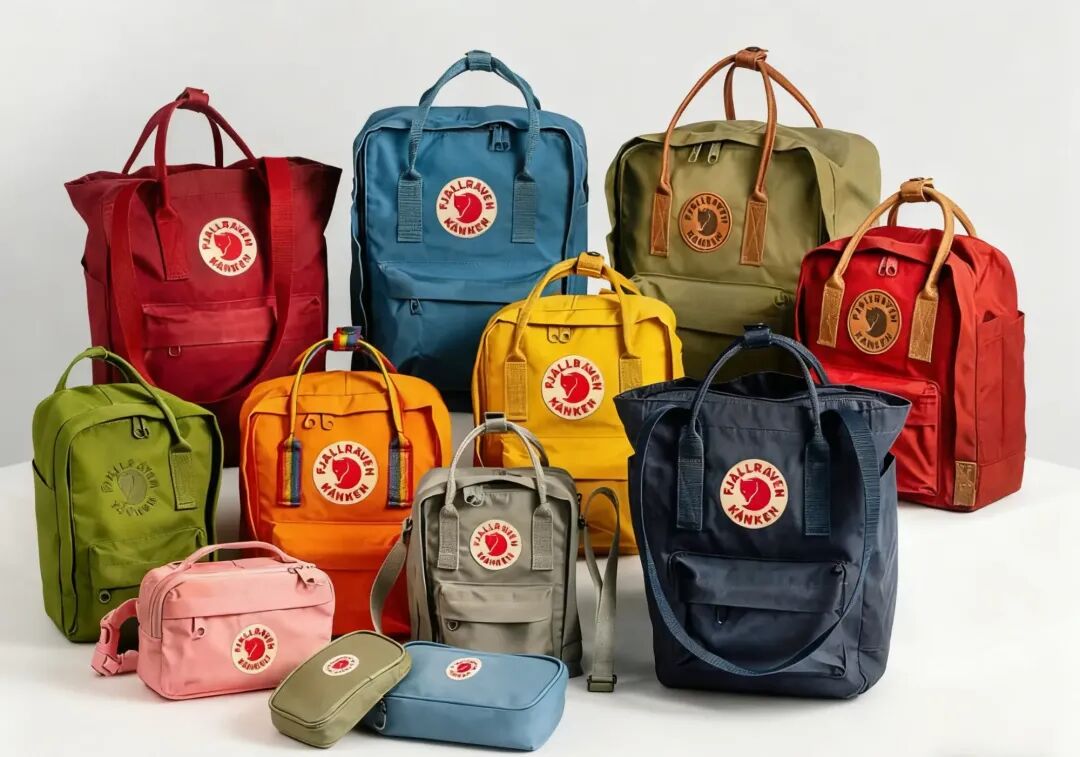
Then, using both it and the Apple poster as reference images, I simply entered a brief prompt:
Replace the numbers in the middle of the Apple poster with backpacks, change Apple to Fjällräven
The result:
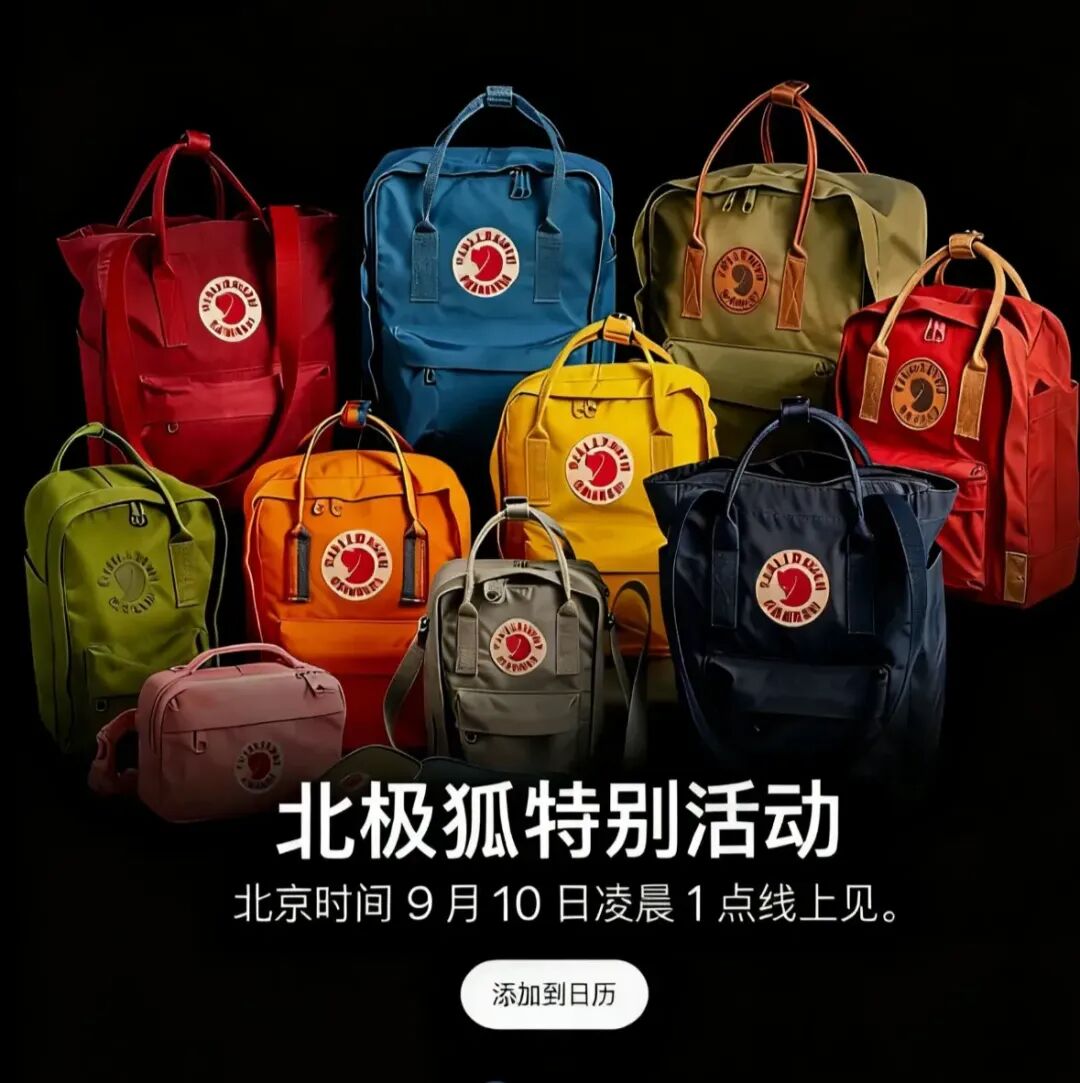
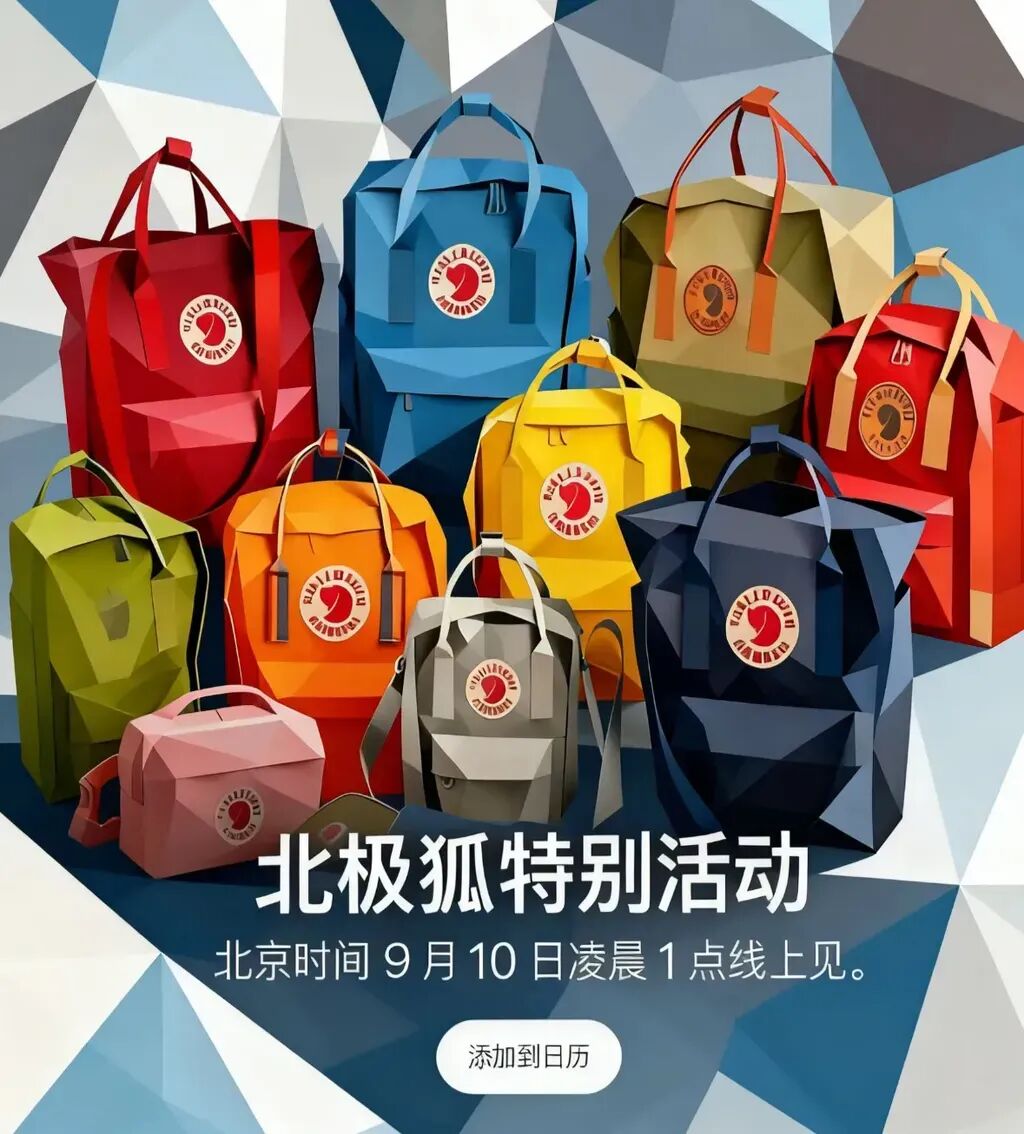
The final result not only precisely replaced the central subject elements but also automatically overlaid a gradient shadow on the backpack group image behind the title, ensuring overall visual harmony.
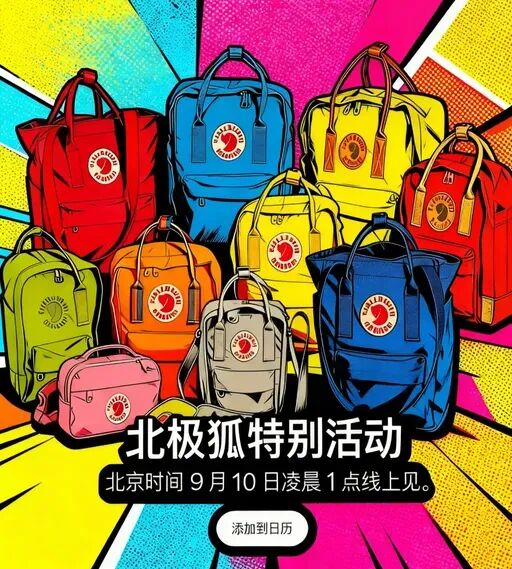
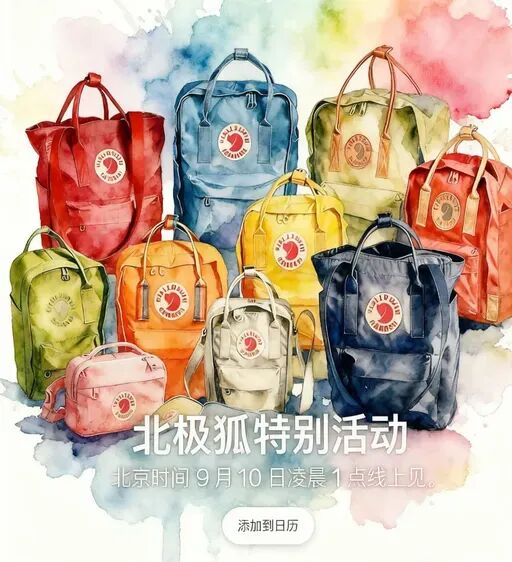
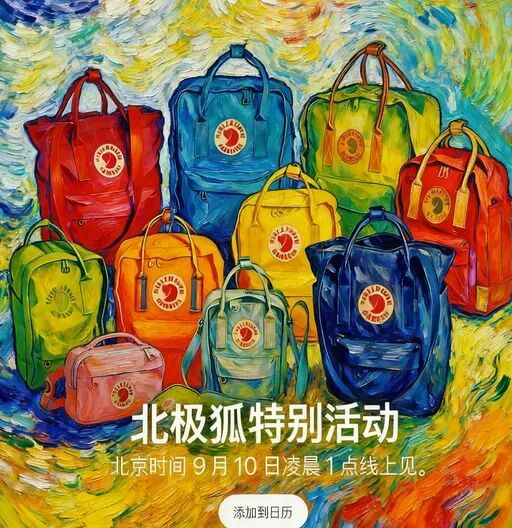
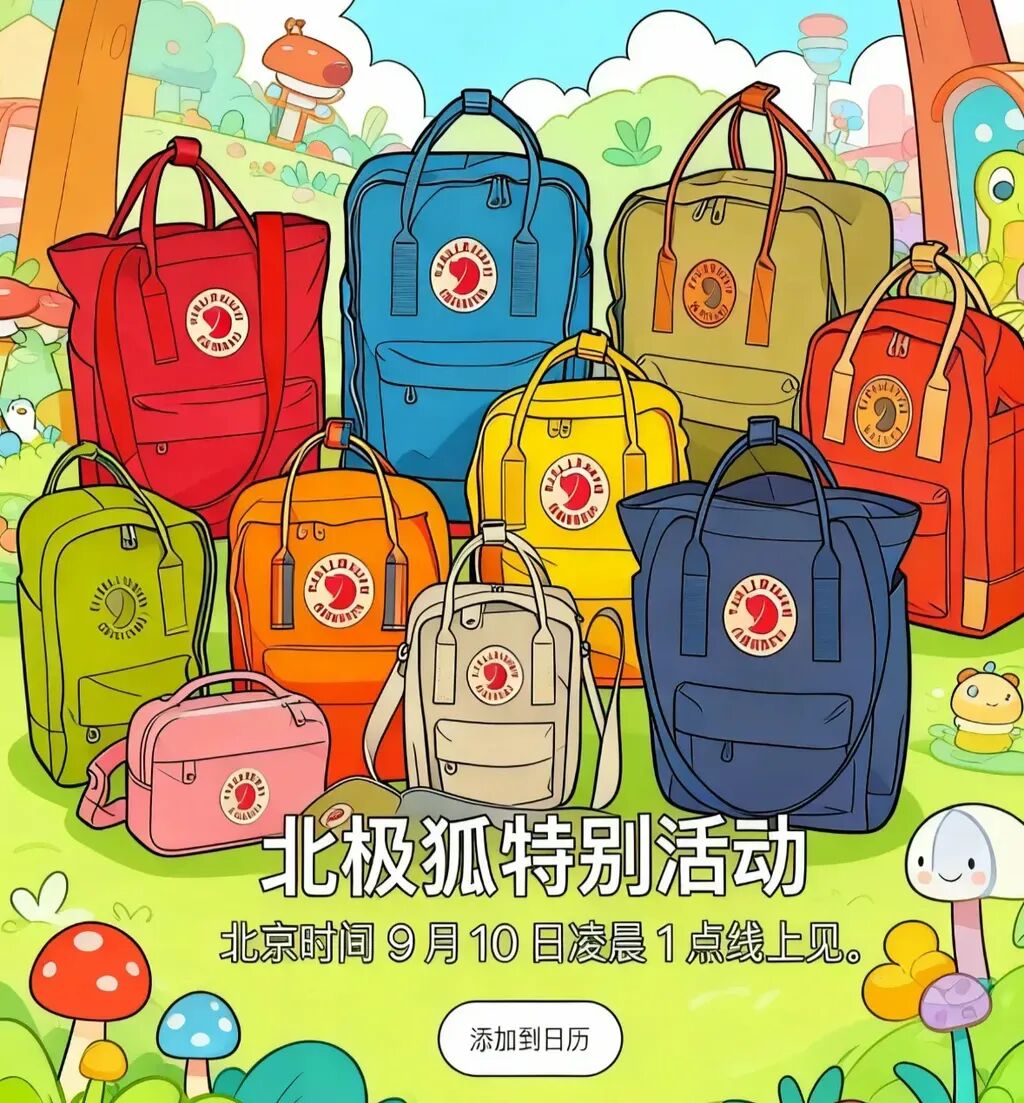
Xiaoyunque now supports generating AI images in multiple styles and artistic styles within a single prompt — for example, by typing just a few characters:
Give the background several different artistic styles
Xiaoyunque provided various visual style design options. I tried a few times and selected 5 images. As you can see, the overall styles are highly varied, yet the consistency remains strong. Even with almost completely different backgrounds, the text displayed in the foreground layers remains completely unaffected:
2) Nut Jar E-Commerce Images
Next, let's look at another e-commerce scenario: nut jar product displays.
For example, two transparent jars neatly arranged, with a label on the left identifying the nut variety:
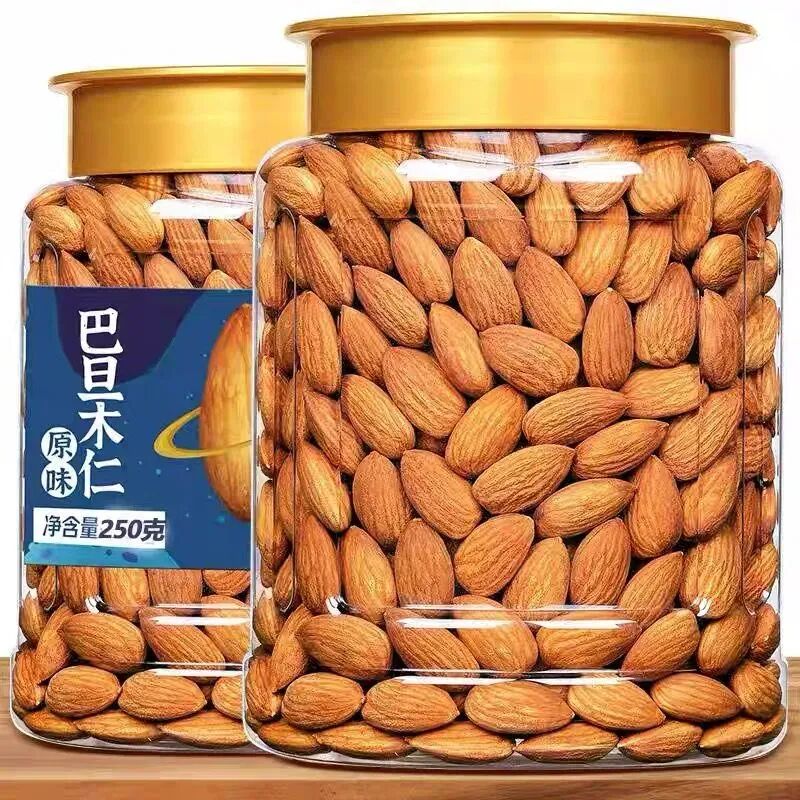
If you want AI to modify this, it needs to maintain high consistency and have solid control over visual style. Xiaoyunque performs quite well in this kind of multimodal context.
The prompt remains simple:
Replace the nuts in the jars with a wider variety
Here's what Xiaoyunque produced:
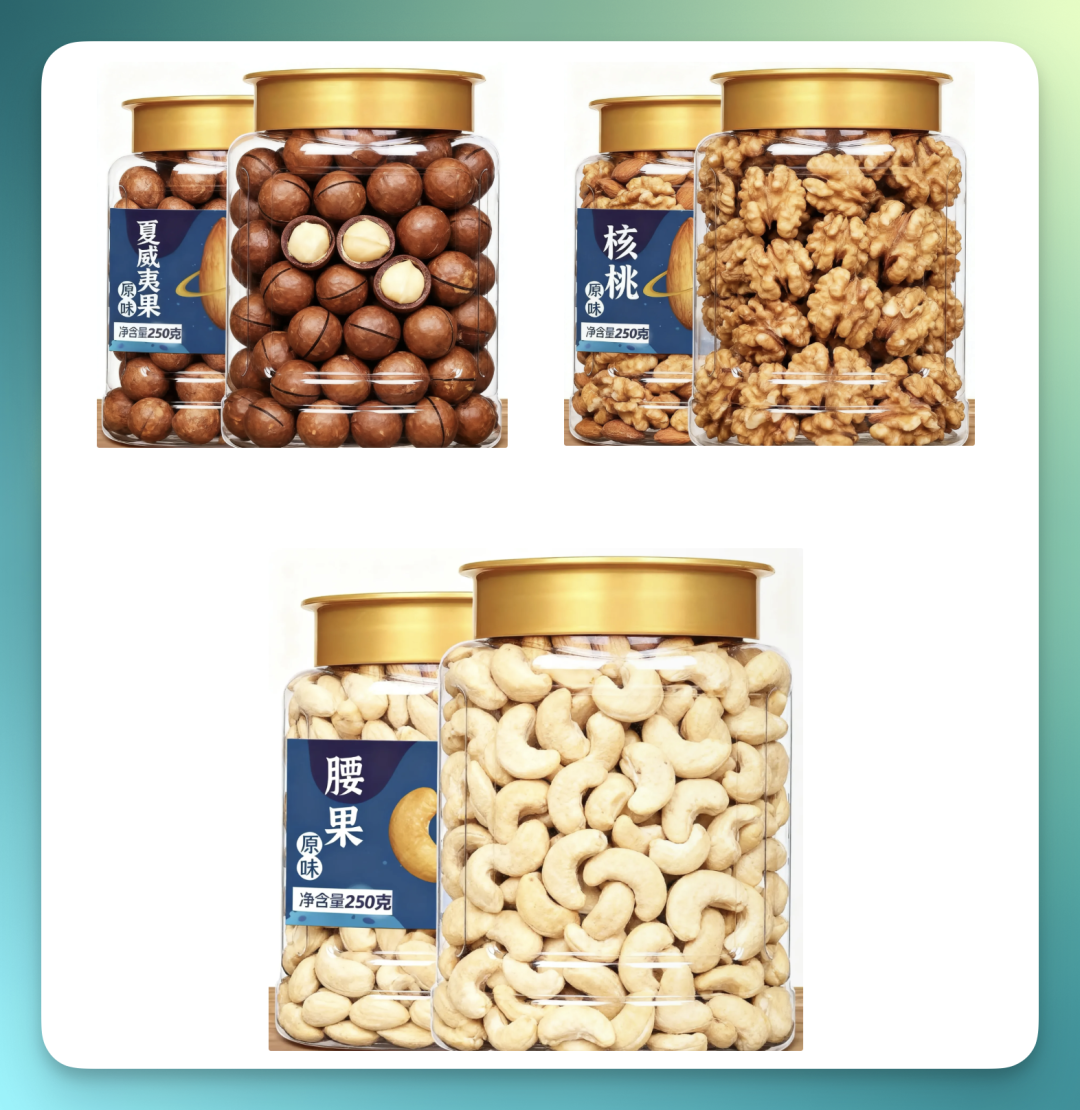
As you can see, the contents of both nut jars were almost completely replaced, and the text on the left label was also modified accordingly — demonstrating Seedream 4.0's strong support for Chinese text.
I also noticed the generated image quality is quite high, with even the reflections on the transparent bottles rendered crisply.
I then discovered that Xiaoyunque, as an Agent, adapts well to compound tasks combining "multiple image style fusion + image position replacement + special effects modification."
For example, I uploaded two images: one was an orange-red mechanical poster, the other was the almond nut jar mentioned earlier:
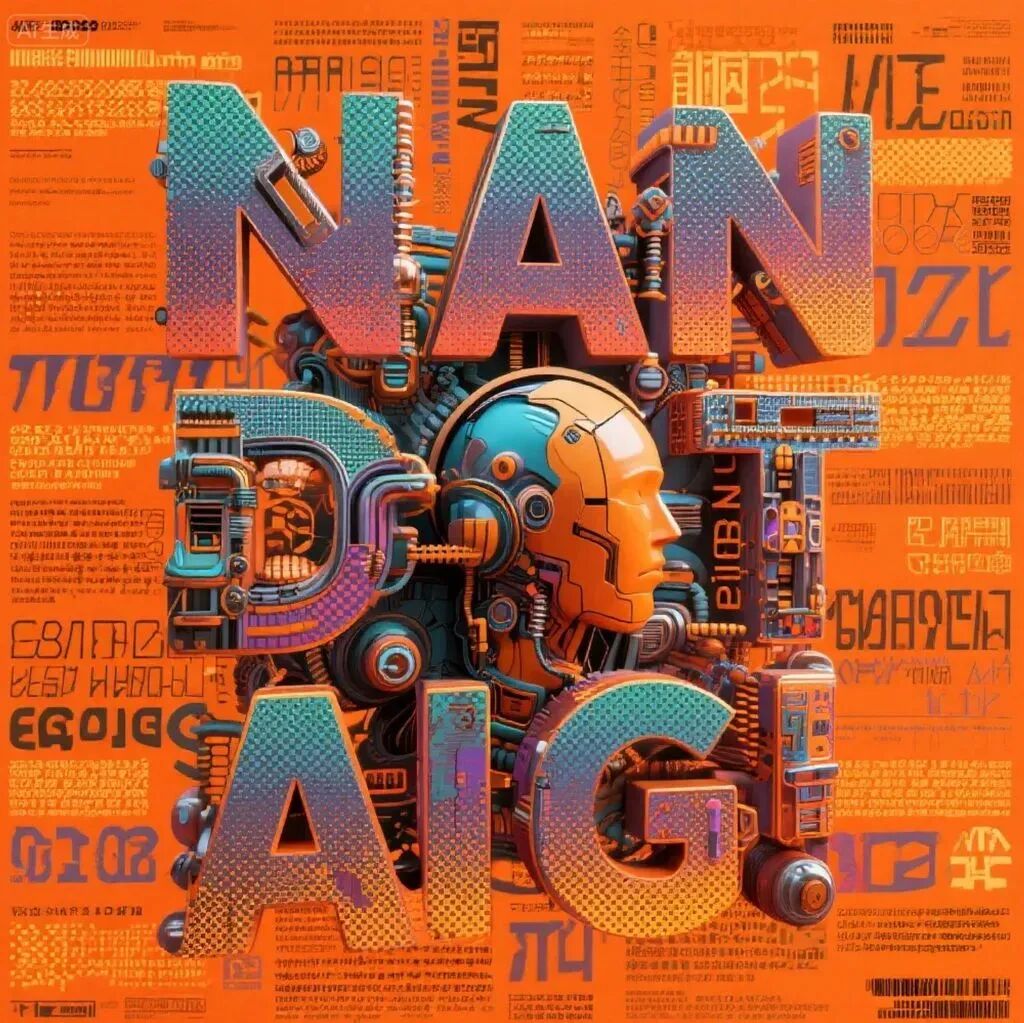
Then I entered this prompt:
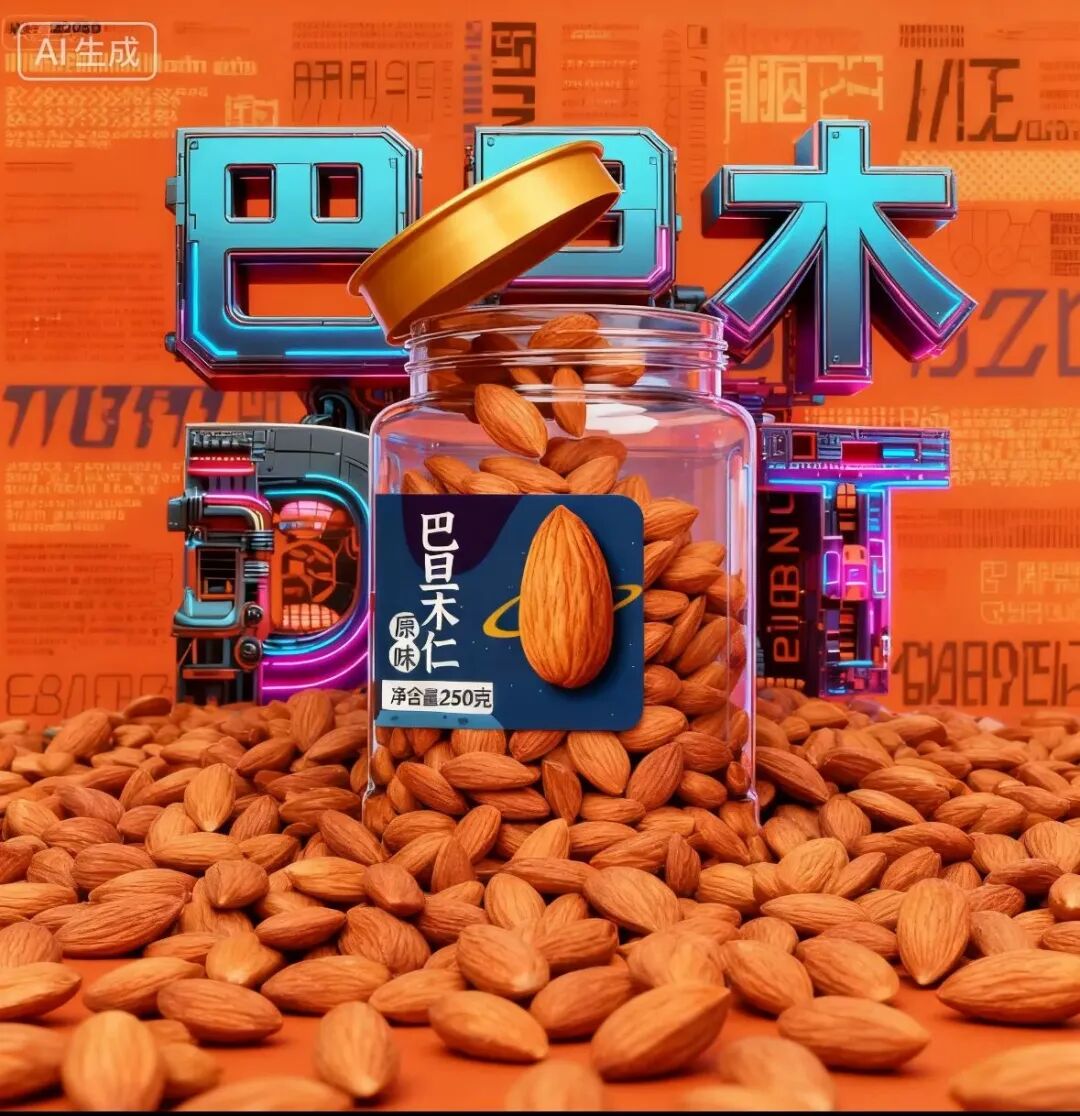
Insert the almond nut jar into the orange-red poster, replacing the human head. Change the top letters to "Badanmu" [almond], open the lid, and pour out the nuts.
At this stage, Xiaoyunque actually generated multiple results, with each image showing different amounts of nuts spilling out. From these gradient options, I picked the one I thought looked best:
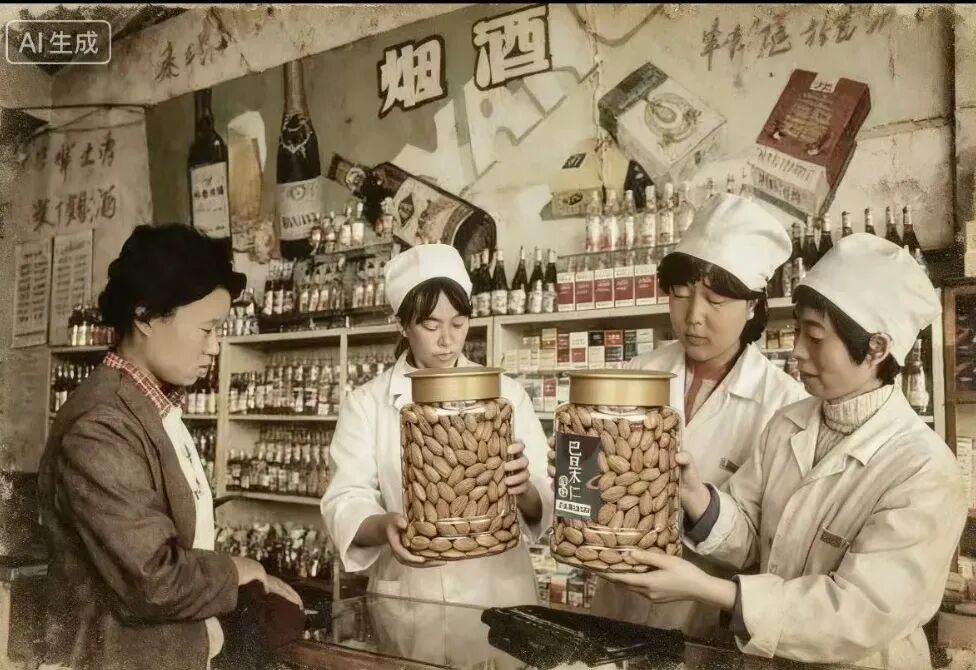
While others might use Xiaoyunque to restore old photos, I chose to directly shove the nut jar into vintage images of old state-run stores.
Here's the reference image of an old state-run store:
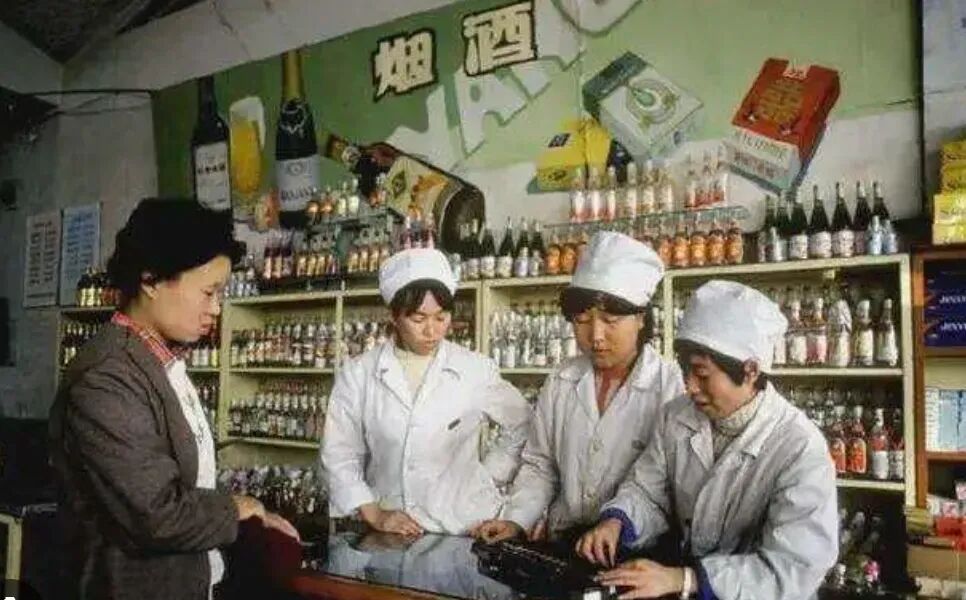
The prompt can be quite brief. I simply typed:
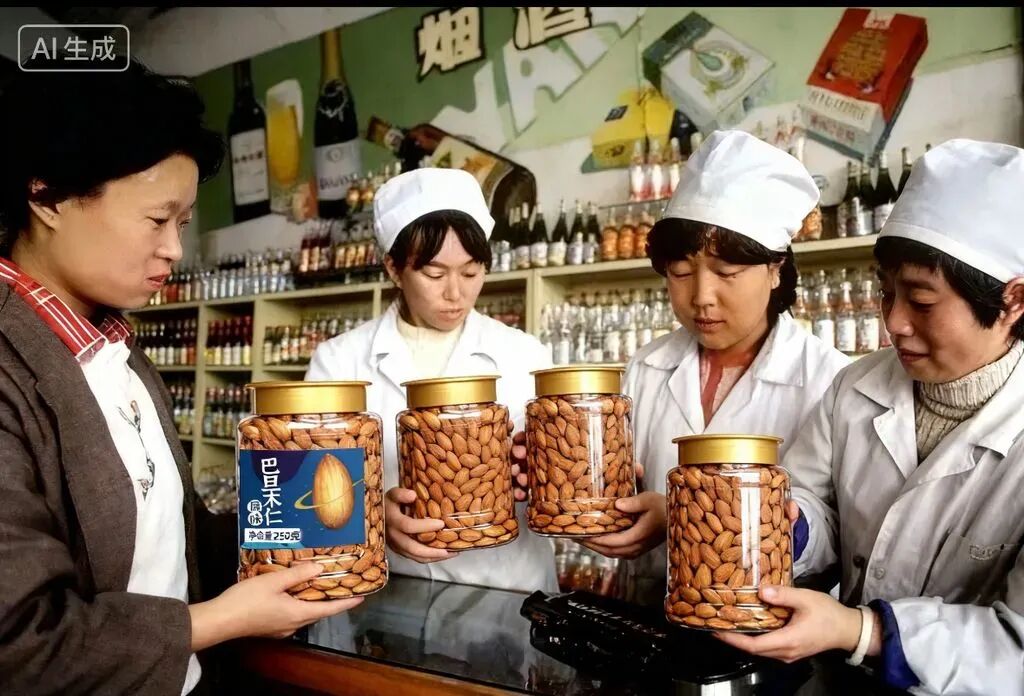
Place the nut jar in the person's hand in the reference image — one in old photo style, one restored
The results:
3) Pokémon Cards
Recently, Pokémon cards have been blowing up on Taobao — the kind of product shown below:
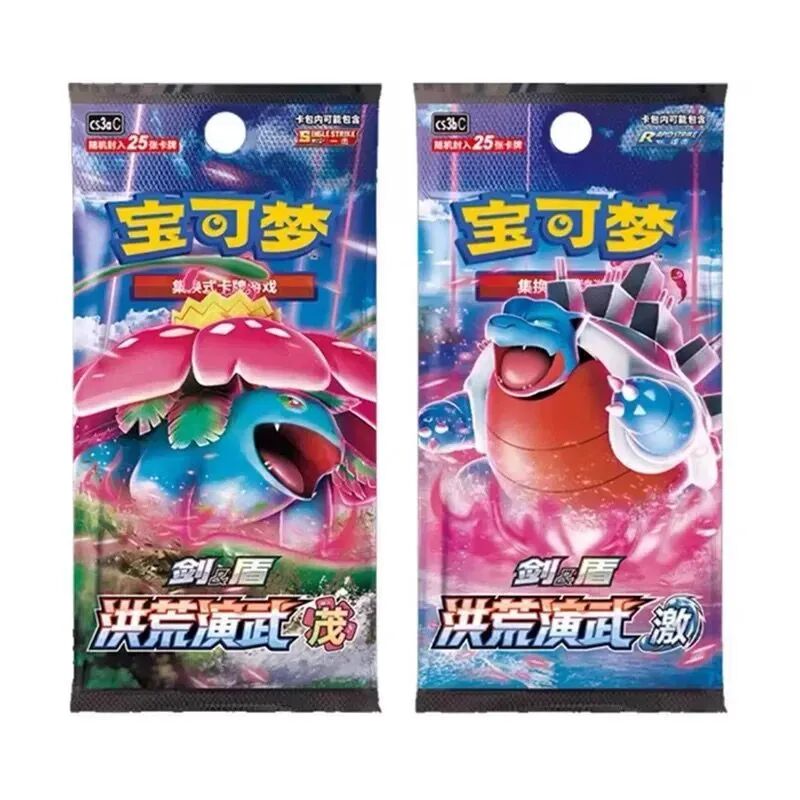
When I was scrolling Taobao one night and saw my screen flooded with listings for these, I saved one on my phone and immediately uploaded it to Xiaoyunque. I also dug up images of three characters from Seer — a game I played constantly as a kid:
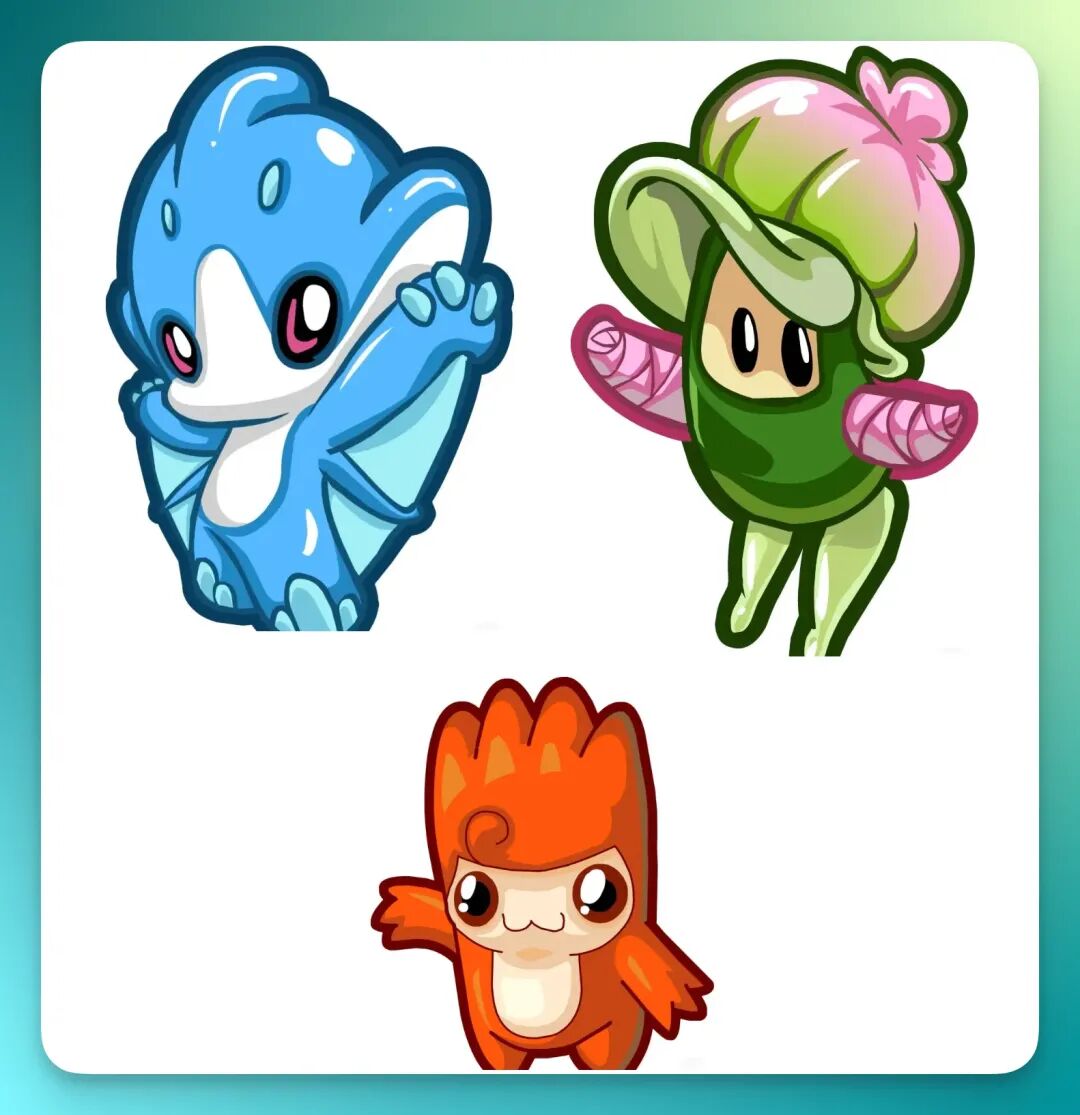
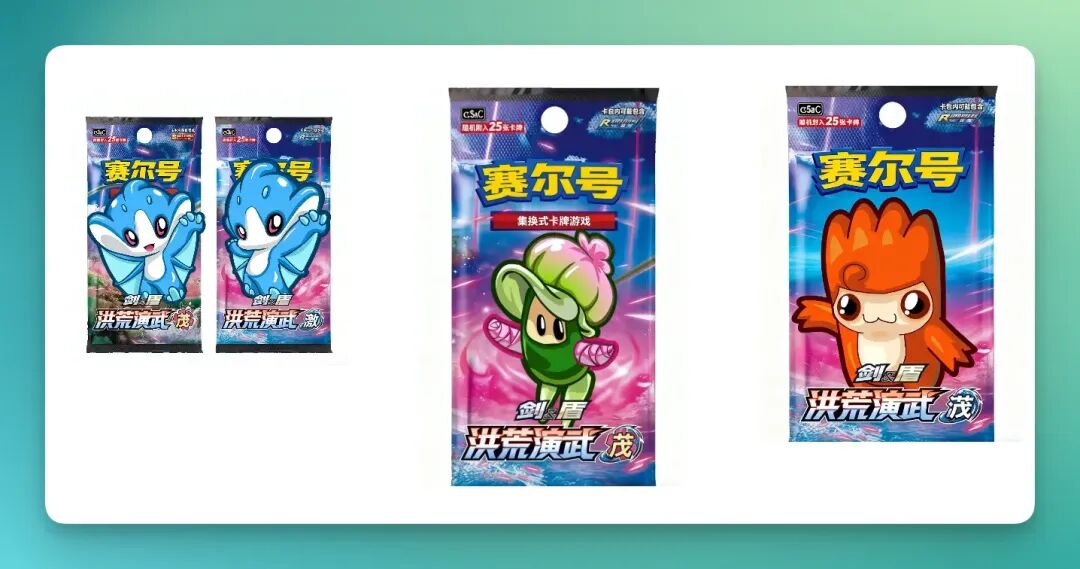
So in total, four images were fused together: the original Pokémon card plus the three Seer characters.
The prompt was:
Merge images 2-4 (Seer characters) into image 1 (Pokémon card)
If you look closely, you'll notice the characters don't simply replace one solid block of the original image. While swapping out the main character, Xiaoyunque preserved the nearby "red soft glow." Also, parts of the characters that extended too far (especially around the feet) were cleverly covered by text.
I didn't specifically emphasize these details in my prompt, yet the final result turned out quite well:
4) Coffee Beans + Flavor E-commerce Images
Let's look at a more complex e-commerce image set scenario.
Take this coffee bean product image (left), which contains numerous elements: the coffee bean name, Chinese text on the packaging, aroma flavor profiles, and more.
Corresponding to the coffee bean image is its flavor profile set (right). This set is actually more complex, since it typically pairs with the left-side product image, extracting individual flavor notes with accompanying visuals and integrating them together.
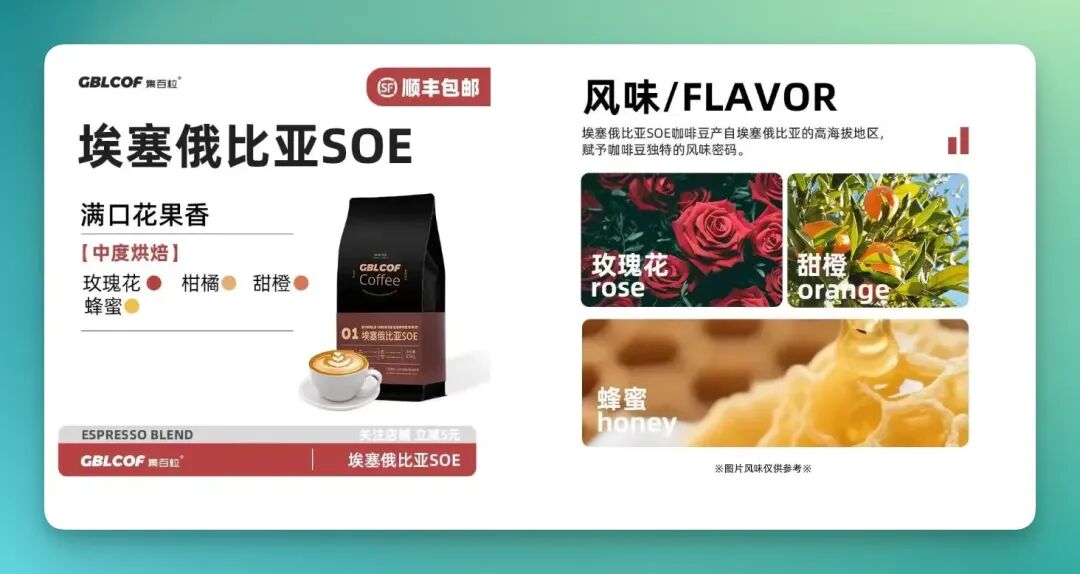
So I gave it a shot. First, I used the coffee bean product image as a reference and entered:
Generate 3 coffee bean product images for me
To my surprise, these three images below were essentially what I got on my first attempt.
You can see that not only were the large black headline and the logo on the right-side coffee bean product modified accordingly, but the flavor profiles were also adjusted.
However, it wasn't perfect — it didn't modify the "full mouth of floral and fruity aroma" element:
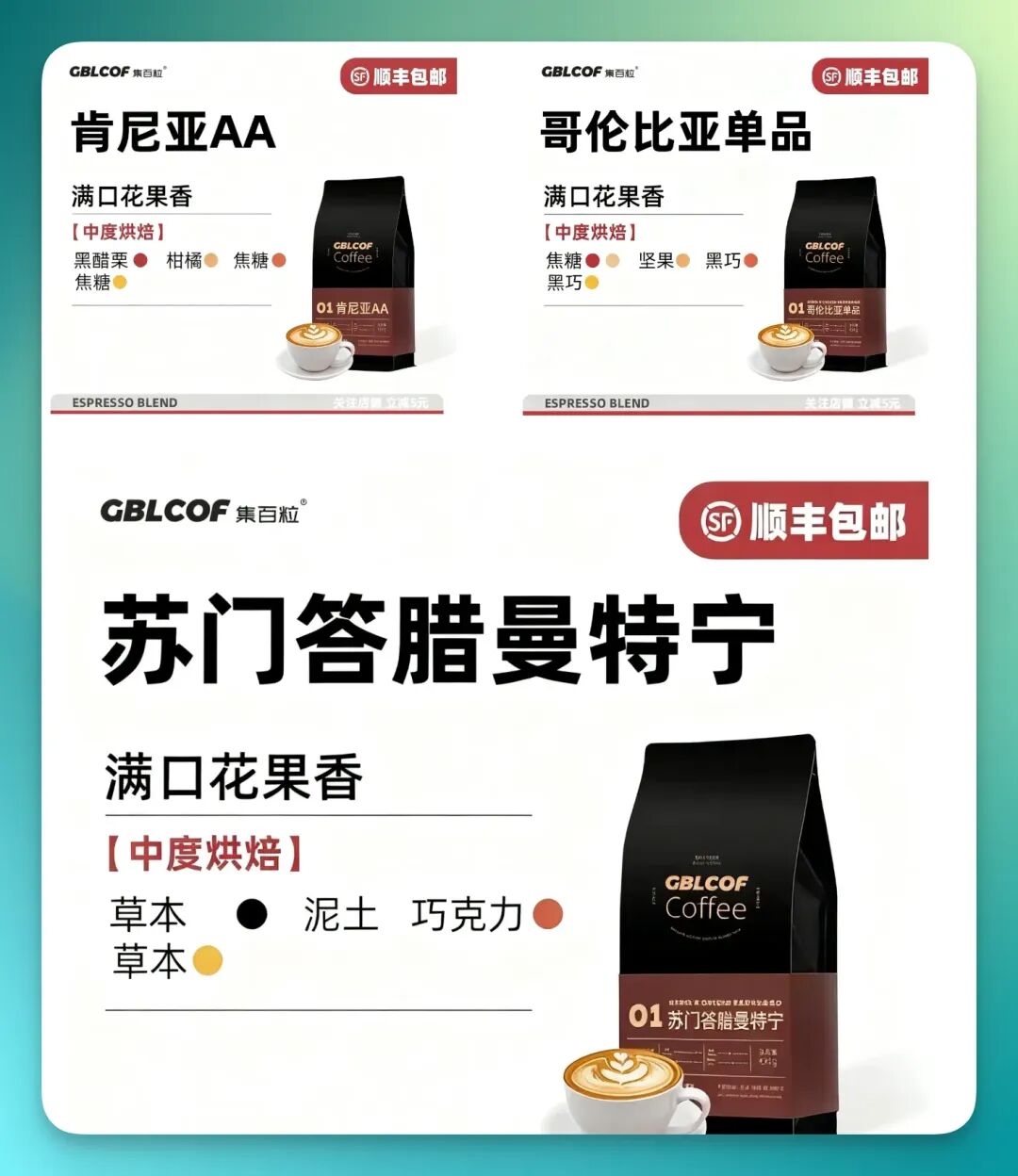
Then I uploaded the flavor profile reference image and asked it to generate corresponding flavor visuals for these three coffee bean products.
Xiaoyunque's results looked like this:
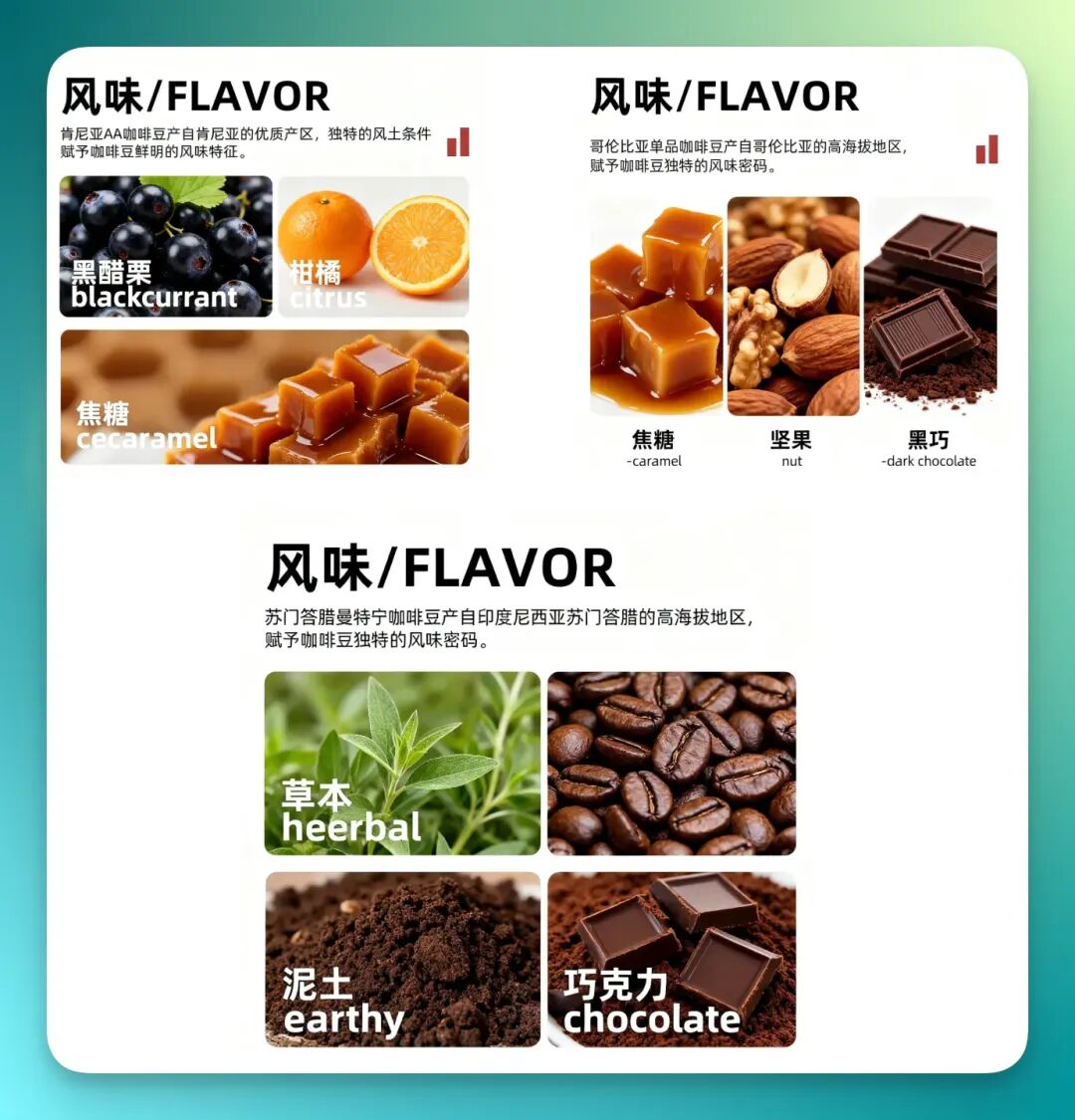
Images for blackcurrant, citrus, caramel, nuts, dark chocolate, and even earth were all generated quite accurately. Below each "Flavor" heading, there was also Chinese text introducing the corresponding coffee bean variety.
Of course, if you examine closely, there are some detail-level "hallucinations" — things like font colors and spelling.
5) Want Want Rice Crackers
Here's a scenario where I've always believed AI image generation tools could dramatically improve e-commerce design efficiency: Want Want rice cracker display images.
Take this image I found. Besides the spicy-flavored Want Want rice cracker in the center, there's also a line of promotional copy:
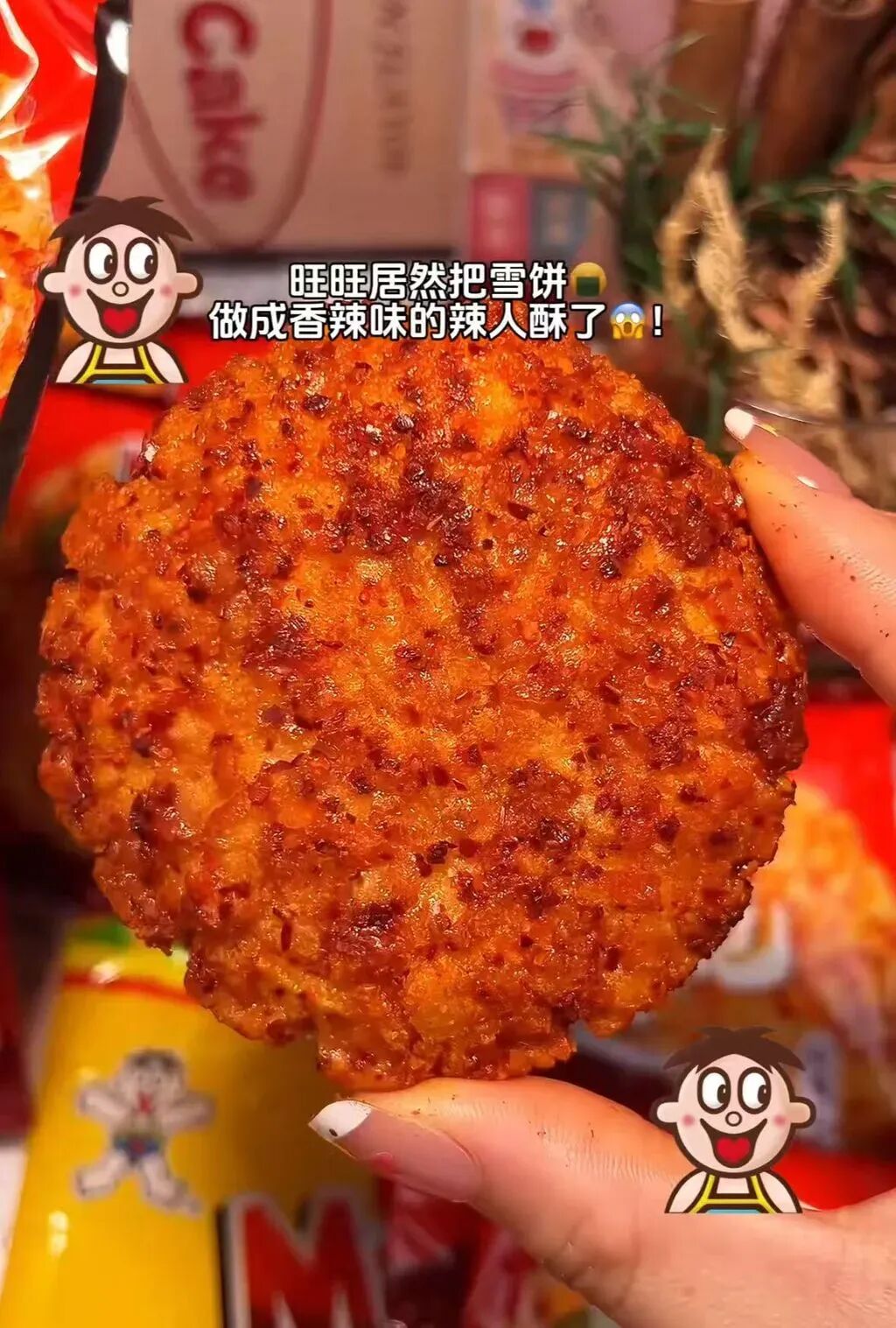
I saved it and uploaded it directly to Xiaoyunque, asking it to:
Generate several Want Want rice crackers in different flavors
Notably, I didn't ask it to modify the promotional text above the crackers. Yet in the final results, Xiaoyunque adjusted it anyway.
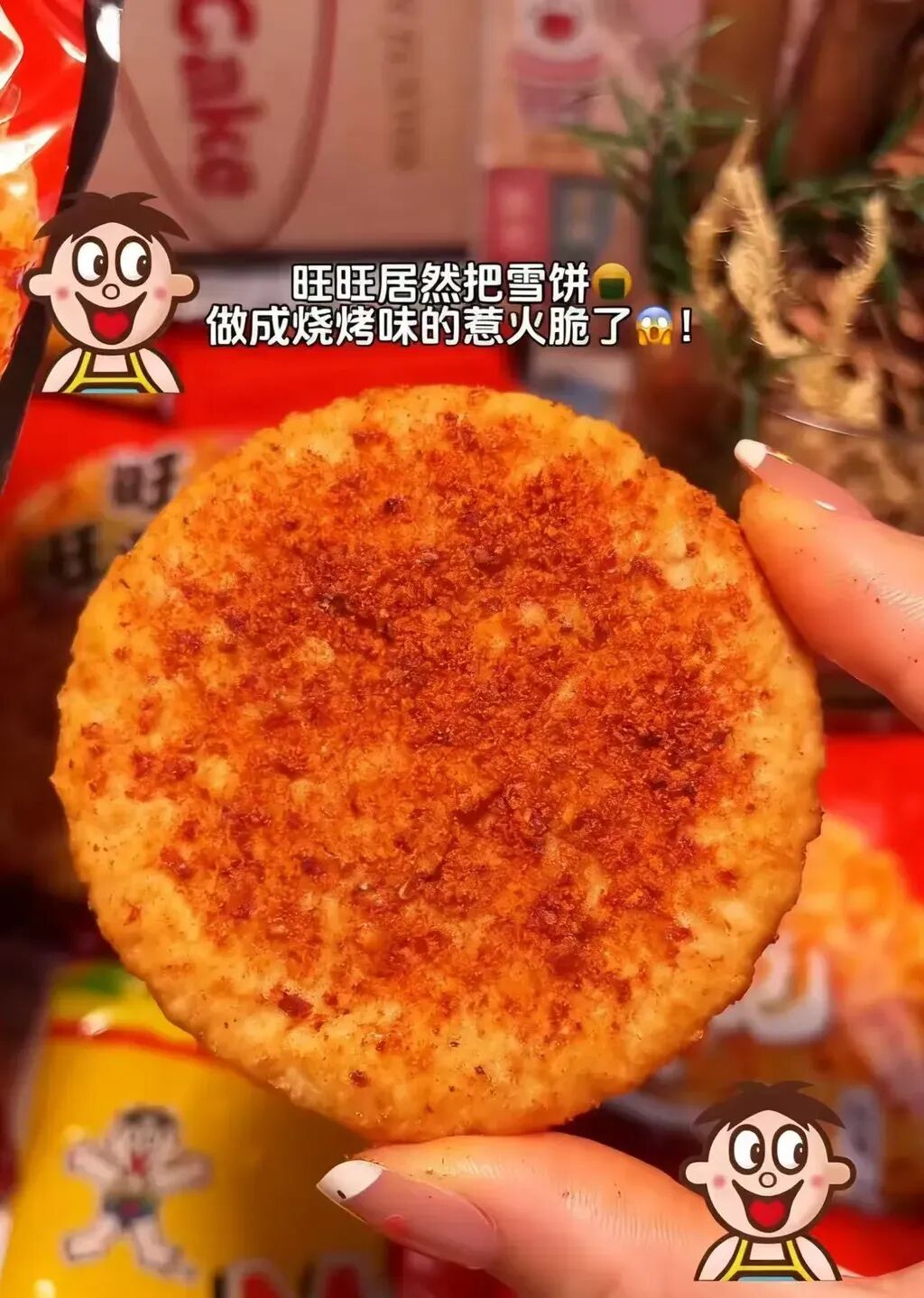
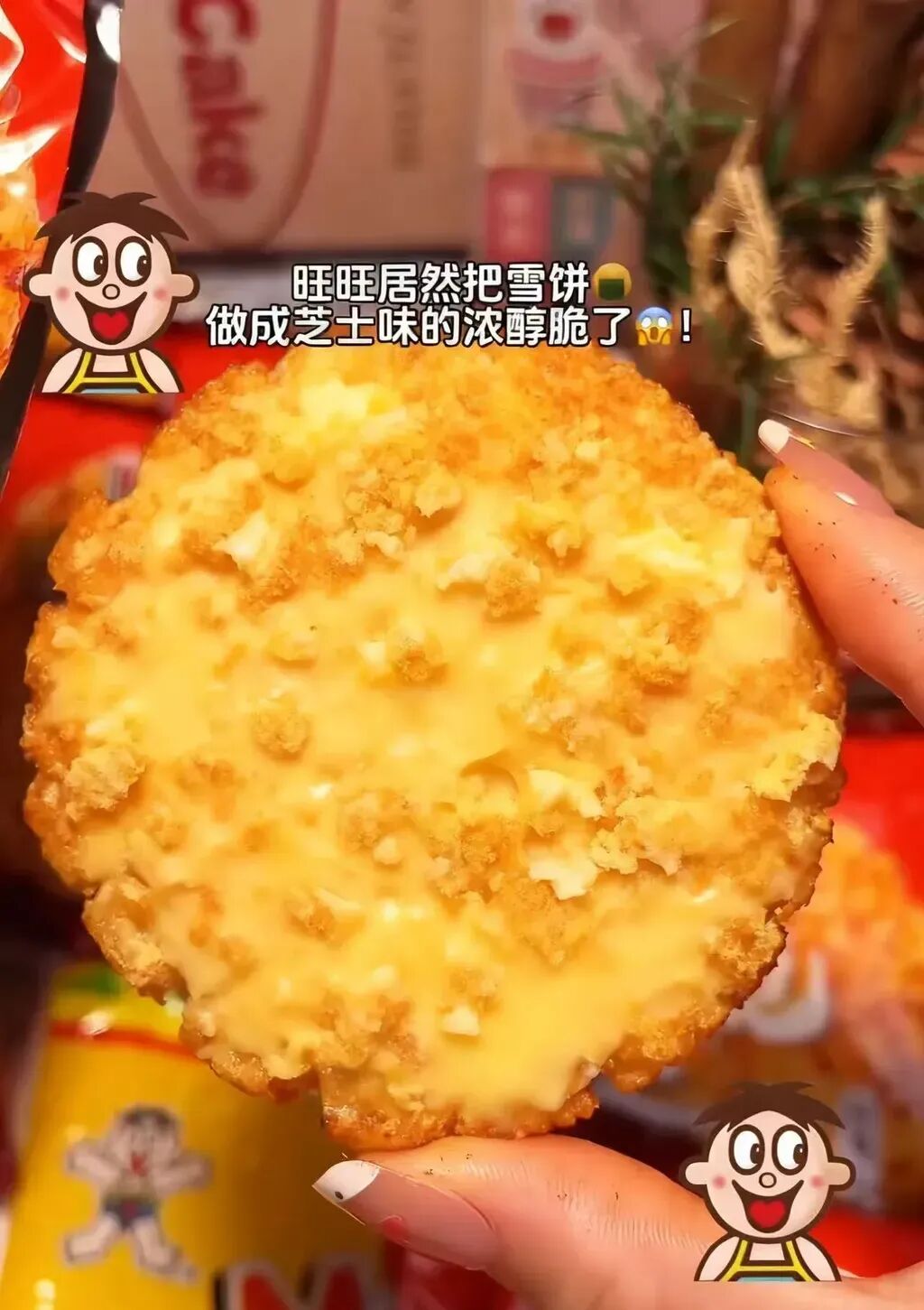
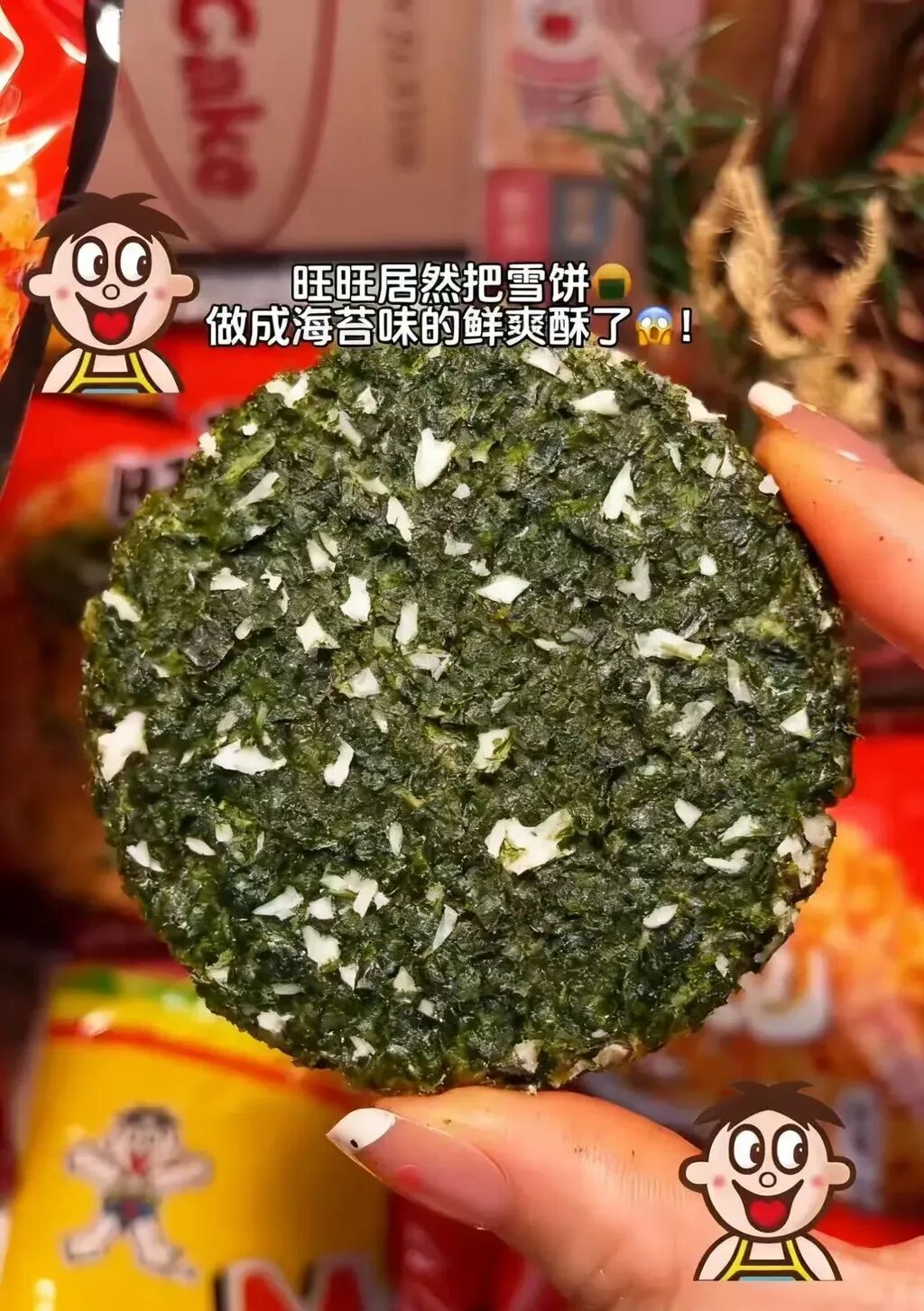
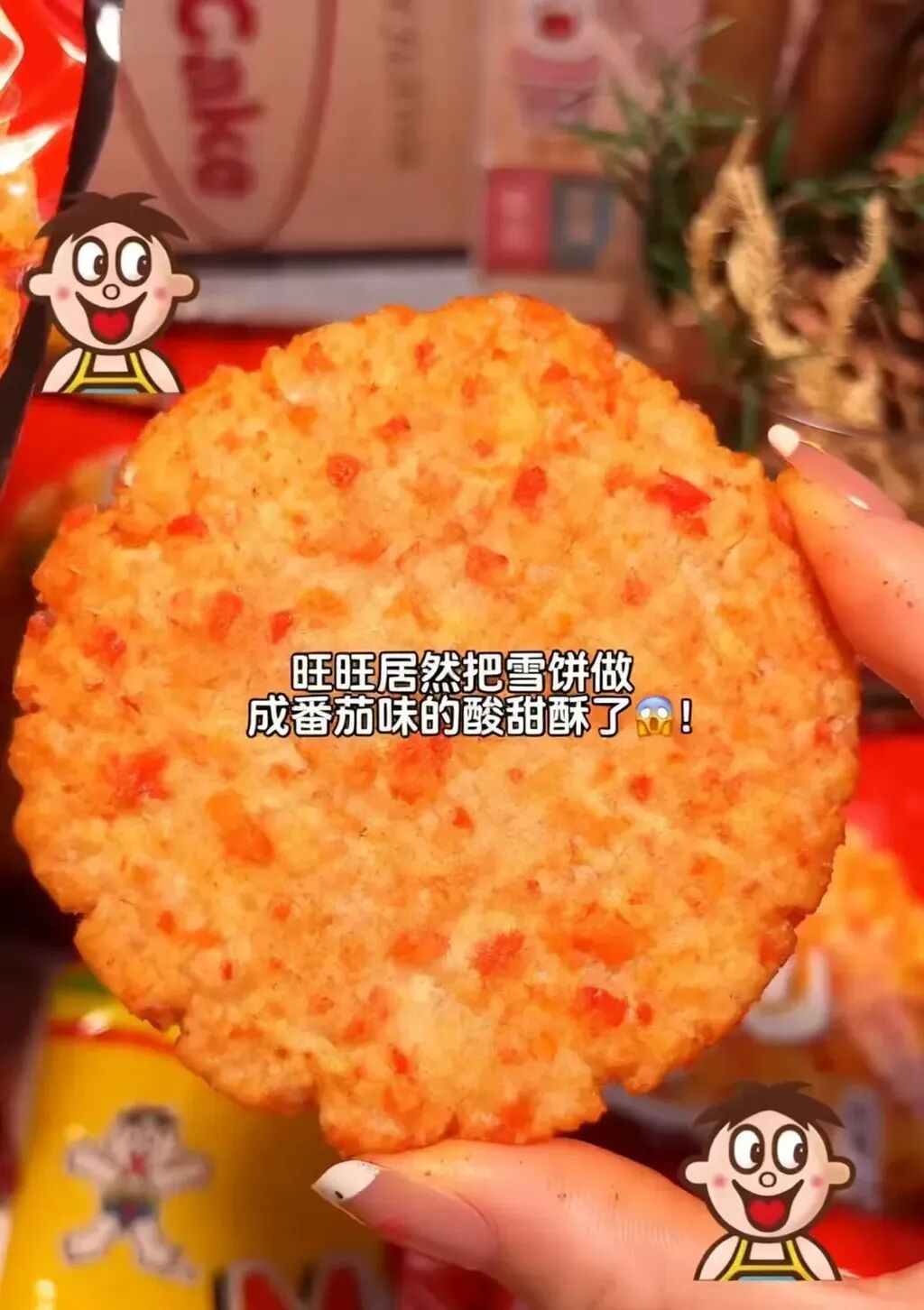
For example: "BBQ flavor — fiery crunch," "Cheese flavor — rich crunch," "Seaweed flavor — fresh crunch," "Tomato flavor — sweet and sour crisp"...
The cracker visuals matched the text descriptions very well:
I even had it swap out the backgrounds to match:
Change the background to fit the flavor
The results:
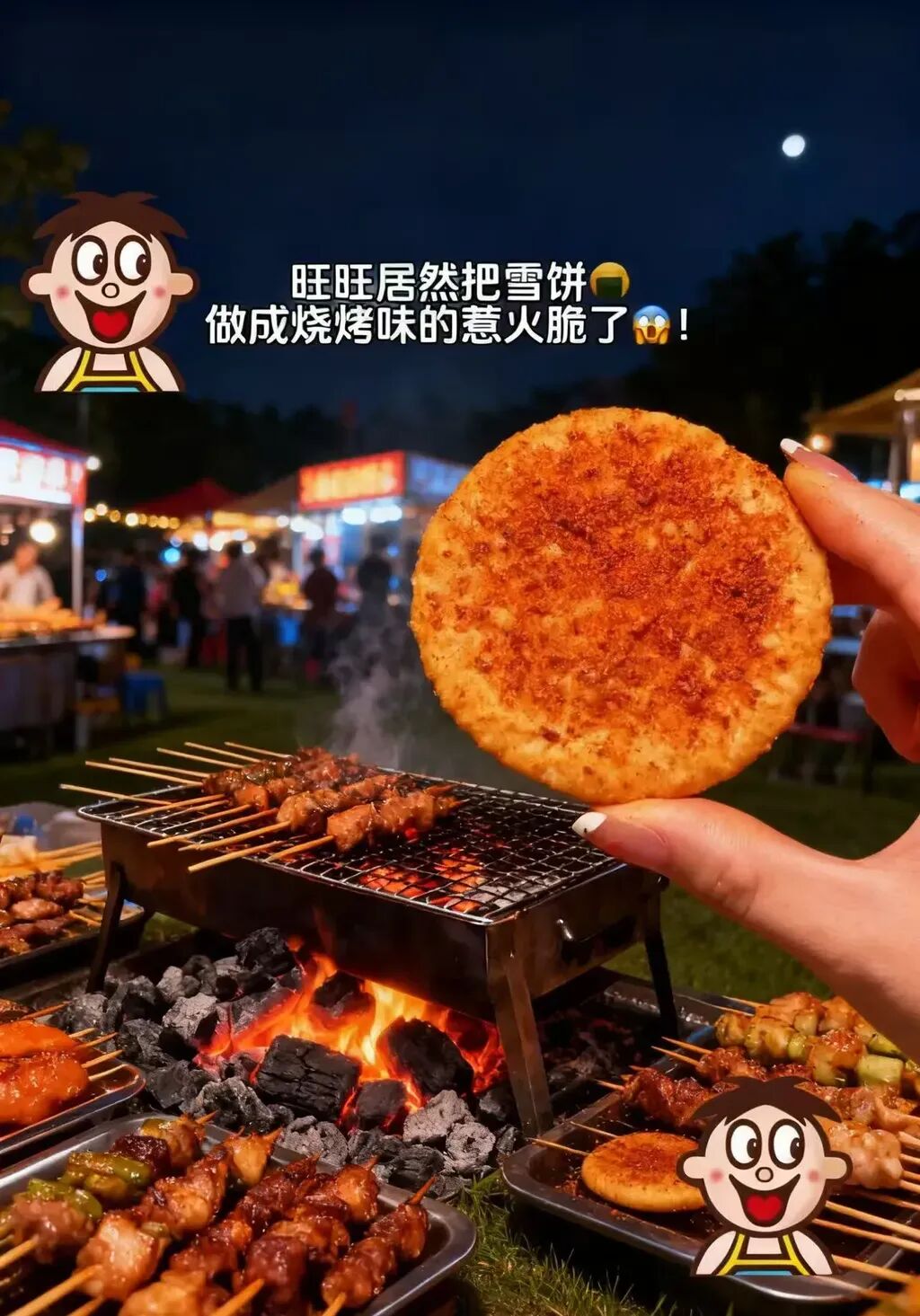
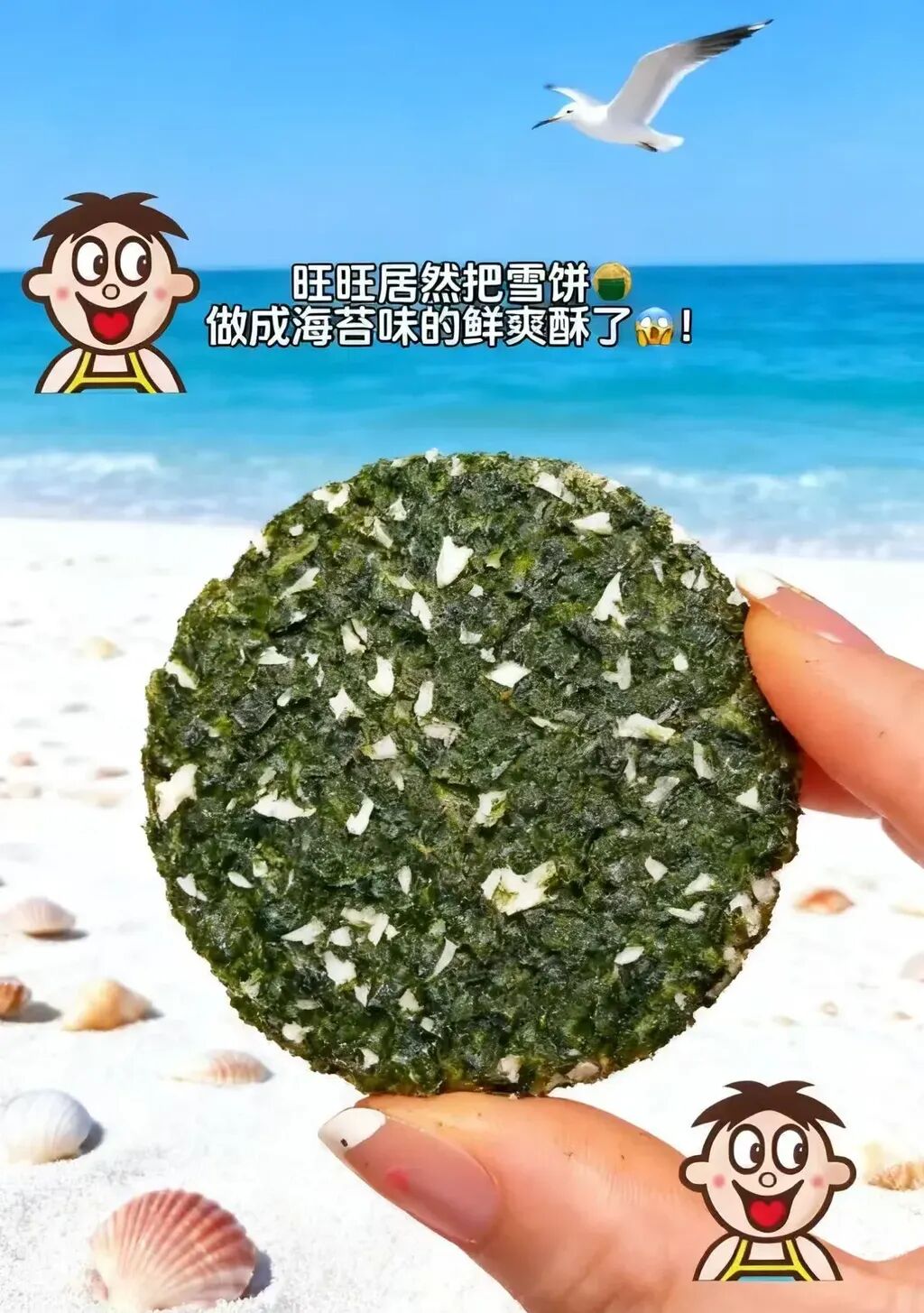
For example, the barbecue-flavored "Rehuo Crisp" was placed in front of a night-market barbecue stall, while the seaweed-flavored "Xianshuang Crunch" was set against a beach scene — the backgrounds and flavors matched perfectly.
6) Takeout Menu Replacement
Next up is a brief case, but one that might make takeout merchants and even small e-commerce sellers feel a real "efficiency boost."
The image below comes from one of my personal favorite shops, a specialist egg tart seller. I grabbed a quick screenshot from their takeout menu:
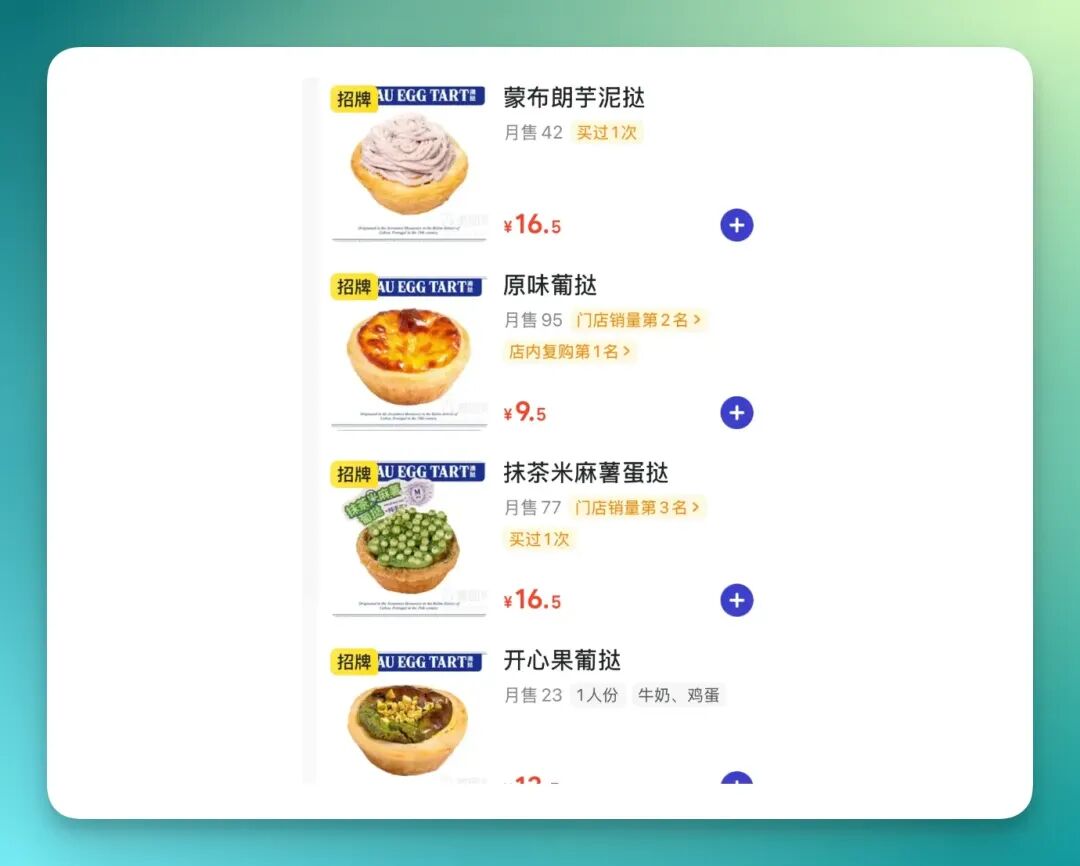
Then I uploaded it to Skylark and asked it to:
Cross-section all the egg tarts and replace them in their original positions
You can intuitively see how precise the final result was:
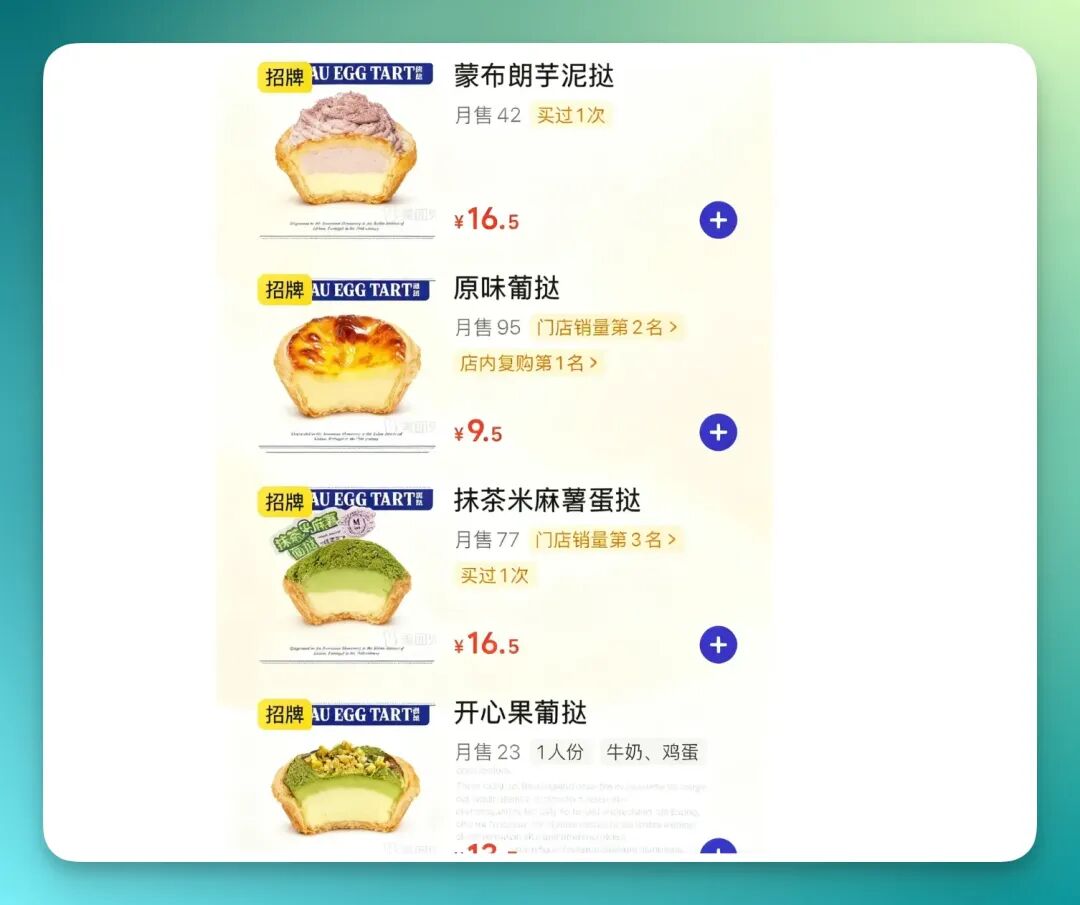
Honestly, for the three non-original-flavor tarts, the AI model needs fairly strong visual recognition capabilities, and Skylark performed quite well here.
You can even see how the "green parts" in the "Matcha Mochi Egg Tart" and "Pistachio Egg Tart" adjust based on overall height — nice attention to detail.
7) Cosmetics Gift Box Design
Now let's look at how Skylark performs in cosmetics group shot scenarios.
I grabbed a screenshot from Taobao of a Ginza cosmetics product lineup — note that there are 8 products:
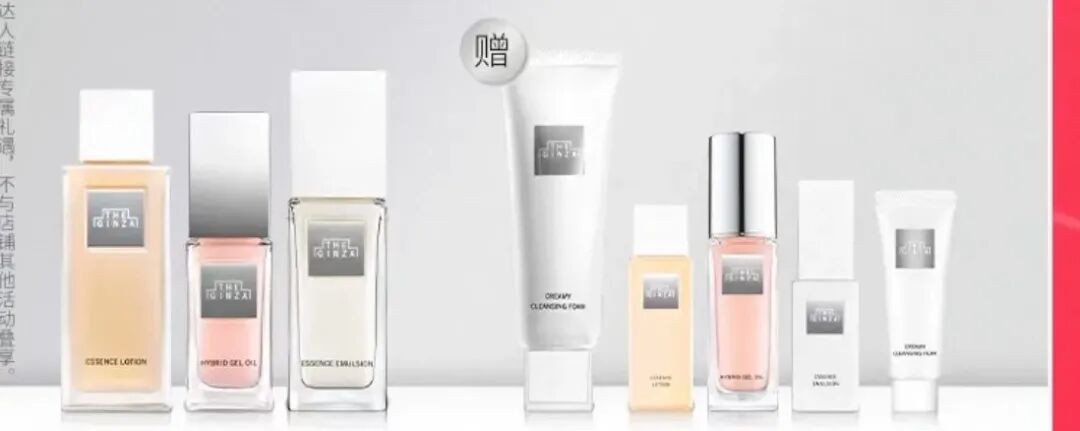
Then I used it as a reference image and fed Skylark a very casual, simple prompt:
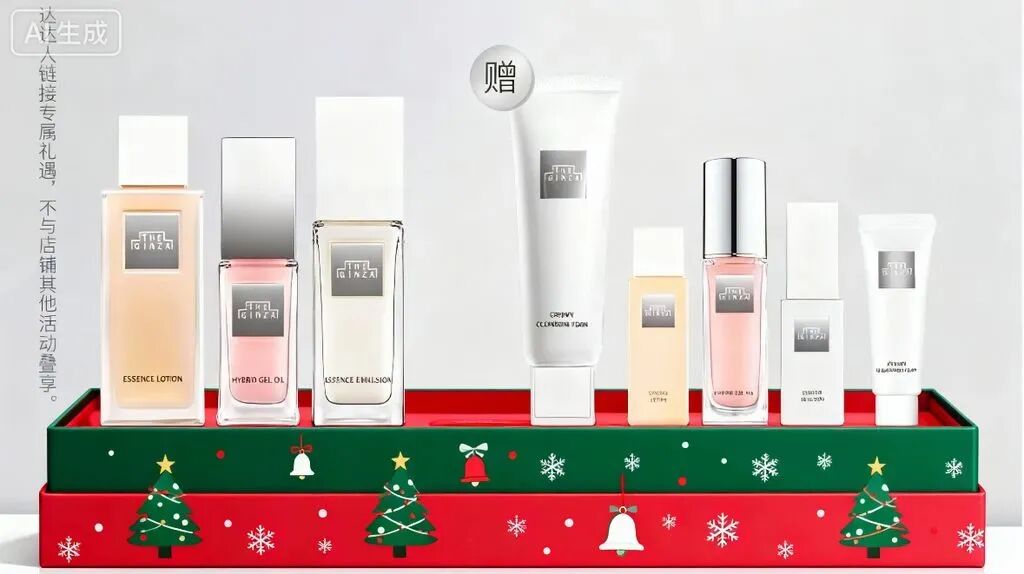
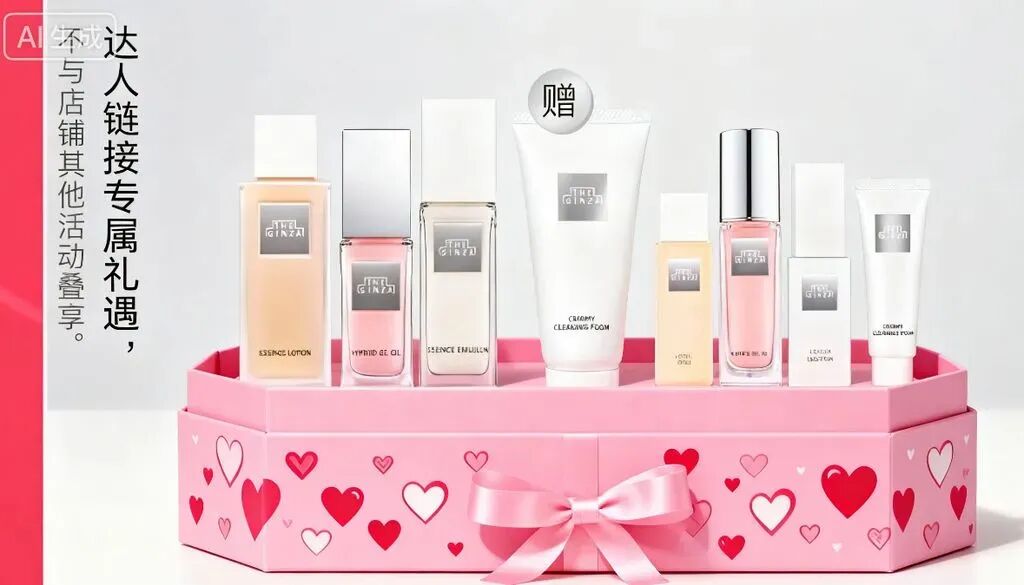
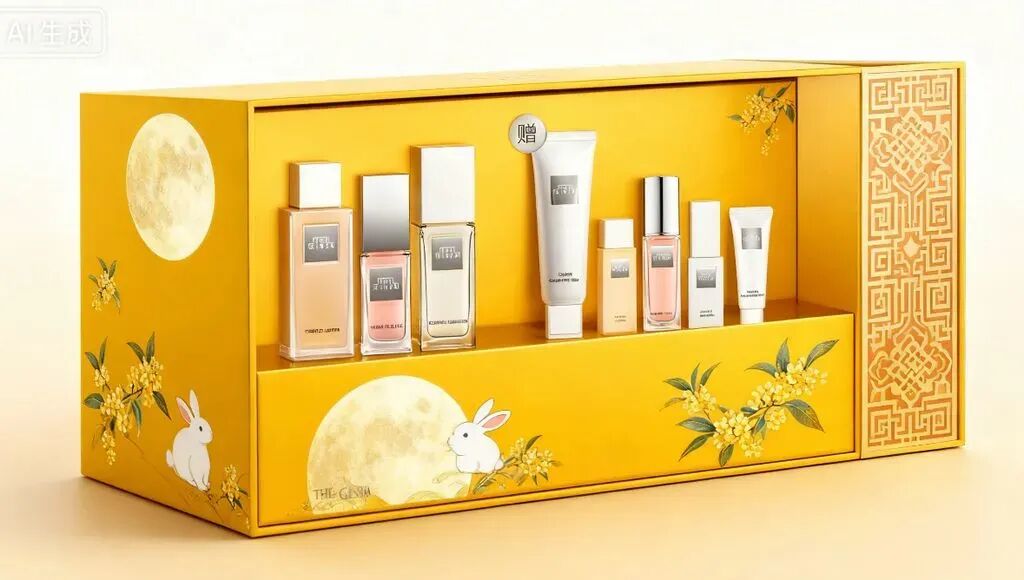
Based on the image, generate holiday-themed cosmetics gift boxes
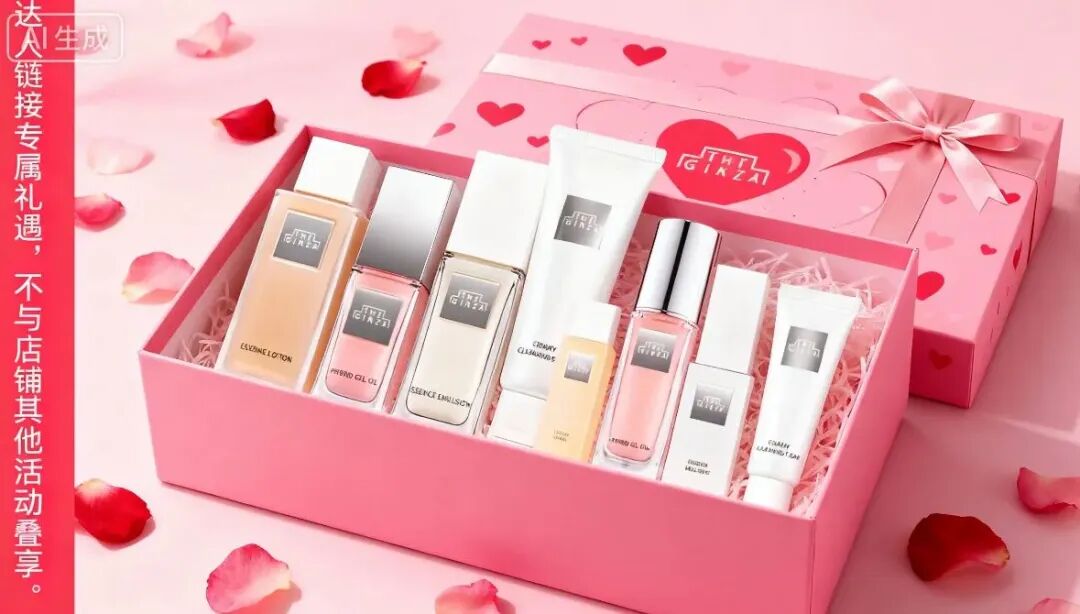
The final results are below. For those who think "AI must have at least some hallucinations," feel free to count the number of cosmetic products in each image, check if they correspond correctly, and notice how even the character "赠" (free gift) comes through clearly:
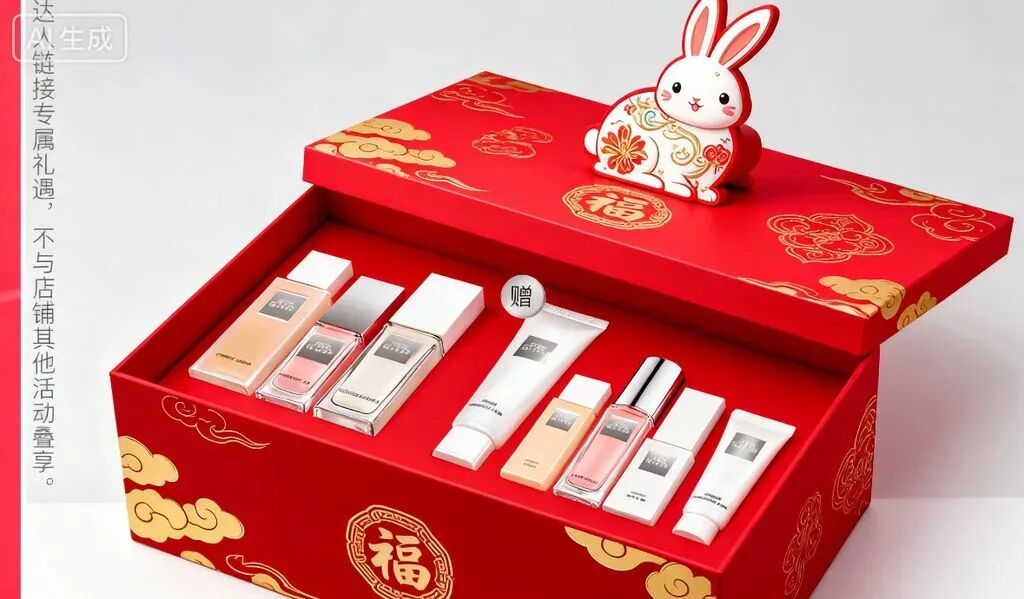
What actually struck me as "kind of interesting" is the gift box below. Look at the lid — it's even printed with "Ginza" (though there seem to be some minor hallucinations too).
And this imprint carries the distinctive typography of The Ginza brand logo:
8) Cosmetics Showcase
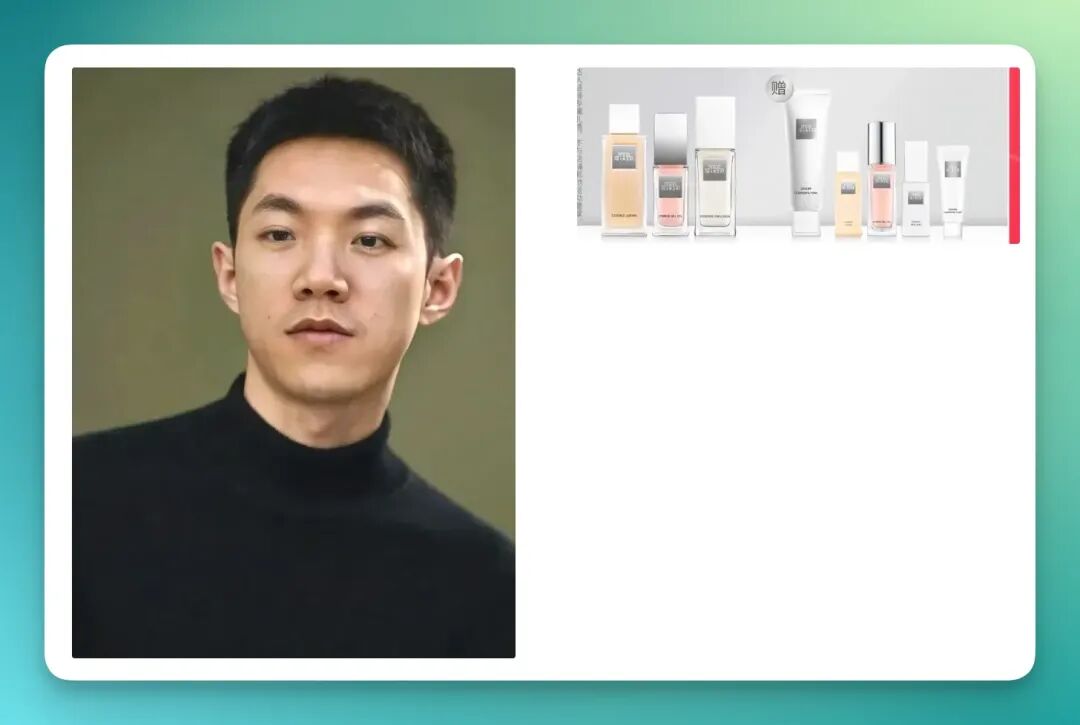
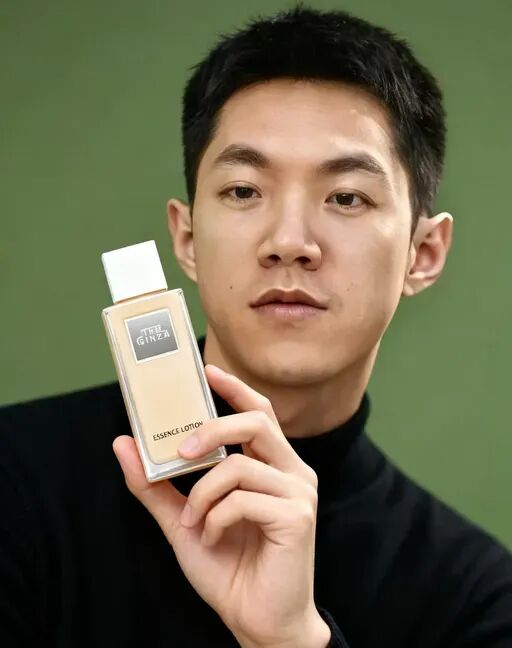
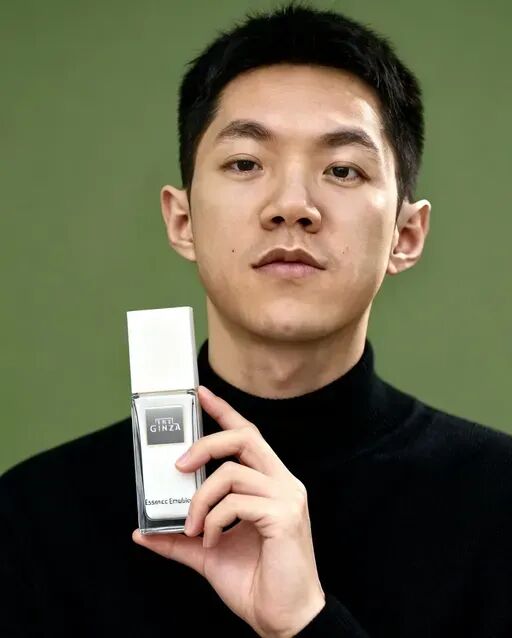
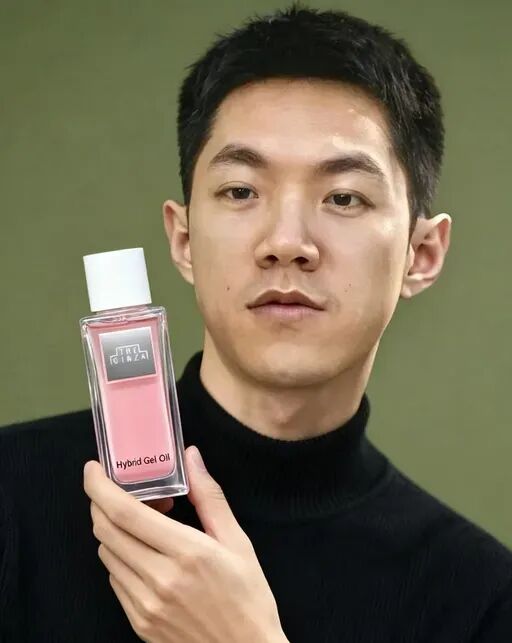
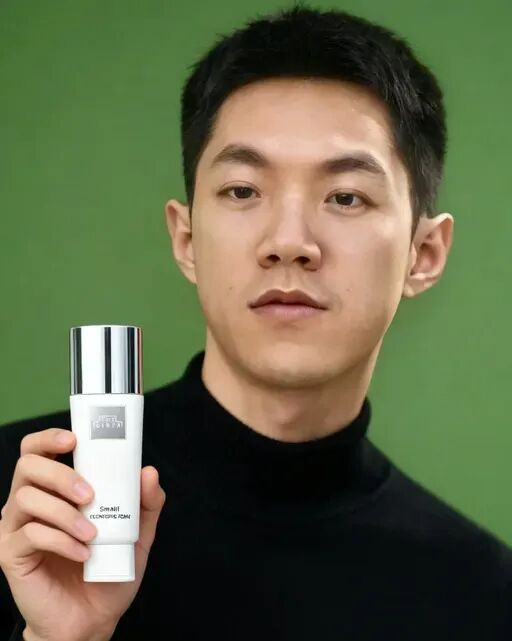
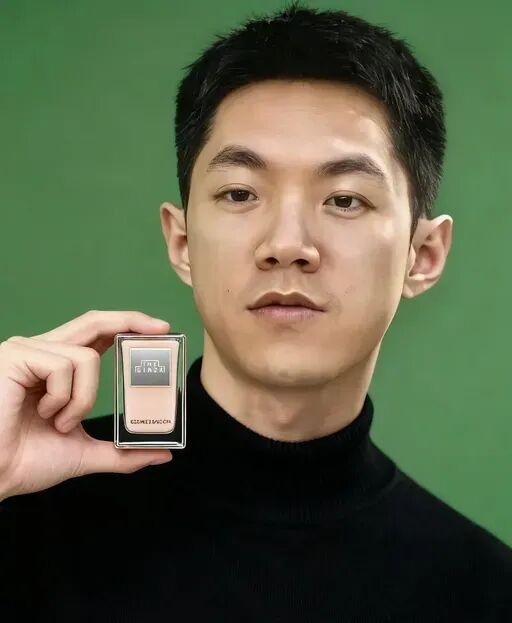
Next, we naturally welcome back our "guest" Koji. In yesterday's issue, we had him cameo in Vogue and Harper's Bazaar Men; this time I'm having him strike various poses to introduce the 8 Ginza products from the previous case.
Reference images below:
Let's jump straight to the results.
First, Koji accurately received all 8 products, and paired each with a relatively unique pose — very much like professional fashion cosmetics promotional posters:
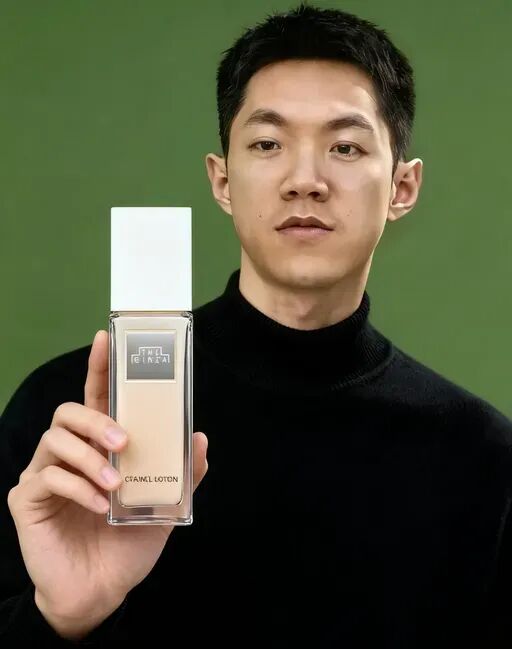
9) Tangdao Pillow
Let's look at one final e-commerce scenario — the Tangdao pillow.
In fact, we often see e-commerce images like the one below on various platforms, where the core element is a model paired with the main product:
Then, using it as a reference image, Skylark can directly generate an entire set of e-commerce images while maintaining complete consistency across all elements.
For example, with the prompt:
Have the model lie on the pillow in different poses
The results below show side-lying, back-lying, and angled poses — the model's expression and overall image consistency remain very high:
Or maybe we can have the model do more than just lie down — perhaps sitting cross-legged on the floor, hugging the pillow.
The prompt:
Have the model sit up and hold the pillow.
The results below show four different poses with solid consistency. Other elements close to the main subject, like text and logos, also remain untouched:
Going even further, I pulled another Tangdao image — a bunk bed setup (left image below). Then I merged it with the earlier image of the model lying on the pillow.
Prompt:
Have the model lie on the pillow, then replace the person on the top bunk.
The result (right image below) looks remarkably natural:
I noticed that only the person and their blanket on the top bunk were replaced. The green circular cushion to the left of the figure remained completely unchanged — very precise handling.
Finally, I looked at the "Tangdao X Maltese" three-piece set, which also had a product bundle group shot. I uploaded it to Lark and asked it to generate a corresponding image for the pillow.
The result:
Although the "Free pumpkin pillow" section got slightly obscured, Lark handled both the semantic recognition of "This bundle includes the following products" and the right-side image area quite well.
You can even see that matching reference text slogans were applied to both the left and right sides — impressive attention to detail.
10) Seamless transitions
Finally, when I returned to the creation interface, I noticed another new feature called "One-take seamless transitions." This can actually serve as a node in a broader AI content generation workflow.
In practice, I found it accepts up to 10 images, with customizable transition effects between each pair.
I recorded a GIF:
I added small transition designs between each image, and Lark can auto-generate background music.
The final result looks like this:
Lastly, when I tried to export the video, I found it can be uploaded directly to Douyin with one click.
Let's wrap up.
From Apple posters to nut gift tins, from cosmetics gift sets to Tangdao pillows — these 10 e-commerce scenario tests show that the Seedream 4.0 and Lark combination isn't just "able to generate," it's "able to workflow complete tasks."
In multimodal context understanding, style transfer, element replacement, copy integration, and consistency control, it compresses the "inspiration → editing → final output" pipeline into a chat window.
For creators and merchants, this means moving from "gacha-style trial and error" to "option-based creation."
As we sit in front of our screens, watching product images birth, recombine, and transform styles in seconds, the strongest feeling isn't merely "efficiency" — it's the thrill of creation.
We've all had brilliant ideas flash through our minds: a poster composition, a fresh colorway for a product, a dreamy showcase scene.
But the gap between "thinking of" and "making" used to kill countless sparks of enthusiasm.
We can see that many steps once requiring back-and-forth between designers and operators — revisions, rendering, more revisions — can now be completed through more intuitive conversation and simple operations.
A good idea no longer gets shelved because "I don't know Photoshop" or "the designer's booked solid."
This isn't just about one image or one product. It's a story about reclaiming and amplifying our own creativity.
So — what do you want to create next?