Shokz's First AI Earbuds: Is the New OpenFit 2 AI Worth Buying?

The potential of "open-ear headphones + AI."
The Potential of "Open-Ear Headphones + AI"
👦🏻 Author: GaKi
🥷 Editor: Koji
🧑🎨 Layout: NCon

Over the past two years, more and more hardware companies and tech giants have started integrating AI into headphones, phones, watches, and other devices. Among these, headphones — especially open-ear headphones — don't block the ear canal or isolate you from your surroundings, making them one of the most suitable entry points for AI.
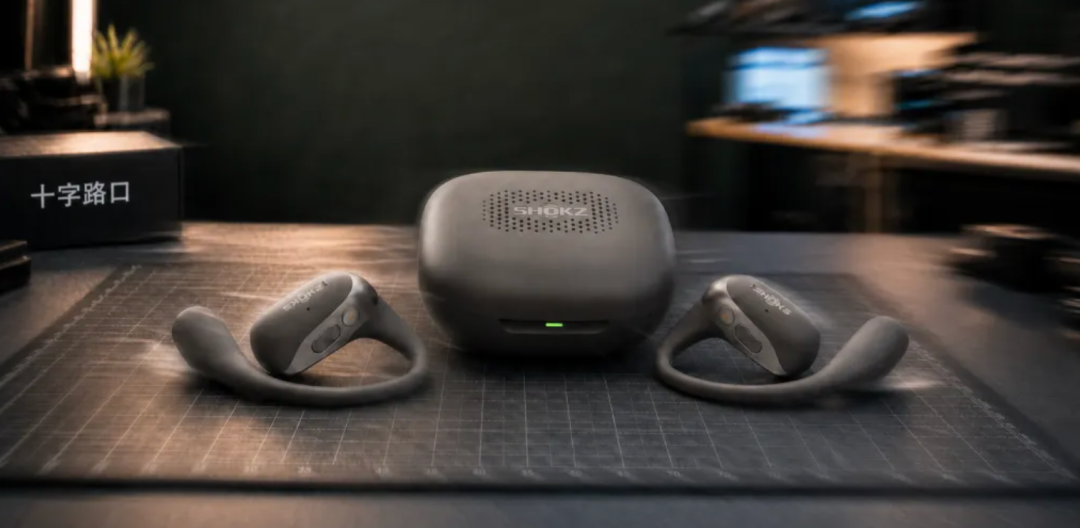
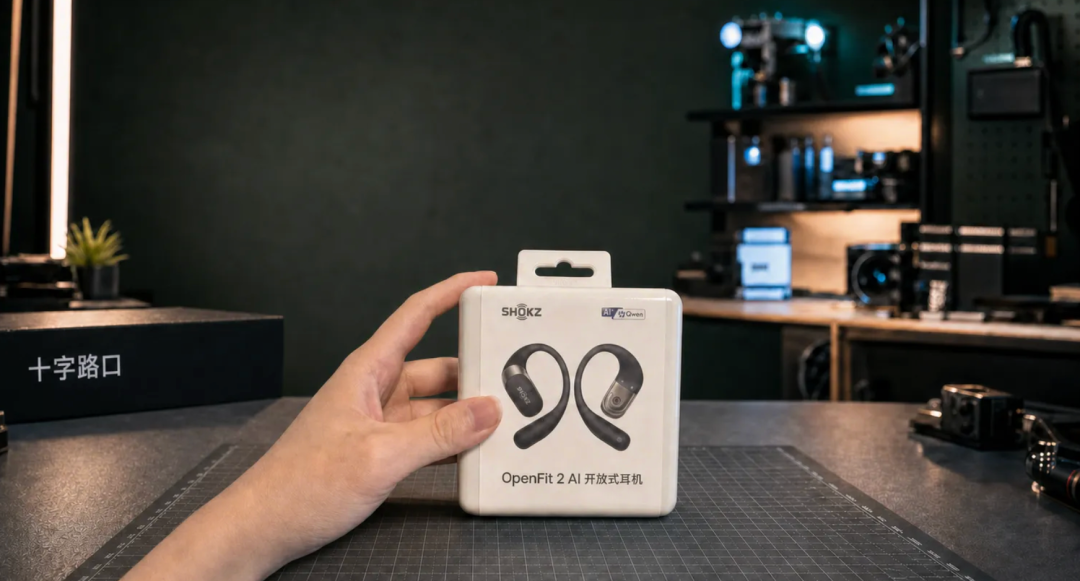
On August 17, Shokz's new AI-powered open-ear headphones, the OpenFit 2 AI, began pre-sales, with official release on the 24th. Integrated with the Qwen large language model, they upgrade from "open listening" hardware to "AI productivity at your ear."
When it comes to AI, Shokz isn't exactly an early mover. But in the open-ear headphone category, it has almost always been a pioneer and leader — and a genuine overachiever. Having lived through the entire cycle of "open-ear headphones," it has ranked first globally in shipments for three consecutive years, with patent counts consistently at the top. Most people who have used or bought open-ear headphones know Shokz.
For such a well-known manufacturer, this plunge into the relatively unfamiliar territory of AI counts as a "formidable new entrant."
Because of this, what people are watching isn't just the OpenFit 2 AI as a single product, but whether Shokz can unlock new possibilities for "AI + open-ear headphones."
What kind of experience can Shokz actually deliver after integrating AI into open-ear headphones?
Is "open-ear headphones + AI" just a gimmick, or can it genuinely become a productivity tool?
🚥
The moment the product launched, we got our hands on a pair for a complete unboxing and hands-on experience.
Hands-On Test [1] Recording
After receiving this product, we conducted fairly comprehensive real-world testing across a range of actual work scenarios.
The product has three main use directions: voice recording and transcription, AI summarization, and real-time translation — all powered by the Qwen large language model, with AI capabilities threaded throughout.
Let's start with the recording function.
Recording can be initiated from three hardware endpoints: long-press the headphone function button, manual operation in the app, or long-press the recording button on the headphone charging case.
The OpenFit 2 AI supports three recording scenarios: call recording, on-site recording, and audio/video recording — basically covering common use cases.
Let's look at each of the three ways to start recording.
Recording from the Headphones
The OpenFit 2 AI can automatically detect incoming calls and start recording. For impromptu calls, it's far more convenient than other recording devices.
You don't need to pull out your phone or open any app — just wear them and record seamlessly. The overall experience is very fluid.
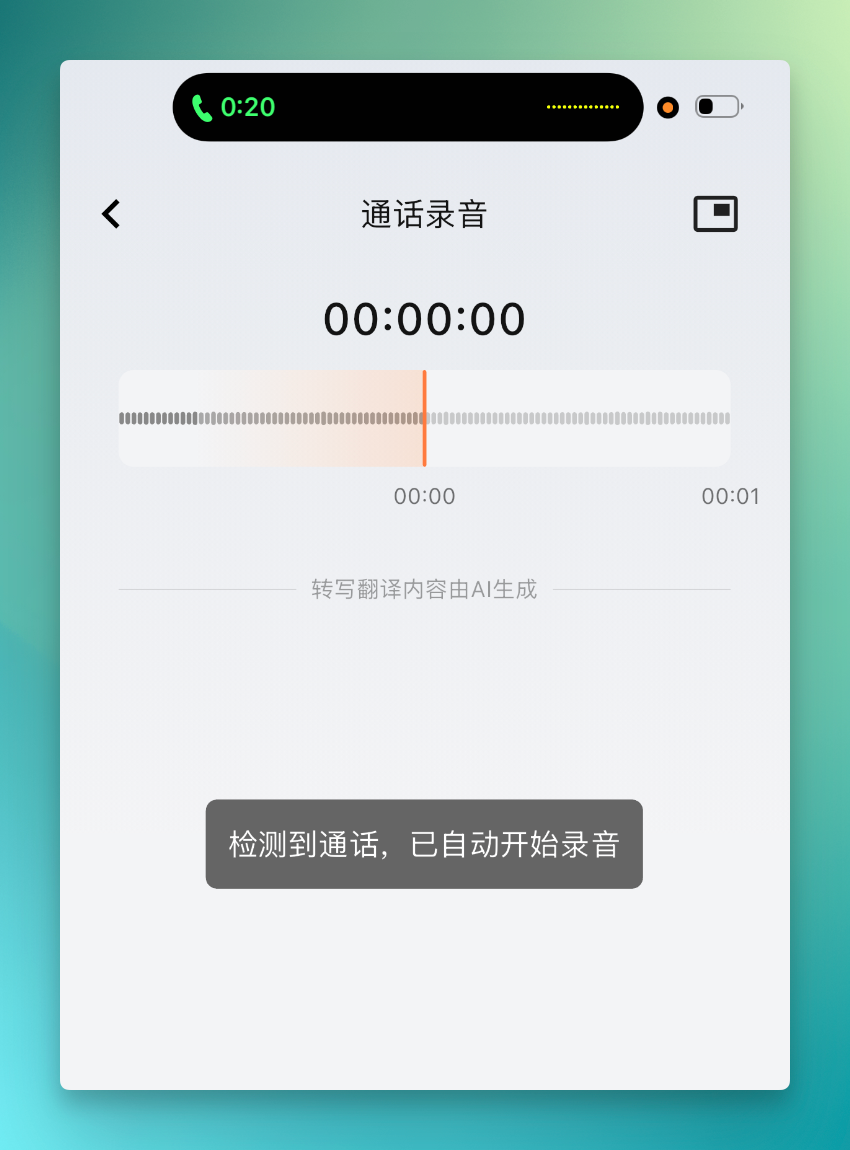
During call recording, these headphones are remarkably sensitive at picking up sound. Even when the other person's voice is slightly muffled, the transcribed text maintains high accuracy.
And in the app, you can directly select translation, or pre-select the speaker's language beforehand for more accurate AI transcription.
Here's another scenario — Alphabet's Q2 2026 earnings call, which I listen to whenever I have time. Cloud providers are all telling their AI stories now, and the entire session mixes hard financial data with complex AI business updates, making for extremely dense information.

I recorded this entire call using the OpenFit 2 AI headphones. They're simple to put on — you can wear them as shown below, and they stay quite secure.
These earnings calls have extremely high information density, so I particularly rely on the "recording + notes" function. Many impromptu meetings are the same — intense communication, dense information, impossible to fully process on the spot.
This is where another OpenFit 2 AI feature comes in: double-tap the headphone function button to automatically mark key sentences. The demo video is below — I've indicated with a red arrow how key content gets highlighted in yellow, automatically returning to normal when moving to the next segment.
This feature works quite smoothly and accurately, fitting real-world usage scenarios well, especially in high-information-density meetings.
Recording from the Charging Case
Besides recording from the headphones or phone app, you can also place the headphones directly in the charging case and long-press the recording button on the side to start recording with one click. This works well for recording scenarios where wearing headphones would be inconvenient or impolite.
The specific operation is to long-press the recording button until a yellow indicator light appears on the front of the case, indicating that recording has started.
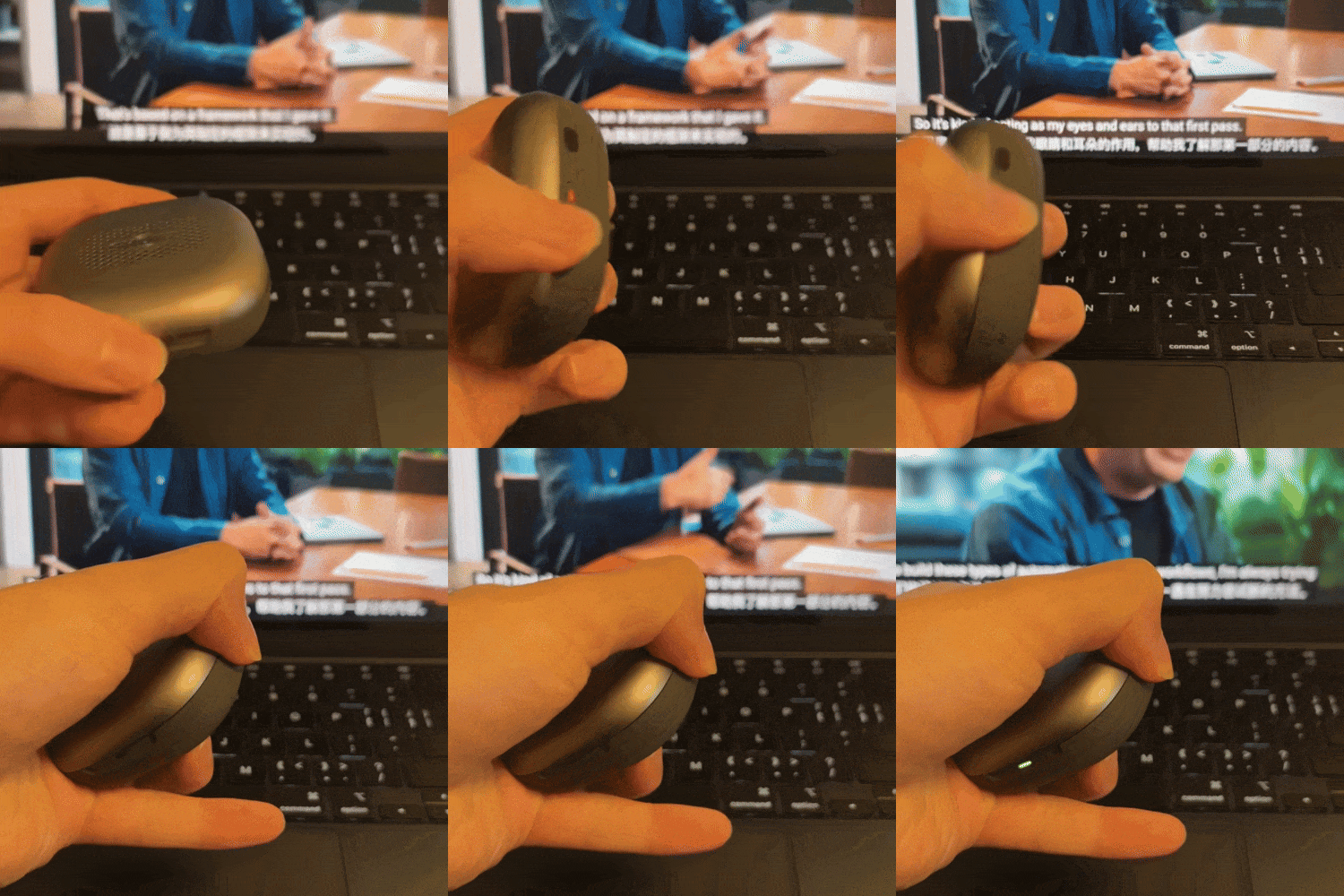
At this point, the headphones can be placed anywhere, so when I don't have time to listen in real-time, I often record this way and review the transcription and summary later.

Recording from the App
Starting recording from the app works best for selecting audio/video recording or on-site recording scenarios.
Think routine online meetings, or watching long foreign-language videos. I regularly rewatch professional tutorial videos and promotional content from Anthropic and OpenAI channels to understand what they're currently working on.
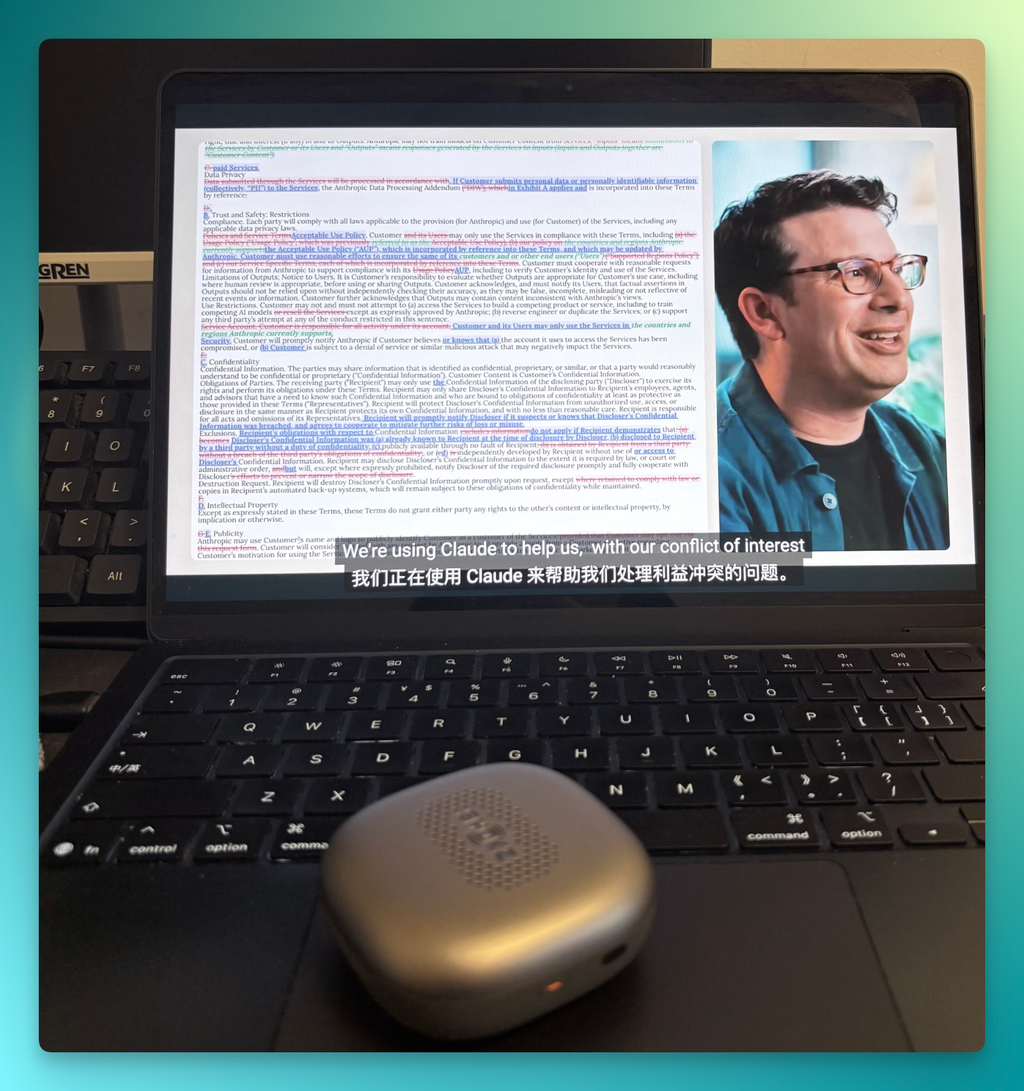
A while back, Anthropic released a promotional video about using Claude in legal scenarios, following a protagonist through detailed internal workflows of using Claude in a legal context.

You can then simply single-tap the headphone, or connect via the Shokz App to start recording. It captures audio quite finely, with fast transcription speed.
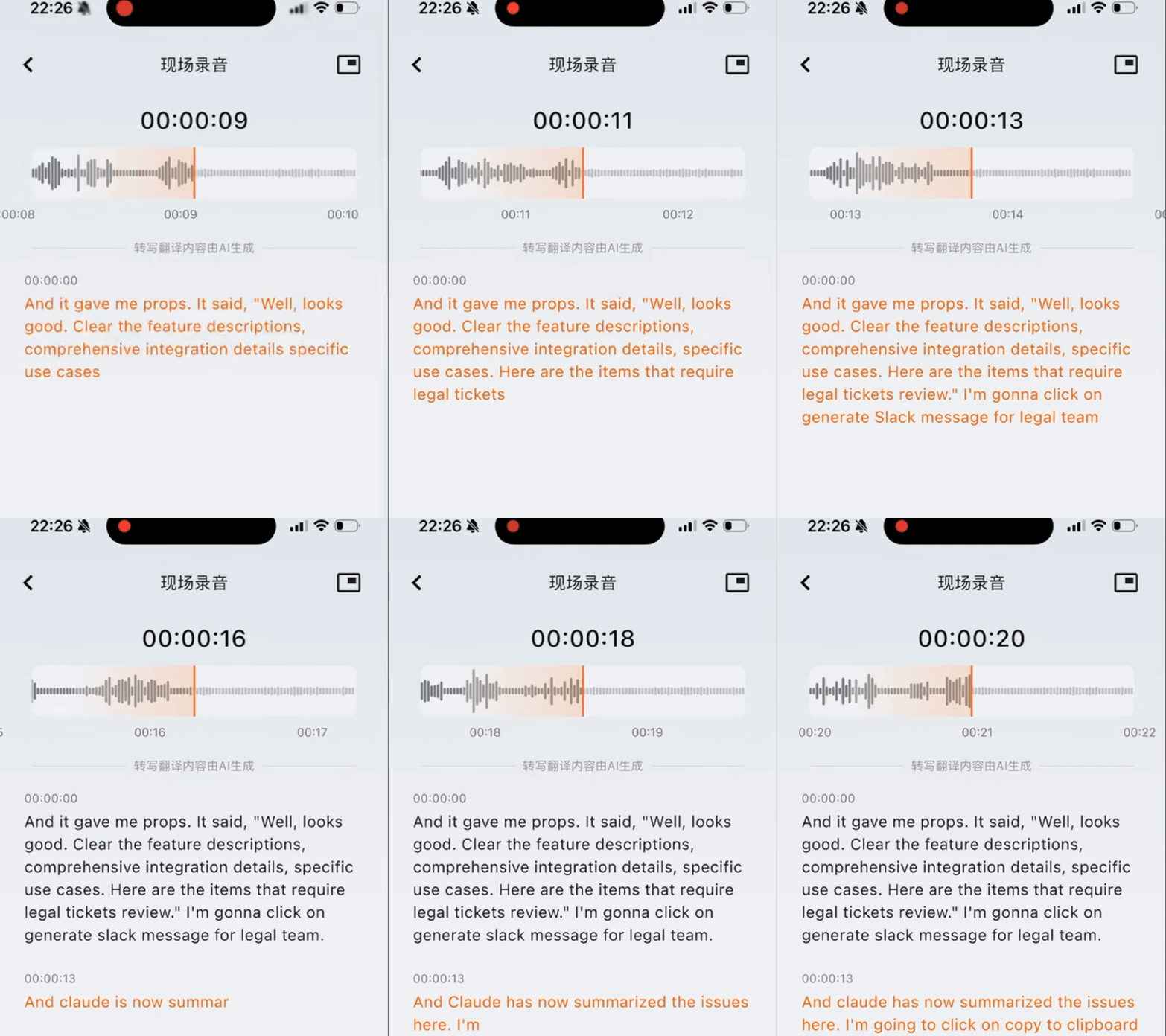
You can directly tap the translation function inside, and it will provide additional translation. These YouTube channels contain many specialized terms, and the headphones perform very accurately in transcribing them.
Content recorded from the headphones, phone app, and charging case all syncs to the phone app, with viewing, editing, and one-click forwarding also available on the desktop.

[2] AI Transcription and Summarization
After recording is complete, AI transcription and AI summarization powered by the Qwen large language model form its more core functions. Based on actual experience, the OpenFit 2 AI headphones provide solid support for professional scenarios across 12 industries:
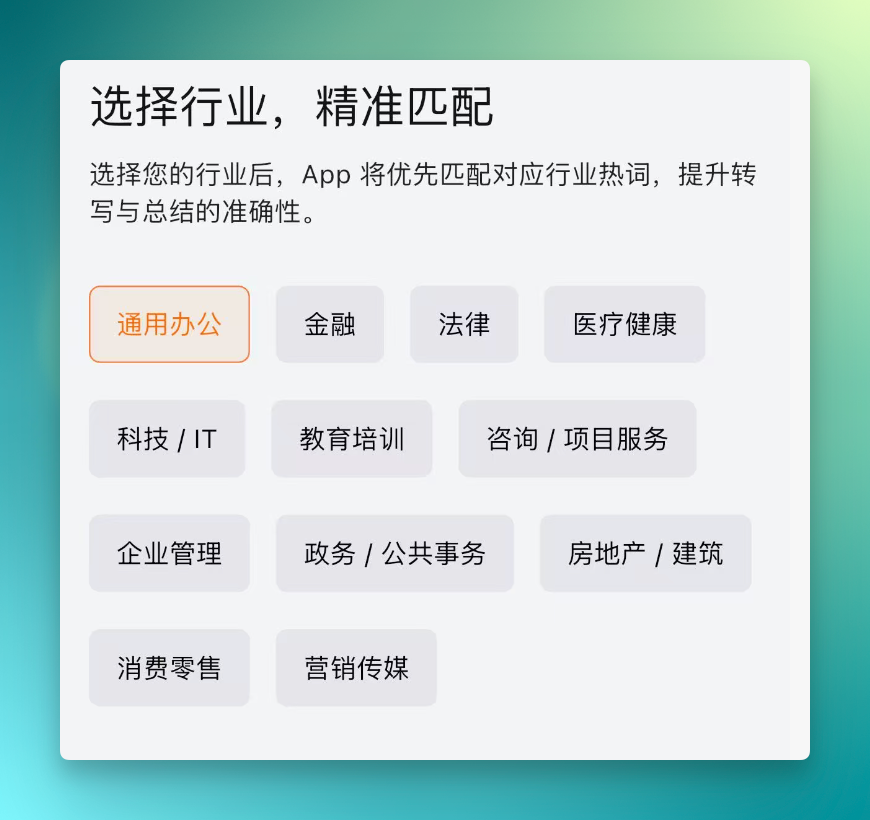
Among these, performance is particularly strong in legal and financial scenarios.
Below is a demonstration of AI transcription for this Anthropic legal scenario video.
You can see the text transcription is quite accurate, especially in technology-law intersection scenarios. Words like "Claude" and "Claude Code," along with legal terminology, are often unrecognizable by many AI voice input methods — most of the time getting transcribed as "Cloud."
The OpenFit 2 AI performs well in these scenarios.
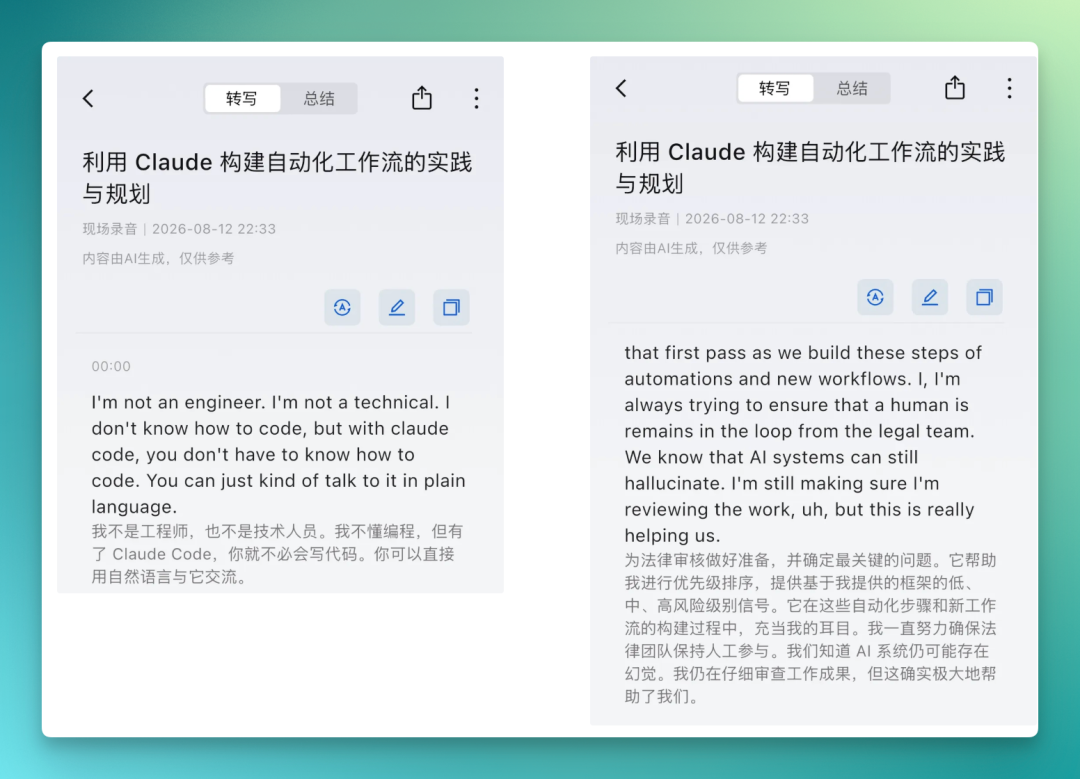
All of the above content supports editing.
The desktop also syncs all recording files, where you can directly transcribe, translate, and mark up content.

Now let's talk about "AI summarization." The summary section includes 19 built-in summary templates, adaptable to a wide variety of professional scenarios — consulting, general meetings, finance, medical consultations, and more.
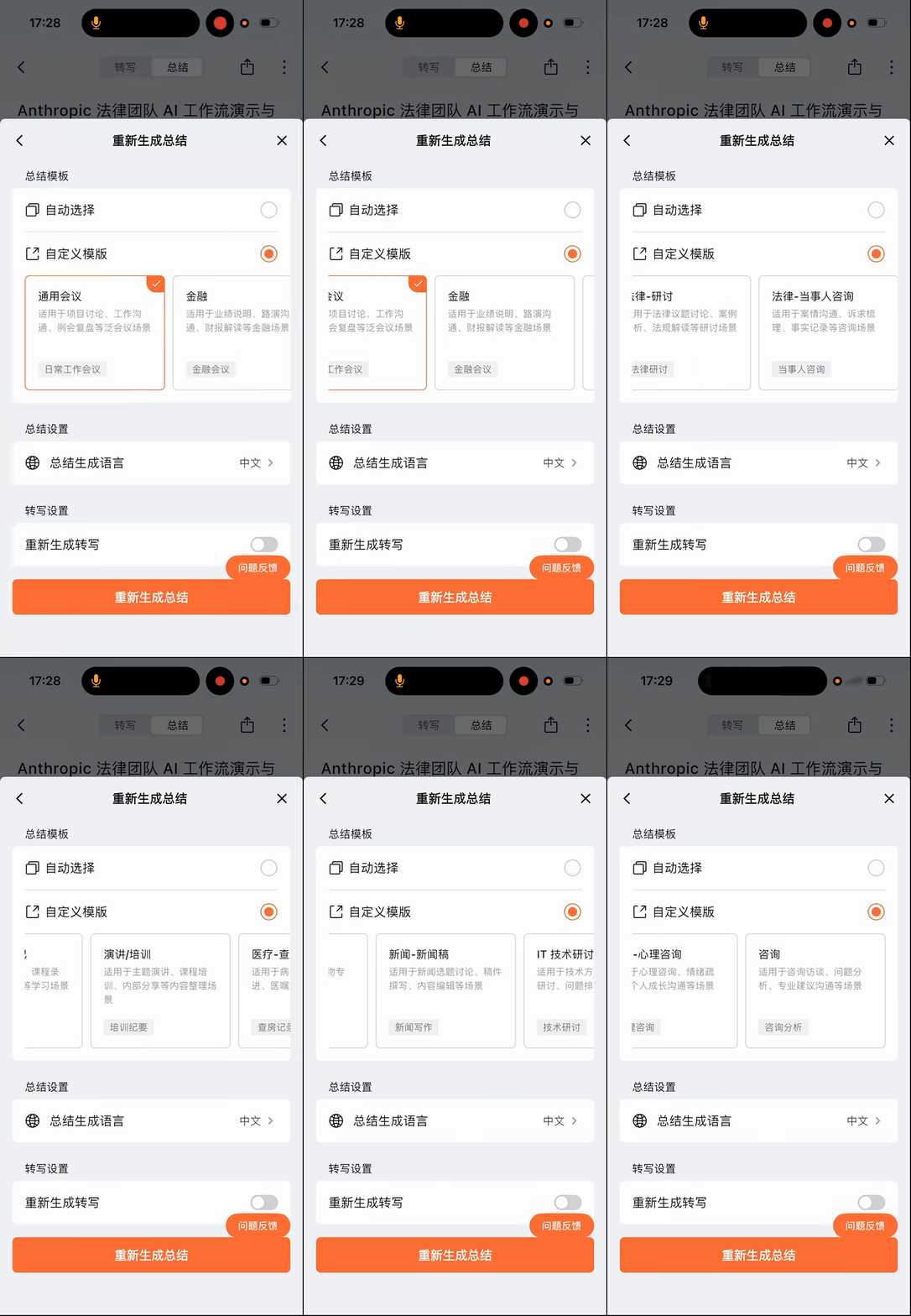
Summary accuracy and abstract quality are both solid. It handles many specialized terms well — for example, legal tickets are annotated in English afterward. Particularly interesting is "Human in the loop," a fairly well-known term in the AI field, which is translated quite precisely.

Another example: when listening to more complex Legal Professional Lessons, I found it has good habits for AI translation and summarization.
First, proprietary nouns are translated very accurately. Then, many such specialized terms keep their original English, with Chinese in parentheses — for institutions, it's the Chinese translation followed by the institution's English name.

Now let's move to another major use direction: translation.
[3] Translation
The OpenFit 2 AI headphones support four translation scenarios: call translation, simultaneous interpretation, face-to-face translation, and audio/video subtitles — basically covering everything you'd need.
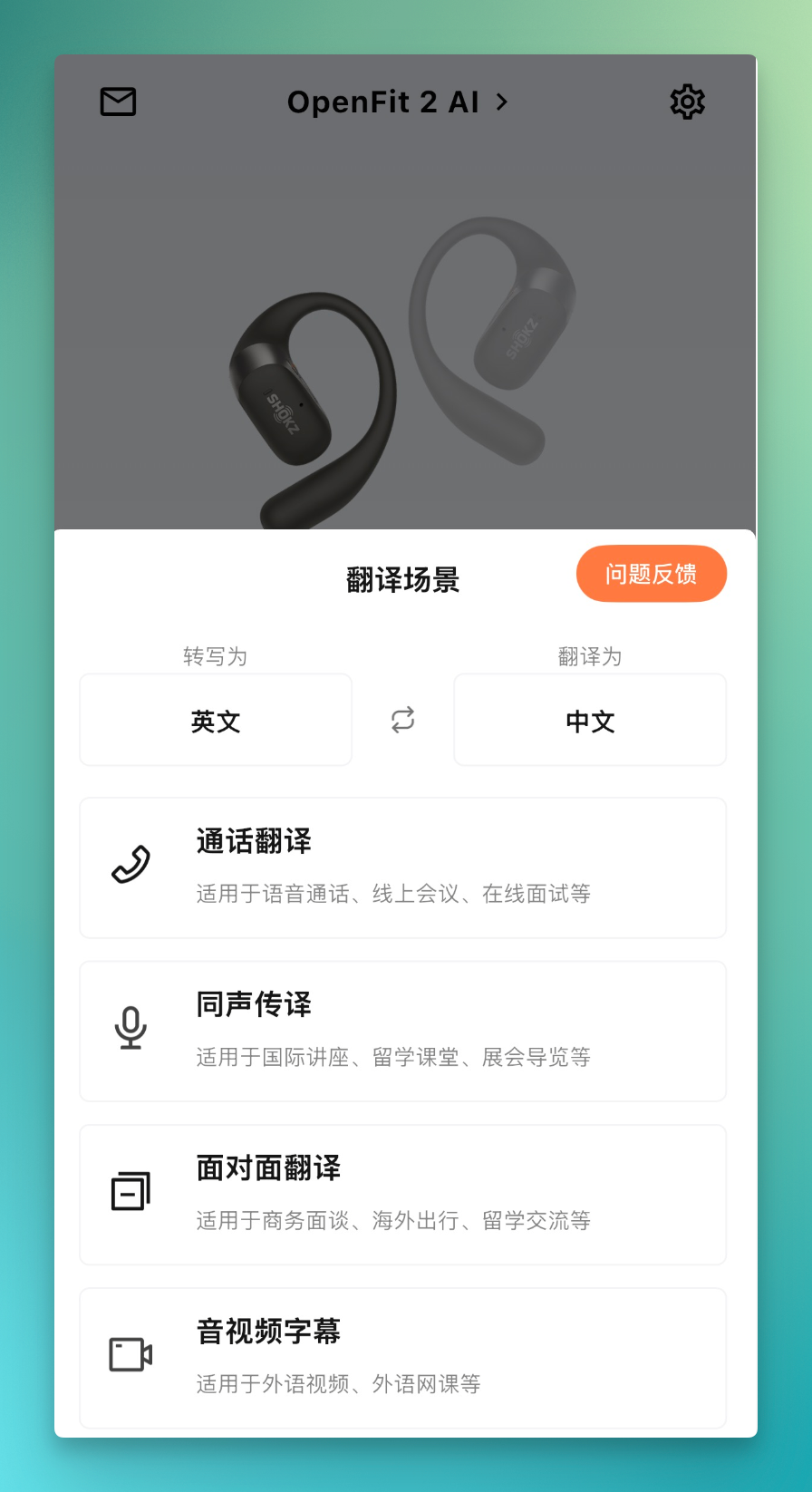
Translation supports 49 languages. Beyond common languages like Chinese, English, and Japanese, it covers many others as well.
Simultaneous Interpretation
Let's start with simultaneous interpretation — a quite practical feature for daily use.
When watching all-English YouTube videos without translation plugins, having only English subtitles can be troublesome, especially when trying to understand content in professional scenarios in real-time.
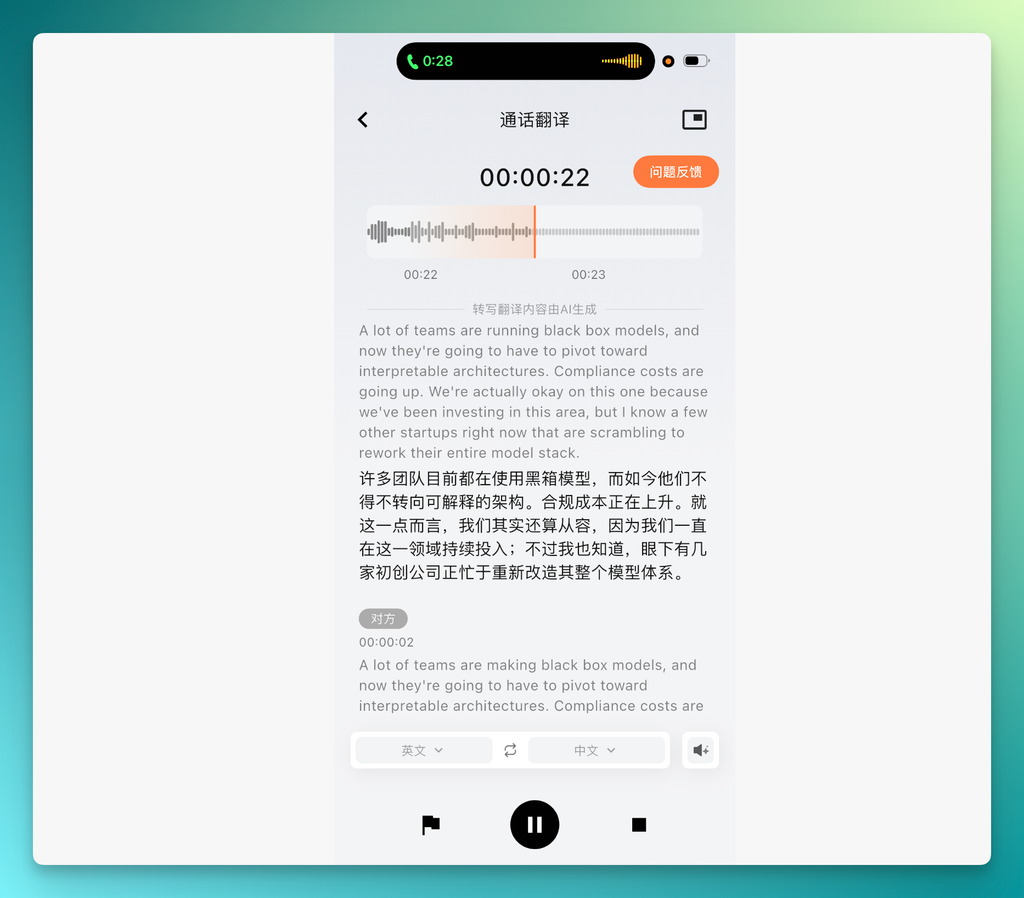
This time, I listened to a previous Anthropic video about Claude's internal reasoning mechanisms, using the OpenFit 2 AI headphones for simultaneous interpretation. Chinese transcription appears immediately alongside translation, with fairly quick speed.
All content also supports AI transcription and AI summarization.
Call Translation
Another feature I personally find useful: after connecting the headphones to the Shokz App and maintaining the connection, if someone calls in, it can automatically detect this — a prompt tone sounds in the headphones, followed by automatic call recording or call translation.
I tried this once during a call with a growth lead working on financial AI products. Its incoming call detection was very fast, enabling direct English translation and transcription, which proved quite convenient.
Audio/Video Subtitles
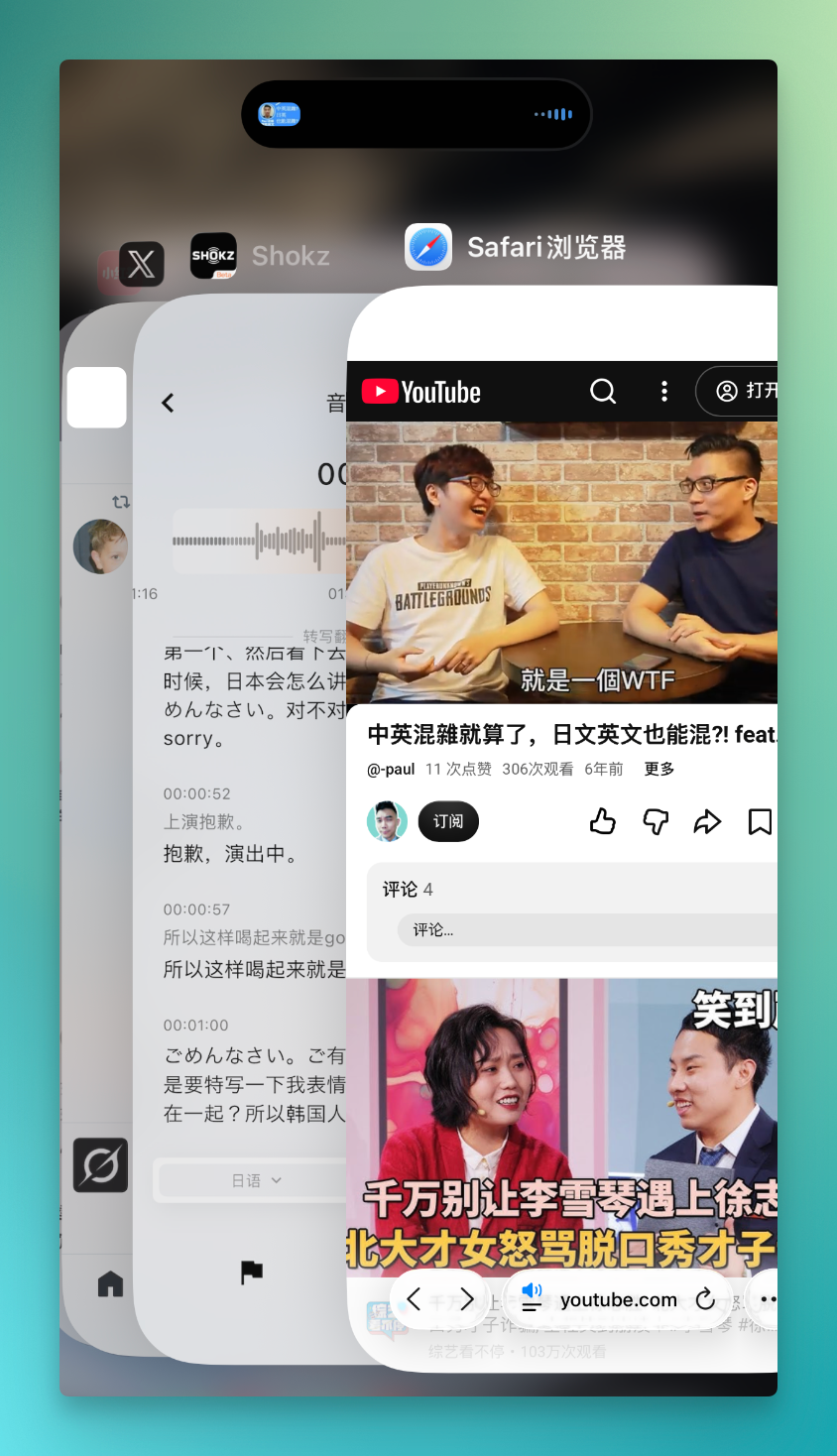
One scenario in the OpenFit 2 AI's translation features is audio/video subtitles. In daily use, I mainly watch YouTube Shorts, where some videos have multilingual speech habits that aren't easy to understand.
For example, the video below uses Mandarin, Japanese, English, and even a bit of Cantonese to explain Japanese and English — a language teaching video.

I usually watch these on my phone, but it's hard to simultaneously record or transcribe on the phone itself, since the phone is already being used for recording and can't handle both tasks.
This is where the OpenFit 2 AI headphones work well. After opening the video on YouTube, the app's audio/video subtitle feature automatically activates in the background, automatically transcribing and translating, with floating window real-time translation support.
And if you need to record learning video content, after a first rough pass through the YouTube video, you can return to the app for a second, more careful reading.
This scenario is actually quite suitable for TOEFL, IELTS, and various other language learning needs.
Moreover, in multilingual mixed scenarios like Chinese, Japanese, and English, its translation performs well. In this short video, the actual speech mixes Chinese, Japanese, and English, and the transcription presents this mixed form: this apology uses Japanese, while the host's English portion keeps "Sorry."

Face-to-Face Translation
The final translation feature is face-to-face translation, quite practical for daily use and particularly suitable for study-abroad scenarios with lots of communication.
This time I found a Japanese lecture dialogue to test, as I'm fairly familiar with these kinds of Japanese scenarios. This was a biology topic — fairly specialized content — and the translation was quite precise:

I noticed it segments by speaker tone and turning points before translating.
Holding the voice button indicates you're starting to speak, and it cuts off quickly. I spoke Chinese, and the system transcribed it into Japanese text while playing Japanese audio. Releasing the recording button switches to let the other person speak — this switching is fairly smooth.
This entire process involves considerable data, which is saved on the phone app and desktop, naturally raising data security concerns.
With this headphone launch, Shokz specifically emphasized that it has passed Level 3 certification for the Cybersecurity Multi-Level Protection Scheme, and completed SOC 2-Type 1 independent audit.
Adding another threshold for privacy and security.
[4] How's the Sound Quality and Comfort?
Overall, whether in terms of sound capture sensitivity, detail level, or playback volume performance, it lives up to the reputation of "nearly two decades of deep work in open-ear headphones, with solid technical foundations."
I listen to music fairly intensively, and the OpenFit 2 AI particularly delivers more noticeable bass depth, with clear highs and none of the muddiness typical of general open-ear headphones.
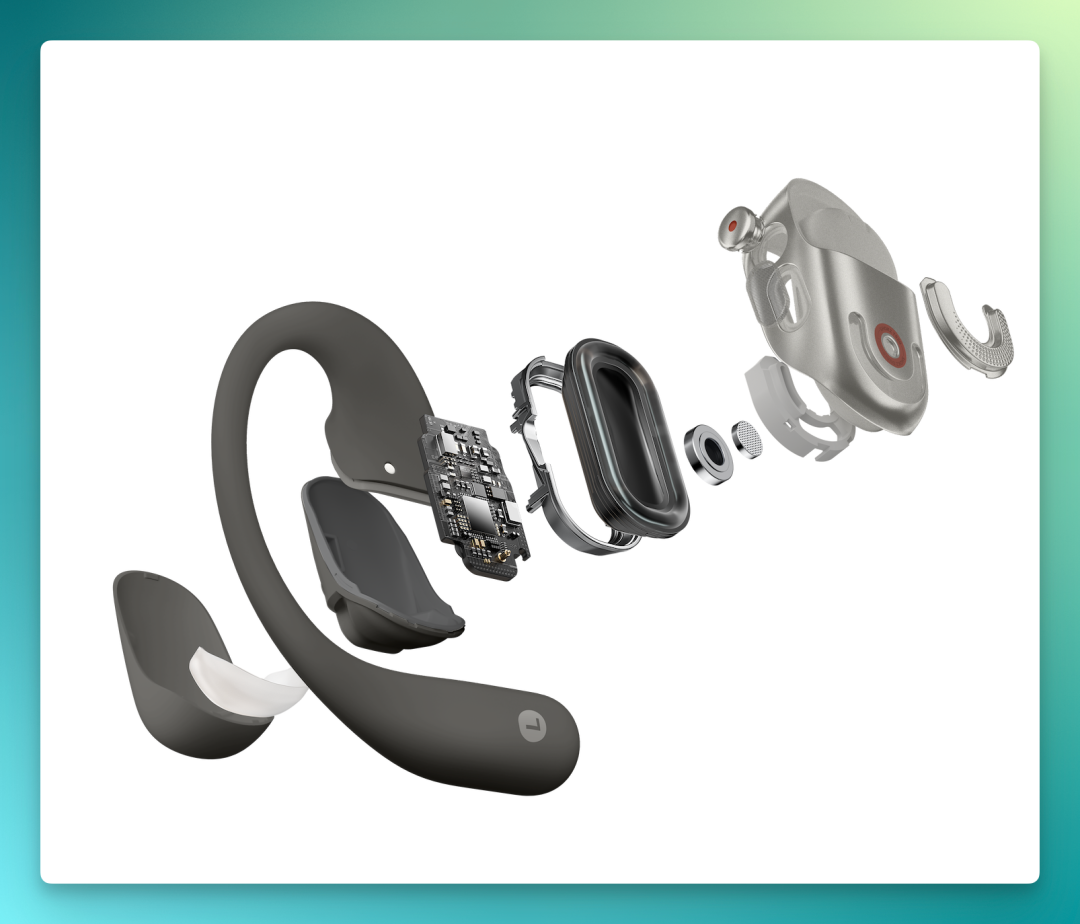
I carefully reviewed their product manual and official website descriptions for this product, and can see there's genuine Shokz technical accumulation behind it.
The overall sound quality I described earlier comes from quite complex technology, with essentially all relevant audio technologies deployed — such as Shokz DualBoost dual-engine technology, OpenBass 2.0 algorithm, and DirectPitch 2.0 frequency-divided sound leakage reduction.
I'm not an audiophile in this area — interested readers can look these up themselves.
Another point worth mentioning is the overall comfort of wearing these headphones.
These are open-ear headphones, without the ear canal swelling that comes from wearing in-ear headphones too long. After extended listening — say, 4 to 6 hours — the ear tips of in-ear headphones can push against your ears uncomfortably.
My ear canals are slightly larger, so with in-ear headphones I can only use small-to-medium size tips, inserted quite tightly, and my ears usually start hurting after about two hours.
Open-ear headphones are inherently designed not to block the ear canal. The material is dual-layer silicone, and overall wear is fairly comfortable.
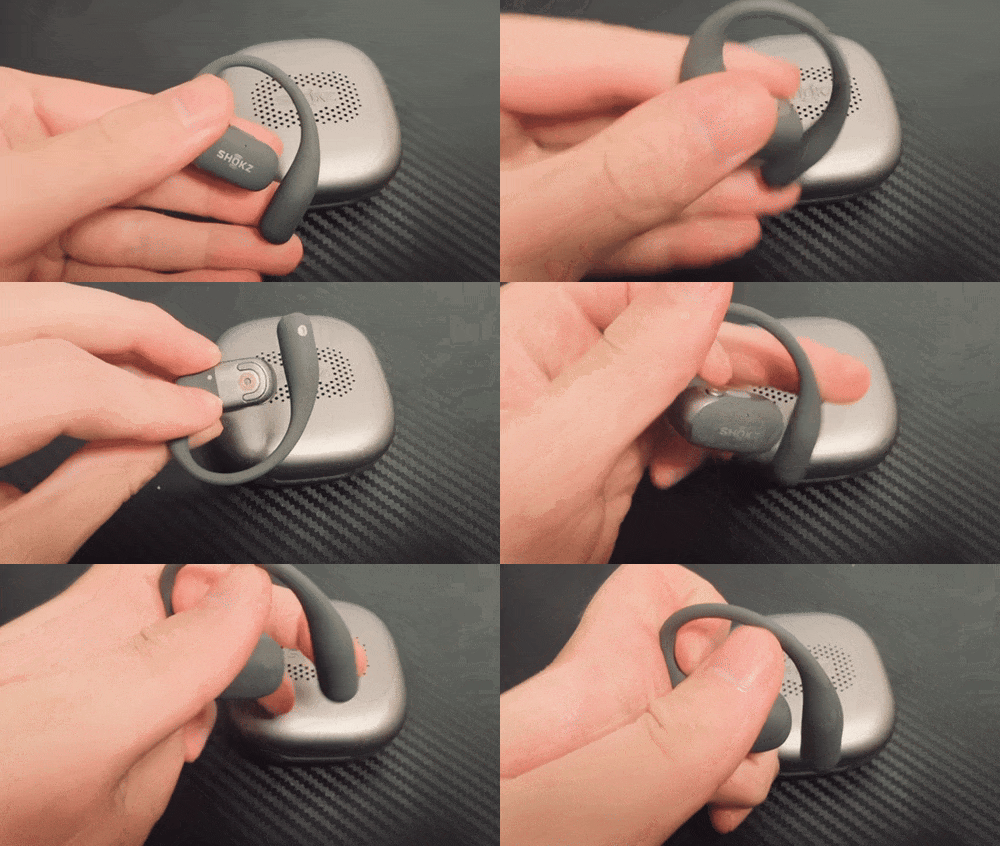
Open-ear headphones generally tend to be loose, but these are fine — they use a dolphin-arc design with reasonable curvature, fitting both large and small ears. The manual mentions embedded 0.7mm flexible titanium wire, so they hang quite securely. And I've seen many marathon runners wearing Shokz headphones, so stability is not an issue.
Open-Ear Headphones + AI = Productivity?
After this hands-on experience, I believe headphones inherently have the foundation to "boost productivity."
Headphones started as personal music devices, then became audio extensions of phones, and in the true wireless era, became all-day wearables for many people.
With the arrival of AI, headphones transform from a "device" into an "entry point."
Headphones can serve as an entry point because they're intimate and high-frequency. Compared to phones — which are strongly visual and operation-intensive — headphones' advantage lies in freeing your hands, reducing interruption, and enabling more continuous, natural interaction.
The call recording scenario mentioned earlier is an example: a call comes in unexpectedly, no need to pull out your phone or open an app — the headphones directly detect the incoming call and automatically start recording and translating, without disrupting the conversation flow. This is something phone-like terminals requiring active operation can hardly achieve.
To deliver on this entry-point value, the prerequisite is that users must first be willing to wear them for extended periods.
This is precisely where open-ear headphones come in — not blocking the ear canal, allowing simultaneous awareness of environmental sound, comfortable for long wear. These are themselves necessary conditions for "willingness to wear long-term." If the wearing experience doesn't pass muster, the AI capabilities behind it never get a chance to be used.
From a user experience perspective, a good entry point needs sufficiently low interruption.
It should appear naturally when needed, stay quiet when not, compress or even eliminate the steps of pulling out your phone, opening an app, manually recording, and organizing afterward. Users shouldn't need extra actions to activate it.
The evolution of Shokz's own "open-ear headphone" product line is essentially a microcosm of this directional progression.
The earliest bone conduction headphones solved environmental awareness in exercise scenarios — wearing headphones while still hearing traffic and passersby. Later, as scenarios expanded to daily commutes and office work, ear-hook and ear-clip styles gradually filled in long-wear comfort and all-scenario adaptability.
With the OpenFit 2 AI generation, scenarios broaden another step toward workplace and business contexts. After integrating the Qwen large language model, the headphones' job is no longer just delivering sound to your ears, but also helping record, summarize, and extract key points in meetings and calls.
Shokz's nearly 20 years of accumulated open-ear acoustic technology and comfort science determine how long these headphones can be worn comfortably; the newly integrated Qwen large language model determines how much productivity-scenario work they can do for users during that wearing time.
🚥 In 2026, audio manufacturers will likely collectively push into the mainstream AI hardware market, with new product density only increasing over the next year or two.
In this wave, Shokz's entry more resembles following a long-planned upgrade path, steadily and methodically arriving here. Its landing point is users' real usage scenarios and high-frequency needs — meeting records, call translation, multilingual subtitles. These are genuine daily necessities; AI is simply the technical means to catch these demands.
By 2025, Shokz had essentially covered all form factors in the open-ear headphone category: bone conduction, ear-hook, ear-clip, plus already-deployed AI glasses. The OpenFit 2 AI's integration with Qwen is the latest exploration in this overall layout.
For over a decade, Shokz has been focused on how to let people hear naturally without disconnecting from their surroundings, the people nearby, or the real world.
In the exercise scenario track, Shokz has already proven itself through shipment volumes and patent counts. This time, it wants to bring the same experience into productivity scenarios.
From product definition to technical implementation, the OpenFit 2 AI has provided a sufficiently solid starting point. Whether it can deliver results at this standard remains to be seen — and is worth watching.