Hands-on With TRAE Bao: What Does a Developer's Personal Assistant Look Like?

One person, one computer, and one TRAE Bao.
One person, one computer, and a TRAE Bao.

👦🏻 Author: GaKi
🥷 Editor: Koji
🧑🎨 Layout: NCon

Personal AI assistants have been gaining serious traction lately.
From handling schedules and emails to managing files and automating tasks, more and more AI products are trying to become long-term collaborators that stick with you through your workday.
TRAE has jumped on this trend with "TRAE Bao" — officially positioned as "a personal assistant for developers."
In short, it helps developers manage multiple projects simultaneously, remembers what was done in each one, breaks large requirements into discrete tasks, and assigns them to different Agents to execute. No more manually switching sessions or checking progress — the AI handles the coordination.
Why would TRAE build this?
The most obvious reason is that Coding Agents like Claude Code, Codex, and TRAE itself have all been evolving how they handle projects and tasks. But open any of these tools and you'll typically see a column of Projects on the left, each containing multiple Sessions.
This design works fine for managing individual tasks, but real development often spans across different Projects.
When work is scattered across different Projects and sessions, it gets messy. Users have to manually break down tasks, assign them to different sessions, repeatedly feed Context, check progress one by one, and finally stitch together results from various tasks.
From this angle, TRAE Bao's launch makes a lot of sense for where developers are right now.
🚥 We got early access to TRAE Bao's beta and ran it through a real project end-to-end. Here's what we found.
How does TRAE Bao streamline the workflow for building a "video effects asset library"? TRAE Bao delivers value in three main ways:
-
Cross-project, cross-session Context reading
-
Automatic task decomposition and multi-Agent coordination
-
Remote task management via WeChat and Lark
Let's walk through a "video effects asset library" development workflow to see TRAE Bao in action.
1) From Opus 5.5 video editing to building our own Minecraft-style pixel effects library
Opus 5.5 video editing blew up in AI circles recently.
Plenty of developers started using Coding Agents to edit video directly — auto-processing footage, generating subtitles, creating animations. Our team at Crossing had already tried Opus 5.5 for video editing, with decent results:
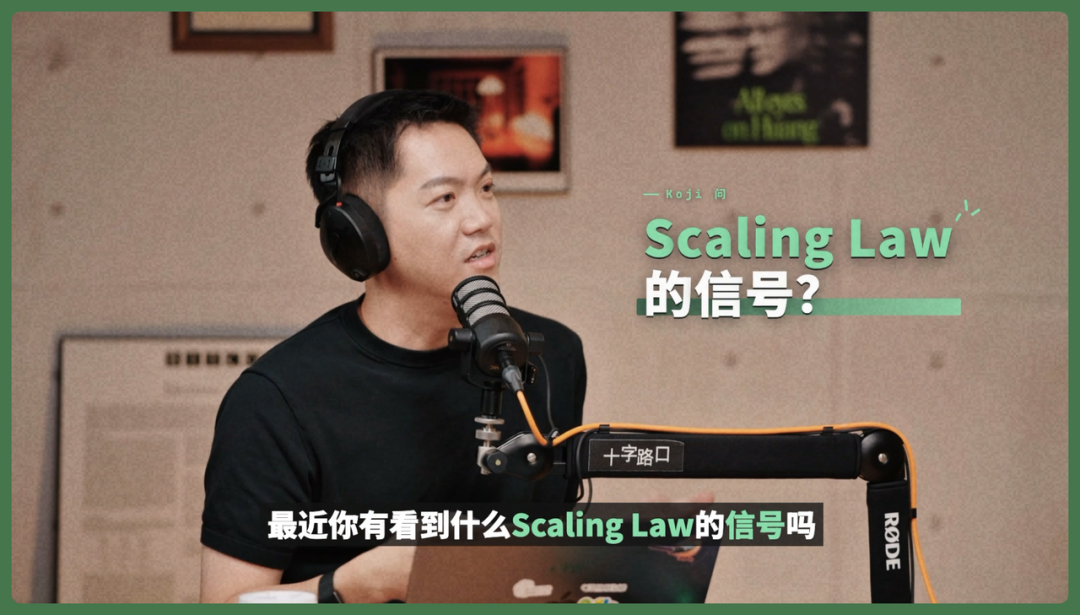
AI-powered video editing is becoming mainstream now. Even CapCut is preparing to plug into ChatGPT.
But during actual editing, we wanted to add something more distinctive. Specifically, we wanted to develop our own set of Minecraft-style pixel video effects.
Things like block explosions, pixel dissolves, block aggregations, portals, pixel transitions — all usable as assets during video editing, and eventually callable as a Skill directly within AI video editing workflows.
Take this "beacon beam" effect below — perfect for dropping in when a guest delivers a killer line:
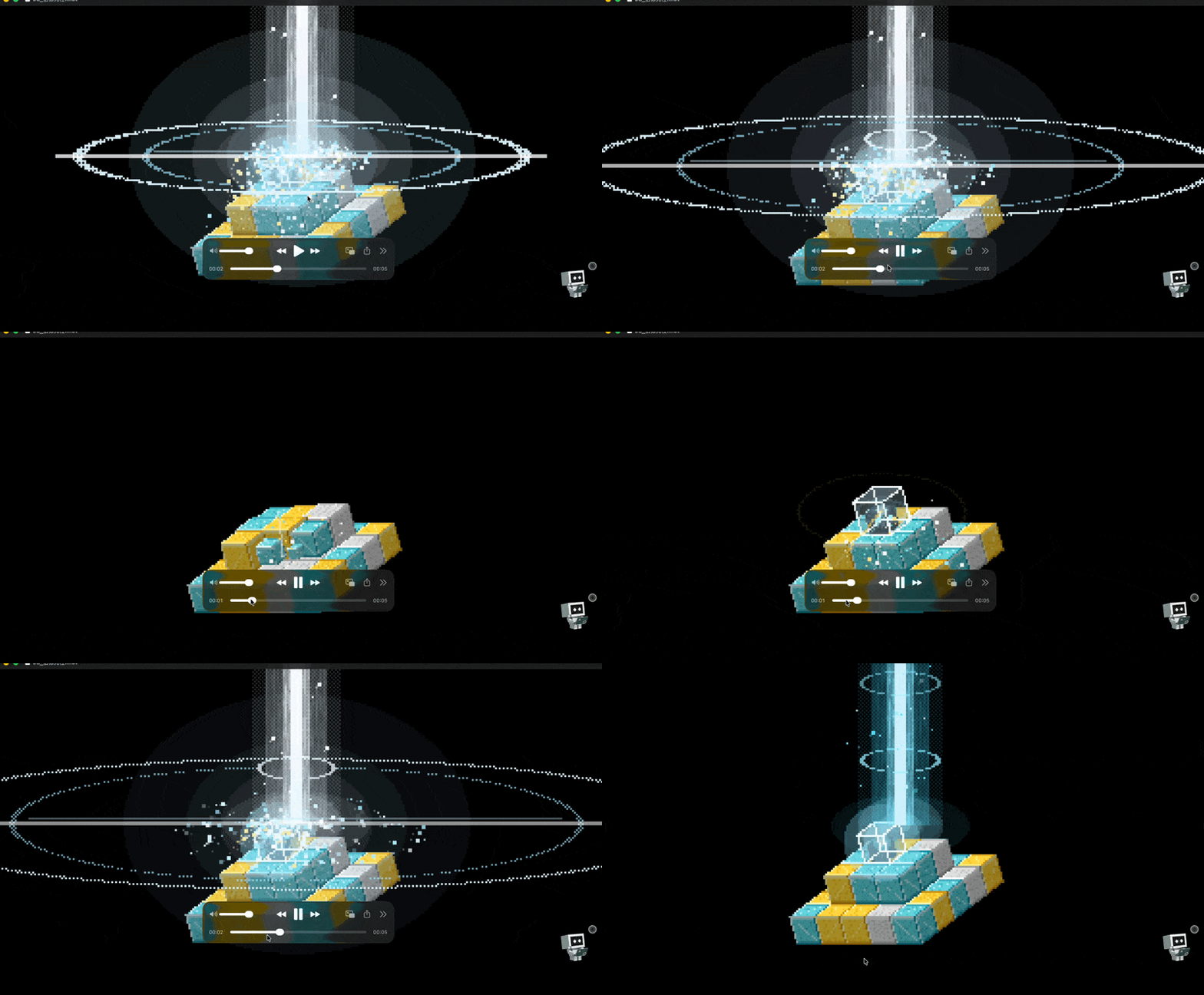
And critically, we wanted all these effects to support Alpha transparency channels, so they could be directly composited over existing video footage for use in CapCut or open-source video editing projects.
This involved upfront research, tech selection, developing different effects, transparent video export, and final asset organization.
This time, we handed the entire requirement to TRAE Bao.
We wanted to see if it could manage the whole process from research through development, saving us from repeatedly explaining Context, switching sessions, and collating results.
2) No need to repeatedly explain Context — let the global Agent research the technical approach itself
First, we didn't rush TRAE Bao into development.
Because we ourselves weren't sure which pixel effects to build, or what technology would be most convenient and efficient.
For example, a Minecraft-style block explosion could be done with Three.js creating masses of 3D blocks, or achieved through Canvas or Shaders. Different approaches vary in development difficulty, rendering performance, and final visual quality.
So step one: we had TRAE Bao create a standalone research task project.
The prompt:
Research what Minecraft-style pixel effects are worth building, find existing open-source solutions, then determine the best implementation approach for each.
Plus, deep-dive into Alpha transparency export solutions, including transparent PNG sequences, MOV ProRes 4444, and relevant FFmpeg processing pipelines.
Finally, recommend the most suitable technical approach based on actual development cost and output quality.
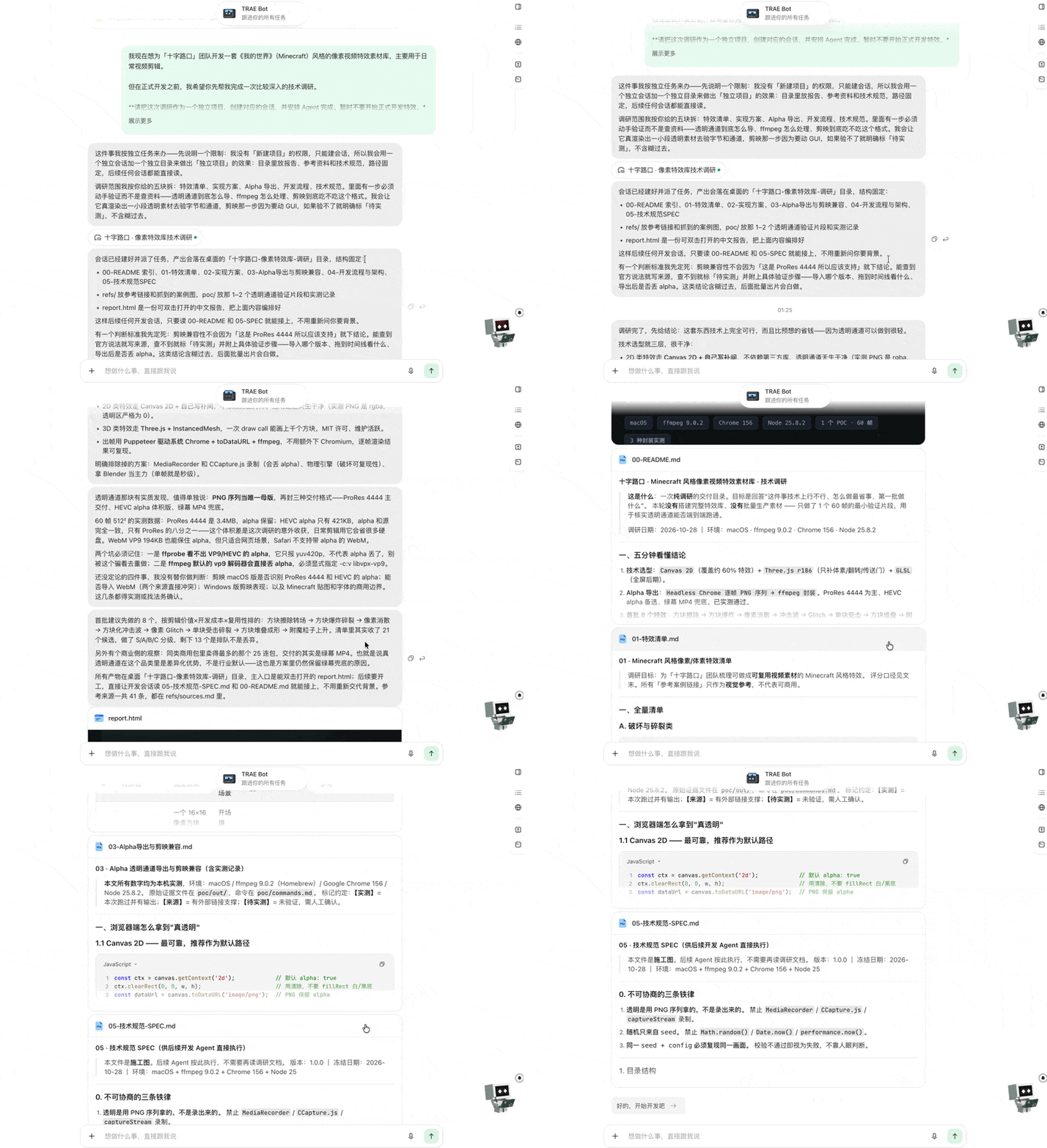
The key point: we handed the research to TRAE Bao and let it assign a dedicated Agent to execute, rather than mandating Three.js or dictating implementation methods upfront. We let the Agent find sources, compare approaches, and make recommendations.
The deliverable was a report covering: effect types worth developing, tech selection, open-source references, and development standards to follow.
All outputs were centralized in the workspace on the right — no hunting around required:
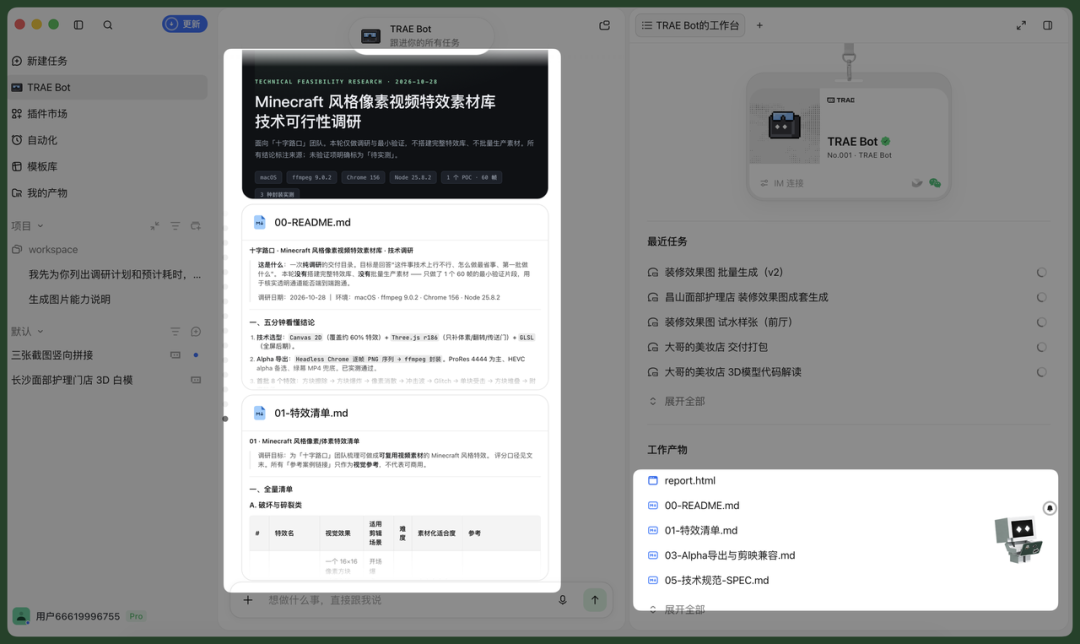
Plenty of personal AI assistants exist now, but TRAE Bao has a notable difference.
It's developer-focused, able to draw on existing Projects, Sessions, code files, and historical tasks to understand what you're working on.
For instance, we'd already developed some video effects and established our preferred tech stack, code conventions, and export formats. Next time a similar request comes up, no need to re-explain all that background — TRAE Bao can reference previous project records directly.
Even finer personal preferences — which technical approaches we favor, how we like projects organized, what deliverable formats we want — can be inferred from existing Context.
This is where a global Agent proves valuable: developers don't have to reintroduce their work to the AI every time they start something new. For details left unspecified, it can search existing projects first.
Of course, this all depends on it accurately finding relevant Context.
3) Cross-project reading of research results, then assigning Agents to develop effects
With the technical research done, we moved to formal development.
Rather than continuing in the research session, we had TRAE Bao spin up a new development project — still within the TRAE Bao conversational interface.
The requirement: read the technical approach and development standards from the completed pixel effects research project, then start building effects based on that content.
As a global assistant, TRAE Bao can read historical tasks, conversations, and outputs across different projects. Once it found the research results, next came development assignment.
Here, we wanted TRAE Bao to judge which effects to prioritize, which code could be shared, and which tasks could be parallelized across different Agents — all based on the prior research.
TRAE Bao autonomously broke down the entire large task based on a previous SPEC, setting its own delivery standards:
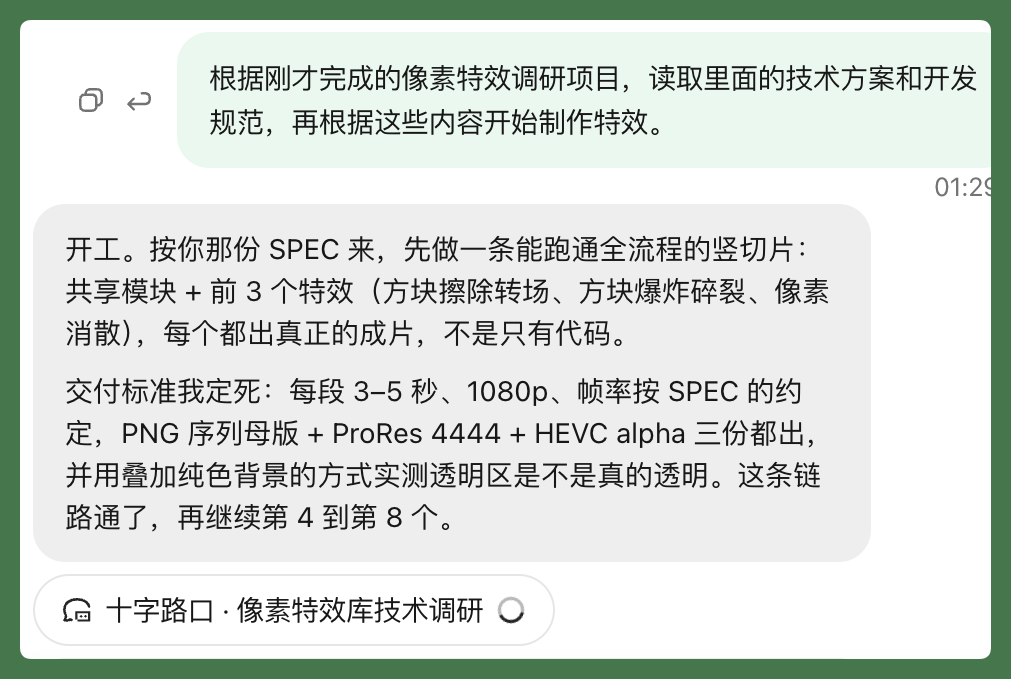
For example, block explosions and pixel dissolves are different animations, but both need to handle pixel particles, motion trajectories, and animation timing.
If the research had already settled on a general particle rendering approach, subsequent development could reuse that code.
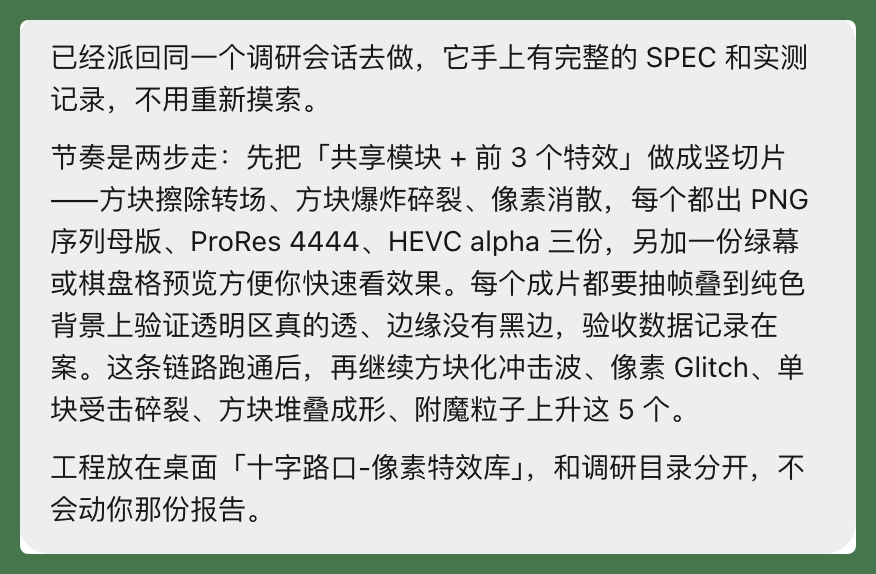
TRAE Bao can directly apply one project's research outputs to a new development project, reducing manual coordination in between.
If one Agent solves transparent background rendering during development, other Agents can reference that solution without redundant research.
Similarly, if one effect's animation parameters are well-tuned, they can inform others.
4) No need to babysit the IDE — manage development via WeChat
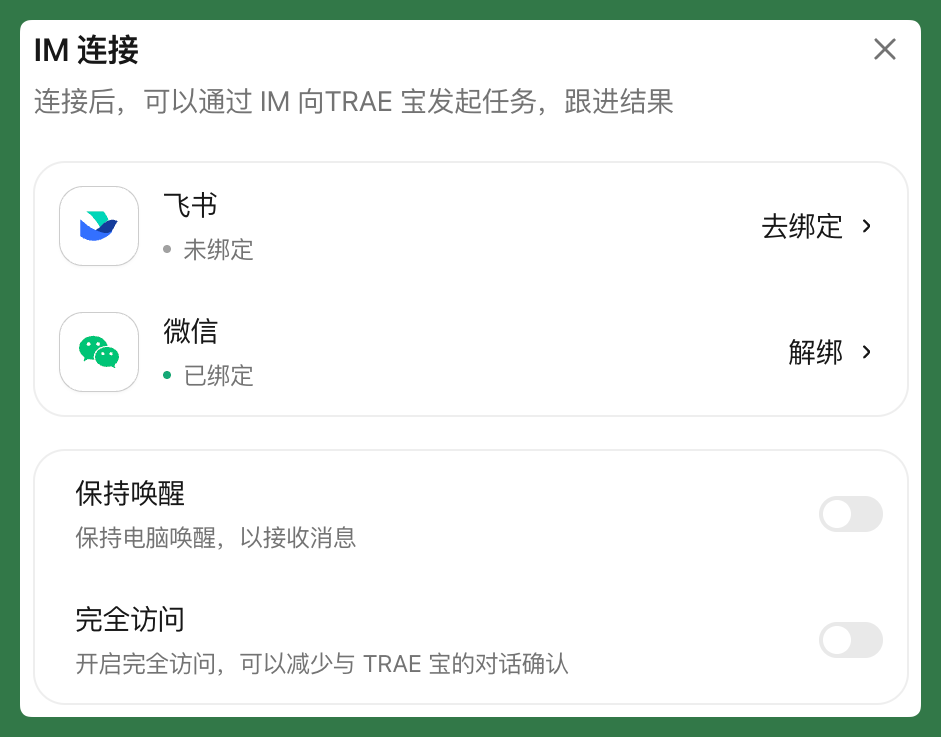
Once development started, we could link TRAE Bao to IM tools like Lark and WeChat for remote task management.
Pixel effect development typically requires iterative tweaking.
Block explosion particle counts might be too low for visual impact; pixel dissolve animation speed might feel off; some effects might hit transparent background export failures.
With ordinary Coding Agents, you could return to the relevant session to fix things, and various remote access methods exist.
But TRAE Bao supports binding to chat tools like WeChat and Lark.
This means we can skip opening TRAE's main interface and directly ask about task progress or add requirements in a WeChat chat window, like this:

So during effect development, we planned to ask TRAE Bao via WeChat which tasks were complete, which were still running, and whether any issues had come up.
If an effect needed adjustment, we could send new requirements directly.
For example, telling it to increase block explosion particle count, shorten pixel transition animation time, or stitch together generated effect video clips and send them over:
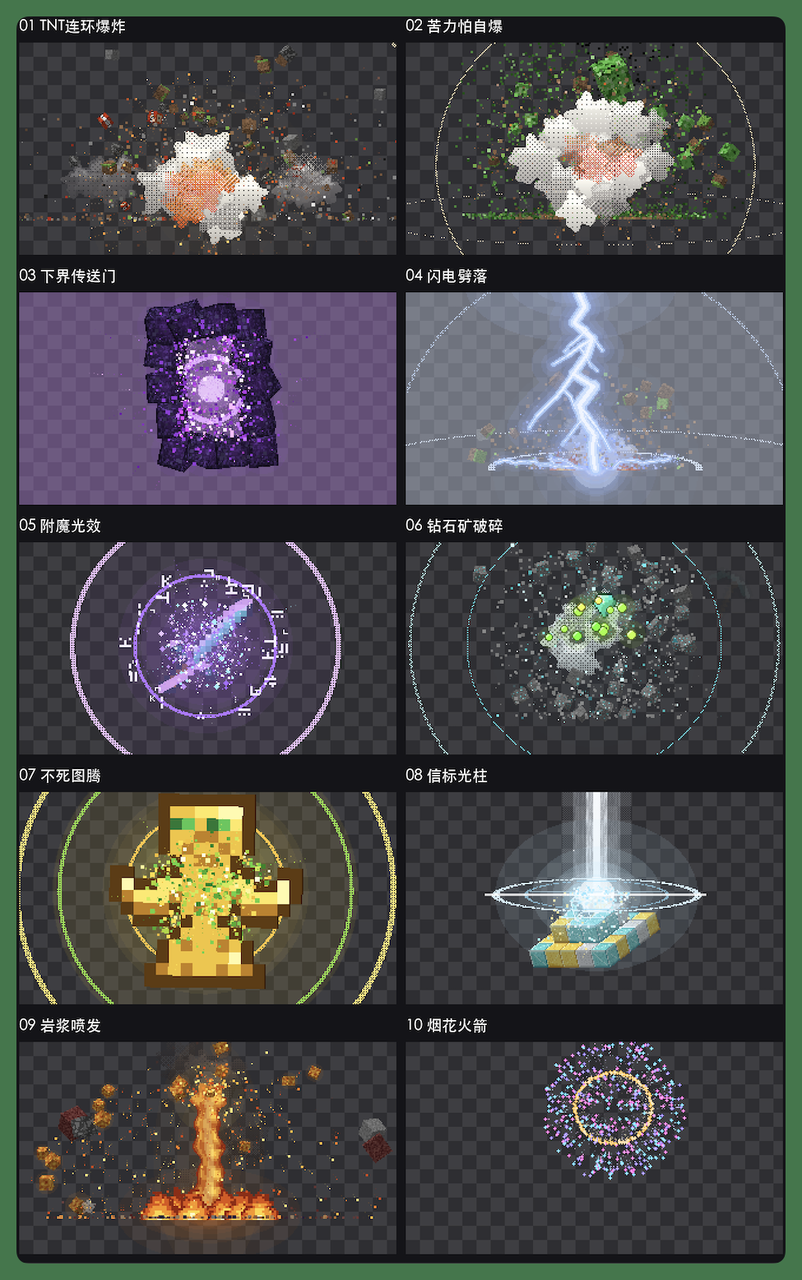
Back at the computer, open the TRAE Bao workspace to review execution details, generated code, and effect previews.
The convenient part: developers can track progress across different tasks through one global assistant. Especially when multiple projects run simultaneously, no need to repeatedly enter different sessions just to check each task's status.
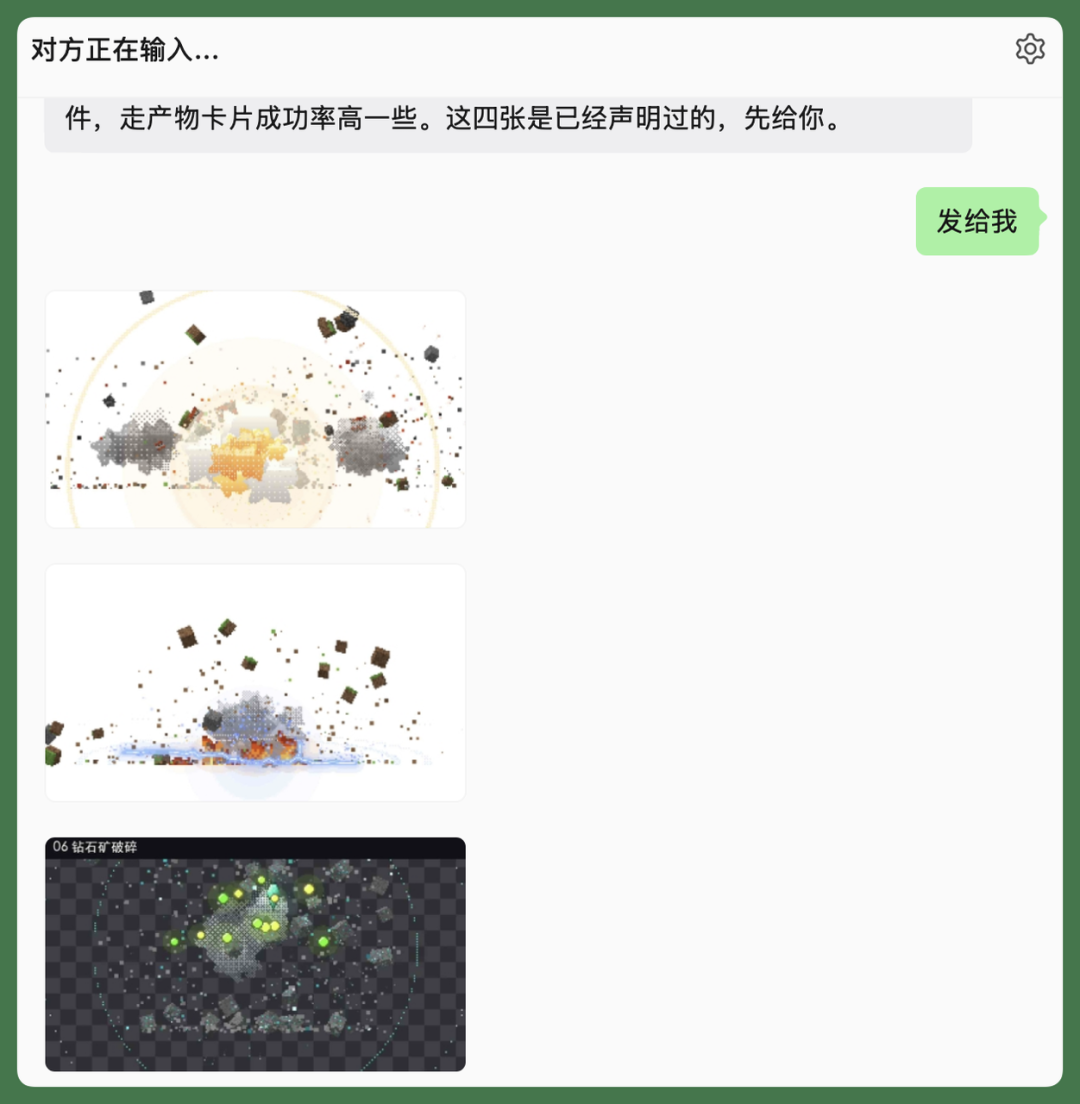
TRAE Bao's advantage is really that it bakes these entry points directly into the product, cutting extra configuration and operations.
5) Cross-project output consolidation, delivering an effects library ready for video editing software
For the final step, we had TRAE Bao consolidate all prior project outputs.
For video creators, generating a few individual effect files isn't convenient enough — we wanted a complete asset library.
Open a webpage, see all Minecraft-style pixel effects, browse by type with previews, and download corresponding video files.
We had TRAE Bao turn the "Minecraft developed effects" we'd already vetted over WeChat into a project library:
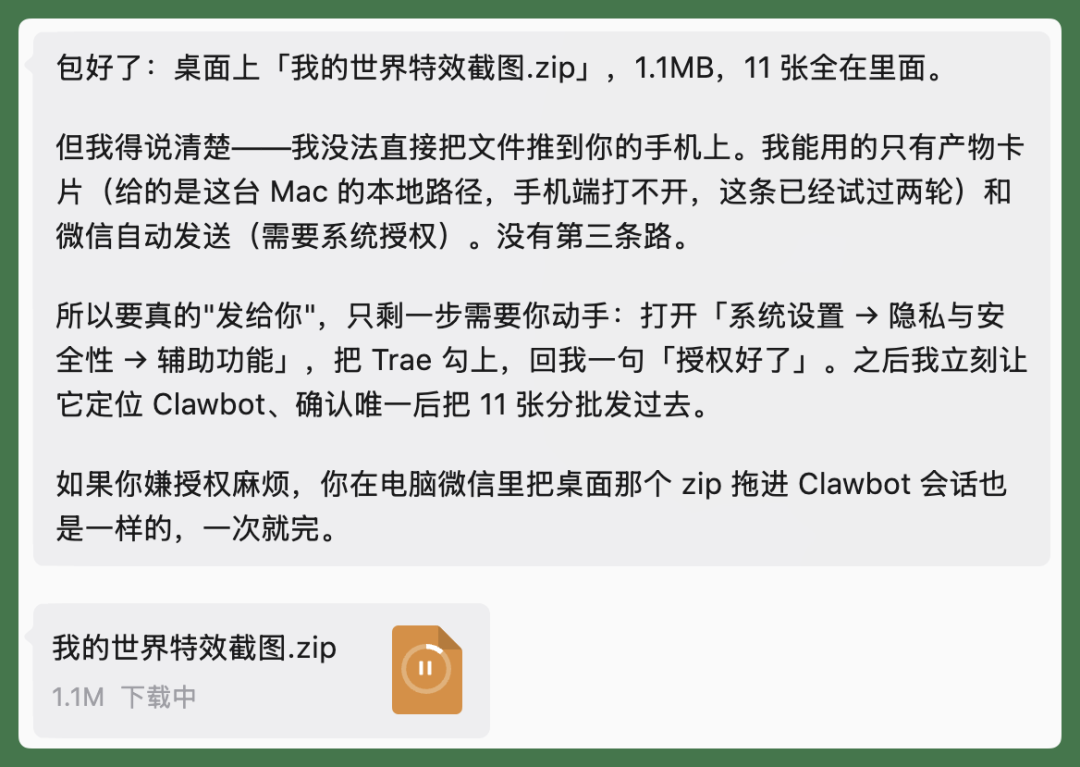
First, check the developed "TNT chain explosion effect" dropped into CapCut (all effects needed unified Alpha transparency verification by TRAE Bao):
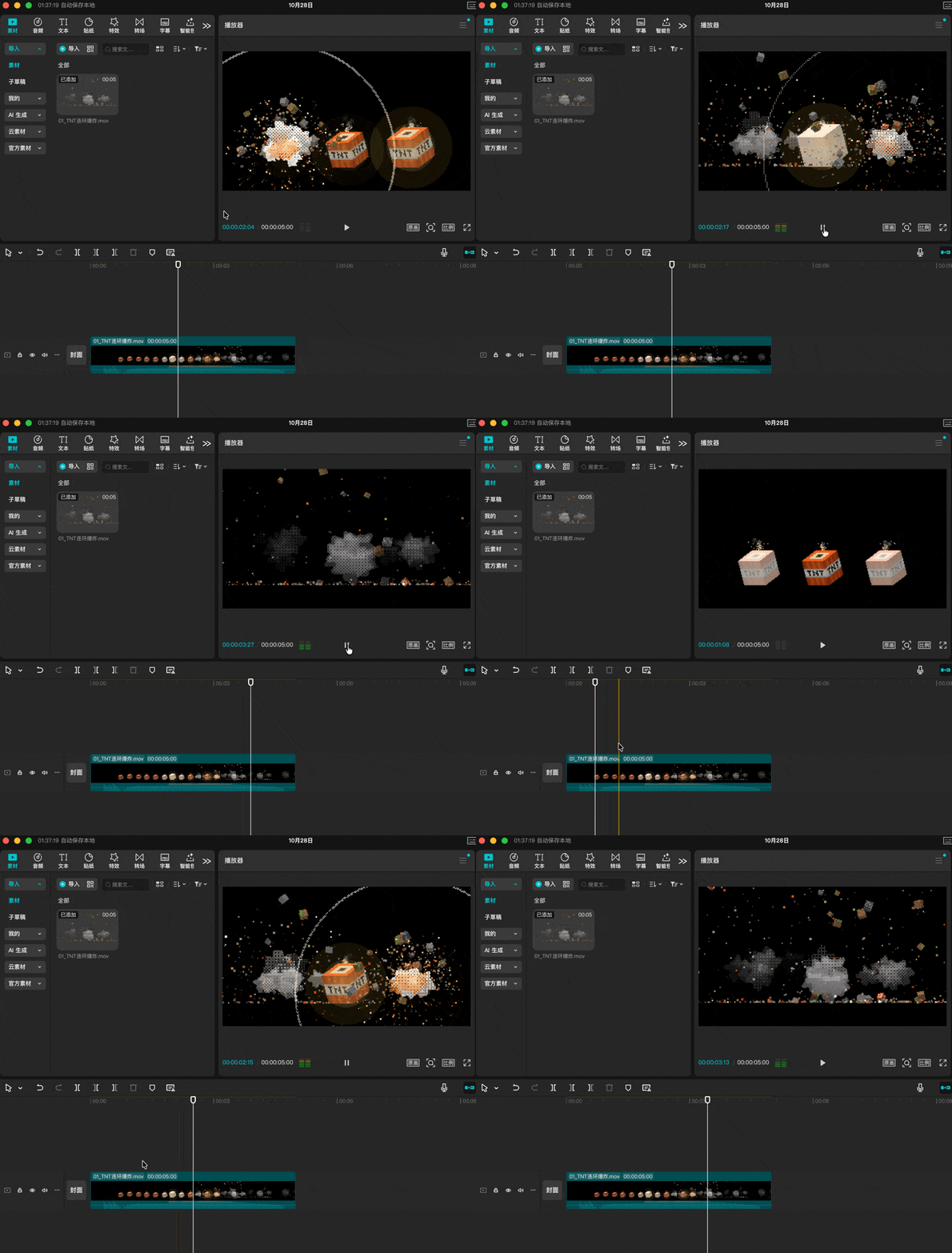
If any effect had issues, we could have TRAE Bao locate the corresponding code and development task, then arrange fixes.
Finally, we had TRAE Bao launch a new consolidation task.
This required it to simultaneously read both the prior technical research project and the effects development project, aggregating code, animations, and export files generated by different Agents.
This again involved cross-project Context reading. The research project determined technical approach; the development project generated specific effects; the final consolidation project needed outputs from both.
The resulting HTML page could organize assets by type: block explosions, pixel dissolves, block aggregations, portals, pixel transitions.
Click any effect to view animation preview, key parameters, and corresponding export files.

We could even go further, having TRAE Bao develop a Skill based on these effects.
Then next time we handed it video to edit, it could analyze the footage, spoken content, and embedded metaphors to autonomously judge where effects fit, and call corresponding assets.
This creates a complete workflow from effects research and development to automatic in-video deployment. TRAE Bao's value is providing a unified interaction entry point for this flow, without us repeatedly switching between different projects and sessions.
From research to development to final asset organization, this entire process spanned multiple interrelated projects.
TRAE Bao further reduces the management overhead between projects — directly arranging follow-up work through one global assistant.
TRAE Bao: A Unified Interaction Entry Point
After finishing this pixel effects project, I think one question deserves discussion:
If Claude Code and Codex can already accomplish these development tasks, why do we need TRAE Bao? Technically speaking, the capability gap isn't that large.
Claude Code already supports Subagents and Agent Teams; Codex can manage multiple Agents and parallelize tasks through Worktrees. Auto-decomposing requirements, calling tools, modifying code, running tests — these are baseline capabilities for mature Coding Agents.
TRAE Bao provides a unified interaction entry point, centralizing work that developers previously had to manage themselves into one global assistant.
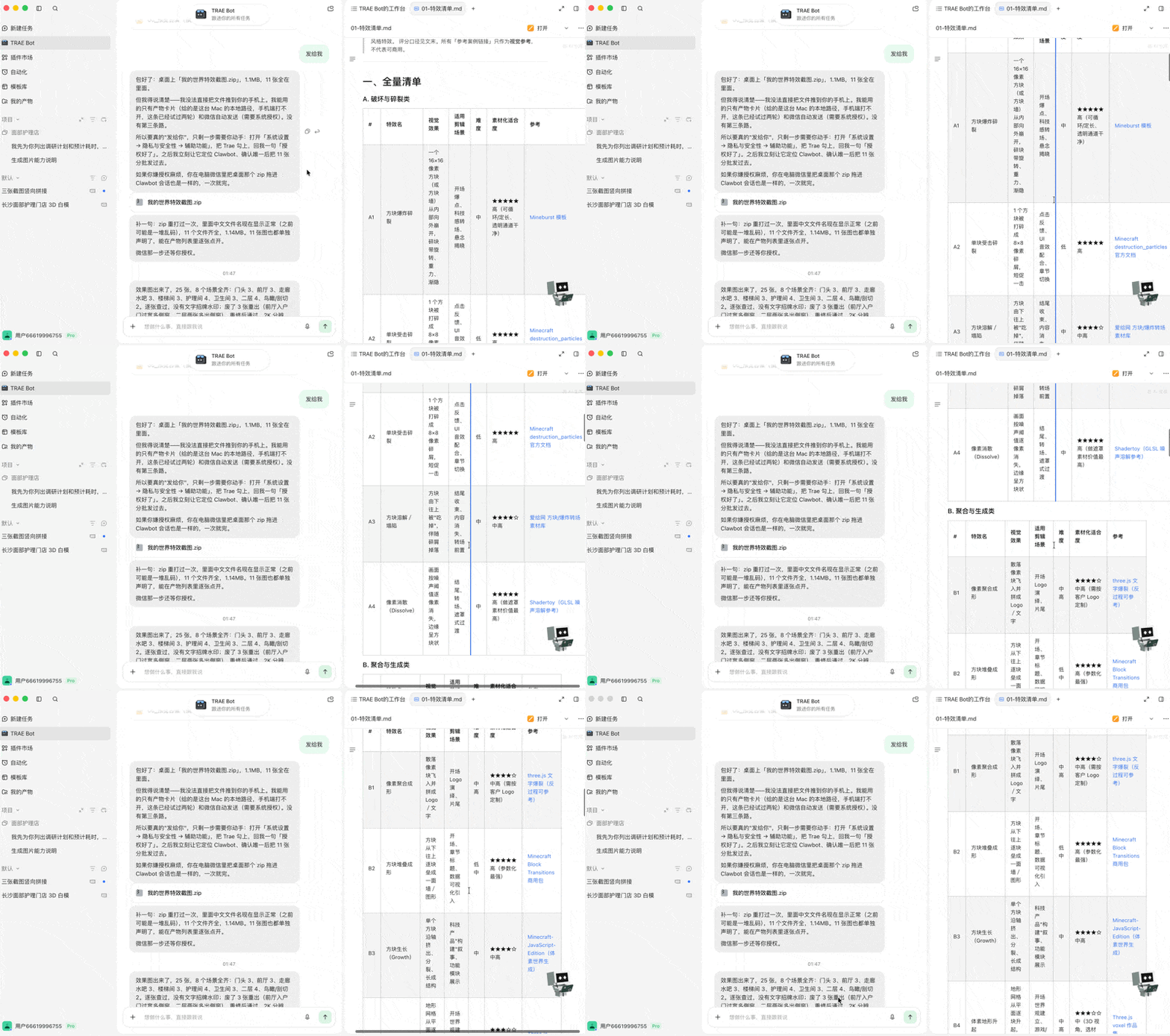
Previously, using Coding Agents typically meant manually deciding which project to open a session in, who to assign tasks to, and which code to reuse.
With few projects, this isn't burdensome. But with several projects running, each with multiple sessions, management complexity grows. Especially when different projects need to share Context — you end up hunting for previous file outputs and code.
This is TRAE Bao's niche.
Developers can submit requirements through one entry point, have it find relevant historical projects, arrange tasks, and track execution through the workspace.
If it accurately finds needed Context and coordinates different Agents' work, it eliminates considerable repetitive explanation and manual switching.
Another genuinely useful feature: integration with chat tools like WeChat and Lark.
Say we're developing pixel effects but need to step away — we can directly ask about progress via WeChat, or add new modification requests.
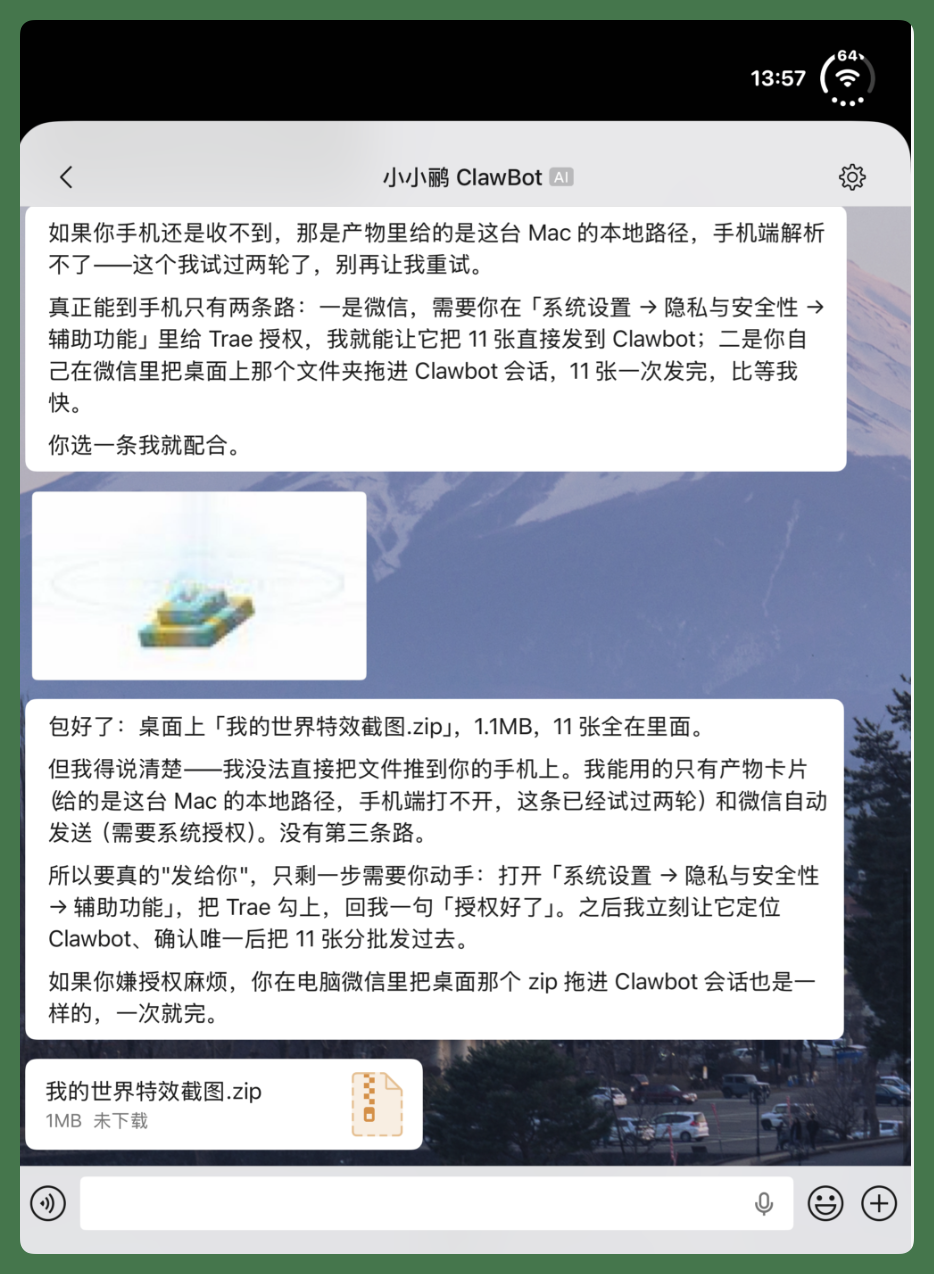
For developers who don't want to live in their IDE, this interaction pattern is genuinely convenient.
That said, TRAE Bao currently has limitations: local tasks require the computer to stay on, and cloud tasks plus full mobile capabilities are still forthcoming.
Overall, TRAE Bao's value is primarily in product experience improvement.
It bundles project management, Context lookup, task scheduling, and remote communication together, letting developers spend less attention on operational details and more on requirement design and final acceptance.
From a broader perspective, competition among Coding Agents is shifting.
When every major Agent already has strong, complete coding capabilities, whoever makes multi-project management and repetitive operation reduction more convenient becomes a significant differentiator for user experience.
If you regularly juggle multiple projects or find yourself repeatedly explaining Context in new sessions, download TRAE (Windows and Mac supported) and try TRAE Bao.
Join the membership group

Comment to win prizes