What happens when Qwen connects to Alibaba's ecosystem?

I've got it, and you don't.
**
I have it, you don't.
 👦🏻 Author: Jingshan
🥷 Editor: Koji
🧑🎨 Layout: NCon

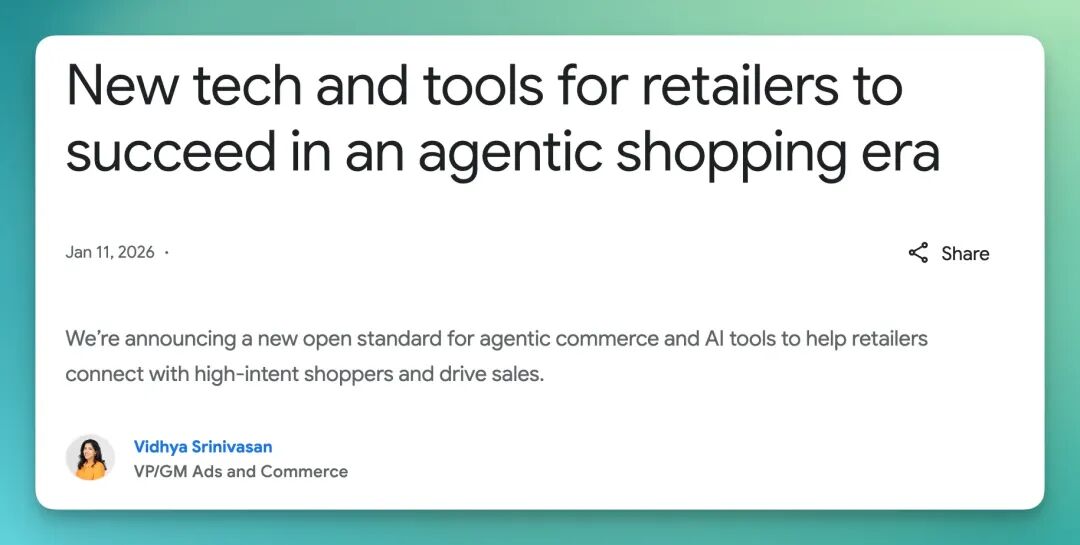
Recently, news from across the Pacific grabbed everyone's attention: Google announced that its Gemini is moving toward deeper integration with global retail giant Walmart, and unveiled a new AI shopping protocol called UCP.
In Google's eyes, AI is no longer just a dialog box that "answers questions."
Recently, Alibaba's Qwen App also rolled out a key update targeting these kinds of "real-world task" scenarios.
We noticed that it has now connected to a series of underlying service APIs including Taobao, AutoNavi, Fliggy, and Alipay. In other words, it's not just plugged into Alibaba's model capabilities — it's directly wired into the most core and highest-frequency living and transaction systems in this ecosystem.
🚥
To that end, we did a relatively deep hands-on test to see how far an AI entry point trying to be "life-savvy and action-capable" has actually come.
How does AI handle "real-world scenarios" by tapping into an ecosystem?
What exactly did Qwen App update this time?
This update isn't flashy. The real changes concentrate in two areas: first, a new "Office Assistant" module went live; second, there's deeper integration with Alibaba's full suite of internal ecosystem capabilities — including Taobao, Flash Purchase, Fliggy, AutoNavi, and Alipay.
Let's start with the "Office Assistant." It's placed in a dedicated entry point with a clear positioning: mainly handling tasks with longer chains and more complex steps.
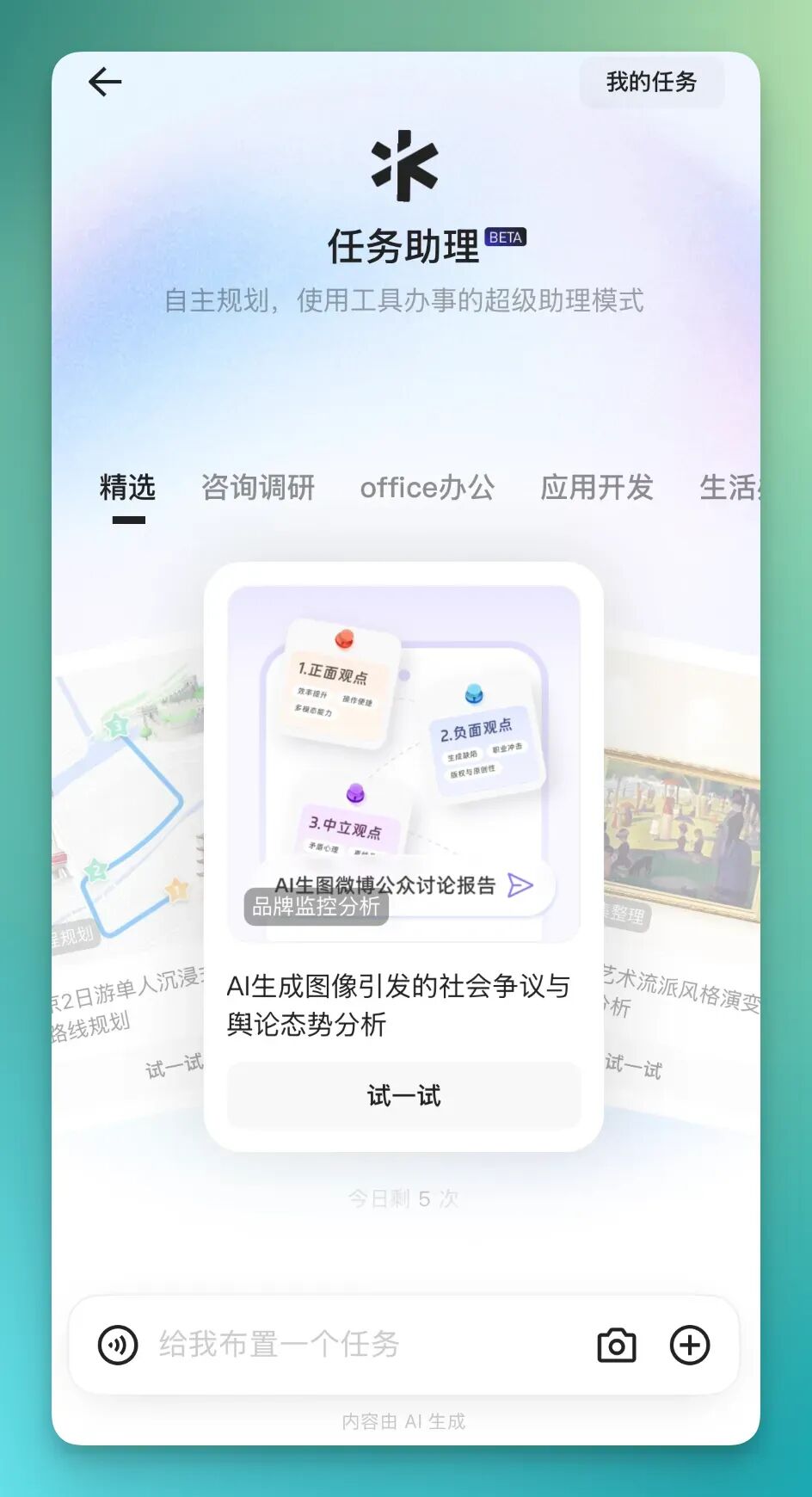
The other entry point is much lighter and more aligned with most people's intuitive usage habits — on Qwen App's main page, you can trigger relevant capabilities through direct conversation.
Both entries connect to Alibaba's full ecosystem.
Try giving random commands on Qwen App's homepage. You'll discover that once the request involves internal ecosystem coordination, the system triggers one logical prerequisite: binding your Taobao account.
For instance, if you want to order takeout directly through it, the system will prompt you to complete account linkage first.
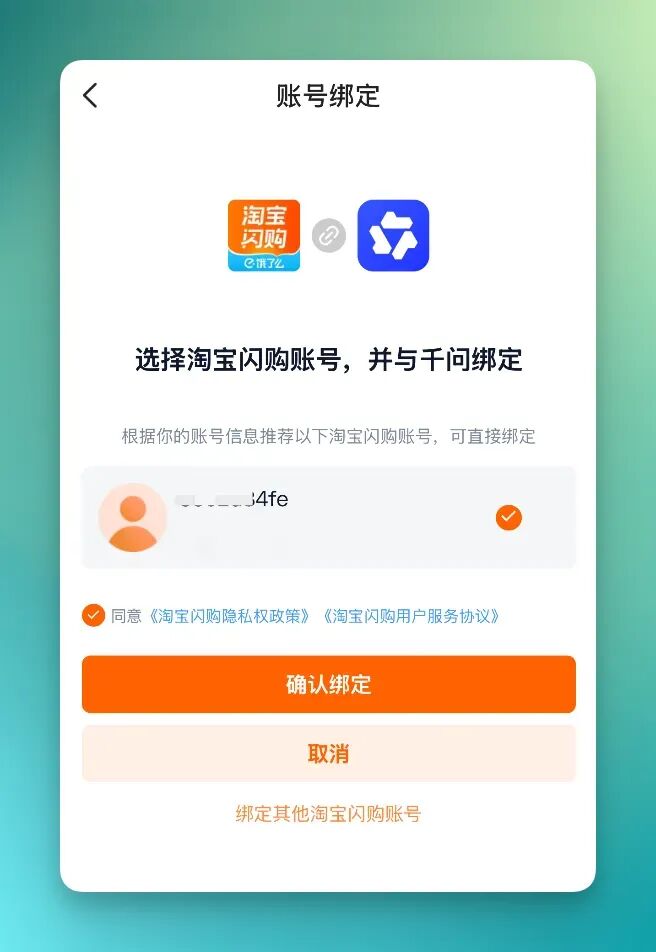
1) Order me a milk tea / Yoshinoya
We can start from the lighter entry point: on Qwen App's main page, just use natural language. For example, you can ask it to order a milk tea for you, or a teriyaki chicken bowl from Yoshinoya.
Next you'll find that it automatically reads and connects to your Taobao address system, letting you select a delivery address — the one corresponding to Taobao Flash Purchase.
After address confirmation, Qwen jumps to the target merchant, automatically locates the corresponding product, and displays it as a product card.
During this process, you can continue adding requirements. Say you've already picked a milk tea — you can then specify no extra sugar, or a preference for caffeinated flavors, and it will re-filter and adjust results based on these conditions.
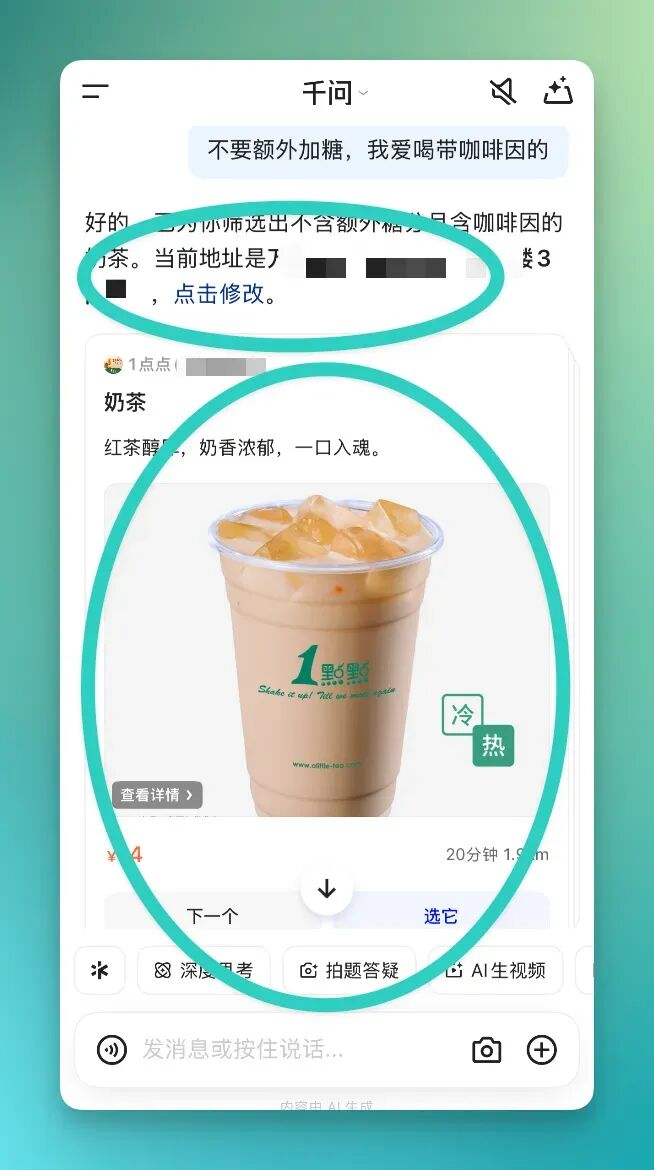
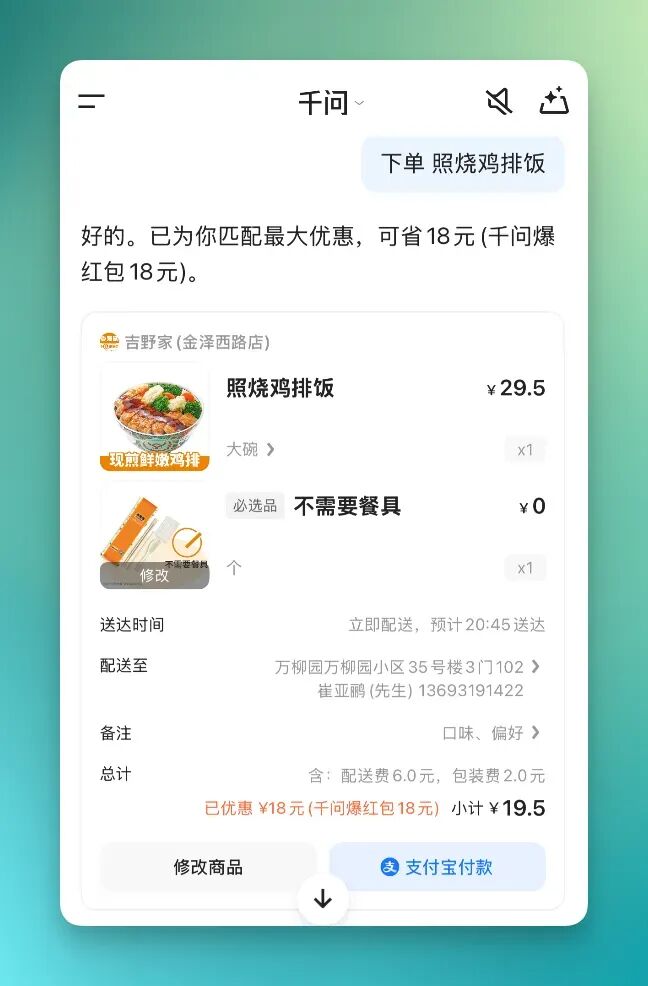
One relatively detailed point: when going through the Taobao Flash Purchase flow, it incidentally matches available discounts for you, folding them into the calculation.
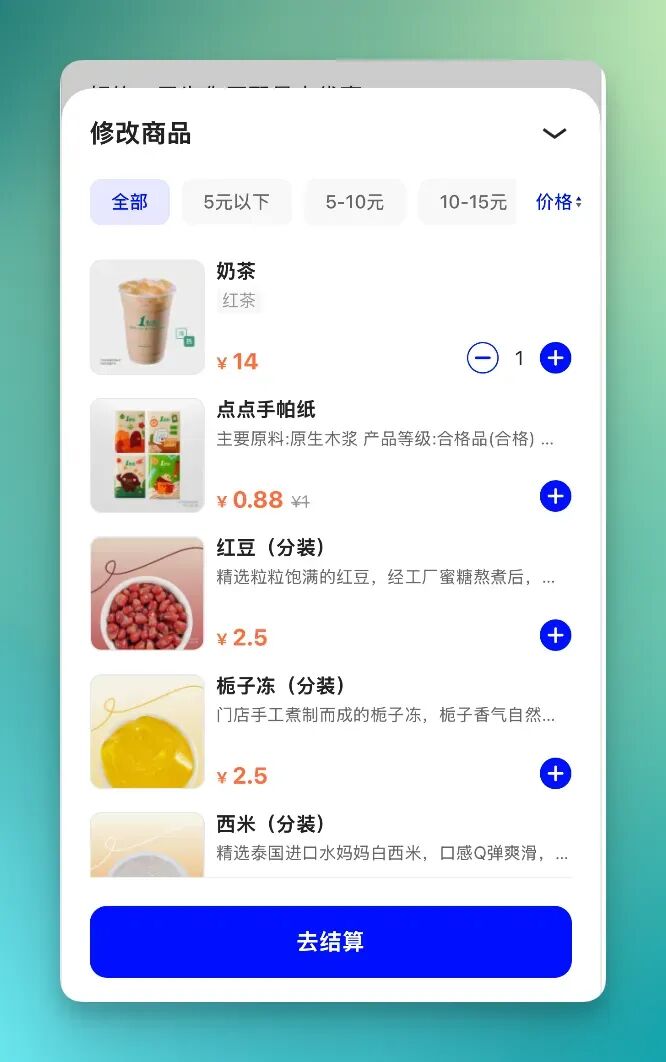
The product cards it presents are essentially deeply connected to Taobao Flash Purchase's product data. After clicking into a card, you can continue operating just like in a native food delivery page.
For example, you can directly modify product configurations within the card — switch specs or flavors, add toppings, or even grab a few other items from the same store:
2) Connected to Taobao
Of course, the capabilities don't stop at Taobao Flash Purchase. Qwen has already connected to multiple core platforms under the Alibaba system, including Taobao, and many scenarios can be completed within the same conversation.
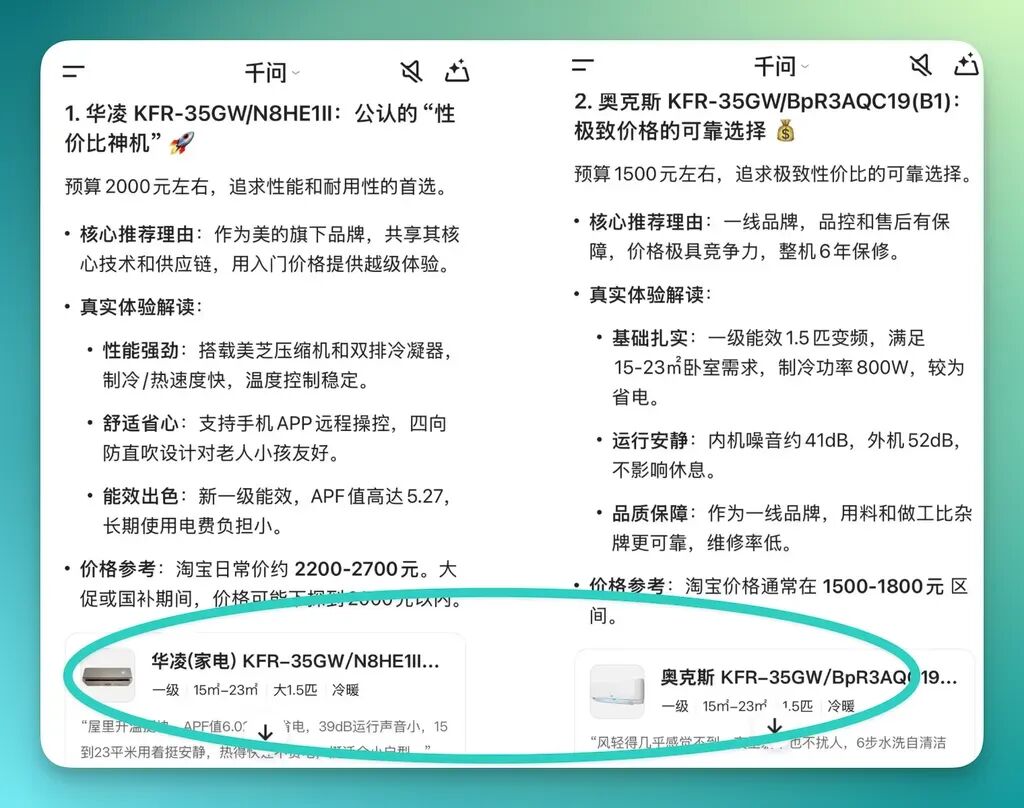
For example, ask it to check out air conditioners on Taobao. Input prompt:
Help me look on Taobao for air conditioners with good value for money
Now Qwen will first research various online reviews about air conditioner cost-performance, then compile a structured response with embedded Taobao product cards:
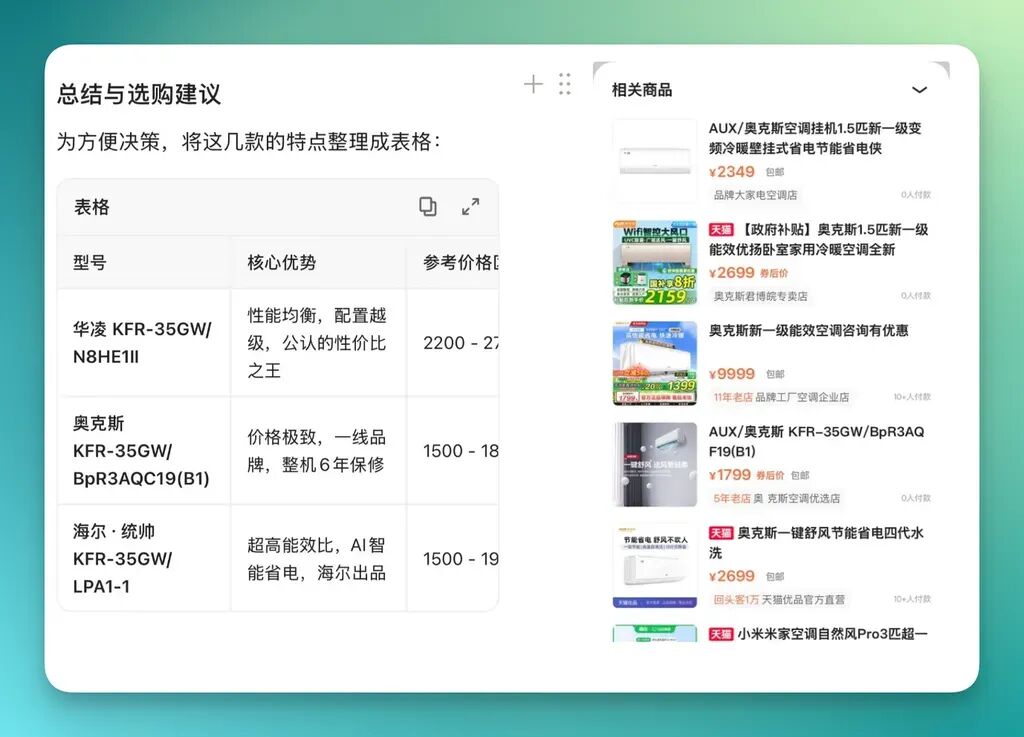
Moreover, this response includes a table-formatted summary. Clicking these product cards jumps you to a product browsing frame for the relevant items:
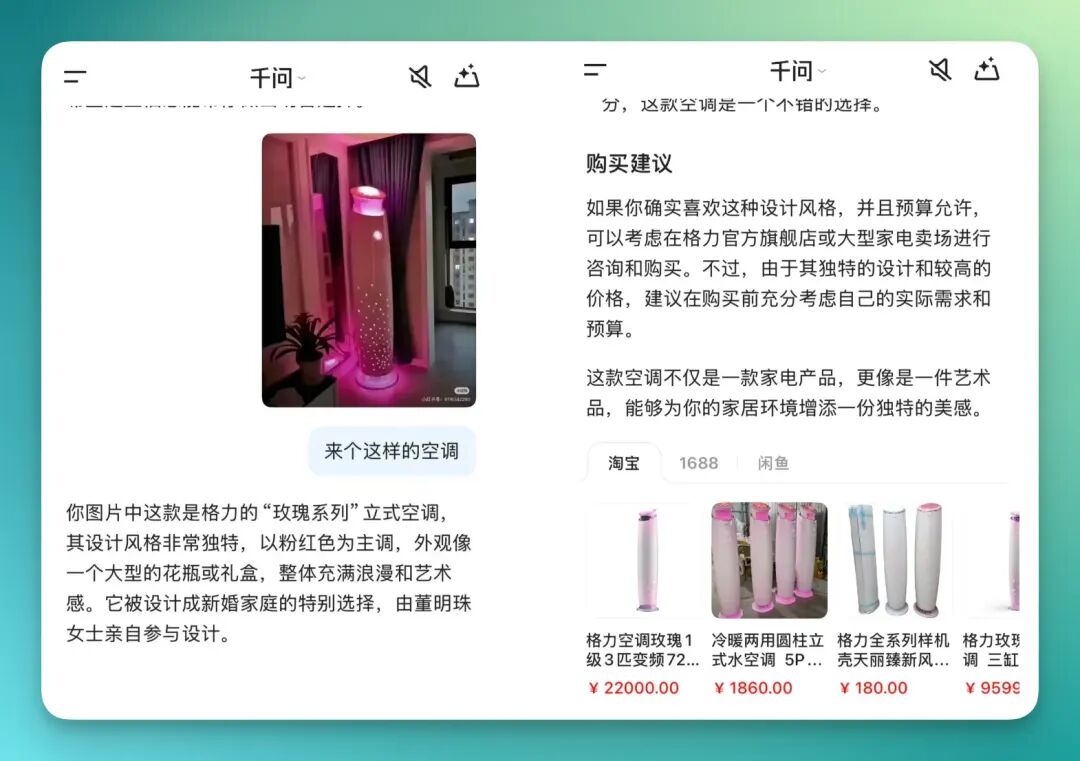
I also discovered that I can directly upload images I got inspired by on Xiaohongshu, hand them straight to it, and it can perform visual recognition and then search for related results on Taobao:
3) "Complex" task scenarios
The examples mentioned above actually belong to relatively basic ecosystem connectivity scenarios — more about verifying how smoothly Qwen can integrate existing platform capabilities into a single conversation flow.
If you want to experience more complex task scenarios, switch to a different entry point: Qwen's "Office Assistant."
What it covers here are typically multi-step, planning-heavy demands, placing higher requirements on the AI's comprehension, decomposition, and invocation capabilities.
Something like:
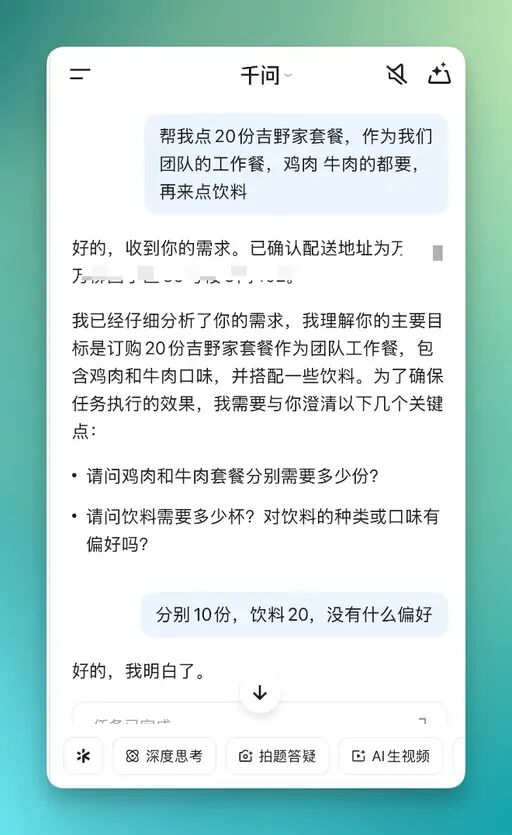
Help me order 20 Yoshinoya set meals as our team's working lunch — need both chicken and beef, plus some drinks
After entering "Office Assistant," the overall feedback style becomes closer to what you'd experience doing deep tasks in an AI chatbot. It first confirms your core requirements, automatically combines existing information like delivery address, then breaks the task down step by step.
During this process, it proactively follows up on key details to ensure subsequent operations won't go wrong.
For example, when I ordered 20 Yoshinoya set meals at once, it continued to confirm how many chicken versus beef portions were needed, whether drinks should be included, and how quantities should be distributed:
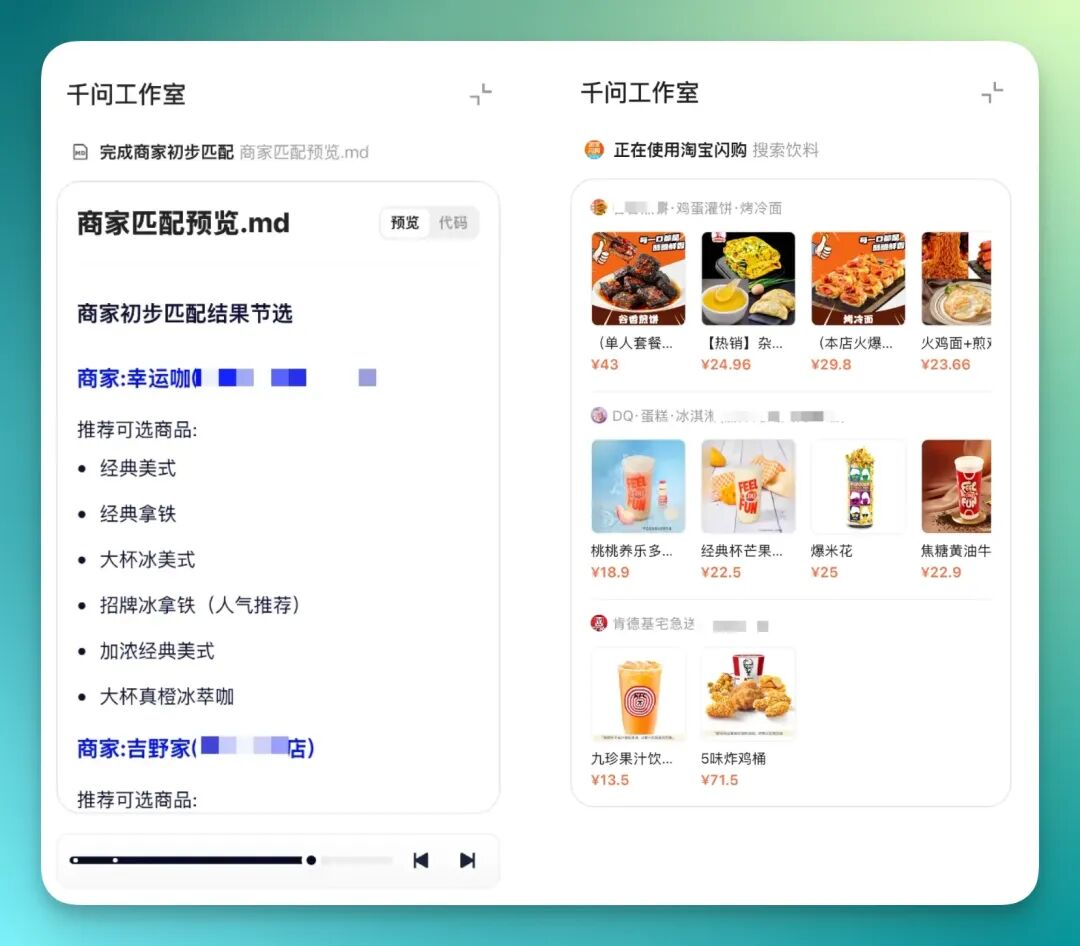
Once these requirements are confirmed one by one, you'll find the workflow behind it displayed quite clearly.
For instance, it first matches available merchant ranges near your address — qualifying stores like Lucky Cup and Yoshinoya get included as candidates.
Then it continues product-level search and filtering within these merchants:
Finally, based on all previously confirmed information, it produces a complete plan covering the 20-meal requirement.
In my experience, it simultaneously presents three different combination plans, each with different emphases:
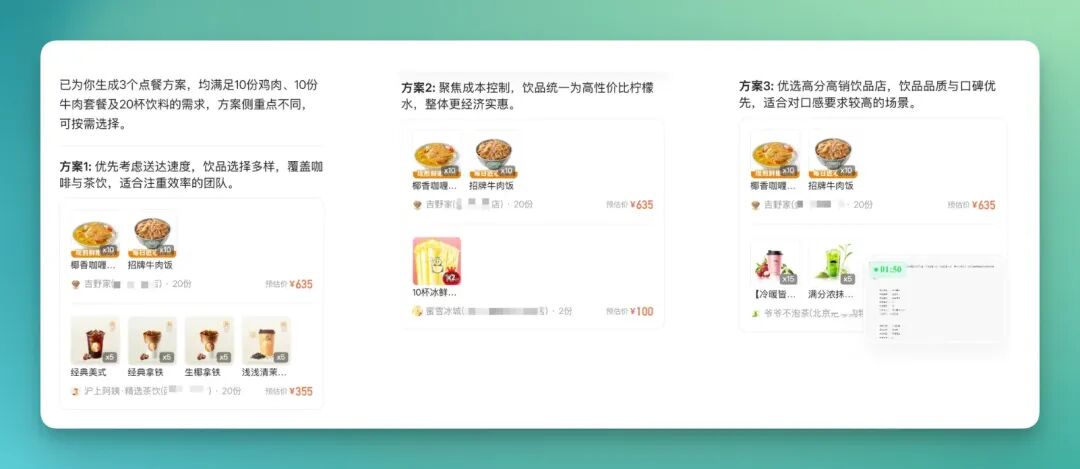
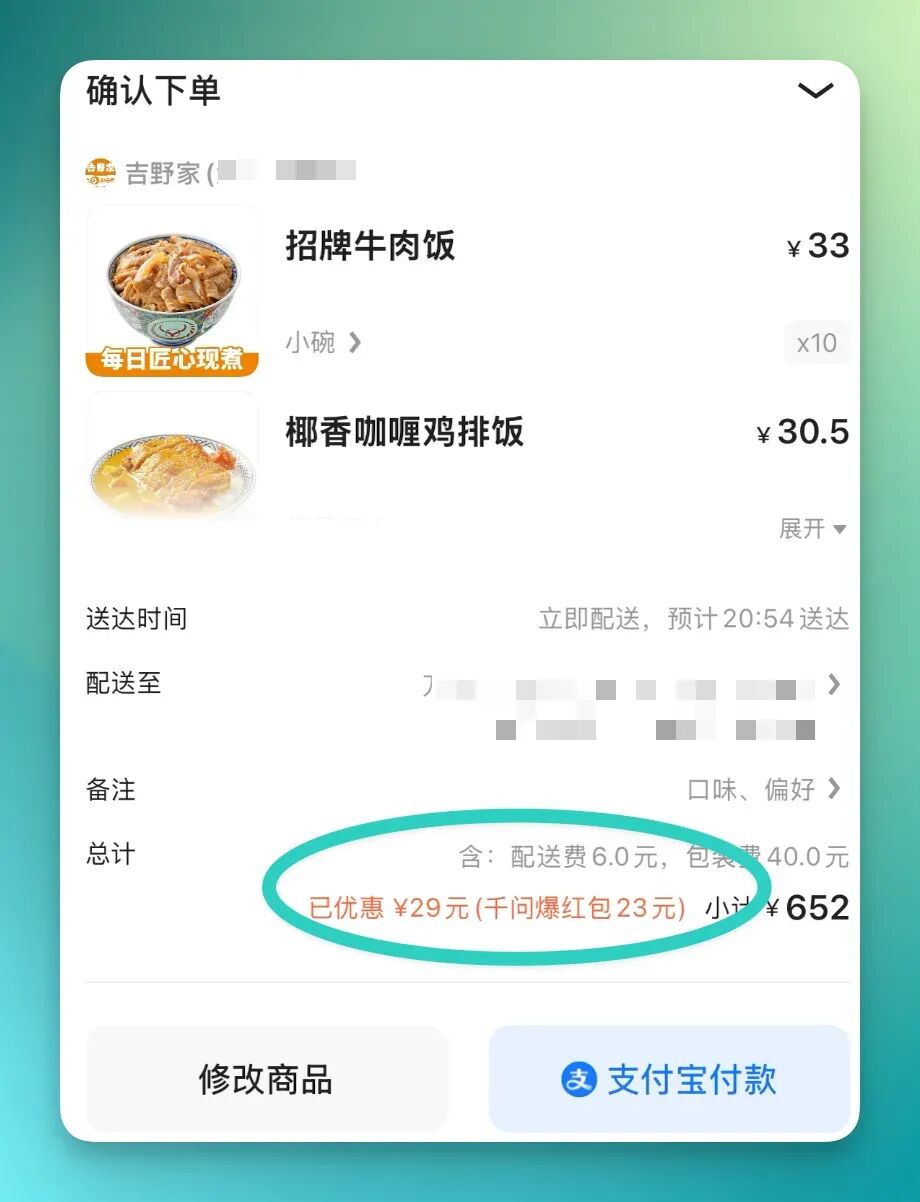
Each plan itself remains operable. You can either directly select one to complete payment, or make further adjustments on top of a plan — modifying product combinations or quantities.
Meanwhile, it automatically matches available discounts in the background, folding them into the calculation.
4) The big closed loop of food, clothing, housing, and transport
Beyond relatively high-frequency, immediate scenarios like food delivery, I also noticed it works on longer-chain tasks — for example, having AI customize an entire trip's food, accommodation, and transport arrangements with a single sentence.
This kind of experience feels more complete overall, with more of a "closed-loop" quality.
For example, if you simply tell it you want to take your parents to Beijing for a visit, adding some preference details, it can start planning around this goal — gradually connecting itinerary, accommodation, transportation methods, and dining options.
Prompt as follows:
My parents are in their 60s, first time in Beijing, don't want too much walking, no queues, no hassle — help me plan 3 days of sightseeing and accommodation.
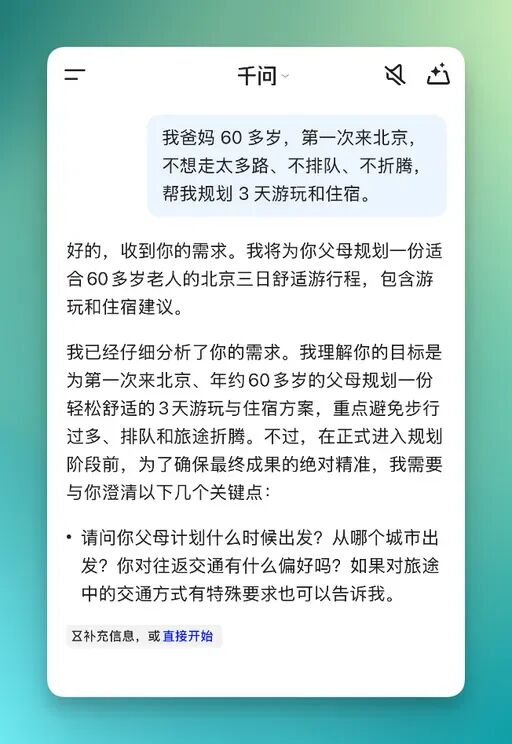
After I made this request, it continued interacting with me to gradually fill in key information.
In such a complex closed-loop task, its execution logic becomes very clear. For instance, it first considers my parents' age and compiles ideas and notes for senior-friendly Beijing sightseeing — this information mainly comes from various public websites.
Then it invokes AutoNavi Maps to verify travel options from Shanghai to Beijing, including high-speed rail and flights with corresponding stations or airport arrangements.
Only on this basis does it continue generating a structure like "Beijing 3-Day Tour," gradually filling in food, accommodation, and transport.
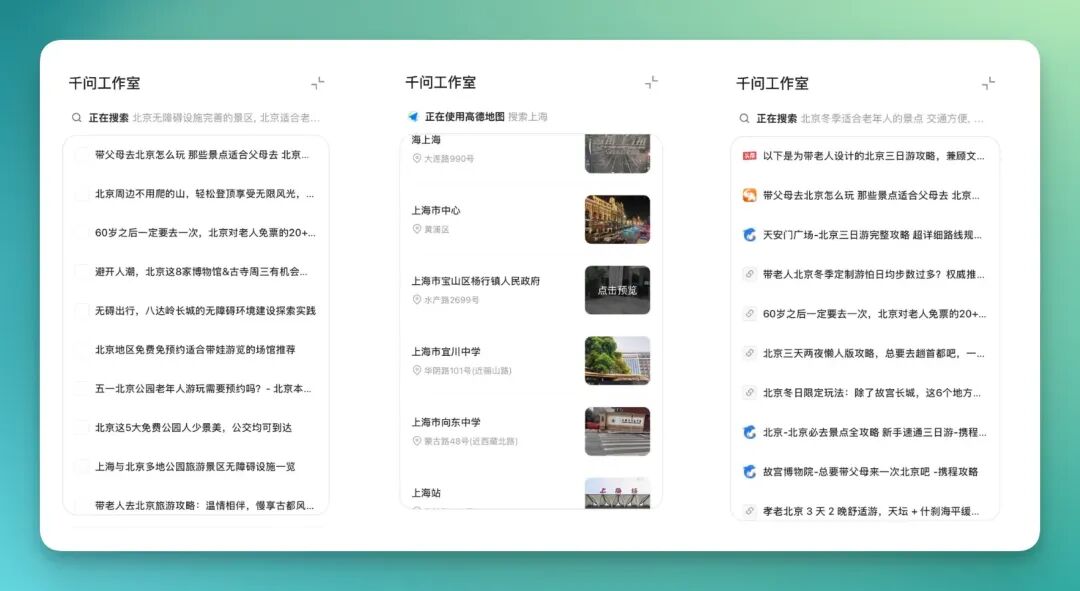
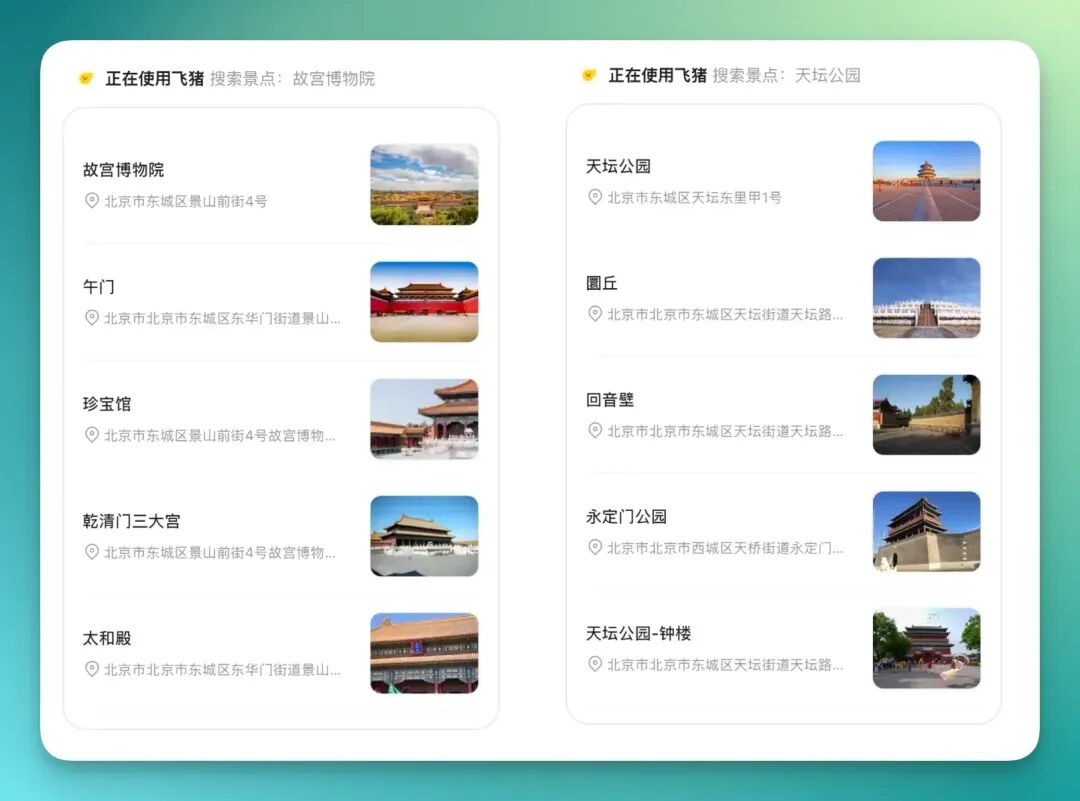
After completing these foundational steps, it continues pushing forward, invoking Fliggy to refine the question of "what exactly to do." This stage enters a more granular sightseeing level.
For example, in the Palace Museum scenario, it further breaks down to specific visiting points like the Meridian Gate and the Hall of Treasures:
The final presentation comes closer to a structured page rather than scattered conversational replies. The overall form somewhat resembles an HTML webpage, concentrating all planning content in one display.
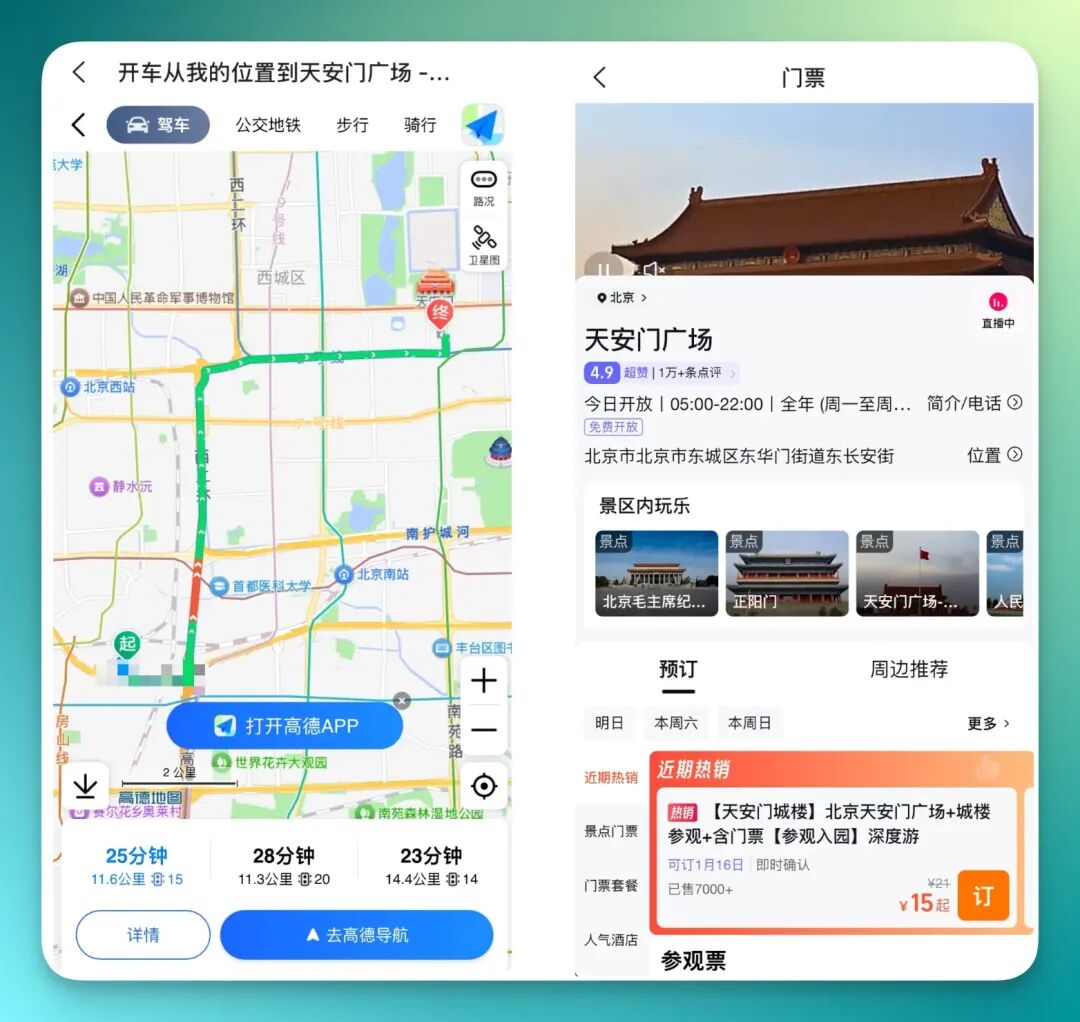
This detailed travel plan includes a map card with three different routes planned out:
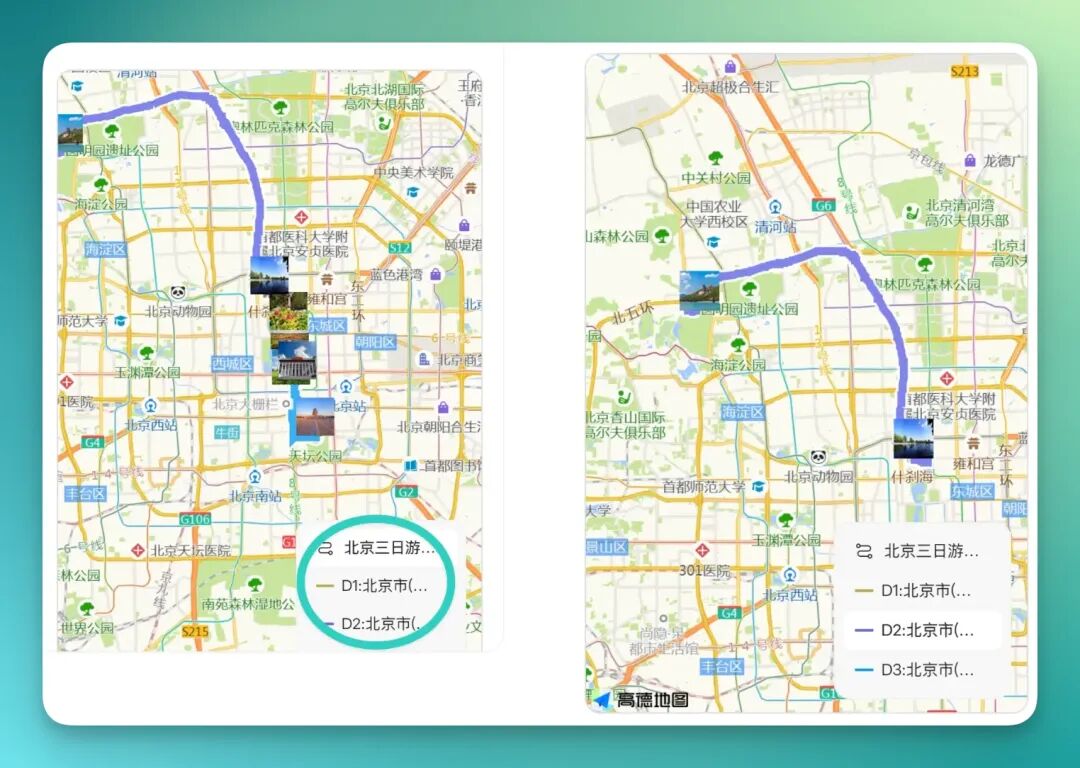
Of course, as a complete guide, transportation information is naturally integrated. For example, travel options from Shanghai to Beijing directly present corresponding flight information including times and flight numbers.
If you click purchase-related options in this page, it directly jumps to a real, usable ticket-buying page:
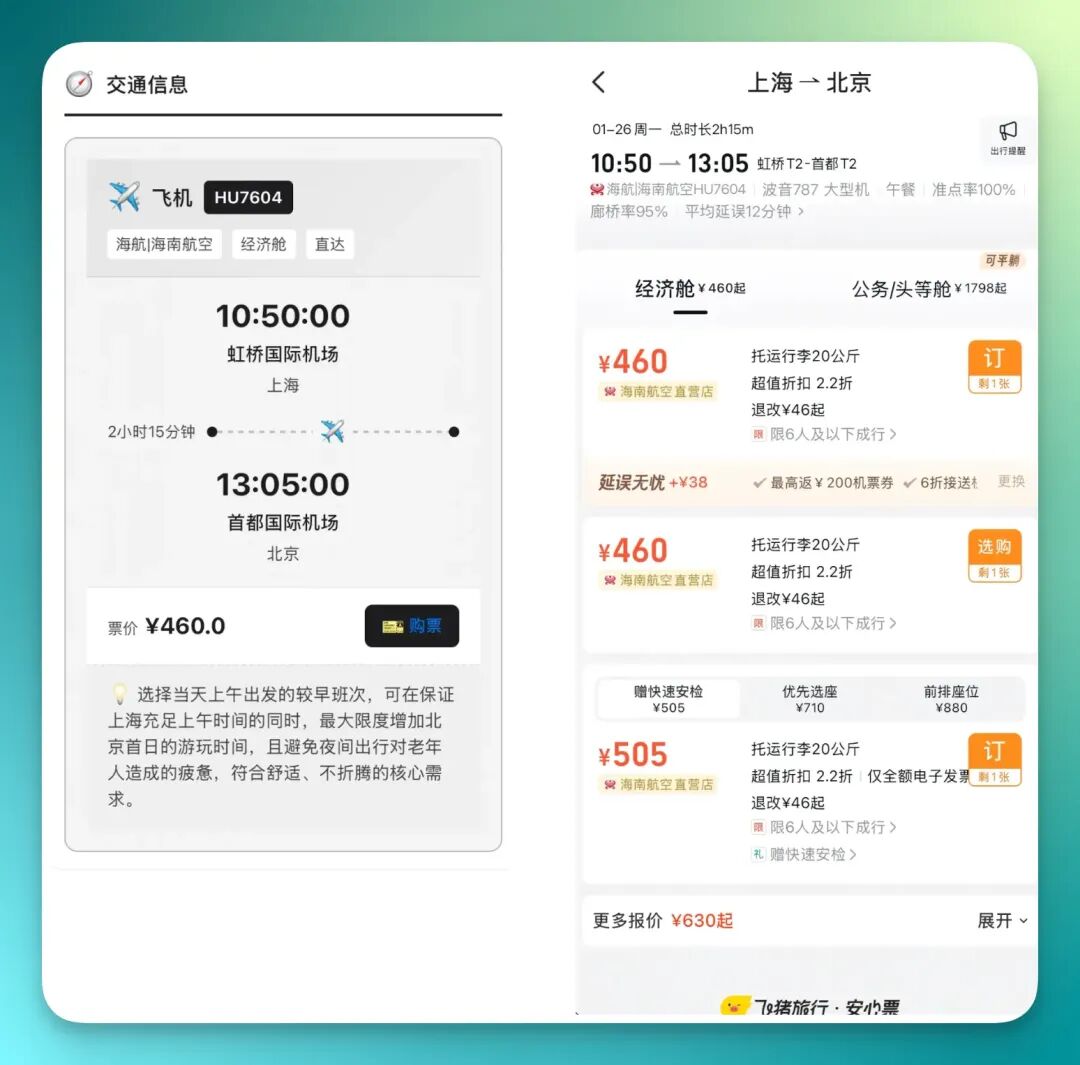
Additionally, in this complete page, I noticed a relatively detailed design. Many attraction entries actually come with functional modules like navigation, ride-hailing details, and such — ready to click and use.
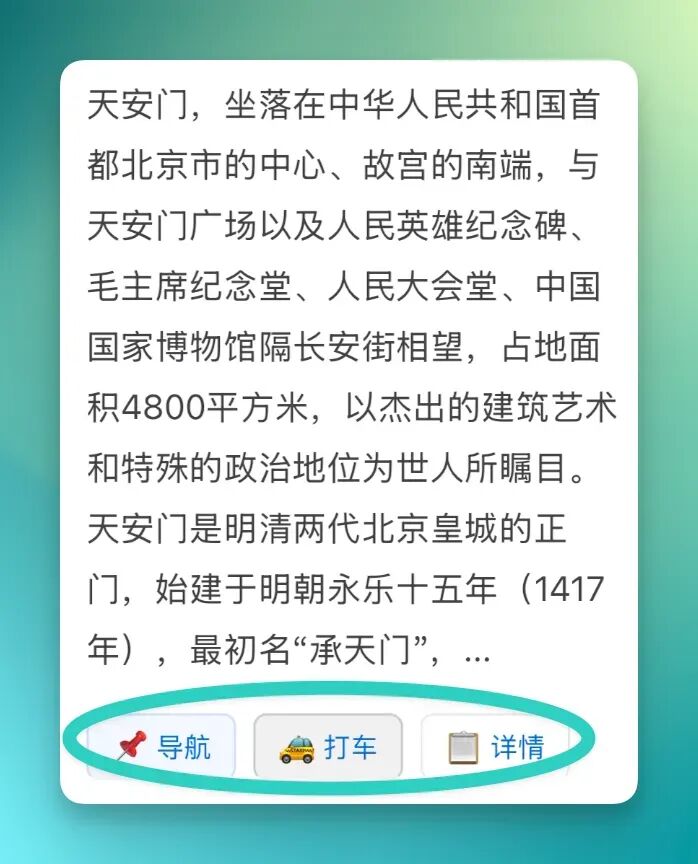
For example, when I clicked the "Navigation" function, it directly jumped to AutoNavi Maps with the route already pre-set for me. For ticket-related scenarios, you can also follow the entry into the corresponding purchase page.
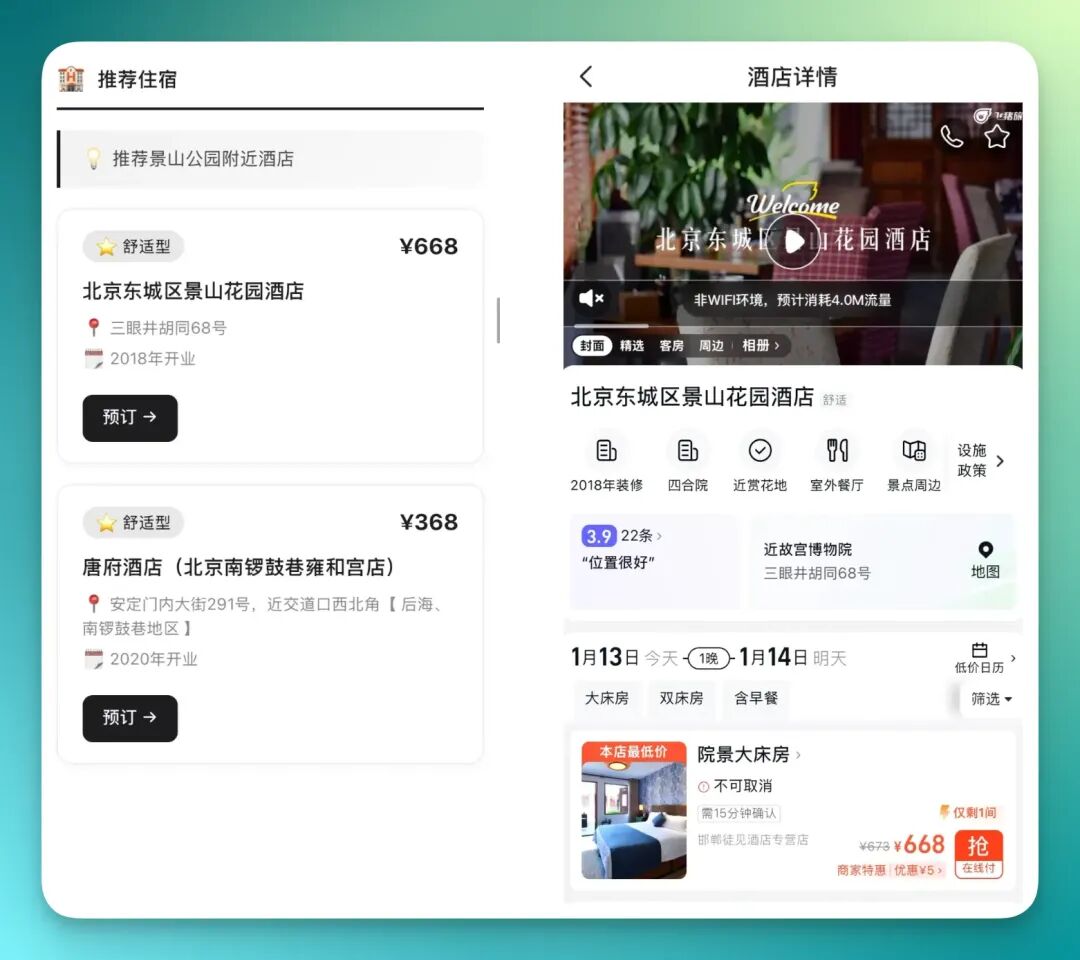
The accommodation part actually feels quite smooth too. It directly lists several different accommodation options in the itinerary — some closer, some more cost-effective — so the selection isn't too narrow.
Below is the screen recording of this complete task, which I've placed here. You can watch it in full — the process has been sped up:
5) Complex office scenarios
In these two entry points, Qwen App now demonstrates more mature image parsing capabilities for relatively complex visuals, and this has already connected with the core capabilities of this upgrade.
For example, I can directly upload an image with very high information density.
A while back I tried one — an NBA injury report for January 14, 2026. The image itself was extremely complex:
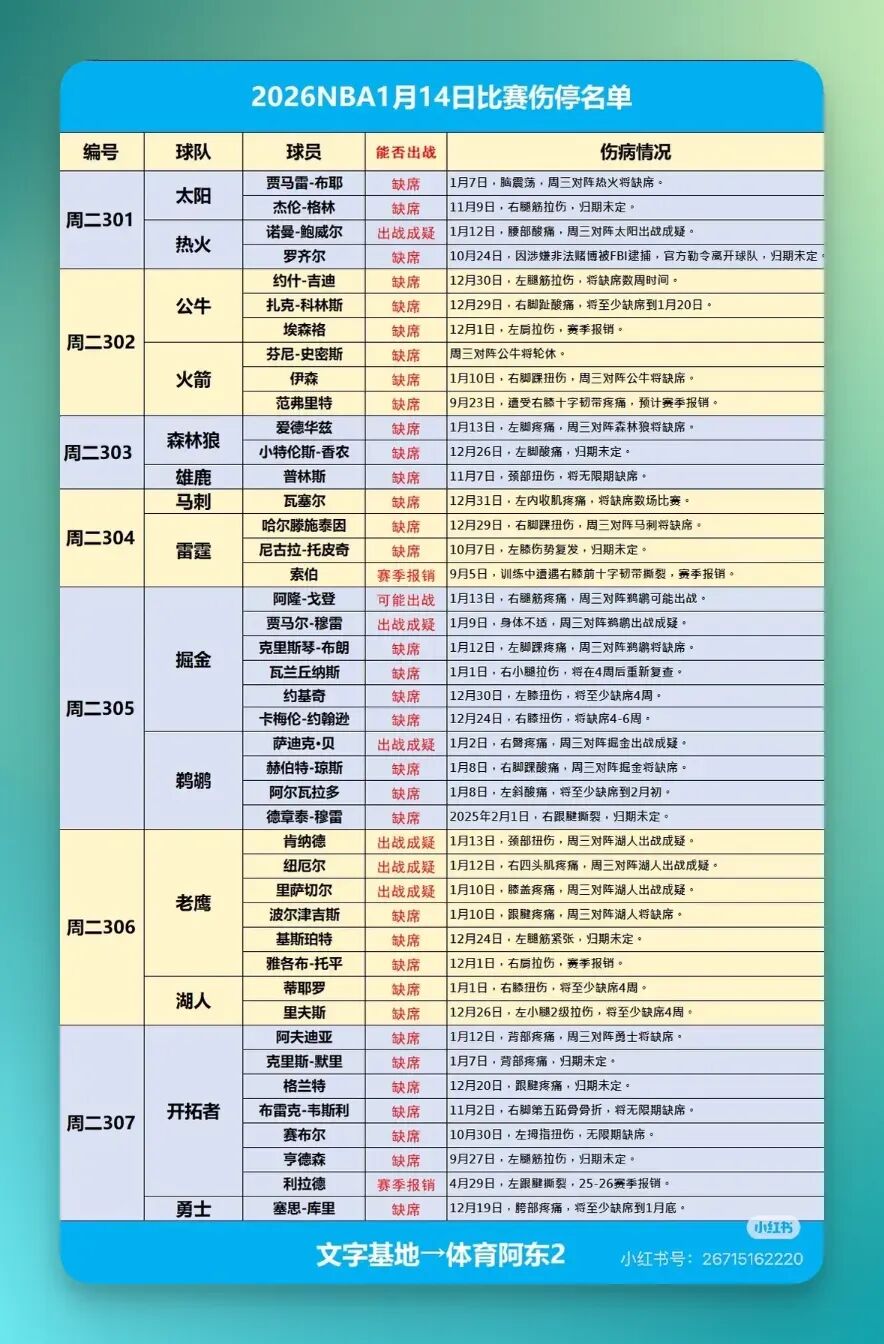
Then in the "Office Assistant" entry, you can get things done with a single sentence. For example, ask it to first complete information recognition based on this image, then compile it into a complete Excel spreadsheet.
On top of that, it can further turn the results into a visualized HTML page:
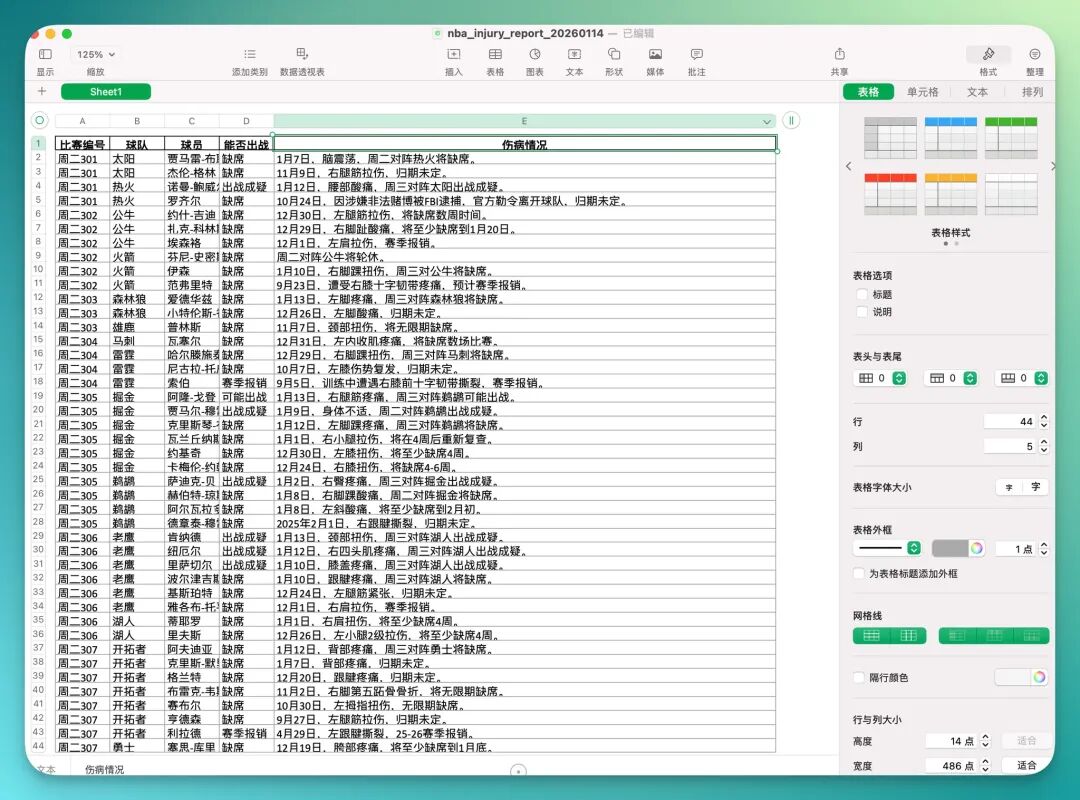
The final result actually has quite high completion — it's a visualized report with full interactive capabilities. I took several screenshots below so you can intuitively see how it integrated content at different levels:
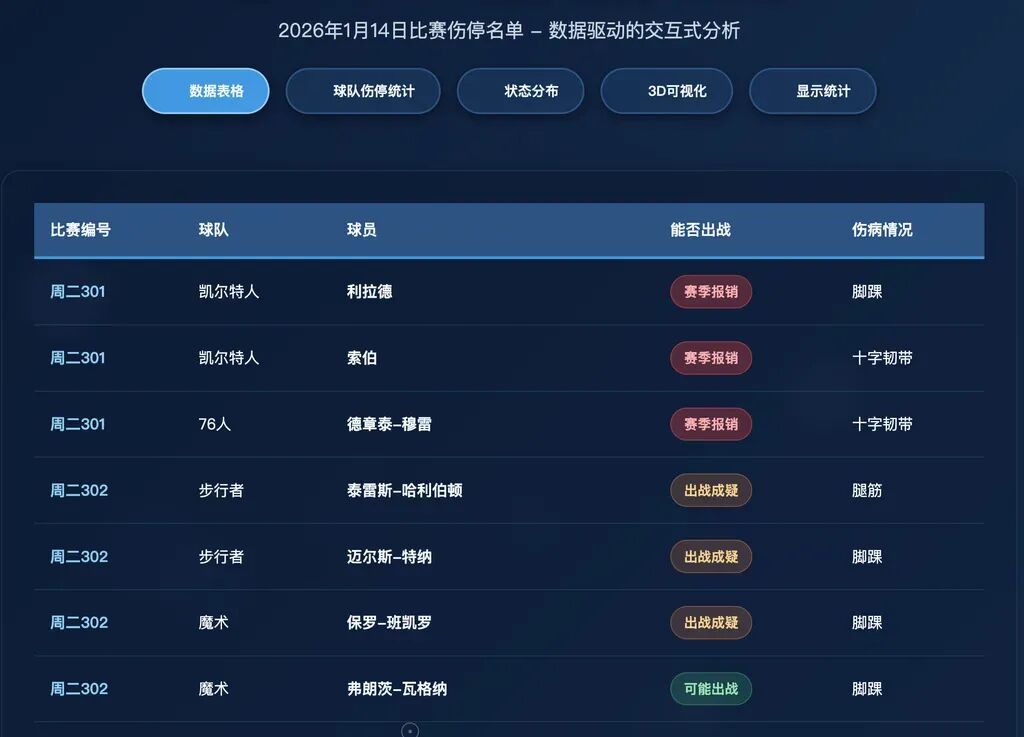
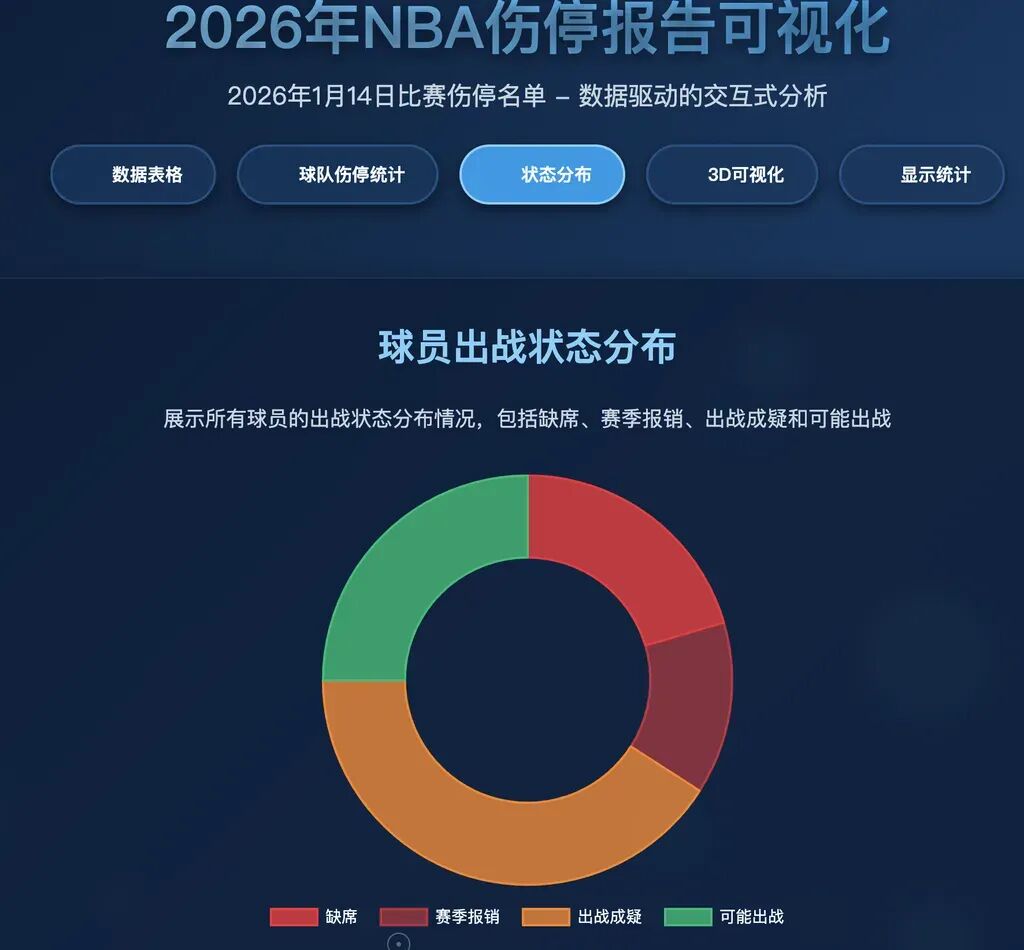
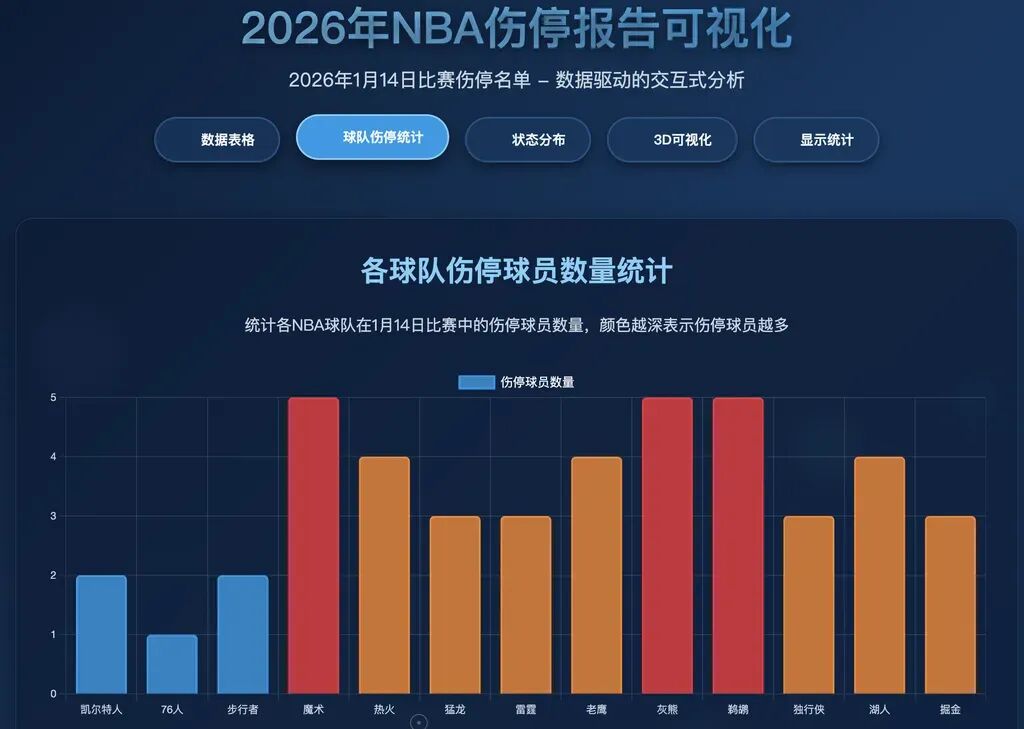
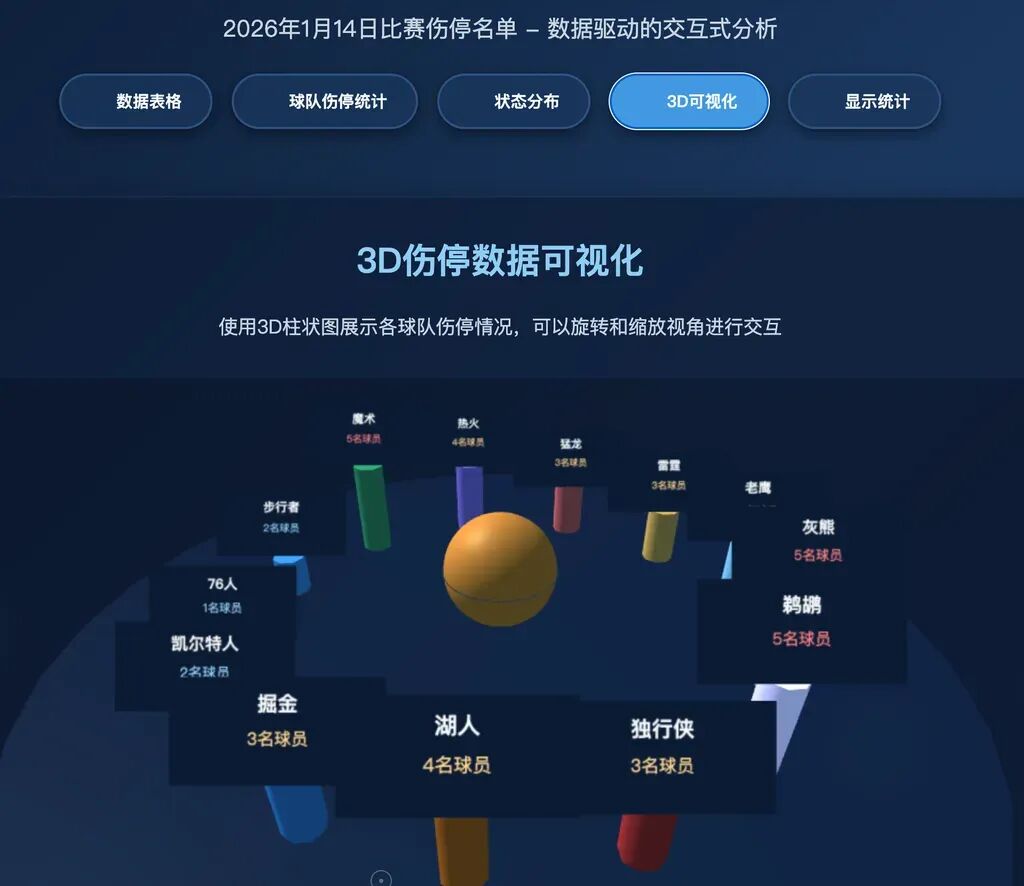
Inside are structured data tables, corresponding quantity statistics and status distribution donut charts, and it even generated a draggable 3D data visualization — already quite mature.
For many years, the relationship between humans and systems was "you adapt to the tool." We filled our phones with apps, memorized each entry point's location, and clicked through predetermined steps one by one.
The logic emerging in the AI era will flip this: users don't need to understand system structure — they only need to clearly express their "Intent," and the "Action" is left to AI to complete.
You don't need to care which app to open first, or which step to jump to next. System structure gets compressed to the background; for users, only a natural expression remains.
And currently, what's pushing this trend forward is still the ecosystem behind the AI entry point. The advantage of Alibaba's ecosystem is magnified quite obviously here — what it connects to is a real, dense, high-frequency living system.
Objectively speaking, Qwen's update this time remains in an invitation-only testing and gray-release stage, with considerable polishing room before reaching mature form.
But it already indicates a direction: AI's role is shifting from tool-type application toward unified entry point.