Hands-On | WorkBuddy’s New Feature: Generate WeChat Mini Programs, Tapping Into the Tencent Ecosystem

Now, even without any coding knowledge, you can take an idea and turn it into a live WeChat Mini Program all on your own.
Now, even without coding skills, you can take an idea from concept to a live WeChat Mini Program.

👦🏻 Author: GaKi
🥷 Editor: Koji
🧑🎨 Designer: NCon

This year's office Agent wars have been impossible to miss — the competition has reached a new level of intensity.
Every vendor is connecting their own ecosystem within their Agent to help users build more useful things: a webpage, an internal tool, or even a small app that can be shared directly with others.
WeChat Mini Programs are one particularly representative use case, and a distinctive ecosystem advantage in Tencent's hands.
But while AI-generated code has grown increasingly mature, having AI independently complete the entire WeChat Mini Program development and launch process remains no small feat.
One reason: most Mini Program code comes from commercial projects, and relatively little of it is publicly available online, leaving models with limited training samples.
Last week, Tencent WorkBuddy launched WeChat Mini Program publishing capabilities, bundling the entire pipeline — code generation, preview, debugging, publishing, cloud services, and database calls — into WorkBuddy.
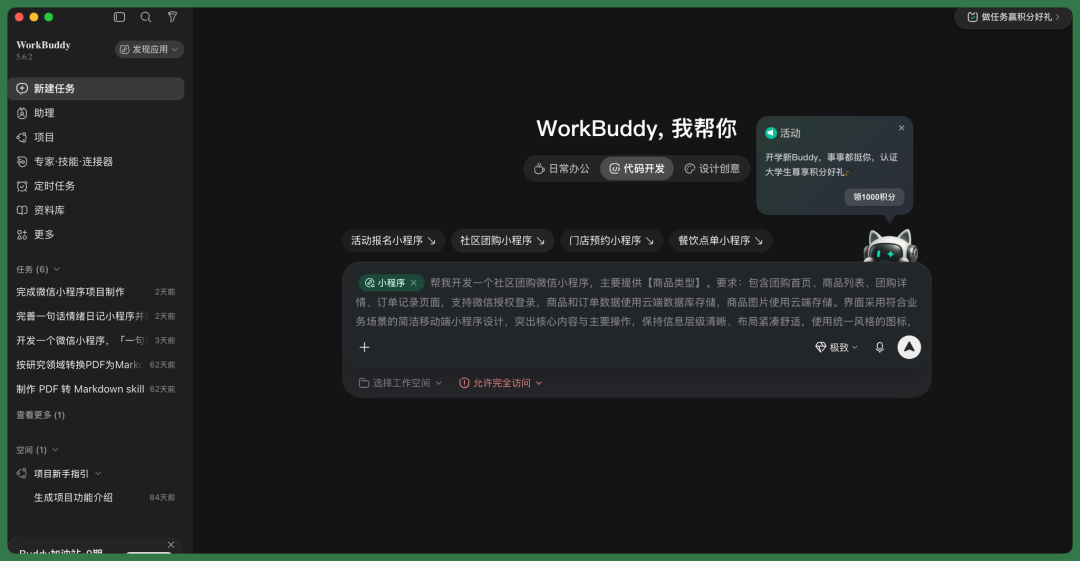
Now, users without development experience can complete the entire journey from idea to live Mini Program on their own.
🚥
The Crossing team got early access to the new WorkBuddy release and its one-click WeChat Mini Program publishing feature. We built two genuinely interesting Mini Programs and ran the full workflow end-to-end.
Here's our hands-on experience.
WorkBuddy: One-Click WeChat Mini Programs
WorkBuddy has now essentially connected the full pipeline from idea to complete, functional WeChat Mini Program.
This time, we built two Mini Programs with it:
【1】Campus Stray Cat Field Guide
【2】One-Sentence Mood Diary
We'll start by showing the complete results of the Campus Stray Cat Field Guide.
Then, for the One-Sentence Mood Diary case, we'll break down the entire creation process step by step — how to go from an initial idea to a finished WeChat Mini Program using WorkBuddy.
【1】Campus Stray Cat Field Guide
Lately, I've noticed many friends sharing their own campus stray cat projects on Moments. Most use Tencent Docs or Lark, with people manually adding content.
So I built this Mini Program to make things more convenient. It's essentially a public welfare app — a shared, continuously updated archive of campus cats for the entire school.
Users can browse cat photos, profiles, territories, and recent updates, or upload images and post updates themselves, similar to Moments.
Each cat entry records personality, health status, neutering status, and frequently spotted locations.
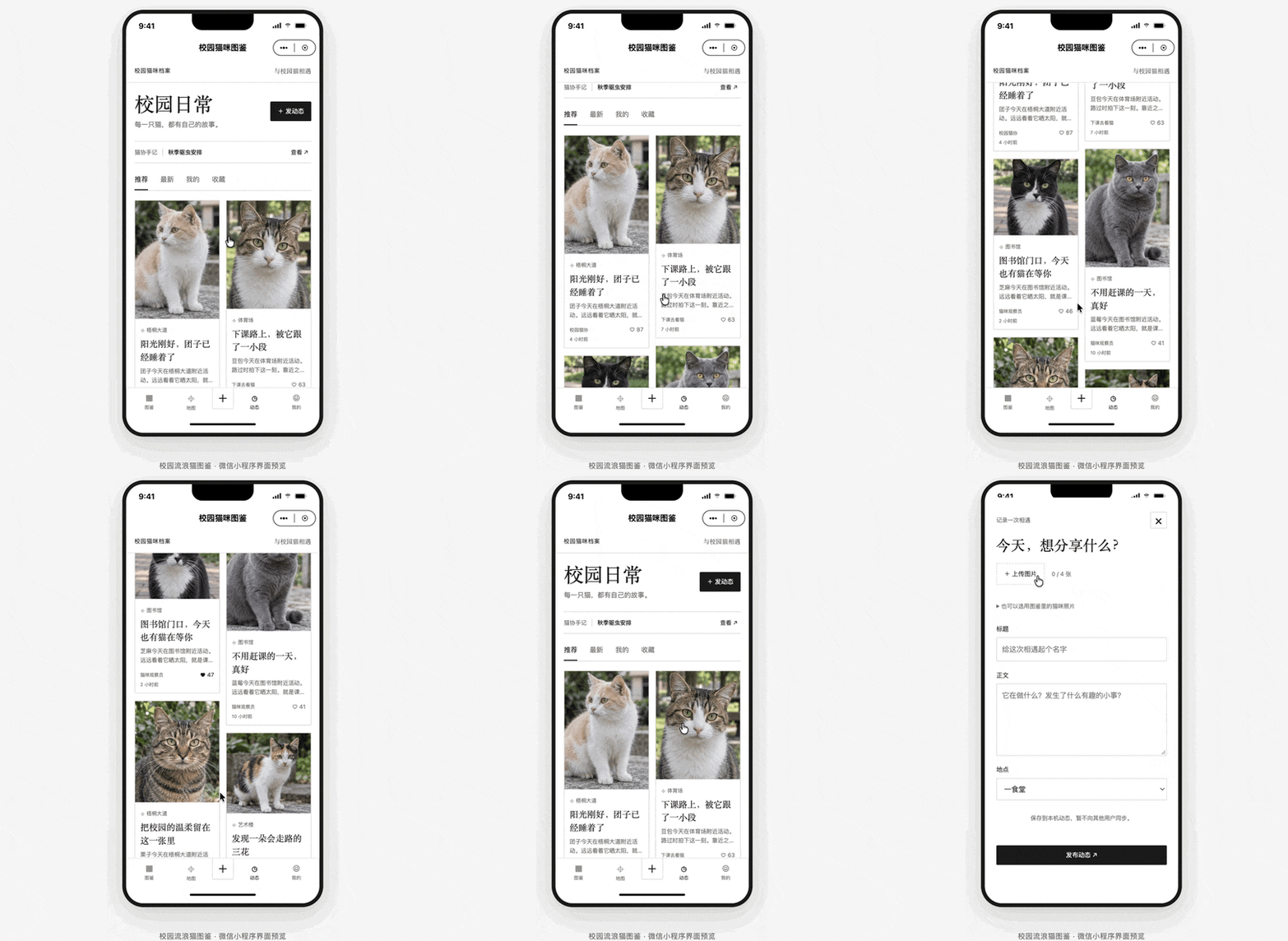
Here's the V1 version of the Campus Stray Cat Field Guide.
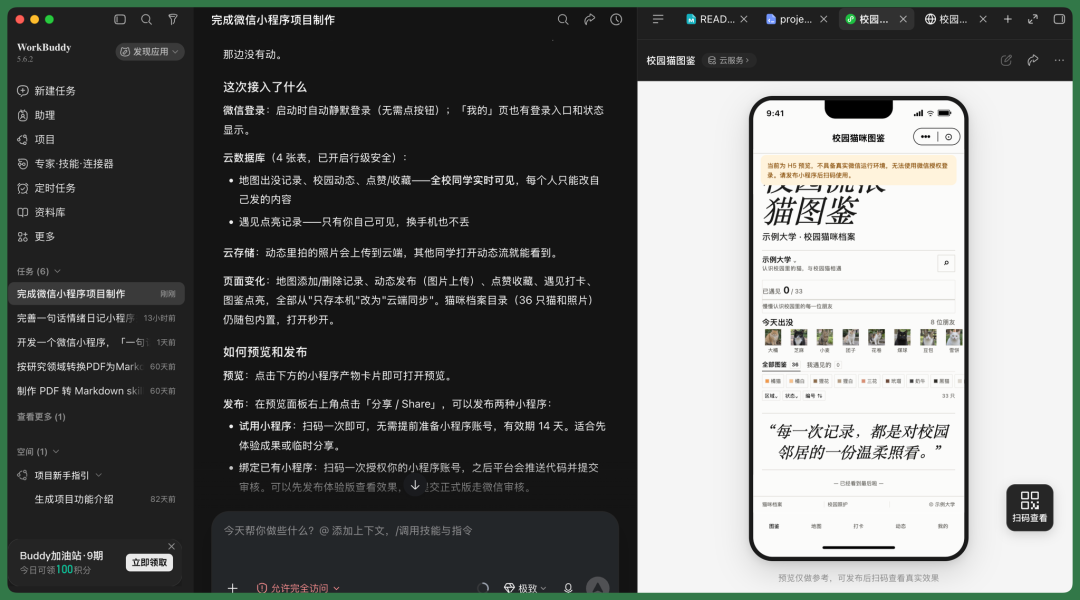
Worth noting: iterating from V1 to later versions was remarkably smooth in WorkBuddy, since you can open the Mini Program in real-time on the right panel or test on an actual device.
Here's the version after two to three iterations of refinement — the overall design follows an e-ink display aesthetic, with all image functionality fully implemented.
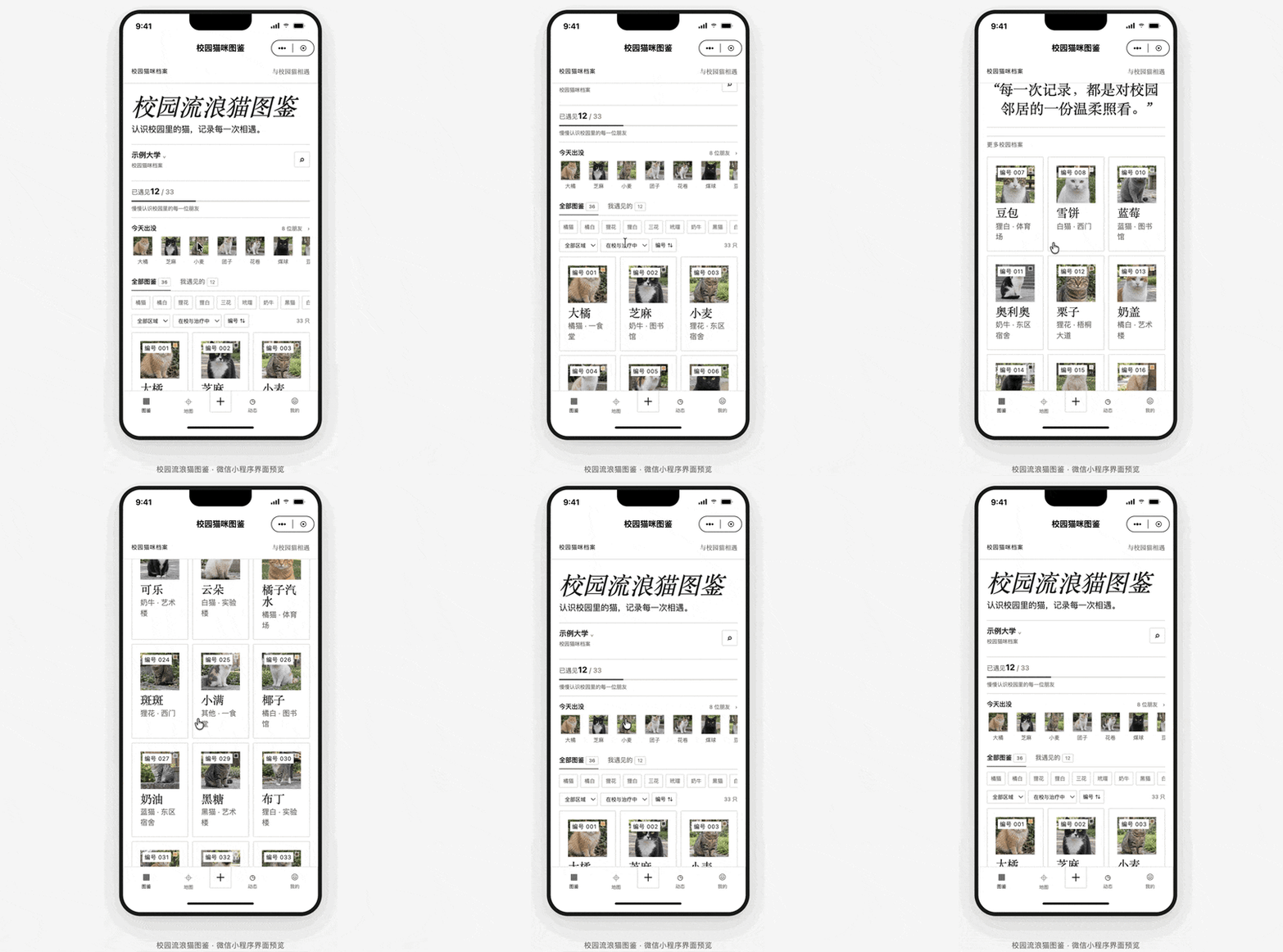
Now the top of the Mini Program features a "Spotted Today" section showing which campus cats were uploaded today, with corresponding photos.
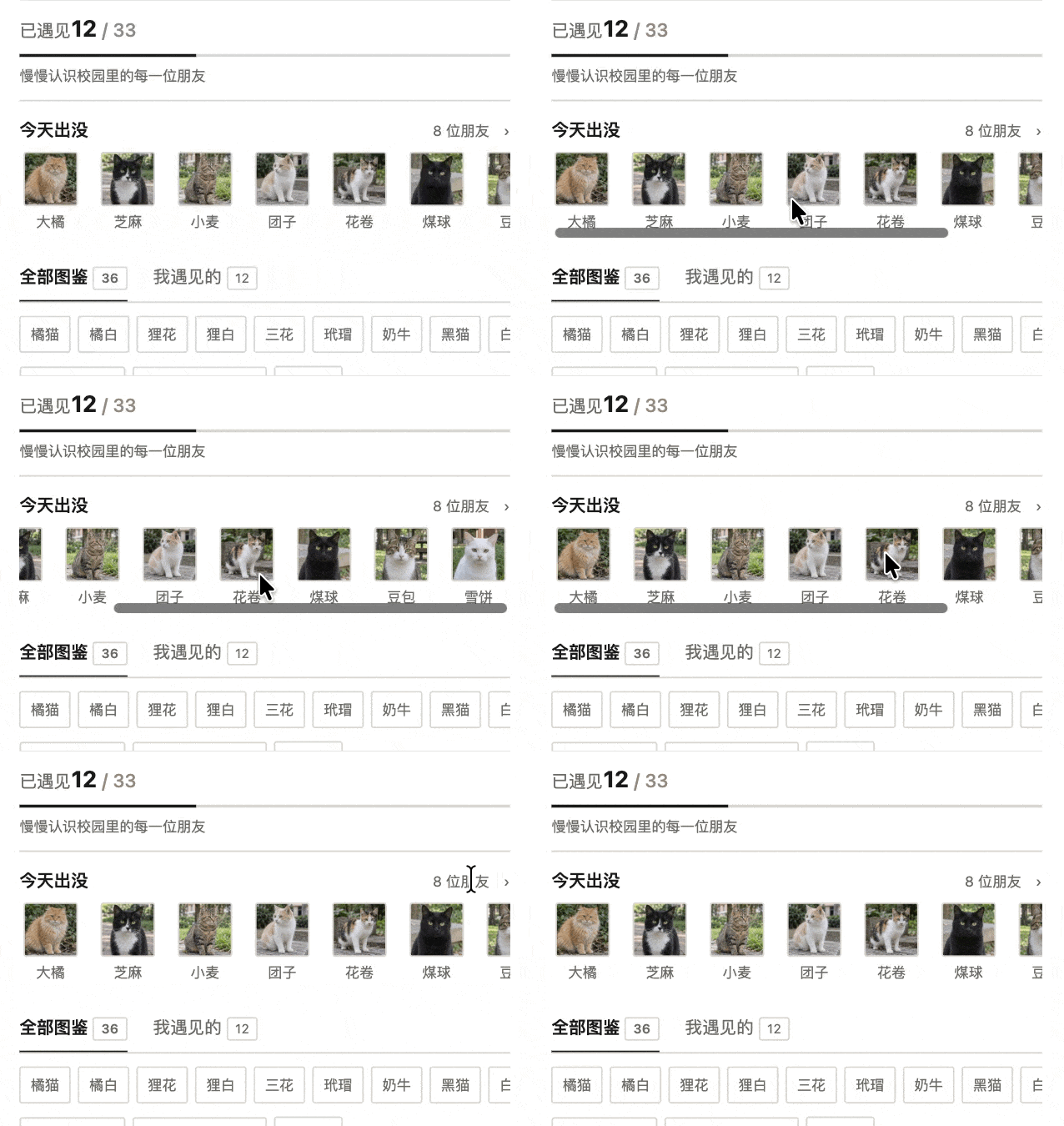
Each cat's field guide entry can be opened individually.
Inside, you'll see how many students have encountered it, plus its brief profile, description, recent sightings, and regular hangout spots.
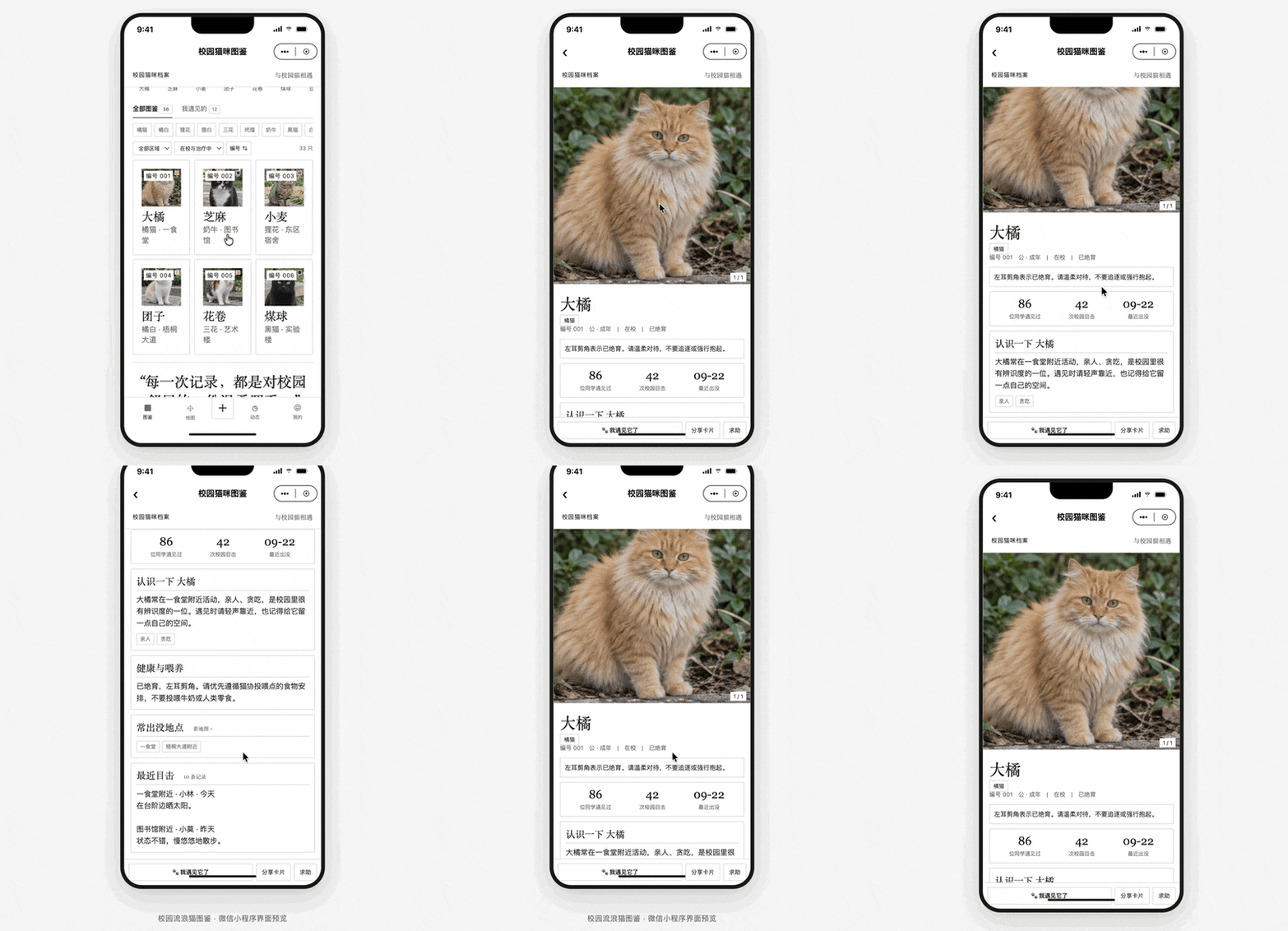
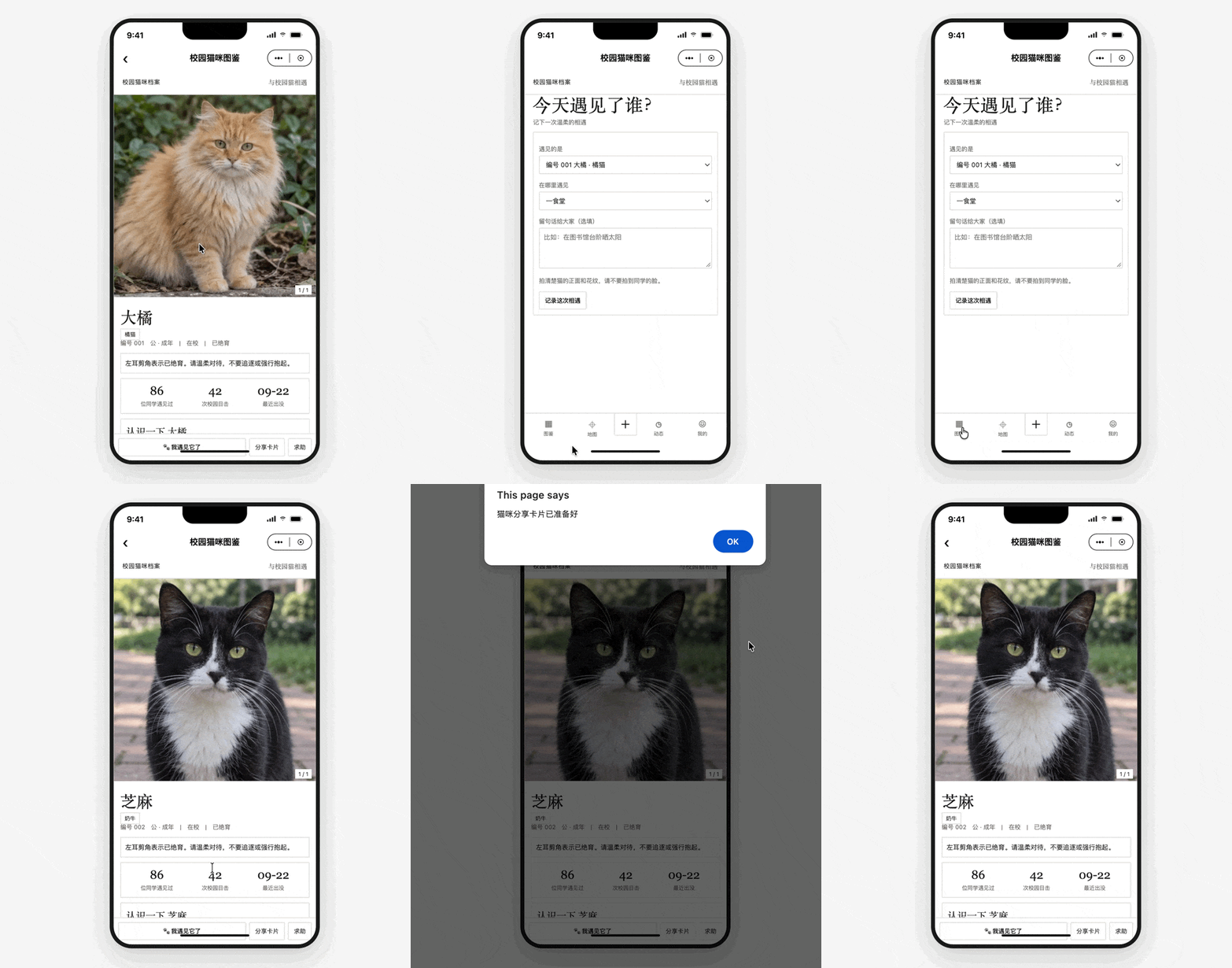
On this page, you can directly upload today's sighting location for the current cat. Or add your own encounter — select where you saw it and what the cat's name is.
You can also share a cat profile card.
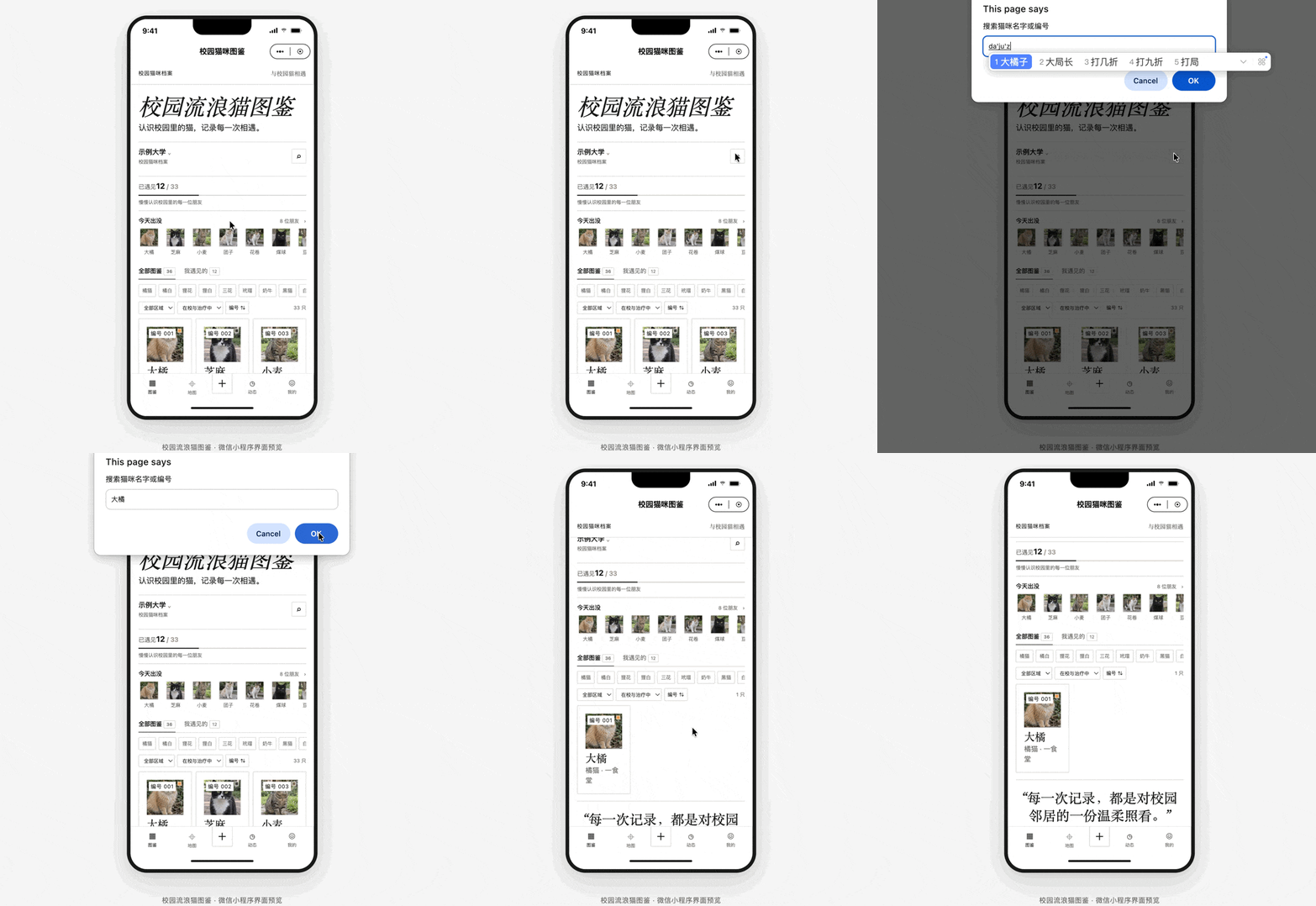
The Mini Program also supports convenient search for campus cats — just enter a name or ID number.
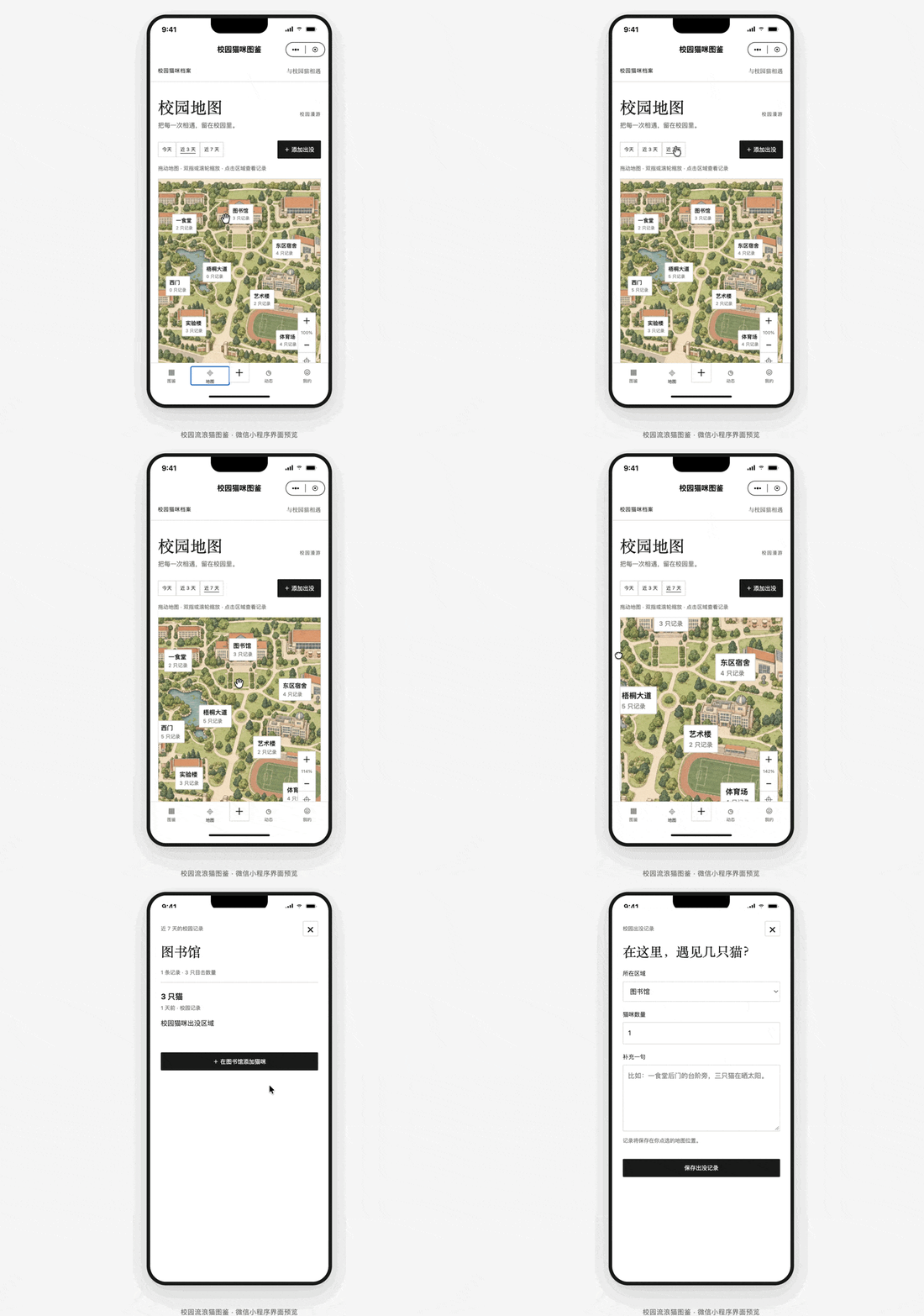
I also created a stylized cartoon campus map with interactive drag functionality.
Clicking a location lets you directly add a campus cat entry there, with "discovery time" options for today, last 3 days, or last 7 days.
For extra fun, I added a campus life Moments feature. Users can like posts and easily publish their own updates.
Finally, there's a feature where each user gets their own field guide collection after uploading, complete with achievements and badges.
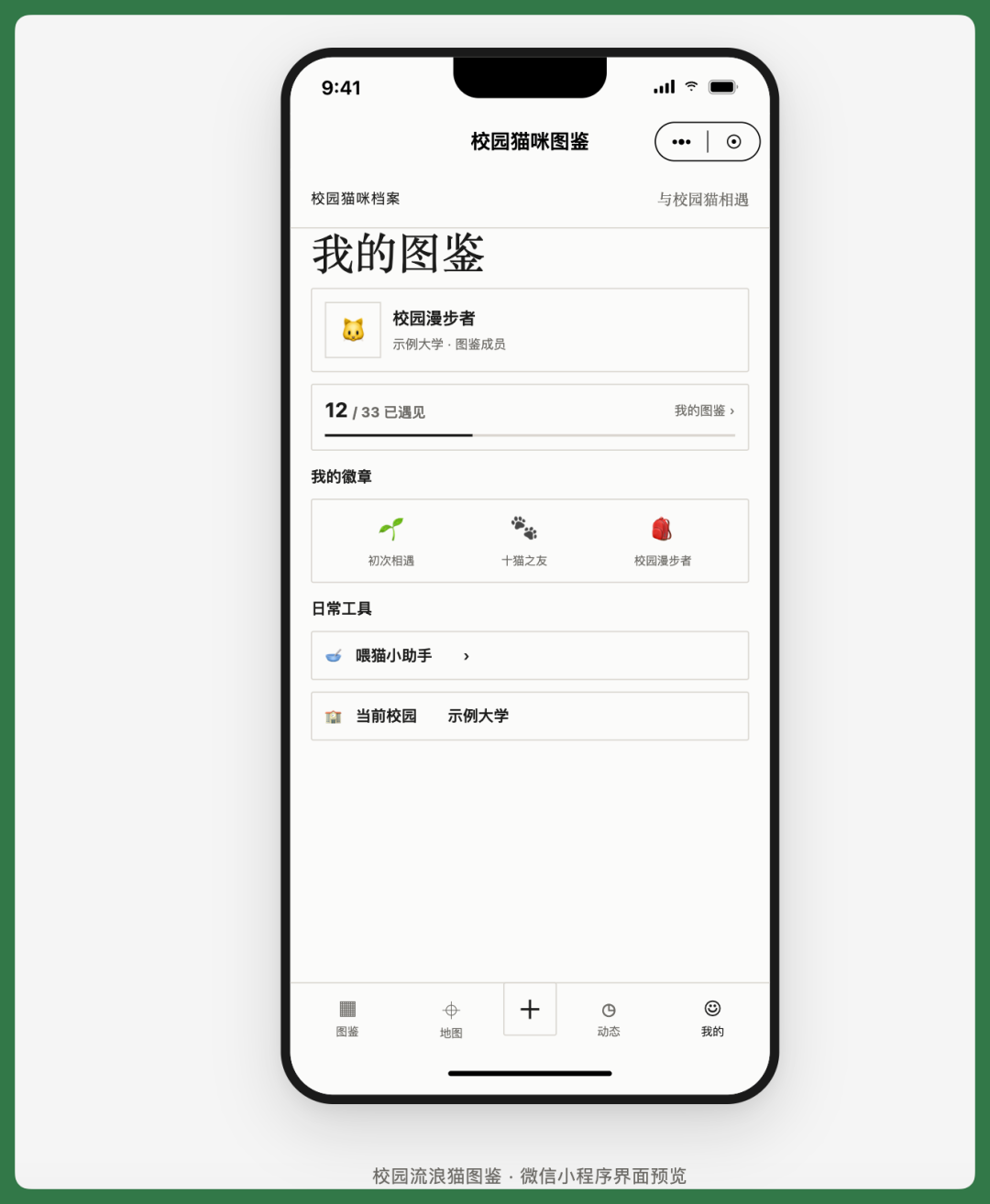
From the example above, you can see that WorkBuddy has already solved quite a few previously troublesome aspects of WeChat Mini Program creation.
For this next case — the One-Sentence Mood Diary — we'll break down the complete process to see exactly how WorkBuddy handles each step from initial idea to finished, published WeChat Mini Program.
【2】One-Sentence Mood Diary
Recently, I've noticed that many teams and friends around me are working at a fast, exhausting pace. Lots of people have gotten into the habit of recording their daily mood at night.
So I wanted to build a Mini Program like this: write just one sentence each day, let AI parse it, track your mood daily, get a monthly review, plus satisfying emoji interaction effects — I thought that would be interesting.
Here's the One-Sentence Mood Diary WeChat Mini Program built with WorkBuddy.
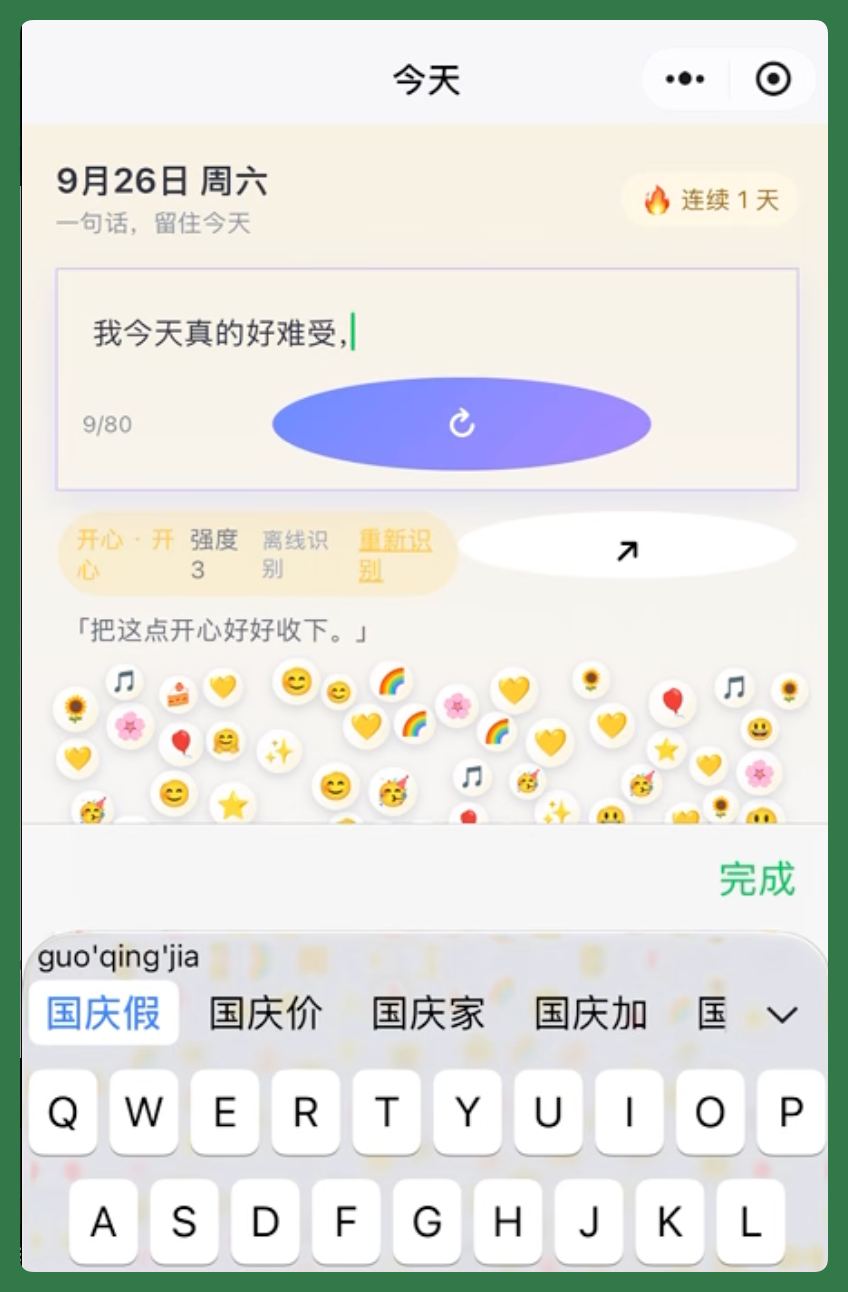
This Mini Program is mainly for recording daily moods. Users write one sentence per day, and AI identifies the emotions and specific content within it, then transforms these into hundreds of emoji bubbles that rise from the bottom of the screen in a waterfall flow.
Sounds simple, but during actual development, I discovered that most emoji bubbles use proprietary emoji sets — especially Apple's — which can't be used directly.
When I first asked WorkBuddy how to solve this, it suggested finding open-source projects on GitHub.
So the project includes four open-source emoji sets that WorkBuddy helped me locate: Fluent Emoji, Twemoji, OpenMoji, and Noto Emoji.
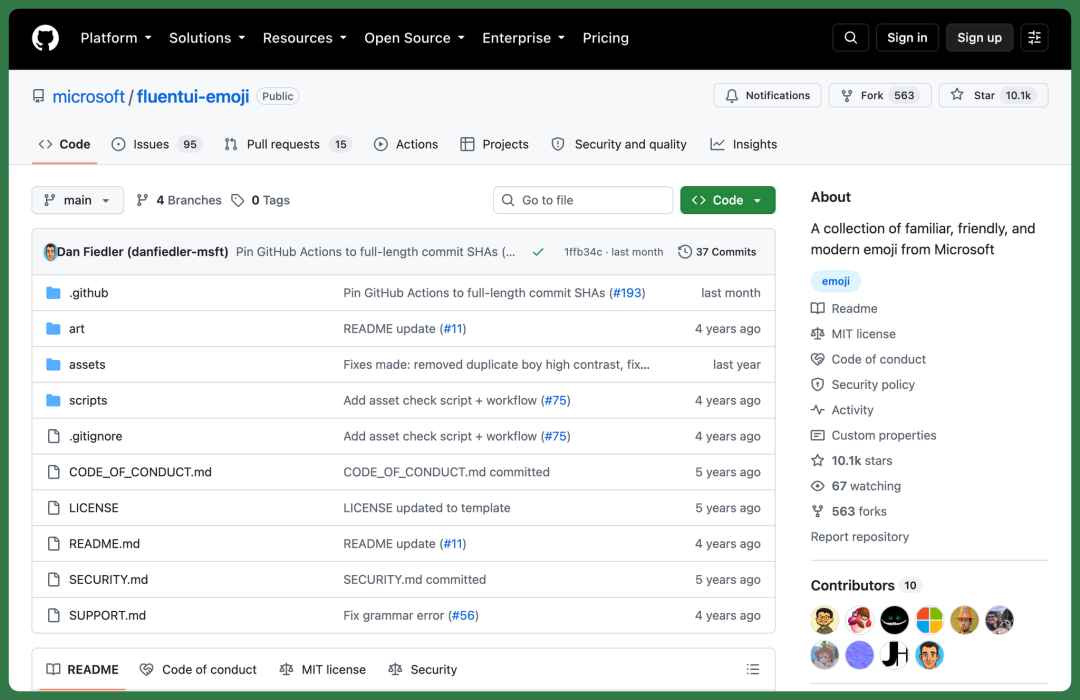
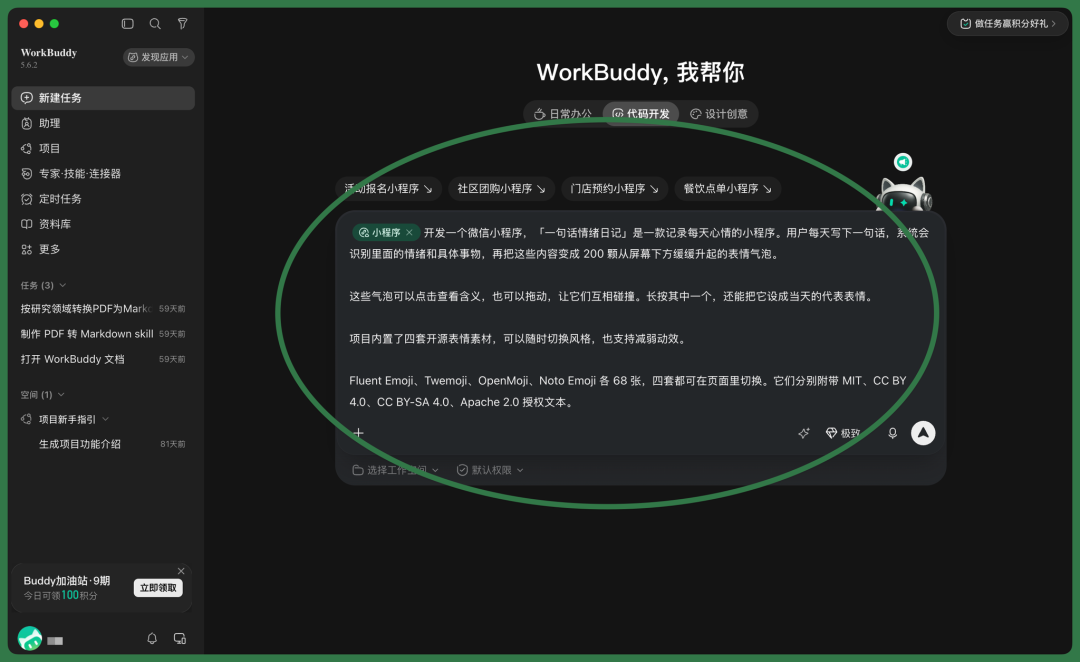
With emoji assets ready, you can enter WorkBuddy and select "Code Development" mode.
You can click the Mini Program function button, or simply state in your prompt that you want to develop a WeChat Mini Program, then enter your prompt.
WorkBuddy will then query its built-in wechatide-skill — development documentation related to WeChat DevTools.
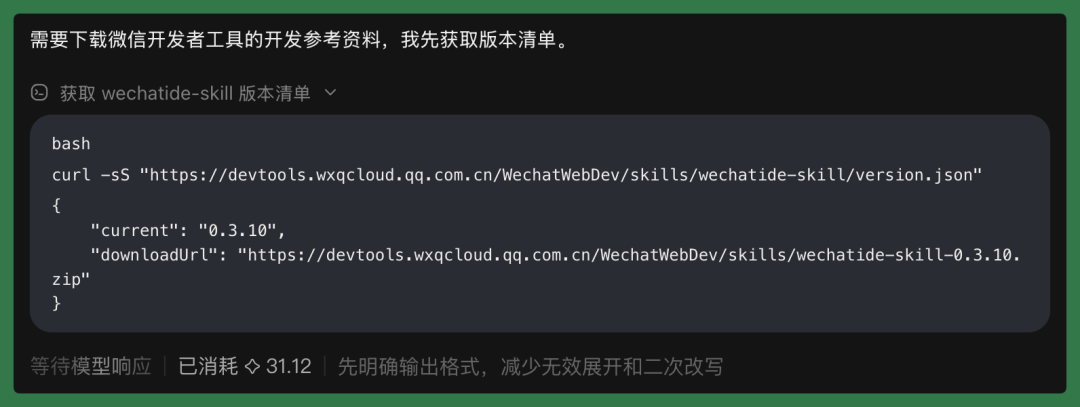
Next, it automatically installs WeChat Developer DevTools.
Once the developer tools are installed, WorkBuddy automatically checks their status and completes command-line symlinks.
Then it can launch WeChat DevTools with one click — we just need to log into our account inside.
At this point, basic setup is essentially complete.
WorkBuddy then completes the entire project development based on the prompt, taking roughly half an hour. I used a test account here; it hasn't been formally published yet.
You can see that WorkBuddy has already finished WeChat DevTools setup, comprehensive code review, and README generation. After code evaluation and analysis, we need to scan our test account's APP ID.
When user selection is required, it pops up a dialog where we simply click to choose.
For example, WorkBuddy prompts that publishing requires registering a Mini Program APP ID, and provides a URL for us to register first.
We can choose to apply for a test account, or directly register a formal Mini Program.
Test accounts can be registered on the WeChat Official Accounts Platform.
After registration, we need to copy the developer ID — that is, the App ID and App Secret.
Paste this information into WorkBuddy with one click, and it will start compiling automatically, generating a QR code for real-device preview.
It then prompts us to scan this QR code with WeChat to experience the One-Sentence Mood Diary Mini Program on an actual device.
So including development time, a relatively simple WeChat Mini Program can go live within about 3 hours.
Afterward, based on real-device testing, you can continue iterating with WorkBuddy on this same page.
One particularly important point throughout this workflow: when building WeChat Mini Programs in WorkBuddy, you can conveniently access its cloud storage and database features.
This means that after the Mini Program goes live, all user data and files are stored in this cloud service.
Let's see how this charming little Mini Program actually works.
After entering the Mini Program, you can directly write today's mood or an event in the input field.
Click the checkmark, and AI will parse the content. The current test uses offline recognition; we can also configure an API in the backend. After parsing completes, emoji bubbles rise from the bottom of the screen in a waterfall flow.
For example, entering "I feel terrible today, might have to work overtime during National Day holiday" would replace today's record.
Then a completely different set of emoji bubbles rises:
The Mini Program also includes a calendar for backfilling mood entries for previous days.
To give people something to do with their hands while slacking off at work, I added a glass marble-style interaction to the emoji waterfall.
You can drag any emoji in the waterfall, and surrounding emojis will react with natural marble-style physics collisions.
The Mini Program also has a monthly review feature.
You can see total days recorded, overall emotion distribution, and which emojis roughly compose this month's emoji wall.
Each day's recorded emotion can generate a mood card to forward to others or save to your album. The card supports hiding the original text to protect user privacy.
Clicking "Send to Friends" jumps directly to the WeChat interface to send to other WeChat contacts.
As mentioned earlier, we used four open-source emoji sets, each with a different visual style.
Besides the set shown above, I've attached the other three below. You can switch between emoji sets directly in the "My" page at the bottom.
So overall, building WeChat Mini Programs with WorkBuddy is genuinely lightweight now.
Previously tricky pain points like cloud services and databases can now be completed with one click in WorkBuddy. And since you can interact and test directly within WorkBuddy, iteration is also quite convenient.
🚥
AI writing code has become extremely common now. Concepts like Vibe Coding, Vibe Working, and even Vibe Worlding have penetrated deeply into many non-developers' daily workflows — this way of working has already been widely accepted.
But in many scenarios, AI still has too few samples to learn from, making it difficult for models to train well. WeChat Mini Programs are one such example.
Now, major vendors like Tencent that already possess substantial products and resources are beginning to fill in these capability gaps through products like WorkBuddy.
This matters enormously for indie developers, because previously when people used Coding Agents for projects, their choices mostly centered on websites, iOS apps, and Android applications.
As WeChat Mini Program development tools mature, indie developers will be able to build increasingly diverse things — and the number of Mini Program applications will grow rapidly.
The true large-scale integration of Agents into work may well begin with these increasingly concrete scenarios.
Recommended Reading

Join Membership Group