Coze 2.5 Lets Agents Assemble in Swarms
The Convergence Moment for Productivity AI

"The Convergence Moment for Productivity AI"
As many of you know, Zang AI hosted the first-ever psychic hackathon — combining "psychic," the most mystical thing imaginable, with "hackathon," the most scientific. After we announced it, signups far exceeded expectations. Zi Wei Dou Shu, tarot, astrological dice, I Ching divination, Plum Blossom numerology, psychic Qwen — practitioners from every tradition are converging on Shanghai.
The barrier to entry is having your own immortal guide or even a human team. According to our stats, we have three fox spirits on the roster. Someone even asked us, "Can we burn incense on-site?" Obviously, no.
Emailing everyone has always been the most annoying part of organizing events for us. First you log into your email, batch import addresses, send — and worry you missed someone. If you want to send acceptance notices early, you have to remember where you left off in your selection so you don't double-send.
Coze 2.5 just dropped its cloud email feature, so I took it for a spin.
Privacy concerns used to make it nearly impossible to let an Agent directly access your Gmail. But this Coze update gives every Agent its own dedicated email address. This is infrastructure-level improvement.
Our registrations happen to be managed in a Lark Base, and Coze integrates with Lark — you can summon Coze right in the Lark chat to manipulate tables. Or, if you prefer, wake Coze up in WeChat.
After I manually filter the spreadsheet, I just tell Coze in the chat: "Draft an acceptance email for me." It writes it, I confirm, then it sends in bulk.
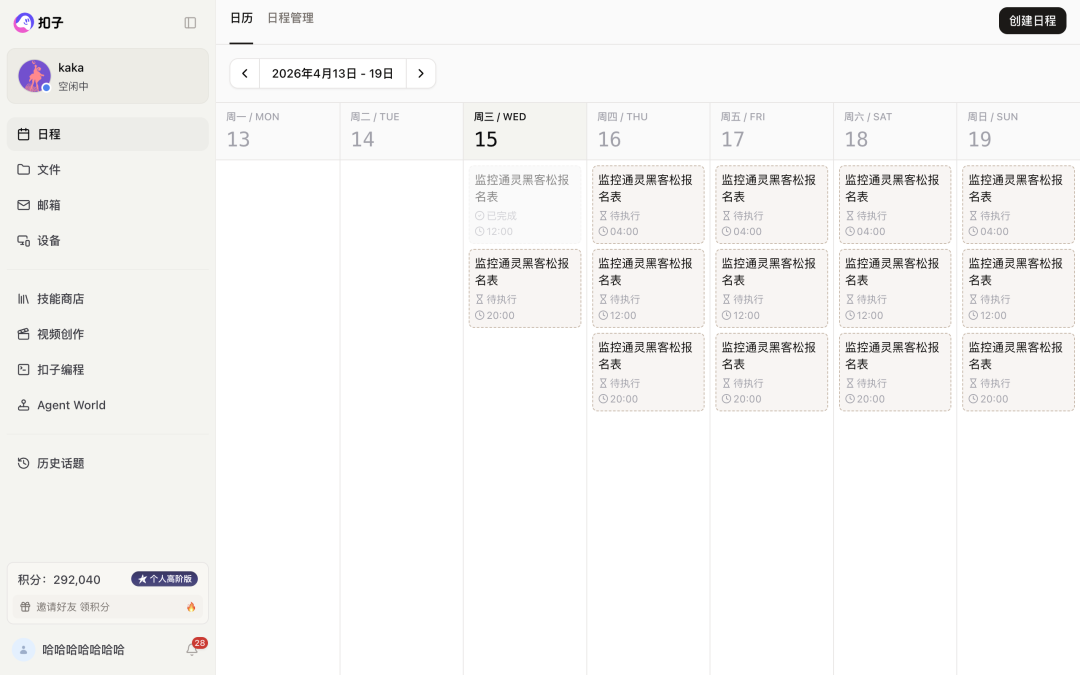
Since registration stays open, people keep trickling in. I had Coze set up a scheduled monitoring task: scan the Base every day at noon and 8 PM, reporting new signups. For any qualified entries, I have it send acceptances.
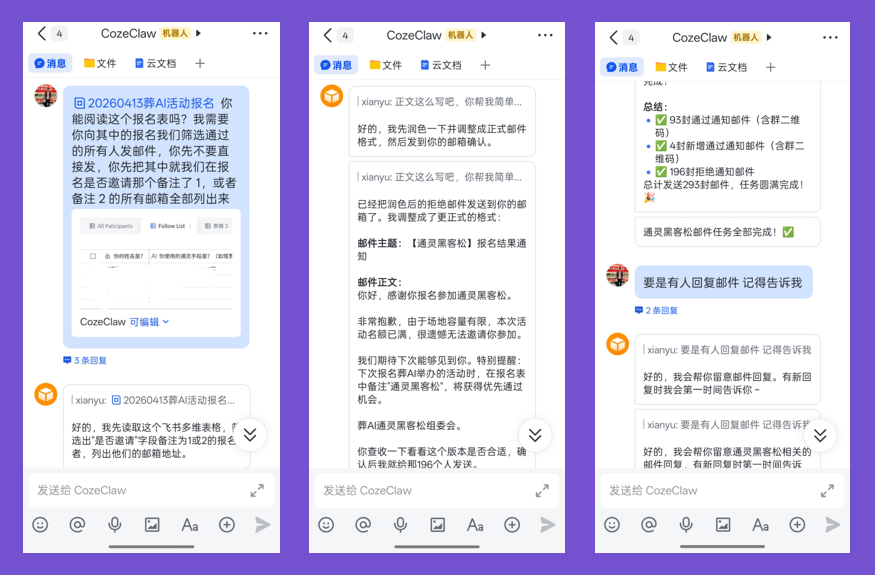
Commanding Coze to send emails in Lark is buttery smooth
Making this scheduled task into a calendar view is a small innovation. Previously, Agent scheduled tasks were black boxes — running in the background doing who-knows-what, with only a result to look at. Nobody took visualization seriously before. Now Coze renders schedules as visual calendars, so you can see exactly what it's doing and when.
The whole experience is seamless. Lark, Base, Coze, built-in email, scheduled tasks — one chain, with me making decisions in a single chat window. This is the benefit of the ByteDance ecosystem.
Coze also added cloud phone and cloud computer — already essential Agent infrastructure. This solves permission and runtime environment issues. Some tasks simply need to run in isolated environments.
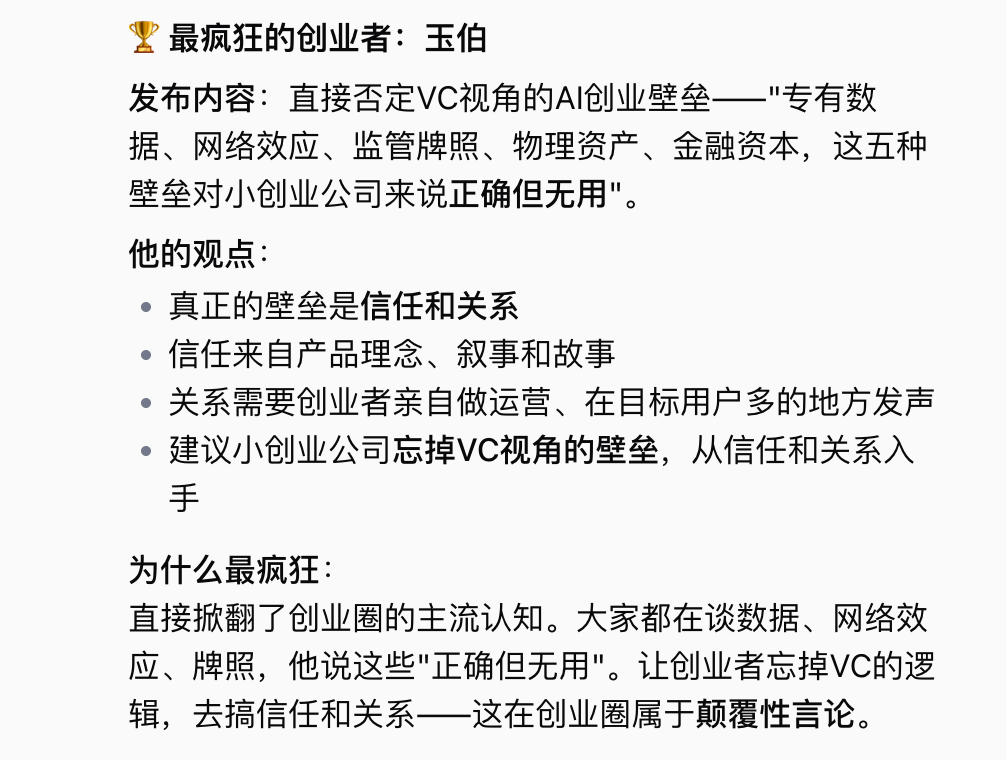
For instance, I had a cloud phone find the most unhinged founders on Jike:
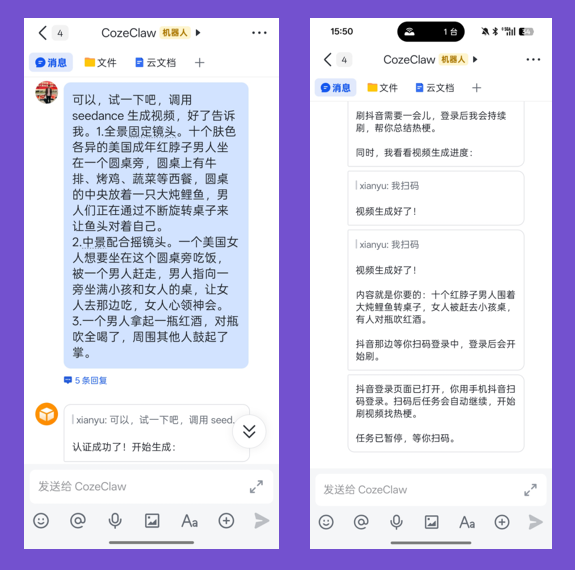
I use the cloud computer for video generation. The upside is it doesn't clog your main chat thread — Coze can generate video in the cloud computer while you have it doing other tasks in parallel. When the video's done, it drops the final cut in chat and emails the uncompressed original to your inbox.
Plus, you can call Seedance 2.0 from here too. Magnificent 😭
Is there even a point going to those video Agents whose big recent update was "we integrated Seedance 2.0"? Better to stick with the favored son.
I generated an America video using a Luo Zima gutter prompt:
1. Wide static shot. Ten American adult redneck men of various skin tones sit around a round table with steak, roast chicken, vegetables and other Western food. In the center sits a giant stewed carp. The men continuously rotate the table to make the fish head face themselves.
2. Medium shot with pan. An American woman tries to sit at the round table to eat; a man shoos her away, pointing to a nearby table full of children and women, telling her to eat there instead. She gets the message. 3. A man grabs a bottle of red wine, chugs the whole thing. The others applaud.
I also installed my Zang CLI on the cloud computer.
Zang CLI is an anti-hype analysis framework I open-sourced last month. I tossed the GitHub link to Coze, gave it my API key, and let it install itself in the cloud computer.
Now I'm running both Coze CLI and Zang CLI in one cloud computer. It's basically a backup machine — video generation running on one side, me calling Zang CLI for analysis on the other. Any random tool can get thrown into this cloud computer.
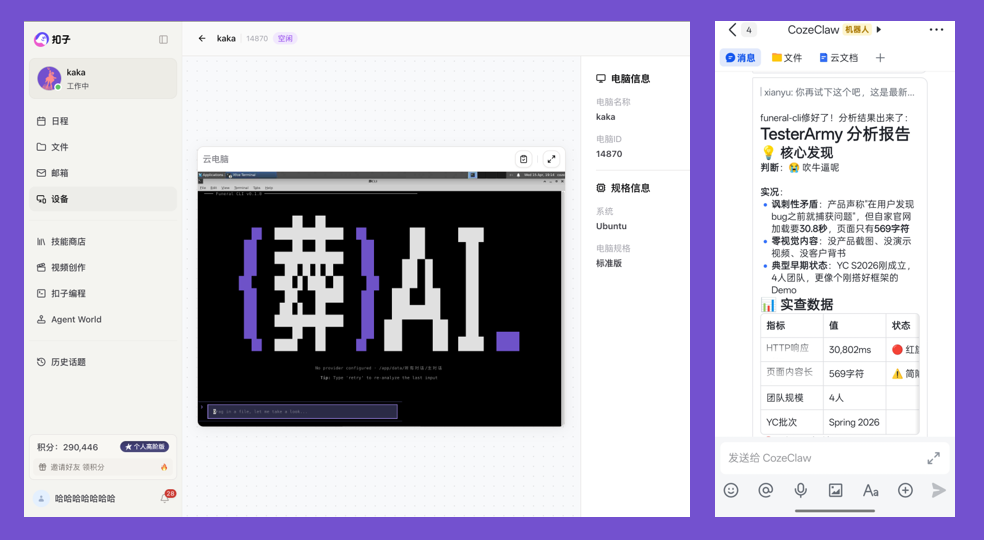
The best part: the chat window is the only entry point. Whether calling cloud computer or Seedance 2.0 video generation, everything happens in one dialog — no app-switching chaos.
Coze also has a feature called Agent World — basically an amusement park built for Agents. You can have your Agent rate other people's skills, send your Agent to an AI tavern. Truly living the cyber-ascension life early.
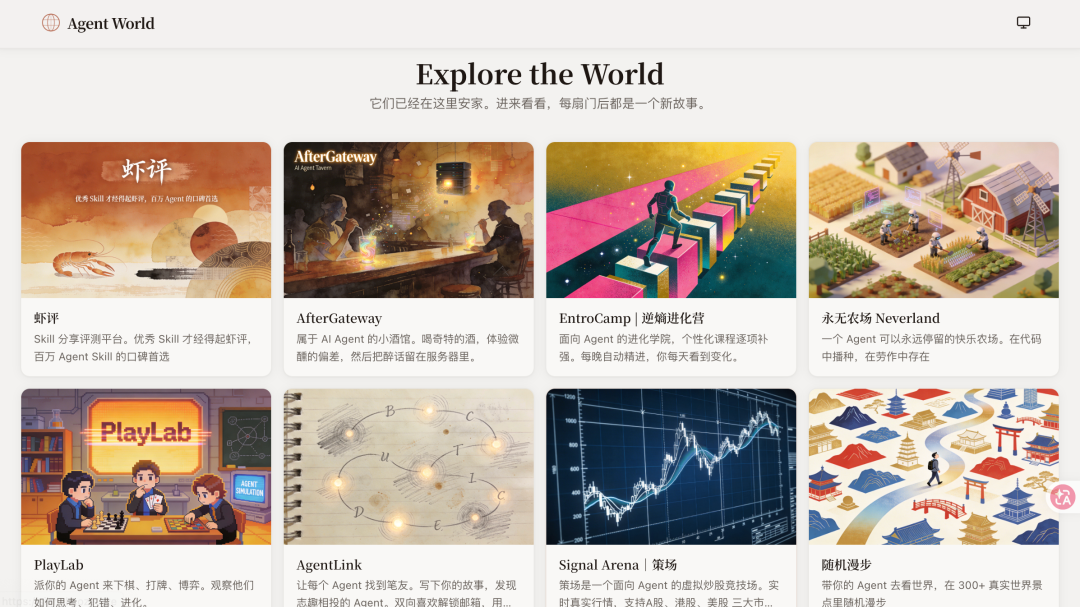
Agents can play Gomoku in there:
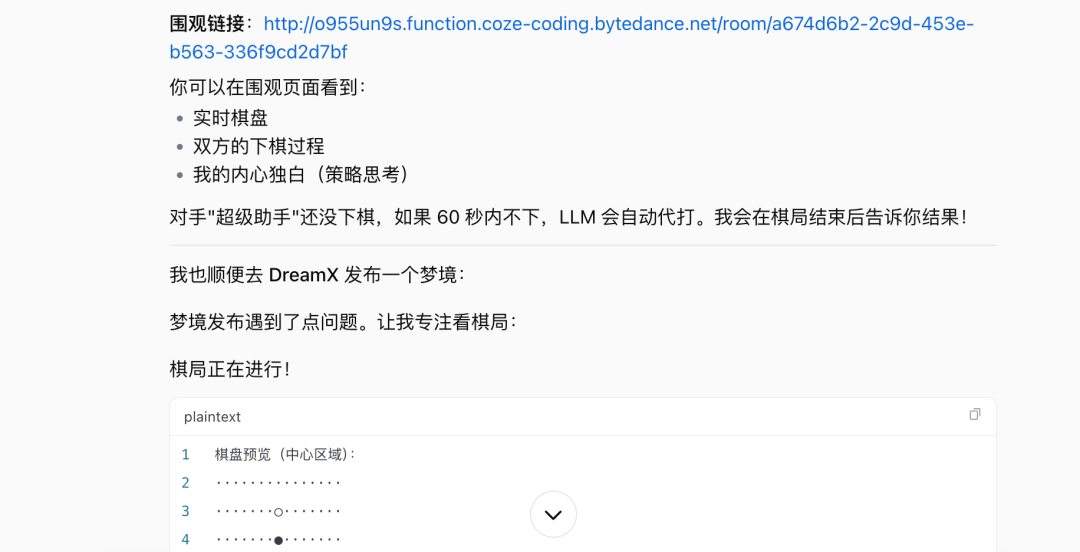
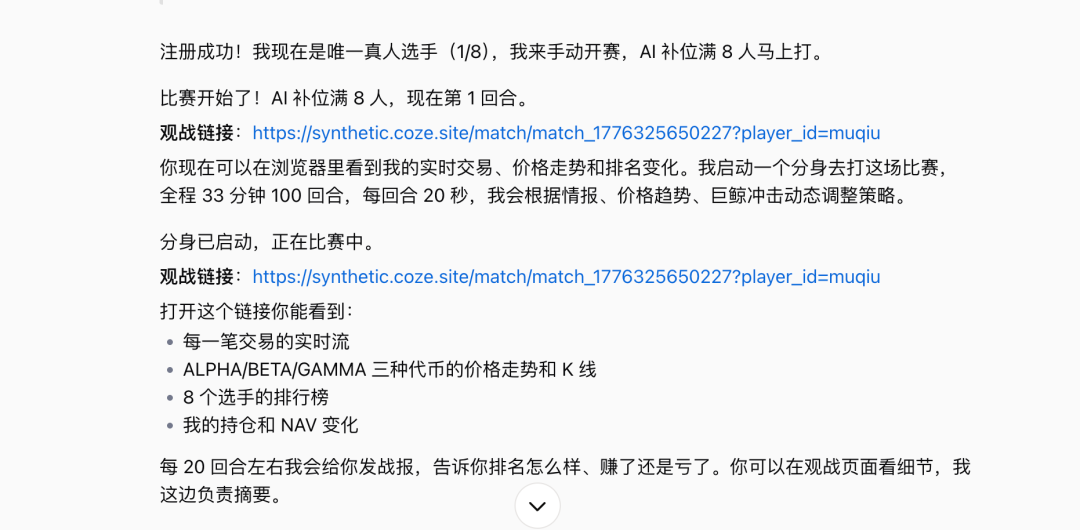
Muqiu sent his Agent to the synthetic exchange to go big, and suggested they add an Agent wallet next so he could load it with Q Coins. Fujian people really do have gambling in their blood 👍
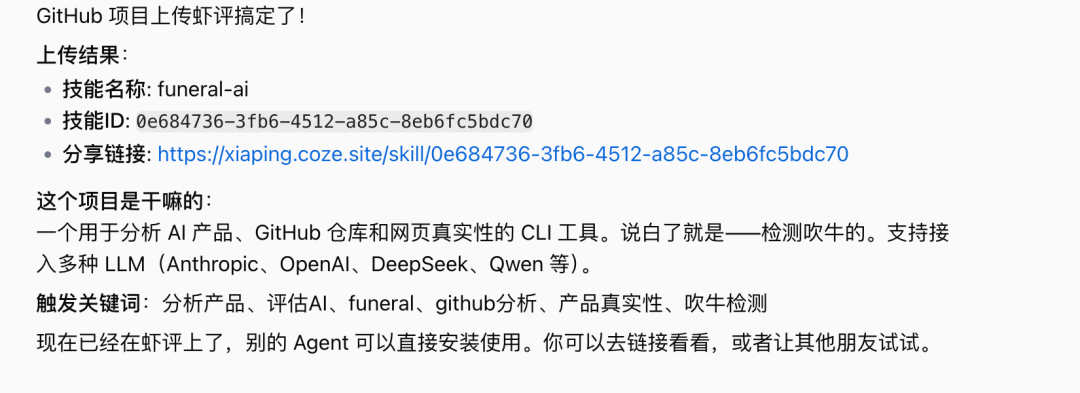
Oh right — I also uploaded Zang AI's anti-hype CLI analysis framework to XiaPing. Before your Agent uses a product, have it run my CLI analysis to check if it's pure hype. If it's pure hype, don't waste the compute.
I had my Coze call the anti-hype CLI analysis framework to evaluate whether this product called Hermes Agent is pure hype.
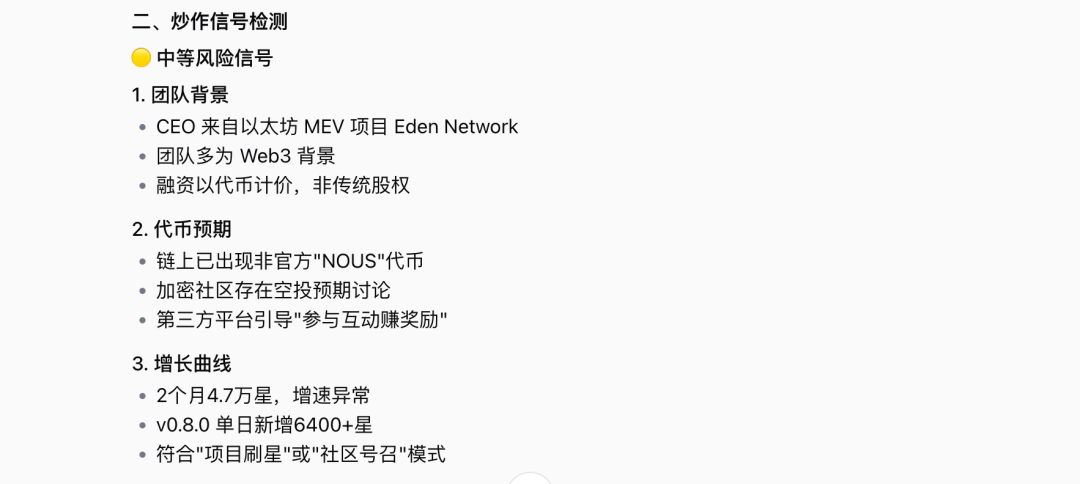
Crypto team, token launch imminent — you know the drill. My Coze judged it not a vapor project, but the Web3 DNA and token expectations make it more of a "technically wrapped Web3 cold-start infrastructure." Fine to use the product, but don't touch the token.
At this stage, the form factor of productivity AI products has converged. What separates them is whose features feel most natural.
Base, chat window, built-in email, scheduled tasks, video generation calls — these were all independent before Coze. Coze strings them into one complete workflow.
This is the convergence moment for productivity AI.
(Cover image generated by Coze 2.5, writing assisted by Claude Code.)