How to Write with AI?

Write Like Churchill
I recently recorded a podcast episode about AI writing for Brainwave.
I've combined that podcast content with several previous articles on AI writing and reorganized everything into this more structured guide to AI-assisted writing.
For the past six months, I've used AI to write nearly everything. My friends — mostly professional writers with sharp instincts for prose — say they can't tell whether I wrote something myself or used AI.
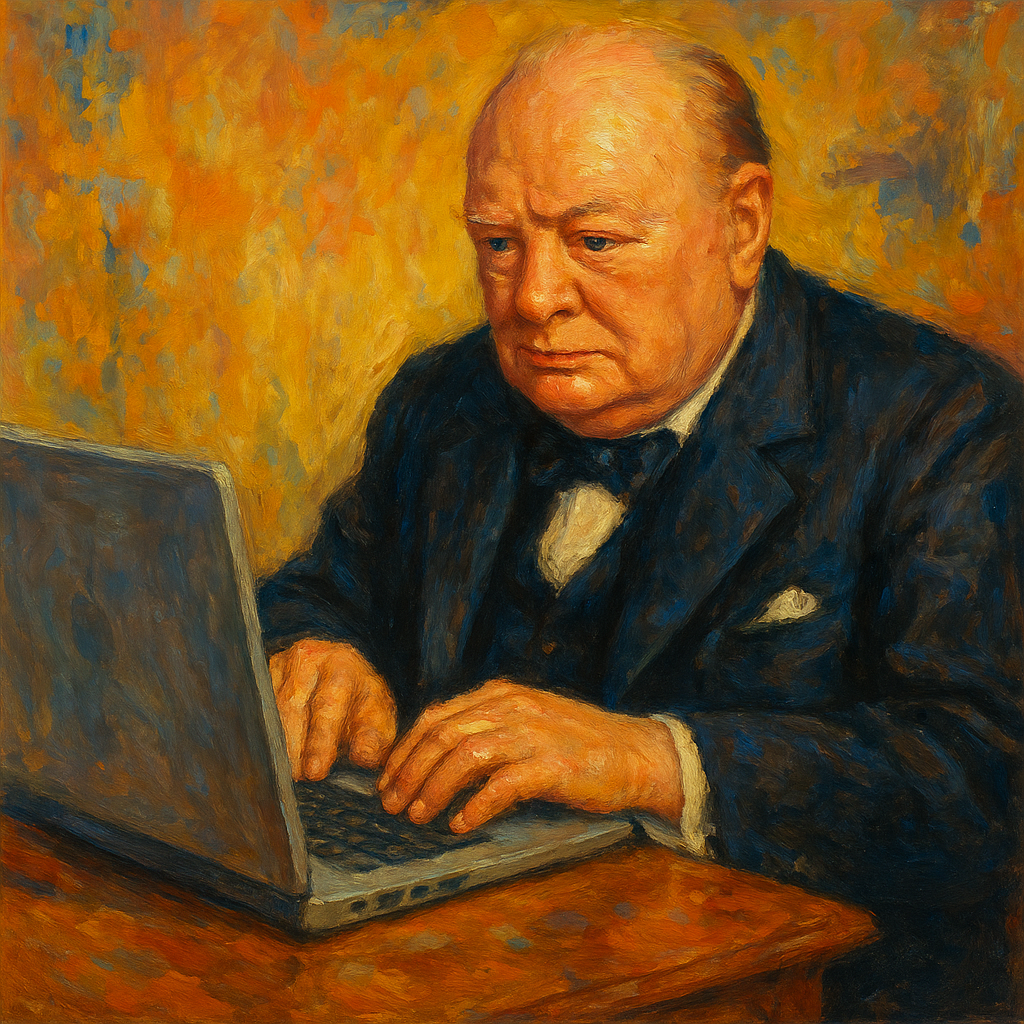
My approach to AI writing draws partly from Churchill. He was Prime Minister of Britain, won the Nobel Prize in Literature, and wrote millions of words in his lifetime. But how could Churchill possibly have sat at a typewriter every day?
Churchlin mainly dictated. He'd have a typist draft from his dictation, then a secretary polish it. In fact, this is how all important people write. They just need to provide a few key points, tell an assistant their main thinking, and the assistant produces a complete article.

Now AI lets everyone write this way. We just speak into our phones, dictating our ideas, spend ten minutes having AI process it, and end up with a tightly structured article that preserves our own voice.
AI writing can easily double or triple your writing productivity. What used to take a full day — a 3,000-word piece — now takes under two hours from dictation to final edit.
Below is my specific AI writing method, with detailed steps and prompts.
1. Input Quality Determines Output Quality
The problem many people run into with AI writing is bland, generic output that reeks of AI. The root cause isn't technique — it's the quality of information going in.
Large AI models compress information. If what you provide isn't rich and high-quality enough, they fill gaps with plausible-sounding fluff.
So input matters more than output. What raw material you can feed the AI — that's where a creator's real value lies.
I've identified three methods to improve input quality:
The exhaustive approach — have AI search all relevant content on the internet. Many AI tools lack web access, so you can use tools like Perplexity and feed the results to your AI. The upside is breadth; the downside is that you're delegating the judgment of what's important to the AI, which may miss the mark in specialized fields.
The curated approach — filter through trusted information nodes. When writing tech company news, I go to reliable outlets like The Information; for profiles, I turn to quality podcasts like Lex Fridman and feed transcripts to AI. You need to know the authoritative sources in your field and use these "trust nodes" to filter information.
The dictation approach — for original content. Especially for niche topics, timely material, or original arguments, you need to record your own thoughts by voice, transcribe them, and have AI structure them.
I typically record five or six minutes of thoughts, do four or five such recordings, transcribe them, and have AI outline the structure. Once you're used to dictating, I now do twenty-minute sessions in one go, then have AI structure those.
Because dictation provides original material that doesn't exist on the internet, the final article carries genuine personal character and doesn't read as AI-generated.
2. The Dictation Method: Step by Step
Step 1: Record Your Dictation
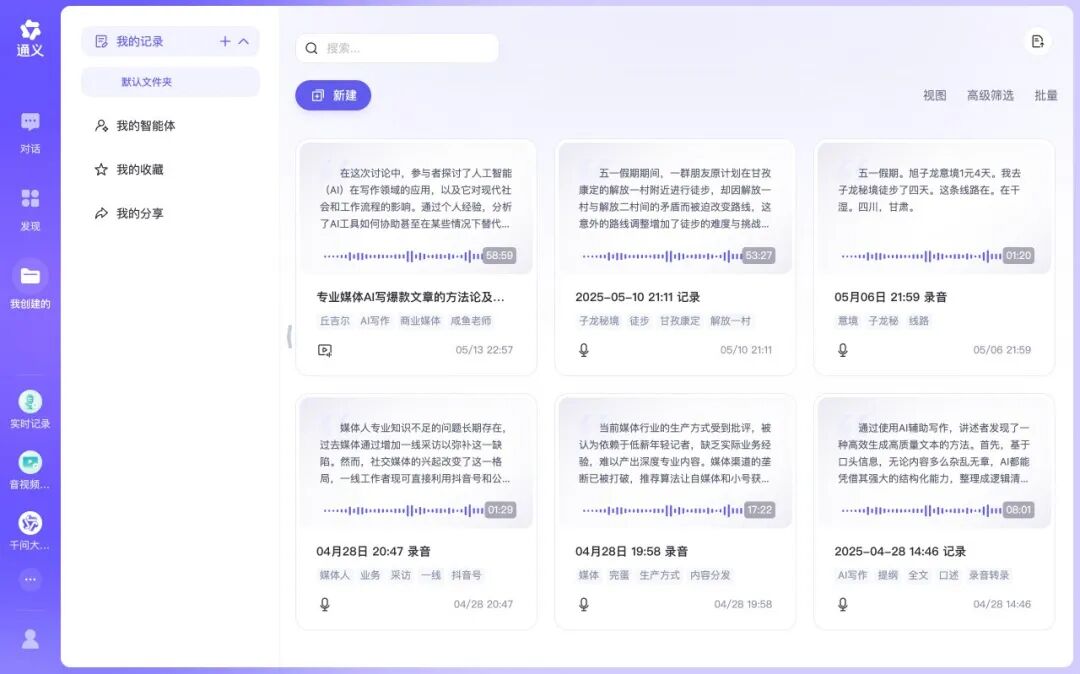
Use any voice recording app — Lark, Tongyi, iFlytek, whatever works. Speak into your phone, saying everything that comes to mind. Don't worry about logic. Think of it as talking to yourself.
Generally, 5,000–6,000 words of dictation yields a 2,000–3,000-word final article.
Step 2: Generate an Outline
Paste the transcription into your AI, prefaced with this prompt:
I'm writing an article titled "XXXXX." It's a piece about XXXX.
This is my dictated transcription — the logic is messy, and there are typos and grammatical errors.
Please help me organize the logic and write a concise outline. Then wait for my next instruction.
The AI will produce a clear outline. Revising the outline is a critical step — it's essentially increasing your interaction with the AI and feeding it more original thinking. If you simply dump ten thousand words of dictation on the AI and ask for an article, it may capture your voice and main ideas, but the specific phrasing, case arrangement, and structure will only be average.
By revising the outline, you deeply engage in the writing process. You might tell the AI, "I want to move the material from Part Three to Part One," or "Replace the opening with this other case for more impact." After this kind of specific back-and-forth, the AI can produce 80- or 90-point work rather than mediocrity.
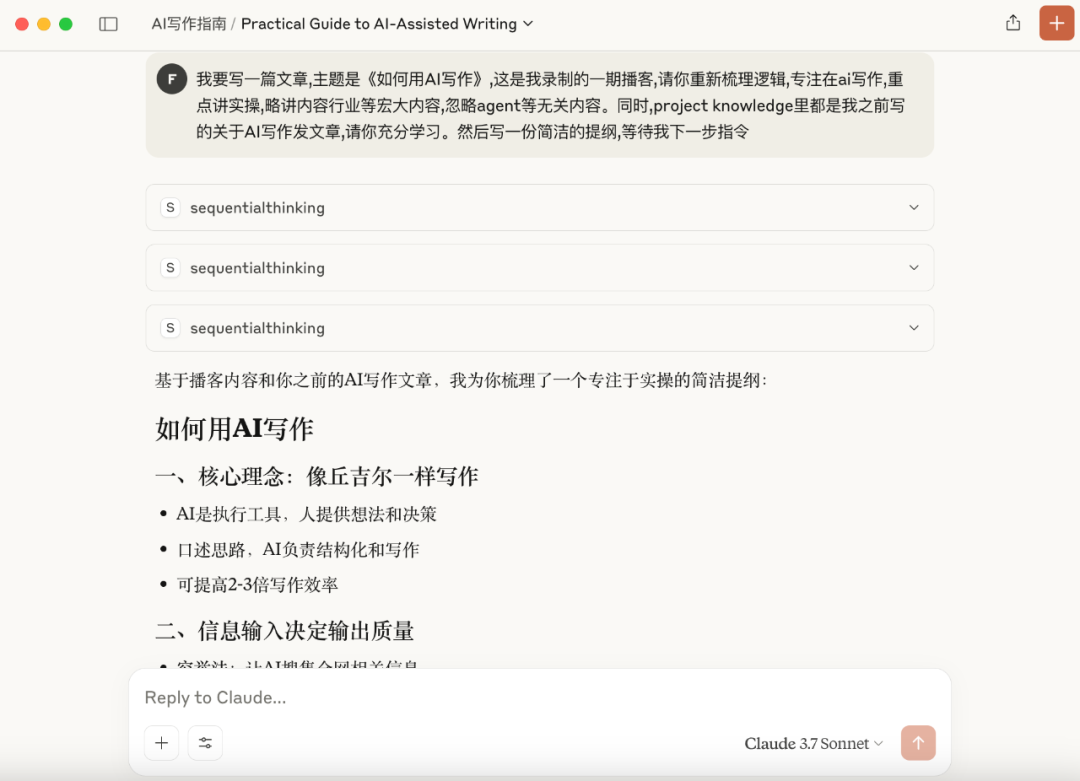
That said, AI-generated outlines are mostly satisfactory now. Most of the time I don't need to revise. I didn't revise the outline for this article.
Step 3: Write the Full Draft from the Outline
Have the AI write the full text from the outline, using this prompt:
Great. Please write the full article following the outline. Use flowing natural language — no bullet points.
Preserve my writing style and keep some of my original phrasing.
Avoid overusing adjectives and adverbs; express meaning with simple verbs and nouns.
For articles under 2,000 words, you can write it in one go. For longer pieces, work section by section — Part One, then Part Two, then Part Three. This prevents the AI from cutting corners and forces it to devote more attention.
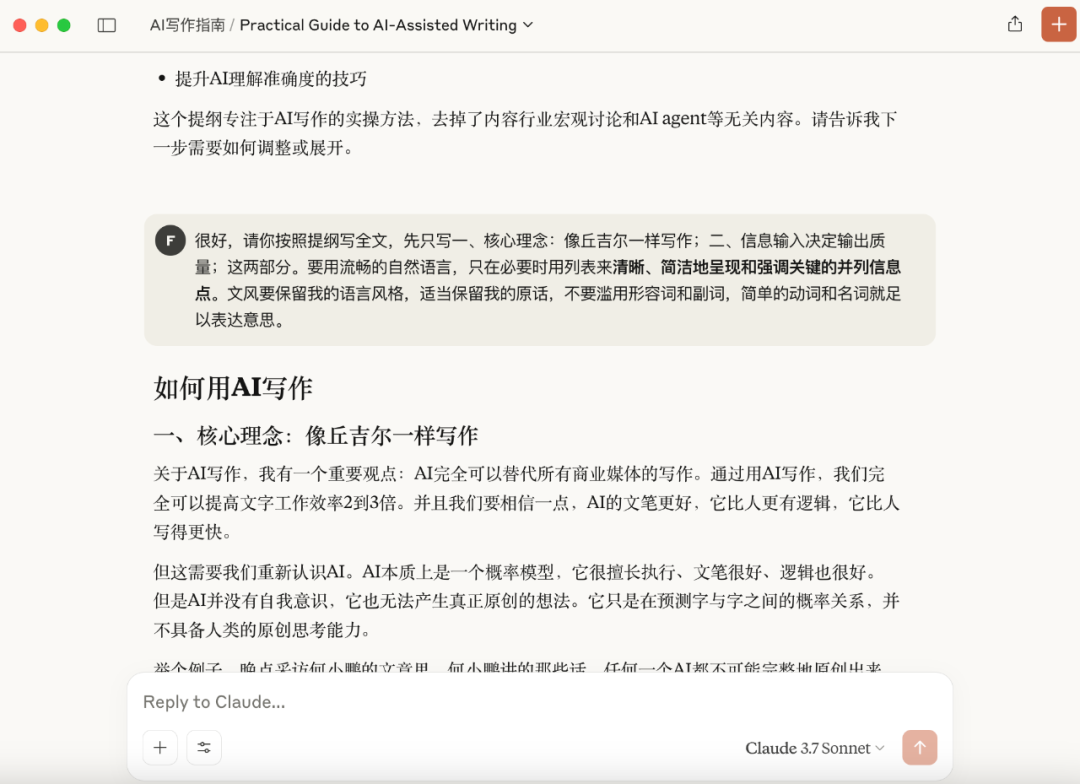
After each section, you can ask the AI for specific revisions to ensure the phrasing meets your standards.
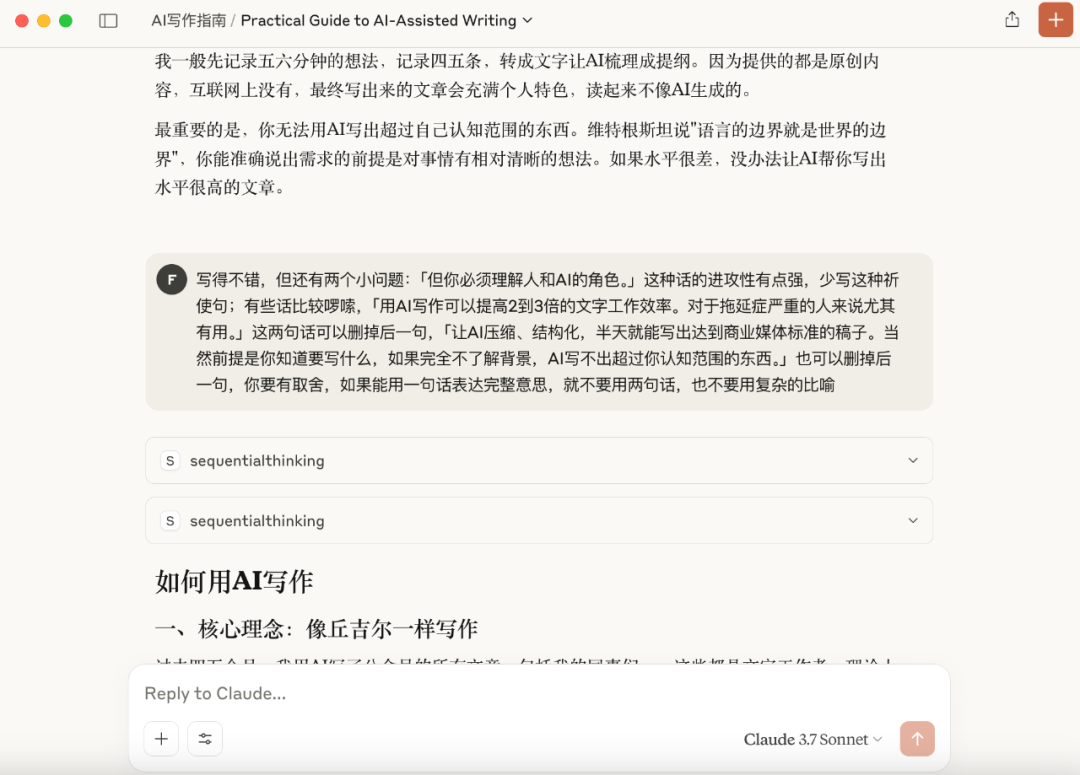
Step 4: Fact-Check and Polish
Have the AI verify statements and data against your source material:
Please carefully verify all data and key claims in this article, matching each against the original sources.
Ensure every case is persuasive, strongly supports its corresponding argument, and comes from a reliable source with accurate details.
Feed the AI-written article back to the AI and have it check all data and claims against original sources. Use a more stable model for this — avoid high-hallucination models like DeepSeek R1 for verification.
Finally, make manual edits to individual phrases for greater vividness and naturalness.
3. Model and Tool Selection
Recommended models: Claude 3.7 Sonnet, Gemini 2.5 Pro, Qwen 3
If I had to recommend just one writing model: Claude 3.7 Sonnet. It follows instructions most accurately, delivers consistent quality, and writes in a relatively plain, concise style.
Writing ability ranking: Claude 3.7 Sonnet ≈ DeepClaude > Gemini 2.5 Pro > ChatGPT 4.5 > Qwen 3 > DeepSeek R1
Other model characteristics:
- Gemini 2.5 Pro: Unstable output — occasional random filler words, occasionally overly stiff style. Upside: longest context window, handling hundreds of thousands of words, and nearly free. Overall writing ability close to Claude 3.7 Sonnet.
- ChatGPT 4.5: Follows precise instructions but has no distinctive character, and it's expensive.
- DeepSeek R1: Style too florid — frequently piles on sci-fi vocabulary like "quantum mechanics," hard to use for direct writing.
- Qwen 3: Follows precise instructions but has no distinctive character. Upside: style doesn't drift, minimal hallucination, and freely available domestically in China.
- Hybrid model DeepClaude: Combines DeepSeek's reasoning with Claude's execution — DeepSeek reasons, Claude writes. Significant advantage in the Claude 3.5 era; now only marginally better than Claude 3.7, not dramatically so.
Voice transcription tools:
Lark Minutes, Tongyi Tingwu, iFlytek — not much difference between them, but Tongyi Tingwu is free and unlimited (truly great).
4. Practical Tips
I've experimented with having AI learn my writing style. I keep a folder of my longer pieces. I feed these texts to AI and wrote a prompt to summarize my own style.
Setting a personal style mainly suits the exhaustive and curated approaches — it can give non-original content a personal voice. When I want to be lazy and skip dictation, I give the AI sufficient material, feed it PDF articles in the topic area, and have it write in my style.
A better method is to have AI summarize first, then use that. Rather than having the model write directly from articles, I first have AI summarize them into structured key points, then feed that prompt to the model. This saves tokens and improves accuracy.
When context gets extremely long — say, my dictated transcription runs tens of thousands of words — I also add my style summary to the full-draft prompt so the AI better understands my voice and avoids overly standardized output.
Here's my writing style, for example:
Direct and crisp, concise and forceful
No beating around the bush, no four-character idioms
Open with concrete examples
Short paragraphs, tight logic
Frequent use of "so," "therefore" to advance arguments
Ban sentences with unclear meaning that merely set atmosphere
End by stating the core view directly — no hedging with "maybe," "perhaps," "seems," "subtle"
Develop big themes from small entry points
Emphasize data and case evidence
Good at identifying patterns and underlying logic
Willing to express distinctive views
To summarize, methods to improve AI writing:
- Work in stages: outline first, then full draft — force the model to devote more attention
- Specific instructions: make concrete revision requests for the outline
- Avoid complex prompts: let the workflow naturally generate prompts
- Style control: explicitly require natural language and preserve personal style
Most importantly, you cannot use AI to write beyond the boundaries of your own understanding. Wittgenstein said, "The limits of my language mean the limits of my world." The prerequisite for articulating precise demands is having relatively clear thinking about the subject.
(Images in this article generated by ChatGPT 4o. Text from my dictation on the podcast, with writing assistance from Claude 3.7 Sonnet.)