AI is quietly rewriting hardware, and this time it's headphones' turn.

What happens to workflows when AI enters headphones?
When AI Enters Your Earbuds, How Does Your Workflow Change?
👦🏻 Author: Jingshan
🥷 Editor: Koji
🧑🎨 Layout: NCon

AI is hitting hardware at a noticeably faster clip this year.
At CES earlier this year, AI-branded hardware products were everywhere. AI glasses, AI voice recorders, AI rings, AI pins... Some of it definitely felt like "AI for AI's sake," but there were also products that, after a few days of use, made you think: this thing actually landed on a real need.
We've been tracking this category closely.
We previously did a deep-dive review of Mobvoi's TicNote AI recording card, publishing "98-Hour Deep Test of TicNote: How Good Is Mobvoi's First Post-IPO Hardware?" right after launch. It ended up drawing over 30,000 readers — clear proof that interest in AI recording hardware is substantial.
Mobvoi's new move this year is an AI recording earbud: TicNote Pods. It debuted at CES 2026, won Best of Kickstarter, and officially joined the AI earbud race.
The TicNote Pods unit we got at Crossing was a special one — a financial research co-branded edition with Alpha Pai called "Zhangting" (literally "Bull Market Listening").
We used it for about a week. Here's what we found.
First, What Exactly Is the "TicNote Pods 4G AI Recording Earbud"?
What we received was the "Zhangting" co-branded edition. The biggest difference from the standard TicNote Pods is that it's cloud-connected to Alpha Pai, an AI investment research assistant platform for financial institutions. Simply put: it's optimized for financial scenarios, with higher voice-to-text accuracy.
Everything else works basically the same as the standard TicNote Pods, so the hands-on review below applies to both versions.
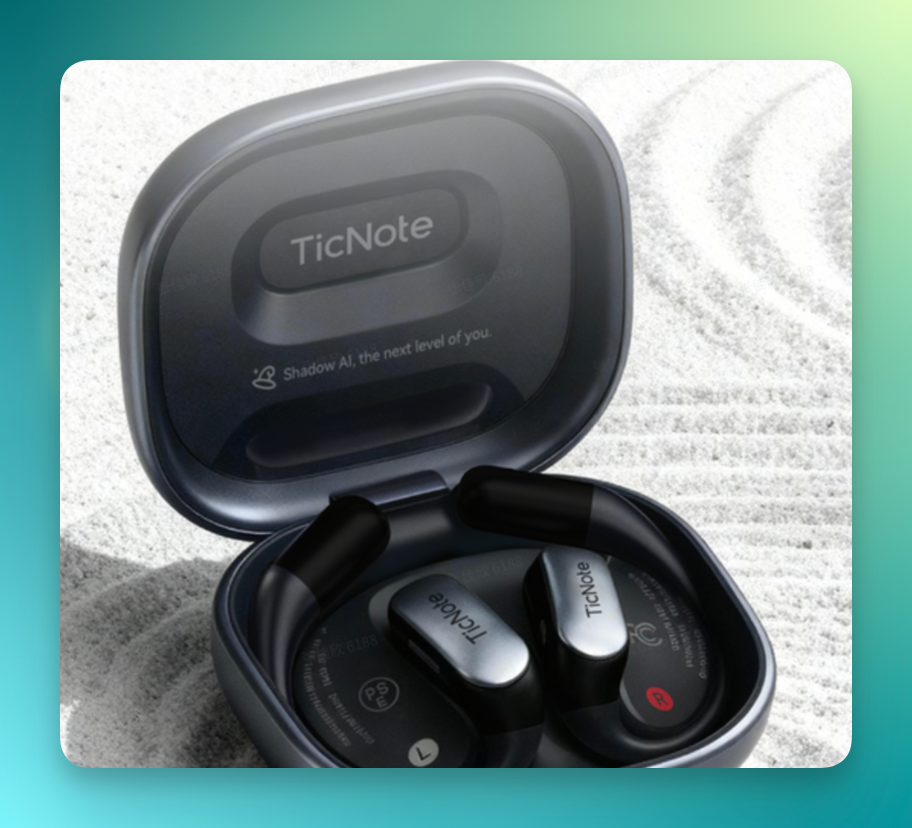
Here's what the standard TicNote Pods looks like:
And here's "Zhangting":
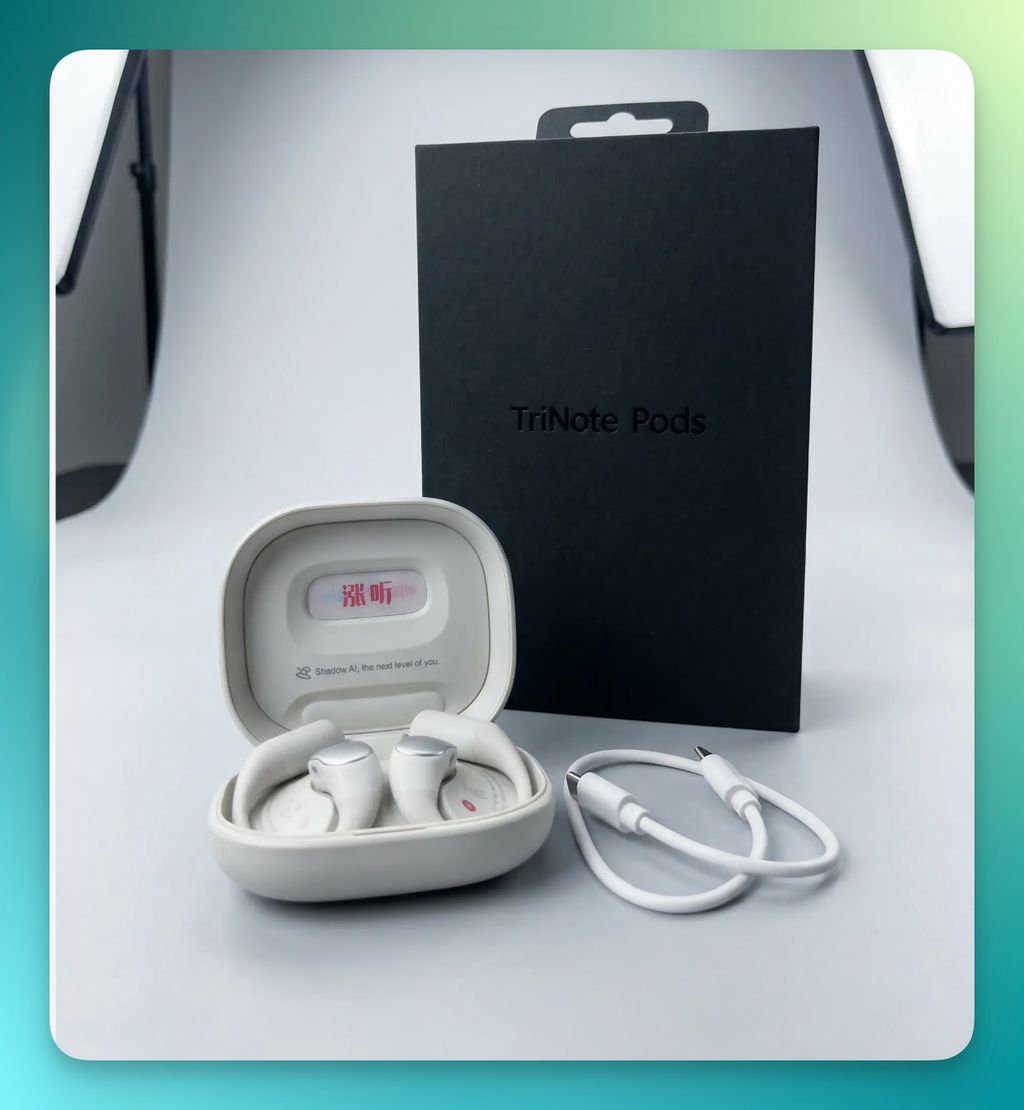
The TicNote Pods charging case feels like a pebble in your hand, matte finish, decent grip. Each bud weighs 7g — very light. But open the case and you'll notice it's thicker than typical earbud charging cases.

That's because there's a 4G transmission module packed inside. This needs explaining — it's easily misunderstood.
It has nothing to do with your phone's 4G. No calls, no texts, no internet. It basically does one thing: transmit recording files through an independent 4G signal channel to cloud sync, without relying on your phone, enabling real-time summarization.
The first-gen AI recording card (TicNote) used Bluetooth — record, then the earbud sends the file to your phone, then your phone uploads to cloud. Slow and unstable; if Bluetooth hiccuped, you started over.
Many people already wear earbuds to meetings, but cards work better for public settings, so earbuds became the solution. And both the buds and the case can record.
On the hardware side: 32GB local storage, roughly 5 hours of recording per charge, up to 25 hours with the case. Audio playback tops out at 40 hours. For daily use, battery life is basically fine.
Breaking Down the Real-World Experience
Let's start with basic operations. Despite being called an AI earbud, it's actually not complicated — about as difficult as a standard Bluetooth earbud, and the manual is quite detailed.
Out of the box, double-click the button on the back of the case to start pairing. Then in the TicNote app, tap "Add TicNote Pods Device," search for your device, pair. Simple:
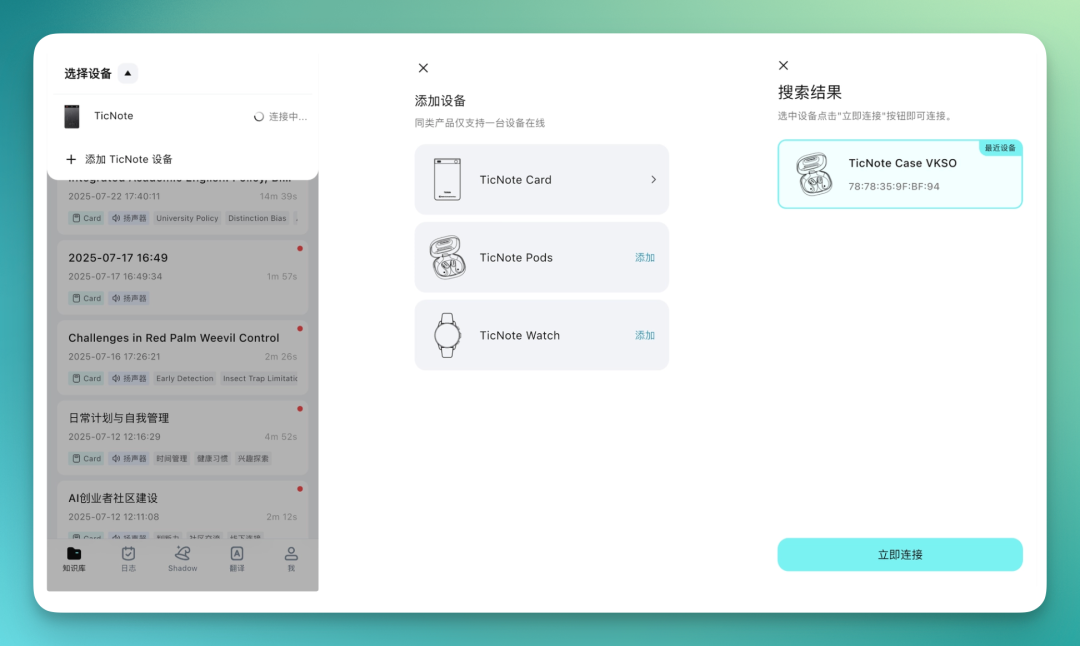
Since we got the "Zhangting" co-branded edition, there was an initial step to choose a summary template. The default is usually fine, no need to overthink it.
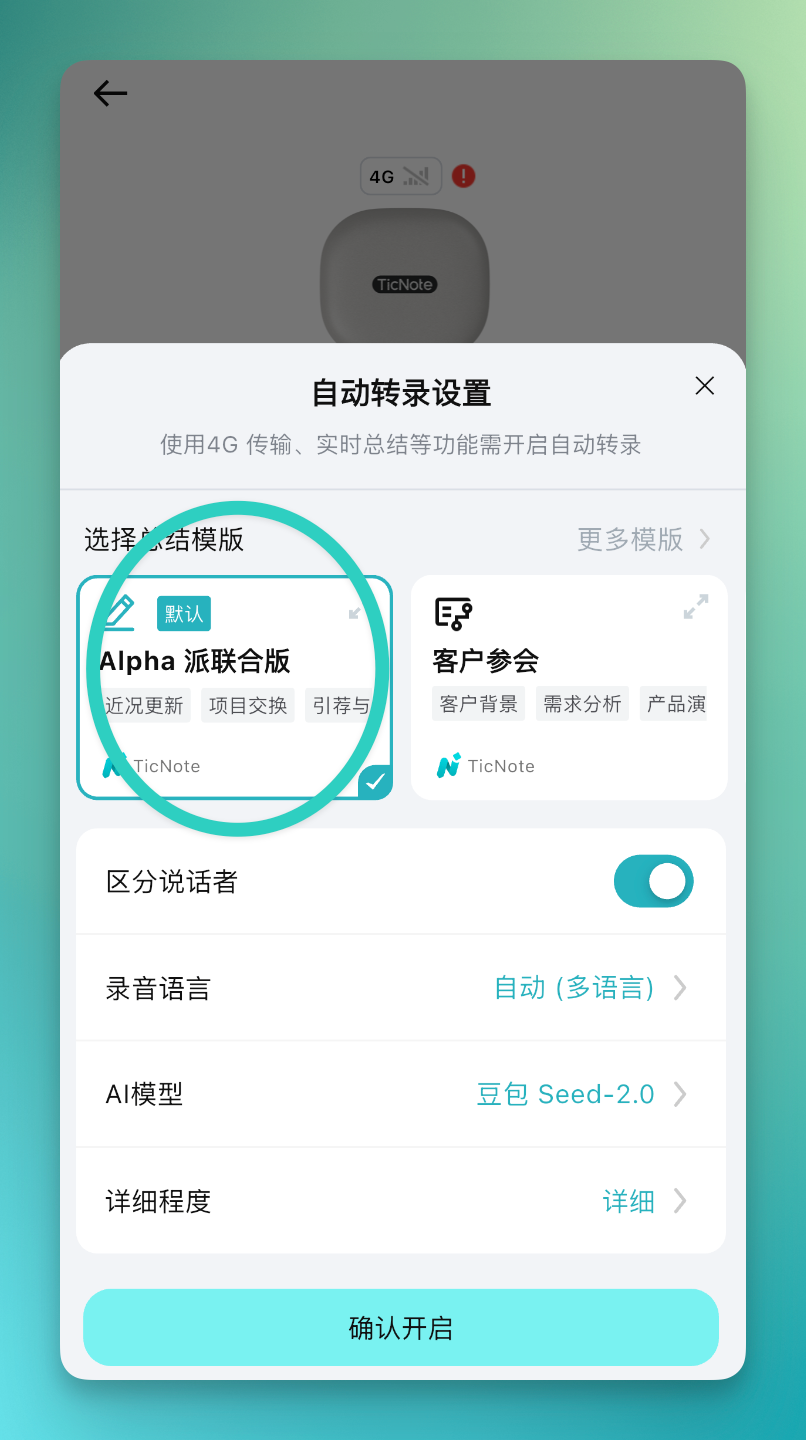
The co-branded edition and standard TicNote Pods aren't that different — mainly stronger recognition in financial domains, with a built-in "Alpha Pai Co-branded" template that outputs in a more professional format (mentioned later in this article). Everything else is basically the same.
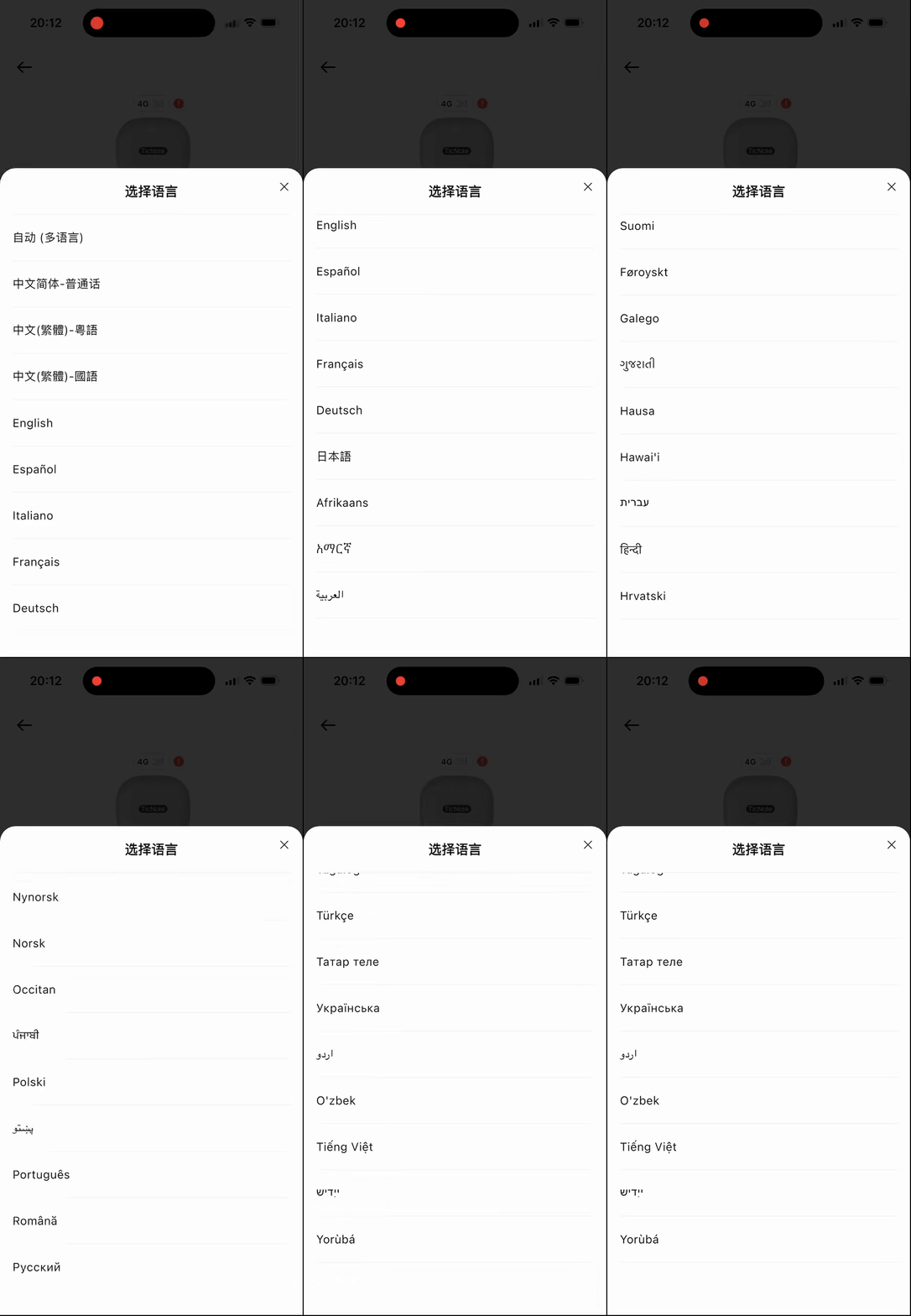
The app already integrates several AI models with many summary templates covering various scenarios: product development, education, interviews, sales...
Each template is tailored to different verticals, with varying output effects, good for knowledge capture.
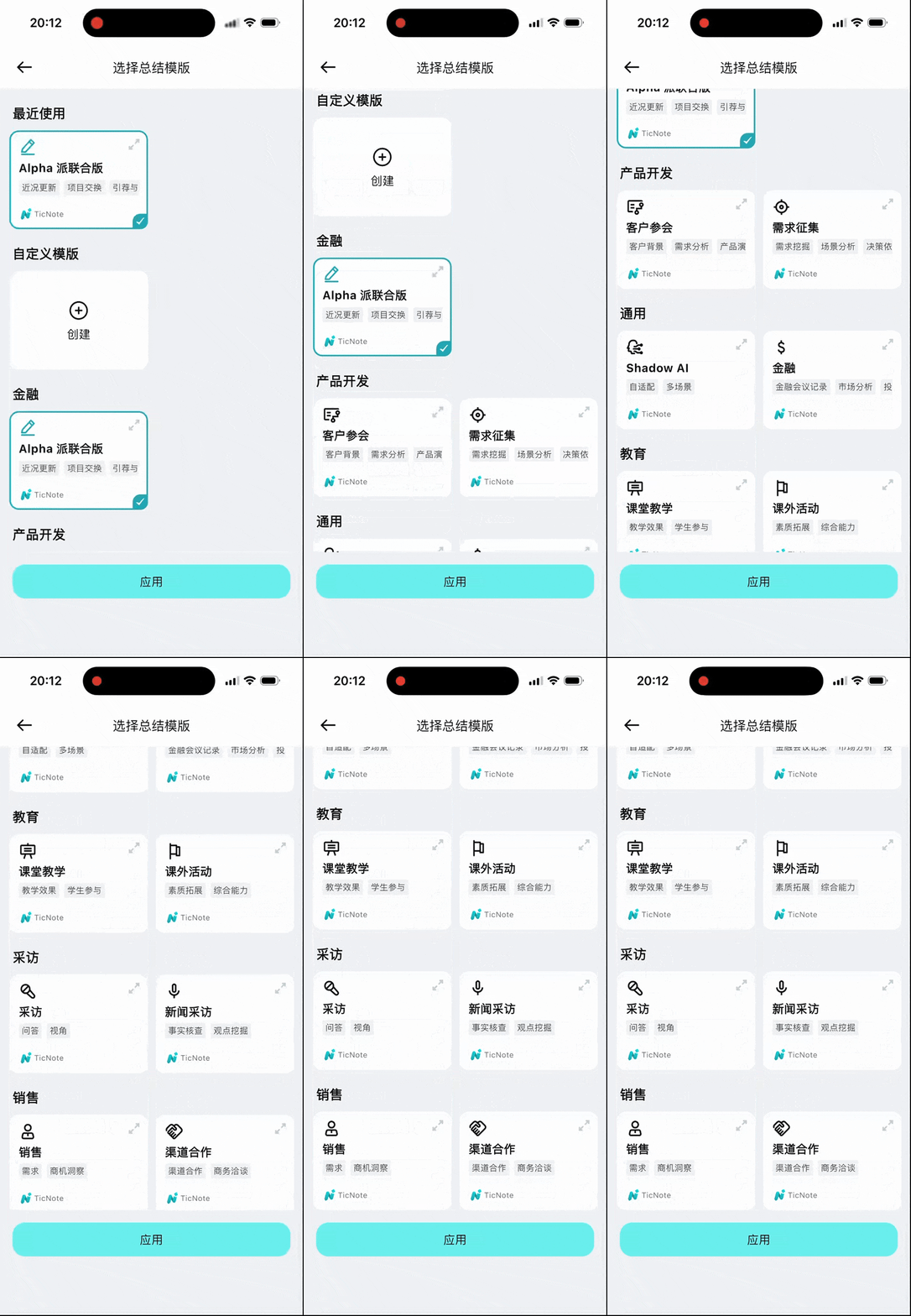
Language support is quite extensive too. I started scrolling through the language list and found many I couldn't even identify.
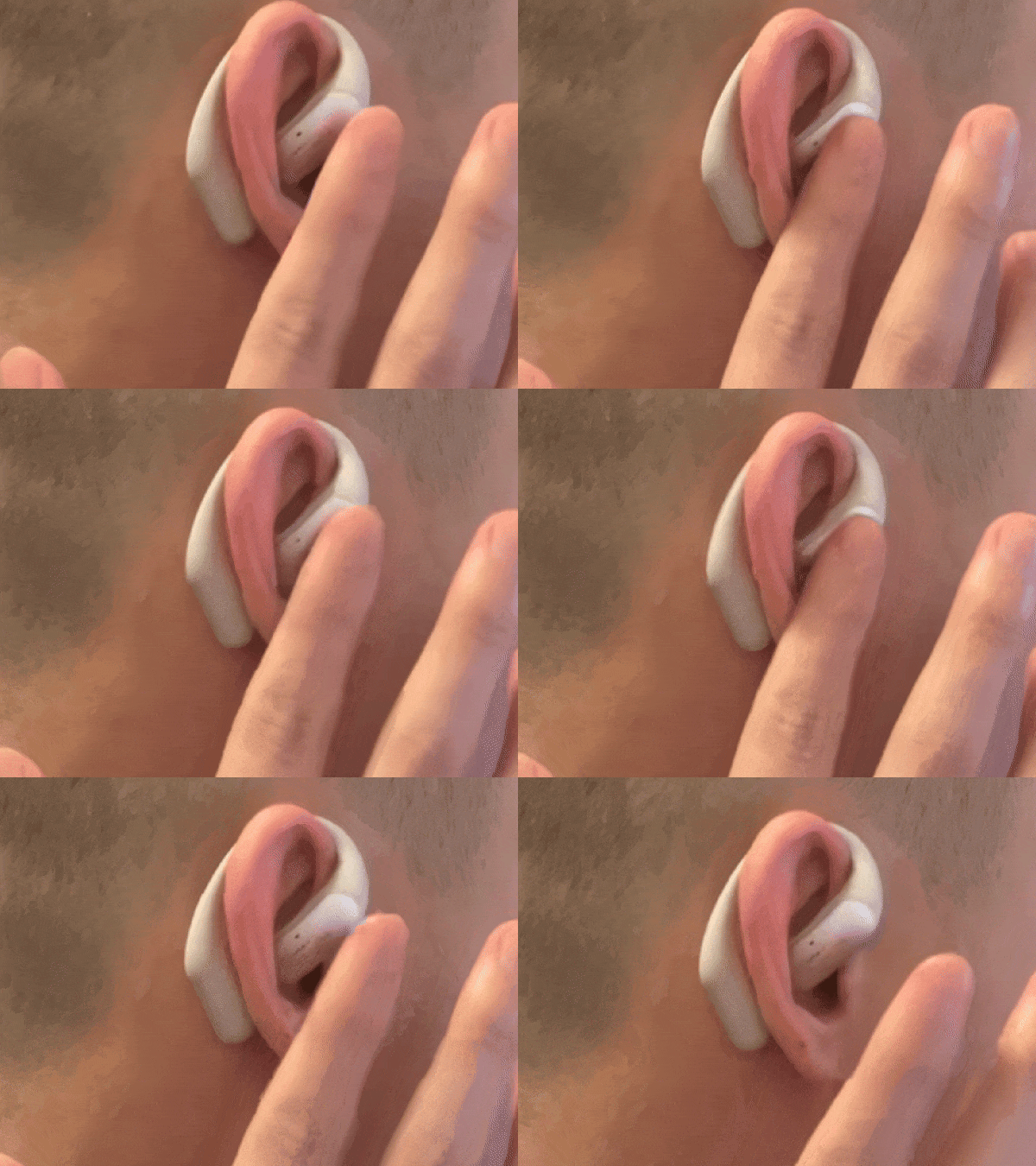
Despite being an AI earbud, it has all the functions of traditional Bluetooth earbuds.
Wear style is clear from the GIF below, operation is straightforward: double-tap to answer calls, double-tap to hang up during calls, double-tap to skip tracks when listening to music — very responsive.
There are also dual microphone holes on the buds.
TicNote Pods supports two recording modes: earbud recording and case recording. Both are quite convenient.
For earbud recording, just double-click the button on the charging case, or tap start recording in the TicNote mobile app.
As open-ear earbuds, they don't go in your ear canal, but audio quality is decent. Listening to music and taking calls while recording — no interference between them, overall solid performance.
I didn't jump straight into work scenarios. First I listened to a Liang Bo song and recorded a clip simultaneously. You can judge the audio quality yourself — this is recorded directly while wearing the earbuds and listening to music:
Daily and Meeting Scenarios: Real Experience After Several Days of Use
For daily use, I mainly use it for knowledge capture tasks.
Earbud Recording | Crossing Podcast
Let me get specific. For the past few days I've been revisiting Koji's late-2025 conversation with Yusen, using TicNote Pods to restructure it.
TicNote Pods has an open-ear design — your ears aren't blocked, so you can still hear colleagues around you. That matters a lot; often you're in an online meeting while needing to talk to someone beside you. In-ear earbuds make that awkward.
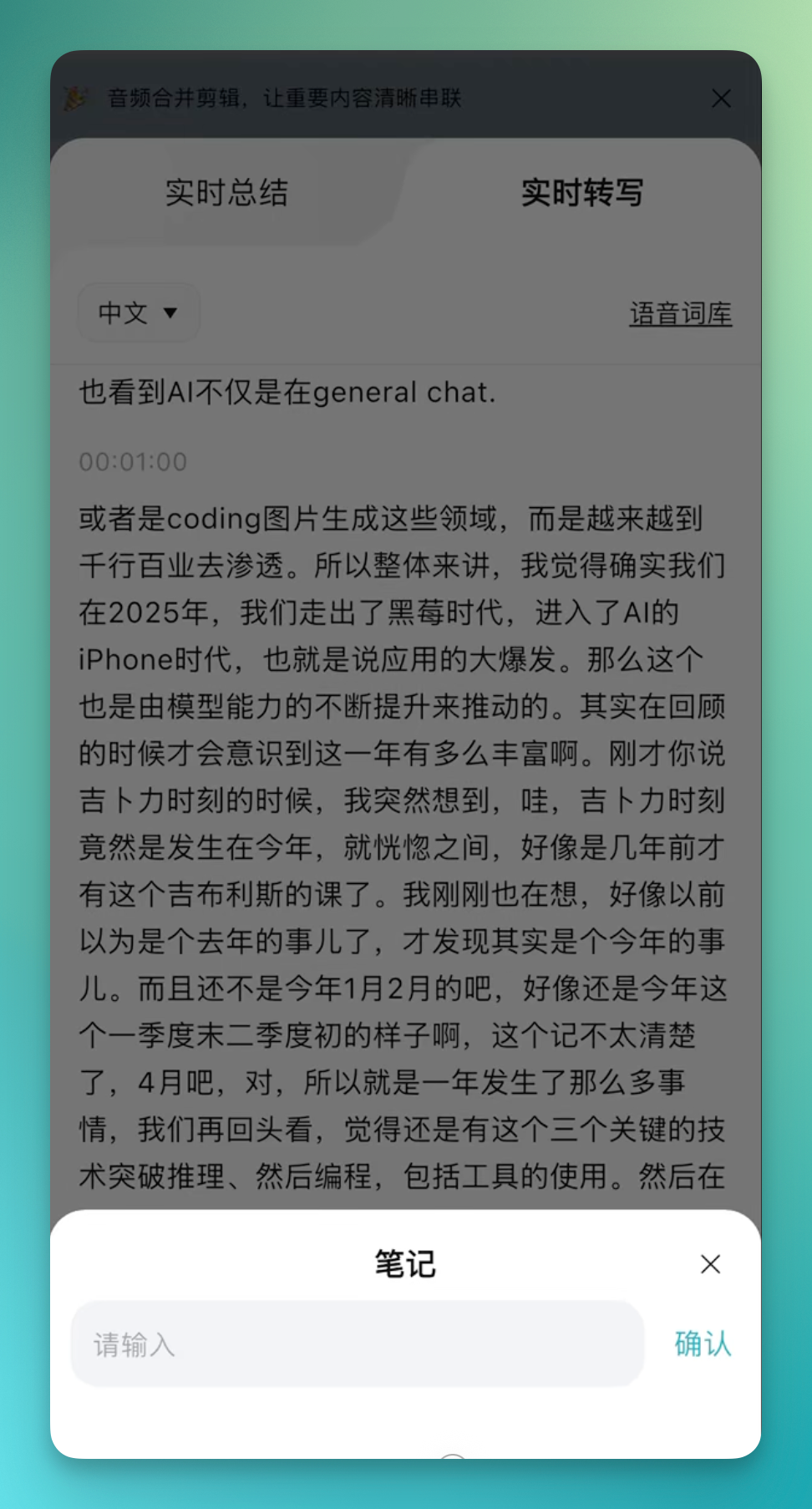
During recording, the interface shows two panels: real-time summary and real-time transcription.
The real-time summary side is intuitively structured, with key information highlighted. The real-time transcription side has AI transcribing and organizing simultaneously — it has its own vocabulary, correcting and optimizing content as it goes.
I recorded a video:
During transcription, you can insert notes anytime, which get timestamped to that point. You can also take photos, which appear in the final transcription report.
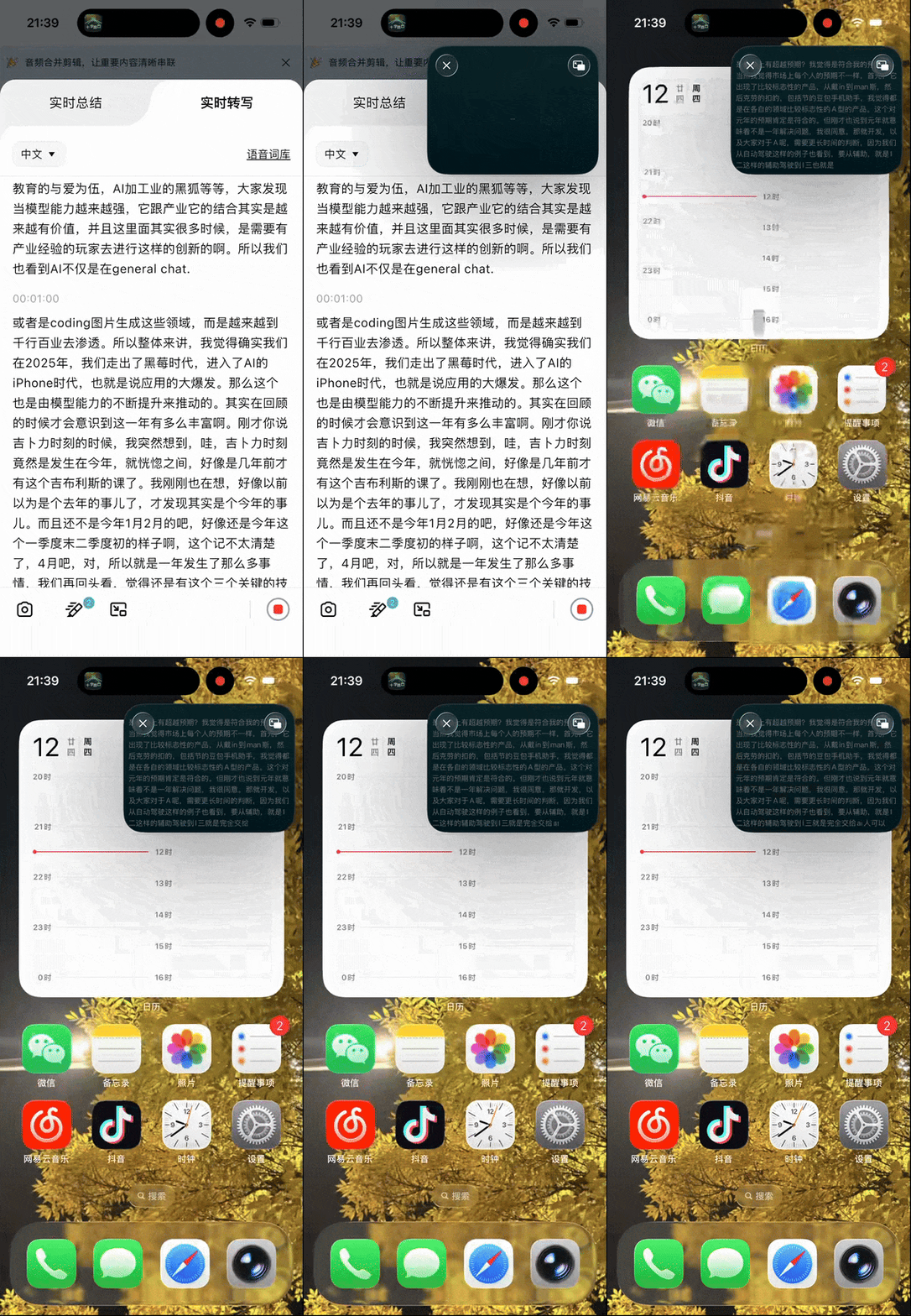
While transcription and summarization are running, you can minimize it to a small floating window on your desktop, no interference with other apps, smooth switching.
Case Recording | Runway Q4 2025 Earnings Call
We received the co-branded "Zhangting" edition, with stronger transcription and summarization in financial scenarios, specifically optimized for financial verticals.
Perfect for testing. Lately more AI startups are exploring alternative funding: venture debt.
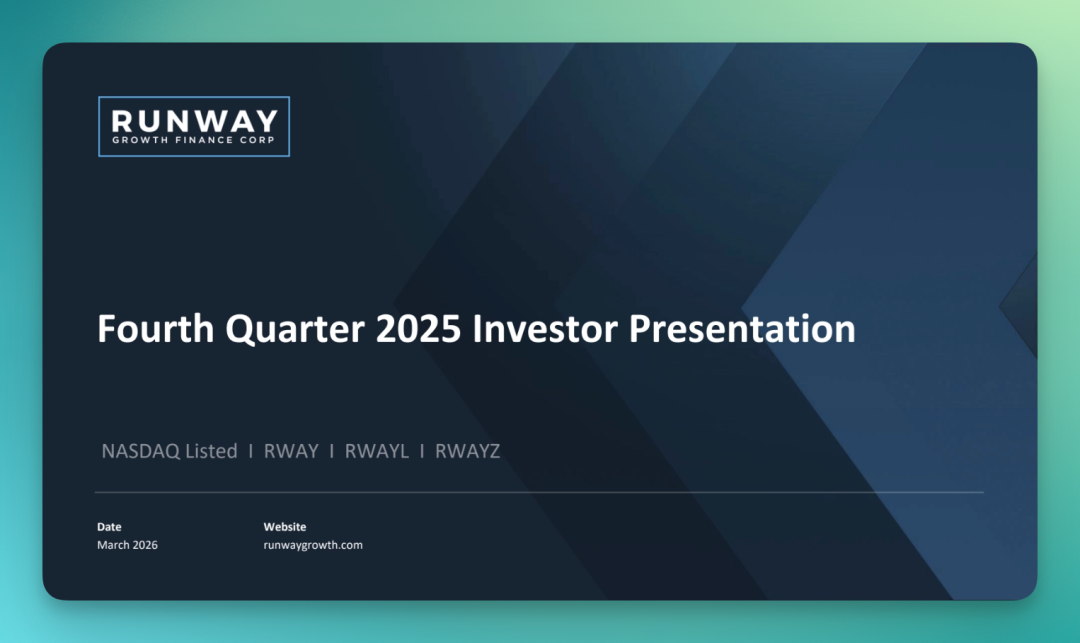
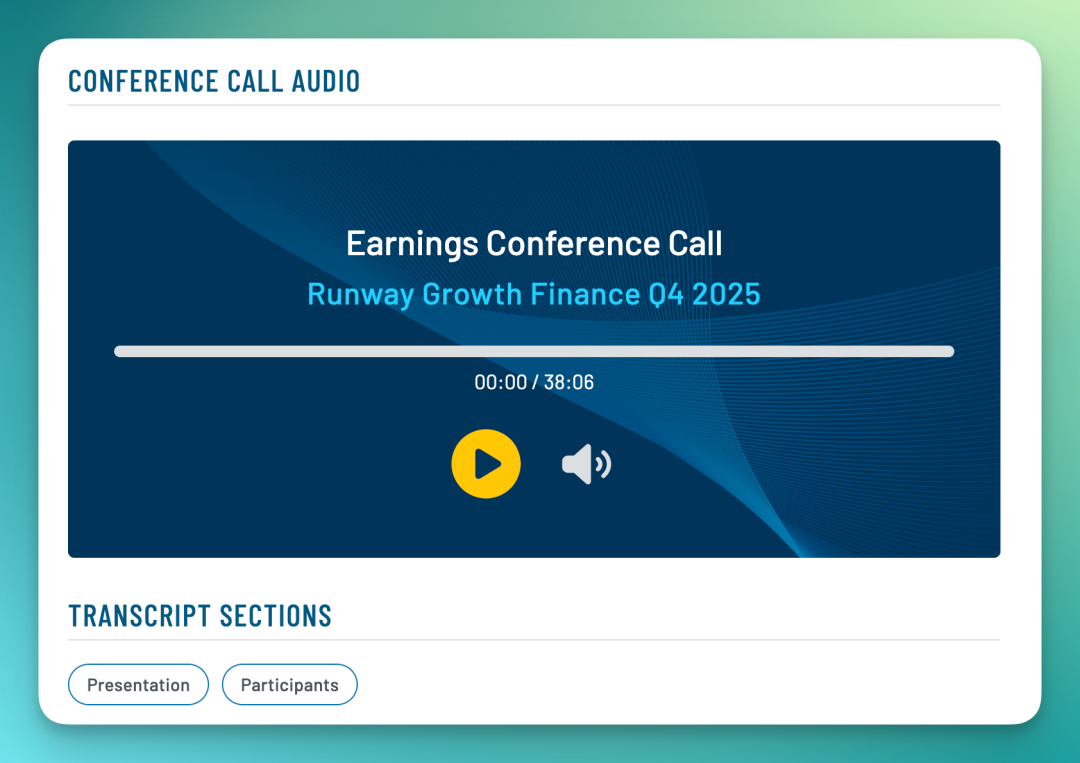
Yesterday Runway Growth Finance's Q4 2025 earnings call recording dropped — this company has real weight in AI startup financing circles. I used "Zhangting" to listen through the entire call, immersive learning style.
Let me also explain the second recording mode: case recording.
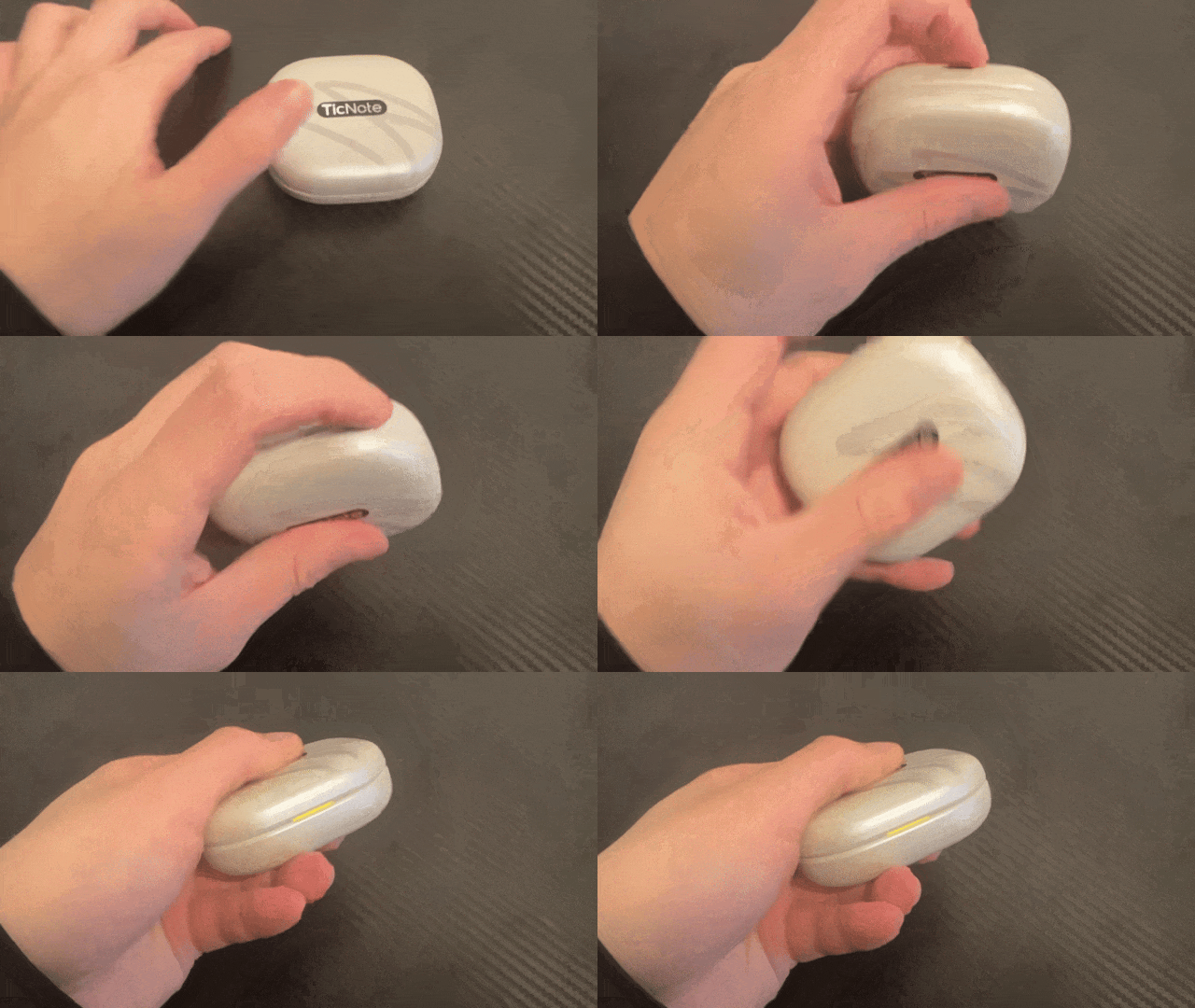
For offline meetings, no need to wear the earbuds. Close the case lid, place it on the meeting table, and it becomes a desktop recording device — using the case's microphone for audio pickup, with additional cloud-based noise reduction.
In practice, it works reasonably well in larger conference rooms. Positions closer to the case are clearer, but distant voices are picked up too — basically covers 5 to 10 meters.
One device handles both online and offline scenarios. Wear earbuds for online meetings, place the case on the table for offline — no need for a separate voice recorder.
Case recording is simple too: press the button next to the charging port, two light taps triggers recording. Or just tap record in the mobile app. Either works.
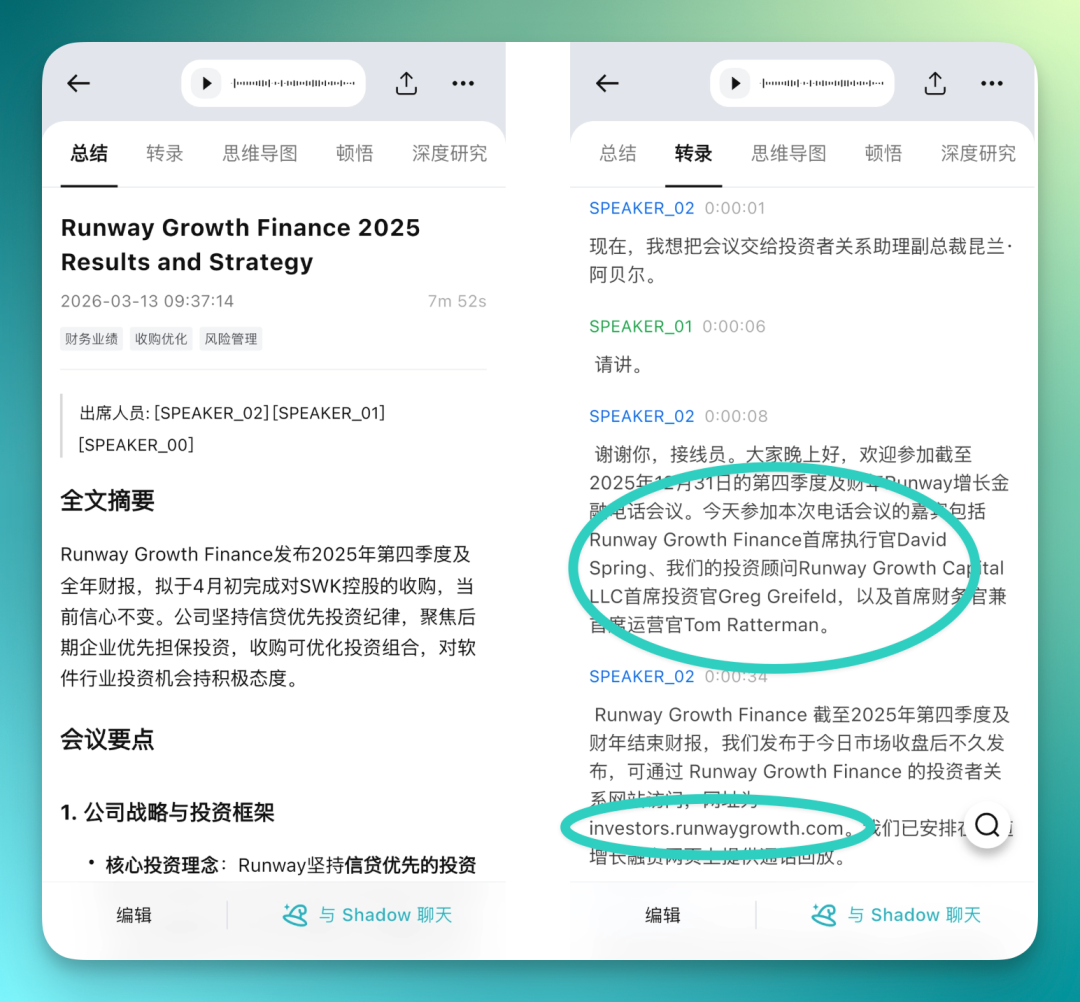
All-In-One Production Chain: Transcription → Summary → Mind Map → To-Do → Aha Insights → AI Podcast
In our previous TicNote AI recording card review, we noted that recordings can run through a complete all-in-one chain: transcription, summary, mind map, to-do, Aha insights, AI podcast.
TicNote Pods naturally connects to this chain too.
"Zhangting" is specifically optimized for financial scenarios, and you can feel the difference: higher accuracy on financial terminology, many professional terms displayed in English while other content stays in Chinese — mixed formatting feels natural, professional vocabulary mostly gets recognized correctly.
You can genuinely feel the difference.
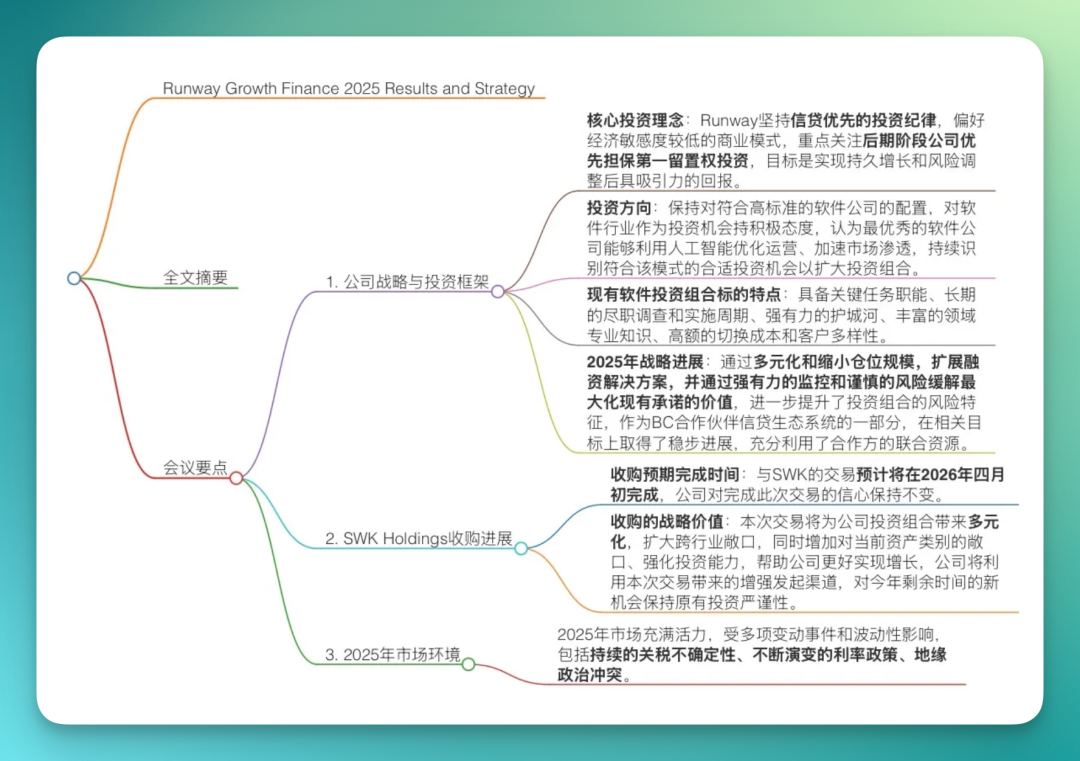
TicNote Pods also supports full mind maps, integrated into the post-transcription production chain.
The mind map lists meeting points with clear structure. Especially useful for foreign-language meetings or live sessions — one glance and you know where the whole meeting went.
In the mind map, titles are bolded, key professional terms are separately annotated. With "Zhangting," this is even more pronounced — more financial terms, more granular annotation.
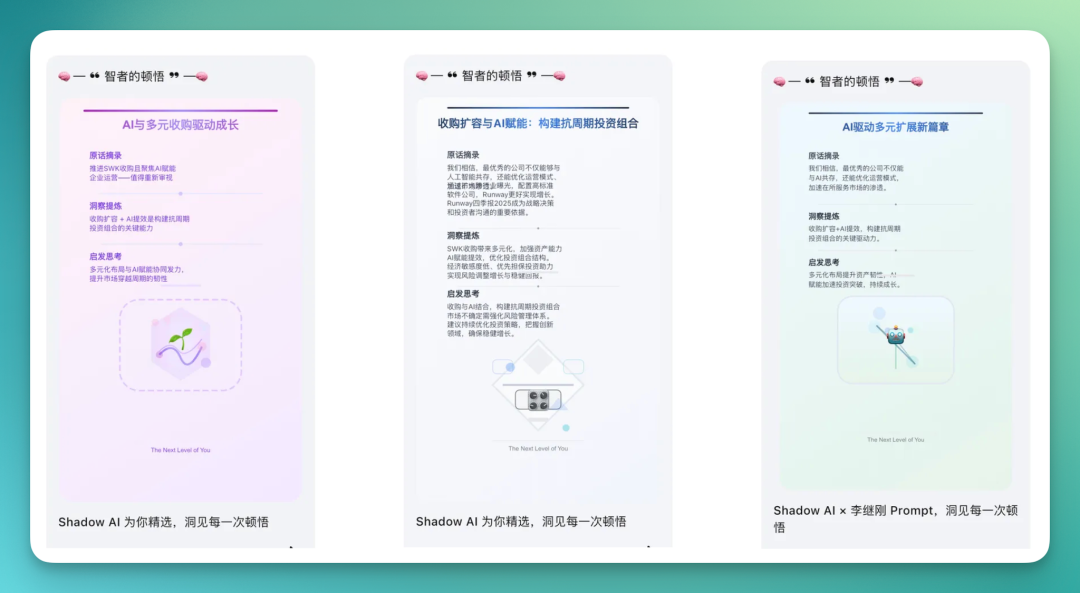
There's also an insights feature. It extracts original quotes from the full audio, distills key points, and provides corresponding analysis.
This feature is co-created by TicNote Pods' AI Agent — Shadow AI and Li Jigang.
After reviewing transcription and mind map, you can one-click generate a complete research report in the deep research module.
I went through the report content carefully — quality is quite high. It heavily quotes original lines from your recording, then expands from there, also searching online for supplementary material from platforms like CSDN blogs, finally synthesizing everything into a deep research report.

Finally, there's an AI podcast feature.
It uses male and female voices to re-tell the essence of the entire content in podcast form — basically a compressed, refined version presented as dialogue. Good for quick review listening.
Simultaneous Interpretation
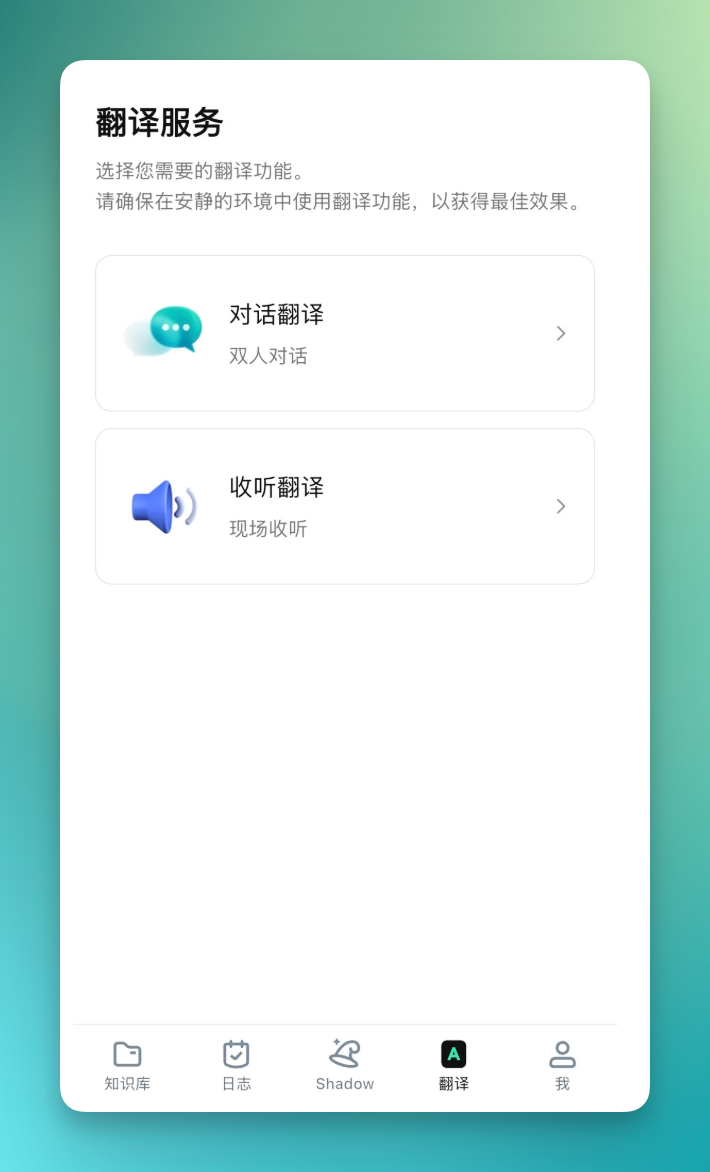
TicNote Pods supports real-time transcription, and the app has a separate translation module.
Two translation modes: conversation translation and listening translation. Both support real-time transcription and translation, essentially a lightweight simultaneous interpretation tool. Quite convenient to use.
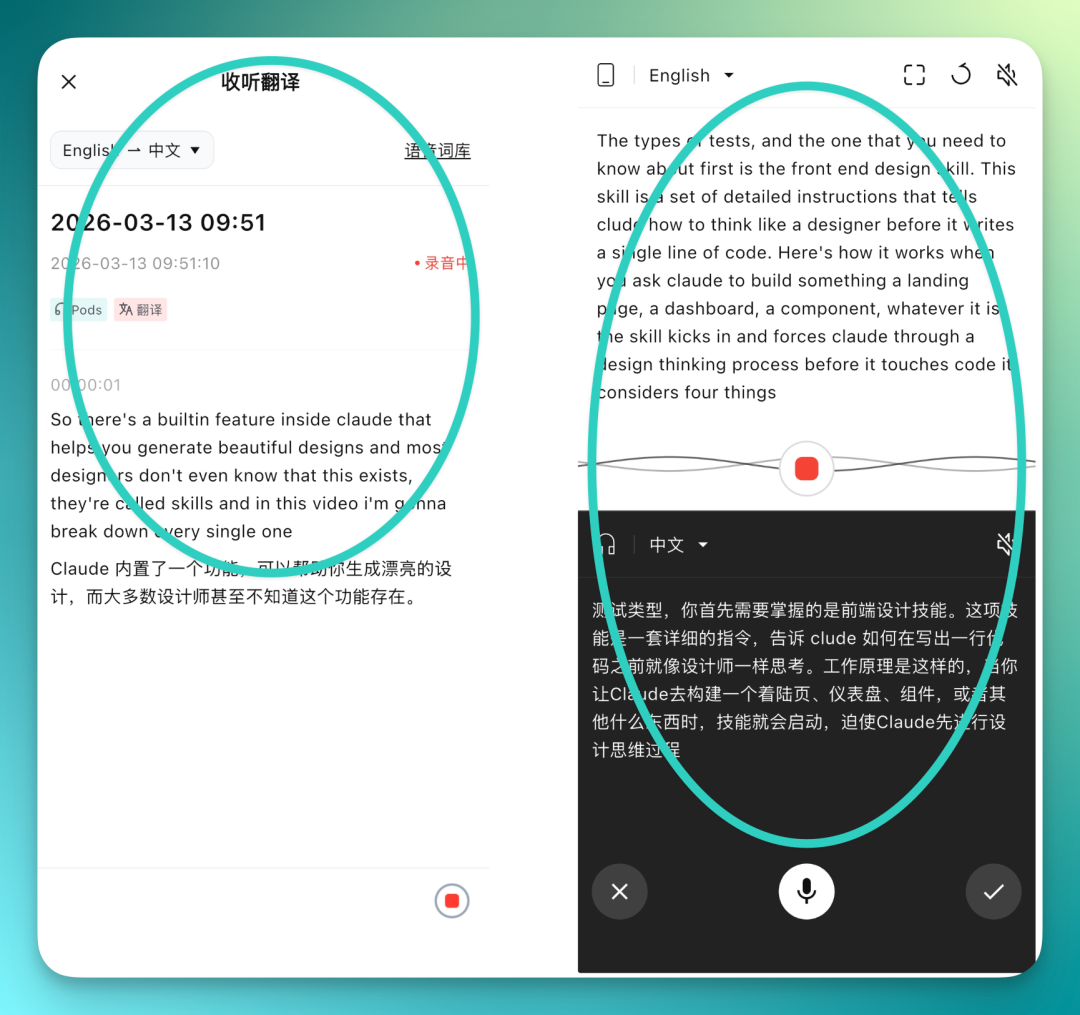
There's a trending YouTube video about using Claude Skills for frontend design, titled How to Use Claude Skills as a Designer.

I used this to test real-time translation. On the listening translation side, language selection isn't as extensive as transcription, but still supports a dozen-plus languages.
Overall translation quality is good. What's interesting is it self-corrects — "Claude" might initially translate as "Kelaode" (phonetic), but in the next sentence it re-adjusts based on broader context, automatically correcting previously mistranslated terminology.
Speed is fast too — no noticeable real-time lag.
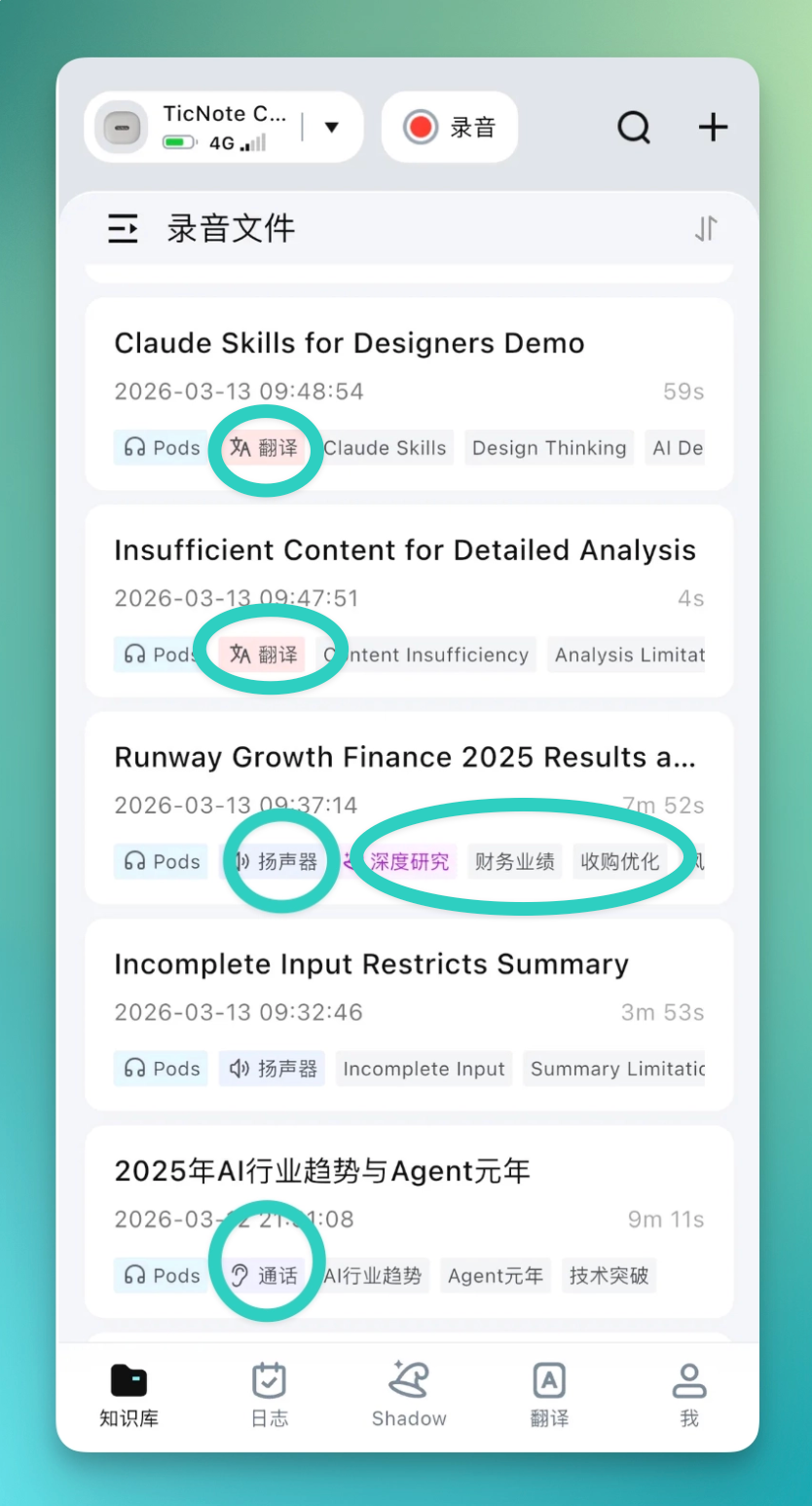
Finally, all transcription, recording, and translation files automatically save to your knowledge base.
File names are auto-generated based on content context — no manual naming needed. Each file also gets a row of tags noting which device was used, which recording mode, what operations were performed, and the file topic. Easy to find later.
Shadow AI Upgraded to Agent
In our previous TicNote AI recording hardware review, we highlighted TicNote's built-in Shadow AI, a sort of global AI secretary. At the time it was basically limited to Q&A on recording file content. Now it's become an Agent capable of file generation.
TicNote supports both mobile and web, with synced data across both. If mobile isn't your thing, just log in on the website — layout is similar to mobile but with more screen real estate, easier on the eyes.
First, Q&A capability: now in TicNote, you can directly add files in the "Shadow Agent" dialog, or @ your saved recording files for AI Q&A. For example, I directly referenced the Runway Q4 earnings call file and asked:
What's the biggest story from Runway Q4?
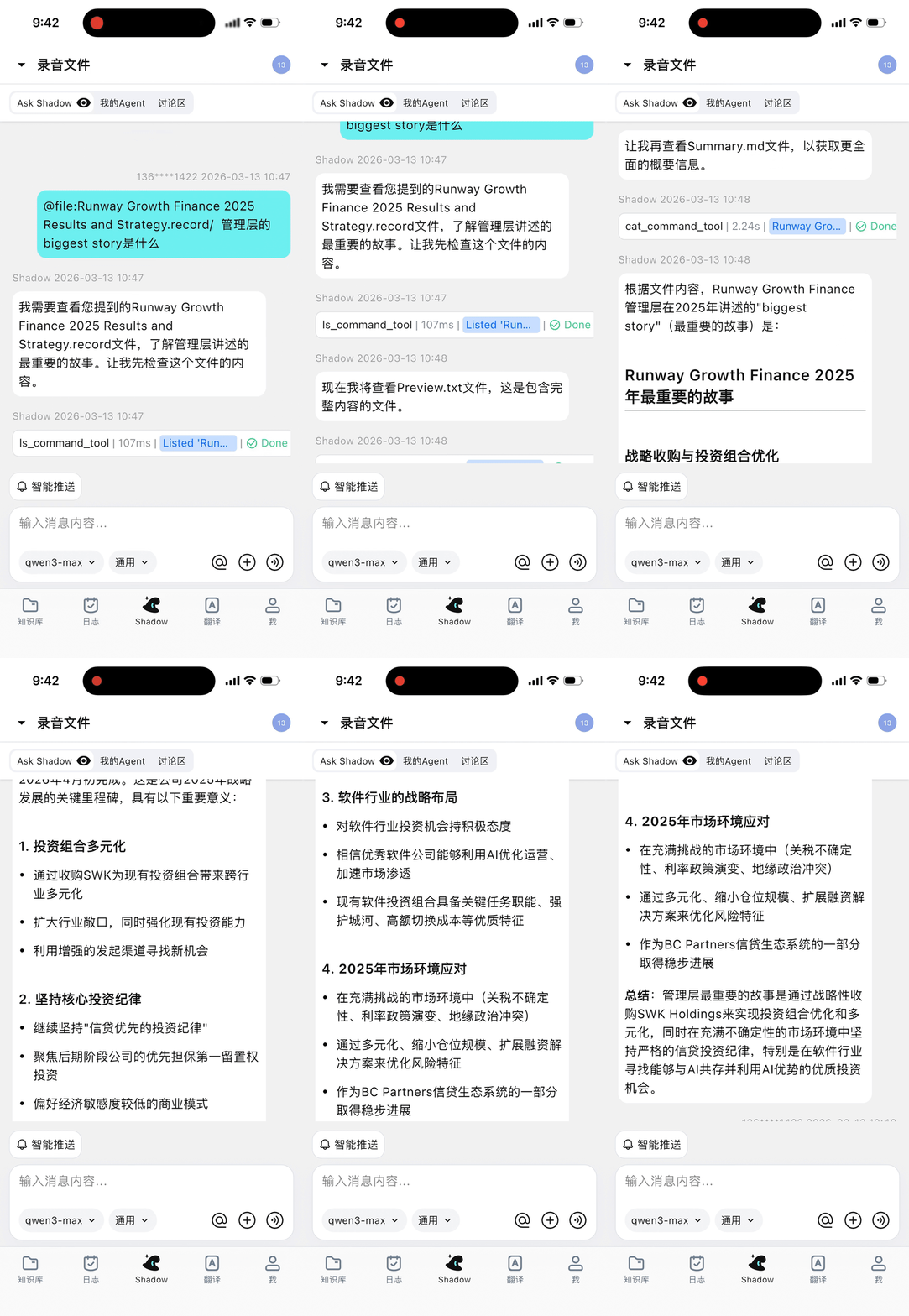
Now for the upgraded Agent capabilities — most obvious is that Shadow Agent can call tools. Both mobile and web support generating HTML-format presentations, previewable directly in-page. To make a presentation, first create a separate knowledge base on the left, say name it "Runway," then enter your prompt on the right, and it'll generate a presentation based on all files in that knowledge base.
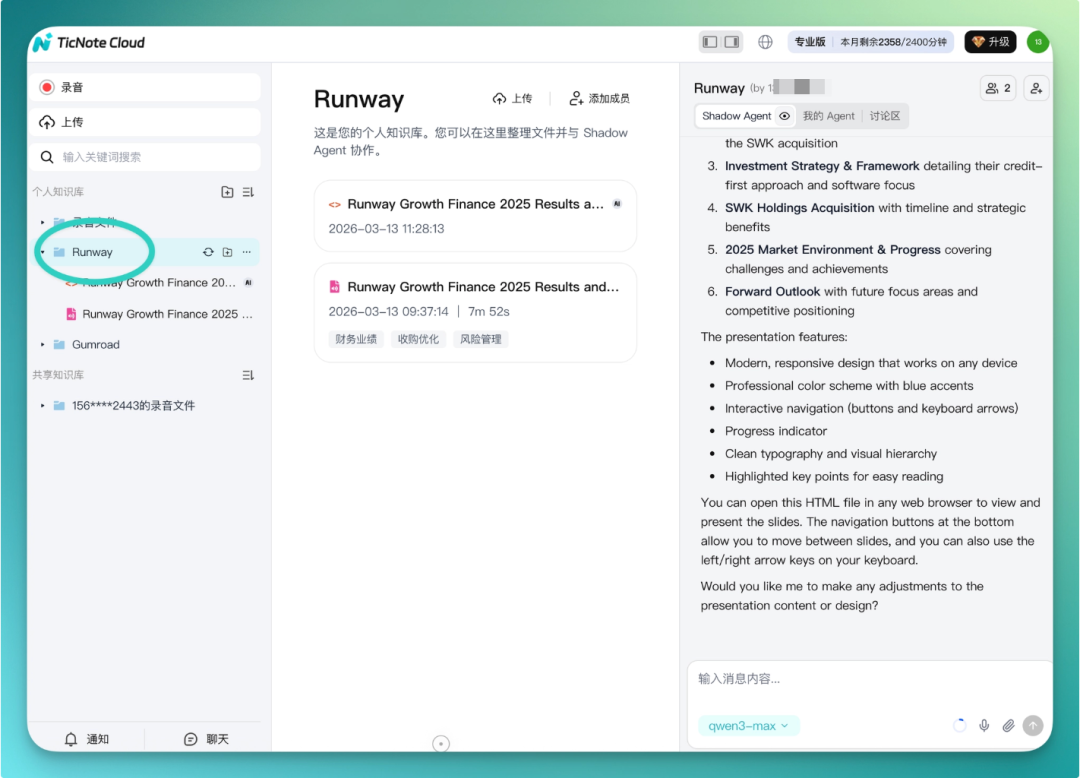
You can conveniently generate an HTML display inside TicNote, with one-click export support. Basically, TicNote now functions much like a "workstation":
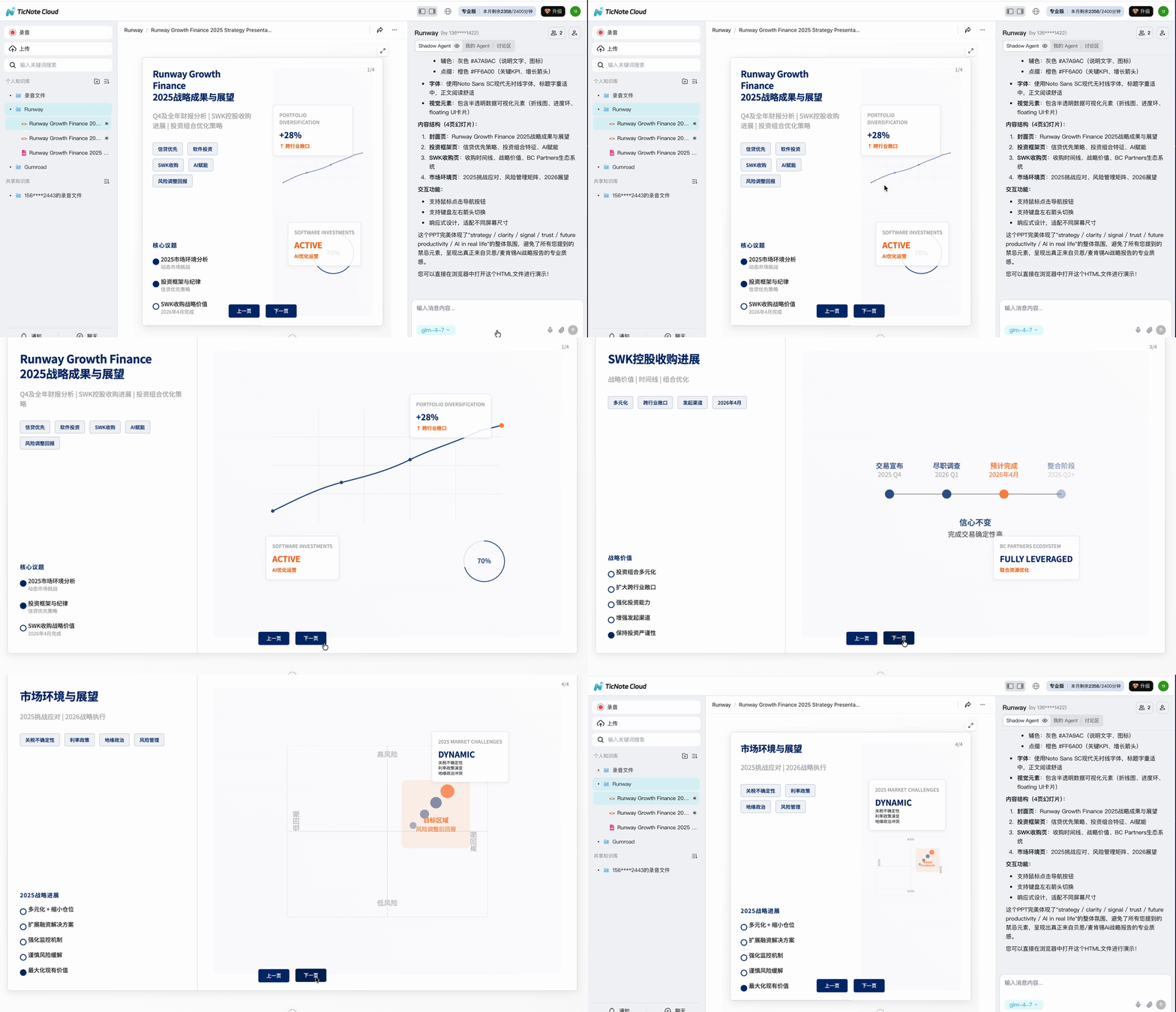
TicNote Cloud: Turning Recordings Into Team Knowledge Assets
Finally, let's focus on TicNote Cloud.
Simple version: it's TicNote's cloud service. All your recordings and documents get organized into a project space. The core purpose is turning this content into structured knowledge, then sharing that knowledge space with team members or the built-in Shadow AI for collaborative work.
Mobvoi co-founder Yuanyuan Li once wrote an article specifically about her thinking on TicNote Cloud. She sees it as fundamentally a Context problem — memory should live in files, not conversations. TicNote Cloud aims to make every interaction result沉淀 into files: meeting minutes, to-dos, analysis reports, Skills, Memory.
All files belong to projects; projects carry context; context continuously evolves. The ultimate goal is building infrastructure for Shadow Agent. TicNote Pods' 4G capability is the Agent's pager; the earbuds are the Agent's senses; TicNote Cloud's file system is the Agent's memory.
With transmission, sensing, and memory all equipped for the Agent, AI has its foundational capabilities. This essentially turns recordings into team knowledge assets.
Operation isn't complicated. In the discussion area, invite members, select which knowledge bases to share, and basic setup is done. After that, everyone can @ corresponding knowledge bases directly in the discussion area, collaborating based on the same content set.
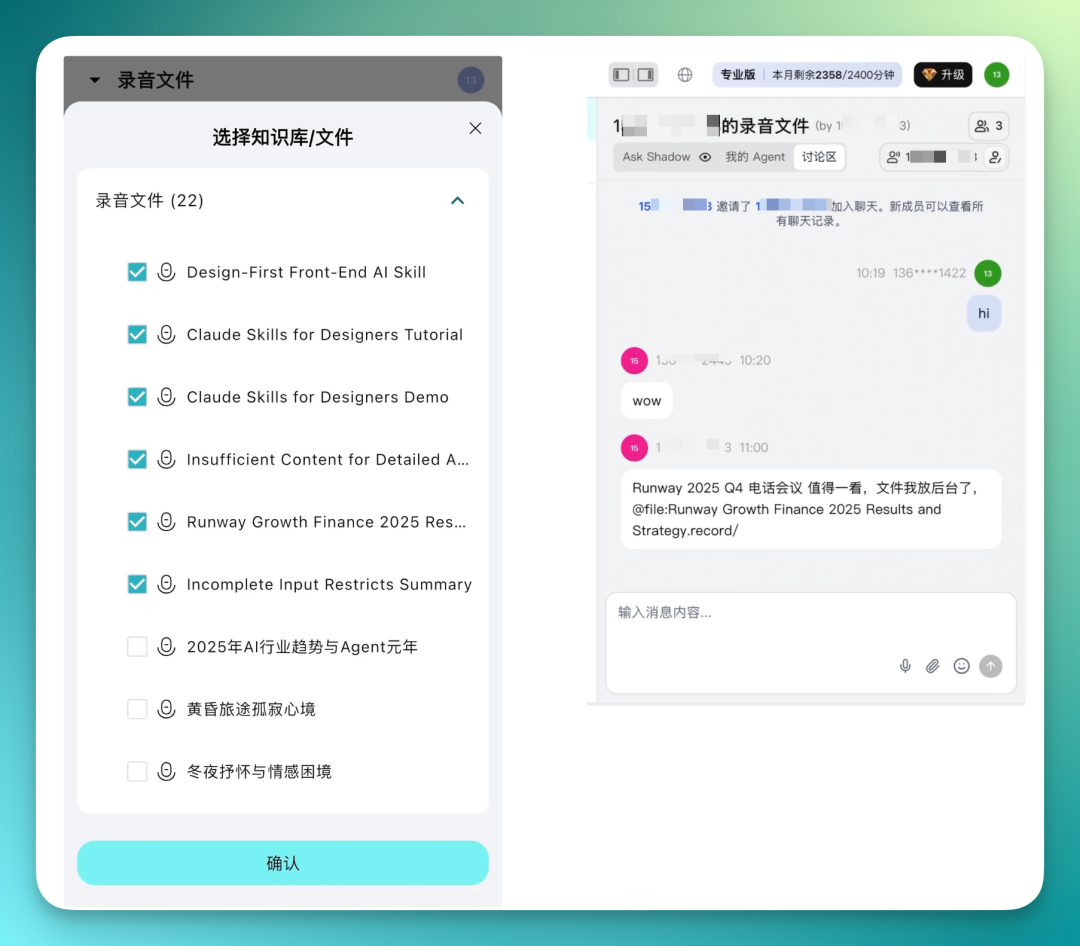
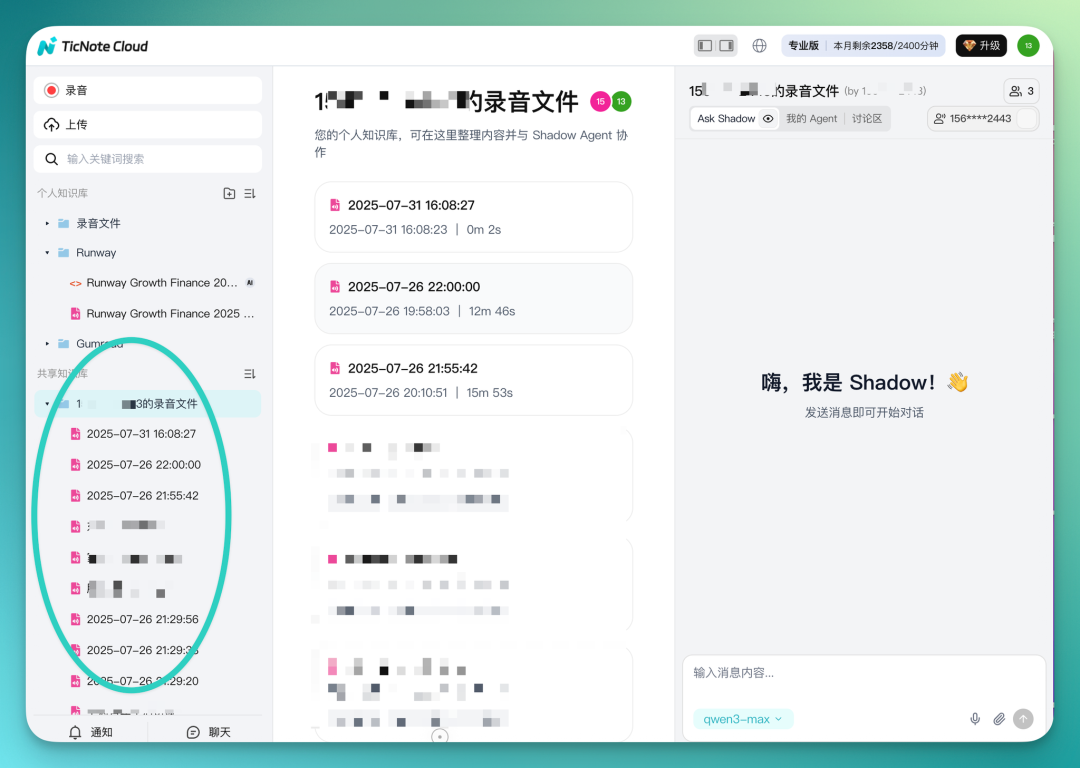
Every team member can share their knowledge bases. In the left sidebar, personal and shared knowledge bases are separated, easy to toggle between.
The shared knowledge base shows all content everyone has contributed, ready for knowledge organization based on these recordings and documents.
That's our hands-on review of TicNote Pods. Overall, feature-rich with fairly complete usage logic.
TicNote Pods' product logic: you wear the earbuds to a meeting, or place the charging case on the table. When done, put it back. No need to open your phone, no manual uploading, no self-organizing.
TicNote Pods uses a 4G module to try solving transmission, Shadow Agent to try solving processing, and TicNote Cloud to try solving collaboration.
It fits this profile well: as long as your work involves heavy "listen → note → organize" cycles, this product can eliminate that "organize" step.
🚥
The product's current launch price starts at 1,499 yuan. On March 16, search "TicNote Pods" on JD.com and Tmall for the standard edition. If you're in financial services, keep an eye out for the "Zhangting" co-branded edition — available through Alpha Pai channels or Mobvoi's own store, already on shelves.
Finally, welcome to share your unboxing experiences.
Official website: www.ticnote.cn.