Has the AI PowerPoint War Ended?

The workplace is becoming AI assistants' final proving ground.
The office is becoming the final battleground for AI assistants.

👦🏻 Author: Jingshan
🥷 Editor: Koji
🧑🎨 Layout: NCon

On April 22, something rather interesting happened in Changzhou — though to understand it, we need to start with the Jiangsu Super League (Su Chao).
One week later, on May 2, the Changzhou team was set to play Nanjing away. But with nine days still left before kickoff, fans on both sides had already turned the temperature way up. Only this "warm-up" took the form of a long-distance PPT duel.
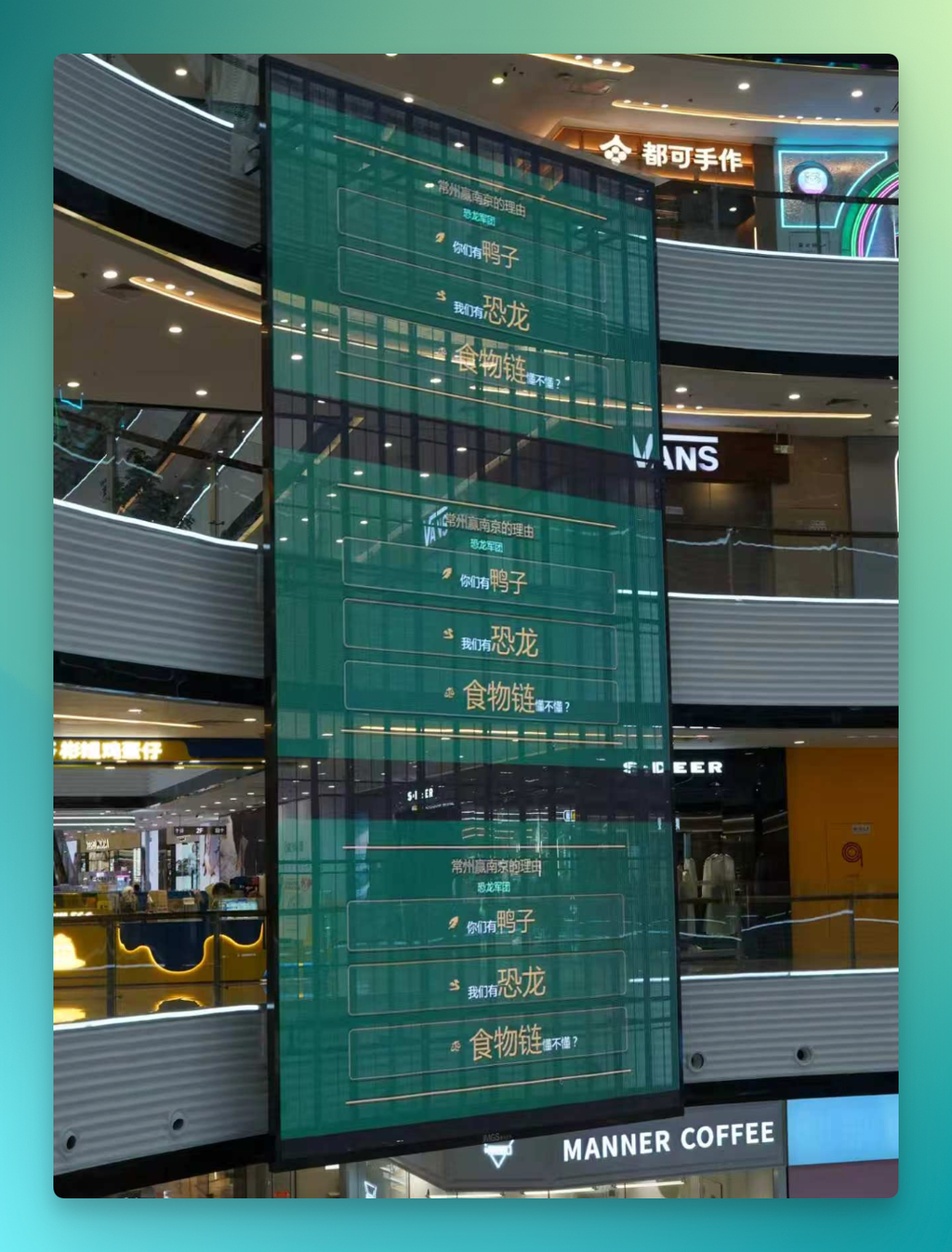
Out of nowhere, a giant screen at a Changzhou shopping mall flashed up a presentation, with the city calling out Nanjing:
"Changzhou has dinosaurs; Nanjing has ducks. That's the food chain."
At first everyone treated it as a joke. But the story quickly took a different turn. The very next day, a Nanjing shopping mall fired back with 100 PPT presentations, declaring:
"Big Bro Nanjing smiles: I've seen dinosaurs on the pitch too — just cute opponents in jerseys."
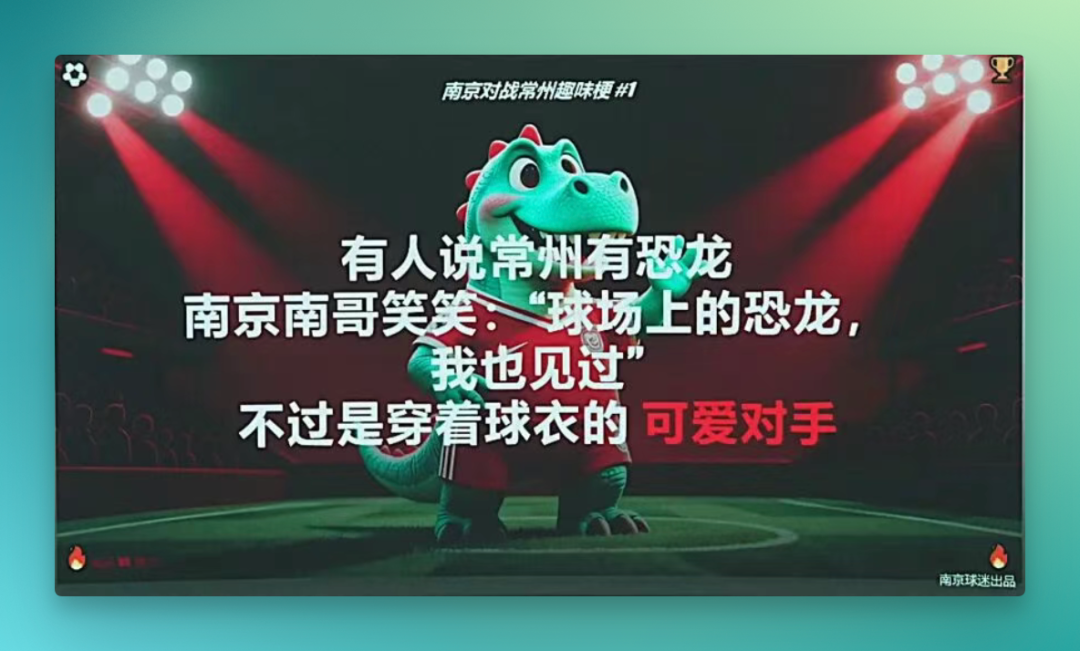
As word spread, netizens started asking: how did Nanjing churn out 100 PPTs in a single day? Because these weren't slapdash jobs — the typography, layout, color schemes, and images all showed real polish. Comments flooded in: "The Nanjing grinders must be pulling another all-nighter" and "There's no way this was done in one day."
Later, local media interviewed mall staff to crack the case: Qwen made all 100 PPTs.
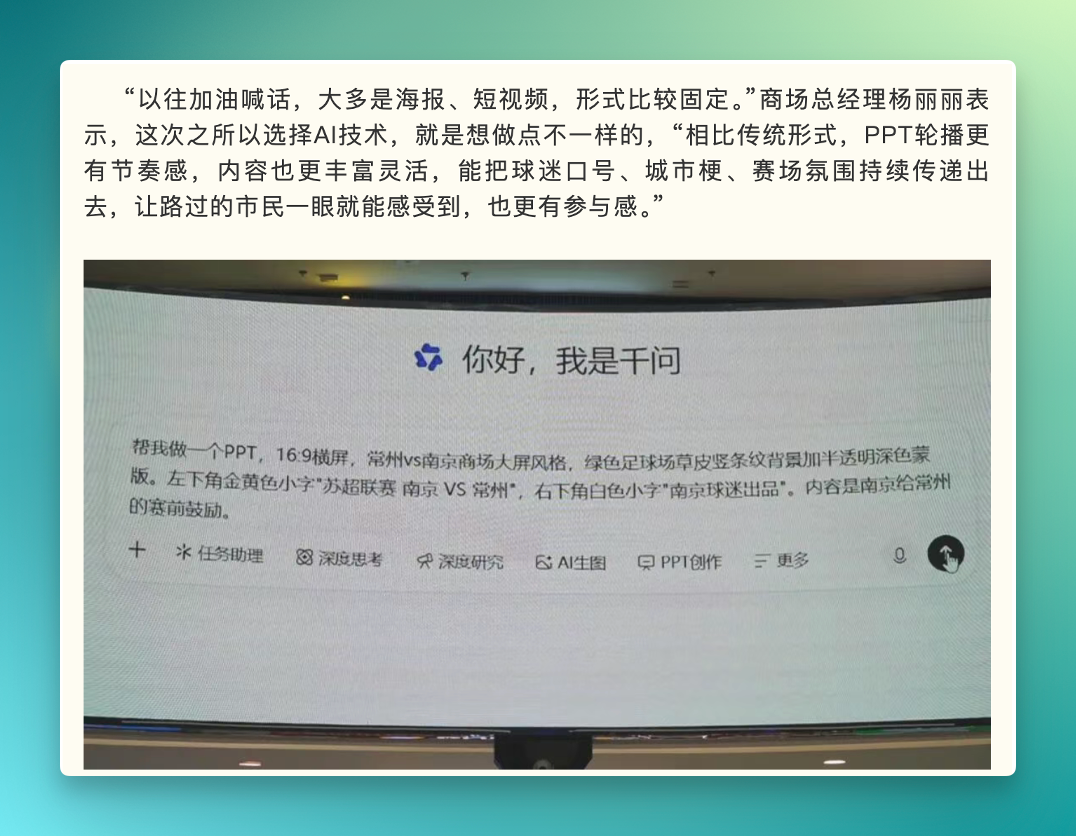
This marked yet another mini-viral moment for Qwen, riding on its "office capabilities" brand. Before this it was Excel Agent, and before that it was stuffing Office into a chat window. Now it's PPT Agent.
The rhythm has been consistent — it's just that most people, watching this Jiangsu business battle unfold, are only now connecting the dots.
Below, we share a breakdown of this incident and our hands-on observations of Qwen's PPT Agent itself.
Where did Qwen PPT Agent first break through?
It actually went viral earlier than the Su Chao episode — among teachers.
On Xiaohongshu and Bilibili, English teachers have been sharing their experiences using Qwen PPT to prep lessons, gradually accumulating a library of tutorials. The workflow is largely the same: feed in a Chinese description or drop in an English text, and a usable lesson plan emerges in minutes.
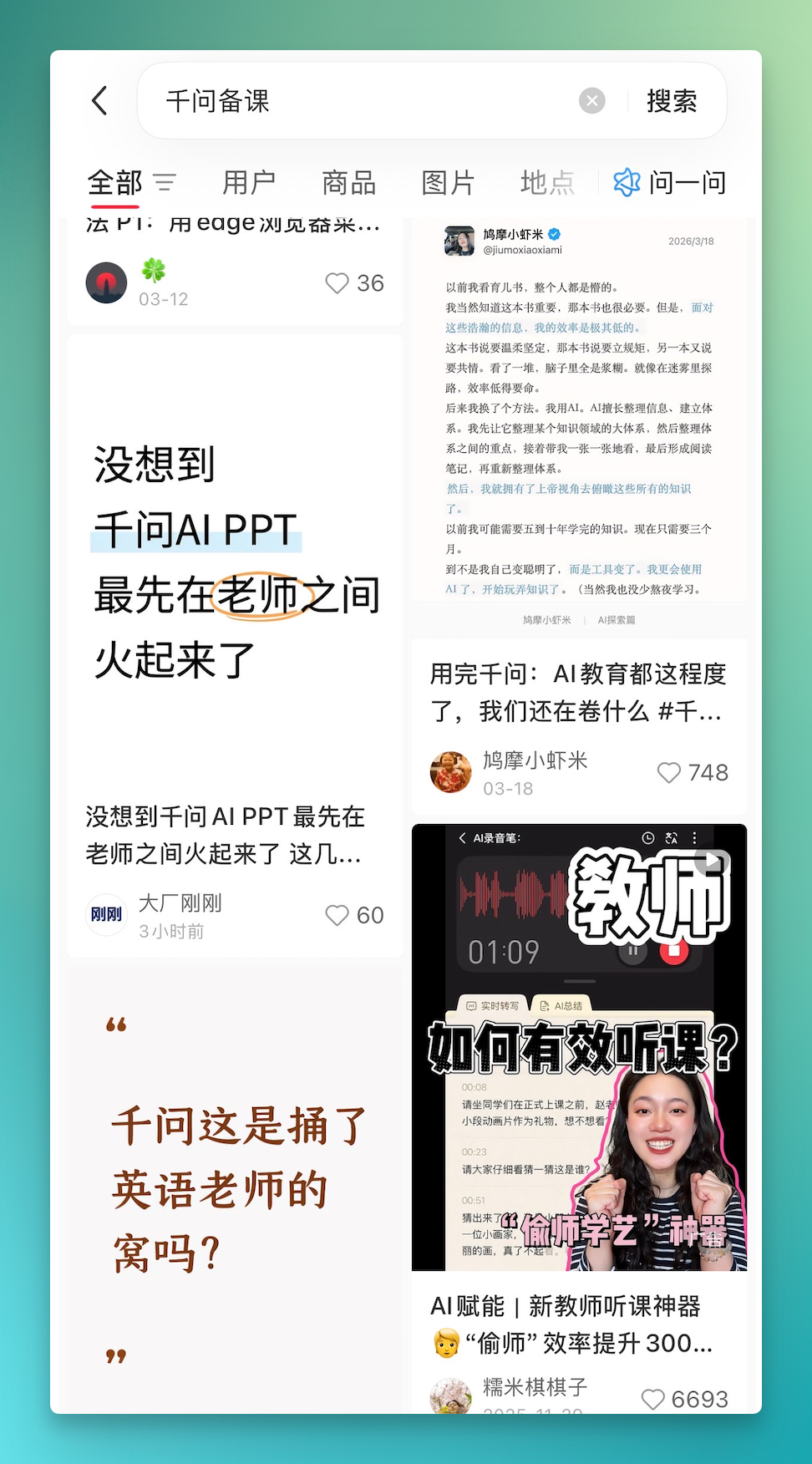
Some teachers mentioned cutting prep time from two or three hours down to ten-plus minutes. Others shared Qwen's official prompt templates in group chats for colleagues to try.
Why did this spread so fast among educators? There are genuine reasons behind it.
A 2025 survey from Southwest University found that primary and secondary school teachers spend an average of 2.98 hours daily on lesson preparation — the single biggest chunk of instructional support work. Teachers don't actually have much discretionary time; prep is already squeezed into whatever gaps they can find.
And within that prep work, making PPTs is often the most grueling part. For teachers, PPTs represent real time cost. Much of the time, they already have the mental framework — these hours are purely spent translating that into slide format.
A tool that compresses a half-day task into ten minutes will spread naturally in a profession where most people get fewer than seven hours of sleep. When the Jiangsu PPT story erupted, this momentum spilled from education into business — and suddenly far more people saw it at once.
We also ran Qwen PPT Agent through the lesson-prep scenario ourselves. You can try it at the Qwen website or PC app:
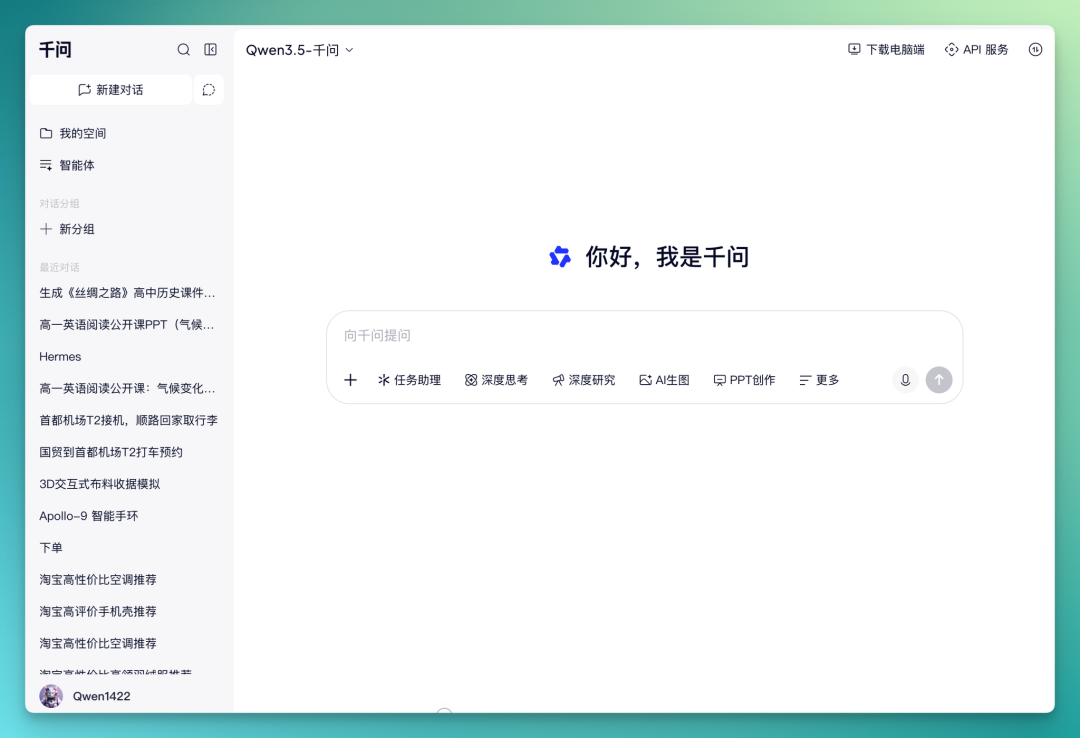
A few immediate impressions:
[1] First, the prompt barrier is low. Teachers vary widely in their familiarity with AI prompts. Qwen PPT Agent can run with just a rough description — it searches and fills in details on its own.
[2] Second, generation speed. After you send the prompt, it almost immediately starts building structure, without long waits in between.
[3] Third, post-generation editing is fully featured. Text, images, and layout can all be modified online, then exported directly.
One easily overlooked point: lesson-plan PPTs usually don't need complex layouts or packed elements. A few color blocks, concise text, a couple images, with clear hierarchy — that covers most classroom scenarios. This is where Qwen PPT and lesson prep align well.
We also used Qwen PPT Agent to prepare a high school history lesson on "The Silk Road: From Zhang Qian to Zheng He."
Our prompt:
Based on the uploaded file, create a high school history lesson on the Silk Road from Zhang Qian to Zheng He. Requirements: clear timeline, divided by dynasty, each section with key figures, representative routes, and representative artifacts.
After sending the prompt, within seconds it began generating structure. Its process: first lock in the overall structure across all slides, then populate each page with content including titles, text, color blocks, and images:
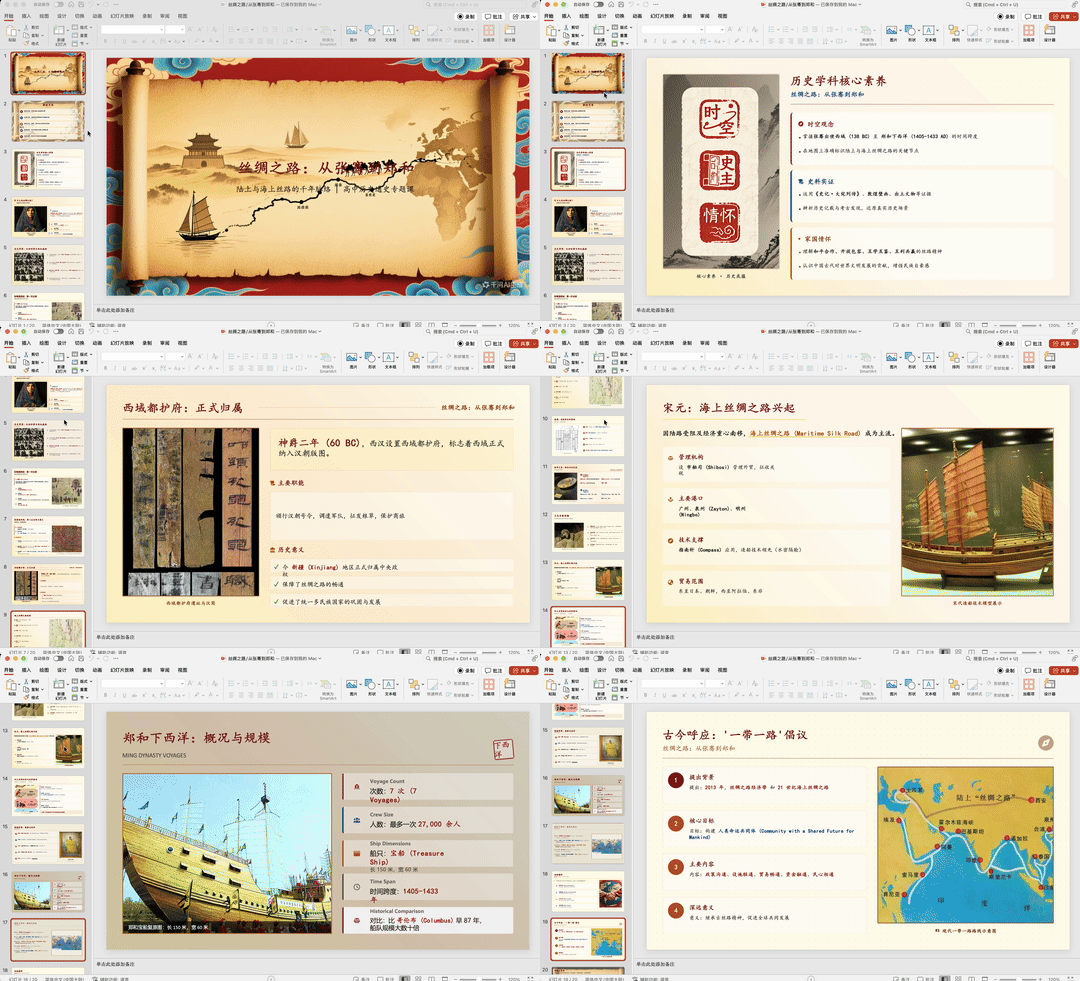
High school lessons don't demand sophisticated layouts. A few simple structures, appropriate colors, some highlighted boxes — that's usually enough. This Qwen PPT Agent output avoided complex elements and stayed clean overall:
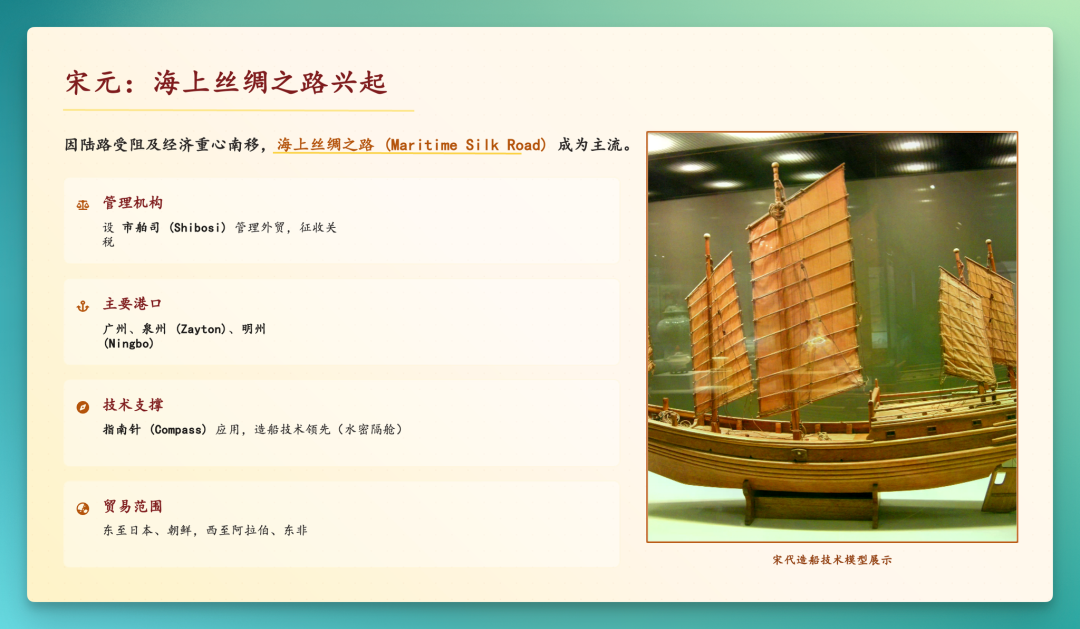
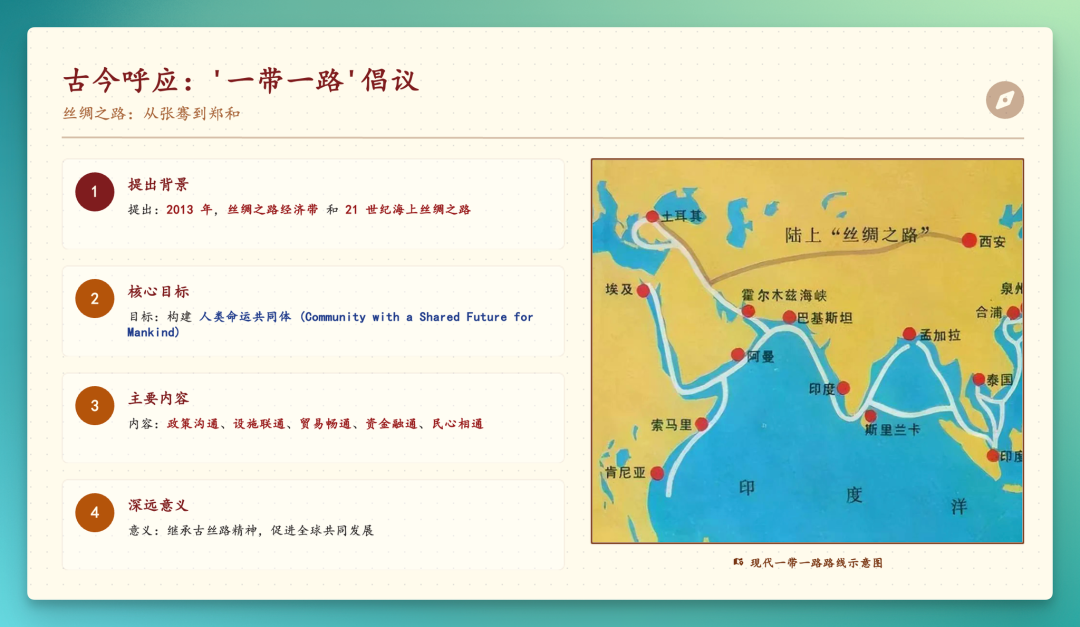
During generation, it also calls web search to supplement relevant information. On the Silk Road timeline page, for instance, it mapped out overland and maritime routes with specific locations:
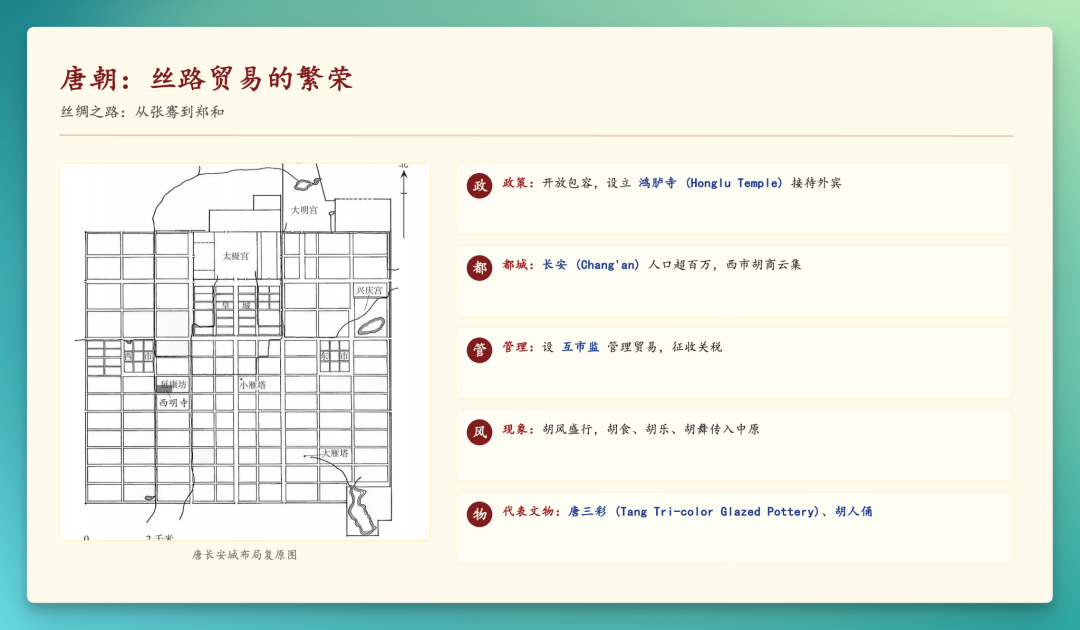
Throughout the deck, it auto-inserts images where appropriate — some from real search results, others AI-generated based on context:
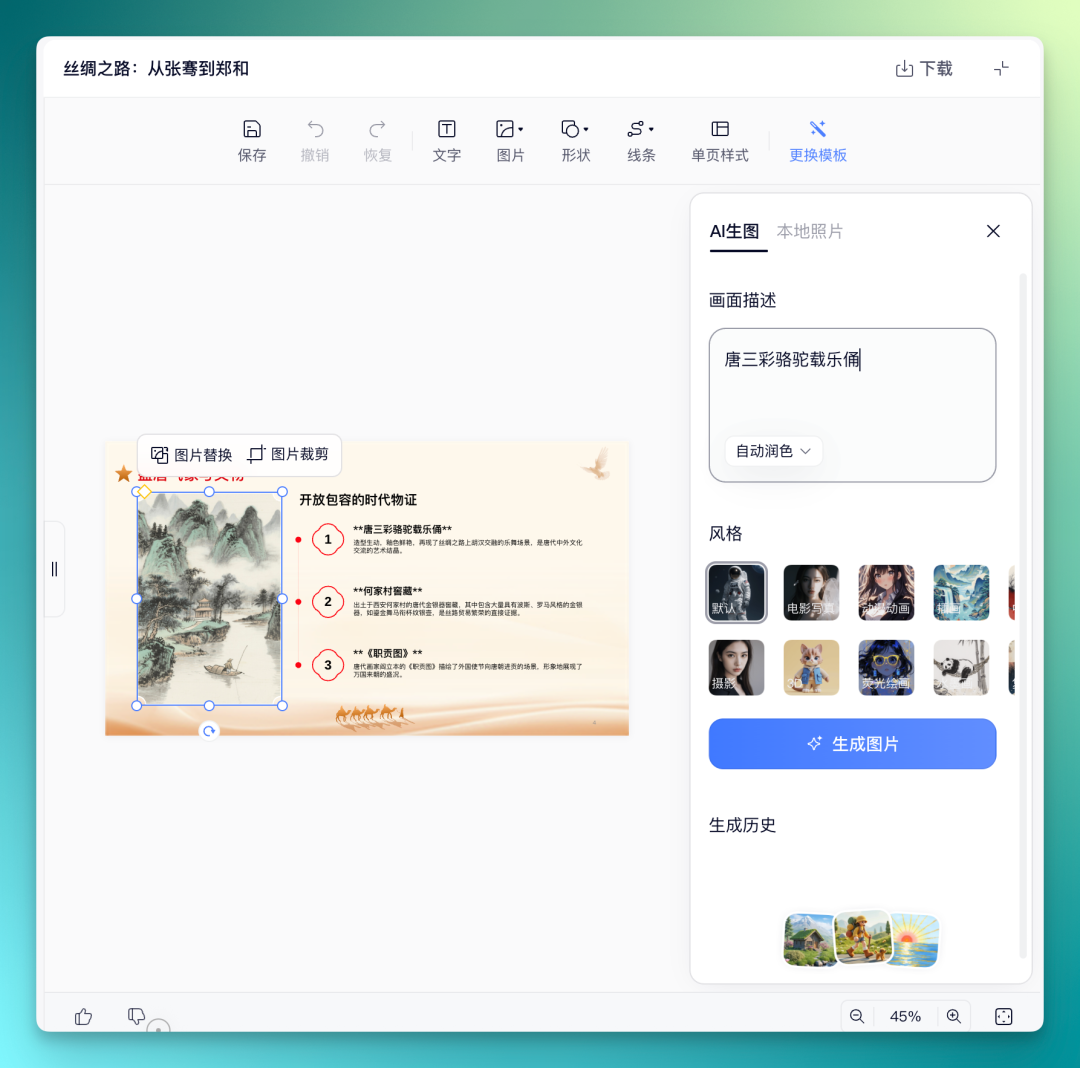
After generation, you can select any image in the PPT editor to replace or crop it. Text, shapes, and lines are all editable too.
For image replacement, you can upload local files or use AI image generation directly. The input box also lets you select style and auto-enhance, keeping the barrier to entry low.
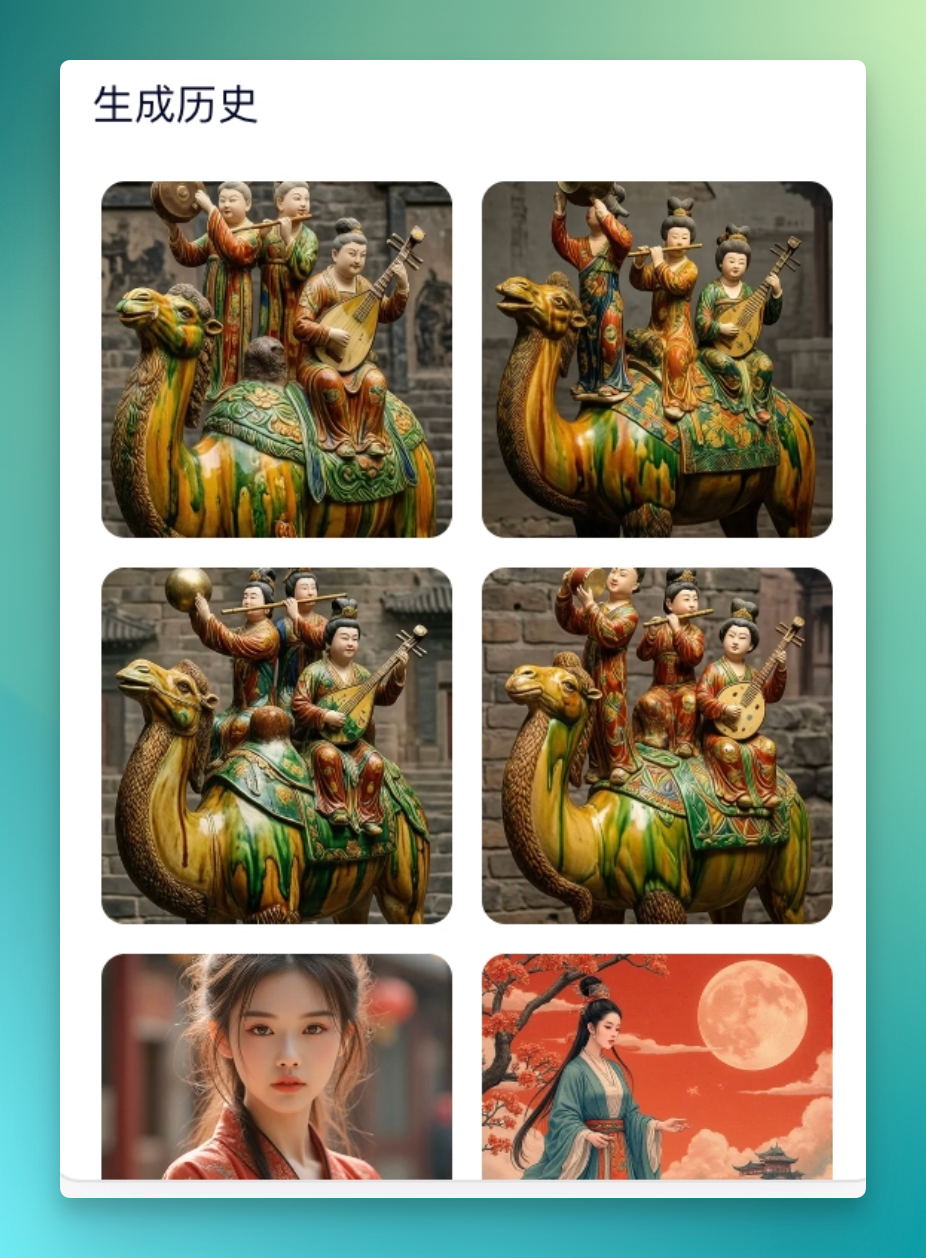
The image generation runs on Qwen's own AI image model. When asked for a "Tang dynasty sancai camel carrying musicians," it produces multiple options to choose from:
Qwen PPT Agent also comes with plenty of built-in general templates:
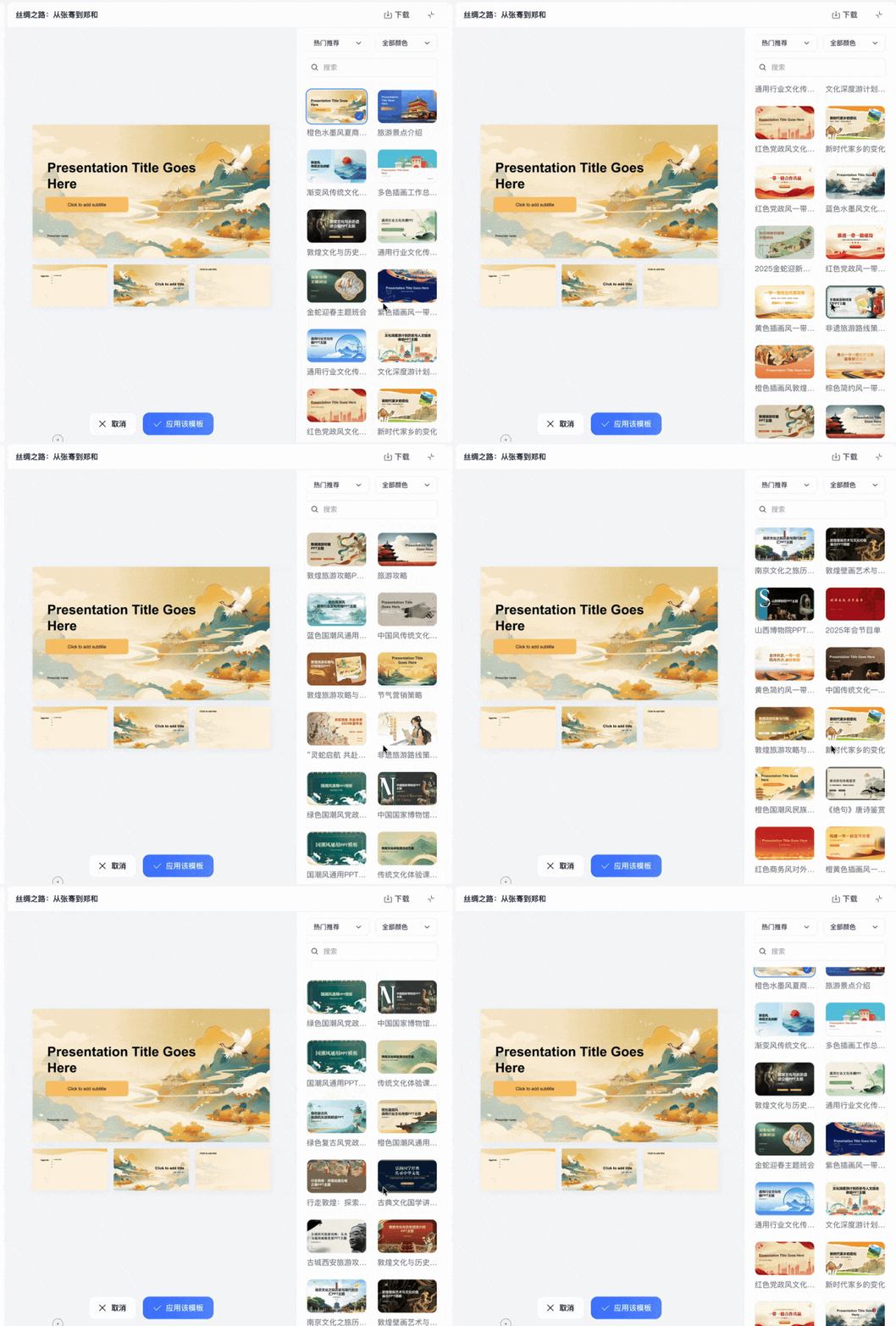
Click "Apply this template" and every slide in the deck automatically switches over. This isn't just a background swap — title formatting, text layout, and image positioning all adjust accordingly:
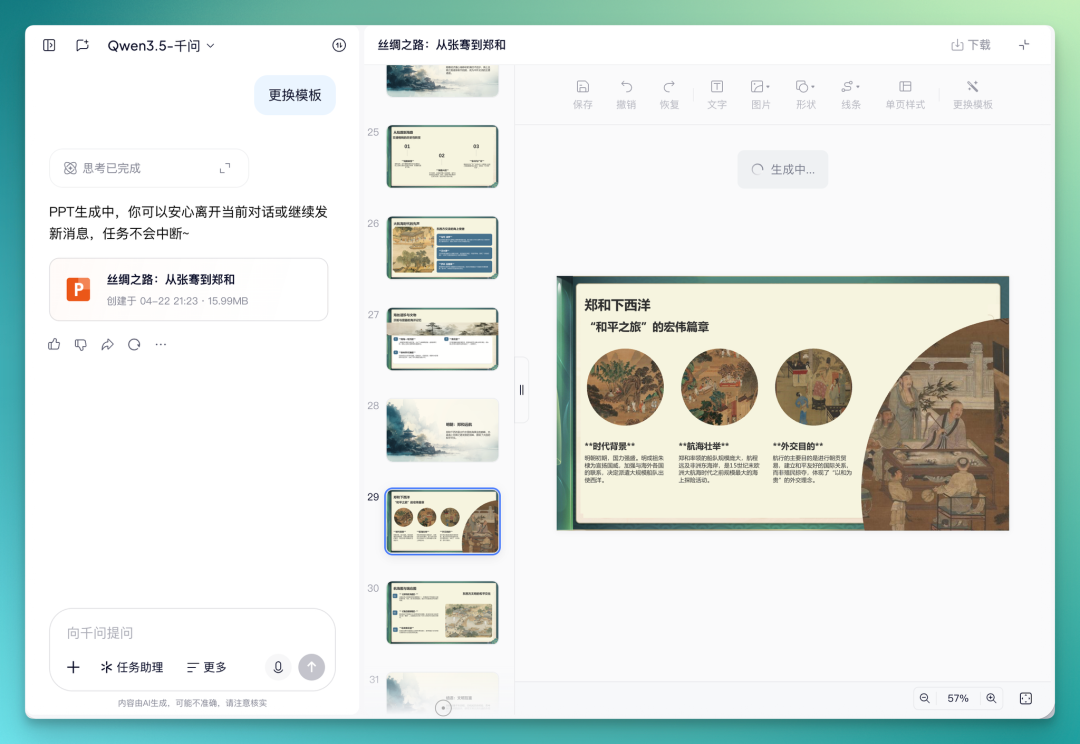
Overall, generation is fast and editing is smooth. The output quality is solid for high school lesson prep. No complex layouts, no advanced design elements — exactly the right amount for actual classroom needs.
Zooming out: what has Qwen been doing in "office" this year?
Placing Qwen PPT Agent within Qwen's product iteration rhythm over the past half-year, it's one node on a continuous line.
We've gathered relevant materials and organized a rough timeline.
In December 2025, Qwen first put "stuffing Office into a chat window" front and center. Document generation, smart layout, online editing, and multi-format conversion were integrated into a one-stop capability, with the first version of PPT generation launching simultaneously. At that stage, it used multimodal inputs — images, documents, voice — to auto-match templates and output presentations.
In the first half of 2026, Excel Agent went live, capable of organizing many requests into Excel file outputs. Examples: "Have Qwen compile three years of medical reports into Excel," or chat about a May Day travel plan and have it format the conversation into an Excel travel guide.
Then came this PPT Agent.
User demographics corroborate this trajectory. According to Xsignal AI Holo data, Qwen's "golden workplace demographic" aged 25–44 accounts for over 56% of users, with monthly active users exceeding 100 million across the web.
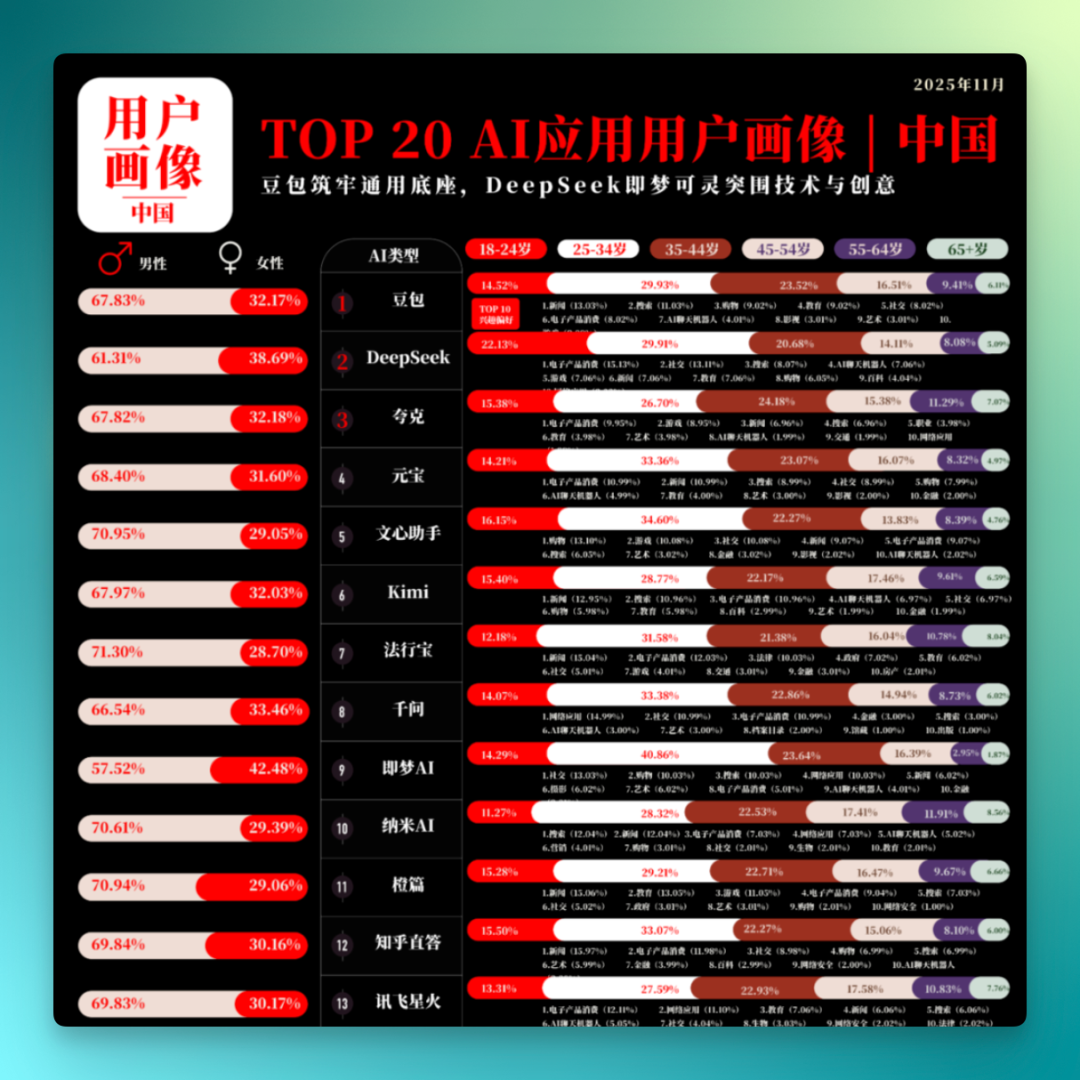
So the 100 PPTs in the Jiangsu mall battle, viewed from this angle, wasn't a sudden incident. It was the first time Qwen's product capabilities, built over the past year and a half along the "office" line, were placed in a sufficiently visible scenario for outsiders to notice.
The office is becoming the final battleground for AI assistants
Raising the perspective one more level, one shift is already clear: the office is becoming a key competitive arena in this round of AI assistant rivalry.
The most vivid example is actually Claude.
In just a few months, Claude has rolled into Excel, PPT, and Word scenarios. Anthropic gave Claude native Excel and PPT generation capabilities, and Claude's Word plugin is now scaling out. Add in Claude Code and Claude Cowork pulling the Agent from chat windows onto the desktop, and the through-line is clear: a major slice of Claude's focus this year has been on "office."
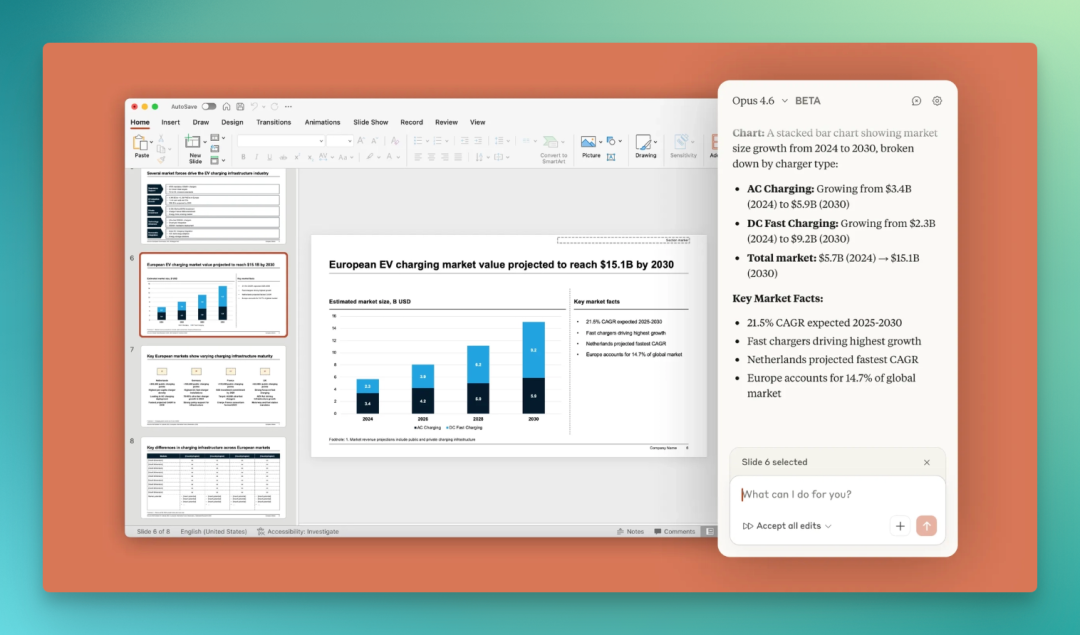
On the domestic side, one of the clearest movers is Qwen.
Over the past year, Qwen has consistently emphasized productivity capabilities. Office in a chat window, Excel Agent, PPT Agent — each step lands on a specific office scenario. This PPT Agent's breakout in the Jiangsu business battle is another manifestation of that brand.
So why office? This question deserves serious discussion.
[1] First, office work is the shortest path for AI to deliver productivity.
Writing documents, making spreadsheets, building presentations — these are highly standardized mental tasks. Output has clear specs: a PPT is a .pptx, a spreadsheet is an .xlsx, openable, editable, shareable. AI output can be directly inspected; users can tell at a glance whether it's usable.
By contrast, in many other scenarios, AI acceptance criteria are fuzzy. It's hard to judge whether a chatbot response is "good enough." But whether a PPT hits the mark — open it and you know. This clear feedback loop makes AI iteration extremely direct; product teams can pick up signals within a week on what users like and dislike.
[2] Second, both user scale and willingness to pay are solid in office scenarios.
Globally, hundreds of millions of workers spend their days in Office or WPS. For many roles, PPT work eats up 3–4 hours daily. Whoever can cut that time by even half secures a ticket to the next-generation productivity platform.
[3] Third, the office is an all-around exam for model capabilities.
A competent PPT simultaneously tests AI on: language understanding (grasping what you actually want), structured thinking (organizing information by sections), layout aesthetics (not looking messy), chart generation (correct data visualization), multimodal image selection (pictures that match content), and multi-file handling (processing Excel, PDF, Word together).
Getting all these capabilities to work in concert places real demands on a model's comprehensive abilities.
In other words, when an AI company chooses to prioritize office work, it's partly putting its model capabilities on public display.
[4] Fourth, switching costs in office are exceptionally low.
Everyone already uses Office or equivalent tools. Qwen PPT generates standard .pptx files that open directly in PowerPoint for further editing. Users don't need to switch tools or learn a new interaction paradigm — just add one step of "let AI draft it first."
Stack these four reasons together, and the logic holds: office is becoming the final battleground for AI assistants.
Returning to Qwen's PPT Agent.
The Jiangsu mall battle was essentially a validation scenario: 100 PPTs, delivered in one day, quality-checked, viral outcome.
From Qwen's December 2025 launch of "Office in a chat window" through Excel Agent to PPT Agent — three consecutive milestones — this was the first time ordinary people saw it concentrated in one moment.
Where should AI Agent take its first step? The office.
The reason is straightforward: office is the only scenario where AI output can be immediately inspected. A PPT — open it and you know if it works. This clear feedback loop enables extremely rapid product iteration and exceptionally strong user willingness to pay.
Therefore, the office isn't a transit stop for AI assistants. It's the final battleground.
Whoever establishes user habits here first claims the ticket to the next-generation productivity tool.
Crossing is looking for freelance contributors to write AI product and model reviews.
If you've written similar articles: Hands-on with PixVerse C1, Hands-on with LibTV, please contact zeo0811@gmail.com. Your email should include: ① personal introduction, ② AI reviews you've written.
We offer competitive compensation. Looking forward to observing and documenting the AI era together 🎪