[Exclusive] Clacky AI Is Here! How Strong Is This Coding Agent Aiming for L3?

Going all out for L3!
Charging full speed toward L3!
 👦🏻 Author: Shan Jing
🥷 Editor: Koji
🧑🎨 Technical Advisor: Ivan

From Cursor and Devin to bolt.new, Lovable, TRAE, and YouWare — the Crossing team has been continuously testing and documenting these next-generation AI coding tools, using them to "Vibe Code" whatever ideas pop into our heads.
Among the dizzying wave of recent releases, Clacky AI [1] delivered multiple aha moments.
Notably, Clacky is yet another AI Agent product from a China-based team. From Manus, Genspark, Lovart, and Flowith to Clacky, Crossing has watched AI Agents "emerge" like bamboo shoots after rain — each new launch deepening our anticipation for AI's future.
🚥
Clacky is still in closed beta, its product polish incomplete. But even in its early form, we've spotted several innovative directions worth watching:
🚦
-
Moving everything to the cloud, lowering the barrier to entry even further
-
An "engineering-first" product philosophy
-
Targeting "productivity" from day one
-
Studio-grade product building
These innovations are powering this AI Coding Agent product as it sprints toward the L3 level.
So, what is Clacky AI?
The recently emerged Clacky AI in the AI Coding Agent space aims to become an L3-level Agentic Coding Studio.
Crossing breaks this product into three pieces — three concepts: L3-level Agent, Agentic Coding Studio, and Cloud.
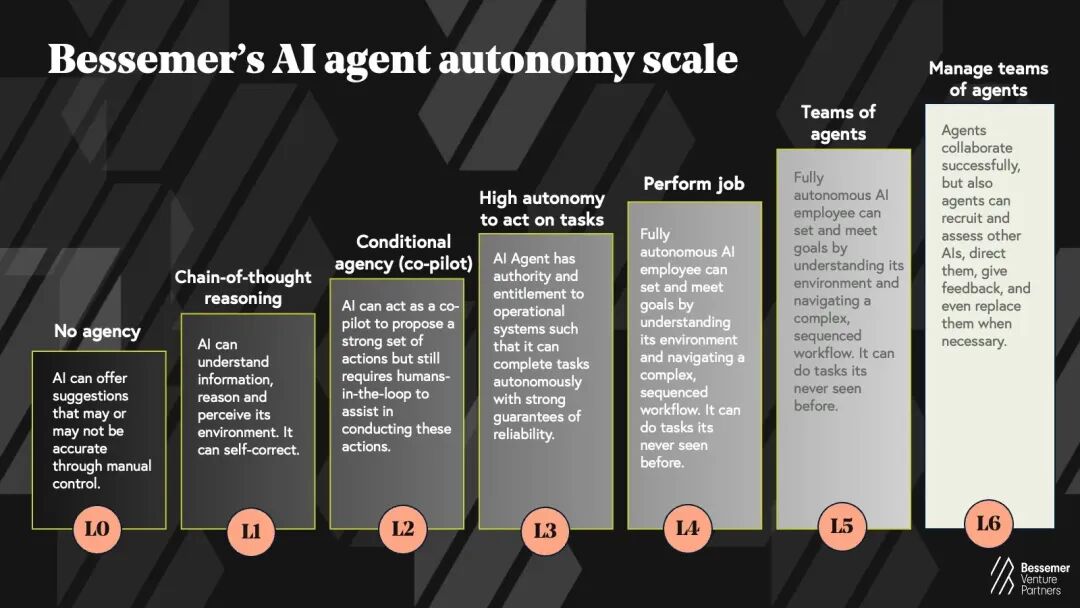
"L3-level Agent" The well-known VC firm Bessemer published an AI Agent Autonomy Scale [2], mapping Agent development across seven stages from L0 to L6:
L0: No Agency L1: Chain-of-thought reasoning L2: Conditional Agency L3: Highly autonomous task execution L4: Doing the work L5: Agent teams L6: Managing Agent teams
The L3 tier means the AI Agent can complete tasks autonomously and do so reliably.
"Agentic Coding Studio" In 2025, the year of the Agent, a major direction is how to deeply integrate AI Agents with programming and traditional local IDEs to enhance user experience.
Take Cursor: this very young AI IDE has only just released its first major version (1.0). The AI IDE track, crowded with star AI Coding Agent products, is far from mature.

Meanwhile, on Clacky's official website, it clearly positions itself as an Agentic Coding Studio. This is its defining characteristic:
From development environment setup to project prototype iteration, everything happens inside the Studio. Users can quickly validate product direction using Agent capabilities.
"Cloud" The concept of "cloud" has permeated nearly every industry. Recently, a wave of AI products has accelerated migration to the cloud, because a one-stop AI coding experience is only possible in a cloud environment.
Clacky is exactly this kind of cloud-based development environment product.
After hands-on testing, Crossing found:
[1] Its "engineering thinking" aligns with human intuition.
In the cloud development environment, Clacky pre-configures all development environments. Users can jump straight into a complete Vibe Coding experience. Compared to AI IDE products, it lowers the barrier for users even further.
[2] It can build productivity from zero.
Through various "wow" features, Clacky demonstrates strong self-diagnosis capabilities. Its product logic integrates the workflows of general-purpose AI Agents today: autonomous long-horizon task planning, with constant "rollback" ability.
[3] It's a complete Studio.
A key differentiator from other AI Coding Agents: Clacky allows teams to "spin up multiple threads," collaborating asynchronously within a single Workspace to rapidly iterate on products.
From these three dimensions, we ran several comprehensive real-world tests.
Let's see what AI Coding Agents can achieve when foundation models haven't yet hit that "singularity."
Its "Engineering Thinking" Aligns with Human Intuition
Let's simulate a task.
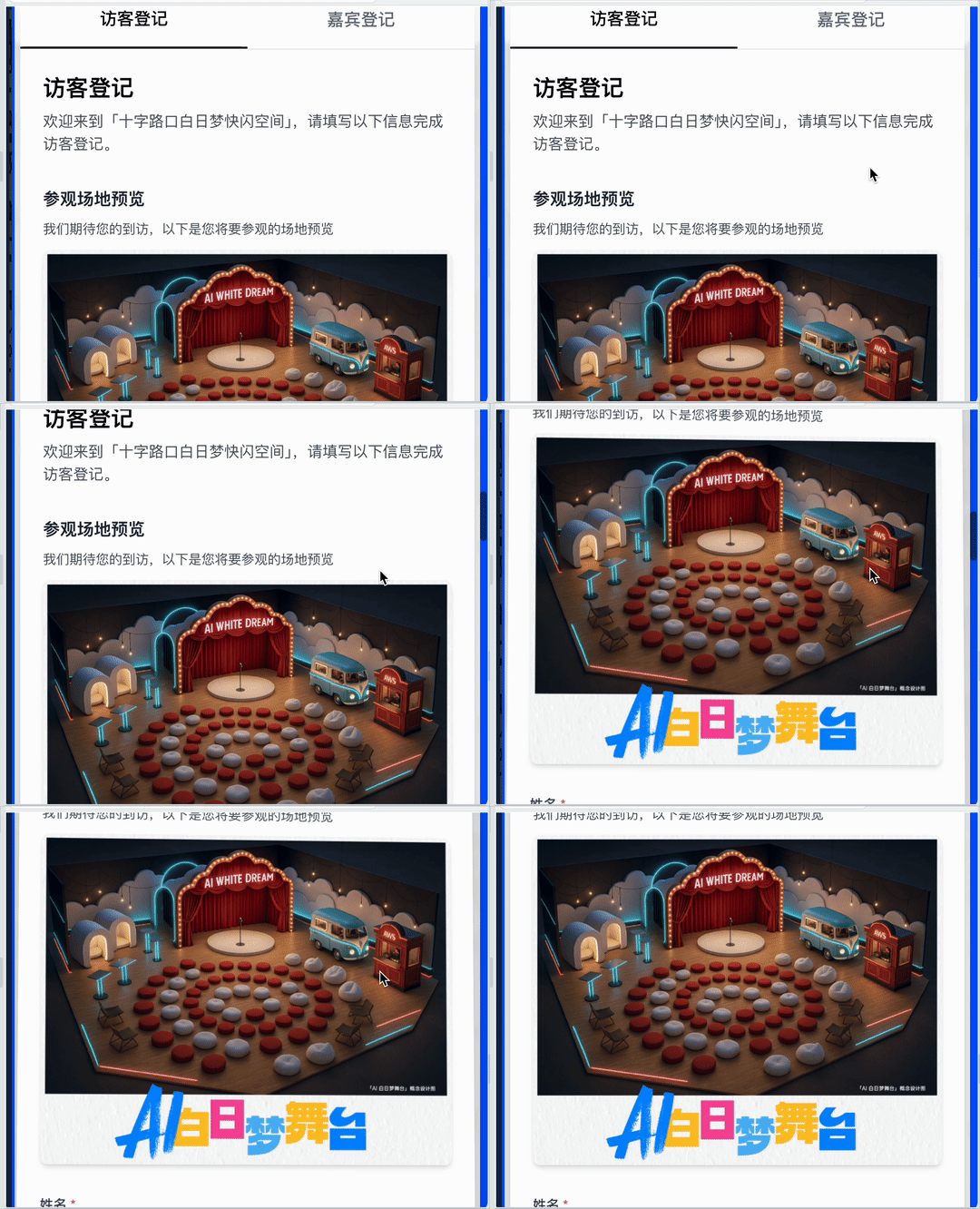
This Thursday and Friday, Crossing will build a pop-up space at the Shanghai AWS Summit: "🎪 AI Daydream Stage". We wanted to see if we could use Clacky to build a guest check-in system for this flash event.
I'm basically code-illiterate, so complex programming platforms naturally put me off. But during my Clacky evaluation, I genuinely enjoyed Vibe Coding — largely because this platform is so intuitive.
Starting a new project in Clacky is simple: just hit "Create Project."

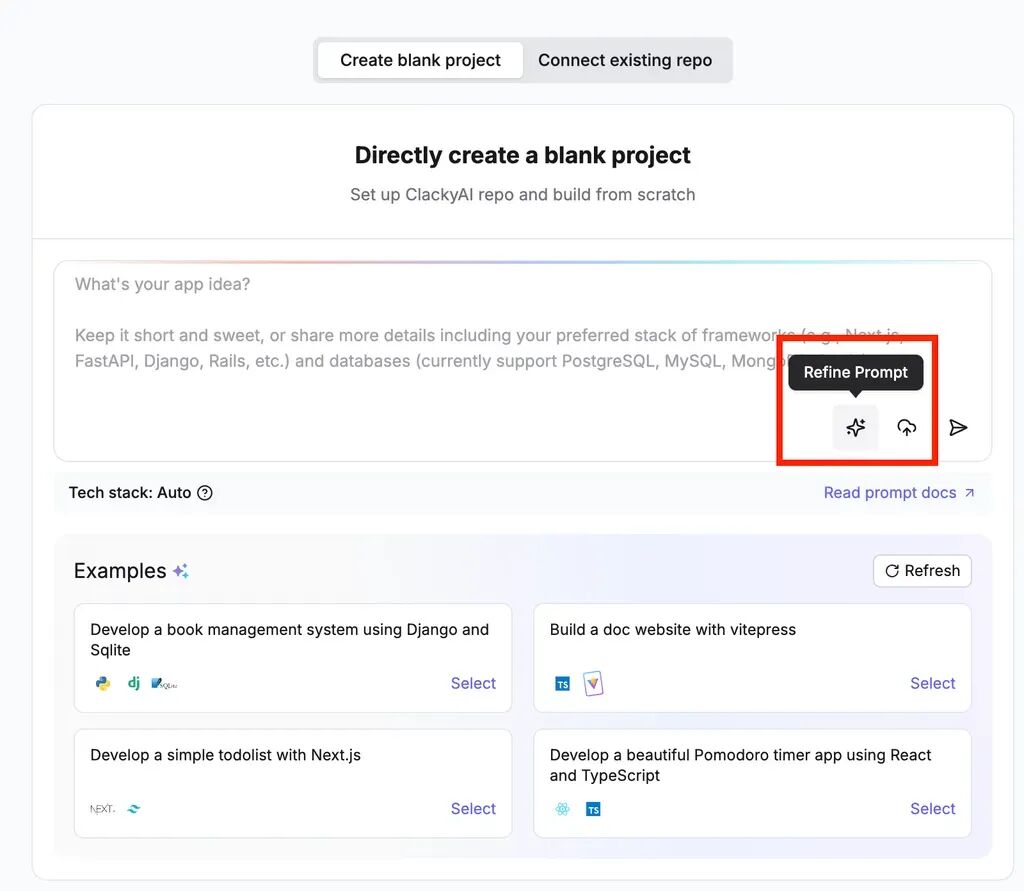
Then comes the standard first step for AI coding products: enter your prompt. Clacky's input interface includes a "prompt refinement" feature.
This step matters because users often get stuck in a loop of "how do I describe what I need," and AI itself needs structured prompts to properly understand requirements.
Here you can enter the simplest possible request, then use the "prompt refinement" feature to structure it:
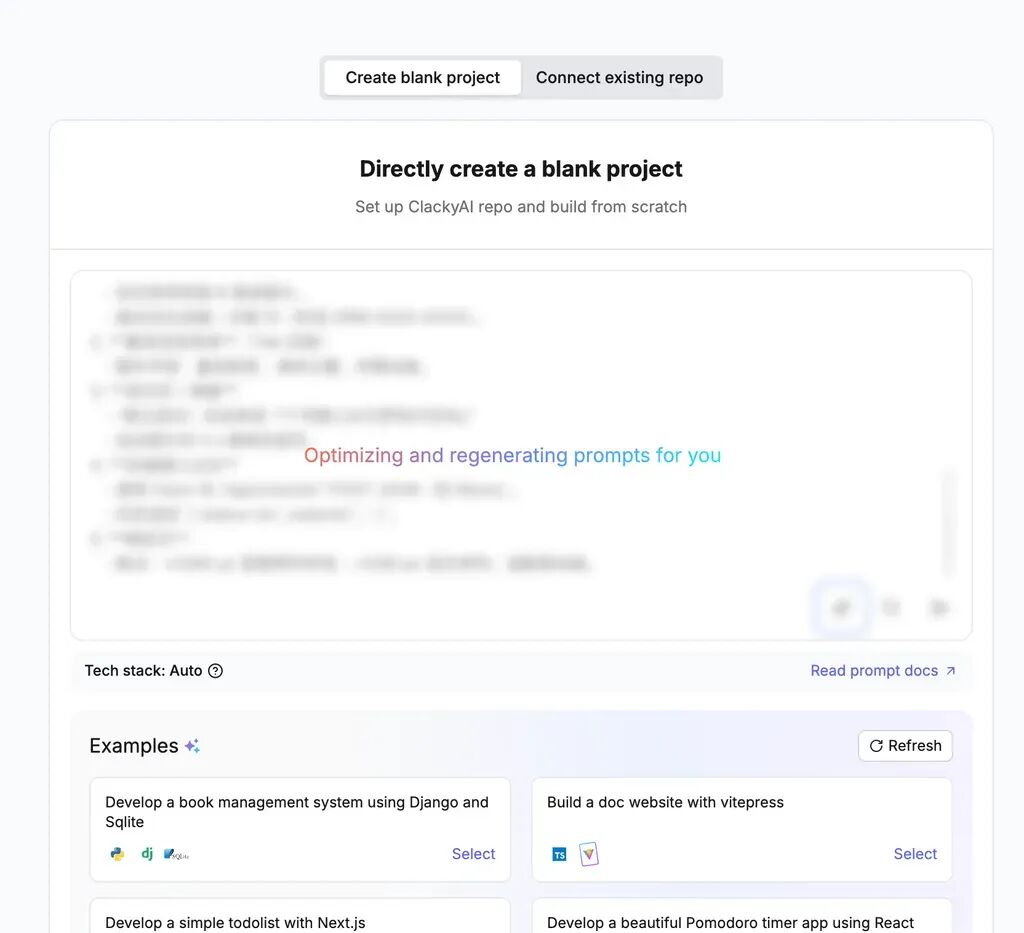
The final generated prompt covers all basic functionality and visual interaction rules for a project:
Project Name: Crossing Daydream Pop-up Space Project Goal: Develop a one-page "Visitor/Guest Registration System" Landing Page Visual & Interaction: * Color palette: Large white space, accented with #F5F5F7 matte gray, #000000 pure black text * Typography: San Francisco / Helvetica Neue, 600 weight for headings, 400 for body * Layout: Hero Section -> Form module -> Partner brand logos -> Footer * Motion: Scroll parallax, subtle card hover shadows with 3D tilt, fade-in on load * Information hierarchy: Primary, secondary selling points, tertiary actions Core Features: 1. Visitor info form: Name, company/organization, phone (regex validation), email, visit purpose (dropdown), visit date (date picker) 2. Guest info form: Tab toggle, additional fields: guest title, speaking topic, equipment needed 3. Real-time form validation and error prompts 4. On submission, generate unique visitor ID (DRM-2025-XXXX) 5. Success page/modal: Display "Registration successful! Welcome to the 'Crossing Daydream Pop-up Space'", redirect to homepage after 5s 6. Backend API placeholder: Fetch POST JSON to "/api/checkin", expected return { status:'ok', visitorId:'...' } (Mock) 7. Responsive layout: Two columns at ≥1280 px, single column below, mobile-adaptive
Notably, Clacky supports full-stack languages and runtime environments. It's not just frontend — it covers backend and common programming languages too. What impressive projects you can build with it is limited only by your imagination.
At this point, we can't officially start the project yet. This is one small point of differentiation between Clacky and other AI coding products.
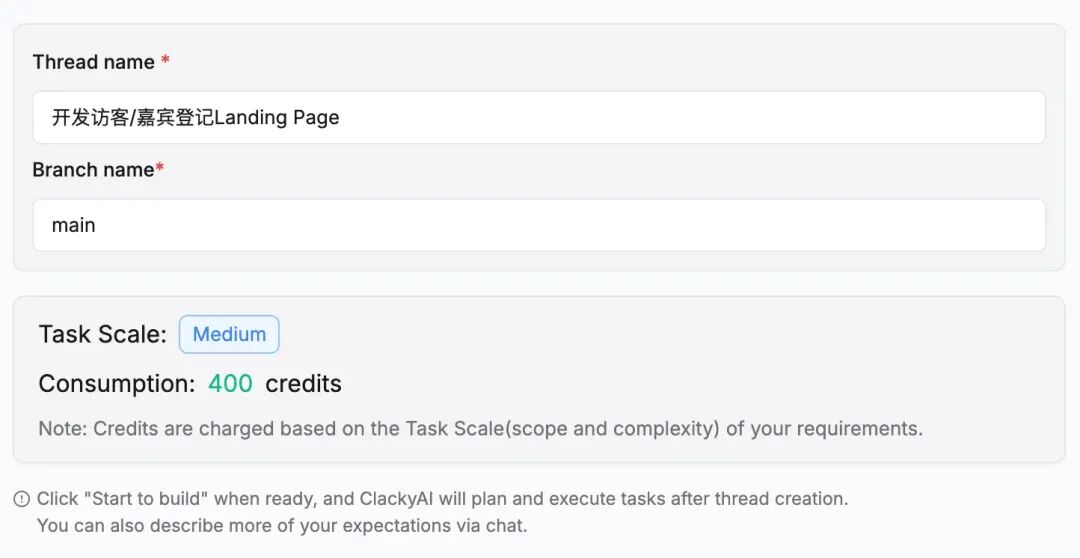
Because Clacky is thoughtful: before entering the coding interface, it analyzes your prompt and generates a requirements list, waiting for your confirmation before formally kicking off the project.
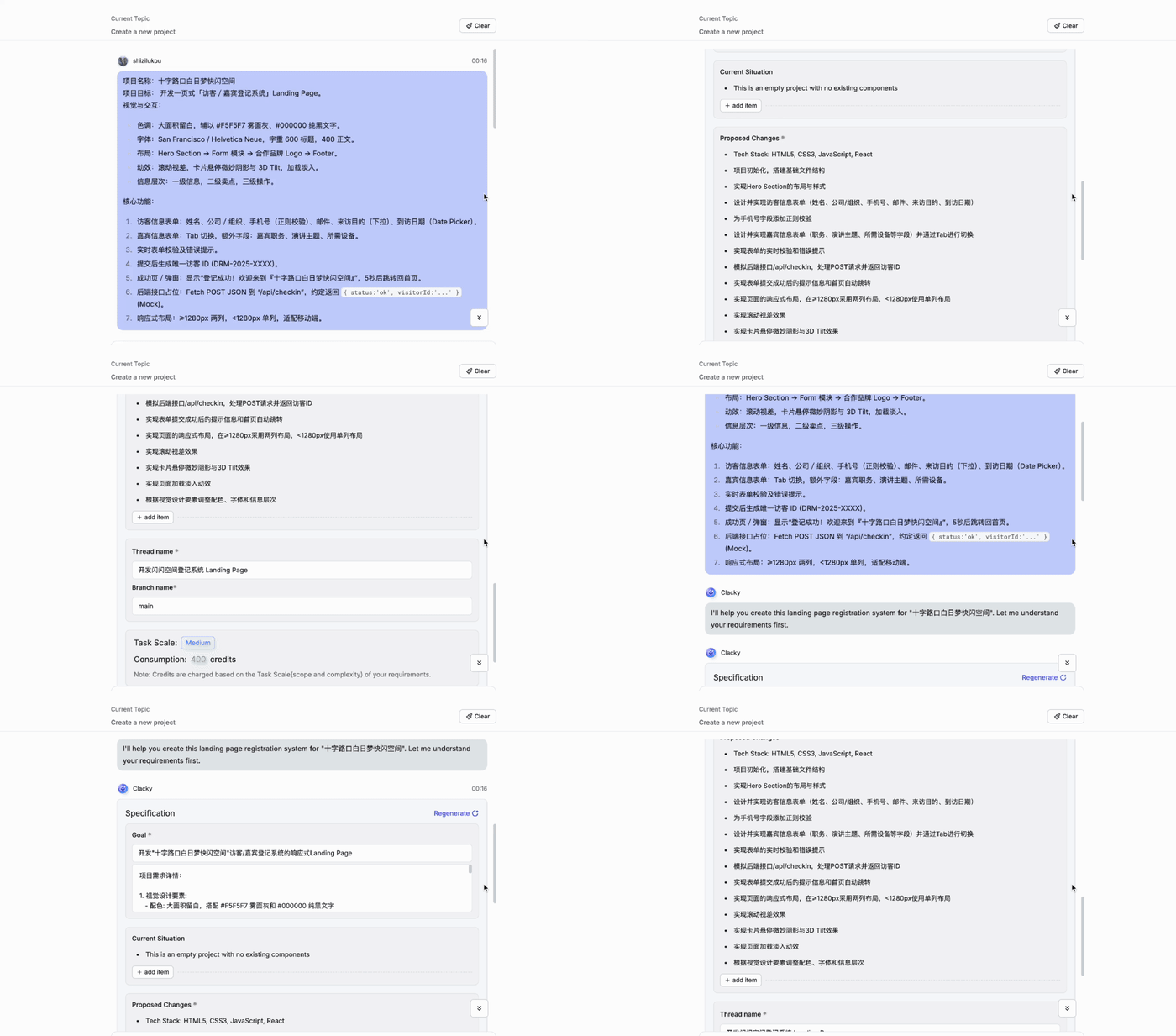
In this step, letting users add or refine features is only one of the goals.
Clacky's "project-oriented mindset" is evident throughout every stage of user interaction. For example, when presenting the requirements list, it prompts users to first give the task a project name, clarifying objectives and boundaries. It also simultaneously displays task scale, credit consumption, and so on.
This makes the user experience feel more like building a systems engineering project from scratch, rather than an ad-hoc conversation. The overall workflow closely resembles the handoff between a product manager and a dev team.
Once we enter Clacky's main AI coding interface, I'll be honest — the sheer number of functions and elements at first glance does feel somewhat overwhelming.
But after actually using it, I found it far simpler than current AI IDEs like Cursor. Because Clacky's product philosophy is "AI-first, human-assisted," meaning users basically don't need to participate in actual programming work throughout the process.
For instance, I suspect many coding novices using Cursor or similar AI IDEs have encountered situations where some "Python library" isn't installed and the task simply halts.
Since Clacky is a cloud-based CDE, this advantage is particularly pronounced. It automatically configures all required "Python libraries" — users don't need to install any dependencies locally whatsoever:
For example, Clacky has a "One-Click Follow" button in the upper right corner. After clicking, users can hide all left-panel content with one click.
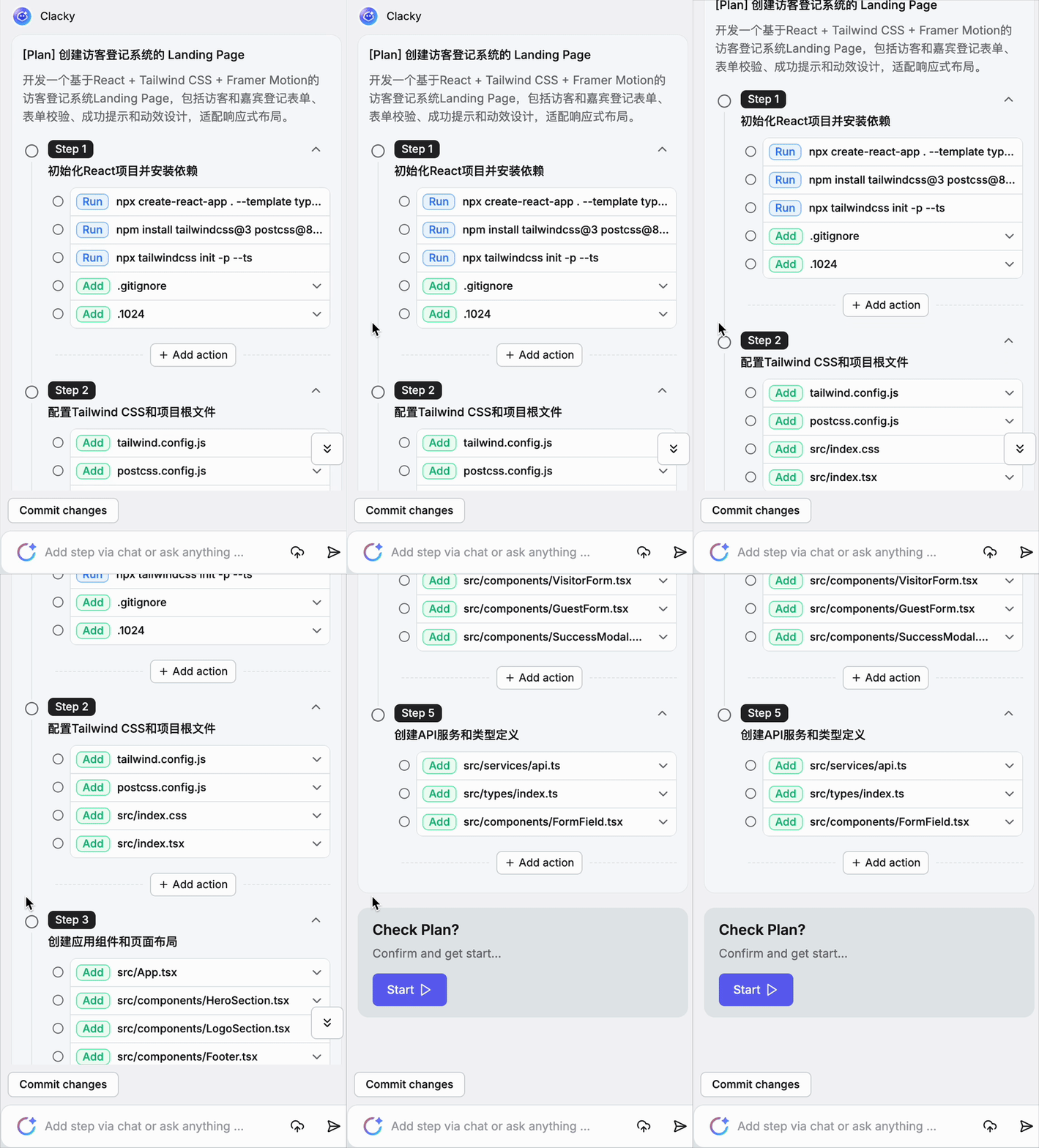
From this step onward, Clacky formally begins task planning. I found its autonomous planning capability for long-horizon, complex tasks to be quite strong, automatically decomposing my requirements into multiple subtasks.
At this point, users can literally close their laptops and go about their business. But many people, myself included, probably still worry that if they "stop watching Clacky," and it hits an error, they wouldn't be able to pick up where it left off.
This is where Clacky's "engineering mindset" truly shines. It autonomously plans tasks and visualizes the entire process through a long progress bar at the bottom of the interface — the "Time Machine":
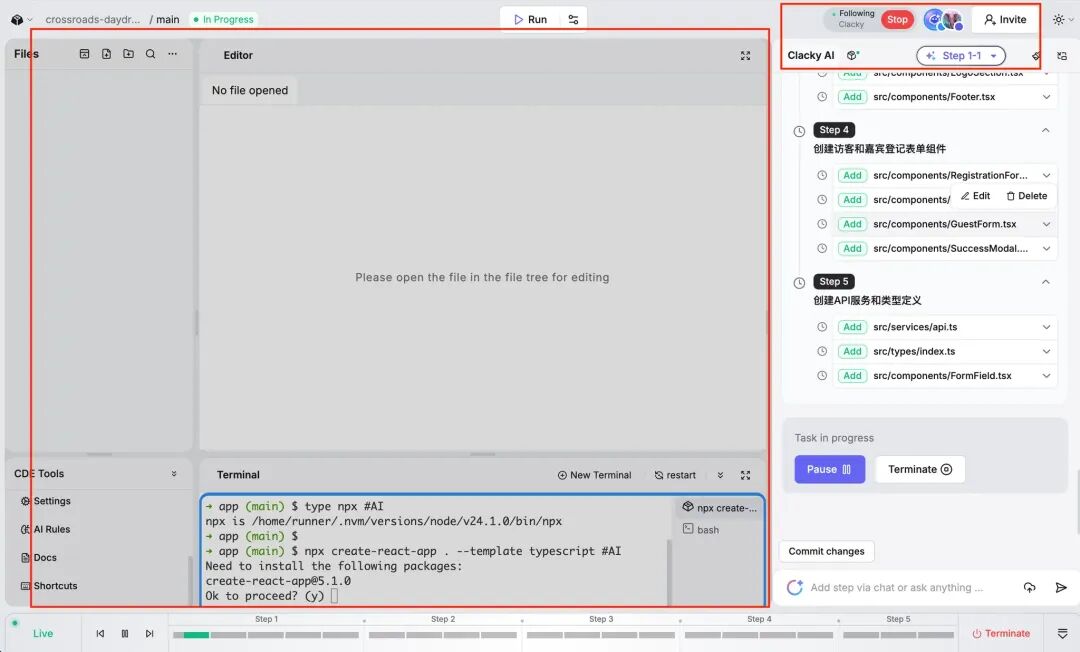
The Time Machine allows users to rewind to any node, preserving the complete contextual state of each task node.
If an Error occurs, you can have the AI precisely re-fix it within that node, completely without affecting other parts of the task.
Meanwhile, if I select any time node, Clacky automatically jumps to the corresponding file code, with the left panel displaying in real time "which file I'm currently in".
For complex projects, this traceability and debuggability is essential.
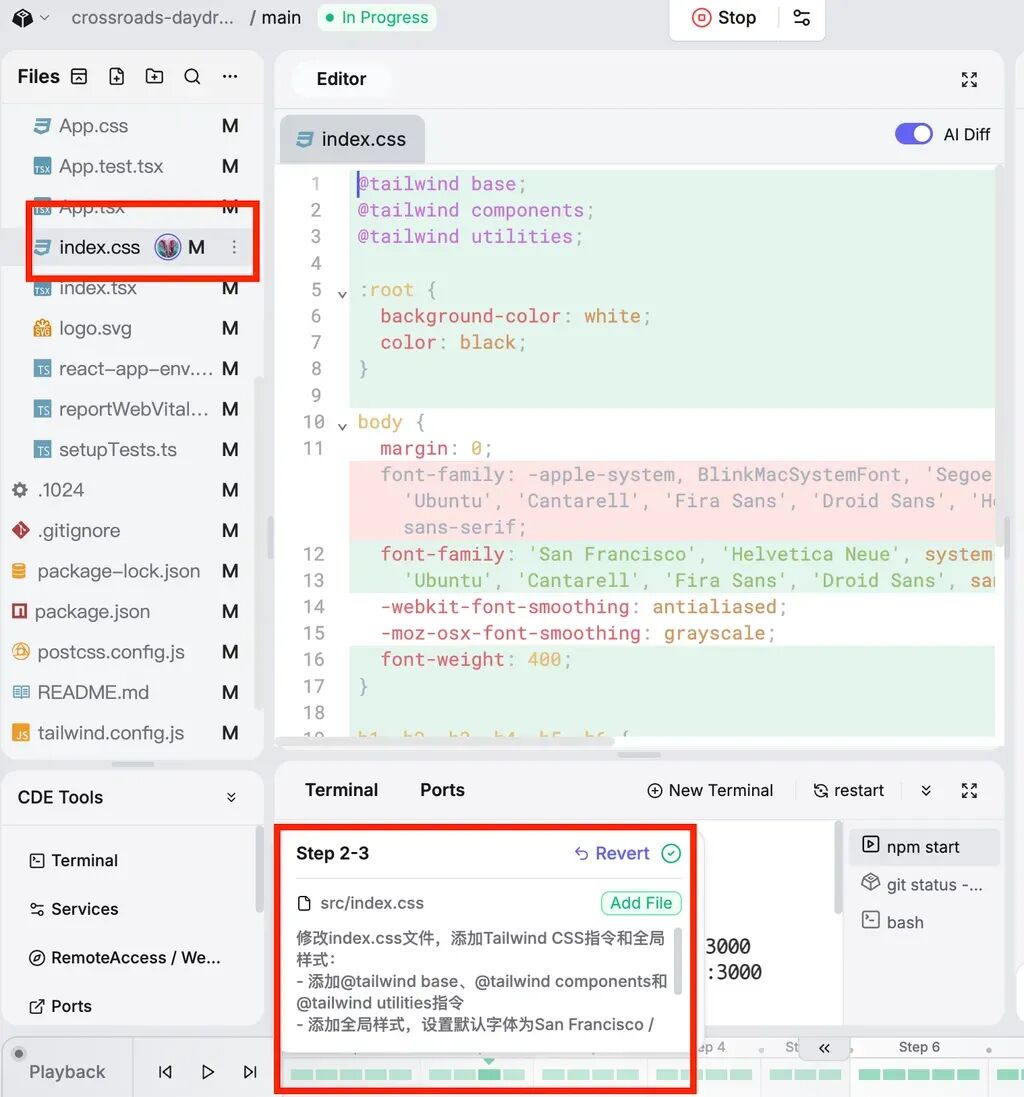
A guest visitor system is probably too simple for Clacky — from the initial requirements input to the first version completion took just a few minutes.
However, to be honest, there were some minor hiccups along the way, but they also revealed a particularly impressive design.
For instance, when Clacky ran into issues building the project with Webpack, the page displayed "a bunch of incomprehensible code":
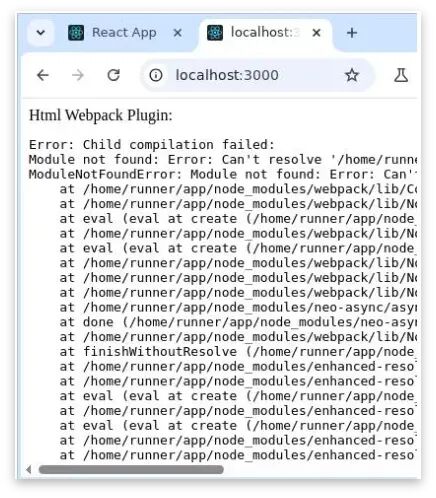
At this point, if you just keep using "natural language (plain speech)," the AI often doesn't grasp the requirements thoroughly enough, or even can't find a solution.
Clacky provides a feature called "Code Snapshot" in the preview interface.
It can directly screenshot the page, automatically letting AI visually understand what problems exist in the product prototype, then autonomously fix them at the result layer:
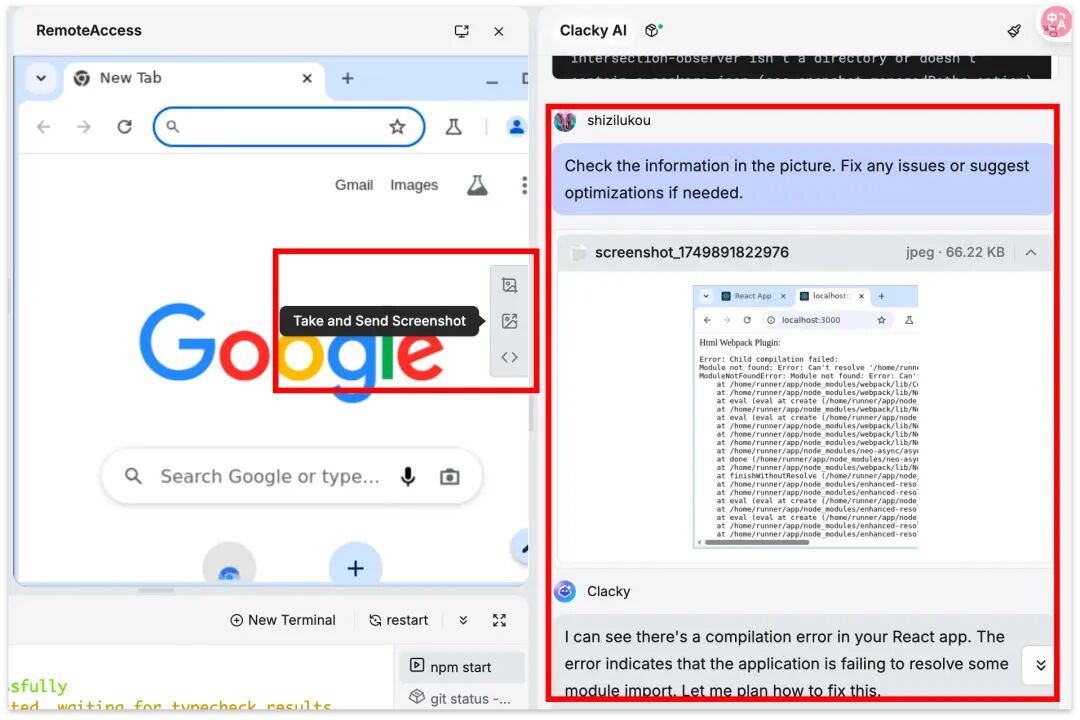
Since current AI coding products still heavily depend on the capabilities of their underlying foundation models, code issues are fairly common.
But Clacky's self-repair (AutoFix) capability is "abnormally" strong. After visually comprehending the screen, it initiates another round of rapid and meticulous troubleshooting:
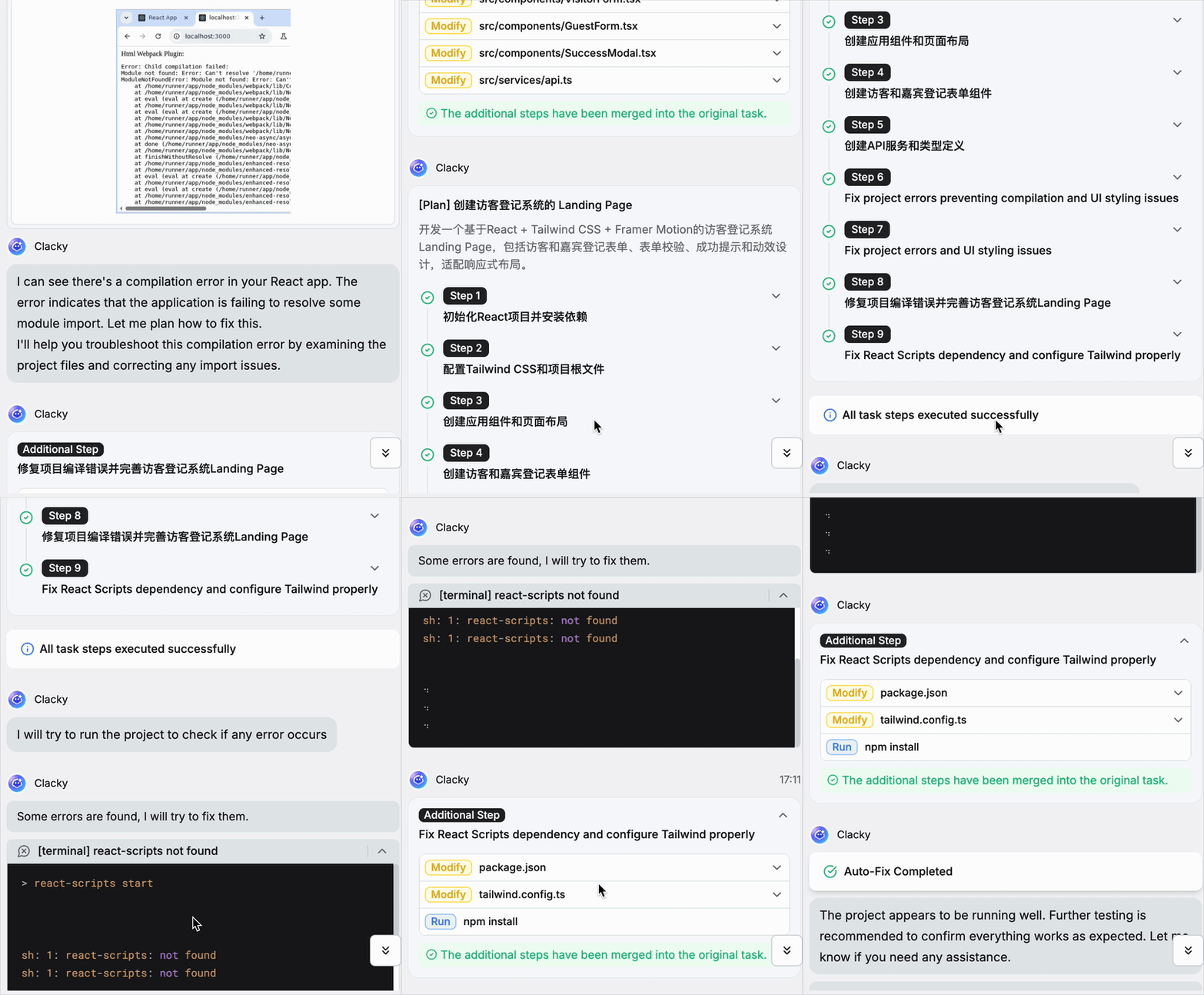
After one round of self-repair, the product prototype emerged — with fairly high completeness and complexity.
I recorded a video so you can see the "Crossing Daydream Pop-up Space" guest visitor check-in system that Clacky built:
The elements in this guest visitor check-in system are remarkably complete. Especially the visitor registration and guest registration cards have dynamic effects, automatically transforming based on mouse position.
After actually registering here, I found that features like "email" automatically recognize user input content. Whether it's "purpose of visit" or "visit date," the presented content is very comprehensive:
In the end, the system successfully assigned a visitor ID to each person, and even added a dynamic progress bar:
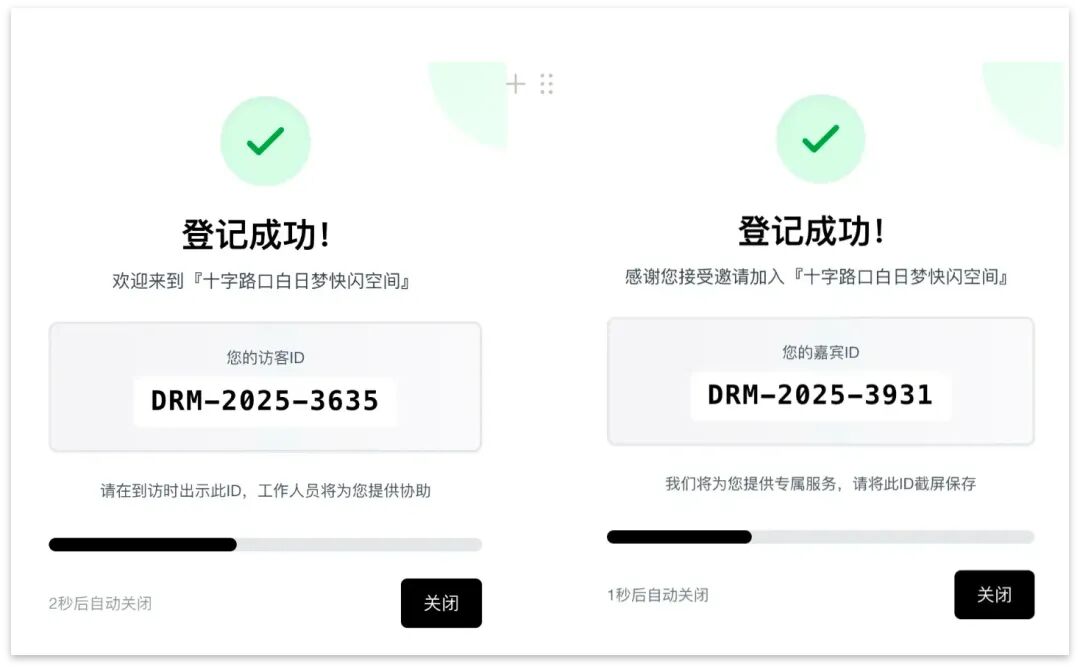
Of course, this is only Clacky's first version. If you want the frontend to look better, you can directly upload images and make additional design requests in natural language. Here's the effect after our slight optimization:
Building Productivity From Scratch
As an AI coding tool, Clacky can build productivity from scratch, producing projects with real-world value.
Let's start with the simpler stuff.
For example, I asked Clacky to build a scraper tool that "specifically crawls artwork information from the Art Institute of Chicago (AIC), then saves it into a database."

Building scrapers is one of the most accessible "productivity tools" that AI coding agents can help novice developers with right now.
Entry-level scraping is actually quite simple — grabbing a static webpage's title, images, and description takes just a few lines of code. These sites have clean page structures and virtually no anti-scraping mechanisms.
But sites like the Art Institute of Chicago (AIC) — museums that appear open — actually use complex data structures behind their pages. So we first located its API documentation:
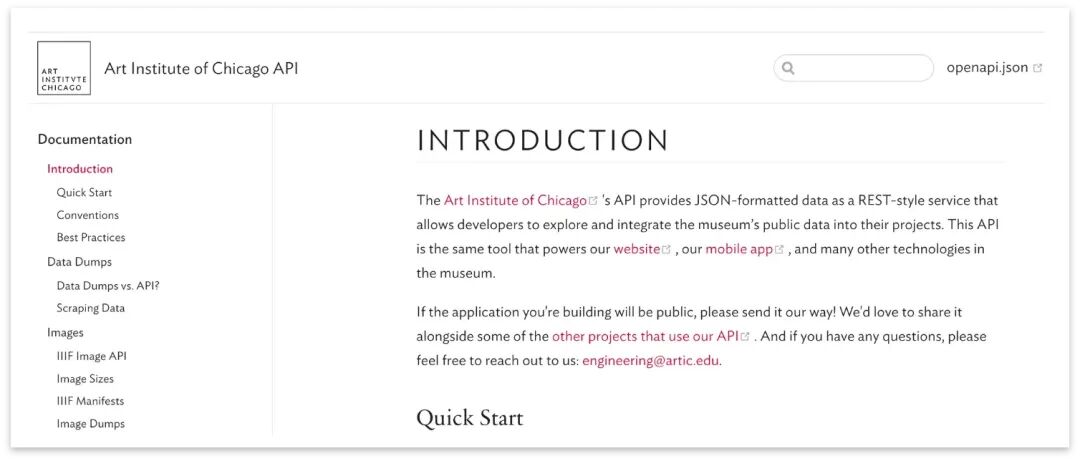
Once you have the API documentation link, you only need to input a very simple prompt to Clacky.
If anyone wants to test this, feel free to use this directly:
Build an AIC artwork scraper using FastAPI with a web interface
- Scrape data from the Art Institute of Chicago (AIC) website using its API (https://api.artic.edu/docs/#introduction)
- Save scraped data to an SQLite database
- Create a simple web interface at the root path
/to launch the scraper, monitor progress, and display results - Style the page using Tailwind CSS (via CDN)
Just as it did when building the "Guest Registration System," Clacky reconfirmed the requirements:
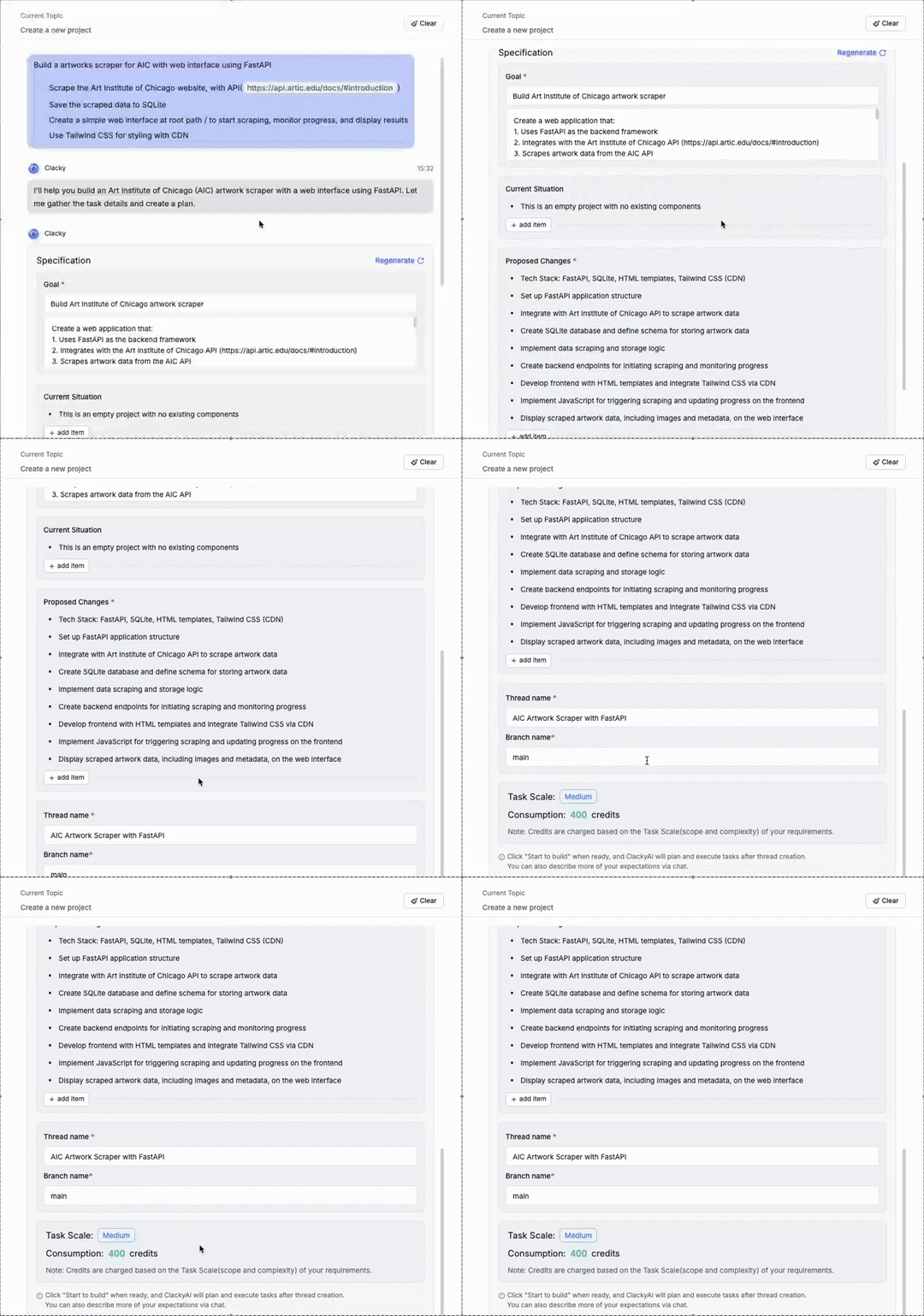
Then you can one-click Follow Clacky and ignore whatever's happening on your screen. Because what Clacky does best is self-diagnosis and planning.
For example, when connecting to the Art Institute of Chicago (AIC) API, Clacky autonomously mapped out its approach:
Since AIC doesn't return all artworks in a single request, Clacky decided to implement paginated data fetching. To avoid getting "banned" by AIC, Clacky added rate limiting to itself (maximum 1 request per second):
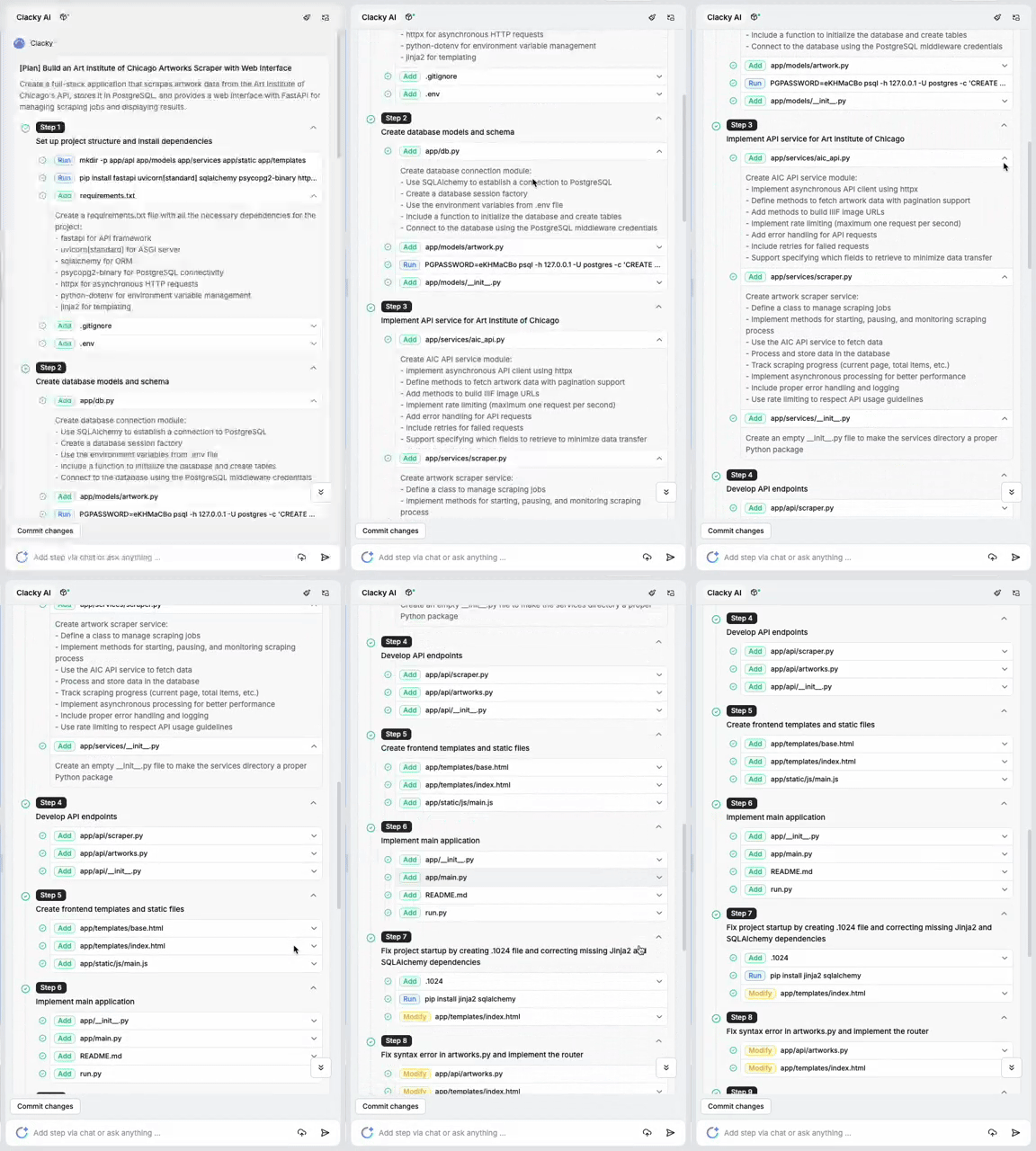
Since Clacky performed so well on the "Crossing Guest Registration System," once I saw it had planned out the basic steps, I went off to handle other things.
About 15 minutes later, Clacky had completed the project: it scraped 993 paintings directly, and for each painting it automatically recombined the content information, providing the artwork's title, artist attribution, creation date, and affiliated department:
This outcome actually represents the biggest difference between Clacky and other AI coding tools: Clacky strives to approach every project with an "engineering" mindset.
That's why it spends so much time categorizing things properly and running self-diagnostics.
The two projects above — the "Crossing Guest Registration System" and the "Chicago Art Museum Scraper" — are basically what I as a "coding newbie" could hand-build using Clacky within 30 minutes.
Next, let's look at a more complex real-world test case, and one of Clacky's main features: creating a Studio for complete project iteration.
It's a Full-Fledged Studio
Beyond these two "simple" projects, we also found that Clacky can tackle complex projects, because it supports asynchronous collaboration for rapid product iteration.
Let's test it with a case that has visual impact: developing a "multiplayer cloud-based Snake battle game" from 0 to 1.
Throughout the development process, we iterated through single-player versions, two-player versions, and more — all in just a few hours.
This part involves higher complexity, so to deeply evaluate Clacky, we invited a senior engineer friend to serve as our consultant, providing guidance and assistance at critical moments.
Without further ado, following the same workflow as before, I simply entered a brief prompt into Clacky:
Make me a Snake game, single-player mode.
This was no challenge whatsoever for Clacky. It easily built out complete functional modules for the mini-game, such as Ranking leaderboards, all-time high scores, and more.
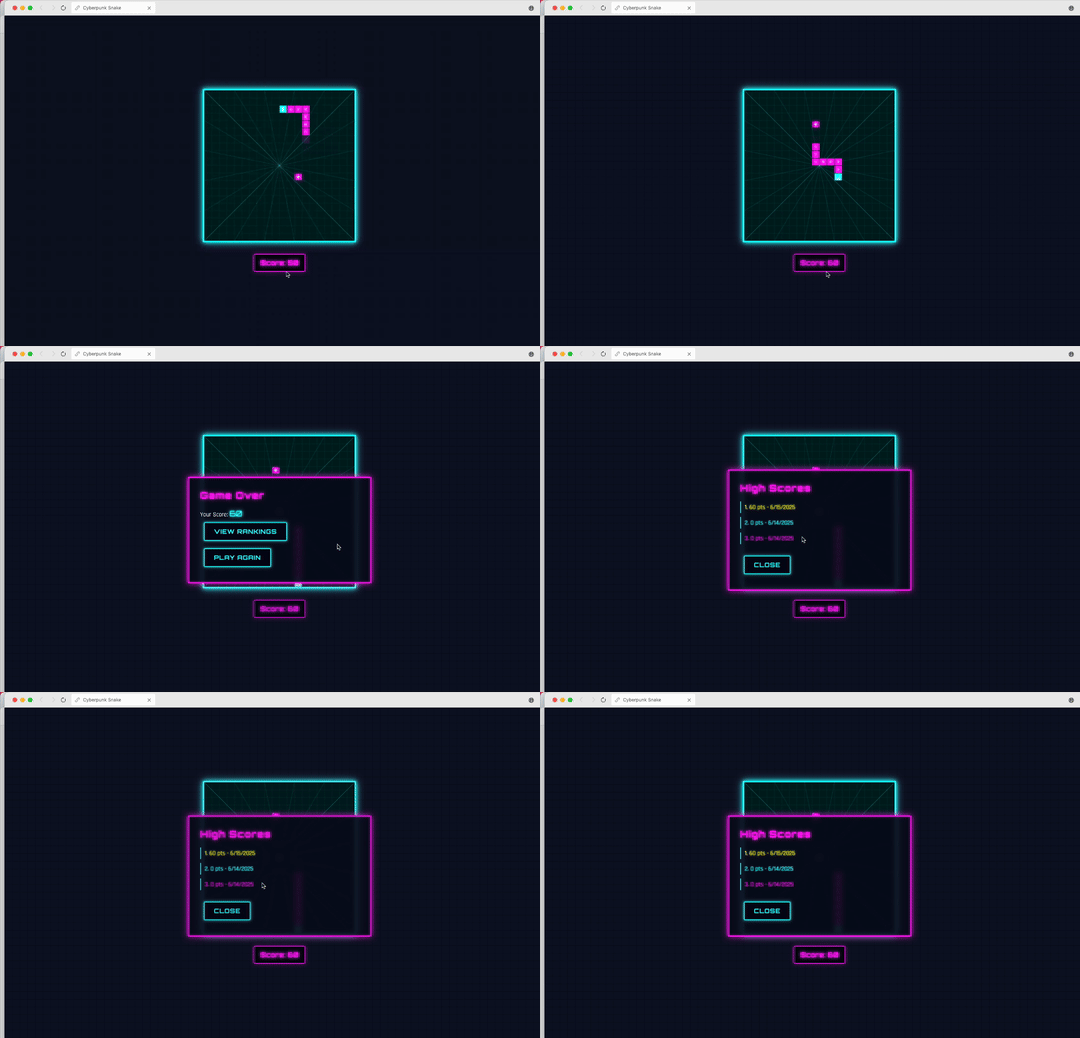
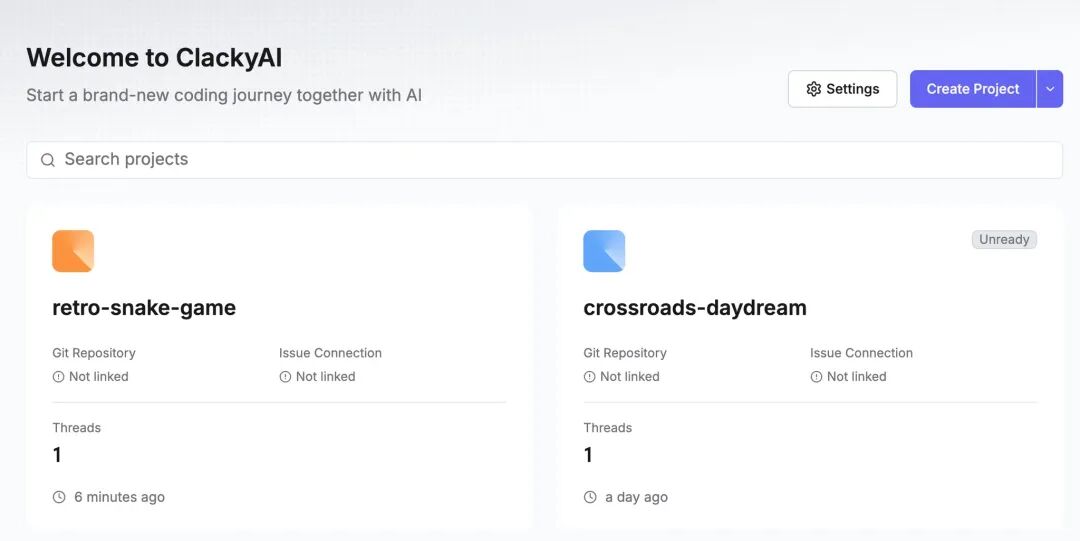
In Clacky, every new project is automatically placed into the user's Workspace as a "Project":
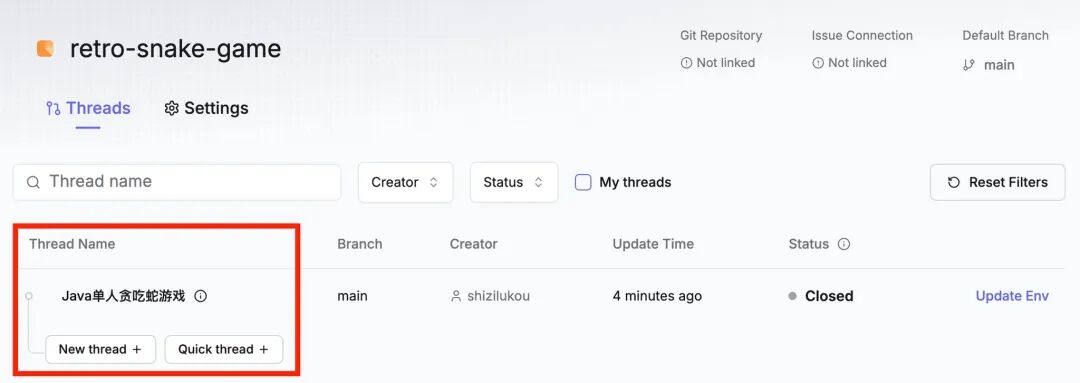
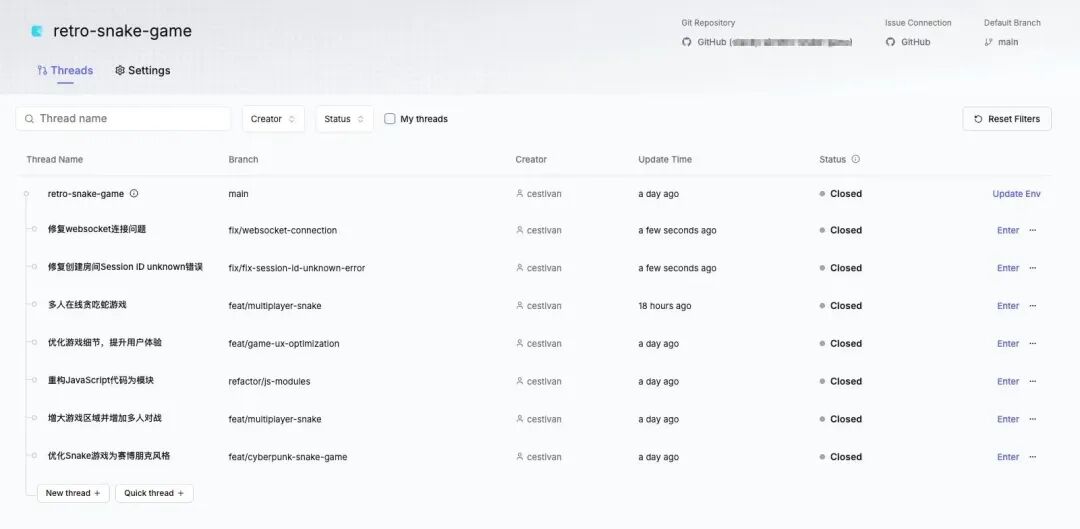
Within this "Project," each individual sub-project is a Thread — a concept quite similar to the programming term "thread."
Every team member can create multiple Threads within a "Project," collaborating asynchronously and iterating rapidly.
For instance, when we wanted to upgrade the "single-player Snake game" to a "two-player version," we could simply open a new Thread to isolate the risk:
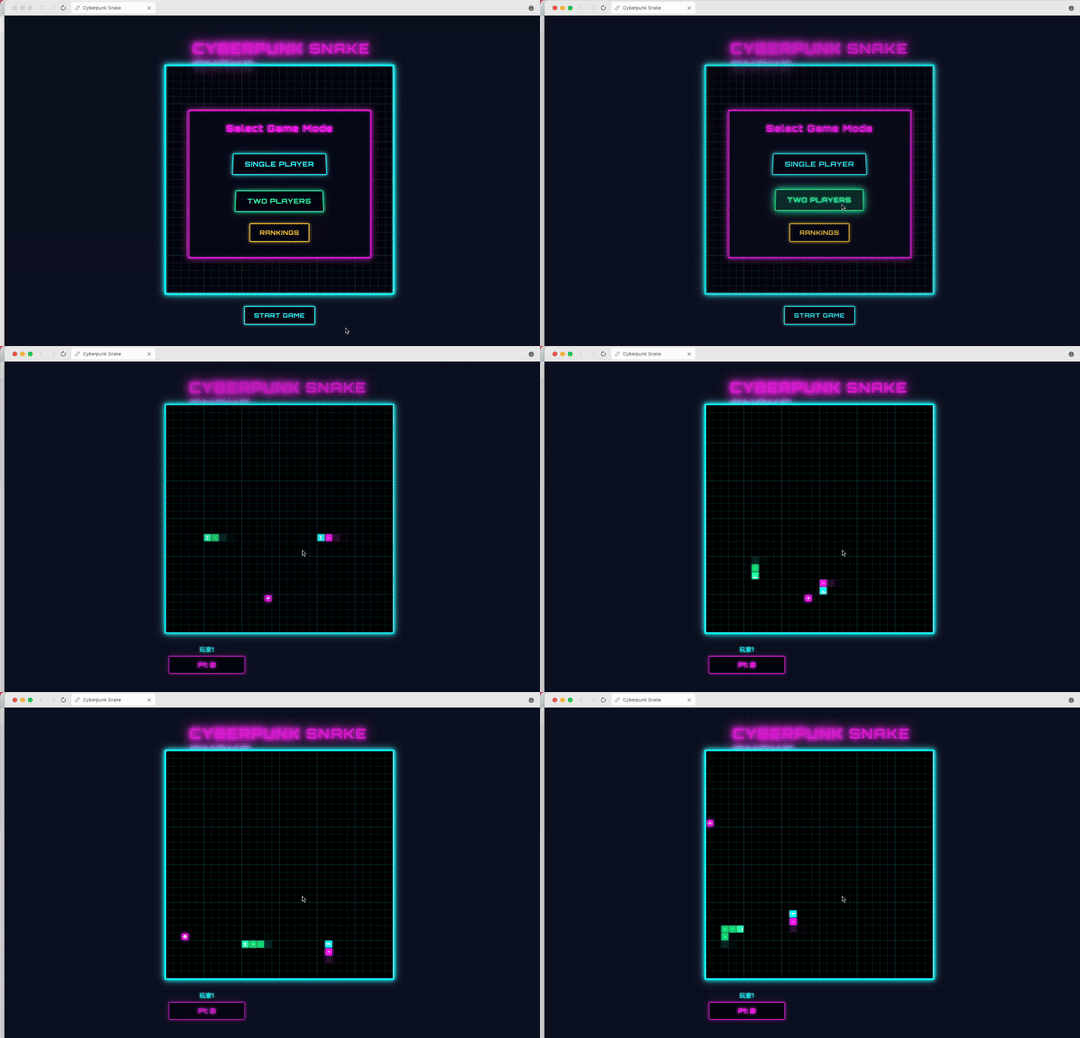
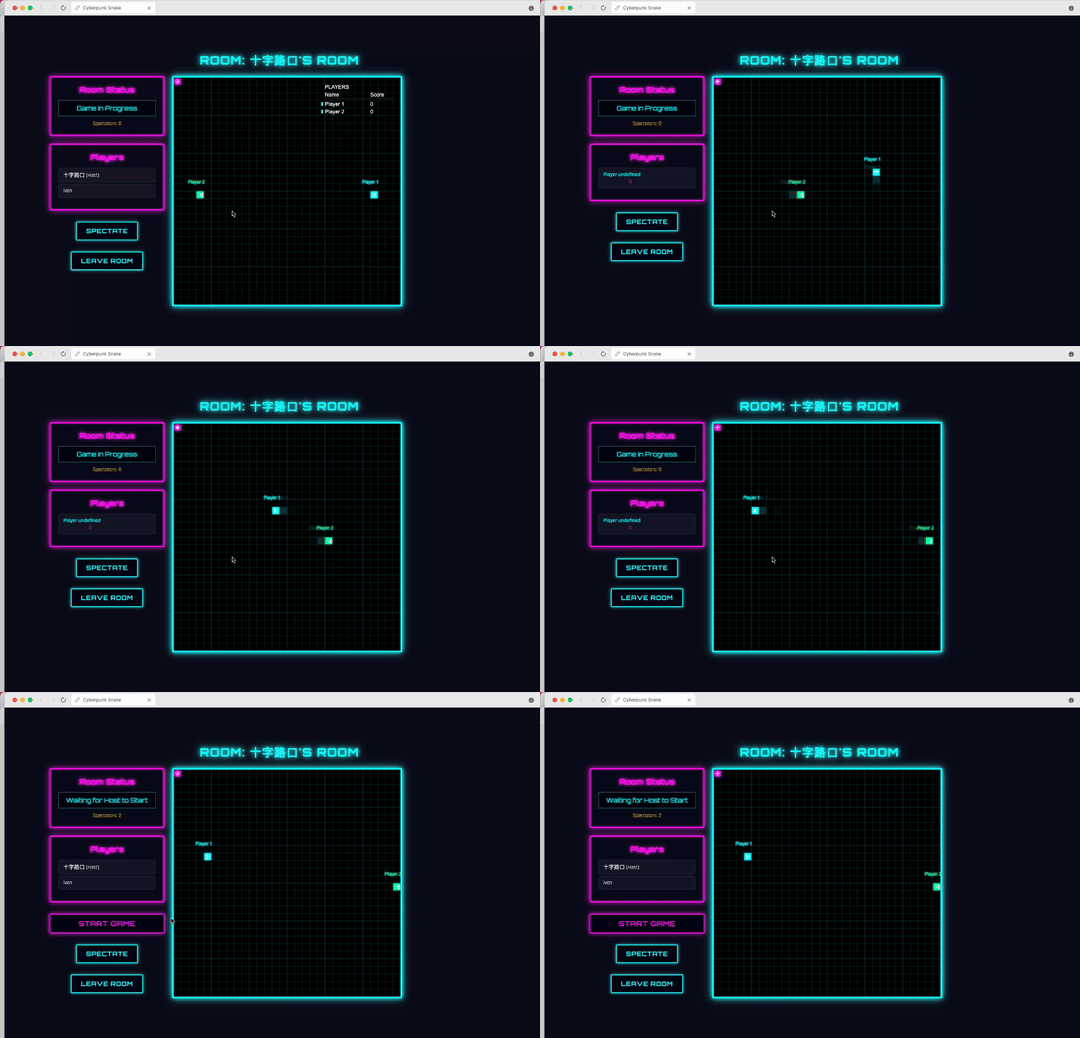
Going further, since Clacky is itself a cloud development environment, we found it could build directly in the cloud. In this "cloud battle Snake" game, create a room and two people can battle each other!
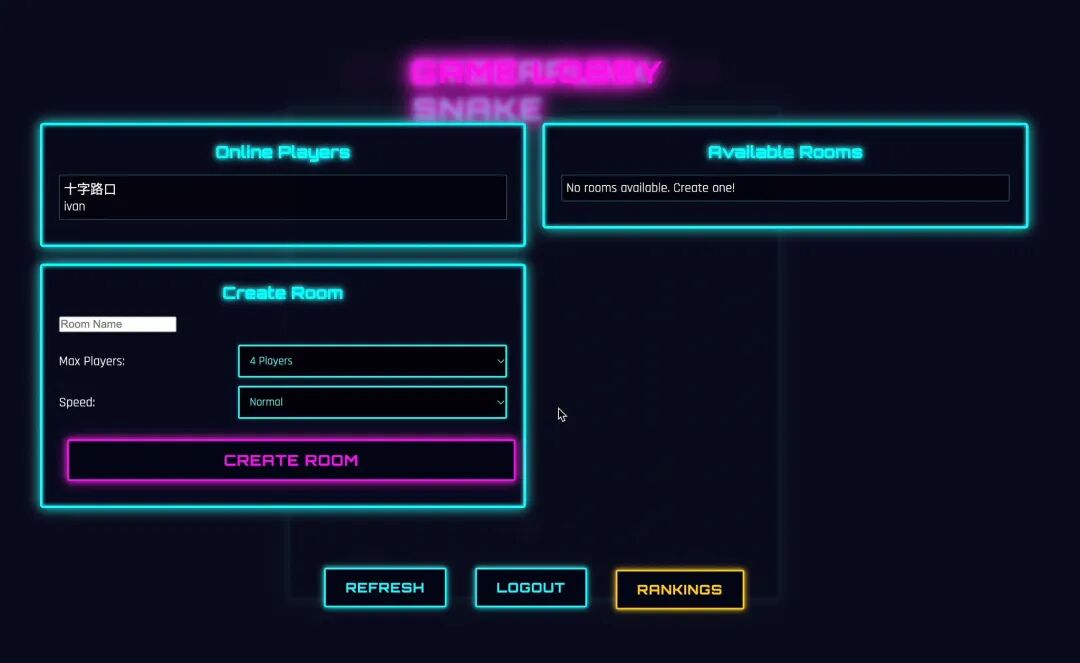
The battle looks something like this (since the square the snakes need to eat was stuck in one corner, we both lost round after round playing remotely, lol):
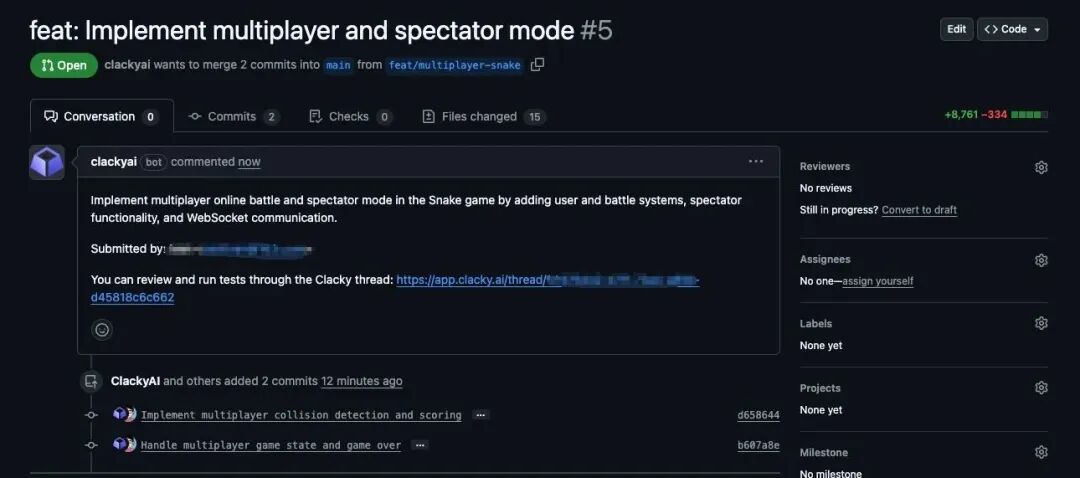
Notably, after I finished playing the game, I checked the GitHub PR (pull request) interface and discovered that Clacky had output 8,761 lines of code in one go!
Throughout this product iteration process, we opened many Threads, which were mostly linear — iterating on top of the previous project.
Clacky, this AI CDE tool, is indeed still very young, with rapid version iterations.
Although it's currently in beta with some instability, this is an exceptionally well-designed product. I'm quite looking forward to its official launch, when the Clacky team can refine it to an even better state — stably supporting multi-person parallel development, letting team members handle different requirements simultaneously and achieving true "multi-threaded" collaboration.
This "industrialized" Studio is well-suited for teams and enterprise clients, with a single Workspace accommodating code development needs across numerous business scenarios.
Users can not only easily manage code modules for multiple business scenarios, but also leverage Clacky's powerful AI autonomous planning and self-diagnosis capabilities to rapidly iterate projects, automatically breaking down requirements and assigning subtasks.
After running a complex but meaningful project with Clacky, the scene felt like: the "Hello World" that pops on screen the first time you run something successfully.
This is just a microcosm of the "iPhone moment" for AI Coding. It's like a hammer, currently smashing through the wall that says "programming is a programmer's patent."
In the "spring" of AI Coding Agents, every brave attempt deserves to be seen.
The Crossing team will continue tracking these young AI Coding Agent tools, documenting every new attempt and breakthrough behind each "Hello World."
Clacky AI has opened its beta today. Apply for beta access through Crossing's exclusive link, and the Clacky AI team will prioritize sending you a verification code: https://clacky.ai/beta?source=source_koji-medium_content-campaign_beta_launch
Let's explore tomorrow with these young Agents!
Keep coding, keep dreaming.


References
[1] Clacky AI: https://clacky.ai/
[2] AI Agent Autonomy Scale: https://www.bvp.com/atlas/bessemers-ai-agent-autonomy-scale