Where you can't see it, HeyGen is rewriting the rules of AI video generation

Deterministic, controllable, mass-producible
Deterministic, Controllable, Scalable
👦🏻 Author: Daniel
🥷 Editor: Koji
🧑🎨 Design: Zeooo

In the AI video generation space, everyone is watching Seedance and Keling AI to see who can produce more realistic visuals and more natural motion.
But outside the generative approach, HeyGen quietly open-sourced something that doesn't compete on image quality — instead, it targets the infrastructure of video production.
The Other Path for Video Generation
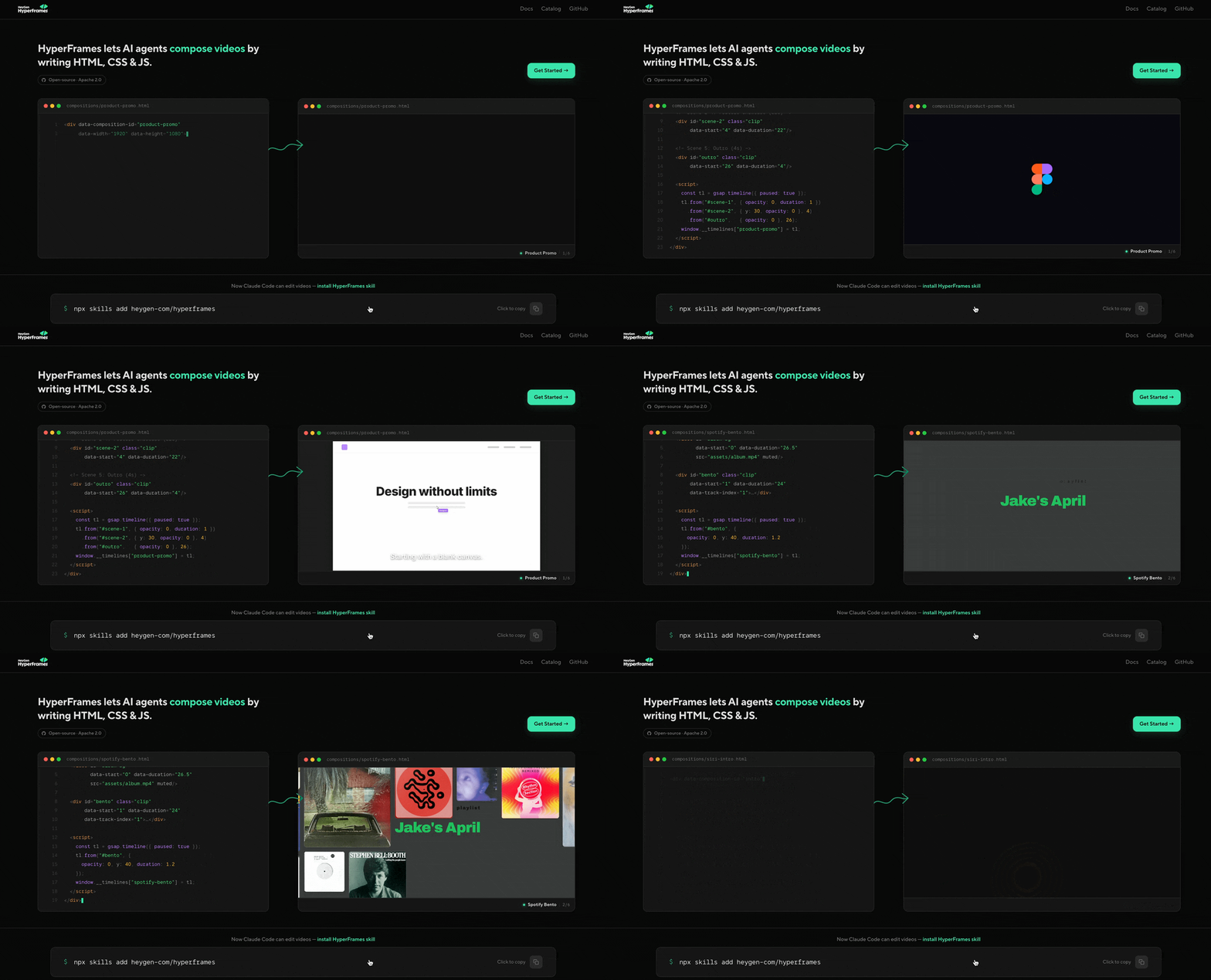
In April, HeyGen released Hyperframes, an HTML-based video rendering framework. It doesn't generate images; it turns code into frame-stable, smoothly animated video files ready for upload and playback. Three keywords: deterministic, controllable, scalable.
Instead of generating through Diffusion, it exercises precise frame-by-frame control through code.
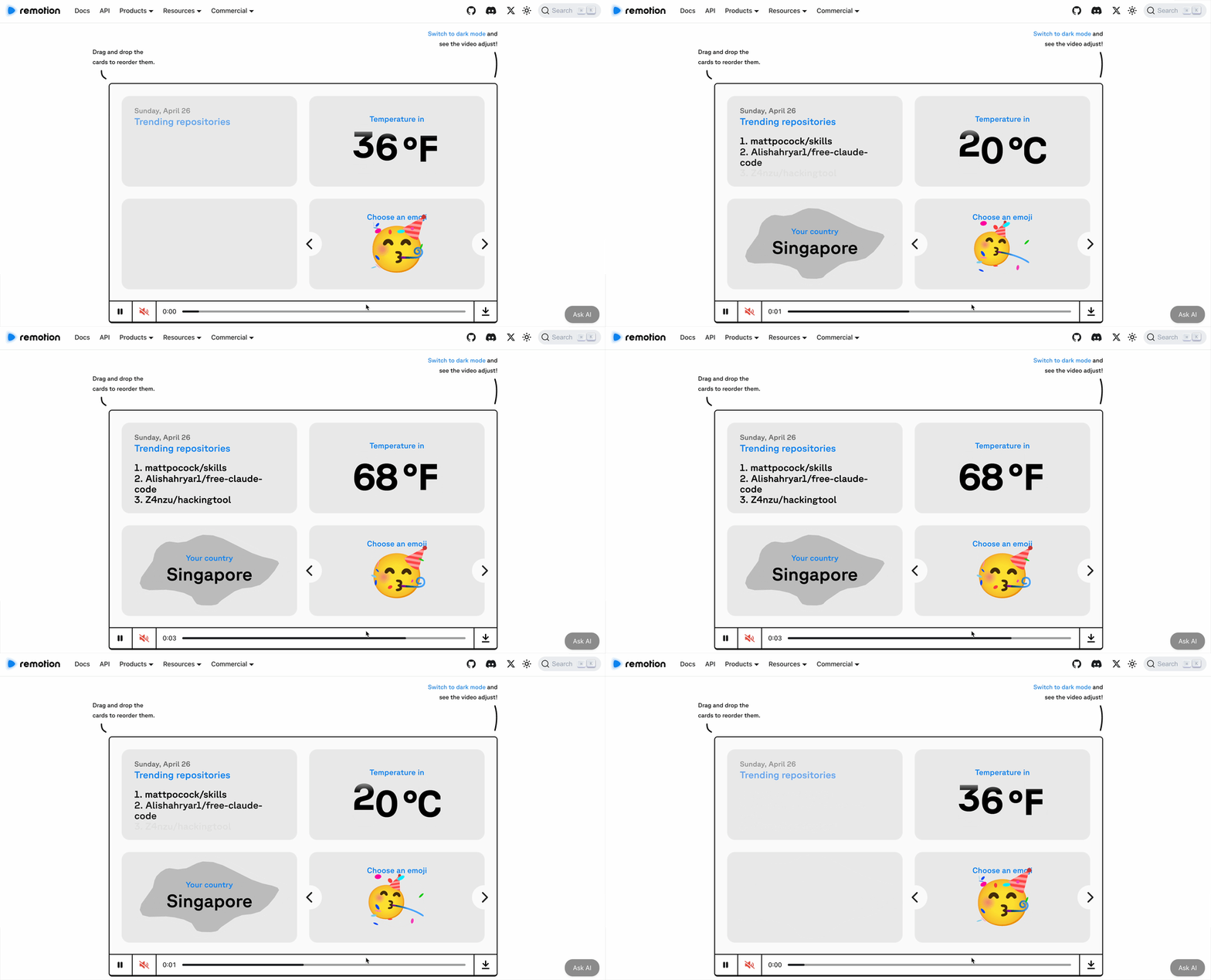
Before Hyperframes, the most important project in this space was Remotion. Released in 2021, its approach was elegant: write video using the classic frontend framework React, where each frame is a component and every second on the timeline is code-controllable.
Remotion worked well and built a solid paying user base. But after heavy internal use, HeyGen found it insufficient — so they rebuilt Hyperframes from scratch and open-sourced it.
Why wasn't it enough? Why reinvent the wheel? This is the most important question for understanding Hyperframes. Let's first look at what using it actually feels like.
The Experience: Low Cost, High Control
Getting started is simple. Run one command to install Hyperframes' skill into your AI agent (Claude Code, Codex, OpenClaw — any of them), initialize a project directory, and from there it's entirely natural language interaction.
I tested with Claude Code paired with Opus 4.6. First prompt:
Make a 9:16 TikTok-style short video for laypeople explaining the difference between DeepSeek V4 and V3, about 30 seconds, with DeepSeek's visual identity, bouncy animations, and professional-sounding TTS.
This simulates a very real scenario: I want to quickly make an explainer video for a general audience, without putting much thought into the prompt or specifying every part of what the video should cover and how — letting the AI handle everything, how low can the cost go?
Claude Code searched for DeepSeek V4 materials on its own, generated voice with Kokoro, handled visual design, and output an HTML file.
One detail worth noting: Hyperframes has built-in forced validation. After HTML generation, it automatically checks format compliance — content overflow, insufficient contrast making text unreadable, these issues get caught before rendering. The output is at minimum "watchable," with no broken layouts.
The result was fairly simple, basically a few pages of text with transition animations — like a PowerPoint that moves. The color scheme was also on the ugly side, and it defaulted to English. But given only one sentence of instruction with zero optimization, this starting point passes.
Then I started iterating. I gave a modification prompt:
Change the main color scheme to white background with blue-black text, a more minimalist and premium visual style; switch language to Chinese; fix the rhythm misalignment between subtitles and voice; replace transitions with richer effects; highlight keywords with blue background and white text.
Claude Code didn't just change the styling. It re-verified V4's technical parameters and corrected several factual errors from the first version — for instance, changing the vague "73% reduction in computation" to the more precise "73% savings in attention computation." Content and form iterated together.
One more round of fine-tuning: add a header title, swap bar charts for donut charts, replace one overly cringey slogan, diversify transition animations. Each round of tweaks took about five minutes.
The final result was already fairly presentable. From "ugly PowerPoint" to "publishable" — three to four iterations, roughly half an hour total. This cost is already lower than dragging elements around in CapCut yourself, with zero software learning curve.
The explainer video was "starting from scratch," somewhat rough by nature. Next I tested a scenario closer to actual production: providing some base materials and instructions, using the same template and style to batch-generate a series of videos.
I chose the Sanrio family for the experiment, pre-searching image assets (PNG, GIF) for four characters: My Melody, Kuromi, Pompompurin, and Cinnamoroll. Then I gave a fairly detailed prompt:
Four videos share one template structure (introduction → character intro → relationships → series outro), but each character has its own color scheme (pink, purple, yellow, blue) and dynamic background (plaid, shooting stars, polka dots, stripes); images must maintain transparent PNG with no background; titles use cute cartoon fonts with outlines; character images should have subtle floating "breathing" animation.

(Reference images I scraped from the web)
From preparing assets to all four videos complete, about 20 minutes. Results below:
Throughout the entire experience, what I found most worth discussing isn't how good the final output looked — it's the change in workflow.
With Sora or Runway, you're facing a black box: input prompt, wait for output, if unsatisfied try another prompt, and sometimes things you previously fixed get reverted on the next generation. You can't say "in this exact frame, move that element on the left a bit to the right." Every regeneration is a complete gamble.
Hyperframes is completely different. Because the underlying layer is HTML code, every element in every frame is deterministic. You can directly have the AI change a specific line of CSS — switch the title color from blue to red, or adjust an animation duration from 2 seconds to 1.5 seconds — then re-render.
The same code produces identical video every time. This means you can confidently modify details without worrying that changing one thing mysteriously alters another.
Hyperframes versus pure prompt-driven video generation tools is analogous to a code-defined workflow versus a model's natural-language-understood skill — the former is more stable and controllable, the latter more flexible with higher ceiling. At this stage, both paths coexist.
If your need is batch production of templated content, the Hyperframes path is more suitable.
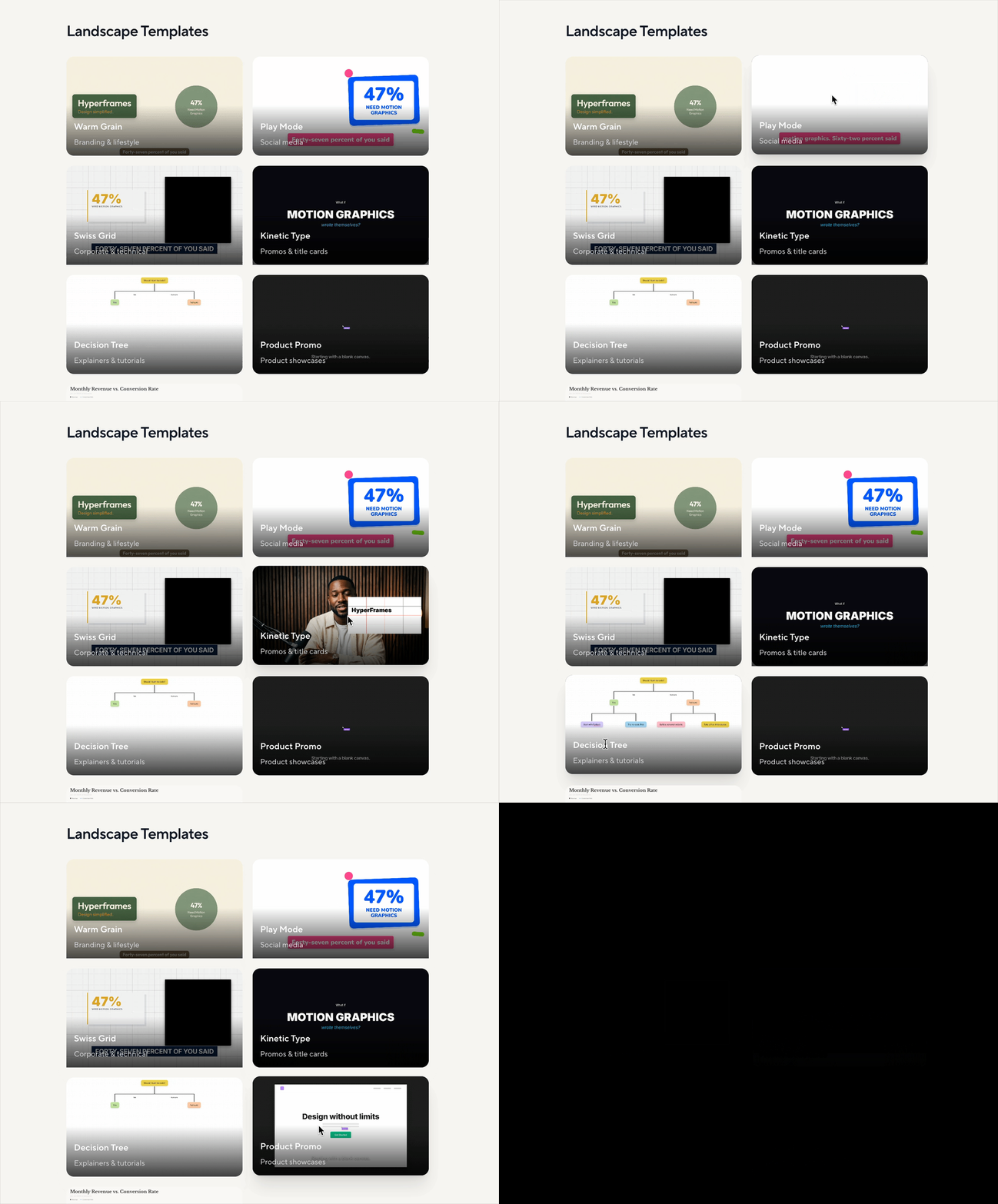
Also, the two videos I hand-crafted above are still rough. Hyperframes' official site provides some polished templates, and if the community grows, developers will certainly contribute more templates — much like the PowerPoint template ecosystem.
But in Real Production Environments, Hyperframes' Limitations Persist.
As mentioned, Hyperframes has high code completion rates — HTML-level structural errors are virtually nonexistent. But "code runs" and "looks good" are still different things.
For complex visual compositions and refined motion effects, even with detailed natural language descriptions, a gap remains between output and expectation. This gap stems from two distinct layers of limitation.
The first limitation: natural language has limited bandwidth for describing spatial relationships. For example, I had it generate a podcast highlight clip for Crossing (the clips were manually edited by me):
**Use Hyperframes to make a podcast highlight & intro video, landscape 16:9** Assets: (video URL and text) Layout: Spotlight-style, on a dark green background, a circular frame contains the guest from the video, below the circle is the guest's name and title, with large text displaying the quote beside it. The three assets should have different portrait and text positions to ensure visual variety. Animation: Circle and text slide in from the side, text appears sentence by sentence following the video rhythm. Transitions: Clean transitions between clips.
The animation itself isn't difficult, but how to set position and scale to frame exactly the range I wanted — this I couldn't clearly communicate to Claude in words. "A bit to the left," "a bit bigger" — it's a bottomless pit. I could only manually tweak values in the HTML bit by bit, then re-render to see the result. This was the most time-consuming step.
This isn't a model capability issue — it's that natural language itself has insufficient bandwidth for describing precise spatial relationships, less efficient than a GUI where you directly drag and drop.
The second limitation: models lack visual feedback loops and cannot self-evaluate whether output meets standards. For example, I had it generate an animated video for the Crossing podcast:
**Use Hyperframes to make a Crossing podcast animated video, landscape 16:9** Podcast name: Crossing, meaning "standing at the crossroads of technology and humanity" Podcast logo: (image) Layout: Background uses the podcast's signature dark green, covered with complex dense lines resembling traffic roads, circuit boards, and growing branches, curved and straight. Between the lines, rich geometric shapes are irregularly arranged as accents, showing vitality. Foreground: upper half is the logo, lower half is the podcast name and slogan. Foreground elements all use light green. Animation: Background starts from pure dark green, roads rapidly extend from center to edges, while decorative geometric elements appear as roads grow. Foreground: starts from a vortex/wave of circles of varying sizes, after the wave rotates and disappears, logo and text quickly pop out. Foreground and background animations end simultaneously, then the frame holds static, total duration 2s. Overall animation should be as jumpy, exaggerated, lively, and vital as possible.
The first version was extremely rough and simple. After multiple rounds of追加 "more complex," the model finally delivered on "complex," "abundant," and "exaggerated" that were already specified in the initial prompt. In other words, the requirements were there from the start, but the model automatically downgraded.
Final result:
This is because language models cannot truly "see" the rendered result. They don't know what their code looks like visually, and thus cannot judge "is this complex enough" or "is this exaggerated enough."
They tend toward conservative, safe versions because they have no feedback signal to calibrate their understanding of "degree."
These two limitations combined mean that Hyperframes' current workflow still requires a mandatory human intervention step: visual fine-tuning.
AI can rapidly generate 80% of the effect, but that final 20% — whether positioning is right, whether animation is complex enough, whether the overall feel lands — still requires a human looking at the frame and manually adjusting parameters. The efficiency of this step determines whether it can truly replace traditional video production workflows.
Why HeyGen Is Doing This
Understanding the experience, let's look at the business logic behind it.
HeyGen is an AI digital human company. Its core product: you upload text, it generates a video of a digital human speaking.
The behind-the-scenes workflow is roughly: first use AI to generate the digital human's facial animation and lip sync, then assemble these assets into a complete video with backgrounds, subtitles, transitions, logos.
For this assembly step, HeyGen had been using Remotion. But Remotion has a practical problem: it's commercially licensed.
But cost savings are only the surface reason. The deeper reason: Remotion is designed for humans.
Remotion chose React as its technical foundation because React is the framework frontend engineers know best. If your users are programmers, giving them the most familiar tool is the lowest-friction solution.
But HeyGen's scenario has changed. In their production pipeline, an increasing share of video isn't generated by humans writing code, but by AI agents calling APIs automatically.
So Hyperframes stripped away React, returning to the most basic HTML + CSS + JavaScript. For AI, generating pure HTML is far more accurate than generating a React component tree.
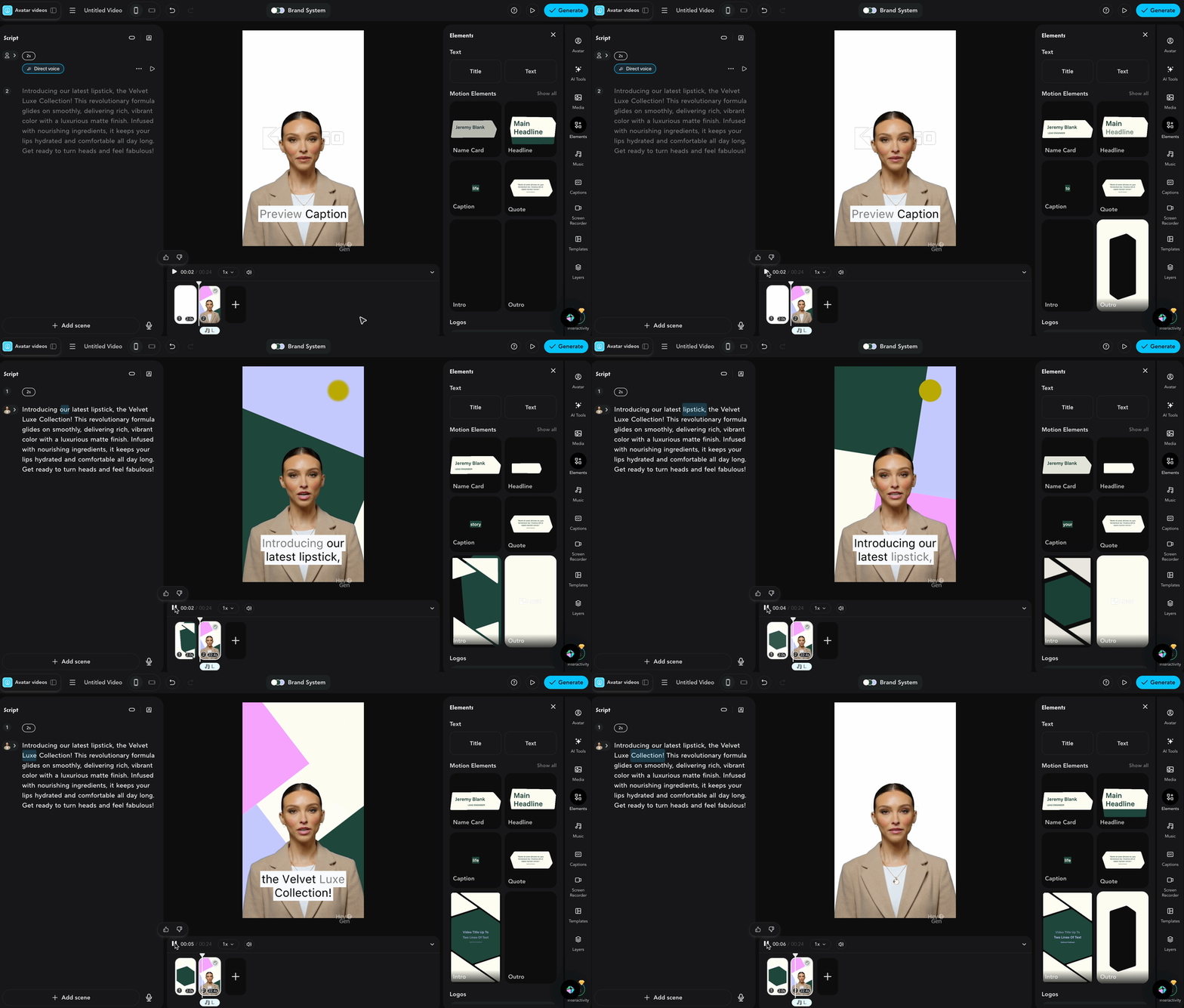
From a business model perspective, Hyperframes' component directory includes a component called HeyGen Avatar, used to embed HeyGen's digital humans. The framework is free; the digital humans are paid. Use this framework, and you're naturally plugged into HeyGen's core paid product.
HeyGen is betting that: in the world of AI video, while AIGC-generated content will be heavily used, there will still need to be a structured, controllable code layer controlling video's basic information, editing, and visual transitions. Whoever defines this infrastructure layer's interface gains platform status.
(Hyperframes animation combined with digital human)
In essence, Hyperframes pulls video into the realm of vibe coding: version control, batch generation, deterministic reproduction.
Throughout my entire Hyperframes experience, I used Claude Code — not a video production agent, but a general-purpose coding agent, except this time the code gets rendered into video.
The boundary of an agent's capability isn't the agent itself, but the tools it can invoke. Code is becoming AI's lingua franca for understanding and manipulating the world — in other words, the coding agent is the universal agent.
What creative medium gets pulled into the world of code next?
🚥
Hyperframes experience summary:
Pros:
- Deterministic. Change one thing, only that thing changes — unlike generative tools where every regeneration is a gamble
- Pure HTML foundation is AI-friendly, high completion rate, virtually no structural errors
- Fast iteration, five minutes per round, three to four rounds from rough to publishable
- Ideal for batch production, same template with swapped content — series content efficiency crushes manual workflows
Cons:
- Final 20% visual fine-tuning still requires humans — spatial positioning, animation intensity, these things can't be clearly specified
- Natural language describing precise spatial relationships is too inefficient, far inferior to GUI direct manipulation
- Models can't see what they've rendered, always tending conservative, requiring repeated pushing
- HTML+CSS animation has a ceiling — photorealistic and cinematic-grade visuals are out of reach

Crossing is seeking freelance contributors to write AI product and model reviews. If you've written articles like these: "Hands-on with PixVerse C1", "Hands-on with LibTV", please contact zeo0811@gmail.com. Your email should include: ① personal introduction, ② AI review articles you've written. We offer competitive rates. Looking forward to observing and documenting the AI era with you 🎪